Month: April 2018

  • Amazon Wants to Get into Your Car

    Amazon Wants to Get into Your Car

    What if you could have your Amazon order delivered to your car?

    Last year, Amazon asked for permission to unlock your front door so it could leave packages inside your home and a certain number of extremely trusting Amazon Prime subscribers said okay. Now, the tech giant wants to do the same thing with your car.

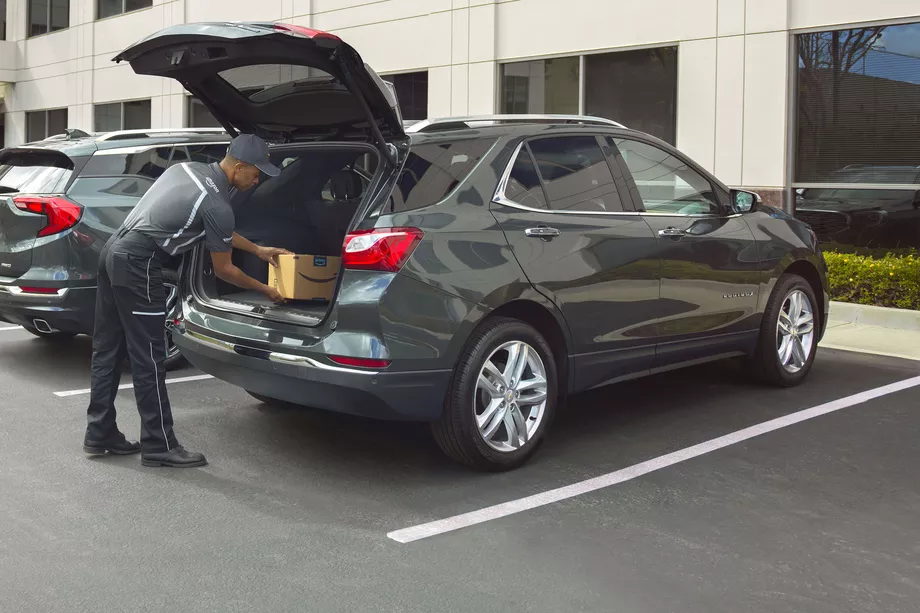
    The Amazon Key In-Car service is designed to deliver packages quickly and more securely than traditional services. Instead of driving home to get your package in the middle of the day or hoping that it won’t be stolen from your doorstep or mailbox, you can have your order dropped off in the trunk of your car. Sound good? Well, there’s a catch (or two).

    How It Works

    First, your car must be parked in a publicly accessible spot so that the driver can reach it. Your trunk will be unlocked using an app on the driver’s phone, so the delivery driver never actually gets a key or access code to your car. (One wonders why it’s called Key In-Car, since no keys are involved, but that’s a question for another day.) Finally, you’ll get a notification on your phone when your package has been delivered.

    Safety Concerns

    Amazon’s newest innovation is an expansion of their controversial Amazon Key delivery service, which allows delivery drivers to access your home using a specially installed keypad and security camera. Some customers—particularly women—were understandably nervous about allowing strangers into their homes.

    You can use the app to block access to your car at any time, for any length of time. As an alternative to in-home deliveries, the Key In-Car service is potentially less intrusive and holds fewer safety concerns.

    [adPlaceHolder]

    Ready to Get on Board?

    In order to take advantage of Amazon car-based deliveries, you’ll need to meet several criteria. The pilot program is only available to Prime subscribers in 37 cities in the US.

    For now, the service is limited to customers with GM vehicles (Chevrolets, Buicks, GMCs, and Cadillacs) or Volvos produced after 2015. Amazon Key In-Car delivery also requires your vehicle to have an internet-based support function, like OnStar or Volvo On Call, in order to let the drivers remotely unlock your trunk. With these limitations, it’s only for a select few. There’s no word yet on how Amazon may expand the program in the future.
    Final Thoughts

    Some people will automatically be turned off by this service, especially after reading that security researchers discovered that Amazon’s cloud-connected camera for in-home deliveries can be disabled and frozen from a program run from any computer within Wi-Fi range. While Amazon’s cloud-connected camera provided a layer of security for those who would want to monitor their in-home deliveries through Amazon Key, the in-car deliveries offer no similar video feed. Amazon says that multiple notifications, plus the option to block access at any time, ensures the customer remains in control of the process.

    If anything, potential customers may find the in-car deliveries more attractive from a cost perspective. To sign up, you aren’t required to spend $250 on a smart lock and camera like with in-home deliveries, and there’s no installation required. All you need is the right car and the willingness to let Amazon’s delivery employees unlock your vehicle. Frankly, we’re still holding out for drone delivery.

  • The Best Tablets for Kids

    The Best Tablets for Kids

    Screen-time for kids may be a controversial topic, but plenty of parents have discovered fun, educational ways to integrate technology into their children’s lives. We’ve rounded up the best tablets for kids of different ages so that you can make an informed decision about which one to purchase.

    Why Buy a Kids’ Tablet?

    Unlike “grown-up” tablets and smartphones made by Samsung or Apple, devices designed for kids have more robust designs to withstand rough handling and more options for parental controls to limit or block certain functions. Many kids’ tablets come pre-loaded with age-appropriate apps; for example, the kid editions of the Amazon Fire tablets are bundled with a subscription to FreeTime.

    Best Tablets for Ages 3 to 6

    For the littlest ones, a kid-friendly tablet like those made by Leapfrog is your best bet. The LeapFrog Epic is tough but basic, with an intuitive Android OS that can run either the premium proprietary apps from LeapFrog or third-party apps from Amazon. One downside to the Epic is the battery life, which only lasts about five hours. If you’re planning a trip and need to keep the kiddos entertained, make sure to bring the tablet’s charger!

    Best Tablet on a Budget

    Although it doesn’t have as many bells and whistles as the newest model, the Amazon Fire 7 Kids Edition is the best value on the market. We love the sturdy, bright case that comes with the Kids Edition, as well as the year-long subscription to Amazon’s FreeTime Unlimited, which is stocked with plenty of games, books, videos, and other digital delights. Best of all, Amazon offers a two-year replacement plan, so if accidents happen—and with kids, they often do—you will be covered.

    Best Tablet for Work and Play

    The Kurio Smart is an interesting hybrid of kids’ tablet and basic laptop. The detachable keyboard and Windows 10 operating system lets the Kurio Smart function more like a simple laptop, which is great for kids who need to browse the internet and use Microsoft Office products for schoolwork. It performs equally well as a tablet for reading and games once the homework is done.

    Best Tablet to Grow with the Child

    If you have the budget for it, the iPad Mini is the most versatile tablet on the market. While we wouldn’t recommend it for toddlers, elementary school kids can get years of use out of an iPad as their educational and entertainment needs change. Though more fragile than the tablets made just for kids, the iPad Mini can also do a lot more. Great display, long battery life, and top-notch support from Apple make the iPad Mini a worthwhile investment. Just make sure you also purchase a kid-friendly plastic case and a screen protector—you’ll want this tablet to last!

  • Tech Throwback: Motorola Bravo Pager

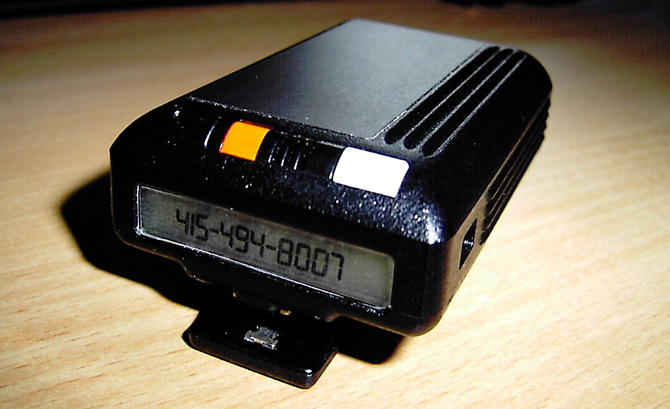
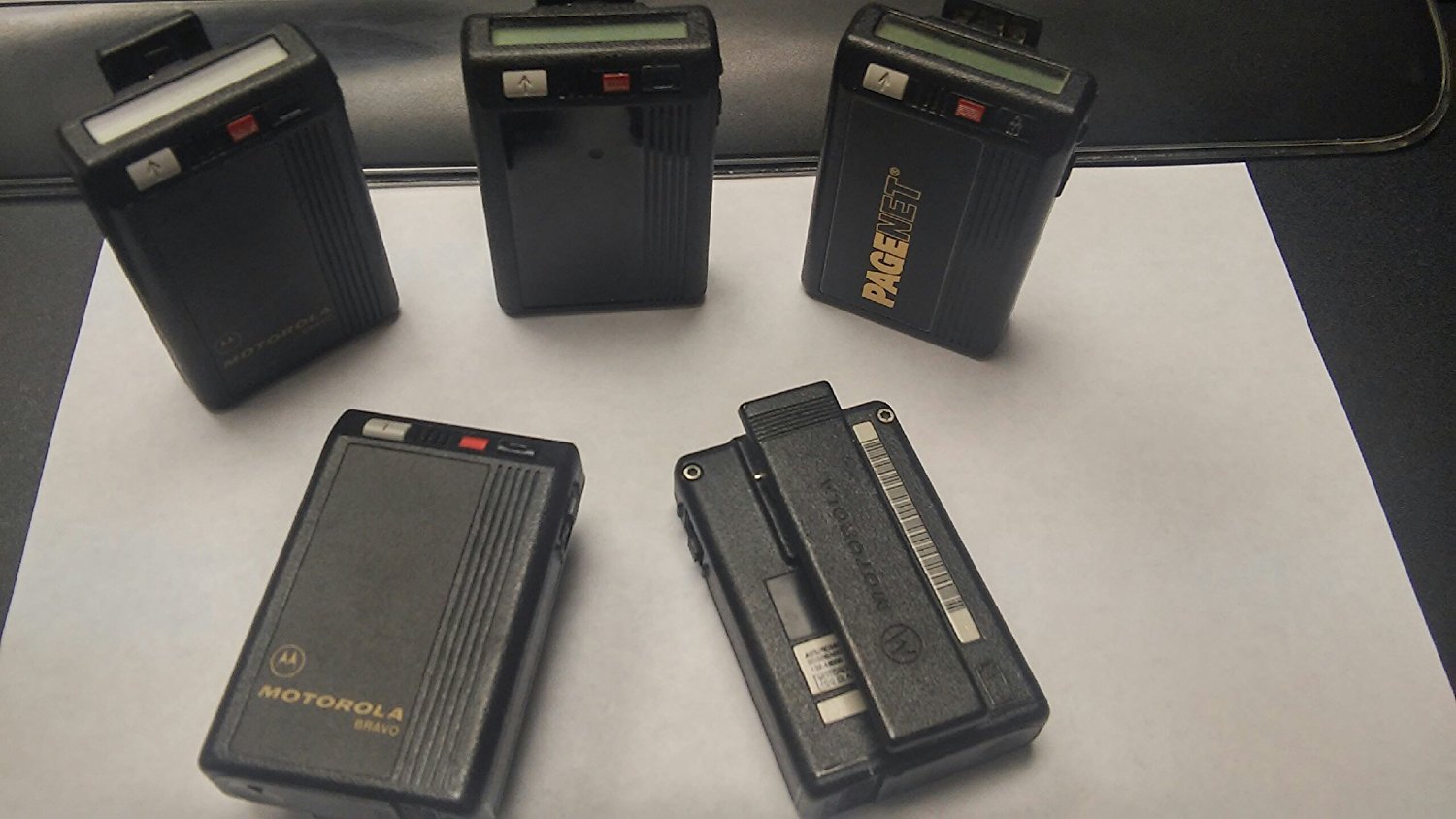
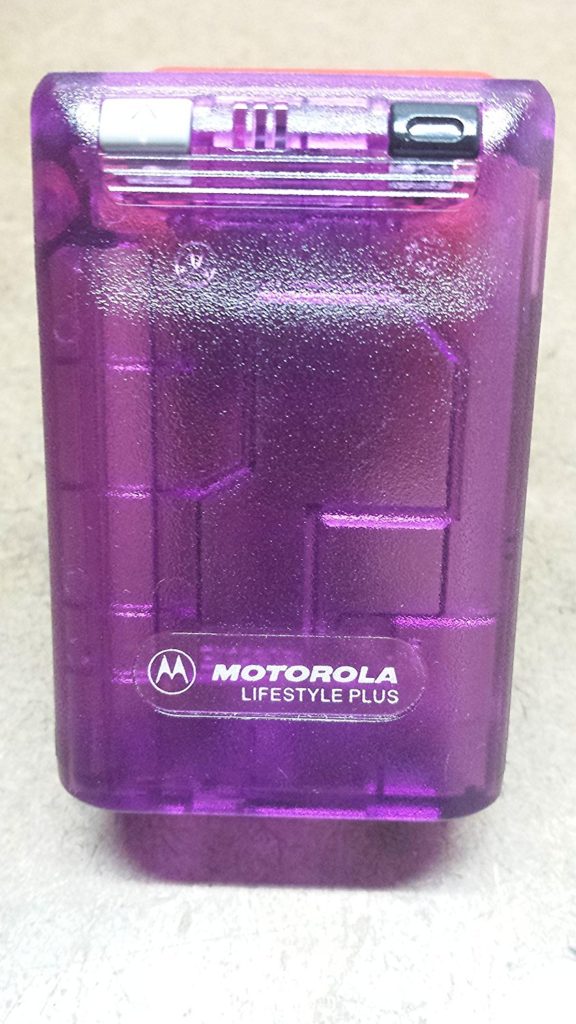
    Tech Throwback: Motorola Bravo Pager

    I like to take a look at where I’ve been to evaluate where Im going. Technology is cyclical after all… wait no its not. That said I still like all the feels that come rushing back like a flood of nostalgia every time I get my hand on the tech I grew up with. Im going to go back periodically and take a looking at the stuff that used to blow our hair back and get our minds rolling. Some of these device blew up and changed the world, some where ahead of their time and some just fell flat and became colossal failures. Today I’ve got my hands on the old Motorola Bravo Pager, beep beep


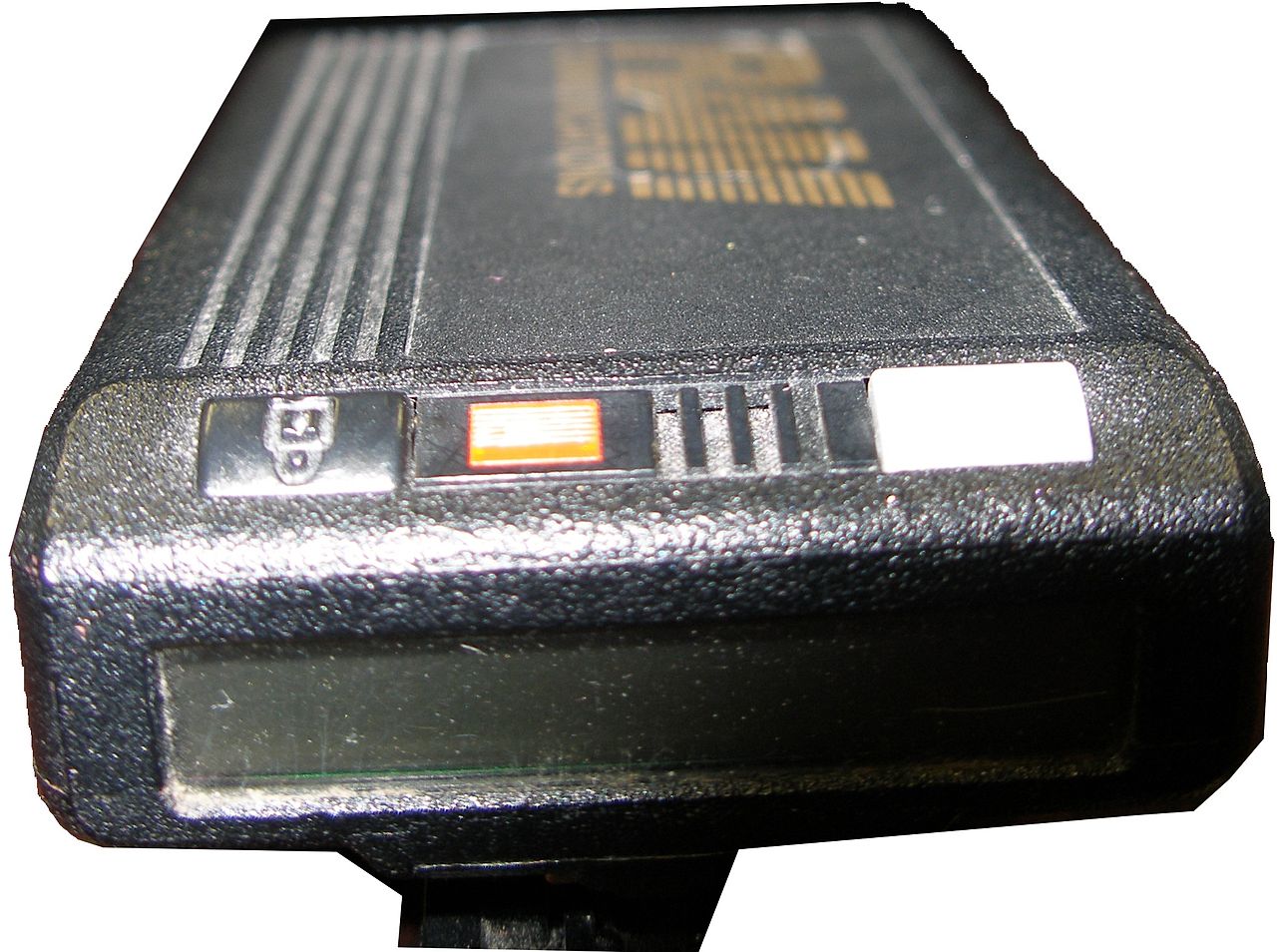
    A pager (also known as a beeper) is a wireless telecommunications device that receives and displays alphanumeric messages and/or receives and announces voice messages. The Motorola Bravo pager was the king of all one way pagers. Yes one way..One-way pagers can only receive messages.

    I had one, Your mom had one and every doctor on the planet had one. Amazon still sells them, but purchased mostly by people looking for the quintesenintal Halloween accessory.   They are iconic and just looking at one brings back memories of short coding your friends a party invite.

    How Did It Work

    In 1999, 45 million Americans had pagers. They were an equal-opportunity technology, owned by drug dealers, whores, doctors and CEOs—and new college students whose parents couldn’t drop the leash.All one had to do was simple dial the phone number associated with said pager, then enter in up to 16 numbers from your touchtone phone to deliver a call back number. simple. genius. reliable.


    At least there was the code.There was also an accepted system of sending numbers so that, when written together, looked vaguely like letters. We’d grown up getting adults to spell “BOOBLESS” on calculators by typing in the elements of a story about Dolly Parton and then holding the calculator upside down. From there, it was an easy jump to many other words. Hello was 07734. That was one of the easiest ones. We said “Hello” a lot.  Then 3838-07734 (hello baby) or 17-31707-1( I love you). However my personal fav and constant go to was the old 187 (your dead).

    The Final Thought

    They functioned without coverage, with out fail. Never did I ever say legitimately ” i didnt get that page”. It was the most reliable and widely accepted form of mobile communication for over 40 years. While Motorola announced the end of its new pager manufacturing in 2001, pagers remain in use today in places where mobile phones typically cannot reach users, and also in places where the operation of the radio transmitters contained in mobile phones is problematic or prohibited. In places like hospitals, rural emergency response ares you can still spot the endangered species know as the Motorola pager.


  • The Razor Phone 2 Rumors and Gossip

    The Razor Phone 2 Rumors and Gossip

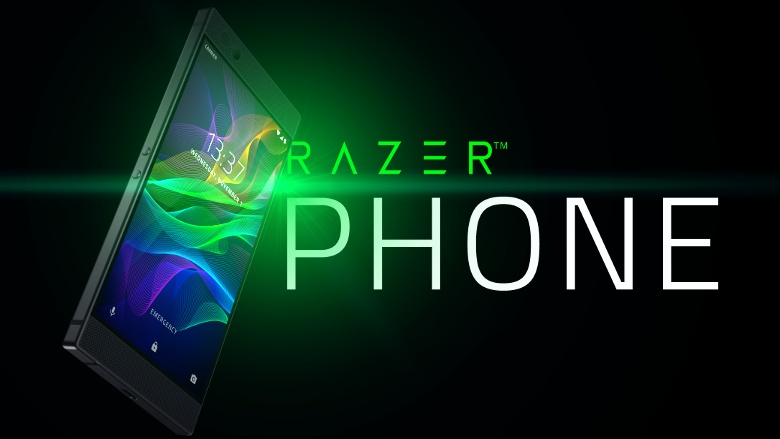
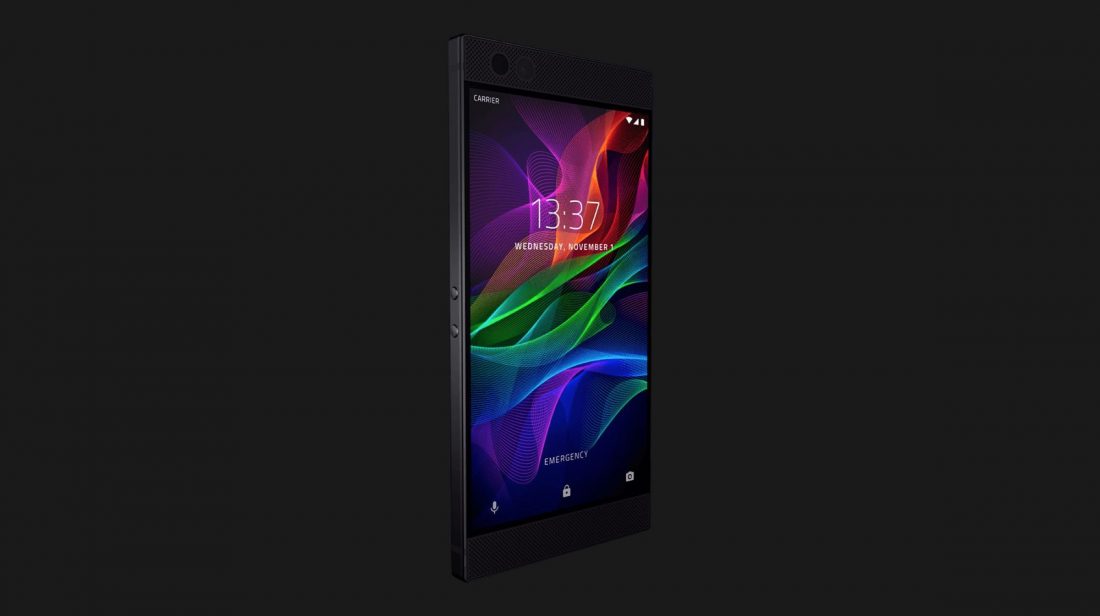
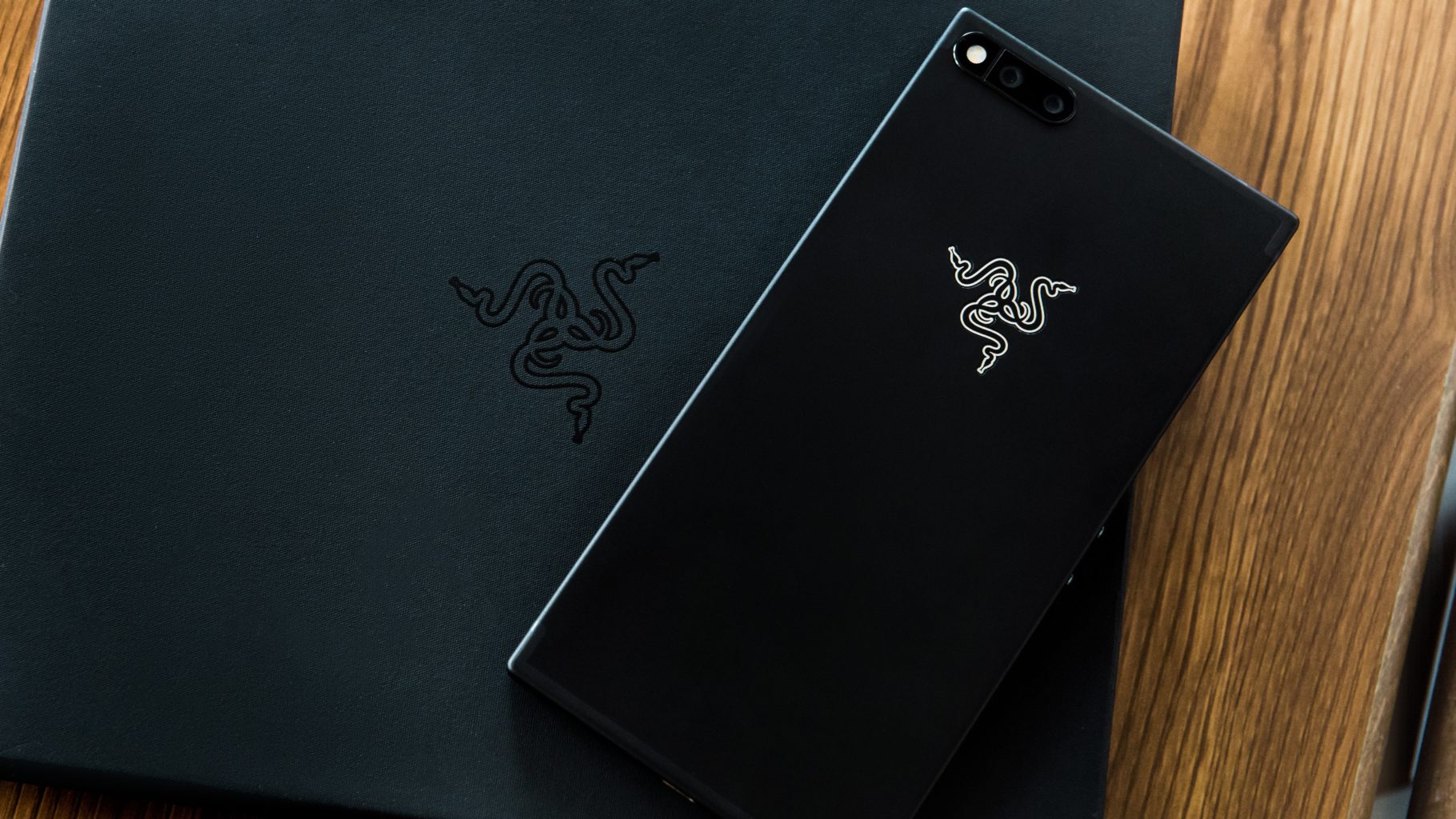
    No no not the Motorola Razr phone you are thinking of, The Razor Phone.  Razor phone set the standard in mobile gaming with the Razer Phone: the world’s first 120Hz screen on a mobile phone. It is the first android enabled phone Ive considered swapping my iPhone for. Like technology does though the new cutting edge phone is ready for an upgrade. We are seeing chatter of the Razor 2, so we are sorting out the rumors, leaks and details to bring you the scoop on the Razor Phone 2


    While Razor has already increased the capabilities of the Razer Phone – the last major software update added HDR support for Netflix as well as Dolby Digital 5.1 sound for apps that support the immersive audio standard. Everyone is now expecting updates for all the various cornucopia of the gaming focused smartphone to arrive at the same time.While the company is not going to confirm or deny any future plan there have been  discussions that the Razer Phone 2  will arrive later in 2018. That would be less than a year from the launch of the first Razer Phone, but getting the handset not only in sync with the smartphone market cycle but also available in-store with better timings ahead of the festive period makes a lot of commercial sense.


    The Consensus is the phone will be announced at the  Berlin’s IFA in early September. We are also hearing with some substance behind it that  Razer might also turn Project Linda into a real product. This is a laptop that you slot the Razer Phone into, using the phone to power it and become a touchpad. It was demoed at CES 2018, and it would make sense for Razer to launch it alongside a new handset.


    What We Are Looking For

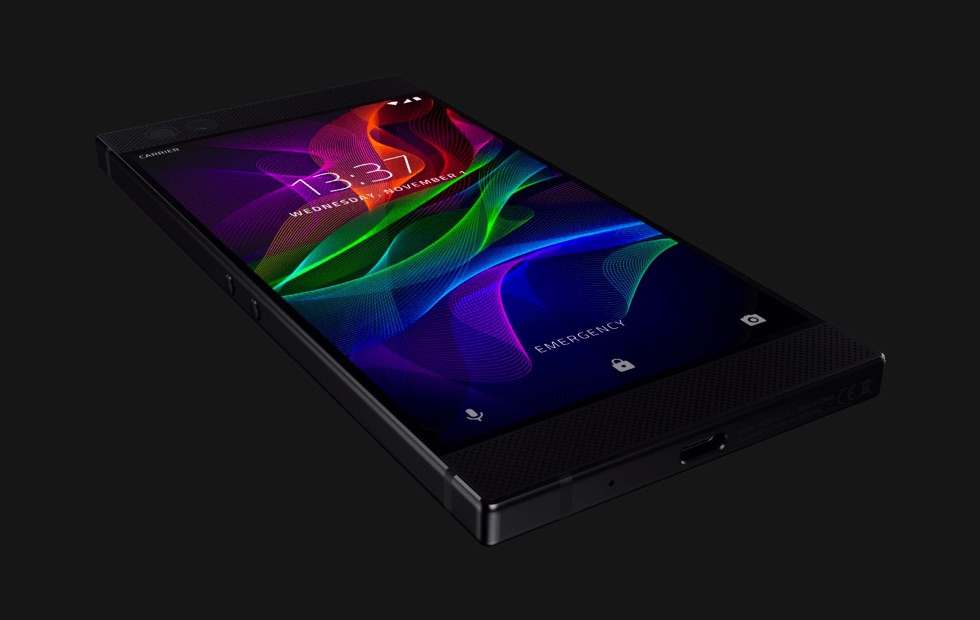
    There are a few key elements that will need to be improved for the Razor 2 to be the commercial success it should be. First off the desgin, The Razor is far to blocky and plain. Its current desgin is boring and uninspired. Razor knows how to design a curve, we have seen it in other products.  So most of us are looking to Razer’s next phone to shake things up and curve it out.

    Headphone port? We need it. Looking at the Razer Phone, there’s ample room for it, so its omission is perhaps more inexcusable than other phones that lopped off the feature. If your phone is not waterproof it should have a headphone jack

    We are going to need HD quality stereo speakers in this model. Again there is plenty of room and battery power to facilitate this, it is just lazy that the Razor doesnt have this now.Dual front-facing speakers can really make an impact in the day-to-day use of a phone.

    Wireless charging is the last very common function the Razor 2 should have. The Razer Phone doesn’t support wireless charging and there is no reason the new one should not. The company’s next phone is made with glass, that would be perhaps the easiest way to make that happen. But looking at its Hyperflux wireless charging technology currently employed with PC peripherals like the Razer Mamba Hyperflux, it seems like this feature is destined to make an appearance on its upcoming phone.

    One Other Thing

    Razor 2 will reportedly be working with google to release more timely updates. The Razor was released with Nougut when Oreo had already been available. The Razor 2 is set to be released with Android P and will receive the latest updates in much quicker fashion then its predecessor, reportedly.  A phone that adopts new software quickly is likely to become a fan-favorite, but Razer’s time with Nougat certainly didn’t spoil the experience. That’s partially due to its Nova Launcher software. It’s likely to keep with that going forward, only upgrading when its launcher is compatible with Google’s software.


    The Final Thought

    While I shudder to consider a life with out the iPhone, Razor is doing cutting edge stuff and should be considered the premium android brand. Considering the demographic of the android enthusiast this should be the desired and most anticipated android device on the market.


  • An Easier Way to Sell on eBay

    An Easier Way to Sell on eBay

    The updated mobile app from the veteran online marketplace will make it much easier to upload your stuff. The new eBay app, which has already rolled out on both iOS and Android, allows users to upload an item in a just a few seconds.

    Scan and Go

    The biggest change to the app is the addition of a barcode scanner, along with a product search feature. The app works best if you have the original box since you can simply scan the barcode. However, if you didn’t hang on to the box, never fear! You can still look up the name of the product in eBay’s extensive database and pull up the necessary information.

    The app fills out the majority of the fields for you although you’ll still need to enter the item’s condition. For many items, eBay is even able to provide images from its library, suggest a price, and calculate shipping costs. You can edit any of the pre-populated fields as needed.

    The Power of Data

    The new app builds on the simplified selling tools debuted by eBay last year. Using structured data and predictive analytics, the platform draws on its vast database of listings to cut down on the time it takes to upload an item. They hope that the streamlined process will make the platform more appealing to current sellers and newbies alike.

    “At eBay, we’re dedicated to delivering a seamless and efficient selling experience for both first-time and seasoned sellers alike,” says Kelly Vincent, eBay’s VP of Consumer Selling Product & Engineering. “This is one of many enhancements we’ll be making this year. We’ll continue to leverage structured data and new technology developments to help our sellers ‘get it sold.’”

    Limited Features

    Unfortunately, sellers who trade in vintage or unique items will find that the new app has limited functionality. The lack of barcodes on vintage items and the variability in condition means that these sellers will still need to enter most of their information by hand and upload their own photos instead of using the provided stock images available for newer mass-market products.

    Increased Competition

    When it arrived on the scene over 20 years ago, eBay was a revolutionary way to sell online. Since then, resale apps like OfferUp, Poshmark, LetGo, and ThredUp have emerged to pose serious competition. Facebook’s Marketplace has also claimed a piece of the online resale pie, focusing on connecting local sellers and buyers.

    Although there are over 13 million listings added to the site each week using the mobile app, eBay is betting that their faster, simpler uploading process will keep the platform competitive.

  • Battle of the Smartwatches: FitBit Versa vs Apple Watch

    Battle of the Smartwatches: FitBit Versa vs Apple Watch

    The current smartwatch market has some serious competition with the Pebble Watch, Apple Watch 3, Samsung Gear 3 and now the new FitBit Versa smartwatch and fitness tracker.

    In terms of brand notoriety the Apple Watch is the clear #1 smartwatch out there so any new product has to compete with the tech giant’s dominance in this sphere.

    fitbit versa

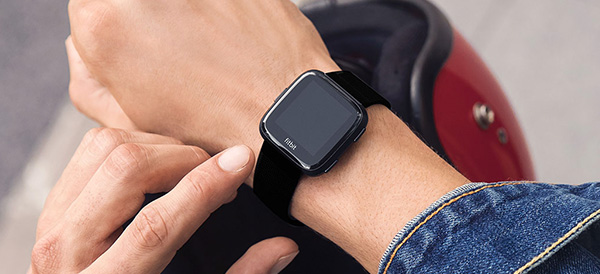
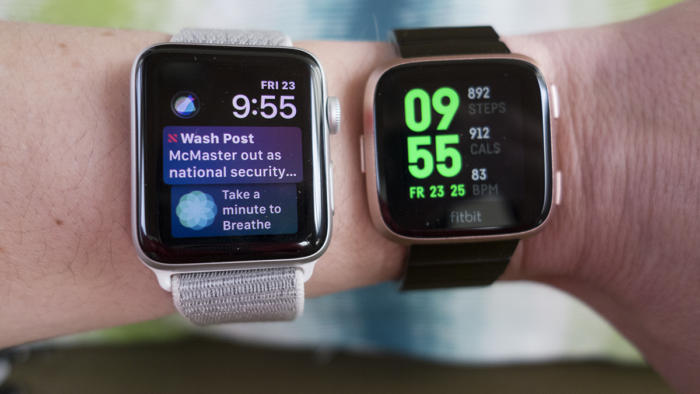
    At first glance, you might mistake the FitBit Versa for an Apple Watch. With a gently rounded square face of beveled glass, the Versa’s design mimics the original Apple Watch, but there are some key differences between the two gadgets. Which smartwatch is right for you?

    Design

    fitbit versa
    Aesthetically, there isn’t much to choose between the two smartwatches. Both share a similar design, interchangeable straps, a selection of metal finishes and a variety of watch faces to customize the look. The Versa is lighter and slimmer than even the smallest Apple Watch, but users have reported that the band on the Versa is much more difficult to swap out. The digital watch faces, which allow you to customize the look of your smartwatch, are finicky to search and install when it comes to the FitBit Versa, and the quality of the designs is uneven.  The FitBit Versa is really comfortable to wear because it’s so thin and light. The Apple Watch depending on your wrist size, can be uncomfortable and dig into your skin when the strap is pulled tight.

  • Tablet Talk: Microsoft Surface Pro

    Tablet Talk: Microsoft Surface Pro

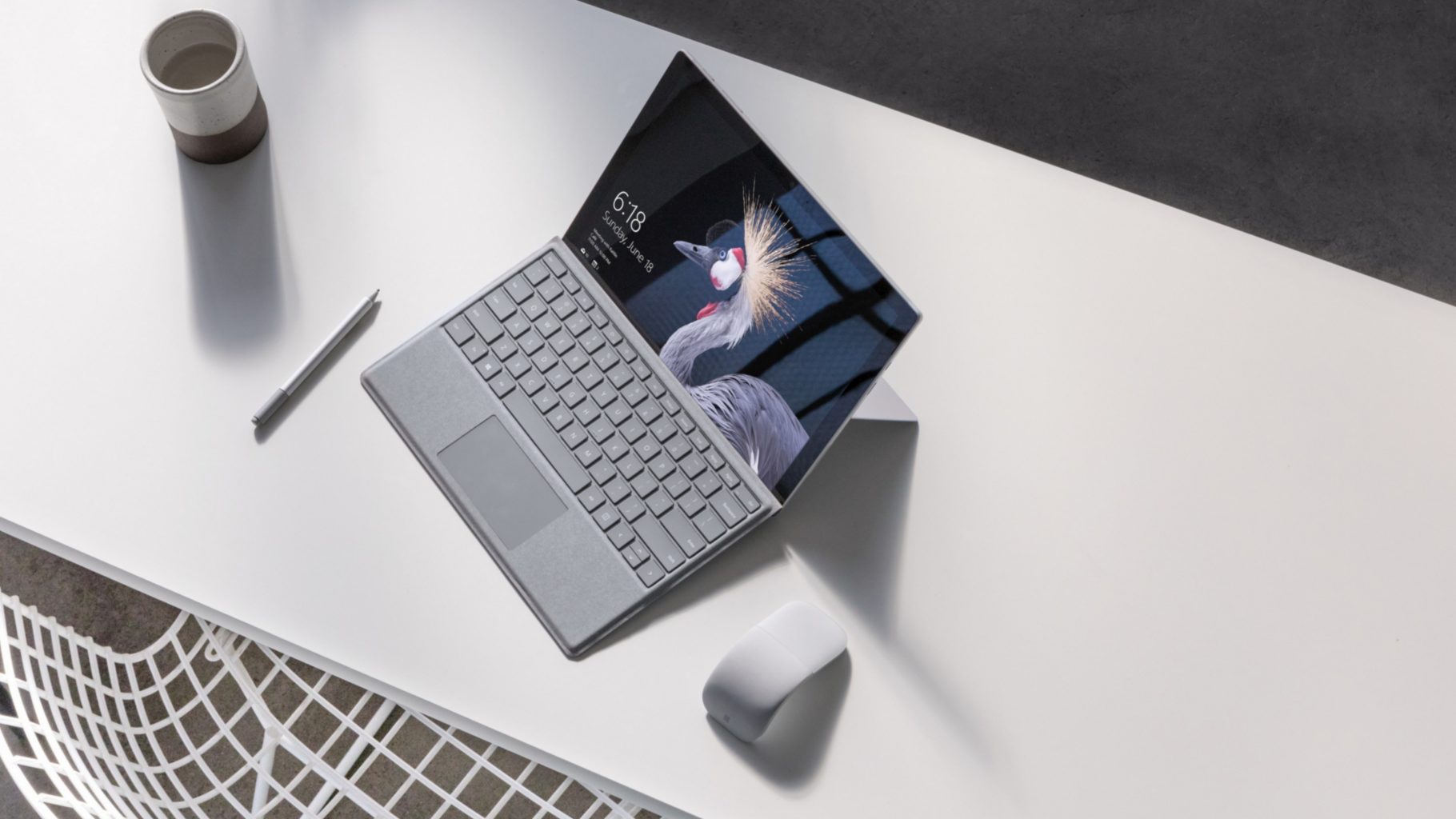
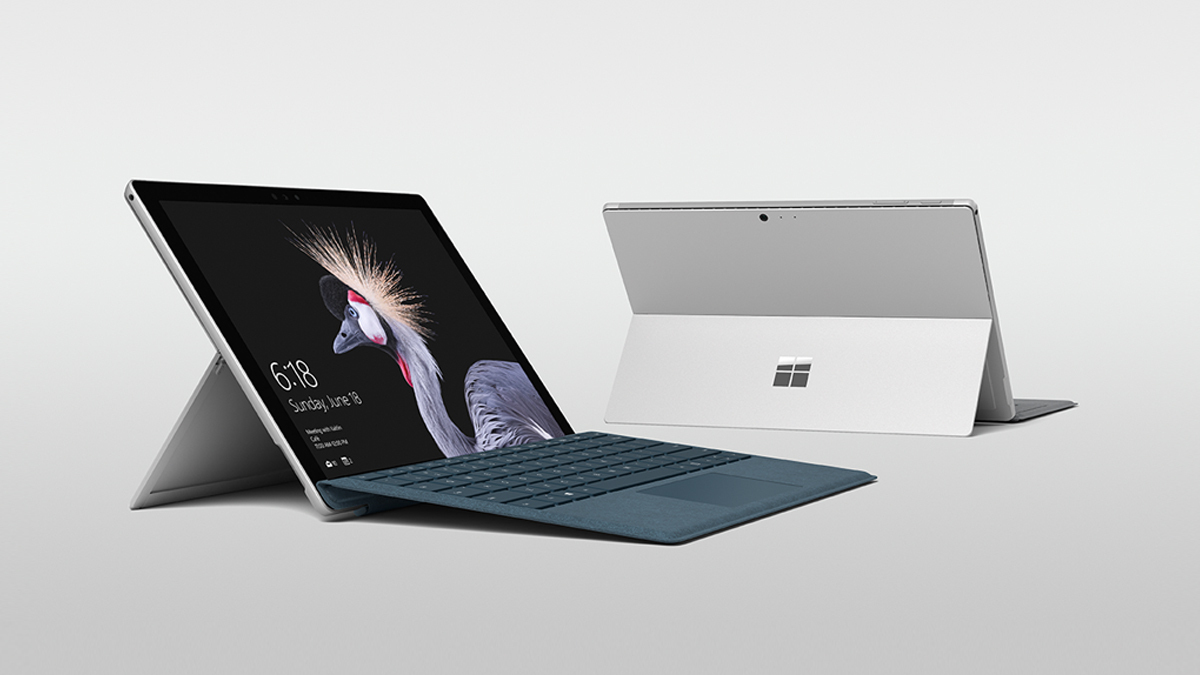
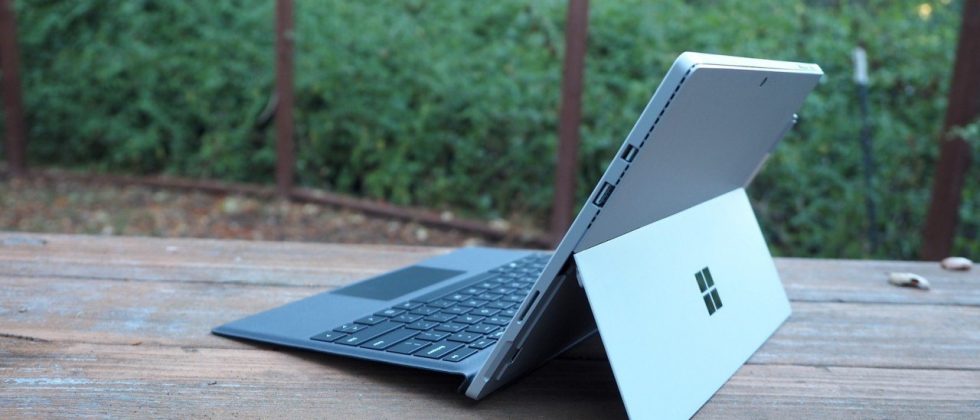
    The Surface Pro has always been the The ultimate laptop with versatility of a studio and tablet. Now its better than ever, the new Surface Pro gives you a best-in-class laptop, plus the versatility of a studio and tablet. The stunning PixelSense Display supports Surface Pen1 and touch, while up to 13.5 hours of battery life2 gives you plenty of juice to work all day and play all night.

    The Great

    • Brilliant PixelSense display
    • Simple, elegant design
    • Improved Type Cover keyboard
    • Fantastic performance


    The Not

    • No USB-C
    • Surface Pen and Type Cover sold separately
    • Better, but still mediocre battery life

    The Conclusion

    With its fantastic PixelSense display, improved Type Cover, faster performance and even better battery life, the Surface Pro is still the king of detachable 2-in-1s.

    The Design

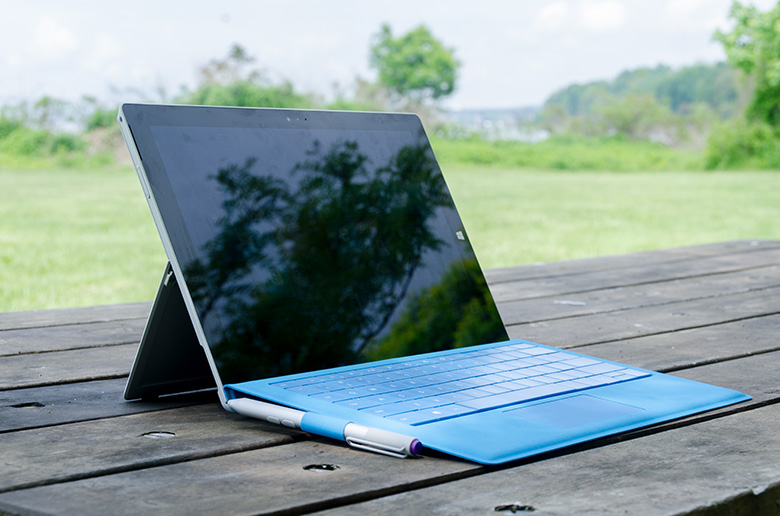
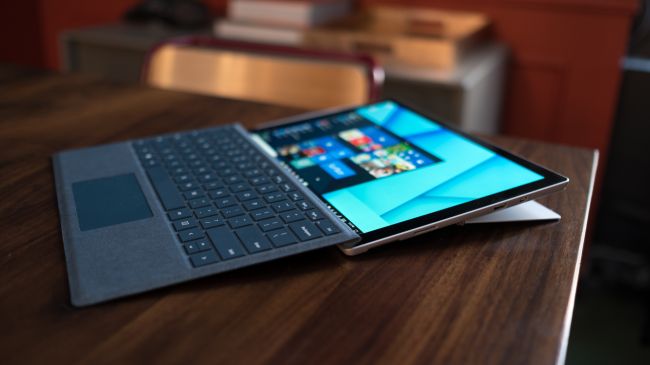
    Not wanting to tempt fate by messing with an exceptional design, Microsoft made the new Surface Pro look almost identical to the previous two models.Sure, the company has rounded off a few edges to make the Surface Pro a little curvier and more pleasant to hold, but all the familiar elements are here, including the kickstand, power button, volume rocker and front-facing speakers.

    The Performance

    I  can see why Microsoft is moving away from referring to the Surface Pro as a tablet, given that it’s packed with very laptop-like components. Our review model was equipped with a fast dual-core Intel i7-7660U CPU and 16GB of RAM. The Core i7-7660U is no longer at the cutting edge, as Intel’s 8th-gen Core processors are now available, but it managed respectable performance.

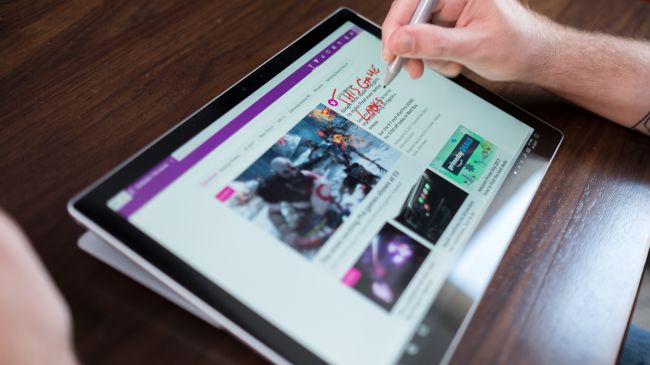
    Surface Pen is Vastly Improved

    Why Microsoft opted not to call this the Surface Pro 5 is beyond us, as you can now see the firm changed practically every facet of the product. The Surface Pen got some of the most meticulous and belabored treatment.

    For one, Microsoft upped the pressure sensitivity of its pen to 4,096 levels of detectable pressure, meaning creators have more control over the width and intensity of their lines in illustrations or designs than before. Perhaps more importantly, the Pen now sports a much lower latency, meaning that the tip of your Pen has a far lower chance of “leading” the ink on the PixelSense display.

    Finally, the Pen also supports tilt detection now, though only through the new Surface Pro – the other current Surface devices will get the support for this feature through a firmware update.


    Quick Spec Look

    • CPU: 2.5GHz Intel Core i7-7660U (dual-core, 4MB cache, up to 4GHz with Turbo Boost)
    • Graphics: Intel Iris Plus Graphics 640
    • RAM: 16GB LPDDR3
    • Screen: 12.3-inch, 2,736 x 1,824 PixelSense display (Contrast ratio: 1,300:1, 100% sRGB color, 10-point multi-touch, 3:2 aspect ratio)
    • Storage: 512GB SSD (PCIe 3.0)
    • Ports: 1x USB 3.0, mini DisplayPort, microSDXC card reader (UHS-I), headphone/mic jack
    • Connectivity: 802.11ac Wi-Fi (2 x 2 MIMO), Bluetooth 4.1 (Low Energy)
    • Cameras: 8MP rear-facing, auto-focus camera (1080p HD); 5MP front-facing, 1080p HD camera
    • Weight: 1.73 pounds
    • Size: 11.5 x 7.93 x 0.33 inches (W x D x H)

    The Final Thought

    Nearly five years after Microsoft introduced the device that created the 2-in-1 category, the company’s Surface Pro systems are still the detachables other companies are trying to beat. So how does Microsoft improve upon its class-leading hybrid? By refining its simple tried-and-true design, improving performance, shoring up some concerns about battery life, and creating a new line of enhanced and more colorful Surface accessories.

    I think Microsoft is still playing it a bit too safe in a few areas. While improved, the Surface Pro’s battery life still lags behind those of other ultraportable laptops, and the lack of a USB-C or Thunderbolt 3 port are strange omissions for a premium flagship device. And after three years in which the Surface Pro has had essentially the same aesthetics, I find myself wanting a bit more excitement out of this machine’s design. But if you want the best detachable out there, the Surface Pro is still the one to get.

  • Create New Skills with Alexa Blueprints

    Create New Skills with Alexa Blueprints

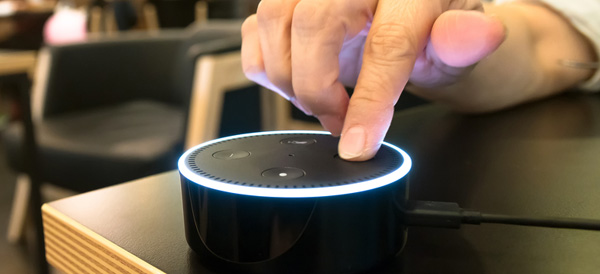
    Amazon’s Alexa-enabled devices, including the original Echo, the Dot, and their range of Fire Sticks and Smart TVs, offer plenty of great features. But there’s been one thing missing from the perky virtual assistant: the ability to quickly and easily create your own skills.

    That changed this week with the reveal of Alexa Blueprints, a collection of customizable templates that allow you to program unique study aids, games, and reminders.

    No Code Required

    Previously, the only way to add skills to your Alexa-enabled devices was to choose a pre-programed script or write your own using a sophisticated coding language. Since most people don’t have the savvy to code their own, they were stuck with whatever was offered on Amazon.

    As exciting as it may be to order a pizza with a single voice command, many owners wanted more from Alexa. The templates released by Amazon go a long way to meet that need, bridging the gap between the pre-made skills and totally original coding. Ambitious programmers can still write their own skills, but the average Alexa owner can now have more flexibility and control over their devices.

    Create Your Own Skill in Minutes

    Writing a new skill using Alexa Blueprints is easy and intuitive. Currently, there are 20 templates available in a variety of categories, with more to come. Using the simple graphic interface, you choose a skill you’d like to create and then follow the instructions on the screen. The first time you create a skill, an animated tutorial walks you through the steps, ensuring that anyone can be successful.

    Many of the templates are geared toward entertainment, with programmable bedtime stories for the kids, trivia games based on friends and family, or personalized inspirational quotes. It’s not all fun and games, however; the “At Home” category of blueprints offers customized instructions for babysitters, houseguests, or pet sitters, while the “Learning & Knowledge” category helps students to create flashcards and quizzes as study aids.

    Custom Call & Response

    For Alexa owners who want even more customization, there’s one more blueprint to check out. The “Custom Q&A” skill template allows you to write your own question and then script Alexa’s response. While it’s not as open-ended as coding your own skills from scratch, the blueprints offered can help you get more from your Alexa-enabled devices.

  • Verizon Smart Family Knows Where Your Kids Are

    Verizon Smart Family Knows Where Your Kids Are

    Verizon announced an upgrade to its FamilyBase program, now called Verizon Smart Family, that includes tracking, blocking, and monitoring options. Parents and guardians can sign up for either the basic or premium service for a monthly fee, but is the cost worth it?

    Parenting in a Digital World

    Kids today have access to a vast universe information and entertainment with a single tap of a smartphone. For many parents, that’s worrisome. Excessive screen time, viewing inappropriate content, or risky texting behavior are concerns for parents in the digital age.

    “Being a parent in today’s digital world can be daunting, but it doesn’t have to be,” said Verizon Senior Product Manager Susie Fernandes.

    It’s becoming increasingly rare for a teen or tween—or even younger children—not to have their own smartphone. Most service providers offer some form of parental controls, but Verizon has taken it to the next level with their Smart Family service.

    New App Features

    Verizon Smart Family gives parents and guardians an unprecedented amount of control over their children’s phones. It improves on the FamilyBase service with a redesigned interface and more intuitive controls.

    Smart Family also offers a finer degree of customization than the previous service. Parents can choose to limit or block phone and internet functions during specific days or even hours, ensuring for uninterrupted study time or more effective grounding. Specific sites and apps can also be blocked or limited, and parents have the option to monitor social media activity, call logs, and text messages.

    Basic or Premium?

    The basic version of Verizon Smart Family costs $5 a month. The premium version includes real-time location tracking using GPS data, which costs $10 a month. Parents may find that it’s worth the extra 5 bucks to know where their children are at any given time, and to receive alerts if the kids move out of a pre-set area such as home or school. Smart Family can also send notifications when, for example, your kids arrive home after school.

    Ultimately, families will need to decide the appropriate level of monitoring and control that works for both the parents and their kids, but Verizon Smart Family has given them a lot more options to consider.

  • Acer Spin 1 the 2 in 1 with Incredable Value

    Acer Spin 1 the 2 in 1 with Incredable Value

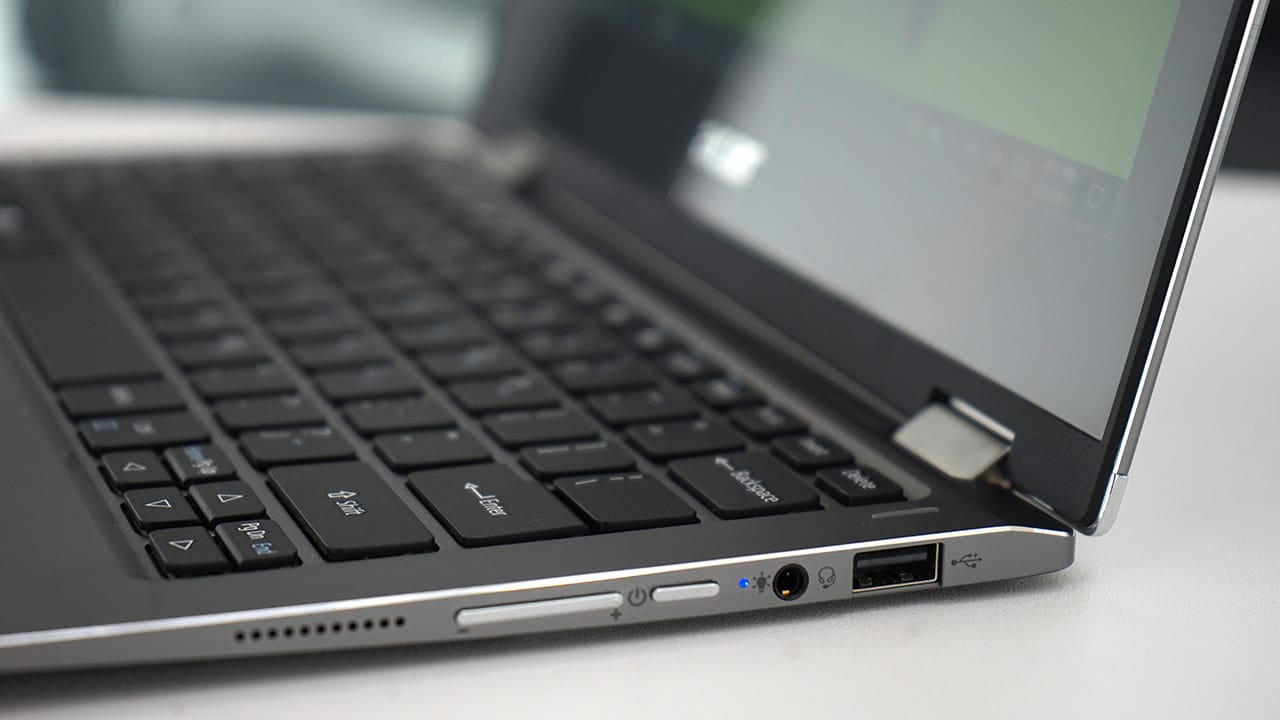
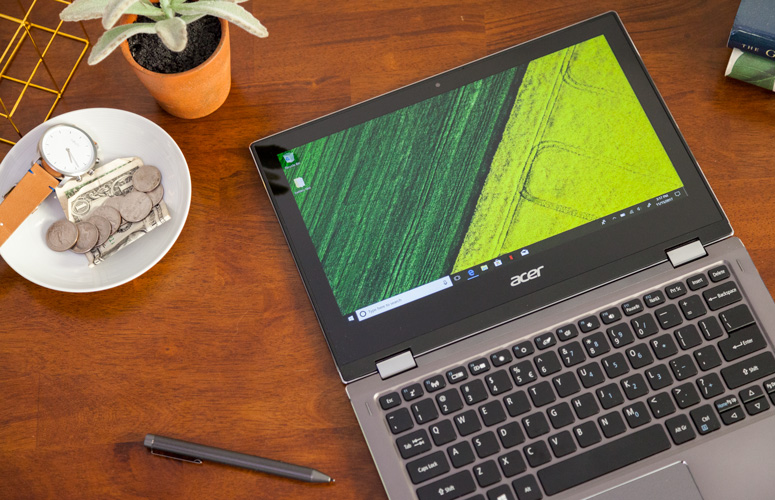
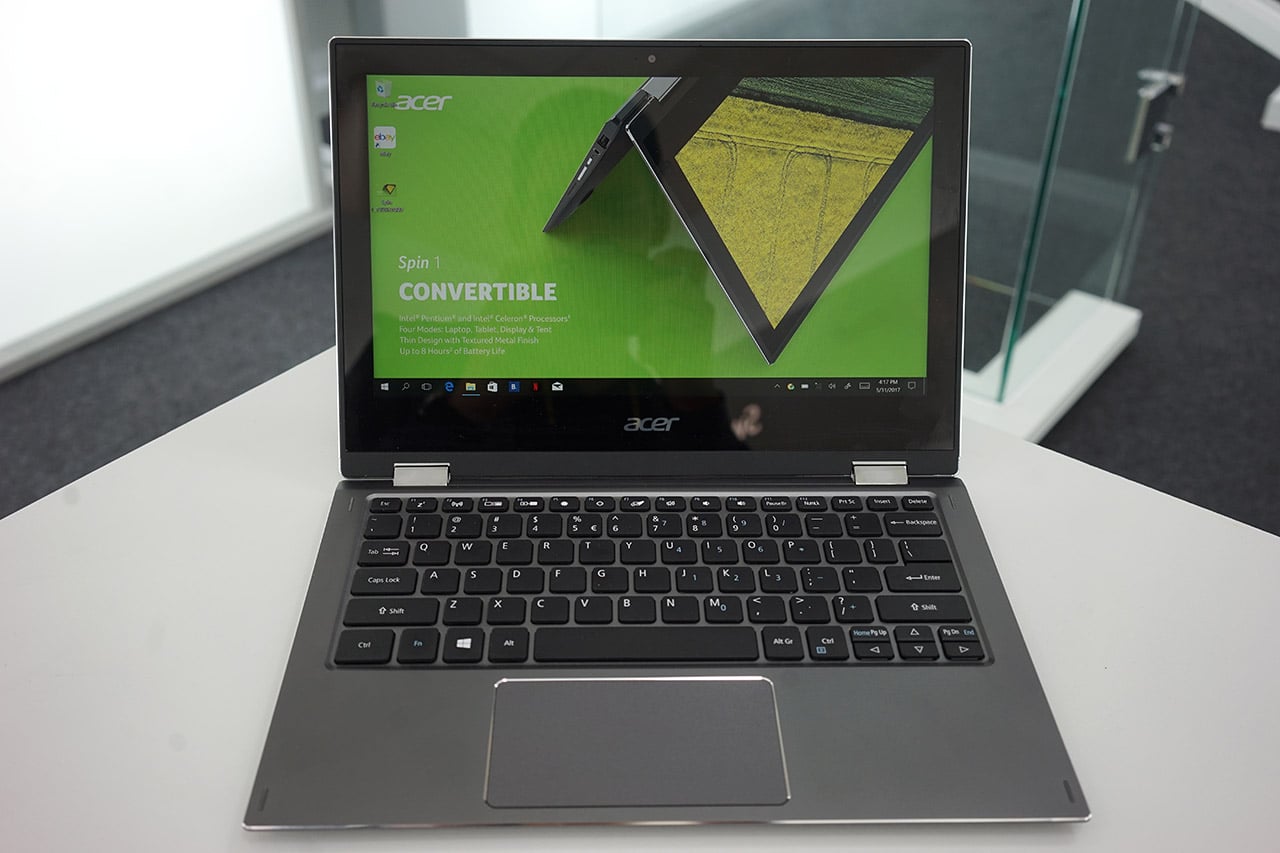
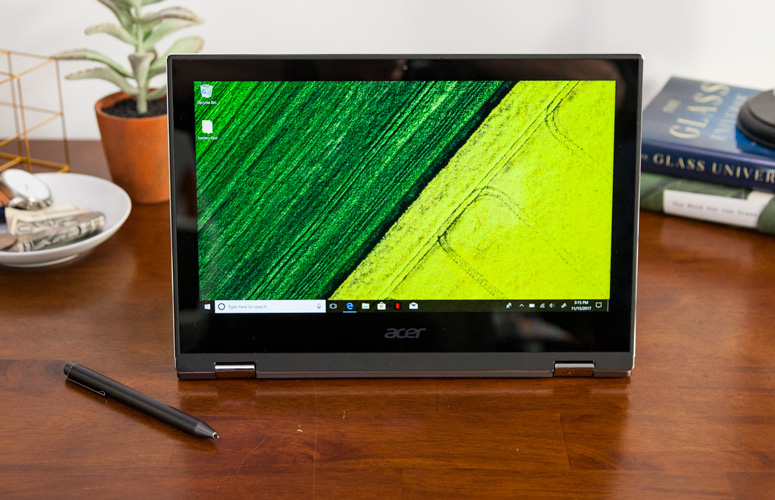
    Quickly turn thoughts into action on Acer’s Spin 1 Convertible laptop. Portable and light, this boundless device is fast and fun with an included stylus and Windows Ink so you can jot down a note or capture ideas as easily and quickly as they occur. It features a vibrant 11.6” Full HD IPS display and battery life that has enough juice to last you though your entire journey while the 360° hinge laptop smoothly converts between four modes —laptop, display, tent or tablet—by simply ‘spinning’ it into position.

    The Great

    • Sharp
    • Colorful display
    • Attractive metal chassis
    • Comfortable keyboard

    The Not

    • Below-average battery life
    • Small storage drive


    The Conclusion

    For under $350, the Spin 1 provides some features you usually see in laptops that cost closer to $1,000. Clad in a snazzy all-aluminum chassis, this 11.6-inch convertible has one of the most colorful and brightest 1080p screens on the market, giving it a better viewing experience than many systems three times its price. It also comes standard with an active stylus that supports 1,024 levels of pressure. With a Celeron processor and 32GB of storage, the Spin 1 probably won’t replace your primary PC, but it makes a great secondary device and is a fantastic choice for kids.


    The Design

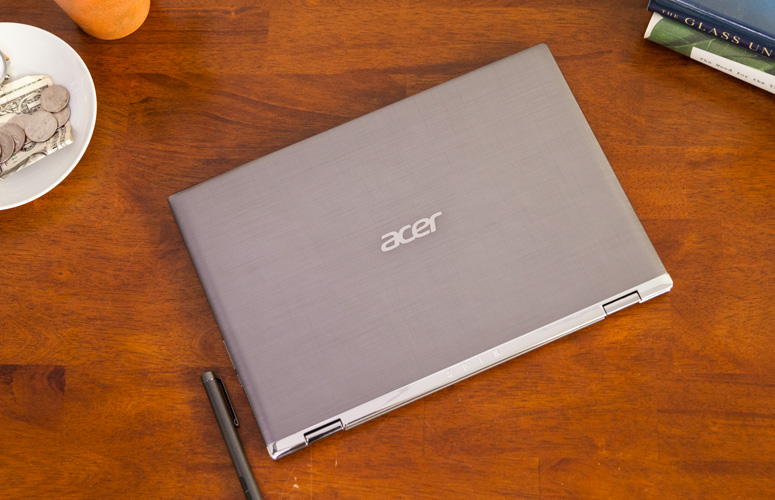
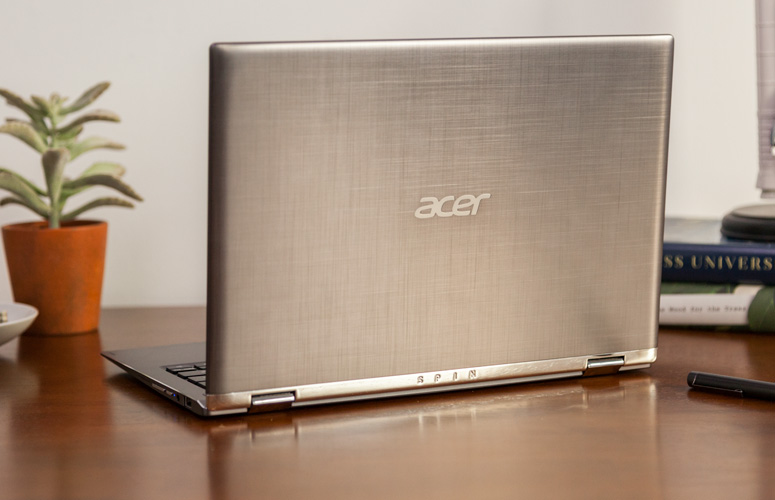
    The Acer Spin 1 doesn’t look anything like a $329 laptop. Its gunmetal-gray aluminum chassis stands out in a price band where cheap, glossy plastic is the norm. I particularly like the subtle, cross-hatch pattern on the dark gray lid and how it contrasts with the shiny, silver hinge area. Thick screen bezels, however, keep the inside of the system from looking quite as stunning as the outside of the package


    The Display

    The 11.6-inch screen on the Spin 1 is so bright and colorful that it has caused me to question my assumptions about the laptop industry. If Acer can put a 1920 x 1080 IPS touch display this vibrant on a $329 laptop, why can’t manufacturers offer this kind of display quality in their $800 and $1,000 laptops?

    Keyboard and Touchpad

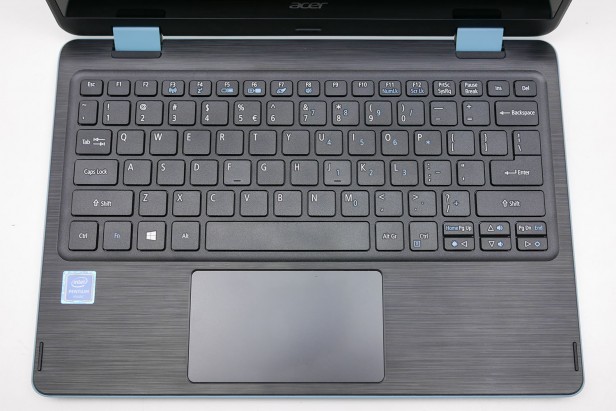
    When it comes time to type on most budget laptops, particularly 11-inchers like the Spin 1, I gird myself for an unpleasant experience. However, Acer’s 2-in-1 blew away my expectations with a snappy, responsive keyboard that didn’t have any of the flex or key stiffness I often see on much more expensive system

    The Performance

    We’ve spent more time than usual really paying attention to what the Acer Spin 1 feels like in use, because a lot of older Atom and Celeron laptops were just too slow to be enjoyable. For the most part this Celeron actually performs fine for the basics.Browsing the web, writing documents and other basic productivity jobs are painless. Using the Acer Spin 1 to write a few of our reviews felt much as it would on a laptop with a Core i5 CPU

    Quick Spec Look

    •  11.6-inch,
    • 1080p IPS screen
    • 4GB of RAM,
    • 32GB eMMC Storage
    • Intel Celeron N3350 CPU
    • 2.65 pounds

    The Final Thought

    If you want a cheap hybrid and have realistic expectations about performance, you should jump at the Acer Spin 1. It’s well-made, is comfortable to type on and has a superb screen for the price.