Month: May 2018

  • Need a Touchscreen Laptop? Here are Our Favorites.

    Need a Touchscreen Laptop? Here are Our Favorites.

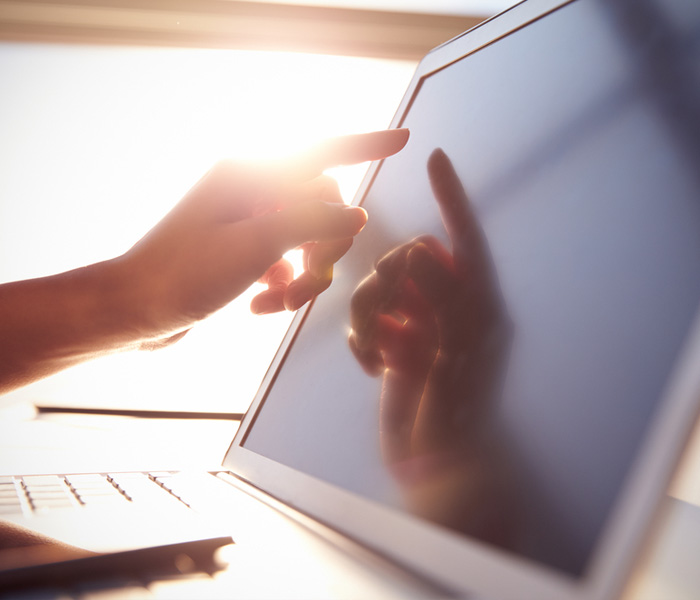
    For artists, students and professionals, a touchscreen laptop is a great way to get more hands on with work, research and play. Good laptops are expensive, though, so making a decision about which to buy can be very difficult. To help guide you, we’ve compiled some of our favorite touchscreen laptops! Ready for some new tech? Read on!

    Surface Book 2

    For those who want the best of all worlds, the Surface Book 2 touchscreen laptop has you covered. This convertible laptop converts into a 15-inch tablet for ease of handling and boasts an incredible display. The Surface Book 2 is very light and durable in both tablet and laptop mode, to boot. This laptop also sports a pretty tremendous amount of processing power, with 16 GB of RAM, usingan Nvidia GeForce GTX 1060 graphics card, all powered by an 8thGen Intel Core i7. If that all sounds very expensive, that’s because it is. The Surface Book 2, while awesome, is expensive: it retails for $2500.

    If the initial sticker shock of this touchscreen laptop fades and you still find yourself wanting this level of power, flexibility and control, then the Surface Book 2 is for you. Everything from video and photo editing to computer gaming comes natural to a rig this beefy, and with its convertible modes and lightweight design, this really is the best package to house it all in.

    Samsung Chromebook Pro

    This touchscreen laptop is the absolute best choice for students or note takers. The Chromebook Pro has a nifty storable stylus and a slick, easily-stashed design that makes it great for traveling in a backpack. The Chromebook saves all of your handwritten notes to Google Keep, which is fantastically useful by itself. This feature is made even more desirable for note takers when you take into account its main function: it stores your notes in a digitized, searchable text file!

    Being able to search back through your handwritten notes with an automated function makes studying a breeze. If you constantly find yourself searching your notebooks or saved note files for lectures and test answers, the Chromebook Pro was made for you. Retailing at a reasonable $600, this one doesn’t break the bank as much as the Surface Book 2, so it won’t set students back too far. The downside? It only sport about 9 hours of battery life, which can be frustrating on long days when you haven’t finished your studying or note taking yet. That gripe aside, the Chromebook Pro is still the best touchscreen laptop for students.

    Our Favorite Touchscreen Laptop: Microsoft Surface Pro

    Microsoft’s Surface Pro touchscreen laptop is technically a tablet 2-in-1, but we’ll let it slide onto the list for just how useful it is. It is beefy enough under the hood to make it feel like a fine laptop when it has its keyboard attached, and it also sports Bluetooth support for wireless mice. The stylus and note taking steal the show: this is a device designed with touch functionality in mind first and foremost. The optional Surface Pen is responsive and accurate, making it a fantastic tool for artists and students.

    If you’re in the market for something affordable and strong and don’t mind picking up the Surface Pen separately, this is the best touch laptop on the market. A must-have for artists and just an overall great device for everyone else. I really can’t think of anything else to knock the Surface Pro for aside from the lack of an included Surface Pen, and the Pen itself is so excellent that it’s hard to fault Microsoft for making it a separate product.


  • Get Your Groove on With These Bluetooth Headphones

    Get Your Groove on With These Bluetooth Headphones

    If you love listening to music and don’t want the hassle of tons of cords and cables you’ve certainly tried out tons of Bluetooth headphones. And if your experience is like mine, tons of them are really sub-par! Let’s run down some of our favorite Bluetooth headphones and save you the hassle of picking a dud!

    Sony WH-1000XM2

    We love these noise-canceling wireless headphones from Sony. These have fantastic sound quality, with clear highs, crisp mids and deep bass, comparable to similar offerings from Bose. These headphones also come with some neat functionality: a Quick Attention mode allows for the sound canceling to stop briefly so you can hear someone trying to get your attention.

    Similarly, the headphones have an ambient noise mode to allow mid- to high-frequency sounds to pass through so that you don’t fully lose situational awareness. The only downside to these headphones is their luxury pricing: They retail for right around $300.

    Bose QuietComfort 35 Mk. 2

    It wouldn’t be a “best-of” headphones list without Bose showing up at least once! The sound juggernaut doesn’t fail to impress with the QuietComfort wireless headphones. These boast some of the best noise cancelation in Bluetooth headphones, comparable to the WH-1000XM2 from Sony, and with longer battery life.

    These also sport Google Assistant support, which is an awesome added bonus! As the name suggests, these headphones are very comfortable and great for long flights. Similar to the previous entry, however, the QuietComfort headphones are expensive. Coming in at $329, these are definitely priced for those who are serious about sound quality and audio canceling and have serious cash to shell out for it.

    Plantronics BackBeat Pro 2

    If you’re looking for a more affordable noise-canceling pair of headphones, the Plantronics BackBeat Pro 2 is a great choice. For about $150 you can pick up these headphones, making them desirable when compared to Sony and Bose’s offerings. These sport a handy auto-off feature when you take them off, helping maximize its already-excellent battery life, which makes these great for travel!

    While these headphones are high-quality and affordable, their style might not be for everyone: they have an almost-retro chrome style that is very distinct. This is a matter of preference, but when compared to more muted and understated designs they are very noticeable.

    Optoma NuForce BE Sports3

    NuForce’s wireless earbuds prove that you don’t have to be over-ear headphones to be a good wireless audio device! These stylish earbuds have awesome sound quality, great battery life and durability to spare! For a stellar $70 retail price, you can’t go wrong with these earbuds. Great for jogging, traveling, working and everything in between, the NuForce BE Sports3 easily slips in your pocket when not in use! If you’re looking for high-quality, no-frills headphones with no cord and good battery life, these are for you.

  • Find Out Which Fitness Tracker is For You

    Find Out Which Fitness Tracker is For You

    The fitness tracker has been around for some time, but they are always getting better. Whether you’re looking to upgrade from an older model or seeking to get started tracking your fitness, we’ve got a list for you! Read on to see which fitness trackers we love!

    Samsung GearFit 2 Pro

    The sleek, fashionable fitness tracker has a lot to love. From offline Spotify playlist support to GPS support, this is certainly a modern piece of tech. Additionally, your stats are easy to track from the watch itself, as it sports a bright, luminous AMOLED display and clearly displays all of your stats. It also has a very advanced heart rate tracker and fully tracks swimming and is waterproof.

    It has a less-than-optimal user set-up experience, though this is a small gripe. The main drawback to Samsung’s fitness tracker is its high price: it retails for $150, which is quite steep. However, with its large screen and advanced heart rate tracker, this is to be expected: if you’re looking for a great fitness tracker with a fantastic display and awesome features, this is for you. If you’re looking for something more afforable, keep reading!

    TomTom Spark 3

    The Spark 3 is a good spot less expensive than the GearFit, retailing for around $100. This fitness tracker features a monochrome display and clearly displays stats. It also supports on-wrist GPS, which is awesome for running in new areas and discovering new routes. You can also load music directly into the tracker, allowing you to keep your phone at home or in your bag while you run or exercise.

    On the negative side, this fitness tracker doesn’t have terribly impressive sound quality and the menus are difficult to navigate. Set-up was roughly as cumbersome as the GearFit, but as this tracker is significantly less expensive, that is somewhat more forgivable.

    Moov Now

    If you don’t mind a lack of a screen and you want an affordable fitness tracker, the Moov Now is a great find for you. Working as the polar opposite of the GearFit 2, the Moov now is minimalist and doesn’t include a heart tracker. Instead, it opts for a more stripped-down tracker experience. It focusses nearly exclusively on fitness, offering tracking for jogging, boxing and swimming and sleep monitoring.

    That all being said, the Moov is a simple device with few features unrelated to tracking. You won’t find support for GPS or music with this fitness tracker. However, you already have a smart phone and likely a computer and even laptop; how many more ways do you need to listen to music or navigate via GPS? Retailing around $50 and usually available for less, the Moov is an excellent choice for those who are seeking to simply start tracking their fitness.

  • Soon the OnePlus 6 Check Out What We Know Already

    Soon the OnePlus 6 Check Out What We Know Already

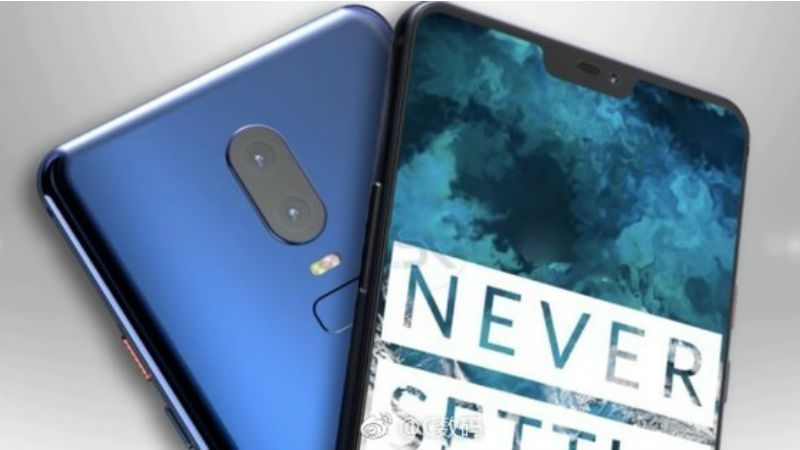
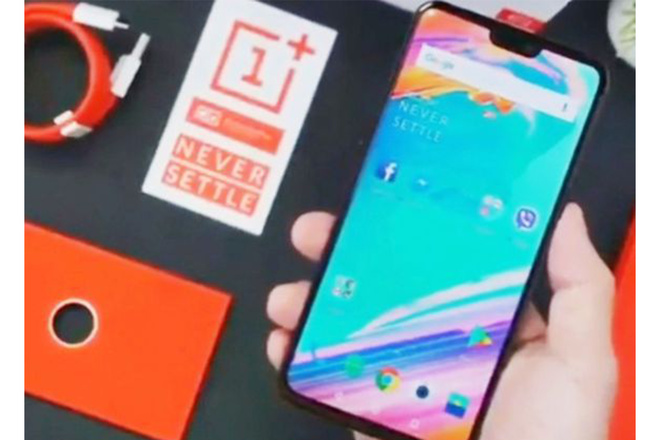
    We have a launch date for The OnePlus 6  and it is May 16, which is next week, and with a huge number of leaks – and official teasers from OnePlus itself – we have a pretty good idea of what you can expect. OnePlus will reveal its next all-powerful flagship at an event on 16 May. The Oppo-owned brand has even sold 1,000 tickets to fans ahead of the launch, just as it did for the OnePlus 5T, except on a larger scale. The London-based event will kick off at 5PM BST local time (6pm CET/12pm Eastern Time/9am Pacific Time).


    Dubbed “The Speed You need”, OnePlus’ big launch event will be livestreamed on YouTube. The OnePlus 6 will be replacing the OnePlus 5T (which is now off sale in the UK, Europe and US). The 5T was already one of the more impressive phones of 2017, finally bringing the taller display that’s fashionable among the big brands, as well as improvements to the camera. The OnePlus 6 promises to be even better.

    What We Know

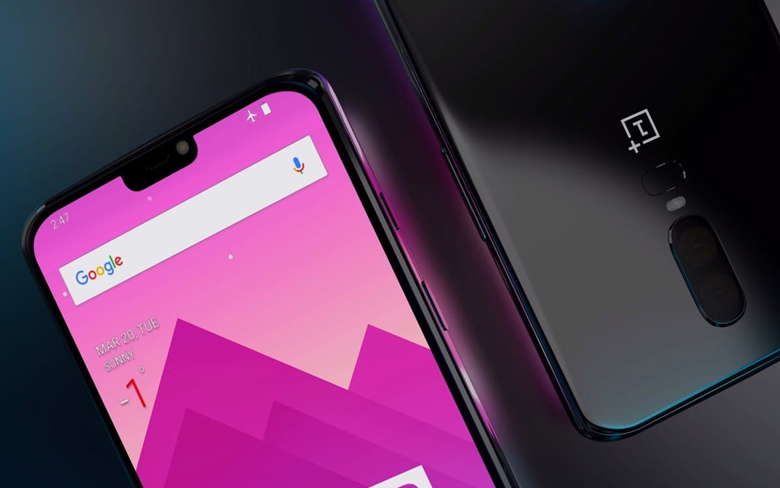
    There have been a few details released so we have a pretty good idea of what to expect.  First off it will The internals will be powerful, with the powerful Qualcomm Snapdragon 845 platform as well as up to 8GB RAM and 256GB storage. It’s going to feature a longer screen, complete with a notch, and that the back panel is going to be built from a custom designed glass consisting of five nano-coating layers. I’ll also be a waterproof device.

    As for the look of this thing we have gone from a thin, plastic OnePlus One to a OnePlus 5T built from a solid block of beautifully finished aluminium within four years. The Midnight Black and Sandstone White finishes are among the finest you’ll see on a solid metal device. Its a good looking device, no issues there.

    The Final Thought

    A big part of the appeal is that the phone rarely has any major compromises in a mobile that costs significantly less than the likes of the Samsung and Apple flagships. The OnePlus 6 will be a flagship killer and will defenitley be a phone to watch this year, ill have a full Smartphone spotlight on this mambojamba as soon as it is released.


  • Apple Watch 4?

    Apple Watch 4?

    IF the rumors I’m hearing are true, which they look to be, we could be seeing an apple watch 4 this September. Apple announced the watch 3 last year with the release of the new iterations of iPhone. My insiders are telling me that this is looking likely this year.


    In a brief release from an anonymous source…. A newly published Apple patent details a circular smartwatch screen. This probably won’t be used by the Apple Watch 4, but you never know. Plus, a new report suggests Apple may be willing to let third-party developers start work on watch faces for the Apple Watch. If this is the case, expect far more watch faces to debut in watchOS 5 and on the Apple Watch 4.

    While this hold no real substance, it is a good indication of what is coming. You are probably asking so what, let me fill in the gaps and lead your expecations.

    The Apple Watch 3 is the most excellent Apple has built. Its a tech masterpiece that I will surely be glowing over in 20 years as I write the tech throw back article for it. It most certainly  tops our best smartwatch list, it’s  the best smartwatch, and arguably watch from any manufacturer that you can buy right now. however, its a smart device, and as you know their is only one certainty in the tech world, stand still and you will die. Like playing Halo.  There is room for growth and improvements, the battery for instance, can I get a week?

    What Do You Need To Know

    Below I have  all of the leaks, rumors and speculation about the Apple Watch 4 I have gathered so far, plus a list of things I’d like to see Apple implement in its next generation wearable. A trusted analyst that has previous history of predicting Apple products suggests the Apple Watch 4 is set to undergo a big design overhaul. So far every generation of the Apple Watch has come in either 38mm or 42mm screen sizes, but KGI analyst Ming-Chi Kuo says he believes the Apple Watch 4 will have a 15% larger display. I need a bigger face, number one request. The Watch 3 has a lot of bezel space around the outside of the display, so it may be the company has slimmed this down to fit in the extra screen real estate and not necessarly a bigger watch..

    Like I said before I want a weeks worth of battery. Also lets talk speed, I have the need for speed, its inherent, its important, there is nothing I can do about it. Make my watch respond faster. We also have a report  from 9To5Mac found a suggestion in some watchOS 4.3.1 beta code that the company may be ready to allow for third-party watch faces in the next version of the Watch software.

    Apple may also add additional sensors for health-tracking, complementing the optical heart rate sensor built into the watch since launch. Apple has applied for a patent on a smartwatch band with built-in sensors, specifically ones that can measure motion when the wearer is gripping a “sports instrument” such as a dumbbell or golf club. That would make the watch a better fitness tracker.

    Face ID

    According to Patently Apple, which obtained and published the patents, Apple is also considering adding Face ID to the Apple Watch. The device would first need a front-facing camera, which Apple may include in the Series 4. But just because Apple has patented a feature doesn’t mean it will actually come to fruition.

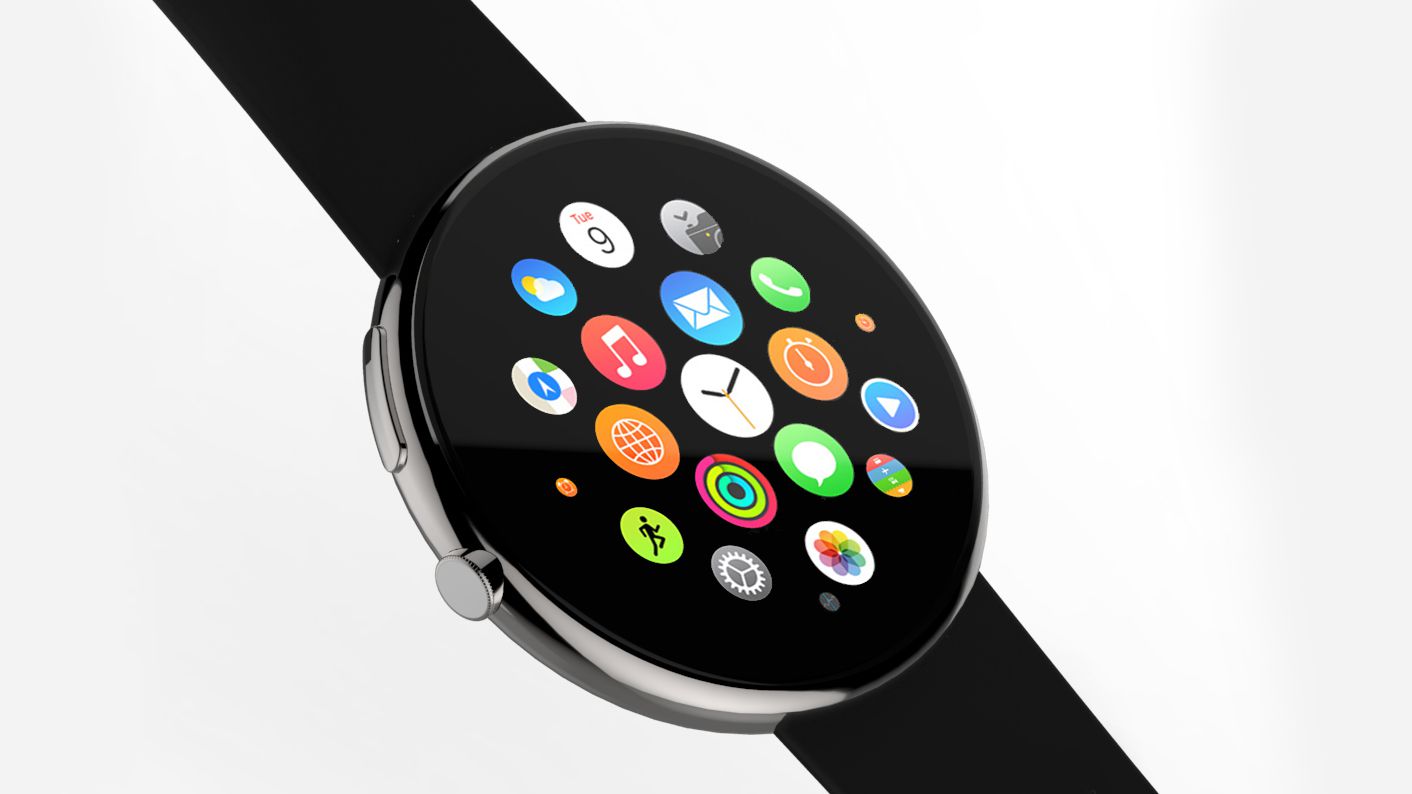
    Could It Be Round?

    We have seen patents from Apple for a while that says this next iteration could have a round face. This opens alot of doors, more battery space, bigger screen. However Apple seems happy with the design of the Watch and hasn’t substantially changed it in the various versions it’s launched so far, so we don’t expect a redesign any time soon, let alone a completely different screen shape and the only real reason to change it is to intice other watch users more accusomed to that round design… Not Apples style, don’t bet on this.


    The Final Thought

    What ever they do with the watch it will be scrutinized, hated, celebrated and purchased in the millions. It will work flawlessly and be a substantial upgrade over the the three. Will they keep the red dot? who knows its all just speculation at this point. All I know for sure is that I just bought the 3…

  • Tech Throwback: iMac 20th anniversary

    Tech Throwback: iMac 20th anniversary

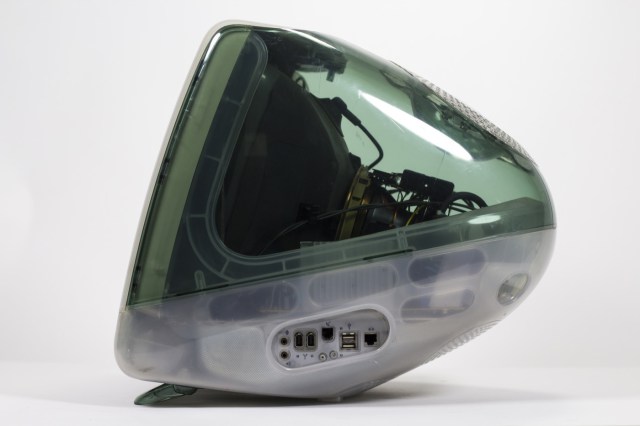
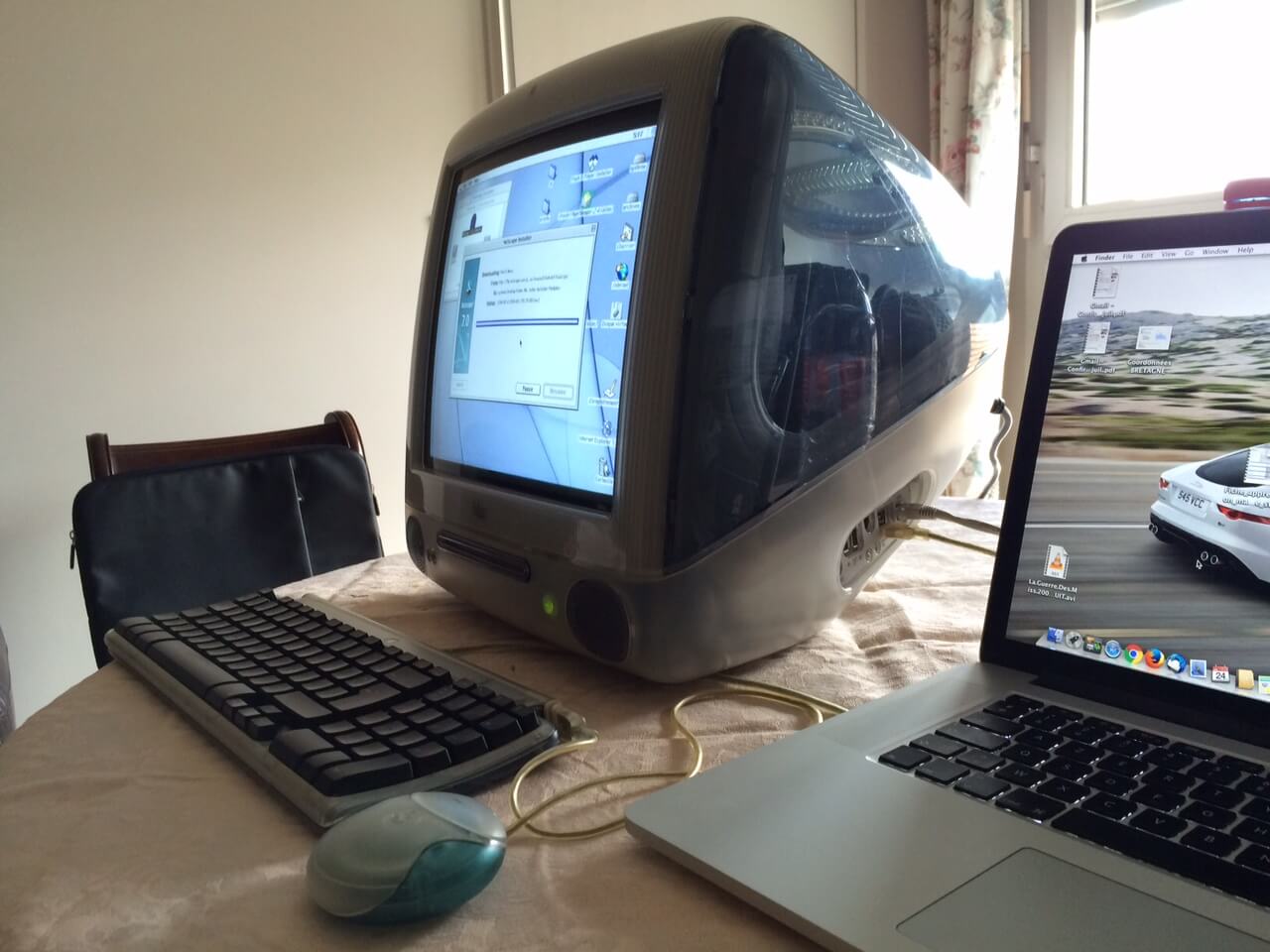
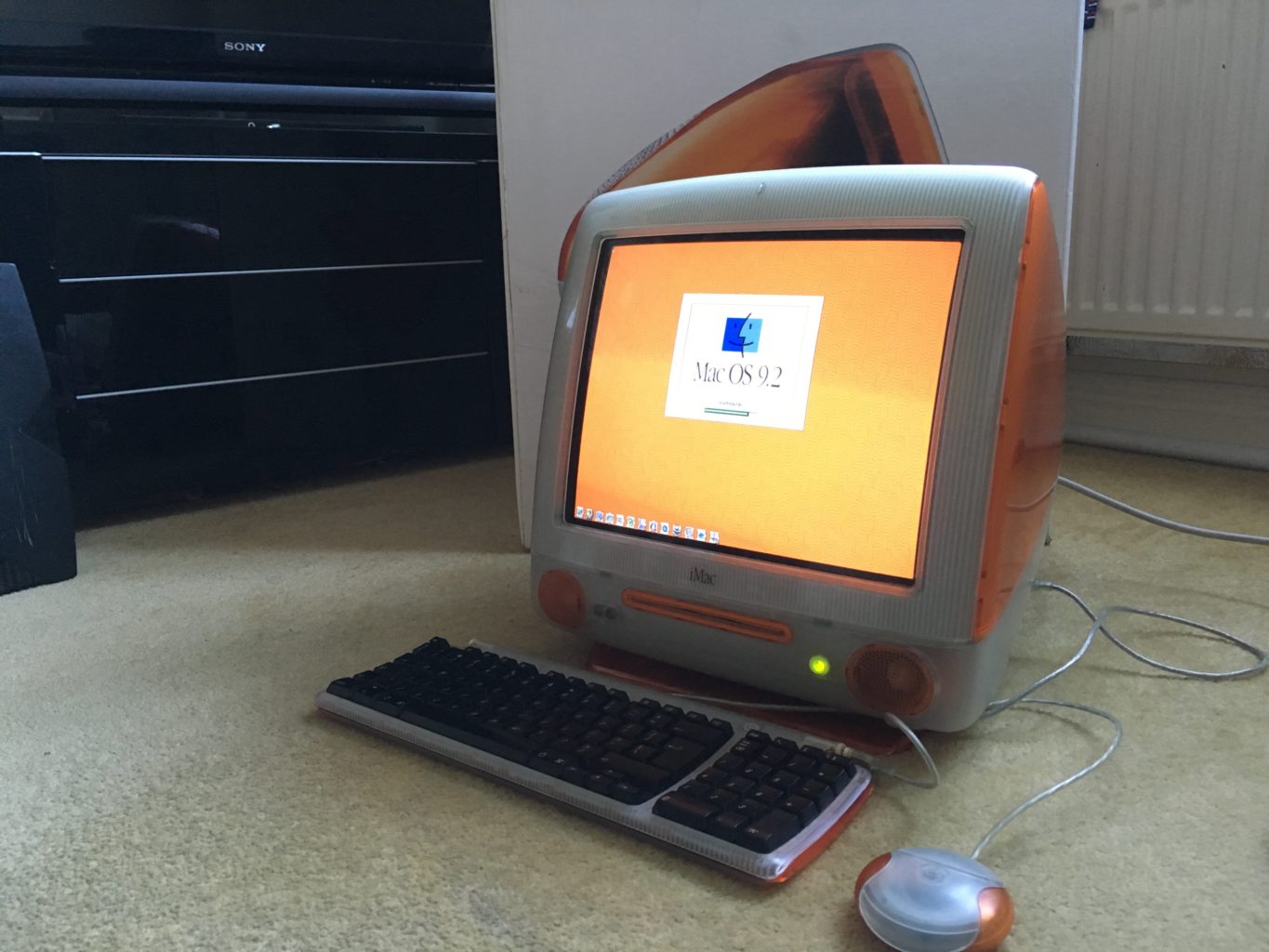
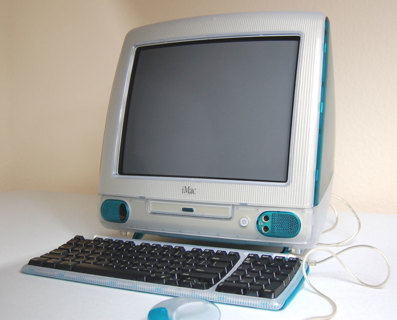
    I like to take a look at where I’ve been to evaluate where Im going. Technology is cyclical after all… wait no its not. That said I still like all the feels that come rushing back like a flood of nostalgia every time I get my hand on the tech I grew up with. Im going to go back periodically and take a looking at the stuff that used to blow our hair back and get our minds rolling. Some of these device blew up and changed the world, some where ahead of their time and some just fell flat and became colossal failures. Today we are going to talk about the original iMac on its 20th anniversary


    Its been twenty whole years since  Steve Jobs introduced iMac on May 6th, 1998. It was a truly ambitious new Mac, with a very specific Internet  access ease-ability. It not only redefined the design and styling of tech products but charted a strategic course that would take Apple from being a that one PC maker from the 80s to the world’s most valuable  company. This computer set the path for apple to become more valuable then all but 17 countries in the world. Most importantly, iMac had an impact because it courageously made bold decisions that conventional thinking assumed to be wrong. The iMac, take aim at a broader market of individuals who wanted a practical, easy way to get on the Internet. What can you say about Steve Jobs that hasn’t already been said, the man just got us.


    Before unveiling the new iMac, Jobs outlined how it would be different. For starters, Apple was using a modern 233MHz G3 processor, the same chip it had used in its entry-level Pro Power Mac G3 just six months prior at a price $300 higher. That new generation Power PC chip boasted a performance edge “up to twice as fast” as Intel’s Pentium II processors at similar clock speeds. I had forgotten about the G3 processors, but this gives me a lot of anticipatory feelings for the next line of iMacs that apple is set to make there own chips again for starting next year.


    At a time when PCs generally needed an external modem to connect to the Internet over phone lines, the new iMac built in both its relatively fast modem (making it easy to connect by only plugging in a phone cord) and 100Mb Ethernet.USB ports had already appeared on PCs, but it generally sat unused because device makers kept building slightly cheaper products using RS-232 serial ports, PS/2 cables for keyboards and mice and Centronics Parallel ports on printers and disks. The new iMac also included IrDA, a way to beam (like a TV remote) data using invisible light. It wasn’t nearly as fast as the wireless technology Apple would roll out in the future, including Bluetooth and WiFi, but it offered an early way to transmit photos and other basic data without requiring cables at all.

    Quick Spec Look

    • Screen Size 15 inches
    • Processor 0.35 GHz PowerPC G3
    • RAM 32 MB
    • Hard Drive 20 GB
    • Graphics Coprocessor ATI Rage 128 Ultra

    The Final Thought

    It’s hard to overstate the importance of the iMac G3. The iMac G3 ushered Apple in to the future, and on its translucent back, Steve Jobs rebuilt the company. It was the end of the beige computer and everything we thought computers had to be. The i in iMac stood for 5 things, internet, individual, instruct, inform, and inspire, it most certainly did all off those things for the last 20 years.


  • The Best No-Contract Phone Providers

    The Best No-Contract Phone Providers

    You’ve got an awesome smartphone with a great display and slick new features? You probably don’t want to just use it as a tiny tablet, so you’re going to need a phone provider. Contracts aren’t for everyone: some people just want phone service and don’t want to be bound by contractual obligations. Which phone providers do we recommend? Read on!

    Cricket Wireless

    Using AT&T’s network coverage, Cricket Wireless offers a very affordable $35 (after autopay discount) plan that sports 5GB of data. Cricket’s data speeds cap at 8 Mbps, sadly, which makes them more of a budget consideration than a main provider, but they made the list since they offer some of the best data amounts per dollar. Cricket has the added benefit of rolling taxes and fees into this final price, helping alleviate “sticker shock” when the bill comes.

    Boost Mobile

    Boost makes the list thanks to its low price, same as Cricket. For $35 per month, you get 3GB of data on Sprint’s network. Sadly, this also means that you’ll experience some slowdown as Sprint’s network isn’t terribly speedy. On the bright side, like MetroPCS and Cricket, the monthly taxes and fees in this plan are rolled into the final bill price.

    AT&T

    AT&T offers a $40 with 8GB of data with no contract. This is a great pick for those who want to use loads of data and don’t mind the slightly lower coverage of AT&T’s network. The $40 price point is after enrolling in autopay, so consider that when shopping for plans. AT&T’s network works in Canada and Mexico, too, which allows for traveling users to stay tuned in to their internet and friends. This is our favorite plan for data, with great bang for your buck in terms of gigabytes!

    MetroPCS

    MetroPCS uses its parent company, T-Mobile, for its network, which means their prepaid plan sports better coverage than AT&T’s. For $40 you get 5GB of data, which is still a lot, and is definitely worth considering if you want better network coverage. Additionally, this plan allows for streaming from tons of music apps and websites without counting against your data allotment, which is certainly enticing for all you audiophiles out there! MetroPCS, like Boost and Cricket, includes taxes and fees in the final price. MetroPCS is our favorite plan for those who don’t need as much data, or plan on using audio services for the bulk of their data.

  • Best Photo Printers for Your Buck

    Best Photo Printers for Your Buck

    Everyone loves taking pictures with their smartphone, but sometimes you want physical copies of your pictures! Whether you’re concerned with losing your data or want to have a keepsake of good memories, we’ve rounded up our favorite digital photo printers!

    Epson SureColor SC-P800

    Our favorite printer for professional photographers! The Epson SureColor meets all the rigorous requirements of a full-time, gallery-quality printer. The SureColor can print very large photos and has exceptionally high print quality but is very expensive by comparison to other printers on this list. Sporting an LCD display and tons of bells and whistles, the SureColor is sure to meet all the needs of a professional. However, this one wouldn’t be a good pick for a casual photographer or a beginner, as its high number of settings and features can be intimidating.

    HP Sprocket Photo Printer

    The Sprocket fits in a pocket or bag and turns any smartphone into a Polaroid-style camera! The Sprocket has no need for ink, instead using unique dyed prints and applying heat to create the desired image. While the Sprocket won’t be creating any galley-quality prints, it is exceptionally cute and fun! Great for vacations and trips, this one is a good conversation starter and fun diversion. It is battery powered and boasts a sleek design but would not be a good fit for those looking for a more professional printer. For those looking to print on the go for fun with friends, the Sprocket is perfect, though!

    Epson PictureMate PM-400

    This small printer is handy to have around! Weighing only 4 pounds, it travels easily and tucks away great when not in use. Something between the pocket-sized Sprocket and the more professional SureColor, the PictureMate prints off decent quality photos. The PictureMate would make a great choice for those who wish to print out digital pictures of the family to hang in the hall, or for holiday cards and keepsakes. Those wishing for something a bit better on print speed and quality should look to the SureColor or Pixma instead, however.

    Canon Pixma Pro-100S

    The Pixma Pro is an impressive printer. With reasonably fast print speed and fantastic color quality, the Pixma does your photography justice. The prints from the Pixma could be considered gallery-quality, which is high praise. Using an 8-dye system, the Pixma creates positively stunning images in color and in grayscale. The only downsides are the relatively high ink price and somewhat low durability of the prints themselves. These complaints come with the quality, though, and so it’s hard to knock this printer too hard. This one has a much-needed wireless printing feature, allowing for prints straight from smart phones. A fantastic choice for any aspiring photographers!

  • Nintendo Unveils Details of Switch Online Service

    Nintendo Unveils Details of Switch Online Service

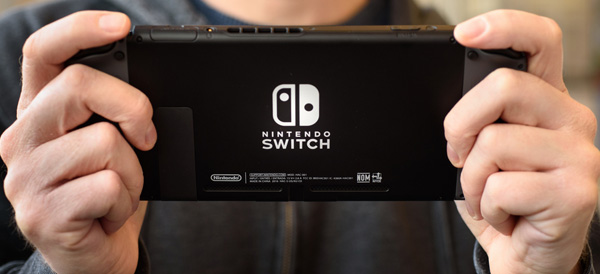
    After multiple delays and rampant speculation, Nintendo has finally announced details of their paid online service for Switch. Originally slated for a Fall 2017 release, the service will finally launch this Fall. Priced at $20 per year, the service will allow users to browse and play a select library of NES games with new online functionality.

    The Games

    Nintendo is bringing classic NES titles the Legend of Zelda, Balloon Fight, Dr. Mario and Super Mario Bros. 3, Donkey Kong, Ice Climber, Mario Bros., Soccer, Super Mario Bros. and Tennis to the service, with more to follow. This is in contrast to Nintendo’s previous Virtual Console branding, which Nintendo says won’t be returning to Switch. This Netflix-like approach resembles game-streaming services and could represent a new, modern direction for Nintendo.

    Interestingly, Nintendo promises online play for many of these NES classics, but has given no further details. One could only hope for simultaneous co-op in Super Mario Bros 3, or epic matches of Tennis! This is clearly Nintendo playing to their deep well of classic games in order to set themselves apart from their competition.

    Cloud Saves

    This service will also (finally) allow users to make cloud back-ups of their game saves, a feature that has been standard for Nintendo’s competition for years. Many players have noted that the lack of cloud saves led to them losing all of their save data when their console was lost or damaged. The inclusion of cloud saves will certainly lead to sighs of relief from Switch fans.

    Online Play

    The online service is also necessary to play games online, of course, so fans of Mario Kart 8, Splatoon 2 and Super Smash Bros. will have to shell out if they want to play those games main modes. Thankfully the service is significantly less expensive than Sony and Microsoft’s offerings, positioning Nintendo as a more family-conscious company yet again.

    Speaking of families, the online service will also allow a $35 subscription that allows one account to share online features to the other accounts on the Switch. The $35 plan would be ideal for families who all play games from the same Switch.

    What Else?

    This is a somewhat bare-bones announcement, and leaves room for speculation. Certainly, Nintendo will have more to say about this service, which launches this fall, by E3 this summer. Many fans are hoping for news of digital versions of Game Boy and Super Nintendo games. many others are eager to see if Nintendo will incorporate voice chat in a form other than their much-maligned Nintendo Online App.

  • New iPhone Mode May Lock Out Law Enforcement

    New iPhone Mode May Lock Out Law Enforcement

    ZDNet has found a “USB Restricted Mode” in the files for iOS 11.4, a feature that could have potentially massive implications. This feature disallows USB devices from accessing the phone if it hasn’t been unlocked in the last seven days. This could potentially work to stop intrusion devices, such as the Gray Key device, from functioning with iPhones in this mode.

    Gray Key

    Gray Key devices attempt to break into iPhones by guessing every permutation of the possible password. However, these devices require a connection through the Lightning port, and as such could be disabled by USB Restricted Mode. This could serve as an excellent security feature for iPhone users, ensuring that only individuals with the correct password access their phone.

    Law Enforcement

    Apple has notoriously clashed with law enforcement agencies in the past over encryption. Agencies have repeatedly requested that Apple provide or create a skeleton key of sorts capable of opening any iPhone. The use of such a key would allow law enforcement to access suspected criminals’ phones in an attempt to obtain incriminating evidence. Apple has had (understandable) reservations about the ethics of such a key.

    Where USB Restricted Mode Fits In

    While it is possible that USB Restricted Mode is something more experimental and less directed specifically at law enforcement, it would make sense if it was specifically a response to this ongoing struggle. In any event, any features that protect user privacy are good features: there is no guarantee that Gray Key devices don’t fall into the wrong hands. Having features that protect users from such malicious access to their devices is clearly a high priority to Apple, and it will likely continue to pursue similar initiatives in the future.