Month: June 2018

  • Google Pay, Samsung Pay, Apple Pay; Which is the Best Virtual Wallet?

    Google Pay, Samsung Pay, Apple Pay; Which is the Best Virtual Wallet?

    Between Apple, Samsung and Google there are a ton of virtual wallet apps looking to power your transactions. Today we’ll break them down based on their strengths and weaknesses and tell you which one is our favorite! 

    Google Pay 

    Google Pay and Apple Pay have a lot in common. They both use NFC technology to broadcast information over short-range bands. This means the merchant you’re buying from needs to have an NFC-enabled card reader. While most modern businesses are equipped with standard NFC technology, some Mom and Pop places will be behind the curve on this. Google Pay also allows you to send money to other people, regardless of whether they use Android or iPhone. You can also use certain Android Wear watches to pay! 

    The downside to Google Pay, though, is that it only has one layer of authentication. One your phone is unlocked, Google Pay just works automatically. It doesn’t ask for a fingerprint or PIN, it just sends the transaction. This could be an issue for those who shop a lot online and are used to using the secondary authentication as confirmation that they’re about to actually spend money. The other drawback to Google Pay is that it isn’t as widely accepted online as Apple Pay, which is ubiquitous. 

    Samsung Pay 

    Samsung has an edge over the competition: magnetic secure transmission. Where Google and Apple both use NFC technology to broadcast info, Samsung can use MST to “trick” older machines. Card machines all read magnetic information, so Samsung Pay fools them into thinking a card has been swiped. This allows you to use e-pay even at vendors who aren’t explicitly set up for it. The Samsung Gear S3 also supports MST, if you’re a smartwatch fan. Samsung Pay, like Apple, does require a biometric scan or PIN to confirm purchases, which is good.  

    The drawbacks? Samsung has no peer-to-peer payment option, which is a bummer. It’s also only available on Samsung phones, making it the most limited of the three. It’s MST technology is pretty awesome, though. 

    Apple Pay 

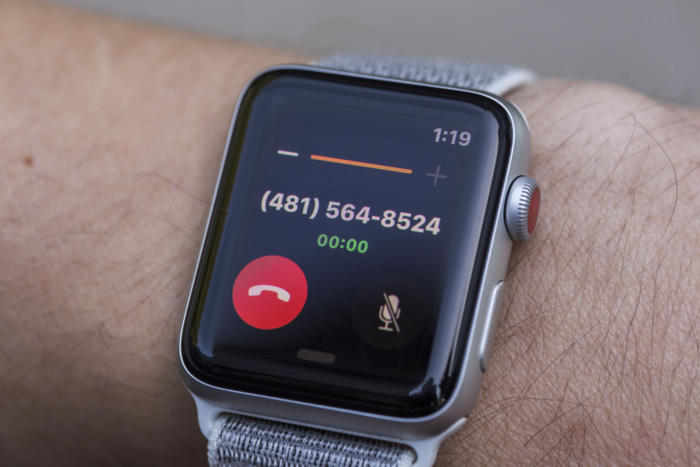
    Apple Pay is the most widespread of the three as far as online support goes. It’s available only on iPhones, though. It uses NFC, like Google Pay. You can send peer-to-peer payments, but only to other iOS users with an Apple ID. You can also use an Apple Watch to pay if you don’t want to go digging in your pockets for your phone at checkout. It uses either a fingerprint scan or Face ID to authenticate purchases.  

    The drawbacks here are the lack of MST and the Apple-only peer-to-peer.  

    Which Virtual Wallet is the Best? 

    Turns out, they’re pretty evenly matched. Apple has a slight edge over Google with its authentication and ubiquity, but Google has peer-to-peer payments with anyone. While Samsung has no peer-to-peer payments, it does have MST, which is critical in certain cities with less high-tech merchants. The bottom line is that they are all fine and shouldn’t influence your decision to buy a phone. Unless, of course, you intend to replace your real wallet with you virtual one. In that case, I would have to recommend Samsung, as it works with the widest variety of card readers. 

  • Jurassic World Evolution, 9 out of 10 Goldblums!

    Jurassic World Evolution, 9 out of 10 Goldblums!

    The Feebled Dream of a Mad Man

    Frontier Inc., the creators of Planet Coaster have a rebellious nature and a real passion for sandbox games. The founders of the company previously worked under the developers of Roller Tycoon but eventually realized that the company had lost its passion, so they departed from RCT and embarked to create their own theme park simulator. The result was the astounding, addicting, and intricate game known as Planet Coaster. After the release and success of Planet Coaster in 2016, much was expected of Frontier’s next project. So the developers had to come up with a big idea. And like all great ideas, it starts with an ember…or in this case an Amber. (See what I did there)

    Image result for jurassic park evolution

    It’s DINOmite!  

    Frontier’s passion for gaming shows through from the moment you launch Jurassic World Evolution. With John Williams original score and Jeff Goldblum narrating you the tutorial, you’re immediately drawn in to what we all know and love. A user-friendly interface and smooth mechanics make picking the game up a breeze. Then comes the scenery…The landscaping and environment is absolutely incredible. There is so much intricate detail everywhere you look. The water, the mountains, and the grasslands truly transport you to Isla Nubar (Ultra High settings of course). But the games true graphics feat is the dinosaurs themselves. Frontier was able to partner up with the original designers of Spielberg’s Jurassic Park (1993) dinosaurs in an attempt to create the most realistic dinosaurs in a game to date. You can literally see every muscle fiber move when the animal runs, eats, and even attacks…It’s truly a work of art.

    Related image

    Running a Jurassic Park

    Once your park is up and running, you have to do everything you think you would need to do when running a theme park filled with man eating dinosaurs. Keep power sources on and fences electrified, feed guests and dinos alike, Animal containment units on constant patrol, etc. After about an hour of playtime, my favorite aspect of the game is taking your ACU jeep on free roam through the park. With an open world feel, you can enter habitats for a up close encounters with Mr. T-Rex, explore the mountains and really take in the games amazing scenery.

    To keep attractions and guest numbers high, you constantly have to be adding new dinosaurs and genetically modifying new breeds. You send crews on dig sites around the world who return with the highly coveted DINO-DNA. Also since you are on a chain of islands off Costa Rica, weather plays a big factor in the game. Hurricanes, tornados, severe rains can affect your habitats and fences. If a Dino gets out of a perimeter and eats the guests, then…well let’s just say that mountains that surround you will pale in comparison the mountains of lawsuits you’ll have.

    Image result for jurassic park evolution

    The summary 

    Jurassic World Evolution is a very compelling and immersive gaming experience. For a long time JP fan boy such as myself, I am just over the moon that there is finally a game that the captures awe and admiration of these dinosaurs that the first film did. They game could have more content when it comes to buildings and amenities,  but I’m sure Frontier is purposely holding that stuff back for future expansions to keep gamers coming back for more. In my opinion, it’s a game that’s hard not to love.

  • Too Old For Tinder? Try These Adult Dating Apps

    Too Old For Tinder? Try These Adult Dating Apps

    If you’re an older person trying to find a decent dating app, you might have noticed that there aren’t too many great options. It seems like the apps are mostly geared towards young adults trying to just hook up. Where are the apps for adults who are actually trying to date? Well, we have good news. We’ve got a roundup of the best dating apps for older folks! 

    Stitch 

    Photo Credit: iTunes 

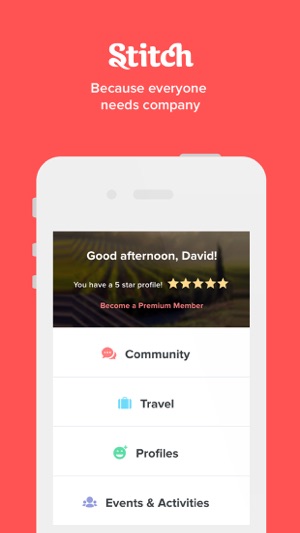
    Do you like to meet people based on what you have in common? Are you a fan of dates that involve activities like going to a coffee shop or going to a concert? You might like to try Stitch. The best part is, Stitch is a great place to find anything from a new friend to a new relationship!

    Stitch is an app that focuses on connecting users over 50 based on their shared interests. Travel is a big one, and the app even helps find discounted rates on rooms! You can connect with people over any interest, though, including music, movies, and taste in food. There is a free version of the app, but you can also opt for a premium paid membership. The paid version costs $80 per month, but gives you access to calling other members, direct messaging and community features. If you’re looking to connect with someone over mutual interests and shared activities, try Stitch! 

    OurTime.com 

    Photo Credit: Ask Men 

    Our Time is a great site for those over 50 looking for a relationship. The site actually boasts a higher ratio of women than men, which is a welcome change from most dating sites. The site also has an iPhone and Android app that offer Tinder-like swiping!  

    You can get a paid subscription, but the free version allows for viewing profiles and matches. You also can see who views your profile for free! The paid subscription allows for seeing when your messages are read and highlighting your profile in searches. You can even see who’s interested in you! Our Time is worth checking out if you’re looking for a relationship. 

    Plenty of Fish 

    Photo Credit: YouTube 

    Popular dating app Plenty of Fish gets a nod for just how many people use it. The name of the site is actually quite accurate! If you don’t mind filtering through a large number of people to try to find good matches, Plenty of Fish can be great. The best part is, the wide user base means you’re bound to find someone you connect with!  

    The site does a good job matching you with people you’re looking for thanks to its algorithms. If you tell it you want to meet people your own age, it can filter for that! That way you’re sure to meet people who are at the same place in life as you, leading to more genuine connections. 

    Senior People Meet 

    Photo Credit: iTunes 

    This popular app has a very large user base and intuitive interface. If you’ve used Tinder, you know what to expect! You swipe left or right on profiles based on whether or not you’re attracted to the person based on their profile. The focus, however, is on senior people, as the name suggests. With this app, you can be certain that your matches will be people your own age, not kids! This makes it an excellent alternative dating app to Tinder for older users.  

    That said, it does hide a number of features behind a paywall. Seeing who is interested in you, who has read your messages, and being able to send and receive email is all behind a monthly subscription. That said, messaging and viewing profiles is free, as is seeing who likes your profile. If you’re in for a Tinder-like experience with mature adults, check out this app! 

    Our Favorite Dating App: OK Cupid 

    Photo Credit: PC Mag 

    You’ve likely heard of OK Cupid. It has millions of users and an in-depth question and answer section. The questions help to filter your matches to people who have compatible personalities and values, which is great! The site also has some great features for paid subscribers, like seeing who likes your profile, disabling ads and using advanced search functions.  

    OK Cupid is great because it focuses on who you are, not just how you look. Other dating apps can be quite superficial, but OK Cupid is not that way at all! It’s an excellent choice for older people looking for a more thoughtful dating app. The iPhone and Android apps both have great ratings for their usefulness and design. OK Cupid comes highly recommended! 

  • Top 5 Gaming Laptops for 2018

    Top 5 Gaming Laptops for 2018

    It takes a lot of stones to be a full fledged gaming laptop and those stones come a large price. These gaming laptops are built to handle what ever our nest and most bizarre gaming programmers can throw at them, and they do it with style and grace. Today we are gonna take a look at the 5 best gaming laptops for 2018.

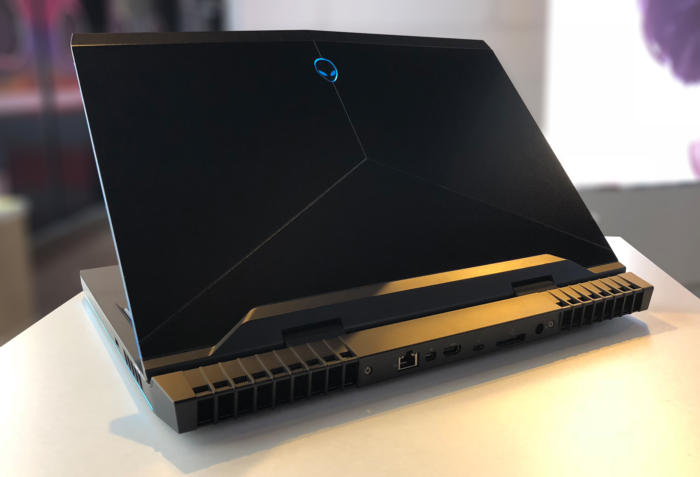
    1. Alienware

    • CPU: Intel Core i9-8950HK
    • Graphics: Nvidia GeForce GTX 1080 (8GB GDDR5X VRAM)
    •  RAM: 32GB
    •  Screen: 17.3-inch QHD (2,560 x 1,440)144Hz
    •  Storage: 246GB PCIe M.2 SSD, 1TB 7,200RPM HDD

    What has this beast at the top is not only the brand new and highly overclocked processor, top of the line GPU and the 13 zone customizable LEDs, but the Tobii Aware software and eye tracker..It works and its awesome. This is hands down the best gaming laptop and will be for at least a year.

    2. MSI GS 65

    • CPU: Intel Core i7
    • Graphics: Nvidia GeForce GTX 1070 (8GB GDDR5X VRAM, Max-Q)
    •  RAM: 16GB
    •  Screen: 15.6-inch FHD (1,920 x 1,080) anti-glare, wide-view 144Hz panel
    • Storage: 512GB M.2 SSD

    The MSI GS65 packs a ton of power into a very breathtaking and inspiring design. Blasting on with an 8th-generation Intel Core i7-8750H CPU and an Nvidia GeForce GTX 1070 GPU, But a quick run down of the specs will see why this Laptop didn’t grab the number one spot, but cut it a little bit of slack it is a few months older and its still a very bad,bad man gaming laptop.

    3. Razer Blade Pro

    • CPU: Intel Core i7-8750H | 7th Gen
    • Graphics: Nvidia GeForce GTX 1080 (8GB GDDR5 VRAM) |
    • RAM: 16GB | Screen: 17.3
    •  Storage: 512GB M.2 SSD

    This is one of my favorites, it  was crafted to deliver incredible performance in an impossibly thin form factor. It is also the world’s first THX® Certified Mobile Device, the Razer Blade Pro sets a new standard for desktop replacement laptops.

    4. Dell G3 17

    • CPU: 8th Generation Intel® Core™ i7-8750H Processor
    •  Graphics: NVIDIA® GeForce® GTX 1060 with NVIDIA® Max Q Design technology, 6GB GDDR5 video memory |
    • RAM: 16GB DDR4
    •  Screen: 17.3-inch HD 1,366 x 768 TN – QHD 2,560 x 1440 OLED touchscreen
    •  Storage: 180GB – 512GB SSD

    While this has some respectable power, this configuration will cost a little more the $1000 making this the best value for a gaming laptop with out suffering any power loss. It will deliver an ultimate and immersive gaming experience.


    5. Lenovo Legion Gaming Laptops

    CPU: 8th Generation Intel® Core™ i7-8750H Processor
    Graphics: NVIDIA® GeForce® GTX 1060 with NVIDIA® Max Q Design technology, 6GB GDDR5 video memory |
    RAM: 32GB DDR4
    Screen: 17-inch HD 144fps
    Storage: 180GB – 512GB SSD

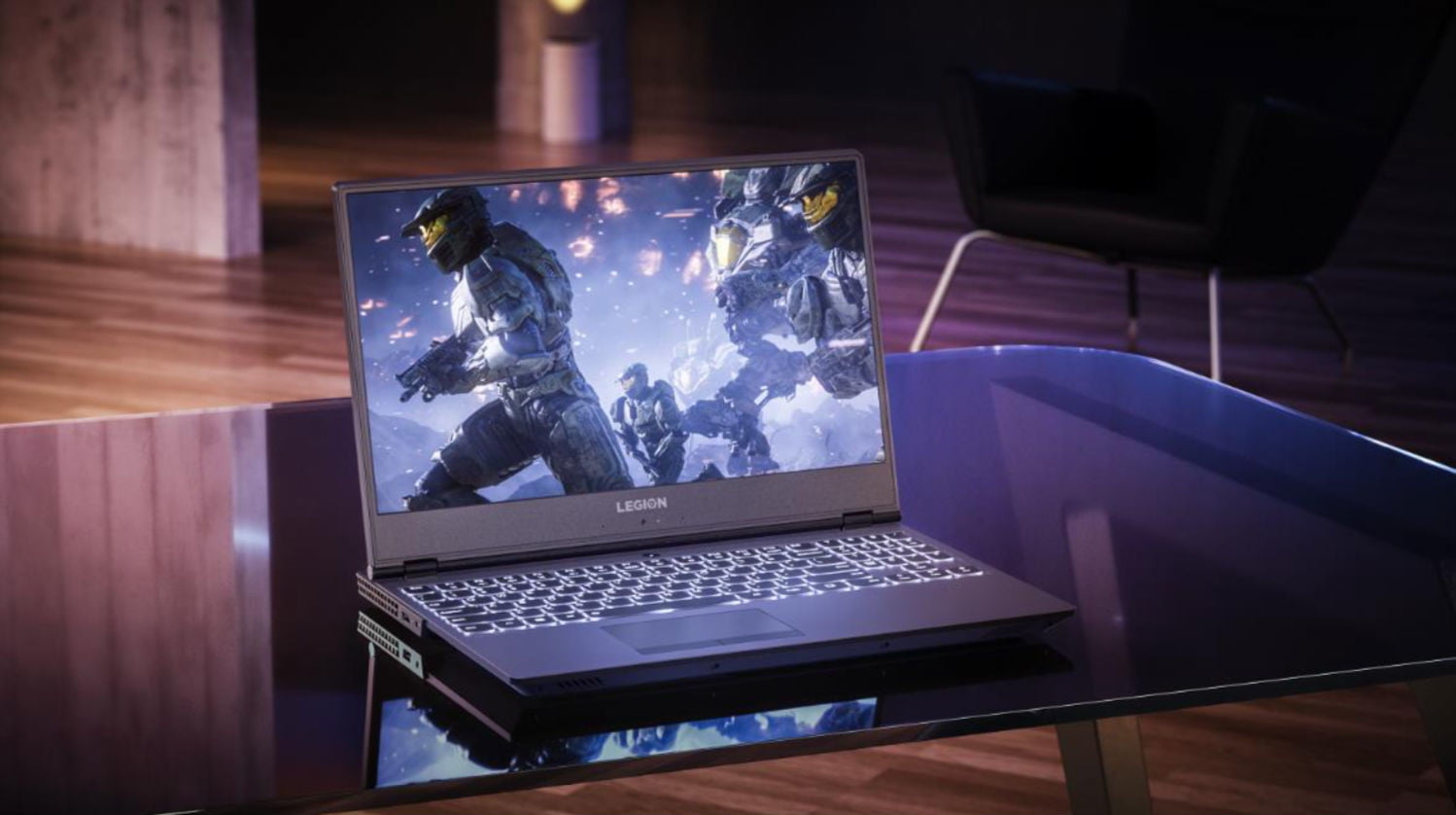
    Clean new design. Relatively light. Fantastic 144 screen refresh-rate options. Corsair keyboard with per-key RGB lighting. The fresh design of the Legion Y730 holds promise, with a well-rounded feature set at a relatively modest price. Its big hold back it for a brand new released Gaming laptop its not blasting the i9 chip and maxes out with the GTX 1060 on top a high price then the G3 although the 730 is but better looking and dosent feel as cheap as the G3.


  • Laptop Lookout: Lenovo Legion Revamped

    Laptop Lookout: Lenovo Legion Revamped

    Laptops are the cornerstone of our computing resources in this day and age. We need power, robust performance and ultimate portability for every aspect of our daily lives. This is a guide and insight to the best Laptops on the market and today I’m here to talk about the Revamped Lenovo Legion Gaming Laptop.

    The Great

    • Nice Responsive Keypad and Trackpad
    • Solid Performance
    • Great FPS
    • Premium Graphics and Audio & Optional Dual Drive Storage


    The Conclusion

    Lenovo’s new approach to gaming focuses on entry and mid-tier consumers looking to play games without breaking the bank. The new Legion series laptops meets minimum specks for a 2018 gaming laptop and it can deliver great frame rates at medium settings for even the most demanding games. While they’re all built for gaming but designed for everyday use.

    Lenovo has announced four new Lenovo Legion gaming laptops. There’s the $929.99, 15-inch Legion Y530 available in June, and the $959.99 Y7000 available in August. There’s also the 15 and 17-inch Y730s available in September starting at $1,179,99 and $1,249. Today we will talk about their strengths, weakness and the difference between

    Breakdown The Lenovo Legion

    The first two Lenovo Legions, the Legion Y730 and Y530 laptops, feature skinny and slight bezel screens, dual-chamber cooling,  and up to Nvidia’s GeForce GTX 1050Ti GPU. Wait, what? That is a low end gaming GPU.. That wont run some of the top games out now, let alone whats coming out.  Eighth-gen Intel Core i7 processors, but we have 9th gen available. An optional 144Hz full HD IPS display is offered on the Y530, while the Y730’s noteworthy feature is its Corsair iCUE RGB backlit keyboard (which features six macro “Y” keys).Each of Lenovo’s new systems feature top and side bezels that are 0.26-inches thin, allowing for viewers to enjoy more of the laptop’s display.

    The Y530 laptop, which will be a Best Buy exclusive when it’s available in June for $930, is noticeably smaller than its predecessor, and loses the red accents from before. Instead, you’ll find an all-black lid with a Legion logo, which some might find more attractive, although others might call boring.

    Lenovo partnered with Corsair to bring credibility to its RGB lighting scheme for the Lenovo Legion Y730 laptops. The RGB, 16MM-color backlit keyboard, vent lighting, and underlighting are all controllable via Corsair’s iCUE software. Good news is if you like the out of the box generic look for the Legion Y530 and Legion Y7000, you can turn them all off.

    Quick Spec Look

    • CPU: 8th-gen Intel Core i5-8300H or Core i7-8750H
    • Memory: Up to 32GB DDR4, or you can get up to 8GB of that and 8GB of Corsair Overclocked Memory.
    • Display: All displays will be FHD (1920×1080) anti-glare IPS with a maximum brightness of 300 nits, with the choice of either 60Hz or 144Hz refresh rates.
    • GPU: Choice of Nvidia GeForce GTX 1050 or GTX 1050 Ti. These are Nvidia’s midrange discrete GPUs.
    • Storage: Choices of 128GB-512GB PCIe NVMe SSDs and 1TB or 2TB hard drives.
    • Connectivity: Lenovo arrayed most of the ports on the back of the Legion Y730. There you’ll find (as seen in the photo below, left to right) miniDisplayPort, full HDMI, USB 3.1 Type A, RJ-45 ethernet, another USB 3.1 Type A, the power port, and a lock port. On the left side you’ll find a Thunderbolt port and an audio jack, and on the right side you’ll find a third USB 3.1 type-A port.


  • Hassle-Free Charging: Which Is Our Favorite Qi Wireless Phone Charger?

    Hassle-Free Charging: Which Is Our Favorite Qi Wireless Phone Charger?

    I have forgotten to plug in my phone before bed more times than I can count. The frustration of missing your alarm because you forgot to charge your phone is quite profound. You have no one to be mad at but yourself. Well, yourself and whoever decided we were going to charge our phones with wires like low-tech losers. To remedy this, Qi has become the industry standard for wireless charging. Compatible phones like the iPhone X and Galaxy S9 can be charged as easily as just dropping them on the charging pad. Which wireless phone charger is our favorite? Check out our list! 

    Best Budget Option: Choetech Aluminum Wireless Charger 

    Choetech’s charger is only $13, which is a great price! It has an aluminum body and internal heat management, too, which helps keep it safe from overheating. It doesn’t support fast charging, but it’s also only $13. It has a sleek design and sports a glowing LED ring to indicate when it’s in use. It even has a light sensor to dim the indicator at night. An option to disable the indicator when sleeping would have been welcome, but it’s not a deal breaker. This is a great budget charger overall. 

    Native Union Drop Wireless Charger 

    The Native Union wireless charger is a very elegant and feature-filled device. It has ridged, rubberized grips on the top, and a rubber foot to keep it from sliding on your desk or table. The charger uses a USB-C connection and has a thick, durable, braided cord and an LED indicator for charging status. At $60, it’s a fair bit more expensive than Choetech’s charger. However, that increased price gets you fast charging through a safe and temperature-controlled pad. Native Union promises about three hours to charge from zero to full with their pad. That’s not too bad! 

    Our Favorite Wireless Phone Charger: Case Mate Power Pad 

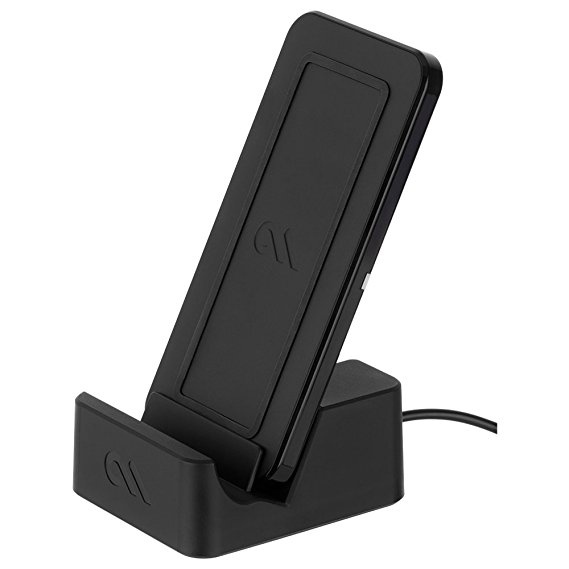
    Case Mate’s pad is also $60, but it sports a unique feature: a stand. The Case Mate with the stand allows you to wirelessly charge your phone while it’s in landscape mode, letting you watch movies or TV while charging! How cool is that? Like the Native Union, it has rubberized feet and an LED status indicator. While it doesn’t sport the same durable cable or USB-C plug-in, the Case Mate does sport fast cahrging. If you’re on the lookout for a great wireless charger with a stand, the Case Mate Power Pad is for you! 

  • Razer Expands RGB Support to Third Parties

    Razer Expands RGB Support to Third Parties

    Serious PC gaming doesn’t require you to have a flashy assortment of glowing peripherals and PC parts. It does, however, look super awesome. WIth tha in mind, Razer has expanded their back-end Chroma support to work with a wider range of manufacturers’ hardware.  

    Wait, What? RGB? Synchronization? 

    RGB is a type of lighting that is quite popular with PC gamers. As awesome as the flashing lights can look, it’s often a pain to synchronize their colors and flashing lights. This is due to the software used to control their color schemes: nearly every company uses different software. Corsair, AMD, Logitech and even Razer all have their own control programs. 

    To remedy this, Razer has issued its new Chroma partnership program. The stated goal? Helping make your entire set-up much more synchronized. Now, if you have hardware from AMD, MSI, Thermaltake, NZXT, or a few others, you can synch them all with the Chroma program. 

    What’s the Big Deal? 

    For those who haven’t used RGB, it might not seem like that big of a deal. However, many games, like Overwatch and Fortnite, offer some awesome functionality with the technology. Overwatch, for instance, changes your RGB colors when you change characters, further immersing you in the game. Additionally, having a unified keyboard, mouse, headset and PC case can make your set-up look slick and futuristic. Unless, of course, the colors and pulses are all out of sync. 

    The Downside 

    The only bad news in this announcement is the timeline. For the time being, very few manufacturers have hardware out that supports the partnership project. Razer’s new program is a step up over its previous initiatives, though. The previous partnership program required that hardware had to be hard-programmed to work with Chroma. This means that manufacturers had to consider Chroma while making their own peripheral. The new program, however, uses a new Razer API to connect all the devices through software. 

    Razer has stated that we can expect supporting hardware by the end of the year. If you’re interested in just jumping in with a great gaming keyboard, though, you can check out our favorites right here. 

  • Bitcoin Falling: Less than Half as Valuable as it Was Last Year

    Bitcoin Falling: Less than Half as Valuable as it Was Last Year

    Last year, in December of 2017, Bitcoin hit its all-time high, an astronomical $20,000 per Bitcoin. Following this high-water mark, the cryptocurrency has been steadily losing value. On Sunday it dipped even lower, now being worth only $7,200 per Bitcoin. It is worth noting, however, that the price is far above what it was this time last year. At that time, a single coin cost $2,800. 

    A Sign of a Dying Fad? 

    It seems unlikely that this volatility is suggesting any long-term issues for Bitcoin, or indeed, for cryptocurrency in general. Many find cryptocurrencies to be ideal, as the blockchain technology that powers them is secure and difficult to fool. While most markets have been hesitant to pick up the currency, it’s likely not becoming irrelevant any time soon. Recent fluctuations are only natural. As demand waxes and wanes, mining operations scale up and GPU prices stabilize, changes in price like this are to be expected. 

    Notable opponents of Bitcoin, Warren Buffet and Jamie Dimon have both recently reiterated their reservations about the new form of currency. Regarding Bitcoin, Buffet had this to say: “When you’re buying nonproductive assets, all you’re counting on is the next person is going to pay you more because they’re even more excited about another next person coming along,”

    Effect on Power Companies 

    Power companies have taken note of the extreme demand of large crypto-mining operations. Mining Bitcoin requires a tremendous use of power to solve the complex algorithms that yield them. Due to this, mining companies prefer to operate in regions like Quebec, where energy is cheap. In response to this increased demand, Hydro-Quebec, the company that supplies power for the province, has cut off power to mining companies.  

    The company has stated it holds no ill-will towards mining companies. In fact, they expressed that they saw crypto-mining as an avenue of growth worthy of consideration. However, in Hydro-Quebec’s own words, they want to exercise caution. “Guidelines are nevertheless required to ensure that the development of this industry maximizes spinoffs for Québec without resulting in rate increases for our customers. We are actively participating in the Régie de l’énergie’s process so that these guidelines can be produced as quickly as possible.” 

    Similarly, a few months ago, power companies in New York raised energy rates for mining companies. It seems their ravenous power consumption has begun to have an effect on the average person in their region.  

  • Next Apple Watch to Sport no Physical Buttons, Report Says

    Next Apple Watch to Sport no Physical Buttons, Report Says

    A report from FastCompany promises a trustworthy has confirmed that the next Apple Watch will sport no buttons. This is a growing trend in Silicon Valley: many gadgets are ditching unneeded artifacts of past design in the name of design purity. The iPhone X, for instance, has no 3.5mm headphone jack. Similarly, Apple’s phones from the iPhone 7 forward use haptic feedback to simulate the feel of pressing  the home button.  

    Apple Watch: Buttonless? 

    The design outlined in the report isn’t truly buttonless. The crown and traditional button will still be on the watch, but they will be stationary nubs that are touch sensitive. This accomplishes a few things. Firstly, it is easier to design and manufacture gadgets with less moving parts. Secondly, that lack of moving parts also makes the gadgets have more longevity. One of the most common hardware breakdowns is buttons, so eliminating them is wise.  

    Thirdly, the lack of buttons frees up more space in the gadget for things like processors and other chips. Finally, it helps make a device more waterproof. All these considerations make it hard for button lovers to defend their stance! 

    Classic Apple Move 

    Apple is somewhat famous for minimizing or eliminating buttons and other unneeded design artifacts. Famously, the mouse used for Mac computers has no right click button, but instead just one central button. While either side can be clicked, the device itself is just one large button.  

    The new Apple Watch could be releasing this September, or perhaps next year. The nature of these kinds of rumors makes them inherently a little suspect, but this one seems reasonable. Their track record of cutting features from their gadgets would suggest this rumor isn’t wild speculation. Not to mention, this would be an odd piece of trivia to spread falsely. In the meantime, rest assured that Apple will continue leading the anti-button charge. 

  • Microsoft Looking to Shore Up First-Party Development for Xbox, Buys Four Game Studios

    Microsoft Looking to Shore Up First-Party Development for Xbox, Buys Four Game Studios

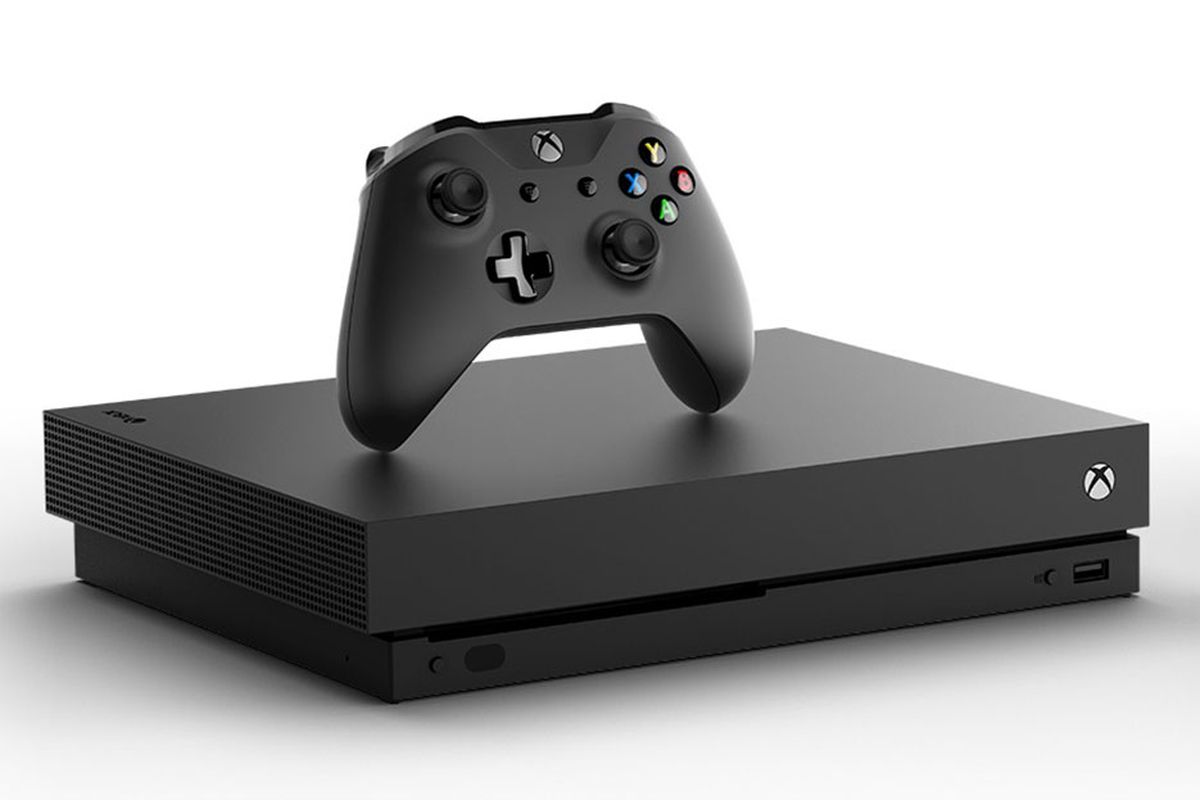
    During their E3 press conference, Microsoft aimed to dispel the doubts about the Xbox One. The biggest doubts they took aim at, of course, where those of exclusive games. Recently, Sony has been absolutely sprinting past Xbox in terms of sales, and many gamers chalk this up to the exclusives. Sony has huge names like Uncharted, The Last of Us, God of War, Nier Automata and many more to bolster their brand. This is understandably frustrating for the company, as their Xbox One X system outpaces the PS4 Pro in terms of raw power. Microsoft’s answer? Their greatest strength: money to throw at the problem. 

    As it Has Been, so it Shall Be 

    This isn’t a new strategy for Microsoft, either. In the earliest days of the Xbox, monetary incentives were the primary reasons developers made games for the system. Halo creator Bungie was bought by Microsoft in 1999, and Rare, Banjo-Kazooie creators, were bought a few years later. This strategy helped Xbox make a name for itself with its exclusives.  

    That strategy worked once, and clearly the compnay behind Xbox hopes it can work again. At their E3 conference they announced their acquisition of four game studios. The studios in question: Compulsion Games, Ninja Theory, Playground Games and Undead Labs. 

    Why Now? 

    It is a bit late in the Xbox One’s life cycle for Microsoft to only just now be acquiring these studios. Surely, any future games from these studios won’t be out for a year at least, meaning that their contributions likely won’t be felt on the Xbox One. Instead, it seems, this is a preemptive move to bolster the launch of the next Xbox. 

    Phil Spencer, head of the gaming division of Microsoft, confirmed at E3 that the hardware teams are hard at work on the next Xbox consoles. The pluralization is interesting, too. Is Microsoft working on multiple systems? Only time will tell. 

    Microsoft Learning from Their Own Mistakes 

    Hopefully Microsoft now sees the importance of their exclusives, and the importance of a consoles first impression. In 2013, their Xbox One announcement was met with near-universal criticism. Between the strong DRM and lack of focus on games, many saw the system as a step backwards. The next Xbox will need a stronger announcement and launch if it hopes to dislodge Sony and compete with Nintendo.  

    Hopefully the wealth of new talent being brought on board means stellar new IPs to bolster the brand. After all, competition between Microsoft and Sony just means more awesome games for us!