Month: June 2018

  • Top Ten Father’s Day Gifts Under $100

    Top Ten Father’s Day Gifts Under $100

    Father’s Day is this Sunday! Have you picked out a gift for Dad yet? If not, don’t worry, we’ve got a list of our favorite gifts for Father’s Day under $100! Giver your Dad something awesome! 

    Cord Taco 
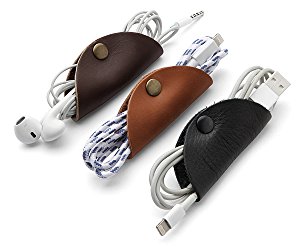
    Photo Credit: Amazon 

    Dad probably has a ton of cords and cables loose in a drawer somewhere. Why not help him organize with these handy tools? They’re stylish and functional and Dad will love them! 

    Amazon Echo Dot 

    Photo Credit: Venture Beat 

    Commanding a virtual assistant with your voice is pretty cool. Alexa helps you schedule your day, reads your messages to you, tells you the news and so much more. The best part is, an Echo Dot is only $40 from Amazon! Talk about a cool gift at a great price! 

    Philips Hue 
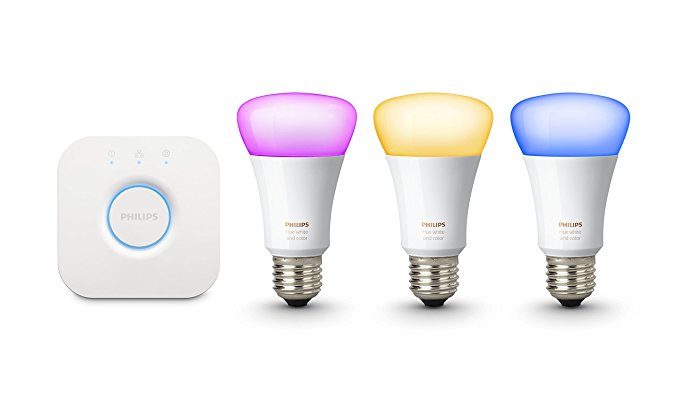
    Photo Credit: Amazon 

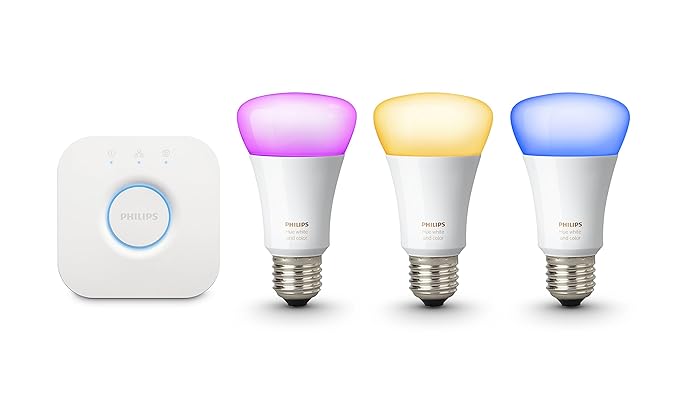
    If your dad already has an Alexa device, you could get him these awesome smart bulbs from Philips. The Philips Hue bulbs can be controlled via Alexa, and they are seriously bright! You can even change the color of light they produce. You can even control the lights with an app, so if Dad forgets to cut the lights off before he leaves, no sweat! It’s just a tap away! 

    Looftlighter 

    Photo Credit: Williams Sonoma 

    If your dad is like mine, he loves to put on a bonfire in the back yard. An awesome gift for a grillmaster dad is a Looftlighter! This handy wand sets fire to wood or kindling without need for lighter fluid. As we all know, lighter fluid is bad for the environment, so finding sustainable alternatives is awesome! You can pick one of these awesome flame wands up for $80. 

    Hoveric Levitating Speaker 

    Photo Credit: MoMA Design Store 

    Every dad loves goofy magic tricks, so give your dad the gift of a cool floating speaker! When music is played through this futuristic speaker, it is lifted from I’s pedestal by the sound waves. How awesome is that? Dad will certainly love this one! It’s only $99, too, which is awesome! 

    Misfit Ray 
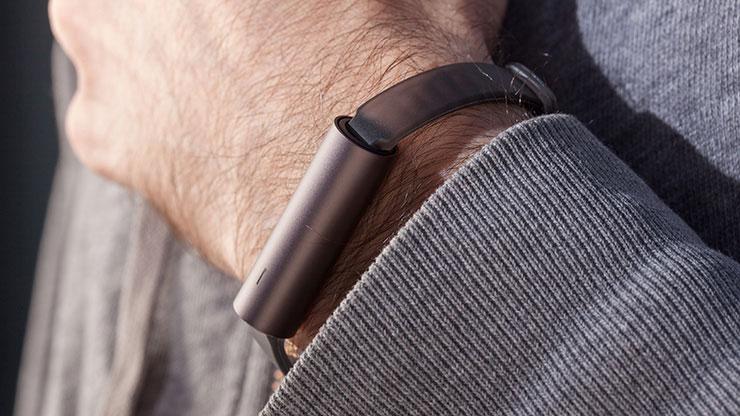
    Photo Credit: PC Mag 

    Dad probably doesn’t want some big flashy screen like an Apple Watch, but he’d probably love a fitness tracker. For the dad who’s trying to stay in shape, check out the Misfit Ray. It’s slick and doesn’t call attention to itself, and it sports a long battery life. You don’t need to charge it for four months after a full charge! It pairs to a smartphone app to show you your statistics. It’s a great price, too, at $40. 

    Kindle E-Reader 

    Photo Credit: Amazon 

    Your dad might just love an e-reader. There are so many awesome books out there, but it can be difficult to find enough shelf space for all of them! And they’re hard to bring with you on a long trip, or to the beach. To remedy that, get your dad a Kindle! Their simple interface and non-reflective screen make them excellent for reading by the pool or at the beach! You can snag one from Amazon for $60. 

    Roku Streaming Stick 

    Photo Credit: Roku 

    Dad’s probably complained about the cable bill. Loudly. And often. If your dad hates the price of cable but loves TV, consider getting him a Roku Streaming Stick. Roku lets him watch Netflix or Hulu through his account, and it even supports Sling streaming TV. All that for just $54! Not too shabby! 

    Tile Sport 
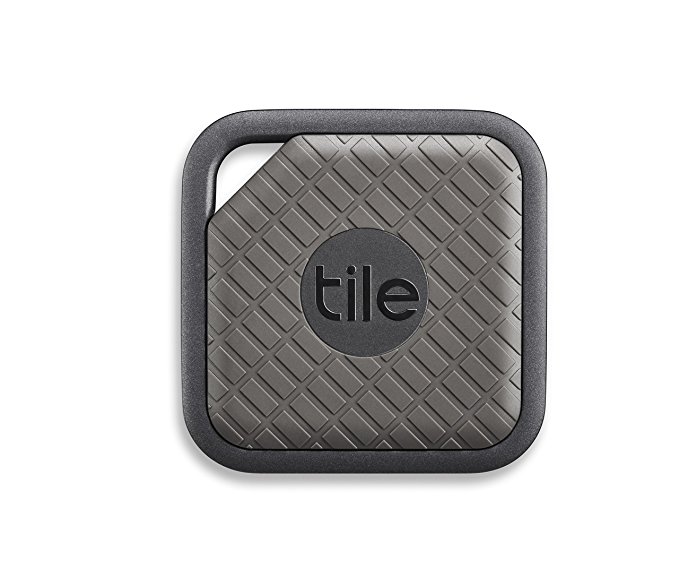
    Photo Credit: Amazon 

    If your dad’s constantly misplacing stuff, you should get him a Tile. Tile will help him find nearly anything he loses. All he has to do is attach the tracker to his valuables and install the Tile app. Ta-da, never lose that particular thing again! Well, not permanently, at least. 

    Our Favorite Gift for Father’s Day: UE Wonderboom 

    Photo Credit: Allround PC 

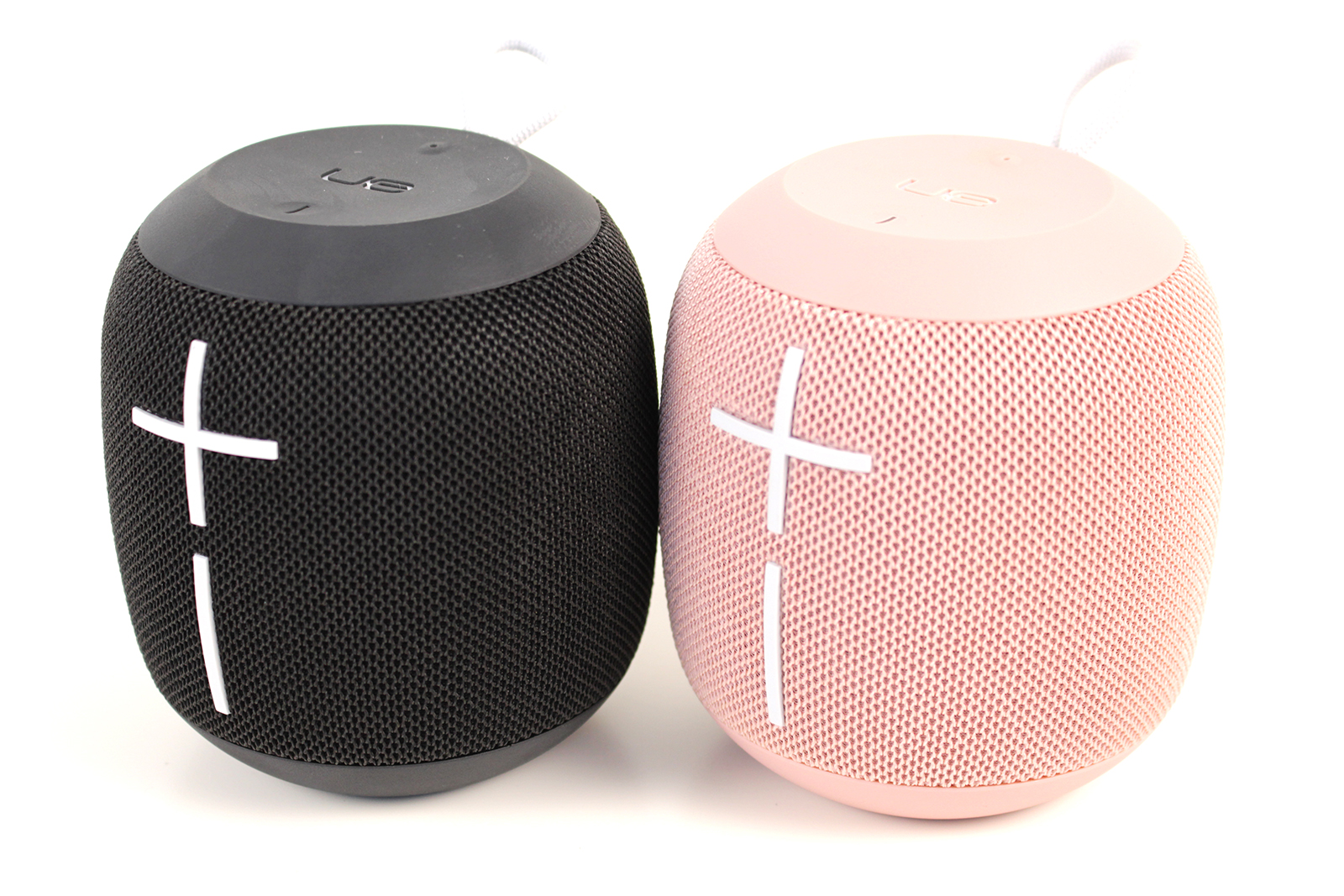
    Our favorite Father’s Day gift? The portable, loud and waterproof UE Wonderboom Bluetooth speaker. Sporting a great amount of battery life and durability, it’s perfect for any situation. Whether by the pool, at a party or at the beach, the Wonderboom provides excellent sound. The Wonderboom is a great value, too, costing only $70. You can usually find it on sale for less, too! 
  • Laptop Lookout: Alienware 17 R5

    Laptop Lookout: Alienware 17 R5

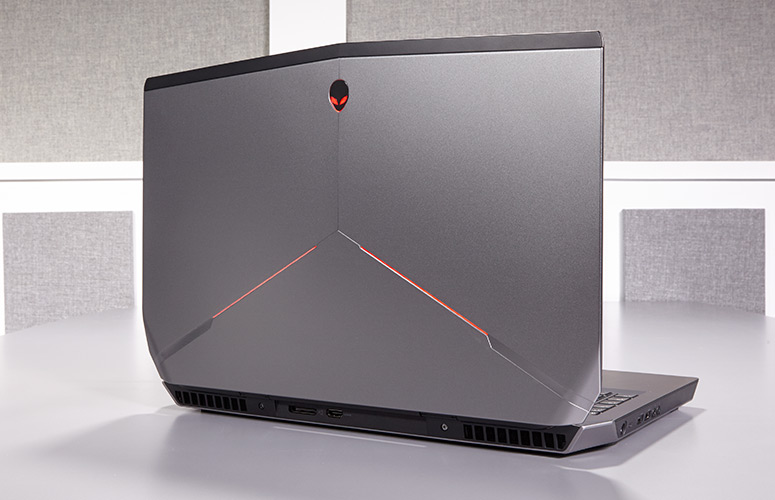
    Alienware has a new gaming laptop for their 17 line. They have spared no expense, except yours of  course, to develop a mind boggling, earth shattering, nay I say completely volatile piece of gaming tech here. Alienware threw everything it could at the Alienware 17 R5 , cramming a 6-core Intel Core i9 processor in there, along with 32GB of RAM, and a GTX 1080 graphics card. It’s certainly outfitted like a gaming desktop, so here we go.


    The Great

    • Excellent build quality
    • High refresh rate display
    • Variety of configuration options
    • Exceptional gaming performance
    • Tobii Eye Tracker
    • 13 customizable lighting zones
    • High Quality Audio


    The Not

    • Heavy and large
    • Mediocre 3 hour battery life
    • CPU performance fails to  competitors


    The Conclusion

    Its Bad, bad bad to the bone. Its all you can ask for in a gaming laptop. It has the power, the speed, the sound and the look. Not to mention a functioning eye tracking for aiming.. Moderatly priced and highly impressive fps in all test I’ve done, including a stunning 93 fps in Battlefront.

    Whats New With The Alienware 17 R5

    For the Alienware 17 R5, Alienware made design modifications to the exterior design, creating a slimmer chassis with even more customized lighting opportunities. Completely revamped the cooling and audio systems make for quieter fans and louder speakers. Then did an overhaul of the Alienware Command Center software making it much easier to  customizing your lighting and overclocking your processor and graphics card. Add in a powerful Intel 8th Gen Core i9 processor that can be overclocked to 5 GHz and and a factory overclocked Nvidia GeForce GTX 1080 GPU plus speedy SSD and a brilliant QHD screen, you have the premier gaming laptop.  The Alienware 17 RS is also the first in the series to implement Intel’s new 2.9-GHz, 8th Gen Core i9-8950HK processor with a whopping 32GB of RAM, and thanks to the Alien Command Center, you can overclock this bad boy to a smoking 5 GHz.

    Design

    Alienware added even more LED zones to the Laptop, while making the system slimmer with its new hinge-forward design. There are now 13 LED zones you can control from the control center. Once open you find yourself staring at a full-size traditional keyboard glowing with stunning backlights. The keyboard and a massive touchpad glow in excitement. The 17.3-inch panel sits above the glossy plastic strip housing the Tobii Eye Tracker.


    Quick Speck Look

    • CPU Intel Core i9-8950HK @ 2.9GHz
    • Operating System Windows 10 Home
    • RAM 32GB
    • Hard Drive Size 256GB SSD
    • Hard Drive Type PCIe m.2 SSD
    • Secondary Hard Drive Size 1TB
    • Secondary Hard Drive Speed 7,200rpm
    • Display Size 17.3
    • Highest Available Resolution 2560 x 1440
    • Native Resolution N/A
    • Graphics Card Nvidia GeForce GTX 1080 (8GB GDDR5X)
    • Video Memory 8GB
    • Wi-Fi 802.11ac
    • Wi-Fi Model Killer 1435 802.11ac 2×2 WiFi
    • Bluetooth Bluetooth 4.1
    • Touchpad Size 4.0 x 2.1
    • USB Ports 4
    • Warranty/Support 1-year
    • Size 16.7 x 13.1 x 1.2 inches
    • Weight 9.77 pounds

    The Final Thought

    One Word.. Fantabulous. Its not the gaming laptop we needed but its the laptop we deserve. Eye tracking aiming is game changing for me, makes battlefront so much more fun..

  • Net Neutrality Repeal Likely to Occur Monday

    Net Neutrality Repeal Likely to Occur Monday

    By the time you’re reading this article, it is likely that Ajit Pai’s net neutrality repeal will have been finalized. And with it, a great deal of protections that keep consumers safe will have been stripped away. While the sky likely won’t fall overnight, it is certain to be the beginning of a very different era for the internet.  

    Challenges to Net Neutrality 

    Net neutrality regulations that were put into place during the Obama era have been under fire for some time. The regulations, which saw that internet providers must treat all data equally, has been instrumental in keeping the internet fair and free. Republicans, however, have largely railed against the protections, claiming they are evidence of governmental overreach and that they compromise the free market. While this is ironic, it is also tragic.  

    The repeal of net neutrality will likely be a non-issue for giants like Amazon and Facebook, but it will be crippling for smaller sites. Start-up sites are likely to be largely relegated to back-channels by ISPs, as they don’t bring in the same revenue as larger sites. As such, the internet will likely grow more homogenous and it will become harder to navigate away from “preferred” content. ISPs may even block access to certain sites unless those sites, or consumers, pay a premium. 

    The Repeal 

    The Senate voted to negate FCC Chairman Ajit Pai’s repeal on May 16th, but the issue hasn’t come to a vote in the House of Representatives. Since the House has a Republican majority, it is unlikely that it will have come to a vote by the time this article is published. This is a shame, and a great loss for the freedom of expression on the internet. Hopefully the repeal won’t cause dramatic shifts overnight, but the outlook is not good.  

    With luck, the worst of the effect we could see won’t have gotten in full swing by the end of the next election cycle. If the right people are voted into office, net neutrality legislation could become a focus of the legislative branch. Then, hopefully, consumer protections could be reinstated. For the time being, we have our fingers crossed. On June 11th, the internet will be without its previous guidelines, and we will be at the mercy of internet providers to act in good faith.  

  • Laptop Review: HP Spectre 13

    Laptop Review: HP Spectre 13

    The HP Spectre 13 is marketed as the world’s thinnest touchscreen laptop. Is it a good laptop, though? Has it made too many sacrifices to be as thin and portable as it is? Or is it just right? To find out, check out our review! 

    HP Spectre 13: Razor Thin 

    It is seriously thin. That’s not just marketing hype, this laptop only measures 0.41 inches thick. That’s not the thinnest laptop in the world, that honor currently belongs to the Swift 7. Runner-up Dell XPS 13 has a taper that ranges from being thinner than the Swift 7 at one end to thicker than the Spectre 13 at the other, so it’s sort of cheating. What makes this thinness truly impressive, though, is the touchscreen. None of the other laptops mentioned have touchscreen functionality, which gives this razor thin laptop a natural edge. 

    Design 

    The HP Spectre 13 is a pretty machine, with a very alluring form factor that looks right at home in an office or on the go. The lid is aluminum and the bottom is carbon fiber, and the body is scratch-resistant. It has a trimmed-down, fashionable design that appeals to those who want a stylish computer. The only complaint about the design is that the model’s signature thin frame renders it a bit fragile. Be careful applying too much pressure to it or carrying it in a bag without padding. 

    Inputs 

    The keyboard is punchy and responsive in ways that are surprising for its dimensions. The screen is somewhat below-average, but it can be forgiven for just how novel the touchscreen is on such a small notebook. The speakers are above-average and situated underneath the display, which makes them rather inconspicuous. The touchpad does leave a pit to be desired, sadly, and is a bit of a black spot on an otherwise nice input suite. 

    Verdict 

    This is a very sleek and attractive notebook. If you really like the thin design and want a computer that is also fashionable, this one is right for you. However, if you’re remotely interested in gaming or anything computationally demanding, this one isn’t the right pick. However, if you’re okay with a fragile computer that doesn’t have too much power under the hood, this one might be your speed. This one is great for college students or high school kids who just need a device to type essays and do homework on. The HP Spectre 13 retails for around $1,400 when outfitted with a decent chipset, which is a pretty big drawback for how weak its computing power is. 

  • Luxury Car Breakdown: 2018 Tesla Model 3

    Luxury Car Breakdown: 2018 Tesla Model 3

    Everyone’s talking about Tesla right now. Their CEO, Elon Musk, is something of a celebrity and their cars are hot-ticket luxury items. Tesla’s newest luxury car, the 2018 Model 3, is here. Well, for some people. If you happened to reserve yours in advance. And you happened to be towards the front of the line. What’s the verdict? Read on to find out our thoughts on the futuristic vehicle. 

    Biggest Draw: Price 

    Tesla has a bit of a reputation as a company that makes cars rich people can afford, and that’s it. In order to bring themselves to mass-market, though, Tesla has made the Model 3 affordable. Musk has been promising a $35,000 electric car for years now, and the Model 3, nominally, delivers. It is worth noting, however, that the models currently available for reservation are closer to $58,000 than $35,000. Why is that, you might ask? 

    Well, there’s a few reasons. For one, the car is currently only available in its long-range configuration, which starts at $44,000. The long-range version can drive 310 miles on a full charge, while the standard-range gets about 220 miles on a full charge. Not to mention the price for wheels and paint, which add Additionally, amenities like heated seats come in the “Premium Package,” which adds $5,000 to the price tag, as does Autopilot. If you want to enable the vehicle to use the eventual self-driving functionality, you’ll spend another $3,000. Finally, you have to pay another $1,000 to have it delivered.  

    Okay, we finally have the thing paid for. Now what? Well, according to those who’ve gotten theirs and taken it for a spin, the next part is pretty sweet. 

    Interior 

    To get into the vehicle, you use a sleek black card that comes with it to unlock it. You can also pair an iPhone or Android phone to the car to have it unlock as you approach, which is awesome. Once you’re in, the interior is sparse and minimal. The design is either incredibly clean or dreadfully bland depending on who you ask. Personally, I tend towards the former, but I can see how someone might be put off by just how spartan it is for how much the car costs.  

    Oddly, the vehicle has no gauge cluster. Instead, it has a large, iPad-like display that handles all of the measurements and functions usually displayed on such gauges. It’s… it’s weird. But also, kind of cool? So, this display handles everything from speedometer to displaying how much charge is left. You control the radio, the autopilot, the wiper blades and nearly every other feature through it. It’s the only spot of note in the otherwise bare interior. If you’re into discreet, sleek tech you might love it. It’s as though Apple made a car with their focus on slick, immutable form. 

    The Drive: Worthy of the Title “Luxury Car”? 

    Is the car fun to drive, though? That’s the really important part. Thankfully, the answer is yes, and dreadfully so. The vehicle almost begs to be driven hard and fast, which, tragically, drains the battery pretty rapidly. That said, it hugs turns very well and steers like a dream. All reports say the Model 3 is a zippy, mean machine, especially considering it’s 100% electric.  

    The Verdict: Awesome, but Unfinished 

    Time will make the Model 3 the coolest car ever. Once it’s available for the (much more affordable) $35,000 and the kinks are worked out of the awkward interface, that is. As it stands, for how much you spend for the thing, and how clunky (and dangerous) it is to take your eyes off the road to fiddle with settings, it’s a bit disappointing. That said, the car is still stellar. It’s sleek, fast and high-tech, so enthusiasts won’t be disappointed. The average consumer will still be left wanting by the few wrinkles in the design, but I’m confident Tesla will have them ironed out in time. 

  • Is Your Home Smart Yet? Best Smart Home Gadgets for Alexa

    Is Your Home Smart Yet? Best Smart Home Gadgets for Alexa

    Unless you’ve been living under a rock, you’ve heard of Alexa. Amazon’s virtual assistant is indispensably useful for anyone looking to organize their lives and homes. She can read your messages, tell you the news, shop for you online and so much more. If you’ve recently hopped on the bandwagon and gotten an Amazon Echo, you’re probably on the look-out for great gadgets to pair with it. Which ones are the best? Which cool functions did you not even know you could tie into Alexa? Let’s get into it! 

    Robot Vacuum 

    Photo Credit: Amazon 

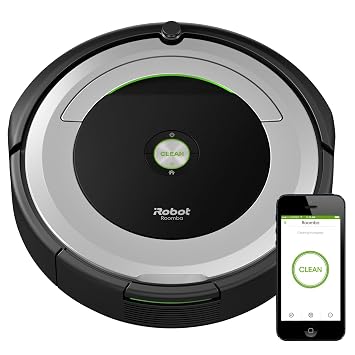
    Robot vacuums, like the picture iRobot Roomba 690, are awesome with Alexa. No one wants to do chores, but with a voice-activated robot assistant, vacuuming is easy. Just call out to Alexa and tell her to vacuum the house for you, and, boom! That’s one less chore on your to-do list. Not to mention, you’ll feel like Tony Stark, commanding your robot fleet with your voice. Well, not quite a fleet, but you know, it’s the thought that counts! In any event, you can find the iRobot Roomba on Amazon for $300, and the rest of the Roomba line is awesome too. Check it out! 

    Streaming Devices 

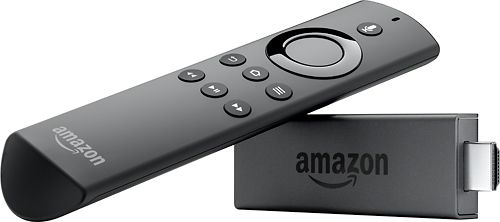
    Photo Credit: Best Buy 

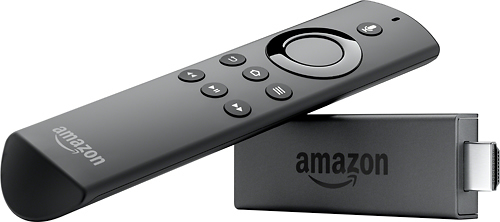
    If you like controlling your TV with your voice, you’ll want an Alexa-enabled streaming device. We recommend the Amazon Fire TV Stick. However, the Amazon Fire TV Cube, a successor to the technology, was recently announced, so that one might steal the spotlight when it launches later this month. In either event, being able to tell Alexa which shows you want to watch is pretty sweet. It also helps you cut down on the number of remotes you have to juggle or trying to find the remote to play the next episode. The Fire TV Stick is $40, and the TV Cube will go for $120 when it launches.  

    Smart Bulbs 

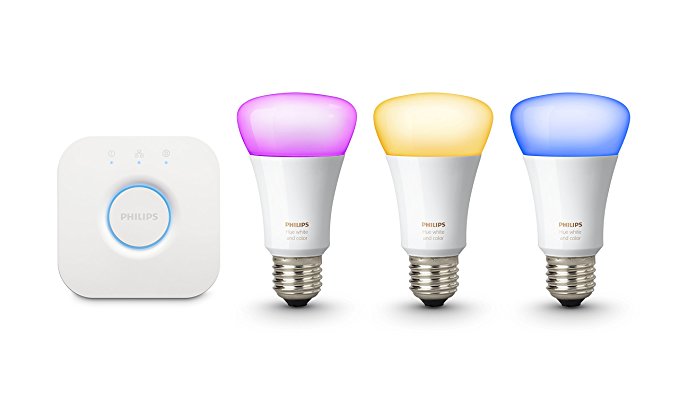
    Photo Credit: Amazon 

    The first of Alexa’s compatible devices, Philips Hue is still the best in this field. Commanding your room to illuminate with your voice is not only convenient, it’s very safe! Entering a dark room and unable to find the light switch? Call out for Alexa to turn the lights on! You can also change the color of the lights to change the mood of the room. Having company over for the evening? Consider casting a soft, pink glow over the room!  

    Smart Thermostat 

    Photo Credit: Amazon 

    A must-have for Alexa users, smart thermostats are great at helping you save energy and stay comfortable. Programming automation is a breeze with products like the picture Nest Learning Thermostat. Setting your thermostat with your voice is much easier than having to fiddle with tons of menus. Setting your thermostat to “away” mode as you leave the house is easy to forget, so getting to automate it can really help your power bill. A Nest Thermostat runs about $220. 

    Security Cameras 

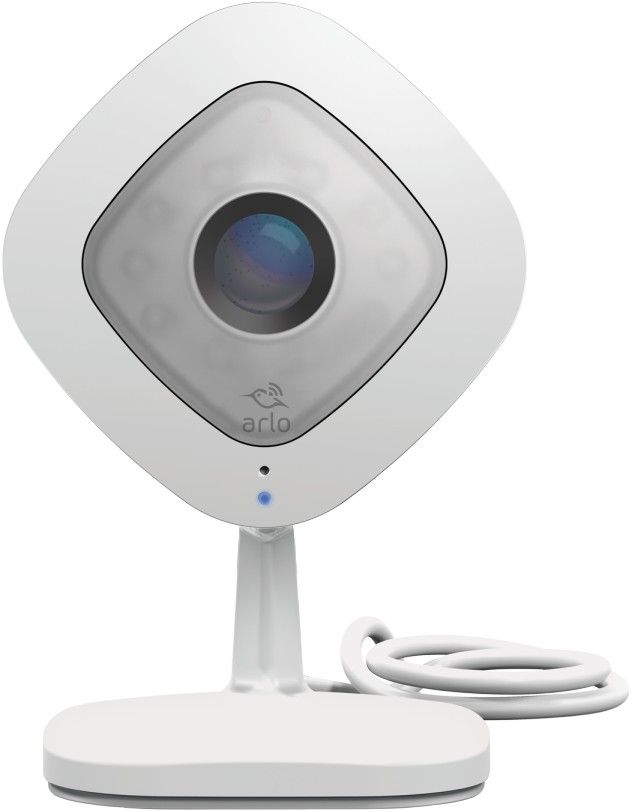
    Photo Credit: Arlo 

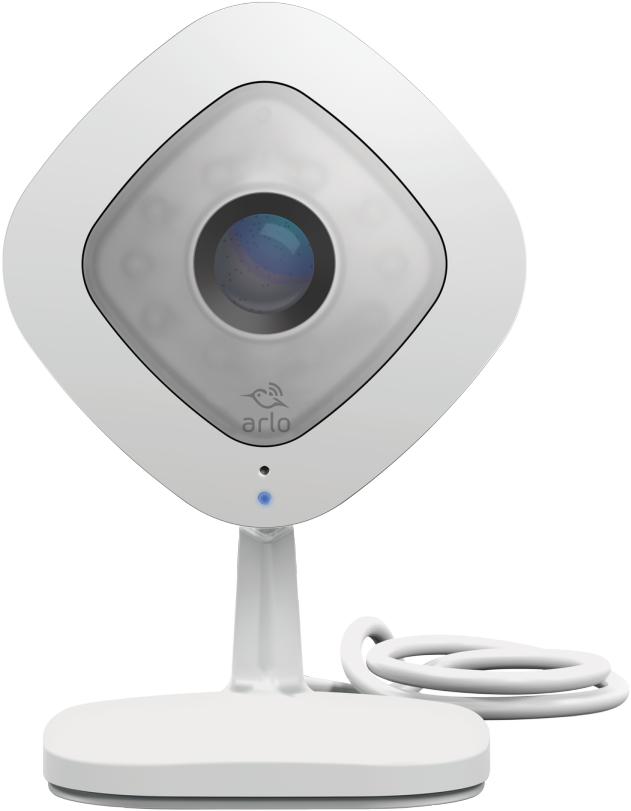
    Alexa is awesome for streamlining your home security cameras. The pictured Netgear Arlo Q works with Alexa and can be displayed on Echo Show and Amazon Fire TV. You can use your voice to arm and disarms cameras in different parts of the house. You can also remotely view the camera’s feed, which is great for when you’re on vacation or keeping an eye on pets at work.Security and convenience in one package, how awesome! This one would set you back only $150. 

    Smart Plugs 

    Photo Credit: CNET 

    Smart plugs, like Belkin’s Wemo ($30 from Amazon), can turn any electronic device into a smart device. Effectively a glorified on-off switch that connects to Alexa, Wemo is great for lamps or appliances you don’t want powered on all the time. Fans and hairdryers come to mind immediately. You can control them with your voice, of course, or set them on schedules. If you get home from work late every night and want to make sure the lamp in your living room is on when you get home, you can schedule that! 

    Doorbell Cameras 

    Photo Credit: SkyBell 

    If you’re a fan of security, doorbell cameras are great smart home gadgets. The SkyBell HD doorbell camera, pictured above, is a great pick. With Alexa functionality, you can use your voice to ask the virtual assistant to take stills or video of the doorbell cam. You can even have Alexa display the video on your Echo Show or Echo Spot. Or, if you’re entertaining company and don’t want to be bothered, you can disable the chime through Alexa. The SkyBell HD retails for $200, but you can find it for $160 through Amazon. 

    Smart Locks 

    Photo Credit: Kwikset 

    A natural companion to a doorbell camera, smart locks like the Kwikset Kevo ($183 from Amazon) are a must-have for smart homes. When paired with the Kevo Plus Hub, which retails for an additional $100, enables a ton of smart features. For one, it allows you to use your smartphone to lock and unlock the door remotely, which is awesome for guests. Say you’re late getting home from work but your guests are already at your house. No sweat, just use the app and let them in! Similarly, if you’re expecting company but are upstairs when they arrive, Alexa could help. You could just tell Alexa to show you who’s at the door with your doorbell camera. Then, seeing it’s your friends, you tell her to unlock the door. Just like that, you’re a high-tech host.  

    Smart Light Switches 

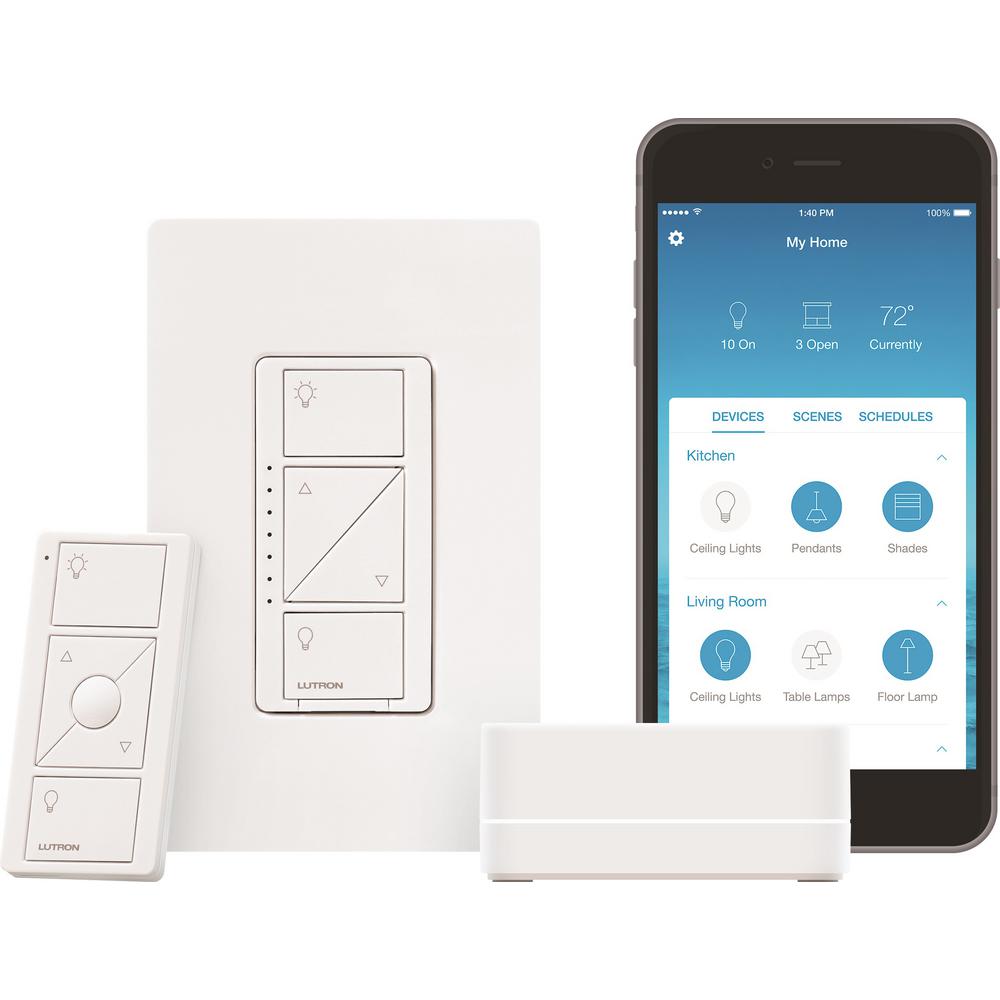
    Photo Credit: Home Depot 

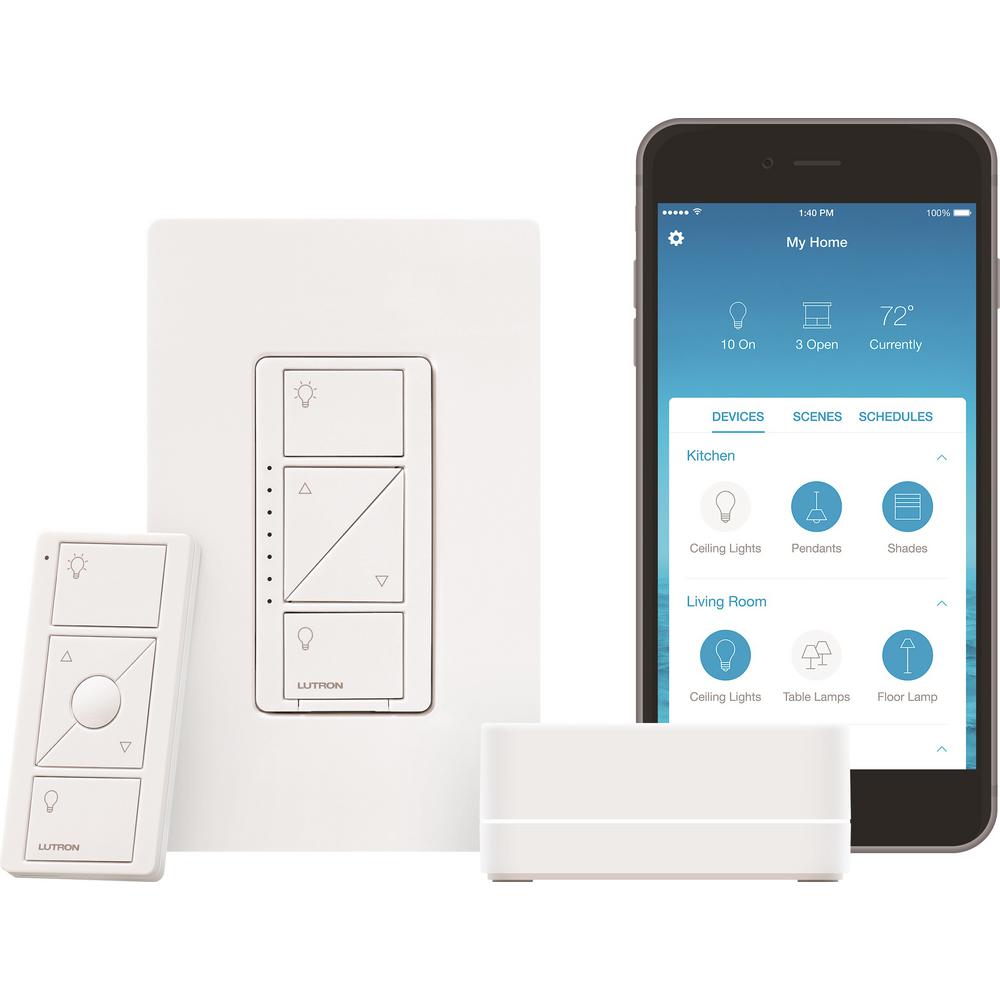
    Smart switches like the pictured Lutron Caseda ($55) are awesome for controlling entire lighting systems. For instance, you could pair the Caseda to Alexa and use your voice to control all the lights in your living room. Saying, “Alexa, turn off all living room lights,” would bring down the entire system controlled by the Caseda. Trying to do that without a system hub would be a pain. Imagine having to tell Alexa to cut off four or five different smart bulbs! It’s doable, but far from optimal. If you plan to have complex lighting systems controlled by Alexa, a smart light switch is the way to go! 

    Our Favorite Smart Home Gadgets: Smart Home Hubs 

    Photo Credit: PC Mag 

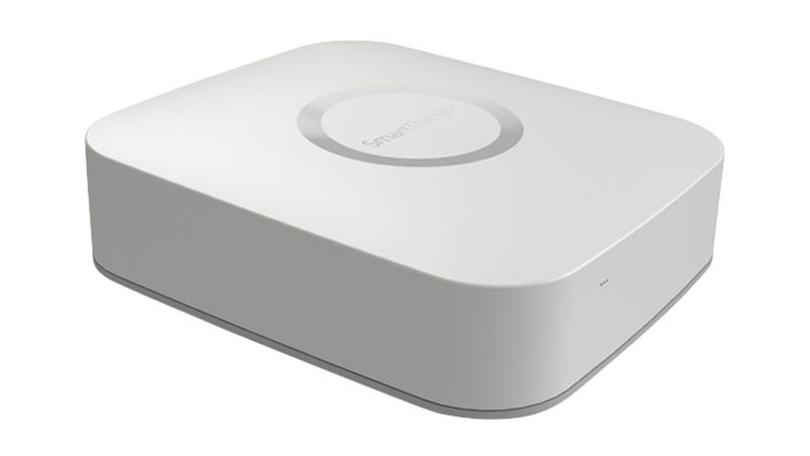
    While Alexa is handy, you can make her even more useful with automations. Automations make your smart home gadgets even smarter. For instance, when you say “Alexa, I’m getting ready for work,” she can unlock the door, set the thermostat to an “away” temperature and read you the news. How do you do that, you ask? Why, with a smart hub! By hooking some of your smart devices into your hub and programming automations, you’re that much closer to full control of your house with your voice. Pictured here is the Samsung SmartThings Hub, which retails for around $85. Treat yourself to a nice smart home system! 

  • Streaming Games Instead of Consoles? Ubisoft CEO Thinks This is Last Console Gerenation

    Streaming Games Instead of Consoles? Ubisoft CEO Thinks This is Last Console Gerenation

    In an interview with Variety, Ubisoft CEO Yves Guillemont has stated that he thinks the next console generation shall be the last. In the interview Guillemont stated “I think we will see another generation, but there is a good chance that step-by-step we will see less and less hardware.” This prediction somewhat echoes the scenario that occurred for movies and music. Hardly anyone still uses CDs or DVDs, and, in fact, most houses don’t have a CD or DVD player even hooked up. However, Guillemont and others in the industry seem to think gaming will also move into the realm of streaming. Will streaming games become as normal as streaming movies, or is Guillemont talking nonsense? 

    Technological Hurdles 

    The first problem that would need to be overcome for streaming games with console quality would, of course, be internet connections. Currently, most Americans don’t live in areas with infrastructure that supports fast enough internet for streaming games to be feasible. Places like Japan and Europe, where servers are much closer to users, have no such issues. It makes sense that Guillemont, from France, would see streaming becoming the new industry standard. And maybe in Japan and Europe, it will! 

    However, in America, the infrastructure to make game streaming anything other than an exercise in frustration just isn’t there yet. Many areas are so remote and distant from the nearest server hub that they will likely never get internet speeds to rival more urban areas.  

    What do you Own When all Games are Streaming Games? 

    The other issue that would need to be tackled, of course, would be one of ownership. Or rather, convincing gamers to give up their ownership of their games. This issue has already cropped up with music and movies. If you opt to just use streaming services for everything and physical media becomes a relic of the past, you actually won’t be able to own any of the things you love.  

    Take this anecdote from Xbox Live Arcade, for instance. The video game adaptation of Scott Pilgrim vs the World was pulled from that service due to licensing issues. Now, unless you have that game saved on a hard drive already, it’s gone. That video game has effectively been erased due to its digital-only distribution method. If the gaming industry wants seriously to move towards streaming, there will absolutely be major pushback. Gamers who value owning physical media will be some of the loudest voices if gaming moves in this direction. 

    Even now, you can see some pushback against digital-only trends in other industries. Vinyl record sales stay steady, despite the prevalence of streaming services like Apple Music and Spotify. Print book sales remain solid in the face of e-readers. There’s something inherently desirable about holding physical media and owning the art you love. 

    A Likely Future? 

    That all said, Guillemont’s future isn’t exactly an impossibility. Streaming services will certainly be here soon, but they will likely never fully replace the home console. Nintendo, for instance, has recently revolutionized what can even be considered a “home” console with the Switch! Were all games streaming-only, innovation like a hybrid console wouldn’t have come to be.  

    In much the same way that the cell phone didn’t kill handheld gaming, I am fairly certain that streaming won’t kill the home console. You’re fighting more than just technological hurdles, you’re fighting people’s sense of ownership and attachment. And if we’ve learned anything, it’s that people like their stuff. 

    Feature Image Credit: jeuxvideo.com 

  • Laptop Lookout: Dell G3 15 Gaming Laptop

    Laptop Lookout: Dell G3 15 Gaming Laptop

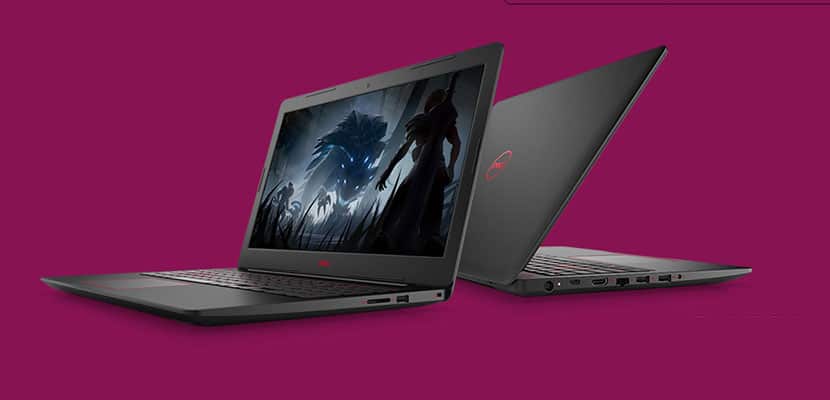
    Laptops are the cornerstone of our computing resources in this day and age. We need power, robust performance and ultimate portability for every aspect of our daily lives. This is a guide and insight to the best Laptops on the market and today I’m here to talk about the Dell G3 15 Gaming Laptop. This is a Thin ultra-portable 15.6-inch laptop with a thin bezel gaming display.. Its a complete laptop solution with gaming at a affordable cost in mind.

    The Great

    • Slim, subtle design
    • Dell Product Support
    • Excellent performance
    • Red Backlight Option

    The Not

    • Terrible TouchPad
    • Tacky Keyboard
    • Cheap Plastic Look and Feel

    The Conclusion

    Dell’s budget gaming laptops get a line of their own, some redesigns and Intel Core eighth-generation options. For the price its quite average  for gaming laptop.


    Dell’s G-series line is the new laptops  intended to be Dell’s new affordable gaming machines. At 0.5 inches thick, the Dell G3 15 Gaming Laptop is Dell’s thinnest 15-inch gaming oriented laptop. While it still has some Inspiron lingering design, core and feel in it, it also has a unique youthful appeal with stripes decals  and faux carbon fiber patterns. It also packs Intel’s new Core i7 H-series six-core CPU, which sits at the top of Intel’s CPU hierarchy.

    Its got the goods, 8th Gen Intel® hex-core processors provide responsive, powerful performance whether you’re gaming, streaming videos, or working on CPU-intensive projects. With Dual fans let you experience uninterrupted gaming while your system stays cool and Dual drives with SSD options including NVMe PCIe ensure faster performance and better reliability, and a new Ethernet port supports full 100/1000 Gigabit connections for quick performance.

    Power?

    There are configuration options and with a price this series now goes up to the six-core i7s and as high as a Core i9 in the top-end G7. One of the important ways they remain different from Dell’s gaming-focused Alienware brand is the GPU options, which run only from a Nvidia GTX 1050 to a GTX 1060 Max-Q for the G models.

    Quick Spec Look

    •  eighth-generation mobile Core i-series processors
    • Installed Size 16 GB, 1x16GB, DDR4, 2666MHz
    • Capacity 256 GB Solid State Drive (Boot) + 1TB 5400RPM Hard Drive (Storage)
    • Clock Speed 4.1 GHz
    • Diagonal Size 15.6 -inch FHD (1920 x 1080) IPS Anti-Glare LED-Backlit Display
    • OS Provided: Type Windows 10 Home 64bit English
    • Graphics Processor NVIDIA GeForce GTX 1050 Ti with 4GB GDDR5 graphics memory

    The Dell G3 15 Gaming Laptop  Design

    The G3 looks a lot more like the latest mainstream Inspirons, with touches like the patterned keyboard surround and notably slim profile for a gaming system. One nice design feature that you get with the Dell G3 15 Gaming Laptop is something you dont typically get with a budget laptop. LED Backlighting. Its simple and always impressive but the G3’s backlight comes in blue and red.


    The Final Thought

    Despite its cheap design, the Dell G3 15 Gaming Laptop is one of the best and powerful bangs for the buck. Starting at $750 with a I7 Processor you are really getting the best deal available for this kind of power. The track-pad is an issue but none of us game with a track-pad anyway, add a good wireless gaming mouse an enjoy the savings.

  • Beau’s Number 1 App Review: Twisty Arrow!

    Beau’s Number 1 App Review: Twisty Arrow!

    Beau’s App series. Each week, I install whatever is the No. 1 bestselling app on the iOS or Android store and review it, to save you the effort in case it’s total waste of life. This week a game called Twisty Arrow is in the top spot and we are gonna talk about it. Why isn’t it No. 1? not sure, its a very simple and basic game but it’s free. So let take a look and see what has this game rocketing to the top of the charts.

    Twisty Arrow is a simple tapping game. Shoot arrows at the spinning circle target but don’t touch the other arrows. Use the right strategy to improve your accuracy and hit the bullseye on the circle as it twists every time. The more arrows you shoot, the harder it is to be accurate and hit the bullseye. Can you beat this impossible rotating wheel? What level can you get to? Download right now and spin the wheel to find out.

    The Basics of Twisty Arrow

    • Tap your screen to shoot arrows at the spinning wheel
    •  Hit the bulls eye with the arrows without touching other arrows
    •  Each level requires a certain amount of arrows to hit the bulls eye to complete
    •  Different levels spin, twist, and rotate in different directions and at different speeds

    Highly Addicting

    I started playing for just a few mins just to get an overview next thing 6 hours is gone. Gone, hours ill never get back. Wasted? yes immensely. This should be a five minute game, yet somehow here we are. Its very repetitious and very simple, it gets frustrating and you start to doubt your self worth when you fail at something this simple. I wish there was more to say than its just a arrow into a spinning circle, in black and white.

    The Final Thought

    This is the most uninspired and basic game or app I have ever played. I can not comprehend why this made it to the top of the app store chart. However, it did and now with their incessant ads the creators are essentially printing money, Congrats to the guys a tasty pill. Capitalization on peoples boredom, what a time to be alive.

  • Top AARP Benefits: Should You Join?

    Top AARP Benefits: Should You Join?

    When you start to get past age 50 or so, the jokes start rolling in.

    Shouldn’t you get a discount here? Are you going to get the Early Bird special? Very fun, everyone; but, seriously, there are some good discounts for being older! Jokes aside, you might be considering joining AARP for a similar reason: the benefits! Today we’re looking at ten of the top AARP benefits you get for the modest $16 per year membership. Let’s see how it all stacks up!

    Top AARP Benefits

    Insurance>

    Some people find that AARP’s car insurance policy is more affordable than other insurers’ plans. This could vary from person to person, but they are often the most affordable option for people over 50. It’s worth asking for a quote from AARP and making a decision based on that. If the switch would save you more than $16 per year, it’s sort of a no-brainer to get an AARP membership just for that!

    You Can Join at 50

    Most senior discount programs don’t start until you hit 55. AARP, however, lets you join when you’re fifty. That means you can start reaping the benefits sooner, rather than later! You’re more than entitled to the discounts and savings by the time you’re fifty. Don’t let pride or vanity stop you from hopping on: there’s no shame in being 50, 60, 70 or whatever age. All it brings is wisdom and perspective!

    If You Are Married…

    If you join AARP and you’re married, good news! Your spouse is a member for free. That means that married people get double the value from their membership! It’s like a buy-one, get-one free deal! If you’ve been on the fence about joining and you’re married, you can be assured it’s a good value, as it practically doubles your benefits.

    If You Aren’t Married…

    Maybe you don’t have a spouse to share your membership with, but no worries! Members can join the AARP dating site as part of their membership. The best part about it is that you know you’ll be matched with people in the same stage of their lives as you are! There’s nothing quite as exhausting as sifting through tons of profiles of people who are half your age. You can cut that whole process out with an AARP membership!

    You Get AARP’s Magazine

    Your membership also includes a subscription to AARP’s magazine. While it’s not the biggest perk in the world, it does contain a ton of helpful articles detailing the deals you can take advantage of. Nothing quite like saving money while you’re saving money, huh? The articles are also top-notch and well worth the low cost of the membership by themselves! There are articles on personal finance, travel and a ton more. What’s not to love?

    AARP Travel Center

    Between deals on flights, parking and more, the AARP Travel Center is a huge plus for members. Most people think of AARP members are boring older people, but that’s pretty far from the truth. Going on fun vacations and traveling are some of the perks of having an established nest egg! Why not save while you travel? The AARP Travel Center will make sure you’re taken care of.

    Cruises

    You’ll often find better rates on cruises from Norwegian, Grand European and Windstar through the AARP’s Travel Center. There’s nothing quite like sailing the high seas on a luxury cruise liner! And it’s hard to beat some of the deals you’ll find on them through the AARP discounts.

    Rental Car Discounts

    Most rental car companies offer discounts to AARP members. In fact, all AARP members get a 30 percent discount on a Zipcar membership. AARP is a great deal for those who love to travel! Not having to worry about what you’re going to drive on your vacation is a pretty big load off your shoulders!

    Hotel Discounts

    To round out the awesome travel deals, you’ll also get access to great deals on hotel rates. Between the flights, hotels and rental cars, the AARP pretty much has you completely covered on vacation discounts. If you travel often, it’s hard to find reasons not to have an AARP membership!

    Other Discounts

    You also get discounts on nearly any and everything you can think of. It’s hard to keep track of how many ways you can earn back your membership fee through saving. Angie’s List, Dunkin Donuts, Outback Steakhouse, Kohl’s, AMC Theaters, Verizon and many more places all offer discounts. Really, it’s harder to find places that won’t offer you a discount for being a member!

    The Most Important Benefit

    The biggest benefit for being an AARP member is knowing that you’re supporting an organization that lobbies lawmakers on your behalf. Rules and regulations that affect seniors are lobbied on by the AARP to help keep you safe. The quality of life of every member is made better by the legislation that the AARP helps to lobby. That’s a benefit that’s pretty hard to pass up!