Month: June 2018

  • What Did Apple Show at WWDC 2018?

    What Did Apple Show at WWDC 2018?

    Apple’s big yearly developer conference, the WWDC, was on June 4th, and Apple showcased a ton of new software changes. We’ve rounded up some of the biggest notes from the event here, and we’ll be diving deeper into iOS 12 in a future article. For the most part, Apple focused on security and user protections. This is comforting, as we live in an increasingly-paranoid era where data breaches are all too common. 

    USB Restricted Mode 

    Grayshift, an iPhone hacking tool, uses a USB bypass to brute-force passwords into a locked iPhone. The new iOS has a variation of a previously-discussed mode that will disable these kinds of USB tools. The mode works by locking out USB devices accessing a phone that has been locked for more than an hour. That is, unless the password is put in. This move would keep both criminals and law enforcement from hacking into someone’s iPhone. This move would reignite the ongoing argument between Apple and law enforcement agencies about Apple’s responsibility for helping law enforcement access user data. 

    End-to-End Encryption 

    FaceTime, Apple’s popular video chatting service, now allows end-to-end encryption for up to 32 users. This is great for ensuring that your video calls remain safe from prying eyes, and also shows Apple’s dedication to user privacy. Just how they managed to pull off such encryption with such a large number of simultaneous users is unknown, though certainly impressive.  

    WWDC: Apple Committing to Security 

    Further advancements in iOS security were unveiled. Functions to keep websites and malware from spying on users were shown. Those functions would keep malicious programs from accessing the camera or microphone. Additionally, Apple is integrating software that allows your device to generate a strong password and then store it in iCloud. The password will then be automatically pulled when you need it, keeping your experience hassle-free and well-encrypted. This mimics apps that are already available, but, again, this shows Apple’s commitment to keeping all of their users’ data safe. 

    Upgrades to Siri 

    WWDC was also a chance for Apple to show off the new changes coming to Siri. The virtual assistant will be receiving a new functionality referred to as “Siri Shortcuts,” allowing users to create their own prompts for specific apps. This well help Siri to feel more useful, and hopefully encourage people to actually, uh, use her. Apple also promised that Siri would become more responsive and generally useful. This is critical if Apple wants to compete in the smart home sphere against Google and Amazon. Apple’s HomePod has been struggling, between it’s silly price tag ($350) and under-utilized virtual assistant. 

    While WWDC didn’t show off a ton of new gadgets, the improvements shown are all positive. The company is moving ahead in smart ways, showing a mature, responsible take on security. 
  • Atari VCS, First New Atari in Decades, Raises $2 Million in one Day

    Atari VCS, First New Atari in Decades, Raises $2 Million in one Day

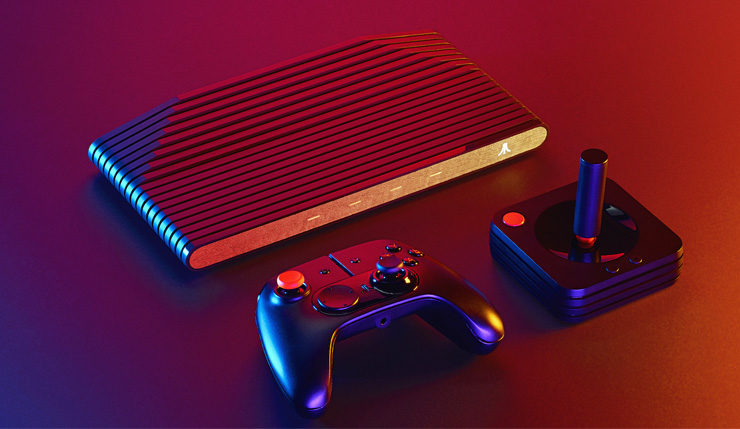
    Atari’s love letter to retro gaming, the Atari VCS, was up on Indiegogo for a day before it nearly crashed the site. The retro-inspired console pulled in over $2 million in pledged funding. The Atari VCS is a system unlike most we’ve seen in the past, in that it’s a hybrid of the micro-consoles Nintendo has been releasing, and a more traditional console like the PS4. It is slated to come pre-loaded with over 100 Atari games, making it sort of like the SNES Classic. It is also going to offer more modern gaming experiences, more comparable to a full console. 

    Crowdfunding? 

    The console was sure to release with or without the crowdfunding campaign, but the Indiegogo success indicates something else. Developers can rest easy knowing that there is ample excitement for Atari’s first console since the 90’s. Additionally, this helps Atari gauge interest and produce enough units to meet demand. This allows them to avoid a Nintendo-like situation where their console proves more popular than anticipated and supply runs out too quickly. 

    Worlds Collide 

    The VCS is going to have a price tag of $299. That puts it in the same league as the Switch, the PS4 and the Xbox One. This is a very bold move for a video game maker who hasn’t been in the mix for 25 years. The last time Atari made a console was the Jaguar, released in November of 1993. The VCS, however, is looking to be a modern device with streaming and online play in mind. Atari is marketing the console’s open Linux OS, making it highly customizable and open to user software. As mentioned earlier, the console will also come with a wide library of older Atari games.  

    The main draw, however, will certainly be the newer games living in harmony with their older cousins. Atari promises favorites from PC and indie games will be on the console. The VCS sports a modern looking controller, in addition to a classic-looking input. 

    When Can I Get My Own Atari VCS? 

    If the promise of a modern console with classic sensibilities sounds your speed, then you’ll be pleased to know the Atari VCS hits store in June of 2019. You’ve still got time to head over to their Indiegogo page and pledge and check out Atari’s videos and descriptions of the console. What do you think, could this be the return of Atari? Or is this idea too weird, and doomed to fail? 

  • Top Ten Best AmazonBasics Deals to Save you Money!

    Top Ten Best AmazonBasics Deals to Save you Money!

    If you’re on the lookout for good deals on computer accessories, AmazonBasics is a great place to look. Amazon’s line of discount accessories is high-quality, reliable and affordable. While they might not be the same quality as Razer or SteelSeries, they are worlds less expensive. With that in mind, let’s check out our ten favorite deals from AmazonBasics! 

    USB To Ethernet Dongle 

    Photo Credit: Amazon 

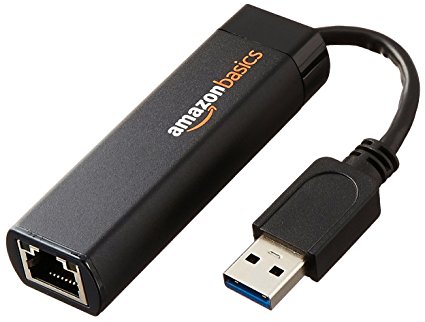
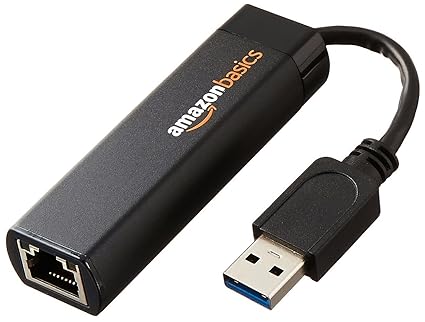
    For only $13 you can pick up this handy USB to Ethernet dongle. If you have a laptop that doesn’t sport an ethernet cable and want to hardwire your connection, this is a must! Nintendo Switch owners can also use these to hardwire their docked hybrid console. In both cases, opting for a hardwired connection over a wireless one can be ideal, especially with lower-end wireless routers that sport unstable connections.  

    USB-C to USB 3.1 Adapter 

    Photo Credit: Amazon 

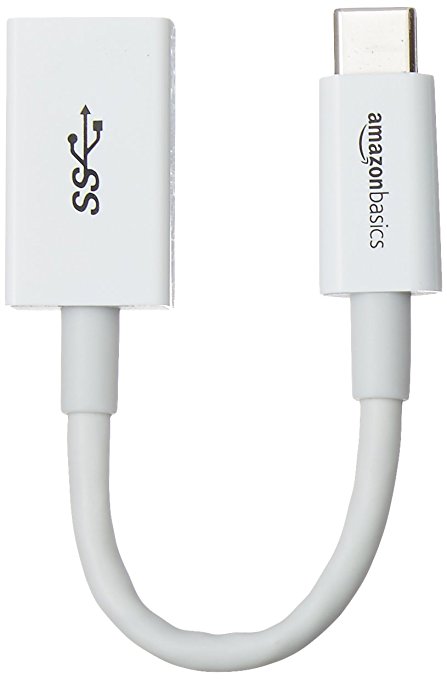
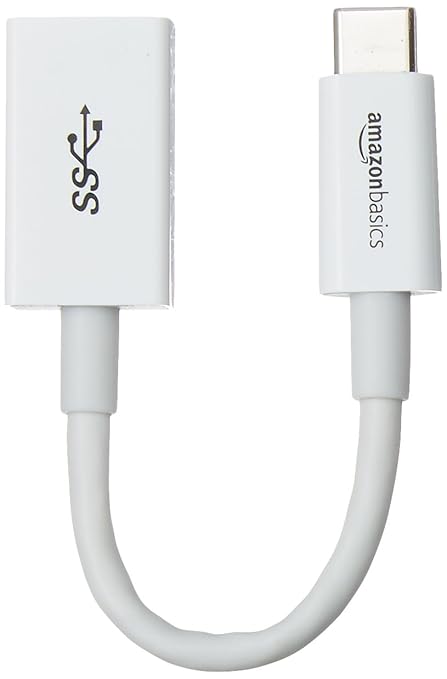
    A favorite of MacBook owners, this $6 dongle is a lifesaver. If your laptop has only USB-C ports and you have a USB mouse you’d like to use, this is the answer. An adapter like this is great to throw in a drawer and keep handy for an emergency. 

    USB-C 4-Port Adapter for 3.1 

    Image Credit: Amazon 

    While the above dongle is awesome for a pinch, some laptop users would prefer a more permanent set-up. For those who need to hook up a printer, mouse, keyboard and a USB thumb drive, this 4-port adapter should suffice. For $16 you can have a more solid laptop set up. Thanks, AmazonBasics! 

    USB-C Multiport Adapter 

    Photo Credit: Amazon 

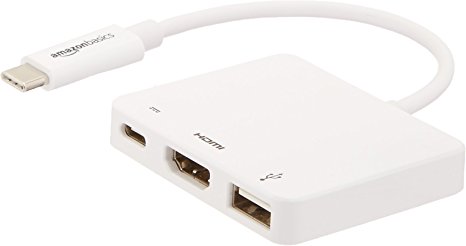
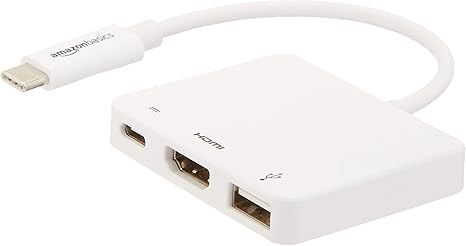
    Rounding out our USB-C section is this incredibly handy multiport adapter. If you intend to output video from your laptop, this is a must. While $40 may sound expensive for AmazonBasics, it’s a hair cheaper than the competition: these usually run around $60. This dongle has an HDMI port, a USB 3.1 port, and a USB-C pass-through. The pass-through is ideal for a MacBook, so you can charge it while you use the multiport. 

    Laptop Stand 

    Photo Credit: Amazon 

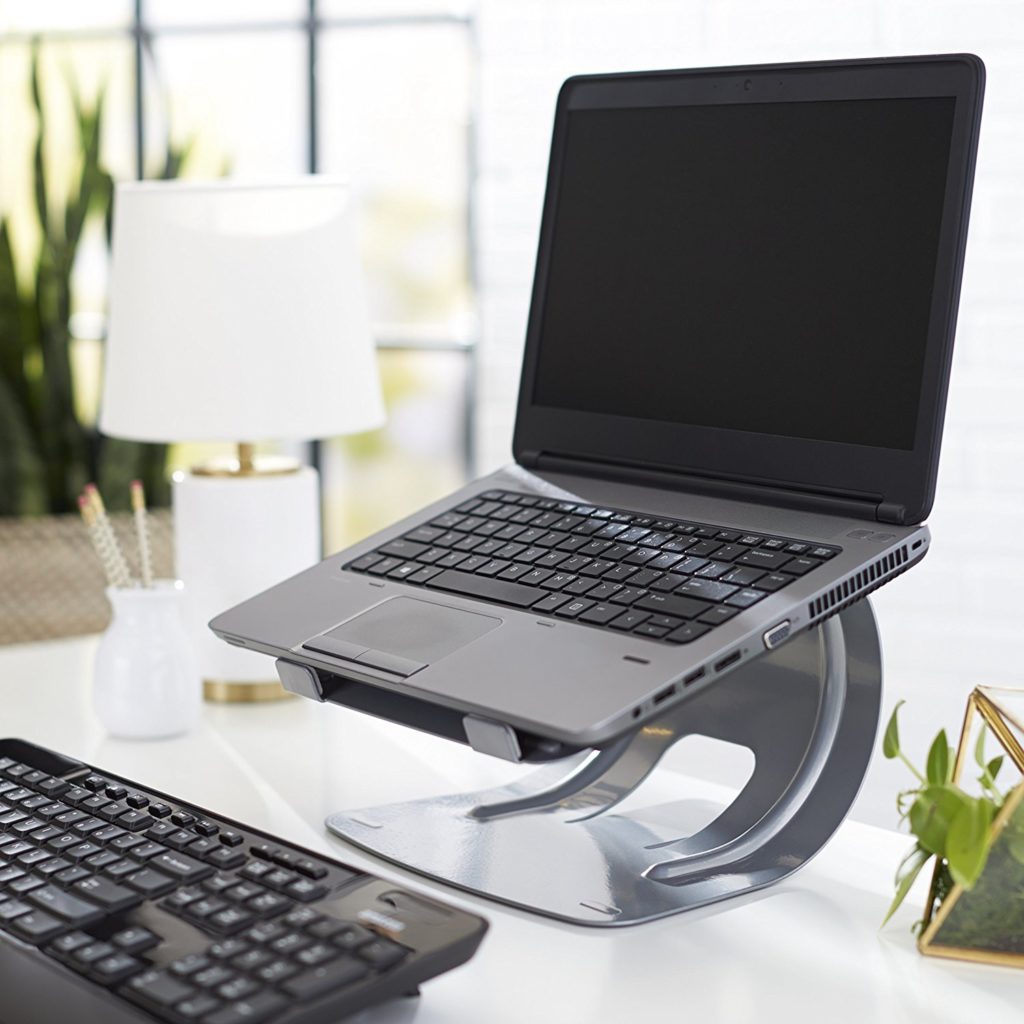
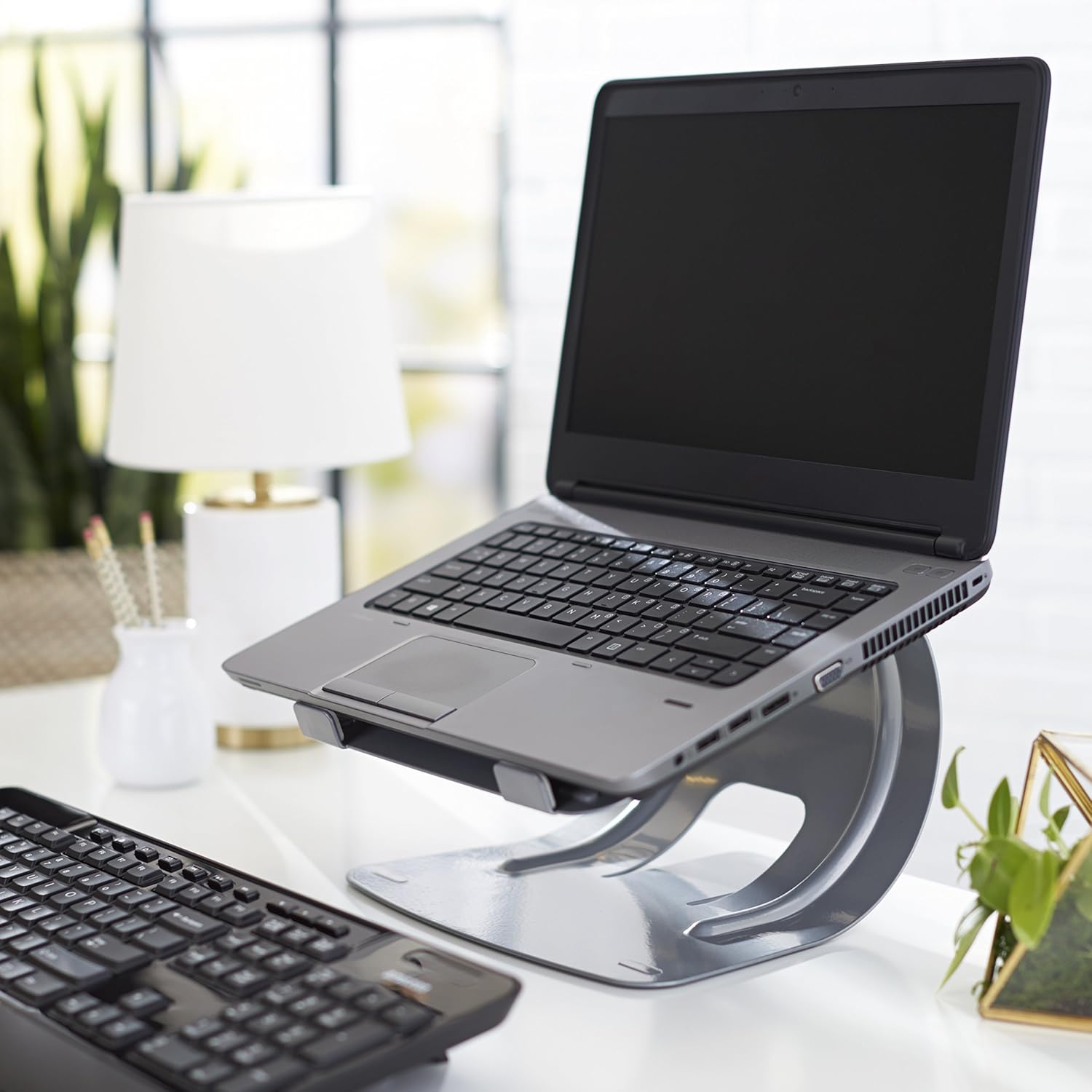
    This stylish stand is a steal for $20. Comparable stands usually run closer to $30, and most of those aren’t quite as durable or solid. If you’re looking for a good way to elevate your laptop for easier typing, this is a good pick. Great for people who work at a desk with a laptop. 

    Laptop Bag 

    Photo Credit: Amazon 

    While it’s not the most stylish laptop bag ever, it’s $15. It has tons of zipper compartments for all your cables and accessories, and it’s very tough. It’ll keep your laptop or tablet safe during a commute to work or on a plane trip. And it’s got a big AmazonBasics logo on it, so everyone can see that you’re a deal-seeker! Kidding, we know you’re just a big Amazon fan. 

    Laptop Sleeve 

    Photo Credit: Amazon 

    If your laptop or tablet commonly goes in a bag on trips, this $12 sleeve is a must-have. It’s a great buy for the price, keeping your expensive tech safe from scratches. It also looks very stylish, unlike the laptop bag. So, if fashion and great deals on accessories are your two passions, this AmazonBasics sleeve if for you! 

    Wireless Mouse 

    Photo Credit: Amazon 

    You really can’t beat $10 for a wireless mouse. The mouse isn’t going to compete with a dedicated gaming mouse or anything, but if you just need a mouse to pair with your laptop this is perfect. The finish is smooth and pleasing, and the mouse is of excellent make. It even has a little crevice for storing the USB receiver when you travel! Great for when you stash your laptop in your laptop bag. 

    Gaming Mousepad 

    Photo Credit: Amazon 

    These massive mousepads are very fashionable at the moment! For $12, Amazon’s humongous pad is a great deal. Designers and gamers swear by the huge mousepad, claiming that it offers more range for navigating your curser on-screen. Who’s to argue with the pros?  

    Our Favorite AmazonBasics Deal: Mechanical Feel Gaming Keyboard 

    Photo Credit: Amazon 

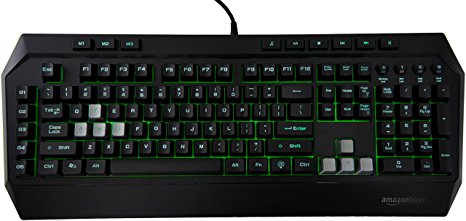
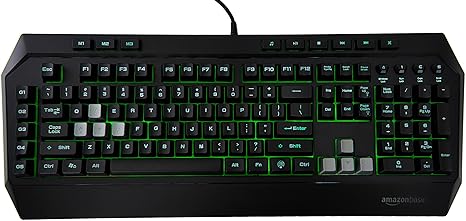
    The absolute best deal of the bunch, for $36 you get a decent facsimile of a gaming keyboard. If you’re interested in dipping your toe in computer gaming, you should check this keyboard out. Where Razer and Logitech offer gaming keyboards that cost fifty or sometimes even one hundred dollars, this AmazonBasics keyboard is a great buy. While the keys aren’t actually mechanical, they do a decent impersonation of the click-clack feedback of true mechanical keyboards.  It even features a back light to emulate the popular Razer Chroma-style RGB functionality!

  • More From The WWDC 2018

    More From The WWDC 2018

    I told you id try to keep you updated as much as possible in the ground shattering developments at Apples World Wide Developer Conference. Well here is some more info about the happs at Apple’s WWDC 2018.


    Shortcuts To Developers

    Apple announced at the WWDC 2018 it is now allowing developers much deeper integration with iOS 12 and MacOS Mojave. Third-party apps can now build “shortcuts” that allow Siri to execute popular quick actions. They used a real time demo of this with the Tile app. With the short cut they were able to activate tile just by using Hey Siri, find my keys. The programmable short cut is a big shot of B!2 in the arm for Siri. No longer will I wrestle with her over mundane task, I can program her to read my voice for specific commands.

    To sum up Shortcuts easily its a new app coming with iOS 12 that lets you create custom phrases to trigger a specific action using Siri. If she uses this data correctly that should help here understand my voice and commands a little more clearly. Making Siri compete with the Alexa and Google Voice seems to be a big area of focus for apple this WWDC. The WWDC demo also included smart home Shortcuts like “Turn on fan” or “Set thermostat to 70 degrees” — both HomeKit automatons from the Home app.


    Mojave and HomeKIt

    Mojave is the next MacOS version. With the update, Apple will add support for the Home app on Macs. Previously, the Home app was Apple’s iOS-only smart-home app where you add, monitor and control you HomeKit-enabled smart-home devices. This is neat and needed, I want my computer to be the brain of my home, If I left it to the phone my home would be left with out a central control system when Im out… 2018 folks, fascinating times, I always thought I would eventually type those words but its still shocking we are here and so causally.

    WWDC 2018 and the Apple TV

    Next at The WWDC, We will also see Apple TV getting some more responsibilities when they add home security and automation companies, Control4, Crestron and Savant. The Apple TV  works with some smart home apps, such as Canary and Nest, for remote monitoring of security camera live feeds. That has always been about it until now. WE will also get the ability to sync HomePods and AppleTV to play music together, Soundbar win!

    Check back tomorrow for more on teh WWDC 2018. Same Time, Same Channel.

  • Snapdragon 850, Its Not What You Are Expecting

    Snapdragon 850, Its Not What You Are Expecting

    Hey Guess what, Qualcomm announced a new top tier Snapdragon chipset this week, the Snapdragon 850. Well I never saw that coming, but a new Snapdragon chip is hitting the market. Is this going to be the new hot chip setting the android world on fire? Will it be in the Samsung Note 9? Hold up everyone, the answer to your questions is no. A big fat no. We are still a year away before we take the next power up on the mobile side. I mean apple hasn’t even laid out the tech jump yet. Ahem …7nm processor..

    Whats with the Snapdragon 850 Then

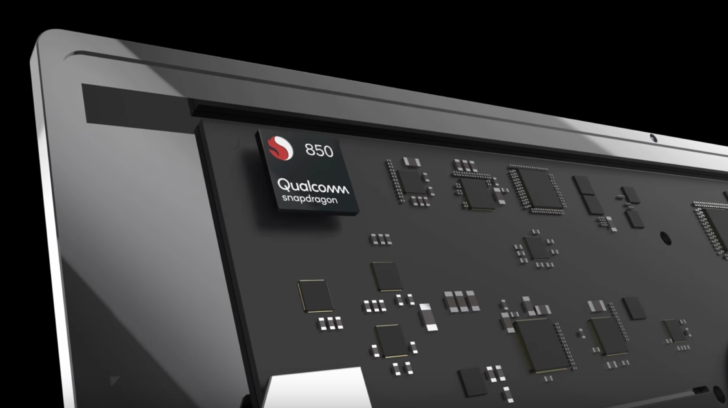
    As Qualcomm explains it, the Snapdragon 850 was “designed to support many sought-after smartphone features in the PC,” which means connectivity at all times through LTE or WiFi. This chipset should help in the battery department too, by being extra efficient. Which means it’s not a mobile chip, it’s a Snapdragon chip that was designed for Windows and to make your laptop work a lot like a smartphone in terms of being mobile, power reducing and faster.

    Looking at these two side by side spec wise and compare them to the Snapdragon 845, it actually looks like it is very similar, only formatted to work with PCs that run Windows. You’ve got the same Kryo 385 CPU cores, 84-bit architecture, same RAM support, 10nm (2nd gen) process, same Adreno 630 GPU, same video codec and capture support, etc. Qualcomm did up the CPU speed to 2.96GHz,so we got that going for us.

    The Final Thought

    Don’t be too upset, Qualcomm’s first-generation Snapdragon PC processor struggled with performance issues while providing incredible all-day battery life. Qualcomm has addressed these problems with the new Snapdragon 850, adding 30 percent more performance while extending its already incredible battery life another 20 percent to what it now calls “multi-day” longevity. This will be a good thing, think better 2 in 1s.

  • Top 10 Luxury Cars That Won’t Break Your Bank

    Top 10 Luxury Cars That Won’t Break Your Bank

    Everyone loves getting to drive a nice new car. There’s something about being behind the wheel of a luxury car that’s just so… luxurious. Not everyone can swing the huge payments to own a nice new car though. What’s a good compromise for someone who wants a nice ride but doesn’t want to take a long time to pay it off? For such discerning individuals, we have our top ten luxury cars that won’t break the bank! Our list is in ascending order of price and assumes base configurations with automatic transmission. 

    Our First (and Least Expensive) of Our Luxury Cars: 2018 Acura ILX 

    Photo Credit: YouTube 

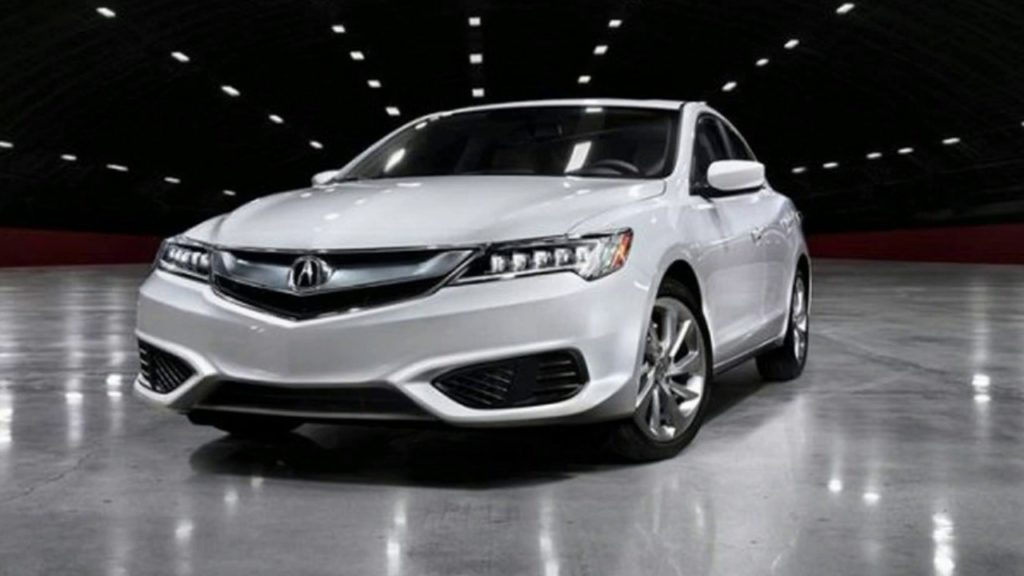
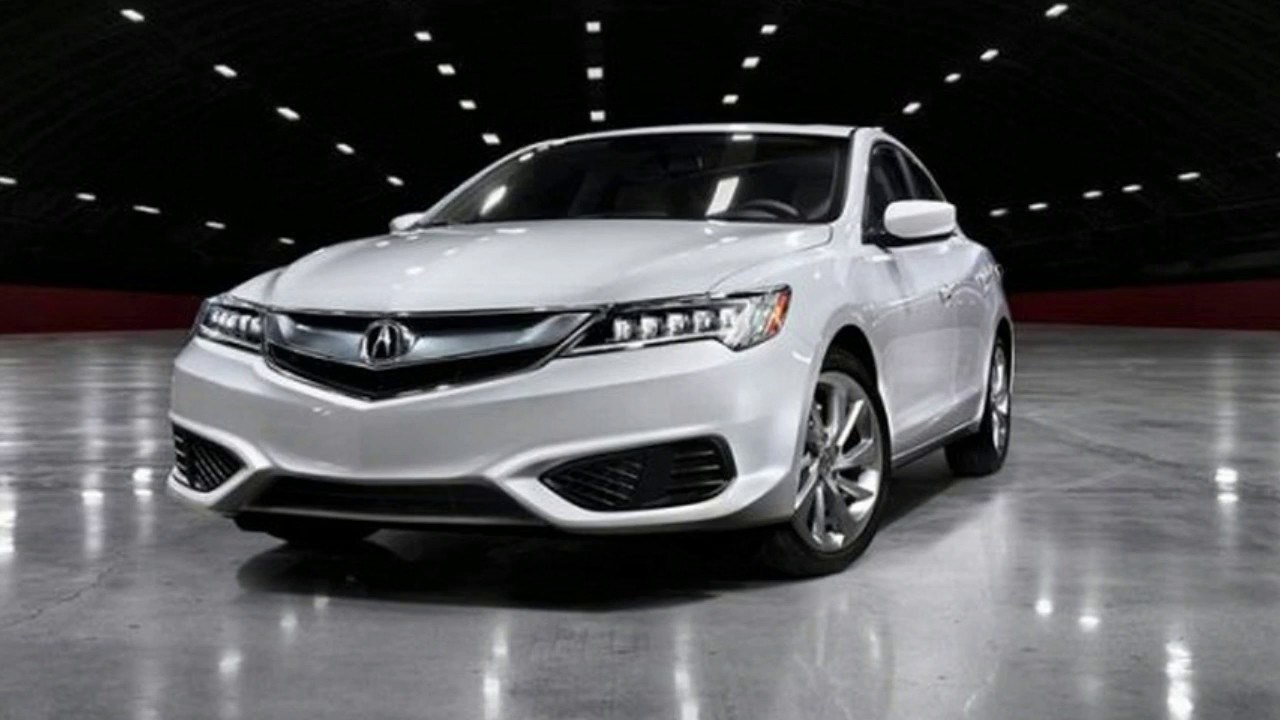
    The ILX is a great choice for those who want a luxury ride but still want to have a practical vehicle. This vehicle has some pretty sweet amenities for its low price tag. While base models cost about $29,000, they also have keyless entry and ignition and heated front seats. they also sport dual-zone climate control, for when the driver and passenger feel comfortable in two different temperatures, and automatic LED headlights to help cut through hazardous weather conditions. For those who want a bit more, they can also opt for some safety features like adaptive cruise control and front collision mitigation. The ILX can also be equipped with navigation, leather upholstery and satellite radio. 

  • GitHub Acquired by Microsoft

    GitHub Acquired by Microsoft

    GitHub, the world’s largest repository of code, is set to be acquired by Microsoft. The deal is to the tune of 7.5 billion dollars in Microsoft stock. That number is pretty astonishing, conisdering GitHub is just a storage service. What does this acquisition mean for code developers and designers? Will things be changing behind the scenes for the site? 

    Reservations by GitHub Developers 

    Microsoft is known as being a very corporate and profit-minded company. They didn’t grow to be one of the largest forces in tech by accident. With their reputation, developers have been somewhat nervous regarding this acquisition. GitLab, a major competitor of the code-hosting site, has seen a surge of users following the breaking of this news. Microsoft has attempted to reassure developers, however, stating that their intent is to keep the service just the way it is now.  

    Satya Nadella, CEO of Microsoft, had a few words wit regards to the move. “Microsoft is a developer-first company, and by joining forces with GitHub we strengthen our commitment to developer freedom, openness and innovation… We recognize the community responsibility we take on with this agreement and will do our best work to empower every developer to build, innovate and solve the world’s most pressing challenges.” 

    What This Means for GitHub 

    On the corporate side, however, GitHub and Microsoft will both see some personnel changes. Nat Friedman, Microsoft’s current Corporate Vice President, will be installed at CEO of GitHub. GitHub’s current CEO, Chris Wantstrath, will become a “technical fellow” at Microsoft.  

    Regarding the acquisition, Wanstrath had this to say. “I’m extremely proud of what GitHub and our community have accomplished over the past decade, and I can’t wait to see what lies ahead. The future of software development is bright, and I’m thrilled to be joining forces with Microsoft to help make it a reality… Their focus on developers lines up perfectly with our own, and their scale, tools and global cloud will play a huge role in making GitHub even more valuable for developers everywhere.” 

    When Does this Happen? 

    The acquisition isn’t final yet, so these changes won’t take place immediately. A regulatory board will review the acquisition, but experts see little reason to block the move. Once it’s complete, developers can expect to see few changes on the user-end. However, Microsoft will likely turn the code repository into an Azure service, hosted on their cloud platform. Aside from that superficial change, though, Microsoft seems unlikely to change much else for fear of scaring off developers.
     

  • Asus to Enter Gaming Phone Space with ROG Phone

    Asus to Enter Gaming Phone Space with ROG Phone

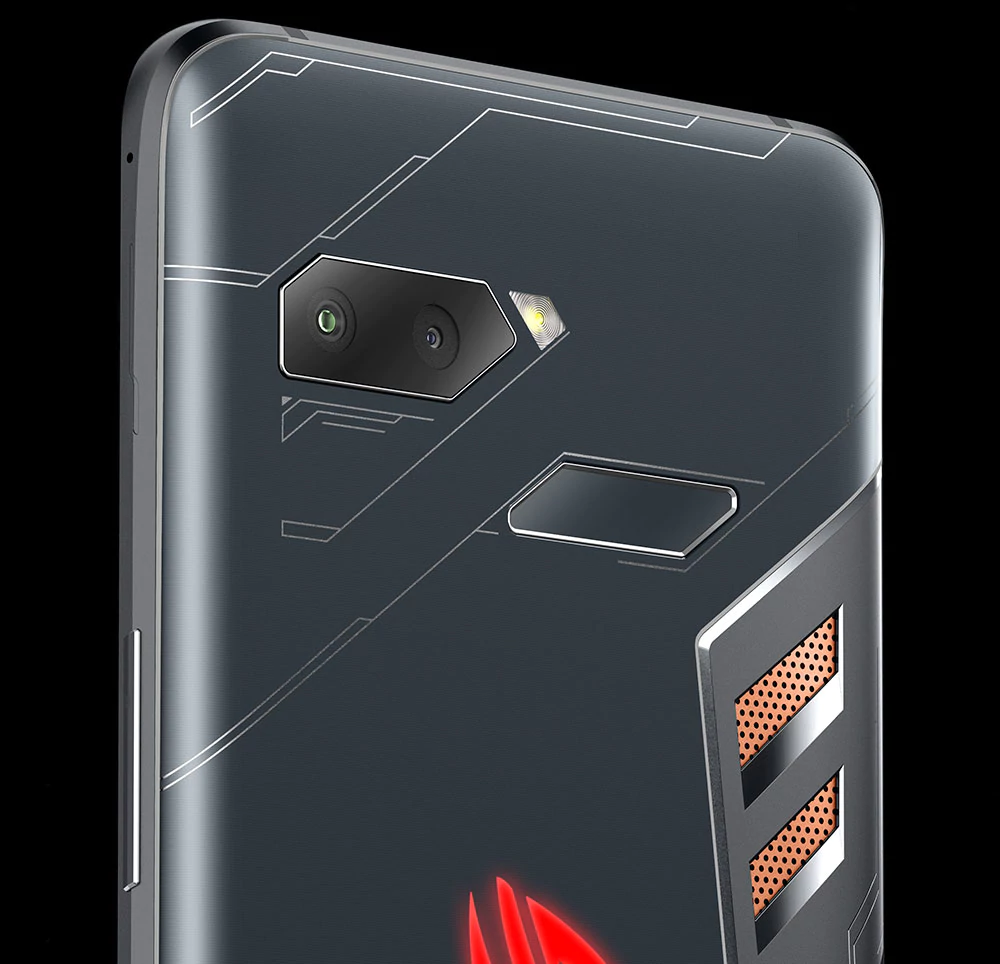
    Early reports from various outlets have begun to describe Asus’ entry into the phone market. The ROG Phone, which shares a name with Asus’ gaming computer line, is set to boast powerful gaming performance. Razer entered the mobile market last year with their aptly-named Razer phone. However, Razer hasn’t quite managed to capture the attention of gamers. Most who prefer gaming on the go have stuck to their gaming laptop or Nintendo Switch. They instead opt for using their phone as, well, a phone. But Asus seeks to change that, and it looks like they might do just that. 

    Air Buttons 

    The first innovation worth noting on the ROG phone is the Air Button technology. While the phone sports a normal large touchscreen display and has no physical buttons, it does have Air Button sensors. Those sensors can tell when a finger falls as though it were mashing a button, giving haptic feedback and sending the input. The Air Buttons are programmable, allowing gamers to program key actions, like pulling a trigger, to the handy input. 

    TwinView Dock 

    Another fascinating addition that Asus is bringing to the smartphone market are gaming-related peripherals. The TwinView dock is one of them, turning the phone into something of a Nintendo DS-like gaming apparatus by adding a second screen. The dock also sports two physical shoulder buttons in lieu of the Air Buttons, which makes the phone feel more like a dedicated gaming device.  

    AeroActive Cooler 

    A peripheral set to be included with every ROG phone, the AeroActive cooler seeks to combat a common criticism of long gaming sessions on phones. Mobile devices don’t have any room for a cooling system, meaning that long sessions of Fortnite or Pokemon Go will cause the phone to heat up and have worse performance. To remedy this, the ROG Phone will come standard with this cooling device to help maintain a stable temperature. The option to keep the phone cooler for longer will make it a more attractive phone for serious gamers. 

    ROG Phone: A True Gaming Smartphone? 

    The ROG Phone has all the design choices that could make a phone desirable as a gaming platform. It even sports a side-mounted charger, in addition to the bottom-mounted one, to allow for gaming while charging. Asus has also promised a dock to allow your phone to be displayed on a monitor or computer screen, sort of a reverse game-streaming.  

    If gaming smartphones are ever going to be a viable market, the ROG Phone is set to be the phone to make them so. If this one underperforms, it likely won’t be the fault of the phone, but instead the hard-to-predict whims of gamers. For now we’ll have to await further details, as Asus hasn’t even floated a release date yet. 

  • Interested in Losing Yourself in Another World? Check out our Favorite VR Laptops

    Interested in Losing Yourself in Another World? Check out our Favorite VR Laptops

    Since VR-capable computers tend to be very hefty machines, they are commonly desktops. However, what’s the fun of a VR set-up if you can’t show it off to your friends? Nothing’s quite as cool as showing up to a friend’s house and letting them try out VR. Parties were people can try the tech out are super fun! You can even take it on a plane ride to help pass the time while waiting to arrive at your destination. Which laptops are the best for VR, though? It’s pretty resource-heavy, so you have to pick the right one! 

    Dell Inspiron 15 7000 

    Dell’s Inspiron line carries some pretty hefty graphics, which is great for VR! It’s also at a great price point, coming in at $800, which makes it the most budget-conscious pick on this list. The main drawback to this laptop is the display, which is suboptimal. But if you’re looking to have a VR headset on while using it, it’s actually not as big a drawback! It also sports a great battery life, helping you get the most time out of your virtual reality fun! 

    Origin PC EVO15-S 

    The Origin is a very, very slim machine with a lot of power under the hood. It boasts an impressive Max-Q GTX 1070 graphics card that manages to be small, quiet and powerful all at once. You’ll be able to throw this laptop in a bag and still have plenty of room for your VR headset’s carrying case! The origin also has a great amount of storage, so you can download tons of games, and it offers great battery performance. All of this can be yours for around $1,600, which, considering how great of a laptop this is, is a great price. 

    Asus ROG Zephyrus 

    Asus, known for their high-quality builds and rock-solid durability, has a great laptop for VR. The Zephyrus also boasts an N-Vidia Max Q graphics chip, which helps it to be a thin, powerful machine like the Origin. The drawbacks to this laptop are a bit more noticeable, though. For one, it has a relatively short battery life, which somewhat negates the purpose of having a laptop instead of a desktop. It also has this weird, small, right-aligned track pad that is just… It’s bad. The 1080p screen isn’t as much of an issue if you mean to spend more time with the VR headset on, though. If you can get over those drawbacks, and the $2,700 price point, this Asus is awesome for VR. 

    The Strongest Laptop For VR: Alienware 17 R4 

    The Alienware 17 R4 is one of the strongest gaming laptops on the market. It sports a ton of options for configuration, allowing you to customize your experience. VR enthusiasts won’t be disappointed: framerate, graphics and response time will all be top-notch with this laptop. It has Nvida GTX 1080 graphics, putting some serious power in your hands.  This one gets our nod because of its wide array of options. If you’re a VR enthusiast, you can customize it to suit all your needs. As such, the price will reflect that. For comparison, a high-end model of this laptop would run around $3,000, but you can outfit it to your tastes. 

  • Facebook Remains Popular, but Not Among Teenagers

    Facebook Remains Popular, but Not Among Teenagers

    A Pew Research Center study has collected some interesting data regarding teenagers’ online usage. Surprisingly, teens are using Facebook much less in recent years. What did the study find they were using more? And what other sites have less teens engaged with them than they used to? 

    What Sites Are Teenagers Visiting?  

    The poll shows that the sites receiving the most teen visitors are YouTube, Instagram and Snapchat. 32 percent of teens stated they used YouTube most of the time, while Snapchat snagged 35 percent of teens and Instagram got 15 percent. Facebook, by comparison, was only 10 percent of teens’ most visited sites.  

    Which Other Sites are Receiving Less Teen Visitors? 

    Other sites once regarded as teenage destinations online are also seeing less traffic from that age group. Tumblr, a popular blogging site, barely showed up in the poll. The same goes for Twitter, which is quite surprising, and Reddit. It seems that teens are mostly drawn to visual apps, finding their entertainment in pictures, videos and music, not text-based apps that are more static. 

    Other Findings 

    Other interesting findings in the study include smartphone ownership. A positively massive 95 percent of teenagers polled stated they had a smartphone. With regards to internet usage, 45 percent of the teens thought that it had neither a positive nor a negative impact on their lives. This relative disinterest in the medium with which many of them spend all their time is concerning.  

    What Does this Mean?

    What do you make of these findings? Were you surprised at the apps they’re using more often, and how little they’re using Facebook now? Is it a good thing that teens are connecting with one another with these platforms? And how do you feel about the overwhelming number of smartphone-equipped teens with internet addictions who think nothing of it? 

    We all have our own answers to these questions, of course. For my part, I understand the desire to stay connected. I do, however, worry that these kids are spending so much time wishing they were somewhere- or someone- else, that they forget to be happy with who they are. Studies have linked social media with more feelings of alienation and loneliness. I just hope these trends reverse in the coming years and kids learn to be okay just being where they are.