Month: June 2018

  • Ten Takeaways from iOS 12 Beta

    Ten Takeaways from iOS 12 Beta

    The public beta for iOS 12 is here! That means it’s time to dig in and talk shop. First things first, remember this is a beta, so don’t go installing it on your main phone. Grab an old iPad or something if you wanna try it out. That said, we’ve got a list of the top ten takeaways from the iOS 12 beta for those without a device to try it out with. From what’s awesome to what’s not, to what’s flat-out missing, we’ve got you covered. Alright, let’s get into it! 

    The Good Stuff: 

    Memoji 
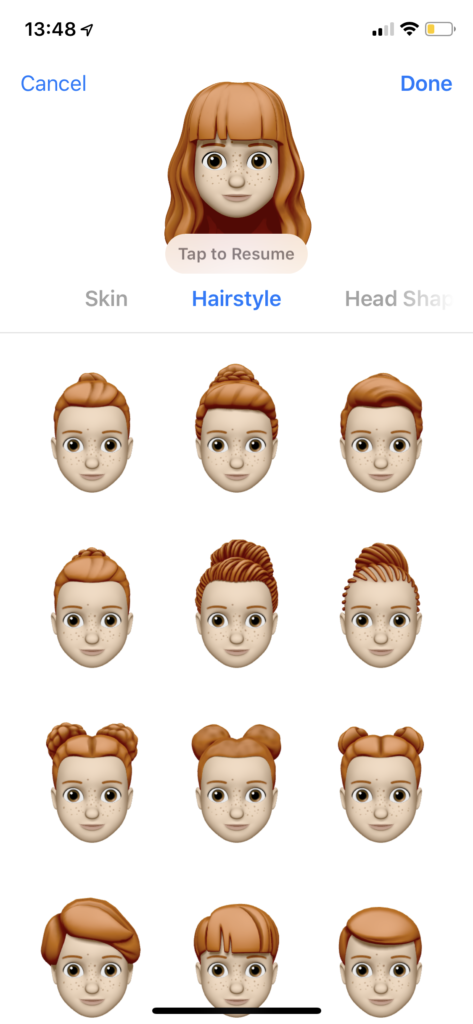
    Photo Credit: Mashable 

    Let’s kick it off with some of the coolest features in the beta. The Memoji is available on iPhone X, and it’s great. It’s sort of like the Mii feature from Nintendo, where you can create a personal cartoon avatar. Then you can use that avatar in different apps to represent you, and you can type in to people in messages. It’s adorable, it’s meaningless and you know you want it. 

    Animoji
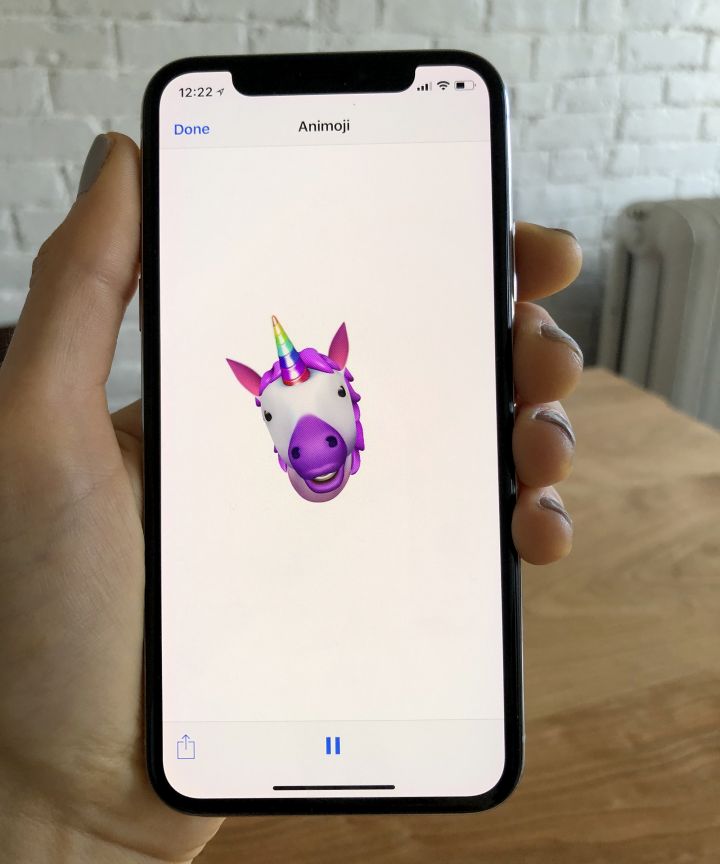
    Photo Credit: Refinery29 

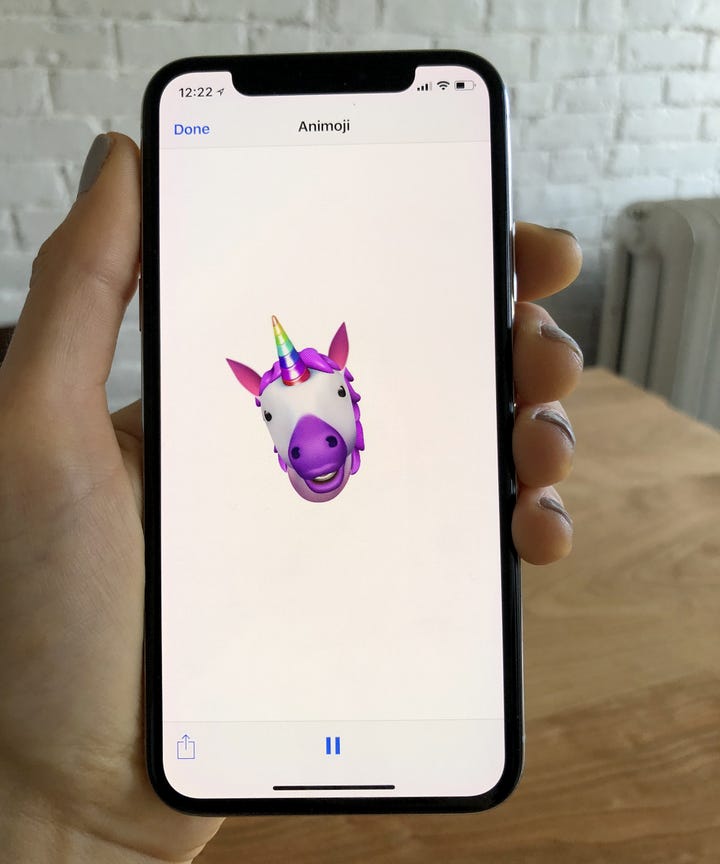
    On the topic of meaningless adorable emoji things, new Animoji are also available on iPhone X with this update. If you already didn’t love this feature, this isn’t going to blow you away. That said, if you liked it, there’s some new ones to play with soon! There’s a new koala, a tiger cub, a dinosaur and even a ghost! Kids, especially, will love this. 

    Screen Time
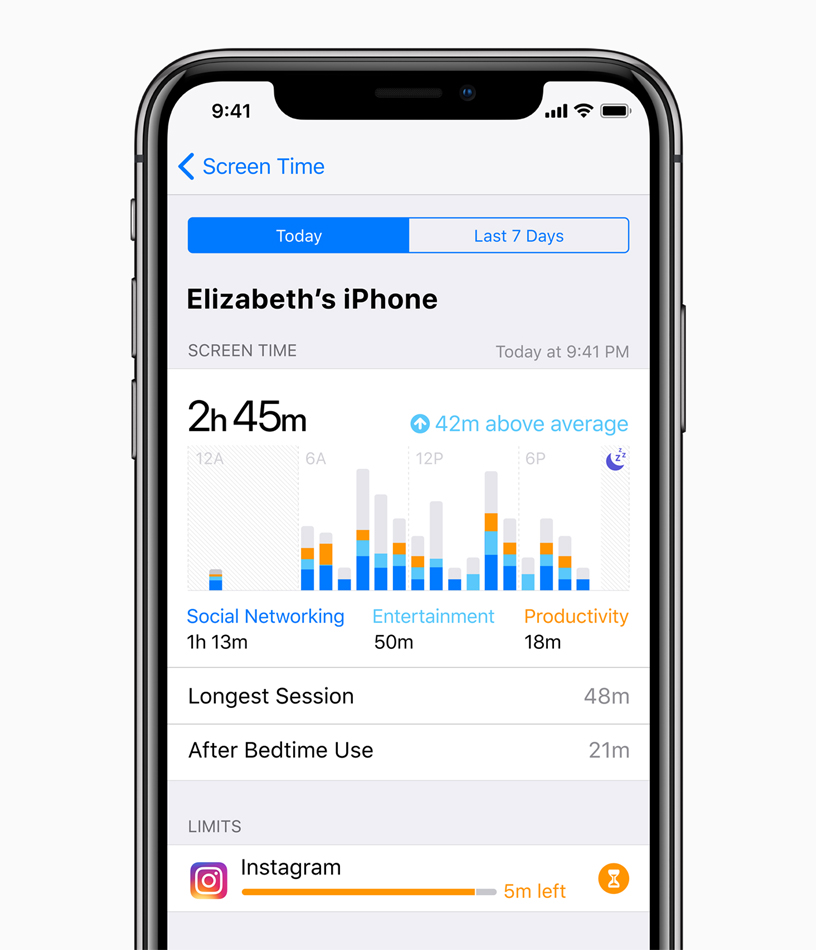
    Photo Credit: Apple 

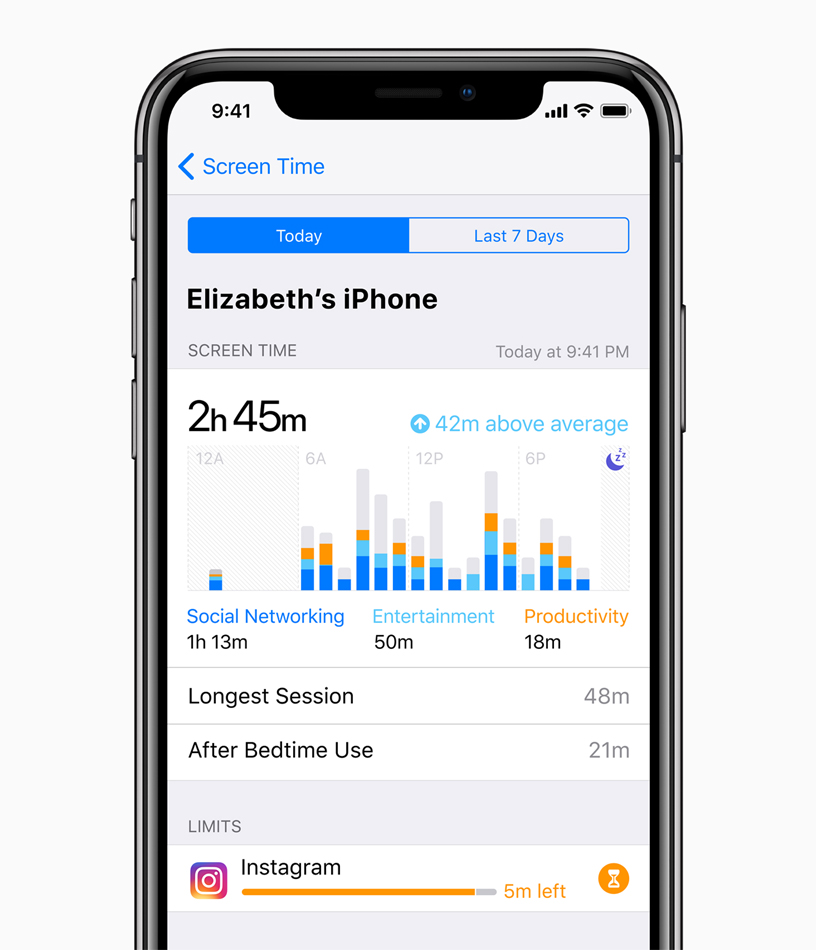
    This new feature aims to help you use your phone less. Screen time allows you to see how much time you’re spending on various apps, and you can even set time limits. If you want to create Downtime, as iOS 12 calls it, the phone discourages you from using apps at certain times. There’s also a new feature that allows parents to lock certain apps or time gate them for their kids. If your little one is staying up all night playing Fortnite, this is a great addition. 

    The Changes: 

    Notification Changes
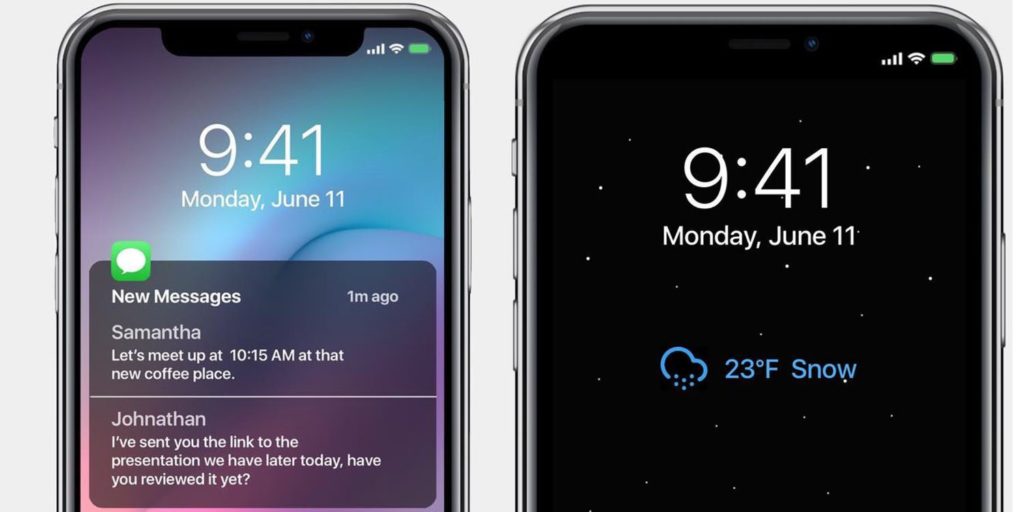
    Photo Credit: 9to5 Mac 

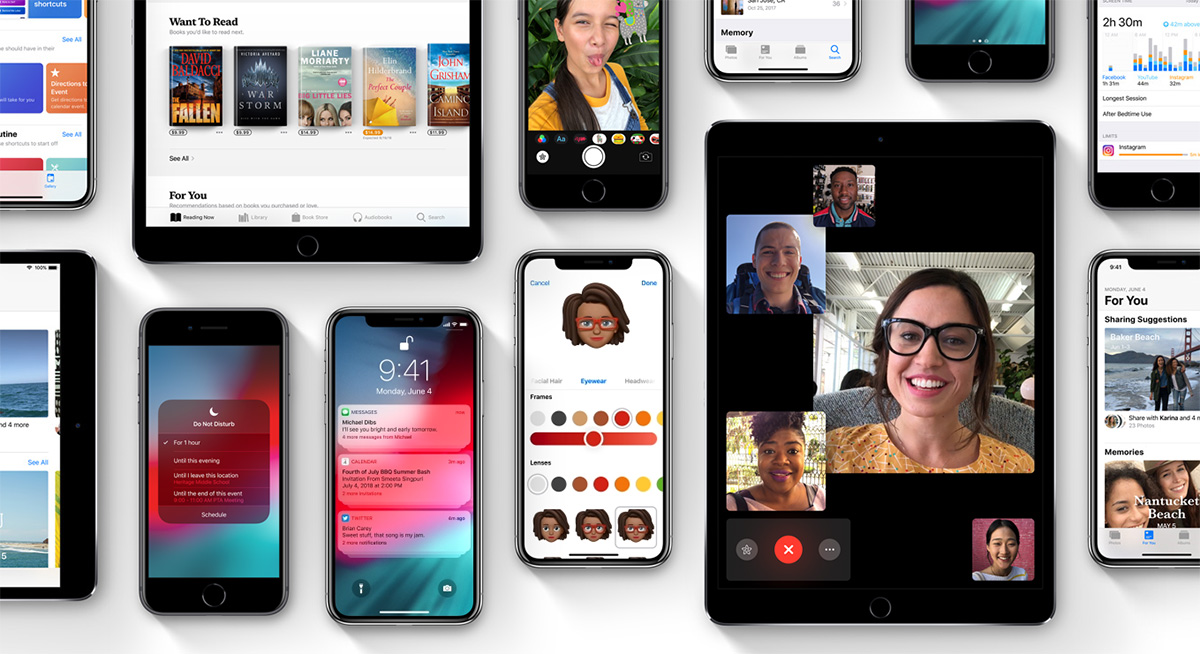
    This one is a pretty great overall quality of life change. Now, like notifications will be grouped together, making it easier to parse what notifications you’re getting. This is great for cutting down on clutter. You can also mass-silence notifications of different type with a tap. More advanced Do Not Disturb options are also available for those who want to get picky with their notifications. 

    Voice Memos App
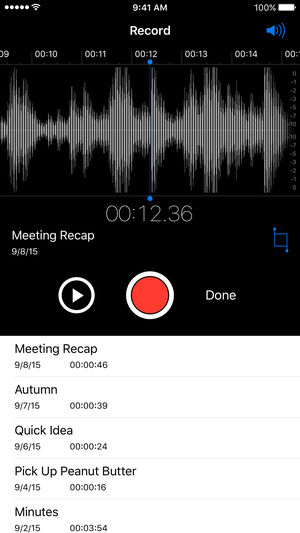
    Photo Credit: iTunes 

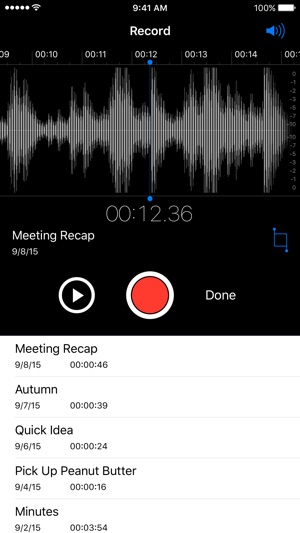
    Some changes to the voice memos app are welcome. They include fast forwarding and rewind controls, which are great. They also added iCloud storage for your voice memos. If you use this fucntionality a lot, you’ll be really happy to see these changes. Nothing major, just great to see. 

    Photos Search and Suggestions

    Another general quality of life change, this beta has introduced new functionality to the Photos App. The first is a new photo suggestion mode that suggests which pictures you may like to share with others via social media. The other is a new suite of search terms to help find your pictures. If you use Instagram a lot and take tons of pictures, these are awesome new features! 

    Group FaceTime
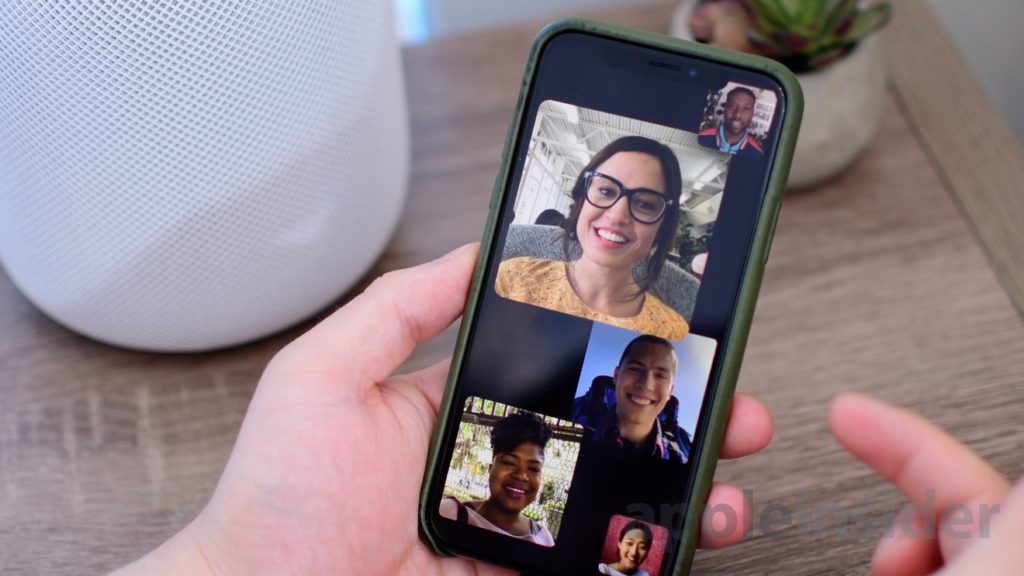
    Photo Credit: AppleInsider 

    FaceTime now supports up to 32 users at once. Awesome! It also now switches focus based on who’s talking which makes this great for meetings or more informal conversations. Speaking of informal, you can also add your Animoji or Memoji to these massive group conversations. Sounds chaotic, wacky and fantastic! 

    What’s Missing?

    ARKit 2
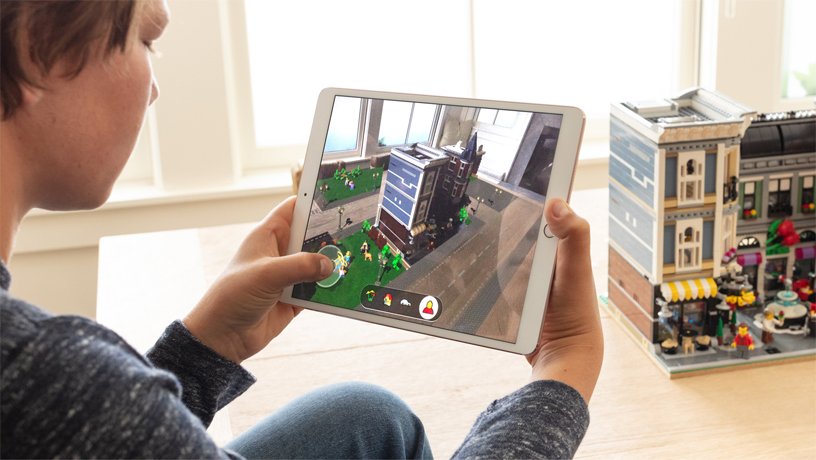
    Photo Credit: Apple 

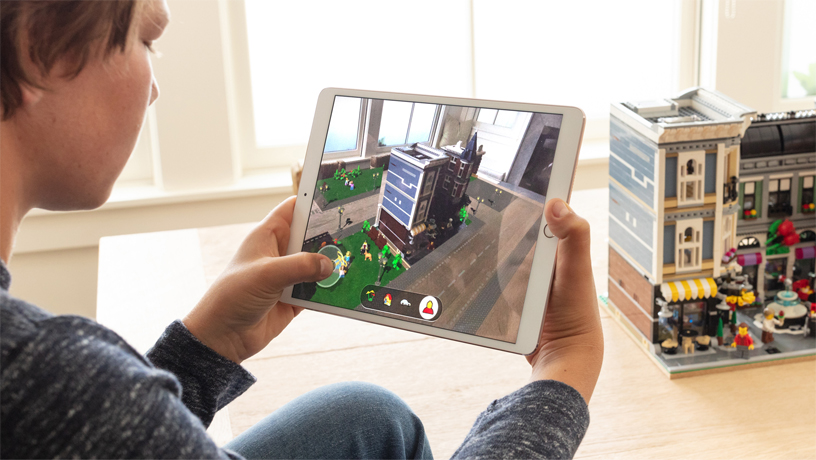
    Apple’s big push for augmented reality isn’t present in the beta. While the Measure app uses the new augmented reality functions, other apps that do this already exist. We’ll have to wait until the third party apps that support the new ARKit ship when the OS launches. 

    Siri Shortcuts
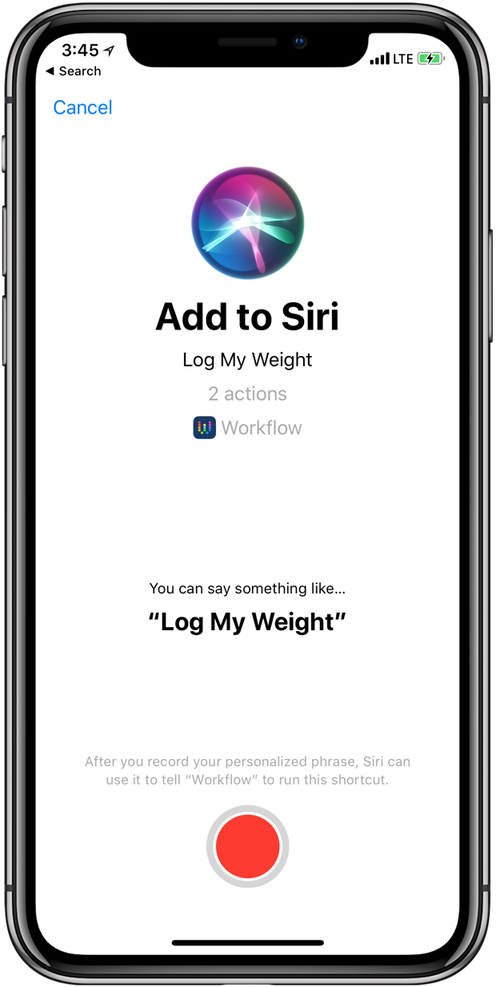
    Photo Credit: 9to5 Mac 

    This feature currently works haphazardly with a few different first-party apps. Third-party support for the new Siri functionality hasn’t launched yet, though. Creating your own shortcuts for Siri is likely to be one of the biggest draws to the new OS when it launches. Apple has been trying to keep up with Alexa and Google Assistant, but Siri has been lagging behind. Seeing these features aren’t ready for full beta-testing yet doesn’t exactly inspire confidence.  

    What We Wanted in the iOS 12 Beta: Better Siri Overall 

    Siri was the first virtual voice assistant, but she’s changed little since she launched seven years ago. When Siri launched, phones didn’t have biometric scanners and smart homes sounded like a sci-fi future. Apple hasn’t rolled out the kinds of changes to Siri we’d have liked to see in this beta. Hopefully they have more changes, and more uses, coming later in the beta. For now though, we’re disappointed to see this cutting edge company lagging behind in this field. 

    Feature Image Credit: Apple

  • Which Bitcoin Wallet is the Best for You?

    Which Bitcoin Wallet is the Best for You?

    Once you’ve bought, or mined, your bitcoin, you’ll need somewhere to keep them if you don’t plan on using them on an exchange right away. There are a few different applications, or wallets, that you can store them in. Today, we’re rounding up a few of our favorite “hot” Bitcoin wallets. “Hot,” in this instance, refers to the fact that these are always connected to the Internet, unlike “Cold” wallets that can be offline.  

    Exodus 

    A pleasing-looking multi-currency wallet, Exodus is a great user experience. If you plan on storing large amounts of crytpocurrency, though, it’s not the best, as it’s partly closed-source code. This means that if there are any bugs in the code that could lead to data breaches, the community can’t vet them and fix them. However, if you plan on storing smaller amounts of Bitcoin, or other currencies, this is a fine choice. You can even use the Shapeshift service to exchange your Bitcoin or other crypto right from the wallet.  

    Exodus has you generate a 12-word “seed” that it then encrypts your keys with. This means that if you somehow lose access to the version of Exodus you currently have, you can recover it with your seed. Simply write the seed down someplace safe and your Bitcoin is protected from hard drive wipes.  

    Jaxx 

    Jaxx, much like Exodus, is another multi-currency wallet that has Shapeshift. And, much like Exodus, it’s closed-source, so potential security gaps can’t be spotted by the community. In fact, last year, once such bug reared its head, allowing users with access to your version of Jaxx to steal your currency. That said, it’s a fine app for those who simply want to store small amounts of Bitcoin or other currencies. The ability to convert from different currencies through the app is quite convenient. 

    Closed-source code aside, Exodus and Jaxx are both visually appealing, convenient and user-friendly. If you’re just dabbling in a bit of crypto, Jaxx is a great Bitcoin wallet. 

    Bitcoin Core 

    A very early Bitcoin wallet, and easily the most robust, Bitcoin Core is a “full node.” That means it downloads the entire blockchain that tracks every Bitcoin transaction, which is around 160GB. The reason for this is security. Since Bitcoin Core knows the entire blockchain, it is nearly impossible to fool it, thus ensuring you won’t be defrauded. Someone attempting to spend the same coins twice, or spoof funds would be easily detected and shut down by this wallet.  

    Bitcoin Core is great if you intend on storing a ton of Bitcoin. It’s also great if you like your anonymity, as it encrypts transactions through the Tor network. This is all pretty costly on bandwidth, though, so it’s really for power-users first and foremost. 

    Our Favorite Bitcoin Wallet: Electrum 

    Electrum is a “thin” wallet, which is in contrast to a full-node like Bitcoin Core. Rather than downloading the full blockchain, it uses secure server connections to verify transactions. This means it uses much less internal memory and bandwidth, allowing it to be much leaner. Electrum, like Jaxx and Exodus, also allows for seed-based recovery in case you lose access to it. For general use, Electrum is our favorite overall wallet. It’s relatively secure and is quite useful for its file size and bandwidth use. While not the most robust wallet, it is the best option for most users.  

  • Mouse and Keyboard Controls Coming to Xbox One Soon

    Mouse and Keyboard Controls Coming to Xbox One Soon

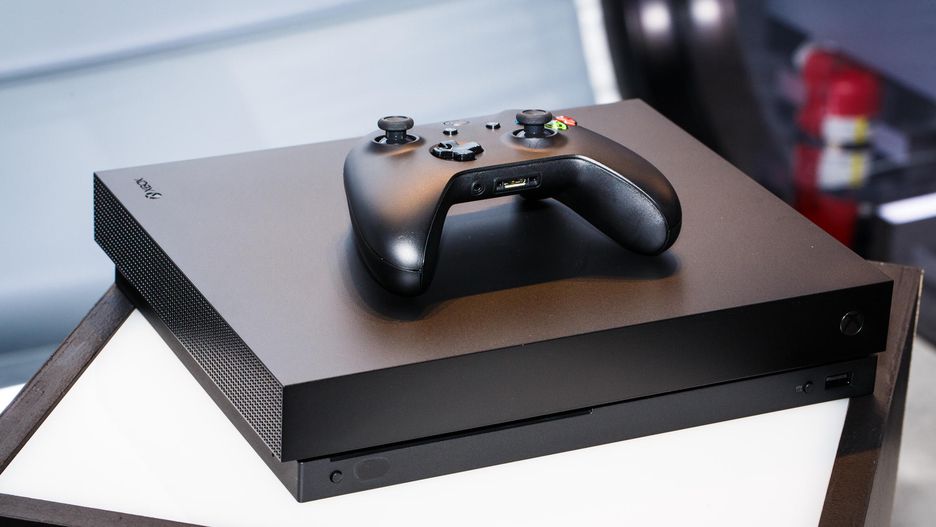
    Microsoft’s initiative to make their home console as accessible as possible continues with support for mouse and keyboard controls. A recently leaked internal video aimed at developers outlined the company’s plans to extend full support for the control scheme soon. According to the video, any non-Bluetooth Windows mouse and any USB keyboard will be compatible with the system soon. As such, lapdesk keyboards like Razer’s Turret could be the next living room controller.  

    Competitive Concerns with Mouse and Keyboard Controls

    Users with the traditional PC control scheme have a distinct advantage in competitive games over those using gamepads. Microsoft’s video urged developers to consider having different matchmaking lobbies for users with keyboard and mouse control schemes.  

    Additionally, Microsoft has suggested this push could also help crack down on hackers. A notable hack currently allows for a mouse signal to be spoofed through a controller. Thus, allowing for greater aim and reaction time than is possible with a gamepad. The updated API that will allow for direct mouse control will also be able to dsitinguish such hacks. 

    Xbox Accessibility 

    The recently-announced Xbox Adaptive Controller showed that Microsoft is looking to find new ways to enhance the Xbox control experience. The XAC, for its part, is looking to make Xbox easier to use for those with physical impairments. The mouse and keyboard initiative, however, seems to be more aimed at hardcore gamers. These steps are all fantastic, though: why force gamers to use a gamepad if they’d rather use something else? By embracing the different ways users want to interact with their system, Xbox wins the goodwill of current users and the patronage of new users. 

    This move seems to be coinciding with Microsoft’s push to be perceived as a “good guy” in the home console market. Recent marketing from Nintendo has promoted cross-play between Switch and Xbox One. Rocket League, Minecraft and Fortnite all support cross-platform play. Sony, meanwhile, has been stubbornly blocking cross-play for those titles on their own system. Microsoft has taken this opportunity to push marketing making themselves, and Nintendo, seem like rational, cool-headed companies. Or, the “good guys,” as it were.  

    One Step Closer to a Living Room Gaming PC 

    The Xbox is essentially a Windows computer that has been optimized for gaming. The difference between the Xbox One and a gaming PC is becoming harder to tell with each update. While some may ask why Microsoft even feels the need to release dedicated consoles anymore, the Xbox brand has been quite successful.  

  • 2019 Ford F-150

    2019 Ford F-150

    Ford’s name carries some serious weight in the world of pickups. If you’re a fan of towing capacity, cab size and general ruggedness, odds are you like Ford’s F-150 range of trucks. 

    We’ve got some awesome news for you, then: the 2019 Ford F-150 Limited is getting the engine from the Raptor for 2019. That’s right, the most powerful engine in a light-duty pickup is coming to the F-150 limited.

    What Raptor Brings to the 2019 Ford F-150

    Ford’s F-150 Raptor engine is a beast, packing 510 pound-feet of torque and a ten-speed automatic transmission. The F-150 Raptor itself is a fantastic vehicle, so hearing that its stellar engine is coming to the 2019 Limited version of the F-150 is great news. The Limited, which is slated for release in 2019, is shaping up to be a tremendously luxurious vehicle. Sporting a spacious, quiet interior cabin and a smooth, easy ride, the Limited will likely be one of the most sought-after trucks on the market next year.

    Pricing and Release

    We don’t have any solid info yet on the pricing or specification for the 2019 Limited. However, the Limited line does have a few standard accoutrements that you can expect to see. For one, the luxurious interior trimmings, like massage seats, power running boards and a leather-trim dashboard will make an appearance. Also, exterior upgrades will include 22-inch wheels and dual exhaust pipes. As for high-tech luxury, the Limited will sport a 360-degree camera as well as adaptive cruise control.

    The 2018 Limited was priced at $63,000, making it a luxury vehicle in name and price tag. However, the 2018 model doesn’t sport the more powerful Raptor engine, so you can expect the 2019 edition to cost a spot more than $63,000. We won’t know for sure until Ford releases the official pricing information.

    As far as the release goes, you can expect this luxurious, powerful truck on the dealership lot this Fall. Get ready to get rough and tumble with the 2019 Ford F-150 Limited!


  • Rumor Roundup: Google Pixel 3

    Rumor Roundup: Google Pixel 3

    Google’s Pixel line of phones hasn’t dethroned iPhone the way it may have hoped, but it’s done a fair job impressing reviewers. The Pixel 2, for instance, is considered one of the best smartphones in the world right now. Behind, of course, the Galaxy 9 and iPhone X. That one likely stings for Google, a company that wants to be everything to everyone. How are they intending to reverse this trend for their next phone? Let’s check out some of the rumors surrounding their upcoming smartphone. 

    Another Phone with a Notch 

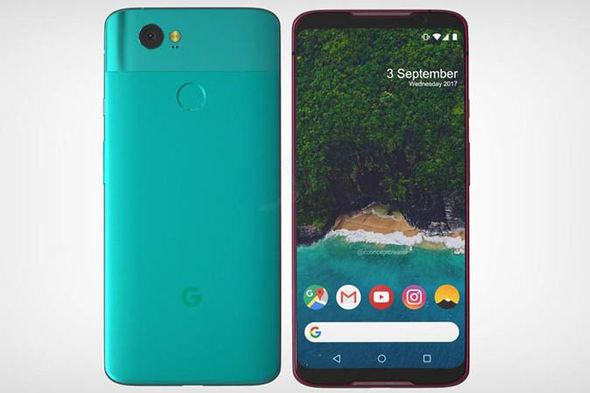
    A leak of the Pixel 3 design suggests that the phone will sport an iPhone X-style top notch. While many find the notch distracting and unnecessary, phone makers seem to take it as a marker of Apple-like design. Google, for their part, seem to be embracing the comparisons between themselves and Apple and leaning into this design decision. The same leaked render shows that the phone will have a back-mounted fingerprint scanner, instead of an in-display scanner. It also suggests that the phone won’t have the dual-camera setup on the back that many have adopted for Bokeh-style portraits. This makes the Pixel 3 something of an echo and downgrade from similar phones, design-wise. 

    Other Apple-Like Features 

    Another rumor holds that the Pixel 3 may have a Face ID-style 3D face-unlock. This is evidenced by the apparent dual front-facing cameras in the top notch in leaked photos. In fact, Face ID is the main reason Apple went with the notch design: the iPhone X had to put its face cameras somewhere. Thus, the notch was born.  

    Another Apple-like update, rumors hold that the Pixel 3 will sport negligible bezels, iPhone X style. This is great news for those who were hoping for a more visually striking phone from Google. As great as the Pixel 2 is, it’s design is a bit bland. In order to remedy this, it seems, the phone maker is aiming for a much bolder design.  

    Three Models of Google Pixel 3 

    Another leak holds that there will be three different Google Pixel 3 models released simultaneously. What this would entail isn’t yet known, but there are some conclusions we can draw at a glance. The first is that one of the models will likely be a budget option, perhaps with an LED screen and less memory. It stands to reason that a mid-tier version, maybe with an OLED screen and more memory would be on offer. Finally, a high-end, or maybe XL version, could be the third model.  

    We’ll certainly know more as we get closer to release. The Pixel 3 will likely be released sometime in late 2018, after September or October. 

    Feature Image Credit: Express.co.uk 

  • Qualcomm Gunning for Intel: Snapdragon 1000

    Qualcomm Gunning for Intel: Snapdragon 1000

    It’s been a rough month for Intel. AMD unveiled the unprecedented power of their 32-core Threadripper processor, and Intel struggled to show anything comparable. In fact, they misrepresented prototype CPUs in a pitiful attempt to match AMD’s behemoth. Then, their CEO stepped down last week amidst a scandal involving a relationship with an employee. Now, to add to the dogpile. Qualcomm prepares to release the Snapdragon 1000.  

    Snapdragon: Not Just for Phone Anymore 

    Windows has partnered with Qualcomm to release a series of “Always-Connected PCs”, laptops that function as huge smartphones. The Always-Connected line is set to be LTE-equipped, have long battery lives and run with Snapdragon 835 processors. 835’s have already been seen in smartphones, and the first wave of Always-Connected PCs are expected later this year. However, it’s the successor to the 835 that has people talking. 

    Snapdragon 1000: Made for PC 

    The Snapdragon 1000 has some impressive specs being leaked. For one, it’s set to have 16 GB of RAM, which is impressive for a laptop chip. For another, it’ll be equipped with two 128 GB UFS Flash drives, and will support LTE on the chip. It seems Qualcomm is looking to beef up their processors considerably for Microsoft’s initiative. If the collaboration between the companies proves successful, this will be another blow to Intel.  

    Intel famously missed the boat on smartphone processors. Whether through arrogance or short-sightedness is unclear, but the company certainly missed an opportunity. In their absence, Qualcomm made a name for themselves, packing their Snapdragon chips into Android phones. Now, the very company they allowed to prosper in the smartphone market is poised to muscle in to their territory. This news is all good for consumers, who stand to reap the benefits as competition heats up. Intel’s been dominant in the world of processors for far too long. A chance to see them up their game and drop their prices is certainly exciting.  

  • GameStop Struggling, Looking to Trade in Franchise

    GameStop Struggling, Looking to Trade in Franchise

    The world has changed. GameStop has confirmed that they’re in talks to sell to Sycamore Partners to break even on their struggling business. Ten years ago, the company was worth nearly ten billion dollars. Last year, they closed over 150 stores. What happened to the once-dominant retailer? 

    Rise of Digital Sales 

    The biggest blow to the retailer has certainly been the rise of high-speed broadband internet making online sales much easier. Rather than run down the street and talking to a pushy employee, gamers can just buy a game straight from the online store. While GameStop was once the destination for many looking to buy games, their fortunes changed when customer had the option to skip them altogether. It seems the convenience of having a game immediately overtook the hassle of talking to condescending GameStop employees.  

    Shifting Attitudes, Local Shopping 

    Mom and Pop video game stores certainly haven’t helped matter for the retailer. Gamers who prefer physical games also like supporting their local businesses. Many cities have small shops full of people the community knows and care about. GameStop, by contrast, is known for being kind of scummy and offering low trade-in values for new games. This lack of goodwill towards a faceless corporation has certainly twisted the knife for the company.  

    Just Deserts for GameStop? 

    While GameStop scrambles to find a buyer to save them from bankruptcy, many gamers can’t help but feel a bit vindicated. The company has made a name for itself offering comically low trade-in values for used games and often selling games at an insulting mark-up. Their reward for their anti-consumer attitude, it seems, is having no consumers at all. Here’s hoping all of GameStop’s employees make out alright in the aftermath. That said, we can’t help but wonder if GameStop won’t get less trade-in than they think is fair for their company. And, if they don’t, we certainly won’t lose any sleep over it.

  • Feature Round-Up: Acer Chromebook Tab 10

    Feature Round-Up: Acer Chromebook Tab 10

    While Android tablets are all but dead now, Google is still interested in using tablets for educators and students. To that end, the first tablet running Chrome OS, the Chromebook Tab 10, is slated to be the best classroom slate yet. We’ve got a quick roundup of some of the most notable features of the Acer Chromebook Tab 10. How will it make the class experience better for teachers and students? Let’s check it out! 

    The Specs 

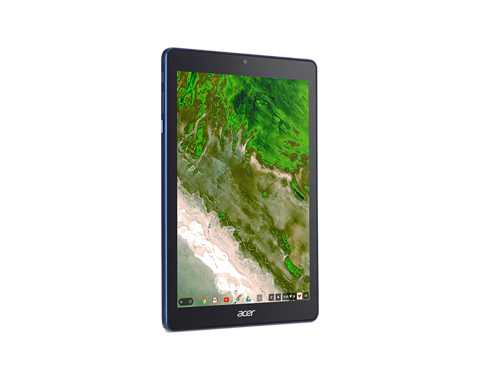
    First off, it’s a huge tablet. It’s got a 9.7-inch screen and weighs a solid 1.2 lbs. This is great for the classroom, as it means it’s got enough mass to not get lost or misplaced! On the tech side, it’s got 4 GB of RAM, an OP1 CPU and a Mali T860 GPU. This all adds up to the tablet being more than powerful enough to handle any classroom duties. This will likely be many kids’ first experience with tablets, so it’s good that this one has all the power needed to handle basic tasks.  

    Interestingly, it also sports a USB-C port. That port’s versatility is a great boon for classroom settings! Charging, of course, is the primary use, but sending video and transferring data are also uses the port allows for. 

    Design 

    This big tablet has a rubberized back and big bezels. It’ll likely prove quite durable and kid-friendly. It’s set to come in a number of bright colors, making it great for kids. That big size does bring up a problem, though: it’s hard to type on. While Chrome OS allows for Bluetooth keyboard connection, the Acer Chromebook Tab 10 doesn’t have one included. As such, typing on the big on-screen keyboard is a little awkward. For kids with small hands, it’ll likely be even harder. The fix, laying it on a table and pecking the keyboard with the index finger, works, but itsn’t ideal.  

    Stylus 

    It also sports a Wacom stylus, which can be whipped out to easily pen notes in the middle of class. It’s a little short and wouldn’t be great for a professional or artist, but for a kid taking notes or drawing it’s perfect. It doesn’t recognize tilt, and it sports a bit of latency, but these are deal-breakers for what the tablet’s meant to do.  

    Acer Chromebook Tab 10: A Little Awkward, but Great for Students 

    The tablet is a bit funky, and the Chrome OS has some kinks when used for a tablet. However, Acer’s tablet is a great proof-of-concept. The student-friendly Chrome OS is absolutely well-positioned for tablet use, it just needs a bit of fine-tuning. The tablet costs $329, making it relatively affordable for classroom use. Thusly equipped, kids will be learning in no time. If we keep using technology like this, maybe the future will be pretty bright after all. 

  • Top Ten Cyberpunk Movies of All Time

    Top Ten Cyberpunk Movies of All Time

    All things dark and brooding meet with awesome bleeding-edge sci-fi in the Cyberpunk genre. Popularized by authors like William Gibson, Bruce Sterling and Walter John Williams, the genre is seeing a surge of popularity today. Notably, a new video game based on the popular tabletop RPG, Cyberpunk 2077, showed a trailer at E3 that captured the imaginations of gamers. If you’re looking to immerse yourself in the seedy, gritty drama, check out these ten flicks. We’ve got our ten favorite Cyberpunk movies ever rounded up right here! 

    Our Top Ten Favorite Cyberpunk Movies

    Cyber City Oedo 808 

    Photo Credit: YouTube 

    Our first entry is an anime original video animation, or OVO, from 1990. Oedo is a fictional city in the year 2808, and it is under the constant threat of cyber-crime. The police have resorted to contracting convicted felons to help bring in criminals at large. The catch? The criminals tapped by the police can have their sentences shortened for helping bring in the bad guys. Just one more thing: our heroes are strapped with bomb collars to guarantee their cooperation. If you’ve seen Suicide Squad, you know the premise.  

    This one makes the list for its slick animation and beautifully realized cyberpunk cityscape. While the technological innovations may seem a bit quaint today, this remains a good, fun sci-fi romp.  

    Strange Days 

    Photo Credit: TVOvermind 

    Strange Days is set in a near-future world where playback of other people’s memories is a reality. By attaching brainwave emitters called “squids” to your head, you can experience recorded memories. This has become something of a drug-like experience for many. The film concerns a police officer, Leno Nero, who is investigating the murder of a prostitute. The murder in question was recorded by the killer, and Lenny has the recording. It’s creepy, haunting, and a pointed criticism of people who would spend all their time being someone else. 

    With virtual reality becoming more popular, Strange Days remains a fine criticism of its potential dangers. As good cyberpunk movies go, this is how you critique society and tell a noir story at the same time. 

    The Matrix 

    Photo Credit: IMDb 

    You’ve probably never heard of this obscure sci-fi flick from 1999. Jokes aside, the Matrix redefined modern sci-fi and is a fantastic cyberpunk tale. If you’ve never seen it (how?) it follows mild-mannered programmer Thomas Anderson, who begins to question the nature of his reality. Upon discovering that reality is merely a simulation, Anderson discovers he has a destiny to become a Messiah-like figure. Under the new name, Neo, he connects with a resistance to help defeat the machines who keep humanity trapped in the simulation. 

    Blade Runner 2049 

    Photo Credit: Variety 

    While the original Blade Runner introduced audiences to a rain-slick, neon-lit Los Angeles of 2019, the sequel slides the timeline forward thirty years. The world is the same, just older. The neo-noir sleuth work underscores the film’s deep themes and slow-burn action. Ryan Gosling stars as replicant android K, a police robot tasked with “decommissioning” rogue robots. The film expertly teases audience emotions and sensibilities, asking important questions about humanity.  

    What makes us human? What makes a sufficiently advanced machine any worse than us? And, most importantly, do android dream of electric sheep? 

    Terminator 

    Photo Credit: LADbible 

    The future is ruled by robots with Austrian accents. In this landmark 80’s action flick, humanity engineers its own predators in the form of Skynet. Skynet, a dangerous artificial intelligence, sends a Terminator assassin back in time to kill Sarah Connor. Why? Because her son, John, will one day be the leader of the Resistance seeking to oppose Skynet. Thankfully, John travels back to help his mother defeat the metal menace.  

    While Terminator takes place in 1980’s, the alternate-reality future certainly embodies the cyberpunk dystopia other films on this list inhabit. Terminator makes the cut by being so important in the progress of American sci-fi films and 80’s action. 

    Akira 

    Photo Credit: Roxie Theater 

    Anime has yielded a ton of fantastic cyberpunk films, and Akira is one of them. Set in a near-future Neo-Tokyo, the film concerns a young biker gang. One of their number, a punk named Tetsuo, begins to develop psychic powers after a bike accident. The film shows a dangerous city, besieged by both crime and an oppressive government. The film is also notoriously gruesome and accidentally brutal in ways that are certainly disturbing to audiences unprepared for it. Truly, this one earns its spot as a cyberpunk classic.

    RoboCop 

    Photo Credit: IFC Center 

    Another huge 80’s action movie, RoboCop is a much more straightforward cyberpunk film. The film follows Alex Murphy, a Detroit beat cop killed in action and resurrected by technology. The RoboCop he’s brought back as has glimmers of Murphy’s humanity, but guns down bad guys with no remorse. Exploring themes of corporate greed and mortality, the film is a surprisingly thoughtful cyberpunk film. This high-minded ethos is contrasted by the film’s incredibly bloody shootouts and brutal vision of near-future Detroit. 

    Ghost in the Shell 

    Photo Credit: Forbes 

    One of the most visually arresting anime films of all time, Ghost in the Shell is also an exemplary cyberpunk film. In fact, Ghost in the Shell is credited with directly inspired the Matrix and revitalizing interest in the genre. The film follows Major Motoko Kusanagi, a cyborg tasked with bringing in a criminal called the Puppet Master. Exploding with action sequences that serve as counterpoints to high-minded philosophy, Ghost in the Shell is a rare film.

    A great example of how anime and sci-fi are like chocolate and peanut butter, this one looks as great now as it did in the 90’s. Exhilarating from start to finish, cyberpunk fans should see this movie. This is easily the greatest of the anime cyberpunk movies. 

    Dredd 

    Photo Credit: The Verge 

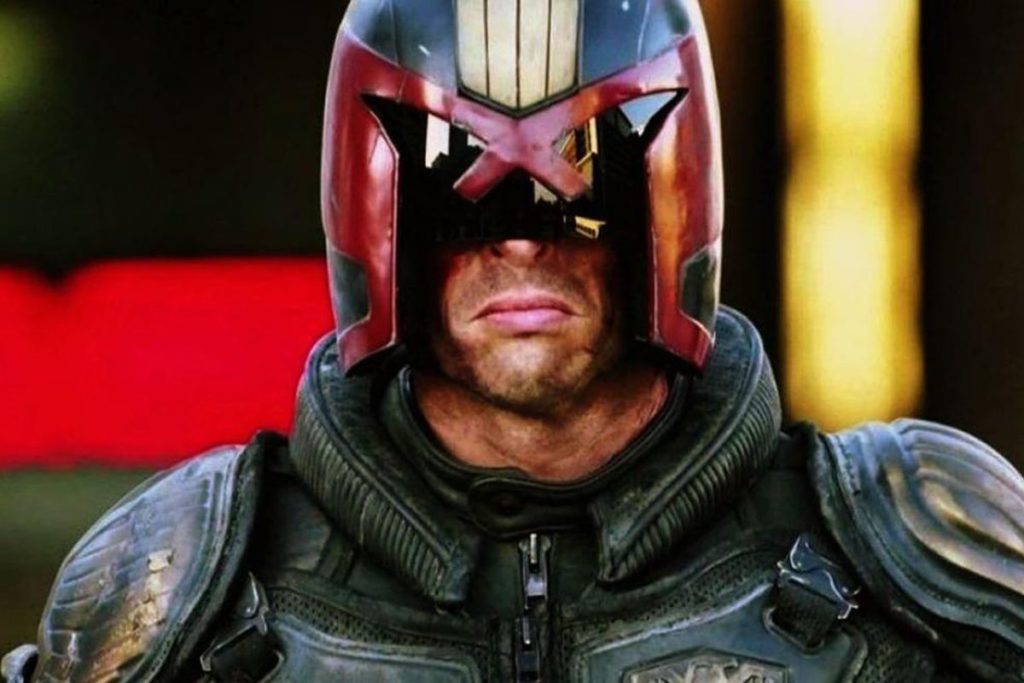
    Based on the long-running comic strip, Dredd stars Karl Urban as the grim title character. Set in an oppressive, sprawling city called Mega-City One, the film focuses on a day in the life of Judge Dredd. Judges are law enforcement and justice system in one, executing criminals on the spot. This chilling premise runs alongside dangerous, deranged criminals and drug dealers. One of the drugs pushed by these criminals, Slo-Mo, provides trippy effects and slow-motion action in the otherwise gritty film. As solid and unyielding as concrete, this film hits all the beats that make it a great adaptation of the source material.  

    Blade Runner 

    Photo Credit: Warner Bros. 

    You’ve already been introduced to Ridley Scott’s dystopian Los Angeles earlier in this list, but here’s the one that started it all. Based on Philip K. Dick’s novel Do Androids Dream of Electric Sheep, Blade Runner stars Harrison Ford as Rick Deckard. Deckard is a police officer tasked with “decommissioning” replicants, a job that should sound familiar if you read the article from the start. Deckard begins to grapple with the morality of his job, and things get ugly.  

    Depicting a retro-style future and stunning visuals, Blade Runner is a treat. If you love sci-fi or Cyberpunk, you owe it to yourself to check this one out. It’s got unconventional pacing, but it’s a quite exceptional work of art. In fact, Blade Runner is largely responsible for bringing cyberpunk movies into the mainstream. This one is easily our favorite film in the genre. 

    Feature Image Credit: Omega Level 

  • Changes We Want to See in the Next iPhone

    Changes We Want to See in the Next iPhone

    Apple’s iPhone X made waves when it was released last year, but maybe not as many as the American tech giant would have liked. While the launch wasn’t a flop by any means, it could have been bigger. What could Apple have done to make the phone more desirable? What changes would we like to see on the next iPhone? Today we’ve got a roundup of the changes we most want to see from Apple. 

    USB-C Port 

    The proprietary port that debuted with the iPhone eventually gave way to the Lightning port. However, as the industry moves to USB-C, a universally praised standard, Apple lags behind. The tactic of using a proprietary port to charge more for replacement charging cables is unsightly. Apple could score serious goodwill for bucking their tradition of brand-specific ports. The Macbook line already uses USB-C exclusively, so this one doesn’t seem outside the realm of possibility.  

    Fast Charging 

    While on the subject of charging ports, we’d love to see Apple catch up to the industry on fast charging. While the Lightning cable allows for reasonable charge times, true fast charging hasn’t hit the iPhone yet. Given that nearly every Android phone has fast charging in the box when you buy it, it’s pretty glaring that the $1,000 iPhone X doesn’t. What gives, Apple? While you can get a Turbo Charger and a USB-C to Lightning converter, you shouldn’t have to use weird workarounds to use industry standard tech on a cutting-edge phone. 

    Ditch the Switch 

    That side switch for controlling vibration and alerts has got to go. The functionality it controls could easily be worked into the control center of the phone. It isn’t convenient to have this arbitrary function bound to a physical button. A button that can be easily flipped accidentally while in a pocket. Thus, causing your phone to ring at full volume during a meeting. Yeah, I’m not bitter or anything. But they should absolutely leave this dumb side switch off for the next iPhone. 

    Most Important Change for Next iPhone: Lose the Notch 

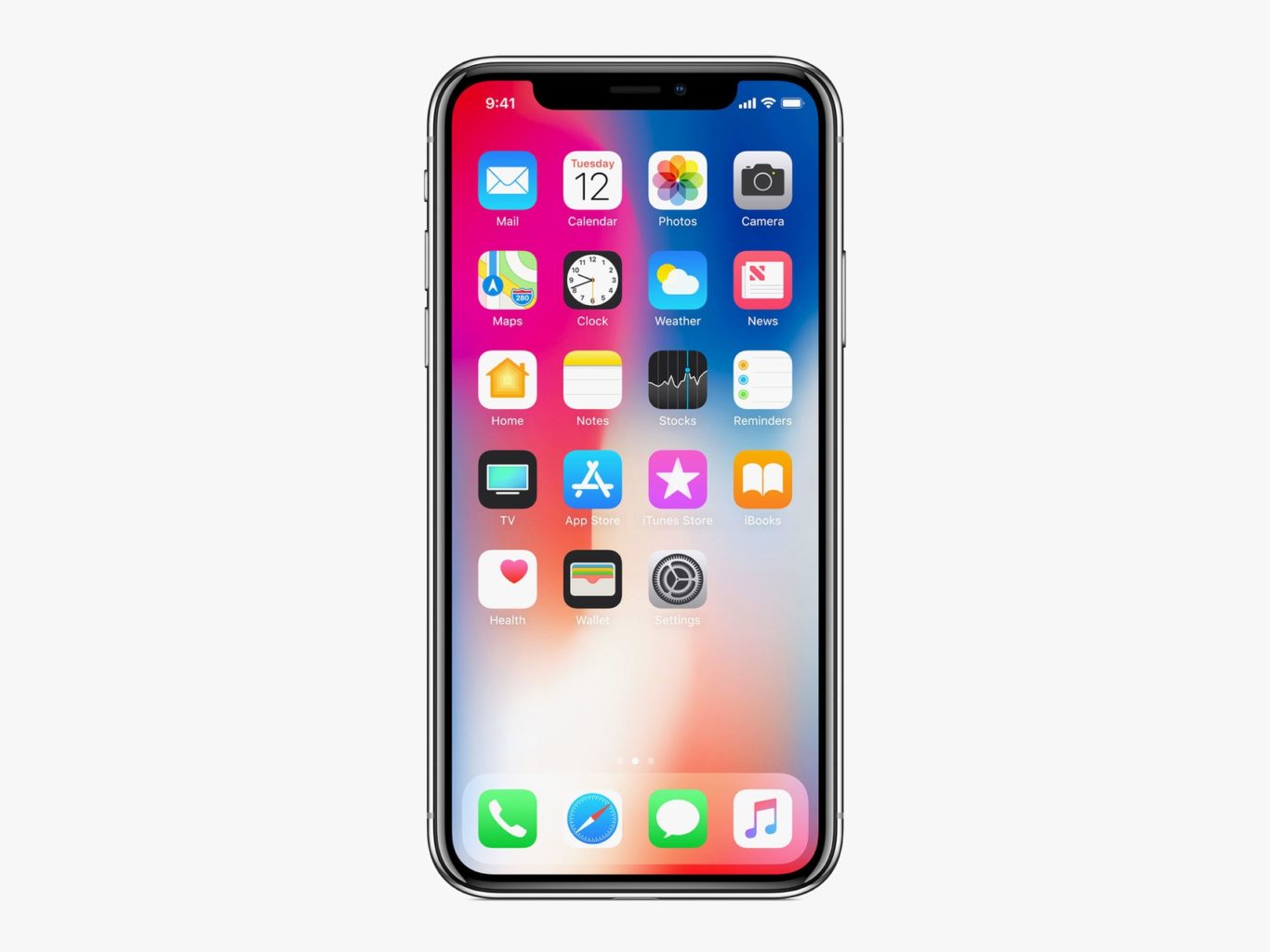
    This is the big one. While many users have grown accustomed to the screen-notch, it’s an eye sore for many potential users. Apple had to find space for the Face ID technology somewhere, that makes sense. But perhaps holding off on edge-to-edge displays until the technology allows the elimination of the notch is better than this compromise. The notch is distracting at worst and bearable at best, which is hardly something you want people saying about your $1,000 phone. If Apple can find a way to make the screen truly edge-to-edge, we’ll all be quite pleased!