Author: Cameron

  • Amazon Fire TV Cube: Fusion of Alexa and Fire Stick

    Amazon Fire TV Cube: Fusion of Alexa and Fire Stick

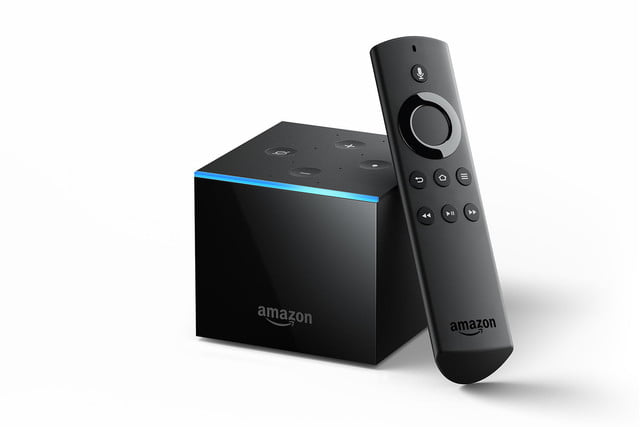
    Amazon’s looking to expand their smart home tech to your cable box. Despite the millions of cord-cutters, and the downward trend of Comcast, the cable box is a mainstay in many living rooms. Amazon, for their part, wants to help eliminate all those remotes that are cluttering your coffee table. By integrating the fantastic Alexa software into your cable experience, of course. Voice-controlled TV is nothing new, but voice controlled cable with the responsive and helpful Alexa? That could be a game changer.

    Alexa, Turn on the Game 

    By interfacing with your cable box, the Amazon Fire TV Cube seeks to make your old cable experience high-tech. Acting as something of a streaming device crossed with a cable box, the TV Cube brings Netflix and Hulu into the same platform as your cable service. Amazon’s own streaming service will be included, too, of course. If you’ve ever used a Roku or Apple TV, you know what you’re in for here. 

    The selling point here, of course, is smart home integration. You can hook your whole home entertainment system into your smart home infrastructure. “Alexa, turn on the game,” could cause Alexa to dim the lights, draw the curtains, turn on ESPN and disable notifications. That’s just one example. Amazon seems to be dead-set on making every aspect of life at home as comfortable as possible.  

    Competition Comes in Many Forms 

    Interestingly, Amazon isn’t the only company jumping into voice-activated smart TVs. The Sonos Beam soundbar coming later this year will have similar functionality. It will come equipped with Alexa when it launches but won’t support cable box integration. Still, the soundbar presents interesting competition for Amazon, as it is also a great audio device.  

    The biggest difference between the two voice-TV devices? It’s their price point. The Sonos Beam will retail for $400, while the Amazon Fire TV Cube will launch at $120.  

    When does the Amazon Fire TV Cube Launch? 

    The newest smart home innovation from Amazon launches on June 21st. It’s available Prime Members today for $90, so if it sounds like something you want, and you have Prime, snag it now. After today (June 8th,) it will retail for its normal price, even for Prime members.  

    Feature Image Credit: Digital Trends 

  • Parrot Taking Aim at DJI with New HDR-Enabled Drone, Anafi

    Parrot Taking Aim at DJI with New HDR-Enabled Drone, Anafi

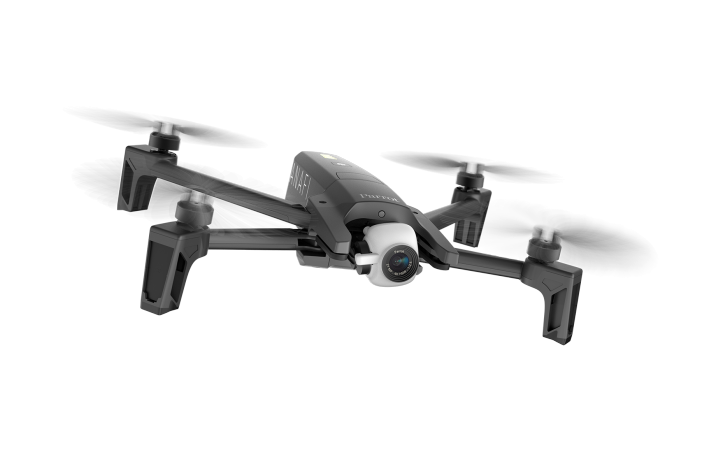
    Parrot, the recently-quiet drone makers, have unveiled a new consumer drone. The Anafi, as it is called, is a folding drone meant to stash easily in a bag or trunk. It’s a quad-copter, so it has very stable flight and performs great in most climates.  

    The Camera 

    What’s better for shooting footage than a zippy drone? And if you’re shooting stunning aerial footage, you need a good camera! The Anafi doesn’t disappoint, coming equipped with a 4K camera that shoots 21-megapixel photos. It’s also the first consumer drone to hit market with HDR! For the uninformed, HDR is a high-contrast exposure that makes images pop. It’s a great companion to 4K, and makes stunning vistas look alive on a 4K display.  

    The inclusion of HDR actually gives Parrot a surprising edge over DJI. DJI’s drones are known to struggle in high-contrast shots, and given their pedigree, Parrot’s superiority in that field is a game-changer. It also features lossless digital zoom, a really awesome feature for a drone with a camera this good.  

    Anafi in Flight 

    The Anafi drone is also a breeze to fly. The quad-copter alignment is super-stable, and the camera barely jostles in flight. You can even fly it with a smartphone app or traditional remote controller. Ease of use is the main design goal in play, and it shows. 

    The 3-axis gimbal stabilizer has some awesome tricks up its sleeve, too. The drone’s unique construction allows you to shoot footage at a 180-degree angle. This means you can shoot directly above or below the drone. Paired with the awesome zoon, HDR support and stable construction, this all makes the Anafi a very attractive drone to enthusiasts. 

    The best part? All of this comes in a relatively inexpensive package. The Anafi is currently set to retail for $700, which, while not cheap, isn’t as much as comparable DJI drones.  

  • Google Removes Eggs from Salad Emoji for Vegan Inclusivity

    Google Removes Eggs from Salad Emoji for Vegan Inclusivity

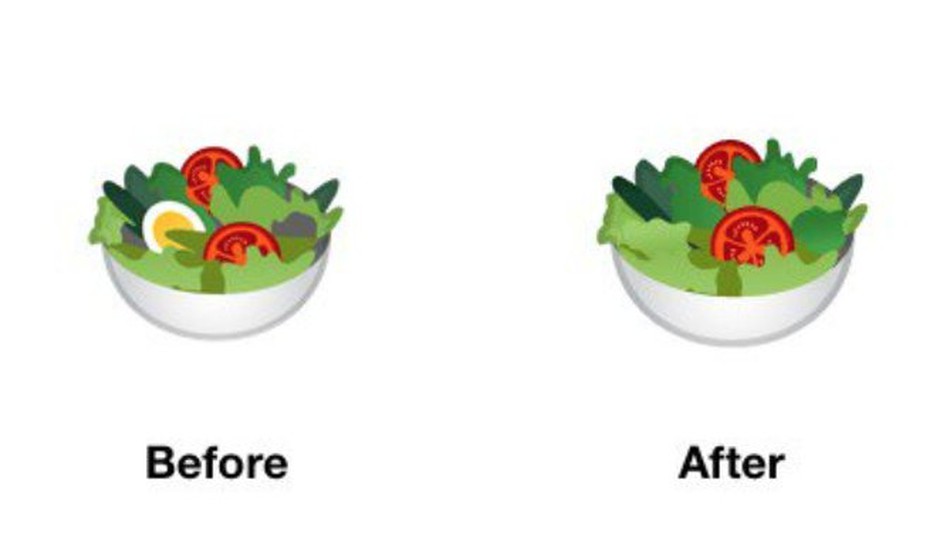
    Emojis are serious business, guys. If you had any doubts, just check out this news from Google. Google’s salad emoji, which used to contain eggs, is now forgoing them in favor of being more vegan friendly! Uh, alright, cool! That salad looks kind of lame, though. Maybe throw some onions or cucumbers in there? Who’s eating their salad with lettuce, tomatoes and no dressing? Don’t get me wrong, there’s nothing wrong with lettuce and tomatoes, but I wouldn’t just eat a big portion of both and call that lunch. 

    Wait, Seriously? This is News? 

    Hey, people take those emojis pretty seriously. Remember when Google’s burger emoji had the cheese under the patty and people freaked out? And a bunch of other people learned that placement of stuff on a burger is important, apparently? If not, I don’t blame you, this is certainly niche news. But people seem to like communicating with each other via pictographs, and the ones representing their food need to be accurate. Or something. 

    Other Food Related Emojis 

    Google is also making their bacon emoji more crisp looking and adding some brown to the edges. See, meat eater, it’s not just vegans getting new stuff! Google probably heard the belly-aching of countless meat eaters at once and headed them off with their favorite thing, bacon. Seriously, you guys are weird with your bacon. Bacon flavored milk shakes? Bacon on double cheeseburgers, as though those didn’t have enough calories already? Bacon on freaking pancakes? I mean, who am I to tell you how to live your life. But you know it’s weird how much you focus on bacon.  

    Does bacon even taste all that good? Is it really worth all the hype? Why am I writing all of this about bacon and salad emojis? Well, anyway, Google’s emoji updates will likely be out in September. Until then you’ll have to live with eggs in your salad and not-so-crispy bacon. 

    Feature Image Credit: Mashable 

  • Android P vs iOS 12: Which Tech Giant is Leading the Future of Smartphones?

    Android P vs iOS 12: Which Tech Giant is Leading the Future of Smartphones?

    Both Apple and Google have announced their upcoming smartphone OS updates. On the Apple side, we have iOS 12, a largely iterative and incremental update. Android P, on the other hand, is an OS playing catch-up. It represents Google’s attempt to replicate Apple-like functionality on their open, developer-first platform. Which of them has the edge from what we’ve seen so far? Let’s break down the proposed features of each and find out! 

    When Are They Launching? 

    Firstly, let’s discuss release. It’s most likely that we’ll see both iOS 12 and Android P in September. Both will likely launch alongside their flagship phones. Android P’s beta is going on now, while iOS 12’s is set to come later this summer. So, neither gets an edge, as the two are coming right around the same time. 

    Voice Assistants 
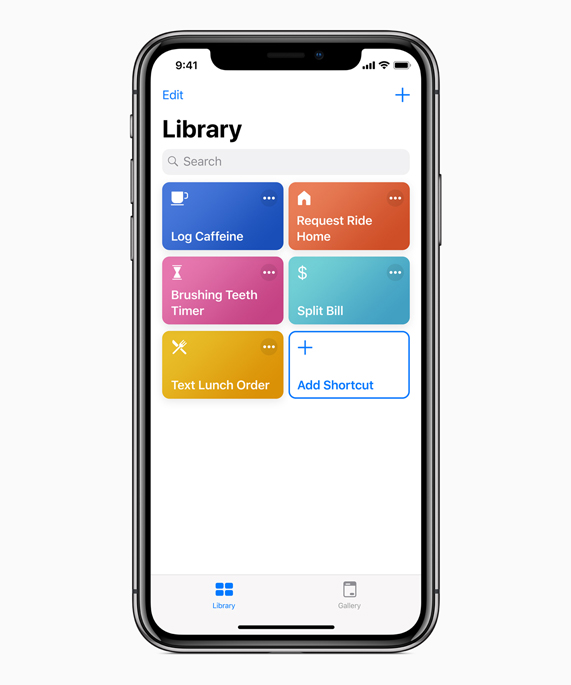
    Photo Credit: Apple 

    Siri is kind of a joke now, sadly. While Google Duplex is making phone calls for you and taking strings of commands at once, Siri doesn’t recognize her own name. Jokes aside, Apple launched the virtual assistant technology in 2011. They’ve had so much time to perfect the tech, to make it awesome, and they haven’t. Instead they were content with a just-OK assistant and let Amazon and, importantly, Google catch up. Now they’ve thrown their lead and have to play catch-up. 

    Siri Shortcuts, coming in iOS 12, is their latest push for the virtual assistant. It’s something of a low-tech answer to Google Assistant. It puts the hard work on the user, having them program action in response to command words. For instance, saying “Going to work,” could pull up your morning news podcast and navigate you past high-traffic routes. This is somewhat lame, considering Google Assistant has similar functions just programmed in by the developers. Google gets the edge, here. 

    Face Unlock 
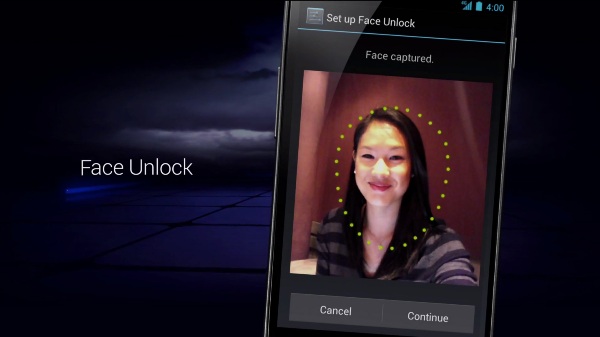
    Photo Credit: Android Authority 

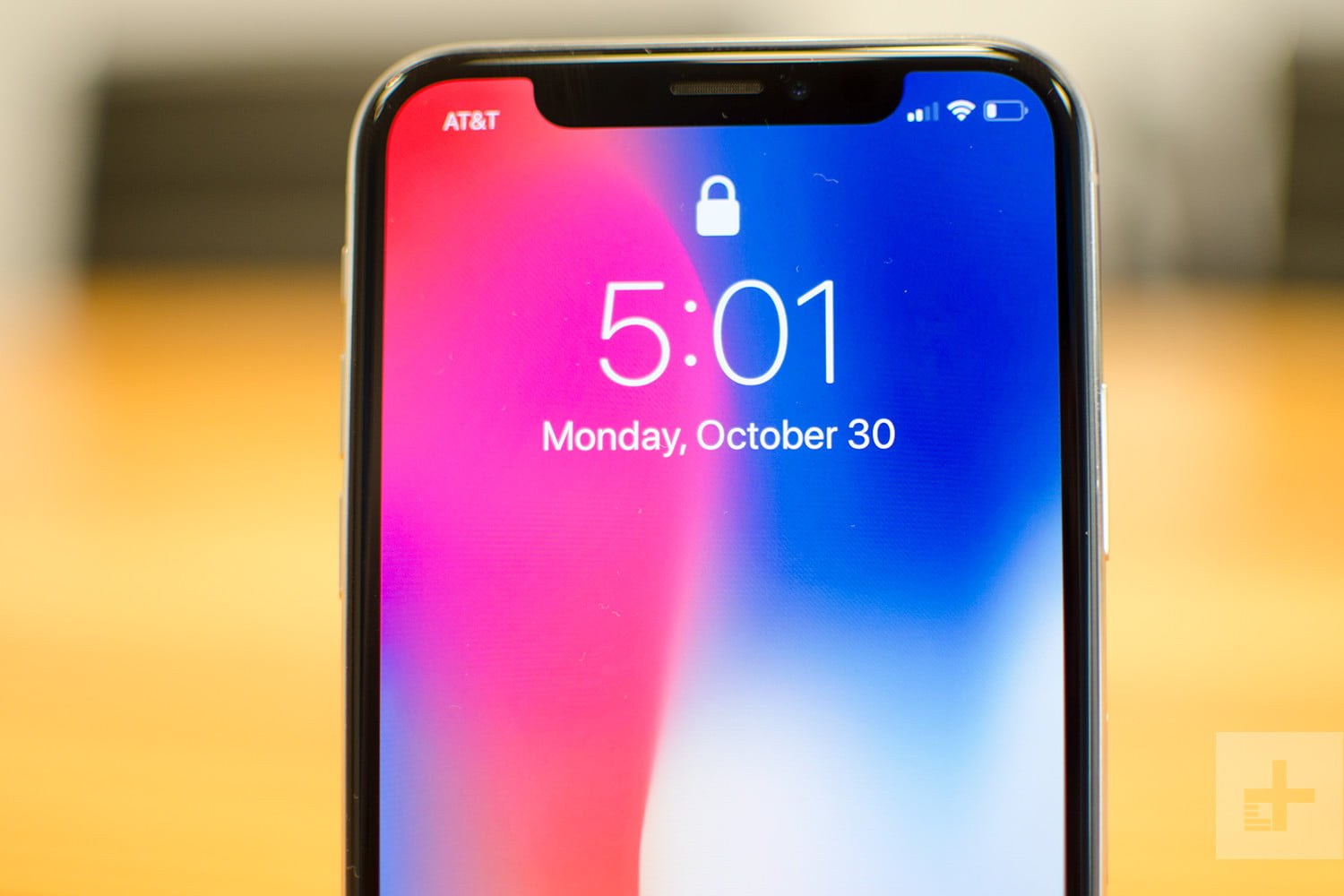
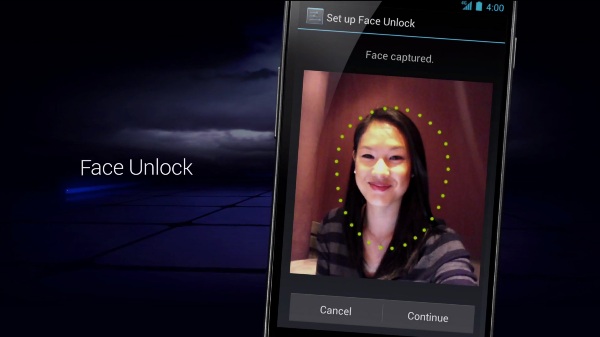
    Face unlock tech was popularized by the iPhone X as an alternative biometric to fingerprint scanning. The iPhone X has a 3D front-facing camera, making its Face ID an incredibly secure, trustworthy locking function. Android’s, by comparison, is noted for its “convenience.” As Google can’t guarantee all phones that use Android have powerful, front facing 3D cameras, they can’t promise strong facial recognition. As such, Android P’s face scanner was famously fooled by a printout of someone’s face. 

    The edge easily goes to Apple. Apple’s Face ID seems like a fully-fledged security feature. Google’s Face Unlock seems like a cash-in on a fad.  

    Messaging Apps 
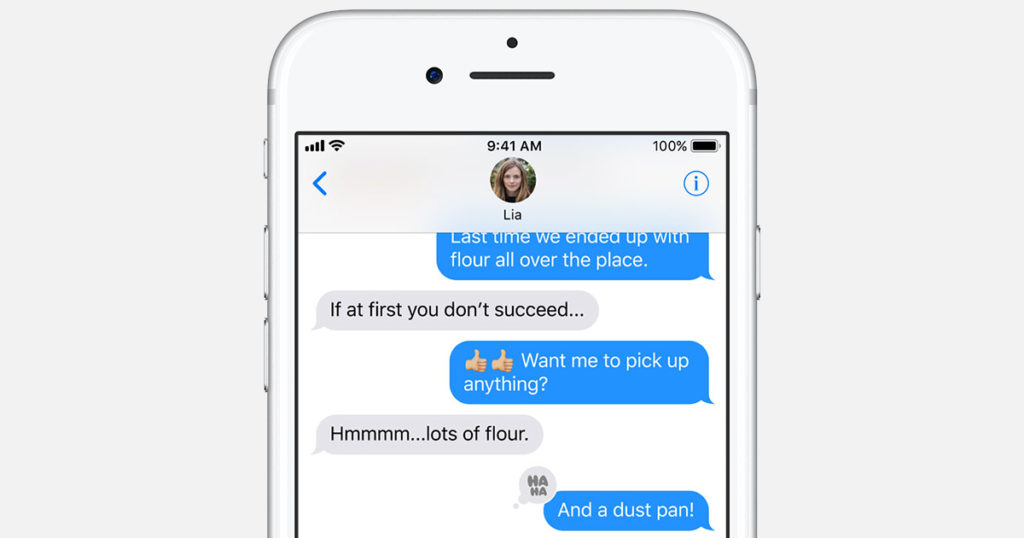
    Photo Credit: Apple 

    Apple’s iMessage wins this one. Google doesn’t even have a proper infrastructure for their messaging app. Google Hangouts is super disappointing when you look at how many things iMessage has going for it. For one, you can FaceTime and do peer-to-peer payments from within the app. You have Animojis and Memojis in iMessage, which are adorable, and you have Wi-Fi messaging to other iPhone users.  

    The edge here easily goes to Apple. Google has some catching up to do with messaging apps. 

    Shared AR 
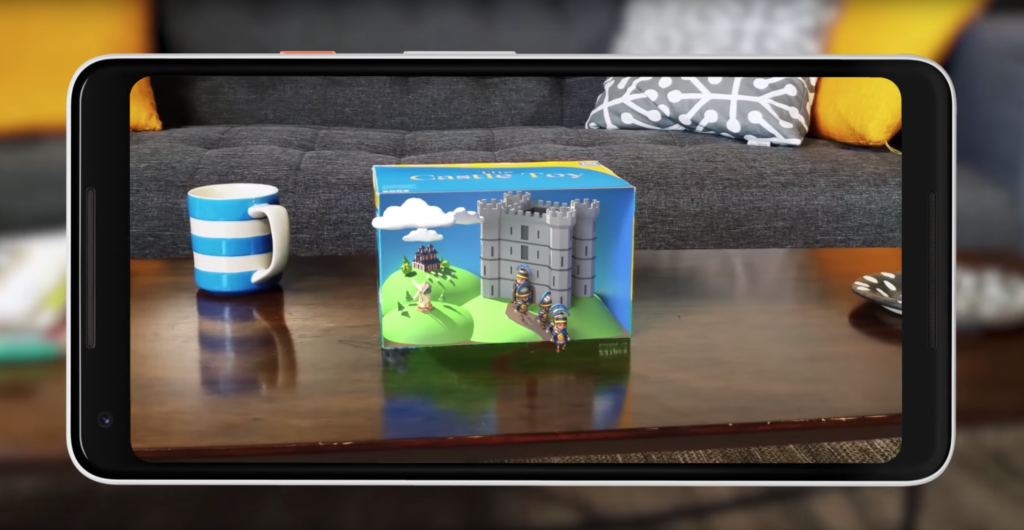
    Photo Credit: Engadget 

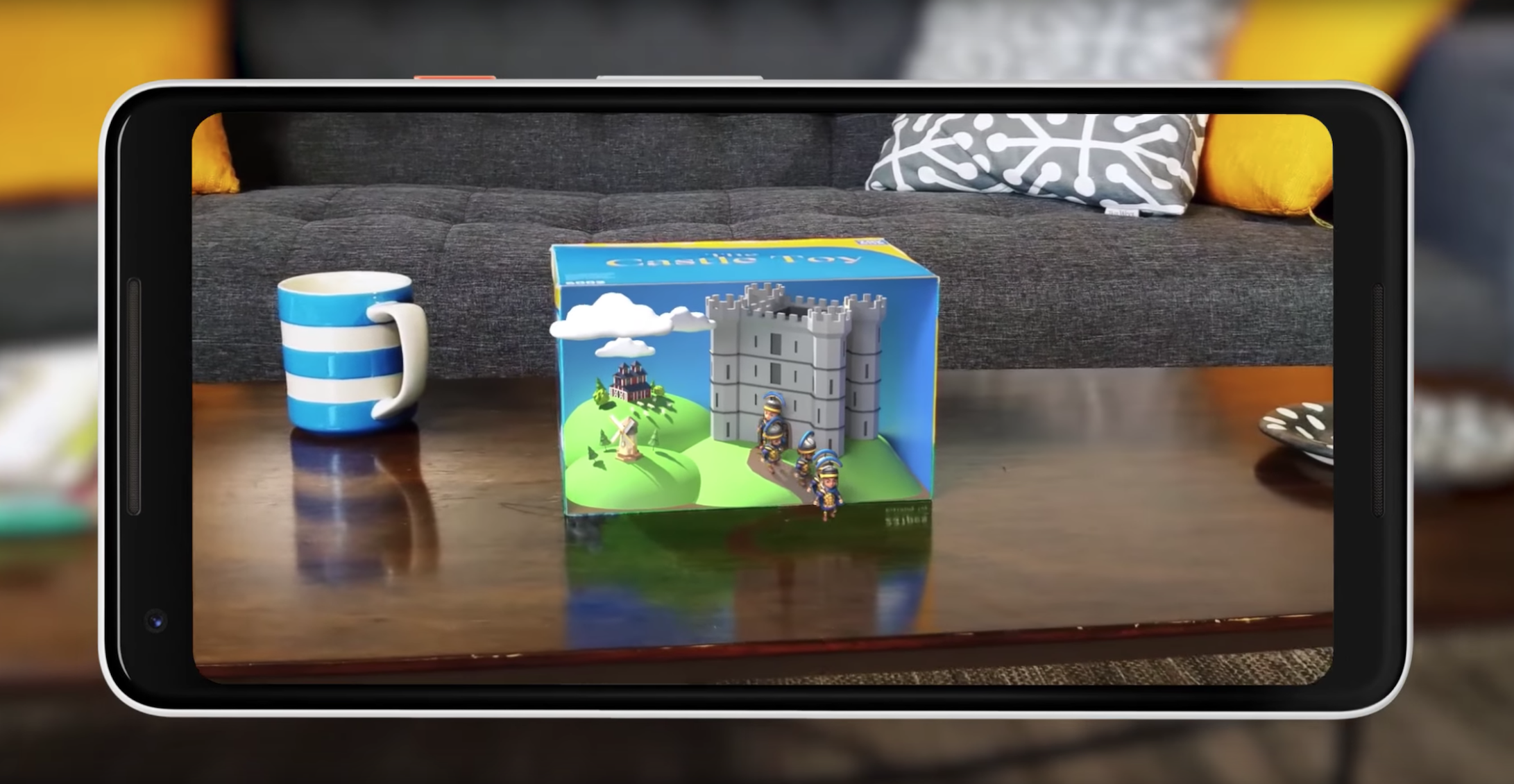
    Shared augmented reality is coming to both operating systems. However, iOS 12’s version is limited to just other iPhones. Meanwhile, Google’s Cloud Anchors work across platforms for any phone. That’s really awesome! Shared AR has a lot of neat applications, like playing games or learning in a classroom. This is tech to watch. 

    Google’s Cloud Anchors have the edge here for sheer breadth of usability. Good show, Google. 

    Maps 
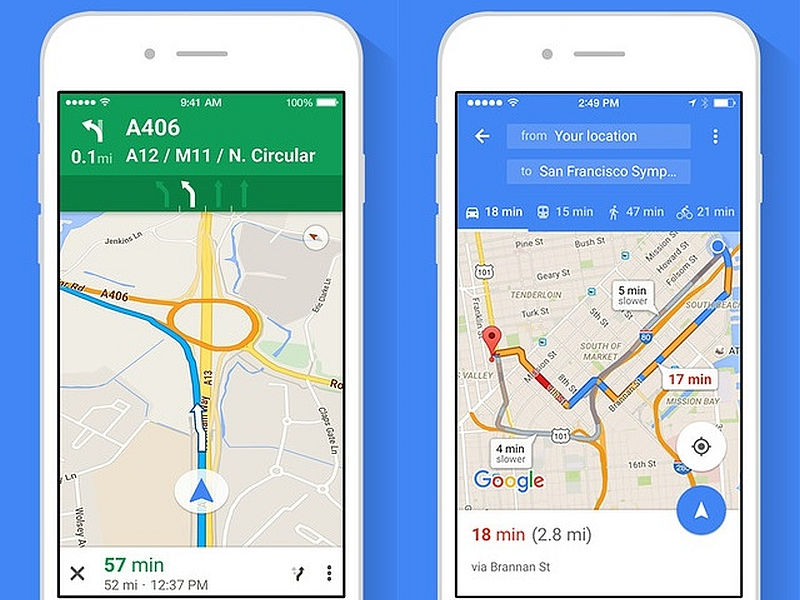
    Photo Credit: NDTV Gadgets 

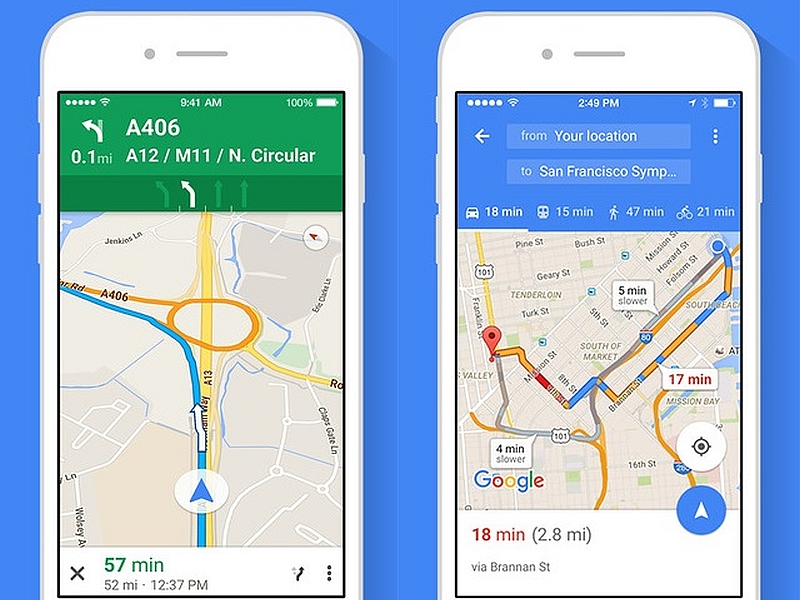
    There’s not a whole lot to say here. Google Maps is still the better app. It’s much deeper and more fleshed-out than Apple Maps. Apple’s map app is fine for surface-level navigation and that’s about it. Thankfully you can just download Google Maps on your iPhone.  

    The edge goes to Google for having a deep, highly-detailed map app. 

    Screen Time Management 
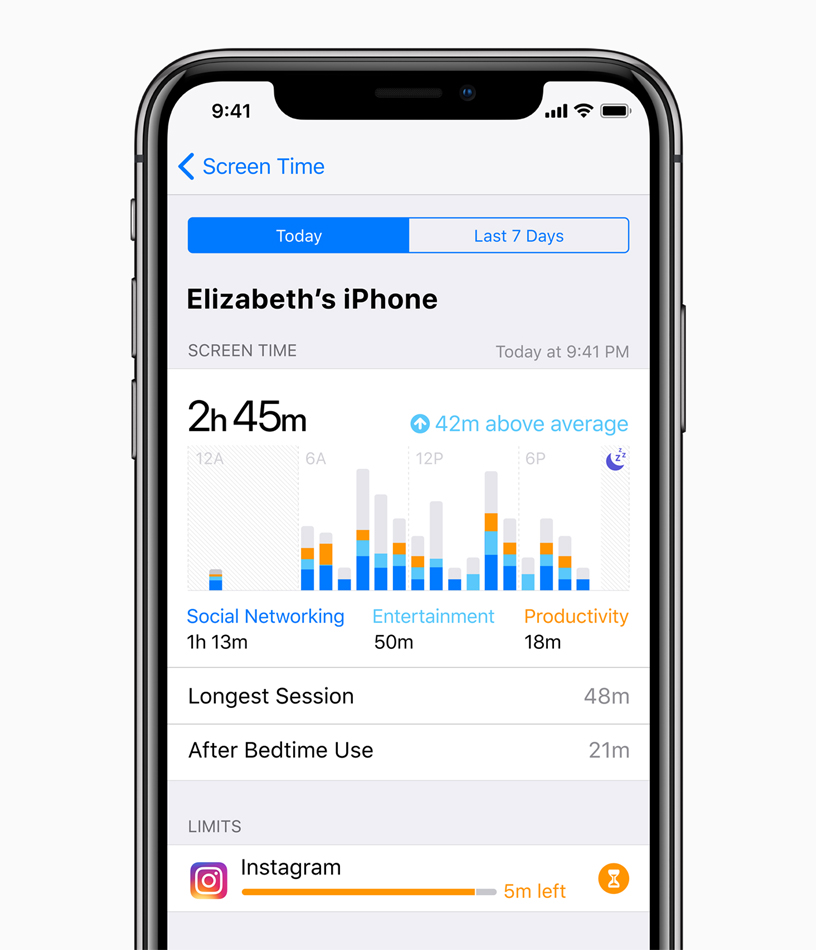
    Photo Credit: Apple 

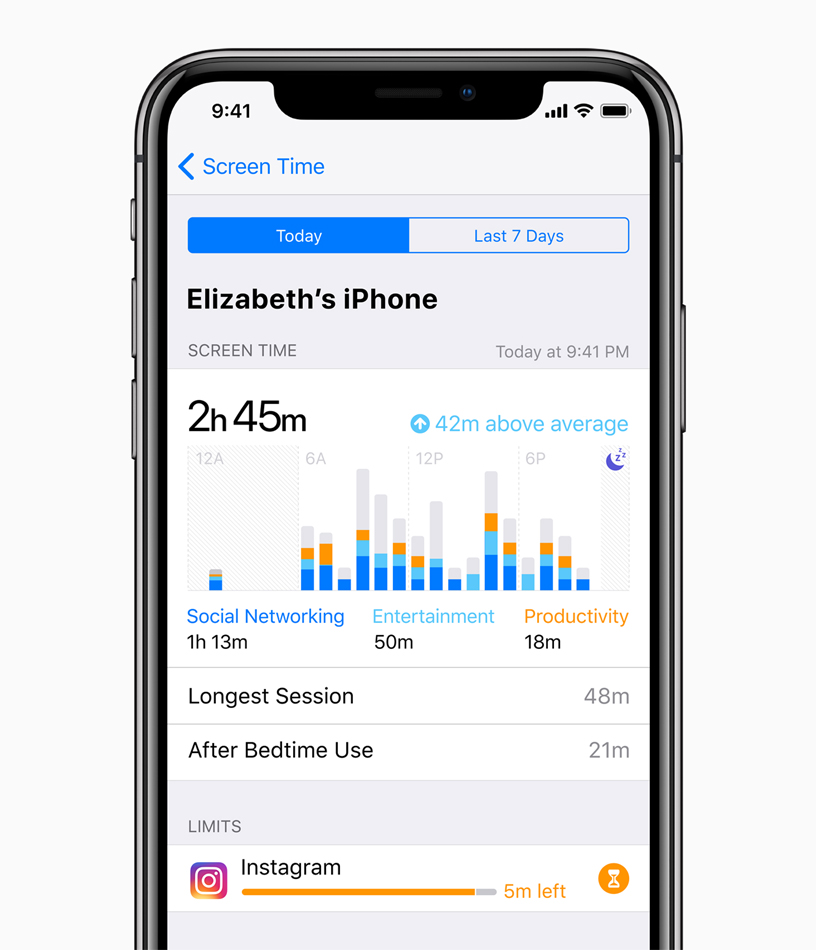
    This is brand new to both Android P and iOS 12. Both operating systems come with ways to manage your time spent using various apps. This is ostensibly to help manage smartphone addiction. The addition of such responsible software is a good sign. However, as both are brand new and neither have been seen, we’ll have to reserve judgment.  

    Neither side gets the edge here, as we haven’t seen enough of either feature. 

    Gesture Navigation 
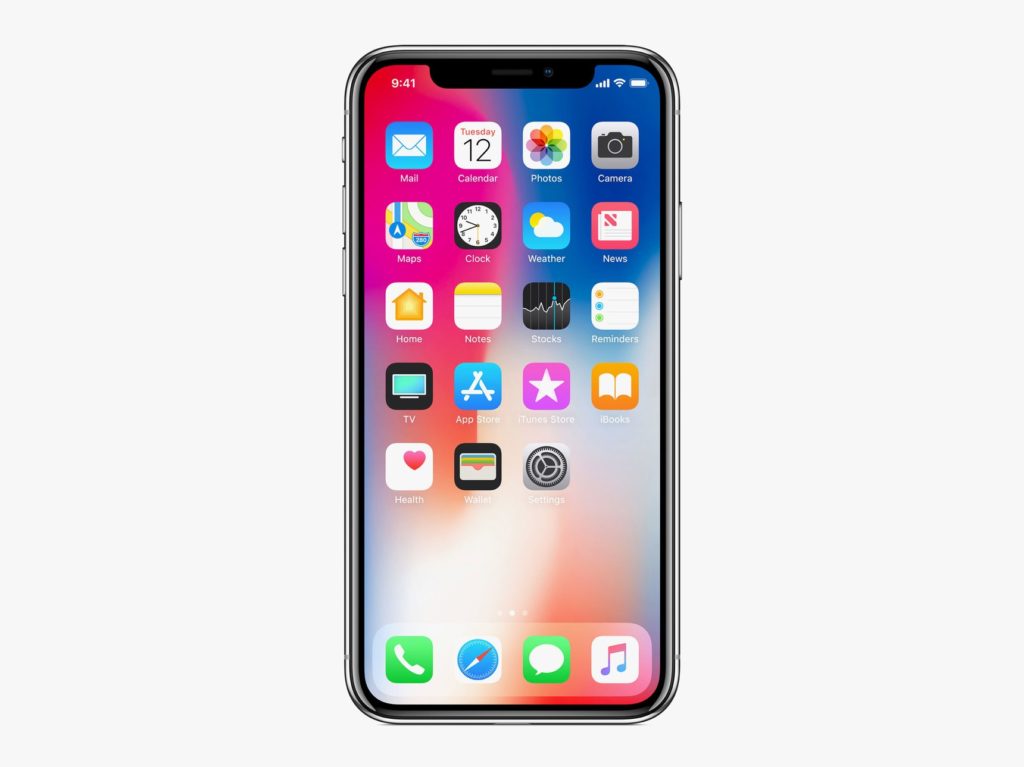
    Photo Credit: Apple 

    The iPhone X popularized gesture-based navigation, forgoing physical or onscreen buttons. It takes some getting used to, but it’s intuitive and responsive. It’s fairly seamless, so it makes sense that Android P would hop on the bandwagon and try their hand at gestures. However, the operating system still relies on a back button for some navigation. Additionally, Google’s hands-off design philosophy means that app developers are free to use gestures or buttons. This fragmentation is the Achilles Heel of Google’s Android platform as a whole. 

    The edge in this one goes to Apple, for their closed-ended, tightly focused OS. Gesture navigation is so much better when it’s across the whole ecosystem. 

    Android P and iOS 12: Who has the Edge? 

    We do. The competition between Google and Apple keeps heating up, and the two massive companies are deadlocked. They keep one-upping one another, and it’s great for consumers. We keep getting better and better phones and better features. It’s still early, in terms of the new OS’s, to tell who’s winning. Both companies have some heavy-hitting features. Apple has the edge in security with their closed-ended platform. Google has Apple on shared AR and the excellent Google Assistant software.  

    Bottom Line 

    Time will tell who wins this cycle. However, Google and Apple being neck-and-neck with one another is sort of status quo now. Their continuous competition keeps driving them both to new heights, which means we keep getting better and better phones. No matter which side you’re on, you’re in for some cool new features come this September. 
  • Coolest Things Coming to iOS 12

    Coolest Things Coming to iOS 12

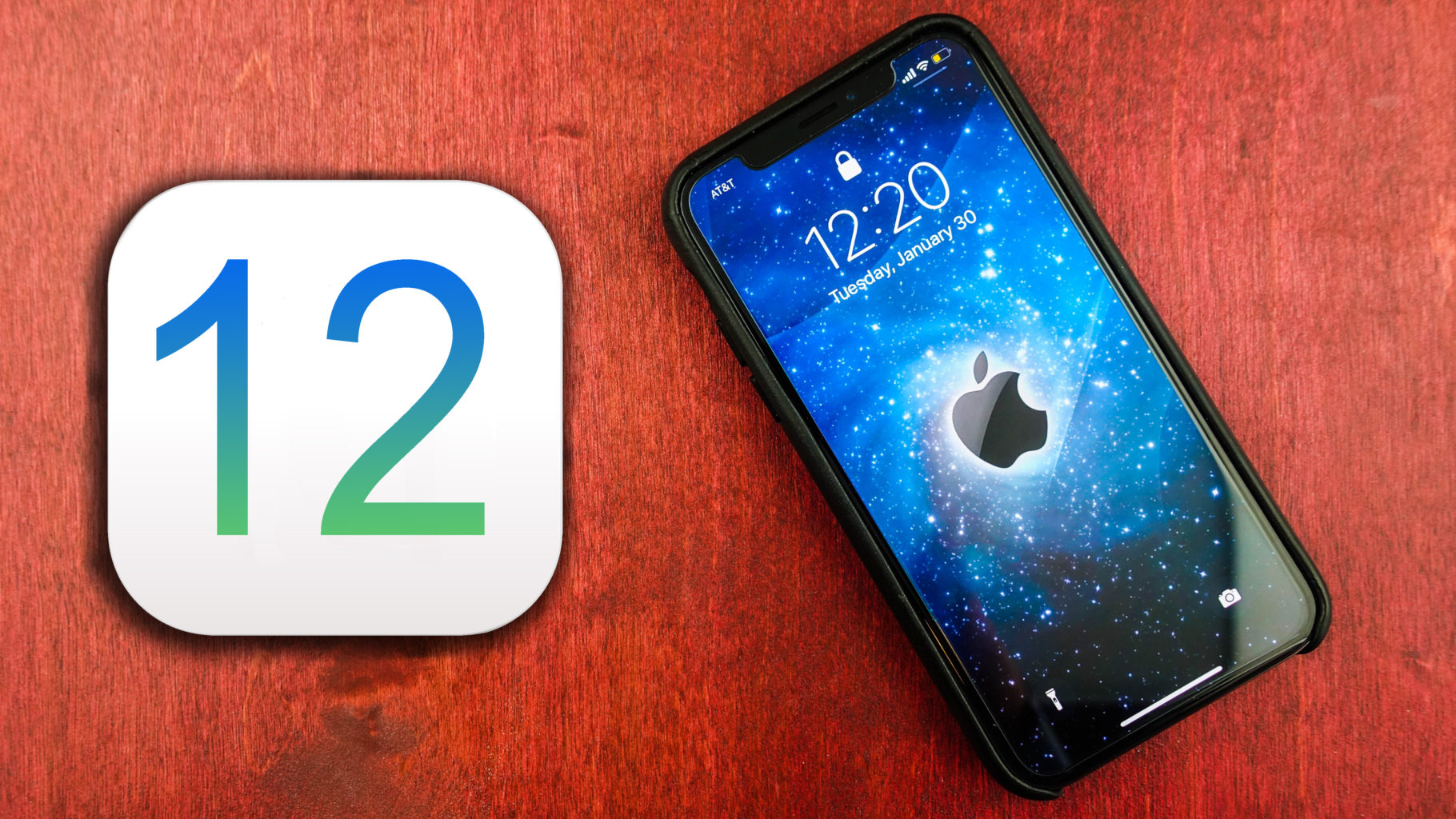
    At WWDC 2018, Apple unveiled tons of new info about the upcoming iOS 12. We’re compiling a quick list of the coolest features we know so far, including release date and features. While this isn’t the biggest software change Apple’s ever brought, it’s iterative and responsible. The changes, for what it’s worth, are also all quite welcome. Let’s get into it! 

    Augmented Reality with Other Players 

    Apple promises iOS 12 will sport tons of new features for developers to build multiplayer games. Specifically, Apple showcased how the ARKit 2 software will allow developers to build shared AR experiences. This means that users can both see the same Augmented Reality object from their device, and changes made by one user will be seen by the other. A simple example would be drawing on a virtual chalkboard and your friend seeing it.  

    While this sounds fun for games at first, it also would be huge in the classroom. Imagine the students watching as their teachers shows them a diagram of a cell, pointing and changing things in real time. Then they could all have their own models to toy with, and the teacher could help them locate parts of the cell. Even testing could change to accommodate this more hands-on learning! 

    Backward Compatibility 

    Apple has stated they intend for this iOS update to focus on not leaving older model phones behind. Specifically, the update will support phones from the 5S forward, and iPads from the iPad mini 2 and forward. According to Apple, iOS 12 well help older devices pull up the camera and keyboard functions faster, and just be smoother overall. 

    This is a wise move on the part of Apple. Most smartphone users are keeping their phones longer as technology in the sector plateaus. Despite flashy new phones drawing in plenty of users, a sizable base of Apple users won’t be flocking to buy an iPhone X anytime soon. Keeping support for the older model phones for longer is a smart move on Apple’s part.  

    Upgrades to Siri 

    Siri is now set to be more responsive and generally useful. This update will introduce Siri shortcuts, which allow you to program certain actions to certain words. For instance, you could shortcut “I’m lost,” to pull up the map app and navigate home. This change might seem small at first glance, but it’s actually a huge help. Alexa and Google Assistant are so useful because they’re so smart and responsive. Siri, by contrast, is sort of clunky and you have to use exact phrases to get her to act. Hopefully this update will address this and bring her up to speed with the competition.  

    iOS 12 Release Date 

    The developer beta for iOS 12 started on June 4th, but there is a public beta on the way! The public beta will likely begin on June 26th, if the iOS 11 beta is anything to base things off of. Finally, sometime in September, when the new line of iPhones release, we can expect to see the final version. While iOS 12 isn’t the most exciting or flashy update ever, it’s a much needed one. Siri is in big need of an overall, and older phones have not fared well with iOS 11. Apple’s likely making strides in the right direction. 

  • Looking for the Biggest Display? Check out a 4K Projector!

    Looking for the Biggest Display? Check out a 4K Projector!

    While TV panels keep getting bigger and bigger, the hassles of installing and storing them do, too. Not to mention, they consume a ton of power and they’re super fragile! If you’re interested in having a massive, gorgeous 4K display but don’t want to worry about a TV, what are you supposed to do? Well, you could check out an awesome 4K projector! We’ve got three here, chosen for their various strengths, to help give you an idea of what to look for. 

    Epson 5040UB 

    While this projector is technically a 1080p projector, it uses some interesting optical shift technology. That optical shift makes it give the appearance of a 4K image without actually being 4K. This one is on the list for its price point, however, as it offers a great image quality for its cost. If you’re just looking to dip your toe into projecting, this $2,300 projector is a good place to start. It sports a great range of colors and looks vibrant. It’s only big drawback is that it only has an HDMI 2.0 input, meaning it’s not very future-proof for upcoming 4K releases. 

    Sony VPL-VW285ES 

    If you want to see every single pixel of your 4K image, this Sony projector is for you. If you have true 4K you want to watch on a massive scale and have it look great, this projector is perfect. It is a little expensive, though, coming in at $5,000, but it’s well worth it. If you’ve ever wanted to have movie-theater quality images in your house, this is how you do it. Now all you need is a big tub of popcorn and a comically large soda to drink! The only downside to this one, aside from steep price, is the colors. The color range isn’t as good as the other projectors on this list, and our pick for favorite blows it out of the water in terms of black levels.  

    Our Favorite 4K Projector: JVC DLA-X590R 

    Much like the Epson we mentioned earlier, the JVC is technically a 1080p projector. However, it uses optical shift technology to scale the images it sends up to 4K. Its biggest strengths are its strong colors and intense contrast. This 4k projector will wow you with its deep black values and vibrant colors. While it isn’t quite as crisp or sharp as the Sony, it’s much more affordable and offers better color values. Those features alone make it our favorite, as it does an incredible job for the price. You can usually snag this projector on Amazon for around $3,000. You won’t be dissapointed: this little guy punches way above his weight class! 

  • Red Hydrogen One Smartphone Promises to be “Holographic”

    Red Hydrogen One Smartphone Promises to be “Holographic”

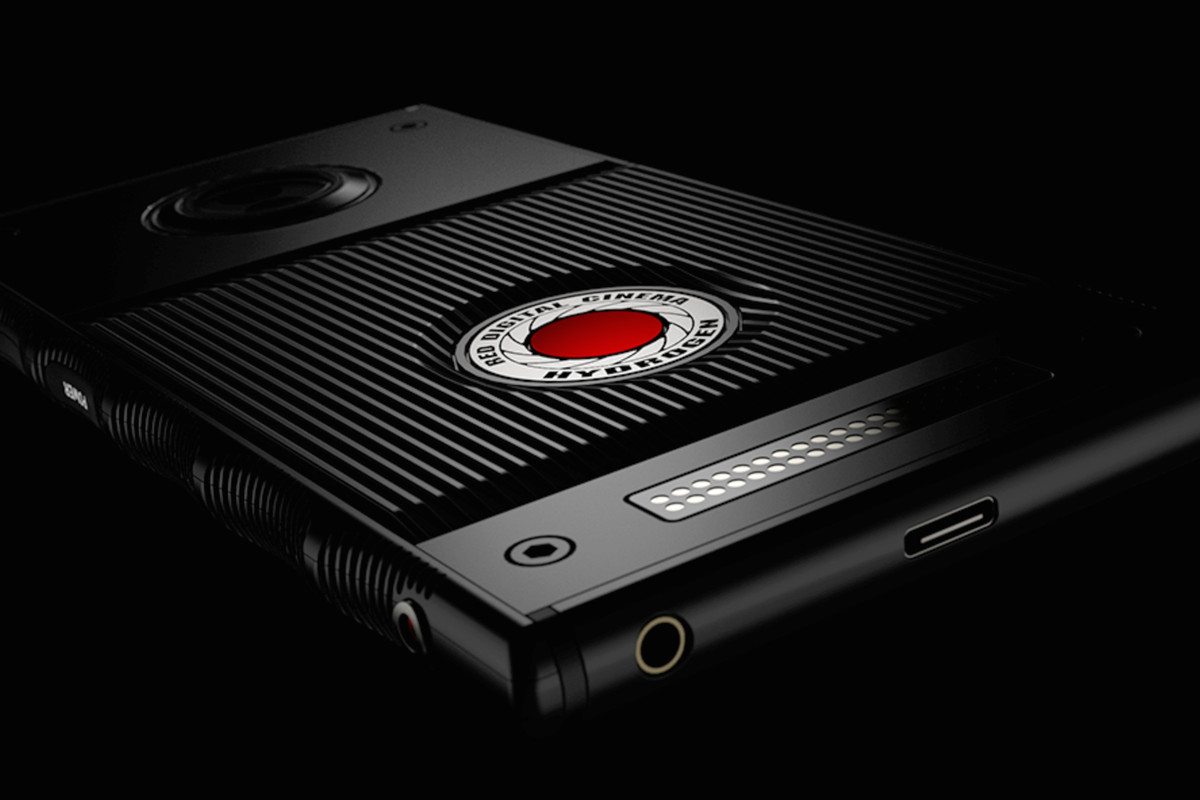
    Holograms are a mainstay of sci-fi film and fiction. When you hear “hologram,” I’m sure you’re thinking of Darth Sidious appearing as a ghostly image to threaten Darth Vader. Or maybe you think of hardlight constructions like Halo’s Cortana. Well, the Red Hydrogen One smartphone promises to be holographic, but not like that.  

    Holohraphic Means Depth, This Time 

    According to early reports of the phone, it’s not so much holographic as it is three-dimensional. Looking into the display, things have a depth to them that is impressive for naked-eye viewing. This sounds like a refinement of the technology that powered the Nintendo 3DS. The technology is referred to as “4V holographic,” and is still in its early stages. However, Red seems confident that filmmakers and game makers will be excited for the platform.  

    Red Hydrogen One Specs 

    The Red Hydrogen One will be available on Verizon and AT&T plans. The phone boasts some impressive specifications, like its Qualcomm Snapdragon 835 processor and A3D Spatial Surround sound. It comes in two configurations, one that’s aluminum and one that’s titanium. The phone has an industrial, hard-edge look to it and reports say that it feels heavy and sturdy. Red, well-known for their high-end cameras used in Hollywood films, seems poised to compete with Apple and Samsung in the premium smart phone space.  

    Release Details 

    The phone is slated to ship sometime later this summer. Preliminary reports say that the two constructions will be priced differently. The aluminum-bodied version will go for $1,295, while the titanium one will be $1,595. Wait a minute, sixteen hundred dollars for a smart phone? Red must be incredibly satisfied with the way their holographic screen looks. Since they’ve priced their phone as even more expensive than the iPhone X, Red must be confident. Later this summer, when the experimental holographic smartphone arrives, we’ll find out whether it’s worth the investment.  

  • Which Laptop Bag Is Our Favorite?

    Which Laptop Bag Is Our Favorite?

    We know bags aren’t the most exciting thing in the tech world, but it’s important to take care of your laptop! You spent a lot of money on a nice piece of technology, so it’s only right that you should get a good bag to carry it. Which one should you pick though? We have a list of some of our favorites here for you to check out! 

    WaterField Designs Staad Attache 

    This bag, interestingly, was designed with the iPad Pro in mind. Originally meant to be a tablet bag, it still works great as a laptop bag. It’s made in San Francisco and uses an easy-open clip on the front flap. It also sports a water-resistant zipper, helping to keep your tech from being doused. It has a pass-through for luggage handles, which makes it great for taking on flights. It’s made from durable waxed canvas and has a rustic, natural look. It’ll run you around $230, which is on the high side, but it looks great and won’t let your tech get banged up or drenched! 

    Mobile Edge Eco Laptop Messenger 

    For those looking for an excellent value, check out the Mobile Edge Eco on Amazon. It’ll cost you under forty bucks, and it offers a ton of pockets and flaps. While its make and design aren’t quite as luxurious as some of the other bags on this list, it makes the list for being so affordable. Without dipping too deep into your bank account, this bag offers great utility and durability in keeping your laptop safe. 

    Mobile Edge Core Gaming Backpack 

    The second Mobile Edge bag on this list, the Core Gaming Backpack is excellent for gamers. It’s padded and durable, and comfortable to carry. It unzips all the way to the bottom, making it airport checkpoint-friendly, and keeps your gaming laptop safe. It has room for all your cables and peripherals, and even has a charging cable so you can top off your phone while you’re moving between airport gates. Super handy for those who want to game on the go! 

    Our Favorite Laptop Bag: North St. Weekender Meeting Bag 

    This bag is made by Portland-based North St. It’s very durable, made from tear-resistant Cordura, the bag is both lightweight and water-resistant. If you often ride a bike in the rain with your laptop, consuder this bag! It’s also great if you spend a bit of time back and forth between airports. Not to mention, it’s very stylish and hip! It’s a mid-priced bag, though, running at $130. However, it’s very durable and very high-quality; you won’t be disappointed in your purchase. 

  • 10 Cool Things You Didn’t Know You Could Do with Windows 10

    10 Cool Things You Didn’t Know You Could Do with Windows 10

    Windows 10 is a robust, fascinating operating system. It’s user-friendly and deep, and there’s likely tons of neat little tricks in it you don’t know about. How many of these interesting Windows 10 tricks do you know? You’re sure to find something here you didn’t already know how to do! 

    Old-School Desktop 

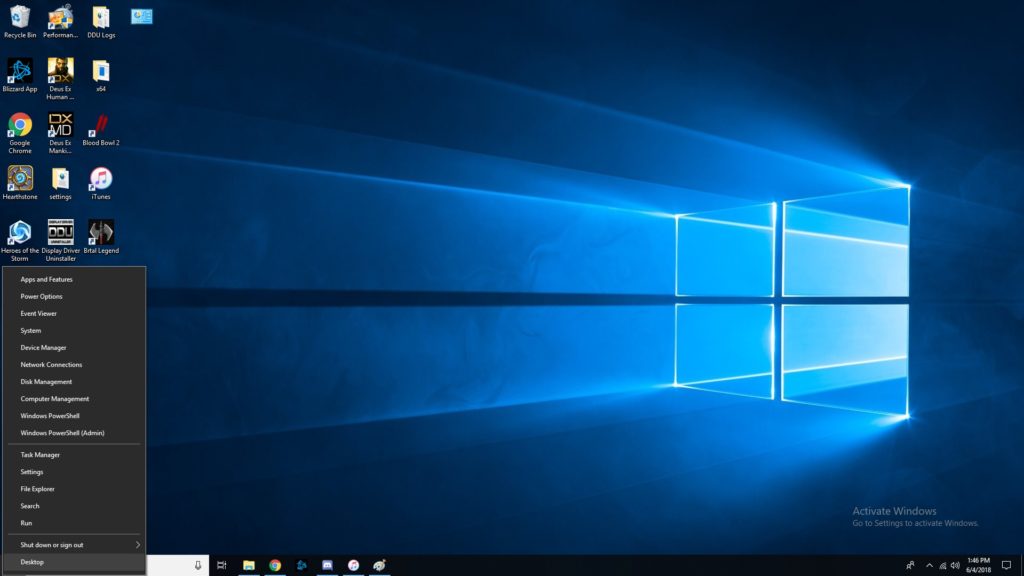
    If you like the more old-school look, try right-clicking the Windows button. This pulls up a set of controls that are familiar to long-time users. Hopefully if you’re having trouble navigating the OS, this trick helps you find your bearings. 

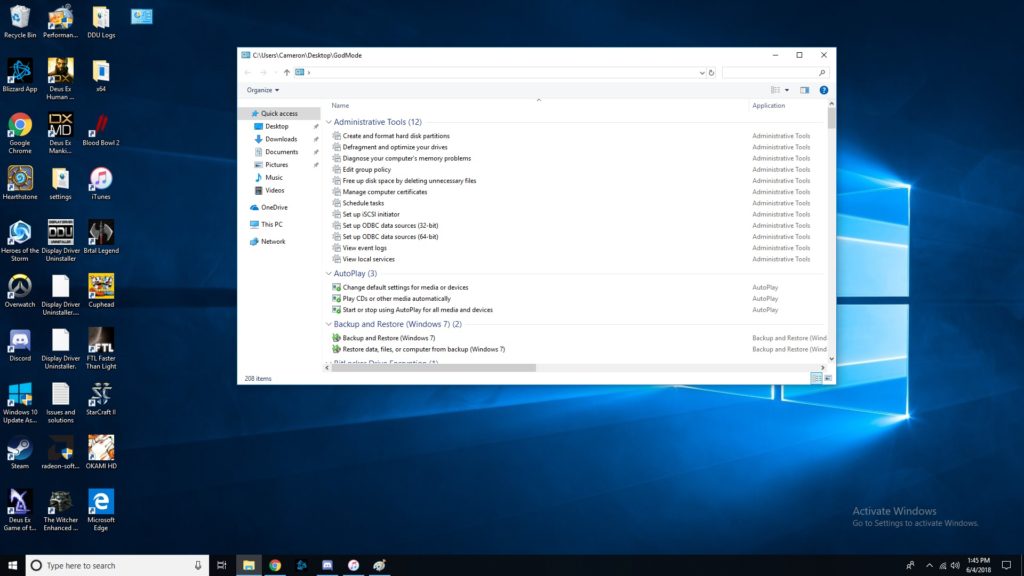
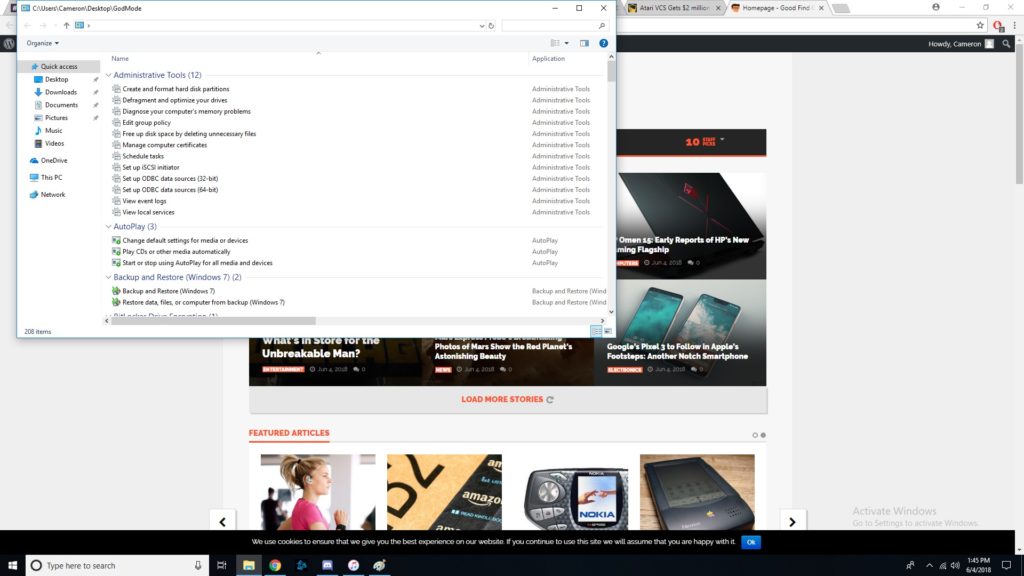
    God Mode, Enabled 

    If you’ve ever wanted to take direct control, you’ll love God Mode. It’s surprisingly easy to enter this Windows “cheat code,” but it’s super useful. To start, you should go to your desktop, right click, and make a new folder. Then, rename the folder “GodMode.{ED7BA470-8E54-465E-825C-99712043E01C}”. Congratulations, you’ve now enabled God Mode. Have fun with all these commands! 

    Customize Tiles 

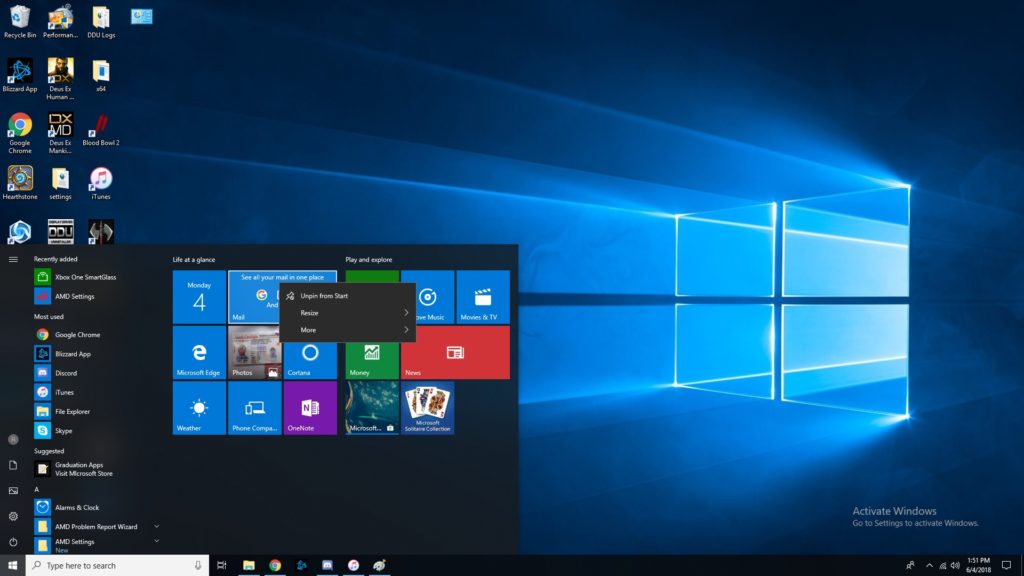
    If you want to customize your tiles, right click them. Now you can unpin, resize, pin to taskbar and more. You tile dashboard is meant to be an all-inclusive display, so having direct control of it is awesome. Make it your own, and have it show all the info you want at a glance! Remember, Windows 10 was made to be a great desktop OS and a great tablet interface in one. 

    Right Click Taskbar 

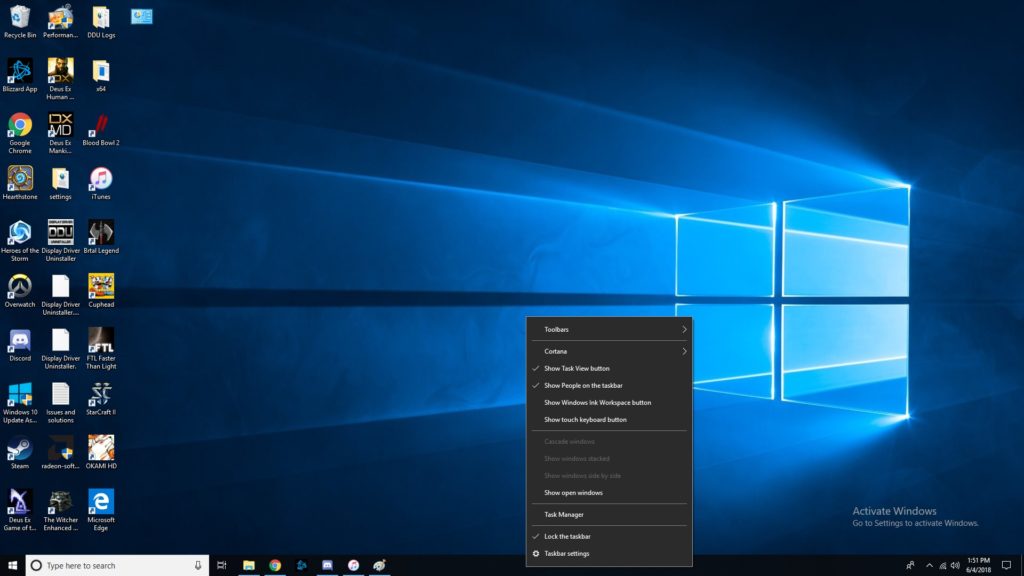
    Right clicking the taskbar brings up tons of awesome functions. Don’t be afraid to try it out! Some Cortana functionalities are controlled through here, you can mess with Windows schemes, and more! This one is simple but helpful. A lot of folks don’t even know this menu is there! 

    Show Desktop Button 

    That tiny little bar down there in the bottom-right corner where the cursor is in the image is the show desktop button. If you have a bunch of windows open and want to see the desktop, this is a great shortcut. Clicking in the bottom right corner is much easier than having to minimize four or five windows one after the other! 

    Pinning Windows  

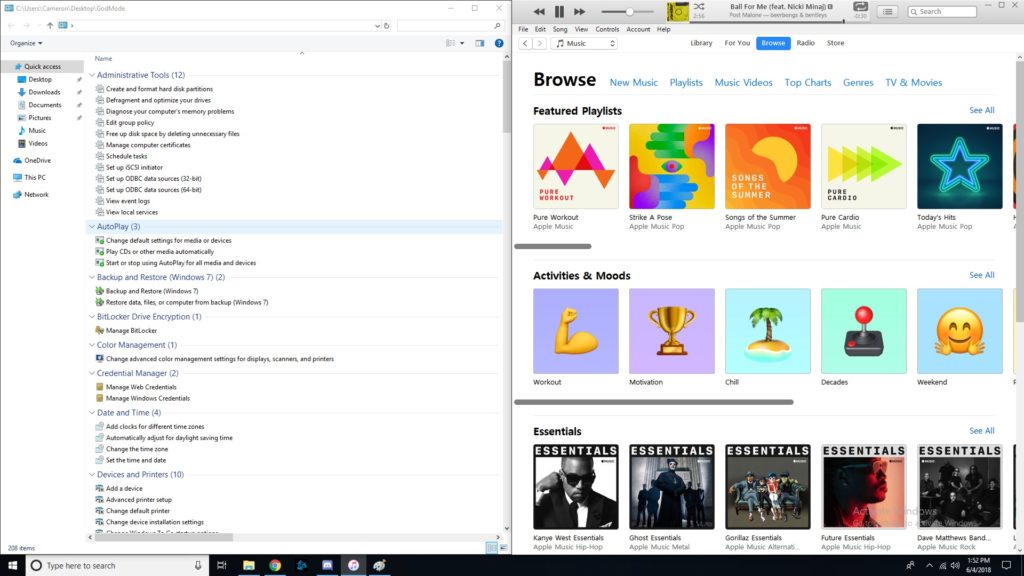
    If you drag a window to one side of the screen, it’ll get pinned there as exactly half the screen. If you drag it to a corner, it will become a quarter of the screen. This is awesome for professionals who need to multitask! If you often use editing software or have to multitask a lot, you’ll love this feature. It’s also just cool to have for when you want to live-Tweet a stream and not have to hold your phone the whole time. 

    Fun with Cortana 

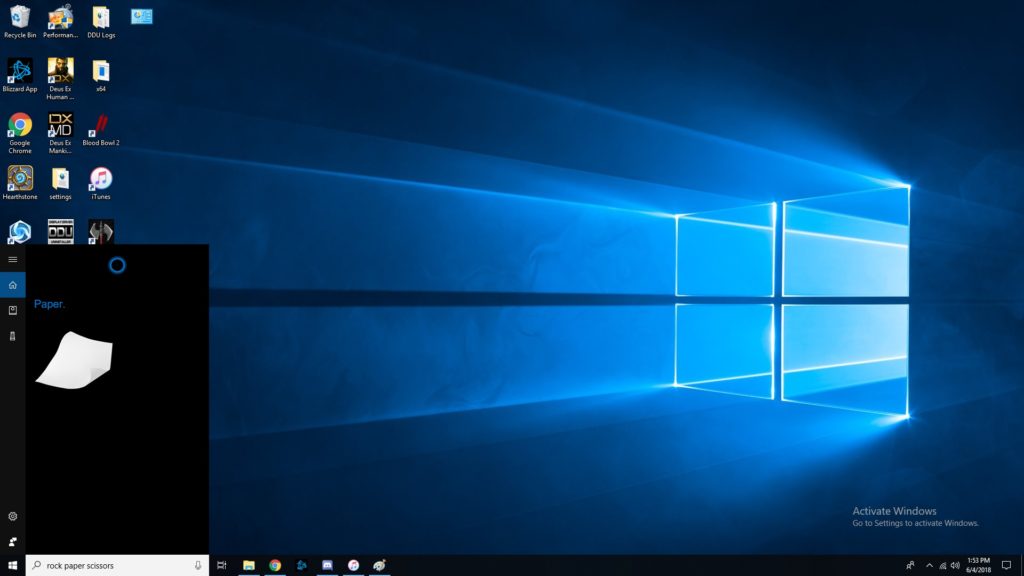
    Did you know Cortana knew a bunch of games? She can play rock, paper scissors, for one. She can flip coins, roll dice and more. Just type in the Cortana box any of those commands, or, if you’ve enabled it, use voice commands. These little diversions are a fun use of Cortana’s functionality. 

    Focus Assist 

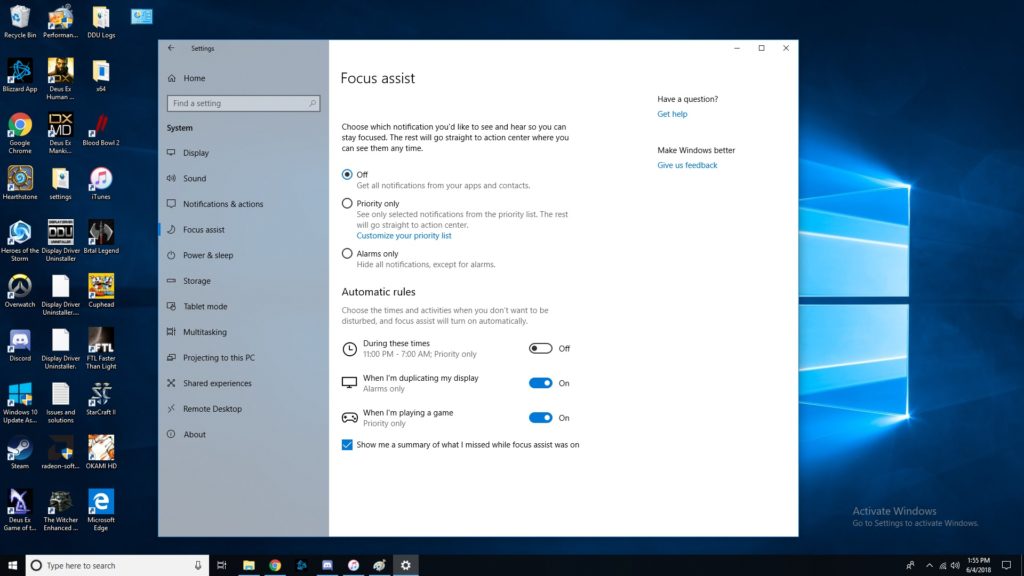
    Sick of notifications throwing you off when you’re trying to work? Try Focus Assist. Go to settings, and under system settings you’ll find Focus Assist. This mode lets you set hours you’d like to silence notifications, and even lets you customize which notifications are high-priority. This functionality is similar to smartphones’ Do Not Disturb mode. It isn’t frequently used, though, as many people don’t even know that it’s there! 

    Transparent Command Prompt 

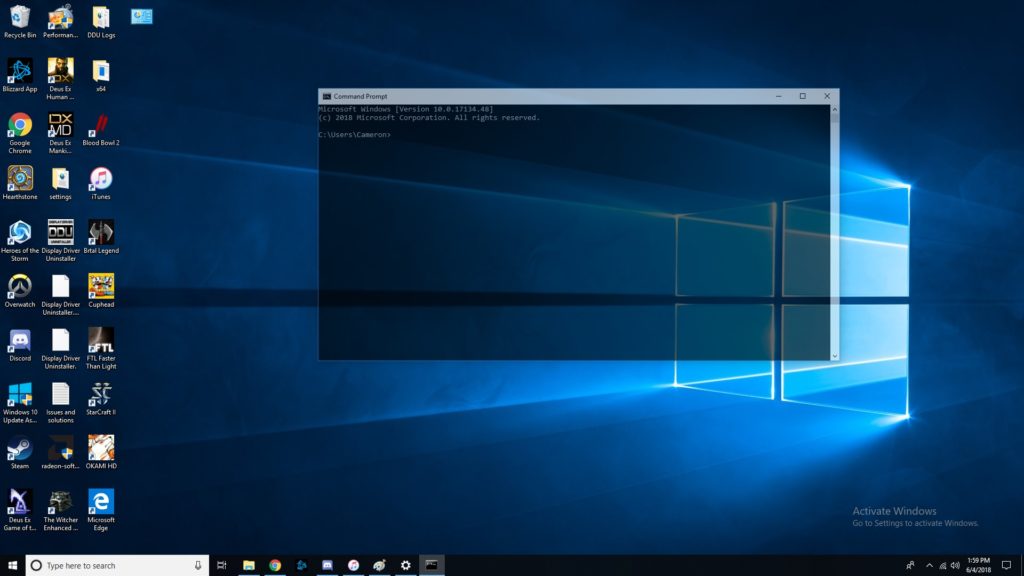
    The command prompt is super handy for programming and debugging. If you often use the command prompt but would like to be able to monitor other windows while doing so, try this trick. When using the command prompt, right click the top of the bar. Then, click on colors, and look for the opacity slider at the bottom. Slide until the window is as transparent as you want it! Now you can watch your commands get reflected in real time. 

    The Coolest Hidden Windows 10 Function: Dictating 

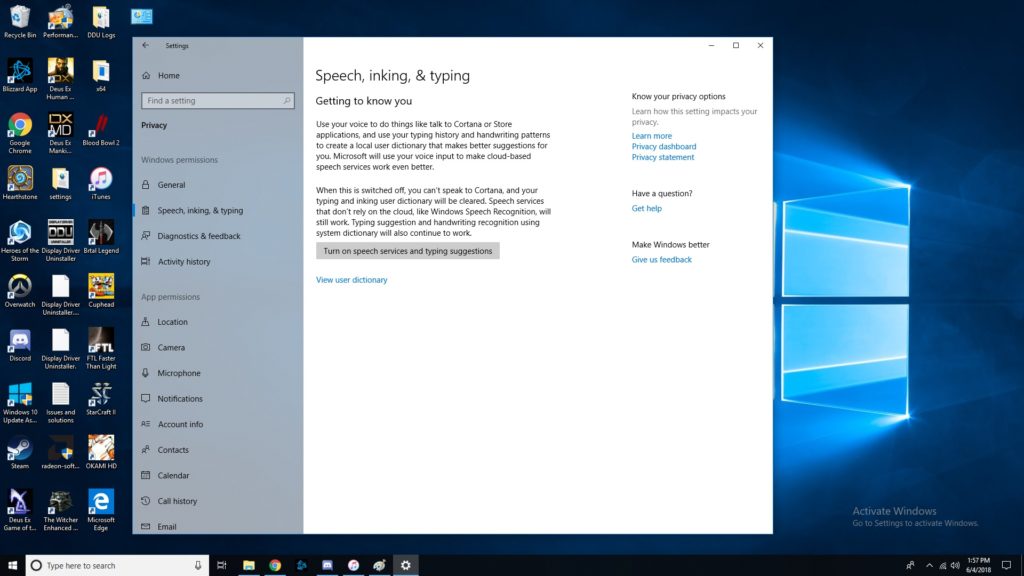
    Dictation is super handy for a number of uses. For one, it’s good for when you just don’t feel like typing or feel like you can speak faster than type. More importantly, it’s a great accessibility tool for those unable to use a keyboard. In any event, enabling dictation is simple! Go to settings, then speech, then related settings. Then, click on “Speech, inking and typing privacy settings” and enable dictation. Boom, now we’re talking! Literally!  

    Did you know all of these cool Windows 10 tricks, or did you learn something new? Now, go forth and enjoy your operating system with all these new tricks you know! 

  • Computex 2018: What is Asus Up To?

    Computex 2018: What is Asus Up To?

    Asus, known for typically playing second fiddle to Apple, wowed crowds at Computex 2018 on Monday. Asus showed off some absolutely crazy pieces of new tech! These will certainly get you excited for the future of technology. Since we’re so hyped, we rounded up Asus’ three big reveals from the conference.

    ZenBook Pro 

    A very sleek, technologically advanced new laptop, the ZenBook Pro is the more traditional option for those wary of Project Precog. What’s Project Precog? We’ll talk about it in a minute. The ZenBook Pro, though, is this year’s Asus innovation, featuring a trackpad that doubles as a display. You read that right, the new laptop has a tiny 5.5-inch display as a trackpad. Asus is calling this innovation the ScreenPad. The display seems geared at productivity, including functions with Microsoft Office suite of apps. Apple’s TouchBar plays in a similar space, but the ScreenPad is much beefier. This looks pretty awesome, but time will tell just how useful it is. 

    VivoWatch BP 

    This smart watch is promised to carry the world’s first medical-grade blood pressure sensor in a smart watch. Tech like this is a huge step in the right direction. The future of wearables is likely a fusion of medical and consumer technology. While the VivoWatch isn’t the flashiest wearable we’ve ever seen, it still shows that Asus is putting some serious thought into their offerings this year. Not to mention, they’re pioneering a field that will likely define the way we think of wearables, and that alone is worth praise. 

    Asus Highlight from Computex 2018: Project Precog 

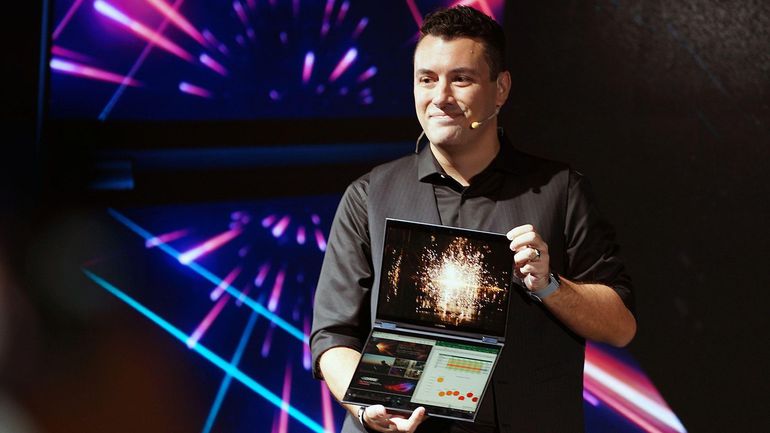
    This dual-screen, AI-enabled laptop was a show-stealer. Featuring two massive touch screens and no physical keyboard, Project Precog promises to be the laptop of tomorrow. The laptop is set to ship with AI functionality to make your life easier. Suggested uses of the AI at the show were things like battery life conservation, helping you make Excel spreadsheets and recognizing users by face. If none of that sounded cool enough, it’ll also read where your hands are in relation to the display and generate a virtual keyboard under your hands when you want to type. How cool is that? Project Precog is set to launch in 2019.