Blog

  • Best Kitchen Cleaning Supplies

    Best Kitchen Cleaning Supplies

    Some people really just love cleaning. For other people, it’s a chore they hate but they’ve got to do it. In either event, you’re going to want the very best kitchen cleaning supplies when you go to clean up. If you’re not rocking the best kitchen cleaning supplies then you’re not getting the best clean!

    Best Kitchen Cleaning Supplies

    Wring Mop

    Sometimes the classics are well-worth using. The old-school wring-mop is fantastic for floors that aren’t made of wood. Tile, concrete and the like are ideal surfaces for using an old-school wring mop. Make sure you get a good detergent and some hot water, and maybe a bit of vinegar, and you can clean up most any mess on a non-wood floor.

    You know what they say: if it isn’t broken, don’t fix it! This is a critical cleaning supply for kitchens without wood floors.

    Non-cellulose Sponge

    Another great example of a classic kitchen cleaning supply that you should rely on is the non-cellulose sponge. Why non-cellulose? Well, their design doesn’t trap in water that will act as a bacteria-spawning hotbed. That means the normal bad smell and stains associated with sponges don’t come into play here!

    Sponges are great for use on surfaces like countertops that you can’t clean with a mop. After all, you can’t get your mop up that high! Sponges work wonders cleaning appliances like fridges and stoves, too. Make sure you pair them with a good detergent and warm water for best effect!

    Mrs. Meyers Cleaning Products

    A lot of reviewers rave over Mrs. Meyers brand cleaning products. They offer a wide variety of products that are must-haves for cleaning! Whether you’re just getting started with your own place or you’ve been cleaning for a while, you should invest in this cleaner. It’s great at breaking up accumulations of dirt and leaves a great smell behind.

    If you’re environmentally conscious, good news: Mrs. Meyers is too! It’s environmentally friendly without sacrificing cleaning power. That’s the definition of a win-win! It comes in a variety of pleasant scents that aren’t overpowering, making your kitchen smell great while you clean.

    The best part of Mrs. Meyers products is the price, though! From their website you can often find great deals on the product. Right now you can even get three bottles sixteen-ounce bottles for $9! That makes this product less expensive on average than leading brands! That’s hard to beat!

    Coconut Oil Spray

    Hear us out! We know it sounds weird, but coconut oil can play a vital role in your kitchen cleaning. For one thing, it’s all-natural, which is a huge bonus. For another thing, it’s a fantastic furniture polish! If you have furniture or leather in your kitchen, such as your kitchen table or chairs, coconut oil spray is a must. When used in conjunction with sponges and scrubbing, it can make your kitchen pieces look amazing!

    Microfiber Cloths

    The type of cloths you use to clean eyeglasses are amazing for kitchen cleaning. Whether you’re cleaning counters, floors, tables or anything else, microfiber cloths are amazing. They don’t trap water or bacteria, they dry really rapidly and they work on everything. Using them on a variety of surfaces will show you just how great they are!

    They’re also super handy for cleaning in other parts of the house. For instance, if you’ve got a flat-screen TV that needs to be cleaned, a dry microfiber cloth alone can do wonders.

    Bona Mop

    Bona brand mops are similar in some ways to Swiffer wet mops. The main similarity is in the way they both work well on wooden floors. If you live in an older home with an original wood floor, you know how difficult it can be to maintain. So many cleaners are bad about stripping the finish and damaging the wood.

    Thankfully, the Bona Mop and Bono Floor Cleaner are made to help maintain wooden floors. The cleaner is gentle on wood but great at cleaning up messes. If you’re trying to clean an older wooden floor, you might be at a loss as to how you’ll be able to get it clean without damaging it. That’s where Bona comes in!

    When it comes to cleaning, you’ll need a wide variety of supplies. While this isn’t a comprehensive list, we hope it helps you get started in cleaning your kitchens like a professional!



  • Online Furniture Stores that Beat Physical Retailers

    Online Furniture Stores that Beat Physical Retailers

    Furniture shopping can be fun, but stores are often crowded and most people don’t really have the time to actually go looking for furniture. Now, don’t get us wrong: we all love a good trip to Ikea. That said, there’s definitely a lot that goes into furniture shopping.

    Everything from the selection to bringing the furniture home to setting up can be a great big hassle.  But thanks to the internet, shopping for furniture and home decor has never been easier. With all these stylish and affordable goods at your fingertips, it’s very easy to decorate and style your home. It’s a new dawn for everyone who loves beautiful designs, and there are several great places online to shop for new furniture.

    If you’re looking to shop for new furniture and avoid the physical retailers, consider these online furniture stores. After all, online shopping is always a great alternative to going to brick and mortar stores to shop!

    Online Furniture Stores

    Blu Dot

    Blu Dot is an interesting retailer from a design perspective. They were originally founded back in 1997, and their focus has always been on design. The two architects and sculptor who started the site have always tried to make the furniture designs modern, striking and accessible all at once. This shows in both their web design and their furniture design!

    With a stated goal of bringing good design to as many people as possible, it’s easy to see why they’re so highly recommended. The mix of materials, styles and sensibilities at play with their furniture is always neat to see. If you like a more off-the-wall look, this is for you!

    Wayfair

    Wayfair is one of the most customer-friendly online furniture stores out there. While you might spend hours on other sites just looking for the right piece of furniture, Wayfair cuts through that like a knife. The “Shop This Look” feature allows you to create a cohesive interior décor that will wow any guest.

    It doesn’t stop there, though. You can filter results based on custom price ranges, and the search functionality is exceptional. The search results are highly accurate and almost always exactly what you’re looking for. They even offer free shipping on items over $50! That’s a hard deal to beat.

    Apt2B

    If you’re looking to furnish a smaller space, such as an apartment, this is the retailer for you. Apt2B specializes in smaller furniture for apartments and town homes, furniture that maximizes smaller spaces. The furniture is designed with an eye for space economy, bringing big style to small furniture.

    Thankfully, that big style doesn’t make for a big price tag: the prices are all rather reasonable. The range on display is upscale and modern, and even the hippest of buyers will love what they have to offer.


  • Don’t Ignore a Plumbing Leak!

    Don’t Ignore a Plumbing Leak!

    If you have ever ignored a leaky faucet or pipe, you’re not alone. It may seem like it is not a big deal, but plumbing leaks can lead to water damage, mold, foundation cracks and other bigger problems that may cost a lot of $$$!  Fixing the issue yourself or with a plumber is easier and cheaper than you think. Depending on your issue, there are many easy fixes that you can do without the need to call a plumber.

    Easy DIY Plumbing Fixes:

    1. Stop a Toilet from Running: One of the easiest and most often ignored plumbing problem. A leaky stop valve or broken floater valve is usually the culprit. This is a very easy problem to solve, just ensure you shut off the toilet water valve first.

    2. Replacing a Showerhead: When you notice a reduction in pressure replacing your shower head is as easy as unscrewing the existing shower head and replacing it with a new one. That’s it!

    3. Caulking Around a Bathtub or Sink: If you notice deteriorating or cracked seals in your bathroom or kitchen, re-caulking is an easy way to prevent bigger leaks and water damage. Remove the old caulk with a putty knife or razor blade, then apply new caulk using a caulking gun. All can be purchased for under $10.

    4. Unclog a Drain: Try to avoid using liquid drain cleaners or solvents. Over time, these products can eat away at your pipes. To avoid future clogs, simply install a hair catcher. They are very cheap and will help you avoid future problems.

    Plumbing Fixes that Need a Professional:

    1. A Rapid Water Supply Line Leak: You’ll know it when it happens- suddenly there may be water coming out of the ceiling or other places where you know it shouldn’t. Turn off your water main and call a plumber!

    2. A Sewer Line Leak: This typically happens outside, when a blocked or broken sewer line causes a backup into your house. This is a big (and smelly!) problem to fix that you do not want to tackle yourself.

    3. Your Water Heater has a Natural Gas Leak: If you smell gas around the water heater area, this is not normal. Typically the thermocouple may have malfunctioned, or there are leaks in the pipes leading to the heater. Not a problem to take lightly or handle yourself!

    The bottom line is to ensure that you take care of plumbing problems quickly. If ignored, small problems can become big problems, and big problems often cost big money.


  • Live Life in 4K with These Ultra Resolution Monitors!

    Live Life in 4K with These Ultra Resolution Monitors!

    While 4K technology has been available for some time now, it is becoming more and more affordable. More video games, streaming services and computer programs are taking advantage of the crystal-clear resolution, and we have our picks for best 4K monitors, all in one place for you to review! Check it out!

    BenQ PD3200U 32″ 4K Designer Monitor

    This monitor from BenQ has a very interesting feature: dual upstream USB ports, allowing for two computers to be hooked into one monitor and controlled from the same keyboard and mouse. For those who want a 4K picture experience with excellent color and crispness and the convenience of cooirdinating a dual-computer set-up, this BenQ monitor is a great choice. This one also has the added benefit of not requiring scaling, meaning that most third-party apps won’t give you any trouble, and its tremendous 32″ size makes for a gorgeous viewing experience! The only downside to this one is the price: it goes for a fairly steep $800.

    Dell P2715Q

    As far as older model monitors go, this Dell is a great choice for 4K viewing. Thanks to Dell’s awesome three-year warranty, you don’t need to worry about dead pixels ruining your viewing experience, and this monitor has a fantastic viewing experience at that. Excellent color quality pairs with its DisplayPort input’s 60 Hz 4K picture to make for a fantastic picture quality. This monitor has multiple USB 3 ports and a very adjustable, user-friendly stand for ergonomic viewing angles. For a reasonable $430, this Dell is a great choice. The only downsides are its relative age and large bezels, which somewhat cut into the otherwise stellar picture.

    Dell P2415Q

    For those who want a great-looking 4K image but have less desk space to dedicate to a monitor, this 24″ Dell is a great choice. This monitor is essentially just a smaller P2715Q, with comparable colors and black values, and all the same bells and whistles as its larger sibling. It also sports a USB 3 hub and is under the same excellent 3-year warranty and has a very adjustable stand. This one runs around $350, making it a significantly lower price point than the P2715Q. Much like its sibling, however, this monitor has large, unsightly bezels that cut into the image, but this is a small gripe. The P2415Q is certainly the greatest 24″ 4K monitor on the market, and if you’re looking for a smaller 4K experience, this is right for you!

    LG 27UD68P-B

    Our favorite 4K monitor, this LG impresses at every level. For $400 this is a fantastic value, sporting user-friendly menus and amazing picture. The color accuracy and black values of this display are some of the best on the market, and there is no better monitor for the price. LG has always been known for quality displays, and this is no exception to that reputation. This monitor also supports the new FreeSync technology, an adaptive scaling technique that pairs with compatible AMD graphics cards to minimize graphical tearing. If you’re looking for the very best in 4K monitors for a very reason


  • Top Ten Home Security Cameras

    Top Ten Home Security Cameras

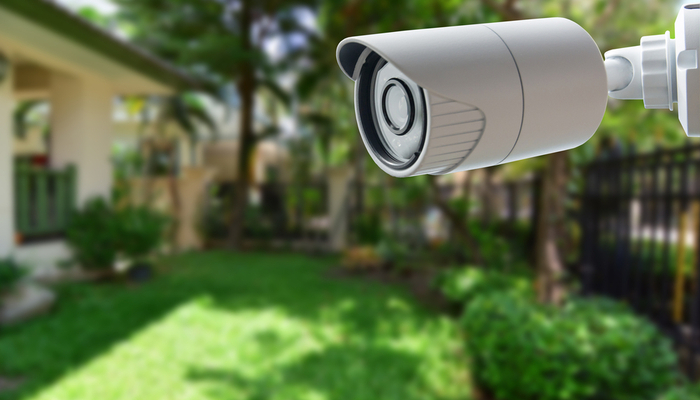
    If you’re interested in home security, odds are that you would like to install a home security camera. However, there are tons of options out there for which one you should pick. Dealing with security companies and pushy salesmen is awful, to boot. So, what are you supposed to do? Luckily, we’ve compiled a list of the top ten home security cameras. If you’re hoping to secure your home, here’s a great place to start!

    Top Ten Home Security Cameras

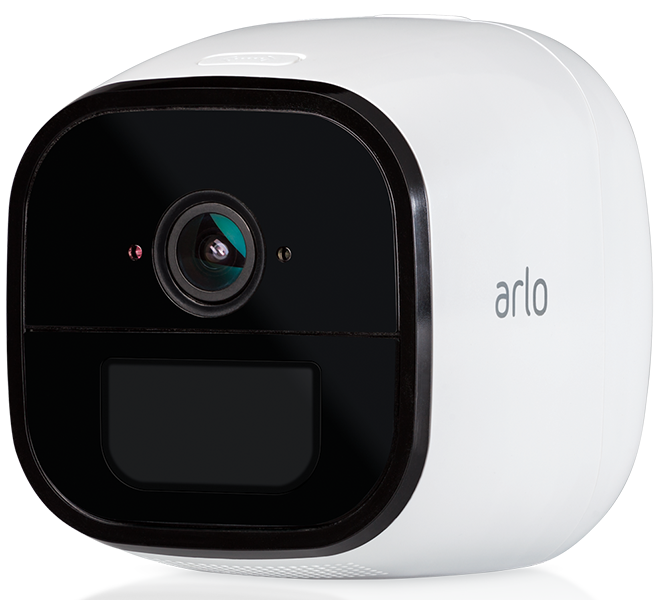
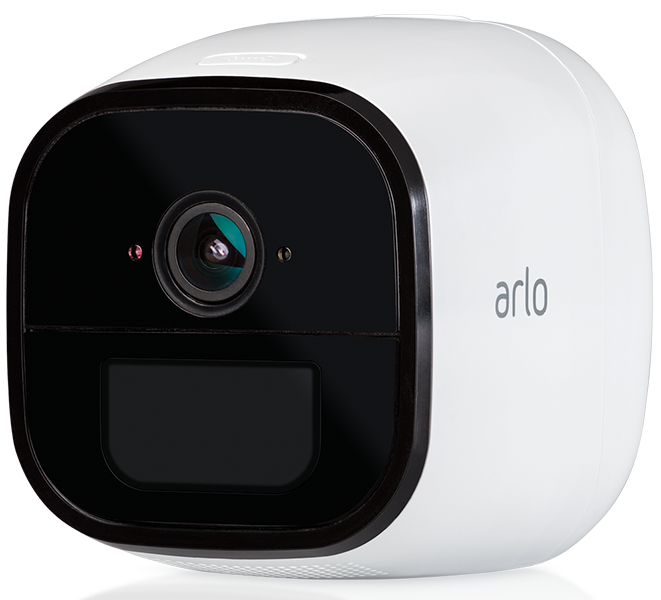
    10. Netgear Arlo Go

    Photo Credit: Arlo

    This wireless camera works with Alexa and shoots in 720p. It offers both cloud storage and on-site storage, which is a cool plus. It can send you live feed straight to your phone if you pay for the cell service. However, it is pretty expensive: this camera will cost you around $430. That’s a pretty hefty price tag for a device that only shoots in 720p.

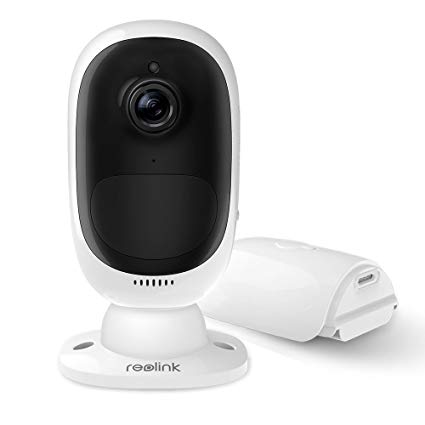
    9. Reolink Argus 2

    Photo Credit: Amazon

    This camera is a straightforward if dependable entry. It’s wireless and powered by its own internal battery. It doesn’t have a terribly loud siren, which is somewhat disappointing. It also can’t integrate with smart home devices, which is unfortunate. However, it’s weather-resistant and works great as an outdoor camera. This one will run you $130, which is a great price.

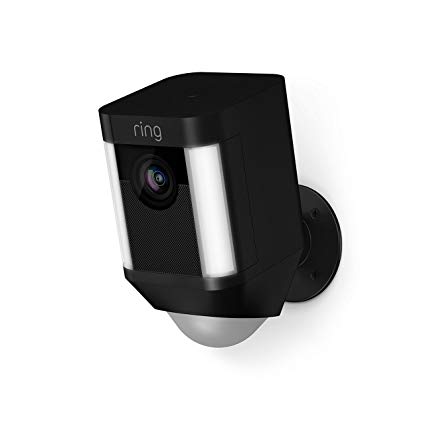
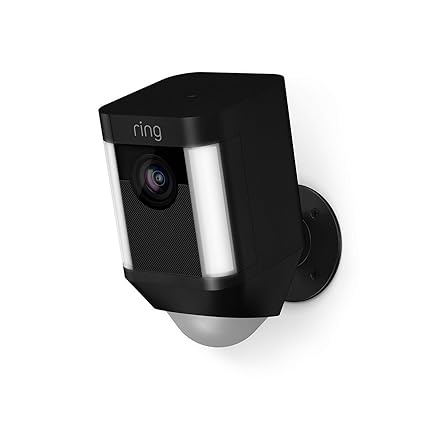
    8. Ring Spotlight Cam Battery

    Photo Credit: Amazon

    Triggered recording and a bright spotlight are two big upsides to this camera. It shoots sharp footage and has a very loud siren, which is great. However, you have to have a subscription to Ring’s service in order to view the recorded video. If you already have Ring devices at your house this one is a no-brainer. It’s also wireless and works with Alexa, making it a true smart-home device. It’s also pretty affordable, running $200.

    7. Nest Cam IQ Outdoor

    Photo Credit: Slashgear

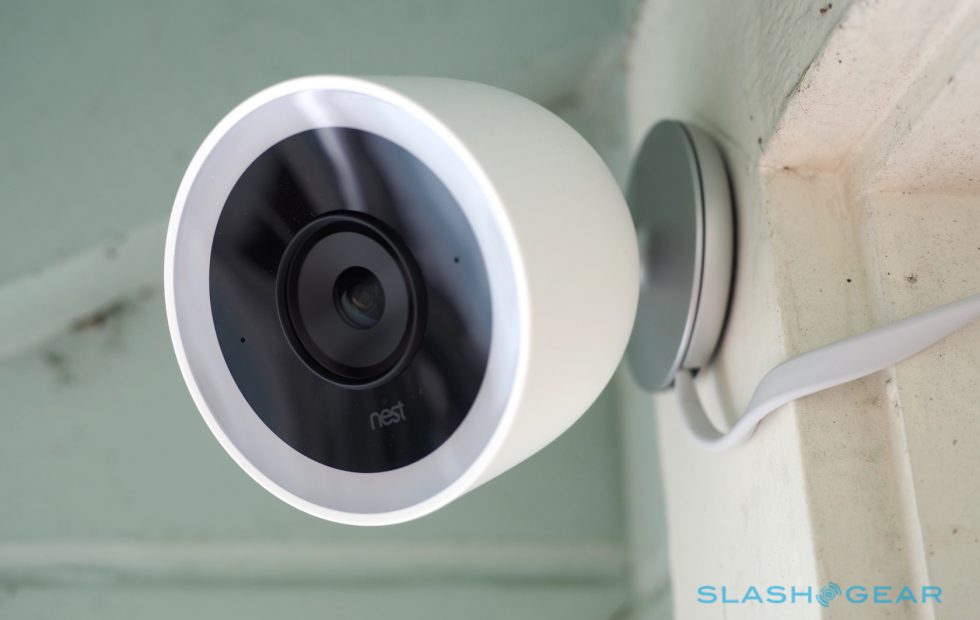
    Nest’s first entry on this list is excellent, shooting 4K footage 24/7. It’s totally weatherproofed, which makes it ideal for outdoor use. It even has close-up tracking and HDR, making it great for those who need to really see what’s happening around their house. It will set you back, though: it runs $350.

    6. Tend Secure Lynx Indoor

    Photo Credit: Cnet

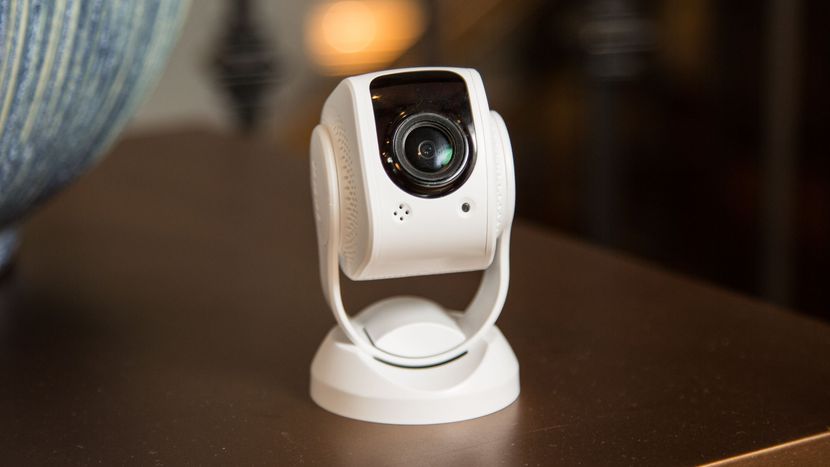
    This camera makes the list for just how darn affordable it is. It only runs around $60, yet it still shoots in 1080p. That’s a great value, but it’s somewhat offset by the lack of smart home integration. That said, it offers free cloud storage and even has facial recognition! It only works indoors, though, so keep that in mind.

    5. Nest Cam IQ

    Photo Credit: Nest

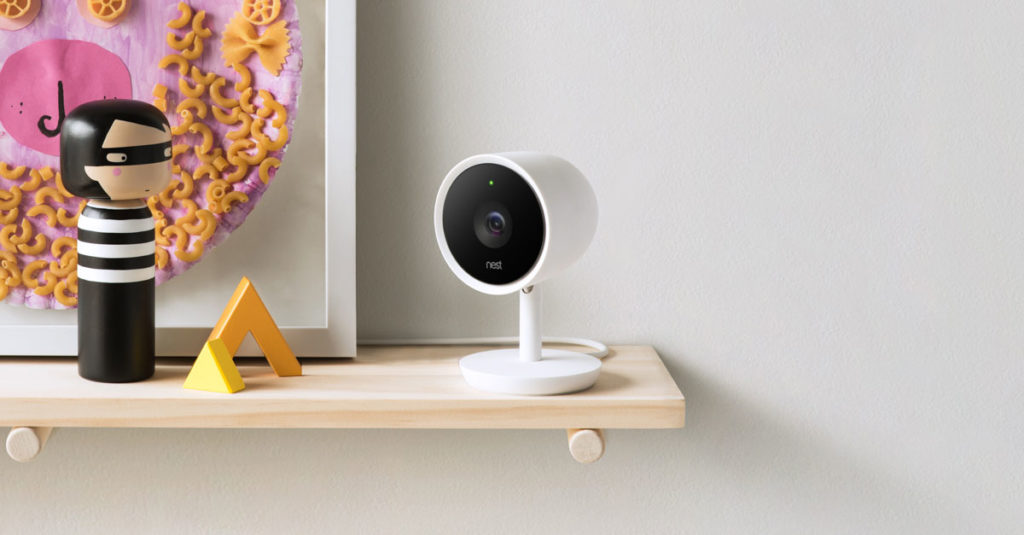
    Another entry from Nest, the indoor version of IQ is also a solid option. It costs a bit less, coming in at $300, but it offers many similarly excellent features. The Nest Cam IQ has two-way audio, letting you talk to people you can see from the camera. It has a ton of great smart home integration and shoots in 1080p. If you’re looking for a solid, if pricey, indoor camera, this is a fine option.

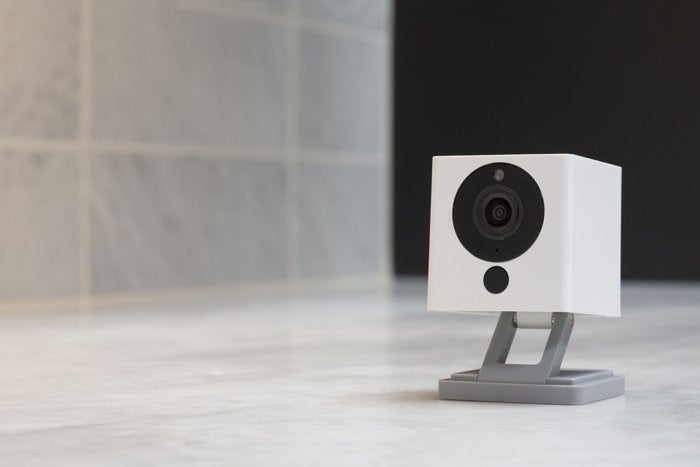
    4. Wyze Cam V2

    Photo Credit: TechHive

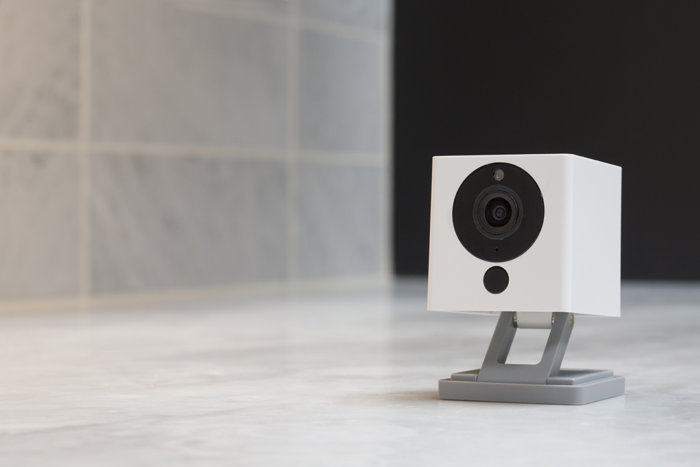
    If you though the Tend Secure Lynx Indoor was affordable, check out the Wyze Cam. This camera will run you a bank-shattering $20. Yeah, twenty, as in the same price as seeing a movie and getting some popcorn with it. For twenty bucks you get a camera that shoots in 1080p and offers local and cloud storage. It’s not the most high-tech thing in the world, but it will secure your home. If you’re looking for a simple, straightforward and affordable camera, go with this one. It’s a great deal!

    3. Netgear Arlo Pro 2

    Photo Credit: Storage Reviews

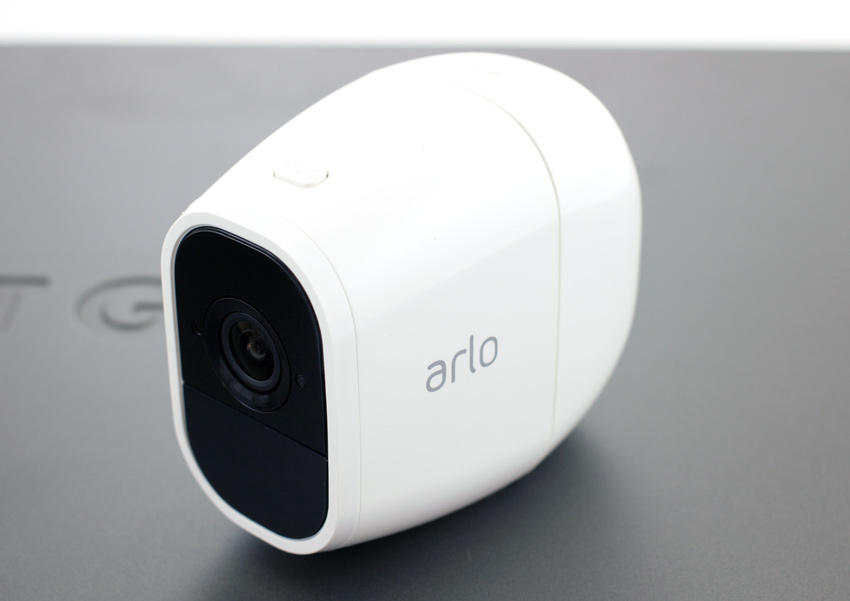
    This expensive but hefty camera is likely the best overall on this list, but it’s far too expensive to recommend to everyone. It will set you back $430, which is a lot, but you get a ton of features. The system shoots 1080p video, is completely waterproof and is wireless. This camera works great both outdoors and indoors and offers cloud storage for free. It even pre-buffers your videos when you go to watch playback! If only it was more affordable.

    2. iSmartAlarm iCamera Keep Pro

    Photo Credit: iSmartAlarm

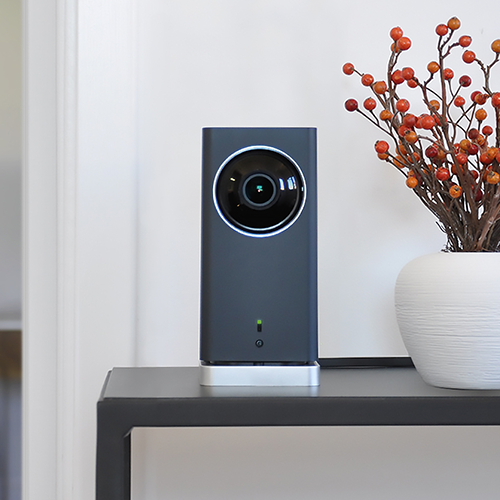
    While this camera retails for $200, it offers a number of premium features. Mechanical tilt and pan let you feel like a master of security. You also get free cloud and local storage for all the footage you capture! As you would expect, it shoots 1080p and it even offers time-lapse shooting. The only downside to this camera is that it only works indoors!

    1. D-Link Full HD Wi-Fi Camera DCS-8300LH

    Photo Credit: Amazon

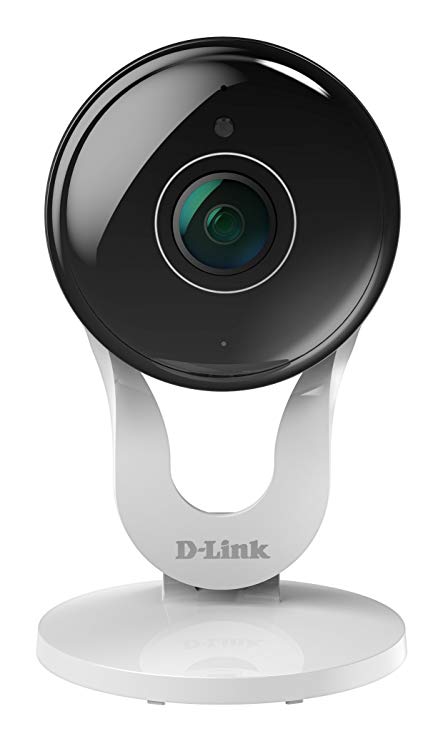
    A fully-integrated home security camera that offers 1080p shooting and Alexa support? Yes, please! Free cloud and local storage along with great voice commands make this one of the best home cameras. It even costs less than most of the competition: it’ll only set you back $90. While the other cameras on this list are great, the D-Link Full HD Wi-Fi Camera is the best overall interior home security camera. The only real downside here is some minor distortion from the style of body, but that’s not enough to make this anything less than the best bang for your buck.


  • The Tools You Need to Protect Yourself from Cyber Criminals

    The Tools You Need to Protect Yourself from Cyber Criminals

    Cyber crime is a major problem in our internet-based world. More than 90% of all transactions now occur digitally, and all of your data is stored on some database somewhere. Your most sensitive information is on the internet and it may even be unsecured as you’re reading this. There are over 4,000 cyber crimes committed every single day, and any of them could be attempts to get to your data. New crimes require new methods of protecting yourself. Here are some of the tools you need to protect yourself from cyber criminals.

    Tools to Protect Yourself from Cyber Criminals

    Why Now?

    You might be asking why this is suddenly such a huge concern. The internet has been a major part of our lives for more than 20 years now. Haven’t these cyber criminals all been stopped by now? Well, unfortunately, cyber crime isn’t going away any time soon. In fact, it’s on the rise now more than ever. In 2017 alone there were 27% more online crimes committed than in 2016. As the world becomes more connected, your data is more vulnerable than ever.

    Going online without the tools you need to protect yourself from online criminals is like walking through a dark alley alone at night while wearing a nice watch. Do you deserve to be mugged for that? No, absolutely not. Should you expect to be? Sadly, that’s the world we live in. If you go online and start making purchases or paying bills without any protection, it’s a matter of when your data gets stolen, not if. Unfortunately this is just the way cyber criminals operate. There’s a way to keep yourself safe, though, and that’s through information security technology.

    Information Security

    Information security technology is offered by sites like Lifelock, Norton, McAfee and the like. These security suites, as they are called, are typically paid services that allow you to browse without worrying about your data. They offer you peace of mind by giving you a number of services that keep your data private and make it much harder to steal.

    The ways they do this vary from suite to suite and can change based on the level of security you’re after. One of the main ways these security suites can keep you safe is through encryption. Data encryption is a process by which data is translated into incomprehensible gibberish that can only be deciphered by possessing the encryption key. This is a lot like old-school spy codes that replace letters with other letter and can be decoded with the right key.

    Encryption might not be foolproof, but it makes your data that much harder to steal. Generally, cyber criminals can’t be bothered to go to the work of decrypting a complex cypher, so they’ll sooner avoid your data altogether.

    Other Security Measures

    That’s not the only security you need to keep in mind online, though. Most security suites also include firewalls or virus protection. These are computer scripts or programs that intercept fishy lines of code that might be viruses. Many viruses exist solely to cause problems on your computer by replicating themselves and slowing your system down. More malicious viruses, however, may include commands that involve copying your keystrokes and sending your passwords to criminals.

    Another way to avoid keystroke-logging viruses would be through using a password manager. Password managers are another great aspect of cyber security you can use to keep your information safe online! They are typically paid services, some of which are included with security suites, that keep track of your passwords across different sites. Generally these services encrypt your password and help keep your information safe from outside parties by making your passwords complex strings of letters and numbers.

    Virtual Private Networks

    Another favorite tool to stymie online criminals is through use of a Virtual Private Network, or VPN, like Nord. VPNs allow you to use private servers to connect to the internet, which helps you to steer clear of seedier elements online. VPNs often can boost your internet speeds, as well, allowing you to connect more quickly and avoid data throttling and slowdown.

    Another widely-used but often maligned use of VPNs is “geo-spoofing,” a process through which a user tricks a site into thinking they are physically somewhere else. This is often used to sidestep regional blackouts on media. While many sites don’t appreciate this use of VPNs, it’s one of the most common reasons people use them. Most VPNs require a monthly fee to access, though there are some free ones out there, too.


  • The Best Deals on Rugs: Floor it!

    The Best Deals on Rugs: Floor it!

    If you’ve got hardwood floors, this winter might be reminding you just how cold they can be. If that’s the case, you’re probably looking for area rugs. Here are some of the best deals on rugs you can find. Remember, no house is complete without these gorgeous additions.

    Best Deals on Rugs

    Home Depot

    Home Depot carries more than just home improvement supplies. Believe it or not, they also have some of the best deals on rugs. If you’re in the market for an elegant floor rug, look no further than Home Depot. They have everything from modern-style designs to classic, oriental-style rugs.

    No matter what you’re in the market for, large or small, you can find an affordable area rug to accommodate your needs at Home Depot.

    RugsUSA

    RugsUSA, as their name suggests, carries some of the best deals on rugs you’ll find online. Shopping online has a number of benefits when compared to shopping in store. For one thing, when you shop online you can avoid spending money on gas and wasting time standing in line.

    Not to mention, when you shop online you don’t need to worry about carting a huge area rug home. You can compare the styles you like side-by-side and sort by any criteria you like. RugsUSA has a fantastic user interface that makes it easy to navigate and find what you like.

    Best of all, their prices are quite competitive. The best part of shopping online is being able to compare prices on the fly without a salesperson nearby pressuring you. It’s a win-win!

    Target

    Target doesn’t have the deepest in-store inventory of rugs, but they do carry a number of area rugs online. If you check in-store, you’ll see that the inventory they do carry is high-quality and not terribly expensive. The best deals can be found online, though!

    Much like with RugsUSA, Target has an excellent online store you can shop from. You can compare prices and find the best rug for your home, all while hanging out at your house. What’s better than shopping in your PJs? Not much, by our count.


  • Ready to Face Addiction? Search Drug Rehab Centers

    Ready to Face Addiction? Search Drug Rehab Centers

    When you discover that a close friend or family member has a serious drug problem, it is often a surprise. Help is always there for those who are ready to face their addiction.

    Here are the leading signs and symptoms to look for with addiction.

    1. Profound Personality Changes– Everyone can have a ‘down-day’, or even a ‘down-week’. But when you witness a larger departure from the personality you’re used to seeing, listen to that warning.
    2. Isolation- When you observe a family member retreating, not engaging and struggling to communicate- this can be a sign there is something deeper going on.
    3. Job/Career Issues- Missing deadlines, absenteeism from work, and a drop off in performance can be the initial signs that a problem is growing. When a friend or family member cannot hold onto a job or is terminated repeatedly, it may be time to ask questions about what is going on at work and outside of work.
    4. Developing Unhealthy Friendships  – When people start using new substances, they may spend time with others who have similar habits. They people may encourage the unhealthy habits, and doing so makes it more likely for the user to feel like it is normal when it may be the opposite.
    5. Financial Trouble- Individuals who use drugs spend large and unexplained amounts of money. You may see bank accounts drained, assets sold, and going into debt to fuel their habit.
    6. Poor Judgement- Addiction can lead individuals to do things they normally wouldn’t to obtain the drug of choice. Behaviors like stealing, lying, engaging in unsafe sexual activity and committing crimes that can land people in jail are all part of this vicious cycle.

    If you’re ready to give someone the help they may need, here are a few tips on things to avoid at an intervention.

    • Labels like “alcoholic,” “addict,” “junkie,” etc.: These can be taken as accusatory. Instead, opt for neutral terms and avoid defining the person by their addiction.
    • Too many people: Pick a core group of close friends and family, and stick to a small number of people.
    • Being upset during the intervention: Find ways to manage personal feelings so the event doesn’t become overrun by strong emotions.
    • An intoxicated subject: If the subject of the intervention is intoxicated when the event is supposed to occur, it is not likely to be effective. Be prepared to wait for the person to sober up.


  • Best Online Investment Apps! Start Earning Now

    Best Online Investment Apps! Start Earning Now

    Investing in the Stock Market can be daunting. There are a ton of moving parts and the big players all seem like Wall Street types. The good news is, the age of the smartphone has made investing super simple and easy. Where once you might have had to contact a broker to be your proxy on the exchange, you can now just use an app. There are a ton of options out there, though. How do you know which investment app is the best? Well, we’ve got our ten favorites for you to check out! 

    Bloomberg 

    Photo Credit: Bloomberg 

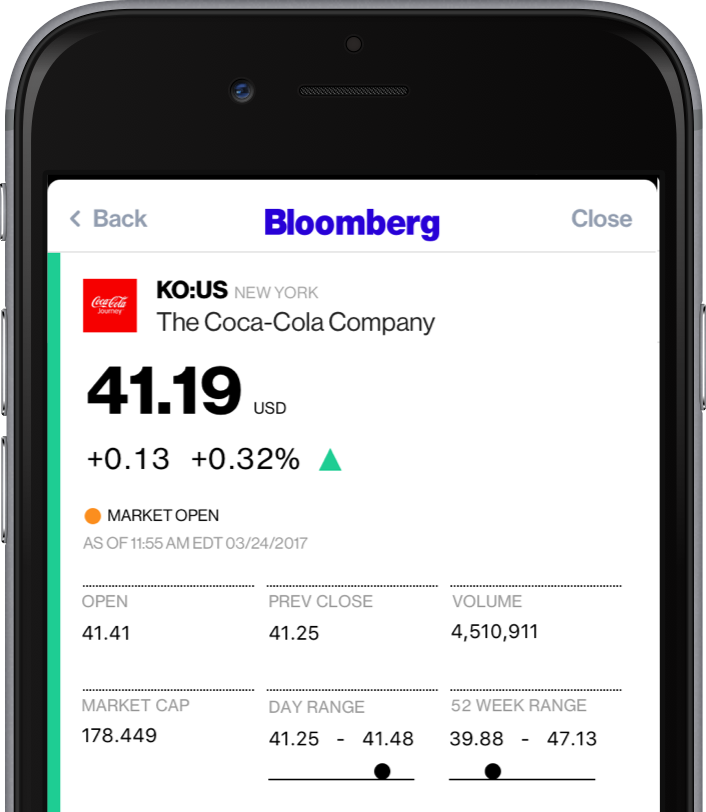
    A well-known name in money management, Bloomberg’s app is great for investing. Combining breaking money news and investing tips, Bloomberg has it all. The app even offers personalized news, so you can watch the companies you invest in.  

    If you’re as interested in the “why” of the stock market as you are in making money off of it, try Bloomberg. 

    Benzinga

    Photo Credit: iTunes 

    Benzinga is great for investors who want insatnt information. By opening the app, you get immediate stock quotes, no need for waiting or skimming over news you don’t want. Acting as something of a punchy investment app, Benzinga is good for those who want to forge their own way. It has social media options, too, letting you share trending stock info to sites like Twitter.  

    Benzinga can also give you push notifications when news relevant to your investments breaks. It also offers some premium features for those who want a more in-depth experience. If you get the subscription you access features like live analysts to answer questions and audio news. 

    CNBC

    Photo Credit: DownloadMyMobileApp.com 

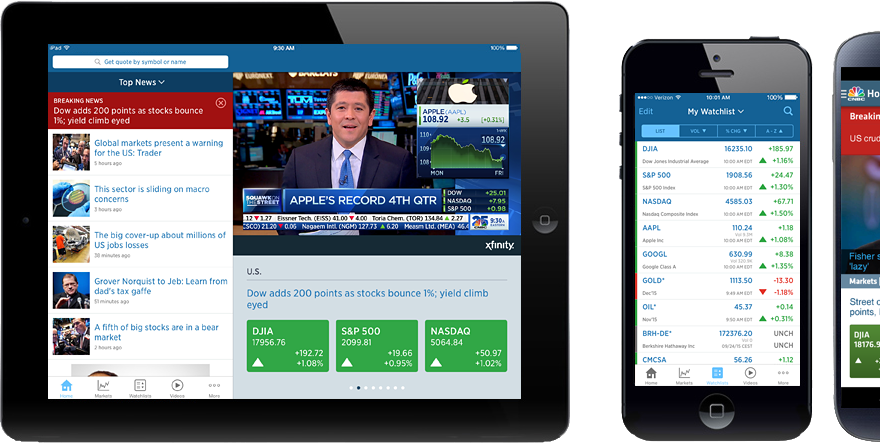
    CNBC is a great news app for those who want to see a little bit from every source. Their app is clean and user-friendly, presenting data in an immediate, digestible format. Many investors swear by the process of synthesizing news from as many sources as you can stand to read. CNBC’s app is a fantastic way to achieve such wide-ranging research without having to dig across the internet. A great resource for novices and veterans alike! 

    Fidelity Investments

    Photo Credit: iTunes 

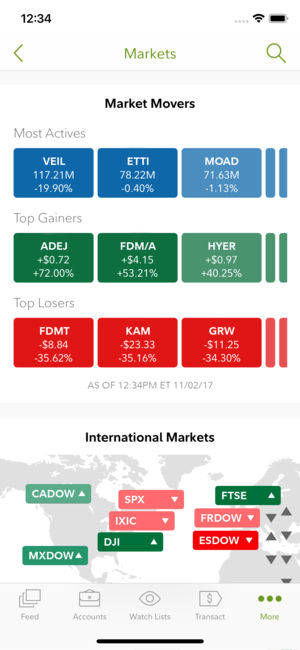
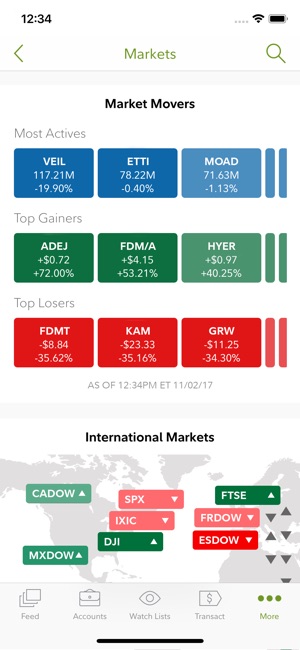
    Fidelity Investments’ app is great for more experienced investors looking to move to something more in-depth. The app offers in-depth charts and daily video coverage of market trends. It also offers notifications for when prices go above or below certain thresholds. It has a comprehensive news section and offers multiple money-management tools. This is a great choice for those who have become more adept in their online investing! 

    Motif Explorer

    Photo Credit: The Divided Ninja 

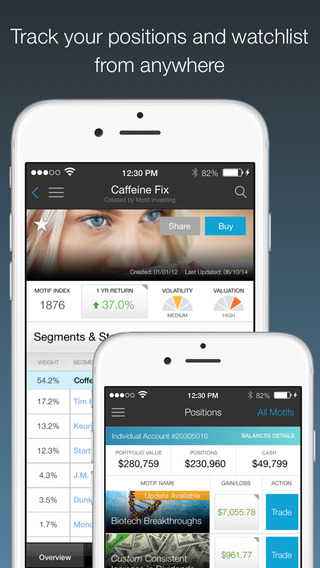
    Motif is a cool way to introduce the stock market to people who are curious about the exchange. The app’s creators track various world events to see which could cause the market to shift. Portfolios, or motifs, based on those observations are generated. For instance, they might have a profile on clean energy, and if you invest in that motif your money would be invested in various clean energy companies. The app works to find which motifs are trending upwards and help you invest accordingly.  

    While Motif Explorer isn’t the best for large, serious investing, it is interesting for newcomers. Consider this one if you’re interested in dipping your toe in investing. 

    TD Ameritrade 

    Photo Credit: TD Ameritrade 

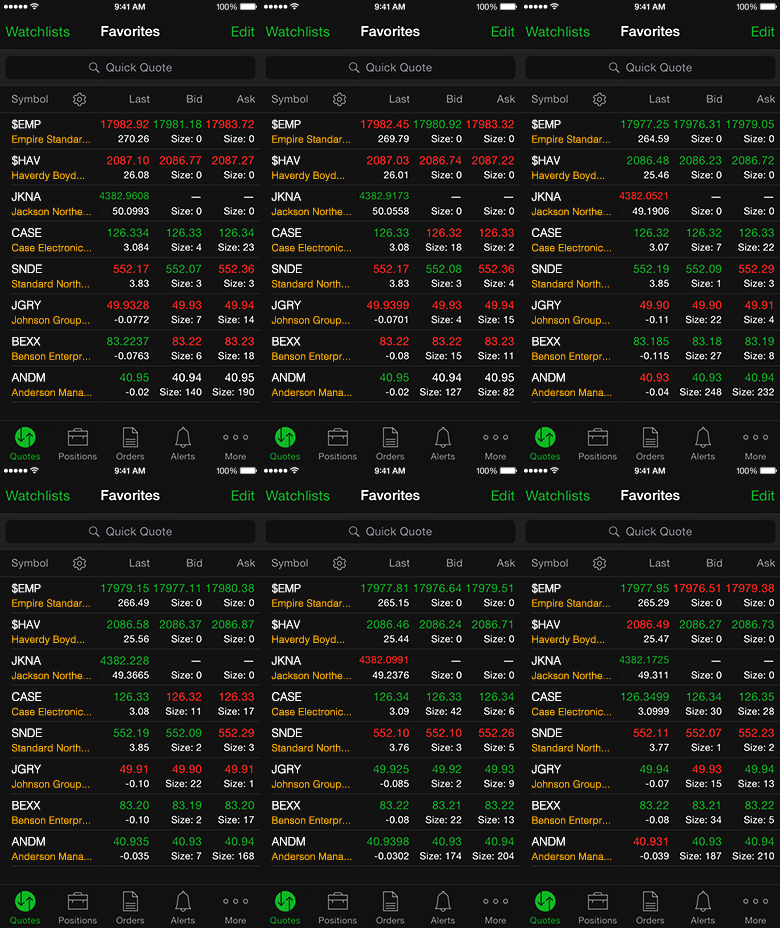
    This app gets a nod for being a great, bare-bones app with no frills. If you’re looking to not have your hand held and just start investing, check this one out. It offers real-time view of the stock exchange, mobile trading, fund exchange and other basic features.  

    Most notably, this app has a feature called Snapstock. This feature lets you use your phone camera to take a picture of a barcode. Then, the app pulls up the company that makes the product that barcode is attached to. That way, if you see an item in a store and think “this is going to be huge,” you can find them and invest on the fly from your phone. 

    Yahoo! Finance

    Photo Credit: Geeky Gadgets 

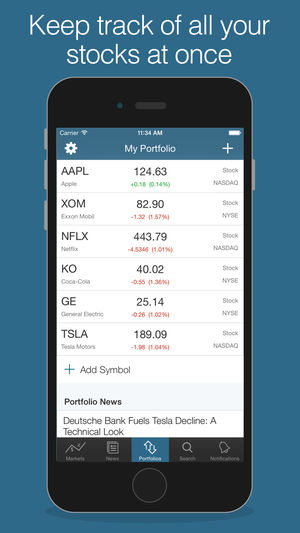
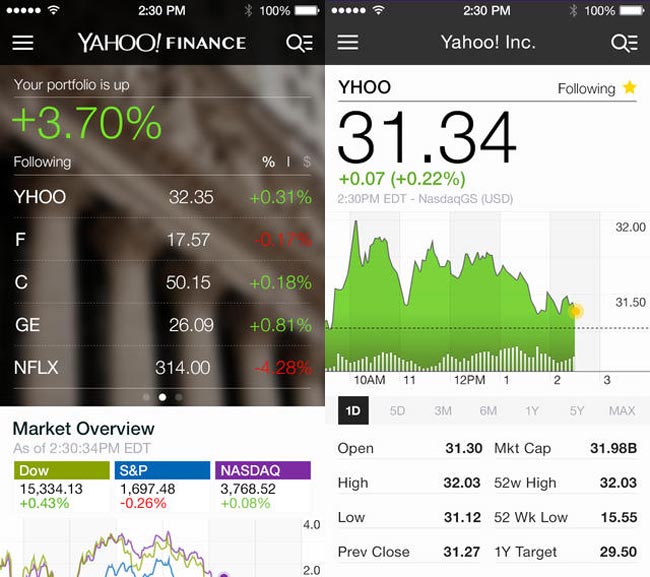
    Surely, you’ve heard of these guys? Jokes aside, Yahoo! Finance has a great app for beginner investors. The app has a gorgeous, clean design reminiscent of Apple’s native iPhone stocks app. The design is personalized to your investments and offers a great dashboard to see what stocks are trending. It also features news and trending stocks at a glance. All in all, this app is great for those just starting out who want to get their stock info at a glance.  

    Stock Market Simulator

    Photo Credit: APK-DI.com 

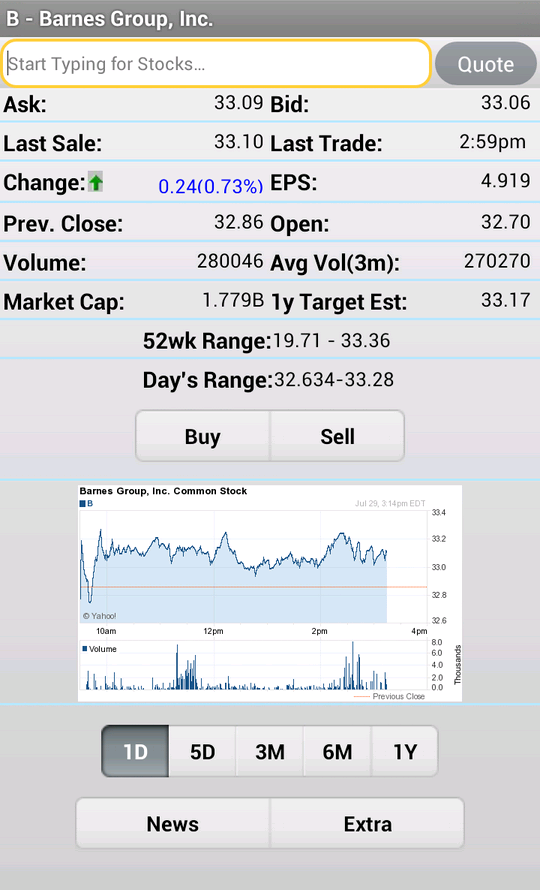
    This mock investment app is a stress-free simulator to show newbie investors the ropes. You start with $10,000 in virtual money with no value and can mock invest in an echo of the real stock market. The echo updates fifteen minutes behind the real exchange. While this isn’t meant to be a tool to predict actual investment trends, it is useful to show newcomers what the exchange looks like. It allows them to experiment without risking their actual money. 

    SigFig


    Photo Credit: Apptentive 

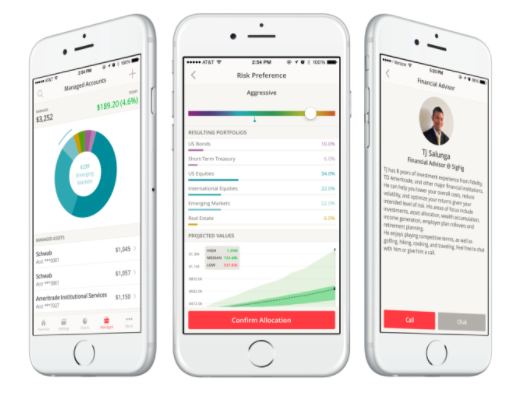
    This investment app is quite good for newcomers. SigFig offers advanced optimization tools for portfolios, helping you manage your money. You take a profile quiz to tell the app the ways you like to take risks with your money. You get a personalized investment plan, put money in the account, and off it goes. It’s like a digital broker! 

    The app also offers investment advice for first-time investors. The only downside is that it only shows you three years back of your investment, where most apps opt for five- or even ten-year retrospectives. That said, this is still an awesome choice for newcomers. 

    Our Favorite Beginner Investment App: Acorns

    Photo Credit: Cult of Mac 

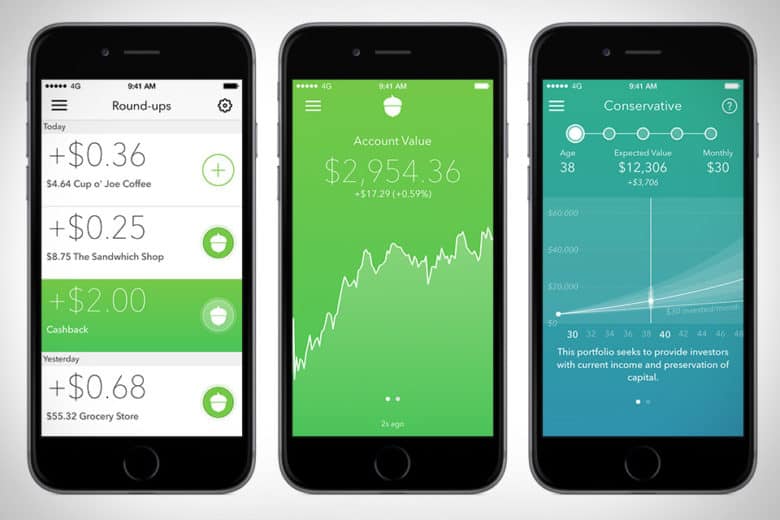
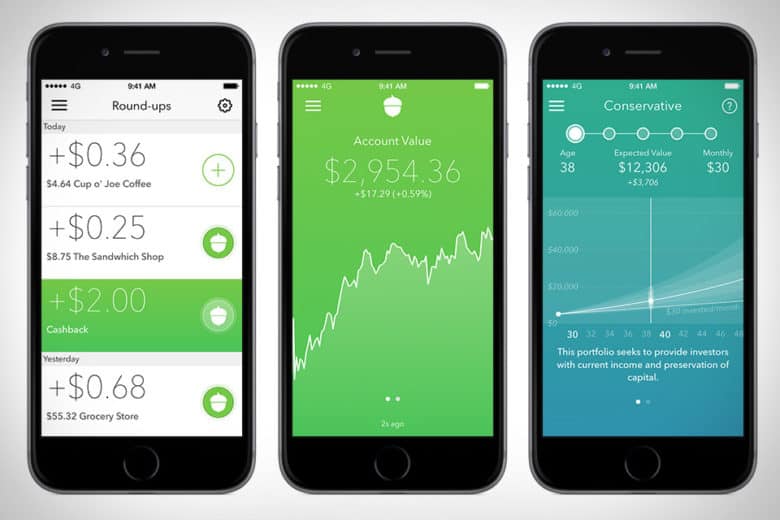
    The Acorns app is pretty awesome. This investment app works by investing your loose change into a diversified portfolio. The idea is that you set it up with your credit or debit card, and then the app rounds up your regular purchases and invests the small amounts of money in accounts recommend by Harry Markowitz. Markowitz, for his part, has won a Nobel Prize for his work as an economist, so you know your money is in good hands. 

    Acorns is meant to be a “set it and forget it” service, in their COO Jeff Cruttenden’s own words. The service does have a small monthly fee, but as long as you keep small amounts of money in it, you probably won’t notice it. This service is great for those who’d like to invest but don’t know where to start. 


  • Biggest Mistakes People Make When Buying Laptops

    Biggest Mistakes People Make When Buying Laptops

    If you’re shopping for a laptop for your kids going back to school, or just looking for something to help you with productivity, there’s a lot to choose from. It’s becoming increasingly difficult for laptops on the lower end to distance themselves from competition in the form of tablets and even smartphones. As such, tons of weird gimmicks have started showing up on laptops across the entire market, and they can be hard to sift through.

    When you’re shopping for a new laptop, there are a few basic mistakes you’ll want to take care to avoid. Whether they’re experienced tech junkies or relative newcomers, here are the basic mistakes that people make when they’re shopping for a new laptop.

    Paying too Much

    Some of the higher-end laptops you’ll find are downright amazing. However, that doesn’t mean that every expensive laptop is a good deal. If a laptop feels like it’s straining your budget for you to fit it into your purchases, it’s likely rocking some features that are completely unnecessary. Don’t get suckered in to paying a huge upcharge for a 4K display, 4TB of memory and 12GB of RAM when the laptop is going to be used for taking notes and watching YouTube videos.

    Along this same line of reasoning, make sure you know what display resolution you’re comfortable with. If you want to use a laptop for lots of Netflix streaming, video games and photo editing, you might want to opt for the full 4K resolution. However, if you’re buying for a student so they can write research papers and check their email, then you might go for a 720p screen that costs less than half the price.

    Undershooting Your Needs

    On the flip side, if you buy a laptop entirely based on “oh, this is the cheapest one I could find!” then you’re likely going to get what you pay for. If your laptop barely has any storage or RAM, then you’ll find it quickly running out of usefulness for you. Likewise, if you need a lot of applications running at once but opt for a dual-core processor over a quad-core processor, just because the dual-core was cheaper, you’ve only short-changed yourself.

    When you’re buying a laptop, have a good idea of your needs. When you know what you need, then it’s easier to set your price point. If you undershoot what you need, then you’ll have issues on you hands that you won’t be able to fix until you just buy the laptop you should have bought in the first place. Likewise, if you overshoot and buy something hilariously overpowered for what you need, then you’ve wasted a ton of money on bells and whistles that aren’t helping you.

    Not Trying it Out

    Would you ever buy a car without test driving it, or a home without touring it? If you would, then, congratulations on your huge piles of disposable cash. However, people with normal budgets try things before buying them, and your laptop should be no exception. The prevalence of online buying has made this a bit less common in recent years, but this is a disturbing trend. It’s important that you try out any complex piece of technology before you buy it.

    The feel of the keyboard, the speed of the processors and the appearance of the resolution are all important things to see in person. Even minor touches, like the shape and weight of the laptop, are hard to gauge just by looking at stats and dimensions on a cold web page. Little things like the sensitivity of the touch pad or the lack of certain features might not jump off the page at you, but would be immediately apparent if you tried the device in-person.