Blog

  • Tech Throwback: Web TV

    Tech Throwback: Web TV

    I like to take a look at where I’ve been to evaluate where Im going. Technology is cyclical after all… wait no its not. That said I still like all the feels that come rushing back like a flood of nostalgia every time I get my hand on the tech I grew up with. Im going to go back periodically and take a looking at the stuff that used to blow our hair back and get our minds rolling. Some of these device blew up and changed the world, some where ahead of their time and some just fell flat and became colossal failures. Today we have a massive swing and a miss. This was an idea that seemed right and destined for greatness but just missed. Today lets pull up the old Web TV.

    This was the brain child of  Steve Perlman. He first combined computer and television as a high-school student when he decided his home PC needed a graphics display. He went to build software for companies such as Apple and Atari. While working at General Magic, the idea of bringing TVs and computers together resurfaced.

    One night, Perlman was browsing the web and came across a Campbell’s soup website with recipes. He thought that the people who might be interested in what the site had to offer were not using the web. It occurred to him that if the television audience was enabled by a device to augment television viewing with receiving information or commercial offers through the television, then perhaps the web address could act as a signal and the television cable could be the conduit. Pretty brilliant and right there in front all of our faces.

    Web TV and How it Worked

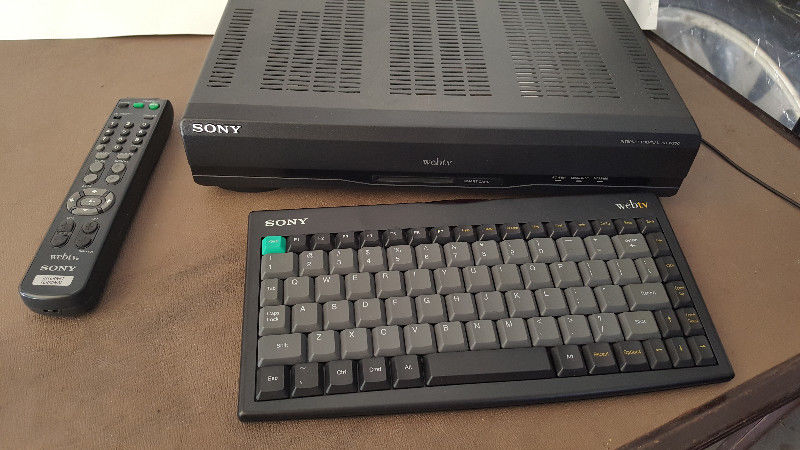
    Web TV was launched on September 18, 1996 with Web TV set-top boxes in stores from Sony and Philips. They ran all of the servers in an old BMW dealership.The initial price for the Web TV set-top box was US$349 for the Sony version and US$329 for the Philips version, with a wireless keyboard available for about an extra US$50. The monthly service fee initially was US$19.95 per month for unlimited Web surfing and e-mail.  The box featured a 64-bit RISC CPU chip, and a smart card reader. The smart card reader was not utilized significantly. The web browser was compatible with both Netscape Navigator and Microsoft Internet Explorer and the Web TV set-top box featured 2 MB of RAM. The first WebTV set-top boxes had a 33.6 kbit/s modem, and later versions had 56kbit/s modems.

    By 1998 Web TV was on its way, they where pulling 1.3 billion dollars a year and it looked like we where on the way to a TV/computer consolidation. Then Microsoft stepped in 2001. They purchased Web TV and it all seemed to fall apart. They keyboard and controls where difficult to use. The applications where not growing with the rest of the tech world. Shortly after the MSN TV re-branding it was all but dead in the water.

    The Final Thought

    With out the adaptations of the most popular internet apps and functions this just became that cool thing that one friend in the neighborhood had. Skip forward a few years and Smart tvs are a cornerstone to our digital world. While I attempted to find an old Web Tv box and play with it in a demonstration for this article, apparently its just not feasible with there being no internet connection service to log on through. Web Tv came and went with no fanfare, soon to be totally forgotten. Never getting its just deserves and never to be seen or used again but for those brief years of 95-2001.

  • Cooler Master CK552 Feature Roundup

    Cooler Master CK552 Feature Roundup

    Cooler Master’s newest keyboard, the Cooler Master CK552, released on June 19th. It’s available exclusively through Best Buy. Today we’re rounding up its biggest features and giving you our thoughts! It’s out now for $79, which is a reasonably low price for a mechanical gaming keyboard. Is it good enough to consider for hardcore gaming, or does it compromise too much for that price point? Let’s get into it. 

    The Keys and Switches 

    Mechanical keyboards, of course, are known for their switches. The Cooler Master CK552 is available with three different Gateron switch types: reds, browns and blues. The red switches are the “balanced” option, being great for both typing and gaming. Browns are a slightly louder, more tactile switch. Blues are the loudest, clicking and clacking like a typewriter. They’re all great here, just go with whichever fits your preference. Gamers love blue switches for games like World of Warcraft, where key presses have to be purposeful and misclicks are deadly. Browns and reds are preferred for first-person shooters, where linear key inputs aren’t a problem. 

    Design 

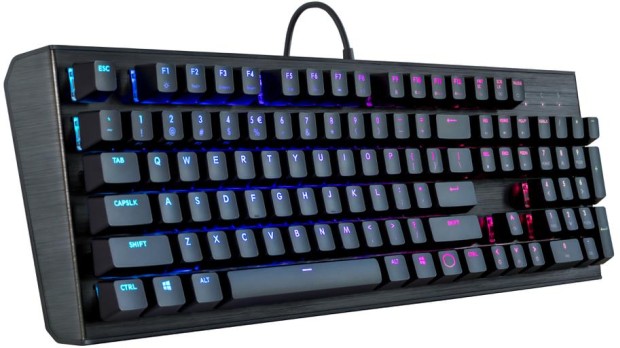
    The keyboard itself has a sleek, futuristic look. It’s almost industrial-looking, sporting a brushed aluminum look with raised keys. The keys stick far off the base of the board, giving them a sci-fi appearance that looks right at home on a gamer’s desk. The CK552 comes in black, but other models are available in silver and gunmetal colors. The keyboard is sturdy and heavy-duty, which is great for its price. Many gaming keyboards of similar price range don’t feel as sturdy or solid as this, which puts it in the same league as Razer. That’s seriously high praise, as Razer sets the bar for gaming keyboards.  

    Cooler Master CK552 Star Feature: The Lighting 

    So, we’ve established that it’s durable and the keys have great action. But the star of the show here is the lighting. You can customize lighting profiles right from the keyboard, which is great for the software-averse. You can also download Cooler Master’s free software and get granular with your lighting profiles. That said, all the lighting options in the world wouldn’t matter if they didn’t look good. But they don’t look good here, they look great. The raised keys and open-style keyboard allow the lights under the keys to spill out all over your desk. It’s a fantastic visual experience, unrivaled by keybaords from any price range. 

    Bottom Line 

    For the reasonable price of $79, the CK552 is a stellar keyboard. If you’re in the market for a new RGB keyboard, or looking to try a mechanical keyboard, this is a great start. If you already have a good mechanical keyboard, this one isn’t going to sway you from your preferred input device. That isn’t to slam the Cooler Master, though. It’s still a great entry point for those looking to see what all the hype about mechanical keyboards is about. 

  • Our Favorite Sleeping Bag for Summer Adventures

    Our Favorite Sleeping Bag for Summer Adventures

    If you’re a camper or backpacker, you’re certainly aware of how important a good sleeping bag is. The last thing you want is to be uncomfortable while trying to catch some winks in the wilderness. Whether your bag is too heavy for your pack, traps moisture too easily or is just too thin to keep you warm, the wrong bag can ruin a trip. To keep your trip on the “awesome” side of things, we’ve got a roundup of our favorite heavy-duty sleeping bags for camping! Let’s go on a wilderness adventure! 

    Patagonia Hybrid Sleeping Bag 

    Patagonia’s entry on this list is a little odd. It’s actually half a sleeping bag, which might sound like a rip-off, pun intended, but it’s actually pretty sweet. In the summer months, it’s great for cutting excess weight. When you don’t need a ton of extra warmth, having such a light sleeping bag will keep your pack light. Just carry a light blanket to cover your top half! In winter, just pair it with a thick, warm jacket. You’ll already be wearing one, so why not carry a lighter sleeping bag? The Patagonia Hybrid weighs in at 17.3 ounces, which is incredible. You can grab one for $300 straight from Patagonia. 

    REI Co-Op Igneo 25 

    A great buy at $270, the REI Igneo is a great pick for temperatures above 25 degrees Fahrenheit. During Fall, Spring and Summer, the Igneo will keep you comfortable and warm. The exterior is 20-denier ripstop nylon, meaning you won’t have to worry about water or rips during normal use. It only weights a hair over a pound, and it packs in beautifully. For a serious backpacker, this is a great buy for the price. The only situation you wouldn’t want this in? Winter time backpacking or camping, for which it’s not rated. For normal three-season outdoors expeditions, though, this is a great choice! 

    Our Favorite Overall Sleeping Bag: Feathered Friends Swallow UL Nano 20 

    This one is our favorite for a number of reasons. For one thing, it’s incredibly comfortable. You won’t have to worry about being uncomfortable trying to get to sleep after a long hike. Just plop down, zip up and snooze. The warmth-to-weight ratio here is also absolutely nuts: it’s rated for 20 degrees, but you could take it even colder. Feather Friends is known for their modesty in temperature ratings, and it’s better to be safe than sorry. That said, experienced campers could take this one lower than the rating suggests. For $550, this one is expensive, but worth every penny for a serious hiker or backpacker. 

  • Samsung Galaxy S10 Rumor Roundup

    Samsung Galaxy S10 Rumor Roundup

    Samsung’s popular range of Galaxy phones are known for being some of the very best smartphones to run Android. As such, it’s understandable that rumors regarding the upcoming releases in the family are eagerly churned out. Which rumors about the Galaxy S10 are the loudest, and which are the most likely? Today we’re rounding up some of the rumors surrounding the upcoming Galaxy phone! 

    3D Facial Scan 

    Sources have reported that the newest Galaxy phone will forego the iris scanner in favor of a full 3D face scan. If that sounds familiar, it’s because that’s exactly what Apple’s Face ID is. Samsung seems to be gunning for its American rival with their newest phone. The rumors around this Samsung face scan indicate that if the technology isn’t ready by the time the Galaxy 10 is set to ship, it will continue to use the iris scanner instead.  

    In-Display Fingerprint Scanner 

    A feature that was supposed to be in the Galaxy S9, the in-display fingerprint scanner is rumored to be appearing in the S10. Chinese smartphone makers Vivo and Oppo have been pushing the limits on in-display scanners, and Samsung isn’t a company to be outdone. Interestingly, Apple chose to forego this avenue of technology altogether in favor of Face ID technology. Samsung, on the other hand, is pursuing both. While that may seem redundant, perhaps they’re looking to cover all potential bases.  

    No Phone Notch 

    Rumor has it that Samsung won’t follow the industry trend of the top phone notch. Instead, they’ll opt for very thin bezels on the top and bottom of the front display. The thin top bezel will house the camera, speaker and other technology that is usually housed in a phone notch. The presence of the bottom bezel is disappointing, but in leaked renders the phone still looks quite slick. However, if all these rumors are to be believed, Samsung might just have an iPhone X-killer on their hands. If they can deliver a phone with 3D facial scanning, an in-display scanner and a powerful processor, they’ll be poised to dethrone the iPhone. 

  • Ten Takeaways from iOS 12 Beta

    Ten Takeaways from iOS 12 Beta

    The public beta for iOS 12 is here! That means it’s time to dig in and talk shop. First things first, remember this is a beta, so don’t go installing it on your main phone. Grab an old iPad or something if you wanna try it out. That said, we’ve got a list of the top ten takeaways from the iOS 12 beta for those without a device to try it out with. From what’s awesome to what’s not, to what’s flat-out missing, we’ve got you covered. Alright, let’s get into it! 

    The Good Stuff: 

    Memoji 

    Photo Credit: Mashable 

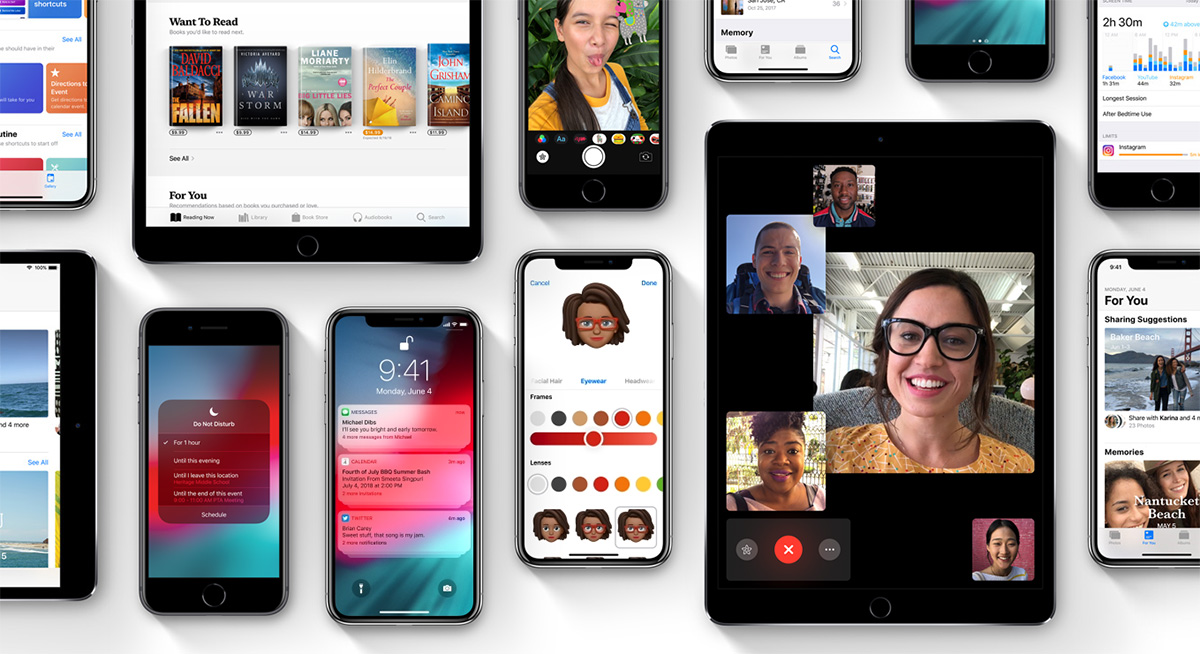
    Let’s kick it off with some of the coolest features in the beta. The Memoji is available on iPhone X, and it’s great. It’s sort of like the Mii feature from Nintendo, where you can create a personal cartoon avatar. Then you can use that avatar in different apps to represent you, and you can type in to people in messages. It’s adorable, it’s meaningless and you know you want it. 

    Animoji

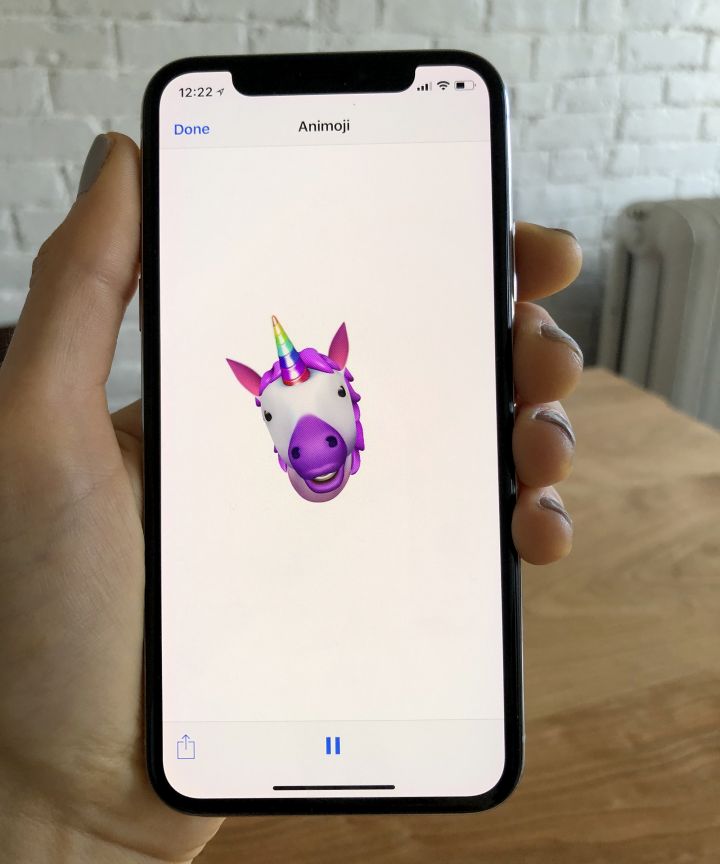
    Photo Credit: Refinery29 

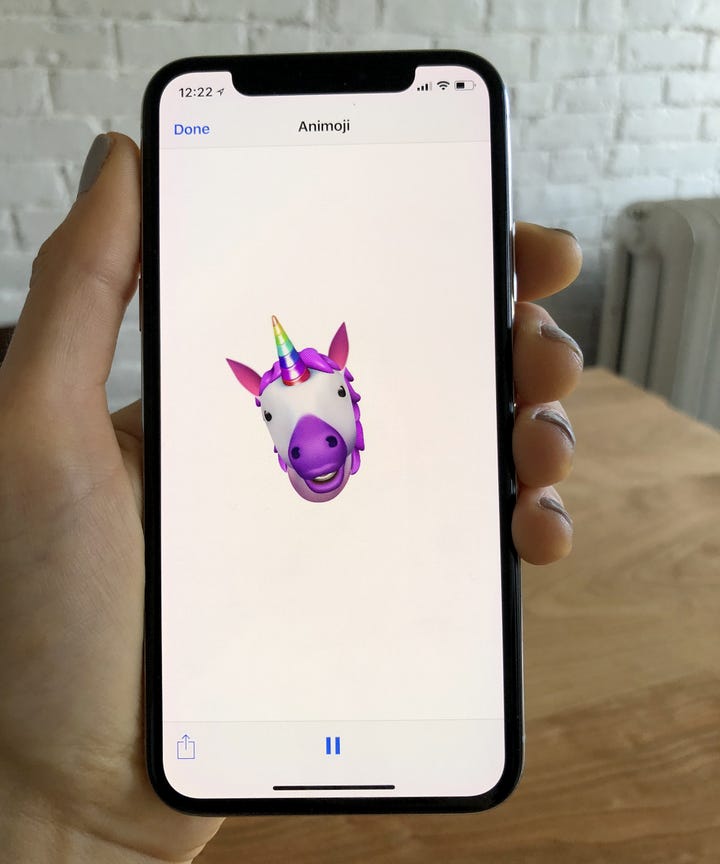
    On the topic of meaningless adorable emoji things, new Animoji are also available on iPhone X with this update. If you already didn’t love this feature, this isn’t going to blow you away. That said, if you liked it, there’s some new ones to play with soon! There’s a new koala, a tiger cub, a dinosaur and even a ghost! Kids, especially, will love this. 

    Screen Time

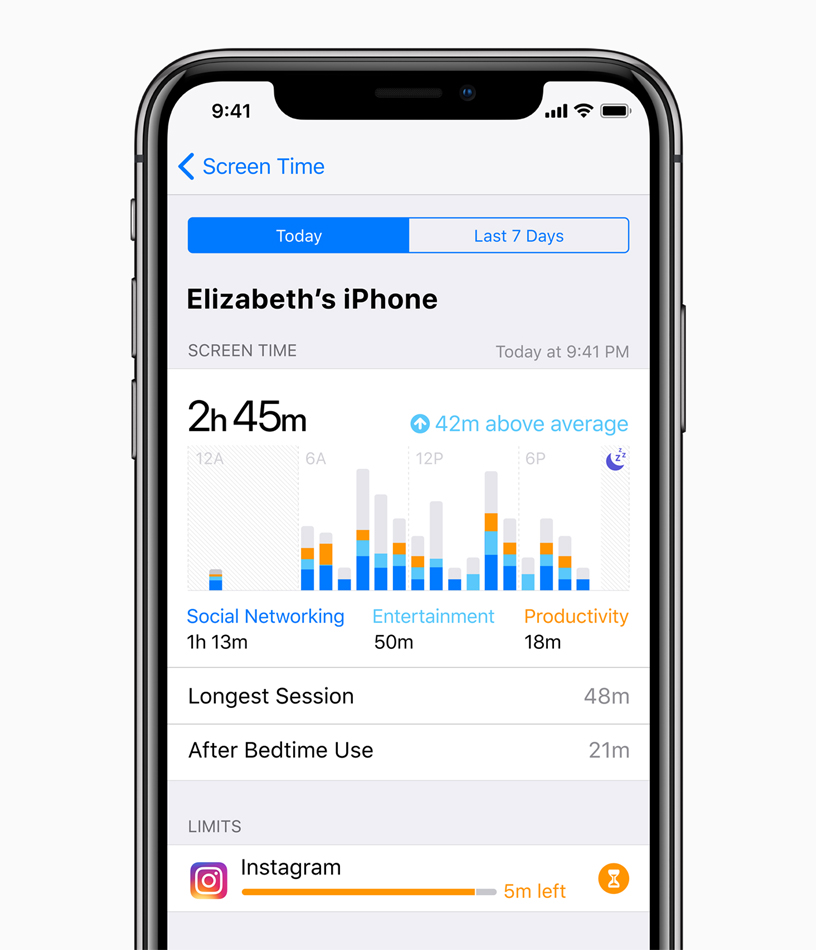
    Photo Credit: Apple 

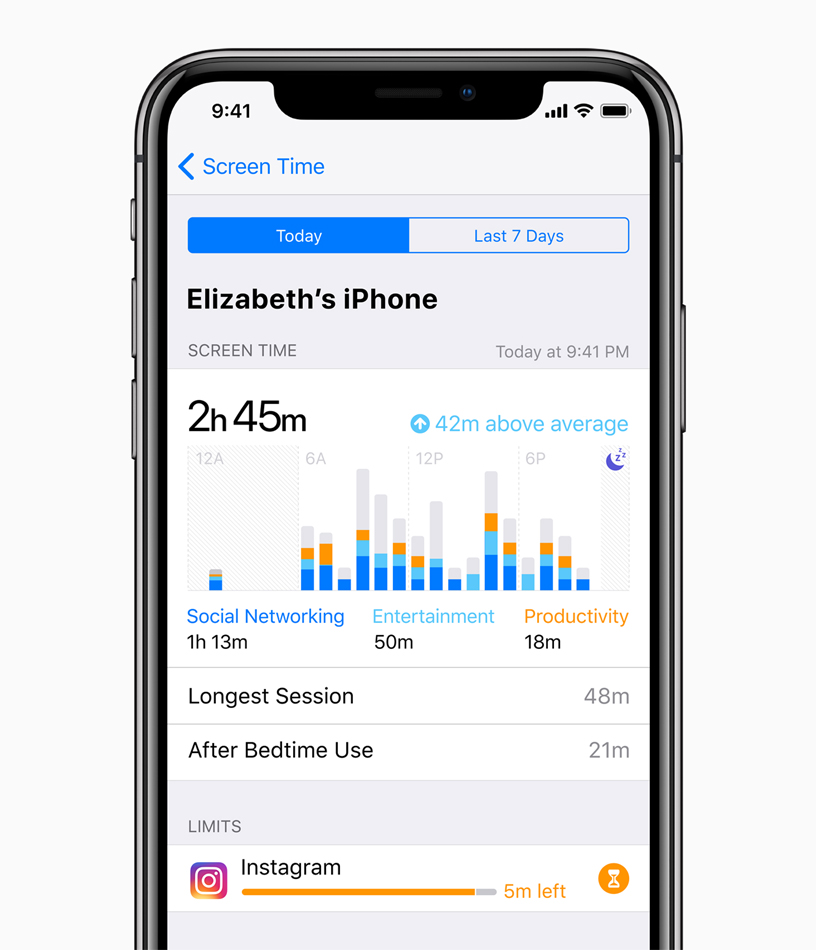
    This new feature aims to help you use your phone less. Screen time allows you to see how much time you’re spending on various apps, and you can even set time limits. If you want to create Downtime, as iOS 12 calls it, the phone discourages you from using apps at certain times. There’s also a new feature that allows parents to lock certain apps or time gate them for their kids. If your little one is staying up all night playing Fortnite, this is a great addition. 

    The Changes: 

    Notification Changes

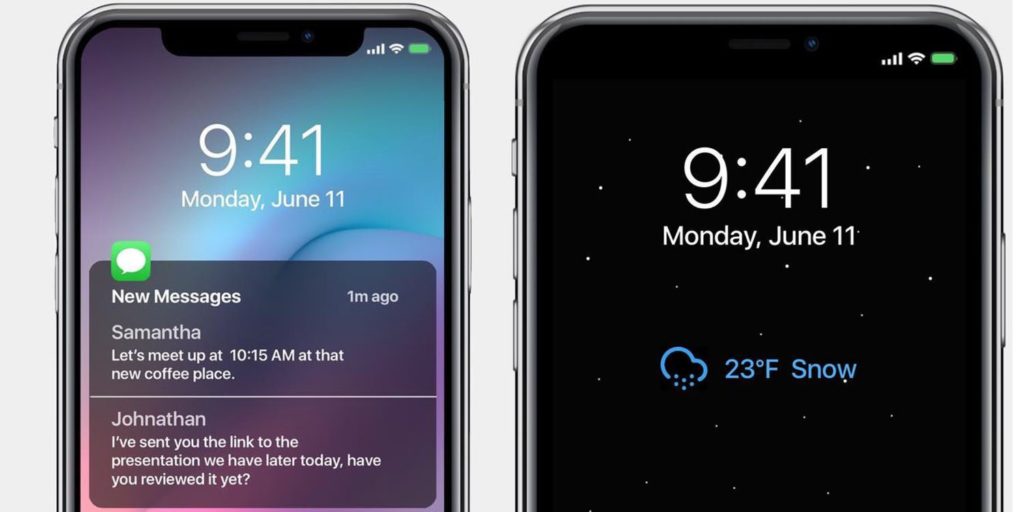
    Photo Credit: 9to5 Mac 

    This one is a pretty great overall quality of life change. Now, like notifications will be grouped together, making it easier to parse what notifications you’re getting. This is great for cutting down on clutter. You can also mass-silence notifications of different type with a tap. More advanced Do Not Disturb options are also available for those who want to get picky with their notifications. 

    Voice Memos App

    Photo Credit: iTunes 

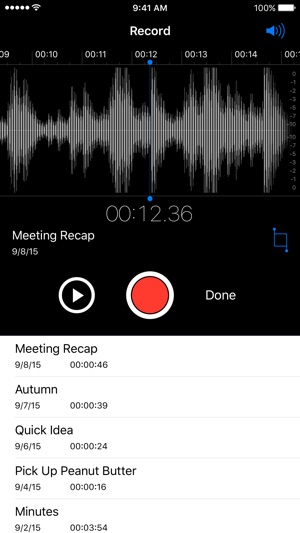
    Some changes to the voice memos app are welcome. They include fast forwarding and rewind controls, which are great. They also added iCloud storage for your voice memos. If you use this fucntionality a lot, you’ll be really happy to see these changes. Nothing major, just great to see. 

    Photos Search and Suggestions

    Another general quality of life change, this beta has introduced new functionality to the Photos App. The first is a new photo suggestion mode that suggests which pictures you may like to share with others via social media. The other is a new suite of search terms to help find your pictures. If you use Instagram a lot and take tons of pictures, these are awesome new features! 

    Group FaceTime

    Photo Credit: AppleInsider 

    FaceTime now supports up to 32 users at once. Awesome! It also now switches focus based on who’s talking which makes this great for meetings or more informal conversations. Speaking of informal, you can also add your Animoji or Memoji to these massive group conversations. Sounds chaotic, wacky and fantastic! 

    What’s Missing?

    ARKit 2

    Photo Credit: Apple 

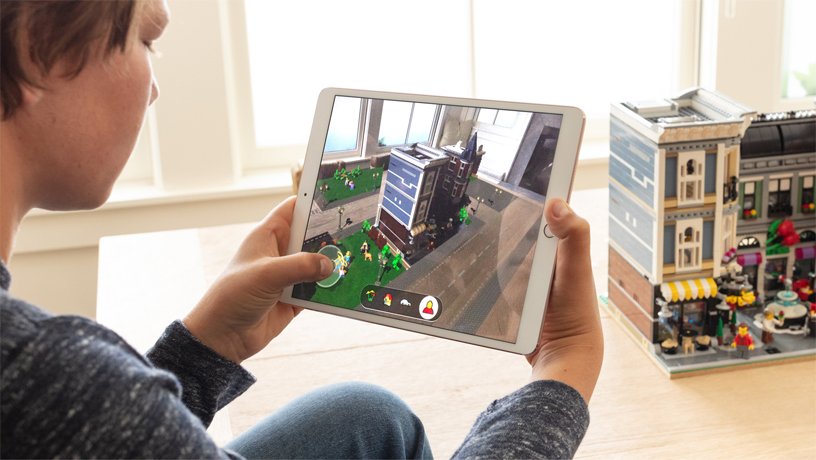
    Apple’s big push for augmented reality isn’t present in the beta. While the Measure app uses the new augmented reality functions, other apps that do this already exist. We’ll have to wait until the third party apps that support the new ARKit ship when the OS launches. 

    Siri Shortcuts

    Photo Credit: 9to5 Mac 

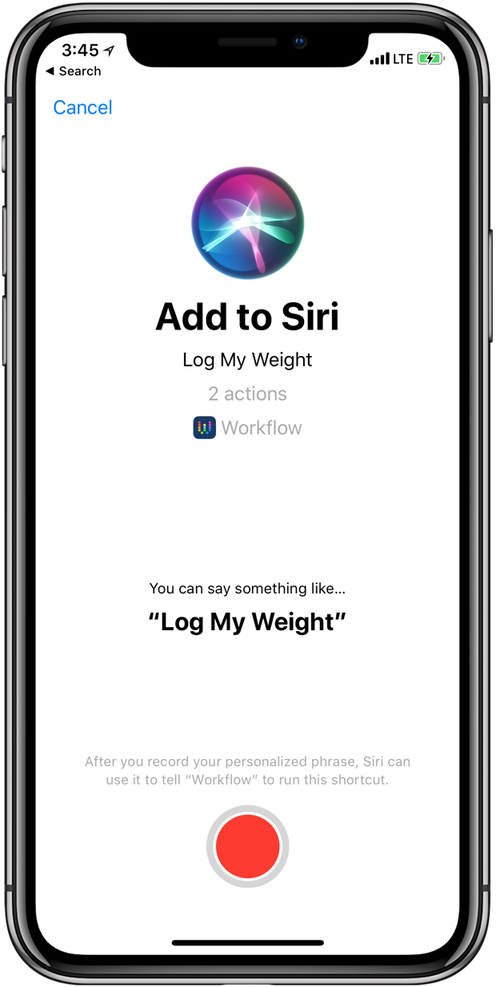
    This feature currently works haphazardly with a few different first-party apps. Third-party support for the new Siri functionality hasn’t launched yet, though. Creating your own shortcuts for Siri is likely to be one of the biggest draws to the new OS when it launches. Apple has been trying to keep up with Alexa and Google Assistant, but Siri has been lagging behind. Seeing these features aren’t ready for full beta-testing yet doesn’t exactly inspire confidence.  

    What We Wanted in the iOS 12 Beta: Better Siri Overall 

    Siri was the first virtual voice assistant, but she’s changed little since she launched seven years ago. When Siri launched, phones didn’t have biometric scanners and smart homes sounded like a sci-fi future. Apple hasn’t rolled out the kinds of changes to Siri we’d have liked to see in this beta. Hopefully they have more changes, and more uses, coming later in the beta. For now though, we’re disappointed to see this cutting edge company lagging behind in this field. 

    Feature Image Credit: Apple

  • Which Bitcoin Wallet is the Best for You?

    Which Bitcoin Wallet is the Best for You?

    Once you’ve bought, or mined, your bitcoin, you’ll need somewhere to keep them if you don’t plan on using them on an exchange right away. There are a few different applications, or wallets, that you can store them in. Today, we’re rounding up a few of our favorite “hot” Bitcoin wallets. “Hot,” in this instance, refers to the fact that these are always connected to the Internet, unlike “Cold” wallets that can be offline.  

    Exodus 

    A pleasing-looking multi-currency wallet, Exodus is a great user experience. If you plan on storing large amounts of crytpocurrency, though, it’s not the best, as it’s partly closed-source code. This means that if there are any bugs in the code that could lead to data breaches, the community can’t vet them and fix them. However, if you plan on storing smaller amounts of Bitcoin, or other currencies, this is a fine choice. You can even use the Shapeshift service to exchange your Bitcoin or other crypto right from the wallet.  

    Exodus has you generate a 12-word “seed” that it then encrypts your keys with. This means that if you somehow lose access to the version of Exodus you currently have, you can recover it with your seed. Simply write the seed down someplace safe and your Bitcoin is protected from hard drive wipes.  

    Jaxx 

    Jaxx, much like Exodus, is another multi-currency wallet that has Shapeshift. And, much like Exodus, it’s closed-source, so potential security gaps can’t be spotted by the community. In fact, last year, once such bug reared its head, allowing users with access to your version of Jaxx to steal your currency. That said, it’s a fine app for those who simply want to store small amounts of Bitcoin or other currencies. The ability to convert from different currencies through the app is quite convenient. 

    Closed-source code aside, Exodus and Jaxx are both visually appealing, convenient and user-friendly. If you’re just dabbling in a bit of crypto, Jaxx is a great Bitcoin wallet. 

    Bitcoin Core 

    A very early Bitcoin wallet, and easily the most robust, Bitcoin Core is a “full node.” That means it downloads the entire blockchain that tracks every Bitcoin transaction, which is around 160GB. The reason for this is security. Since Bitcoin Core knows the entire blockchain, it is nearly impossible to fool it, thus ensuring you won’t be defrauded. Someone attempting to spend the same coins twice, or spoof funds would be easily detected and shut down by this wallet.  

    Bitcoin Core is great if you intend on storing a ton of Bitcoin. It’s also great if you like your anonymity, as it encrypts transactions through the Tor network. This is all pretty costly on bandwidth, though, so it’s really for power-users first and foremost. 

    Our Favorite Bitcoin Wallet: Electrum 

    Electrum is a “thin” wallet, which is in contrast to a full-node like Bitcoin Core. Rather than downloading the full blockchain, it uses secure server connections to verify transactions. This means it uses much less internal memory and bandwidth, allowing it to be much leaner. Electrum, like Jaxx and Exodus, also allows for seed-based recovery in case you lose access to it. For general use, Electrum is our favorite overall wallet. It’s relatively secure and is quite useful for its file size and bandwidth use. While not the most robust wallet, it is the best option for most users.  

  • Mouse and Keyboard Controls Coming to Xbox One Soon

    Mouse and Keyboard Controls Coming to Xbox One Soon

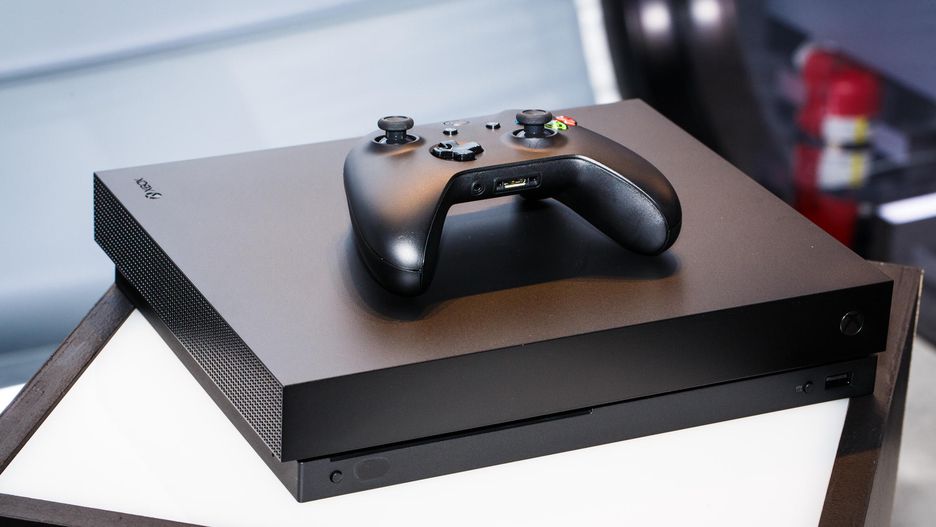
    Microsoft’s initiative to make their home console as accessible as possible continues with support for mouse and keyboard controls. A recently leaked internal video aimed at developers outlined the company’s plans to extend full support for the control scheme soon. According to the video, any non-Bluetooth Windows mouse and any USB keyboard will be compatible with the system soon. As such, lapdesk keyboards like Razer’s Turret could be the next living room controller.  

    Competitive Concerns with Mouse and Keyboard Controls

    Users with the traditional PC control scheme have a distinct advantage in competitive games over those using gamepads. Microsoft’s video urged developers to consider having different matchmaking lobbies for users with keyboard and mouse control schemes.  

    Additionally, Microsoft has suggested this push could also help crack down on hackers. A notable hack currently allows for a mouse signal to be spoofed through a controller. Thus, allowing for greater aim and reaction time than is possible with a gamepad. The updated API that will allow for direct mouse control will also be able to dsitinguish such hacks. 

    Xbox Accessibility 

    The recently-announced Xbox Adaptive Controller showed that Microsoft is looking to find new ways to enhance the Xbox control experience. The XAC, for its part, is looking to make Xbox easier to use for those with physical impairments. The mouse and keyboard initiative, however, seems to be more aimed at hardcore gamers. These steps are all fantastic, though: why force gamers to use a gamepad if they’d rather use something else? By embracing the different ways users want to interact with their system, Xbox wins the goodwill of current users and the patronage of new users. 

    This move seems to be coinciding with Microsoft’s push to be perceived as a “good guy” in the home console market. Recent marketing from Nintendo has promoted cross-play between Switch and Xbox One. Rocket League, Minecraft and Fortnite all support cross-platform play. Sony, meanwhile, has been stubbornly blocking cross-play for those titles on their own system. Microsoft has taken this opportunity to push marketing making themselves, and Nintendo, seem like rational, cool-headed companies. Or, the “good guys,” as it were.  

    One Step Closer to a Living Room Gaming PC 

    The Xbox is essentially a Windows computer that has been optimized for gaming. The difference between the Xbox One and a gaming PC is becoming harder to tell with each update. While some may ask why Microsoft even feels the need to release dedicated consoles anymore, the Xbox brand has been quite successful.  

  • 2019 Ford F-150

    2019 Ford F-150

    Ford’s name carries some serious weight in the world of pickups. If you’re a fan of towing capacity, cab size and general ruggedness, odds are you like Ford’s F-150 range of trucks. 

    We’ve got some awesome news for you, then: the 2019 Ford F-150 Limited is getting the engine from the Raptor for 2019. That’s right, the most powerful engine in a light-duty pickup is coming to the F-150 limited.

    What Raptor Brings to the 2019 Ford F-150

    Ford’s F-150 Raptor engine is a beast, packing 510 pound-feet of torque and a ten-speed automatic transmission. The F-150 Raptor itself is a fantastic vehicle, so hearing that its stellar engine is coming to the 2019 Limited version of the F-150 is great news. The Limited, which is slated for release in 2019, is shaping up to be a tremendously luxurious vehicle. Sporting a spacious, quiet interior cabin and a smooth, easy ride, the Limited will likely be one of the most sought-after trucks on the market next year.

    Pricing and Release

    We don’t have any solid info yet on the pricing or specification for the 2019 Limited. However, the Limited line does have a few standard accoutrements that you can expect to see. For one, the luxurious interior trimmings, like massage seats, power running boards and a leather-trim dashboard will make an appearance. Also, exterior upgrades will include 22-inch wheels and dual exhaust pipes. As for high-tech luxury, the Limited will sport a 360-degree camera as well as adaptive cruise control.

    The 2018 Limited was priced at $63,000, making it a luxury vehicle in name and price tag. However, the 2018 model doesn’t sport the more powerful Raptor engine, so you can expect the 2019 edition to cost a spot more than $63,000. We won’t know for sure until Ford releases the official pricing information.

    As far as the release goes, you can expect this luxurious, powerful truck on the dealership lot this Fall. Get ready to get rough and tumble with the 2019 Ford F-150 Limited!


  • Rumor Roundup: Google Pixel 3

    Rumor Roundup: Google Pixel 3

    Google’s Pixel line of phones hasn’t dethroned iPhone the way it may have hoped, but it’s done a fair job impressing reviewers. The Pixel 2, for instance, is considered one of the best smartphones in the world right now. Behind, of course, the Galaxy 9 and iPhone X. That one likely stings for Google, a company that wants to be everything to everyone. How are they intending to reverse this trend for their next phone? Let’s check out some of the rumors surrounding their upcoming smartphone. 

    Another Phone with a Notch 

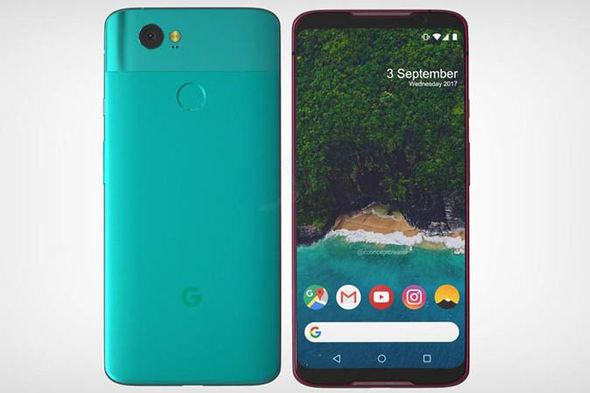
    A leak of the Pixel 3 design suggests that the phone will sport an iPhone X-style top notch. While many find the notch distracting and unnecessary, phone makers seem to take it as a marker of Apple-like design. Google, for their part, seem to be embracing the comparisons between themselves and Apple and leaning into this design decision. The same leaked render shows that the phone will have a back-mounted fingerprint scanner, instead of an in-display scanner. It also suggests that the phone won’t have the dual-camera setup on the back that many have adopted for Bokeh-style portraits. This makes the Pixel 3 something of an echo and downgrade from similar phones, design-wise. 

    Other Apple-Like Features 

    Another rumor holds that the Pixel 3 may have a Face ID-style 3D face-unlock. This is evidenced by the apparent dual front-facing cameras in the top notch in leaked photos. In fact, Face ID is the main reason Apple went with the notch design: the iPhone X had to put its face cameras somewhere. Thus, the notch was born.  

    Another Apple-like update, rumors hold that the Pixel 3 will sport negligible bezels, iPhone X style. This is great news for those who were hoping for a more visually striking phone from Google. As great as the Pixel 2 is, it’s design is a bit bland. In order to remedy this, it seems, the phone maker is aiming for a much bolder design.  

    Three Models of Google Pixel 3 

    Another leak holds that there will be three different Google Pixel 3 models released simultaneously. What this would entail isn’t yet known, but there are some conclusions we can draw at a glance. The first is that one of the models will likely be a budget option, perhaps with an LED screen and less memory. It stands to reason that a mid-tier version, maybe with an OLED screen and more memory would be on offer. Finally, a high-end, or maybe XL version, could be the third model.  

    We’ll certainly know more as we get closer to release. The Pixel 3 will likely be released sometime in late 2018, after September or October. 

    Feature Image Credit: Express.co.uk 

  • Qualcomm Gunning for Intel: Snapdragon 1000

    Qualcomm Gunning for Intel: Snapdragon 1000

    It’s been a rough month for Intel. AMD unveiled the unprecedented power of their 32-core Threadripper processor, and Intel struggled to show anything comparable. In fact, they misrepresented prototype CPUs in a pitiful attempt to match AMD’s behemoth. Then, their CEO stepped down last week amidst a scandal involving a relationship with an employee. Now, to add to the dogpile. Qualcomm prepares to release the Snapdragon 1000.  

    Snapdragon: Not Just for Phone Anymore 

    Windows has partnered with Qualcomm to release a series of “Always-Connected PCs”, laptops that function as huge smartphones. The Always-Connected line is set to be LTE-equipped, have long battery lives and run with Snapdragon 835 processors. 835’s have already been seen in smartphones, and the first wave of Always-Connected PCs are expected later this year. However, it’s the successor to the 835 that has people talking. 

    Snapdragon 1000: Made for PC 

    The Snapdragon 1000 has some impressive specs being leaked. For one, it’s set to have 16 GB of RAM, which is impressive for a laptop chip. For another, it’ll be equipped with two 128 GB UFS Flash drives, and will support LTE on the chip. It seems Qualcomm is looking to beef up their processors considerably for Microsoft’s initiative. If the collaboration between the companies proves successful, this will be another blow to Intel.  

    Intel famously missed the boat on smartphone processors. Whether through arrogance or short-sightedness is unclear, but the company certainly missed an opportunity. In their absence, Qualcomm made a name for themselves, packing their Snapdragon chips into Android phones. Now, the very company they allowed to prosper in the smartphone market is poised to muscle in to their territory. This news is all good for consumers, who stand to reap the benefits as competition heats up. Intel’s been dominant in the world of processors for far too long. A chance to see them up their game and drop their prices is certainly exciting.