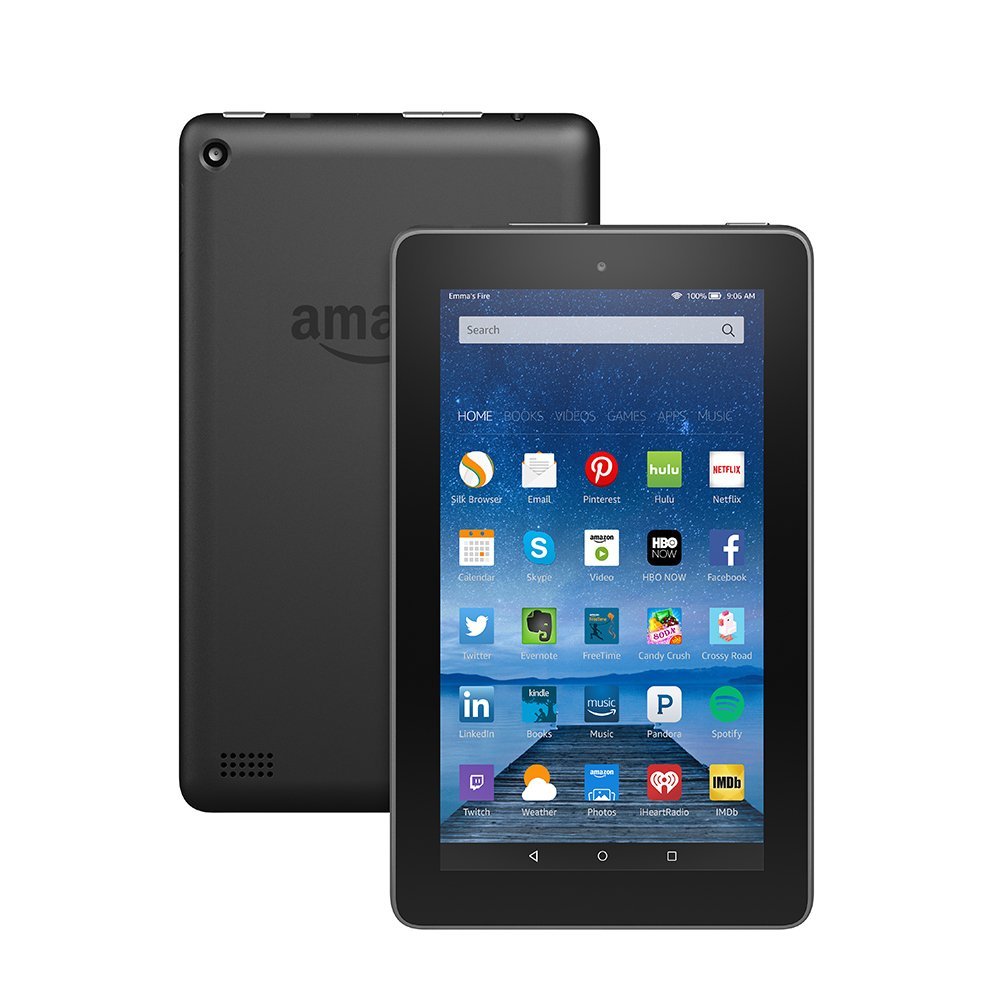
That’s right, with an upcoming software update, your Amazon Fire Tablet becomes an Echo Show. The update, called “Show Mode,” is Amazon’s newest effort to make Alexa an everyday name. If you already have a case with a stand, you can simply set your tablet up in it, swipe down on the screen to activate Show Mode, and ta-da! You have a makeshift Echo Show. You can now use your voice to check the weather, sports score, compose messages and more.
Performance
The microphone on a Fire Tablet isn’t quite as strong as the one on a true Echo Show, of course. That said, in a relatively quiet space, the tablet should have no trouble picking you up. If you’ve never used Alexa before, prepare to be impressed. If you have, however, you might notice that she’s a little quieter here in her new housing. The tablet doesn’t have terribly strong speakers, either. If you connect your tablet to a Bluetooth speaker you can remedy that, though.
Show Mode Charger
Amazon is also prepared for the cries of “this isn’t even that useful.” How so, you ask? Why, with the Show Mode charging stand! The charging stands will be available for the HD 8 and HD 10 tablets and will effectively turn your tablet into a full-blown Echo Show. Setting the tablet upright and charging it at the same time, the charging stand lets you just put the tablet in Show Mode and walk away. There are a few downsides, though. The first is the lack of any extra microphones: you’ll be stuck with the tablet’s existing, sub-par mics. The other is the price tag, running at $40 for the HD 8 and $55 for the HD 10. That’s kind of pricey for a glorified metal stand with a charging cable running along it.
Bottom Line
If you already have a Fire Tablet, congratulations! It’s now an awkward, scaled-down Alexa device. You’re going to get a kick out of this, and it’s a free update. If you don’t own one already, though, this won’t be pushing you to get one. You might as well just get an Echo Show if an Alexa-enabled display is something you want. If the display isn’t a concern, the Echo Spot is a great device, and it only costs around $40. Still, this is cool news for those who already own one of Amazon’s tablets!
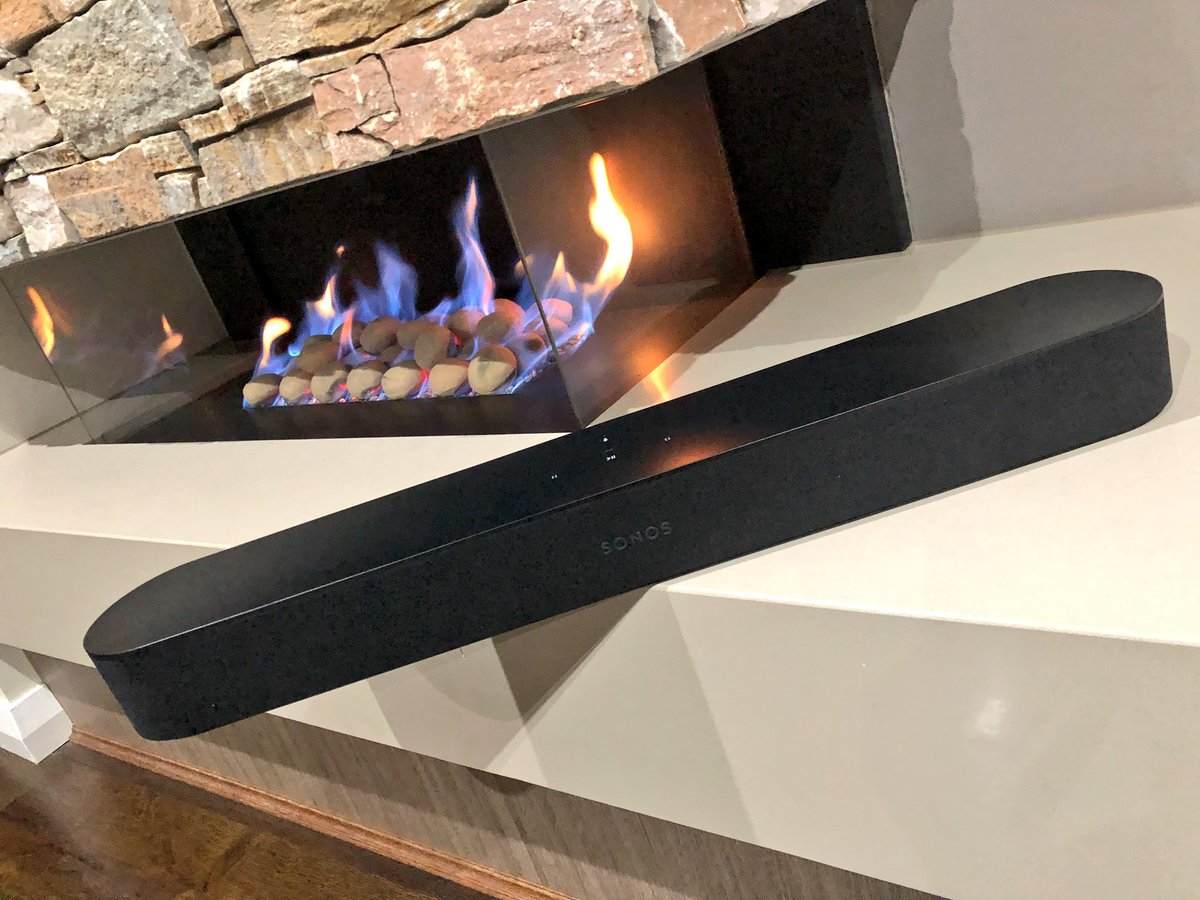
The Sonos playbase sound bar had its problems. It was large, unsightly and looked like it belonged in the low rent apartment of a Best Buy employee. Sonos is now fixing this with the Sonos Beam. The latest in the Sonos family of speaker includes Alexa — and promises Google Assistant support — and it improves your TV sound immensely. Designed as an add-on to your current TV, it can stand alone or connect with the Sonos subwoofer and a few satellite surround speakers for a true surround sound experience. It truly shines alone, however, thanks to its small size and more than acceptable audio range
The Great
Great Design
Terrifically Priced
Elegant Size
Big Amazing Sound
The Not
Lacks pop on Sound Effects in Movies
The Conclusion
The Sonos Beam is the best sounding, best looking soundbar you can buy for $300. Its a great way to get started on your Sonos collection and start the ultimate home filling speaker system.
The Design
No metal grill on this Sonos, surprisingly it sports a e wrap-around cloth grille of the Beam . You know, the ones most commonly associated with the company’s ultra-budget competition. Yes its a bit of a surprise on a Sonos product. Yet, the speaker retains a Sonos look with its plastic top and the touch control panel that debuted on the One. The pill-shaped Beam is smaller than most other sound bars at just 25.6 inches wide by 2.7 inches high and 3.9 inches deep (68.5 by 651 by 100 mm). You can get it in black or white. Unfortunately, the Beam doesn’t include a wall bracket in the box, but the company will sell you one for an extra $59.
The Beam is two feet long and three inches tall. It comes in black or white and is very unobtrusive in any home theater setup. Interestingly, the product supports HDMI-ARC aka HDMI Audio Return Channel. This standard, introduced in TVs made in the past five years, allows the TV to automatically output audio and manage volume controls via a single HDMI cable.
The Sound
Not surprisingly, the Beam sounds pretty great too, though not quite at the level of the Playbar or Playbase. The soundstage is wider and the bass reaches lower on both of those models, especially the Playbase, but they’re both significantly larger and more expensive. For its part, Sonos recommends the Beam for small and medium-sizes rooms, where these disadvantages are minimized.
The Sonos Beam does have some liabilities. Ive noticed with the soundbar by itself, it lacks sound and misses on sound effects. Mostly in high action movies with alot of explosions the Beam seems to sound flat, almost like it is dimming down the boost in sound. Im not entirely sure if this is a noise reducing functionality or a issue with the Beam itself> However when paired with other Sonos speakers they seem to fill the air and pick up what the Beam seemed to put down.
The Final Thought
With this low cost, High quality soundbar the Sonos Beam will be picking up a lot more customers and putting them in the Sonos sound world. Much like potato chips, when it comes to Sonos speakers, you cant stop at just one.
The Amazon Fire TV Cube is here! Amazon has promised a unique blend of connecting traditional cable TV with Alexa voice control. While the company has dipped its toes in this water with the Fire TV Stick, the TV Cube is a pretty big leap. What is everyone saying about the newest cable box? Is it worth all the hype? Does it really revolutionize the living room? Or is it just a goofy gadget with niche appeal? Well, we’ve got a review roundup for you right here! Let’s talk TV!
What the Fire TV CubeDoes
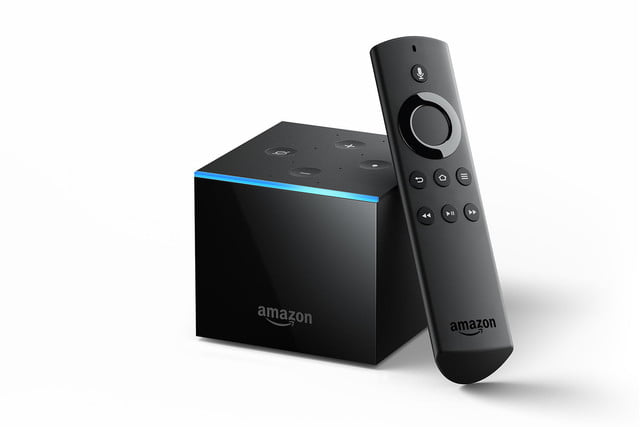
The Fire TV Cube is an Alexa-powered entertainment device designed to let you use voice commands to control your TV hands-free. Basic functions, like turning the TV and cable receiver on and changing channels is all handled through voice commands. This is actually quite awesome: walking in from a long day and getting your entertainment with just your voice feels really luxurious. While you’ll still have to use a remote control for more advanced functions, this is a huge step in the right direction!
Amazon has been leading the pack in smart home technology since they first launched the Amazon Echo. Their Alexa personal assistant has grown more responsive and intelligent with each update. New technology like the TV Cube are natural extensions of the ongoing smart home revolution. The TV Cube has excellent voice recognition, hearing users over speakers even in loud rooms. The Cube then mutes the sound until the command is completed.
The best part, though, is that setting the device up is easy and simple. While some smart home technology has quite a learning curve, this one can be set up in a few minutes. Once you’re hooked up, it’s easy to start channel surfing with just your voice.
What’s the Catch?
The Fire TV Cube isn’t perfect, though. Some devices are simply beyond the technology and can’t be voice controlled. For instance, game consoles and Roku devices aren’t able to be controlled via voice. In order to use those devices, you’ll need their controllers on hand. This means the TV Cube doesn’t live up to its promise of removing all remotes from your coffee table.
Another odd design choice, the remote that comes with the TV Cube has no volume or mute buttons. This is underscored by the remote’s inability to control any other devices. It begs the question of what, exactly, the device has a remote for, given that it’s entirely voice controlled on its own.
Is it Worth it?
For more complicated set-ups, Amazon’s newest device isn’t a replacement for a standard universal remote. However, for simpler home entertainment set-ups, it’s a great alternative. If you’ve already invested in a smart home suite with Alexa, the TV Cube is a no-brainer.
If you’re still on the fence about Alexa, the TV Cube might just be what pushes you to check the technology out. Amazon’s new cable box retails for $120, and it’s a solid purchase. If you’re looking to channel surf with voice controls, this is a great buy. However, if voice commands don’t excite you, skip this one.
Amazon has announced that they will be partnering with several hotels to bring an “Alexa for Hospitality” platform to them. This move marks a big push by Amazon to have their Alexa-based Echo services become more mainstream and recognizable. While many will likely find this convenient, some other may be put-off by the presence of an always-on mic in their rooms.
Convenience in Hospitality
Using Alexa to control smart-home features is already a luxurious feeling. Staying at a hotel with smart features enabled is a pretty natural step. Hotel-specific features like ordering room service are welcome additions, too! Hotels are looking forward to “deepening engagement” with their guests through the service. Hotels have promised unique skills for the virtual assistant through their service, as well. The service promises features like specialized music services and connecting to users’ existing Amazon accounts, too. By connecting their accounts, they could access their music and e-books through the hotel Echo devices. The account would be disconnected after check-out, of course.
Strengthened Alexa Privacy Features
Many people were less than shocked to hear that an Echo device sent a private conversation as a message accidentally. After all, when you have an always-on mic, the opportunity for such mix-ups are possible even without malicious intent. As such, some users will likely be unsure of having a microphone in their room listening to their every word. Amazon has promised that Hospitality-enabled Echo devices will delete all recorded audio and won’t allow for hotel staff to listen in.
However, they have also promised that Alexa for Hospitality will provide advanced analytics for hotels to show guest engagement. As such, it seems likely that data collected by Alexa will be viewable by hotel staff somehow. Amazon went on to clarify, however, that guests staying in hotels with the service can ask to stay in a room without an Echo.
How do you feel about Alexa? Do you think the personal assistant is a handy way to control smart-home features? Or are you hesitant to have an always-listening microphone in the room with you? Either way, it’s hard to deny how convenient the service is, and it’s a natural fit for hospitality.
Alexa has a ton of skills. Over 30,000 skills, to be exact. That’s a pretty crazy number! With that many skills available, how do you know which ones are even worth getting? We’ve got a list for you of some of our favorite Alexa skills. The skills here are the most useful or fleshed-out, easy-to-use or helpful. Alexa, do something cool!
StubHub
The StubHub skill is great for finding out what’s going on around you. Say “Alexa, ask StubHub what’s going on tonight?” Then, it will have StubHub pull up events and shows in your area. You can even ask about other cities. As you could expect, you can buy tickets to any event connected to StubHub through the smart speaker. Going out for a night on the town, made easy!
Audible
Having your smart speaker read to you can be a great way to catch up on books you’ve been meaning to read. While Audible is awesome in the car, the Alexa skill lets you enjoy your audiobooks from the comfort of the couch! Whether you’re doing chores, relaxing or just showing off what books your trying to read, Alexa is a great medium for Audible. The callouts are common-sense and easy to remember. “Alexa, read my book” calls up your most recent audiobook. Or you can say “Alexa, read (insert book here)” and she’ll pull up that one instead. It’s simple and intuitive!
BBC
The BBC skill is great for getting news. You can set up Flash Briefings through your Alexa settings, and the BBC is a good source for news for such a briefing. If you like to hear your news while you take your coffee, Flash Briefings are awesome. They’re effectively a fast-paced recap of everything happening in the world, helping you to stay current. Just call it up by saying “Alexa, what’s in the news?”
Philips Hue
If you have the smart bulbs of the same name, the Hue skill lets you control them with your smart speaker. This is just super cool, to be honest. Once you set your various “scenes” from the app, they’re ready to be called up by voice. Ready for bed? Tell your virtual assistant to set the lights to sleep mode. Time for hosting company? Use your voice and set the room to “relax” mode. It’s quite convenient and makes you look like a tech wiz in front of company!
Amazon’s looking to expand their smart home tech to your cable box. Despite the millions of cord-cutters, and the downward trend of Comcast, the cable box is a mainstay in many living rooms. Amazon, for their part, wants to help eliminate all those remotes that are cluttering your coffee table. By integrating the fantastic Alexa software into your cable experience, of course. Voice-controlled TV is nothing new, but voice controlled cable with the responsive and helpful Alexa? That could be a game changer.
Alexa, Turn on the Game
By interfacing with your cable box, the Amazon Fire TV Cube seeks to make your old cable experience high-tech. Acting as something of a streaming device crossed with a cable box, the TV Cube brings Netflix and Hulu into the same platform as your cable service. Amazon’s own streaming service will be included, too, of course. If you’ve ever used a Roku or Apple TV, you know what you’re in for here.
The selling point here, of course, is smart home integration. You can hook your whole home entertainment system into your smart home infrastructure. “Alexa, turn on the game,” could cause Alexa to dim the lights, draw the curtains, turn on ESPN and disable notifications. That’s just one example. Amazon seems to be dead-set on making every aspect of life at home as comfortable as possible.
Competition Comes in Many Forms
Interestingly, Amazon isn’t the only company jumping into voice-activated smart TVs. The Sonos Beam soundbar coming later this year will have similar functionality. It will come equipped with Alexa when it launches but won’t support cable box integration. Still, the soundbar presents interesting competition for Amazon, as it is also a great audio device.
The biggest difference between the two voice-TV devices? It’s their price point. The Sonos Beam will retail for $400, while the Amazon Fire TV Cube will launch at $120.
When does the Amazon Fire TV Cube Launch?
The newest smart home innovation from Amazon launches on June 21st. It’s available Prime Members today for $90, so if it sounds like something you want, and you have Prime, snag it now. After today (June 8th,) it will retail for its normal price, even for Prime members.
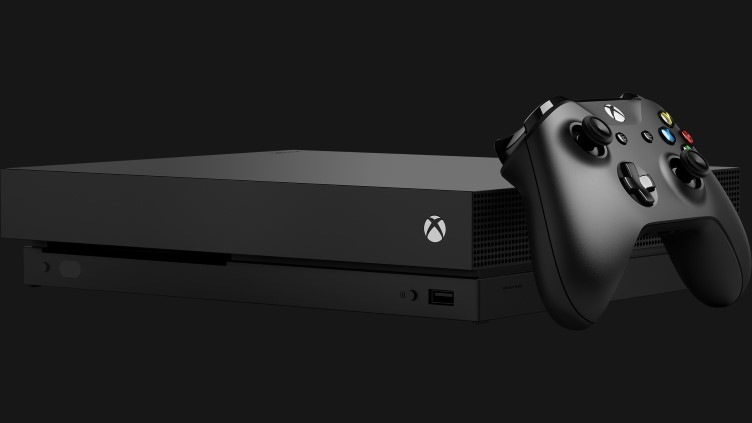
A new report from Windows Central has shown a screenshot of options for voice assistants in Xbox One. While the system already has support through the (now shuttered) Kinect service via Cortana, the Windows Central report goes beyond Microsoft’s proprietary AI. The report indicates Google Assistant and Alexa would both be supported in addition to Microsoft’s own assistant.
Smart Speaker Integration
Smart speakers are sort of taking over the world right now, so it makes sense that Microsoft would focus on this technology. The Xbox One has always been marketed as a home entertainment system first, with TV and music being huge for the system. Having the system connect to your Smart Home network is a no-brainer for Microsoft.
Xbox Voice Gaming Potential
Additional inputs aren’t a bad thing, and Xbox is known for unconventional inputs. The aforementioned Kinect service serves as evidence of this. Voice and gesture commands were once a hallmark of the Xbox family of games but fell out of favor as the company refocused on core games. However, the surge in popularity of voice assistants could signal another push by Microsoft to reenter the Kinect space. “Alexa, start Halo on my Xbox,” is one thing. But “Alexa, help me find nearby save points,” could bring a new layer of depth to certain games.
Heck, Microsoft could even be cute and play favorites with Cortana funcitonality in Halo. As fans know, Cortana is actually an AI character in the famed sci-fi series. Talking to her directly in game via a smart speaker could bring another layer of immersion to the experience. “Cortana, where are the enemies?” “Cortana, show me the way out of here,” you can imagine the possibilities.
Considerations for Xbox Owners
There is nothing more frustrating than buying a cool new piece of tech only to find out it isn’t compatible with your set-up. If you’re an Xbox owner thinking about getting a smart speaker, it may be wise to hold off until Microsoft announces more. We aren’t sure as of yet which services and speakers will be compatible. For the moment, hold tight and see what unfolds.
If you’re on the lookout for good deals on computer accessories, AmazonBasics is a great place to look. Amazon’s line of discount accessories is high-quality, reliable and affordable. While they might not be the same quality as Razer or SteelSeries, they are worlds less expensive. With that in mind, let’s check out our ten favorite deals from AmazonBasics!
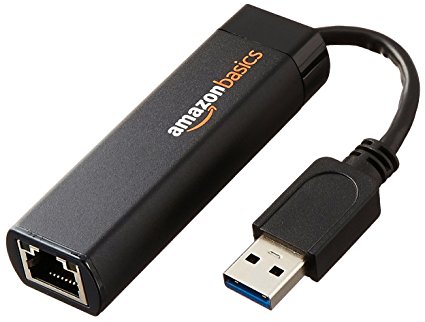
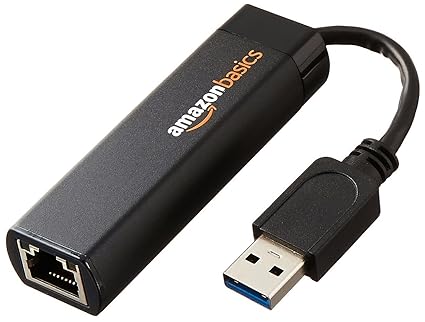
For only $13 you can pick up this handy USB to Ethernet dongle. If you have a laptop that doesn’t sport an ethernet cable and want to hardwire your connection, this is a must! Nintendo Switch owners can also use these to hardwire their docked hybrid console. In both cases, opting for a hardwired connection over a wireless one can be ideal, especially with lower-end wireless routers that sport unstable connections.
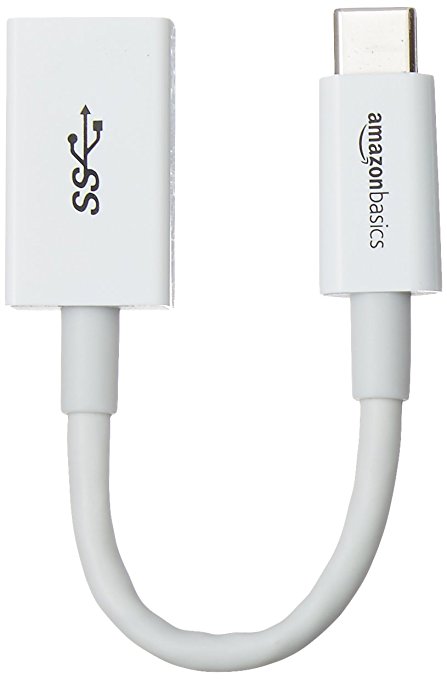
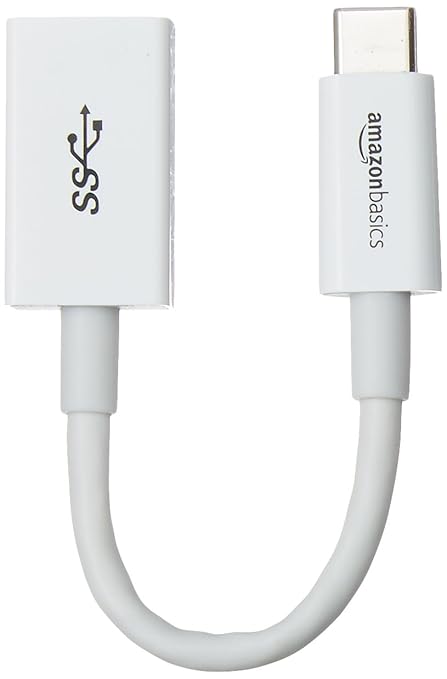
A favorite of MacBook owners, this $6 dongle is a lifesaver. If your laptop has only USB-C ports and you have a USB mouse you’d like to use, this is the answer. An adapter like this is great to throw in a drawer and keep handy for an emergency.
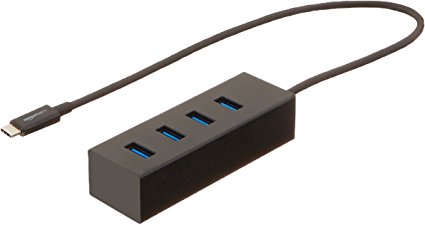
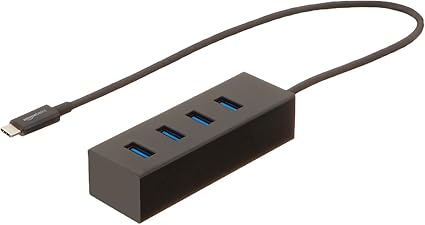
While the above dongle is awesome for a pinch, some laptop users would prefer a more permanent set-up. For those who need to hook up a printer, mouse, keyboard and a USB thumb drive, this 4-port adapter should suffice. For $16 you can have a more solid laptop set up. Thanks, AmazonBasics!
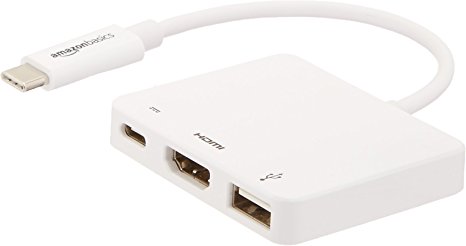
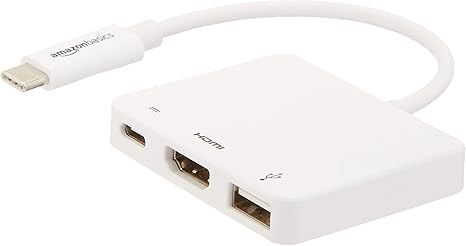
Rounding out our USB-C section is this incredibly handy multiport adapter. If you intend to output video from your laptop, this is a must. While $40 may sound expensive for AmazonBasics, it’s a hair cheaper than the competition: these usually run around $60. This dongle has an HDMI port, a USB 3.1 port, and a USB-C pass-through. The pass-through is ideal for a MacBook, so you can charge it while you use the multiport.
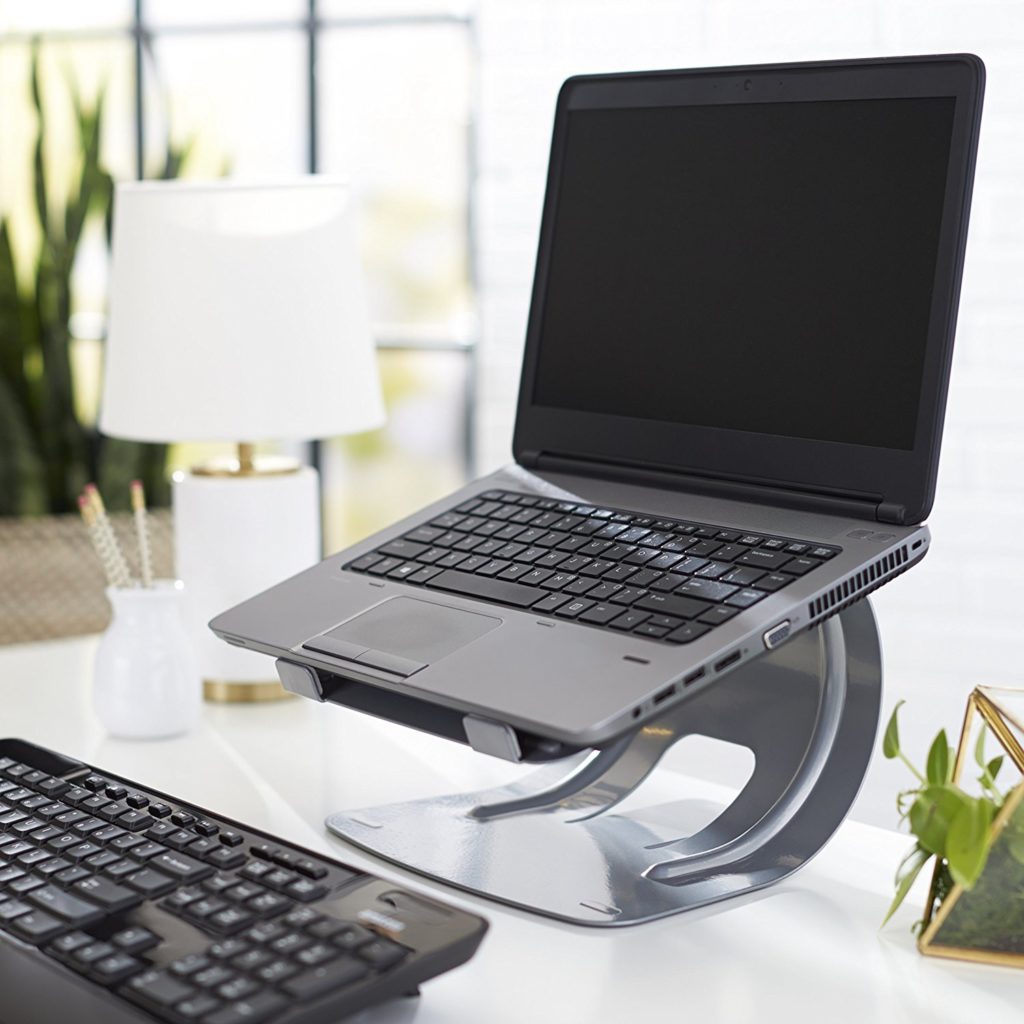
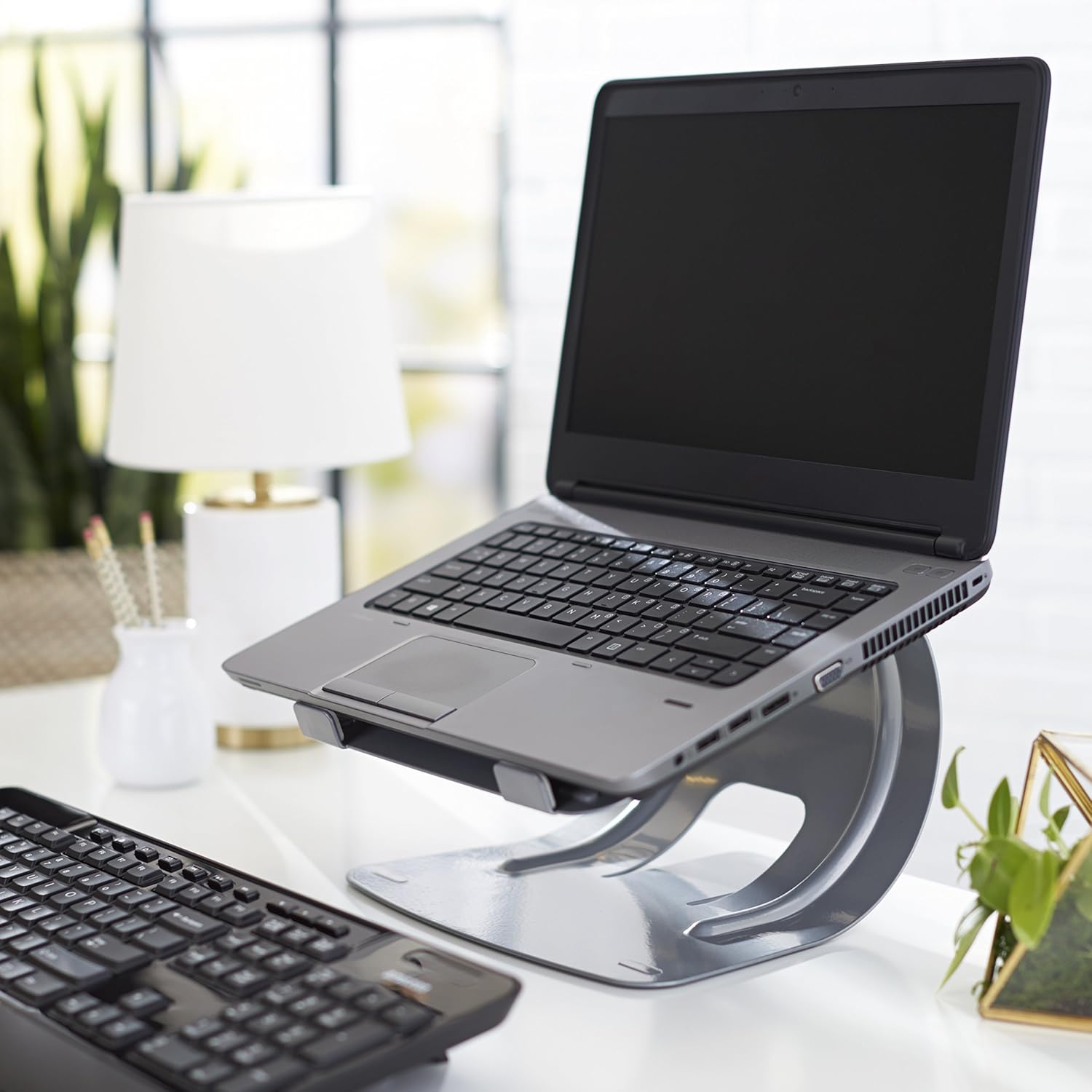
This stylish stand is a steal for $20. Comparable stands usually run closer to $30, and most of those aren’t quite as durable or solid. If you’re looking for a good way to elevate your laptop for easier typing, this is a good pick. Great for people who work at a desk with a laptop.
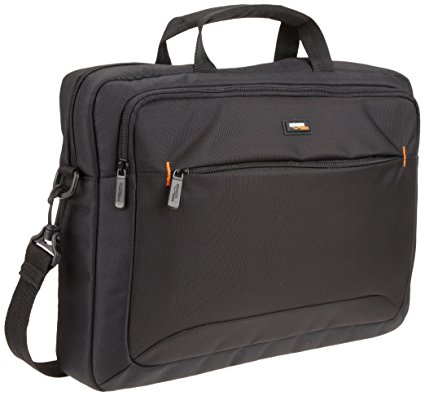
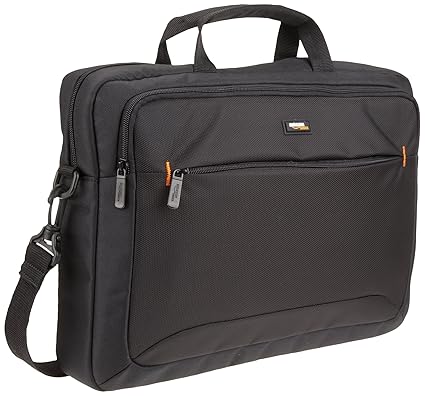
While it’s not the most stylish laptop bag ever, it’s $15. It has tons of zipper compartments for all your cables and accessories, and it’s very tough. It’ll keep your laptop or tablet safe during a commute to work or on a plane trip. And it’s got a big AmazonBasics logo on it, so everyone can see that you’re a deal-seeker! Kidding, we know you’re just a big Amazon fan.
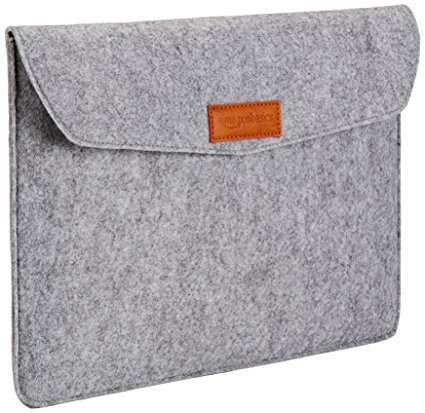
If your laptop or tablet commonly goes in a bag on trips, this $12 sleeve is a must-have. It’s a great buy for the price, keeping your expensive tech safe from scratches. It also looks very stylish, unlike the laptop bag. So, if fashion and great deals on accessories are your two passions, this AmazonBasics sleeve if for you!
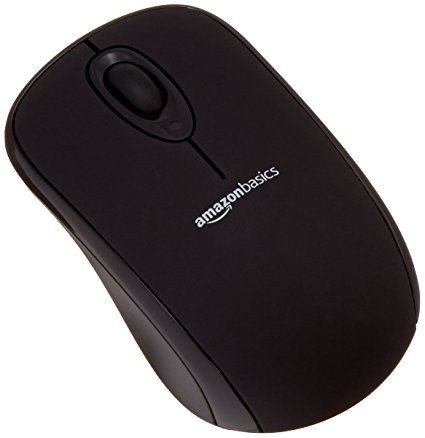
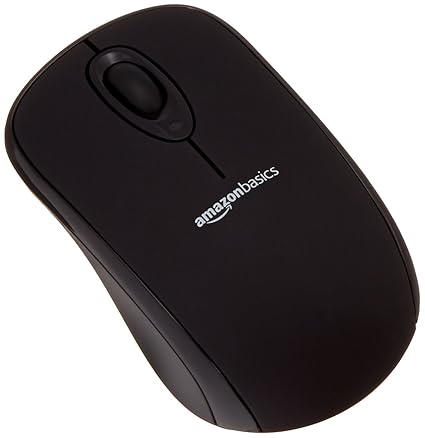
You really can’t beat $10 for a wireless mouse. The mouse isn’t going to compete with a dedicated gaming mouse or anything, but if you just need a mouse to pair with your laptop this is perfect. The finish is smooth and pleasing, and the mouse is of excellent make. It even has a little crevice for storing the USB receiver when you travel! Great for when you stash your laptop in your laptop bag.
These massive mousepads are very fashionable at the moment! For $12, Amazon’s humongous pad is a great deal. Designers and gamers swear by the huge mousepad, claiming that it offers more range for navigating your curser on-screen. Who’s to argue with the pros?
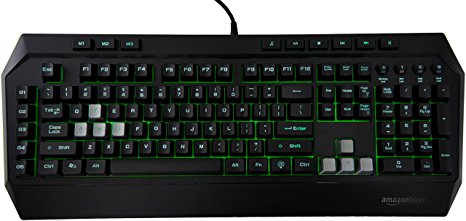
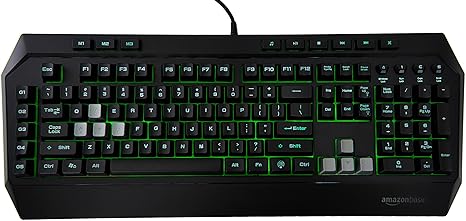
The absolute best deal of the bunch, for $36 you get a decent facsimile of a gaming keyboard. If you’re interested in dipping your toe in computer gaming, you should check this keyboard out. Where Razer and Logitech offer gaming keyboards that cost fifty or sometimes even one hundred dollars, this AmazonBasics keyboard is a great buy. While the keys aren’t actually mechanical, they do a decent impersonation of the click-clack feedback of true mechanical keyboards. It even features a back light to emulate the popular Razer Chroma-style RGB functionality!
Smart Containers are coming. Target has a few entries in the burgeoning field: a paper towel dispenser and a soap dispenser, both of which reorder their respective dispensed item when they get low. GE has a dish washer that will reorder detergent from Amazon when it gets low. And now a Florida-based startup called WePlenish is entering the fray.
WePenish: Smart Containers for Coffee
The first device WePlenish is offering is the WePlenish Java. You can find it on Kickstarter now. This container houses your single-use coffee pods, like K-Cups, and keeps track of your inventory for you. When you get low, the device orders more coffee from Amazon. This is great for coffee addicts, as it ensures you never get low on your morning caffeine.
Don’t Forget the Snacks!
WePlenish is also offering smart containers for individually wrapped snacks. Things like gummies, cookies, peanuts and the like are available for reorder through the WePlenish containers. Both types of container work by connecting to your Wi-Fi, after which you assing them a snack to order when they detect low volume. They run on triple A batteries that promise to last for a year or so.
Increased Convenience
Amazon has already been pursuing similar functionality with their Amazon Dash Buttons. The Dash Buttons are similarly keyed to specific items, like garbage bags or air conditioning filters, that need to be reordered regularly. The Dash service is a natural companion to the new Amazon Key service, which allows Amazon deliveries to be delivered directly into your home. Amazon seems to be pushing to eliminate the need to even enter their app to grocery shop, let alone physically enter a grocery store.
Is This Weird?
Then again, how hard is it to order groceries? I mean, it’s not that hard, right? You just open your app and click on what you want. For that matter, how hard is it to go to the grocery store? It’s just down the street, right? Okay, maybe I’m the weird one. The convenience factor is certainly there: you can’t forget to stock up if your smart devices keep up for you!
But I still have some reservations. It seems like a lot of people are throwing themselves wholly into the smart device revolution without much thought for the consequences. What about the data Amazon is gathering on you? If you give them a direct eye into your pantry, they’re going to know what you eat and when. That just seems a little odd. Maybe I’m just being paranoid, though. If you’re the type of person who prefers to not worry about keeping up with logistics, smart containers are likely to be your best friend.
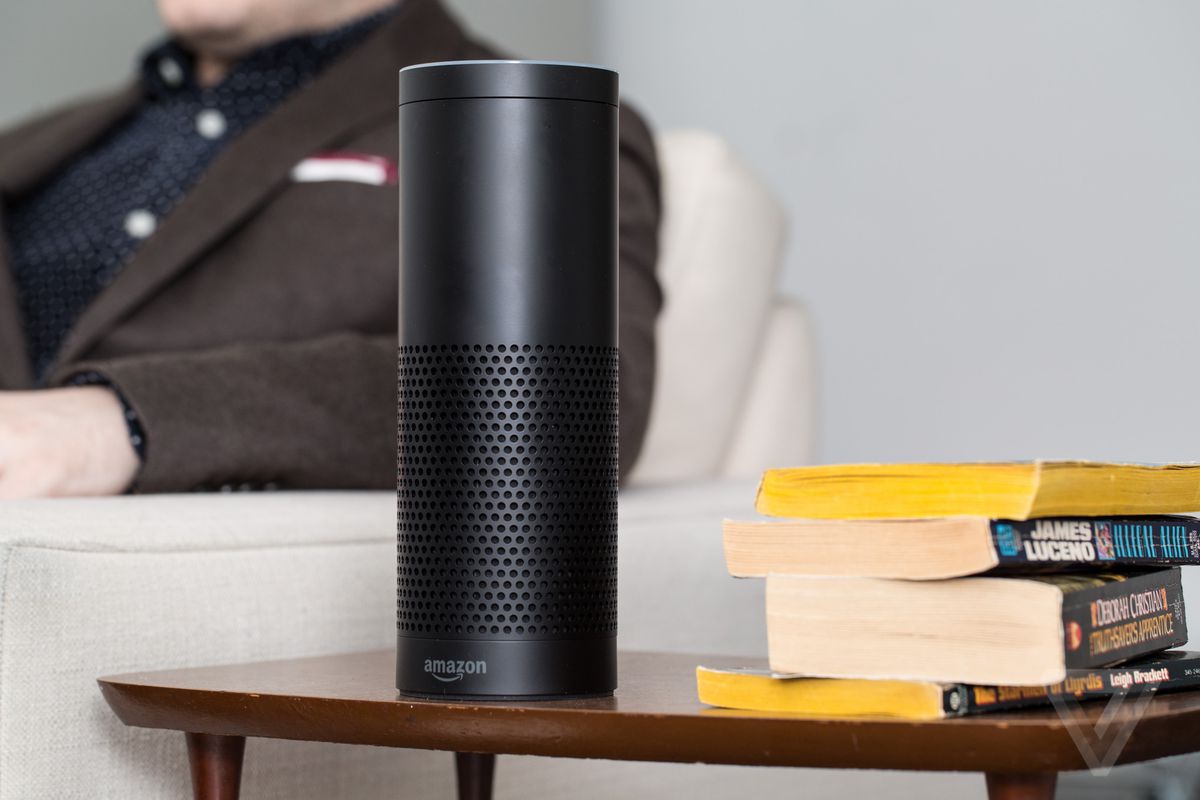
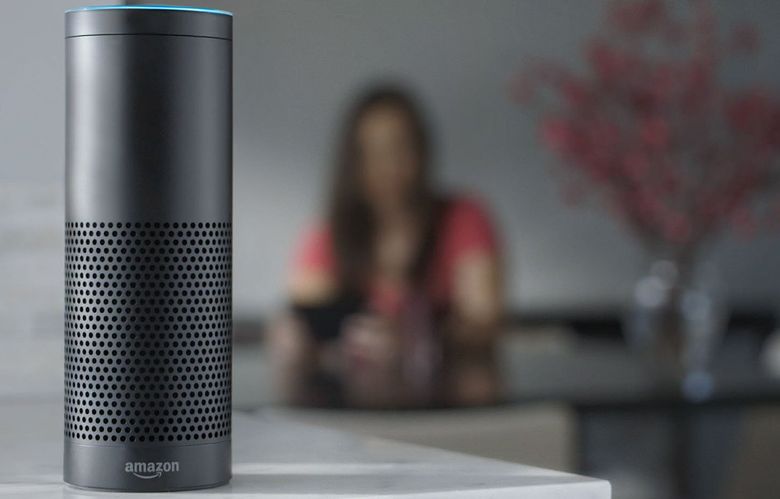
Your smart speaker is an incredibly handy piece of technology. It helps organize your life, streamline your household activities and even helps you shop online. But what are the security risks posed by having an always-on mic in your living room? Who’s listening to your recorded audio? According to a recent report from Seattle news station KIRO 7, these concerns are not mere conjecture.
A Portland woman identified as ‘Danielle’ told the Seattle news station that her Amazon Echo sent a recording of a private conversation to a contact. The conversation was utterly harmless, apparently a discussion between Danielle and her husband regarding hardwood floors. However, the contact who was sent the audio files immediately contacted Danielle and told her to disable her Alexa-enabled device immediately. The contact feared that Danielle had been hacked and was in danger of having her information stolen.
Danielle immediately contacted Amazon to ask for answers. How did this happen? Were they aware the Echo was doing this? The representative that Danielle reached found the relevant logs, confirming what had happened. He apologized profusely, according to Danielle, as the situation was unbelievably unlikely. Apparently, the Echo device overheard the conversation happening in the other room. Some words in the conversation made the device think it was being asked to send a message. After mistaking background noise for a confirmation, it sent the overheard conversation to the contact.
Wired Magazine described the ordeal as an “Echo butt-dial,” a complete fluke. Amazon claimed that they will use the data from this incident to tighten Alexa’s recognition protocols and make this scenario more unlikely. However, this individual scenario isn’t the only smart speaker security concern: if they’re always listening, how can they be secure? What are some of the other concerns with these devices?
The first issue, and most pressing in regard to Danielle’s case, is that of background sounds. Smart Speakers have to be listening for their trigger phrases all the time. If they don’t, they literally don’t work. This represents a serious security concern, though, as Danielle found out. What if the speaker mishears you and sends private conversations to people who aren’t supposed to hear them? What if a malicious hacker accesses your device and listens in to find out when you’re home? Would Amazon bear responsibility for such a breach?
The answers are currently unclear. While such situations are mostly hypothetical, Danielle’s case shows that they are potentially possible.
If your smart device is always listening, who can hear what it records? Google is well-known for creating complicated advertising profiles for users. Smart speakers are surely a part of this. Listening for conversations about buying new hardwood floors, for instance, could lead to targeted ads on your favorite websites for floor installation. This alone seems predatory; who would invite a large ad agency into their life to gather valuable data about their spending habits?
This is even before mentioning the hacker issue again. If a malicious hacker were to access Google or Amazon’s user profiles obtained via Smart Speaker, they would have unprecedented data about potential identity theft targets.
If Google or Amazon are listening in, what kind of risk are users at for law enforcement listening in? The NSA’s wiretapping is well-known and, surprisingly, well-documented. Suspected criminals with smart speakers may have their homes bugged voluntarily. Would law enforcement need a warrant to collect audio from these devices? Would they need a court order to obtain user profile information from Google?
If law enforcement begins pursuing smart speaker information as a common means of information-gathering, the private lives of users could be at risk. Everyone had to read 1984 in school right? Yeah, this would be the first step to something like that. No thanks.
Speaking of access to your personal info, there’s also the issue of just how long Google and Amazon store this information. Thankfully, you can delete your audio request history from your user profile. However, you can’t do anything about the data stored on Google and Amazon’s servers about you.
In fact, even Apple’s Siri stores data you obtain through it and give it. Apple has confirmed that raw audio collected through Siri is stored for 18 months! That’s kind of ridiculous! The issues of law enforcement accessing this info, lawfully or otherwise, are further exacerbated by this data’s inaccessibility to the user who created it.
Finally, there’s the issue of someone else using your speaker. The main use for Alexa, as far as Amazon is concerned, is as a storefront. Ordering through Alexa is purposefully easy and painless. You just tell her to order you things and she does it, no questions asked. So, imagine, if you will, that your home is broken into and your Echo is stolen. The criminal then orders a ton of stuff with your credit card. Are you on the hook for that money?
While that scenario is a bit extreme, there are more conventional ways that Alexa’s shopping functions can be used against you. For one, if you have children, they could access your Alexa and order themselves a new tablet or gaming console, spending a ton of your money without telling you. Your friends could try to play a prank on you by ordering embarrassing items with your money. Not that that’s happened to this writer…
All this doom and gloom begs the question, then: How do you protect yourself from these potential data breaches? Well, one easy way, of course, is to simply not have a smart speaker. Or, if you do have one, sell it to someone else and use the money to buy a VPN subscription. No? Alright, alright, real advice, then.
Keep your smart speaker in a room where it’ll overhear as little as possible. If you can, keep it in a room with a closed door. The less it overhears, the better. Aside from that, just be careful what you say around it. Try to keep conversations around the device light, don’t talk about sensitive information. Another good security measure would be to not pair any of your debit or credit cards to the speaker. While it may be less convenient, it’s much more secure.
Hopefully these concerns will be addressed with future updates to the technology. Smart speakers are very handy, convenient devices. Many users have come to depend on the features they offer. It seems as though the companies that make them are at least nominally dedicated to making them secure. While only time will tell what the future hold for the contentious smart speaker technology, stories like Danielle’s serve as reminders: trust no soulless machine with your personal information. Even better: trust no soulless corporation.













/cdn.vox-cdn.com/uploads/chorus_image/image/59845079/amazon-echo-verge-9711.0.0.jpg)