Category: Apple

  • MacOS Mojave Beta: Feature Roundup

    MacOS Mojave Beta: Feature Roundup

    The biggest overhaul to Mac’s OS, the Mojave, is finally in public beta. If you haven’t had a chance to check it out yet, we’ve got a roundup of some of the most notable new features right here for you. Fair warning: this is a pretty early MacOS Mojave beta, and you shouldn’t install it on your primary device. If you’ve got an old laptop hanging around and want to try it out, go for it. But if you use a computer for work, don’t install the beta on it, just read our roundup! It’ll be out for you to try soon enough. 

    Dark Mode 

    Finally, Apple shows they’re listening to their users! Mac users have been clamoring for a dark mode for years, so it’s almost hard to believe it’s finally here. It looks pretty good, considering this is just the beta. By the time it goes live we expect it to be up to the normal Apple standards of aesthetic. It’s a small change to some, but it means a lot! 

    Finder Improvements 

    Finder has received some updates in look and general usefulness. The new gallery-style view replaces the old cover flow, and it looks great. Additionally, Finder now displays metadata about your files as you go through them. Additionally, new quick actions have been added to allow for faster photo editing. Cropping, rotating and converting are bound to the new allow for faster photo editing. Cropping, rotating and converting are bound to the new actions, as are trimming video files and merging multiple images into a PDF. It’s a lot of generally useful updates that are sure to please any professional Mac user. 

    Stack it Up 

    Too many icons cluttering the desktop? Stack them up! Mojave can group your apps and shortcuts together into collapsible groups called Stacks. If you’re constantly shortcutting videos and pictures, Stacks are a great way to keep everything organized.  

    Dynamic Wallpaper 

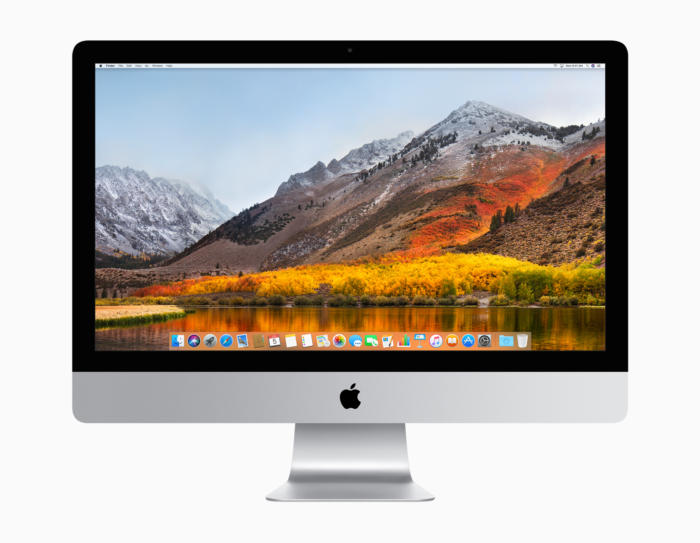
    This last one is just fun. The Mojave beta comes with a dynamic wallpaper that displays a dune in the Mojave Desert. The time of day in the wallpaper changes in live time with the location of the sun in relation to where you are. That’s just cool, and a nice touch by Apple.  

    We’ll have more info on MacOS Mojave as it comes out, and these are just some highlights of the beta. There’s tons more, but we’ll get into that as it gets closer to release! 

  • Ten Takeaways from iOS 12 Beta

    Ten Takeaways from iOS 12 Beta

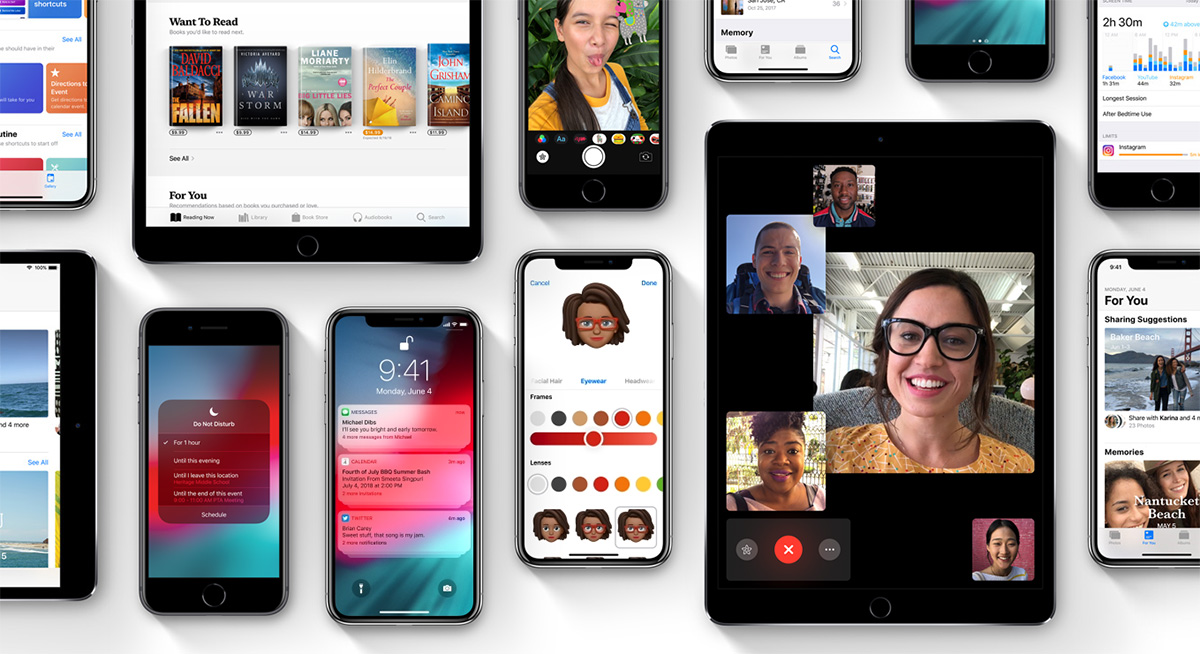
    The public beta for iOS 12 is here! That means it’s time to dig in and talk shop. First things first, remember this is a beta, so don’t go installing it on your main phone. Grab an old iPad or something if you wanna try it out. That said, we’ve got a list of the top ten takeaways from the iOS 12 beta for those without a device to try it out with. From what’s awesome to what’s not, to what’s flat-out missing, we’ve got you covered. Alright, let’s get into it! 

    The Good Stuff: 

    Memoji 
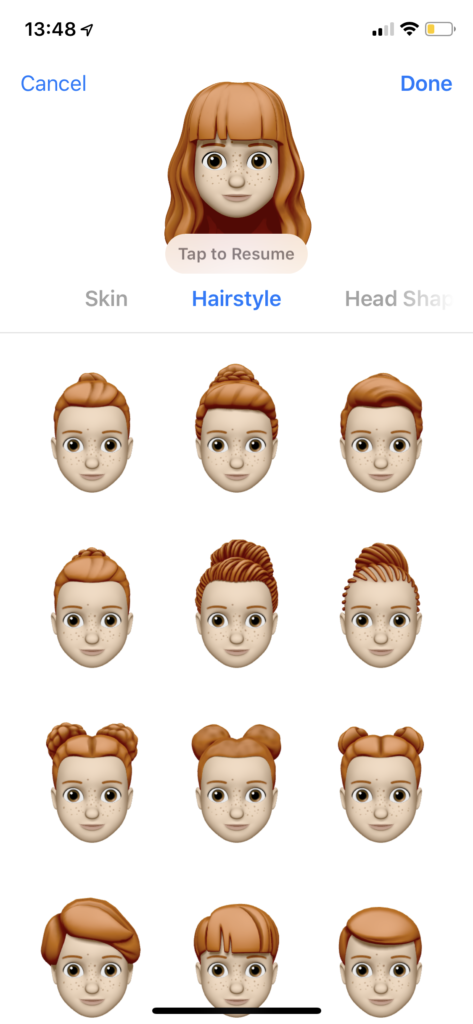
    Photo Credit: Mashable 

    Let’s kick it off with some of the coolest features in the beta. The Memoji is available on iPhone X, and it’s great. It’s sort of like the Mii feature from Nintendo, where you can create a personal cartoon avatar. Then you can use that avatar in different apps to represent you, and you can type in to people in messages. It’s adorable, it’s meaningless and you know you want it. 

    Animoji
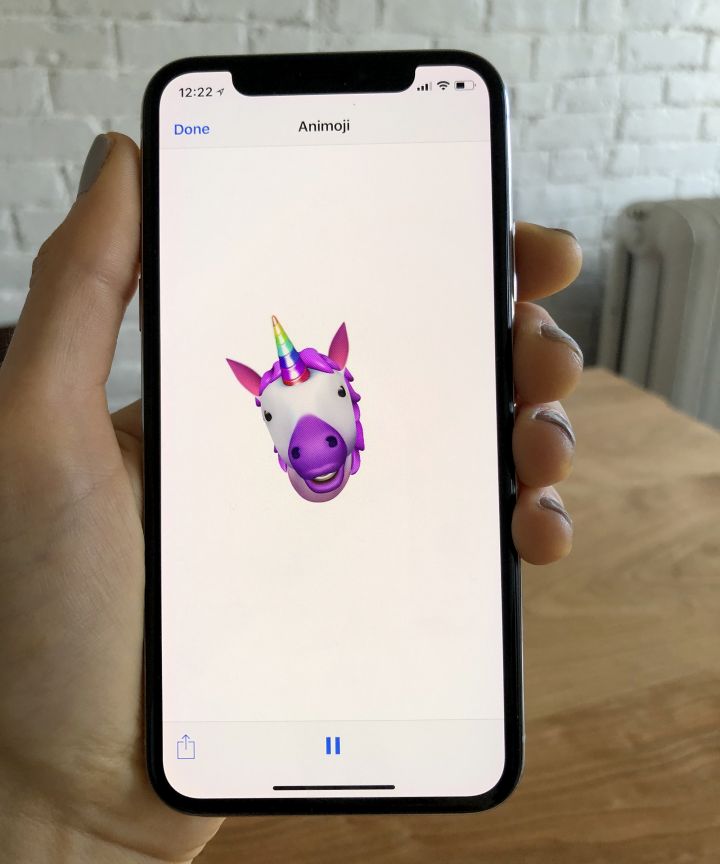
    Photo Credit: Refinery29 

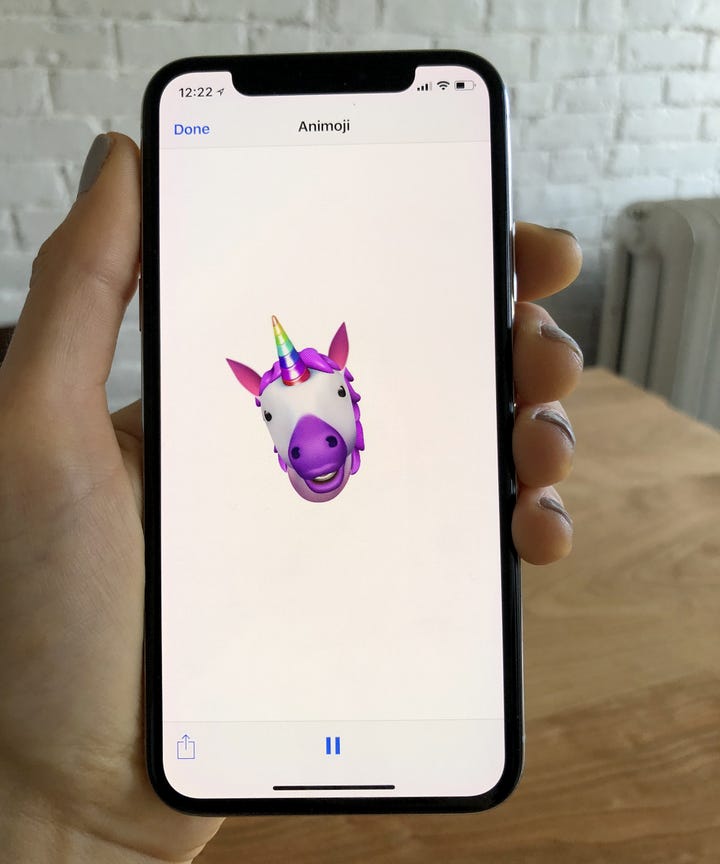
    On the topic of meaningless adorable emoji things, new Animoji are also available on iPhone X with this update. If you already didn’t love this feature, this isn’t going to blow you away. That said, if you liked it, there’s some new ones to play with soon! There’s a new koala, a tiger cub, a dinosaur and even a ghost! Kids, especially, will love this. 

    Screen Time
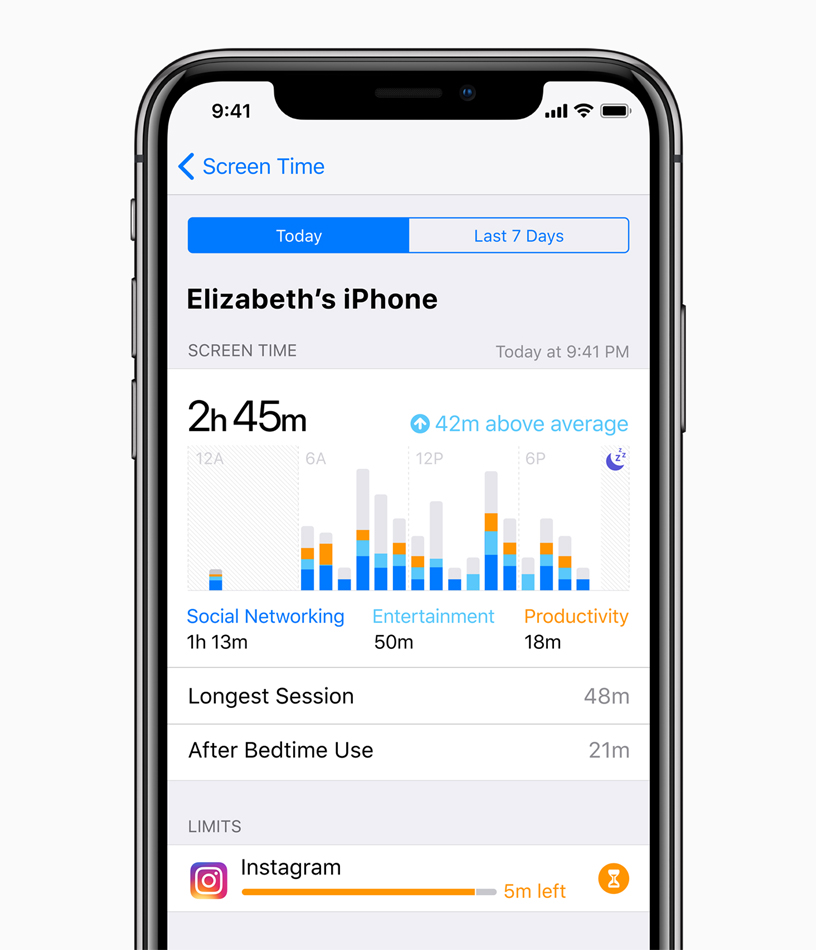
    Photo Credit: Apple 

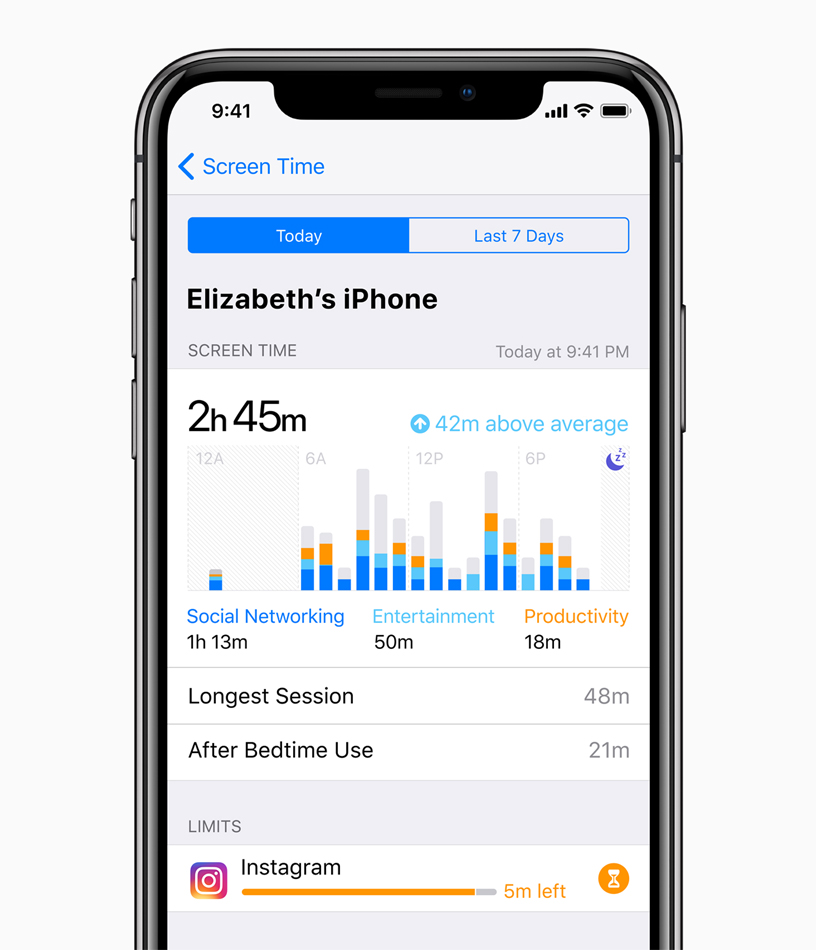
    This new feature aims to help you use your phone less. Screen time allows you to see how much time you’re spending on various apps, and you can even set time limits. If you want to create Downtime, as iOS 12 calls it, the phone discourages you from using apps at certain times. There’s also a new feature that allows parents to lock certain apps or time gate them for their kids. If your little one is staying up all night playing Fortnite, this is a great addition. 

    The Changes: 

    Notification Changes
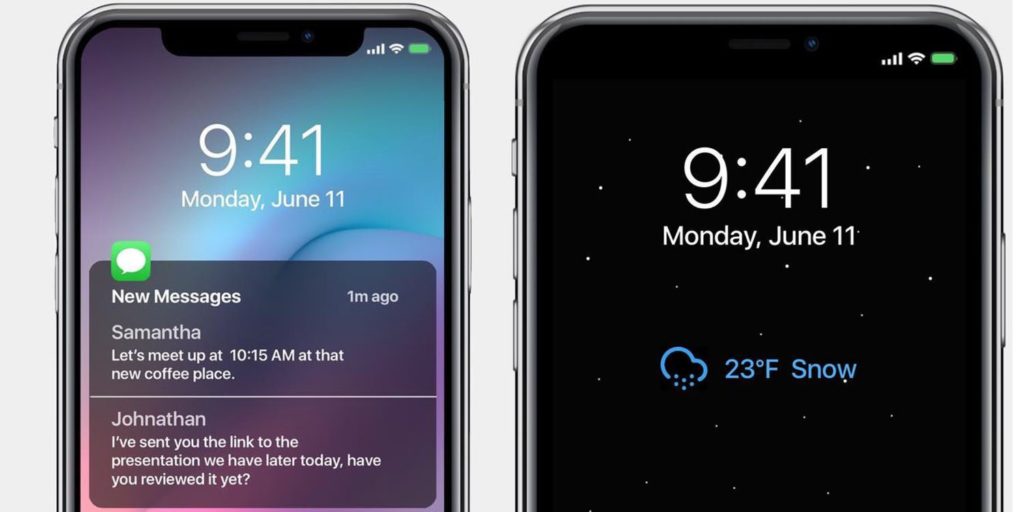
    Photo Credit: 9to5 Mac 

    This one is a pretty great overall quality of life change. Now, like notifications will be grouped together, making it easier to parse what notifications you’re getting. This is great for cutting down on clutter. You can also mass-silence notifications of different type with a tap. More advanced Do Not Disturb options are also available for those who want to get picky with their notifications. 

    Voice Memos App
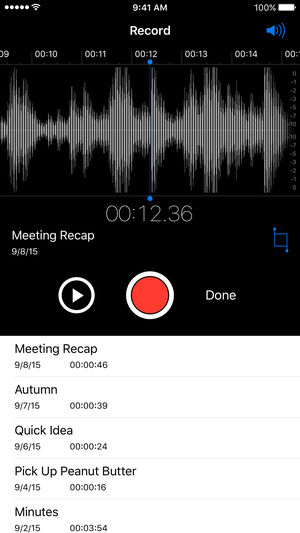
    Photo Credit: iTunes 

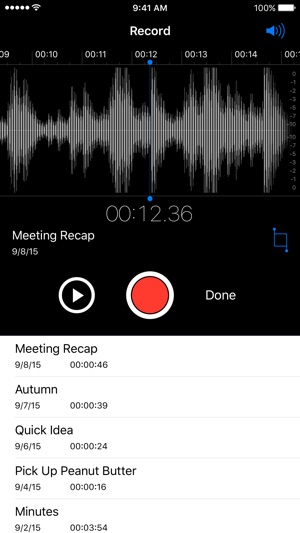
    Some changes to the voice memos app are welcome. They include fast forwarding and rewind controls, which are great. They also added iCloud storage for your voice memos. If you use this fucntionality a lot, you’ll be really happy to see these changes. Nothing major, just great to see. 

    Photos Search and Suggestions

    Another general quality of life change, this beta has introduced new functionality to the Photos App. The first is a new photo suggestion mode that suggests which pictures you may like to share with others via social media. The other is a new suite of search terms to help find your pictures. If you use Instagram a lot and take tons of pictures, these are awesome new features! 

    Group FaceTime
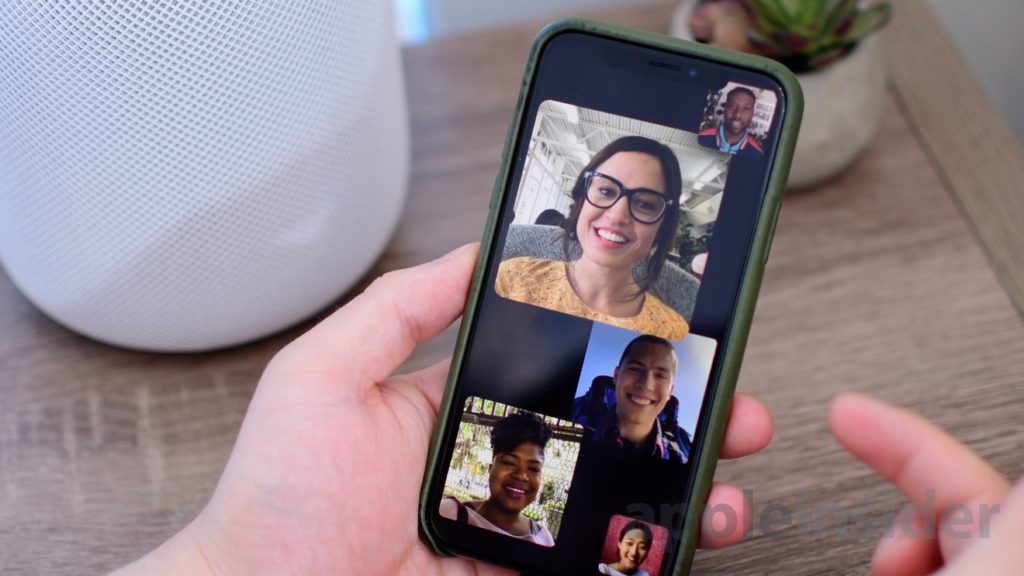
    Photo Credit: AppleInsider 

    FaceTime now supports up to 32 users at once. Awesome! It also now switches focus based on who’s talking which makes this great for meetings or more informal conversations. Speaking of informal, you can also add your Animoji or Memoji to these massive group conversations. Sounds chaotic, wacky and fantastic! 

    What’s Missing?

    ARKit 2
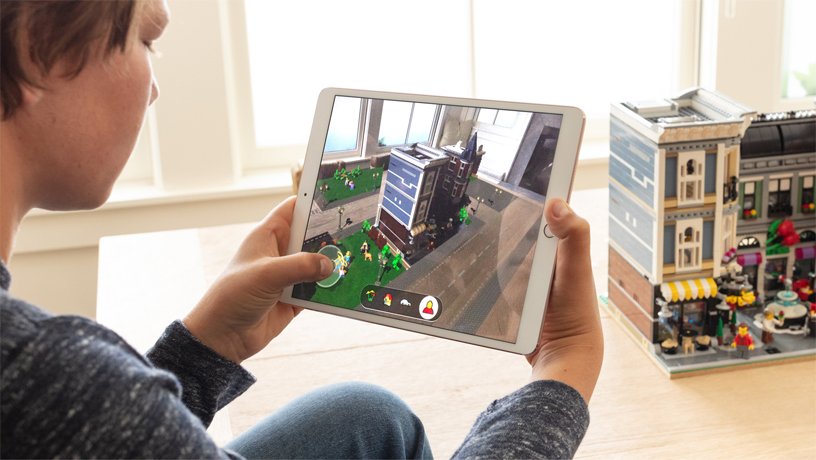
    Photo Credit: Apple 

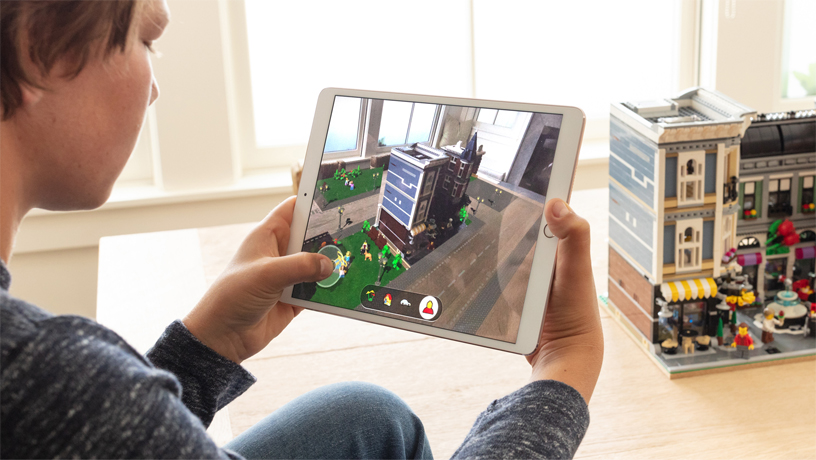
    Apple’s big push for augmented reality isn’t present in the beta. While the Measure app uses the new augmented reality functions, other apps that do this already exist. We’ll have to wait until the third party apps that support the new ARKit ship when the OS launches. 

    Siri Shortcuts
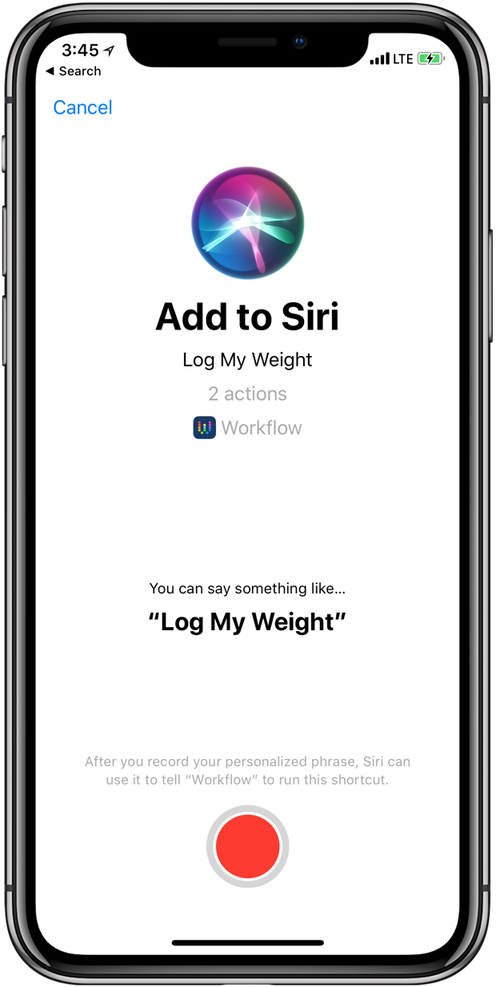
    Photo Credit: 9to5 Mac 

    This feature currently works haphazardly with a few different first-party apps. Third-party support for the new Siri functionality hasn’t launched yet, though. Creating your own shortcuts for Siri is likely to be one of the biggest draws to the new OS when it launches. Apple has been trying to keep up with Alexa and Google Assistant, but Siri has been lagging behind. Seeing these features aren’t ready for full beta-testing yet doesn’t exactly inspire confidence.  

    What We Wanted in the iOS 12 Beta: Better Siri Overall 

    Siri was the first virtual voice assistant, but she’s changed little since she launched seven years ago. When Siri launched, phones didn’t have biometric scanners and smart homes sounded like a sci-fi future. Apple hasn’t rolled out the kinds of changes to Siri we’d have liked to see in this beta. Hopefully they have more changes, and more uses, coming later in the beta. For now though, we’re disappointed to see this cutting edge company lagging behind in this field. 

    Feature Image Credit: Apple

  • Changes We Want to See in the Next iPhone

    Changes We Want to See in the Next iPhone

    Apple’s iPhone X made waves when it was released last year, but maybe not as many as the American tech giant would have liked. While the launch wasn’t a flop by any means, it could have been bigger. What could Apple have done to make the phone more desirable? What changes would we like to see on the next iPhone? Today we’ve got a roundup of the changes we most want to see from Apple. 

    USB-C Port 

    The proprietary port that debuted with the iPhone eventually gave way to the Lightning port. However, as the industry moves to USB-C, a universally praised standard, Apple lags behind. The tactic of using a proprietary port to charge more for replacement charging cables is unsightly. Apple could score serious goodwill for bucking their tradition of brand-specific ports. The Macbook line already uses USB-C exclusively, so this one doesn’t seem outside the realm of possibility.  

    Fast Charging 

    While on the subject of charging ports, we’d love to see Apple catch up to the industry on fast charging. While the Lightning cable allows for reasonable charge times, true fast charging hasn’t hit the iPhone yet. Given that nearly every Android phone has fast charging in the box when you buy it, it’s pretty glaring that the $1,000 iPhone X doesn’t. What gives, Apple? While you can get a Turbo Charger and a USB-C to Lightning converter, you shouldn’t have to use weird workarounds to use industry standard tech on a cutting-edge phone. 

    Ditch the Switch 

    That side switch for controlling vibration and alerts has got to go. The functionality it controls could easily be worked into the control center of the phone. It isn’t convenient to have this arbitrary function bound to a physical button. A button that can be easily flipped accidentally while in a pocket. Thus, causing your phone to ring at full volume during a meeting. Yeah, I’m not bitter or anything. But they should absolutely leave this dumb side switch off for the next iPhone. 

    Most Important Change for Next iPhone: Lose the Notch 

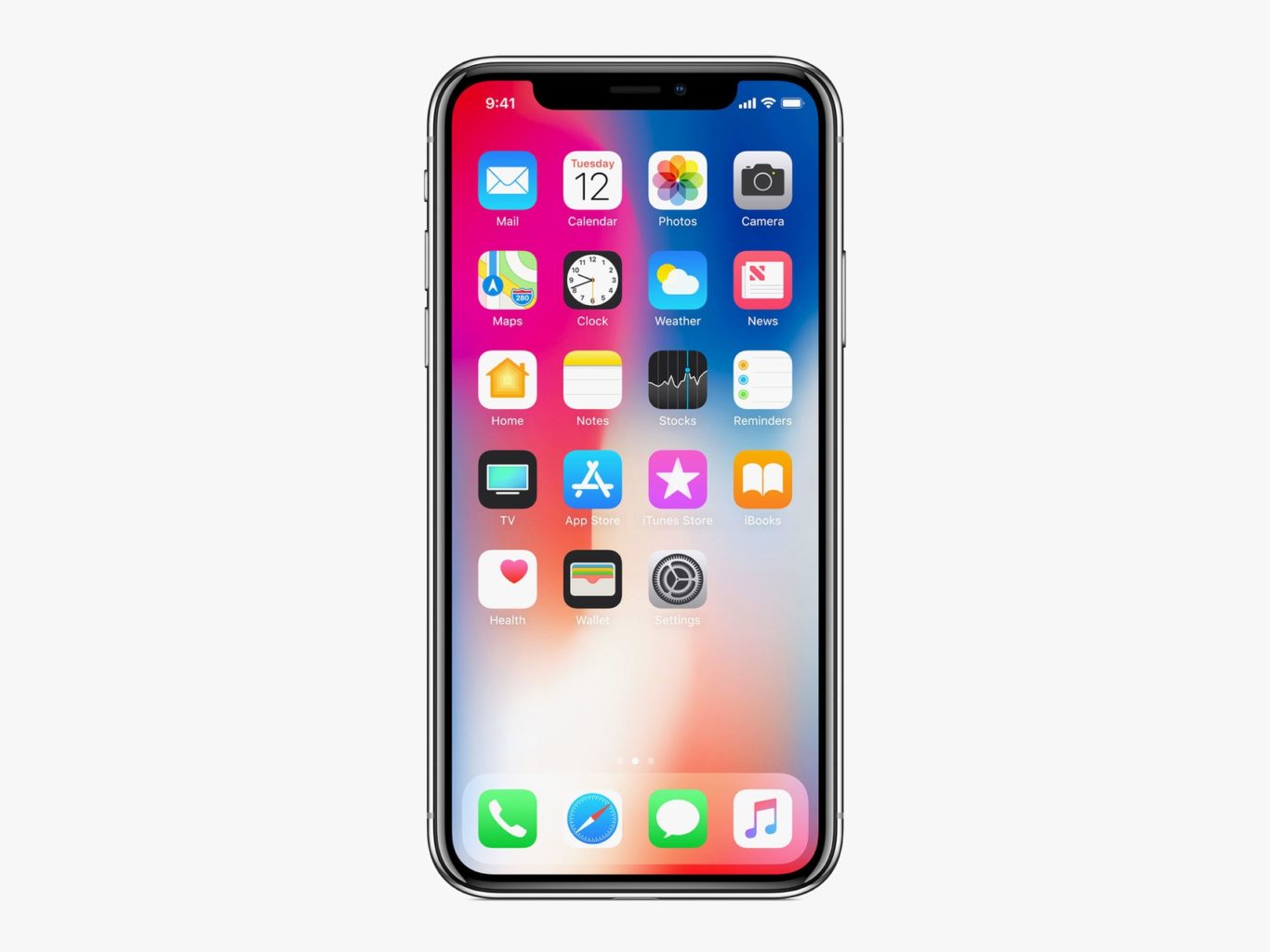
    This is the big one. While many users have grown accustomed to the screen-notch, it’s an eye sore for many potential users. Apple had to find space for the Face ID technology somewhere, that makes sense. But perhaps holding off on edge-to-edge displays until the technology allows the elimination of the notch is better than this compromise. The notch is distracting at worst and bearable at best, which is hardly something you want people saying about your $1,000 phone. If Apple can find a way to make the screen truly edge-to-edge, we’ll all be quite pleased! 


  • Best VPN for iPhone

    Best VPN for iPhone

    While it might sound weird that you’d want a VPN for a phone, it’s not a bad idea to have one. While iOS is great at protecting user security, it’s not able to help you when you’re surfing the web. The real reason you’ll want one of these is if you use public Wi-Fi often. Public networks are often unsecure, and any data sent to and from your phone while on them could be intercepted by hackers. If you want to keep your encrypted info safe from prying eyes, try these VPNs! They offer great protection for your mobile browsing.  

    Golden Frog VyprVPN 

    Golden Frog is a clean, well laid-out VPN with a lot to offer. While it doesn’t offer as many licenses per subscription as some of the competition, it’s a solid pick. It’s ten dollars to start and five bucks a month. Sadly, it doesn’t offer any ad-blocking. What it does offer, though, is a free trial and a ton of servers. Your server speeds on this one will be blisteringly fast! If speed is your bag, try Golden Frog. 

    Cyber Ghost VPN 

    Offering seven licenses per $2.75 a month subscription, Cyber Ghost is a good choice. The interface is unique and weird in a good way. Privacy is a major concern of this one, and it does a good job logging very little user data. You can’t location spoof while streaming, though, so if you’re trying to appear as though you’re somewhere else, this isn’t the right VPN. That said, this is still a fine VPN, and it costs $12 to get started. The $2.75 per month deal is limited time, though, so check it out soon! 

    Nord VPN for iPhone 

    If you’ve ever looked into VPNs, you’ve definitely seen the name Nord. They’re well-renowned for a reason, and it’s because they’re good. Their VPN for iPhone offers a ton of servers and great features. Just like Cyber Ghost, it’s $12 to get started and $2.75 per month. Also, like Cyber Ghost, that’s a limited time price. That said, if you’re looking for a strong iPhone VPN, this is a great pick. Offering six simultaneous connections and blocking ads is a pretty mean feat on an iPhone. The app and layout are both friendly and welcoming, too! Great for first-time VPN users. 

    Our Favorite VPN for iPhone: KeepSolid VPN Unlimited 

    Starting a $8.99 per month, this is a fantastic VPN for the money. It supports Open VPN and sports great speeds. KeepSolid boasts servers specifically tooled for streaming, which is awesome. It also offers a personal VPN server for users! That said, it has no free trial, which is a bummer. Compared to Nord it has a small number of servers, too. That said, the interface is excellent, and the user experience is top-notch. If you’re looking for a fantastic VPN for iPhone, this is the one for you! 

  • Beau’s No. 1 App Review: Hole.io

    Beau’s No. 1 App Review: Hole.io

    Beau’s App series. Each week, I install whatever is the No. 1 bestselling app on the iOS or Android store and review it, to save you the effort in case it’s total waste of life. This week a game called Hole.io is in the top spot and we are gonna talk about it. Why isn’t it No. 1? not sure, its a very simple and basic game but it’s free. So let take a look and see what has this game rocketing to the top of the charts.


    The latest twist on multiplayer growth game “Agar.io” has arrived, with “Hole.io,” from French publisher Voodoo. Enter the arena and face the other holes in a fierce battle. you go head to head with 8 other live players. The goal is to eat everything in sight, including other holes to increase your size and consume larger object. Eat everything in sight with your black hole and expand it to eat more! Show them who is the biggest hole in town!
    So far I have enjoyed this game immensely, much more than I expected that I would. Its fun challenging and addictive. When Hole.io becomes bigger, its strength to pull other things becomes much more powerful.  Hole.io is easy to use yet very funny to play. What I enjoy is its a 2 min time investment, its quick fun, easy and challenging at the same time. 8 Players 2 mins…go.

    Good App Not Great

    While I have enjoyed the game a lot over the past few days, I do have some beefs and Id like to address them now. This is a good game but few minor improvements and this can be a great game and hit universal popularity. First, I need different modes. Size and Time variation to choose from. Its only been a few days and I feel like I have seen all there is to be seen. Second, some new maps would be great, right now there is only one. Spice it up with some new maps or even mock ups of real cities. Go obscure with it, instead of New York, DC and LA. Let me play Tucson, Daytona Beach and Bend, OR. Let me eat a city I’ve never been to and haven’t seen in a video game a billion times. Lastly, address the lag and lack of speed, make my hole faster and fix the lagging.


    The Final Thought

    This game has blown up on the scene in just a month. It fun, entertaining and has a ton of potential.

  • Ongoing Security Measures from Apple May Not Be Enough

    Ongoing Security Measures from Apple May Not Be Enough

    Apple’s newest moves to protect their users from data tracking were on showcase at their WWDC conference. Privacy experts largely praised their attempts to block “device fingerprinting” and keep users from being tracked by sites. Sadly, many say, their efforts likely aren’t enough. The biggest issues are logistics. Consumer data is a huge target and covering it adequately would be like making sure no trees were ever cut down. Not to mention, companies like Facebook and Google make billions of dollars by tracking users for targeted advertising. While criminals tracking users are a problem, they’re largely piggybacking on techniques made by legitimate companies. As such, Apple is largely fighting a losing battle. 

    The Age of Paranoia 

    People are quite aware of the ways their data is being collected and used against them now. Namely, Facebook’s notorious Cambridge Analytica breach is a prime example. In our age, people are paranoid of any misuse of their data. Yet, they’re not taking advantage of the tools that could protect them. Companies that create counter-tracking software report that there are depressingly few people using their countermeasures.  

    Similarly, Apple’s counter-tracking measures, while valiant, aren’t enough to truly hinder the vast number of different tracking devices on the web. Google’s Android operating system is more popular by number of users and offers no such protections. This allows the trackers to propagate and refine themselves even though most users are aware of them. 

    The Age of Apathy 

    The worst part? The average users don’t even care that their data is being tracked. Nearly every website has Google or Facebook trackers embedded. And there are hundreds of companies you’ve likely never heard of that are also tracking you. As such, it’s easy to get overwhelmed and feel apathetic in the face of the countless ways your data is being collected. And it’s that very apathy that empowers these companies to keep harvesting your data and targeting you with ads.  

    Companies like Apple Aren’t the Norm 

    Even worse, Apple is nearly alone in Silicon Valley in opposing these practices. Their biggest direct competitor is Google, and Google is the most egregious offender in data collection. As much as Apple tries to defend their own consumers, they’re fighting an uphill battle. Thankfully, smaller companies like Ghostery are on the case, too, but they’re vastly outnumbered.  

    Ghostery, for their part, has turned to artificial intelligence to help shore up countermeasures for tracking software. Perhaps Apple will take a similar track and use the strongest tools of the data harvesters against them? In the meantime, be careful with your sensitive data, and consider getting a plug-in like Ghostery for your browser! 

  • Apple’s Cryptocurrency Ban

    Apple’s Cryptocurrency Ban

    Apple is cracking down on cryptocurrency on its platform,Yes it is time for a BitCoin Panic. The new rules for Apple’s cryptocurrency ban are aimed mainly at limiting the shadier side of cryptocurrency like unregulated ICOs and mining coins on your Apple hardware. The rules apply to both computers and phones, but are more restrictive on phones because of Apple’s secure and down right oppressive mobile ecosystem.

    Apple sights the reason for Apple’s cryptocurrency ban is the excessive tool it takes on the resources of your device. The new guidelines may have been imposed over concerns regarding the longevity of the hardware and the battery. Cryptocurrency mining is a processor intensive activity that puts great demand on the hardware and the power supply. This could affect the life of both. Users casually running these applications after hearing about the cryptocurrency craze may probably have no idea the toll on their devices this mining it taking. Apple more then likely is already had to face devices damaged by mining, this would be a good prompt for  the company to decided to act so strictly on the matter.

    Apple’s cryptocurrency ban, What it Means

    So you are probably asking the big question Why? It’s part of wider restrictions against apps that drain battery, generate excessive heat, or strain a device’s resources. All of which take place during cryptocurrency mining.

    “Apps, including any third-party advertisements displayed within them, may not run unrelated background processes, such as cryptocurrency mining,” states the new policy.

    I do want to clarify that Your favorite crypto wallet app is still in the clear. Even after an update to Apple’s developer guidelines for iOS and macOS. Apple’s ban on cryptocurrency will only affect mining for cryptocurrency. Not apps that allow you to manage, hold or spend cryptocurrency.


    The Final Thought

    Mining on your phone or tablet is futile and utterly impossible. Bitcoins value is dropping by the hour. This is a hard hook to the jaw to Bitcoin by Apples’s ban on cryptocurrency. Not that this will have any actual effect on bitcoin other then the perception of Apple bans cryptocurrency.

  • Wishlist Roundup: Ways We Wish Apple Would Update Mac

    Wishlist Roundup: Ways We Wish Apple Would Update Mac

    WWDC has come and gone without a whiff of a new design for Apple’s iconic Mac brand of computers. While there were many incremental changes to iOS teased, it’s still disappointing to see one of the world’s leading tech brands leave questions unanswered. When will they address some of the most pressing issues plaguing the current generation of Macs? That all said, what issues are we talking about? What aspects of Apple’s MacBook line need addressing? 

    The Butterfly Keyboard 

    The current keyboard design is just straight-up bad. If you get the slightest crumb or piece of debris in the keyboard it can cause a stuck key. Those stuck keys are incredibly difficult to correct and often require taking the MacBook in for costly repairs. This issue seems to have cropped up only recently with the “butterfly” design keyboards. 

    Even when they aren’t sticking, the keys are notoriously hard to type on. Their small size and incredibly short travel time make it very easy to make typos, and they are quite noisy. Hopefully Apple gives their MacBook keyboards a full redesign soon. 

    Just a Few USB-A Ports, Apple, Please 

    The USB-C port is a wonder, we get it. Google and Apple both swear by it, and for good reason. It’s a wonderful advancement, capable of handling tons of roles and sporting a reversible design so that you don’t bend pins by trying to slot it in upside-down. But the new MacBooks having only USB-C ports is downright absurd. Plenty of people still have thumb drives and accessories that use USB-A.  

    Sure, there are companies that sell reasonably-price USB-A to USB-C dongles. But it’s a step we shouldn’t have to take to use basic functionality on our computers. Come through on this one, Apple! 

    Optional Touch Bar 

    While the 13-inch MacBook has the option for Touch Bar or not, the 15-inch has no such choice. The 13-inch without the Touch Bar costs a full $500 less than the Touch Bar-sporting version, which is quite a bit for a glowing AMOLED bar. Handy as it is, it should be treated as an optional design, not a mandatory part of high-end MacBooks. If Apple were to offer a less-expensive, Touch Bar-free 15-inch Macbook, they would certainly earn some goodwill. And certainly some new customers, to boot! 

    Better Mac Pro Support 

    Not every Mac user has a laptop. There are dozens of desktop Mac users! Dozens, I tell you! Unfortunately for them, the Mac Pro hasn’t seen any substantial updates since 2013. What was meant to be the high-end for Mac has ended up being a disappointment. Serious video/photo editing, graphic design and other creative tasks are handled well by Mac. However, professionals who once turned to Mac are now opting for PC’s instead. 

    What could Apple do to reverse this? Well, they could start by acting more like normal computer manufacturers and allow users to customize their own rig. This could also allow them to sell lower-priced, entry-level Macs and appeal to a wider audience. As it stands, Apple’s closed-ended design is great for phones but a hindrance for their computers. 

  • Google Pay, Samsung Pay, Apple Pay; Which is the Best Virtual Wallet?

    Google Pay, Samsung Pay, Apple Pay; Which is the Best Virtual Wallet?

    Between Apple, Samsung and Google there are a ton of virtual wallet apps looking to power your transactions. Today we’ll break them down based on their strengths and weaknesses and tell you which one is our favorite! 

    Google Pay 

    Google Pay and Apple Pay have a lot in common. They both use NFC technology to broadcast information over short-range bands. This means the merchant you’re buying from needs to have an NFC-enabled card reader. While most modern businesses are equipped with standard NFC technology, some Mom and Pop places will be behind the curve on this. Google Pay also allows you to send money to other people, regardless of whether they use Android or iPhone. You can also use certain Android Wear watches to pay! 

    The downside to Google Pay, though, is that it only has one layer of authentication. One your phone is unlocked, Google Pay just works automatically. It doesn’t ask for a fingerprint or PIN, it just sends the transaction. This could be an issue for those who shop a lot online and are used to using the secondary authentication as confirmation that they’re about to actually spend money. The other drawback to Google Pay is that it isn’t as widely accepted online as Apple Pay, which is ubiquitous. 

    Samsung Pay 

    Samsung has an edge over the competition: magnetic secure transmission. Where Google and Apple both use NFC technology to broadcast info, Samsung can use MST to “trick” older machines. Card machines all read magnetic information, so Samsung Pay fools them into thinking a card has been swiped. This allows you to use e-pay even at vendors who aren’t explicitly set up for it. The Samsung Gear S3 also supports MST, if you’re a smartwatch fan. Samsung Pay, like Apple, does require a biometric scan or PIN to confirm purchases, which is good.  

    The drawbacks? Samsung has no peer-to-peer payment option, which is a bummer. It’s also only available on Samsung phones, making it the most limited of the three. It’s MST technology is pretty awesome, though. 

    Apple Pay 

    Apple Pay is the most widespread of the three as far as online support goes. It’s available only on iPhones, though. It uses NFC, like Google Pay. You can send peer-to-peer payments, but only to other iOS users with an Apple ID. You can also use an Apple Watch to pay if you don’t want to go digging in your pockets for your phone at checkout. It uses either a fingerprint scan or Face ID to authenticate purchases.  

    The drawbacks here are the lack of MST and the Apple-only peer-to-peer.  

    Which Virtual Wallet is the Best? 

    Turns out, they’re pretty evenly matched. Apple has a slight edge over Google with its authentication and ubiquity, but Google has peer-to-peer payments with anyone. While Samsung has no peer-to-peer payments, it does have MST, which is critical in certain cities with less high-tech merchants. The bottom line is that they are all fine and shouldn’t influence your decision to buy a phone. Unless, of course, you intend to replace your real wallet with you virtual one. In that case, I would have to recommend Samsung, as it works with the widest variety of card readers. 

  • Next Apple Watch to Sport no Physical Buttons, Report Says

    Next Apple Watch to Sport no Physical Buttons, Report Says

    A report from FastCompany promises a trustworthy has confirmed that the next Apple Watch will sport no buttons. This is a growing trend in Silicon Valley: many gadgets are ditching unneeded artifacts of past design in the name of design purity. The iPhone X, for instance, has no 3.5mm headphone jack. Similarly, Apple’s phones from the iPhone 7 forward use haptic feedback to simulate the feel of pressing  the home button.  

    Apple Watch: Buttonless? 

    The design outlined in the report isn’t truly buttonless. The crown and traditional button will still be on the watch, but they will be stationary nubs that are touch sensitive. This accomplishes a few things. Firstly, it is easier to design and manufacture gadgets with less moving parts. Secondly, that lack of moving parts also makes the gadgets have more longevity. One of the most common hardware breakdowns is buttons, so eliminating them is wise.  

    Thirdly, the lack of buttons frees up more space in the gadget for things like processors and other chips. Finally, it helps make a device more waterproof. All these considerations make it hard for button lovers to defend their stance! 

    Classic Apple Move 

    Apple is somewhat famous for minimizing or eliminating buttons and other unneeded design artifacts. Famously, the mouse used for Mac computers has no right click button, but instead just one central button. While either side can be clicked, the device itself is just one large button.  

    The new Apple Watch could be releasing this September, or perhaps next year. The nature of these kinds of rumors makes them inherently a little suspect, but this one seems reasonable. Their track record of cutting features from their gadgets would suggest this rumor isn’t wild speculation. Not to mention, this would be an odd piece of trivia to spread falsely. In the meantime, rest assured that Apple will continue leading the anti-button charge.