Category: Apple

  • Restaurant Review App Roundup: Let’s Eat!

    Restaurant Review App Roundup: Let’s Eat!

    Are you looking for a great new place to grab a bite? Look no further than a good restaurant review app! Which review app is the best to use though? We’re getting meta, today, and reviewing the reviewers! 

    Zagat 

    The well-respected Zagat name is also attached to a fine restaurant review app. This app is pretty no-nonsense, getting right into the reviews in a way that is almost too abrupt. However, if you just want the highlights and don’t have time to go in much deeper, this app is great. Zagat has separate scores for décor, service and food, allowing you to see the different aspects of reviewed restaurants. 

    Uniquely, Zagat sports a selection of professionally-reviewed and expertly recommended restaurants. If you want to spend less time browsing and more time fine dining, look no further than Zagat. 

    Urbanspoon 

    Urbanspoon is a slick, stylish and polished app. Made with urban explorers in mind, it lets you browse restaurants by a number of criteria. You can compare restaurants by popularity, cuisine, overall rating and more! If you’re in a new city and looking for something to eat, this is a good app for you. 

    Urbanspoon even has some practical functionality. You can make reservations from the app, saving time when you’re getting ready to go get dinner! 

    Foursquare 

    Featuring some really cool social functions, Foursquare is a popular app for circles of friends. Foursquare allows you to share your favorite places with your friends, and you can see your friends’ recommendations too! Your friends can suggest menu items at their favorite restaurants and you can tell the app which friends’ tastes you trust.  

    Foursquare also lets you tailor your own results by telling it what kinds of things you like. This helps you exert tighter control over search results and make sure you can find great new places that you like. Foursquare is a great pick if you like to see what your friends are eating! 

    Our Favorite Restaurant Review App: Yelp 

    While Yelp has grown to encompass much more than just restaurant reviews, it’s still the best app for searching for new places to eat. With tons and tons of reviews submitted by users and professionals alike, it’s hard to go wrong with Yelp. Easy to use and full of tons of great search functionality, we can’t recommend this one enough. 

    Notable features for Yelp include the option to search for local deals, find great little hole-in-the-wall restaurants, and tons of pictures of every restaurant reviewed. You always know what you’re getting into with a new place when you check it out on Yelp first! 

  • Need a Ride? Check out Our Favorite Ride Sharing App List

    Need a Ride? Check out Our Favorite Ride Sharing App List

    If you’re looking to hitch a ride, there’s no shortage of great ride sharing apps for you to try out. Which one is the best, though? Well, that’s subjective. But we can certainly tell you which one is our favorite! 

    Juno 

    Juno is a ride sharing app that focuses, first and foremost, on paying its drivers well. The idea is that better paid drivers will deliver a better experience for the end users of the app. This is pretty sound logic, all considered! However, Juno is still in a soft-launch window, so it’s hard to say how this will play on a large scale.  

    That being said, the app is clear and concise, cutting straight to the important stuff. The app has options for normal rides and an SUV option for when you and a bunch of pals need a ride. The app is pretty good about estimating the fare and giving ETAs, which are common but appreciated features. Keep an eye out for this ride sharing app when it goes into a full release! 

    Lyft 

    Lyft is the second-largest ride sharing app in the US, which is unsurprising. Featuring pricing comparable to Uber, Lyft is often used by people looking to compare and try to find the best rates for rides. Many drivers actually do the same thing, but in reverse, driving for both services and seeking fares that pay the most from each.  

    Lyft offers the standard ride sharing app features of normal-sized rides or “Lyft Plus” for large groups. The Lyft Line service is also available for those looking to keep the price of their fare down. It accomplishes this by having multiple users share one ride, somewhat like a city bus. This is great for keeping the price down during busy times of day! Speaking of, unlike Uber, Lyft caps its demand-based price escalation at 400 percent. Which is still a lot. But it’s good to know there is a cap, unlike Uber’s service. 

    Our Favorite Ride Sharing App: Uber 

    You may have seen this one coming, but we really like the original. Uber has gotten as big as it is for good reason: it’s a really great app! Pioneering all the ride sharing app features we’ve come to expect, Uber has had time to really hone its service. The end-user experience is really just top-notch.  

    Options for choosing what kind of car you want to ride in (sedan, SUV, luxury car) are present, as you would expect. Additionally, like Lyft, you can call an UberPOOL ride, allowing you to split the fare with strangers to keep the price down. The coolest thing that Uber offers that competitors don’t is UberASSIST, a specialized service for mobility-impaired people. ASSIST drivers are trained to help wheelchair users, and their vehicles are equipped to accomadate them as well! 

    There you have it, our favorite ride sharing apps. Next time you need to catch a ride, keep these apps in mind!  

  • Best Video Chat App for Staying Connected

    Best Video Chat App for Staying Connected

    Everyone loves to stay connected. It’s why we love the internet! If you want a way to stay connected with your friends and family even when they’re not around, you probably like to use a video chat app. If you’re looking for a fantastic app with great functionality for chatting, keep reading! We’ve got a countdown of video chat apps we love! 

    Google Duo 

    Google Duo, standard with Android phones, can also be installed on iOS devices, which is great! Since iPhone users often have friends and family on Android devices they want to chat with, this is a great pick. Duo has a really simple, clean UI that is easy to use. It also has a neat “Knock-Knock” feature, allowing the person being called to see a video preview of who’s calling them. This is a cool little touch! 

    Duo is a great choice if you like clean, simple interfaces, one-touch calling and communicating across iOS and Android platforms. 

    Skype 

    Everyone knows Skype, thanks to its comparative age. Having launched in 2003 as a desktop application, Skype has seen quite a bit of history for a video chat app. Featuring great integration on Windows PCs and sporting a solid mobile app, Skype is a fine choice. If you like calling from a desktop to a cell phone, or vice-versa, Skype is for you!  

    Skype is also handy at synching with your contacts and helping you stay connected with all your friends. Skype remains one of the best chat apps, even after more than 15 years on the market! 

    Kik 

    Kik, primarily known as a text-chat app, has recently dipped its toes in the video chat app pool. The new video functionality is unique, earning its spot on the list be being different and endearing. The video functionality has a small thumbnail-style window of video for both participants and keeps the large text window open for text chatting.  

    This unique emphasis on text with a slight implementation of video is cute. It allows for a very casual chat setting, ideal for emulating a “just chilling” environment. Kik is a great choice for video chatting for a few hours with a good pal, just kicking back and doing a lot of nothing. 

    Our Favorite Video Chat App: Facebook Messenger 

    Facebook Messenger, believe it or not, tops our list! Primarily, we chose this one because it is easy to use, clean, and ubiquitous. Who doesn’t have Facebook? If you want to video chat with a friend, Facebook messenger is great, because they probably already have it. It’s so much easier to just go into an existing app and start chatting, rather than open the app store and download one. 

    Facebook Messenger is also simple and concise, using a great interface to help you get into calls with no fuss. An all-around great pick, and easily our favorite video chat app! 

  • Which is the Best Map App to Get You Where You’re Going?

    Which is the Best Map App to Get You Where You’re Going?

    Your phone may have come included with a map app, but that doesn’t mean it’s the best one out there. If you’re looking for some better ways to navigate, we’ve got some good news for you! We’ve got a quick round-up of some of our favorite map apps. 

    Co-Pilot GPS 

    Normally I wouldn’t recommend paid map apps when there are perfectly good free alternatives. This one is a unique exception, though. Co-Pilot can be used offline! Once you’ve downloaded the maps for your area (over Wi-Fi to save data, of course) you can navigate in offline mode. This is awesome for navigating overseas or if you need to use a navigation app for work.  

    Preserving the precious data plan is the name of the game here! Other awesome features include warning you when you’re speeding, showing you where speed cams are, and 12 months of ActiveTraffic. The ActiveTraffic subscription helps route you based on live traffic updates! 

    Google Maps 

    Google, always rock-solid on the software and hardware sides of things, has a winner with their map app. Great for everyday navigation, Google Maps just works. While Android users have this pre-loaded, iOS users can download it after the fact. This app even has a handy “explore nearby” feature to find new places near you! 

    Google Maps also allows for downloading maps to use in offline mode. However, this app has the maps disappear after 30 days, so you need to make sure you keep updated. It’s a neat feature but consider Co-Pilot if you’re going to be driving without data often. 

    inRoute Route Planner 

    If you plan on going for long road trips, this is a great choice. Boasting a suite of features excellent for long round trips, this one is for you if you’re in for a long haul. This app lets you drop pins along your journey and find motels and gas stations near them. It also offers turn-by-turn directions if you opt for the paid version ($15), and you can even export routes you plan in this app to other map apps with the premium version. 

    Our Favorite Map App: Waze 

    Waze is a crowd sourced-style app designed for dodging traffic and other speed bumps. Users can report the presence of accidents, traffic jams, cops waiting to pull people over, and tons more. Its motto seems to be “we’re all in this together,” and it can be nice driving with a whole cadre of people watching your back.  

    If you hate traffic jams, or just wanna freaking move, Waze is a great app for you. I know I hate coming to a standstill, so this one is my go-to app for ducking slowdowns. 

  • Beau’s Number 1 App Review: Fortnite

    Beau’s Number 1 App Review: Fortnite

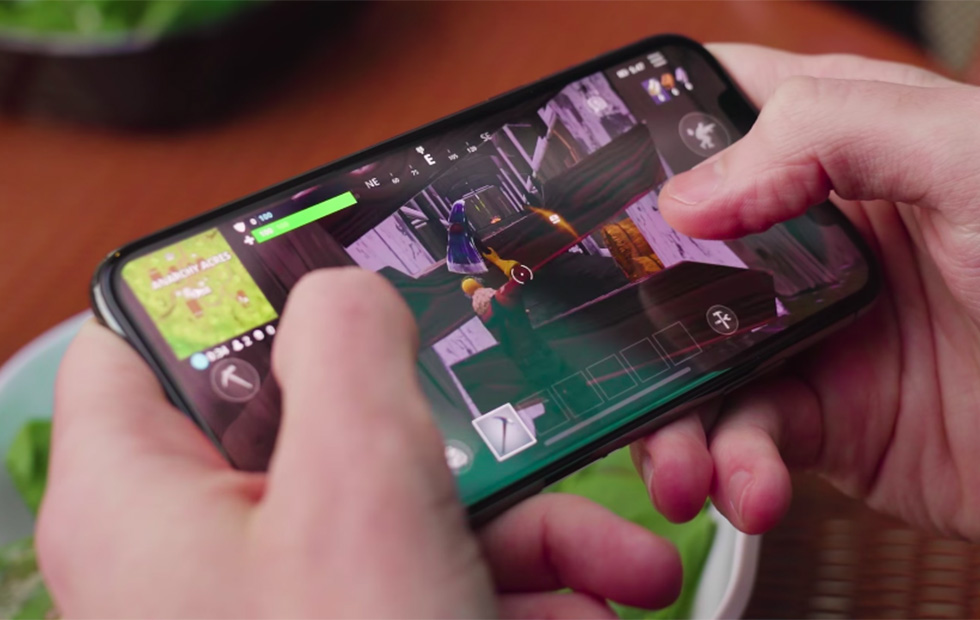
    Beau’s App series. Each week, I install whatever is the No. 1 bestselling app on the iOS or Android store and review it, to save you the effort in case it’s total waste of life. This week a game called Fortnite is not in the top spot but  Im taking it on anyways. How did it get to No. 1? it didn’t, its number 2. Love Balls has been holding strong for over 3 weeks now.. Also because it’s free, because it just came out for phones, and because it’s  already crazy popular console game.

    Fortnite is the latest battle royale style game that is taking the world by storm. Developed by Epic Games, the people behind Unreal Tournament (and the Unreal Engine), the game takes the battle royale format that is made popular by PUBG and brings it to everyone by being free to play everywhere. Today, we are taking a look at the mobile version, which although launched before the mobile version of PUBG, was invite-only for a while.

    The battle royale version is similar to PUBG, you know all about PUBG from the last Beau’s Number 1 App Review. 100 players compete on one island to be the last man standing. During the course of the game, players have to survive by scavenging items such as weapons and health packs, and killing others before being killed themselves. The area of the island is constantly shrinking as time goes on to encourage confrontation and avoid camping. The last person to survive wins the game.

    Some Cool Fortnite Features

    Fortnite actually supports cross-platform multiplayer gaming across iOS, PS4, PC and Mac. There is also a function over PUBG that allows you to build objects with wood, metal and brick you collect through the game. They also have a much varied wepon and character spectrum. Thanos and the infinity gauntlet where recently added as a feature weapon. So think of this as PUBG with Minecraft and a touch of Ratchet and Clank.

    iOS Functionality

    Fortnite runs great on iPhone, delivering the same experience we’ve seen on PC and consoles. Touch controls work fine, but the weapons you usually pick-up during the matches don’t fit well with the manual fire approach.​  Fortnite definitely functions on mobile, although players will have to refine their tactics and become deft with virtual controls that often work against them in the heat of battle. But it looks nice, it’s fun, it’s graphically stable and, if you’re signed into a regular Epic account, XP is shared across PC, mobile and console – so if you’re playing on the train or during your lunch break at work, you’re leveling up for when you get home. You see, it’s productive.

    The Final Thought

    Its a really great game, very exciting and fun. There is a lot more too this game but it isn’t quite as intense as PUBG. I prefer PUBG although it has been dethroned as the top battle royale game in the app store.

  • Fitness Tracking App Round-Up: Which Ones Fit your Lifestyle?

    Fitness Tracking App Round-Up: Which Ones Fit your Lifestyle?

    Staying motivated to exercise is important. One of the best ways to do that is to use a fitness tracking app! Helping you stick to your routine and achieve your goals, these apps make great companions for busy people looking to stay fit. Which ones fit your lifestyle the best? We’ll help you narrow it down with this round-up! We only picked apps available on both iOS and Android, so don’t sweat which kind of phone you have! 

    JEFIT 

    JEFIT is great for anyone who wants to be spending time in the gym. Designed to be great for users of all skill levels, JEFIT lets you record you reps and weights and keep track of your progress. The app allows you to choose from tons of user submitted workouts to help keep things fresh. On the downside, the app doesn’t have routine planning, but this is a small gripe for a free app. Not to mention, the app’s other functionality is good enough to make it a great pickfor fitness tracking app.  

    Keelo 

    This fitness tracking app is great for those who want to do quick, one-off style workouts on the fly. Utilizing the HIIT strategy for workouts, Keelo is great for really busy users. If you can set aside between 10 and 20 minutes three or four times a week, this is the app for you. These fast-paced workouts are meant to get your blood pumping and show results in a few weeks! Did I mention the app is free? Because that’s worth mentioning! 

    Sworkit 

    If you really want to get in shape and really don’t want to (or can’t) go to the gym, Sworkit is your fitness tracking app. You tell the app what your fitness goals are and tell it how much time you can dedicate to a routine. The app then builds you a personalized regiment for a six-week program. It’s surprisingly in-depth for being a free app. You can also spring for the premium subscription ($60 per year, or $30 per 4 months) that gives you access to more features. Real fitness trainers and exclusive workours are available to premium users, too.  

    Our Favorite Fitness Tracking App: Aaptive 

    Aaptive is a cool app: you pay either monthly ($15) or yearly ($100) for access to thousands of audio fitness classes. New classes are added by the trainers each week, so you’ll never run out of engaging exercises. There are classes for lifting, cycling, running and more. If you’re really serious about fitness and don’t mind spending money on a subscription, you’ll find Aaptive a great app for working out.  

  • Which Tablet is Worth your Money?

    Which Tablet is Worth your Money?

    Smart phones are nice, but sometimes you want a bigger screen for your smart device. Whether you’re drawing, looking at photos, watching movies or playing games, tablets are awesome addition to your smart device arsenal. When you just want that bigger screen for a handheld touch device, nothing else will do!

    Nothing says quality, solid build and premium design more than our 5 best premium tablets. From major manufacturers such as Apple, Samsung, Amazon, Microsoft and Google these tablets carry the state of art in technology and design. With that in mind, let’s check out some of our favorite premium tablets!

    Microsoft Surface Pro

    This tablet is so premium that it’s also a laptop. The Surface Pro made our list of best touchscreen laptops, too, which might sound weird until you see one in person: it really is both. With a stellar screen and great form factor, you can’t get a much cooler 2-in-1 tablet. Retailing for $659, it’s not too pricey.

    There are only a few real downsides for the Surface Pro. The very incremental advances it possesses when compared to its predecessors are slightly disappointing.  Additionally, the design is a little too minimalist: there is no USB-C port! Then again, it’s still a great tablet, so it’s a small nitpick.

    Google Pixel C

    Your favorite Android tablet, the Google Pixel C performs like a giant version of its phone siblings. The Pixel C also has an optional magnetic keyboard that is quite solid, letting the tablet act as a laptop. This is easily the most powerful Android tablet that exists, for what it’s worth. The tablet performs great while multitasking and rarely suffers stutters or slowdown.

    If you need a tablet for work or just like pushing your technology to its limit, this is a great pick for you. On the other hand, this one is a bit expensive, retailing for $950. Additionally, many users see Android as a drawback instead of a feature. Many apps are released on iOS first and often perform better there to boot.

    The Samsung Galaxy Book

    This tablet rightfully belongs on the quickly growing list of impressive Microsoft Surface Pro contenders. The Samsung Galaxy Book is a top-shelf Windows tablet with a price to match. Its robust processing power, high-end display and essential add-on accessories make it one of the best tablet-hybrids.

    It’s a Windows 10 tablet with a stunning 12-inch Super AMOLED display, Intel’s latest processors and detachable keyboard cover with stylus. It starts at $1,130 for the Wi-Fi-only version and $1,300 for the LTE model, sold via Verizon, which was the configuration we reviewed. Samsung offers a 10-inch variant that runs for $630, but this review is of the 12-inch model.

    iPad Pro

    No list of premium tablets would be complete without Apple’s contender in the mix. And this time around, unsurprisingly, Apple is our favorite. The iPad pro is a rock-solid tablet, with a gorgeous Retina display and fantastic performance. Many users have a preference for iOS, and for good reason. Slowdown is almost nonexistent, and app support is fantastic.

    If there are any drawbacks, they’re the same ones that apply to all Apple products: expensive peripherals and proprietary charging. If you want the Apple Pencil or proprietary keyboard to go with it, this one will run you some serious cash. For just the iPad itself, you’ll be spending around $600.


  • Looking to Organize? Find Out Our Favorite To-Do App!

    Looking to Organize? Find Out Our Favorite To-Do App!

    Everyone knows how hard it can be to stay organized during your busy day. Between all the things you have to remember and fighting traffic, simple errands can get left behind pretty easily. How do we recommend you organize your schedule? One way is with a handy to-do app! We love the ones we’ve rounded up here, you just might too! The apps we’ve picked are all available on both Android and iOS! 

    Todoist 

    Available in both premium and free forms, Todoist is a great app for everyday use. This app has a clean interface and great readability. For those who don’t mind paying around $30 a year, the premium version of the app has great functionality. Projects for increasing productivity, labels and the ability to share projects with other users are all pluses for this app.  

    This app also sports some really cool productivity charts and sharable progress trackers. It doesn’t have quite the same collaborative suite as, say, Asana (I’ll get to that) but it’s certainly cool funcitonality. 

    Remember the Milk 

    A great to-do app for household use, Remember the Milk offers a lot of functionality even in the free app. This app works offline and offers some great collaborative functionality, helping married couples or roommates organize chores and errands. The premium version, that boasts more general functionality, runs around $40 a year. This is a bit pricier than the competition. 

    This app doesn’t feature location-based reminders, which is a bit of a bummer. It also doesn’t have UI quite as clean or user-friendly as Todoist or Asana. These small gripes don’t hold it back from being a great to-do app, though! 

    Our Favorite To-Do App: Asana 

    If you’re trying to collaborate with a large group to increase productivity, Asana is for you. Featuring a great user interface and some downright awesome collaboration tools, this to-do app earns our spot for favorite. Exceptional for workplace productivity, consider this one if you want to help your office get organized.  

    While Asana doesn’t sport a desktop app, it makes up for it in its incredible shared functionality. The premium version, which goes for around $12 per month, allows you to access a large suite of functions. Advanced dashboards, search functionality and teams numbering much higher than the base 15-person cap. That all said, Asana is comparatively expensive, and if you want something a bit more affordable we recommend Todoist.  

    Those small nitpicks aside, Asana is a great app, and we recommend you try out the free version with your team and see if its right for you! 

  • Are You Hungry? Check Out Our Favorite Recipe Apps!

    Are You Hungry? Check Out Our Favorite Recipe Apps!

    I am terrible at cooking. Just absolutely terrible. I can’t make a scrambled egg without step-by-step instructions. Thankfully for me (and people like me) there are tons of great recipe apps. If you’re hungry and looking for a great app to help you make dinner, check out this round-up! These apps are available on both Android and iOS, so don’t sweat which platform you’re on! 

    BigOven 

    This simple and easy to use app has over 350,000 recipes. Now that’s a lot of meals! This app has some really neat functionality, too. Features like making a weekly planner for meals and making a grocery list make the app feel like an organizer and recipe app in one.  

    BigOven also has social functionality, allowing you to upload pictures of your recipes. You can even see what your friends who use the app are making! This functionality makes BigOven stand out from other recipe apps in interesting and helpful ways. 

    Cookpad 

    Featuring many social media-like feature, Cookpad is an interesting little app. Unlike most recipe apps, this one allows you to exchange recipes with your network of friends and family. The app builds a unique user profile as you upload and comment on recipes, helping you find recipes that are right for you. 

    Cookpad also lets others comment on your recipes. These comments could be for dishes that would pair well with the recipe, or for ingredient substitutions. Many vegetarian users or users with allergies love this aspect of Cookpad! If you’re looking for a great place to find and share recipes, Cookpad is for you! 

    The Coolest of all Recipe Apps: Yummly 

    Yummly’s best feature? It has a search function that helps you find recipes for your lifestyle. Whether you have a food allergy or prefer vegetarian meals, Yummly lets you search its huge database to find the right recipe for you. Even better, the app learns your preferences and suggests recipes for you that match your tastes! 

    Yummly also features Instacart support, unlike many other recipe apps. You can build a shopping list from a recipe and add that list to your Instacart. Then you can order everything on your list and have it delivered right to your door! This makes cooking dinner fast and convenient. This app is our favorite for good reason! 

  • The Best iOS Photo Apps for Shooting and Editing

    The Best iOS Photo Apps for Shooting and Editing

    Everyone loves to snap pictures! Every smart phone is equipped with great camera functionality, but they lack a decent photo app to go with it. Whether you’re looking to send pictures to family or post them to show your friends, you’re probably wondering which photo apps are the best! Here’s a round-up of our favorite photo apps!

    Snapseed

    Snapseed is a user-friendly photo editing app for iPhone. Allowing for different filter types and tools for adjusting exposure and sharpness, Snapseed allows for professional-style photo editing from your iPhone. You’re also able to edit only selected parts of a photo, letting you fine-tune images to your taste! It even has a healing tool like Photoshop. Best of all, this app is free! Snaseep is our favorite iOS photo editor.

    Cortex Camera

    This app is fantastic for shooting in low-light or nighttime situations. Using a really neat process, Cortex Cam is able to cut down of visual grain that is so common in low light pictures. Typcally, when taking pictures in low light, your phone camera will increase the ISO to attempt to squeeze more light into the lens. This has the side-effect of creating grainy images. Cortex Cam combats this by taking a large number of images in a short span of time and collating them into one image, eliminating that visual noise. This is easily the best app for low-light shooting!

    Superimpose

    Another Photoshop-like app, Superimpose allows two pictures to be blended together. If you want an app to blend together two photos from your phone, this is the app for you! This app has gradient masks that allow for one photo to mask the dark aspects of another with its own light aspects, allowing for interesting artistic projects. Superimpose can also be used for double exposure-style pictures, like using a foreground from one photo and a background from another. Superimpose is $1.99 on the app store, but you get a ton of awesome functionality for that price. If you’re looking to make compositions from your phone, Superimpose is a great app for you!

    Our Favorite Photo App: Camera+

    This app is exactly what is says it is: an enhanced version of the iPhone’s existing camera app. This app gives shutterbugs precise control over their phone’s camera functionality. Between altering shutter speed and white balance, this app is a must-have for smartphone camera enthusiasts. Camera+ has a manual focus function that is especially helpful for photographing extremely close objects, which is great!  It also has a handy 30-second delay feature for those who want to take pictures with themselves in the frame.If you have the technical know-how, or want to develop it, this app is a great choice for you!