Category: Apple

  • 5 “Smart Home” gadgets every house should have…

    5 “Smart Home” gadgets every house should have…

    It’s 2018 folks, and the future is here. Astronauts are driving Tesla’s through space and the Reese’s company is doing some really innovative stuff with popcorn. With all this technology around us, it’s easy to take it all for granted and we sometimes don’t get all the use we can out of it and take advantage of smart home gadgets.

    And the most important place you can use all this cool tech to your advantage is right in your very own home. Here are some amazing new smart home gadgets to make your life easier…

    1. The iRobot Roomba

    Ever since it’s inception in 2002, the Roomba vacuum has been an integral piece of smart home tech. With the ability to program this round robot to vacuum your home 7 days a week it can be a real time saver. With the latest 980 Model, the Roomba is more advanced than ever. With cutting-edge mapping technology and dirt detection programs, this “set it and forget it” vacuum is a must-have! For dog or pet owners like myself, I can stress it’s value enough. I have a lot on my plate and one thing I don’t to concern myself with is the daily sweeping thank to “Roger the Roomba”. Yes, I named my Roomba, he’s family, folks. Word of advice…there are several competitors is the robot vacuum department, do yourself a favor and stick with the iRobot Roomba. You may a little more, but in this case “you get what you pay for”. This has been probably the best $900.00 I’ve ever spent.

    2. The Nest Thermostat

    Coming in at a price tag of $279.00, the Nest Thermostat is well worth the extra cost. Thanks to it’s smart and adaptive AI, the Nest knows when your home and learns your work schedule to monitor the A/C usage. You can also control the thermostat right form your Nest App on your mobile device to fine tune your A/C needs. For a native Floridan like myself, A/C usage and consumption is a real beast you have to tame. In the summer months, electric bills can soar thanks to primitive thermostats. There is nothing like a thermostat shutting down for the day knowing you’re at work, and then turn on a half hour before you get home so you don’t walk into a hot and muggy house. It’s just bliss. Once I had installed the Nest, I noticed an immediate 50% drop in my A/C consumption and a large drop in my electric bill respectively. This is a must-have in your home.

    3. Brilliant Light Switch

    With the ability to control your homes, light, music, ambiance, and even take pictures with voice commands, the Brilliant light switch is a 2018 must-have gadget for your home. The brilliant light switch also connects to several of your home’s smart gadgets such as Nest, Alexa, Sonos Speaker, Ring doorbell system, and more. Starting at $200.00 per panel, Brilliant Switch is a costly addition but this innovative new gadget gives your home a brain.

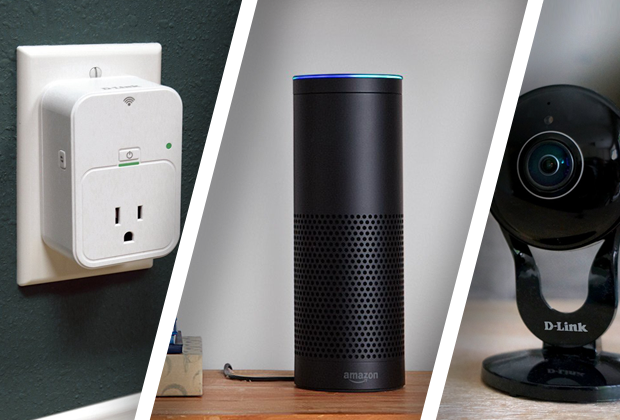
    4. Amazon Echo and Echo Dot

    This smart home “must” is quickly finding it’s way into every home, worldwide. Alexa and Echo Dot, is a voice-controlled system that used to play music, make calls, send and receive messages, read the news, set alarms, and even order and Uber or takeout! With the capability of syncing up to Amazon-Fire, Apple Music, Audible, Pandora, and more, you easily find usage and justification for this piece of smart tech in your home. At a price tag of $150.00, the Amazon Echo has many uses to help in your home and is a fantastic smart home gadget. Word to the wise, Alexa has a built-in microphone for consumer purposes that is ALWAYS LISTENING…Use responsibly. 

    5. The Ring II doorbell system

    The Ring Video Doorbell, provides you with the capability to see who is at your door from the safety and comfort of your bed or couch. It lets you accept or deny visitor calls if you’re not home, and uses motion detection to alert you of activity on your doorstep even when the bell hasn’t been rung. By working off your home’s Wifi and mobile data, the 1080HD  camera will alert your smartphone of any activity at your doorstep day or night. For an extra $3.00 a month, you can pay for cloud storage and have all moments video recorded for later purposes if desired. The newest model also has a 2-way intercom system, and infrared night vision. For that extra bit of security at a relatively inexpensive cost of $199.00, this doorbell is the must have for any smart home.

    The Conclusion

    With so many smart gadgets available, some better than others, these products can make our homes better, safer, and more convenient. 2018 is going to be a big tech year and the “smart home” business is growing ever more advanced daily. If you can pick-up just one of these items this year, you’ll be headed in the right direction. I’m still anxiously awaiting the release for Rosie the robot maid, but I may have to hold my breath for a while.
  • Apple Event: Updates to the iPad Pro

    Apple Event: Updates to the iPad Pro

    Apple is having another event this month to introduce new products and provide updates. This is the follow up event to the iPhone XS event early last September. We are expecting even more great new products and some updates to our favorites.

    The event has come to be known as “There’s more in the making” so you know something special will be unveiled. Apple sent out unique and individualized invitations and the event is always a must attend for the tech world. We will bring you all the updates and juicy details from the event.  Let’s take a look at what we got coming out, especially updates to the iPad Pro!

    The Updates to the iPad Pro

    Apple unveiled what it’s calling the biggest change to the iPad since its inception eight years ago. Its new features play in to Apple’s mission to make the tablet more adaptable and appealing to a larger audience.

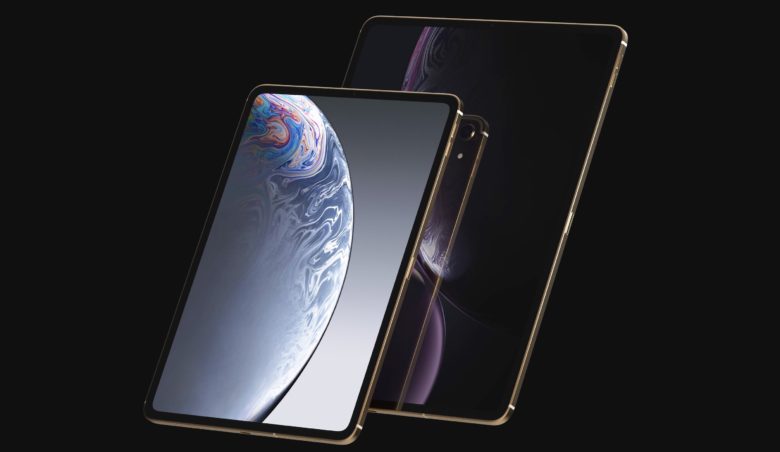
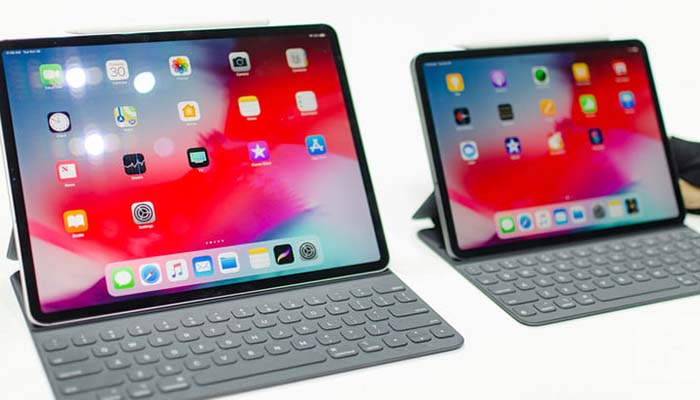
    Apple announced their new and bigger 11-inch and 12.9-inch iPad Pros in New York today, which now come with Face ID, a USB-C charging port, and a new “Liquid Retina” display. With 5.6 million pixels, iPad Pro features the highest-resolution Retina display of any iOS device. The 12.9-inch screen makes everything you do — editing 4K video, designing presentations, running a business — easier, faster, and more engaging. And the Multi-Touch subsystem has been re-engineered, expanding the ways you can interact with iPad. Aesthetically, they’ve got slimmer bezels that only come in black, like the new MacBook Airs. The black bezels, when paired with the Smart Keyboard Folio, make the iPad Pro look closer to a laptop than it ever has before. They also allow for the 11-inch model display to fit a bigger screen into the same overall dimensions as the prior 10.5-inch model.

    There’s a new iPad Pencil stylus with support for gestures that let you switch between the different digital brush styles. You won’t lose this one as easily as last year, since it clips to the side of the iPad with magnets. It even wirelessly charges when attached to the iPad, an improvement over the silly Lightning plug from last year.You’ll pay more for the iPad Pencil and a keyboard, though, which cost $129 and $179, respectively.

    The new iPad Pro is 5.9 mm thinner — about 15% slimmer than its predecessor. And that Home button….Gone. It has been updated with the iPhone x gesture controls. The iPad Pro also features a nearly edge-to edge-display and rounded corners. Its beautiful and very sharp looking. You can also charge your iPhone, essentially turning it into your own personal power bank. At the heart of iPad Pro lies the new A9X, a third-generation chip with 64-bit desktop-class architecture. It delivers up to 1.8 times the CPU performance and double the graphics performance of iPad Air 2. So even the most demanding apps run effortlessly.

    iPad Pro runs iOS 10, the world’s most intuitive, advanced, and secure mobile operating system. And with improved built-in apps and multitasking features like Slide Over, Split View, and Picture in Picture, iOS 10 helps you get more done in powerful yet simple ways. Whether you’re researching on the web while writing a book report or browsing your photos while creating a presentation, you’ll get more out of your iPad than ever before.

    There’s a new iPad Pencil stylus with support for gestures that let you switch between the different digital brush styles. You won’t lose this one as easily as last year, since it clips to the side of the iPad with magnets. It even wirelessly charges when attached to the iPad, an improvement over the silly Lightning plug from last year.

    For work, you can attach a keyboard. It felt just like the keyboard Apple launched with last year’s iPad Pro 10.5 but can adjust the screen to two different viewing angles, which is a nice touch.

    The Final Thought
    It’s the company’s first iPad not to include a home button, which allowed Apple to extend the screen vertically for a much more immersive experience. The bezels have been downsized on all four sides. Like the iPhone XR, Apple is referring to this screen as a Liquid Retina Display.The new iPad Pro comes in two screen sizes: 11 inches and 12.9 inches. The 11-inch model has essentially the same proportions as the prior 10.5-inch model. And the 12.9-inch model puts the same-sized display into a much smaller form factor. The new iPad Pro starts at $799 for the 11-inch and $999 for the 12.9-inch. Preorders begin today, and it ships on November 7th.


  • Apple Black Friday Deals

    Apple Black Friday Deals

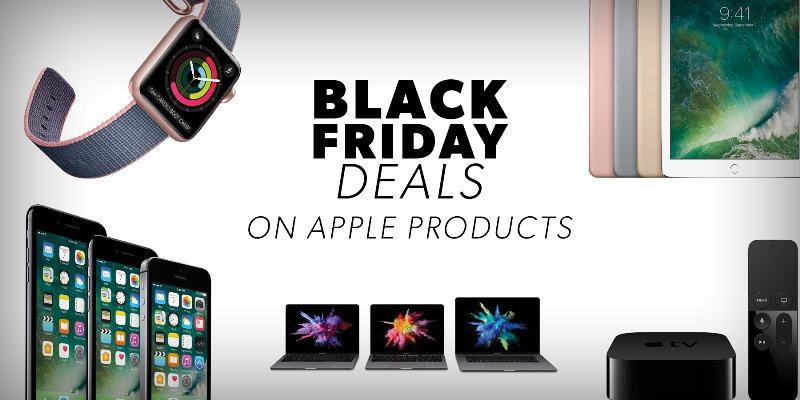
    Its coming, Black Friday is coming. Are you prepared? It is that time of the year. Jump out and get ahead of your Christmas shopping or score a deal on all those Apple products you have needed and wanted but been waiting for the right time on. This year due to the last day of the month falling on a Thursday, That means this year Black Friday is on November 23 2018. However, the deals onslaught will begin well before that, likely on Thanksgiving itself. Well baby birds I’ve scoured the internet and found some of the best Apple deals for black friday. Here are the big retailer’s Apple Black Friday Deals.

    Walmart’s Apple Black Friday Deals

    Savings on Apple products are available through Walmart’s pre-Black Friday Early Access Pass.

    WalMart has initiated a fire sale for iPhones on Straight talk for black friday.

    • Straight Talk iPhone 7 Plus with Free $45 Airtime: Available for $449; save up to $45 when you buy this bundle.
    • Straight Talk iPhone 8 Plus with Free $55 Airtime: Save up to $55 and grab the iPhone 8 for $599.
    • Straight Talk iPhone X with Free $55 Airtime: Available for $899, save up to 6 percent when you purchase this bundle. Plus, get free shipping.

    Best Buy’s Apple Black Friday Deals

    Best Buy is going the way of the blockbuster, its making its slow decent in to nostalgia. Take advantage and shop there while they are still open. This very well could be their last christmas. While they have a lot of great black friday deals set up, they are lacking in the Apple department. The retailer is offering deals on various Apple televisions.

    • Beats by Dr. Dre Pill+ Speaker: Save $100 and buy the Bluetooth speaker for $129.99.
    • Apple TV 32GB with SteelSeries Nimbus Wireless Controller: The latest model is $20 off; now $179.98.
    • Apple TV 4K 32GB with SteelSeries Nimbus Wireless Controller: The latest 4K model is $30 off; now $199.98.
    • Apple TV 32GB & Sideclick Universal Remote Attachment Package: The 4th Generation model is $10 off; now $169.98.
    • Apple TV 4K 64GB with SteelSeries Nimbus Wireless Controller: The latest model is $20 off; now $229.98.
    • Check Out: Walmart Is Making Holiday Shopping Even Easier With These Clever Tech Upgrades

    Target’s Apple Black Friday Deals

    Target is giving you a chance to snag free gift cards when you activate select iPhones.

    • Score a $250 Target gift card with qualified activation for iPhone Xs or iPhone XS Max on Verizon, Sprint or AT&T.
    • Get a free $150 Target gift card with qualified activation for iPhone 8 Plus, iPhone 8 or iPhone X.
    • Don’t Miss: The Best Black Friday Deals From Target, Costco and 16 Other Major Retailers


  • iPad Pro 2018 Review Roundup: Is it Worth the Money?

    iPad Pro 2018 Review Roundup: Is it Worth the Money?

    The iPad Pro 2018 is here, and the reviews are rolling in. The question on everyone’s mind is whether the new iPad is actually worth the price tag. Well, we’ve got the roundup you’ve been looking for! From new features to returning peripherals, here’s what to expect from the iPad Pro 2018!

    iPad Pro 2018 Review

    Digital Trends

    The Specs

    First things first: the iPad Pro 2018 is an absolute beast from a technical standpoint. Much like the iPhone X set a new bar for smartphones in 2017, the iPad Pro is really the bar for tablets. The A12 Bionic chip that powers the tablet is a marvel, multitasking and running at blistering speeds. The massive, gorgeous AMOLED screen really has to be seen to be believed. If you haven’t seen the newest generation of Apple screens you won’t understand just how gorgeous this display is.

    The 2018 iPad Pro also sports the front-facing, depth-sensing equipment to power Face ID. There’s no home button and no fingerprint scanner, so your only option for biometric scanning is Apple’s excellent Face ID. It works great in landscape or portrait mode, in high or low light and in whatever surroundings. If you’ve used the iPhone X, you know what to expect here. Really, this iteration of the iPad could have been named the iPad X.

    The presence of that depth-sensing front-facing camera array also means that Memoji and Animoji both work on this iPad. Really, if you just think of this as a giant iPhone X, you won’t be far from the truth.

    Design

    And, much like the iPhone X, this iPad has hardly any bezels. The screen is huge compared to the body, leaving a scant amount of excess around the edges of the screen. In fact, the 12-inch model is noticeably smaller in profile than the 2017 version with the same screen size. This design is clean and attractive and really fits the iPad’s existing design ethos. While the sleek, rounded lines of the iPhone line might look odd at this scale at first, they really grow on you.

    Aside from these minor touches, however, the iPad Pro hasn’t changed too much. The lack of a home button does make the device much cleaner in appearance. It’s easy to tell that this is a new era of Apple product design at a glance. Again, the comparisons to the iPhone X come easily. That goes for the lack of a headphone jack, too, sadly.

    That’s right: there’s no proper headphone jack. The only port on this year’s iPad is a USB-C port. We were surprised to see that there was no Lightning port this time, but that’s a good thing. It makes finding conversion dongles much easier. It also means you’ll need to invest in Bluetooth or USB-C headphones for use with this device. Which is sort of a bummer.

    Peripherals

    The star of the show here, much like with the Microsoft Surface line, is the Pencil. The Apple Pencil was an excellent addition to the iPad ecosystem and remains a must-have. For whatever baffling reason, though, the Pencil from previous hardware generations doesn’t work on the 2018 iPad. What’s harder to believe, though, is that the new Pencil doesn’t even work on older iPads. This wouldn’t be as big a deal if the Pencil came with the iPad, but it doesn’t. In fact, it’s priced at a rather steep $129.

    That said, this new Pencil is awesome. It has more drag on the screen, which makes it feel like a real pencil. It magnetically snaps on the side of the iPad, which is also how it charges. It reminds us a lot of the Surface line of tablets and how its pen snaps on. It works wonders for artists.

    The folio keyboard is back, and, like the Pencil, costs a lot. It also doesn’t come with the iPad, and it starts at $179 for the 11-inch iPad. The 12-inch model costs a staggering $199. That means you’ll be spending a lot on an iPad, given that the 11-inch model starts at $799 and the 12-inch starts at $999.

    Bottom Line

    This year’s iPad line is absolutely astonishing from a tech perspective. The question remains, however, if this awesome tech is fully worth the high price tag. The iOS ecosystem is a bit stifling and doesn’t lend itself well to replacing full-scale laptops. The lack of a mouse makes editing text a bit of a pain, and that goes double considering the keyboard “trackpad” experience is so hit-and-miss.

    Maybe Apple will deliver with more robust apps to help make the iPad a bit more attractive as a Mac alternative. As it stands, however, the iPad is only really a good investment for creatives who really want to draw on an Apple-branded tablet. Until then, it’s a bit too expensive for the casual user.

  • Apple Event: The New Mac Mini

    Apple Event: The New Mac Mini

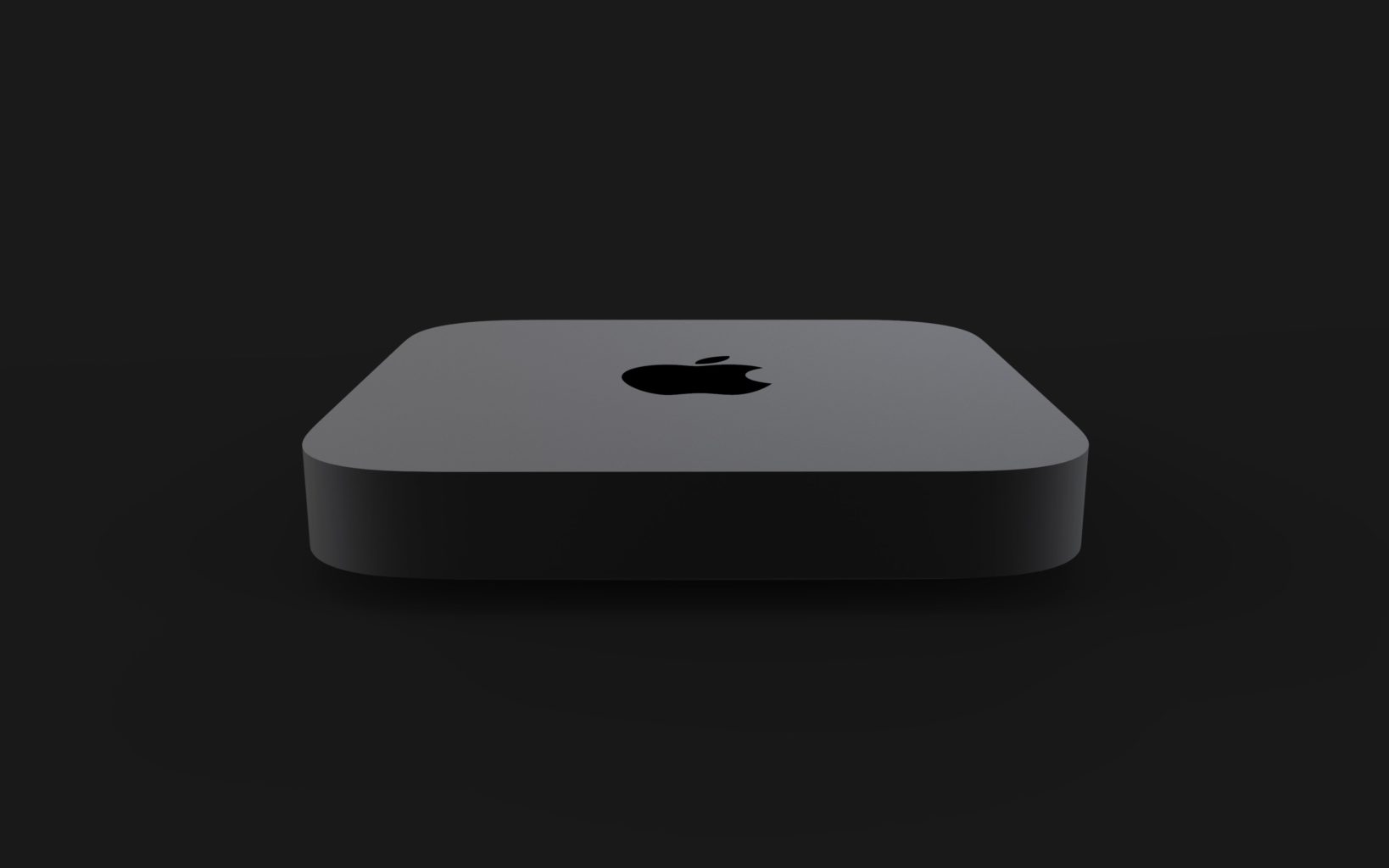
    Apple is having another event this month to introduce new products and provide updates. This is the follow up event to the iPhone XS event early last September. We are expecting even more great new products and some updates to our favorites, Let’s talk about the New Mac Mini.

    The event has come to be known as “There’s more in the making” so you know something special will be unveiled. Apple sent out unique and individualized invitations and the event is always a must attend for the tech world. We will bring you all the updates and juicy details from the event. Already we got a 12.9 inch iPad Pro with 1TB storage and which under the right circumstances can drive a 5K external monitor.

    Tim Cook then made reference to a “small but mighty computer our users are waiting for” was obviously that this was the Mac mini. Macs are expensive. As if to reinforce this universal maxim, the last remaining bastion of Apple affordability evaporated into the crisp fall air today above New York City, where Apple CEO Tim Cook unveiled a brand-new Mac mini.

    The original Mac mini might have been the first Mac sold under $500 but don’t expect the same price for the new Mac mini. The Mac Min is Apples entry level computer. It is sold as just the computer with no peripherals or monitor.

    The new Mac mini adorable desktop PC starts at $800 but promises it’s “five times faster” and with “60 percent faster graphics” than its predecessor. What’s under the hood ready to deliver that?

    The New Mac Mini

    It starts with a quad core chip, but you can upgrade to six cores. Similarly, the entry level Mac Mini has a relatively scant 8GB of RAM and 128GB of flash storage. You can upgrade all the way up to 64GB RAM, and a 2TB solid state drive. Apple retained the rounded square exterior of the Mac mini.  Including the user-accessible bottom and a lineup of ports on the back. Mac mini’s small but vocal user base was clearly heard as Apple took a lot of their considerations to heart. Memory consists of two user-upgradable SO-DIMM slots and the flat body design makes it a great choice for server farms.

    Apple says the RAM in the new Mac mini is socketed SO-DIMM and that means that within limits, you will be able to buy more memory at any time. It has to be compatible and it can’t exceed the Mac mini’s 64GB ceiling, but it doesn’t have to be from Apple and that is always a rather gigantic savings.


    Options

    If you need extra processing muscle for apps like Adobe Photoshop. You  will gravitate toward a model with a 3.6GHz, hexa-core Core i7 processor, with all other specs remaining the same. Meanwhile, those with large multimedia collections that require a roomier hard drive can instead opt for a 256GB SSD and a 3GHz hexa-core Core i5.

    It is built with decent power. It comes with a quad or six-core i3, i5 or i7 processor, paired with an Intel UHD Graphics 630 videocard. RAM options start at 8 GB and go up to 64 GB DDR4 memory. While storage begins with a 128 GB SSD and go up to a 2 TB SSD. For connectivity, there are four Thunderbolt 3 ports, two USB 3 ports, an HDMI 2.0 port.  Plus a 3.5 mm jack, with adapters sold separately for things like Thunderbolt 2 or VGA.

    On the back we found several Thunderbolt 3 ports, HDMI, USB-A, audio out. A Gigabit Ethernet port that can be upgraded at purchase to a 10-gig port. What we found most impressive was a stack of five Mac Minis, connected over Ethernet. They were running tasks assigned by Final Cut, Logic, and Xcode. All this while the primary machine carried on with its normal tasks.

    The Final Thought

    Apple touted the Mac Mini’s performance on Tuesday. Noting that it was up to five times faster than the previous generation. You can order it today, and it’ll get to your doorstep on November 7.

  • Apple Event: Updates to the iPad Pro

    Apple Event: Updates to the iPad Pro

    Apple is having another event this month to introduce new products and provide updates. This is the follow up event to the iPhone XS event early last September. We are expecting even more great new products and some updates to our favorites.

    The event has come to be known as “There’s more in the making” so you know something special will be unveiled. Apple sent out unique and individualized invitations and the event is always a must attend for the tech world. We will bring you all the updates and juicy details from the event.  Let’s take a look at what we got coming out, especially updates to the iPad Pro!

    The Updates to the iPad Pro

    Apple unveiled what it’s calling the biggest change to the iPad since its inception eight years ago. Its new features play in to Apple’s mission to make the tablet more adaptable and appealing to a larger audience.

    Apple announced their new and bigger 11-inch and 12.9-inch iPad Pros in New York today, which now come with Face ID, a USB-C charging port, and a new “Liquid Retina” display. With 5.6 million pixels, iPad Pro features the highest-resolution Retina display of any iOS device. The 12.9-inch screen makes everything you do — editing 4K video, designing presentations, running a business — easier, faster, and more engaging. And the Multi-Touch subsystem has been re-engineered, expanding the ways you can interact with iPad. Aesthetically, they’ve got slimmer bezels that only come in black, like the new MacBook Airs. The black bezels, when paired with the Smart Keyboard Folio, make the iPad Pro look closer to a laptop than it ever has before. They also allow for the 11-inch model display to fit a bigger screen into the same overall dimensions as the prior 10.5-inch model.

    There’s a new iPad Pencil stylus with support for gestures that let you switch between the different digital brush styles. You won’t lose this one as easily as last year, since it clips to the side of the iPad with magnets. It even wirelessly charges when attached to the iPad, an improvement over the silly Lightning plug from last year.You’ll pay more for the iPad Pencil and a keyboard, though, which cost $129 and $179, respectively.

    The new iPad Pro is 5.9 mm thinner — about 15% slimmer than its predecessor. And that Home button….Gone. It has been updated with the iPhone x gesture controls. The iPad Pro also features a nearly edge-to edge-display and rounded corners. Its beautiful and very sharp looking. You can also charge your iPhone, essentially turning it into your own personal power bank. At the heart of iPad Pro lies the new A9X, a third-generation chip with 64-bit desktop-class architecture. It delivers up to 1.8 times the CPU performance and double the graphics performance of iPad Air 2. So even the most demanding apps run effortlessly.

    iPad Pro runs iOS 10, the world’s most intuitive, advanced, and secure mobile operating system. And with improved built-in apps and multitasking features like Slide Over, Split View, and Picture in Picture, iOS 10 helps you get more done in powerful yet simple ways. Whether you’re researching on the web while writing a book report or browsing your photos while creating a presentation, you’ll get more out of your iPad than ever before.

    There’s a new iPad Pencil stylus with support for gestures that let you switch between the different digital brush styles. You won’t lose this one as easily as last year, since it clips to the side of the iPad with magnets. It even wirelessly charges when attached to the iPad, an improvement over the silly Lightning plug from last year.

    For work, you can attach a keyboard. It felt just like the keyboard Apple launched with last year’s iPad Pro 10.5 but can adjust the screen to two different viewing angles, which is a nice touch.

    The Final Thought
    It’s the company’s first iPad not to include a home button, which allowed Apple to extend the screen vertically for a much more immersive experience. The bezels have been downsized on all four sides. Like the iPhone XR, Apple is referring to this screen as a Liquid Retina Display.The new iPad Pro comes in two screen sizes: 11 inches and 12.9 inches. The 11-inch model has essentially the same proportions as the prior 10.5-inch model. And the 12.9-inch model puts the same-sized display into a much smaller form factor. The new iPad Pro starts at $799 for the 11-inch and $999 for the 12.9-inch. Preorders begin today, and it ships on November 7th.


  • New MacBook Air

    New MacBook Air

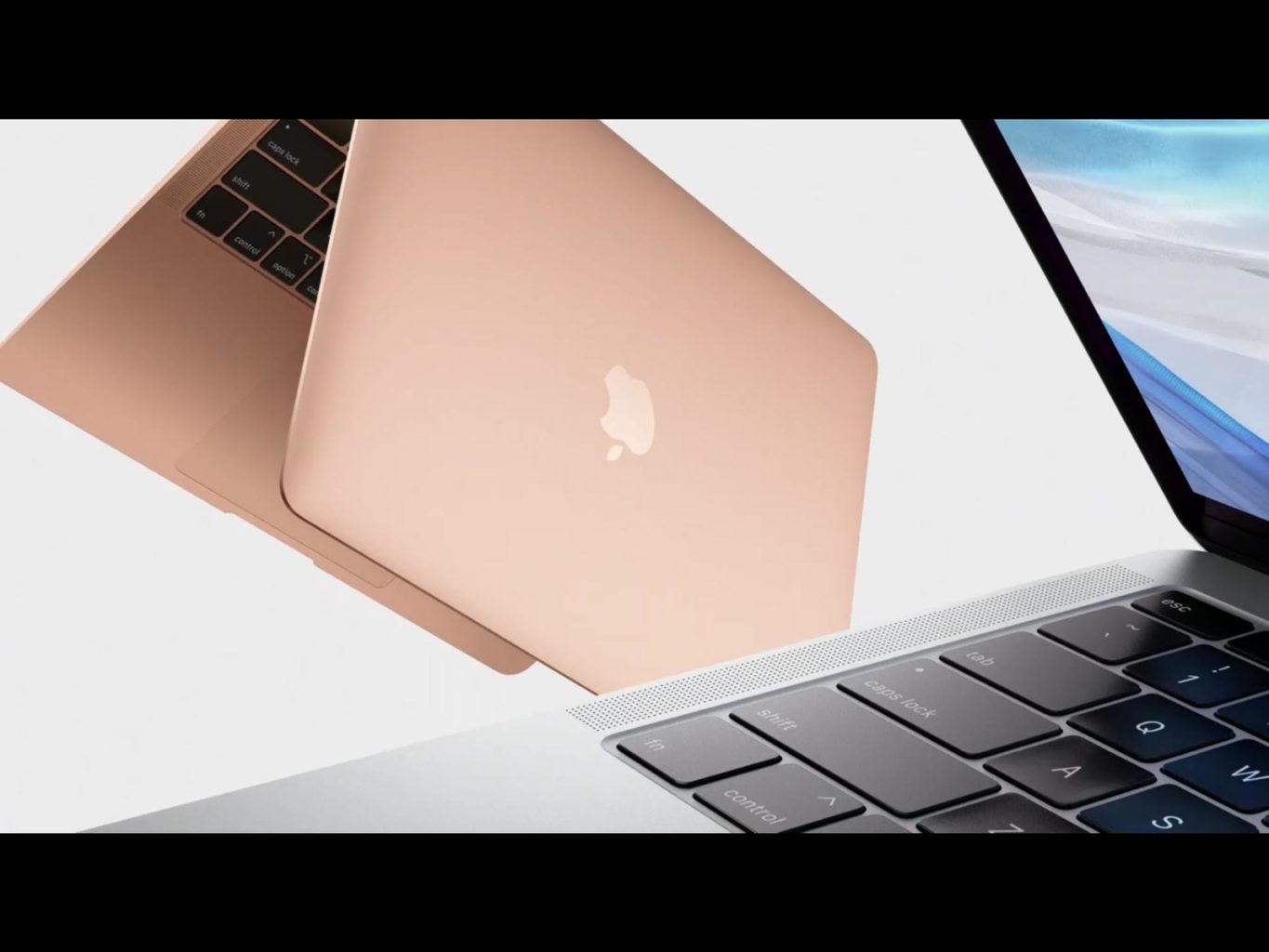
    Apple Is live in an Event. This is the follow up event to the iPhone event early last September. We are expecting a lot of great new products and some updates to of favorites. Throughout the event today I will bring you a few updates with the details of the event. This event is come to be know as “There’s more in the making”. Apple sent out unique and individualized invitations last week. Lets take a look at what we got coming out. First up a new MacBook Air.


    First up we have a new MacBook air. This is long overdue and been waiting for a refresh. Starting at $1,199, the MacBook Air features a 13.3-inch display with borders that are 50 percent narrower, and you get 4 million pixels of resolution. The FaceTime HD camera is still there at the top of the display, and you can conduct group FaceTime calls.


    The new Air is 17 percent smaller in terms of volume and it’s 15.6 mm thin and it weighs 2.75 pounds, compared to 3 pounds for the previous Air. That’s a quarter pound lighter than the previous Air. Apple says that the body is made of 100 percent recycled aluminum.

    Apple has included a Touch ID button on the keyboard, complete with Apple’s T2 security chip.


    New MacBook Air Quick Speck Look

    • T2 chip for Touch ID and Hey Siri support
    • FaceTime HD camera
    • Three-mic array for better voice recognition
    • 3rd-gen butterfly keyboard
    • Force Touch trackpad
    • eGPU and 5K display support
    • 8th-gen Intel dual-core i5 processor
    • Up to 16GB 2333MHz memory
    • Up to 1.5TB SSD
    • 2.75 pounds
    • Made from 100 percent recycled aluminum
    • 17 percent smaller

    The Final Though

    With its processor that’s three generations behind and thick bezels around its low-res 1,440×900-pixel display, the 13-inch MacBook Air was last updated 2017 and hasn’t really changed physically since the first model in 2008. It is, however, the cheapest Apple laptop starting at $999 and frequently found for less. It was time and I like what they have done. Pre-Orders start today and will be available the 7th

  • Five Things to Consider When Buying a New Cell Plan

    Five Things to Consider When Buying a New Cell Plan

    Your cell phone and cell plan is a huge purchase and the center of all of your communication, and primary social tool. No longer are they for making calls in an emergency, they are now our most used possession. When we become so dependent on these devices, the cost tend to creep up and rise out of control.

    To help you save on this important cost, we are going to break down the cost and some tips when looking for new cell service. Whether you want to upgrade to a new phone or lower your monthly cost, we will take a look at all the dos and don’ts. Here are the five things to consider when looking for a new cell plan and the no contract cell phone plans as well.

    First Things First

    First off you need to decide on the phone you want to use. There are a lot of options and they update constantly. There are 3 options to consider here, iPhone, Android, non-smartphone or feature phone as they are called today. I don’t recommend buying a feature phone to anyone. You may think it is easier, it is not. A feature phone will lacking functionality also has a more cumbersome operation process. The smartphone is easier to operate and easier to customize to only use the features and functions you want.

    Do You Need a Flagship Device?

    As far a smartphones go you have the iPhone or an Android. The iPhone’s are more powerful, easier to use, more reliable and last longer. The Androids have more advanced feature sets and more customizable. Apple and Samsung make the 2 main device but there are a slew of other brands when looking in to Android. LG, HTC, OnePlus, Motorola all make new top of the line phones every year. You can get a great android device for half the cost of the premium Samsung Flagships.

    iPhone?

    This is always my recommendation. Due to their reliability, durability and ease of use and cost of ownership being much lower. The average iPhone will last 3.5 years, stay current and cutting edge. Isn’t the cost very high? Not really, The highest end new iPhone is the most expensive device on the market, but last year’s models or cheaper models like the XR are available. There is always an iPhone for any budget and they are always the best option in their class. Even today you can purchase an iPhone 7 for less than $450.

    No Contract No Cry

    Wait! $450? Aren’t phones supposed to be free! I never paid for a phone before… No they have never been free, and yes you paid a lot more for your free phone then you think. This brings me to my next point. Contracts. Don’t do them. Years ago the iPhone 7 that is selling for $450 with no contract would have been free with a 2 year contract. The cost of the subsidy was built in to your cellular plan at an average of $40 per month. Did you do that math? Your free phone cost you $960. Your best option is to find the phone you want and purchases at full price.

    The New Cell Plan

    This lead me to my last tip, by bringing your own phone you can get the best price on your plan. No longer do you have to worried about prepaid or postpaid. You can pick the plan you want and the carrier you want. Verizon and AT&T are the premium providers, with better, faster and more extensive coverage. They mock each other plans so cost are just about the same. Sprint and T-Mobile are your bargain carriers, cheaper and service will have holes and speed issues. You may not notice but odds are you will. Their new cell plan will run you a few dollars less.

    The Next option is to go with non-carrier 3rd parties. MetroPCS, StraighTalk, Cricket, Boost. These are providers that don’t have a network of their own and instead piggy back on the Carriers network. While these can be the cheapest option, they do not receive the same level of coverage. Even though they are using the same network, they are at a much lower priority and do not share in with the roaming agreements the major carriers have in play. So while you may get to use T-Mobile’s network, you will be out of service when it is not available. With a direct T-Mobile service you would jump on to one of the other networks. This is something you want to evaluate when buying a new cell plan.


  • Tech Throwback: The Apple Lisa

    Tech Throwback: The Apple Lisa

    I like to take a look at where I’ve been to evaluate where Im going. Technology is cyclical after all… wait no its not. That said I still like all the feels that come rushing back like a flood of nostalgia every time I get my hand on the tech I grew up with. I’m going to go back periodically and take a looking at the stuff that used to blow our hair back and get our minds rolling. Some of these device blew up and changed the world, some where ahead of their time and some just fell flat and became colossal failures. Today’s throwback is the legendary, Apple Lisa.


    The Apple Lisa

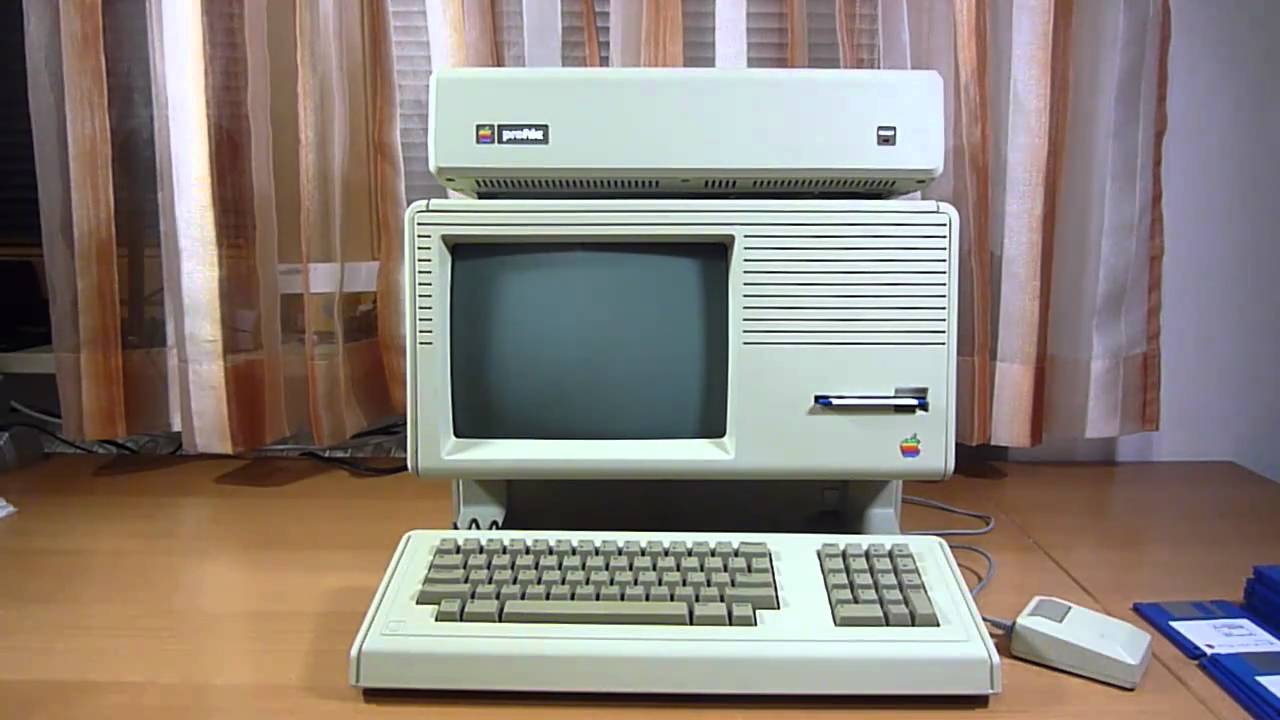
    The machine named after Steve Jobs out-of-wedlock daughter was the first commercial computer to offer a graphics user interface. Breaking free from the text-command paradigm and initiating a more user-friendly, point-and-click experience.

    Apple Lisa’s $1,000 price tag and slow OS killed its vibe on the consumer market, even though it still commanded a number of advanced features that became conducive to the future of computing. On that checklist: co-op multitasking, protected memory, data corruption protection, built-in screen saver, and much more.

    Released in January 1983, the Lisa featured a rather advanced hardware at the time, it was equipped with a 16/32-bit Motorola 68000 CPU, 1MB of RAM (expandable to 2MB), two 871K floppy drives, and an integrated 12” monochrome monitor with a resolution of 720 X 364 pixels, an optional external 5MB hard disk, and an input device almost never seen before: a box-shaped single button mouse.

    Lisa’s Software The real story with the Lisa was the software it ran. The Lisa operating system included features like protected memory. This was absent from the Macintosh operating system until the launch of Mac OS X eighteen years later. Under the hood, it ran on a file system that supported hierarchal directories, making it ideal for organizing files on the Lisa’s internal hard drive.

    Lisa had two main modes. The first, named The Apple Lisa Office System, included seven GUI applications for users.  LisaWrite, LisaCalc, LisaDraw, LisaGraph, LisaProject, LisaList, and LisaTerminal.

    The FInal Thought

    I wish I could get my hands on an original Lisa, but I have not been able to locate one. There are only 20 to 100 Lisa 1s left in the world. A rare, seldomly turned on original lisa is being auctioned off starting at $55,000. The Apple Lisa was a passion tech project from a man who’s passion projects yielded a monumental advancement of mankind. Unfortunately it was not a massive success, but  it did  spawn many that followed. There is a little bit of Lisa in all the Apple products we have loved since.

  • Todays Quick Apple News Look

    Todays Quick Apple News Look

    Apple is always up to some fantastic things, Making headlines and straight surprising us with out of the box ideas. Apple News is plentiful and fascinating so here is a quick look at a few things Apple is up to today. Also it help as you are reading these to do so in Walter Cronkite’s voice.

    In Italy

    Italy’s anti-trust watchdog said on Wednesday it was fining Apple Inc. and Samsung Electronics Co Ltd  5 million euros each following complaints they used software updates to slow down their mobile phones. WE know that that is not the case, once they update software it increases the power usage for the new features and functionality. It is not the software that is slowing down the phone, it is the lack of power needed to run the software, make sense? Apple was also smacked with an additional 5 million euro fine for failing to give clients clear information about how to maintain or eventually replace handset batteries.

    Mac Updates

    WE found 3 new device registrations in Europe this past week. Apple has registered the devices with the EU ahead of the Oct. 30 Event. The three new Mac models likely relate to new versions of the Mac Mini and iMac. We are expecting a significant spec update to the Mac Mini, which has not seen any attention in 1469 days, and at least processor bumps to the rest of the Mac line.

    The new cheap laptop is still a complete head scratcher. The rumor mill is divided on what to expect. No one knows exactly what the product looks like, and how much it will cost. Personally I think it is safe to assume a 13-inch Retina display in a design similar to the current 12-inch MacBook, although probably not as razor-thin or small for cost reasons.

    Apple TV Service

    We are hearing some chatter that Apple is planning to launch a subscription TV service. We don’t have a lot of details just yet but it appears  the service will roll out to over 100 countries. It would, presumably, compete with the likes of Amazon Prime Video, Netflix, Sling TV and YouTube TV.  We can expect the service in the first half of 2019 in the US. It will, however, be available only to owners of Apple devices. Apple will be airing original programing with this service as well. This could get interesting.


    The Final Apple News Thought

    Everyday these guys are innovating, mesmerizing or out right improving the world for all of human kind. For a quick Apple news update come back to goodfind.guru. Check out what they will be doing next.