Category: xPick

  • Apple iPad Air Review

    Apple iPad Air Review

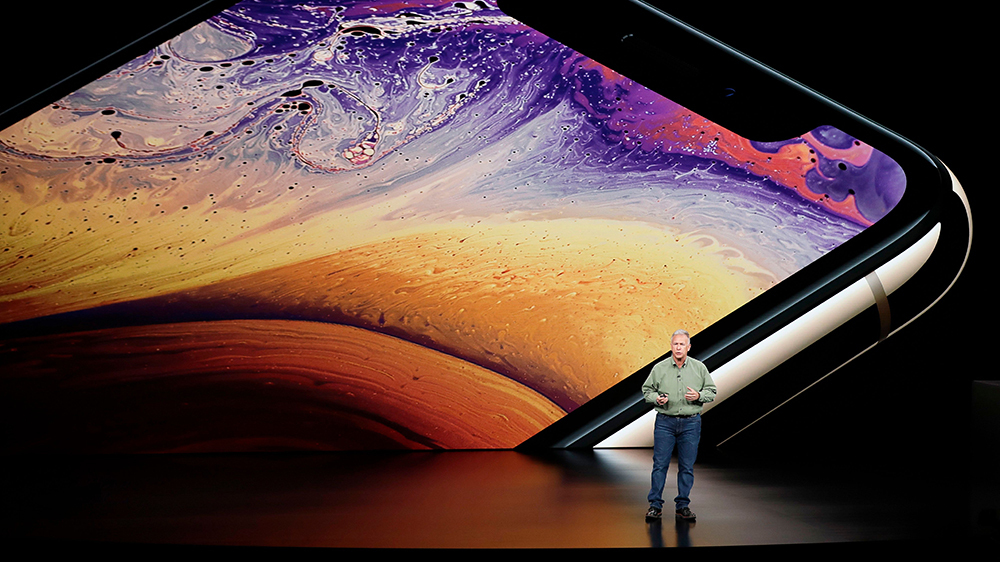
    Apple will release its fourth generation of the iPad Air line this October. There is much anticipation for this roll out because of the A14 Bionic System. The device was unveiled in September, along with Apple Watch 6 and Apple Watch SE. Unlike its predecessor, the latest iPad Air has more features and affordable pricing. Its versatility is incomparable to the iPad Air 3. It is best compared to the iPad Pro 12.9. This fourth-generation Air iPad offers so much more considering how the iPad 3 Air was similar to the basic entry-level iPad. Apple has redeemed the Air line of product with this latest release. iPad Air 4 operates at the same level as the iPad Pro 2020.

    The specs for the iPad Pro 2020 include a 12-inch or 11-inch display and the A12Z bionic processor. It also does not come with the home button; users get to enjoy the edge-to-edge display.

    iPad Pro 2020 also comes with a LiDAR depth scanner for AR and the TrueDepth scanner for face identification. Users can also purchase accessories for use, including the Apple Pencil 2, the trackpad-fitted Magic Keyboard, and a Smart Keyboard Folio. The iPad Pro 2020 retails for $799 for the 128GB and $1,649 for the 1TB model.

    iPad Air 4 has a lower price compared to the iPad Pro 2020. It will cost $599 or $729, making it affordable considering the upgrades included. The third model of the Air series cost ranges between $499 to $649. Therefore, in regards to pricing alone, this latest release is reasonably priced.

    iPad Air Specs

    ● It comes with a 10. 9-inch Liquid Retina IPS LCD; the most advanced display technology in an Apple device
    ● It has a P3 wide color gamut and TrueTone.
    ● Has a display resolution of 1640 * 2360 pixels
    ● It has a scratch-resistant glass protecting the iPad from minor scratches and oleophobic coating, providing oily substances resistance.
    ● The primary camera is 12MP, similar to the iPad Pro, and has the HDR feature. It shoots videos at 4K, capturing images at 24 or 30 or 60 frames per second. It also captures images at 1080p at 30 or 60 or 120 frames per second.
    ● It has a Gyro-EIS feature, which improves low light photography. EIS provides a consistent frame compensating for handshaking.
    ● The FaceTime camera is 7MP with HDR and has a video quality of 1080p and captures 30 and 60 frames per second.
    ● It has a touch ID system that is mounted at the top, providing a larger display.
    ● It is fitted with an accelerometer, gyrocompass and barometer.
    ● It comes in silver, space gray, rose gold, green and sky blue.
    ● It has a USB-C port, Wi-Fi 6, stereo speakers and LTE
    ● It uses the second generation Pencil, Magic Keyboard, and Smart Keyboard Folio supported
    ● It possesses Apple’s latest A14 Bionic Processor.
    ● You get a free year of Apple TV when you purchase this device

    iPad Air Features: A Comparison

    Bionic Chip

    The new iPad Air comes with Apple’s latest A14 Bionic Chip. None of Apple products currently has the A14 Bionic chip. There are speculations that the chip will be available on iPhone 12.

    The A14 Bionic system will be the first 5-nanometer chip in the market. The size reduction allows Apple to pack in more transistors. It is now common knowledge that the A14 Bionic chip has 8 billion transistors compared to 8.5 billion transistors in the A13 Bionic system and 10 billion in the A12 Z series bionic system.

    The more the transistors, the better the chip is at multi-tasking and speeds. The chip makes iPad Air 4 excellent for gaming and AR.

    A14’s CPU
    Additionally, this latest bionic chip has a 6 CPU core with the perfect balance between energy-efficiency and performance. Two of the cores are high-performing Firestorm cores enabling the gadget to handle demanding tasks at impressive speeds. The remaining four are high-efficiency Icestorm cores which maximize the performance in different power budgets.

    What this means for the A14 Bionic chip provides faster performance and better power utilization. The A12 chip is 40% faster than A12 and 16% faster than the A13 chip. Therefore, this new iPad Air is expected to possess unprecedented speeds than any of Apple’s devices presently in the market.

    A14’s GPU

    Aside from the CPU, Apple has developed a GPU for the A14 Bionic chip. The purpose of this GPU is to maintain efficiency while saving energy. The GPU is a four-core graphics engine performs better than the A12 Bionic system by 30%. It works 8% better than the A13 chip.
    With this chip, users will get good performances while preserving battery life. The new chip enables tasks to be performed at a lower voltage frequency while the device maintenance peak performance.

    A14’s Neutral Engine

    Apple has included a silicon block in its SoCs called the Neural Engine. The hardware is an accelerator with machine learning and AI calculations functions. The Neural Engine is a product of continued innovation first introduced in the A11 Bionic Chip. Therefore, this next-generation chip is possibly more impressive than the original A11. While the A11 ANE performs approximately 600 billion operations per second and has the impeccable Face ID feature, the A14 chip does even better. A14 boasts of 16 cores, eight more cores than A12 and A11. It can perform 11 trillion operations per second.

    Apple is a master at integrating hardware and software on all its devices. Its inclusion of custom accelerators like the AMX and ANE is an ingenious way of improving learning. The AMX contains large-scale mathematical computations libraries for Apple’s developers to use without the need for low-level programming. Accelerate provides high-performance, energy-efficient computations on the CPU by leveraging its vector-processing capability.

    The Accelerates minimize room for errors and provides support for Apple’s novel hardware. The Neural Engine in the A14 chip is expected to perform ten times faster than the A13 chip and 20 faster than the A12 chip.

    Another big difference between the iPad Pro and previous releases from Apple is that the iPad Air 4 does not have Intel. It uses machine learning in the pace of Intel. In the current error of data analytics, machine learning applications are becoming increasingly important. However, the efficacy of Apple’s innovation remains to be evaluated.

    iPad Air Body -Comparison

    The new iPad Air is 9.57 inches long, 7.03 wide, and 0.24 thick. It maintains the same thickness as 2019’s iPad Air. However, iPad Air 2019 was longer by 0.03 inches and narrow by 0.18 inches. Both the previous and incoming iPad Air weigh 1.01lb. Both models iPad Air have a glass front and Aluminum back and frame. Compared with the iPad Pro, the latest iPad Air is small and 0.01 inches thicker. The iPad Pro is 11.05 inches long, 8.46 inches wide, and 0.23 inches thick.

    Display Features Comparison

    The iPad Air 2020 and 2019, and the iPad Pro have the same type of display features. They both use IPS LCD enabled touch screens with 16 million colors. However, iPad Air 2020 and iPad Pro have screens with an 85% screen-to-body ratio, while the iPad Pro has a 73.3% screen to body ratio. The iPad Air resolution is slightly inferior with 264 ppi density than iPad Pro’s and iPad Air 2019’s 265 ppi.

    All three iPad’s have a wide color gamut and TrueTone, but iPad Pro has a 120Hz refresh rate. While the lack of 120Hz ProMotion is a downer, it is a feature that can be done without unless you are using your iPad for drawing or video production.

    TrueTone adjusts your display lighting to accommodate your environment. The P3 wide color range makes your display, picture and video vibrant. Furthermore, the quality of the display is intensified with the 500 nits brightness for the iPad Air. iPad Pro has a 600 nits brightness while the iPad Air 2019 does not have this display feature.

    Nevertheless, the display features are standard with minor additions and subtractions. All in all, the three devices display high-quality images across the board.

    Camera, Photograph and Video Quality Comparison

    As for the Camera, both the iPad Pro and iPad Air 4 have a 12MP camera with dual-pixel PDAF. The feature uses all the camera pixels to autofocus; thus, it refines the focusing system’s speed and accuracy. However, the iPad Pro also has a dual-pixel and ultra-wide 10MP camera. Its camera features include a Quad-LED dual-tone flash and HDR, which provides light consistency resulting in a uniformly lit background and foreground. The Quad-LED feature enables you to shoot videos in low light.

    The iPad Pro also has Time-of-Flight sensors (ToF) and 3D Light Detection and Ranging (LiDAR) scanner for depth. LiDAR uses lasers to determine distances and depth. Although LiDAR is similar to ToF, used by Android devices, in function, ToF uses single pulse infra-red light to generate maps. On the other hand, LiDAR fires a train of laser pulses at different scenes over short time intervals giving an improved length of cover five meters and better object occlusion.

    The technology is currently in use by cars to determine how close they are to objects. Apple introduced the LiDAR scanner in iPad Pro and is expected to use the same technology in the iPhone 12. The feature is currently lacking in the iPad Air set to be released on 15th September.

    The iPad Air only has HDR, enabling you to get good photos and videos in high contrast situations. The iPad takes three pictures in succession and blends them, giving it better details in brightness and undertones.

    Nevertheless, the incoming camera iPad Air is an upgrade compared to the iPad Air 2019 camera. The iPad Air 2019 has an 8MP rear camera with an f/2.4 aperture. Pictures can only be shot in HDR. Both iPads have a 1.2MP shooter to a 7MP with an f/2.2 aperture that shoots in 1080p at 30frames per second. However, iPad Air 4 can also shoot 1080p at 60fps. The cameras on both devices can also shoot wide color capture in Photo and Live Photos.

    Apple Pencil and Keyboard Support

    All of Apple’s lineups support its pencil. In general, The Pro lineup released from 2018 uses Apple Pencils 2. The Air and mini lineups use Apple Pencil 1. However, the iPad Air uses Apple’s second-generation pencils. While the first generation of pencils supports abroad range of apple products, the second generation is the best of the styluses.

    Apple pencil 2 has a flat edge compared to the round-edged predecessor. The edges help prevent the pencil from rolling off. It also has a matte finish for better grip, an upgrade from Apple pencil 1, which has a glossy finish leading to slippage. Apple’s first-generation pencil picks up grease and leaves fingerprints.

    Both pencils have an 8.9 mm size, suitable for ergonomics compared to similar products in the market. Both pencils have good drawing performance.

    The iPad Pro and IPad Air fourth generation use the Magic Keyboard. The keyboard uses a Smart Connector. Additionally, it is a scissor-switch keyboard and a glass trackpad. The top layer of the keyboard looks like a piece of fabric that is water-resistant. The keys are printed with white paint.
    Smart Keyboard Folio only supports the fist and second-generation iPad Pro 11-inch and the third and fourth generation of the iPad Pro 12.9 inch. The iPad Air lineup does use the Smart Keyboard Folio except for its fourth generation. Additionally, the smart keyboard does not require Bluetooth to connect to the iPad. It uses a smart connector found on the iPad.

    iPad Pro Vs. iPad Air 4

    From the comparison, it is quite evident that the iPad Pro excels in many of the iPad features. However, the iPad Air offers the novel A14 Bionic chip with better performance and efficiencies. While we have to wait for the rollout to ascertain the A14 Bionic chip’s efficacy, it presently remains unmatched.

    Additionally, the iPad Air is much more affordable compared to iPad Pro. Therefore, if you are into staying ahead with technology, then the iPad Air is an excellent option. Similarly, if you are looking for a fast and energy-efficient device, the iPad Air 4 will serve you well. On the other hand, if you are into videography, gaming, or photography, the iPad Pro has better features.



  • Atrial Fibrillation and Strokes: What you Need to Know

    Atrial Fibrillation and Strokes: What you Need to Know

    The heart is one of the most important organs in the body. The beating heart keeps the body going. The upper chambers of the heart are called the atria and the two lower chambers of the heart are called the ventricles. When they operate at the same time this will allow for the heart to pump efficiently. The beat of the heart is controlled by an electrical impulse that begins in the SA node which is direct to the right of the atrium. Normally they can adjust to the heart rate based on physical activity of when the body is at rest. When there are problems with this connection and the SA nodes are not working properly a person can be at serious health risk. Atrial Fibrillation also is known as AF or AFib is an issue that affects the heart and the way the current work.

    What is Atrial Fibrillation?

    This condition is where a person will have an irregular heart rhythm that begins with the atria. The SA node may have a different impulse and it may fire quickly which will lead to a fast and unsteady rhythm in the atria. The atria will not be able to squeeze and it will not be able to get into the ventricle. The impulses will not have a chance to travel into the ventricles and when they do they will be disorganized. A person can experience a heartbeat between 300 and 600 beats per minute.

    When the arteries that carry the blood from the heart to the brain, the brain will not be able to get the proper amount of oxygen. This is often due to a blood clot. If the nerve cells in the brain do not get the oxygen they die. Dead brain cells cannot be restored. This will lead to a stroke. When the heart is working too hard, when it is weakened, or even it becomes enlarged the blood forms a pool in the atria. If a person has atrial fibrillation the blood will not be able to empty of the chamber in the heart and a clot will form in the atria. There are cases when the blood clot will break loose in the heart. It can then be transported to the arteries that go to the brain. This will then block off the blood flow and the oxygen from reaching the brain. This can cause a stroke. The longer that the artery is blocked the more nerve cells will die.

    Atrial Fibrillation and Stroke

    Each year there are 700,000 people in the United States alone that experience a stroke. Around 500,000 of these cases are first attacks. Atrial Fibrillation makes up around 20 percent of all stroke cases and a person with this condition is five times more likely to experience a stroke. Around 35 percent of people that have been diagnosed with atrial fibrillation will have a stroke during their life. As a person ages the risk for a stroke ill increase especially for those over the age of 55.

    High Blood Pressure and a Stroke
    People with high blood pressure or hypertension and more likely to have a stroke. If the blood pressure is high the arteries leading to the brain have become weakened.
    High blood pressure can put a person at risk for a stroke in two ways. High blood pressure can lead to a clot in the arteries leading to the brain and a person will have a stroke. They will have an ischemic stroke. If the blood clot burst or one of the blood vessels leading to the brain a person will have a hemorrhagic stroke. The brain will not get oxygen and the cells will begin to die.

    Prevention
    There are some things that a person can do to reduce the risk of having a stroke. They need to take measures to keep their blood pressure at a stable level. Blood pressure levels should be less than 120/80. To lower blood pressure a person needs to carefully monitor their intake of salts of fats as this can cause the blood pressure to increase. A person should also try to get at least 30 minutes of exercise a day to keep the body in shape. Cigarette smoking can lead to a stroke so a person should quit if they are a smoker. If a person has diabetes they need to take measures to control their blood sugar levels. People that are overweight tend to have health issues that will raise their blood pressure. A person should aim for a box mass index of 25 or less. They should also limit their calorie intake and get more exercise to get down to a healthy weight. Over time high blood sugar levels can damage the blood vessels and lead to a clot. A person should also see their doctor regularly and be checked for atrial fibrillation. The doctor may recommend a blood thinner such as Coumadin to help with this condition.

    Medications
    If a person does have atrial fibrillation there are some medications that the doctor can prescribe to help control their heart rate. These medications can help restore the heartrate to a close to the normal level. A person can also take a rhythm control medication which will help the heart go back to the nature beating rhythm in the body. There are also anticoagulant medications that can be prescribed. These will help control the thickness of the blood and prevent clotting. This will reduce the chance a person has for a stroke.
    A stroke leads to a person being paralyzed or it may even lead to their death. If a person has a condition such as atrial fibrillation they should see their doctor. There are some lifestyle changes that can be made and some medication that can help reduce the chance of having a stroke. A person needs to take the steps to manage this condition and help restore the heart rate to its normal functioning and rhythm.


  • Are You Looking to Sell Your House?

    Are You Looking to Sell Your House?

    For many Americans, the new realities of working remotely have opened up possibilities for relocation that they had not considered before.  Open House searches are on the rise, and people are figuring out ways to make moves. Our team was curious about where people are moving- here’s what they found.

    On the popular real estate website redfin.com 27% of searchers were looking to move to an area outside of their immediate metro area. In the second quarter of 2020, the most popular places people were looking to move included Phoenix, Sacramento, Las Vegas, Austin and Atlanta.

    Why are people looking to move? Many potential buyers from out of town are now working remotely, so affordable options that include office space, a big backyard, and good weather are now a much higher priority.

    Tech workers are making up a large portion of the new buyer pool. A realtor in Austin was quoted stating that he had buyers from New York, San Francisco and Portland buying homesites in Austin, sometimes site unseen!

    Even areas that have been thought of traditionally as ‘vacation’ towns, or ‘places to retire’ are now also seeing an influx of full time residents with Palm Springs, CA as a perfect example. With nice homes priced between $350k and $600k- it’s no surprise that urban dwellers are ditching their apartments for more space and sunshine.

    Only time will tell if this trend becomes permanent, but one thing is for sure- with the many new realities we all face, considerations about moving are top of mind these days.

    If you are looking to sell your house- consider the following:

    When you are ready to sell your home, there are a few steps that you must keep in mind. Knowing how these steps work and being prepared for them is one of the best ways to get the most out of the sale and ensure that you can get moved out quickly. Some of the steps to take to get the most out of your real estate investment includes:

    Working with a Real Estate Agent

    One of the first things that you should do when you are ready to sell your home is find real estate agents near you. Some people want to go the “for sale by owner” route, but this can take a lot more time and effort to complete than doing it with an agent. Be aware that it does cost a commission, or a percentage of the sales price, to hire a real estate agent. But considering they often take on all the work and can handle the showings, the legal documents, and more, they are often worth it to get results.

    How an Agent Can Help You

    There are a number of benefits to hiring a real estate agent rather than trying to do it all on your own. Some of these include:

    1. They help you list your home at the right price. This helps you to get the highest price possible, without your home sitting on the market forever.
    2. They can present your home in a way that makes it more appealing to potential buyers. You love your home and that is great, but a real estate agent knows how to make it shine to a buyer.
    3. They can bring in more potential buyers. Most buyers like to work with an agent. And many times your agent will already have a list of people who may have some interest in the home. This helps you to get the best offer possible.
    4. They handle all of the paperwork for you. This is one of the most difficult things to do when you try to sell your home on your own. With the help of a real estate agent, you will not have to worry about all of the paperwork and legal stuff because they will do it all.
    5. The agent can get the best offer from each buyer. When the home sells for more, the agent earns more. This incentivizes them to get a better offer on your home.
    6. Can negotiate after the inspection. While you most likely will need to get a few things done on your home after the inspection, an agent will make sure the work is kept to a minimum.
    7. Speeds your closing time. This helps you to get the home closed on and the money in your account so much faster than before.

    Typical Costs for a Real Estate Agent

    There are several factors that will come into play when you have to pay for your real estate agent. Some agents will charge more if the sale price is below a certain threshold and then will lower the rate if the price is higher. Some may have other deals and incentives to get sellers to work with them. The average commission for most real estate agents is 6%.

    Before you sign with an agent, take the time to ask about the commission they will earn. This helps you be prepared and can make it easier to factor in this cost when you finally get an offer on the home. You as the seller will be the one who will pay the commission to the real estate agent. This 6% is often split between the buyer’s and the seller’s agent, but the seller is still responsible for the whole amount.

    Picking a Good Sale Price

    The next thing that we need to take a look at is how to pick out a good sales price for your home. There are a lot of different things that go into determining a price for your home. While you want to get top dollar for your home, you do need to be realistic about what a buyer is willing to pay.

    To determine the price of your home and what to sell it for, you must consider its location, how big the home is, how many rooms and bathrooms, any upgrades, and even what other homes in the area are selling for as well. And since each home is a little different and very unique, this can be hard.

    One way to figure out a fair sales price on your home is to perform a “comps” analysis. This is when you and your agent will look at some of the recently sold comparable homes on the market. While it may be hard to find one exactly like your home, it can give you a better idea of how much similar homes in your area have sold for.

    This is also why it is important to work with that real estate agent we talked about earlier. They know how to handle the pricing of your home and will help explain it along the way. They can take in all of the factors for you and come up with a fair price that is likely to sell your home quickly.

    Staging Your Home

    If you have already moved out of your home and no longer live there, one way to sell it faster is to stage the home. This helps to give your potential buyer a look for how the home can be used and gives them a vision of all the potential in the home. Never leave the home completely empty because this slows down the process.

    List the Home and Start Showings

    When you are ready, your agent will come over and sign some paperwork with you. This helps both of you be on the same page the whole time and can avoid confusion later on. The agent will also take pictures of the inside and outside of the property so they can show potential buyers, both online and in person. It is then time for the agent to list the property and wait for the calls to come in.

    At some point, you will need to show your home. The days of  an ‘Open House’ are gone for now, and most agents will hold private showings. The agent can handle this, but you must make sure the home is clean and ready to go. And you may have to be out of the way for a bit. Sometimes it only takes a few showings and sometimes you may need to deal with quite a few showings. But these are the best way to sell your home. All buyers will want a chance to look through the home and see if it is right for them.

    Accepting an Offer

    At some point, you will get an offer on your home. If the offer sounds good to you, you can accept it and move on with some of the inspections and other things that need to get done. You can also provide a counteroffer to better meet the needs you have if the buyer’s offer is close to your original offer. If the offer is way off, you can choose to decline the offer.

    The offer will often include information on what the buyer expects. They will say what they want to purchase the property for along with the preferred closing date, any inspections they want, and other contingencies. The most common contingencies including the buyers securing their financing and the buyers selling their other home.

    The Different Types of Inspections

    Your buyer may choose to do a few different inspections to make sure the home is safe and secure. If there are some major problems with the house and they are found during the inspection, then you will be responsible for them. Most home buyers choose to do a full home inspection that checks out quite a few different things, but they can also do a few other inspections based on their needs. The most common inspections include:

    1. Pest and rodent inspection
    2. Radon inspection
    3. Chimney inspection
    4. Roof inspection
    5. Lead-based paint inspection
    6. Flooding damage inspection
    7. HVAC inspection

    As we mentioned, the full-home inspection is the most common, though some may choose the others if these problems are common in your area. The buyer will usually put this in their offer so you can decide which inspections you want to participate in ahead of time. The cost of the inspection falls to the buyer. The cost to fix anything falls to you.

    If there are some repairs necessary on the home, you can typically negotiate these. When the buyer has some minimal repairs to do, you may consider doing them and finishing the process. Other options are to offer the home “as is” so you won’t do any repairs or offer a credit for the work to be done. The credit may work if there is a time crunch on the sale and you don’t have time to get it done. Homes sold “as is” often take a lot longer to sell.

    Closing On Your Home

    Once all the inspections are done and you have moved out of the home, and your home buyer has secured their financing, you can close on the home. These often happen at two different times. You will meet with the lender or a title company to sign off on the home and agree to the sale.

    Later, sometimes the same day and sometimes later depending on the schedules, the buyers will go in and complete their paperwork to buy the home. The funds will go to pay off the rest of your mortgage, your real estate agents fees, and any other closing costs that are necessary. Whatever is left will be deposited in your account and can be used for purchasing your new home, paying off debt, or other uses depending on your needs.
    Typical Closing Costs

    There are a few closing costs you will need to pay before you get any money from your home sale. Some of these include:

    1. Any attorney’s fees for writing up the documents.
    2. Credits towards the closing costs that you and the seller agreed on.
    3. Any HOA fees if applicable.
    4. The prorated property taxes.
    5. Any escrow that is agreed on and other closing fees.
    6. Title insurance
    7. Transfer tax
    8. Agent commission.

    There are some other fees that may be required based on the bank you work with and where you live. You and your agent can discuss these fees before closing so you aren’t caught by surprise.

    Are the Rules Different in Each State?

    There are a few things about selling a home that will vary based on the state you live in. In fact, depending on where you live in each state the rules may be slightly different as well. Knowing what these differences are in your local area can be tough, but this is another benefit of working with a real estate agent to get things done.

    First, the amount in taxes you pay will vary based on one state to the next. Some states will require the seller to pay taxes on the home up to a certain point and others will require the buyer to handle this. Some states, including California, have a special tax on any home sold that may add to the closing costs you must work with.

    Most states have requirements that the seller needs to include any information about the property that may deter the buyer from making the purchase. This is often presented to a potential buyer before they even put an offer in on the home. This could include any updates you did on the home, along with any potential problems that you know about.

    You may also need to work with an escrow account. The way that this is used will depend on the state you live in but allows a little protection on both sides. It ensures that both parties know where the money is and they can get it back if things go south during the deal. Talk with your real estate agent to find out if an escrow account is necessary for you.

    Where is Everyone Moving During the Covid-19 Pandemic?

    Due to Covid-19 pandemic many Americans are ready to live the cities and move somewhere more rural. This is great news if you have a home for sale in a rural area as you are more likely to attract a good buyer for a good price.

    In fact, six out of ten Americans have said that they would consider moving to a less populated area. Some may have been considering this before. Some may be tired of living with all of the health mandates. And some see these rural areas as safer areas to be because with fewer people there, it is a much safer place to be right now.

    This is a common trend no matter which state you live in. Rural homeowners who are looking to make a switch and get out of their home into a new one will find that is a sellers’ market and they will do well. In fact, it is likely that you will have a few offers to sweeten the pot.

    Selling your home is a big experience. You have to get the home prepared and looking nice while cleaning. You need to find a good realtor who will work with you and find the best deal. And you need to finish all of the inspections and other work after you accept an offer. But when you have things organized and ready to go, you will find that it is easy to sell your house quickly.

    Related Posts

    Are You Looking to Refinance? Interest Rates Just Went Down Again.

    If you own a home, chances are high that you’ve been giving some serious consideration to refinancing lately.   Why Refinance?   Everyone knows that mortgage rates have fallen to record breaking lows, but do you know about the “adverse market refinance fee” set to take effect on Sept. 1 2020? This fee will apply […]

    Is a Reverse Mortgage for You?

    What is a Reverse Mortgage? If you are over the age of 62 and have most of your net worth tied up in your home, but you don’t feel like moving yet and want to stay put in your home, then a reverse mortgage may be the right option for you. It is a loan […]

    Moving is Tough Work if You’re Not Prepared

    The average American moves 11.7 times in their lifetime. The COVID-19 pandemic has driven many families to consider moving to greener pastures. Now that you have finally decided to move, it’s time to find a suitable moving company. If you’re moving for the first time, it is important to understand how you can prepare and […]


  • Home Office Furniture Review & Sale

    Home Office Furniture Review & Sale

    Working from home is here to stay for many workers across the US. Make sure you have the best home office!

    Large tech companies including Facebook, Amazon, Google and more have instructed employees to plan for remote working at least through the end of 2020 if not longer. Does your home office need an upgrade? Here are a few of our must have items for your home office:

    Chairs:
    Top of the Line: Herman Miller Aeron Task Chair. Known as the ‘King of office chairs’, this chair is as good as it gets. They are on the pricey side, but many of our readers say the investment is worth it.

    On a Budget: Furmax Office Mesh Chair If you’re on a budget, the Furmax office mesh chair is the right move. At $57.99, it’s a bargain when it comes to office chairs.

    Find your Balance: Gaiam Classic Balance Ball Chair Want to find your Zen? This classic balance ball chair will surely promote your productivity. Priced around $70

    Keyboards: 

    Go Ergonomic: Microsoft Sculpt Keyboard: This is the keyboard to get if you’re looking for an ergonomic keyboard. ⌨️ $67 at Amazon.

    For Mac Lovers: Keychron K2: This keyboard was made with the Mac in mind. With RGB lighting- this keyboard is exciting! $95 at Amazon.

    Ergonomic at a good price: Logitech K350. If you want an ergonomic keyboard, but don’t want to break the bank, look no further. $37 at Amazon.

    Finally- How about something fun?

    The official ‘BS’ Button: Are you tired of all the Bullsh*t around the home office? Let ’em know with The Official BS Button designed specifically with those moments in mind.


  • Work from Home is Here to Stay- Are you Ready to Move?

    Work from Home is Here to Stay- Are you Ready to Move?

    For many Americans, the new realities of working remotely have opened up possibilities for relocation that they had not considered before.  Open House searches are on the rise, and people are figuring out ways to make moves. Our team was curious about where people are moving- here’s what they found.

    On the popular real estate website redfin.com 27% of searchers were looking to move to an area outside of their immediate metro area. In the second quarter of 2020, the most popular places people were looking to move included Phoenix, Sacramento, Las Vegas, Austin and Atlanta.

    Why are people looking to move? Many potential buyers from out of town are now working remotely, so affordable options that include office space, a big backyard, and good weather are now a much higher priority.

    Tech workers are making up a large portion of the new buyer pool. A realtor in Austin was quoted stating that he had buyers from New York, San Francisco and Portland buying homesites in Austin, sometimes site unseen!

    Even areas that have been thought of traditionally as ‘vacation’ towns, or ‘places to retire’ are now also seeing an influx of full time residents with Palm Springs, CA as a perfect example. With nice homes priced between $350k and $600k- it’s no surprise that urban dwellers are ditching their apartments for more space and sunshine.

    Only time will tell if this trend becomes permanent, but one thing is for sure- with the many new realities we all face, considerations about moving are top of mind these days.

    If you are looking to sell your house- consider the following:

    When you are ready to sell your home, there are a few steps that you must keep in mind. Knowing how these steps work and being prepared for them is one of the best ways to get the most out of the sale and ensure that you can get moved out quickly. Some of the steps to take to get the most out of your real estate investment includes:

    Working with a Real Estate Agent

    One of the first things that you should do when you are ready to sell your home is find real estate agents near you. Some people want to go the “for sale by owner” route, but this can take a lot more time and effort to complete than doing it with an agent. Be aware that it does cost a commission, or a percentage of the sales price, to hire a real estate agent. But considering they often take on all the work and can handle the showings, the legal documents, and more, they are often worth it to get results.

    How an Agent Can Help You

    There are a number of benefits to hiring a real estate agent rather than trying to do it all on your own. Some of these include:

    1. They help you list your home at the right price. This helps you to get the highest price possible, without your home sitting on the market forever.
    2. They can present your home in a way that makes it more appealing to potential buyers. You love your home and that is great, but a real estate agent knows how to make it shine to a buyer.
    3. They can bring in more potential buyers. Most buyers like to work with an agent. And many times your agent will already have a list of people who may have some interest in the home. This helps you to get the best offer possible.
    4. They handle all of the paperwork for you. This is one of the most difficult things to do when you try to sell your home on your own. With the help of a real estate agent, you will not have to worry about all of the paperwork and legal stuff because they will do it all.
    5. The agent can get the best offer from each buyer. When the home sells for more, the agent earns more. This incentivizes them to get a better offer on your home.
    6. Can negotiate after the inspection. While you most likely will need to get a few things done on your home after the inspection, an agent will make sure the work is kept to a minimum.
    7. Speeds your closing time. This helps you to get the home closed on and the money in your account so much faster than before.

    Typical Costs for a Real Estate Agent

    There are several factors that will come into play when you have to pay for your real estate agent. Some agents will charge more if the sale price is below a certain threshold and then will lower the rate if the price is higher. Some may have other deals and incentives to get sellers to work with them. The average commission for most real estate agents is 6%.

    Before you sign with an agent, take the time to ask about the commission they will earn. This helps you be prepared and can make it easier to factor in this cost when you finally get an offer on the home. You as the seller will be the one who will pay the commission to the real estate agent. This 6% is often split between the buyer’s and the seller’s agent, but the seller is still responsible for the whole amount.

    Picking a Good Sale Price

    The next thing that we need to take a look at is how to pick out a good sales price for your home. There are a lot of different things that go into determining a price for your home. While you want to get top dollar for your home, you do need to be realistic about what a buyer is willing to pay.

    To determine the price of your home and what to sell it for, you must consider its location, how big the home is, how many rooms and bathrooms, any upgrades, and even what other homes in the area are selling for as well. And since each home is a little different and very unique, this can be hard.

    One way to figure out a fair sales price on your home is to perform a “comps” analysis. This is when you and your agent will look at some of the recently sold comparable homes on the market. While it may be hard to find one exactly like your home, it can give you a better idea of how much similar homes in your area have sold for.

    This is also why it is important to work with that real estate agent we talked about earlier. They know how to handle the pricing of your home and will help explain it along the way. They can take in all of the factors for you and come up with a fair price that is likely to sell your home quickly.

    Staging Your Home

    If you have already moved out of your home and no longer live there, one way to sell it faster is to stage the home. This helps to give your potential buyer a look for how the home can be used and gives them a vision of all the potential in the home. Never leave the home completely empty because this slows down the process.

    List the Home and Start Showings

    When you are ready, your agent will come over and sign some paperwork with you. This helps both of you be on the same page the whole time and can avoid confusion later on. The agent will also take pictures of the inside and outside of the property so they can show potential buyers, both online and in person. It is then time for the agent to list the property and wait for the calls to come in.

    At some point, you will need to show your home. The days of  an ‘Open House’ are gone for now, and most agents will hold private showings. The agent can handle this, but you must make sure the home is clean and ready to go. And you may have to be out of the way for a bit. Sometimes it only takes a few showings and sometimes you may need to deal with quite a few showings. But these are the best way to sell your home. All buyers will want a chance to look through the home and see if it is right for them.

    Accepting an Offer

    At some point, you will get an offer on your home. If the offer sounds good to you, you can accept it and move on with some of the inspections and other things that need to get done. You can also provide a counteroffer to better meet the needs you have if the buyer’s offer is close to your original offer. If the offer is way off, you can choose to decline the offer.

    The offer will often include information on what the buyer expects. They will say what they want to purchase the property for along with the preferred closing date, any inspections they want, and other contingencies. The most common contingencies including the buyers securing their financing and the buyers selling their other home.

    The Different Types of Inspections

    Your buyer may choose to do a few different inspections to make sure the home is safe and secure. If there are some major problems with the house and they are found during the inspection, then you will be responsible for them. Most home buyers choose to do a full home inspection that checks out quite a few different things, but they can also do a few other inspections based on their needs. The most common inspections include:

    1. Pest and rodent inspection
    2. Radon inspection
    3. Chimney inspection
    4. Roof inspection
    5. Lead-based paint inspection
    6. Flooding damage inspection
    7. HVAC inspection

    As we mentioned, the full-home inspection is the most common, though some may choose the others if these problems are common in your area. The buyer will usually put this in their offer so you can decide which inspections you want to participate in ahead of time. The cost of the inspection falls to the buyer. The cost to fix anything falls to you.

    If there are some repairs necessary on the home, you can typically negotiate these. When the buyer has some minimal repairs to do, you may consider doing them and finishing the process. Other options are to offer the home “as is” so you won’t do any repairs or offer a credit for the work to be done. The credit may work if there is a time crunch on the sale and you don’t have time to get it done. Homes sold “as is” often take a lot longer to sell.

    Closing On Your Home

    Once all the inspections are done and you have moved out of the home, and your home buyer has secured their financing, you can close on the home. These often happen at two different times. You will meet with the lender or a title company to sign off on the home and agree to the sale.

    Later, sometimes the same day and sometimes later depending on the schedules, the buyers will go in and complete their paperwork to buy the home. The funds will go to pay off the rest of your mortgage, your real estate agents fees, and any other closing costs that are necessary. Whatever is left will be deposited in your account and can be used for purchasing your new home, paying off debt, or other uses depending on your needs.
    Typical Closing Costs

    There are a few closing costs you will need to pay before you get any money from your home sale. Some of these include:

    1. Any attorney’s fees for writing up the documents.
    2. Credits towards the closing costs that you and the seller agreed on.
    3. Any HOA fees if applicable.
    4. The prorated property taxes.
    5. Any escrow that is agreed on and other closing fees.
    6. Title insurance
    7. Transfer tax
    8. Agent commission.

    There are some other fees that may be required based on the bank you work with and where you live. You and your agent can discuss these fees before closing so you aren’t caught by surprise.

    Are the Rules Different in Each State?

    There are a few things about selling a home that will vary based on the state you live in. In fact, depending on where you live in each state the rules may be slightly different as well. Knowing what these differences are in your local area can be tough, but this is another benefit of working with a real estate agent to get things done.

    First, the amount in taxes you pay will vary based on one state to the next. Some states will require the seller to pay taxes on the home up to a certain point and others will require the buyer to handle this. Some states, including California, have a special tax on any home sold that may add to the closing costs you must work with.

    Most states have requirements that the seller needs to include any information about the property that may deter the buyer from making the purchase. This is often presented to a potential buyer before they even put an offer in on the home. This could include any updates you did on the home, along with any potential problems that you know about.

    You may also need to work with an escrow account. The way that this is used will depend on the state you live in but allows a little protection on both sides. It ensures that both parties know where the money is and they can get it back if things go south during the deal. Talk with your real estate agent to find out if an escrow account is necessary for you.

    Where is Everyone Moving During the Covid-19 Pandemic?

    Due to Covid-19 pandemic many Americans are ready to live the cities and move somewhere more rural. This is great news if you have a home for sale in a rural area as you are more likely to attract a good buyer for a good price.

    In fact, six out of ten Americans have said that they would consider moving to a less populated area. Some may have been considering this before. Some may be tired of living with all of the health mandates. And some see these rural areas as safer areas to be because with fewer people there, it is a much safer place to be right now.

    This is a common trend no matter which state you live in. Rural homeowners who are looking to make a switch and get out of their home into a new one will find that is a sellers’ market and they will do well. In fact, it is likely that you will have a few offers to sweeten the pot.

    Selling your home is a big experience. You have to get the home prepared and looking nice while cleaning. You need to find a good realtor who will work with you and find the best deal. And you need to finish all of the inspections and other work after you accept an offer. But when you have things organized and ready to go, you will find that it is easy to sell your house quickly.

    Related Posts

    Are You Looking to Refinance? Interest Rates Just Went Down Again.

    If you own a home, chances are high that you’ve been giving some serious consideration to refinancing lately.   Why Refinance?   Everyone knows that mortgage rates have fallen to record breaking lows, but do you know about the “adverse market refinance fee” set to take effect on Sept. 1 2020? This fee will apply […]

    Is a Reverse Mortgage for You?

    What is a Reverse Mortgage? If you are over the age of 62 and have most of your net worth tied up in your home, but you don’t feel like moving yet and want to stay put in your home, then a reverse mortgage may be the right option for you. It is a loan […]

    Moving is Tough Work if You’re Not Prepared

    The average American moves 11.7 times in their lifetime. The COVID-19 pandemic has driven many families to consider moving to greener pastures. Now that you have finally decided to move, it’s time to find a suitable moving company. If you’re moving for the first time, it is important to understand how you can prepare and […]


  • Tech Throwback: The LaserDisc

    Tech Throwback: The LaserDisc

    I like to take a look at where I’ve been to evaluate where Im going. Technology is cyclical after all… wait no its not. That said I still like all the feels that come rushing back like a flood of nostalgia every time I get my hand on the tech I grew up with. I’m going to go back periodically and take a looking at the stuff that used to blow our hair back and get our minds rolling. Some of these device blew up and changed the world, some where ahead of their time and some just fell flat and became colossal failures. Today’s throwback is a failure and a bomb, but has one redeeming quality that makes it invaluable.. Today we are talking about the LaserDisc


    LaserDisc History

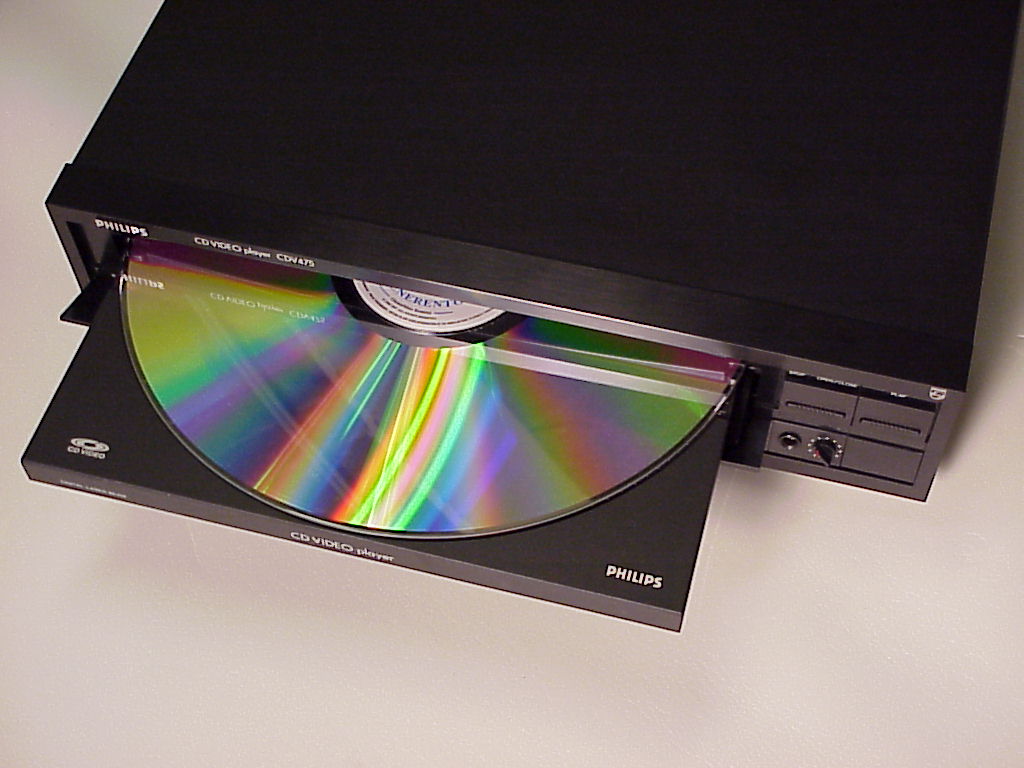
    LaserDisc (originally a trademarked term invented by Pioneer Electronics) is an optical recording medium primarily used for video recordings. In fact it was the first optical recording device to be made publicly available. The technology first began development in the late 50’s; however, it didn’t debut until 1978. The disc resembled a Compact Disc the size of a vinyl record album. The similar appearance is because it was a precursor to CD.

    The format originally didn’t have a proper name. It was called many different things, but was first marketed as MCA DiscoVision (or simply “DiscoVision”), with MCAnote and Dutch electronics company Philips having significantly contributed to the development of the format. Moreover, Jaws was the first movie to be released on it. In 1980, Pioneer Electronics bought out the rights and patents to the format, and subsequently renamed it “LaserVision”, with the format introduced in Japan in 1981. Although they would later use “LaserDisc”note as a brand name, LaserVision was the official name of the format until the early 1990s, when Pioneer finally began to use “LaserDisc” as the format’s official name.

    The Resolution Quality

    With the exception of DVD, Laserdiscs are by far the best-looking and sounding home video system available. Pioneer pitches LD as “60% sharper” than VHS. LD image quality is roughly comparable to standard 16mm film, VHS is roughly comparable to 8mm film.Depending on source material and the transfer to disc, LD is above live TV broadcast quality. For NTSC, this is 425 TVL (luminance lines horizontally for 3/4 of the screen width) and about 482 scan lines, compared to 330×482 for broadcast.

    LaserDisc gave way to letterbox. When LaserDisc came to market, people, for the first time, could watch theatrical movies in their homes. Some intelligent producers actually thought that some people would perhaps enjoy actually seeing the whole film. As a result, letterboxing was developed to mat the picture with black bars on the top and bottom. Enabling the wide center area to show the aspect ratio of the original theatrical presentation. Prior to this everything was presented in Pan and Scan mode whereby the wide version of the film was intelligently cropped to where the action was – but still eliminating 30% or more of the picture.


    Star Wars on LaserDisc

    This is LaserDisc’s immortal contribution to humanity, film and society. LaserDiscs digital resolution was far superior to what was available in the late 70s and 80s. This made it the perfect platform to watch the most epic space saga to date. This tech was ahead of its time and prime for Star Wars fans. Most definitely the best way to watch Star Wars out side the cinema theaters. Great right? It is, but ends up being legendary. The Original trilogy is released in high quality LaserDisc in 1986. As the tech fades to the DVD smaller format just about the same time George Lucas sets his remasters to work. We know of the horrors that became of the re-release…. Han shot first!… As I digress, only the Remastered versions make it to DVD. Thus ensuring the original masterpieces are forever forgotten to the approaching digital DVD revolution.

    However, LaserDisc saves the day. Nerds unit and covet the LaserDisc copies. Later converting them to a higher resolution digital copy that will circulate through the internet and ensuring the glory days of Star Wars..

  • Five Things to Consider When Buying a New Cell Plan

    Five Things to Consider When Buying a New Cell Plan

    Your cell phone and cell plan is a huge purchase and the center of all of your communication, and primary social tool. No longer are they for making calls in an emergency, they are now our most used possession. When we become so dependent on these devices, the cost tend to creep up and rise out of control.

    To help you save on this important cost, we are going to break down the cost and some tips when looking for new cell service. Whether you want to upgrade to a new phone or lower your monthly cost, we will take a look at all the dos and don’ts. Here are the five things to consider when looking for a new cell plan and the no contract cell phone plans as well.

    First Things First

    First off you need to decide on the phone you want to use. There are a lot of options and they update constantly. There are 3 options to consider here, iPhone, Android, non-smartphone or feature phone as they are called today. I don’t recommend buying a feature phone to anyone. You may think it is easier, it is not. A feature phone will lacking functionality also has a more cumbersome operation process. The smartphone is easier to operate and easier to customize to only use the features and functions you want.

    Do You Need a Flagship Device?

    As far a smartphones go you have the iPhone or an Android. The iPhone’s are more powerful, easier to use, more reliable and last longer. The Androids have more advanced feature sets and more customizable. Apple and Samsung make the 2 main device but there are a slew of other brands when looking in to Android. LG, HTC, OnePlus, Motorola all make new top of the line phones every year. You can get a great android device for half the cost of the premium Samsung Flagships.

    iPhone?

    This is always my recommendation. Due to their reliability, durability and ease of use and cost of ownership being much lower. The average iPhone will last 3.5 years, stay current and cutting edge. Isn’t the cost very high? Not really, The highest end new iPhone is the most expensive device on the market, but last year’s models or cheaper models like the XR are available. There is always an iPhone for any budget and they are always the best option in their class. Even today you can purchase an iPhone 7 for less than $450.

    No Contract No Cry

    Wait! $450? Aren’t phones supposed to be free! I never paid for a phone before… No they have never been free, and yes you paid a lot more for your free phone then you think. This brings me to my next point. Contracts. Don’t do them. Years ago the iPhone 7 that is selling for $450 with no contract would have been free with a 2 year contract. The cost of the subsidy was built in to your cellular plan at an average of $40 per month. Did you do that math? Your free phone cost you $960. Your best option is to find the phone you want and purchases at full price.

    The New Cell Plan

    This lead me to my last tip, by bringing your own phone you can get the best price on your plan. No longer do you have to worried about prepaid or postpaid. You can pick the plan you want and the carrier you want. Verizon and AT&T are the premium providers, with better, faster and more extensive coverage. They mock each other plans so cost are just about the same. Sprint and T-Mobile are your bargain carriers, cheaper and service will have holes and speed issues. You may not notice but odds are you will. Their new cell plan will run you a few dollars less.

    The Next option is to go with non-carrier 3rd parties. MetroPCS, StraighTalk, Cricket, Boost. These are providers that don’t have a network of their own and instead piggy back on the Carriers network. While these can be the cheapest option, they do not receive the same level of coverage. Even though they are using the same network, they are at a much lower priority and do not share in with the roaming agreements the major carriers have in play. So while you may get to use T-Mobile’s network, you will be out of service when it is not available. With a direct T-Mobile service you would jump on to one of the other networks. This is something you want to evaluate when buying a new cell plan.


  • Tech Throwback: The Apple Lisa

    Tech Throwback: The Apple Lisa

    I like to take a look at where I’ve been to evaluate where Im going. Technology is cyclical after all… wait no its not. That said I still like all the feels that come rushing back like a flood of nostalgia every time I get my hand on the tech I grew up with. I’m going to go back periodically and take a looking at the stuff that used to blow our hair back and get our minds rolling. Some of these device blew up and changed the world, some where ahead of their time and some just fell flat and became colossal failures. Today’s throwback is the legendary, Apple Lisa.


    The Apple Lisa

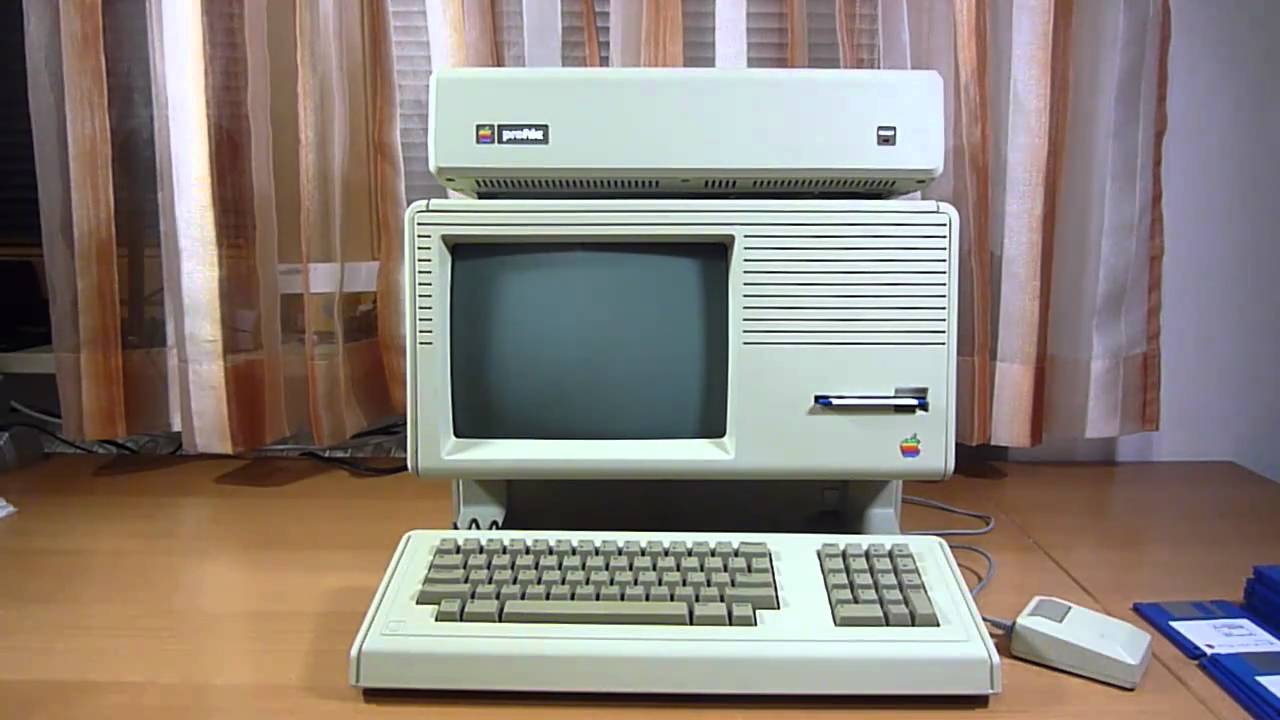
    The machine named after Steve Jobs out-of-wedlock daughter was the first commercial computer to offer a graphics user interface. Breaking free from the text-command paradigm and initiating a more user-friendly, point-and-click experience.

    Apple Lisa’s $1,000 price tag and slow OS killed its vibe on the consumer market, even though it still commanded a number of advanced features that became conducive to the future of computing. On that checklist: co-op multitasking, protected memory, data corruption protection, built-in screen saver, and much more.

    Released in January 1983, the Lisa featured a rather advanced hardware at the time, it was equipped with a 16/32-bit Motorola 68000 CPU, 1MB of RAM (expandable to 2MB), two 871K floppy drives, and an integrated 12” monochrome monitor with a resolution of 720 X 364 pixels, an optional external 5MB hard disk, and an input device almost never seen before: a box-shaped single button mouse.

    Lisa’s Software The real story with the Lisa was the software it ran. The Lisa operating system included features like protected memory. This was absent from the Macintosh operating system until the launch of Mac OS X eighteen years later. Under the hood, it ran on a file system that supported hierarchal directories, making it ideal for organizing files on the Lisa’s internal hard drive.

    Lisa had two main modes. The first, named The Apple Lisa Office System, included seven GUI applications for users.  LisaWrite, LisaCalc, LisaDraw, LisaGraph, LisaProject, LisaList, and LisaTerminal.

    The FInal Thought

    I wish I could get my hands on an original Lisa, but I have not been able to locate one. There are only 20 to 100 Lisa 1s left in the world. A rare, seldomly turned on original lisa is being auctioned off starting at $55,000. The Apple Lisa was a passion tech project from a man who’s passion projects yielded a monumental advancement of mankind. Unfortunately it was not a massive success, but  it did  spawn many that followed. There is a little bit of Lisa in all the Apple products we have loved since.

  • Tech Throwback: Windows 95

    Tech Throwback: Windows 95

    I like to take a look at where I’ve been to evaluate where Im going. Technology is cyclical after all… wait no its not. That said I still like all the feels that come rushing back like a flood of nostalgia every time I get my hand on the tech I grew up with. Im going to go back periodically and take a looking at the stuff that used to blow our hair back and get our minds rolling. Some of these device blew up and changed the world, some where ahead of their time and some just fell flat and became colossal failures. Today, we’re highlighting Windows 95.


    Windows 95

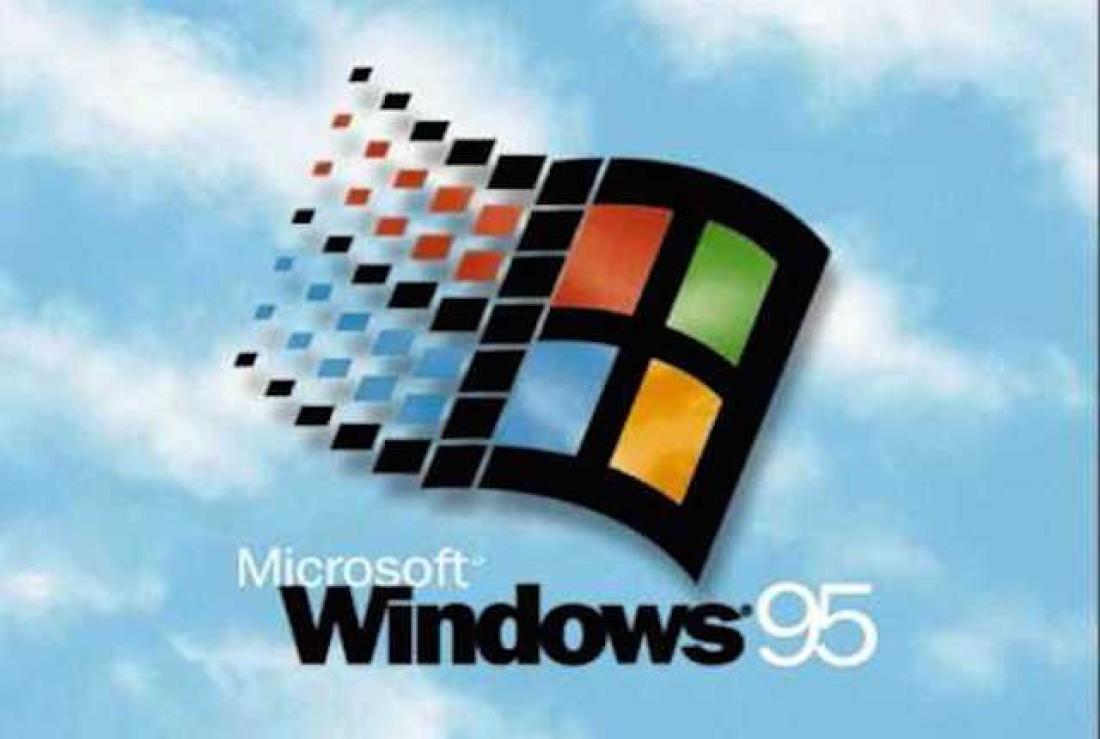
    You know it well, It kicked our Technology revolution in to 5th gear.  Know around the world as  a quantum leap in difference in technological capability and stability. Windows 95. Windows 95 (codenamed Chicago) is the operating system developed by Microsoft as part of its Windows 9x family of operating systems. It is the successor to Windows 3.1x, and was released to manufacturing on August 15, 1995, and generally to retail on August 24, 1995. Do you remember the lines to get a copy?

    All we had prior to this was DOS. Now Windows 95 was capable of running DOS and Windows-based applications, although it had completely removed DOS as the underlying platform, unlike previous versions of Windows. This helped in overcoming two limitations: eight-character file names and memory-related problems.

    Windows 95 sported new technical features along with updating existing features. It brought updated visual styles and interface advancements. It had new and improved Windows control and introduced the desktop, which was represented as a folder which holds different files. Shortcuts, icons and the recycle bin were introduced in Windows 95. The Computer was no longer for the super tech geek, your mom could now operate it.

    Windows 95 Social Impact

    Twenty years ago, Microsoft changed the world. On August 24, 1995, Windows 95 was released to the public. It was the beginning of a revolution that has helped shaped the technology world for the next two decades. There was even a one hour instructional video with  Matthew Perry and Jennifer Aniston. You know them better  as Chandler and Rachel from Friends. Then the Empire State Building and Toronto’s CN Tower were lit up in Microsoft’s colours. Lastly the Rolling Stones were paid a rumoured $8m for allowing “Start Me Up” to provide the soundtrack to its television adverts. We now lived in a different world then we had just a few hours before.


    The Final Thought


    Computers changed what could be done, Windows 95 changed who could do it. Together they changed the world overnight. It came, it was upgraded, it went. We all know by the time Windows 95 was finally ushered off the market in 2001. It had undoubtedly become a fixture on computer desktops around the world.

  • Tech Throwback: 1st generation iPod

    Tech Throwback: 1st generation iPod

    I like to take a look at where I’ve been to evaluate where Im going. Technology is cyclical after all… wait no its not. That said I still like all the feels that come rushing back like a flood of nostalgia every time I get my hand on the tech I grew up with. I’m going to go back periodically and take a looking at the stuff that used to blow our hair back and get our minds rolling. Some of these device blew up and changed the world, some where ahead of their time and some just fell flat and became colossal failures. Today’s throwback is at the very center of our every day life, The original 1st generation iPod.


    The iPod wasn’t the first MP3 player — there were a number of models from a number of companies before Apple unveiled what came to be one of its flagship products — but the iPod was the first truly great MP3 player. It didn’t have the most storage or the most features, but it did have a dead-simple user interface, terrific industrial design, and the simplicity and polish that define Apple products (it also has an interesting story about how it got its name).

    It featured a black and white LCD and the first click wheel, a mechanical scrolling interface that let users quickly and conveniently scroll through long lists of music. The click wheel also included easy access buttons for playing, pausing, rewinding, and fast forwarding through music content. The first iPod’s battery lasted for up to 10 hours before needing to be recharged, and the device was priced at $399.

    1st generation iPod Blew Our Minds

    The 1st generation iPod can be identified by its scroll wheel, surrounded by four buttons (from top, clockwise: menu, forward, play/pause, backwards), and its center button for selecting items. The first-generation iPod, which Apple advertised with the tagline “1,000 songs in your pocket,” was a rectangle-shaped device with a 5GB 1.8-inch hard drive capable of holding 1,000 songs. Nice this about this is its still functional and available. You can buy one on amazon new. Sadly the software and iTunes software cant be reverted so there is no really going to back to visit the original iPod. Just nice to play with the wheel for a bit.


    The Final Thought

    While it was not the first MP3 player, the original iPod was both smaller and easier to use than many of its competitors. As a result, it quickly attracted accolades and strong sales. The iTunes Store did not yet exist (it was introduced in 2003), so users had to add music to their iPods from CDs .Looking back to when the iPod was introduced (near the turn of the century!), it’s hard to remember just how different the world of computing and portable devices was.

    . At its introduction, the iPod was a Mac-only product. It required Mac OS 9 or Mac OS X 10.1. There was no Facebook, no Twitter, no apps, no iPhone, no Netflix. The world was a very different place.