Category: Gadgets

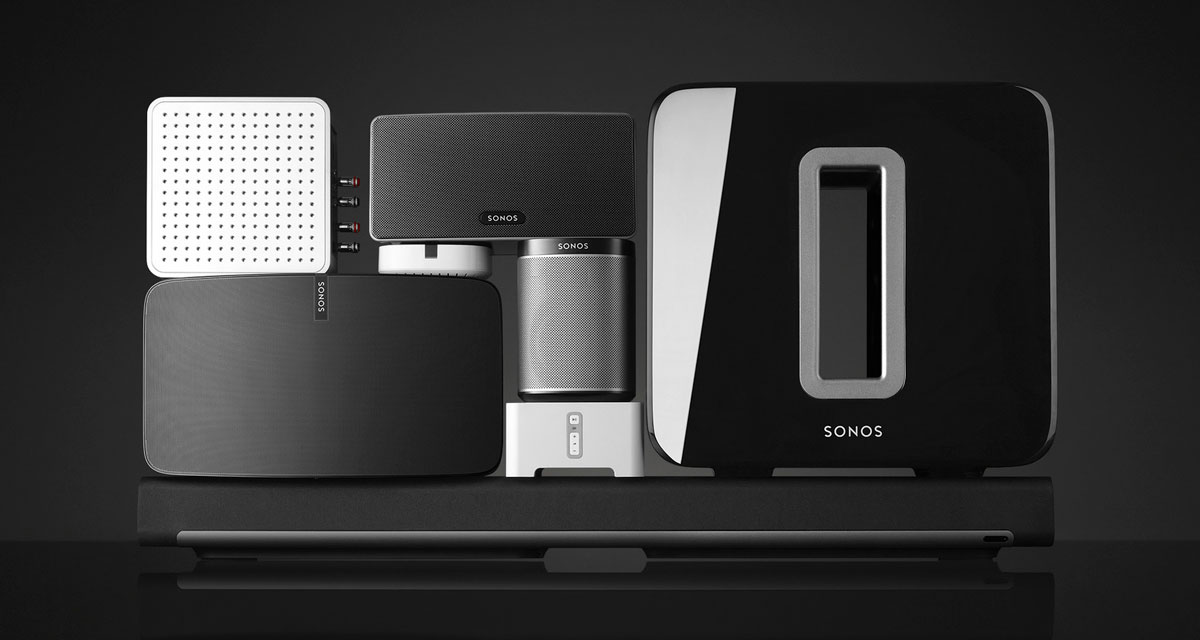
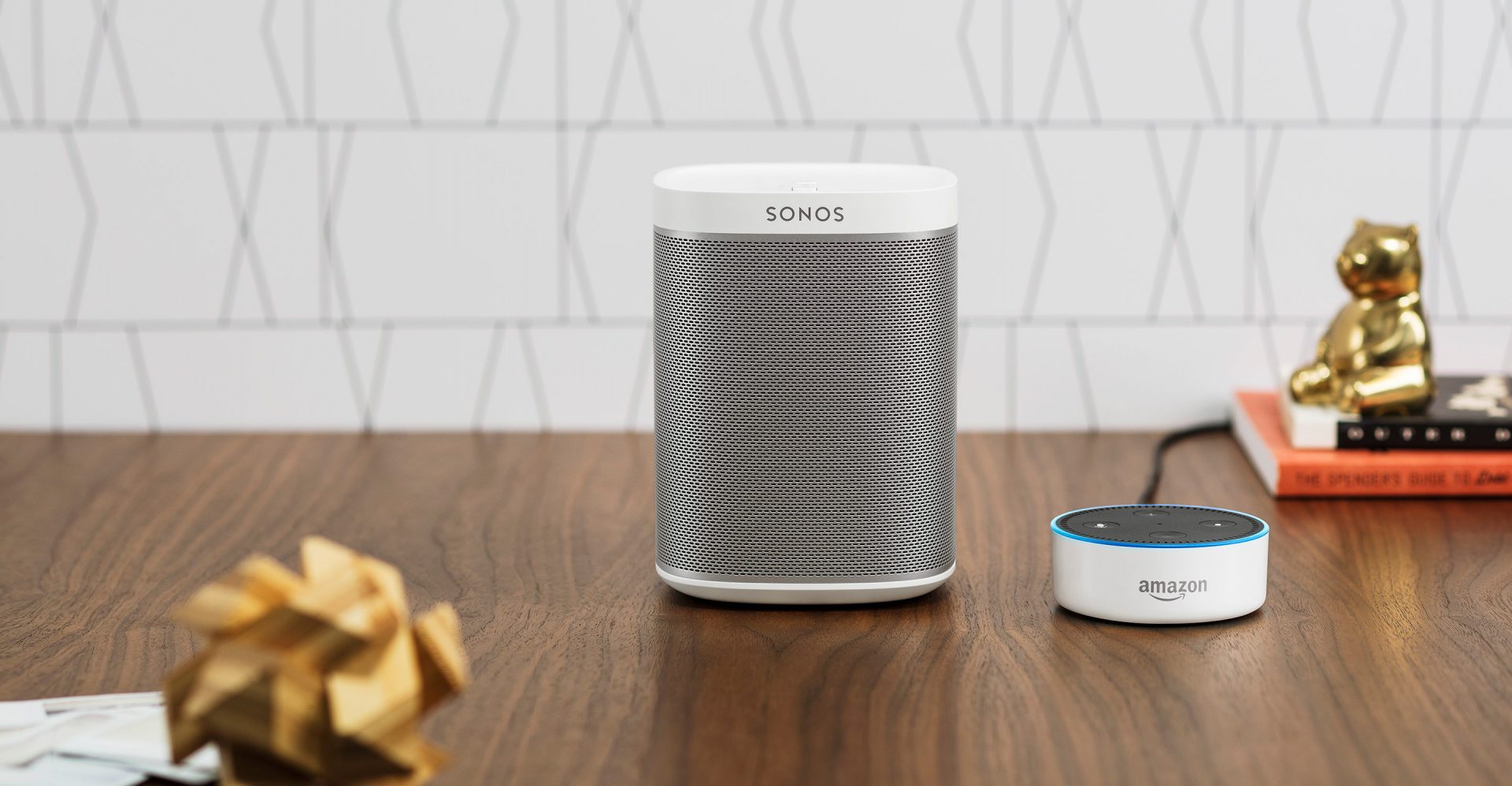
  • Sonos Spreaker. Listen Up…

    Sonos Spreaker. Listen Up…

    The Good

    • Unparalleled sound quality. Simply the best in home audio
    • Sonos App is user friendly and easy to navigate
    • Sharp design, fits in any decor
    • Portable and works off Wifi.

    The Not so Good

    • Portable but has to be plugged into an outlet
    • limited capability, can only essentially play music
    • Music has to be played through Sonos App. Cannot use Youtube or other mediums.
    • Somewhat high price tag

    Image result for sonos

    The Conclusion

    The sound quality is amazing and the Sonos connects to the home WiFi hassle free. Using the Sonos App, your music selection platforms are plentiful. But they’re not total. I still find myself wanting to use Youtube sometimes through the app, and where just not There yet. But the ability to fill my entire home with beautiful, synchronized music, where I can walk from room to room without music interruption makes it all worth it. I could pay a professional $5,000-$10,000 for an audio system and I’m still not sure it would provide better sound quality than the Sonos.

    Related image

    Oh Sweet Sonos

    Lauched in 2013, Sonos hit the audio ground running. Not long after I found myself wanting to add more sound in our home and was looking for a portable unit, such a Bose mini Soundlink. I was then informed of the Sonos by a cousin and the rest is history. Right from the get go, sound of this little unit is incredible.The impressive is the clarity of the mids and highs in unparalleled. I find I’m hearing things in songs that I haven’t noticed in years. The hardware setup was very easy as well.
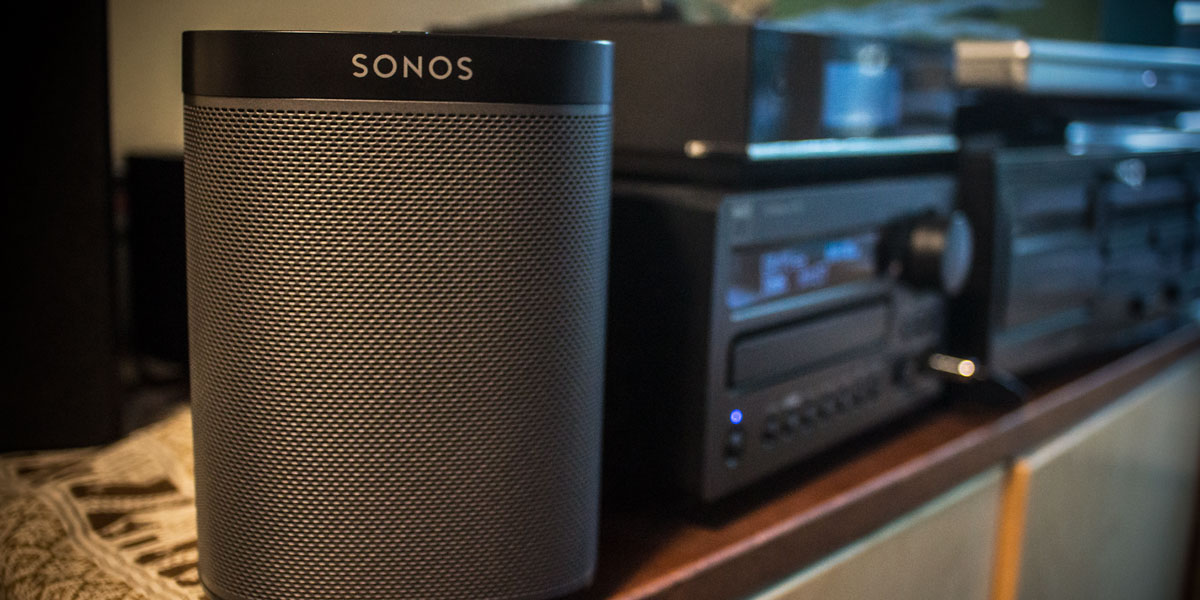
    Image result for sonos

    The Sonos App included clear illustrations showing which buttons to press on which devices to complete the pairing, and what the illuminated light sequences on those devices meant. Within a few minutes, everything was connected and working. I added my Spotify and Pandora accounts quickly, and within a few minutes I was streaming music to the Play 1. Sonos is also easily paired to Alexa, and the two work great together. For $199.00, I have got every penny out of the Sonos. Granted I wish it were as portable as my Bose Mini, but in this case, the sounds quality is a cost of portability.

    Related image

    Final Thoughts

    Sonos has some buggy software issues along with a lack of mobility, but the pure sound that emits from the little speaker is simply the best. If you want your home to be filled with bright tones and audio warmth that there is no need to shop any further. The Sonos is the speaker for you. Start with one for your kitchen and you’ll quickly have a Sonos in every room. Sonos has competition such as the Apple Home Pod hot on it’s heels, but as long as they keep making that sweet sound, I’m in for life!
  • What a Powerful Little TV Projector!

    What a Powerful Little TV Projector!

    The Good

    • Set up could not be any simpler. Unboxing to watching TV done in under 5 minutes.
    • The 1080HD Picture quality is amazing
    •  Small size, mobile, and reasonable price

    The Bad

    • Works best in a dark area or room
    • Watching off the projector in daylight or bright areas in moot
    • Volume is muffled at max setting and the menu screen is lacking

    The Conclusion

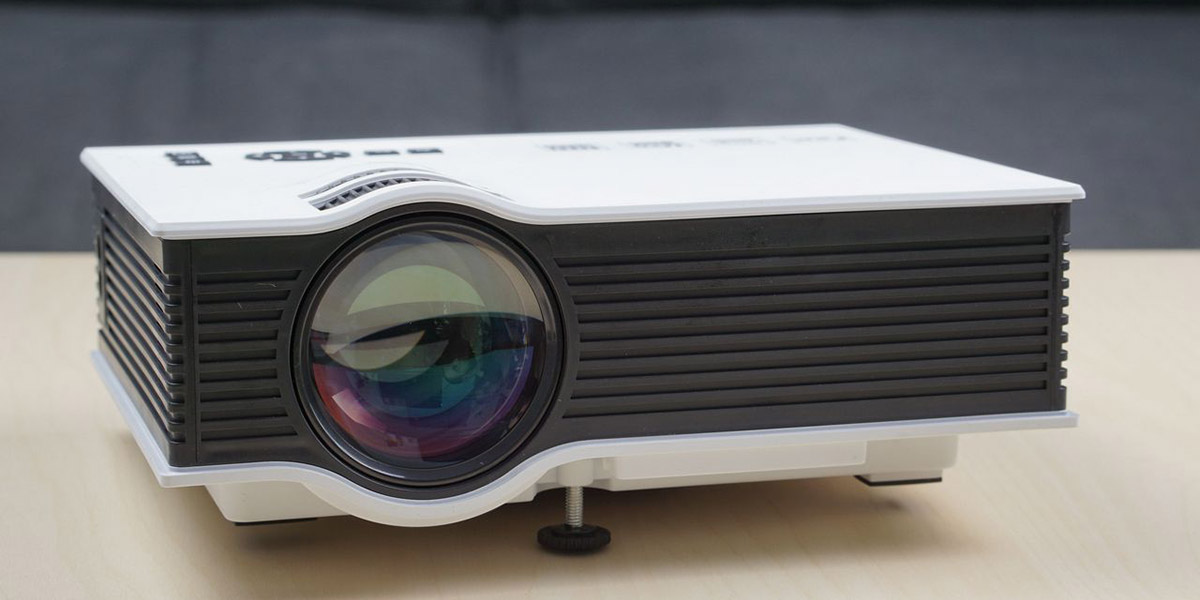
    This is a small, but powerful projector that provides great picture quality. Being very portable, you can throw in a bag and take to a meeting or a friend’s house to watch a movie. Comes equipped with all the needed connections such as HDMI or an output for a computer monitor. With a price tag of $128.99, the GAOAG Mini LED projector is a great buy for any night time outdoor or indoor needs.

    Small but Powerful

    With 1,800 Lumens and 1080P picture, this little projector packs a powerful punch! Along with great picture quality, this sleek and mobile projector, weighing just about 2 pounds, can be quickly packed up and brought anywhere hassle free. The GAOAG projector also comes with the capability to pair up to you iPhone or smart device for easier watching convenience. GAOAG has some competition such as the RAGU Z720 projector that offers 3,000 Lumens, weighs 7 pounds, and costs and extra $80.00. The GAOAG is a great source to watch movies or TV in dark spaces, it is not meant for PowerPoint or Office presentations. Another issue that has arose with the GAOAG Mini LED is projector is lack of basic image processing. When using VGA input, you can scale and shift the screen around, but not when using HDMI. With HDMI, the only option you have is scaling the image.

    Final Thoughts

    Projectors were all the rage a few years ago, but tapered off due to it’s technical limitation and mortal enemy, The Sun. With new ideas and advancements from companies such as GAOAG, maybe the projector can find it’s way back into our homes and hearts? GAOAG is certainly on the right path and has made a very affordable, portable, and high quality LED Projector. I’m anxious to see what the next stage of advancements hold.

  • PC’s…Build or Buy?

    PC’s…Build or Buy?

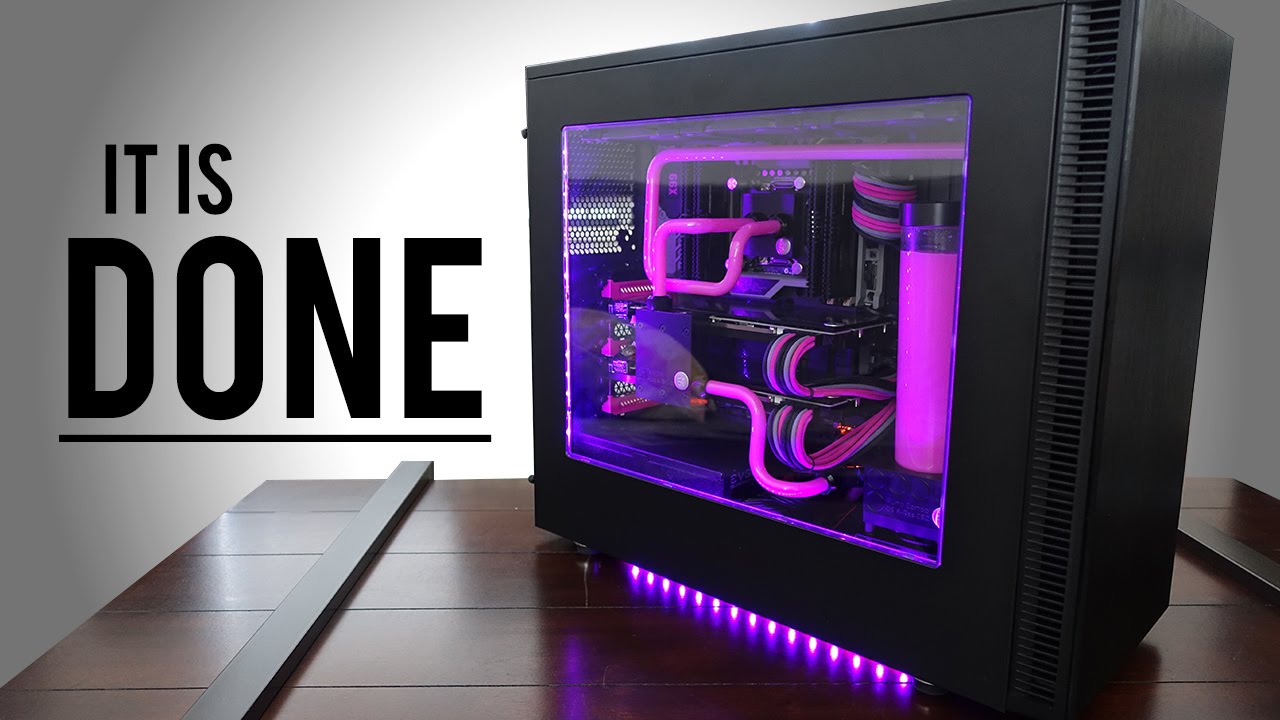
    Image result for PC build

    Pros to Building a PC

    • Full customization of PC’s interior and Exterior looks and funtions
    • Advances in PC tech, make building a PC relatively easy for intermediate users
    • With proper shopping, building can be a much cheaper option.

    Cons to Building a PC

    • High chance for PC software bug if not built right
    • Can be a laborious and frustrating practice at times
    • Ensuring that all parts are compatible and will function together is a task in itself

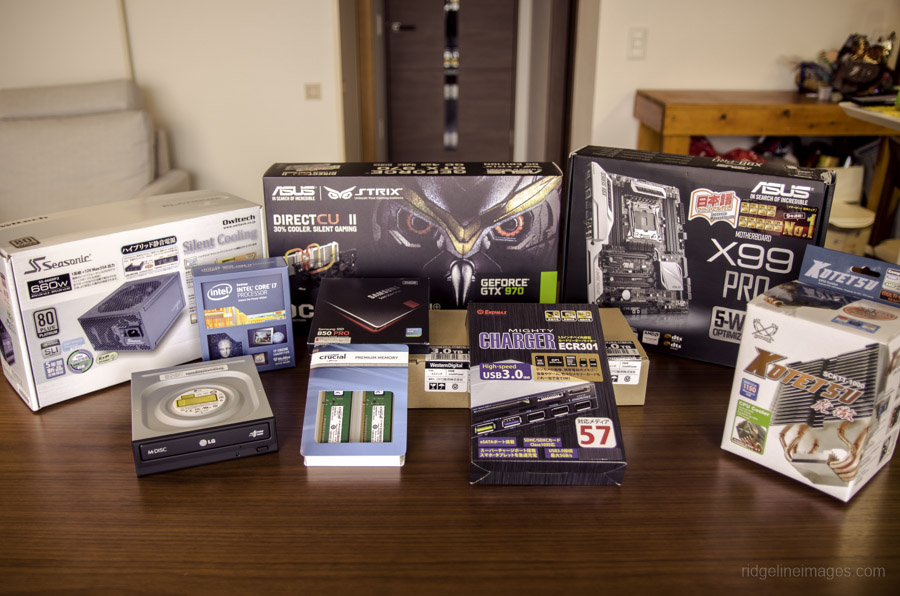
    Related image

    Conclusion

    PC building is a beauty in the eye of the beholder. Completing a fully custom, kick-butt, gaming PC can be a lot of fun with a rewarding product afterwards. But with great PC names such as Alienware, is it better to just spend the money and call it a day? If you have the time, I say build. With all PC parts easily available online at Amazon, and all the fun extras you can attach, making your own PC is almost an art nowadays. But prepare for frustration…

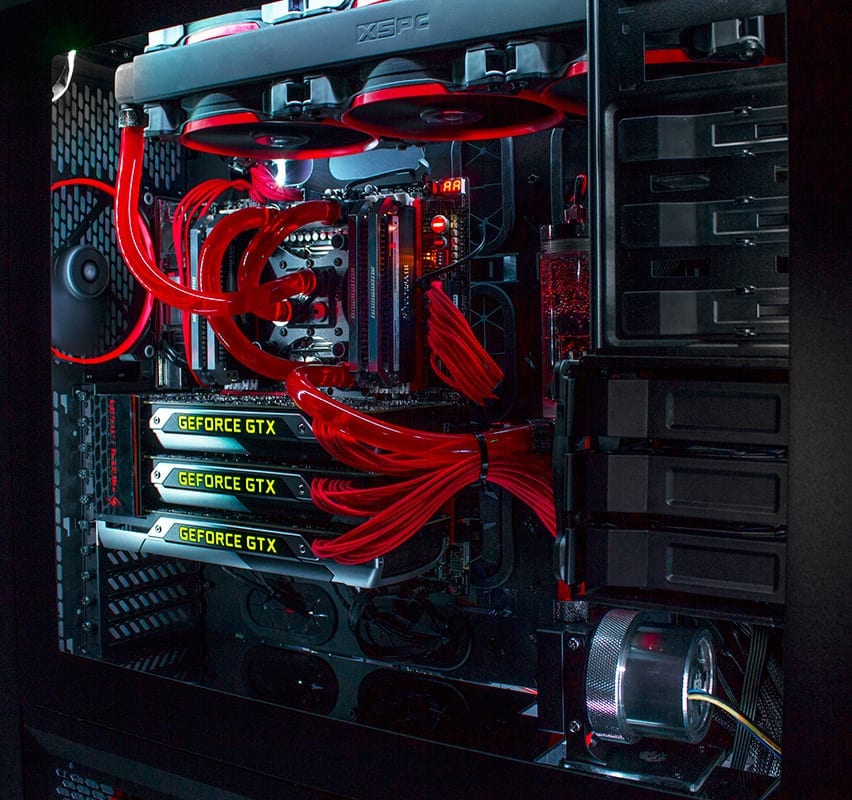
    Image result for PC build

    The build

    At first it seems like an overwhelming amount of work, but after a while all the parts your ordered and purchased seem to click in place and the PC is starting to come together. Fully customized to your liking with color schemes, attachments, and paint jobs, there is no end to what you can do to your custom PC. But is it cheaper than buying a big name PC? On average with all your high-end graphics cards, processors, memory, and motherboard, you cost can easily creep to $2,000.00. On top of the rising cost, you have to make sure all parts are compatible, get all software up and running together, and get past a sometimes long bug fixing period. I see why folks, to walk down to the outdoor Sunday computer market and grab something they know they can just plug in and go. But those big market gaming computers can cost around $5,000.00 and come equipped with essentially the exact same parts that you can buy and build for $2,000.00.

    Image result for PC build

    Final thoughts

    Ultimately, building you own PC is fun, cheaper, and the end result is building something you can be proud of. Complete with customized LED lights, personalized motherboards, fans, and graphics cards. But prepare yourself for frustrating moments and know it’ll take some time. But you’ll get through it and at the end of the day, you’ll call that PC your baby.


  • Echo Spot? Tell Me More!

    Echo Spot? Tell Me More!


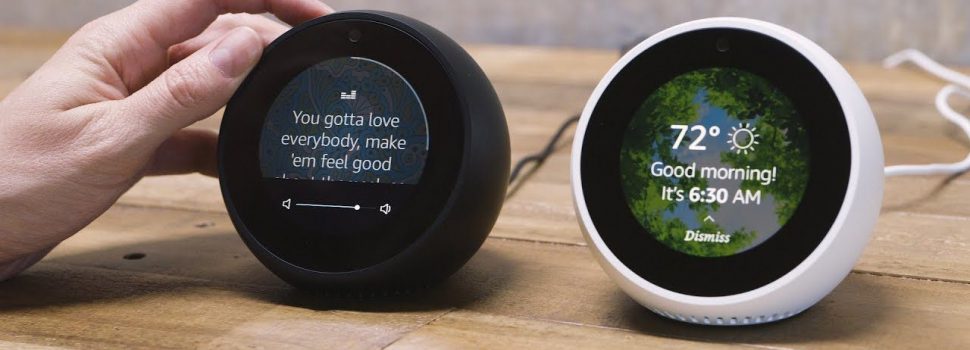
    An Amazon Alexa enable smart alarm clock. Echo Spot is small  designed to fit anywhere in your home 2nd generation far-field voice recognition to watch video flash briefings, see music lyrics, weather forecasts, to-do and shopping lists, browse and listen to Audible audio books. All hands-free it connects to Alexa, a cloud-based voice service to play music, read the news, answer questions, set music alarms, control smart home.


    The Good

    • Connects to Alexa
    • Video playback capabile
    • Can Connect with multi room speaker
    • Its kinda adorable
    • Can show you the song lyrics as you listen

    The Bad

    • 2.5 inch screen
    • poor sound quality
    • Alarm can only be set by voice command
    • $130 alarm clock
    • No celebrity voice customization


    The Bottom Line

    a smart alarm clock is fare to unnecessary to even be considered niche, spend the few extra dollars and buy the Eco Show.


    The Eco Spot is another in the ever expanding market place of Alexa enabled devices. It looks really cool so for a brief moment I got pretty excited to see what this little guy was all about. So it turns out the Echo Spot is a glorified alarm clock. Lame. The Spot does have Alexa so that’s good, but it’s a $130 alarm clock, that’s bad. Don’t get me wrong, it is definitely more than just a smart alarm clock, but that is its main point – a Sleek Alexa enabled voice-assisted bedside peripheral… with a camera


    Whats to like?

    Echo Spot’s screen is a useful addition to Alexa. Aesthetic design is great, the sound is decent to nice for such a tiny speaker. I love that I can play video from Amazon Video and youtube. Great Music functions with compatibilities from Amazon Music, Spotify, and Pandora. Add it that you get free audio calls to US, Mexico, and Canada. Plus it’s got all the benefits of Alexa, like buying more shampoo and controlling my thermostat.

    Why Bother?

    It’s another Alexa device, with a camera pointed at my bed. Do I need or want a camera in my bedroom, another camera in my bedroom? The screen is 2.5 inches, I’m not really going to bother watching anything on that. I just keep thinking, I know, I know but the price is high and the video ecosystem is almost useless.

    Final Thoughts

    For me this is a pass, but to all the Uncle Daves’ out there that will ask me about picking one up, ask yourself 3 questions. Do you have $130 for an alarm clock but not $180 for the Eco Show? Do you have amazon prime, music and video subscriptions?  Do you like the idea of a device always looking at your bed? If all three are a yes, happy purchasing! For me this is a hard pass. Would it be to much to ask to have custom voices enabled with celebrity voices, then have it wake me up with a preset of updated information I require daily. I would buy this right this instance if it could have Anthony Hopkins voice wake me up with the weather, traffic updates, followed by last nights Yankees score and what ever President Trump has tweeted through out the night. Just imagine Jude Law saying COVEFE, there is no snooze button on that, and that I need.

    1. Image result for amazon echo spot reviews
  • A Little Lighter HP Spectre x360 13

    A Little Lighter HP Spectre x360 13

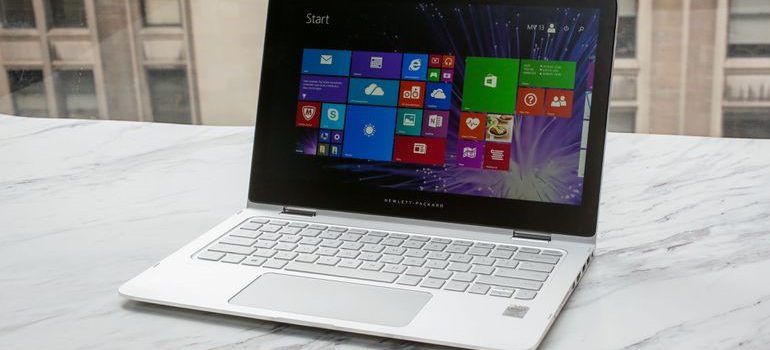
    The HP Spectre x360 13-w023dx is a high-end convertible- hybrid  2 in 1 touch screen laptop with all-day battery life, more than enough speed for day-to-day and multimedia tasks, and a premium chassis. It features a Windows 10 64 OS, 8th gen Inlet processor, with up to 16gb SDRAM and 13.3inch 4k IPS WLED touch screen.  Starting at $999.99 and an all out specs price of $1320.99.

    The Great

    Really Light And looks fabulous, the HP Spectre x360 13 has a great feel and responsive peripherals, a fantastic display and adequate sound. Add in a  the new HP Active Pen, fingerprint reader and better battery life with an upgraded display and it is… great. Its great.

    The Not

    Nothing revolutionary, the devices itself gets a little warm.

    The Conclusion

    The HP Spectre x360 13 was a great 2-1 laptop and it just got a little better. It’s not a cheap computer, but you get what you pay for and this is worth every penny.


    First impressions


    I’ve been using the HP Spectre x360 13t for a little while now. I fell in love with the 2-1 convertible laptop with a touch screen. When I adopted this little guy it has condensed many devices for me. There is a ton of computing power built in to a ergo dynamic, sleek and useable design. Like a 2-1 should be it’s the best of both a powerful laptop and a user friendly tablet. Then it got a late 2017 upgrade. Lets look at the pumped up new guy.

    HP Spectre x360 13t (13-4003)


    What’s changed?

    With the update HP has packed with solid features, latest 8th gen processor and powerful RAM. Face recognition and finger print sensors. We got a processor upgrade to the Intel® Core™ i8. The Display has been enhanced to a 4K IPS micro-edge WLED-backlit touch screen with a micro edge. All of this is going to need a better battery, got that too.

    Look, Feel, and Function

    Functionally flawless, although I’ve noticed and read others experiencing the temperature of the device getting a little high. This is probably due to the postponed fan activation curvature. Thankfully, the improved cooling for the 8th gen chips is working. I like that the new HP rechargeable pen is included, it adds a nice touch and experience. I’m getting a full heavy use day on the battery, no issues other than the slight heat. Display is brilliant, can brightness can be a little low, and I’ve had to turn it to 100. The fingerprint reader is a very nice feature, though I can get it to work only about half of the time. It is also positioned in a weird place.

    Final Thought

    Overall, the Spectre x360-13t is a very good computer. It’s quick, reliable, light with great peripherals. When looking for the ultimate 2 in 1 its between this and its main rival the surface Pro. I would strongly recommend that prospective buyers give The Spectre serious consideration. Its worth the price tag if you want quality.

  • The light switch of the future…

    The light switch of the future…

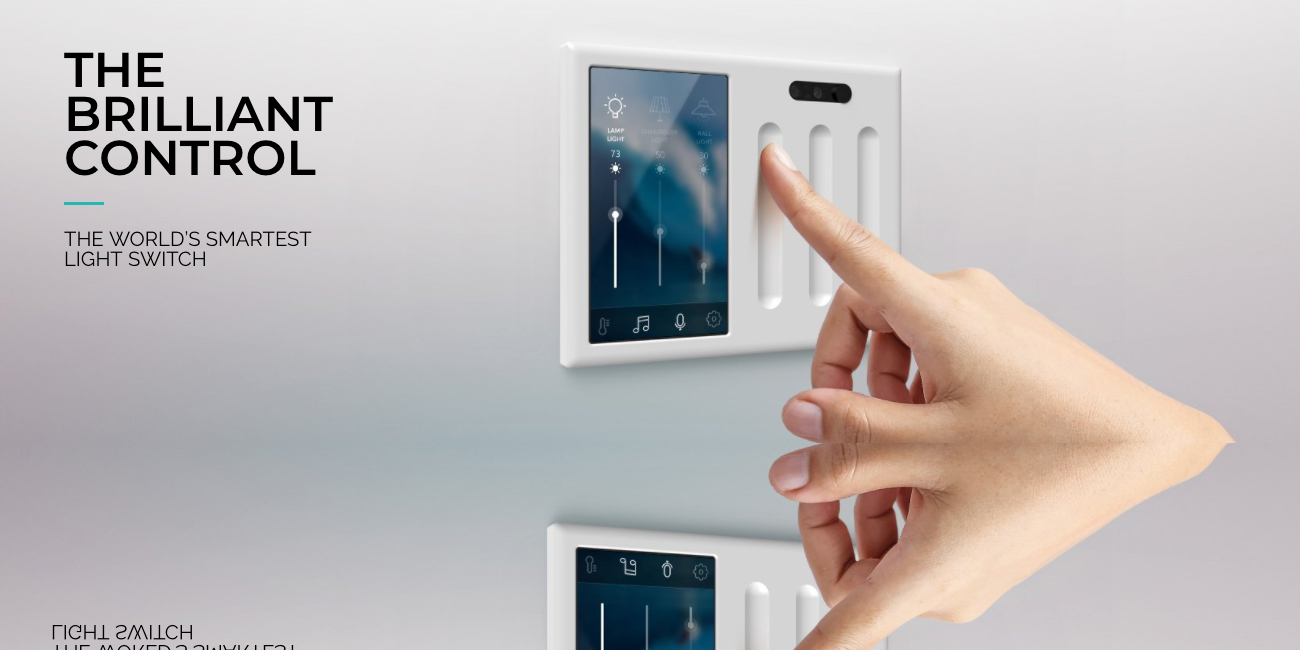
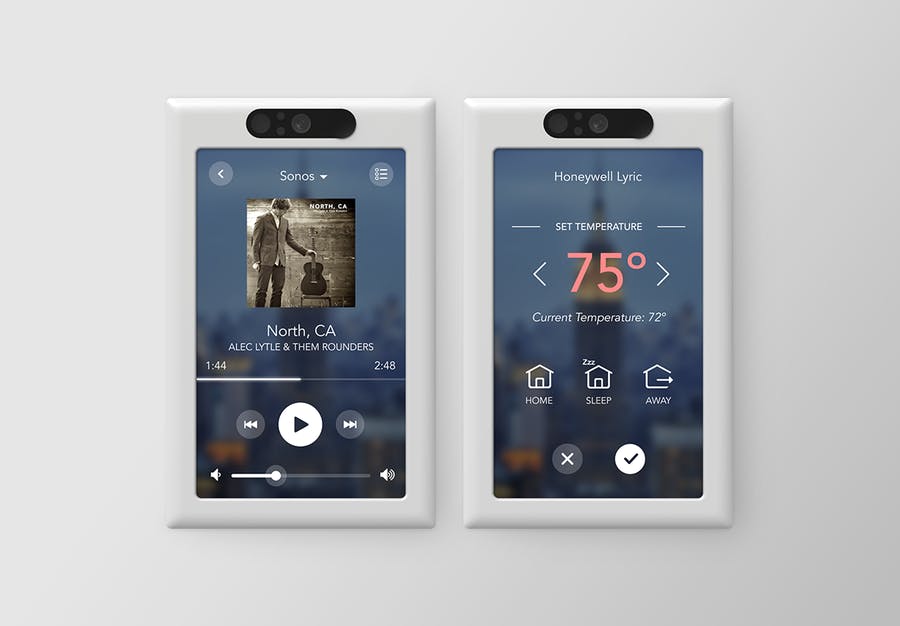
    The “start up” smart tech company, Brilliant, has emerged out of nowhere and is revolutionizing the home light switch as we know it.


    The game changer

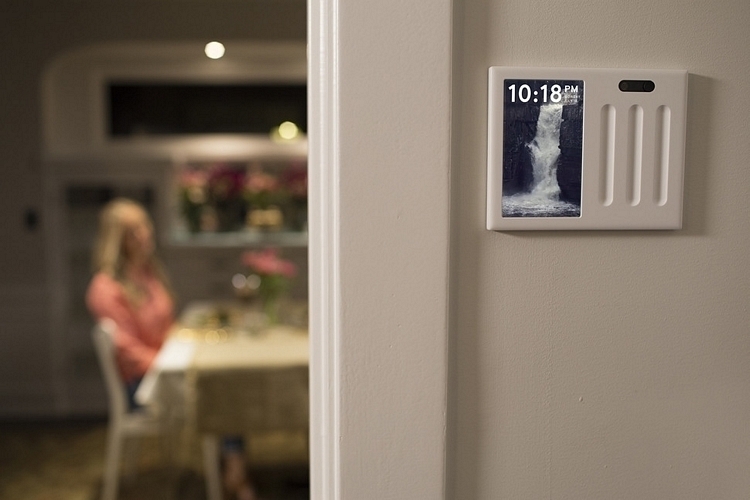
    In 2017, Brilliant brought their prototype “smart control panel” into production and into our homes. This new revolutionary control panel was quickly recognized as an innovative way to fully integrate all of your home tech. In a sense giving your home a brain. By using the digital touch screen or simple verbal commands, this switch can control your homes lights, air conditioning, intercom system, video surveillance, music and much more.

    Image result for brilliant light switch

    Brilliant’s Bright Future

    Image result for brilliant light switch

    Brilliant’s new smart switch made a lot of buzz at the 2018 tech convention CES in Las Vegas. Right from the get go, you see Brilliant has an eye for what the consumer and home owner wants. By adding the ability to access Alexa, Sonos speaker, Nest thermostat, and even take photos, this control panel immediately stands out amongst it’s competitors. Wink and Belkin did beat Brilliant to the home control panels market, but Brilliant has quickly jumped ahead of the with its many features such as a built in camera and even the ability to make video calls. But these additional features do come at a cost. The Wink Relay control panel can be purchased off amazon for $90 per panel, while Brilliant is selling their basic for $200. Their four switch panel is priced at $399.99. Brilliant has offered a $50 discount for pre-ordering their panels directly from their website, by they are expected to be the full $200 once it hits store shelves later in February 2018.


    Related image

    The good

    • Fully integrates all of your home’s smart technology into one sleek panel.
    • Its many features gives you the ability personalize each room with separate lighting, entertainment, and ambiance.
    • With full control of all utilities so handy, you can expect monthly electric bills to be lower when used properly.

    The not so good

    • With all new technology, there is an expected period of trial and error. It will take some time for Brilliant to work all the kinks out.
    • For your entire home to be connected you will need a panel in every room. At up to $400.00 per panel, this can get costly. Granted, once everything in connected, it’s pretty amazing.

    My thoughts

    Brilliant is clearly onto something big here. It may have initial hiccups like any new production, but once they oil this machine they created, I see it in every single home.


  • iClever Bluetooth Keyboard just Clicks

    iClever Bluetooth Keyboard just Clicks


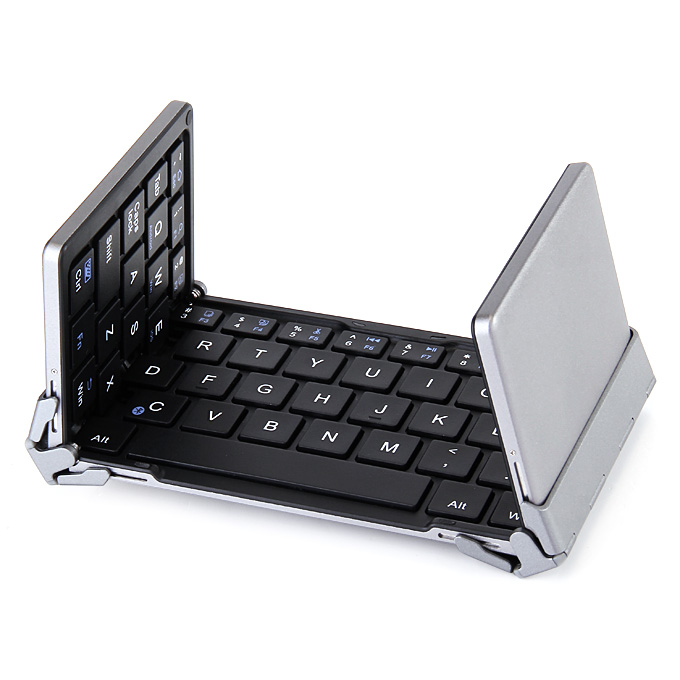
    The iClever wireless keyboard is a foldable wireless keyboard with portable pocket size, aluminum alloy housing for your iPad, iPhone, tablets, laptops and smartphones.

    The Great

    • Attractive
    • Heavy duty
    • Foldable
    • Wireless with great response

    The Not

    • Small
    • Uncomfortable
    • Clicks are a little noisey

    The Conclusion

    This is as good or better than any other lost cost wireless keyboard. As for foldable, portability can’t be beat. It’s a great buy in the wireless keyboard market.


    I tend to have anxiety if I don’t have the ability to type a significant-length email quickly, and my phone/tablet keyboards just don’t cut it if I want to type more than a paragraph or so. So I usually carry around a big, relatively bulky bluetooth keyboard in my bag, because up until now the folding bluetooth keyboards were either hard to use or prohibitively expensive. This is the time, friends — this is the time to get a folding Bluetooth keyboard

    Manage your expectations about usability. It’s tiny, so it’s not going to be as comfortable and easy a typing experience as your full-size keyboard. So your typing is not quite as efficient and quick as on a standard keyboard. The keys themselves are closer together and somewhat smaller than those on a standard keyboard. This is what you want, if you want a keyboard that can fold up to roughly the size of a large-format phone.

    Final Thought

    I have hooked this up to my iPhone iPad, Chromebook, computer and now to my Amazon Fire TV. It’s versatile, durable, easy to use and keep with you. For $40 it serves its purpose.

  • HP Sprocket 2-in-1 Review

    HP Sprocket 2-in-1 Review

    Immediate Thoughts:

    • Lightweight and sleek

    • Sub-par camera resolution

    • Fun, but costly

    What I learned from my life and experiences is that time is precious. Capturing moments of days soon past is what keeps our existence real and tangible. What better way to say “I was here”, but by holding a paper image in your hands as proof. This is what the HP Sprocket 2-in-1 camera/printer offers.


    The gist

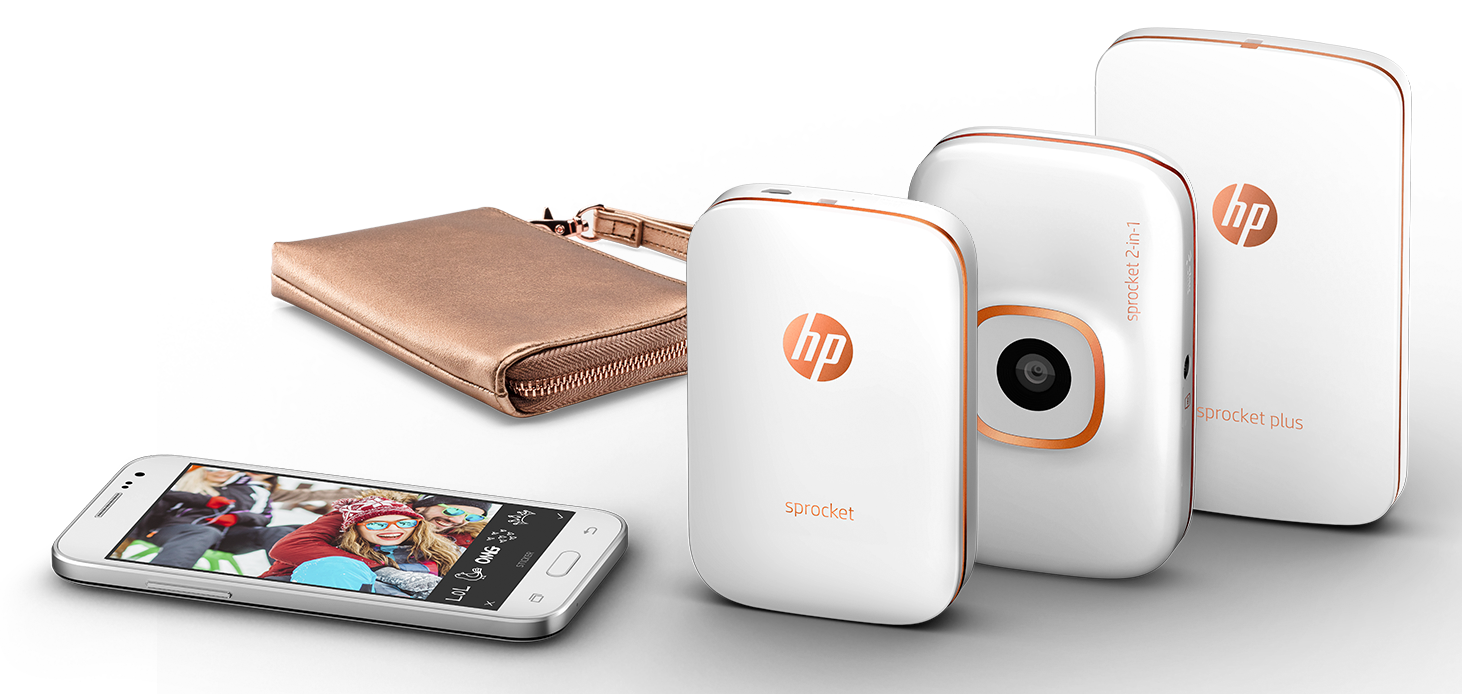
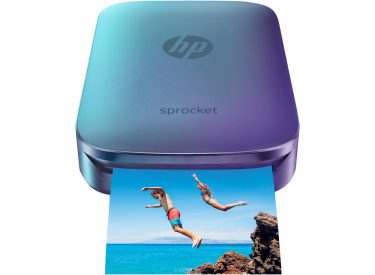
    Released in 2016 by HP, the Sprocket 2-in-1 camera/printer appears to be in response to Fujifilms Instaxx Polaroid camera, which immediately gained attention in 2012 for reviving the once obsolete Polaroid technology.  HP decided to take from Fujifilms inspiration and see what they can contribute to the idea. HP was able to create a sharp and attractive camera/printer combo (appx. 4 inches x 3 inches) with a few bright color options which I will admit catch the eye. HP also “upped the ante” and added Bluetooth technology to the Sprocket 2-in-1 which allows users to take photos from there smartphone and instantly print pictures from the Sprocket. This was actually a very smart idea from HP since the Sprockets camera resolution and pixel quality is unfortunately…abysmal. At a starting price point of $159.00 u.s., you would expect the Sprocket would have more than a 5 pixel lens (especially this day and age). But because Hewlett-Packard decided to try and save on some costs, the photos appear as if they were taken from my old Motorola Razor…
    But should we buy it?


    Despite the setbacks, the Sprocket has kind of a fun and wacky “carnival photo-booth” feel to it. A number people had seen me using in action over New Year’s Eve festivities and wanted jump in the photos. It was definitely a conversation starter and sending a stranger off with a memento is very endearing.  But I digress back to some stats…The Sprocket is able to quickly print out the 3-inch x 2-inch photos in less than a minute, and the refillable ZINK paper has an adhesive backside which allows you to stick the photos just about anywhere, which is kinda great! The printer can fit 10 ZINK pieces of paper in the Sprocket at a time, and the paper can be purchased in bundles for either a 20-sheet package ($9.99) or a 50-pack ($24.99). So the simple math breaks down to just about 50 cents per photo. Seems kinda costly. Especially since the seafood joint around the corner from my house has “25 cent Oysters and Pints” on Thursday nights (#Ballinonabudget).


    Image result for hp sprocket

    The good, the bad, the bottom line

    The positives I take from the Sprocket 2-in-1 is that it’s a sharp looking, pocket-sized Polaroid camera that has the ability to both create a lot of temporary fun and permanent reflections. The drawbacks are the lacking camera lens quality, and the costs of the camera itself and the paper refills. I just didn’t feel it was worth it. Bottom line is this revisiting of the Polaroid camera still needs some tinkering after all this time. Once we can get a high quality camera lens along with larger photos, I would probably be back on board…Until then I’ll probably just rely on watching Rescue Rangers to get my nostalgia fix.


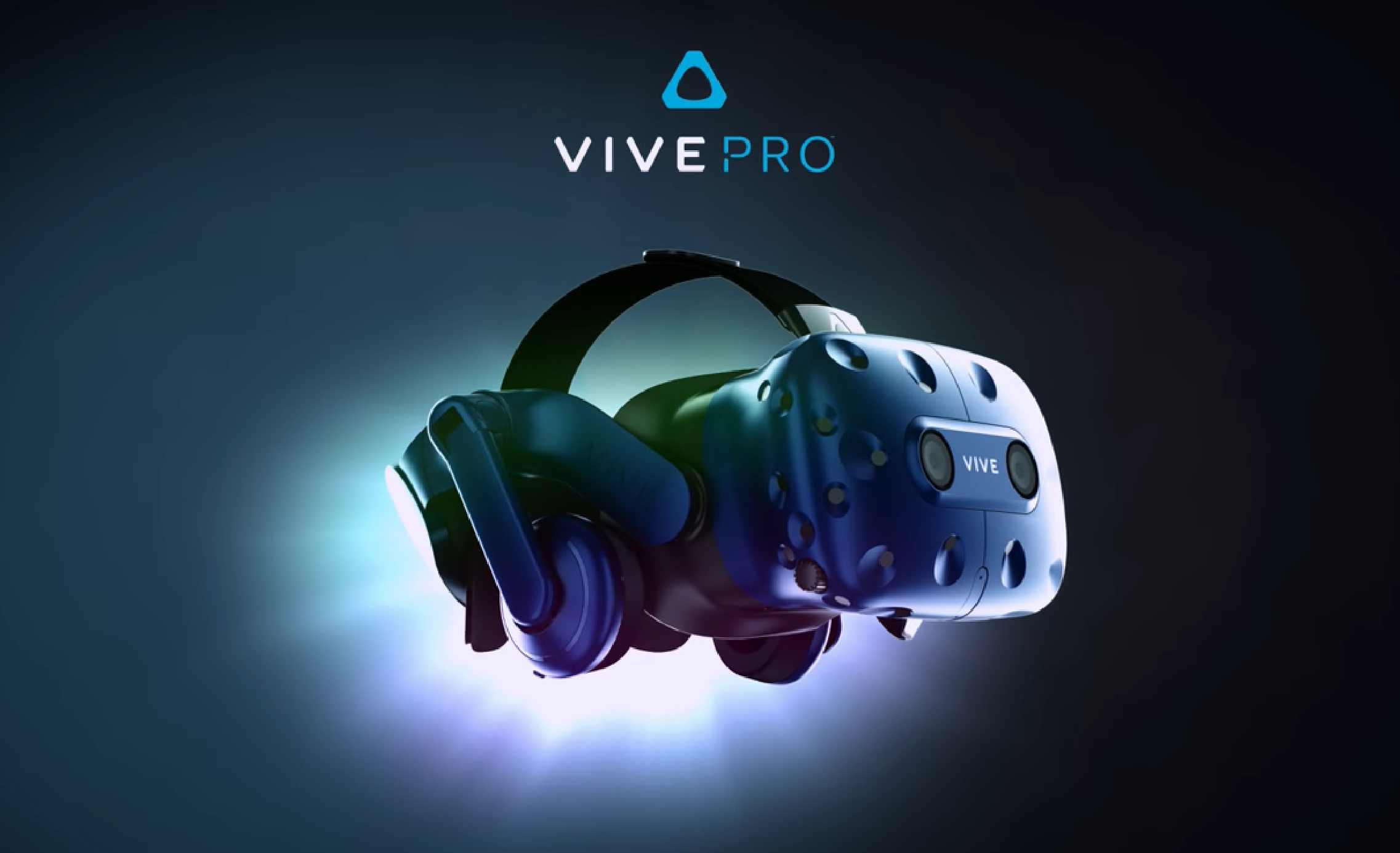
  • HTC Vive? Sure, if You’ve Got The PC for it…

    HTC Vive? Sure, if You’ve Got The PC for it…

    The Good

    • Stunning visuals
    • very responsive and interactive gaming world
    • lasting fun and very immersive experience

    The Bad

    • A powerful gaming is needed to enjoy the full experience
    • Using the Vive can take some getting used to, mind your surroundings
    • Costly gaming product

    Image result for htc vive

    The conclusion

    I found the HTC Vive to be solidly built and well made. HTC has created a very immersive and responsive world that keeps you entertained and surprised for hours. You will need a powerful computer and a fair amount of space to fully enjoy the Vive. In terms of cost, considering a price drop from $599.00, it is certainly worth purchasing.

    Related image

    The Gist.

    As long as you have a powerful PC to push the Vive, it’s pretty incredible. The system pushes a lot of pixels to the small monitors, and you need a pretty fancy graphics card and processor to match up. The required PC components is partly due to the HTC Vive, providing just about a 180 degree field of virtual vision, and it’s stunning features that come with it. The price is a little steep relative to most gaming gear at $599.00, but it’s pretty cutting edge. As time passes the price will come down. It’s an early adopter product at this point but I have to say that as far as early adopter gear goes, it’s been surprisingly robust. For how new the product is it’s surprisingly smooth and a polished. The responsiveness of turning your head and immediately having the environment respond is impressive. I didn’t notice any real lag when playing with it. The unit is reasonably light, but does get little warm after extended use. SteamVR makes using and purchasing VR games a quick and easy process. Steam also offers a large variety of VR games for how new this system is.

    Image result for htc vive

    Final thoughts

    HTC Vive is a truly great system and HTC obviously put a lot of work into this product. The wiring, controls, and overall setup is a bit cumbersome, but that is expected with any new technology at this level. I’m sure as time passes, the controls will be simpler, sleeker, and everything will be wireless. But for now, if you’re into gaming, the Vive is definitely worth a try!


  • Seneo QI Wireless Charger is Top in Class

    Seneo QI Wireless Charger is Top in Class


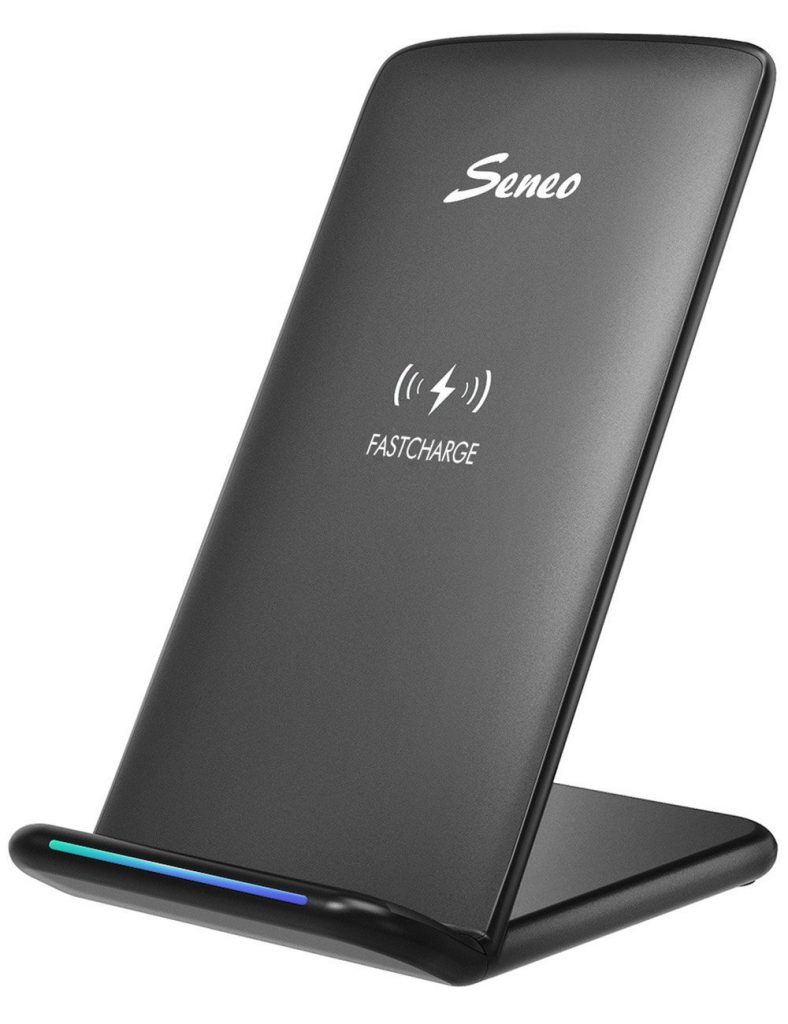
    Seneo delivers Fast QI wireless charging pad Stand. Looking at it fresh from the box This wireless charger features fast charge with 10W coils, a sleep friendly LED, and will even provide quick charge for Samsung Galaxy phones. … I found that I can even lift my phone a could millimeters off the charging stand and it will still charge.

    The Great

    Nice Design
    Inexpensive
    Vertical and horizontal charging
    Fast Charge capability

    The Not

    Cord for the stand could be longer

    The Conclusion

    Seneo wireless charger is the most suitable charger for phone lovers. This charger has the holder stand design that help customers charge their phone vertically or horizontally. Most importantly, they can enjoy movie and music without interrupting while charging. At only $19.99 Don’t miss out this great opportunity for a top of the line wireless charger.

    Testing 123

    I’m laying my iPhone X on the Seneo wireless charger.. 3:43 pm with 16% battery life.. 4:15 check 31%, 5:00 an impressive 73%, 5:30- 100% charged in less then 2 hours. Times that against traditional plug in charging with the Apple OEM lightning, yielded almost the same results. I had expected the wireless charging to be twice the charge time.


    The Final Thought

    Im always concerned with after market charging products. China seems to spit them out at zero cost with quality being highly disregarded. To my surprise, for a very small cost the wireless charging stand, works great with no issues after 6 months.  I’ll but a buy recommendation on this over any high priced QI charger available.