Category: Home Internet

  • Smart-Device Review: Make Your Home a Smart Home Today

    Smart-Device Review: Make Your Home a Smart Home Today

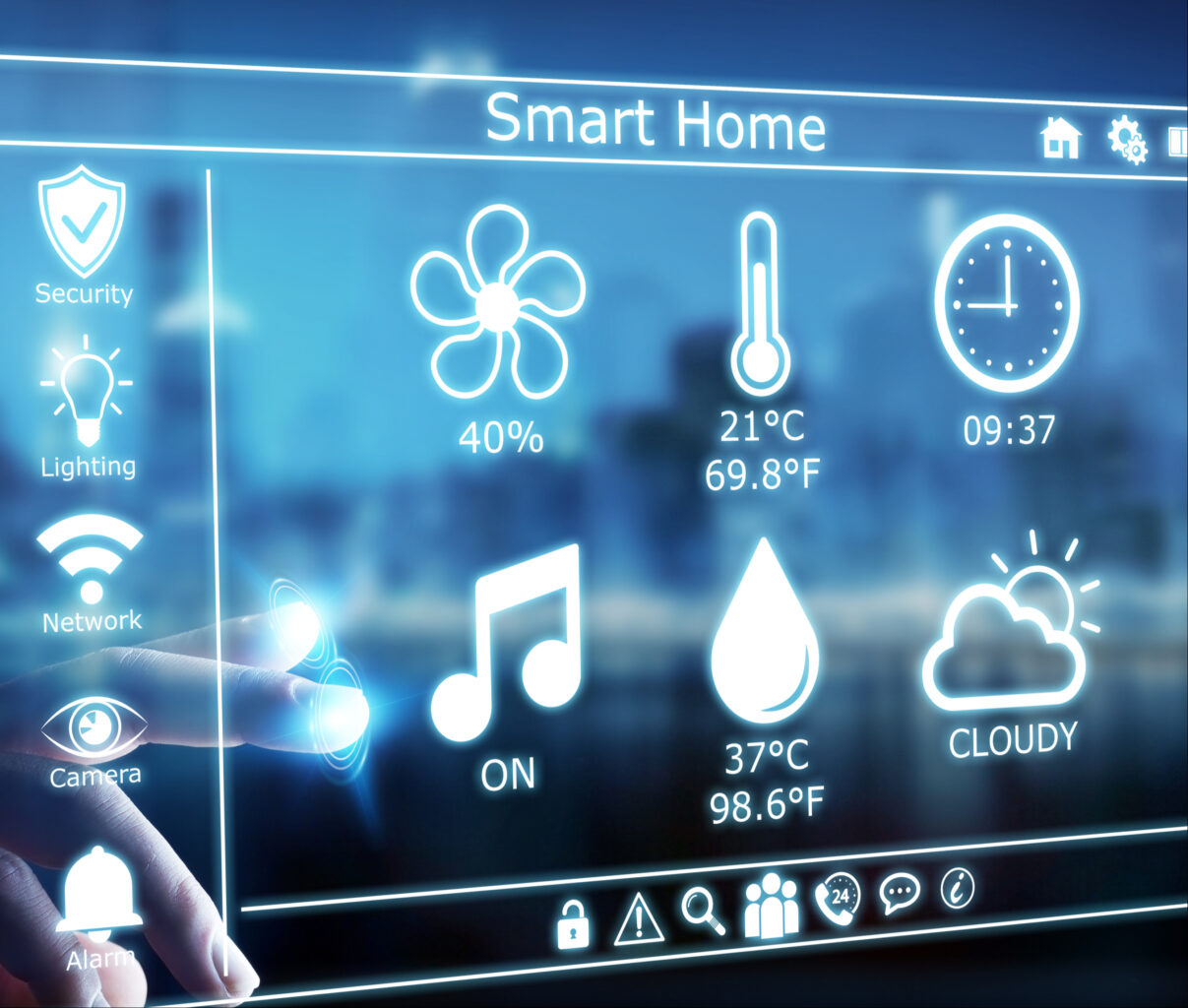
    In the past few decades, electronic devices in our homes have transformed from ordinary objects into what was only thought possible in science fiction movies. Televisions, refrigerators, security cameras, speakers, among others, have been fitted with sensors that allow them to see, touch, and hear their surroundings, as they can transform physical data into digital data. When brought together, these devices make up smart homes or in most cases, “internet of things”.

    Just about every device with network connectivity is initiated to the internet of things. In smart homes, these gadgets relieve us from chores, allowing us to have a breather, while adding magic to ordinary experiences. If you are yet to delve into this world, you might be lost on where to start. Lucky for you, we have just the right devices that will set your home on the path to being a smart home.

    We have a list of the most common devices that cut across all smart homes. These include smart speakers that you can converse with, smart security devices that will amp the security in your home and smart controls that allow you to orchestrate things in your home regardless of your physical presence. Are you hooked? Buckle up as we start off with smart speakers.

    Amazon Echo vs Sonos One

    Amazon Echo

    Amazon’s Echo smart speaker first came into the market in 2015 and has maintained the lead in the smart devices market. The Amazon Echo is a series of smart speakers and mobile accessories that are internet-connected and are paired with Alexa, Amazon’s digital assistant. It wears different hats including serving as an IoT hub, internet search engine, a music player, and pretty much anything that Alexa Skill allows it to do. Let’s take a look at Amazon’s 2020 Echo.

    Being a smart speaker, its primary purpose is offering sound and compared to former Echo products in the past, the Amazon 2020 Echo has improved sound quality. For starters, this smart speaker has adaptive sound, enabling it to adjust to a room’s acoustics. Also, it’s 3-inch woofer and dual 0.8-inch tweeters, lower-range mids and bass are stronger and richer. Additionally, it boasts of power, that is, more volume.

    In addition to offering sound, the Amazon Echo is an integral smart home hardware. This particular speaker has two ways that smart home devices can connect to it. One, the Zigbee receiver allows the Echo to connect with other smart home devices, without an additional hub. With this receiver, Echo users are able to hook a wide range of gadgets in their house without having to worry about a smart home hub. Two, the Amazon Sidewalk aims at creating a shared network that will benefit any Sidewalk-enabled devices that are in a community.

    Pros

    • Has improved sound quality and more bass
    • Improved smart home connectivity
    • Hassle-free stereo pairing

    Cons

    • Has a bulky design

    Sonos One

    When it hit the market, the Sonos One brought a revolution. It was among the first smart speakers that didn’t have users choosing between excellent sound quality and smarts because it had both. It also didn’t have users choosing between Google Assistant and Alexa.

    The top of the smart speaker has a touch-sensitive surface. Swiping right or left will skip forward or backwards in your playlist. Tapping in the surface’s center pauses and plays your music. Finally, when you tap the right and left halves of the panel, you raise or lower the volume. However, you’ll probably spend most of your time controlling the Sonos using the app. The device also boasts of voice control where the speaker has six internal microphones that enable it to hear your instructions, and a pair of Class-D amplifiers as well as a tweeter / mid-woofer driver combination.

    Setting up the Sonos involves installing both the Sonos and Alexa apps, signing into both your Sonos and Amazon accounts, and any music streaming services that you might want to listen to using the speaker. The speaker encourages you to perform a ‘Trueplay Tuning’ process, where you move around the room with your phone while your speaker plays some test sounds. Your phone then establishes how your speaker sounds while in the environment, and tunes its sound.

    Pros

    • Is the best Alexa and Google Assistant speaker
    • Has a great app and supports many streaming services

    Cons

    • Does not use Bluetooth

    Final Verdict

    The Sonos One is better overall because it is a compact smart speaker with a great app, support for multiple streaming services and digital assistants. However, in bigger rooms, the Amazon Echo Studio produces a huge sound. It also boasts of more features than the Sonos One, including its sensitive microphones that allow Alexa to hear you over loud music.

    When it comes to features, Echo Studio boasts of more features including being able to connect to a TV while also being able to replay Dolby Atmos streams. The Sonos One advantage over the Echo is that you can use either Amazon Alexa or Google Assistant to control it.

    Smart Home Security Systems: SimpliSafe vs Cove

    With the evolution of smart homes, home security had to be featured. The thing is, home security cannot be confined to one gadget but instead comes as a package. These include security systems that can be paired with Google Assistant or Alexa and that you can install on your own or have it down professionally. First off is Simplisafe.

    Simplisafe

    Simplisafe is the most popular choice of home security systems that are no-contract, easy to set up and quite affordable. In an hour’s time, you’ll be able to set up environmental and security protection. Additionally, you can have it professionally monitored for $14.99 a month. However, DIY monitoring is also available through the Simplisafe mobile app.

    The SimpliSafe starter set includes a base station, a wireless keypad, a keyring remote, one motion and two entry sensors. All these are at a starter set cost of $244. The deal also includes a SimpliCam, a high def video security camera that has a motion sensor and sends alerts.

    SimpliSafe’s equipment is inexpensive but very high quality. For example, they have SmashSafe, a backup against tampering. If someone attempts to disable their system, their monitoring services alerts the police. They also boast of a Heartbeat feature, which checks continuously that the security system is working.

    Setting up the system is quite easy. In fact, most customers do it on their own with only about three percent asking for assistance. All equipment is either freestanding or can be attached to surfaces using removable adhesive.

    Pros

    • There are no long-term contracts to sign
    • Easy to install
    • Affordable monitoring plans
    • Professional monitoring

    Cons

    • Costly up-front equipment costs
    • Too simple for some homes

    Cove

    If you’re looking for a quick yet easy setup, then Cove is the system for you. You save money by installing the system on your own. The system is already pre-programmed even before it is shipped. All you have to do is to stick the sensors to your walls using their 3M-backed adhesives.

    All of Cove’s systems call for 24/7 professional monitoring, but you can either sign up for a month if you paid for the equipment upfront, or sign up for three years if you don’t want to pay for the equipment upfront.

    During emergencies, Cove’s team texts you, which comes in handy if you should ever find yourself in a hostage situation. This explains why Cove’s response rate is 10x faster than competitors.

    Pros

    • Can be integrated with Google Assistant and Alexa
    • You can choose to pay nothing upfront
    • Has battery backup

    Cons

    • Professional monitoring a must
    • Expensive remote control

    Final Verdict

    The Simplisafe Security System is better overall because it has an option for no contract making it easy and affordable to install in your home. Additionally, their equipment is inexpensive because they make it on their own and there are no middlemen involved. However, being able to integrate digital assistants gives Cove an advantage over SimpliSafe. However, both are quite inexpensive and easy to install.

    Smart Home Controls: Amazon Echo (4th gen) vs Samsung SmartThings Hub v3

    If the smart home devices in your home are to ‘talk’ to each other, you’ll need a smart home control or smart home hub. This is the gadget that brings together all your devices and allows you to control them using one app. With that said, let’s take a look at two of the best smart home controls currently.

    Amazon Echo (4th gen)

    In site of this gadget having featured in the smart speakers spot, it also makes for a great smart home control. The combination of Bluetooth, Wi-Fi, and Zigbee make the Echo the best smart home control for most people. Furthermore, it has multiple radios, which help connect with a large number of low-power smart home devices. With Alexa’s routines, you’ll be able to use a number of triggers to activate other smart home devices.

    The hub also collaborates with Alexa Guard, which listens to smoke alarms and glass breaking, and can notify you in case of an emergency. Finally, it supports Amazon Sidewalk, which works with such things as Tile trackers and smart lights especially over greater distances.

    Pros

    • Awesome smart home skills
    • Impeccable spherical design
    • Good audio

    Cons

    • No battery backup

    Samsung SmartThings Hub v3

    This smart home hub is a darling among critics because it supports both Zigbee and Z-Wave. This allows you to link to hundreds of devices, which is considerably more than most hubs. Additionally, the SmartThings app is full of functionality, which allows you to come up with a diverse range of different scenarios for all gadgets in your home.

    This SmartHub also boasts of in-built Wi-Fi, meaning you don’t have to plug the device into your router. This gives you the freedom to place the smart home control in a location that is most convenient to you connecting it with other smart home devices.

    The downside is that it doesn’t have battery backup. Then again, if the lights go out, chances are you won’t be needing to turn your lights on.

    Pros

    • Supports Wi-Fi which makes installing easy
    • Supports automation more than any other hubs
    • Works with Z-Wave and Zigbee devices

    Cons

    • Doesn’t work with Nest products at the moment

    Final Verdict

    The Amazon Echo is the favorite for most people because of it’s ability to connect with many low-power smart home devices, thanks to its many radios. However, SmartThings ability to work with Z-Wave and Zigbee devices gives it somewhat of an advantage too. The Amazon Echo also boasts of better audio quality, especially at its price. The voice assistant, Alexa, is also pretty advanced which makes the smart hub, a darling to many.

    Conclusion

    The Internet of Things or smart homes are not in the future, they are here, and here to stay. In 2018, there were about 23 billion devices that were connected. Forecasters believe that the number will climb to more than 75 billion in 2025. This is mostly because people are becoming more comfortable with having these devices sit in their living room. Also, tech companies are dreaming up of new devices each day that work towards making life more comfortable.

    The future is evident in the evolution that is smart offices, smart buildings and even smart cities. Companies like Google are working towards autonomous vehicles that will connect to the internet and drive themselves to the destination of your choice. The bottomline is, smart devices are here to stay.

    The above smart devices are a good place to start when looking to transform your home into a smart home. Smart speakers and smart controls will be the heartbeat of every smart phone and purchasing one now is giving yourself a head start. Smart security systems also offer a cheap yet reliable way to ensure homes are safe. The fact that you can check up on your home remotely also makes them an attractive option. However, do your research before making a purchase depending on your needs.

  • Home Internet Deals- Free Disney+, Hulu and other Big Incentives

    Home Internet Deals- Free Disney+, Hulu and other Big Incentives

    If it is time to upgrade your home internet, make sure you’re getting the absolute best deal on the market. Our team has put together a great list of the Best Home internet deals. Check it out!

    Verizon Fios: Internet plans start at $40 and come with a free year of Disney+If you opt for the Fios Gigabit plan, you’ll get a free year of HULU and a free router rental.

    Spectrum: Internet plans start at $50 a month, but the big incentive is if you switch, Spectrum will offer you a $500 Buyout  for switching.

    Optimum: Optimum has priced their gigabit internet at $65, and if you sign up now, you get that price for life! In addition, if you bundle internet and TV, Optimum is offering free Showtime and Starz for 1 year.

    AT&T: Pricing for AT&T starts at $40 for their 1000 Mbps gigabit plan. You get a free VISA card up to $300 when you bundle Internet and TV.

    Questions to ask when you’re shopping for Internet: 

    1. Is this service available in my area?
    2. What specials are currently being offered?
    3. What speed can I expect in my area? Is speed guaranteed?
    4. Is there a cancellation fee?
    5. How reliable is the service?
    6. What cyber-security measures are in place?
    7. Can plans be changed before the contract expires?
    8. What is your tech support like?

  • Don’t get Hacked! Use a Password Manager

    Don’t get Hacked! Use a Password Manager

    Your password is one of your strongest tools to protect your accounts and all your personal data. But too many people do not pick out good passwords and then their information is vulnerable. To protect yourself against hackers and keep your online data and identity safe, you need to know all the rules about passwords.

    The Importance of Your Password

    The first thing we need to look at here is the importance of the password. The password is considered one of the most important things for any system that you would like to use. It is a great way to maintain your own identity online so that no one else is able to view the account at all. If you don’t have a good strong password, it is more likely that someone will guess it and take over the account. A password can be almost anything that you would like. Some organizations may set up certain safety parameters to make sure your password is safe, such as requiring one uppercase and one lowercase letter or some numbers or special symbols. Other websites give you more freedom. No matter the policy in place with that website, picking a strong password is a must. The stronger your password, the harder it is for someone to guess what the password is. Many hackers will try to steal your password with a password cracker, and one method is to just try out all of the most common password types. If your password is on the list, they have a better chance to get onto some of your important accounts.

    Ways Hackers Can Get Your Password

    Hackers are really good at discovering passwords, especially if you use a really simple password. They are able to try a few different methods to get ahold of your password and use it for their needs. Some of the most common ways a hacker can get your password include:

    Password Recycling

    Many times a hacker can harvest a list of passwords from a data breach. Passwords and credentials from data breaches are often bought and sold illegally. These passwords can be leaked and other hackers will decide to use them the way that they would like. Using the same email and password for multiple accounts can mean if one account is compromised in a data breach, your other accounts will also be at risk. The hacker is able to use that same password to access all of the sites that they want under your name. The best way to prevent this is to make sure that all of the passwords across your accounts are different and use a password management tool to help.

    Wi-Fi Sniffing

    This method allows a hacker to get onto your Wi-Fi and access all of the data that goes between you and other systems. This one takes some time because they need to get onto the Wi-Fi and then take the time to figure out where the passwords are located. But once they do, they can get all of the information they want. A good way to prevent against this is to make sure your Wi-Fi is strong and has a good protocol behind it, encrypt everything that is sent between you and another person, and do not use common passwords like your phone number or street address as your Wi-Fi password.

    Security Questions

    If you happen to forget a password on one of your accounts,  you will need to answer a few security questions before you have a chance to reset the password. Security questions may seem like a good idea, but they are usually weak and if the hacker has gotten ahold of your email or other passwords, they can probably figure it out. A good idea is to answer security questions differently for different accounts.

    Dictionary Attacks

    This is known as a type of brute force attack. While some sites will disable the account after three failed attempts, the dictionary attack can still be effective on websites that do not require this. To work with a dictionary attack, the hacker will need to run a script of their own that is able to try out all the words in the dictionary. To make this option harder to accomplish, make sure there is a minimum of one capital letter in the password.

    Why You Should Have Different Passwords for Each Website You Visit

    It is important that you have a different password for all of the websites that you decide to visit. This will help you keep your information safe. If there is a data breach or the hacker is able to gain access to your password on one site, they will try to use that same password on other sites as well. If you used the same password on all of them, then the hacker has access to all of your accounts. However, if you have different passwords on each account, this task becomes harder. Many people worry about remembering all those passwords, especially if they have a lot of them to keep in mind all the time. This is why you should choose a password manager. It can hold onto your passwords safely and make sure that you can get onto each website while the hacker can’t.

    Why Should I Have a Long Password?

    The longer you can make your password, the better. This makes it even harder for a hacker to get onto your system and gain the information that they need. Shorter passwords are not as tough to work with and can make it easier for the hacker to do any of the tasks that we talked about above. The longer, and more complicated, the password, the better for everyone. If you can, try to make the password into a bunch of letters and numbers mixed together. It shouldn’t even make sense or be readable. This makes it much harder on a hacker. Your password manager can handle the work for you by making sure you can remember those passwords later on.

    The Requirements of a Good Password

    We have spent some time talking about passwords and learning how important they are for protecting your information. Now we need to look at some of the recommendations that you need to remember in order to write out a good password and keep your data and personal information safe.

    If you are using a website that has specific instructions and requirements of their own for creating a password, then make sure to follow those instead. This will make it easier to keep it safe and are often really safe on their own. Some of the requirements you should consider when it comes to picking out a good password includes: It is 12 characters long at least: You should pick out a password that is longer than normal. There is not a minimum password length that each person will agree on, but picking one that is at least 12 characters long will make a big difference. If you can make one that is longer, you are doing even better. You also want to include a good deal of variety in the password. You should include capital letters, lowercase letters, symbols,  and numbers to make sure that the password is as strong as possible.  Don’t use words from the dictionary. Stay away from some of the more common dictionary words or even combinations of dictionary words. This will make it easier for the hacker to do a dictionary attack on you. Do not use substitutions that are obvious. As an example, substituting zero for ‘o’ or 3 for ‘e’ is not good practice. “H0us3” vs. “house” is just too easy to guess.

    What Should I Do If I Think Someone Has My Password?

    So your password was stolen and now someone else has been able to get onto your account. This can be a big hassle and lead to loss of data, money or worse. Sometimes even the good passwords can be taken if there is a big data breach. Knowing how to handle this situation can help you protect your own data safe. The first step to take is change up your passwords right away. Sign up for some text alerts for your accounts and if something does show up on your account, you will get a notification about this. If you were the one who did make that purchase, then you won’t have to do anything, but if it was a hacker, then you will need to make some changes and changing your password is the first step. If there are any other accounts that have the same password, then you need to change those as well. This leaves a little more protection on your accounts so you know everything will stay safe. If you suspect that someone has gotten your password, there are a few resources you can check out to help see whether your account information is readily available online.

    These include:

    1. haveibeenpwned.com: This website holds onto a database of password and username combinations found after a public leak.
    2. LastPass: This website will take a look at all the email addresses in your database and then will check those against a database to see if your information has been leaked.
    3. 1Password: This one works as a password manager as well, but has features that will check out whether your passwords have been leaked.

    How Password Management Software Can Help You Keep Your Information Safe

    Now that you know how important it is to have some tough passwords that are different for all of your accounts, you may be worried about who you will remember all of these different passwords for your needs. This is where a password manager will come into play. The password manager can take all of the work out of remembering and keep all your data safe. Benefits of using a password manager include:

    -You Don’t Need a Good Memory

    The main benefit of using this password manager is that it will give your security online a boost. You can make the passwords as strong as you would like without having to remember them. You can make them long with lots of different random characters and symbols and numbers and the password manager will remember it all for you.

    -You Can Choose Tougher Passwords

    Without having to remember all of those passwords, you can use stronger ones and even go with ones that are a random match of numbers and letters. This helps you to really get something strong that is hard to break through. You can even use a different password for each access point so if there is a breach, it won’t result in everything getting ruined in the process.

    -You Have Fast Access to Websites and Accounts

    These password managers help you to get onto your accounts quickly. You just need to type in one password and you can then automatically get all of your accounts opened up for you. This helps you to speed up your time without having to type in all of the usernames and passwords and remember them all.

    -Password Managers can help with more than just passwords

    While the password manager is awesome for helping with passwords, you will find that it can help you to store and manager a lot more than that. For example, some of these are designed to help you store and access the information for your credit card. Others can make it so you need to do more than one step to authenticate it is you so your information and data will stay safe.

    -They Help with Managing Any Accounts That are Shared

    If you share an account with others in the company, it is important to make sure that you can manage the passwords and only allow those with the right credentials to get one. A password manager makes it easier for you to manage and change the password when it is necessary. Some even have some features so that one person is able to be in control the password on the account while providing access to some other users, without even having to give out the password.

    There are many great password managers that you can choose to use to help you keep track of all those complicated passwords you now need to make. Some of the best include:

    1. Kaspersky
    2. Keeper
    3. Dashlane
    4. NordPass
    5. Google Chrome also has a password manager built in for you.
    6. RoboForm

    When it comes to your password, the stronger you can make it and the more you monitor your accounts, the easier it is to keep hackers away and protect all of your data. Make sure to check out the tips above to help you take care of yourself online.


  • Cyber Security at Home: How to Stay Protected

    Cyber Security at Home: How to Stay Protected

    The most essential transactions these days happen over the internet. However, even though the increasingly connected world makes work easier, we expose most of our personal information to hackers. Hackers have several ways of stealing essential information that is put to misuse. This article has detailed several new tricks that hackers can use to steal your data and the best practices to promote more robust security.

    Latest tricks hackers use today and how to stay safe

    Phishing

    This is a fake email that hackers create that looks legitimate. The primary goal of using email phishing is to steal confidential information such as bank account details and passwords. The email may appear to have originated from the company you work for or your bank. The email tries to create panic or urgency by tricking users into providing their personal information. For instance, you may receive an email from your bank claiming that your ATM is disabled, and you have to confirm your card number for re-activation. Most users fall for the email, which malicious hackers send to have your data.

    How to protect your data

    When you receive a fake email, look for grammatical errors in email addresses or domain names. Hackers also use email addresses that resemble well-known organizations but slightly are altered.

    Also, check if the email has a link. If one is present, hover your mouse on the link and check if the URL matches the link provided in the email.

    Hackers use threats such as your account has been blocked or your security is compromised. Avoid such tricks.

    Malware

    Hackers write this malicious software intending to compromise your home computer cybersecurity to access confidential information. The software can perform functions that include deleting or stealing vital data, tracking the victim’s activities secretly, and modifying the system’s core functionalities. Some factors that lead to malware installation in your system, include running a pirated or older version of an operating system, installing pirated software or clicking on unknown links.

    Some of these malware software’s include:

    • A virus that can infect your software and disable system functionality
    • Trojans that create backdoors in your home computer cybersecurity for hackers to monitor your activities
    • Spyware that hackers design to spy on a user and track everything they do online including your surfing habits, passwords, and credit card numbers.

    How to maintain safety

    • Install legitimate antivirus software.
    • Avoid clicking on fake antivirus pop-ups generated from websites.
    • Avoid downloading fake software
    • Update your operating systems often
    • Avoid downloading pirated software or apps since they may contain malware

    Insecure networks

    Connecting your devices and systems to insecure networks creates an excellent opportunity for hackers to access your files and monitor your online activities. With that, a hacker can steal your bank account password and your social accounts or even inject malware on your trusted sites. With the wide range of programs available on the internet, a hacker can get close to your residence and gain access to your accounting data, passwords, usernames, and critical files. If such in-depth knowledge gets into the wrong hands, it can cause damaging consequences to your business.

    Connecting to free Wi-Fi at the airport or coffee shop is dangerous, especially when carrying out essential activities online, like having private conversations, banking, or browsing your email. The networks are not protected and can give hackers an opportunity in the same region to snoop on you.

    How to protect your data

    Do not connect to open, untrustworthy Wi-Fi networks. Free Wi-Fi may not be safe. When in a hotel or bar with Wi-Fi, do not connect randomly to any open network. Ask the staff which Wi-Fi is safe to connect to. That can minimize the chances of your accounts being hacked.

    Also, avoid accessing any vital information while connected or performing bank transactions. Use strong encryption like WPA2 on your home Wi-Fi router instead of WEP security or Open.

    Physical security threats

    This is threat involves people accessing your devices, such as mobile devices, laptops, and hard drives physically.

    People underestimate physical security threats in favor of technical threats like malware and email phishing. However, physical security threats occur when one can physically gain access to vital information, such as information collected from stolen devices.

    These physical breaches can take place at your home or workplace. For instance, one could access an unattended system that is not protected by a password or get access to your confidential files.

    How to stay safe

    • Use encrypted USBs and computer hard drives when storing confidential information. Avoid writing your passwords on a notepad or post-it.
    • Also, protect your system with a strong password. Avoid leaving your pc or phone unlocked. Ensure that you have proper backup and enable remote wipe services in case you lose your phone.

    Smishing

    This is where a hacker tries to trick you into providing them with your data via either an SMS message or a phone call. This technique is becoming more common and is a growing threat to online security.

    Smishing utilizes elements of social engineering to have you submit your vital data. The hacker earns the user’s trust and gets access to their personal information. The data can be anything from details of your bank account, OTPs, or online password to gain access your accounts. An attacker can use the information for various attacks. Sometimes the SMS messages come with short links with tempting offers and deals. When you click the link, the malware gets installed on your device.

    How to protect your data

    • Avoid sharing your personal information over an SMS or phone call
    • Before clicking links in a message, make sure you verify its identity. If you get a message claiming it is from a person you know and requests for critical data, contact the person using the phone number in your contacts and verify that they have requested the data.

    Malicious mobile apps

    Most people believe that every app available on the Apple Store or Google Playstore is legitimate. However, not every app on these stores is safe. Some apps contain some malicious codes that can jeopardize your privacy.

    A malicious app may have a code snippet that installs on your mobile phone or tablet. The app may also request permissions that may be valuable to hackers in getting your vital information, including your text messages, media, and contacts.

    It is essential to be smart before accepting permissions such as:

    • Accounts access
    • SMS permission
    • Microphone access
    • Contacts
    • Device admin permission

    How to protect your data

    • Before downloading an app from Google Playstore or Apple store, first, check the permissions.
    • Check the app’s reviews and ratings
    • Avoid downloading applications from unknown sources
    • Do not download cracked or pirated apps

    Top 10 vulnerabilities of using the same password

    Password reuse is among serious cybersecurity concerns. Users and administrators can use several ways to increase their password security, but they are often not adopted. Below is how you can ensure vital information in your web application is not compromised because of password reuse.

    The danger of password reuse

    Even with the most secure password, using it on several applications and websites can make it insecure. With the increasing global data breaches, there is a high chance that your password is stored in some applications or sites. Fortunately, some sites do not store passwords in plain text, meaning that the hacker only compromises the password hash in case of a data breach. In that case, a hacker only requires less time to get the password.

    Password manager security

    Most users resort to password managers to deal with password reuse. Most of the password managers are easy to use and cross-platform. That means that one can store their password database in the cloud and access it via a web interface from your mobile phone or PC. Password managers deal with password reuse and can generate unique passwords. However, such passwords can be challenging to remember.

    Length or complexity

    The most common password policy that administrators enforce in web applications, among other systems, is the length and complexity policy. However, the policy is weak.

    A few websites can check how long it can take a hacker to crack their password using a brute-force attack. For instance, if you feed an 8-character password with special characters, upper and lowercase, as well as numbers into the website, it can determine how long it can take to break the password. The sites can guide you on how to increase the complexity of your password.

    Is length enough?

    If the brute-force method is the only password cracking process, password length would be the best way to outdo attacks. However, dictionary attacks can decrypt passwords with commonly used words. A password with similar letters would be a hard nut to crack. If you use fake words that are easy to memorize, you can avoid the dictionary attacks.

    A false sense of security

    Force users to change their passwords regularly to increase your password security. Web applications and other systems use this common mechanism. Such mechanisms store hashes of old passwords, limiting the user to reuse their previous passwords.

    However, this policy introduces a false sense of security since most people only one character at the end, and they keep replacing it after every few months. Therefore, it is better not to implement this mechanism in your web application since it does not prevent dictionary attacks.

    Clear text passwords

    They are passwords stored in configuration files in exact text or passwords that remain visible even after the end-user types them. They are vulnerable to password hacking, be it as configuration files or inputs.

    The passwords pose a threat to password security since they expose the user’s credentials and allow attackers to act as legitimate users to access the accounts.

    Multi-factor Authentication

    Nowadays, the most robust defense against password attacks is the (MFA) multi-factor authentication. The mechanism is also part of most compliance requirements of DSS, PCI among others.

    The common (MFA) method is the one that the web application sends a one-time code SMS to the user’s mobile number. However, hackers compromise such mechanisms using SIM-swap attacks. They trick the mobile operator into providing a duplicate SIM card of the user and use it to get the SMS with a one-time code.

    To avoid that, use one-time-password (OTP) solutions like FreeOTP or Google Authenticator. Mobile apps send a push notification to your phone or send a one-time code generated by the app.

    Password recovery systems

    Applications with systems that allow users to reset or recover their password can also offer hackers the opportunity to access your vital information. The remember, a forgotten password mechanism is a possible way of authenticating a user, but it must be strong.

    Hackers can act as users and attempt to access users’ accounts by trying resetting the password. Applications that depend on security questions like a pet’s name or birthday are insignificant for authentication since attackers can access vital information for users in social networking accounts.

    Hardware tokens

    It is the ultimate security option for MFA. They are now becoming popular, especially the hardware keys. The idea has been in existence for several years and was used by certain software designers to combat piracy. Besides, there are keys one can use for mobile phones and computers. They can use either a wireless one or a physical interface.

    The hardware security mechanisms are now part of regular computing machines like laptops and desktops. Computers have hardware modules that offer encryption technologies. Operating systems like Windows 10 is compatible with the FIDO2 standard. That means that any device with Windows 10 and the hardware module can function as a hardware key. Nowadays, phones come with facial recognition or fingerprint scanners. With all these features and password combinations, one is sure of extra security.

    All passwords matter

    Most web application developers think that when an unprivileged user experiences a password breach, it will not endanger the web application. However, that is not the case. For instance, if a hacker uses SQL injection to a list of password hashes and hacks a user’s password, they can use it to gain access to privileged accounts in the system. The hacker can also get a user’s password via email phishing, social engineering, or malware, which is beyond a web application developer.

    Therefore, the application developer should make sure that users are using secure passwords at all times. You can test for weak passwords or use a password security mechanism in your application.