Tag: ASUS

  • Asus ZenBook S UX391UA Review Roundup

    Asus ZenBook S UX391UA Review Roundup

    Asus’ newest ZenBook, the Zenbook S UX391UA (say that three times fast) is here. Is the new super-compact device worth the hefty price tag, or is it better left for the bargain bin? Today we’re going to round up the best features of the new ZenBook and let you know what we think. After all, competition in the laptop market is fierce at the moment, and you shouldn’t waste your time or money on a sub-par product! Let’s talk about the newest release from Asus.

    Design

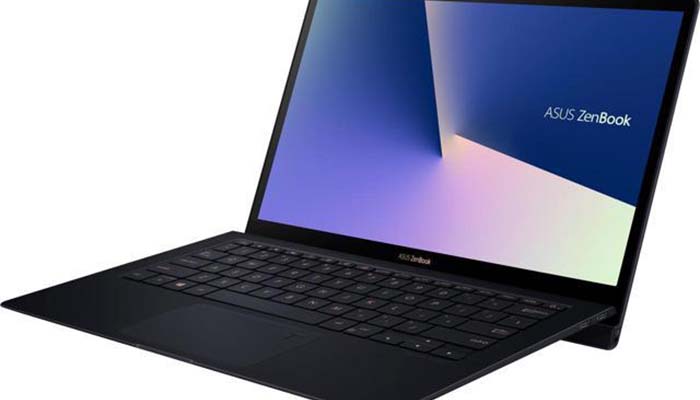
    The Zenbook S UX391UA is compact. As in, incredibly compact. If you’re the type of person who often works in coffee shops or is on the move a lot, this is a plus. The main design feature here is the ErgoLift hinge. In English, that’s the hinge that lifts the bottom part of the laptop when it’s unfolded. The lift makes it easier to type on the small keyboard and also helps ventilate the laptop. Overall, the design could be described as understated, subtle and soft. That said, it is also quite stylish.

    Specs

    The Zenbook S UX391UA comes standard with a 4K display and a touchscreen. It also sports a 512GB SSD for storing data, and an i7 processor. All said, it’s a pretty hefty machine! That’s not even mentioning the 16GB of memory the ZenBook sports. It’s not going to be the strongest computer for gaming, for what it’s worth. It sports a 128MB (shared) Intel UHD Graphics 620, which will allow it to play basic games at best. However, most in the market for gaming laptops wouldn’t consider an ulta-compact option like this to begin with.

    Price

    This is the biggest sticking point. Despite the i7 processor, 4K display and great design, the Zenbook S UX391UA feels too expensive at $1500. Oddly, the ZenBook doesn’t feel like it brings enough compared to the competition. In fact, there are even computers in Asus’ own range that outpace the Zenbook S UX391UA for the price!

    Zenbook S UX391UA Bottom Line

    The bottom line on this ultra-compact computer: pass unless you really like the design. Generally speaking, ultra-compacts just shouldn’t cost so much. Perhaps in a year or so the price will drop and make this a worthy pickup. Until then, however, stick to the less pricy competition and get a similar (if not better) computer for your money. Better luck next time, ZenBook!

  • Asus ZenBook S: Surprisingly Good

    Asus ZenBook S: Surprisingly Good

    Apple is the undisputed champ when it comes to extra-thin, stylish laptops. The MacBook line is ostensibly awesome for a number of reasons. That said, PC fans aren’t without hope in the “thin, stylish laptop” race. Case in point: the Asus ZenBook S, a surprisingly good extra-thin entry from Asus. As a sleeper hit, many wouldn’t have expected Asus to deliver something this good. Expectations were low but thoroughly blown out of the water, and we’re not complaining. So, what makes it so good? Let’s discuss the finer points.

    Design and Feel

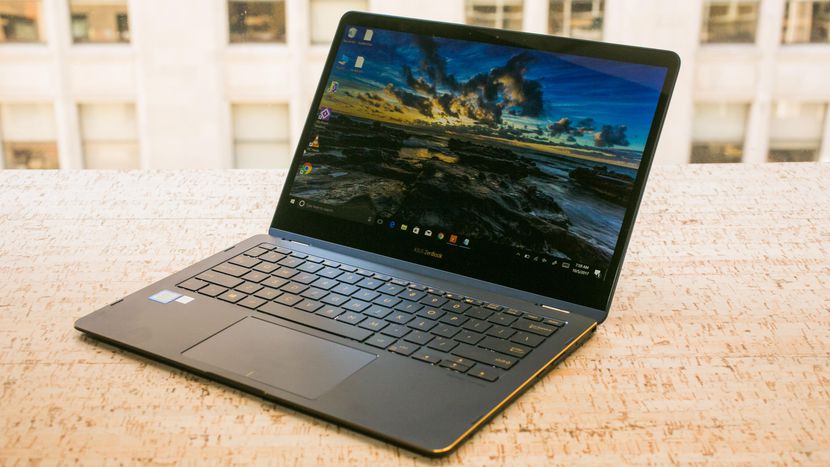
    You’d be forgiven for thinking this was a 2-in-1 at a glance. It’s little, it’s sleek and it has in interesting silver design. The signature Asus swirl is present in the brushed-metal lid. The chamfered edges are a soft gold, and the laptop comes with either red or blue accents. Little touches of understated elegance give this laptop a premium feel all its own.

    Specs and Performance

    There are two configurations for this laptop, and both are quite good. The more expensive configuration packs an i7 processor, 16GB of RAM and a 4K display. All of that comes with 512 BB of storage on a solid-state drive. You get this all for $1,500, which is pretty nuts when you think about it. While its not going to be powering through any modern gaming rigs, it’s great at video and photo editing and drawing. If you’re a content creator looking for a great workstation, this one has what you need. This laptop is incredible for professionals and students alike.

    Asus ZenBook S Bottom Line

    Unless you’re really adamant about gaming on a laptop, this is a great pick for you. If you’re looking to edit photos, videos or create slideshows for work, this laptop will handle it. If you like making a stylish statement with your laptop, the ZenBook has you covered. If you need something to do homework on while zipping between YouTube, Facebook and a word processor, this is your computer. Really, its hard to overstate how impressed we are with this exceedingly thin and stylish laptop. It’s well worth the money and an ample competitor with the MacBook line.

    Feature Image Credit: CNET

  • Computex 2018: What is Asus Up To?

    Computex 2018: What is Asus Up To?

    Asus, known for typically playing second fiddle to Apple, wowed crowds at Computex 2018 on Monday. Asus showed off some absolutely crazy pieces of new tech! These will certainly get you excited for the future of technology. Since we’re so hyped, we rounded up Asus’ three big reveals from the conference.

    ZenBook Pro 

    A very sleek, technologically advanced new laptop, the ZenBook Pro is the more traditional option for those wary of Project Precog. What’s Project Precog? We’ll talk about it in a minute. The ZenBook Pro, though, is this year’s Asus innovation, featuring a trackpad that doubles as a display. You read that right, the new laptop has a tiny 5.5-inch display as a trackpad. Asus is calling this innovation the ScreenPad. The display seems geared at productivity, including functions with Microsoft Office suite of apps. Apple’s TouchBar plays in a similar space, but the ScreenPad is much beefier. This looks pretty awesome, but time will tell just how useful it is. 

    VivoWatch BP 

    This smart watch is promised to carry the world’s first medical-grade blood pressure sensor in a smart watch. Tech like this is a huge step in the right direction. The future of wearables is likely a fusion of medical and consumer technology. While the VivoWatch isn’t the flashiest wearable we’ve ever seen, it still shows that Asus is putting some serious thought into their offerings this year. Not to mention, they’re pioneering a field that will likely define the way we think of wearables, and that alone is worth praise. 

    Asus Highlight from Computex 2018: Project Precog 

    This dual-screen, AI-enabled laptop was a show-stealer. Featuring two massive touch screens and no physical keyboard, Project Precog promises to be the laptop of tomorrow. The laptop is set to ship with AI functionality to make your life easier. Suggested uses of the AI at the show were things like battery life conservation, helping you make Excel spreadsheets and recognizing users by face. If none of that sounded cool enough, it’ll also read where your hands are in relation to the display and generate a virtual keyboard under your hands when you want to type. How cool is that? Project Precog is set to launch in 2019. 

  • Asus to Enter Gaming Phone Space with ROG Phone

    Asus to Enter Gaming Phone Space with ROG Phone

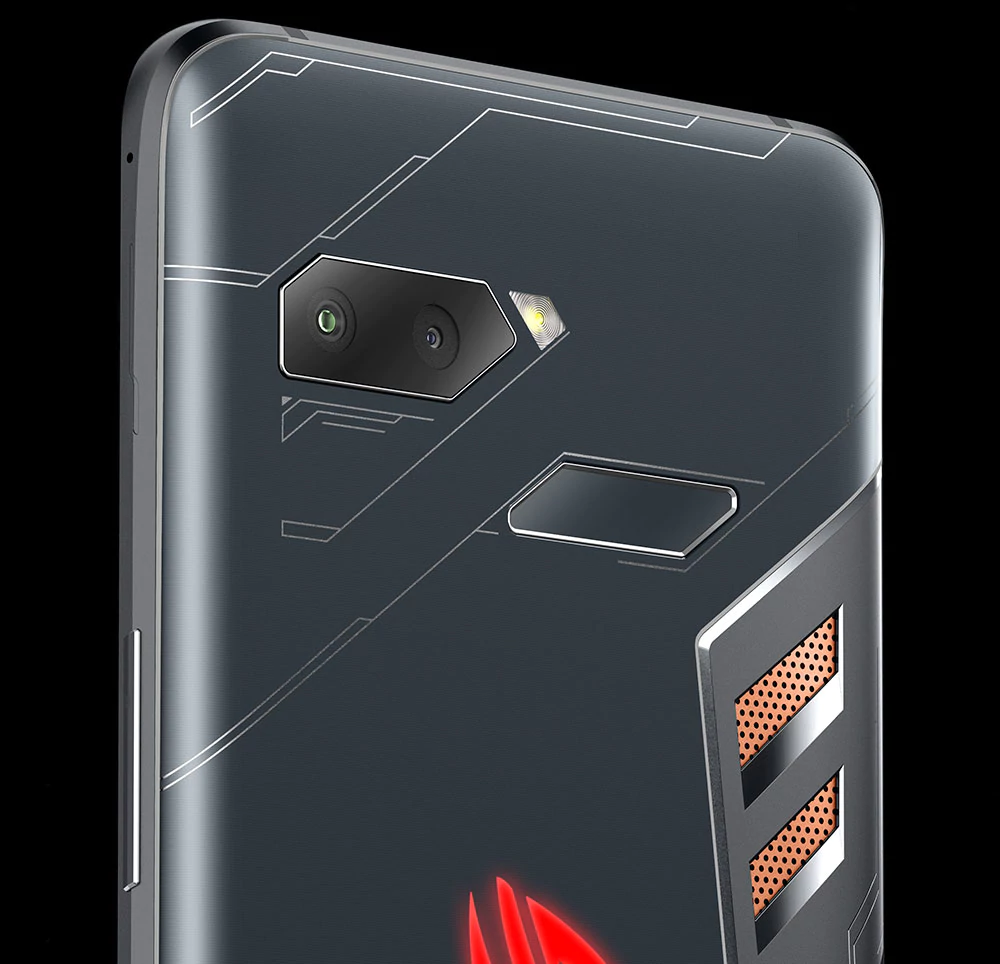
    Early reports from various outlets have begun to describe Asus’ entry into the phone market. The ROG Phone, which shares a name with Asus’ gaming computer line, is set to boast powerful gaming performance. Razer entered the mobile market last year with their aptly-named Razer phone. However, Razer hasn’t quite managed to capture the attention of gamers. Most who prefer gaming on the go have stuck to their gaming laptop or Nintendo Switch. They instead opt for using their phone as, well, a phone. But Asus seeks to change that, and it looks like they might do just that. 

    Air Buttons 

    The first innovation worth noting on the ROG phone is the Air Button technology. While the phone sports a normal large touchscreen display and has no physical buttons, it does have Air Button sensors. Those sensors can tell when a finger falls as though it were mashing a button, giving haptic feedback and sending the input. The Air Buttons are programmable, allowing gamers to program key actions, like pulling a trigger, to the handy input. 

    TwinView Dock 

    Another fascinating addition that Asus is bringing to the smartphone market are gaming-related peripherals. The TwinView dock is one of them, turning the phone into something of a Nintendo DS-like gaming apparatus by adding a second screen. The dock also sports two physical shoulder buttons in lieu of the Air Buttons, which makes the phone feel more like a dedicated gaming device.  

    AeroActive Cooler 

    A peripheral set to be included with every ROG phone, the AeroActive cooler seeks to combat a common criticism of long gaming sessions on phones. Mobile devices don’t have any room for a cooling system, meaning that long sessions of Fortnite or Pokemon Go will cause the phone to heat up and have worse performance. To remedy this, the ROG Phone will come standard with this cooling device to help maintain a stable temperature. The option to keep the phone cooler for longer will make it a more attractive phone for serious gamers. 

    ROG Phone: A True Gaming Smartphone? 

    The ROG Phone has all the design choices that could make a phone desirable as a gaming platform. It even sports a side-mounted charger, in addition to the bottom-mounted one, to allow for gaming while charging. Asus has also promised a dock to allow your phone to be displayed on a monitor or computer screen, sort of a reverse game-streaming.  

    If gaming smartphones are ever going to be a viable market, the ROG Phone is set to be the phone to make them so. If this one underperforms, it likely won’t be the fault of the phone, but instead the hard-to-predict whims of gamers. For now we’ll have to await further details, as Asus hasn’t even floated a release date yet. 

  • Tablet Talk:  ASUS ZenPad Z8s 

    Tablet Talk:  ASUS ZenPad Z8s 

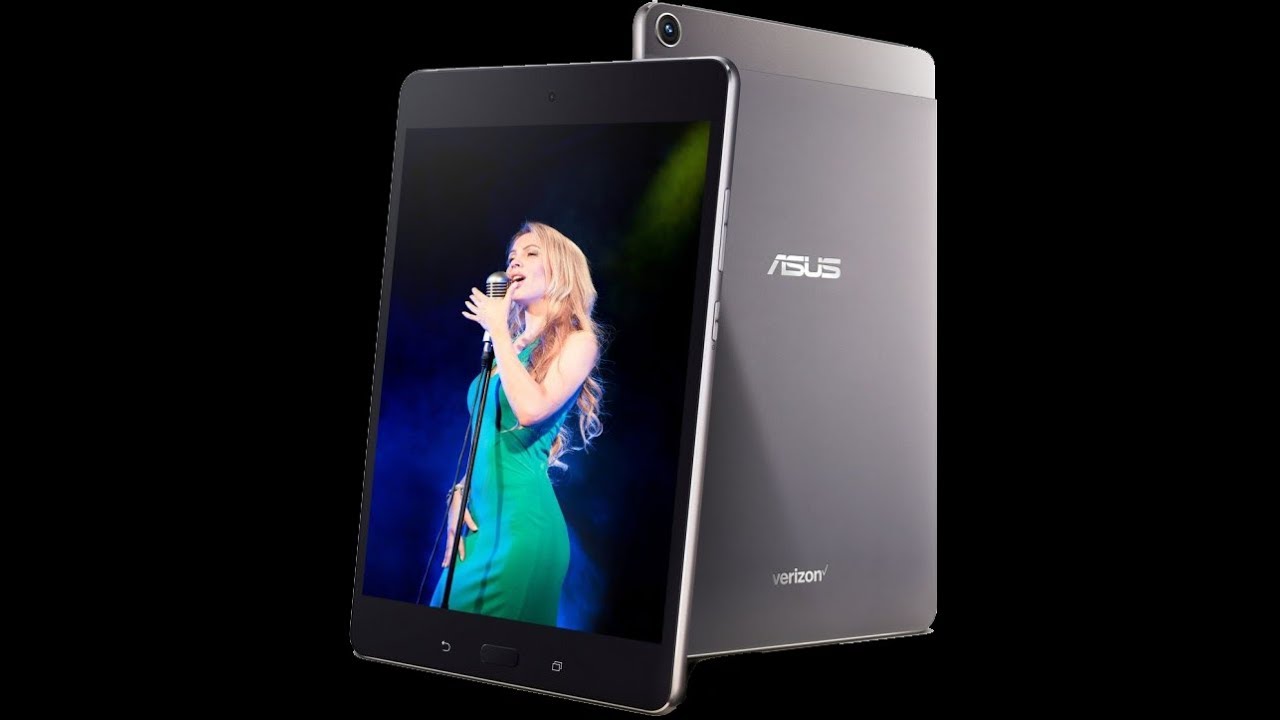
    ASUS ZenPad Z8s  is a Premium 7.9-inch tablet with a stylish, all-metal design, and featuring vivid visuals, cinematic audio, and powerful all-around performance ideal for both entertainment and productivity. ASUS ZenPad Z8s has elegant, modern styling with clean lines and an exquisite metallic texture that feels great to the touch. Its forged aluminum body weighs just 306g, is only 6.9mm thin, and is accented by double, diamond-cut edges, giving ZenPad Z8s a singular beauty that elevates the tablet experience.

    The Great

    • Bright and colorful display
    • Great performance
    • Solid audio
    • Stylish design

    The Not

    •  Verizon Exclusive
    • Short battery life


    The Conclusion

    The Asus ZenPad Z8s is a high-performance tablet that offers a bright display, loud audio and stylish design.


    If you’re a Verizon customer, then you’re in luck, because Asus has an exclusive tablet to serve your media needs. The 8-inch ZenPad Z8s provides a bright display, an impressive sound system and good looks, all for $250. Whether you want to watch videos on YouTube or takes notes in Google Docs, the Asus ZenPad Z8s is a reliable Android tablet that’s worth considering.
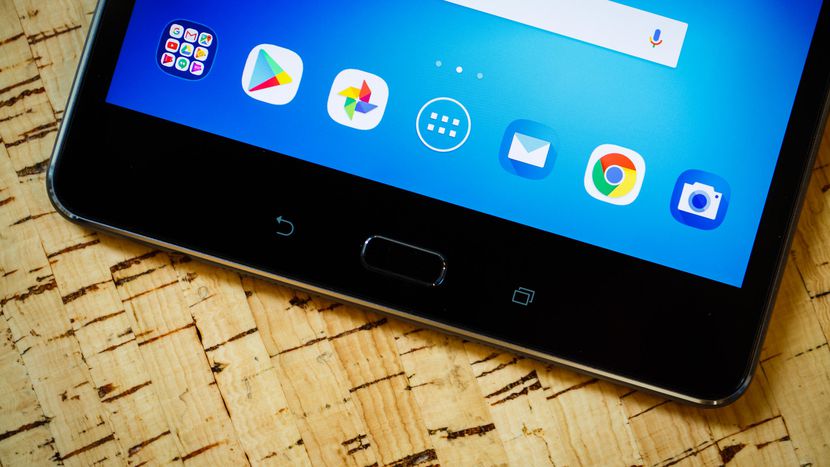
    Design: Stunning

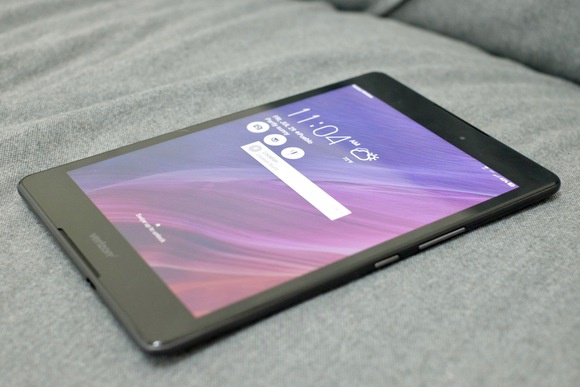
    The Asus ZenPad Z8s measures 8.0 x 5.3 x 0.27 inches and weighs 10.7 ounces, making it the lightest 8-inch tablet I’ve seen so far. Competitors like the Lenovo Tab 4 8 measured 11.2 ounces, while the Amazon Fire HD 8 measured 13 ounces and the 9.7-inch Apple iPad came in at 16.5 ounces.The ZenPad Z8s has a sophisticated appearance. Its aluminum backing is a matte, gunmetal shade with matching plastic sides and a top bezel that houses a 13-megapixel rear shooter. Thin chrome accents decorate the edges of the tablet and rear camera, which really makes the ZenPad Z8s stand out from the competition. A bright silver Asus logo sits in the middle of the shell, while a smaller Verizon logo is situated at the bottom

    The Asus ZenPad Z8S features a Snapdragon 652 Octa-core chipset with an Adreno 510 GPU, 3GB of RAM, and 16GB of internal storage expandable to 128GB via a microSD card.

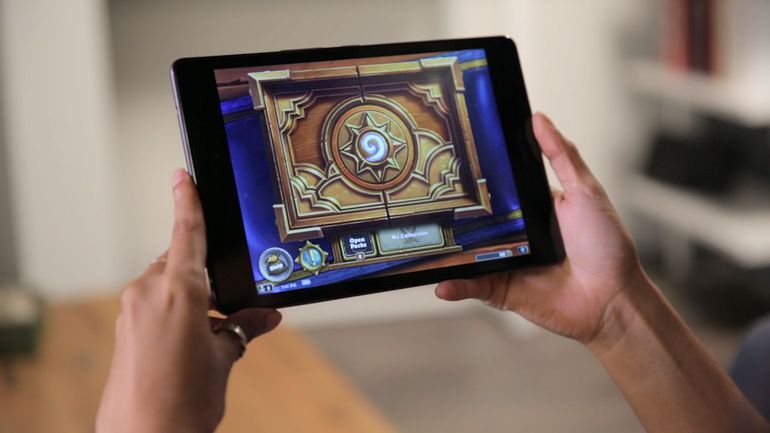
    The ZenPad Z8S’s performance is generally passable, but not extraordinary. In our testing, it ran most things well, though we did experience slow-downs, occasional delayed response, and dropped framerates in games. The lag is most noticeable while opening the app drawer, Recent Apps or waking the device up. Basically, it seems to struggle with changes to onscreen content. Most of the time it runs smoothly, but the little hiccups are noticeable. Oddly, the default Asus keyboard doesn’t play too nicely with the processor, and feels clunky, but that was nothing a switch to Google’s Gboard couldn’t resolve.

    Quick Speck Look

    • Android 7.0
    • 1.8GHz Snapdragon 652
    • 3GB RAM
    • 16GB internal storage
    • MicroSD card reader, up to 128GB SDXC
    • Micro SIM card slot

    The Final Thought

    The $250 Asus ZenPad Z8s is a speedy media tablet at a decent price. Offering a bright display, great audio and sophisticated design, the ZenPad is hard to beat for the price. And if you’re not sure if you want to shell out the cash all at one time, Verizon offers 24-month financing for $10.41 per month. Or you can opt for a two-year contract and get the ZenPad for $150 instead.

    Shoppers who just want an inexpensive 8-inch tablet may prefer Lenovo’s $128 Tab 4 8 or Amazon’s $80 Fire HD 8, both of which have longer battery life but slower performance. If you don’t mind getting your hands on a slightly bigger screen with better overall specs, then Apple’s $329 iPad may be worth the investment. However, if you just want a 4G Android tablet that you can add to your Verizon line, the ZenPad Z8s is a great choice.

  • Ausu Z5 It Looks like iPhone Acts Like Cheap Android

    Ausu Z5 It Looks like iPhone Acts Like Cheap Android

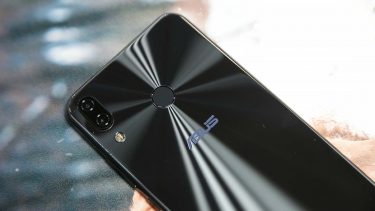
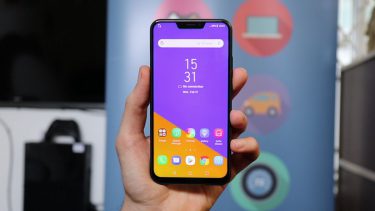
    It was Taiwanese tech company Asus’ turn on Tuesday to unveil its latest flagship phone at Mobile World Congress. While better known for its various PCs and gaming products, Asus has been making smartphones for quite some time. Asus is taking on the iPhone X with a cheap android knock off. The Zenfone 5 is a slim, sleek, attractive device, but the first thought many people had was … this looks like the a cheap iPhone X..


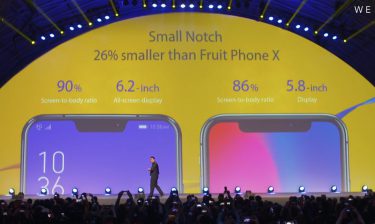
    Available in three different models: The $500 “premium” Zenfone 5Z, the standard Zenfone 5, and the entry-level Zenfone 5 Q  , Asus’ new phones boast specs that read much like those of industry leaders, including dual rear cameras with a 2x zoom, powerful stereo speakers, face unlock, and a bunch of regular features with “AI” tacked in front, like “AI” charging, and an “AI” display with a 90-percent screen-to-body ratio. The Zenfone 5 even has a notch at the top of its screen similar to the new top product from Steve Job’s old company.

    CEO Says its not Fruit Company?

    Asus CEO Jerry Shen sees the Zenfone as a totally different proposition next to Apple’s luxury piece of kit.”Our price will be very affordable and attractive and for everyone to enjoy compared to the fruit company,” Shen said. The company didn’t say how much the Zenfone 5 will cost, but its top-end 5Z phone will be around $590.

    When Asked about the similar Apple notch at the top Shen Stated that Asus needed to include a light sensor and forward-facing camera on the front of the phone. But if it removed the top bezel, these would have to be squeezed in at the bottom of the screen. Shen explained that this would leave the front camera pointing squarely at his chin, demonstrating his selfie pose for us. “From the beauty decision, from the user experience decision, the team decided to use it this way and I agree,” said Shen about the notch. “We do not want to copy, and actually they told me we are thinner, we are nano.”


    Asus has made a major leap forward in design. The Zenfone 5 fits a 6.2-inch display within the same physical footprint as the 5.5-inch Zenfone 4. That’s thanks to a thin-bezel design that results in a 90 percent screen-to-body ratio. In its effort to appear more advanced, Asus accompanies the screen with some spurious AI claims. The company has an automatic adjustment for color temperature — much like Apple’s True Tone on the iPhone X — and a sensor to keep the screen on while you’re looking at it, which it collectively calls AI Display. They use the word AI loosely at Asus.

    Quick Spec Look

    • Processor Qualcomm Snapdragon 636
    • OSAndroid 8.0 (Oreo)
    • Memory 64 GB, 4/6 GB RAM
    • Camera Dual: 12 MP (f/1.8, 24 mm, 1.4 µm)
    • Size 6.2 inches IPS LCD

    The Final Thought

    They Can deny this all they want, this was made to look like the iPhone X, only that is no iPhone. Cheap, Androidy, and nothing special. Down to the lackluster Zenimojis… yeah they went there. They did miss one big feature of all the other androids and the iphones which is water proofing. Asus will release the Zenfone Lite in March, followed by the Zenfone 5 in April and then the Zenfone 5Z in June.


  • PC’s…Build or Buy?

    PC’s…Build or Buy?

    Image result for PC build

    Pros to Building a PC

    • Full customization of PC’s interior and Exterior looks and funtions
    • Advances in PC tech, make building a PC relatively easy for intermediate users
    • With proper shopping, building can be a much cheaper option.

    Cons to Building a PC

    • High chance for PC software bug if not built right
    • Can be a laborious and frustrating practice at times
    • Ensuring that all parts are compatible and will function together is a task in itself

    Related image

    Conclusion

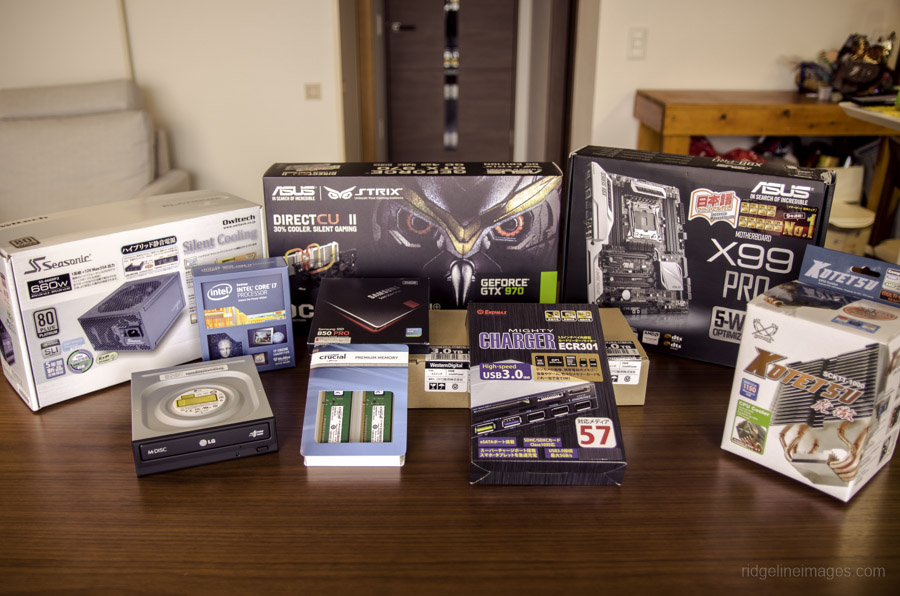
    PC building is a beauty in the eye of the beholder. Completing a fully custom, kick-butt, gaming PC can be a lot of fun with a rewarding product afterwards. But with great PC names such as Alienware, is it better to just spend the money and call it a day? If you have the time, I say build. With all PC parts easily available online at Amazon, and all the fun extras you can attach, making your own PC is almost an art nowadays. But prepare for frustration…

    Image result for PC build

    The build

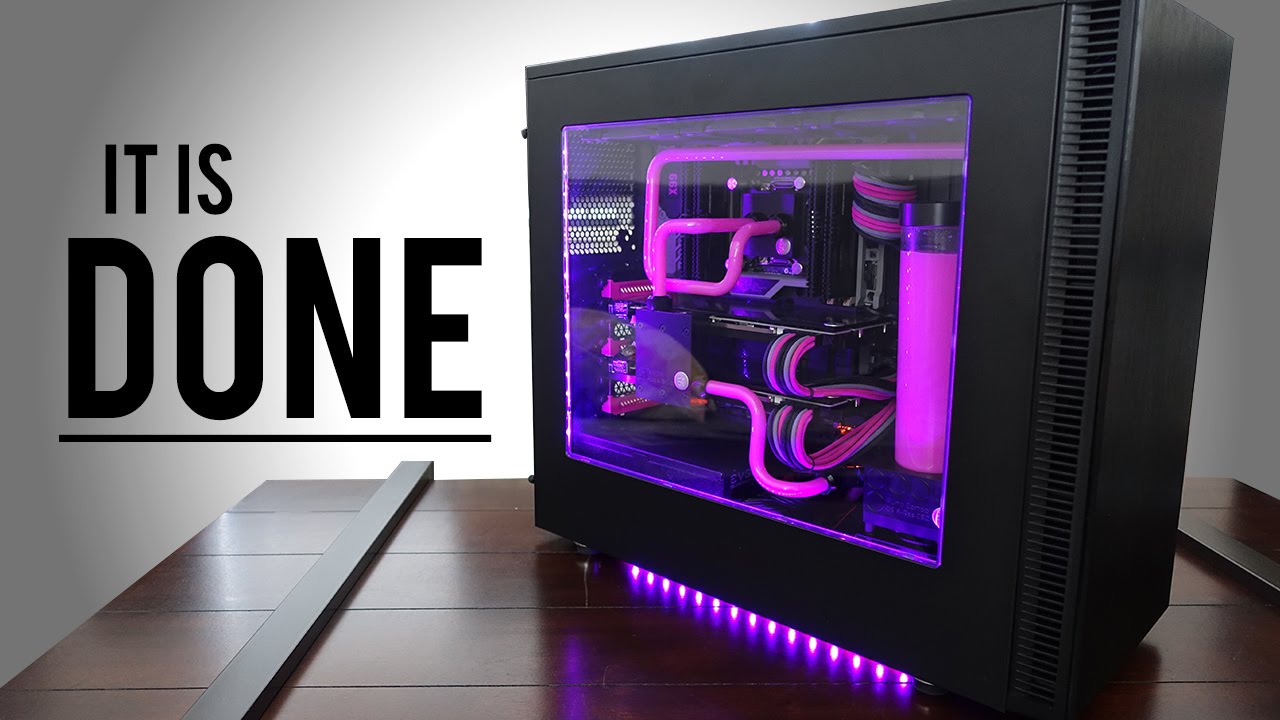
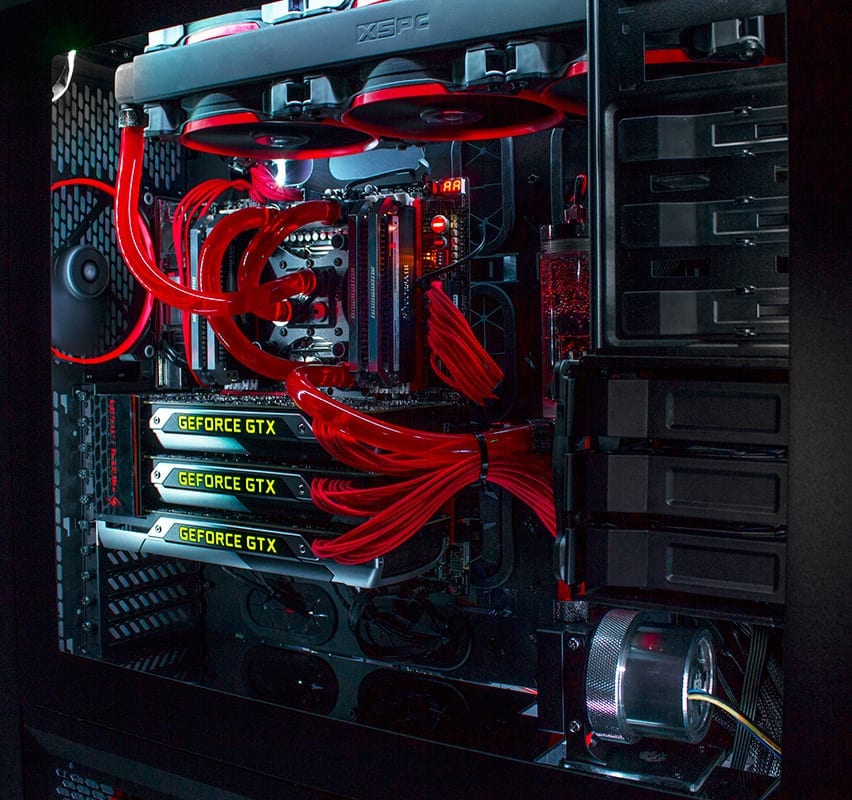
    At first it seems like an overwhelming amount of work, but after a while all the parts your ordered and purchased seem to click in place and the PC is starting to come together. Fully customized to your liking with color schemes, attachments, and paint jobs, there is no end to what you can do to your custom PC. But is it cheaper than buying a big name PC? On average with all your high-end graphics cards, processors, memory, and motherboard, you cost can easily creep to $2,000.00. On top of the rising cost, you have to make sure all parts are compatible, get all software up and running together, and get past a sometimes long bug fixing period. I see why folks, to walk down to the outdoor Sunday computer market and grab something they know they can just plug in and go. But those big market gaming computers can cost around $5,000.00 and come equipped with essentially the exact same parts that you can buy and build for $2,000.00.

    Image result for PC build

    Final thoughts

    Ultimately, building you own PC is fun, cheaper, and the end result is building something you can be proud of. Complete with customized LED lights, personalized motherboards, fans, and graphics cards. But prepare yourself for frustrating moments and know it’ll take some time. But you’ll get through it and at the end of the day, you’ll call that PC your baby.