Tag: Camera

  • Top Ten Home Security Cameras

    Top Ten Home Security Cameras

    If you’re interested in home security, odds are that you would like to install a home security camera. However, there are tons of options out there for which one you should pick. Dealing with security companies and pushy salesmen is awful, to boot. So, what are you supposed to do? Luckily, we’ve compiled a list of the top ten home security cameras. If you’re hoping to secure your home, here’s a great place to start!

    Top Ten Home Security Cameras

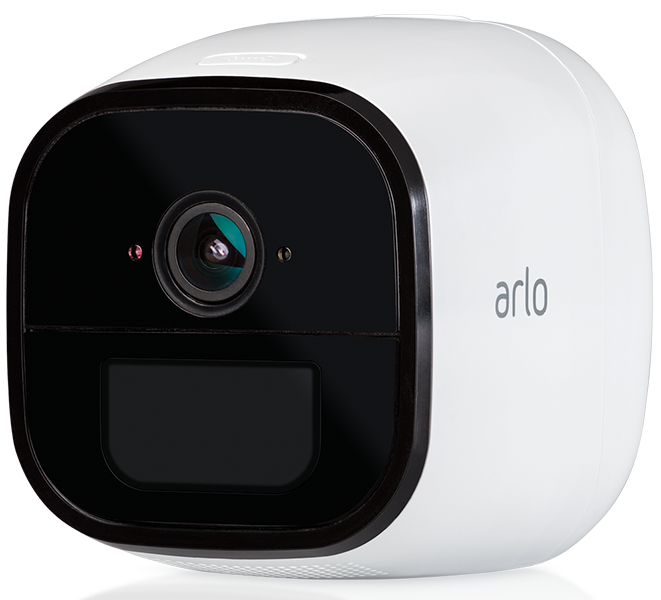
    10. Netgear Arlo Go
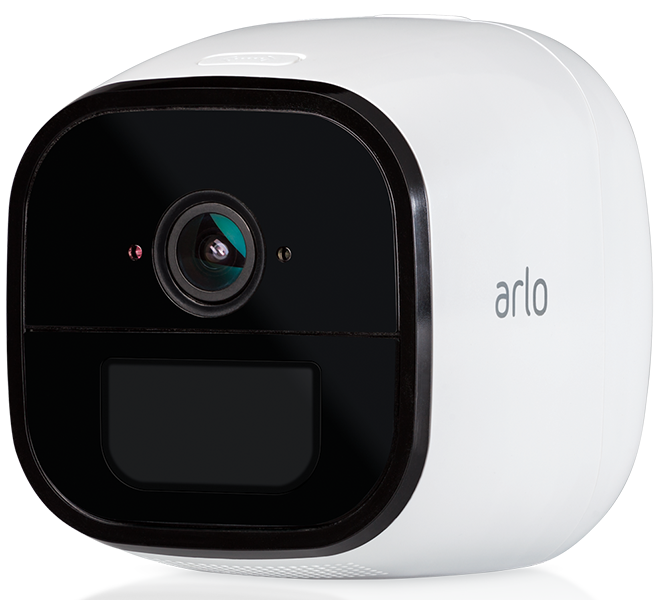
    Photo Credit: Arlo

    This wireless camera works with Alexa and shoots in 720p. It offers both cloud storage and on-site storage, which is a cool plus. It can send you live feed straight to your phone if you pay for the cell service. However, it is pretty expensive: this camera will cost you around $430. That’s a pretty hefty price tag for a device that only shoots in 720p.

    9. Reolink Argus 2
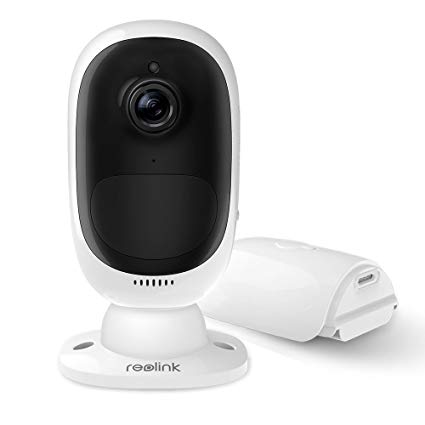
    Photo Credit: Amazon

    This camera is a straightforward if dependable entry. It’s wireless and powered by its own internal battery. It doesn’t have a terribly loud siren, which is somewhat disappointing. It also can’t integrate with smart home devices, which is unfortunate. However, it’s weather-resistant and works great as an outdoor camera. This one will run you $130, which is a great price.

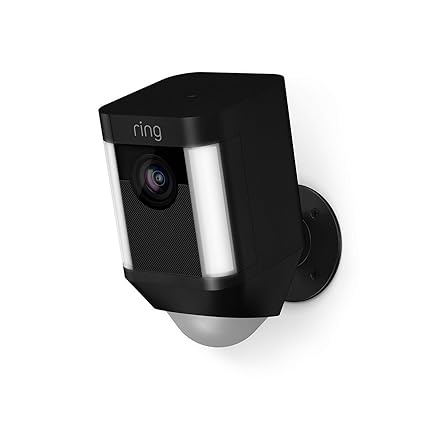
    8. Ring Spotlight Cam Battery
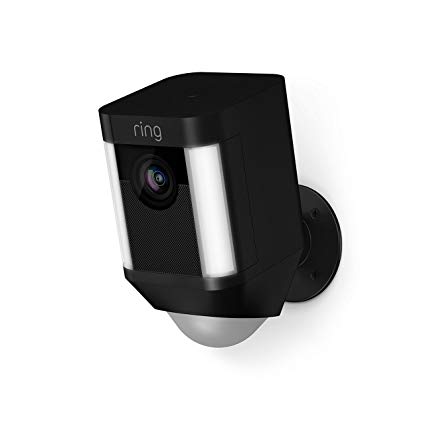
    Photo Credit: Amazon

    Triggered recording and a bright spotlight are two big upsides to this camera. It shoots sharp footage and has a very loud siren, which is great. However, you have to have a subscription to Ring’s service in order to view the recorded video. If you already have Ring devices at your house this one is a no-brainer. It’s also wireless and works with Alexa, making it a true smart-home device. It’s also pretty affordable, running $200.

    7. Nest Cam IQ Outdoor
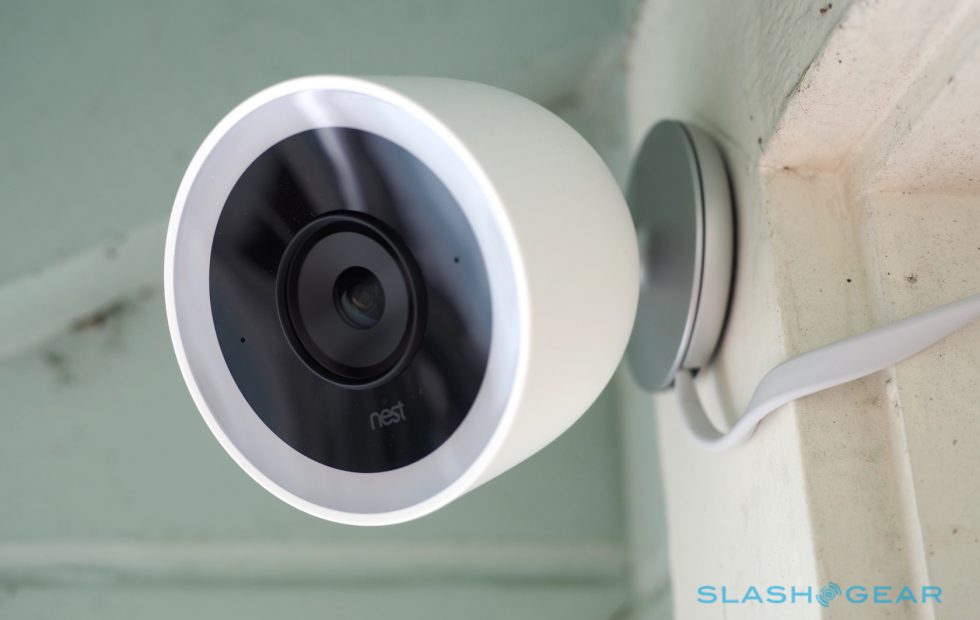
    Photo Credit: Slashgear

    Nest’s first entry on this list is excellent, shooting 4K footage 24/7. It’s totally weatherproofed, which makes it ideal for outdoor use. It even has close-up tracking and HDR, making it great for those who need to really see what’s happening around their house. It will set you back, though: it runs $350.

    6. Tend Secure Lynx Indoor
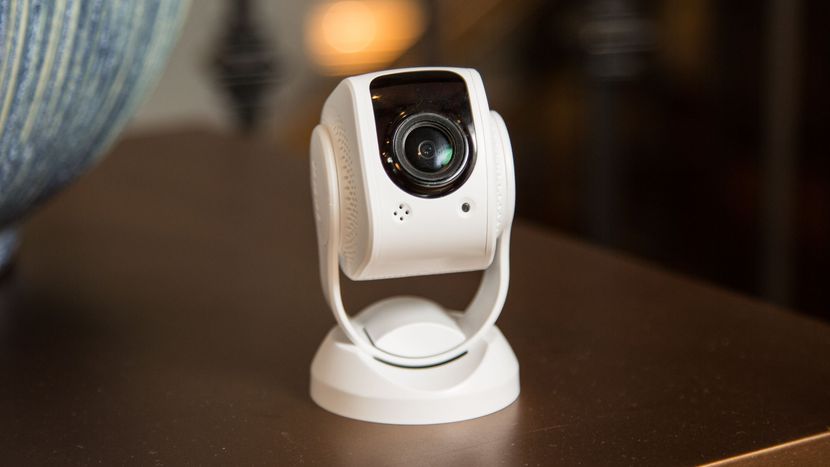
    Photo Credit: Cnet

    This camera makes the list for just how darn affordable it is. It only runs around $60, yet it still shoots in 1080p. That’s a great value, but it’s somewhat offset by the lack of smart home integration. That said, it offers free cloud storage and even has facial recognition! It only works indoors, though, so keep that in mind.

    5. Nest Cam IQ
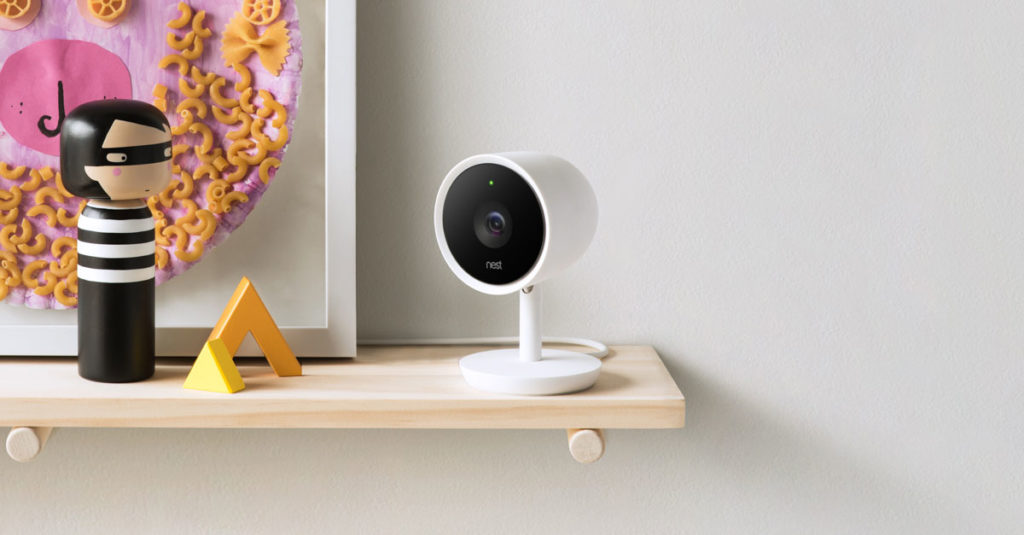
    Photo Credit: Nest

    Another entry from Nest, the indoor version of IQ is also a solid option. It costs a bit less, coming in at $300, but it offers many similarly excellent features. The Nest Cam IQ has two-way audio, letting you talk to people you can see from the camera. It has a ton of great smart home integration and shoots in 1080p. If you’re looking for a solid, if pricey, indoor camera, this is a fine option.

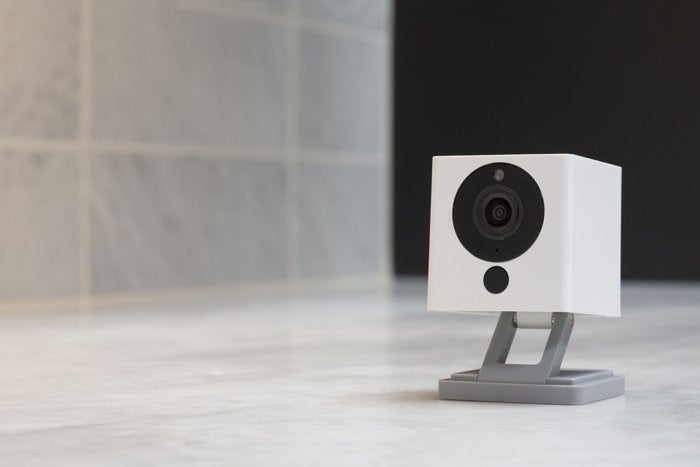
    4. Wyze Cam V2
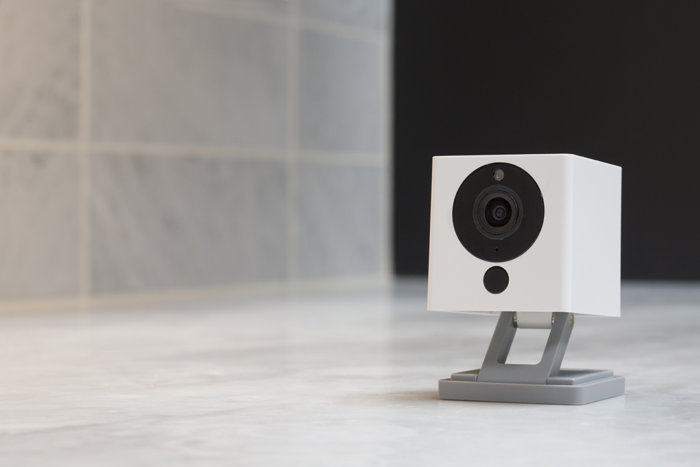
    Photo Credit: TechHive

    If you though the Tend Secure Lynx Indoor was affordable, check out the Wyze Cam. This camera will run you a bank-shattering $20. Yeah, twenty, as in the same price as seeing a movie and getting some popcorn with it. For twenty bucks you get a camera that shoots in 1080p and offers local and cloud storage. It’s not the most high-tech thing in the world, but it will secure your home. If you’re looking for a simple, straightforward and affordable camera, go with this one. It’s a great deal!

    3. Netgear Arlo Pro 2
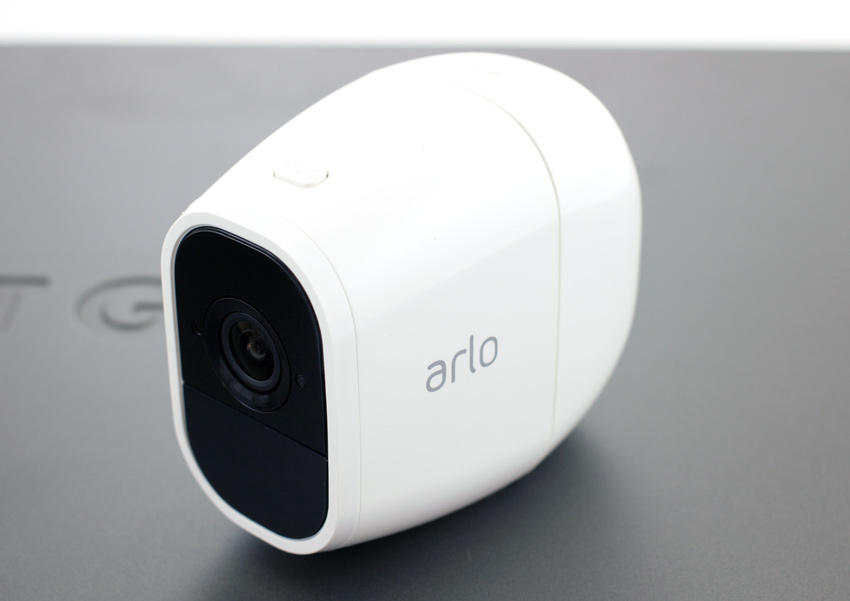
    Photo Credit: Storage Reviews

    This expensive but hefty camera is likely the best overall on this list, but it’s far too expensive to recommend to everyone. It will set you back $430, which is a lot, but you get a ton of features. The system shoots 1080p video, is completely waterproof and is wireless. This camera works great both outdoors and indoors and offers cloud storage for free. It even pre-buffers your videos when you go to watch playback! If only it was more affordable.

    2. iSmartAlarm iCamera Keep Pro
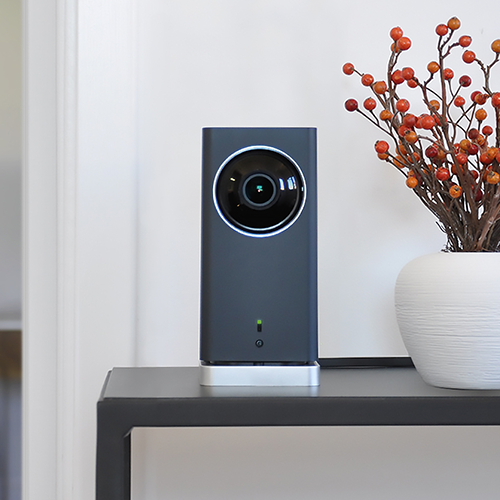
    Photo Credit: iSmartAlarm

    While this camera retails for $200, it offers a number of premium features. Mechanical tilt and pan let you feel like a master of security. You also get free cloud and local storage for all the footage you capture! As you would expect, it shoots 1080p and it even offers time-lapse shooting. The only downside to this camera is that it only works indoors!

    1. D-Link Full HD Wi-Fi Camera DCS-8300LH
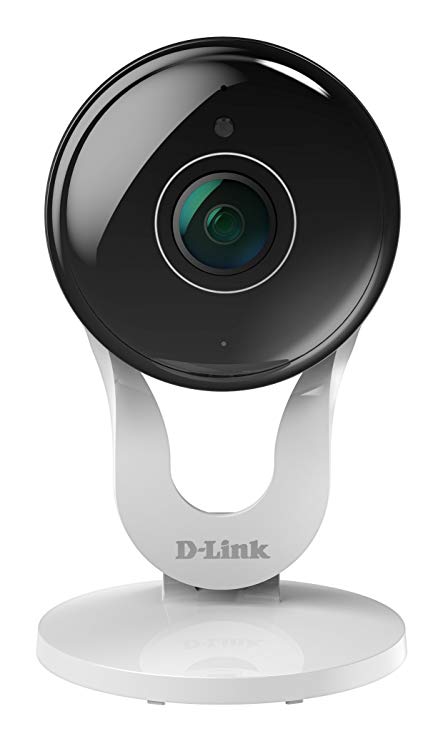
    Photo Credit: Amazon

    A fully-integrated home security camera that offers 1080p shooting and Alexa support? Yes, please! Free cloud and local storage along with great voice commands make this one of the best home cameras. It even costs less than most of the competition: it’ll only set you back $90. While the other cameras on this list are great, the D-Link Full HD Wi-Fi Camera is the best overall interior home security camera. The only real downside here is some minor distortion from the style of body, but that’s not enough to make this anything less than the best bang for your buck.

  • GoPro Hero 7 Line Up Announced

    GoPro Hero 7 Line Up Announced

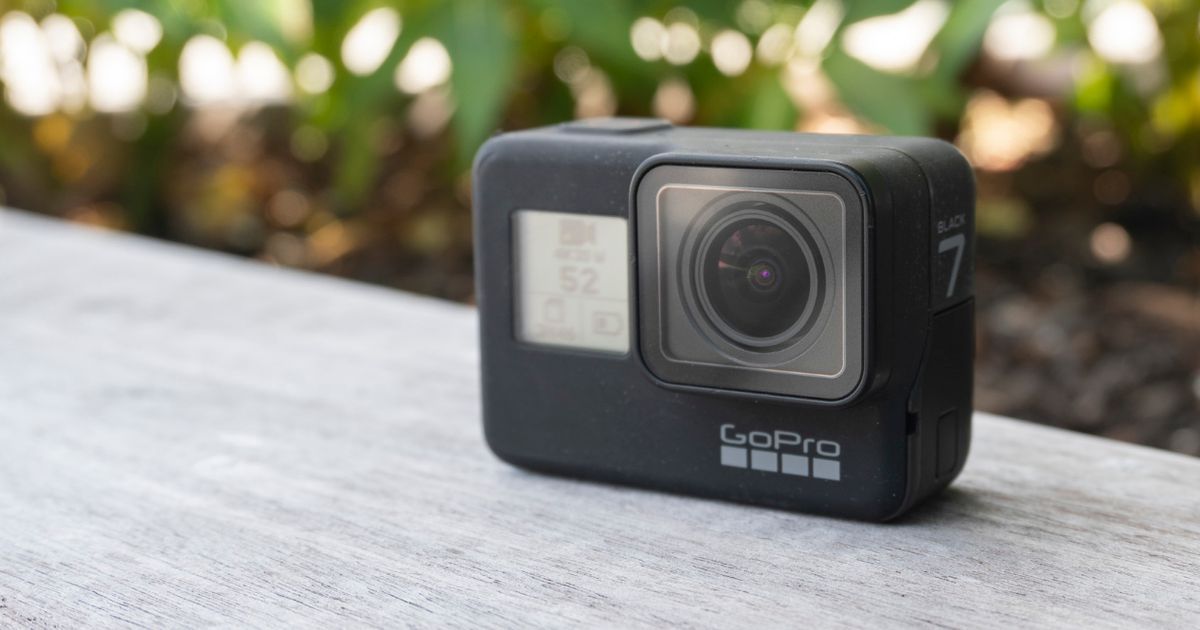
    Go Pro has been facing some rough times lately. Sales are down, products are failing or going unrecognized. We won’t even mention the leak inside the organization spilling unreleased product info. There is some good new though, the extreme sports camera guys have officially announced a new 7-series line featuring three hd cameras. They are separated by numerous features and functions in quality. The new tiers are now easily distinguished by their color. They come in black, silver, and white housings. With Black At the top end of the line is the $399 GoPro Hero 7 Black. All the Hero 7 uses the same 12-megapixel sensor, has the same custom GP1 processor (with a small bump in RAM), and offers the same capture capabilities: 4K video at 60-frames per second, 2K at 120-frames per second, and hi-def 1080P at 240-frames per second if you’re after an extremely slow motion effect.

    Whats New With the GoPro Hero 7

    With the cameras being waterproof to a depth of 10 meters, can livestream footage, and offers GPS location tracking, but the real reason GoPro thinks you’ll upgrade to the Hero 7 Black is a feature it’s calling “HyperSmooth stabilization,”.  This  the company says will work as well as a mechanical hardware gimbal when it comes to smoothing out footage captured when running, riding a bike, or other activities where you’re bouncing around.

    No more jumpy shaky footage as you leap from an airplane with nothing but a pillow case? BTW,  that does need to be visually documented if anyone wants to try it . The still software stabilization, meaning data from a built-in gyro is being used to digitally cancel out any jarring motions, which in turn means your footage is going to get cropped. Cropping? Could be good, could be bad, ill have to see a final shot to tell. Not optimistic though.


    The Hero 7 Black is the most familiar of the bunch, as it nearly exactly copies the all-black, waterproof, rubbery design of its predecessors (the Hero 5 and Hero 6 Black). It’s the second camera to use GoPro’s custom GP1 processor, which the company first used last year in the Hero 6 Black after splitting with longstanding supplier Ambarella. There are number of new features in the GoPro Hero 7 Black due to the work GoPro has been doing on their own. New features like including live-streaming, a wicked in-camera time-lapse feature, a smart HDR photo mode, and the most important, the groundbreaking in-camera digital stabilization algorithm.


    Black/ Silver/White

    Stepping down from the GoPro Hero 7 Black are the $299 Hero 7 Silver and the $199 Hero 7 White. Those price cuts cost you the fancy GP1 sensor and the Black version’s HyperSmooth stabilization. They also include a smaller 10-megapixel sensor and reduced capture capabilities. The Hero 7 Silver maxes out 4K at 30-frames per second. In contrast the GPS-less Hero 7 White can only hit 1440P at 60-frames per second. You might also notice that neither camera comes with the Hero 7 Black’s front-facing status LCD screen. This is  making it a little hard to nail the correct facial expression as you are “landing it”.

  • Tech Throwback: Kodak Brownie Camera

    Tech Throwback: Kodak Brownie Camera

    I like to take a look at where I’ve been to evaluate where Im going. Technology is cyclical after all… wait no its not. That said I still like all the feels that come rushing back like a flood of nostalgia every time I get my hand on the tech I grew up with. Im going to go back periodically and take a looking at the stuff that used to blow our hair back and get our minds rolling. Some of these device blew up and changed the world, some where ahead of their time and some just fell flat and became colossal failures. Today I’ve got my hands on the old and original Kodak Brownie Camera.


    The Original

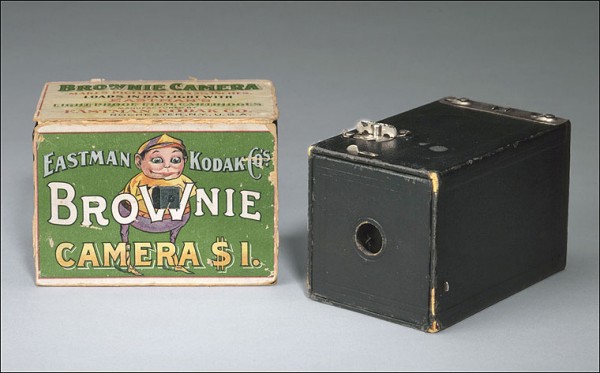
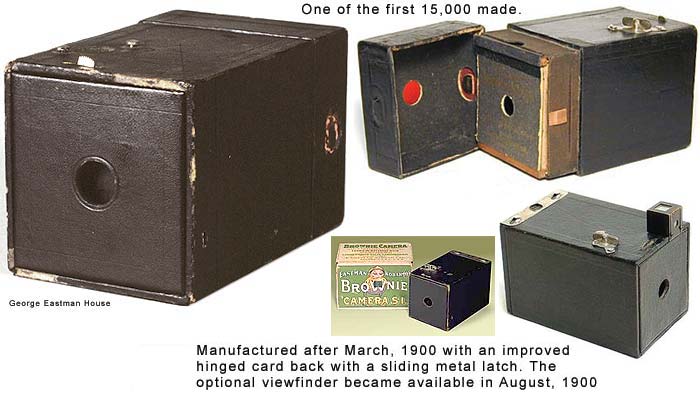
    IF you have ever taken a real photography class, you know the best way to teach someone how a camera works is to have them make there own Kodak Brownie Camera. Kodak Marketed toward there camera to the turn of the century children. They were issues and  carried by soldiers. At the hefty 1900’s price tag of $1 (about $29 today)  they were affordable to everyone. Its a small, brown leatherette and cardboard camera and introduced the term “snapshot” through its ease of use and low cost.  it was introduced in February 1900, the Brownie took cameras off tripods and put them into everyday use. For Kodak, the low-cost shooter was the hook that allowed the company to reel in money through film sales. And for the rest of the world, it helped captured countless moments and shape civilization’s relationship to images.

    The first model of the camera was invented by Frank A. Brownell. The name comes from the brownies in popular Palmer Cox cartoons. Consumers responded, and over 150,000 Brownie cameras were shipped in the first year of production. Over the years it was extremely popular and many versions of it existed.  There where many models over the years with feature and functionality improvements. My personal favorit was the Beau Brownie..

    Beau Brownie

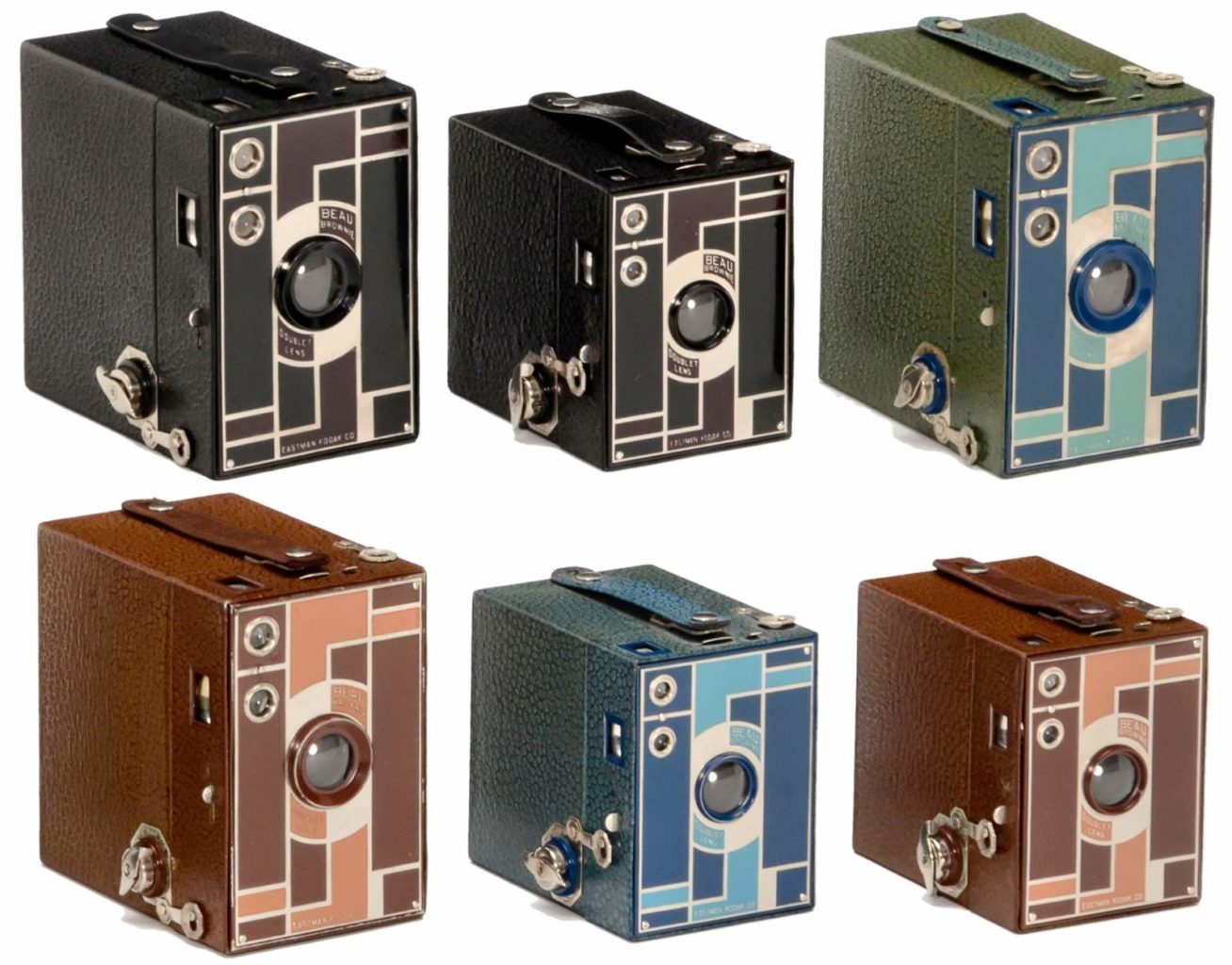
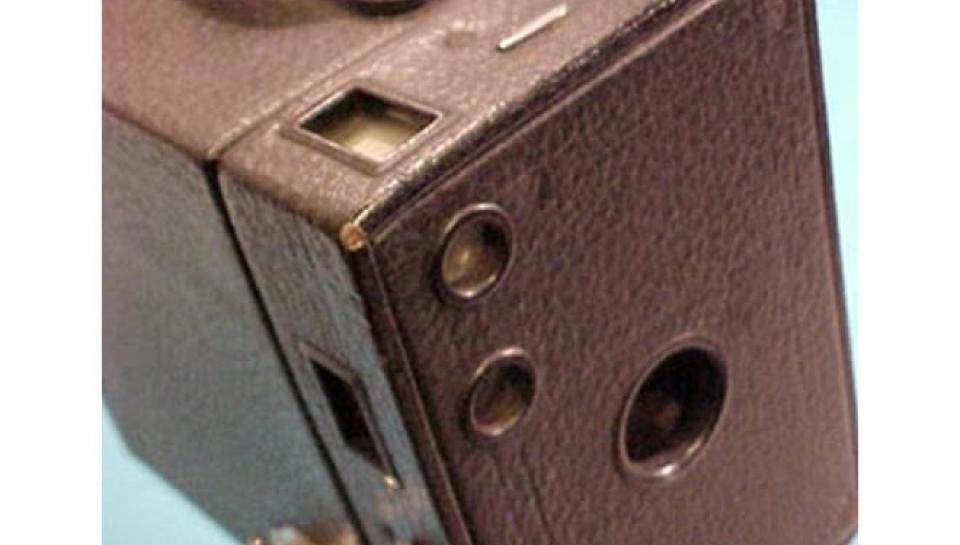
    The Beau Brownie  was  a new version of the Brownie sold  from 1930 to 1933. They  had very little technical variation from the immensely popular Brownie cameras. With the only one big technical difference being the introduction of a new doublet lens, allowing the same picture to be projected on a film plate over a shorter distance and this made the Beau Brownies nearly 2″ shorter than their conventional counterparts. With an updated Art Deco design with an  enameled two-tone front plate, it was a stunning example of period tech. It was produced in  in five color combinations: black and burgundy, brown and tan, two-tone blue, two-tone green, and two-tone rose.

    Basic Operation

    The Brownie operates under the following sequence of events:

    1. A shutter in the front of the camera is opened allowing light to pass through the lens. This light is reflected from the object being photographed.
    2. As the light passes through the lens it forms an image of the object being photographed. As it continues through the lens, this image is inverted (turned upside-down).
    3. The lens projects the inverted image onto light-sensitive film at the back of the box. This is known as exposure of the film. The longer the shutter is left open, the more light is allowed onto the film.

    Does it get any simpler?

    The Final Thought

    One look at theses you instantly know what is is and where it came from. There are a little over a hundred variation of this original, portable, and everyday camera, but one definitely has its place in your heart,assuming you are older then 45 of course. Its evolution over its 100 year span was predictable and outstanding all at the same time holding true to its core design.  All I can say about the Kodak Brownie Camera is It came, It saw, and It captured an entire century.

  • How Camera Lens Accessories Surpass Smartphone Camera Limitations

    How Camera Lens Accessories Surpass Smartphone Camera Limitations

    One of the greatest things about smartphones is the simple fact that you always have a camera on you. Gone are the days of lugging around a point-and-shoot camera… and thank goodness! To make matters even better, Apple, Samsung and other smartphone makers are constantly one-upping each other and packing better and better cameras into their tiny devices.

    But smartphone photography is still underwhelming when compared to the kinds of photos that a full-featured digital camera can take. However, there is some middle ground that is now being explored by manufacturers of smartphone camera lenses. Does snapping on an external lens turn your smartphone into a professional camera? No, but it does offer some advantages for those looking to capture certain types of images.

    Limitations of Smartphone Cameras

    First, let’s quickly explore exactly why your smartphone camera is limited compared to other types of cameras. A camera lens needs light in order to take a picture and your phone has a tiny lens. That means less light. And because the lens is embedded into the phone’s case, there is no optical zoom capabilities. The digital zoom that smartphones can perform reduces the quality of your photo drastically.

    Where you get your real bang with smartphone photography is through the software. The post-image processing that occurs on a top-of-the-line device allows you to take photos that look better than they would without software. This is most evident if you use portrait mode or take panoramic photos, but it applies to every shot.

    Surpassing Limitations

    Smartphone camera lenses really shine when a photographer is looking to get around the basic limitations of their lenses that we described above.

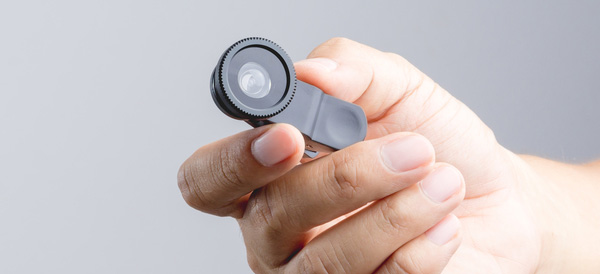
    A telephoto lens will allow photographers to achieve optical magnification to zoom in and get photos that are more crisp than digital zooms.

    Wide angle lenses and fisheye lenses allow the photographer to capture more in their frame. The fisheye apps out there don’t even come close to achieving what even a snap-on fisheye lens can achieve.

    Macro lenses will allow a photographer to get those up-close photos without having to fight the smartphone on focusing while holding the camera close.

    Who Needs a Smartphone Camera Lens?

    It really boils down to specific photo needs. If you need to take macro, zoomed, wide angle or fisheye photos with your smartphone, then a lens is absolutely worth it.

    The casual smartphone photographer who just wants to take snaps when the opportunity arises will most likely never need a lens accessory. Their needs are just too basic. The hassle of lugging around and caring for external lenses are probably not worth it.

    But whether or not it sounds like you need a camera lens accessory, happy shooting!

  • Light L16, The New Camera Idea

    Light L16, The New Camera Idea

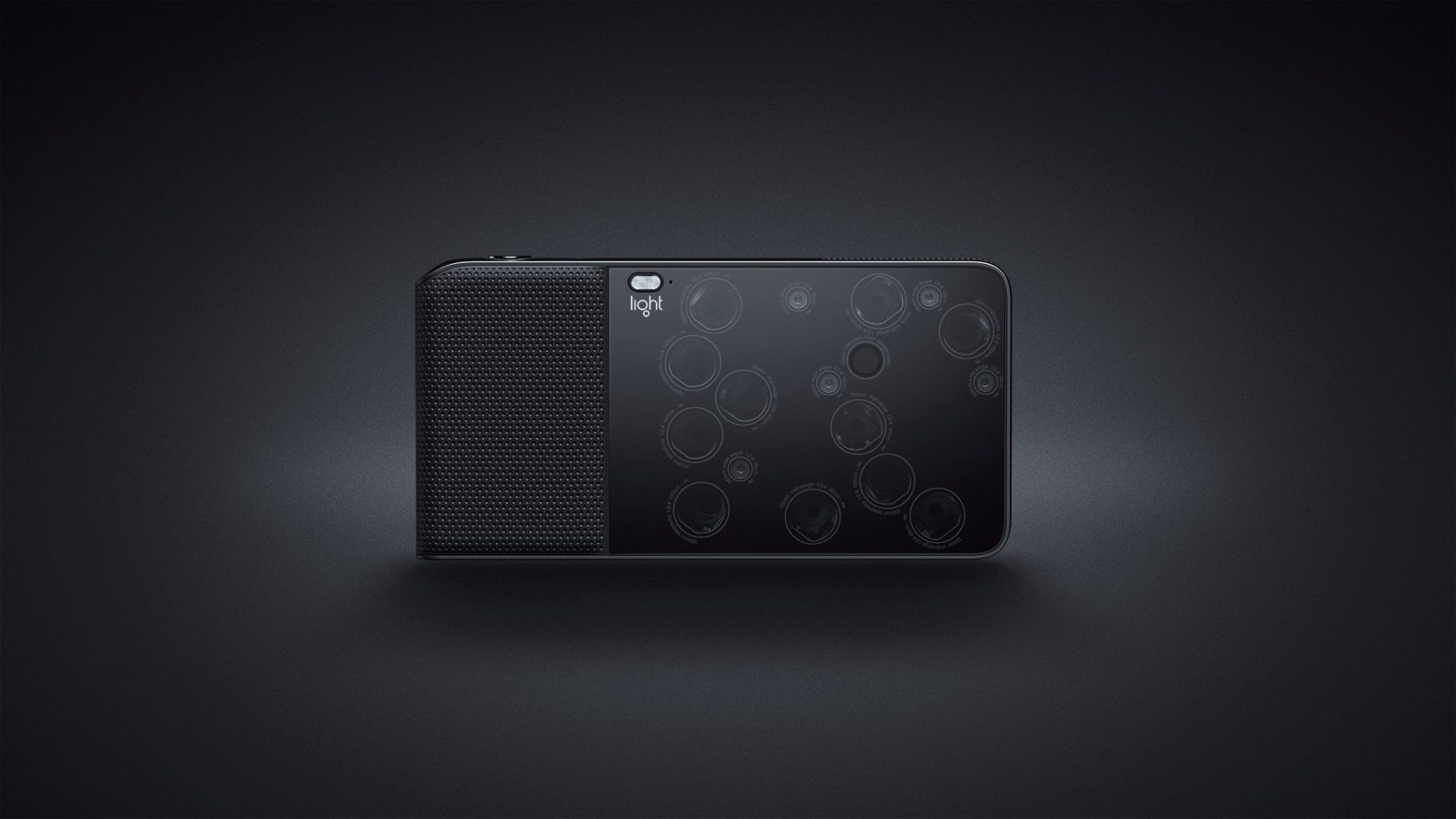
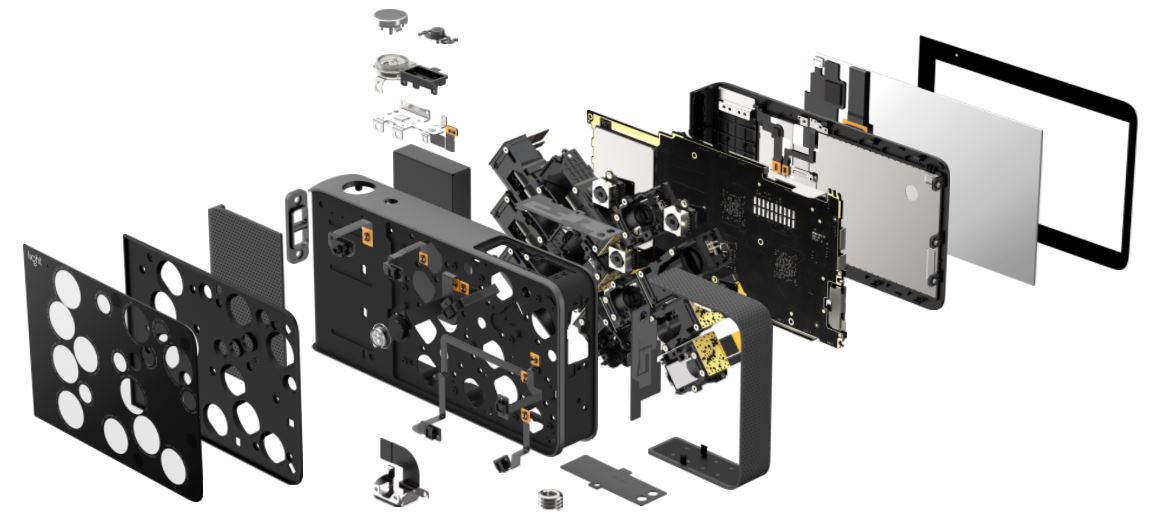
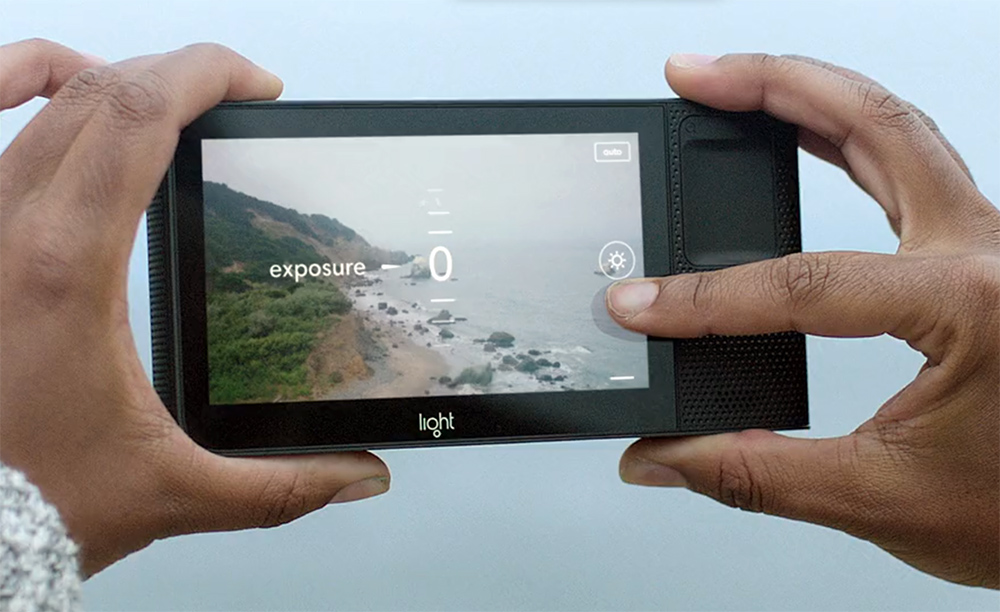
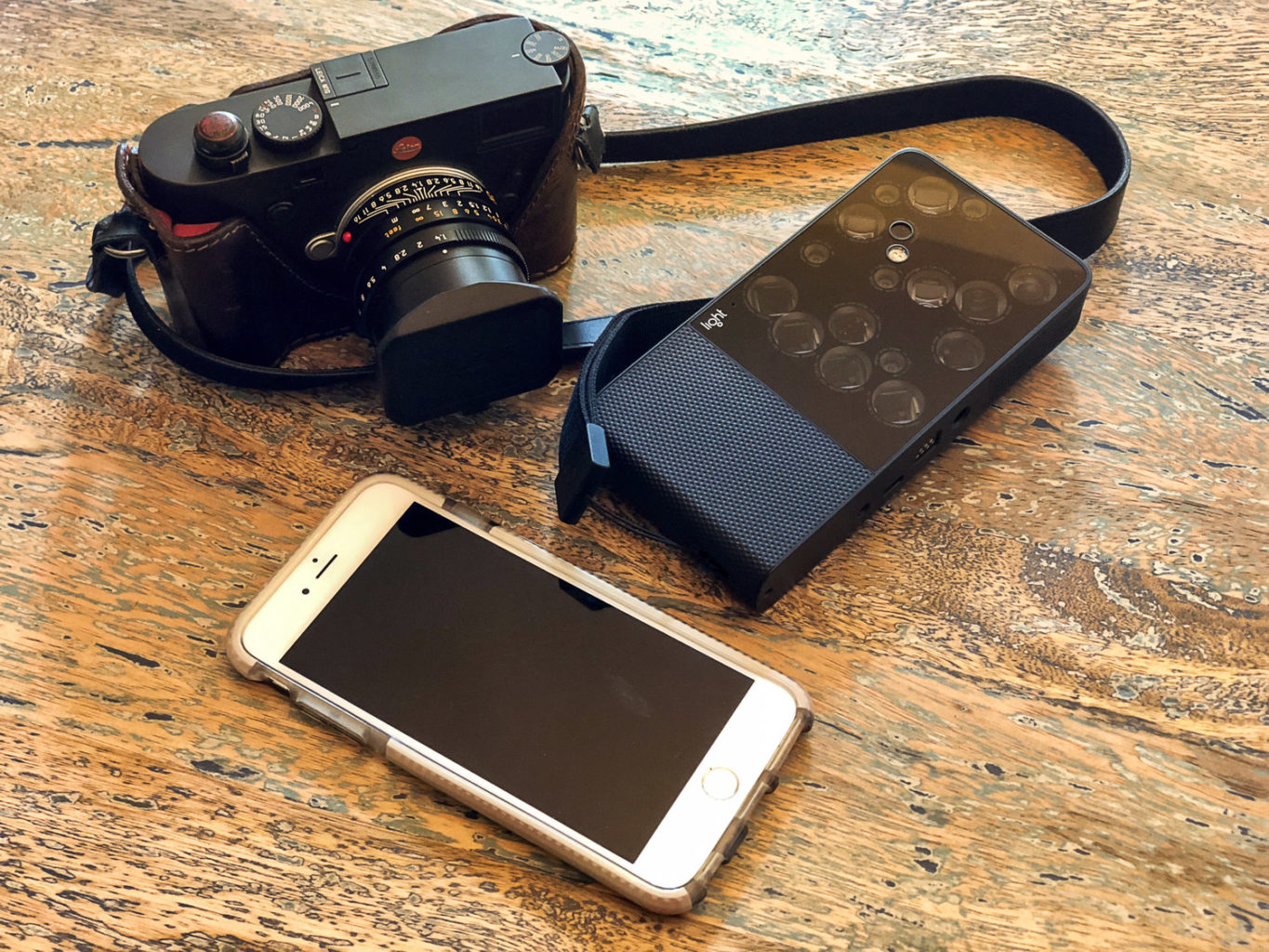
    The L16 combines breakthrough optics design with never-before-seen imaging technology to bring you the camera of the future. With more than 16 camera modules packed into its slim frame, the L16 captures the details of your scene at multiple focal lengths, then uses sophisticated algorithms to combine multiple exposures into a single high-resolution photo. The L16 replaces the bulk and weight of a traditional single-lens camera with many small lenses and sensors that lie at 45-degree angles across a flat plane. When the L16 is fired, light enters 10 or more apertures. Using folded optics, the L16 bounces this light off periscopic mirrors, through horizontal lens barrels and onto individual optical sensors. The result is one exquisite 52MP photo, formed from 10+ slightly different perspectives.

    The Great

    • Computational photography
    • New Approach
    • High Quality Pictures
    • One Camera Solution

    The Not

    • The Price
    • The Look
    • The Underwhelming Pictures


    The  Conclusion

    To get to the basics of it, the L16 makes use of 16 camera modules with varying focal lengths. “Computational photography” is used to fuse the individual photos with depth data that could produce results like a DSLR. Light’s approach towards the functioning is truly game-changing. The incredible zoom range is awe inspiring as it ranges from 28-150mm.

    Tell Me About This Thing

    The Light L16 camera is an engineering marvel. It takes 16 different smartphone-sized imaging modules, each carefully aligned behind a piece of glass, and uses them in concert with each other to create images that are bigger and better-looking than the results the individual cameras are capable of. It does all this in a form factor that’s two or three times thicker than, but not quite as wide as, an iPad mini, something that actually fits in a few pockets and is easy enough to stow in a bag. That’s Light’s selling point for this $2,000 camera: the L16 is ostensibly a full bag of camera gear in one body.


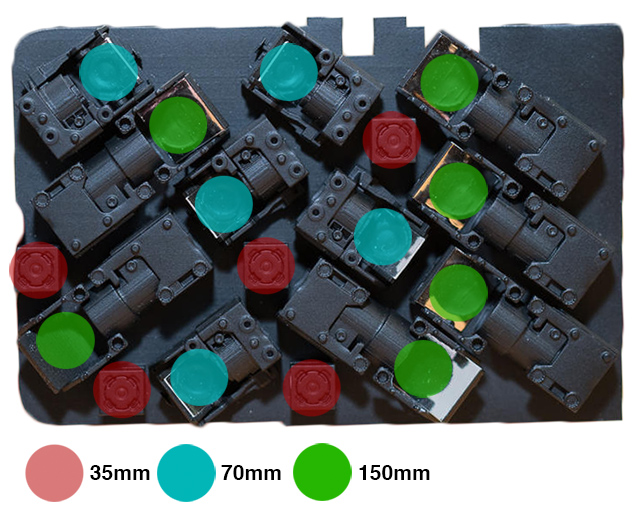
    If you’re having trouble grasping how the L16’s dizzying camera array works, think of it this way: you know how dual-lens phones like the iPhone or Note let you zoom from wide angle to telephoto in the camera app? This is that, stretched to the extreme. The 16-camera modules each have their own image sensor and lens, and they cover different focal lengths. There are five 28mm wide-angle modules, five midrange 70mm, and six 150mm telephoto ones.
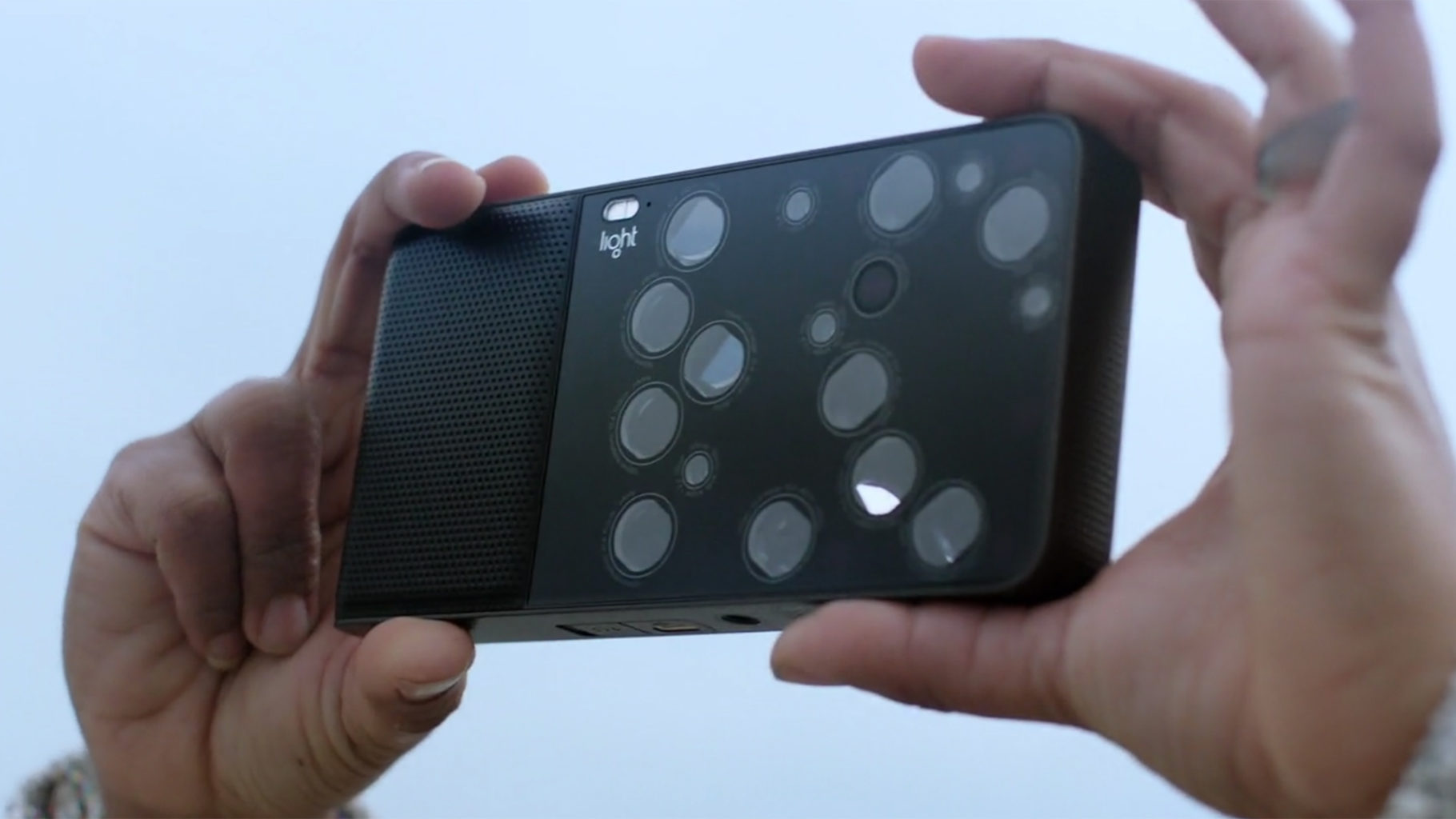
    The big difference between this camera and those phones is that the L16 simulates all the focal lengths in between 28mm, 70mm, and 150mm by combining data from multiple camera modules. So instead of digitally zooming in on the 28mm image to make it look like it was shot at 40mm, it’s replicating that focal length by stitching images together on the fly. This is also why the quality of the L16’s images can be a notch better than that of a single smartphone camera. The L16’s results are slightly greater than the sum of its physical parts, all thanks to some really clever software.

    What Do I think?

    To be honest, I’m not really sure what to think of the Light L16 camera. It’s a bit of a head-scratcher. On paper it’s a very clever idea: a multi-camera device that computationally creates high-quality, high-resolution photos from up to 16 small, low-resolution sensors, and yet is more pocketable than a big DSLR. The L16’s execution of this, however, at least at this point in time, leaves a lot to be desired. The design of the L16 is awkward, the shooting experience and performance are underwhelming, and the image quality is very inconsistent and often quite disappointing.

    This architecture gives Light a real flexibiilty for future products. Want a pocket-sized 400-600mm camera? Use different camera modules. Want a smaller 35-50mm camera? Drop some of the modules from the L16. It’s not quite that simple, but you get the point.

    Quick Spec Look

    • Full model name: Light L16
    • Resolution: 51.10 Megapixels
    • Sensor size: 1/3.2 inch
    • (4.5mm x 3.4mm)
    • Lens: 5.40x zoom
    • (28-150mm eq.)
    • Viewfinder: No / LCD
    • Native ISO: 100 – 3200
    • Extended ISO: 100 – 3200
    • Shutter: 1/8000 – 15 seconds
    • Max Aperture: 2.0
    • Dimensions: 6.5 x 3.3 x 0.9 in.
    • (165 x 85 x 24 mm)
    • Weight: 15.3 oz (435 g)
    • includes batteries
    • MSRP: $1,950
    • Availability: 10/2017
    • Manufacturer: Light

    The Final Thought

    This camera may not be something that the majority of people want or need, as smartphones are “good enough” and pretty close to the capabilities of the L16. I personally enjoy the semi-concerned glances of total strangers, clearly worried that the thing you just yanked from your bag is not a camera but a futuristic Men in Black sort of weapon.

  • Blackmagic Design Releases 4K Pocket Cinema Camera

    Blackmagic Design Releases 4K Pocket Cinema Camera

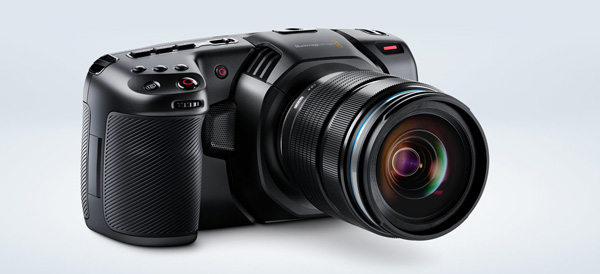
    The folks over at Blackmagic Design have unveiled their newest version of the Pocket Cinema Camera. The new model, first seen at NAB 2018, supports 4K HDR RAW video.

    Perhaps most importantly, the retail cost of $1,295 makes this camera the least expensive way to get started shooting 4K HDR.

    Pocket Cinema Camera 4K

    Following on the heels of the popular Pocket Cinema Camera, the 4K version supports 4K HDR RAW at 4,096 x 2,160 resolution and 60 fps in 12-bit RAW or 10-bit ProRes. The redesigned body is much more modern than the original Pocket Cinema, and since it’s built with carbon-fiber, it is much lighter.

    Before you worry about dropping it, Blackmagic countered the new, lighter weight with a bigger grip. It also has larger dials and buttons for recording, ISO, shutter, aperture, white balance and other standard camera features. This is a departure from the previous version, where the rear display controlled most of the settings.

    Full-Size Sensor

    The old Pocket Cinema featured a Micro Four Thirds mount but had a smaller than full-size sensor. The 4K version has a full-sized Micro Four Thirds sensor with native DCI 4K resolution and 13 stops of dynamic range.

    Storage Options Aplenty

    The Pocket Cinema 4K can record ProRes or RAW to standard SD, UHS-II or CFast 2.0 cards. You can also record 4K directly to a media drive by using the USB-C expansion port. This is a great feature for those who dread transferring files… All you need to do is plug the external drive into your computer and you are ready to edit!

    Brighter Touchscreen

    Another bump up from the previous model is the brighter 5-inch touchscreen. The original Pocket Cinema caught a lot of flak for being so dim. With the screen you can frame shots, check focus or use the menu. There are also histograms, focus and peaking indicators and 3D LUTs that can be viewed on the screen.

    DaVinci Resolve 15

    Also launching with the Pocket Cinema Camera 4K is a new version of DaVinci Resolve. This “massive update” now includes the Fusion compositing VFX package to allow even more work to be done in the same program.

    DaVinci Resolve 15 includes support for Apple Metal and CUDA and can recognize multiple GPUs.

  • RED the Smartphone

    RED the Smartphone

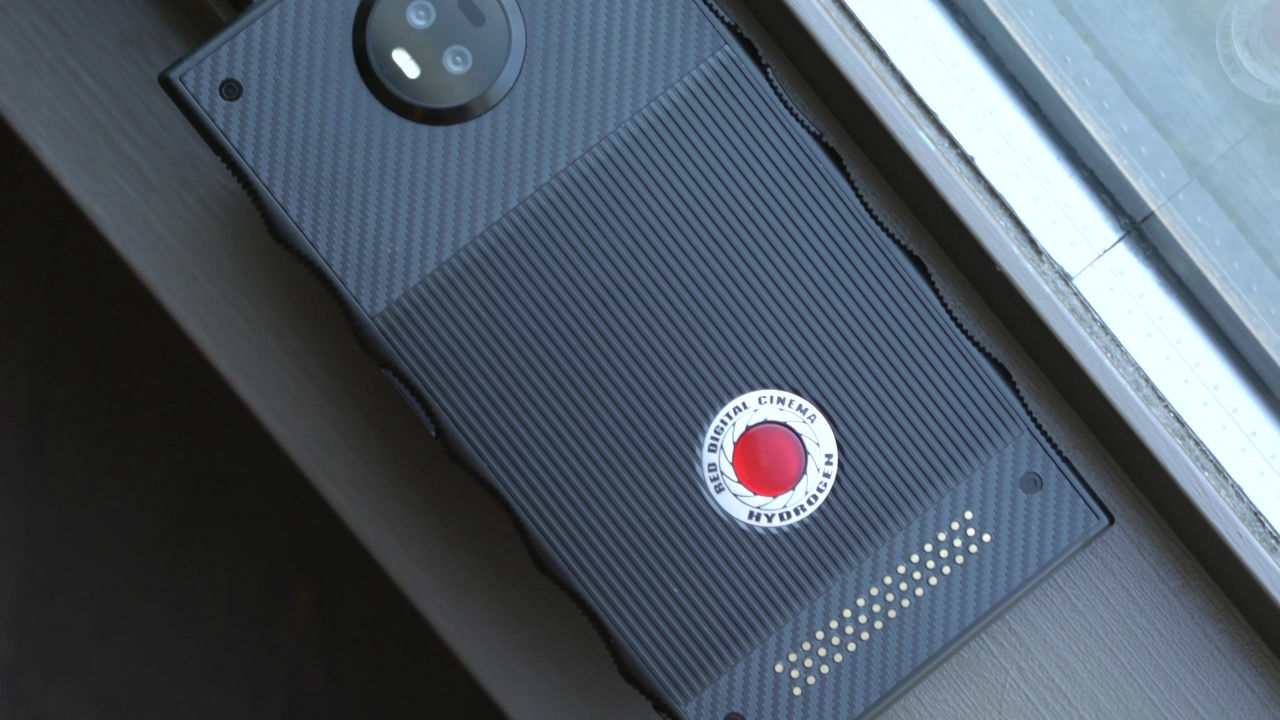
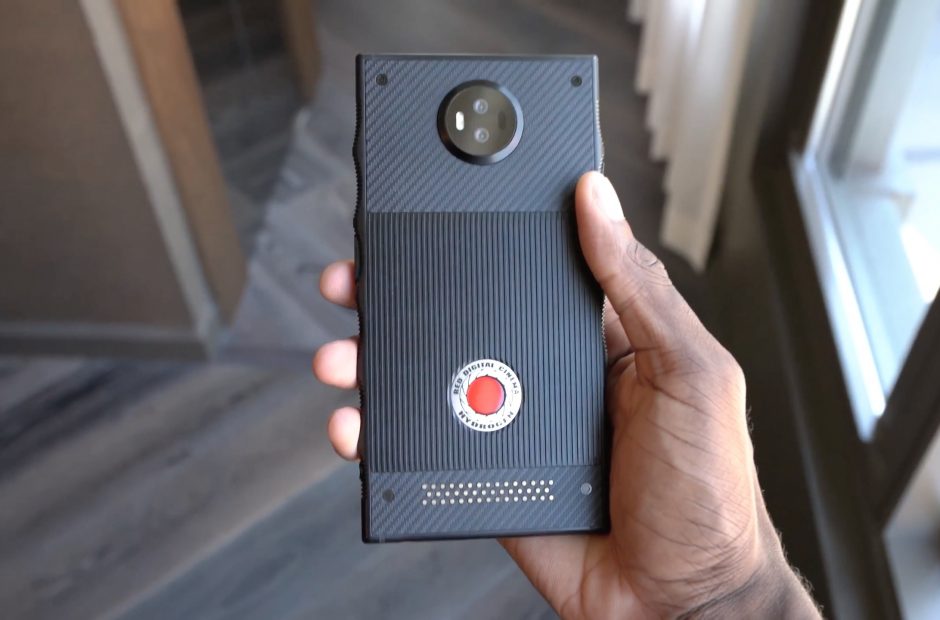
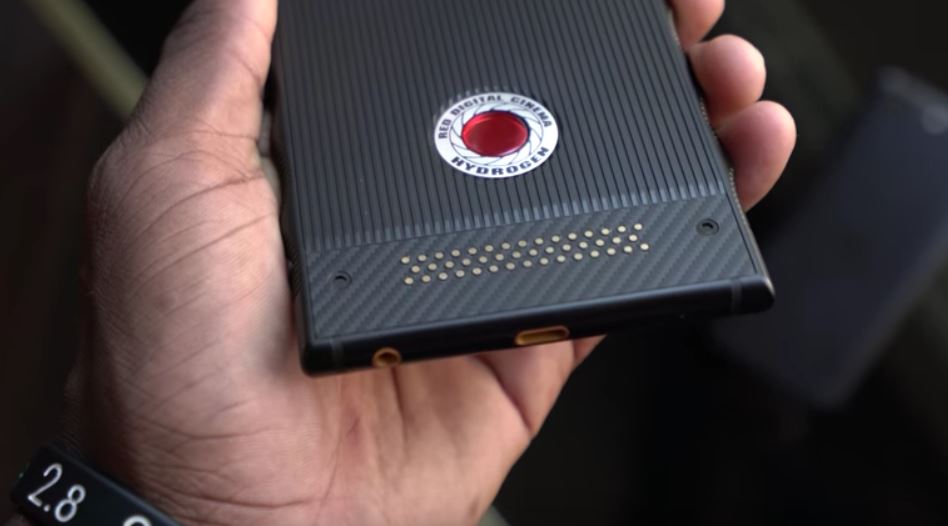
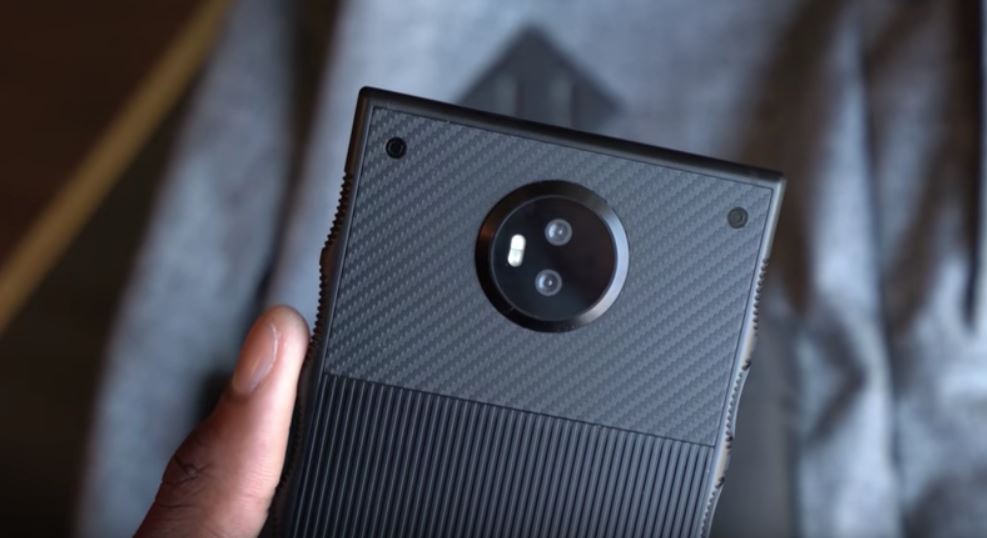
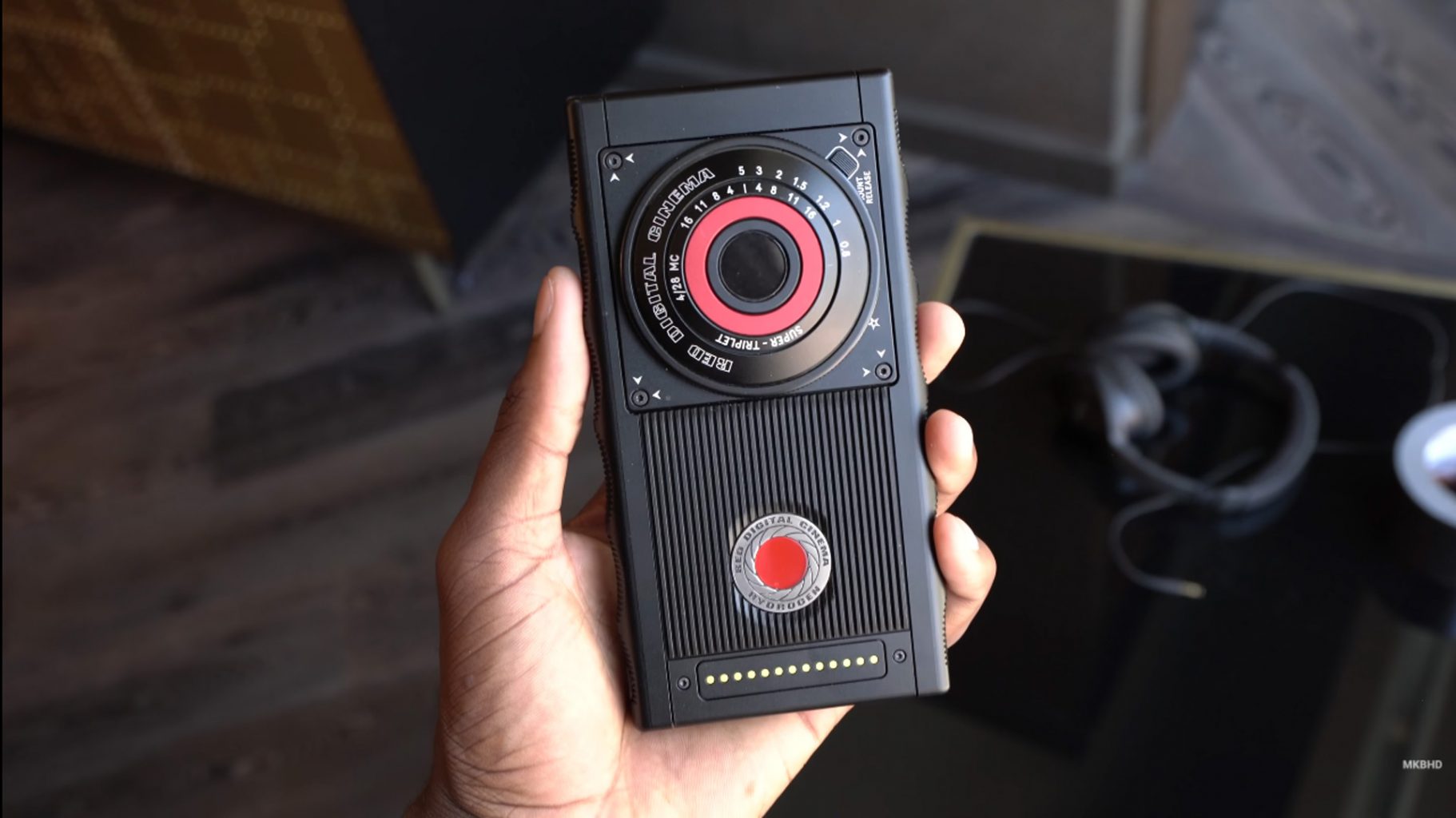
    In 2017, the cinema camera making company RED announced it was working a smarthphone with a holographic screen Consumers were unsure what this meant until September 2017. Essentially, the phone would provide a 3D viewing experience on screen, projecting things like buildings and landscapes in an interactive map. A user could essentially take a virtual tour via the phone screen, looking around, above, behind, or in-between various objects.

    The RED smart phone is currently available for pre-order, for the fairly hefty price tag of $1,195. No official release date has been announced, but the company says its Hydrogen One smartphone will ship this summer.  Jim Jannard, RED’s CEO and founder, gave the update in January.  RED says that the Hydrogen One phone is still months away from being released. But it does at least have a timeline: the phone is supposed to enter mass production and then ship sometime this summer.

    What Is It?

    There have been a few basic details about the phone around since last July, and Jannard has now revealed a few more: it’ll run a Snapdragon 835 processor (Jannard writes that it’s an “835x,” which doesn’t currently exist, so it’s unclear if that’s a typo or some upcoming variant), have a dual SIM slot, and include a 4,500mAh battery, which is relatively huge. (The Note 8, for comparison, has a 3,300mAh battery.) The downside to this phone being released a full year after it was announced is that, while the 835 is a top-of-the-line chip, it’ll be succeeded by the Snapdragon 845 by the time the Hydrogen One actually makes it to market. That’s not necessarily a huge deal, but for a phone this expensive, it’s not great, either.


    This 4V — or ‘four view’ — tech is what makes the Hydrogen One exciting on paper. With it, the phone can handle normal 2D media, stereo 3D, augmented reality, virtual reality and augmented reality, without additional glasses or headsets. The company hasn’t been forthcoming in explaining how this will work, although it did offer a slightly bemusing description in its update: “The 4V files match the pixel resolution of a traditional 2D file, which is great for downloading. The resolution perception is just different. The horizontal resolution of 2D is now split into depth layers. It gives a completely different feeling. All the pixels are there… but instead of ‘looking at’ a pic, you are immersed in the image. It is quite spectacular.” RED is best known for its high-spec camera,  so if it pulls this off, it certainly will be quite spectacular. At least both skeptics and supporters will only have to wait a few months to find out.


    The Final Thought

    Alot of anticipation, hesitation, and skepticism are surrounding the. good be peaches, could be lunch meat we wont know till this summer. Ill with hold any true judgement until then, stay tuned.

  • iPhone X vs Galaxy S9 Plus

    It seems like smartphones are always improving and new versions are constantly coming out.

    [iFrameGen iframe_type=”Y_iFrame” template_key=”adlist_gfg_green_v7_070102018″ keyword=”new%20samsung%20galaxy%20phones” type_tag=”_gfg-20180808-iphonex-vs-galaxys9-green-top” placement=”_pc1″]

    There are so many options out there and it can be hard to decide on which one is really the best. Below is a comparison of the two most popular smartphone brand’s latest and greatest, Apple iPhone X and Samsung Galaxy S9 Plus.

    Apple iPhone X: $999+

    iPhone is always a top pick when it comes to smartphones. The latest version is a creation to celebrate iPhone’s tenth anniversary. It is almost a whole new phone, not to mention the most expensive phone  ever on the market to date. The major difference everyone is intrigued about in this exclusive new phone, is that Apple has taken away the home button and switched to a face identification feature. Rather than a touch identification to unlock your iPhone, this phone will use a 3D face map to identify you and unlock your phone.

    A few more things to note about this phone:

    • The front and back are glass- so you will definitely want to invest in a protective case.
    • This iPhone supports wireless charging.
    • Like all previous iPhones, the iPhone X also comes with a single nano-SIM card slot.
    • The camera placement is vertical rather than horizontal. Both camera sensors get optical image stabilization.
    • There is not a headphone jack, so wireless headphones or an adaptor would be needed.
    [iFrameGen iframe_type=”Y_iFrame_2″ template_key=”adlist_gfg_green_v7_070102018″ keyword=”samsung%20galaxy%20s9″ type_tag=”_gfg-20180808-iphonex-vs-galaxys9-green-center” placement=”_pc2″]

    Samsung Galaxy S9 Plus: $839.99+

    Another popular choice when it comes to choosing a smartphone, the Galaxy S9 Plus has some great updates. It is pretty similar to last year’s S8 Plus…but the main improvements are the cameras and the large screen. The camera take quality photos thanks to the low-light and noise-defeating powers that take this smartphone to the next level. Not only is the new screen bigger, the curved display now takes up 90% of the front of the phone.

    A few more things to note about this phone:

    • The fingerprint sensor has been better-placed and now is aligned in the center on the back of the phone.
    • Wireless charging is an option with this glass phone.
    • This phone features face unlock and iris scanning.
    • Lack of a headphone jack is not an issue with this phone, plug them in!
    • The stereo speakers on this phone are outstanding and loud.
    [iFrameGen iframe_type=”Y_iFrame_3″ template_key=”adlist_gfg_green_v7_070102018″ keyword=”buy%20iphone%20x” type_tag=”_gfg-20180808-iphonex-vs-galaxys9-green-bottom” placement=”_pc3″]

    The Bottom Line

    It all boils down to pricing and preference seeing as both phones have very similar new features. Both phones have a facial identification feature, wireless charging is an option, outstanding cameras and loud, quality speakers. The main differences are the iPhone no longer has a touch identification and you are not able to plug in your headphones directly to the phone. Whichever phone you choose, you’ll be sure to love your new smartphone!

  • Top 5 Moto Mods

    Top 5 Moto Mods

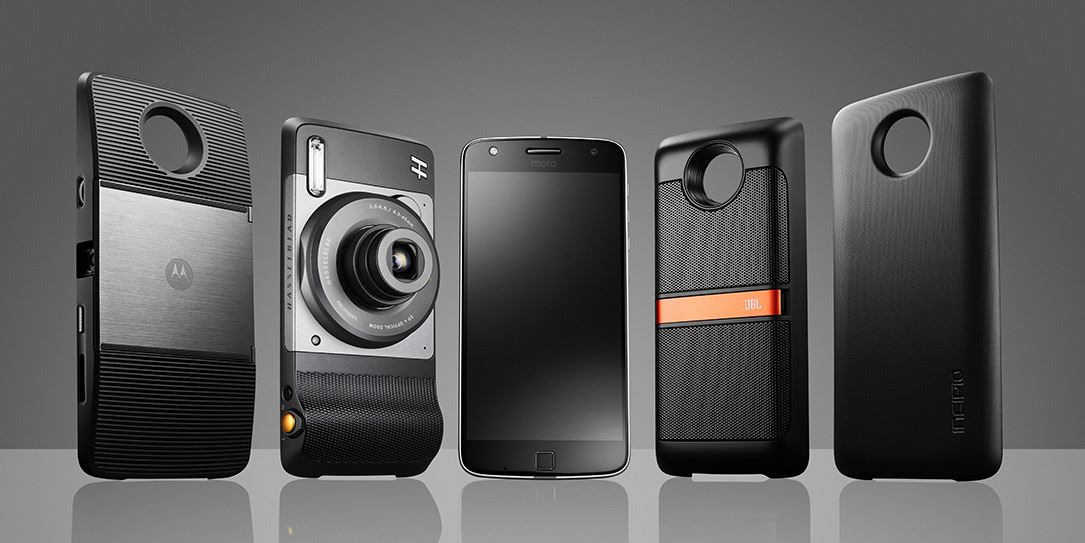
    So now you have purchased the most comprehensive and capable android smartphone, the Moto Droid z. Its got all those cool mods, but what are the mods you really need and want. Let look at the Top 5 Moto Droid Z mods.

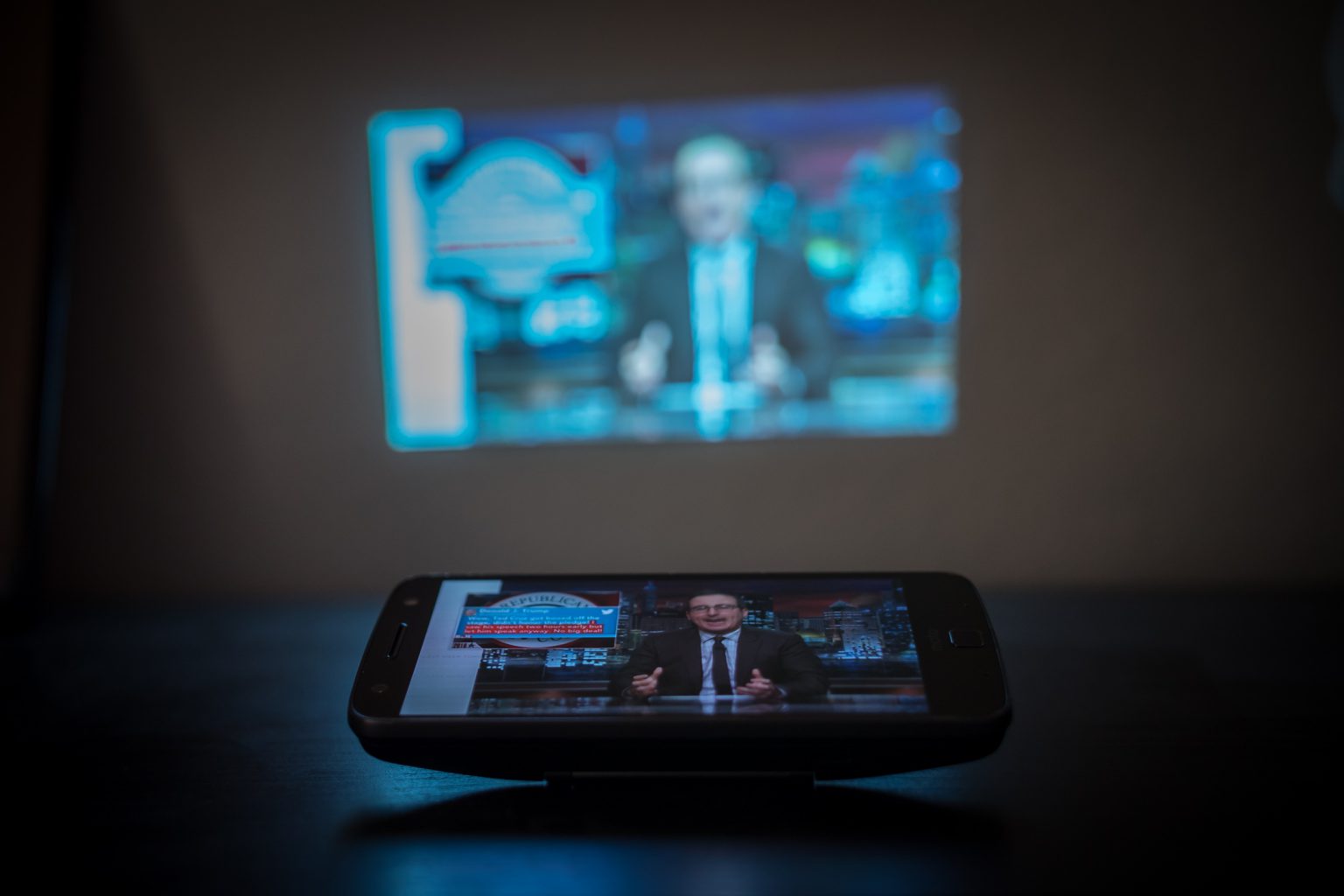
    1. Moto Insta-share Projector

    This Mod Easily snaps on, projects up to 70  crystal clear inches. Project your photos, games, and videos, its the perfect addition and makes the mods all the value in the world.

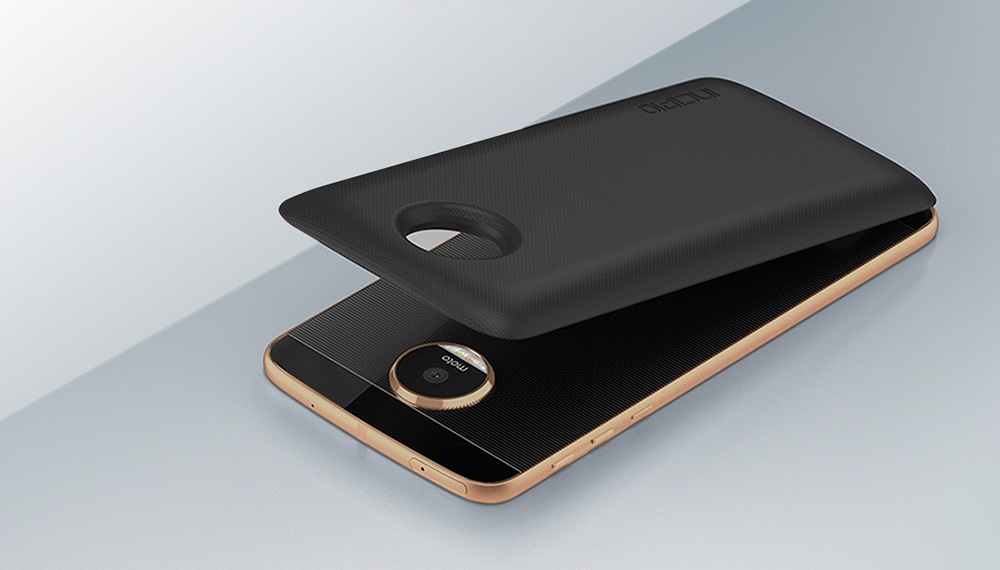
    2. Incipio’s Offgrid Power Pack

    at 2220 additional mAh you get all the battery power you will need. This Motorola Incipio offGRID power pack is lightweight, and its slim, lightweight design lets you continue to use your phone as you normally would.


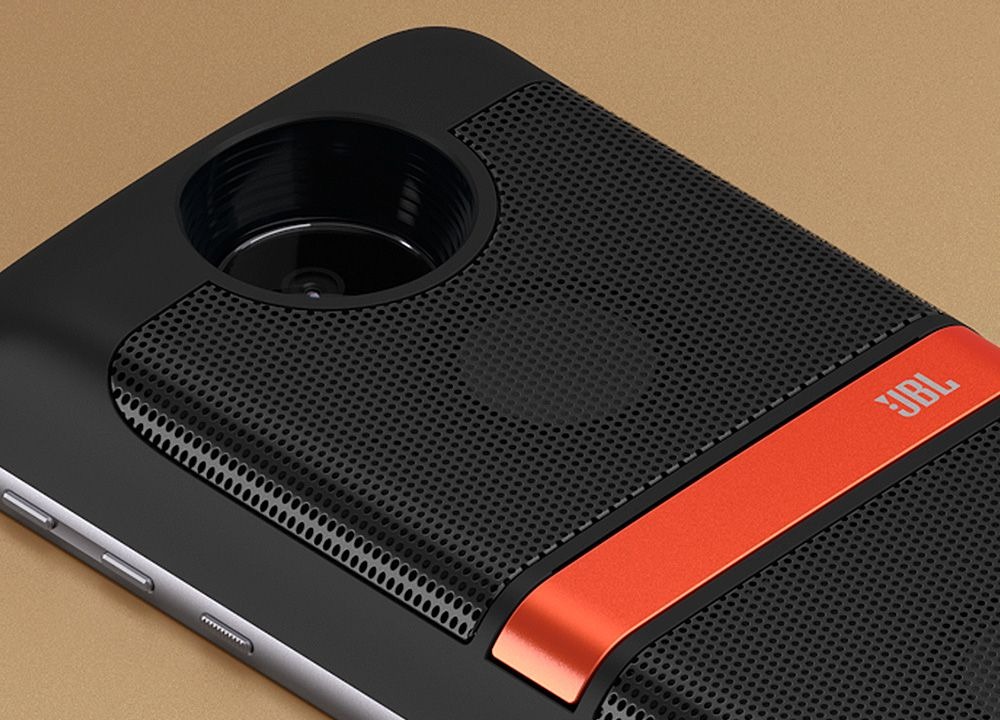
    3. JBL SoundBoost 2

    Snap the JBL SoundBoost2 Moto Mod on device for powerful, high–quality stereo sound. it can pump up the volume and get the party started. Great for picnics, the boat, beach, the golf cart and every back yard.


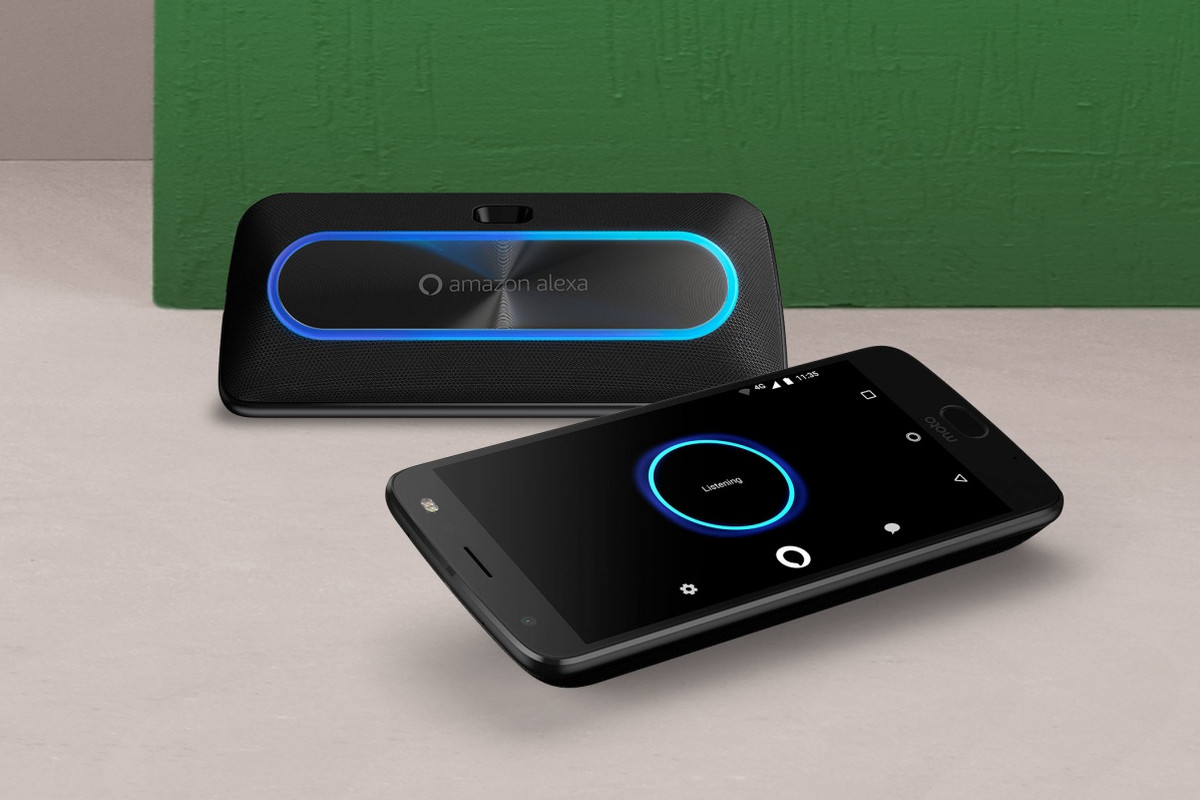
    4. Motorola-Smart Speaker with Amazon Alexa Moto Mod
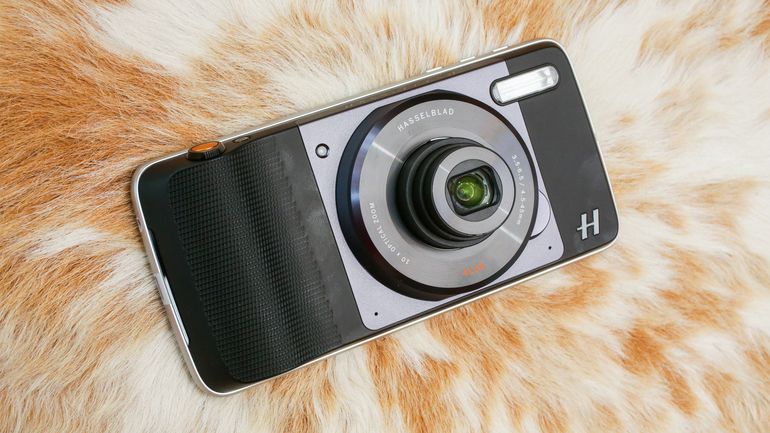
    This lets you crank up your favorite tunes with a powerful stereo speaker. Four microphones make it easier for Alexa to hear your questions, even when music’s playing or you’re sitting across the room.


    5 .Motorola-Hasselblad True Zoom Camera Mod

    This is an advanced imaging experience to your Moto Z Droid, Moto Z Force Droid or Moto Z Play Droid in a snap. The Hasselblad True Zoom Moto Mod enables you to capture shots normally impossible with a standard smartphone camera. 10 x optical zoom. Killer flash. Plus you get the Hasselblad photo editing software for further perfection

  • HP Sprocket 2-in-1 Review

    HP Sprocket 2-in-1 Review

    Immediate Thoughts:

    • Lightweight and sleek

    • Sub-par camera resolution

    • Fun, but costly

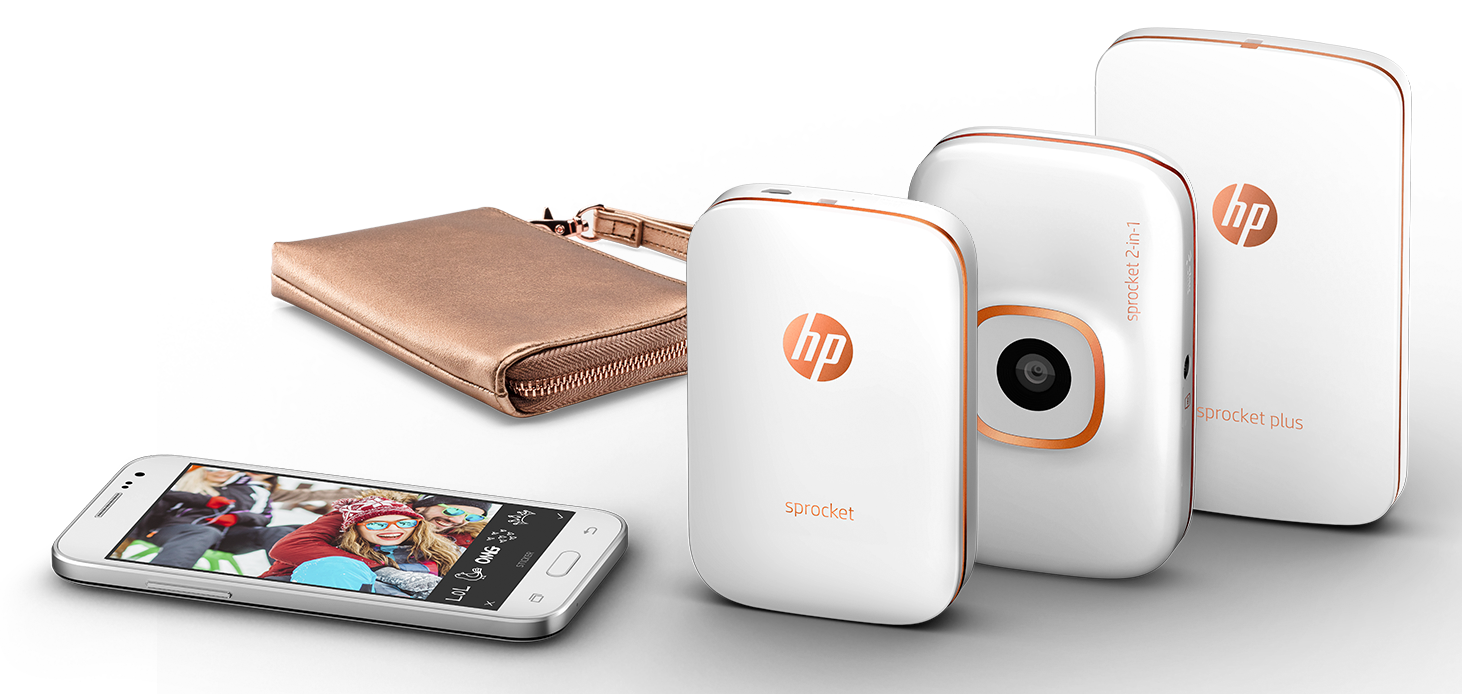
    What I learned from my life and experiences is that time is precious. Capturing moments of days soon past is what keeps our existence real and tangible. What better way to say “I was here”, but by holding a paper image in your hands as proof. This is what the HP Sprocket 2-in-1 camera/printer offers.


    The gist

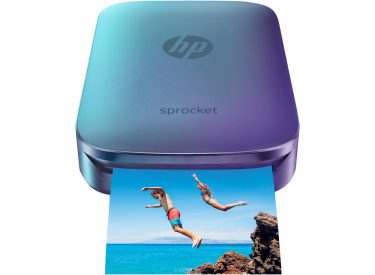
    Released in 2016 by HP, the Sprocket 2-in-1 camera/printer appears to be in response to Fujifilms Instaxx Polaroid camera, which immediately gained attention in 2012 for reviving the once obsolete Polaroid technology.  HP decided to take from Fujifilms inspiration and see what they can contribute to the idea. HP was able to create a sharp and attractive camera/printer combo (appx. 4 inches x 3 inches) with a few bright color options which I will admit catch the eye. HP also “upped the ante” and added Bluetooth technology to the Sprocket 2-in-1 which allows users to take photos from there smartphone and instantly print pictures from the Sprocket. This was actually a very smart idea from HP since the Sprockets camera resolution and pixel quality is unfortunately…abysmal. At a starting price point of $159.00 u.s., you would expect the Sprocket would have more than a 5 pixel lens (especially this day and age). But because Hewlett-Packard decided to try and save on some costs, the photos appear as if they were taken from my old Motorola Razor…
    But should we buy it?


    Despite the setbacks, the Sprocket has kind of a fun and wacky “carnival photo-booth” feel to it. A number people had seen me using in action over New Year’s Eve festivities and wanted jump in the photos. It was definitely a conversation starter and sending a stranger off with a memento is very endearing.  But I digress back to some stats…The Sprocket is able to quickly print out the 3-inch x 2-inch photos in less than a minute, and the refillable ZINK paper has an adhesive backside which allows you to stick the photos just about anywhere, which is kinda great! The printer can fit 10 ZINK pieces of paper in the Sprocket at a time, and the paper can be purchased in bundles for either a 20-sheet package ($9.99) or a 50-pack ($24.99). So the simple math breaks down to just about 50 cents per photo. Seems kinda costly. Especially since the seafood joint around the corner from my house has “25 cent Oysters and Pints” on Thursday nights (#Ballinonabudget).


    Image result for hp sprocket

    The good, the bad, the bottom line

    The positives I take from the Sprocket 2-in-1 is that it’s a sharp looking, pocket-sized Polaroid camera that has the ability to both create a lot of temporary fun and permanent reflections. The drawbacks are the lacking camera lens quality, and the costs of the camera itself and the paper refills. I just didn’t feel it was worth it. Bottom line is this revisiting of the Polaroid camera still needs some tinkering after all this time. Once we can get a high quality camera lens along with larger photos, I would probably be back on board…Until then I’ll probably just rely on watching Rescue Rangers to get my nostalgia fix.