Tag: Dell

  • Dell XPS 15 Review Roundup

    Dell XPS 15 Review Roundup

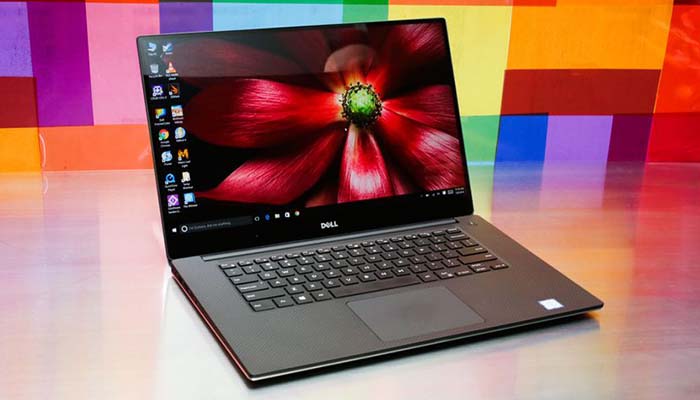
    The Dell XPS 15 is upon us, and it keeps up Dell’s recent string of high-quality laptop releases. The XPS 15 offers a lot of great power and design for the intro price of $1,000, keeping this laptop just in the range of “affordable.” For a laptop, at least. Let’s get into the review roundup!

    Dell XPS 15
    dellxps15
    CNet

    Design

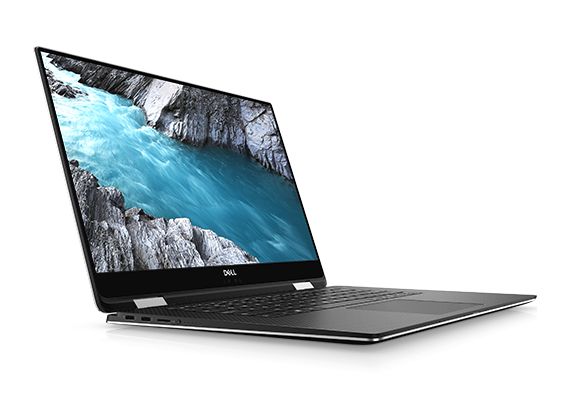
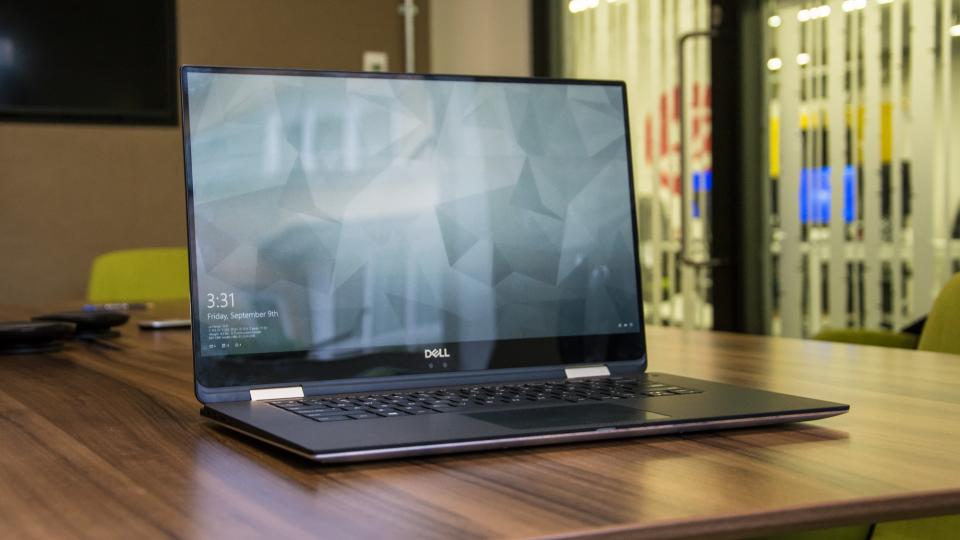
    There aren’t really any surprises in this department for 2018. The outer lid is silver-colored aluminum with a shiny Dell logo. The screen still has the crazy-small bezels you’ve come to expect from XPS. Unfortunately, that means the webcam is under the screen, which is probably the least flattering angle imaginable. Other than that, the design is pretty stellar.

    You get tons of ports, a great form factor and good battery life. Additionally, the laptop sports a Thunderbolt 3 charging port for blazingly-fast charging. All in all, other than the webcam, it’s hard to pick on this laptop. If you’re a fan of flashy aesthetics, this Dell is a bit understated. However, for most folks it’ll look just sleek enough to be stylish.

    Specs

    If you’ve been tuned out for the past few years, you might think the name Dell means low quality. However, in recent years, Dell’s quality has improved markedly. The XPS 15 is no exception! The 15 inch display looks fantastic in most lighting conditions. It boasts an Intel i7 processor, making it a solid choice for multitasking. You can open tons of tabs and stream music and video all while operating productivity programs.

    If you opt for the Nvidia GeForce GTX 1050 Ti Max-Q GPU you can even do some light gaming. Games look pretty solid on the 15-inch screen, though if you opt for the 4K screen, of course, it looks markedly better. Also, the laptop does an ample job cooling down during long gaming sessions.

    Bottom Line

    In summary, the Dell XPS 15 is a rock-solid laptop. While you can pick it up for $1,000, that configuration wouldn’t be the beefiest. If you want decent gaming specs and good productivity, your configuration could run up to $1,500. The $2,000 version boasts a 4K display and is well worth the money, although those with no interest in 4K would be fine with the mid-level version.

    The bottom line is that this is a great laptop in any configuration. If you’re in the market for a new laptop, consider getting the Dell XPS 15!
  • Top 5 Gaming Laptops for 2018

    Top 5 Gaming Laptops for 2018

    It takes a lot of stones to be a full fledged gaming laptop and those stones come a large price. These gaming laptops are built to handle what ever our nest and most bizarre gaming programmers can throw at them, and they do it with style and grace. Today we are gonna take a look at the 5 best gaming laptops for 2018.

    1. Alienware

    • CPU: Intel Core i9-8950HK
    • Graphics: Nvidia GeForce GTX 1080 (8GB GDDR5X VRAM)
    •  RAM: 32GB
    •  Screen: 17.3-inch QHD (2,560 x 1,440)144Hz
    •  Storage: 246GB PCIe M.2 SSD, 1TB 7,200RPM HDD

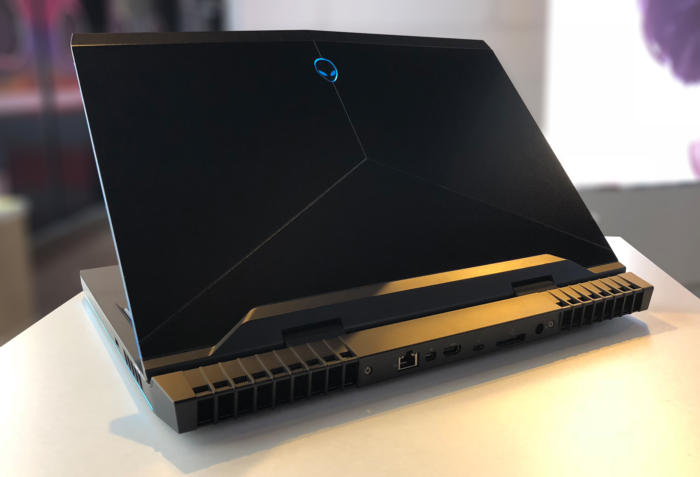
    What has this beast at the top is not only the brand new and highly overclocked processor, top of the line GPU and the 13 zone customizable LEDs, but the Tobii Aware software and eye tracker..It works and its awesome. This is hands down the best gaming laptop and will be for at least a year.

    2. MSI GS 65

    • CPU: Intel Core i7
    • Graphics: Nvidia GeForce GTX 1070 (8GB GDDR5X VRAM, Max-Q)
    •  RAM: 16GB
    •  Screen: 15.6-inch FHD (1,920 x 1,080) anti-glare, wide-view 144Hz panel
    • Storage: 512GB M.2 SSD

    The MSI GS65 packs a ton of power into a very breathtaking and inspiring design. Blasting on with an 8th-generation Intel Core i7-8750H CPU and an Nvidia GeForce GTX 1070 GPU, But a quick run down of the specs will see why this Laptop didn’t grab the number one spot, but cut it a little bit of slack it is a few months older and its still a very bad,bad man gaming laptop.

    3. Razer Blade Pro

    • CPU: Intel Core i7-8750H | 7th Gen
    • Graphics: Nvidia GeForce GTX 1080 (8GB GDDR5 VRAM) |
    • RAM: 16GB | Screen: 17.3
    •  Storage: 512GB M.2 SSD

    This is one of my favorites, it  was crafted to deliver incredible performance in an impossibly thin form factor. It is also the world’s first THX® Certified Mobile Device, the Razer Blade Pro sets a new standard for desktop replacement laptops.

    4. Dell G3 17

    • CPU: 8th Generation Intel® Core™ i7-8750H Processor
    •  Graphics: NVIDIA® GeForce® GTX 1060 with NVIDIA® Max Q Design technology, 6GB GDDR5 video memory |
    • RAM: 16GB DDR4
    •  Screen: 17.3-inch HD 1,366 x 768 TN – QHD 2,560 x 1440 OLED touchscreen
    •  Storage: 180GB – 512GB SSD

    While this has some respectable power, this configuration will cost a little more the $1000 making this the best value for a gaming laptop with out suffering any power loss. It will deliver an ultimate and immersive gaming experience.


    5. Lenovo Legion Gaming Laptops

    CPU: 8th Generation Intel® Core™ i7-8750H Processor
    Graphics: NVIDIA® GeForce® GTX 1060 with NVIDIA® Max Q Design technology, 6GB GDDR5 video memory |
    RAM: 32GB DDR4
    Screen: 17-inch HD 144fps
    Storage: 180GB – 512GB SSD

    Clean new design. Relatively light. Fantastic 144 screen refresh-rate options. Corsair keyboard with per-key RGB lighting. The fresh design of the Legion Y730 holds promise, with a well-rounded feature set at a relatively modest price. Its big hold back it for a brand new released Gaming laptop its not blasting the i9 chip and maxes out with the GTX 1060 on top a high price then the G3 although the 730 is but better looking and dosent feel as cheap as the G3.


  • Laptop Lookout: Dell G3 15 Gaming Laptop

    Laptop Lookout: Dell G3 15 Gaming Laptop

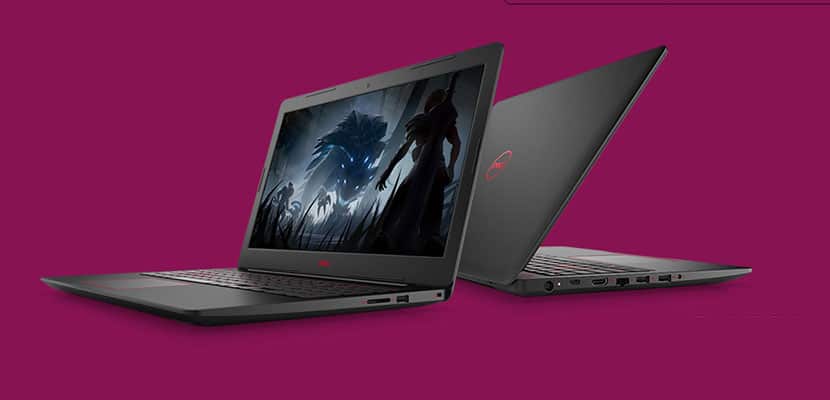
    Laptops are the cornerstone of our computing resources in this day and age. We need power, robust performance and ultimate portability for every aspect of our daily lives. This is a guide and insight to the best Laptops on the market and today I’m here to talk about the Dell G3 15 Gaming Laptop. This is a Thin ultra-portable 15.6-inch laptop with a thin bezel gaming display.. Its a complete laptop solution with gaming at a affordable cost in mind.

    The Great

    • Slim, subtle design
    • Dell Product Support
    • Excellent performance
    • Red Backlight Option

    The Not

    • Terrible TouchPad
    • Tacky Keyboard
    • Cheap Plastic Look and Feel

    The Conclusion

    Dell’s budget gaming laptops get a line of their own, some redesigns and Intel Core eighth-generation options. For the price its quite average  for gaming laptop.


    Dell’s G-series line is the new laptops  intended to be Dell’s new affordable gaming machines. At 0.5 inches thick, the Dell G3 15 Gaming Laptop is Dell’s thinnest 15-inch gaming oriented laptop. While it still has some Inspiron lingering design, core and feel in it, it also has a unique youthful appeal with stripes decals  and faux carbon fiber patterns. It also packs Intel’s new Core i7 H-series six-core CPU, which sits at the top of Intel’s CPU hierarchy.

    Its got the goods, 8th Gen Intel® hex-core processors provide responsive, powerful performance whether you’re gaming, streaming videos, or working on CPU-intensive projects. With Dual fans let you experience uninterrupted gaming while your system stays cool and Dual drives with SSD options including NVMe PCIe ensure faster performance and better reliability, and a new Ethernet port supports full 100/1000 Gigabit connections for quick performance.

    Power?

    There are configuration options and with a price this series now goes up to the six-core i7s and as high as a Core i9 in the top-end G7. One of the important ways they remain different from Dell’s gaming-focused Alienware brand is the GPU options, which run only from a Nvidia GTX 1050 to a GTX 1060 Max-Q for the G models.

    Quick Spec Look

    •  eighth-generation mobile Core i-series processors
    • Installed Size 16 GB, 1x16GB, DDR4, 2666MHz
    • Capacity 256 GB Solid State Drive (Boot) + 1TB 5400RPM Hard Drive (Storage)
    • Clock Speed 4.1 GHz
    • Diagonal Size 15.6 -inch FHD (1920 x 1080) IPS Anti-Glare LED-Backlit Display
    • OS Provided: Type Windows 10 Home 64bit English
    • Graphics Processor NVIDIA GeForce GTX 1050 Ti with 4GB GDDR5 graphics memory

    The Dell G3 15 Gaming Laptop  Design

    The G3 looks a lot more like the latest mainstream Inspirons, with touches like the patterned keyboard surround and notably slim profile for a gaming system. One nice design feature that you get with the Dell G3 15 Gaming Laptop is something you dont typically get with a budget laptop. LED Backlighting. Its simple and always impressive but the G3’s backlight comes in blue and red.


    The Final Thought

    Despite its cheap design, the Dell G3 15 Gaming Laptop is one of the best and powerful bangs for the buck. Starting at $750 with a I7 Processor you are really getting the best deal available for this kind of power. The track-pad is an issue but none of us game with a track-pad anyway, add a good wireless gaming mouse an enjoy the savings.

  • Dell XPS 15 2-in-1 Features Unique Intel and AMD Partnership

    Dell XPS 15 2-in-1 Features Unique Intel and AMD Partnership

    Intel, maker of processors, and AMD, maker of graphics cards, have partnered to create an interesting feature. The Dell XPS 15 2-in-1 houses a part called the Kaby Lake-G. This part is a fusion of an Intel CPU and an AMD graphics chip. This has some significant ramifications for the computer it’s housed in. 

    Discrete vs Integrated Graphics 

    Most people who use a laptop for “normal” stuff, like writing and watching YouTube, aren’t concerned with their graphics card. Only high-end games and some professional applications require tremendous graphical computing power. However, those that want to play high-end games or use AutoCAD on their laptop tend to opt for discrete graphics cards.  

    Discrete cards are separate from the motherboard, allowing them more space to perform their advanced processes. They also put off tremendous heat, take up space and use more power. Integrated graphics, on the other hand, are processed in the same place as the motherboard. Integrated graphics are less expensive, less noisy and generate less heat. But they are also notably ill-equipped for gaming, as they are underpowered. 

    The Solution? A Compromise 

    Enter the Kaby Lake-G. While still technically a discrete graphics card, this processor is an interesting hybrid. The Kaby Lake-G is comprised of an Intel Core i7 (in high-end builds) and a Radeon RX Vega M GL GPU. In short, it’s a hybrid of two critical processors, linked to save space and energy and produce less heat. This kind of hybrid is perfect for small laptops and tablets to be able to put out graphics comparable to traditional gaming rigs.  

    XPS 15 2-in-1 Performance 

    Dell promises this new chip will perform at (or above) the level of current mid-tier graphics cards. This is a bold claim, considering how small the hybrid chip is. But given the nature of the cooperation between Intel and AMD, this might be true. If it is, this type of hybrid chip could be the future of gaming laptops. This technology would allow the computers to remain small and portable without sacrificing in computing power.  

    The XPS 15 2-in-1 itself is rather impressive, if a little noisy. While not exactly a gaming laptop, it can run games reasonably well. Considering how thin it is and how weird its graphics card is, it’s pretty impressive. Clocking about 45 frames per second at 1080p with little issue, this little 2-in-1 packs a lot of punch. 

  • Top 5 Laptop Brands

    Top 5 Laptop Brands

    So its time to purchase a new laptop. There are so many options to consider, size,weight, screen size, power and batteryand dont forget which brand to buy. All Laptops Brands will give you the plethora of build and model options to customize so starting with the brand of laptop is probably the best place to start. Whether you’re purchasing a $1,500 gaming laptop or a $200 Chromebook, the brand matters. That’s why we rate the top 5 laptop brands each year, based on their support, design, innovation, value/selection and, most of all, product quality.
    [adTextOnly]

    1. Lenovo  (8.6/10)

    For 2018, Lenovo retained its place for a second year as the best laptop vendor, but it just barely edged out second-place Dell and third-place HP. Apple, which used to dominate this contest, fell all the way to fourth place, down from second last year.

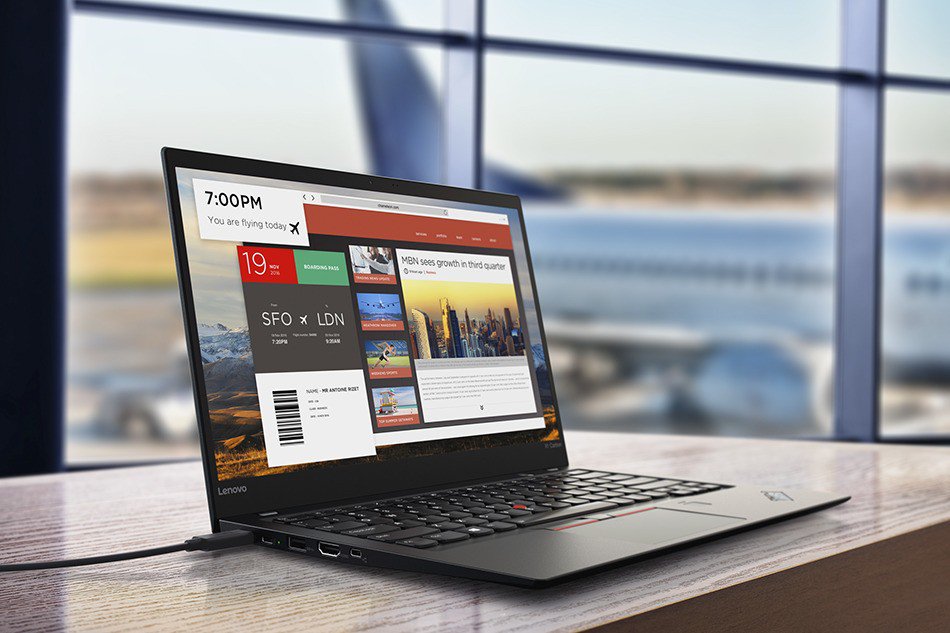
    Lenovo takes first place again this year, on the strength of the company’s fantastic product lineup. From the beautiful ThinkPad X1 Carbon, which was the only product to get a perfect, 5-star review in the past year, to the versatile Yoga 920, Lenovo’s laptops earned the most Editors’ Choice awards of any brand. And a full 53 percent of the company’s laptops scored 4 or higher. However, Lenovo’s tech support scores declined from last year, and stiff competition from HP and Dell made this a nail-bitingly close race.

    [adTextOnly]


  • Spring 2018 Dell Lineup Includes All-In-Ones and Gaming Laptops

    Spring 2018 Dell Lineup Includes All-In-Ones and Gaming Laptops

    Dell has refreshed their computer lineup for Spring 2018 with some new choices in all-in-one machines as well as blazing fast gaming laptops called Dell G.

    All-In-Ones

    Two new Inspiron models land featuring different screen sizes and resolutions. The Inspiron 24 5000 has a 23.8 inch 1080p screen, while the Inspiron 27 7000 features 1080/4K on a 27 inch screen. The Inspiron 27 7000 even has optional HDR support (although it’s not as bright as a true HDR television).

    They are sleek looking computers, similar to Dell’s XPS laptops in their style. Metallic cases, simple lines and no bezels.

    Both of the Inspiron models are powered by 8th generation Intel Core processors. They can hold up to 32 GB of memory. The best video card you can opt for is a GTX 1050, which can handle most new games at 1080. If you’re looking to game at 4K on the Inspiron 27 7000, the 1050 will not be enough power.

    The Inspiron 24 5000 starts at $850 and the Inspiron 27 will be at least $1000 when it launches in May.

    Dell G

    Evolving from the Inspiron 7000 gaming series, the new Dell G laptops are aimed squarely at those who want to game on-the-go. They aren’t flashy like Dell’s Alienware computers, but their sharp aesthetic suits us just fine.

    The Dell G laptops come in three flavors: G3, G5 and G7, with each incremental step featuring more powerful hardware. You can get a 15 or 17 inch screen for each model.

    The G3 features 8th generation Intel processors and a GTX 1060 Max-Q GPU. Limited to 1080p, they should have no problem running the newest games.

    The G5 and G7 feature the same GTX 1060 Max-Q but have better cooling for lengthy gaming sessions. The G5 and G7 can also be upgraded to 4K screens with an HDMI 2.0 output to connect to a bigger screen.

    The G3 15 starts at $749, the G3 17 and G5 start at $799 and the G7 15 starts at $849.

  • Laptop Lookout: Dell XPS 15 2 in 1

    Laptop Lookout: Dell XPS 15 2 in 1

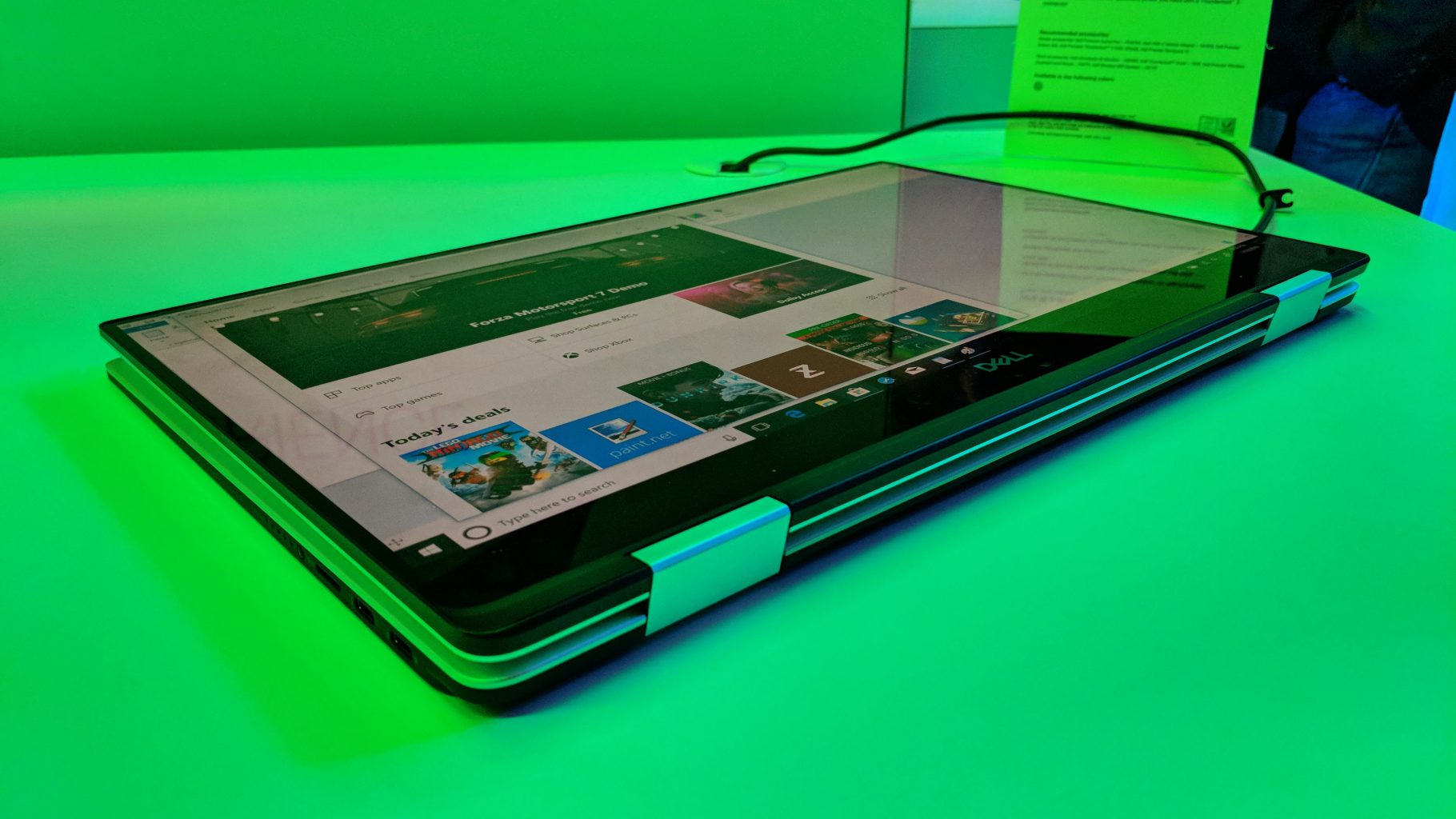
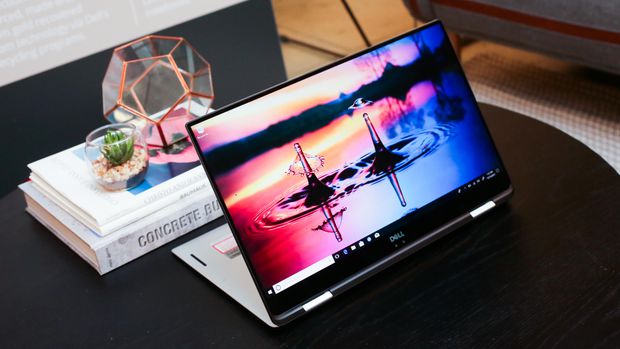
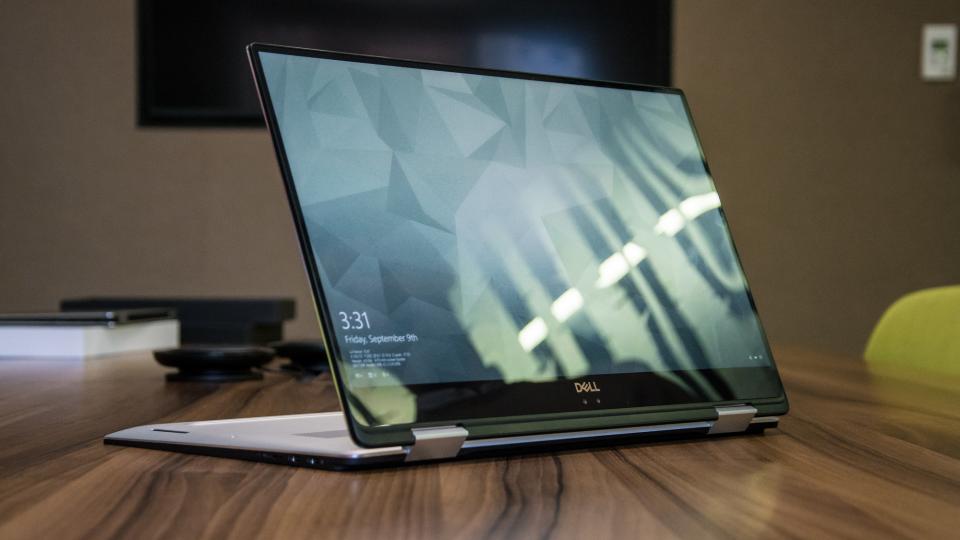
    It’s a hybrid inside a hybrid. That’s the best way to think about the new XPS 15 two-in-one from Dell. This big-screen laptop has a 360-degree hinge, so it folds all the way back to form a tablet — we’ve seen that plenty of times before, but never in Dell’s high-end XPS 15 line.


    The Great

    • Gorgeous 4K display
    • Blazing fast CPU
    • Much improved battery
    • Legacy ports still at play
    •  Clear audio
    • Strong performance

    The Not

    • Middling graphics
    • Poor webcam placement
    • Lots of Bloatware

    The Conclusion

    This is the best 15-inch laptop money can buy. That’s thanks to strong build quality, a brilliant screen, a comfortable soft-touch deck and an Nvidia GeForce GTX 1050 GPU that can handle entry-level gaming and some serious Photoshopping.


     Dell’s new XPS 15 2-in-1 makes the statement this time around. As its name implies, the XPS 15 is a 2-in-1 convertible that lets you fold the 15.6-inch screen back on itself for use in tablet mode or tent mode.
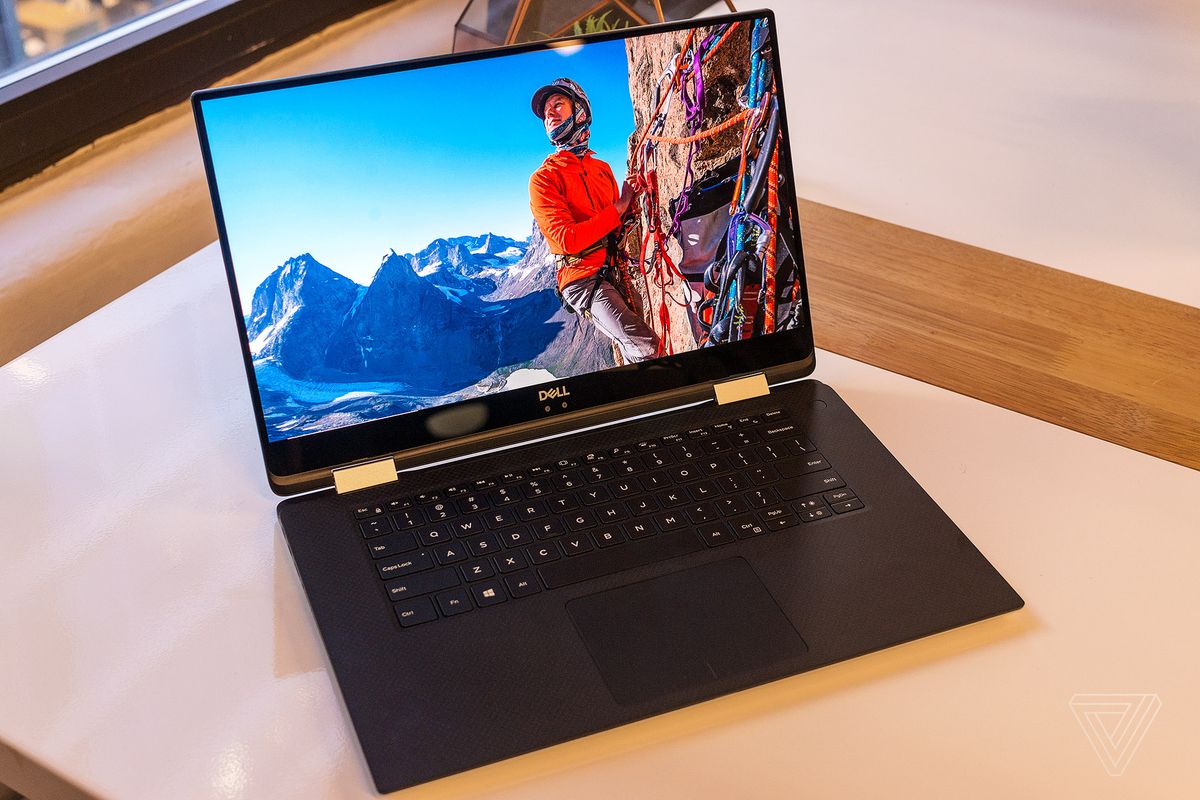


    The XPS 15 combines jaw-dropping resolution and vibrant color in a large 15.6″ touch display. Its crisp, sharp detail and rich color is perfect for editing photos and graphic design with Full HD or the optional UltraSharp™ 4K Ultra HD (3200×1800). Comes with 500GB 7200RPM Hard Drive + 32GB Solid State Drive Windows 10 Home 64-bit English and 8GB 2400MHz, DDR4; up to 32GB (additional memory sold separately). View amazing graphics on the 15.6″ FHD (1920 x 1080) InfinityEdge, Non-touch and Intel HD Graphics 630 videocard.


    The Updates

    It looks a lot like the notebook, but Dell has done more than slap a new hinge on its existing design. The XPS 15 2-in-1 is an all-new design that takes dramatic measures to reach its weight of 4.3 pounds and thickness of .63 inches – figures that are among the best in its class.

    Dell has incorporated Gore fabric into its chassis. More commonly used for lightweight athletic apparel, Gore is an excellent insulator, yet also light and thin. That apparently makes it a good fit for directing heat through a notebook chassis. You can’t feel the fabric when you touch the machine, but it’s there, keeping heat where it should be.


    Quick Spec Look

    • Intel Core i5-8305G or i7-8705G
    • GPU       Radeon RX Vega M
    • RAM      Up to 16GB
    • Storage Up to 1TB PCIe SSD
    • Display  15.6-inch 4K or 1080p
    • Size        3.9 x 9.3 x 0.6 inches
    • Weight 4.3 pounds
    • Battery Up to 15 hours
    • Ports     Thunderbolt 3, USB Type-C, microSD card, HDMI, Headphone

    The Final Thought

    All the benefits of the 2 in are here, it has the flexibility. Its durable and powerful, sounds great and a performance monster. I can say it runs a little hot, and i wish there was a better GPU for new gaming.

  • Laptop Lookout: Dell XPS 13

    Laptop Lookout: Dell XPS 13

    The razer-thin, Dell XPS 13 has been my  favorite consumer laptop for a few years, thanks to its attractive design, gorgeous screen and strong battery life. Dell’s laptop is now available in two different models, both of which we recommend.


    The Great

    • Attractive design
    • Vibrant screen
    • Strong performance
    • Good battery life overall
    • Runs cool

    The Not

    • No USB Type-A Ports
    • Improved webcam still looks up your nose
    • Steeper starting price
    • White option is pricier


    The Conclusion

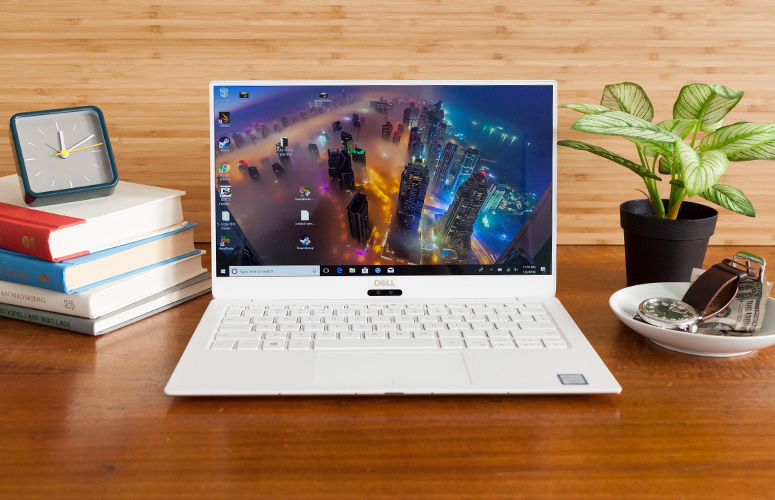
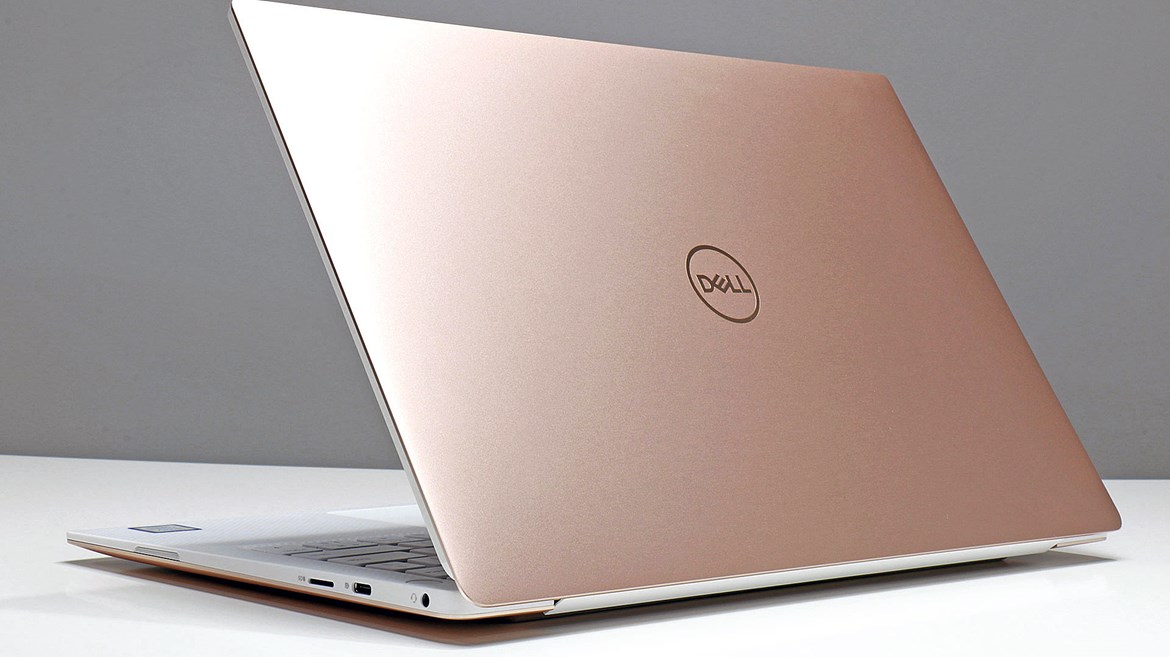
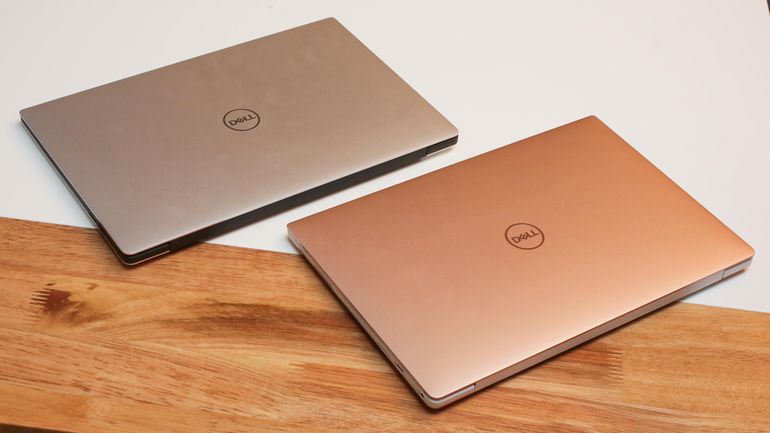
    The new XPS 13 9370 is the slimmest and lightest model yet, with a stunning new rose gold and white color scheme. It also sports an extremely vibrant display, which is available in 4K resolution, better performance and up to 12 hours of battery life. However, if you want an even-longer, 16 hours of endurance and access to full-size, USB Type-A ports, the older, XPS 13 9360 could be an even better choice.


    Dell Xp is the standard all widely adopted laptops are measured, and usually sound wanting. Its the supreme, the alpha. It has everything most of us need, with none of the stuff we don’t at a price we can handle.
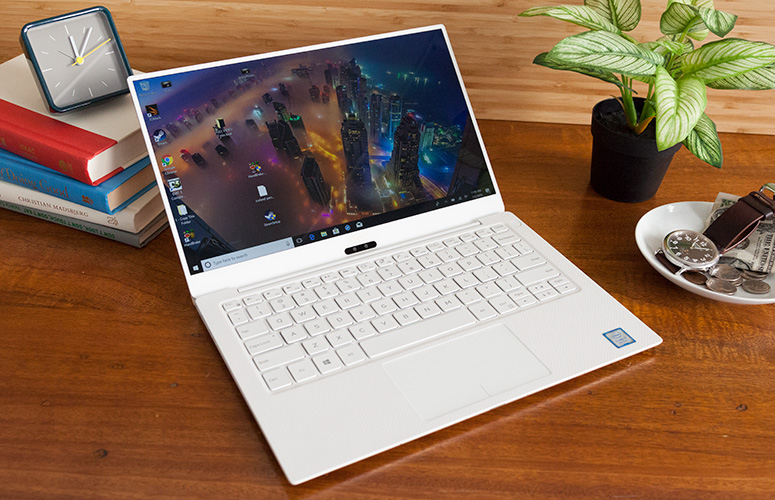
    Like most laptops in 2018, there is the choice to buy a high-end configuration, complete with the specs that you need for your daily duties. If you need a faster processor, there are two models featuring a 1.8GHz Intel Core i7-8550U (4GHz with Turbo Boost) to choose from.

    Quick Specs Look

    CPU: 1.8GHz Intel Core i7-8550U (quad-core, 8MB cache, up to 4.0GHz)
    Graphics: Intel UHD Graphics 620
    RAM: 16GB DDR3 (2,133MHz)
    Screen: 13.3-inch, Ultra HD (3,840 x 2,160) UltraSharp InfinityEdge touch display
    Storage: 1TB PCIe SSD
    Ports: 2 x Thunderbolt 3 (USB-C), 1 x USB-C 3.1, micro SD card reader, headset jack
    Connectivity: Killer 1435 802.11ac Wi-Fi,  Bluetooth 4.1
    Camera: Widescreen HD (720p) webcam with 4 array digital microphones
    Weight: 2.67 pounds (1.21kg)
    Size: 11.9 x 7.8 x 0.3-0.46 inches (3.02 x 1.99 x 0.78-1.16cm; W x D x H)


    The Final Thought

    Dells XP laptops are already best in class, so  to make its laptop thinner, Dell switched to a smaller battery and got rid of USB Type-A ports. As a result, some users will prefer the previous XPS 13 9360,  which is still for sale and is powered by the same Intel 8th Gen Core CPUs. It’s a little more expensive than it was previously, but the Dell XPS 13 makes up for the higher price tag by noticeably boosting the performance.

  • PC’s…Build or Buy?

    PC’s…Build or Buy?

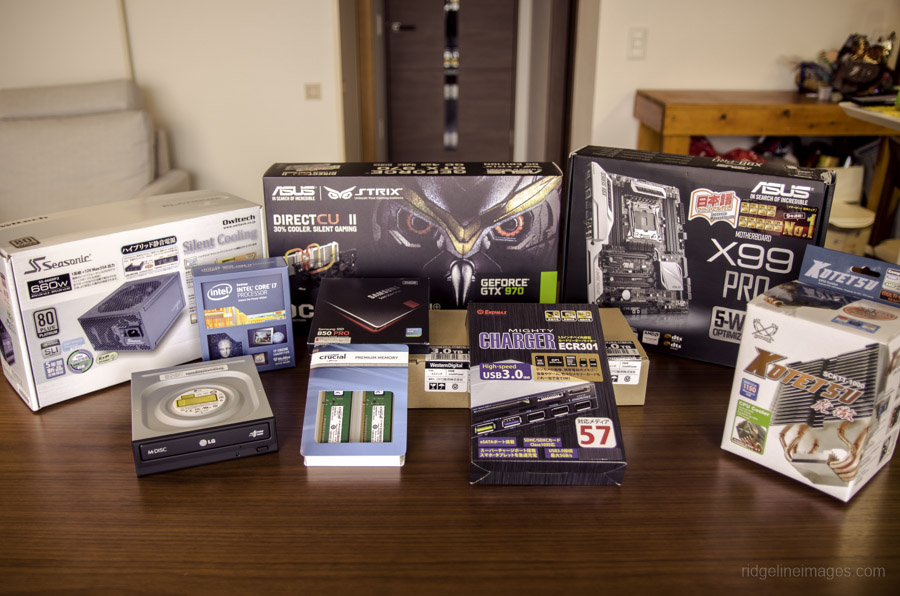
    Image result for PC build

    Pros to Building a PC

    • Full customization of PC’s interior and Exterior looks and funtions
    • Advances in PC tech, make building a PC relatively easy for intermediate users
    • With proper shopping, building can be a much cheaper option.

    Cons to Building a PC

    • High chance for PC software bug if not built right
    • Can be a laborious and frustrating practice at times
    • Ensuring that all parts are compatible and will function together is a task in itself

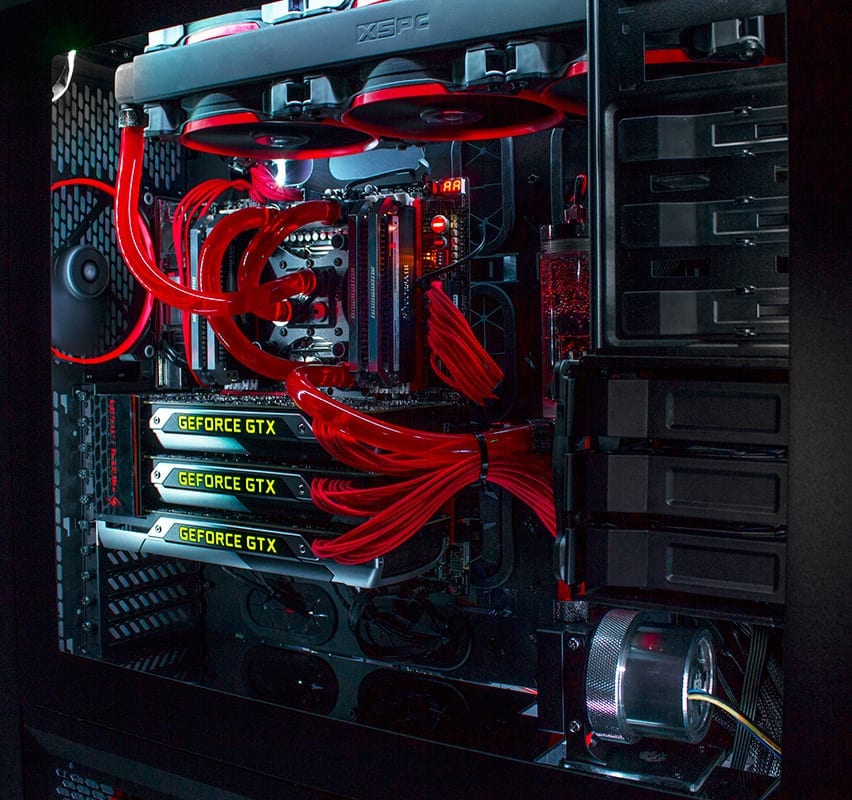
    Related image

    Conclusion

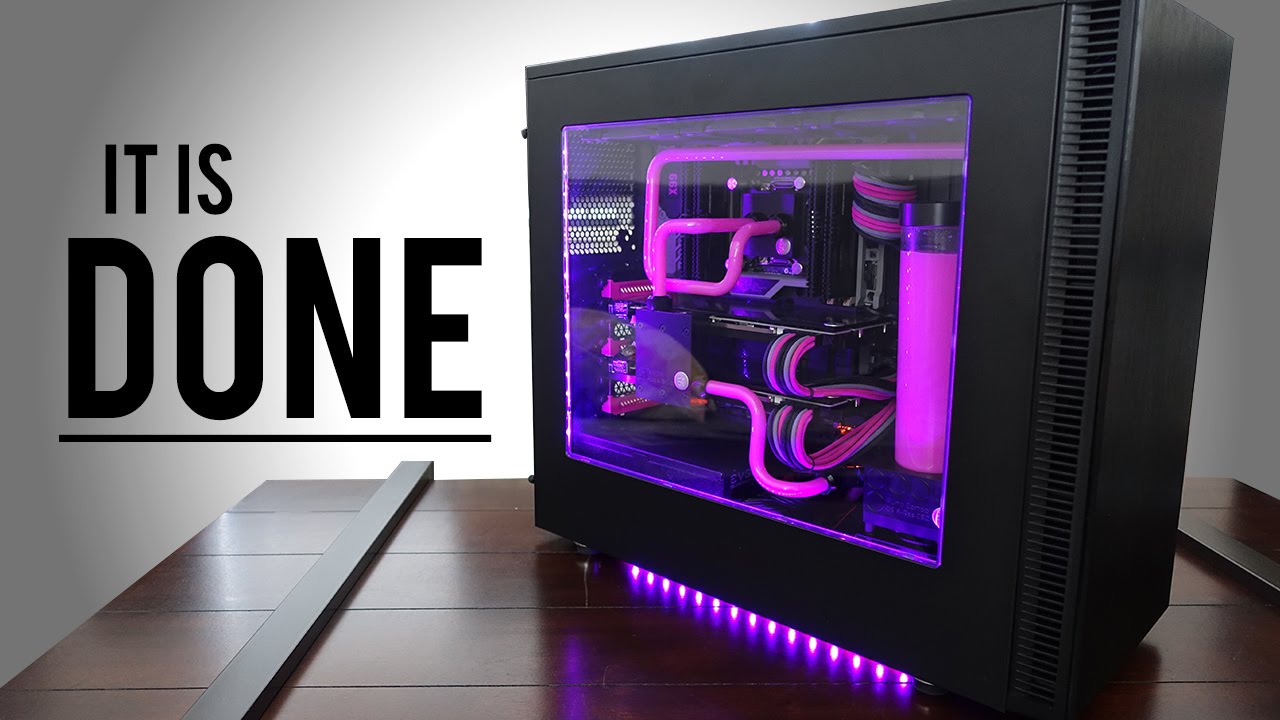
    PC building is a beauty in the eye of the beholder. Completing a fully custom, kick-butt, gaming PC can be a lot of fun with a rewarding product afterwards. But with great PC names such as Alienware, is it better to just spend the money and call it a day? If you have the time, I say build. With all PC parts easily available online at Amazon, and all the fun extras you can attach, making your own PC is almost an art nowadays. But prepare for frustration…

    Image result for PC build

    The build

    At first it seems like an overwhelming amount of work, but after a while all the parts your ordered and purchased seem to click in place and the PC is starting to come together. Fully customized to your liking with color schemes, attachments, and paint jobs, there is no end to what you can do to your custom PC. But is it cheaper than buying a big name PC? On average with all your high-end graphics cards, processors, memory, and motherboard, you cost can easily creep to $2,000.00. On top of the rising cost, you have to make sure all parts are compatible, get all software up and running together, and get past a sometimes long bug fixing period. I see why folks, to walk down to the outdoor Sunday computer market and grab something they know they can just plug in and go. But those big market gaming computers can cost around $5,000.00 and come equipped with essentially the exact same parts that you can buy and build for $2,000.00.

    Image result for PC build

    Final thoughts

    Ultimately, building you own PC is fun, cheaper, and the end result is building something you can be proud of. Complete with customized LED lights, personalized motherboards, fans, and graphics cards. But prepare yourself for frustrating moments and know it’ll take some time. But you’ll get through it and at the end of the day, you’ll call that PC your baby.