Tag: hp

  • Laptop Review: HP Spectre 13

    Laptop Review: HP Spectre 13

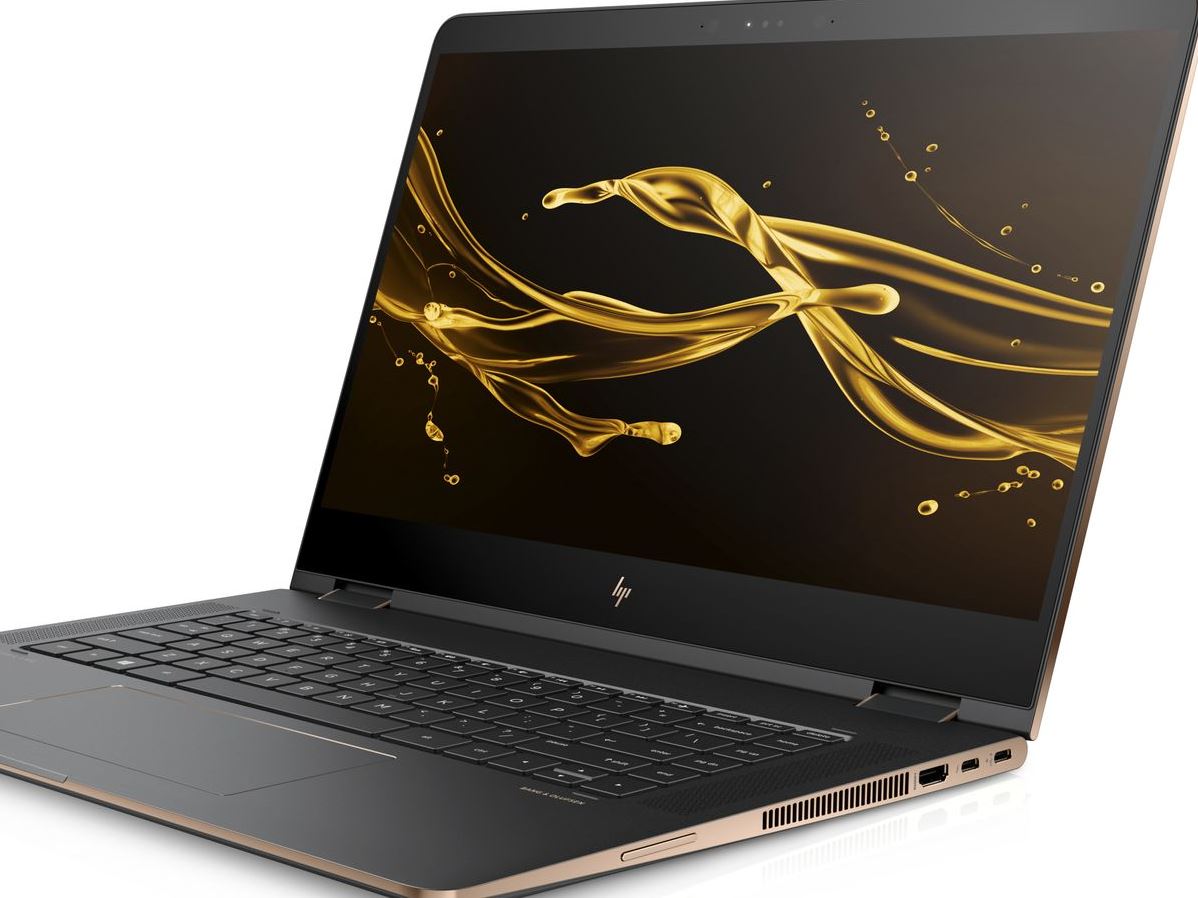
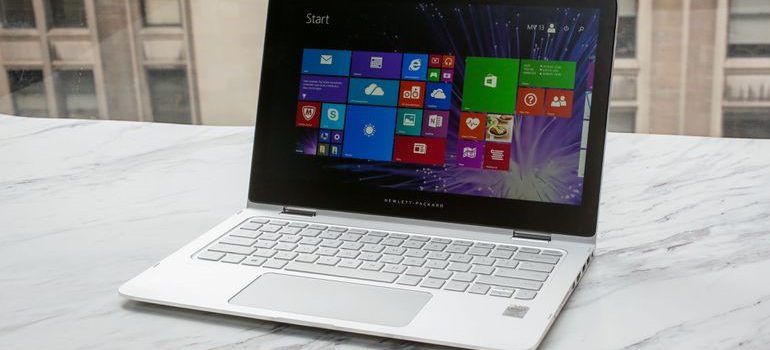
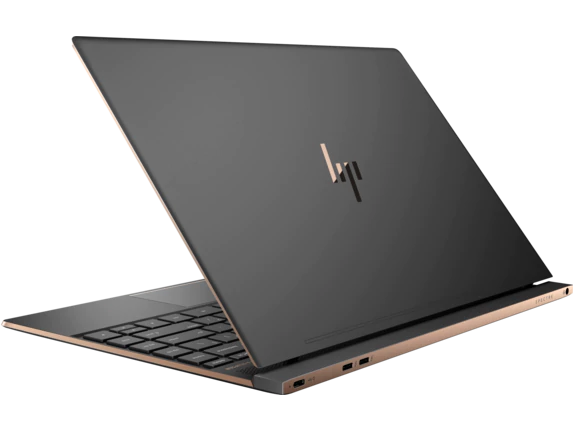
    The HP Spectre 13 is marketed as the world’s thinnest touchscreen laptop. Is it a good laptop, though? Has it made too many sacrifices to be as thin and portable as it is? Or is it just right? To find out, check out our review! 

    HP Spectre 13: Razor Thin 

    It is seriously thin. That’s not just marketing hype, this laptop only measures 0.41 inches thick. That’s not the thinnest laptop in the world, that honor currently belongs to the Swift 7. Runner-up Dell XPS 13 has a taper that ranges from being thinner than the Swift 7 at one end to thicker than the Spectre 13 at the other, so it’s sort of cheating. What makes this thinness truly impressive, though, is the touchscreen. None of the other laptops mentioned have touchscreen functionality, which gives this razor thin laptop a natural edge. 

    Design 

    The HP Spectre 13 is a pretty machine, with a very alluring form factor that looks right at home in an office or on the go. The lid is aluminum and the bottom is carbon fiber, and the body is scratch-resistant. It has a trimmed-down, fashionable design that appeals to those who want a stylish computer. The only complaint about the design is that the model’s signature thin frame renders it a bit fragile. Be careful applying too much pressure to it or carrying it in a bag without padding. 

    Inputs 

    The keyboard is punchy and responsive in ways that are surprising for its dimensions. The screen is somewhat below-average, but it can be forgiven for just how novel the touchscreen is on such a small notebook. The speakers are above-average and situated underneath the display, which makes them rather inconspicuous. The touchpad does leave a pit to be desired, sadly, and is a bit of a black spot on an otherwise nice input suite. 

    Verdict 

    This is a very sleek and attractive notebook. If you really like the thin design and want a computer that is also fashionable, this one is right for you. However, if you’re remotely interested in gaming or anything computationally demanding, this one isn’t the right pick. However, if you’re okay with a fragile computer that doesn’t have too much power under the hood, this one might be your speed. This one is great for college students or high school kids who just need a device to type essays and do homework on. The HP Spectre 13 retails for around $1,400 when outfitted with a decent chipset, which is a pretty big drawback for how weak its computing power is. 
  • HP Omen 15: Early Reports of HP’s New Gaming Flagship

    HP Omen 15: Early Reports of HP’s New Gaming Flagship

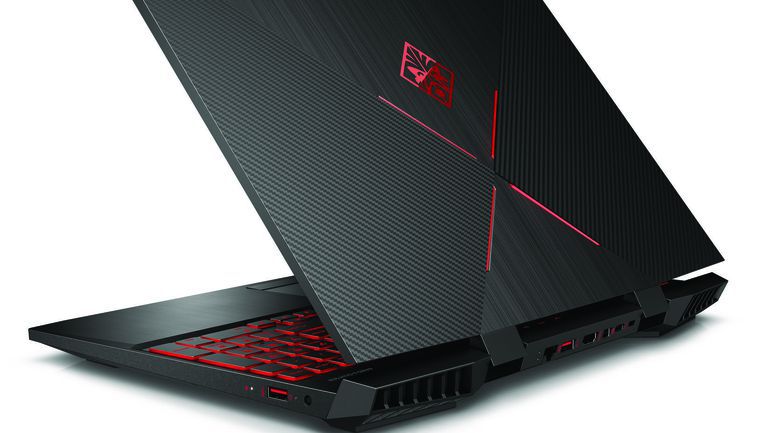
    Once considered a bit of a joke among gaming enthusiasts, HP has managed to recapture some of their lost respect with their Omen line. Omen gaming laptops are surprisingly excellent, sporting great design, size and performance all for a reasonable cost. The HP Omen 15 is no exception: early takes on the new laptop show it’s got some seriously impressive hardware under the hood. Not to mention, it’s sleek, sexy and well worth the attention it’s getting. Let’s dive on in! 

    Design 

    HP took a page from Razer’s book and went with the sleek, black matte plastic look. It even has the glowing logo on the back, but Omen’s logo is much less subdued than Razer’s. The back plate has a series of cross-hatchings that give the laptop an industrial, almost alien appearance. The keyboard section of the computer is aluminum, giving the laptop a premium finish.  

    The most striking aspect of this year’s design, however, is the incredibly small bezels. Compared to other laptops, the Omen 15’s display looks huge, even though it’s comparable to most modern gaming laptops. The reduced bezel size does wonders for the viewer: the laptop itself vanishes and only the game you’re playing remains. 

    Hardware 

    The Omen 15 wouldn’t be a gaming machine without the right graphics. And boy, does it have the right graphics. This mean machine sports Nvidia cards, specifically the GTX 1070 with Max-Q, 8th gen Intel processors, and options for 32gb of RAM. What’s more, the laptop has both solid state and hard drive options for memory, allowing for the best of both world when it comes to storing your games.  

    Both forms of memory, as well as the RAM, can all be accessed through a single panel. This is an excellent design decision for those who want to upgrade their rigs as technology improves. These design decisions, coupled with the beefy hardware, make the Omen as serious contender in the realm of gaming laptops. The high-tier rigs of the Omen 15 will be able to handle 4K graphics at 60Hz, which puts it on par with modern gaming desktops. That’s some serious power for this little thing! 

    Omen 15 Meant to be Gaming Hub 

    HP also announced some additional features and accessories for their new laptop. Omen’s new program, Omen Game Stream, is slated to launch with the laptop. It will allow users to stream games from their laptop to another screen, like the one in their living room. The Omen 15 promises 15 gigabit wi-fi, which should allow for even the most demanding of games to be streamed via the software. 

    Other accessories set to launch include the Reactor Mouse and the Sequencer keyboard. Their cool sci-fi names underscore their cool sci-fi innards. Both are stated to make use of optical mechanical sensors, allowing for lightning-fast response time from both. HP has also announced a headset called the Mindframe headset, set to launch later in the year. The Mindframe is stated to have internal cooling, an odd choice for a headset, but perhaps required during more serious gaming sessions! 

  • HP Spectre x360 15 Impresses With 4K

    HP Spectre x360 15 Impresses With 4K

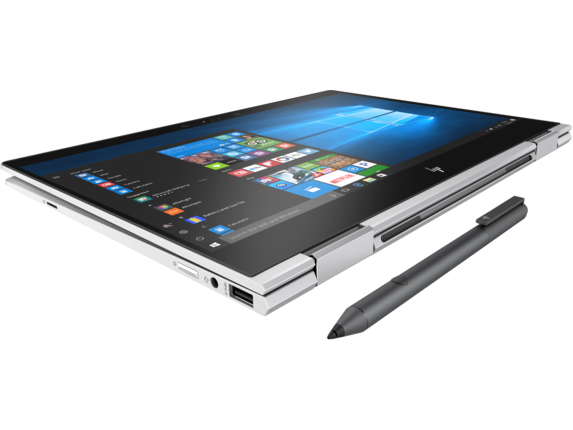
    The HP Spectre is a big, gorgeous convertible laptop that doesn’t fail to impress. While it isn’t the most portable device in the world, it more than makes up for that in power and flexibility. Today we’re breaking down our favorite new features of the HP Spectre x360 15 for 2018. 

    Design and Feel 

    This year’s Spectre is a fantastic machine and is built very well. The hinges feel smooth and steady when opening the laptop, and the finish feels sleek and high-quality. The display is certainly the star of the show: the Spectre comes stock with a 4K touchscreen. There is, interestingly, no option for a standard 1080p display, which certainly accounts for the computer’s price. Retailing for $1,220, this one is definitely aimed at professionals who want a big, bold display with a touch screen. 

    Performance 

    The base version of the laptop comes with a quad-core Intel processor and an MX150 graphics card, courtesy of Nvidia. These are both solid components and will serve all but the most demanding of users. Those who do demand more, though, will be happy to hear a version with a much beefier hexa-core Intel processor and a Radeon RX Vega M graphics card is also available. Both versions perform great, keeping up with common applications and never putting out too much heat or noise from the strain.  

    Keyboard and Pen 

    The computer comes included with an HP active pen, which is great for most common applications. Seriously creative-minded individuals can instead opt to buy the Tilt Pen, which is around $90. While the active pen is awesome for most uses, those who plan to be extensively drawing will appreciate the more flexible and responsive Tilt Pen. 

    The keyboard is also great, and thanks to the redesign from last year’s Spectre, is huge. It even sports a full number pad to the right of the normal keyboard! The keys have a good, non-slippery finish and their action is fine, if a little “sticky.” Those accustomed to mechanical keyboards might be a bit put off, but this laptop was definitely not made with serious gaming in mind. 

    Bottom Line: Spectre x360 15 is Great for Creative Pros 

    If you’re looking for a convertible that performs well and has a great display, this one is a fine pick. If you’re looking for a serious gaming laptop, of course, you’ll need to look elsewhere. Similarly, if you’re in the market for a budget laptop for doing homework and watching YouTube videos, this one isn’t the right choice. However, if you need a good computer for both work and drawing, look no further than the 2018 HP Spectre x360 15. 

  • Laptop Lookout: HP Envy 17

    Laptop Lookout: HP Envy 17

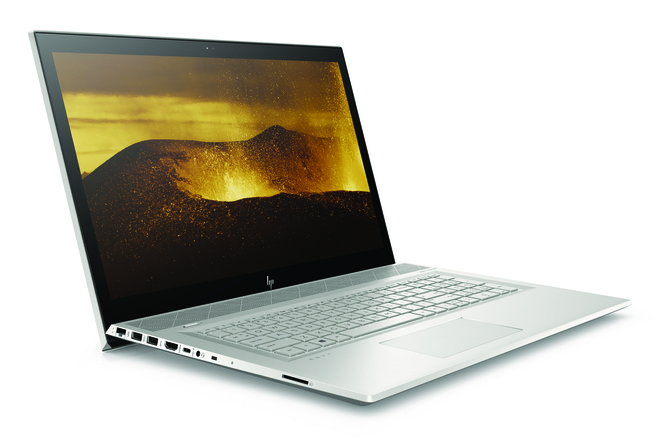
    HP is announcing an update to its Envy Line. HP Envy 17 will be available this summer, and is packing a nice bit of power. Now in 2018, HP has slimmed the bezels around the screens on the Envy laptops. Making the 17 big, powerful and beautiful.

    The Great

    • Great Screen
    • Fantastic Performance
    • Great Battery
    • Sleek Desgin

    The Not

    • Bigger, Heavy

    The Conclusion

    THe HP Envy 17 is a powerful laptop, pretty that most can afford. Its big, to big to always have with you, but it should keep you from missing your desktop PC in most ways.


    The Envy 17 packs a high-end quad-core mobile processor that will deliver more power than most people will use. Our tests on other laptops have shown that a simple dual-core processor suffices for mainstream applications, but quad-core comes in handy for more intensive uses such as gaming and creating graphics-heavy content.


    Sound Upgrades

    HP has now designed a  row of Bang & Olufsen-tuned speakers line the front and they’re angling up at 45 degree. This points them at your ears for listing and not lower, much better sound receptions. I guess its the little things. The volume is now controlled by a touch scroll wheel in the base, where there is also a high-speed wireless charger.

    Webcam, Pop Up

    I’ve seen this getting adapted around a few tech devices that I hope catches on. Its the pop up camera. I know its kinda gimmicky but i like the assurance of not having some hack in to my camera and spy on my life. The pop up camera can be popped down and blinded when I’m not using it.

    Lets Talk Speed

    Speed and performance are off the charts. On the performance front, HP has updated from 7th Generation CPUs to the latest 8th Generation Intel Core quad-core CPU (4C/8T) running at a base frequency of 1.8 GHz with a maximum Turbo frequency of 4 GHz while fitting in a 15W TDP at base frequency. The 17-inch runs the massive processor but has 12GB of DDR4-2400 in a 4+8 GB tilted configuration.

    Quick Spec Look

    • CPU: Intel 8th-generation Core i7-8550U
    • Memory: Up to 16GB of DDR4-2400 SDRAM (the base model has 8GB)
    • Display: 17.3-inch FHD (1920×1080) IPS WLED backlit touchscreen
    • Graphics: Nvidia GeForce MX150 with 2GB GDDR5 memory
    • Storage: 1TB 7,200rpm hard drive with a 16GB Intel Optane Memory module, plus a DVD drive

    The Final Thought on the HP Envy 17

    Solid, solid upgrades, beautiful design. I didn’t want to talk to much about the look of this, because its impressively stunning and something to experience first hand with about pre-building expectations. Just look at it you will know what I mean. Its got the screen and power we need but I think it will be more of a home computer for us,  because of its size and weight, and not get to travel and see the world like the smaller versions. Sad

  • Top 5 Laptop Brands

    Top 5 Laptop Brands

    So its time to purchase a new laptop. There are so many options to consider, size,weight, screen size, power and batteryand dont forget which brand to buy. All Laptops Brands will give you the plethora of build and model options to customize so starting with the brand of laptop is probably the best place to start. Whether you’re purchasing a $1,500 gaming laptop or a $200 Chromebook, the brand matters. That’s why we rate the top 5 laptop brands each year, based on their support, design, innovation, value/selection and, most of all, product quality.
    [adTextOnly]

    1. Lenovo  (8.6/10)

    For 2018, Lenovo retained its place for a second year as the best laptop vendor, but it just barely edged out second-place Dell and third-place HP. Apple, which used to dominate this contest, fell all the way to fourth place, down from second last year.

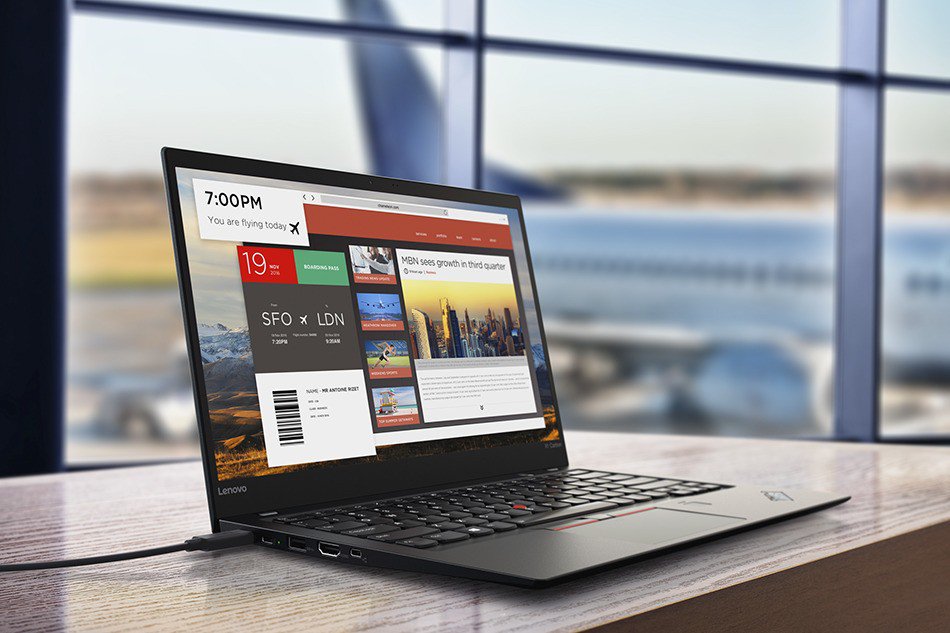
    Lenovo takes first place again this year, on the strength of the company’s fantastic product lineup. From the beautiful ThinkPad X1 Carbon, which was the only product to get a perfect, 5-star review in the past year, to the versatile Yoga 920, Lenovo’s laptops earned the most Editors’ Choice awards of any brand. And a full 53 percent of the company’s laptops scored 4 or higher. However, Lenovo’s tech support scores declined from last year, and stiff competition from HP and Dell made this a nail-bitingly close race.

    [adTextOnly]


  • HP Chromebook X2 Detachabley Terrific

    HP Chromebook X2 Detachabley Terrific

    So we have made it to a place in time where Chromebooks can run Android applications as natively as a Google Pixel 2, it is only natural that we’re starting to see detachable, hybrid Chromebooks that double as tablets.

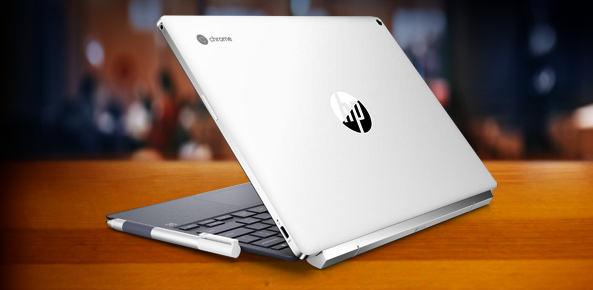
    Now HP is leading the charge in the 2-in-1 detachable Chromebook space with its Chromebook x2. Like the HP Spectre x2 before it, the HP Chromebook x2 is a thin and lightweight tablet that can be magnetically hinged to and unhinged from its included keyboard at will. That’s where the similarities end between the HP Chromebook x2 and its Windows-based predicessors.

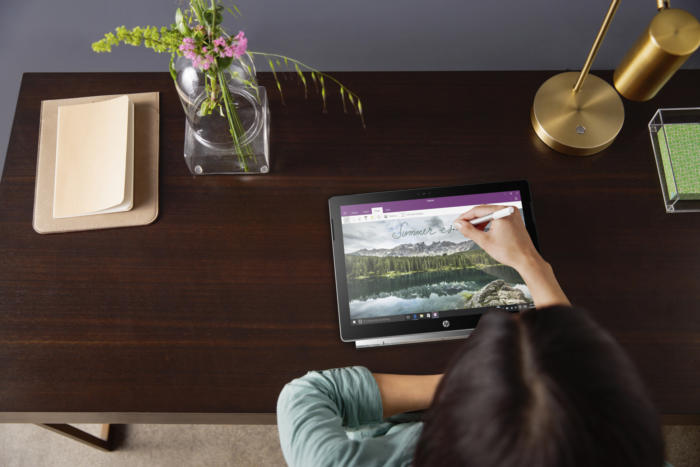
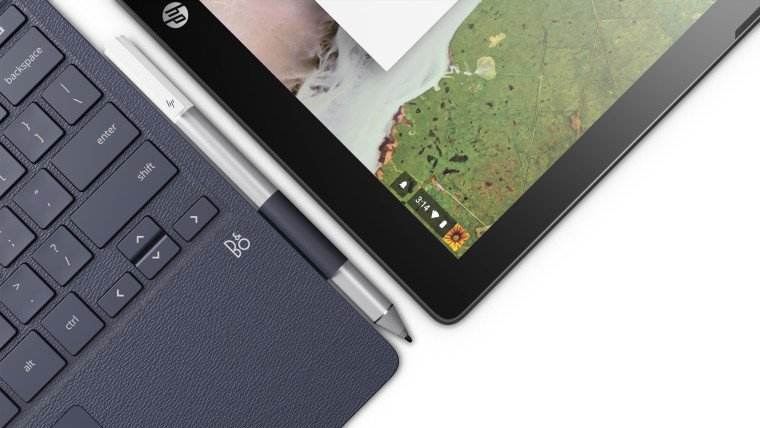
    HP is making Chrome OS devices that can do away with the keyboard. It just unveiled the Chromebook x2, a 12.3-inch laptop that’s really a detachable tablet — unlike the earlier Chromebook x360, you can leave the keyboard behind instead of merely flipping it behind the screen (though you can do that too). There’s an included pen for note-taking and sketching, and you’ll find a 13-megapixel rear camera on top of a more conventional 5-megapixel front shooter.


    Hows it Running?

    The Chromebook x2 has a Core m3 processor from Intel’s prior generation of Kaby Lake chips, 4GB of RAM (it can be configured with 8GB, too), 32GB of storage, a 2400 x 1600 resolution, stereo speakers, a 5-megapixel front camera, a 13-megapixel rear camera, two USB-C ports, a microSD card slot, a headphone jack, and an estimated 10.5 hours of battery life. It weighs a little bit more than an iPad Pro, and it’s a little bit thicker than an iPad Pro, but not by much.

    HP also emphasized that the keyboard was designed to hold firmly enough to the tablet that it should feel like a clamshell laptop when the two are connected. I haven’t seen the Chromebook x2 in person, but HP’s images make it look relatively nice. While the Chromebook x2 looks like a bargain compared to the iPad, it’s expensive for a Chromebook, which people often buy for around $300.


    The Final Thought

    So if you’re looking for a more premium Chromebook, and you don’t want to shell out $1,000 for Google’s Pixelbook, the Chromebook x2 seems like a potentially interesting middle-ground. But we won’t know for sure until it comes out later this summer on June 10th.

  • Laptop Lookout: HP ZBook X2

    Laptop Lookout: HP ZBook X2

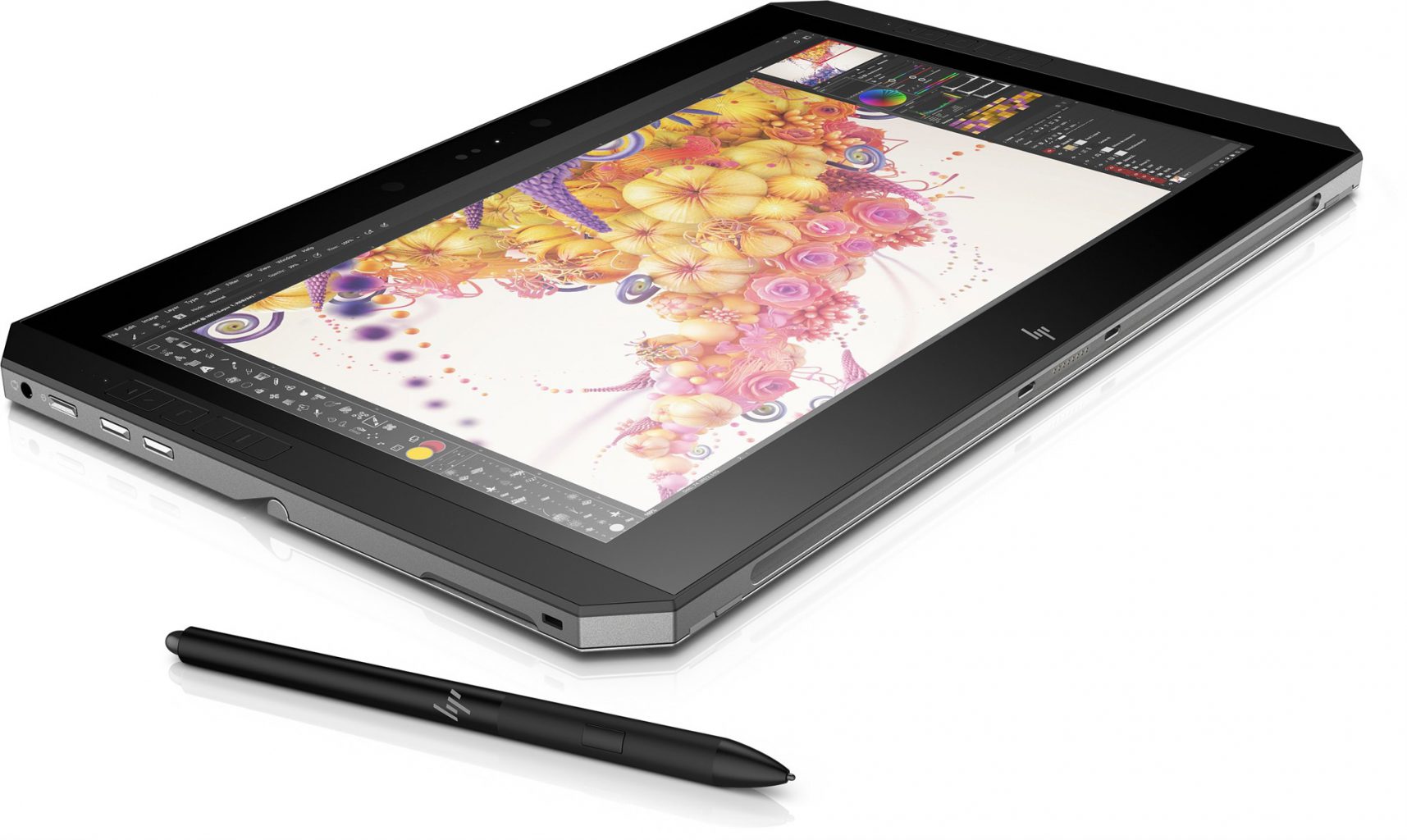
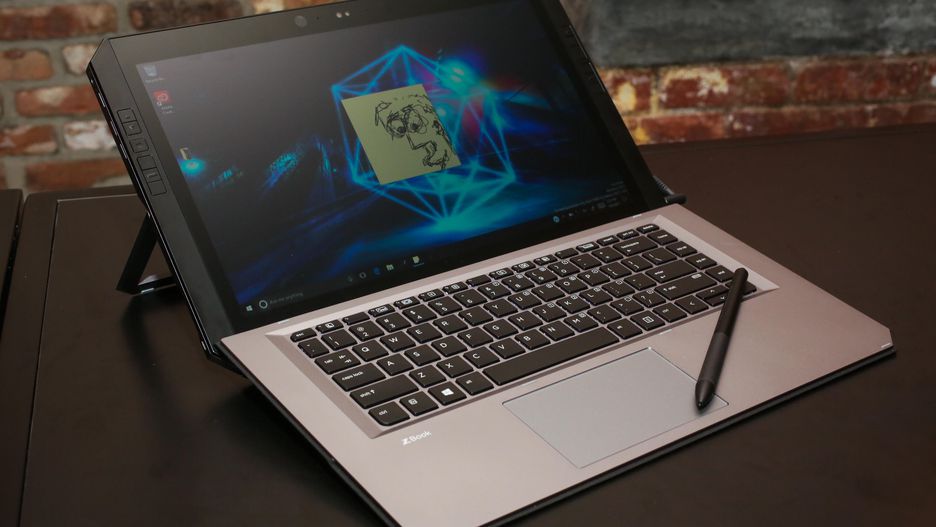
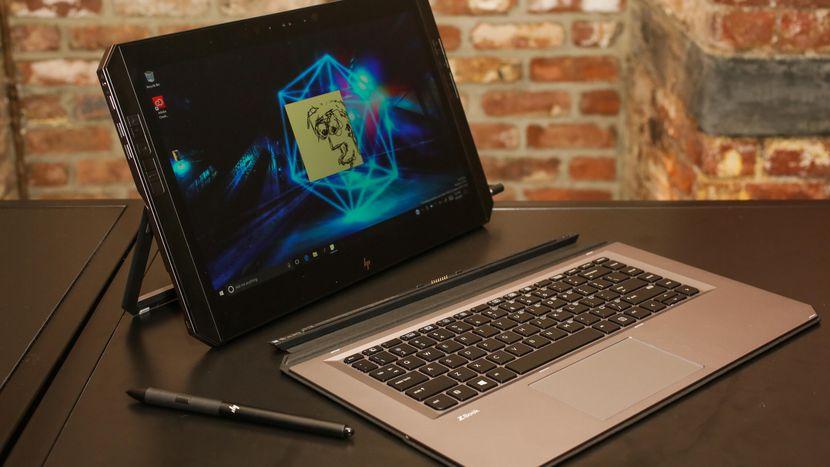
    Its not a Notebook, barely a laptop but it a great PC solution. Hp is Introducing the world’s most powerful detachable PC with remarkable performance and versatility to push your favorite Adobe applications to the limit. Yes it’s a full-performance workstation-class laptop experience with full-sized keyboard and integrated stand. With HP Quick Keys, keep working in your Adobe® apps without the use of a keyboard. The full-sized Bluetooth® keyboard stays active when detached, so you can keep working.


    The Good

    • Adobe featured
    • great stylus
    • Great shortcut OS features
    • Good Keyboard


    The Not

    • Battery-life not great
    • Lacks graphic performance
    • Overpriced


    The Conclusion

    I cant call it a 2 in 1, its barley a laptop but much more then a notebook or tablet. Really its everything and does it all pretty well but is a master of none.


    This is no notebook. This is  a specialized tool designed to serve as a complete solution for digital artists, photographers and other creatives. It’s massive, but designed to provide easy access to shortcuts. It also has a professional-grade stylus and a matte 4k display that feels as if you’re drawing on paper.


    The Design

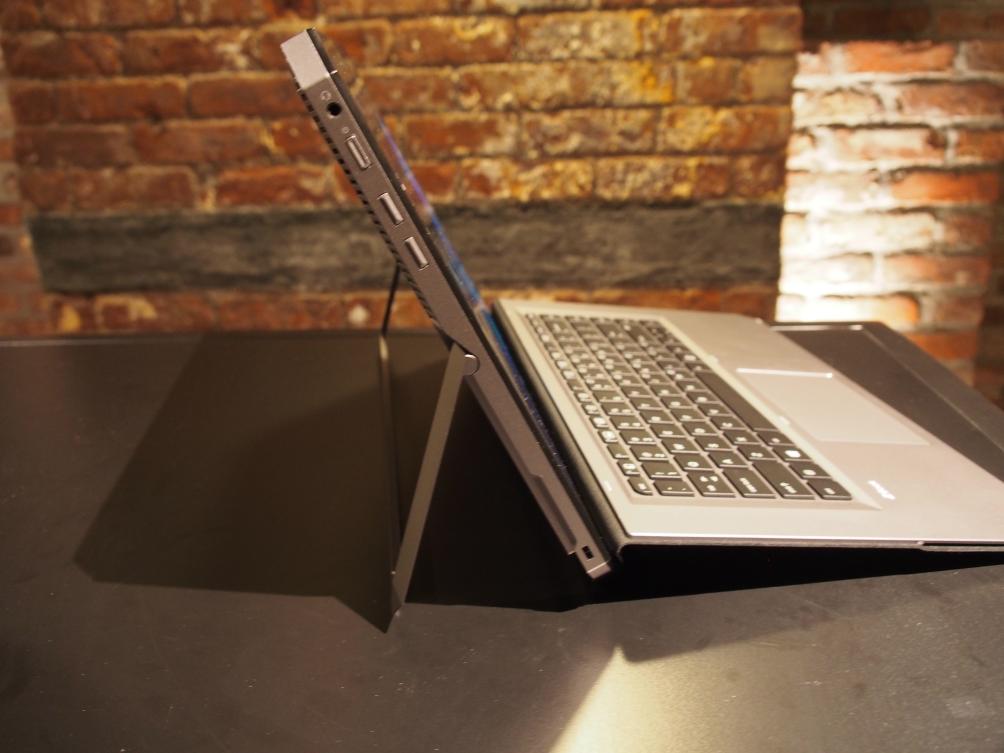
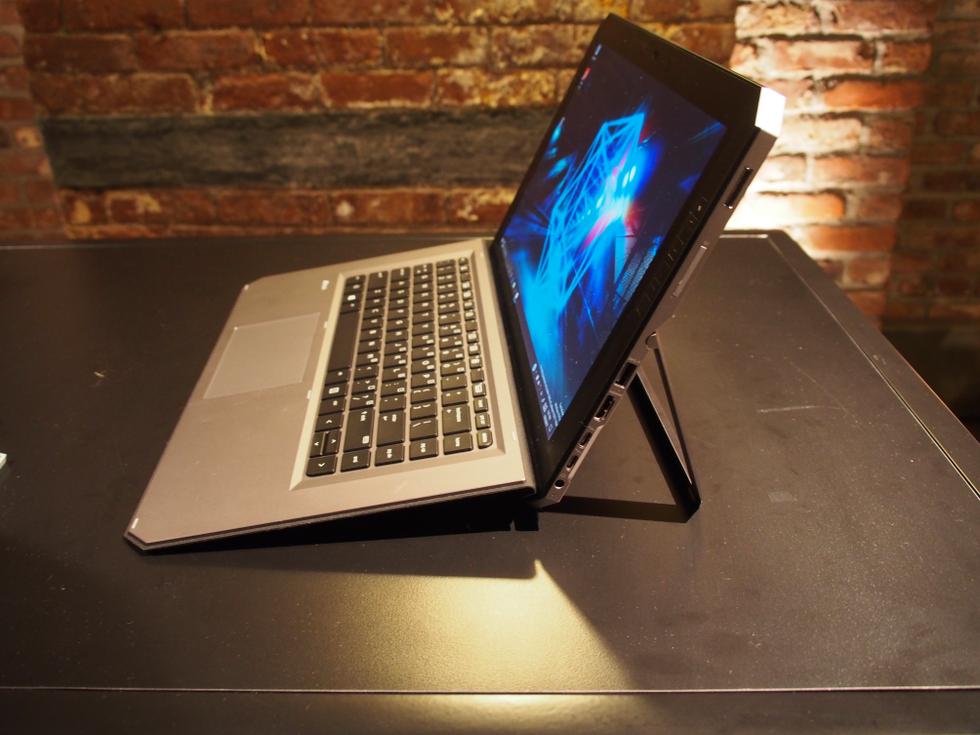
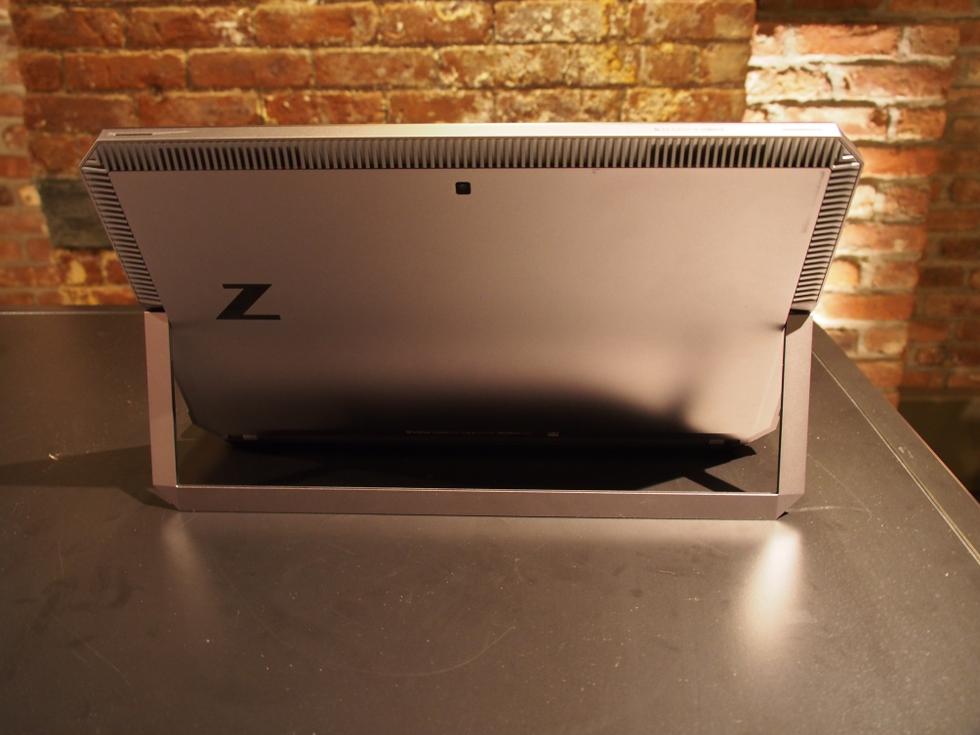
    You’ve never seen a laptop like this before. The ZBook is industrial in a way that looks powerful. It’s a large octagon of metal. The back is a very plain gunmetal gray with a reflective Z logo and a whole bunch of vents for cooling. The pull-out kickstand could use a little more to put you fingers in the small notches on the side, but it pulls out almost flat, up to 165 degrees.


    With a 4k Display and only a 14 inch bezel surrounding it makes it very attractive to look at. Windows Hello is in place with an infrared camera and webcam stuffed in the top. The best part of the design is the 12 programmable shortcut buttons built down the sides. Down the right side you will find  a fingerprint reader, an SD card slot, a USB 3.0 port, an HDMI output, a pair of Thunderbolt ports and a barrel-shaped charging jack.Its a big heaver then the others in its class at 4.9lbs but it feels much more rugged and sturdy. The metal body helps this.


    The Power

    It has the power,  it has all the specs of a workstation PC: a quad-core i7 processor (from Intel’s Kaby Lake-R line), an Nvidia Quadro M620 graphics card, and up to 32GB of RAM and a 2TB SSD in a versatile desgin. These are the top line specs so you are gonna have to pay more to get the juice. It also rocks a  Wacom EMR-enabled and battery-free stylus with 4,096 levels of pressure, comparable to many of Wacom’s gaphics tablets. Then there’s the four modes that the detachable 2-in-1 can be used in. That includes a docked mode where the device can connect to two external 4K displays simultaneously and a “detached” mode where the keyboard functions as a Bluetooth keyboard.


    The Final Thought

    Its got some neat, unique features and functions. The short-cut keys, the kickstand. Its got the versatility being a tablet, 2-1, and powerful PC. Yes its the most powerful detachable pc tablet laptop but at what cost?  It’s a good fit for for artists, 4K videographers, and anyone who needs massive power in a versatile form…


  • A Little Lighter HP Spectre x360 13

    A Little Lighter HP Spectre x360 13

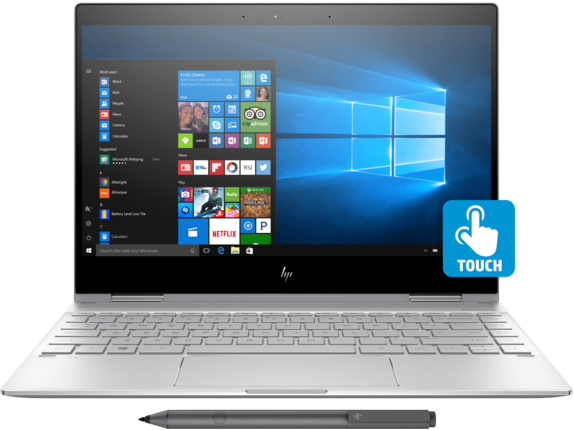
    The HP Spectre x360 13-w023dx is a high-end convertible- hybrid  2 in 1 touch screen laptop with all-day battery life, more than enough speed for day-to-day and multimedia tasks, and a premium chassis. It features a Windows 10 64 OS, 8th gen Inlet processor, with up to 16gb SDRAM and 13.3inch 4k IPS WLED touch screen.  Starting at $999.99 and an all out specs price of $1320.99.

    The Great

    Really Light And looks fabulous, the HP Spectre x360 13 has a great feel and responsive peripherals, a fantastic display and adequate sound. Add in a  the new HP Active Pen, fingerprint reader and better battery life with an upgraded display and it is… great. Its great.

    The Not

    Nothing revolutionary, the devices itself gets a little warm.

    The Conclusion

    The HP Spectre x360 13 was a great 2-1 laptop and it just got a little better. It’s not a cheap computer, but you get what you pay for and this is worth every penny.


    First impressions


    I’ve been using the HP Spectre x360 13t for a little while now. I fell in love with the 2-1 convertible laptop with a touch screen. When I adopted this little guy it has condensed many devices for me. There is a ton of computing power built in to a ergo dynamic, sleek and useable design. Like a 2-1 should be it’s the best of both a powerful laptop and a user friendly tablet. Then it got a late 2017 upgrade. Lets look at the pumped up new guy.

    HP Spectre x360 13t (13-4003)


    What’s changed?

    With the update HP has packed with solid features, latest 8th gen processor and powerful RAM. Face recognition and finger print sensors. We got a processor upgrade to the Intel® Core™ i8. The Display has been enhanced to a 4K IPS micro-edge WLED-backlit touch screen with a micro edge. All of this is going to need a better battery, got that too.

    Look, Feel, and Function

    Functionally flawless, although I’ve noticed and read others experiencing the temperature of the device getting a little high. This is probably due to the postponed fan activation curvature. Thankfully, the improved cooling for the 8th gen chips is working. I like that the new HP rechargeable pen is included, it adds a nice touch and experience. I’m getting a full heavy use day on the battery, no issues other than the slight heat. Display is brilliant, can brightness can be a little low, and I’ve had to turn it to 100. The fingerprint reader is a very nice feature, though I can get it to work only about half of the time. It is also positioned in a weird place.

    Final Thought

    Overall, the Spectre x360-13t is a very good computer. It’s quick, reliable, light with great peripherals. When looking for the ultimate 2 in 1 its between this and its main rival the surface Pro. I would strongly recommend that prospective buyers give The Spectre serious consideration. Its worth the price tag if you want quality.