Tag: internet

  • Best Kids Internet Monitoring Programs

    Best Kids Internet Monitoring Programs

    It can be hard to parent effectively in the age of information. The internet is a big, unregulated place full of things kids probably shouldn’t see. While the simplest solution is to simply keep young children away from the internet, that’s an unlikely solution. That’s where these internet monitoring programs come in!

    Best Internet Monitoring Programs

    Net Nanny Review

    This service is so well-known that its name is almost synonymous with internet monitoring programs in general. This service costs $40 a month, which makes it a bit on the pricier side. However, it works across multiple platforms and offers control directly from an app. If you have Android, that is! Sorry, iPhone users.

    Net Nanny allows you to choose from a variety of filters to stop access to tons of different types of content. Most monitoring services prevent access to nudity or violence, of course. Net Nanny lets you increase the granularity of what is filtered, however. This allows you to rest easy knowing your children’s particular fears or phobias are being filtered out.

    Symantec Norton Family Premier Review

    Norton, well-known for their antivirus software, also has a well-regarding internet monitoring service. This service is highly recommended, due to its high-quality web interface and strong filtering tools. You can monitor and filter access from all devices that are connected to a network. This allows you to keep your children safe no matter what device they’re using.

    The only downside to Norton’s service is that it isn’t available on Mac. If your household doesn’t own a Mac, however, you have nothing to worry about. Another notable shortcoming is a lack of strong social media controls, but you can always just ban social media sites outright to avoid the problem. What 8-year-old needs Facebook, anyway?

    Qustodio

    A well-made and easy-to-use tracker, Qustodio works across Macs, Windows and mobile devices. It allows for strong filtering and monitoring tools, as well. It has a somewhat outdated web interface, but that’s outweighed by the strength of its monitoring and filtering. If your house has a wide variety of devices, from iOS to Android to Macs and PCs, this is the best monitoring program for you.

    The only notable downside to Qustodio is its relatively high price. The service runs $50, which is a touch expensive. However, it’s well-worth the robust monitoring and peace of mind it offers.


  • Best Wireless Routers for 2019

    Best Wireless Routers for 2019

    When you rely on your internet for your entertainment, your work or just your leisure time, you want the best. Maybe you’re paying for the best internet money can buy but your devices still seem sluggish. Maybe it’s your wireless router. Today we’re looking at some of the best wireless routers that money can buy.

    Best Wireless Routers for 2019

    Google WiFi

    Google’s proprietary WiFi router, the aptly named Google WiFi, is great for people with large homes. The puck-shaped router can be set up in a net-style array, and will cast your wireless signal across a larger space. Just set up a router in each part of your house that you want to cover and Google WiFi will do the work.

    This mesh technology tends to work better than simple range boosters. The reason for this is that Google’s tech uses the smaller WiFi receivers as satellites for the signal, catching it and amplifying it in the area nearby. This makes it easier to cover dead zones in your home.

    ASUS ROG Rapture GT-AC5300

    If you want the best of the best, you want the Rapture GT-AC5300. Asus’s entry in the crowded high-end router market was made with performance in mind, and the price shows it. The hefty $400 price tag might incite some sticker shock, but it more than makes up for this with its strength and features.

    The incredibly speedy Rapture router was literally made with gaming in mind. The through-put is blisteringly fast, and you’ll experience no trouble connecting. There’s tons of I/O ports for the gamers out there, and a great management console for customizing your experience. If you take gaming seriously, this huge router is for you.

    Asus RT-AC66U B1 Dual-Band

    Another entry from Asus, this router is much less expensive. Coming in around $100, the RT-AC66U is great for all-purpose internet use. It’s speedy, but not blisteringly so. It sports four LAN parts and three non-removable antenna. The signal strength is solid and the throughput is fast enough for general gaming and streaming.

    The only drawbacks to this snappy little router are its sub-par file transfer speeds and its clunky, non-removable antenna. However, thanks to its low price point and easy set-up, this is an easy router to recommend. If you’re not looking to spend a lot of money but still want a great router for all your internet needs, this is the one you should be looking at.

  • How to Get the Best Internet Bill for Your Money

    How to Get the Best Internet Bill for Your Money

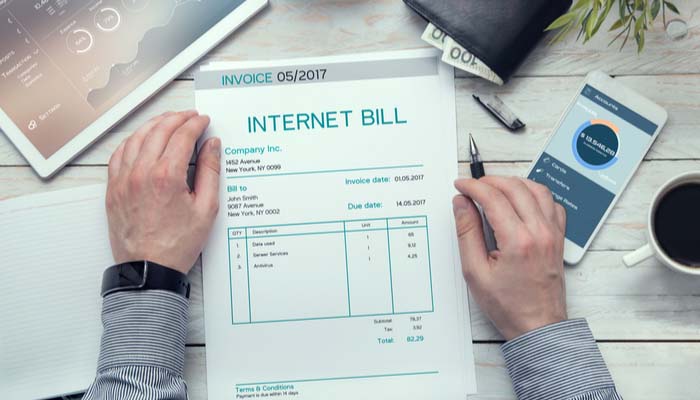
    Internet bills can be expensive to say the least. When it comes to normal household bills, your internet can outstrip even your utilities in some situations. That said, there are ways you can make sure you’re getting the most for your hard-earned money. Let’s look at some tips for making your internet bill more reasonable.

    How to Get the Best Internet Bill

    Know What You’re Looking For

    The first step in getting a fair internet bill is going to be research. Depending on where you live, your internet service provider options may be limited. Regional providers are in heated competition due to the usually small number of companies to choose from. When you call your ISP looking for a better rate, you should know what you’re getting into.

    Make sure, first of all, that you have accurate and up-to-date information on your bill and what kind of speeds you’re getting. You’ll want to make sure you know how much you pay every month, what speed you’re getting, and keep track of any service issues you’ve had. That way, you know what you’re talking about when you’re on the phone with them. Most importantly, you’ll want to know their competitor’s rates, speeds and promotional offers.

    When to Negotiate

    If you have a contract with your ISP, it’s best to wait until near the end of the contract period to call them. When you do, know the kind of deal you want. If you’ve done your research, you’ll know what kinds of speeds the other ISPs in your area are offering for what prices. You can use that information in your negotiation. Simply tell your ISP you’re switching because of the high prices of their service, and that you’ll be returning their equipment.

    When you do this, it’s surprising how fast you may get offers for a better rate! That said, it’s also important to remember that these negotiations won’t always occur at the end of a contract. If you simply don’t have a contract, the best time to try to negotiate is the start of the month. Simply call your ISP and tell them you’re planning to switch and return their equipment at the end of the month. This gives them a full month to offer you a better deal!

    If you feel as though you’re really paying too much for internet and you’re in the middle of a contract, check out the competition. Sometimes paying to break contract early can save you money over sticking with your current ISP, and you should use that knowledge to your advantage.

    Be Ready to Follow Through

    Make sure you stay polite and kind, but don’t waver in your goal. You’re trying to get a better internet bill, so be ready to follow through with this plan. If your ISP won’t budge on the price and you can get a better deal somewhere else, do so! Be polite, and don’t yell at anyone. Simply switch to a company that will give you a better deal!

    While it can be a bit of a hassle to switch, companies know that, at the end of the day, you’re going to go with the best deal! As such, typically, the sincere threat of losing a customer can cause them to adjust your bill. That said, it’s not a surefire thing: they want as much of your money as they can get. In these negotiations you need to be prepared to follow through with threats to switch!

    Bottom Lines

    The bottom line of your bill is the bottom line. Don’t let yourself get talked into silly upgrades like cable channel packages or increased speeds. Remember, you’re just trying to get a lower internet bill! The people you talk to on the phone are well-trained, and they’ve got a stated goal to get you to upgrade whenever they can. That’s the exact opposite of what you want: you’re trying to save money!

    Don’t be afraid to simply state what you want. Tell them the price you’re looking to pay. Generally speaking, these companies appreciate your business and still want your money. It’s smart for them to work with you, at least, so speak plainly and kindly. Again, there’s no need to be mean: just make yourself clear. Follow these easy tips and you’ll be sure to get a great internet bill!

  • FCC Rules with Google on Fiber Anti-Competition Rules

    FCC Rules with Google on Fiber Anti-Competition Rules

    In an odd development that shows that the FCC is uncertain of the types of policy it wants to enforce, they’ve ruled in favor of Google in a recent turn of events. The rule is called One Touch Make Ready, and it’s a bit of a complex issue, especially given the FCC’s stance on Net Neutrality. The main aspect of OTMR rules holds that broadband providers who are adding new lines to utility poles can move competitors wires themselves to make room for their lines. This encourages competition, as previously telecom companies were in no hurry to roll their trucks out to move their wires for their competitors.

    FCC Rules in Favor of Google

    This OTMR ruling is beneficial for Google, who have been slowly rolling out their fiber broadband network to various cities. They encountered a significant slowdown when competitors like Comcast and AT&T proved very slow in making room for them on utility poles. While this foot-dragging is certainly in poor spirit, it’s understandable. If you were in charge of a business, would you be in any hurry to accommodate your competition? As such, rules allowing newcomers to simply move the existing lines themselves make sense from the stance of anti-competition.

    Mixed Signals

    The FCC last year voted to take away Obama-era protections for broadband internet. The Net Neutrality vote is called the “Restoring Internet Freedom Order,” an ironic (and erroneous) name. Under the previous definition, Title II protections extended to broadband internet. This meant providers had access to all utility poles for broadband. However, since Pai led the gutting of these protections and defined broadband internet as not being telecommunications (no, seriously) these protections no longer apply.

    This ruling, then, is in seeming opposition of that ruling. Why would the FCC act pro-competition now when they were so anti-consumer a few short months ago? That said, we don’t want to give you the wrong idea. In broad strokes, this promotes competition, which is good for consumers. If this marks the start of a change of character for Pai’s FCC, then all the better. That said, one worries when the other shoe will drop. After all, we’re dealing someone who was recently quite eager to gut Obama-era protections.

  • Top Five Cable Tv Providers

    Top Five Cable Tv Providers

    As hard as we try to cut the cord, go to a entertainment on demand premise we still need that live cable goodness. Streaming CNN or ESPN makes you fell like your behind the actual breaking updates. Not to mention the constant and consistent back round noise that cable TV can provide. I just want to watch something I can ignore. The final and one of the biggest necessities of cables is it give you the option to watch something when you don’t know what you want to watch.  I know, I know even as I am writing this I just keep thinking ooooh shut up with your first world problems, and since these are my concerns my only conclusion is its a wonderful time to be alive in America.  Lets take a look at the Top Cable options, some of these are location based and you may not be lucky enough to be in their footprint… uhg again with the first world problems. These are the best for cable TV options.

    1.At&t Uverse

    While this can be one of the more pricer options and only available to a limited footprint in limited areas, if you are lucky enough to fall in the Uverse green zone you have the best option available. With four TV packages to choose from with a selection of 200–550 channels. It uses a fiber optic network, which makes the service more reliable than satellite or cable TV. U-verse’s pricing is more competitive if you bundle it with Internet and/or phone service, but on its own, it’s priced higher than competing packages. Big benefits of Uverse is the standard whole home DVR, advanced interface, and no degradation on bandwidth. At&t has since decided it has more lucrative options for its Fiber network so it has begun aggressively switching all its uverse users to Directv.


    2.Spectrum

    This one was quite a surprise to jump to number 2 and take the silver. With the Charter/Time Warner merger the T-1000 of internet cable providers have Spectrum offering an affordable 100 Mbps internet options, with quality cable for a reasonable price. They offer all the latest features like whole home DVR and VOIP telephone options with on screen caller ID. While its great they do not make you sign a long term contract, there are installation fees and the price does jump from time to time.


    3.Verizon Fios

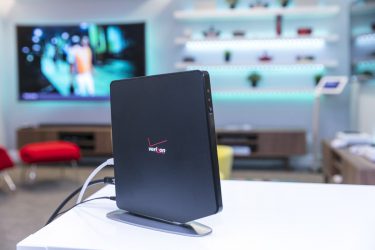
    This is a great service that has dropped to bronze due to Verizon cutting off expansion plans for Fios and their fiber game.Verizon’s Fios internet service is one of the best money can buy. It’s lightning fast, and thanks to its fiber infrastructure, it’s also reliable. Add in customer service that exceeds the expectations you have a top tier cable option, if you are lucky to be in the footprint. The company has established areas,  but it’s mostly major cities with no further plans to expand.  They have an array of customizable  plans to fit your needs and budgets. They have the speed, channel lineup, on-demand and features and functions that you could want. Did I mention they offer Gbps? a gigabit!!!


    4.Optimum

    This was another surprise from a traditional cable provider. One of the smaller guys offers the best bang for you buck. Optimum has the 100Mbps, full channel lineups, great interface all the basics are there. Where they stand out is there whole home DVR allows you to record 15 shows at once. This is nice for the prime-time Sunday nights. They are even offering up to 400Mbps in some areas and at a great price.


    5. DriecTV

    You cant count Directv out, and being the focus of At&t’s cable service they are adding more and more features and functions you see in the Uverse system constantly. The Sunday NFL package is legendary and a necessity for all die hard football fans. The downsides are still the contract, the hardware and the outages when it rains, additionally you still have to bring your own internet connection.


    The Worst: Comcast Xfinity

    Billing its self as a premium provider but sorely missing on features function and execution Comcast Xfinity is by leaps and bound the worst dollar spent in the cable business. With constant freezes, reboots, outages and interface lock downs it is a frustrating mess. Just this morning I was forced to watch the Talented Mr Ripply when the menu on Infinity froze forbidding me to change the channel until it has performed its 5 min interface reboot sequence. Nope, just nope.