Tag: laptops

  • Best Study Laptop for Students: What to Look For

    Best Study Laptop for Students: What to Look For

    When you’re shipping off for college, you want to make sure you’re bringing the best gear with you. Of course, you want only the best backpack, binders, pencils and such, but that’s not where you need to really worry about quality. The most important consideration you need to make for your college gear is in your laptop.

    When you’re studying, you’ll need to use your laptop to find the information. During class, when you’re taking notes, you’ll need to be able to quickly navigate your note-taking app and get everything in order while the professor is lecturing. When you’re writing essays, you need to be comfortable with the laptop’s keyboard. And, of course, you’ll want to make sure you’re aptly entertained when it comes time to unwind.

    Weight

    First off, when you’re shopping for a laptop for college, make sure it’s light and easy to throw in a bag and carry around with you. You’re already going to be sporting a ton of books and carrying all of your scrap paper and pencils to and from class. The last thing you need is to also have to worry about lugging a heavy laptop with all of this stuff.

    Remember, though, that a lot of your time using the laptop will involve typing and writing essays. This means you’ll want to have a good-sized trackpad and keyboard for the most ergonomic experience. If you do have to sacrifice on keyboard size to keep the laptop to a reasonable size and weight, of course, you can opt for a USB keyboard and mouse to keep in your room for heavy-lifting tasks.

    Screen

    You probably don’t need a massive, 17-inch OLED screen for the laptop you’re going to be using mostly for schoolwork. Also, per our last tip, you probably don’t want a laptop that big taking up so much space in your backpack. A 13- or 15-inch screen will likely be more than enough for scholastic purposes, so don’t go overboard when you’re looking at screens.

    If you’re looking for something to serve as a great entertainment device for when you’re back in your dorm, consider getting a Roku and a small HDTV. Alternatively, if you’re wanting to play video games, you could probably find a good deal on a Nintendo Switch, which would dramatically lighten your load compared to buying a full-fledged gaming laptop.

    Memory

    When you’re considering what kind of storage your laptop needs, make sure you’re getting a solid state drive. SSDs are more expensive than conventional hard drives, but they are well-worth the extra money. That’s because SSDs are stationary, unlike hard drives that spin in your computer, and so they travel much more safely. The less moving parts a portable computer has, the better!

    SSDs also load information significantly faster than hard drives. Keep in mind, however, that it’s hard to notice this bump for the types of tasks you’ll likely be using a school computer for. If you often use Photoshop or render graphics, such as for video games or design, however, you’ll see a marked improvement in speed for SSDs.

    Power

    Finally, we get to the big question. What kind of power should your school laptop have? Budget-conscious students will say “nearly none,” while gamers and tech fiends will say “all of it,” but neither is accurate.

    For the purposes of research, writing papers and browsing the web, all while not tearing too hard into the laptop’s battery life, the best option is more measured. A Coffee Lake processor, for instance, will offer a great balance of power and performance. However, if you’re looking for a more budget, school-focused machine, something like a Chromebook might be the best option.

  • Biggest Mistakes People Make When Buying Laptops

    Biggest Mistakes People Make When Buying Laptops

    If you’re shopping for a laptop for your kids going back to school, or just looking for something to help you with productivity, there’s a lot to choose from. It’s becoming increasingly difficult for laptops on the lower end to distance themselves from competition in the form of tablets and even smartphones. As such, tons of weird gimmicks have started showing up on laptops across the entire market, and they can be hard to sift through.

    When you’re shopping for a new laptop, there are a few basic mistakes you’ll want to take care to avoid. Whether they’re experienced tech junkies or relative newcomers, here are the basic mistakes that people make when they’re shopping for a new laptop.

    Paying too Much

    Some of the higher-end laptops you’ll find are downright amazing. However, that doesn’t mean that every expensive laptop is a good deal. If a laptop feels like it’s straining your budget for you to fit it into your purchases, it’s likely rocking some features that are completely unnecessary. Don’t get suckered in to paying a huge upcharge for a 4K display, 4TB of memory and 12GB of RAM when the laptop is going to be used for taking notes and watching YouTube videos.

    Along this same line of reasoning, make sure you know what display resolution you’re comfortable with. If you want to use a laptop for lots of Netflix streaming, video games and photo editing, you might want to opt for the full 4K resolution. However, if you’re buying for a student so they can write research papers and check their email, then you might go for a 720p screen that costs less than half the price.

    Undershooting Your Needs

    On the flip side, if you buy a laptop entirely based on “oh, this is the cheapest one I could find!” then you’re likely going to get what you pay for. If your laptop barely has any storage or RAM, then you’ll find it quickly running out of usefulness for you. Likewise, if you need a lot of applications running at once but opt for a dual-core processor over a quad-core processor, just because the dual-core was cheaper, you’ve only short-changed yourself.

    When you’re buying a laptop, have a good idea of your needs. When you know what you need, then it’s easier to set your price point. If you undershoot what you need, then you’ll have issues on you hands that you won’t be able to fix until you just buy the laptop you should have bought in the first place. Likewise, if you overshoot and buy something hilariously overpowered for what you need, then you’ve wasted a ton of money on bells and whistles that aren’t helping you.

    Not Trying it Out

    Would you ever buy a car without test driving it, or a home without touring it? If you would, then, congratulations on your huge piles of disposable cash. However, people with normal budgets try things before buying them, and your laptop should be no exception. The prevalence of online buying has made this a bit less common in recent years, but this is a disturbing trend. It’s important that you try out any complex piece of technology before you buy it.

    The feel of the keyboard, the speed of the processors and the appearance of the resolution are all important things to see in person. Even minor touches, like the shape and weight of the laptop, are hard to gauge just by looking at stats and dimensions on a cold web page. Little things like the sensitivity of the touch pad or the lack of certain features might not jump off the page at you, but would be immediately apparent if you tried the device in-person.


  • Need a New Laptop? Our Team Reviews the Best on the Market

    Need a New Laptop? Our Team Reviews the Best on the Market

    We’ve reviewed the top laptops and notebooks on the market today!-


    Samsung Chromebook Plus:

    Samsung’s Chromebook Plus is an excellent laptop for those who are looking for a laptop with a smaller screen. This laptop is great starting option for kids.

    • 11 hour batter
    • lightweight- 3lbs
    • 4GB of Ram and 32 GB of storage

    Acer Chromebook:

    Acer’s Chromebook is great for basic tasks without compromising on overall size. For the price it is a great option.

    • 15.6 inch screen
    • High processing power
    • 16GB of storage


    An excellent choice if you want a high quality windows laptop.

    • <$500 price point
    • 256GB SSD
    • 8GB of Ram


    Lenovo Ideapad S340:

    HP 15z Touch Laptop:

    Touchscreens are great for kids, a natural transition from interacting with a phone. This laptop has great better life and graphics.

    • 15 inch HD screen
    • 9 Hours battery life
    • Built in Webcam


    ASUS Vivobook 15

    Another amazing choice for those on a budget who also want a large screen.

    • Powerful video card
    • USB-C ports
    • 3.5 lbs


  • Discover The Best Laptop Deals of the Holiday Season on  Apple, Microsoft, Dell, and More!

    Discover The Best Laptop Deals of the Holiday Season on Apple, Microsoft, Dell, and More!

    If you’re shopping for a laptop during Black Friday or Cyber Monday for your kids going back to school, or just looking for something to help you with productivity, there’s a lot to choose from. It’s becoming increasingly difficult for laptops on the lower end to distance themselves from competition in the form of tablets and even smartphones.

    Most of the year, it’s tough to find a worthwhile deal on a laptop. If you’re in the market for an upgrade, or are buying your first laptop, Black Friday is when all of the retailers and manufacturers mark down most, if not all, of their inventory to the best prices of the year. Regardless of whether you have your eye on a Windows 10 laptop or a MacBook, there will be plenty of both sorts on sale soon (and in some cases, right now).

    Apple

    Apple’s new 16-inch MacBook Pro is already $100 off at Best Buy, starting at $2,299 for My Best Buy members (Best Buy’s program is free to join and only requires an e-mail address to set up) instead of $2,399. This deal applies to all configurations.

    The latest MacBook Air will be $200 off beginning on Thanksgiving, starting at $899.99 for the base model with 128GB of storage, 8GB of RAM, and an Intel Core i5 dual-core processor. This model is available in several colors, and unlike the previous generation, this one has a True Tone display that can automatically match the screen’s color temperature to the ambient lighting in the room. Best Buy members can save $100 on this product now, but you’ll get a better discount if you wait just a little longer.

    Microsoft

    At the Microsoft Store, the brand-new Surface Pro 7 (Intel Core i5-1035G4 with a base clock speed of 1.1GHz, 8GB RAM, 128GB storage) will be bundled with a black Type Cover (usually sold separately) and sold for $799 starting on Friday, November 22nd. This model is currently priced at $899 for the tablet alone, and since the Type Cover is all but necessary, it’s a great deal given how recently this product was released. You should know that Best Buy will also offer this deal, but on Black Friday.

    Also at the Microsoft Store, the low-end option (Core i3-1005G1 with a 1.2GHz base clock speed, 4GB RAM, 128GB storage) is getting a $150 markdown starting on November 28th. Instead of $749, it will cost $599, and will include a Type Cover. This same deal will also happen at Best Buy on Black Friday.

    Dell

    Dell’s XPS 13 (13-inch 1080p display, Intel Core i7-8565U with a 1.8GHz base clock speed, 256GB SSD, 8GB RAM) currently costs $1,049 (usually $1,299). At Costco, Dell’s latest XPS 13 laptop (4K display, 10th Gen Intel Core i7-10710U with a 1.1GHz base clock speed, 16GB of RAM, 1TB SSD storage) will be $1,399 starting on Thanksgiving Day. The webcam is located at the top of the display on both of these laptops, and they each feature two Thunderbolt 3 ports. The XPS 13 is currently our top pick for best laptop, so you should check either of these models out if you’re in the market for a compact, very capable machine.

    Dell’s 2-in-1 version of the XPS 13 laptop is $1,449 right now. It has a 16:10 aspect ratio display (pictured at the top of this post), which offers a little bit more screen real estate for getting things done. It also has Intel’s new 10th Gen Core i7-1065G7 with a base clock speed of 1.3GHz, 16GB of RAM, and 256GB of storage. The updated specs, plus the ability to twist the screen around will cost you a premium, but might be worth it for your needs. My colleague Dan Seifert said that this model is “even better than the standard XPS 13” in his review.


  • Biggest Mistakes People Make When Buying Laptops

    Biggest Mistakes People Make When Buying Laptops

    If you’re shopping for a laptop for your kids going back to school, or just looking for something to help you with productivity, there’s a lot to choose from. It’s becoming increasingly difficult for laptops on the lower end to distance themselves from competition in the form of tablets and even smartphones. As such, tons of weird gimmicks have started showing up on laptops across the entire market, and they can be hard to sift through.

    When you’re shopping for a new laptop, there are a few basic mistakes you’ll want to take care to avoid. Whether they’re experienced tech junkies or relative newcomers, here are the basic mistakes that people make when they’re shopping for a new laptop.

    Paying too Much

    Some of the higher-end laptops you’ll find are downright amazing. However, that doesn’t mean that every expensive laptop is a good deal. If a laptop feels like it’s straining your budget for you to fit it into your purchases, it’s likely rocking some features that are completely unnecessary. Don’t get suckered in to paying a huge upcharge for a 4K display, 4TB of memory and 12GB of RAM when the laptop is going to be used for taking notes and watching YouTube videos.

    Along this same line of reasoning, make sure you know what display resolution you’re comfortable with. If you want to use a laptop for lots of Netflix streaming, video games and photo editing, you might want to opt for the full 4K resolution. However, if you’re buying for a student so they can write research papers and check their email, then you might go for a 720p screen that costs less than half the price.

    Undershooting Your Needs

    On the flip side, if you buy a laptop entirely based on “oh, this is the cheapest one I could find!” then you’re likely going to get what you pay for. If your laptop barely has any storage or RAM, then you’ll find it quickly running out of usefulness for you. Likewise, if you need a lot of applications running at once but opt for a dual-core processor over a quad-core processor, just because the dual-core was cheaper, you’ve only short-changed yourself.

    When you’re buying a laptop, have a good idea of your needs. When you know what you need, then it’s easier to set your price point. If you undershoot what you need, then you’ll have issues on you hands that you won’t be able to fix until you just buy the laptop you should have bought in the first place. Likewise, if you overshoot and buy something hilariously overpowered for what you need, then you’ve wasted a ton of money on bells and whistles that aren’t helping you.

    Not Trying it Out

    Would you ever buy a car without test driving it, or a home without touring it? If you would, then, congratulations on your huge piles of disposable cash. However, people with normal budgets try things before buying them, and your laptop should be no exception. The prevalence of online buying has made this a bit less common in recent years, but this is a disturbing trend. It’s important that you try out any complex piece of technology before you buy it.

    The feel of the keyboard, the speed of the processors and the appearance of the resolution are all important things to see in person. Even minor touches, like the shape and weight of the laptop, are hard to gauge just by looking at stats and dimensions on a cold web page. Little things like the sensitivity of the touch pad or the lack of certain features might not jump off the page at you, but would be immediately apparent if you tried the device in-person.


  • Best Laptop for College Students: What to Look For

    Best Laptop for College Students: What to Look For

    When you’re shipping off for college, you want to make sure you’re bringing the best gear with you. Of course, you want only the best backpack, binders, pencils and such, but that’s not where you need to really worry about quality. The most important consideration you need to make for your college gear is in your laptop.

    When you’re studying, you’ll need to use your laptop to find the information. During class, when you’re taking notes, you’ll need to be able to quickly navigate your note-taking app and get everything in order while the professor is lecturing. When you’re writing essays, you need to be comfortable with the laptop’s keyboard. And, of course, you’ll want to make sure you’re aptly entertained when it comes time to unwind.

    Weight

    First off, when you’re shopping for a laptop for college, make sure it’s light and easy to throw in a bag and carry around with you. You’re already going to be sporting a ton of books and carrying all of your scrap paper and pencils to and from class. The last thing you need is to also have to worry about lugging a heavy laptop with all of this stuff.

    Remember, though, that a lot of your time using the laptop will involve typing and writing essays. This means you’ll want to have a good-sized trackpad and keyboard for the most ergonomic experience. If you do have to sacrifice on keyboard size to keep the laptop to a reasonable size and weight, of course, you can opt for a USB keyboard and mouse to keep in your room for heavy-lifting tasks.

    Screen

    You probably don’t need a massive, 17-inch OLED screen for the laptop you’re going to be using mostly for schoolwork. Also, per our last tip, you probably don’t want a laptop that big taking up so much space in your backpack. A 13- or 15-inch screen will likely be more than enough for scholastic purposes, so don’t go overboard when you’re looking at screens.

    If you’re looking for something to serve as a great entertainment device for when you’re back in your dorm, consider getting a Roku and a small HDTV. Alternatively, if you’re wanting to play video games, you could probably find a good deal on a Nintendo Switch, which would dramatically lighten your load compared to buying a full-fledged gaming laptop.

    Memory

    When you’re considering what kind of storage your laptop needs, make sure you’re getting a solid state drive. SSDs are more expensive than conventional hard drives, but they are well-worth the extra money. That’s because SSDs are stationary, unlike hard drives that spin in your computer, and so they travel much more safely. The less moving parts a portable computer has, the better!

    SSDs also load information significantly faster than hard drives. Keep in mind, however, that it’s hard to notice this bump for the types of tasks you’ll likely be using a school computer for. If you often use Photoshop or render graphics, such as for video games or design, however, you’ll see a marked improvement in speed for SSDs.

    Power

    Finally, we get to the big question. What kind of power should your school laptop have? Budget-conscious students will say “nearly none,” while gamers and tech fiends will say “all of it,” but neither is accurate.

    For the purposes of research, writing papers and browsing the web, all while not tearing too hard into the laptop’s battery life, the best option is more measured. A Coffee Lake processor, for instance, will offer a great balance of power and performance. However, if you’re looking for a more budget, school-focused machine, something like a Chromebook might be the best option.

  • Laptop or Tablet: Which is Right for You?

    Laptop or Tablet: Which is Right for You?

    There are times when you’re not quite sure which device you need for your various tech applications. If you’re looking for an all-around entertainment device, a productivity machine or something in between, it can be hard to decide between a laptop or a tablet. If you add two-in-ones to the mix, things get even more complex. Today we’re looking at the pros and cons of each to help you narrow down which is right for you.

    Best Portable Technology Primer

    Laptop vs Tablet

    The first question you need to ask when considering a laptop versus a tablet is what you need your technology to do. If you’re just looking for something to watch Netflix in bed or play fun games, you might be looking for a tablet. Essentially, if you wish you had a giant version of your cell phone, you want a tablet. If you need something with a bit more horsepower, however, a tablet might not be right for you.

    For instance, if you want something that can render more impressive graphics than a tablet, you’re probably leaning more toward a laptop. Similarly, if you plan to do a ton of typing, like for school or work, you’ll need a laptop; or, at least, a two-in-one with a keyboard. Similarly, if you plan on playing more in-depth games than phone ports, you’ll want a laptop.

    Two-in-One

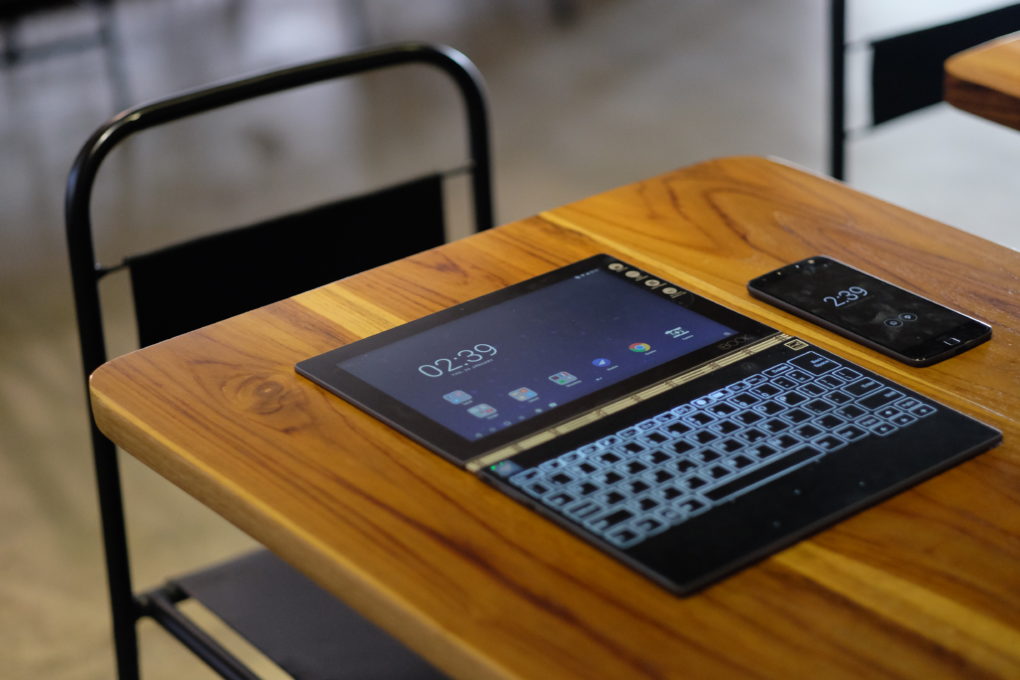
    If you’re looking for a combination of both pieces of technology, you want a two-in-one. There are a few compromises to be made on both sides when it comes to a two-in-one, though. Firstly, let’s talk about what a two-in-one is. A two-in-one refers to a computer that is both a laptop and a tablet. Typically this means that the screen is a touchscreen and can be detached from the keyboard.

    If you like the touch-screen functionality and comfortable media player aspect of tablets but also want to be able to type and work on documents, a two-in-one is probably a good fit. Keep in mind, however, that the two-in-one screen is often much bigger and runs hotter than a dedicated tablet. The actual computational power of the two-in-one is also typically lower than a dedicated laptop.

    Phablet

    Another option, if you’re really into the idea of a tablet but find most of them too large, is to get a phablet. A phablet is an oversized smartphone, something of a cross between a phone and a tablet. Examples include the Galaxy Note line and the upcoming suite of folding phones from manufacturers like Samsung and Motorola.

    These offer a larger screen sized for more comfortable phone gaming and media viewing while also being small enough to fit in a pocket or purse. You get to roll the costs of your smartphone and tablet together, too, allowing you to save a bit of money.

    Other Entertainment Portables

    If you’re in the market for portable entertainment but want more power than a tablet, you’re probably wondering what a good in-between would be. There are a few options for affordable-yet-powerful entertainment portables. For example, if you’re looking for an entertainment device for a child, you could opt for a Nintendo 3DS, a handheld gaming device.

    Similarly, if you’re looking for a portable piece of technology for entertainment during commutes and breaks from work, you could get a Nintendo Switch. The Switch has Hulu and YouTube support, too, making it similar to a small tablet you can use for general media. A full suite of Nintendo games like Mario and Zelda doesn’t hurt, either!

    So, there you have it. Hopefully this primer helps you decide on what portable technology you need to round out your tech demands!


  • Top 5 Laptop Brands

    Top 5 Laptop Brands

    So its time to purchase a new laptop. There are so many options to consider, size,weight, screen size, power and batteryand dont forget which brand to buy. All Laptops Brands will give you the plethora of build and model options to customize so starting with the brand of laptop is probably the best place to start. Whether you’re purchasing a $1,500 gaming laptop or a $200 Chromebook, the brand matters. That’s why we rate the top 5 laptop brands each year, based on their support, design, innovation, value/selection and, most of all, product quality.
    [adTextOnly]

    1. Lenovo  (8.6/10)

    For 2018, Lenovo retained its place for a second year as the best laptop vendor, but it just barely edged out second-place Dell and third-place HP. Apple, which used to dominate this contest, fell all the way to fourth place, down from second last year.

    Lenovo takes first place again this year, on the strength of the company’s fantastic product lineup. From the beautiful ThinkPad X1 Carbon, which was the only product to get a perfect, 5-star review in the past year, to the versatile Yoga 920, Lenovo’s laptops earned the most Editors’ Choice awards of any brand. And a full 53 percent of the company’s laptops scored 4 or higher. However, Lenovo’s tech support scores declined from last year, and stiff competition from HP and Dell made this a nail-bitingly close race.

    [adTextOnly]