Tag: microsoft

  • The Ultimate Software Essentials For Every New Business

    The Ultimate Software Essentials For Every New Business

    Starting a new business can be tough. As a startup business owner, it’s crucial to discover the software solutions tools that can save you time and make your job easier. We’ve outlined the most essential new business software solutions of 2019.

    HR Software

    Whether you’re a Fortune 500 company or a start-up looking to make your first hire, modern-day HR solutions have never been more vital to businesses. Due to the ever-growing complexities of running a business in the last decade HR software has practically reinvented itself.

    While it can be tempting to outsource all aspects of your business with HR Software, it may not always be necessary. You should especially take this into consideration when pricing comes into play. Not all HR Software companies offer a complete package at one price. For example, Bamboo HR ups their prices for companies that run payroll with them by $4 per employee and $25 per month.

    Essential Accounting Software

    Keeping a close eye on your books is especially important when you first open your business. Having the right software solution in place can make this difficult task more straight forward and organized.

    The streamlined, seamless and easy-to-use Freshbooks software is one of the top picks for accounting software. Whether you’re running a large business or a small one, Freshbooks as an accounting suite is a strong choice. You can easily set up recurring invoices to pay out to various contractors, record your expenses easily and import to other software in a flash. The dashboard makes it easy to find what you’re looking for, while the easy-to-navigate menus and options make it impossible to get lost. Accounting can be quite difficult, but Freshbooks takes a lot of the difficulty out of the equation! Pricing for this software starts at $15 per month.

    Capeable Cloud Security and Storage

    There are a ton of great options when it comes to cloud storage! Many of them are free, but some offer some interesting paid features. If you have a lot of storage needs, whether it be for business or personal use, consider these great options for cloud storage!

    Microsoft’s answer to cloud storage is a great platform. Windows users have access to it as just another computer directory! It’s simple to access and offers 5GB of storage free to anyone. Just like Google Drive works closely with Google Office Suite, OneDrive works with Microsoft Office. If you commonly use Microsoft Word, PowerPoint and the like, OneDrive is a great option for you.

    If you decide to sign up for an Office 365 subscription Microsoft will reward you with an extra terabyte of storage on your OneDrive account. OneDrive for Business grants access to both storage and Microsoft Office. It’s just under $9 per person per month, which is actually a pretty good rate! If you already use a lot of Microsoft’s Office Suite, OneDrive is for you!

    Inventory Management Software

    Is your new startup going to require a large amount of inventory? If so, a comprehensive inventory management solution may be an essential piece of software for your business. Whatever solution you choose, it’s important that it’s capable of expanding with your business.
    Boxstorm, part of the Fishbowl inventory management system, allows you to track the cost of each item from the time it’s purchased to the time it’s sold. It allows you to have a real-time value of your existing assets. Ensuring your product gets from point A to point B is a core function of any business.
    Boxstorm can interface with multiple shipping solutions. It allows you the freedom to choose the solution that fits you best. They accommodate a wide variety of e-commerce solutions like WooCommerce, Shopify, Magento and Salesforce.

  • Microsoft Build 2019: Biggest Headlines

    Microsoft Build 2019: Biggest Headlines

    Microsoft’s Build summit is a yearly developer’s conference held to unveil new features in Microsoft’s various initiatives. This year’s headlights weren’t focused on Xbox or Windows, the way one might expect. Instead, Microsoft focused on their Azure platform, deep-learning algorithms, mixed reality and all things artificial intelligence.

    Here are the biggest headlines from Microsoft Build 2019.

    Microsoft Build 2019

    AI is Here to Stay

    Microsoft is driving full-speed ahead with artificial intelligence. While the company is best-known for its Windows operating system, they’ve been focusing ever more and more on their artificial intelligence projects. Namely, Azure, their deep-learning software, has been a huge focus at the last few Build events.

    Initiatives like Azure Cognitive are focused on understanding audio and visual data, while voice recognition is another huge push for the company. The keywords here were machine learning and data interpretation. For the most part, it appears that Microsoft is focused on offering services for businesses, using machine learning to parse huge amounts of data.

    Microsoft’s in with Blockchain

    Microsoft announced their recent involvement with cryptocurrency at Build 2019. They unveiled the JP Morgan Ethereum ledger platform, Quorum, which was built using Microsoft Azure. However, blockchain tech is about more than just crypto. Microsoft announced they’d be using blockchain technology to help businesses form trustworthy ledgers built on the infallible nature of the chains.

    Mixed Reality

    Mixed Reality, or augmented reality, is a type of VR that allows for virtual constructs to be displayed alongside real-world objects. The most obvious applications, of course, are for video games. However, other uses for mixed reality could include virtual presentations of 3D blueprints, making it an ideal tech jump for drafters and designers.

    Linux for Windows

    The only big Windows news at the Build conference this year will likely be completely overlooked by the average user. The Windows Subsystem for Linux functionality was recently added in a Windows 10 update, which is a big deal for developers, thanks to Linux’s dev-friendly architecture. However, it’s unlikely that the average Windows user will have any need to mess around with Linux.

  • Should You Buy the All-Digital Xbox One?

    Should You Buy the All-Digital Xbox One?

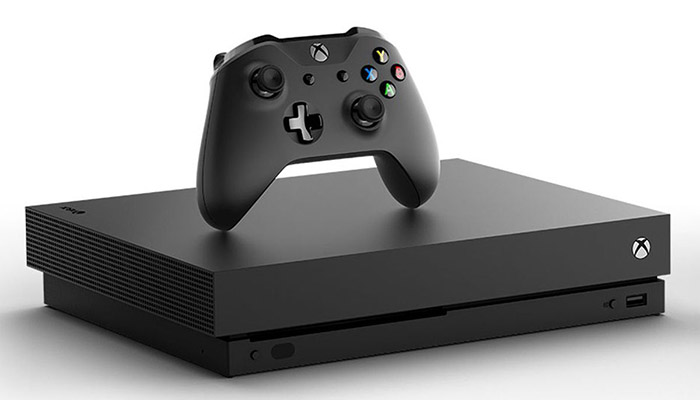
    The new All-Digital Xbox One S is due out on May 7th, though there are a lot of questions surrounding the new console. Microsoft’s newest Xbox One is an unusual device: it sports no disc drive and can only play games that are downloaded digitally. Should you buy this new version of the Xbox One, or should you wait to see what else is happening with Microsoft’s games?

    All-Digital Xbox One S

    What’s Up This?

    The existence of the all-digital Xbox One S might come as a bit of a surprise to some people. Who would even want a game console with no disc drive? Well, if you’re asking that question, you already know this system isn’t for you. However, if you want to play Microsoft’s Xbox games without breaking the bank and don’t mind the idea of downloading all of your games, read on.

    The Difference

    The all-digital Xbox One is the exact same system as the normal Xbox One S. The only difference, of course, is the lack of disc drive. However, the system is also $50 less expensive than the disc-drive version, and it comes packed with three games.

    For $250, you get an Xbox One S with no disc drive, an Xbox One Controller and Minecraft, Forza Horizon 3 and Sea of Thieves. Since Microsoft’s Spring Sale is on right now, you can pick up three months of Xbox Games Pass for $1. That means for the low price of $251 you can get access to tons of Microsoft and third-party games.

    Should You Buy It?

    If you already own an Xbox, there’s nothing new here. However, if you don’t have a game system and want one to play the newest AAA titles, this is a very wallet-friendly way to do just that. Microsoft’s made some huge strides in making their brand more appealing for gamers in the last few years. Maybe it’s time to give their newest Xbox a shot!

  • The Microsoft Spring Sale is On

    The Microsoft Spring Sale is On

    The Xbox One isn’t exactly killing it in the sales department. While Microsoft carried the day in the prior generation with their Xbox 360, this generation has largely humbled the company. The PS4, with its slate of stellar exclusive titles, has led the pack. On the bright side, this means Xbox owners benefit from some great deals on video games. Here’s a peek at the Microsoft Spring Sale.

    Microsoft Spring Sale

    Xbox Games Pass

    Easily the most bananas part of this sale is the three-month deal on Games Pass. The service allows you to play over a hundred games, whether streaming or through download. Normally you would pay $20 per month for the service, but it’s currently just a single dollar for three months.

    This is an absolutely ridiculous deal. For the number of games you get access to, this is tantamount to Microsoft simply giving you games for buying their system.

    Xbox One X Discount

    The super-premium Xbox One X Bundle is also on sale, down to $399 from $499, letting you get in on high-end 4K gaming on the cheap. However, there is a drawback to what sounds like a great sale: the bundled game is Fallout 76. Well, we suppose you don’t have to play it. And honestly, why would you?

    There are other sales available online through the Microsoft Sale, too. These include discounts on the Samsung HMD Odyssey+ VR headset and the oddball indie title Goat Simulator. However, the Games Pass is the star of the show.

    Getting Into Microsoft’s Ecosystem

    At present, the most economically sound way to get into modern AAA gaming is to buy a used Xbox One S at your local gaming store, probably finding it for around $200 or $250. Then, for a solitary dollar, you get access to over a hundred modern games.

    As far as playing games legally goes, this is the very best bet you’re going to get. We also don’t condone piracy, by the way, but this is as close as you’re going to get to stealing these games without breaking the law.

  • Xbox Live Coming to Nintendo Switch

    Xbox Live Coming to Nintendo Switch

    No, you didn’t read that headline wrong. Microsoft’s Xbox Live is coming to the Nintendo Switch, per a recent listing from the upcoming Game Developer’s Conference. The news comes courtesy of a description for Microsoft’s presentation during the show. Is this the start of a new era of cooperation between Microsoft and Nintendo?

    Xbox Live Coming to Nintendo Switch

    The News

    This news, as stated previously, comes from a description from the upcoming Game Developer’s Conference. That description reads “Get a first look at the SDK to enable game developers to connect players between iOS, Android, and Switch in addition to Xbox and any game in the Microsoft Store on Windows PCs.”

    The description mentions that this “will break down barriers for developers that want their communities to mingle more freely across platforms.” Well, that sounds like good news for gaming in general, if you ask us!

    What This Means

    Does this mean we can expect to play Halo 5 on our Nintendo Switch? Maybe, but that’s not necessarily set in stone. What it definitely means, for now, is that we can expect to see cross-platform play remain a huge aspect of Microsoft’s initiatives.

    The company has been making huge pushes to keep gaming as integrated as possible following the rough launch of the Xbox One. Huge pushes for initiatives like the Adaptive Controller and cross-platform play with Nintendo has won massive respect for the company that was lost with the DRM fiascos when the Xbox One launched.

    We could expect to see support for Xbox Live achievements, friends lists, messaging and indie titles appearing on Switch and mobile devices. This would allow devices that aren’t typically known for their communications-based multiplayer to branch out into more “core” gaming experiences.

    A Modern Nintendo Online?

    Nintendo’s own online service is required to play any competitive online multiplayer and runs for about $20 per year. The service also grants access to emulations of some classic NES games. However, the service lacks achievements, messaging and voice communications that are considered hallmarks of modern online gaming.

    Could Microsoft’s Xbox Live service be the solution to this issue? While many players simply own both a Switch and an Xbox or PS4, it’s still strange that Nintendo hasn’t made online multiplayer a bigger part of their brand. Microsoft’s announcement could mean that the days of bare-bones online features on Nintendo systems is coming to an end!

  • Microsoft Surface Headphones: Worth the Money?

    Microsoft Surface Headphones: Worth the Money?

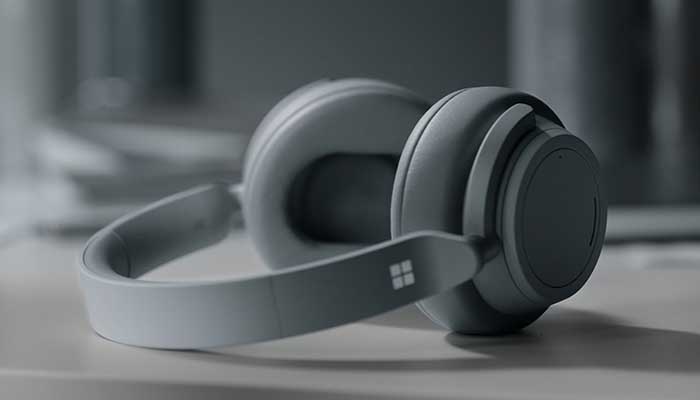
    Microsoft is entering the headphone market with their new Surface Headphones. This is yet another move by Microsoft to compete directly with Apple as an electronics manufacturer. Priced at $350, are the Microsoft Surface Headphones worth their price tag? Let’s get into the specifics.

    Microsoft Surface Headphones Review

    microsoftsurface
    Microsoft

    Design

    The Microsoft headphones sport a sleek, white design reminiscent of Apple and Google’s preferred aesthetic. The clean lines and smooth curves are quite attractive, and the headphones look great as a fashion accessory. That’s a good thing since they cost nearly as much as high-end Bose headphones.

    The headphones are light on the head and noticeably comfortable to wear. They feel great on the ears and don’t pinch or cause headaches like some lower-quality headphones will.

    Features

    Notably, each earcup has a dial on the outside. The right ear dial is for volume, and the left is for the amount of noise canceling you want the headphones to exert. Additionally, there are touch zones that you can tap to pause or resume music. If you tap twice, the music skips ahead. If you tap three times, it skips back.

    If you take the headphones off, they automatically pause your music. When you put them back on, they resume. This is a neat little feature, but one that you will quickly be thankful for. In general, these headphones feel very premium in both design and features. Lots of small things make these thoughtfully-crafted headphones feel well-worth the price tag.

    Sound Quality

    The most important part of any headphones is the sound quality. The Microsoft Surface Headphones sound okay, but not quite as great as competitors in the same price range. For the price, they could be a bit clearer and crisper. Bass levels aren’t quite as deep as we’d like, and the sound isn’t as big or impressive as, say, Bose’s comparable headphones.

    Bottom Line

    If you’re a Microsoft faithful who enjoys using Cortana and wants a set of headphones to pair with your Surface device, these are for you. However, for casual music listeners, these are a bit too pricey. For serious audiophiles, Bose or Sony makes stronger headphones in this price range. That said, these are still solid headphones, and Microsoft fans will be pleased with them.

  • Which Tablet is Worth your Money?

    Which Tablet is Worth your Money?

    Smart phones are nice, but sometimes you want a bigger screen for your smart device. Whether you’re drawing, looking at photos, watching movies or playing games, tablets are awesome addition to your smart device arsenal. When you just want that bigger screen for a handheld touch device, nothing else will do!

    Nothing says quality, solid build and premium design more than our 5 best premium tablets. From major manufacturers such as Apple, Samsung, Amazon, Microsoft and Google these tablets carry the state of art in technology and design. With that in mind, let’s check out some of our favorite premium tablets!

    Microsoft Surface Pro

    This tablet is so premium that it’s also a laptop. The Surface Pro made our list of best touchscreen laptops, too, which might sound weird until you see one in person: it really is both. With a stellar screen and great form factor, you can’t get a much cooler 2-in-1 tablet. Retailing for $659, it’s not too pricey.

    There are only a few real downsides for the Surface Pro. The very incremental advances it possesses when compared to its predecessors are slightly disappointing.  Additionally, the design is a little too minimalist: there is no USB-C port! Then again, it’s still a great tablet, so it’s a small nitpick.

    Google Pixel C

    Your favorite Android tablet, the Google Pixel C performs like a giant version of its phone siblings. The Pixel C also has an optional magnetic keyboard that is quite solid, letting the tablet act as a laptop. This is easily the most powerful Android tablet that exists, for what it’s worth. The tablet performs great while multitasking and rarely suffers stutters or slowdown.

    If you need a tablet for work or just like pushing your technology to its limit, this is a great pick for you. On the other hand, this one is a bit expensive, retailing for $950. Additionally, many users see Android as a drawback instead of a feature. Many apps are released on iOS first and often perform better there to boot.

    The Samsung Galaxy Book

    This tablet rightfully belongs on the quickly growing list of impressive Microsoft Surface Pro contenders. The Samsung Galaxy Book is a top-shelf Windows tablet with a price to match. Its robust processing power, high-end display and essential add-on accessories make it one of the best tablet-hybrids.

    It’s a Windows 10 tablet with a stunning 12-inch Super AMOLED display, Intel’s latest processors and detachable keyboard cover with stylus. It starts at $1,130 for the Wi-Fi-only version and $1,300 for the LTE model, sold via Verizon, which was the configuration we reviewed. Samsung offers a 10-inch variant that runs for $630, but this review is of the 12-inch model.

    iPad Pro

    No list of premium tablets would be complete without Apple’s contender in the mix. And this time around, unsurprisingly, Apple is our favorite. The iPad pro is a rock-solid tablet, with a gorgeous Retina display and fantastic performance. Many users have a preference for iOS, and for good reason. Slowdown is almost nonexistent, and app support is fantastic.

    If there are any drawbacks, they’re the same ones that apply to all Apple products: expensive peripherals and proprietary charging. If you want the Apple Pencil or proprietary keyboard to go with it, this one will run you some serious cash. For just the iPad itself, you’ll be spending around $600.


  • Tech Throwback: Windows 95

    Tech Throwback: Windows 95

    I like to take a look at where I’ve been to evaluate where Im going. Technology is cyclical after all… wait no its not. That said I still like all the feels that come rushing back like a flood of nostalgia every time I get my hand on the tech I grew up with. Im going to go back periodically and take a looking at the stuff that used to blow our hair back and get our minds rolling. Some of these device blew up and changed the world, some where ahead of their time and some just fell flat and became colossal failures. Today, we’re highlighting Windows 95.


    Windows 95

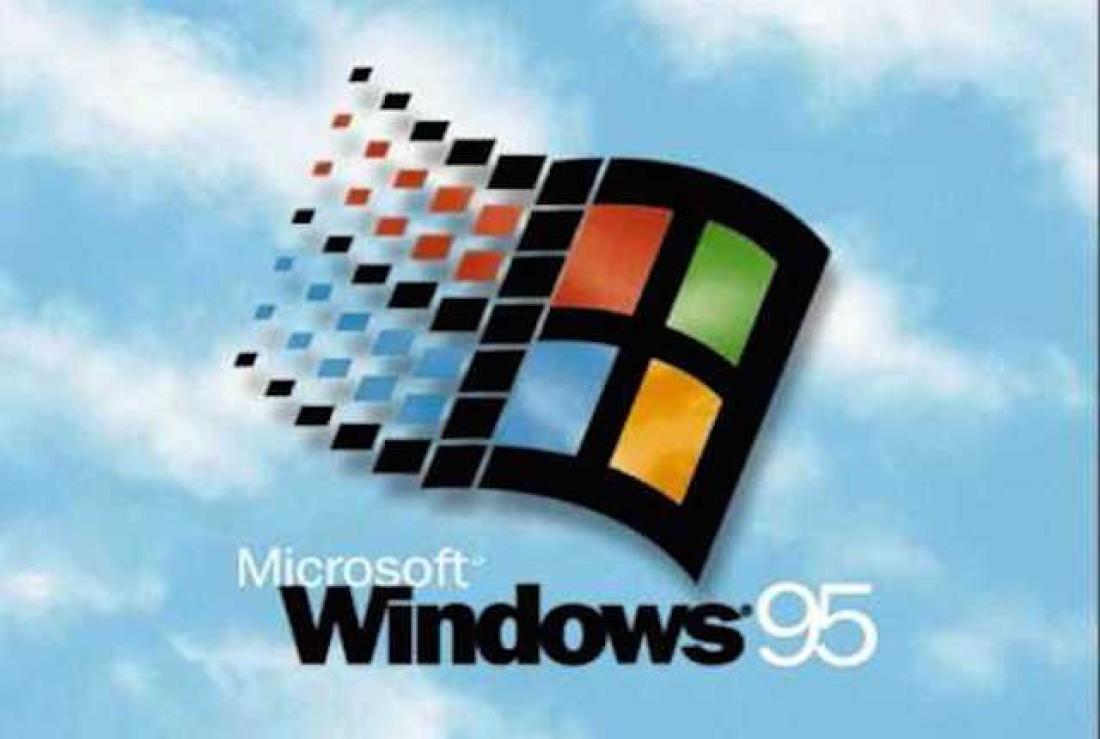
    You know it well, It kicked our Technology revolution in to 5th gear.  Know around the world as  a quantum leap in difference in technological capability and stability. Windows 95. Windows 95 (codenamed Chicago) is the operating system developed by Microsoft as part of its Windows 9x family of operating systems. It is the successor to Windows 3.1x, and was released to manufacturing on August 15, 1995, and generally to retail on August 24, 1995. Do you remember the lines to get a copy?

    All we had prior to this was DOS. Now Windows 95 was capable of running DOS and Windows-based applications, although it had completely removed DOS as the underlying platform, unlike previous versions of Windows. This helped in overcoming two limitations: eight-character file names and memory-related problems.

    Windows 95 sported new technical features along with updating existing features. It brought updated visual styles and interface advancements. It had new and improved Windows control and introduced the desktop, which was represented as a folder which holds different files. Shortcuts, icons and the recycle bin were introduced in Windows 95. The Computer was no longer for the super tech geek, your mom could now operate it.

    Windows 95 Social Impact

    Twenty years ago, Microsoft changed the world. On August 24, 1995, Windows 95 was released to the public. It was the beginning of a revolution that has helped shaped the technology world for the next two decades. There was even a one hour instructional video with  Matthew Perry and Jennifer Aniston. You know them better  as Chandler and Rachel from Friends. Then the Empire State Building and Toronto’s CN Tower were lit up in Microsoft’s colours. Lastly the Rolling Stones were paid a rumoured $8m for allowing “Start Me Up” to provide the soundtrack to its television adverts. We now lived in a different world then we had just a few hours before.


    The Final Thought


    Computers changed what could be done, Windows 95 changed who could do it. Together they changed the world overnight. It came, it was upgraded, it went. We all know by the time Windows 95 was finally ushered off the market in 2001. It had undoubtedly become a fixture on computer desktops around the world.

  • Biggest Changes in the October Update for Windows 10

    Biggest Changes in the October Update for Windows 10

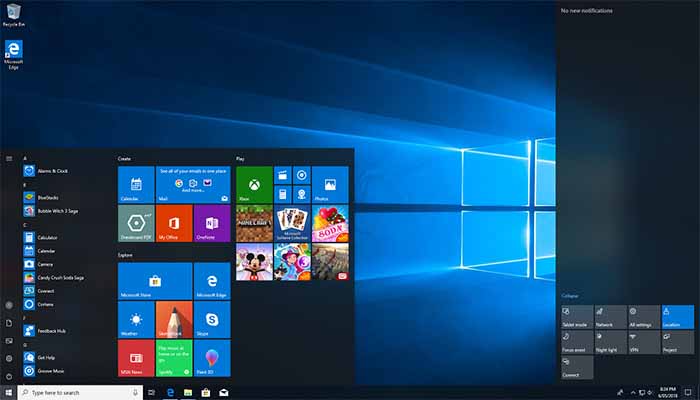
    As of late, Microsoft has been releasing twice-yearly updates for Windows 10. The ubiquitous operating system last received a major overhaul in April with the previous update. Now, the October Update for Windows 10 is right around the corner and we’re eager to see what it brings. As such, today we’re rounding up the biggest changes coming in the October Update for Windows 10.

    Biggest Changes in the October Update for Windows 10

    windows10

    Clipboard History

    The first notable change coming is the clipboard history. Accessed by hitting the window key and V at the same time, it holds a list of your recent cut and copied items. This is a big plus for writers and those who often work in word processors. Also coming is a cloud sync for your clipboard, allowing you to copy and paste across Windows devices. Neat! Well, we think. It might be totally superfluous.

    SwiftKey Keyboard

    If you’re using a Windows tablet or Surface device, you’re going to love this. The SwiftKey keyboard, the fast, responsive Microsoft touchscreen keyboard is getting a big update. Also, prepare to see some pretty crazy designs for dual-screen laptops.

    Dark Mode

    Microsoft apps, like Word, Excel and PowerPoint, will be able to be run in Dark Mode soon. Much like the changes coming to the new MacOS, the October Update for Windows 10 will include Dark Mode. For those who work at night, or just prefer the softer look of Dark Mode, this is a huge boon. No more blinding yourself with stark white apps with no Dark Mode options!

    Less Restarting

    You turn on your computer, and you’re in a hurry. There’s a deadline for a project, or you’re rushing to join your friends online for a game. Whatever it may be, you need your computer to boot up quickly. However, you forgot to restart for an update last night. So, congratulations, you get to sit here and watch your PC update for twenty minutes. Microsoft is aiming to alleviate this with “smart update windows.” The system will attempt to learn your pattern so that it knows the safest times to restart for updates without interrupting you.

    Screenshot Tool

    The Snip and Sketch tool is the newest take on screenshots, courtesy of Microsoft. This tool is not quite a replacement for the Snipping Tool, but it’s being pushed pretty heavily as the way to do screenshots. While the Snip and Sketch tool is useful in some ways, it’s not necessarily better than the Snipping Tool. Pressing prt sc can now be hotkeyed to open the Snip and Sketch, which allows you to draw the area you want to capture

  • Microsoft Unveils Limited Edition Greaseproof Controller

    Microsoft Unveils Limited Edition Greaseproof Controller

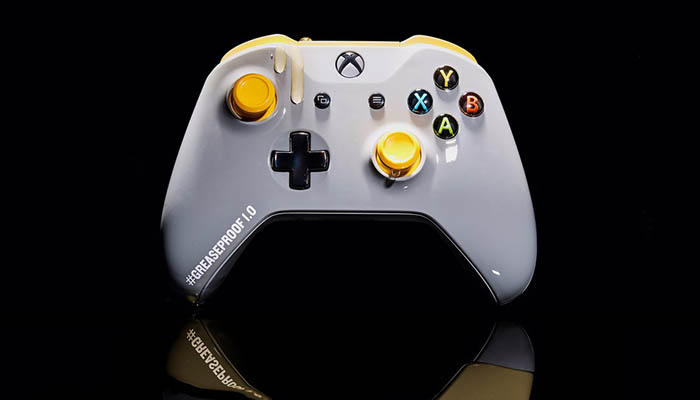
    Microsoft has announced the next big thin in gaming innovation: grease-proof controllers. The rub (ha) is that they only made 200 of them. And they’re only available in Australia. Through an online giveaway. If your excitement just deflated faster than a popped balloon, you’re not alone. We also wanted this awesome controller. Just look at it! It’s a greaseproof controller! How cool is that!

    The Greaseproof Controller

    greaseproof
    Mashable

    Winner, Winner, Chicken Dinner

    The hilarious(ly awesome) greaseproof controller is a special edition giveaway through Microsoft’s social media. It’s only being given away in Australia, to make matter worse. Why a greaseproof controller, you ask? Why, to keep the chicken dinner’s grease from ruining your gamepad! That’s right, this goofy innovation is in honor of PlayerUnknown’s Battlegrounds coming to Xbox One. PUBG is an immensely popular battle royale shooter that has been out on PC for some time. It’s arrival on consoles is a big deal.

    In PUBG, the players fight for dominance in an ever-shrinking map with limited resources. You only have one life, so you have to be careful that you don’t get caught out of position! With cunning, fast reflexes, good equipment and a dash of luck you could end up winning the whole thing! If you do, you’re treated to the ridiculous victory phrase “winner, winner, chicken dinner.”

    Limited Edition

    So, there are only two hundred of these suckers in the world and they’re not even for sale. That’s truly unfortunate, as we could definitely think of some uses for this technology. Heck, we here at GoodFind would use the heck out of a greaseproof controller. Eating potato chips and playing Halo go together like peanut butter and jelly! We’re sure we’re not alone in this: how many times have you looked at your greasy controller and wished it was greaseproof?

    Come on Microsoft, your fans would totally pay money for a greaseproof controller! What’s that, you say? We should stop being gross and eating greasy snacks while we play video games? Wait, you’re saying we should stop gaming so much and get back to writing articles on tech and news? Well, those are solid points, but we’d like to offer a rebuttal. Look at how awesome that yellow-on-gray controller looks! Yeah, that’s all we’ve got. Stay frosty everybody! If Microsoft announces a mass-market release for this revolutionary tech, we’ll be sure to let you know!