Tag: microsoft

  • Which Tablet is Worth your Money?

    Which Tablet is Worth your Money?

    Smart phones are nice, but sometimes you want a bigger screen for your smart device. Whether you’re drawing, looking at photos, watching movies or playing games, tablets are awesome addition to your smart device arsenal. When you just want that bigger screen for a handheld touch device, nothing else will do!

    Nothing says quality, solid build and premium design more than our 5 best premium tablets. From major manufacturers such as Apple, Samsung, Amazon, Microsoft and Google these tablets carry the state of art in technology and design. With that in mind, let’s check out some of our favorite premium tablets!

    Microsoft Surface Pro

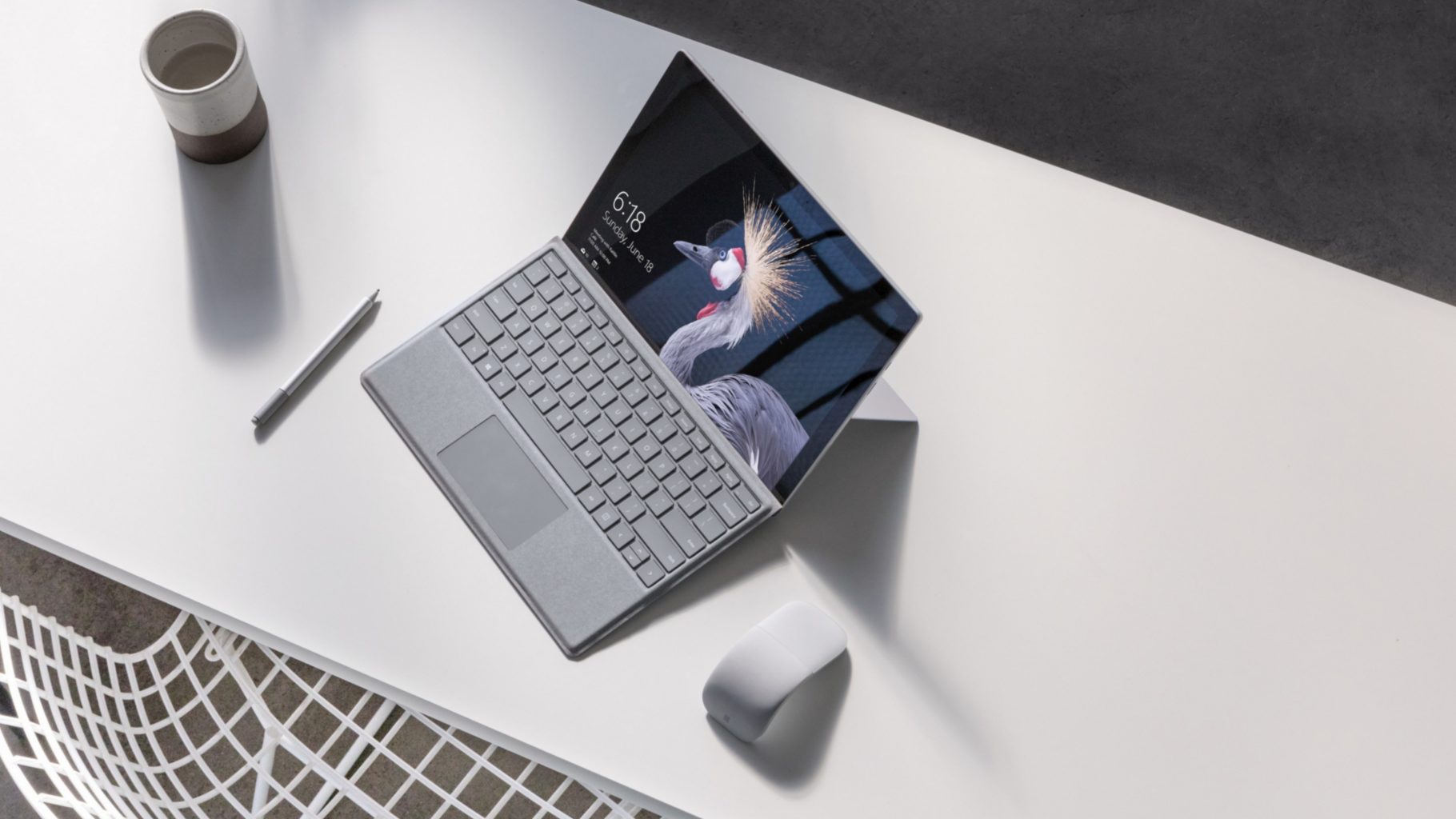
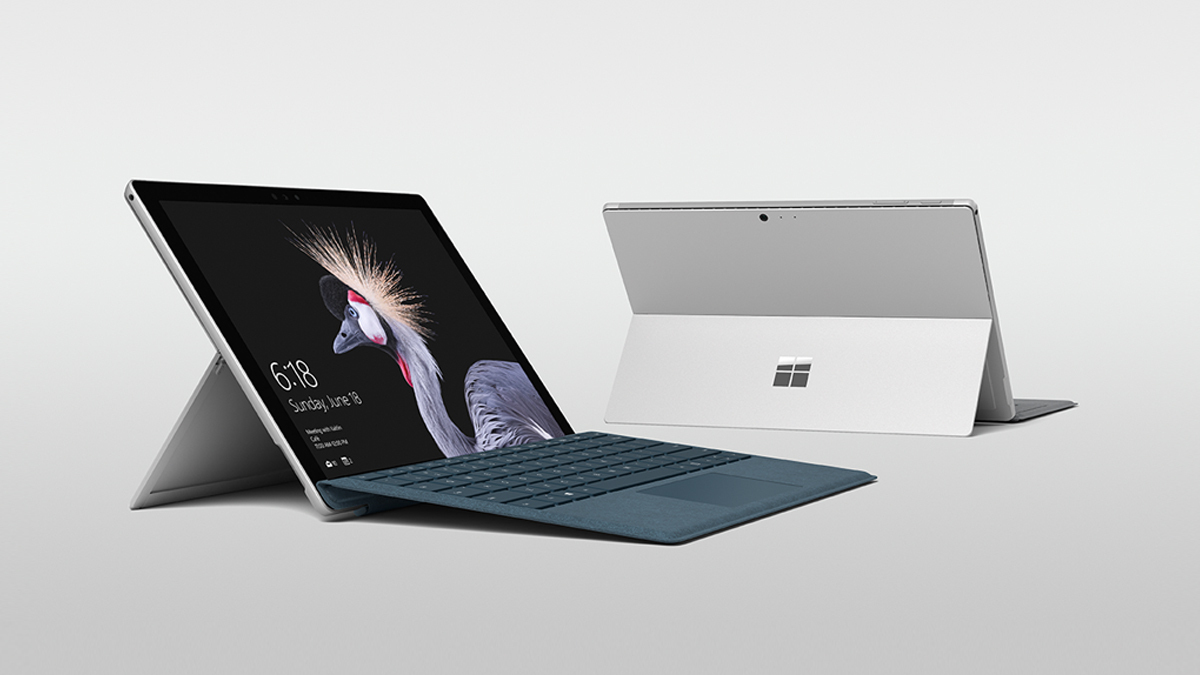
    This tablet is so premium that it’s also a laptop. The Surface Pro made our list of best touchscreen laptops, too, which might sound weird until you see one in person: it really is both. With a stellar screen and great form factor, you can’t get a much cooler 2-in-1 tablet. Retailing for $659, it’s not too pricey.

    There are only a few real downsides for the Surface Pro. The very incremental advances it possesses when compared to its predecessors are slightly disappointing.  Additionally, the design is a little too minimalist: there is no USB-C port! Then again, it’s still a great tablet, so it’s a small nitpick.

    Google Pixel C

    Your favorite Android tablet, the Google Pixel C performs like a giant version of its phone siblings. The Pixel C also has an optional magnetic keyboard that is quite solid, letting the tablet act as a laptop. This is easily the most powerful Android tablet that exists, for what it’s worth. The tablet performs great while multitasking and rarely suffers stutters or slowdown.

    If you need a tablet for work or just like pushing your technology to its limit, this is a great pick for you. On the other hand, this one is a bit expensive, retailing for $950. Additionally, many users see Android as a drawback instead of a feature. Many apps are released on iOS first and often perform better there to boot.

    The Samsung Galaxy Book

    This tablet rightfully belongs on the quickly growing list of impressive Microsoft Surface Pro contenders. The Samsung Galaxy Book is a top-shelf Windows tablet with a price to match. Its robust processing power, high-end display and essential add-on accessories make it one of the best tablet-hybrids.

    It’s a Windows 10 tablet with a stunning 12-inch Super AMOLED display, Intel’s latest processors and detachable keyboard cover with stylus. It starts at $1,130 for the Wi-Fi-only version and $1,300 for the LTE model, sold via Verizon, which was the configuration we reviewed. Samsung offers a 10-inch variant that runs for $630, but this review is of the 12-inch model.

    iPad Pro

    No list of premium tablets would be complete without Apple’s contender in the mix. And this time around, unsurprisingly, Apple is our favorite. The iPad pro is a rock-solid tablet, with a gorgeous Retina display and fantastic performance. Many users have a preference for iOS, and for good reason. Slowdown is almost nonexistent, and app support is fantastic.

    If there are any drawbacks, they’re the same ones that apply to all Apple products: expensive peripherals and proprietary charging. If you want the Apple Pencil or proprietary keyboard to go with it, this one will run you some serious cash. For just the iPad itself, you’ll be spending around $600.
  • Surface, Its New Version and a Price Drop

    Surface, Its New Version and a Price Drop

    The Surface wants to compete with the ipad for a broader market, so look for a price drop. A new report out today by Bloomberg claims that Microsoft is planning its next tablet line to be lower-cost in an effort to attract people to their products who aren’t interested in the more expensive Surface Pro. The move is directly aimed at competing with Apple’s recently launched $329 iPad, and could see Microsoft debut the devices as soon as the second half of 2018.


    Low Cost Surface

    From what I am hearing  the tablets will be priced at around $400, so not quite iPad cheap but not far off. They will be the first Surface devices to adopt USB-C and rounded edges “like an iPad,” instead of the square corners of the current devices. Storage tiers will include 64GB and 128GB, as well as LTE options, and the devices will feature 10-inch screens.  All good news.

    There are also rumors of a significant decrease in battery power. While I cant confirm any yet and wont until it gets the Beau’s 6 hour injustice marathon battery test, I will say that the rumors holds some weight. Currently everyone has come to a 6.6 – 14 hour battery life estimate for the current models. What we have hear it the new cheaper tablet will be coming in around 4 hours less. Knocking four hours of battery off a tablet with a 13.5 hour runtime is bad. Knocking four hours of run time off a tablet with a 9.6 hour battery life is terrible. In fact, if that penalty carried over across the board, this new Surface tablet wouldn’t even break the three hour mark. Relax, ill continue to monitor and keep you updated.


    The Final Thought

    Like always Apple steps in and delivers and the rest  of the tech world follow suit. follow suit. This is good new, a low cost Microsoft device is a great option for the marketplace. When the marketplace has diverse low cost options we all win.


  • The Best Features from the New Windows 10 Update

    The Best Features from the New Windows 10 Update

    The latest Windows 10 update landed yesterday for PCs and tablets. Like the Fall Creators Update, this spring update adds new features and refreshes Windows 10 without changing the platform itself. Here are some of our new favorite features.

    Timeline

    The biggest new feature in this Windows update is Timeline. Essentially, it replaces the Task View button and allows you to see a synchronized view of all your past apps and activities across your multiple Windows 10 systems.

    You can use this feature to easily transfer activity from one Windows system to another. You can also combine the Timeline with Microsoft Edge on your smartphone to sync your browser history as well.

    Microsoft Edge Tab Mute

    Following in Chrome’s footsteps, Edge will also have the ability to mute tabs. Those annoying websites that like you blast you with autoplaying videos or sounds can now be easily muted.

    Fixed App Scaling

    A new Advances Scaling setting will allow you to fix desktop apps that appear blurry after your display settings change. The caveat is that it will only work on your main display and may not work for every single app.

    Faster Bluetooth Pairing

    In an effort to make pairing peripherals via Bluetooth simpler, Microsoft is working with vendors to ensure hardware will support their new fast pairing feature. Currently, the Surface Precision Mouse is the only one to support it, but new devices should appear soon.

    Enhanced Graphic Settings

    This is particularly useful for laptop users who may not want to use the same performance or power saving settings for every game. You now have the ability to customize the graphics performance per game.

  • Tablet Talk: Microsoft Surface Pro

    Tablet Talk: Microsoft Surface Pro

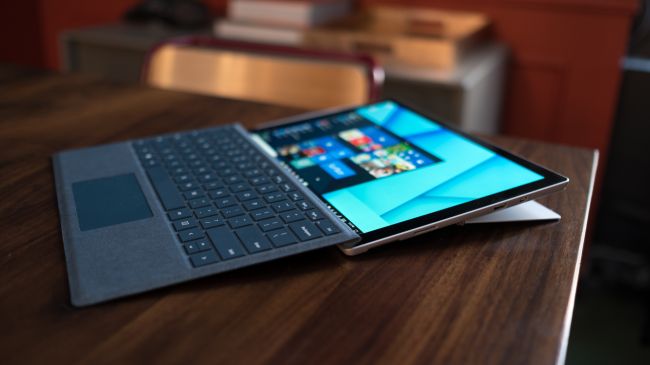
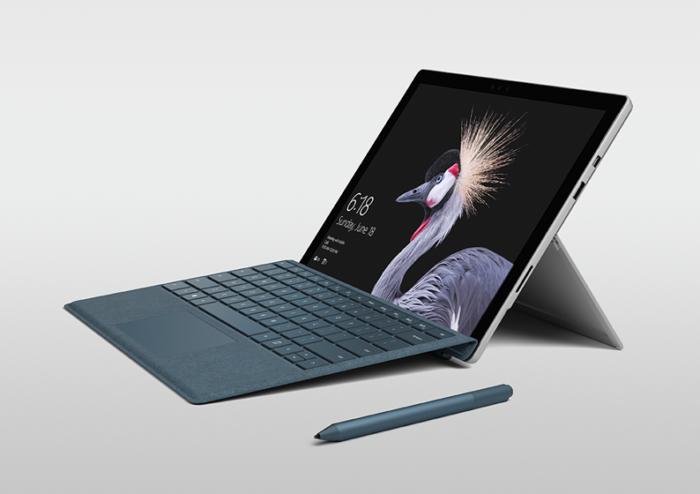
    The Surface Pro has always been the The ultimate laptop with versatility of a studio and tablet. Now its better than ever, the new Surface Pro gives you a best-in-class laptop, plus the versatility of a studio and tablet. The stunning PixelSense Display supports Surface Pen1 and touch, while up to 13.5 hours of battery life2 gives you plenty of juice to work all day and play all night.

    The Great

    • Brilliant PixelSense display
    • Simple, elegant design
    • Improved Type Cover keyboard
    • Fantastic performance


    The Not

    • No USB-C
    • Surface Pen and Type Cover sold separately
    • Better, but still mediocre battery life

    The Conclusion

    With its fantastic PixelSense display, improved Type Cover, faster performance and even better battery life, the Surface Pro is still the king of detachable 2-in-1s.

    The Design

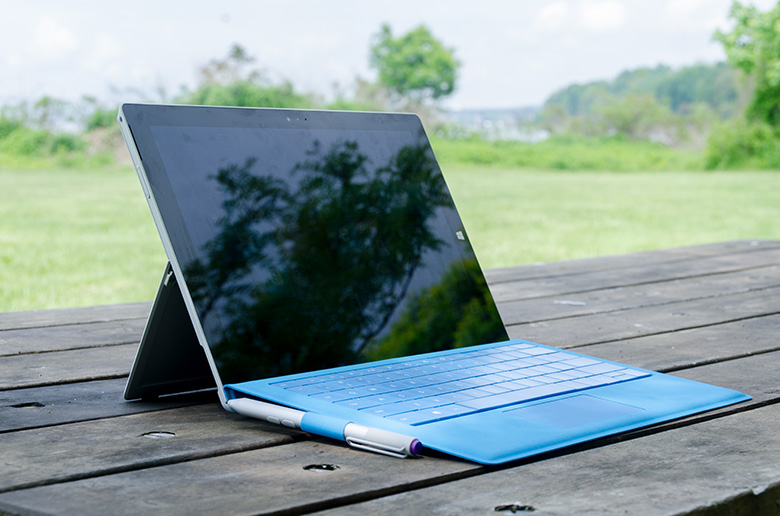
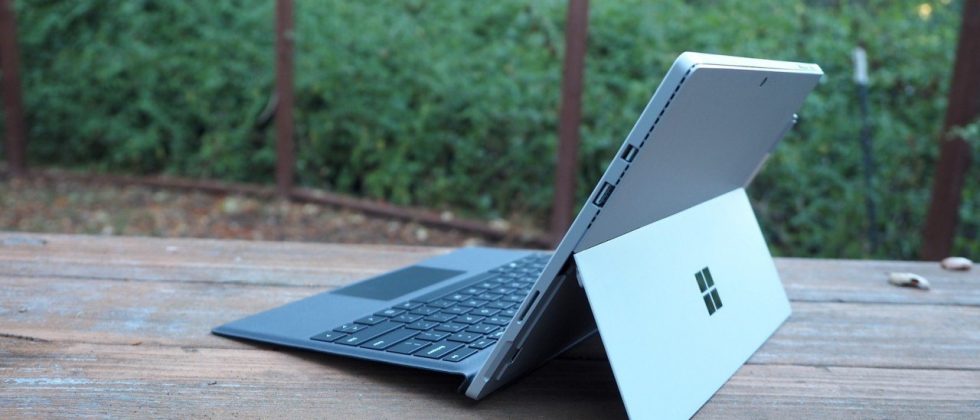
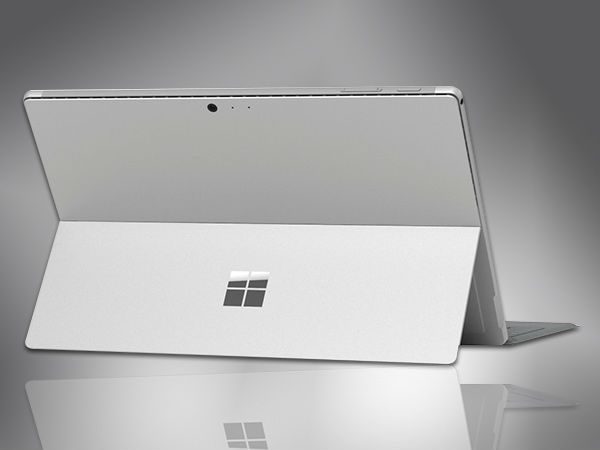
    Not wanting to tempt fate by messing with an exceptional design, Microsoft made the new Surface Pro look almost identical to the previous two models.Sure, the company has rounded off a few edges to make the Surface Pro a little curvier and more pleasant to hold, but all the familiar elements are here, including the kickstand, power button, volume rocker and front-facing speakers.

    The Performance

    I  can see why Microsoft is moving away from referring to the Surface Pro as a tablet, given that it’s packed with very laptop-like components. Our review model was equipped with a fast dual-core Intel i7-7660U CPU and 16GB of RAM. The Core i7-7660U is no longer at the cutting edge, as Intel’s 8th-gen Core processors are now available, but it managed respectable performance.

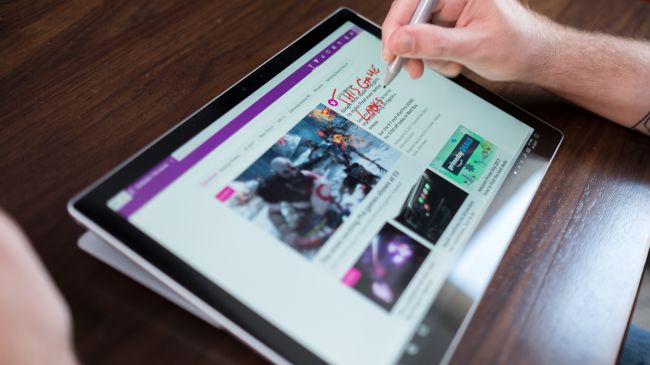
    Surface Pen is Vastly Improved

    Why Microsoft opted not to call this the Surface Pro 5 is beyond us, as you can now see the firm changed practically every facet of the product. The Surface Pen got some of the most meticulous and belabored treatment.

    For one, Microsoft upped the pressure sensitivity of its pen to 4,096 levels of detectable pressure, meaning creators have more control over the width and intensity of their lines in illustrations or designs than before. Perhaps more importantly, the Pen now sports a much lower latency, meaning that the tip of your Pen has a far lower chance of “leading” the ink on the PixelSense display.

    Finally, the Pen also supports tilt detection now, though only through the new Surface Pro – the other current Surface devices will get the support for this feature through a firmware update.


    Quick Spec Look

    • CPU: 2.5GHz Intel Core i7-7660U (dual-core, 4MB cache, up to 4GHz with Turbo Boost)
    • Graphics: Intel Iris Plus Graphics 640
    • RAM: 16GB LPDDR3
    • Screen: 12.3-inch, 2,736 x 1,824 PixelSense display (Contrast ratio: 1,300:1, 100% sRGB color, 10-point multi-touch, 3:2 aspect ratio)
    • Storage: 512GB SSD (PCIe 3.0)
    • Ports: 1x USB 3.0, mini DisplayPort, microSDXC card reader (UHS-I), headphone/mic jack
    • Connectivity: 802.11ac Wi-Fi (2 x 2 MIMO), Bluetooth 4.1 (Low Energy)
    • Cameras: 8MP rear-facing, auto-focus camera (1080p HD); 5MP front-facing, 1080p HD camera
    • Weight: 1.73 pounds
    • Size: 11.5 x 7.93 x 0.33 inches (W x D x H)

    The Final Thought

    Nearly five years after Microsoft introduced the device that created the 2-in-1 category, the company’s Surface Pro systems are still the detachables other companies are trying to beat. So how does Microsoft improve upon its class-leading hybrid? By refining its simple tried-and-true design, improving performance, shoring up some concerns about battery life, and creating a new line of enhanced and more colorful Surface accessories.

    I think Microsoft is still playing it a bit too safe in a few areas. While improved, the Surface Pro’s battery life still lags behind those of other ultraportable laptops, and the lack of a USB-C or Thunderbolt 3 port are strange omissions for a premium flagship device. And after three years in which the Surface Pro has had essentially the same aesthetics, I find myself wanting a bit more excitement out of this machine’s design. But if you want the best detachable out there, the Surface Pro is still the one to get.

  • Xbox One X is a 4k Beast

    Xbox One X is a 4k Beast

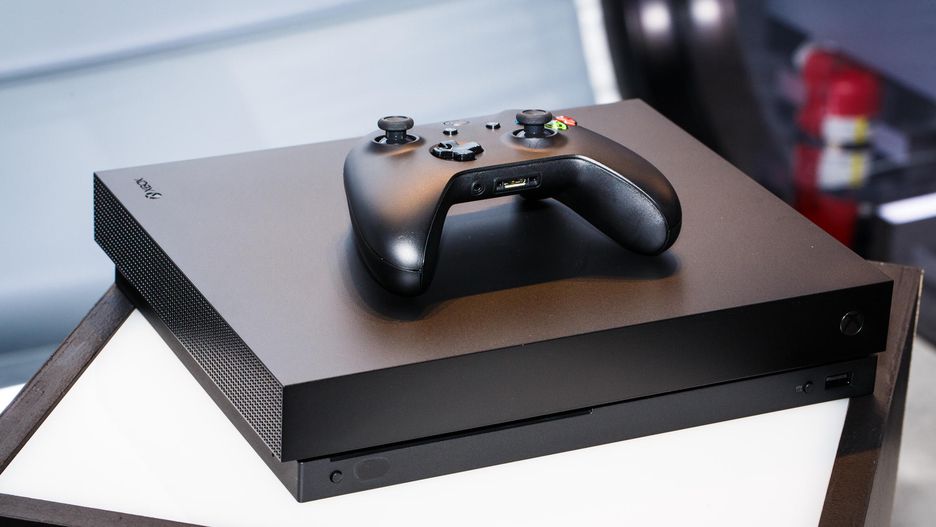
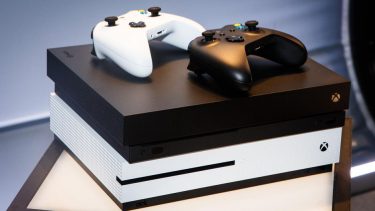
    The Xbox one X is the world’s most powerful gaming console. With 40% more power than any other console, experience immersive true 4K gaming. Games play better on Xbox One X. This is the Xbox One enhanced for true 4k gaming.

    The Great

    • 4k gaming and content
    • 4k native content and High Dynamic Range (HDR)
    • Digital 5.1,
      TrueHD with Atmos
    • Liquid Cooled
    • Plays the best games of the past, present and future
    • Stream and record clips in 4K resolution at 60FPS
    • Built-in Blu-ray player

    The Not

    • Xbox Gold subscription required $69
    • 1TB HDD fills up fast

    The Conclusion

    The X Box One X is one of a kind. You will feel fully immersed in the game as you play. With 4K resolution, the colors are brighter, whites appear whiter, blacks appear blacker with great contrast. and you can see differences in detail that truly bring the image and experience to life.  The console will revert to a still brilliant 1080p if you don’t have a 4K resolution. If you have a high end HD or 4k TV and are not sure yet if you should get it, just do it, you won’t regret it.

    I got very excited watching the Microsoft Xbox E3 2017 press Release, They said the Xbox One X is  ‘the most powerful console’ Microsoft ever made, like a monster in the gaming world. I also happened to be needed a new game console, since my day one Xbox One seems to be unexplainably hosing up. As an avid life long casual gamer, I’ve been waiting for the Xbox One X system to be released every since news of its inception. When offered an opportunity to test out the system, I quickly jumped on the opportunity.

    Tech Upgrades

    I’m really impressed and surprised at how much power Microsoft has managed to squeeze into the Xbox One X’s small case. The Xbox One X boast a new processor bulking up its power out put.  They used the Scorpio Engine with  6 Teraflops, 326GB/s of Memory Bandwidth and advanced, custom silico. Unquestionably is the world’s most powerful console gaming processor. That’s nearly two teraflops more than the PS4 Pro, a faster CPU, and 3GB more of overall RAM. The Xbox One X comfortably outperforms the PS4 Pro. On hardware alone, it’s smaller, more powerful, and even includes a 4K Blu-ray player over its PS4 Pro rival.

    4k Gaming

    The Xbox One X has the power and the peripherals to provide the best gaming experience, but you need the right games.   Most games made for the Xbox One are designed for 1080p TVs, which have a quarter of the pixels found on a new 4K TV. The Xbox One X is more than four times faster than the original Xbox One, so it’s capable of 4K gaming.Some games like Forza Motorsport 7 will offer the best of all worlds: 4K, HDR, and 60fps. Its still early and the ultimate content will follow. You can tell by the “games and apps” menu that lets you sort by “Xbox One X Enhanced Games.” Doing this doesn’t tell you exactly how each game you have installed is enhanced, but at least Microsoft leaves players without a doubt that, yes, your game has (or has not) been patched with Xbox One X in mind.

    The Final Thought

    This isn’t the next gen system we need, its the console we deserve. You’re not just getting the Xbox One version with more pixels and a grimy suite of dated visual niggles, It is the monster promised. The only thing to consider is you need a high end 4k TV to make any difference over the One S.