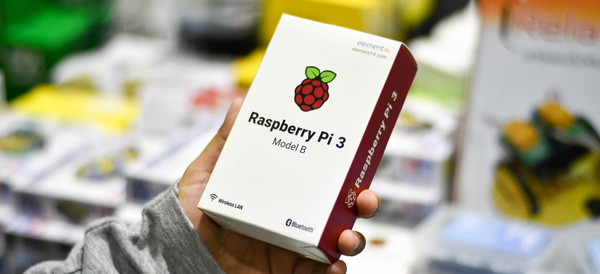
Anyone who has ever built their own computer and watched it whir to life for the first time can tell you the sheer joy of creating a complicated piece of technology with their own two hands. Operating in that same space is the Raspberry Pi family of DIY-friendly microcomputers. The new Raspberry Pi 3 B+ and the Raspberry Pi Zero W (which sports built-in wi-fi!) are flexible, all-purpose boards capable of tons of awesome applications! Everything from miniature Macintosh computers to retro console emulators can be built from these slick little circuit boards, and here we round up our top ten favorite Raspberry pie DIYs!
A Disposable GIF Camera
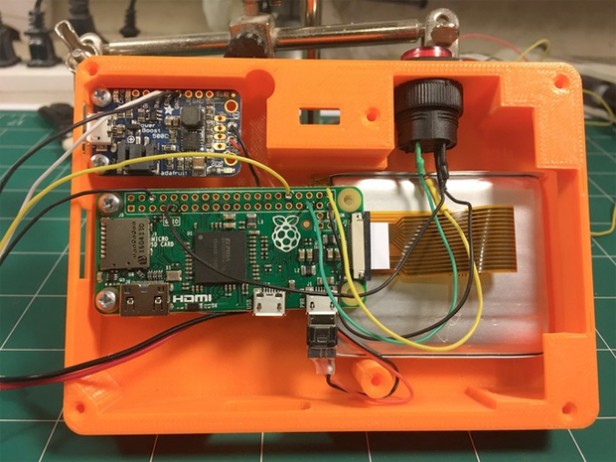
Photo Credit: TrustedReviews.com
A neat little piece of throwback-style tech, the Pix-E, pet project of Nick Brewer, takes advantage of the Pi Camera Module and GifCam, PiCamera and GraphicsMagic to create easily-sharable GIFs. With 3-D printable cases and paper print-outs that emulate a 90’s aesthetic, the Pix-E is a stylish and functional piece of DIY tech. It does require a bit of engineering skill: some bread-boarding and a bit of soldering are required to get this sucker moving. The Pix-E would make a neat little addition to a vacation or hike, making GIFs on the fly as you move from place to place!
DIY NES Classic Mini
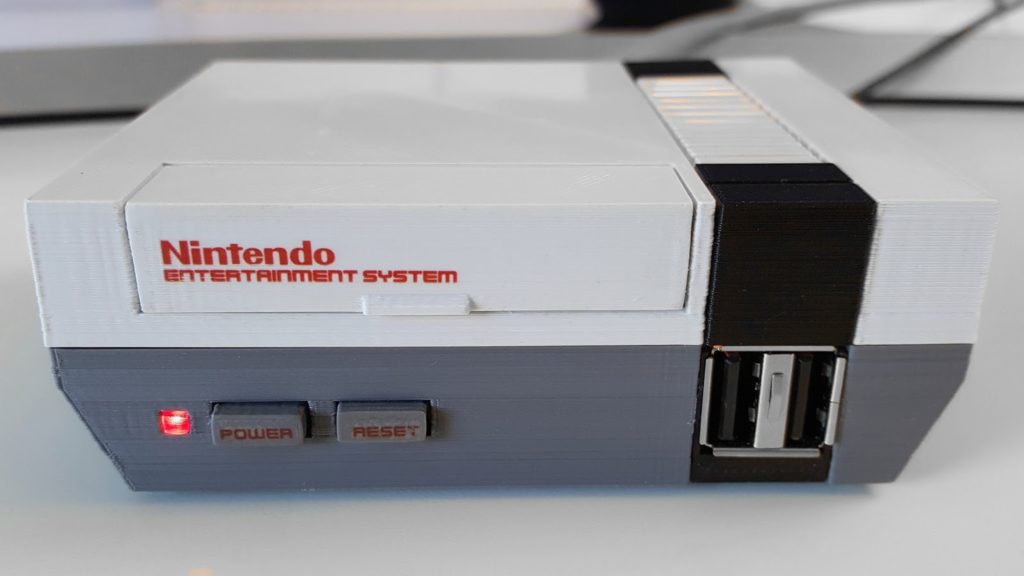
Photo Credit: RetroPie
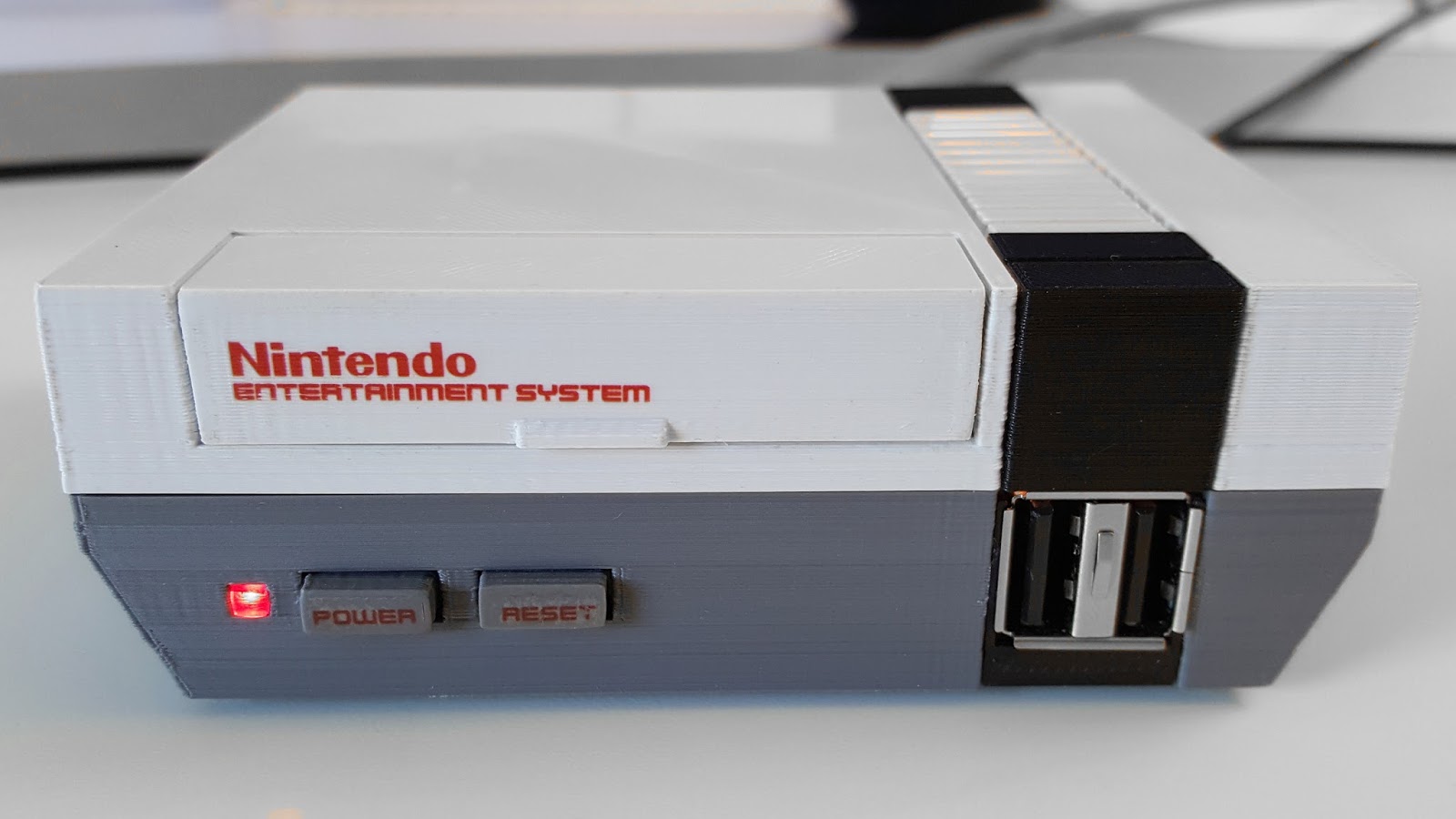
The NES Classic was a much bigger hit than Nintendo anticipated (turns out people love retro games! Go figure!) and sold out everywhere in a matter of weeks. eBay scalpers sell the mini console for many times more than MSRP, and even if you are lucky enough to lay hands on one, it is only outfitted with 30 games. In order to add more, you would need to do some serious hacking to your expensive collector’s item.
Thankfully, a bit of tech know-how allows you to build your own using Raspberry Pi boards! Using the Pi Zero board and RetroPie software, you can create near-perfect emulation for a fraction of the price of an NES Classic on eBay. You can even get an NES-like case to house the console (or 3-D print one!), completing the look and feel of a retro console!
Stylish Word Clock
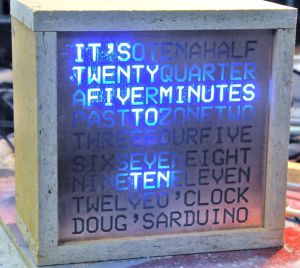
Photo Credit: HardTech.tv
Where clocks were once commonplace pieces of simple technology found in everyone’s house, smart devices and interconnected smart watches have all but rendered the traditional clock obsolete. This word clock, by comparison, is a very cool piece of tech to have on a shelf: eye-catching and easily understood, this simple project can lend a hip and stylish vibe to any room! A simple program, some LEDs and a bit of soldering, and boom! A fashionable way to make sure you’re not running late!
A Functional Desktop Computer
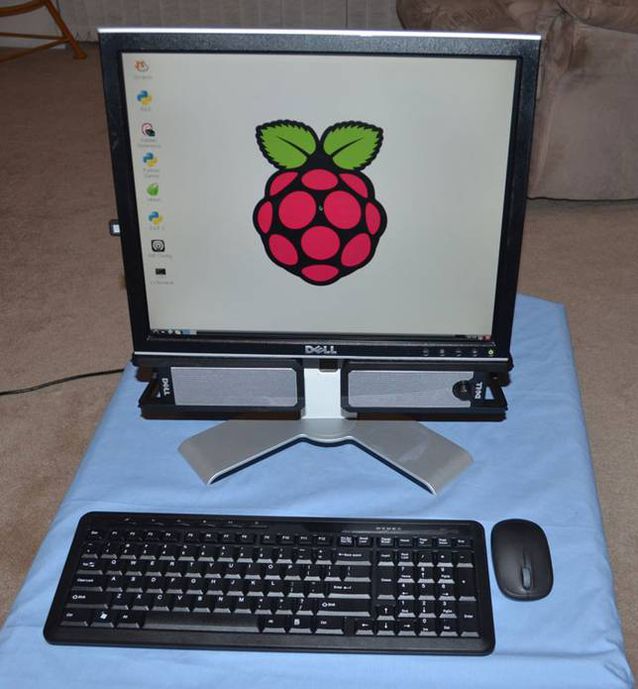
Photo Credit: Michael Davis
As adorable as it is functional, the Raspberry Pi can even be used as the brains of a desktop computer. While it certainly won’t be running any modern games or pulling duty as your full-time home computer, it’s a cute project and would work great as a computer for a young child or a student who simply needed access to email, word processors and a simple web browser for research. The desktop even has a very stylish upside: it’s CPU is a tiny circuit board, so it’s easy to mount behind the monitor to save space in an office or bedroom!
A One-Touch Audiobook Player
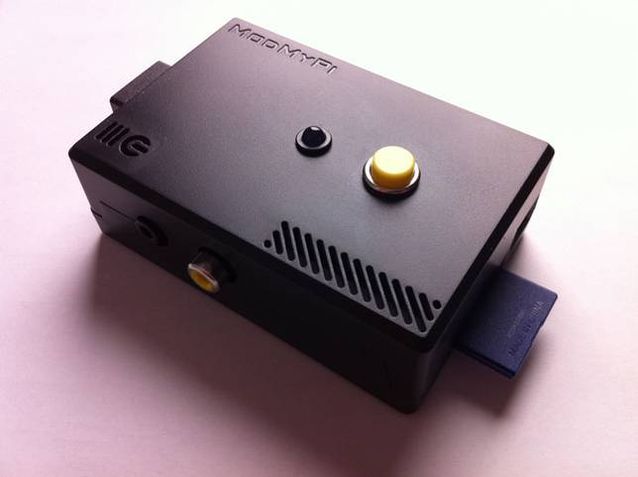
Photo Credit: Michael Clemens
The schematics for this minimalist design were drawn up as a prototype to help older users with disabilities easily access audiobooks. The playback device reads the data from a USB port, and then plays the media with a push of the top button. In addition to being very useful for those with disabilities, the player is very minimal and light, and those who wish to keep their smartphone memory from being filled by audiobooks may wish to use this device instead, carrying USB thumb drives loaded with books instead!
A Kodi Media Center
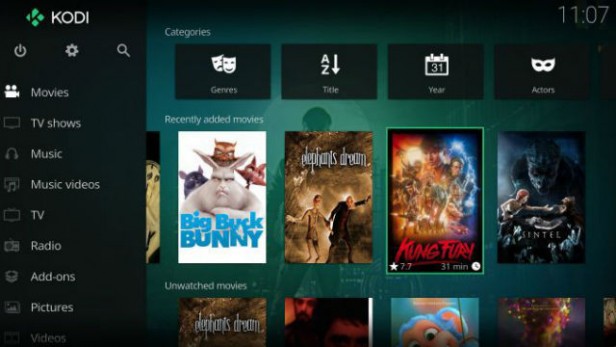
Photo Credit: TrustedReviews.tv
While Roku devices, Amazon’s FireStick and SmartTV devices are popular for using official streaming services like Netflix and Hulu, those wishing to customize and personalize their media experience are often drawn to the Kodi platform. Raspberry Pi-based media centers make natural pairs for Kodi, as the two of them are both user-friendly DIY-style products. Using a Wi-Fi USB converter, or a Raspberry Pi Zero W, connecting to wi-fi with a Pi based streaming box is simple and easy. Saving money and getting to watch TV is a win-win in our book!
MintyPi2.0 Retro Console
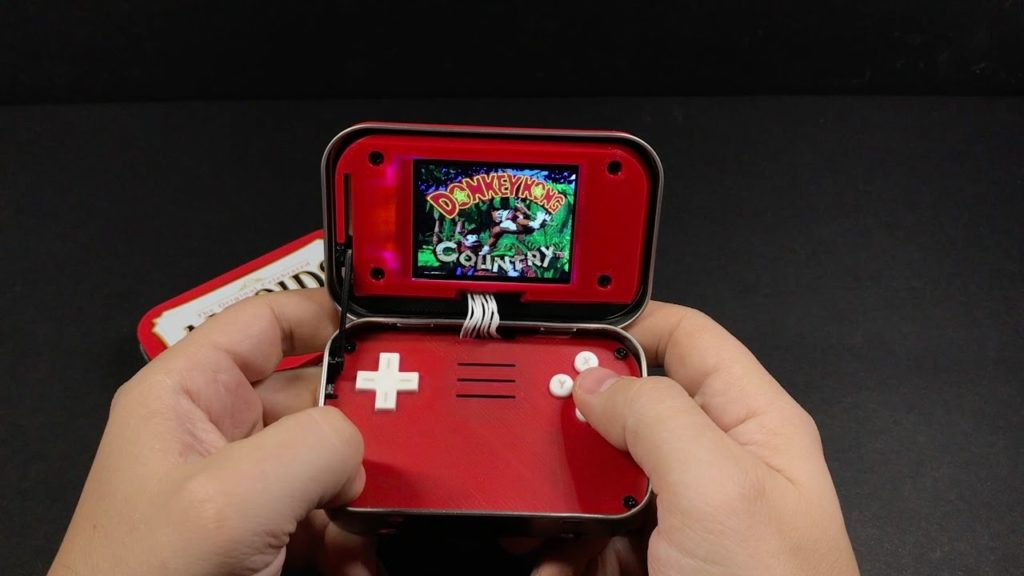
Photo Credit: YouTube.com
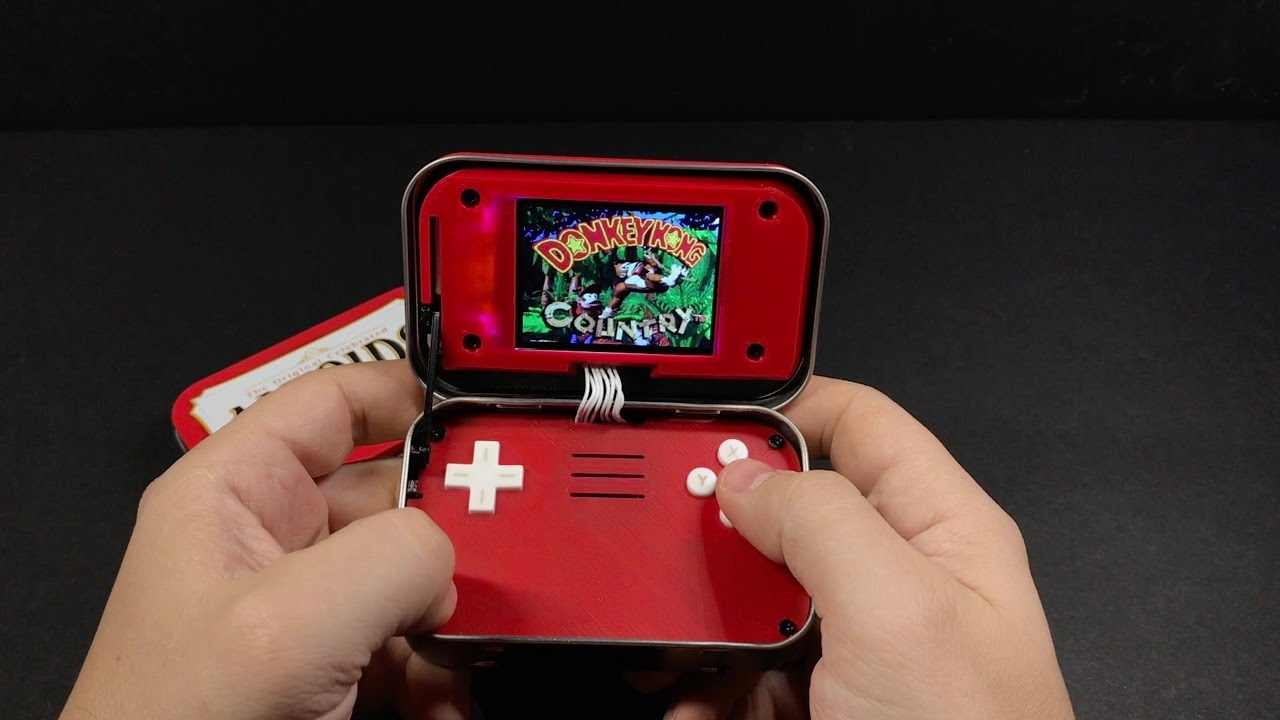
The tiny, endearing and portable MintyPi retro console fits inside an empty Altoids can. Using Zero W boards allows for built in wi-fi to update and games. With a form-factor reminiscent of the GameBoy Advance SP model, the MintyPi is a delightful little device and controls beautifully. While creating one of these devices requires a good deal of 3-D printing, soldering and technical know-how, the finished product is an enviable, minty little piece of tech! Full guides for how to build these are available online!
Mini Lego Macintosh
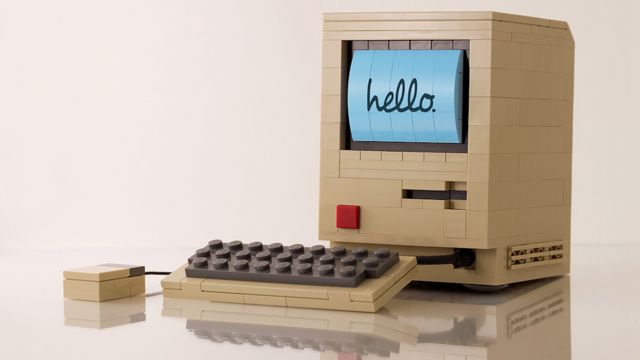
Photo Credit: Mactrast
Using a very small e-paper display, sporting a lego housing and powered by a Raspberry Pi board, Jannis Hermanns created this tiny, adorable Mac. The device technically functions but is so tiny and simple that it’s mostly a labor of love and adorable conversation piece. While Hermanns has posted guides for how to create these online, creating your own Mini Mac would require quite a bit of soldering and careful work with tiny parts. However, Mac and Lego enthusiasts would likely find such a project very rewarding!
Arcade Table
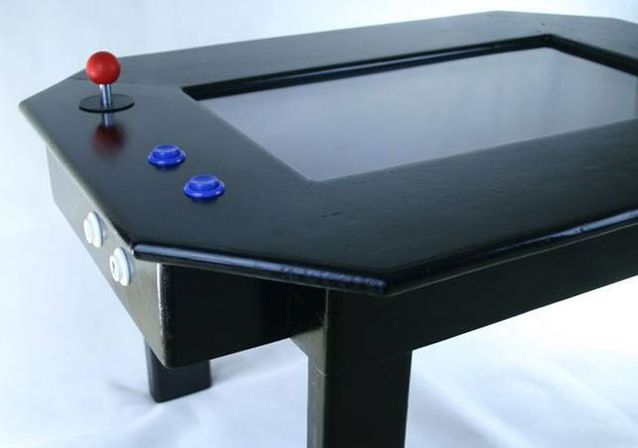
Photo Credit: grahamgelding
Echoing the table-top arcade design of pizza parlors and bowling alleys, this cool blend of furniture and technology is powered by a Raspberry Pi board. Capable of playing classics like Space Invaders, Galaga, Asteroids and Pac-Man, as well as browsing the internet and displaying cool images, this table would make a welcome addition in any game room or den. While a good bit larger and more involved than many other projects on this list, this gaming table would make a striking impression on friends who came to game!
Electric Skateboard
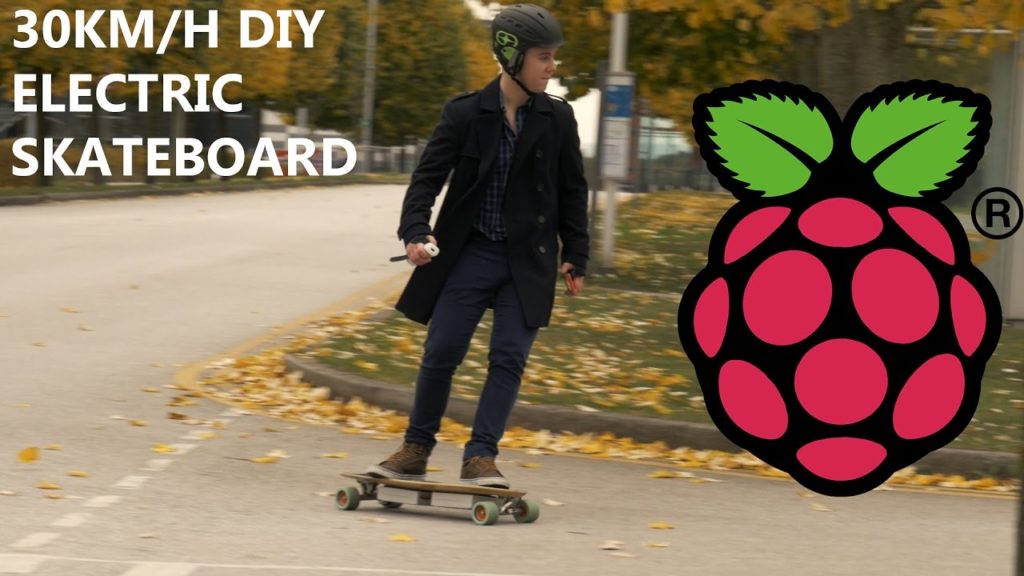
Photo Credit: YouTube.com
Our favorite DIY project yet has got to be this stellar electric skateboard project made by YouTuber “the Raspberry Pi Guy,” who is known for his DIY work on his channel. Powered by a Raspberry Pi board and controlled from a Wii Remote (yes, that Wii. I know, right?) this electric skateboard is an awesome intersection of extreme sports, video game peripherals and circuit boards. Really, a nerdy kid’s dream tech. The assembly and code for this project are all quite simple compared to how awesome the finished project is, and as such makes a great DIY for a user looking for a first “big” project!
Anxious to get started? Be sure to check out our top recommended Raspberry Pi Starter Kits!