Tag: security

  • Top Outdoor Cameras to Catch Porch Pirates

    Top Outdoor Cameras to Catch Porch Pirates

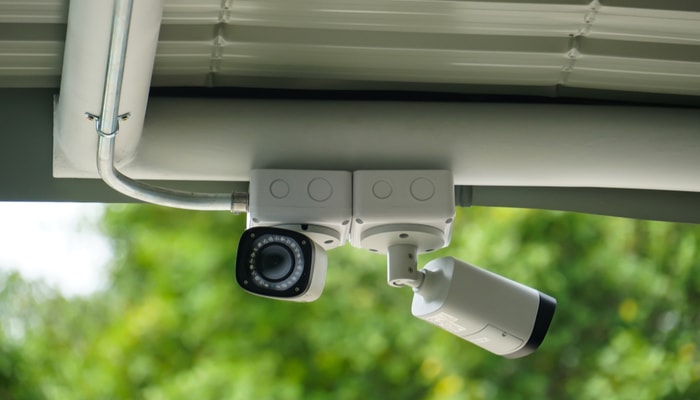
    You’ve definitely seen those hilarious videos where someone sets up an elaborate goof for package thieves. Everyone who has ever had a package stolen wishes the thief had snagged one of those glitter-spewing booby traps from YouTube instead of their actual merchandise. However, not everyone is an adept prankster, and not every package on your doorstep is a decoy for online shenanigans. There is something you can do to protect yourself, though: invest in one of the top outdoor cameras. These outdoor cameras give you a way to catch package thieves in the act and help you to alert authorities to these annoying nuisances.

    Top Outdoor Cameras

    Best Value

    If you’re looking for the best overall value in an outdoor camera, then you’re looking for the Amcrest UltraHD 4MP HD camera. If you’ve got Amazon prime, you can scoop this bad boy up for just $40, and it’s going to outperform pretty much every other camera in that price range while it’s at it. Installation isn’t exactly breezy, though, as it requires an ethernet cable in order to send the images it’s capturing anywhere.

    This isn’t exactly a bad thing, though! Many security experts urge homeowners to use cameras with hardwired connections instead of wireless cameras. Hardwired connections won’t go down due to wireless interference, weather conditions or dips in internet service. If you’re looking for a good storage solution for the UltraHD images this camera captures, Amcrest has you covered on that front, too.

    Amcrest sells both 4 and 8 channel DVR boxes that can track and record multiple camera signals at once. If you’re looking to keep a close eye on what happens in and around your home, these are a great option. After all, a camera alone won’t help you if it’s not recording any images! This way you can ensure the images are recorded and can be given to authorities should someone break the law in front of your camera.

    Best App

    If you’re looking for an outdoor camera with a stellar app, look no further than the Ring Floodlight Camera. You might know Ring for their doorbell technology that has a built-in motion-sensor camera and communications features. The Floodlight Camera is similarly excellent, easily sporting one of the best and easiest-to-use apps on the market.

    The camera itself is great, as it is both motion-activated and equipped with a microphone. That’s in addition to the camera’s speaker, which allows it to also double as a motion-sensor alarm. You can set it up to blare loudly if it detects motion to scare off potential ne’er-do-wells. The microphone and speaker also allow you to speak to anyone you see through the camera.

    The communications angle is great, as it uses the stellar Ring app to allow you to talk to people you catch on camera. If it’s just the mailman or someone you know, you can chat for a moment and see how things are going. If it’s a thief, you can tell them they’re on private property and are being recorded and to get the heck away from your stuff. In either event, this is a great camera for lovers of high-tech apps!

    Best Video Recording Quality

    The LaView 4K UltraHD Bullet Smart IP Surveillance Camera has the best recording quality of any outdoor camera you can find today. When you really, really need to make out the images your camera is detecting, image quality can be the biggest factor. That’s why a lot of security professionals recommend that those people who are serious about security should go with the absolute highest resolution cameras they can find. These high resolutions make it easier to make out features of thieves and intruders, making finding them after the act more likely.

    The LaView 4K camera offers incredibly sharp images, clear pictures and great quality that makes it well worth the price. While you may be paying a bit more for 4K image resolution, it’s important that your images be as clear and easy-to-read as possible. It won’t help investigators find someone if the footage you capture of them is blurry, soft and out-of-focus. Unlike on TV, you can’t zoom and enhance an image after it has been captured!

    LaView offers a package deal for security enthusiasts that includes 4 of the bullet cameras and 2 dome cameras, as well as a 3TB storage device to store the video your cameras take. This is a good thing, as 4K images tend to take up a lot of storage space, and 3TB is a ton of storage!

  • New iPhone Mode May Lock Out Law Enforcement

    New iPhone Mode May Lock Out Law Enforcement

    ZDNet has found a “USB Restricted Mode” in the files for iOS 11.4, a feature that could have potentially massive implications. This feature disallows USB devices from accessing the phone if it hasn’t been unlocked in the last seven days. This could potentially work to stop intrusion devices, such as the Gray Key device, from functioning with iPhones in this mode.

    Gray Key

    Gray Key devices attempt to break into iPhones by guessing every permutation of the possible password. However, these devices require a connection through the Lightning port, and as such could be disabled by USB Restricted Mode. This could serve as an excellent security feature for iPhone users, ensuring that only individuals with the correct password access their phone.

    Law Enforcement

    Apple has notoriously clashed with law enforcement agencies in the past over encryption. Agencies have repeatedly requested that Apple provide or create a skeleton key of sorts capable of opening any iPhone. The use of such a key would allow law enforcement to access suspected criminals’ phones in an attempt to obtain incriminating evidence. Apple has had (understandable) reservations about the ethics of such a key.

    Where USB Restricted Mode Fits In

    While it is possible that USB Restricted Mode is something more experimental and less directed specifically at law enforcement, it would make sense if it was specifically a response to this ongoing struggle. In any event, any features that protect user privacy are good features: there is no guarantee that Gray Key devices don’t fall into the wrong hands. Having features that protect users from such malicious access to their devices is clearly a high priority to Apple, and it will likely continue to pursue similar initiatives in the future.

  • Twitter Urges All Users to Change Password

    Twitter Urges All Users to Change Password

    Thursday, Twitter began urging all 336 million of its users to change their passwords, following news that passwords had been erroneously stored in plaintext on an unencrypted log. Users logging in after Thursday are met with a pop-up urging them to change their passwords and explaining the situation. Jack Dorsey, Twitter CEO, expressed the need to be “open about this internal deficit.”

    How Long Have They Known?

    What is unknown, in spite of Twitter’s semi-transparency on the issue, is when this data mishandling was discovered, or for how long the data has been stored in this way. Typically, passwords are stored in logs using a technique called “hashing,” which is an encoding that replaces characters with other, random characters, thus rendering them as gibberish to someone without access to the encryption key. The log that Twitter disclosed the passwords were being stored on, however, were being stored in plain text.

    Not a Breach

    Twitter has been quick to point out that this was not a data breach, like the Target credit card debacle, nor did they have to inform anyone of this lapse in security. Twitters CTO, Parag Agrawal, tweeted: “We are sharing this information to help people make an informed decision about their account security. We didn’t have to, but believe it’s the right thing to do.”

    Best Way to Handle This?

    This news is unique, in that it was disclosed by Twitter, and as Agrawal so humbly observed, they didn’t have to inform the world of their mishandling of users’ passwords.  However, had the news broken without an official word from Twitter, the news would have gone from “unusual blip” to “full blown security scandal,” so the choice to inform the public was surely a wise one.

  • The Best VPNs

    The Best VPNs

    VPNs, or Virtual Private Networks, have become immensely popular lately. Whether you want to use one to increase your internet speed, browse more safely, or just watch Netflix episodes that are region-locked in your area, VPNs are awesome to have to increase your browsing experience! With that in mind, here are our four favorite VPNs! Keep in mind that we’ve picked only paid service VPNs, as they offer more security and a higher quality browsing experience.

    StrongVPN

    StrongVPN lives up to its name. With a large number of dedicated IP addresses, servers and server locations, users have a great deal of privacy and security with Strong. All of Strong’s network infrastructure is owned by the company, and as such there are no bandwidth or traffic restrictions, a definite plus to a VPN provider. Strong has a reasonable monthly fee of $10, or you can opt for the $70 yearly price, which is easily a great deal for your money among the most popular VPNs.

    IPVanish VPN

    For users who want a the most anonymity possible from a VPN in their browsing, IPVanish is a good choice. Their main selling point is that they keep absolutely zero logs, promising a great deal of privacy to the user. The service’s other features tailored to privacy include a connection kill switch, allowing the user to go dark at the push of a button, and IPVanish is dedicated to supporting the Kodi media platform.

    Kodi is known for hosting media such as movies and TV, and is popular among VPN users due to its accessibility and lack of a monthly fee, unlike comparable services like Netflix and Hulu. IPVanish is also the not expensive in terms of VPNs, costing either $7.50 a month or $58.49 for a year and offering support for BitCoin.

    PureVPN

    Another great VPN option, PureVPN accepts BitCoin like IPVanish and offers a 30-day refund policy. While PureVPN keeps logs, unlike IPVanish, they are still a quality choice. For $11 per month, or $70 for three years, PureVPN makes up what they lack in privacy in a blazing fast connection. PureVPN is also unique in that it has support for ChromeBook and, much like IPVanish, they support Kodi. For a user looking for a relatively inexpensive, very fast VPN, who doesn’t mind a relative lack of privacy, PureVPN is a good pick!

    Nord VPN

    Our favorite VPN, and really the best all-around pick! On the other end of the spectrum from IPVanish, Nord offers a solid user experience with a smaller number of incognito options but for a very competitive price and with a fantastic user-end experience. Nord offers various levels of subscription to their service, but their best plan is $106 for their three-year option. Otherwise, the monthly price is around $12 for their premium options, although they have more budget-concious options too.

    Nord’s other upsides are their six simultaneous connection slots, allowing more than any other popular VPN, and their dedicated IP address option is helpful for those looking to geo-spoof in order to sidestep region locking.