Tag: vpn

  • Best VPN for iPhone

    Best VPN for iPhone

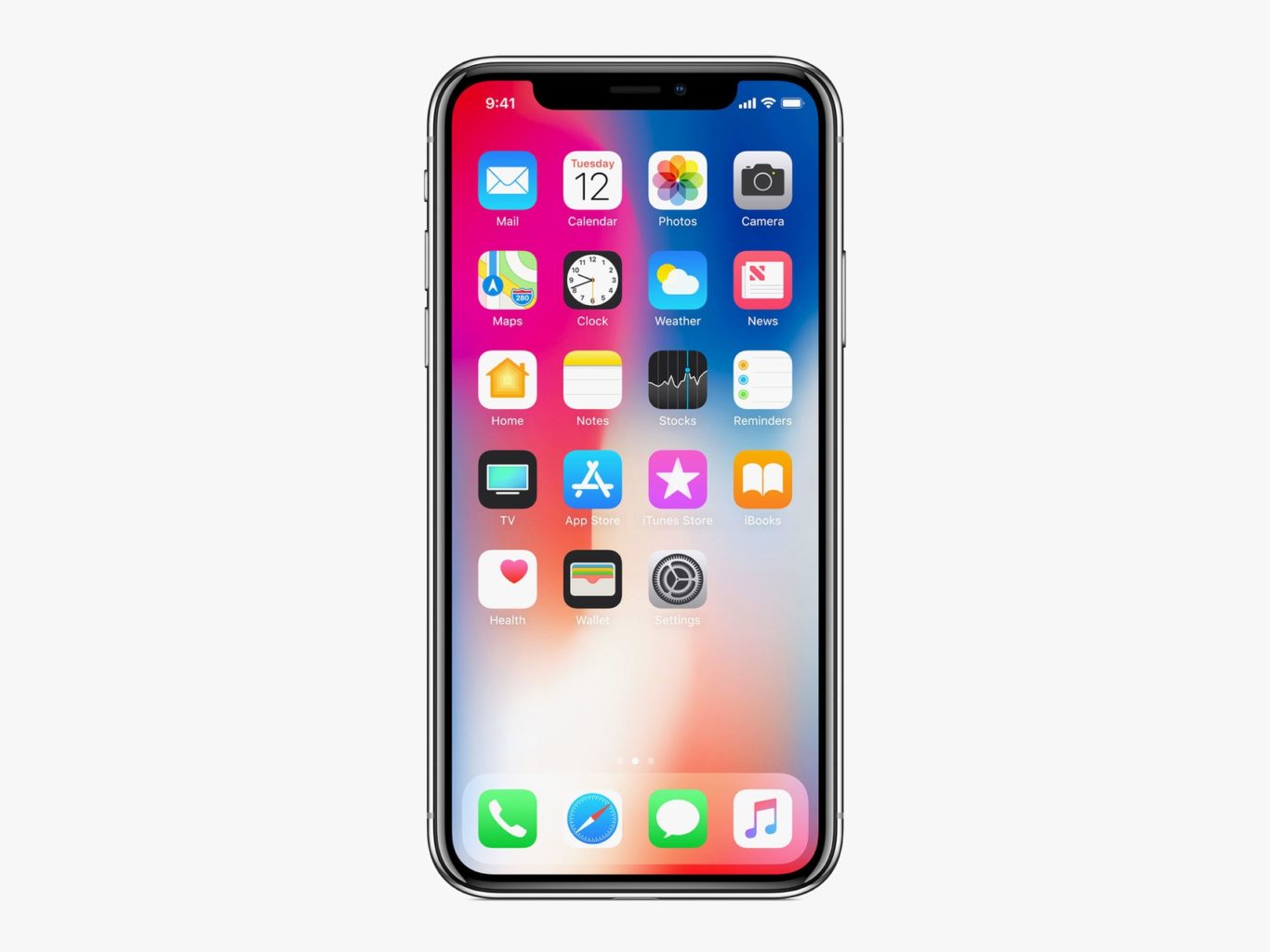
    While it might sound weird that you’d want a VPN for a phone, it’s not a bad idea to have one. While iOS is great at protecting user security, it’s not able to help you when you’re surfing the web. The real reason you’ll want one of these is if you use public Wi-Fi often. Public networks are often unsecure, and any data sent to and from your phone while on them could be intercepted by hackers. If you want to keep your encrypted info safe from prying eyes, try these VPNs! They offer great protection for your mobile browsing.  

    Golden Frog VyprVPN 

    Golden Frog is a clean, well laid-out VPN with a lot to offer. While it doesn’t offer as many licenses per subscription as some of the competition, it’s a solid pick. It’s ten dollars to start and five bucks a month. Sadly, it doesn’t offer any ad-blocking. What it does offer, though, is a free trial and a ton of servers. Your server speeds on this one will be blisteringly fast! If speed is your bag, try Golden Frog. 

    Cyber Ghost VPN 

    Offering seven licenses per $2.75 a month subscription, Cyber Ghost is a good choice. The interface is unique and weird in a good way. Privacy is a major concern of this one, and it does a good job logging very little user data. You can’t location spoof while streaming, though, so if you’re trying to appear as though you’re somewhere else, this isn’t the right VPN. That said, this is still a fine VPN, and it costs $12 to get started. The $2.75 per month deal is limited time, though, so check it out soon! 

    Nord VPN for iPhone 

    If you’ve ever looked into VPNs, you’ve definitely seen the name Nord. They’re well-renowned for a reason, and it’s because they’re good. Their VPN for iPhone offers a ton of servers and great features. Just like Cyber Ghost, it’s $12 to get started and $2.75 per month. Also, like Cyber Ghost, that’s a limited time price. That said, if you’re looking for a strong iPhone VPN, this is a great pick. Offering six simultaneous connections and blocking ads is a pretty mean feat on an iPhone. The app and layout are both friendly and welcoming, too! Great for first-time VPN users. 

    Our Favorite VPN for iPhone: KeepSolid VPN Unlimited 

    Starting a $8.99 per month, this is a fantastic VPN for the money. It supports Open VPN and sports great speeds. KeepSolid boasts servers specifically tooled for streaming, which is awesome. It also offers a personal VPN server for users! That said, it has no free trial, which is a bummer. Compared to Nord it has a small number of servers, too. That said, the interface is excellent, and the user experience is top-notch. If you’re looking for a fantastic VPN for iPhone, this is the one for you! 

  • VPNs: What They are, and Why You Need One

    VPNs: What They are, and Why You Need One

    You might have heard a bit about VPNs on the internet or around the office, but you’re not sure what they are or whether you need one. Today we’ll be taking a more in-depth look at VPNs, what they do, and whether getting one is right for you.

    Do You Need a VPN?

    What’s a VPN?

    Let’s start by defining some terms. Firstly, we need to explain what a VPN even is! “VPN” stands for “virtual private network”. Essentially, these private networks allow you to securely connect with another network over the internet. VPNs keep your data private from any software that would spy on you, and they offer incredibly secure connections to other servers on the internet.

    Originally, VPNs were created for business employees to work remotely, connecting to the secure business network from their home office. However, their popularity in recent years has little to do with corporate espionage or remote work, though they are still used for this. No, the modern applications of VPNs are much more varied, though they share a common thread: secure connections.

    Modern VPNs

    Today, VPNs are popular among internet users because they allow them to privately browse the internet without drawing attention from advertisers or the site’s own regional locks. VPNs forward all of your internet activity to a remote network, essentially “outsourcing” your internet access and then feeding it back to your home computer.

    One of the most common uses for today’s VPNs include sidestepping region restrictions by “geospoofing,” or fooling a website into thinking you’re accessing it from a different location than your current one. This has a multitude of uses, from watching videos on streaming services that your region can’t see to avoiding government-mandated internet censorship.

    The Benefits

    The benefits of VPN usage are mainly connected to the fact that you’re essentially browsing the internet through a remote server. This allows you to appear as though you’re not located where you’re accessing the internet from. This, in turn, offers you a bit of anonymity on the internet, so you can safely use unsecured WiFi networks, avoid internet censors and even avoid detection for some of your activities.

    VPNs are quite popular among torrent users for this very reason. In many countries, it’s illegal to share files of music or movies, so torrent sites and the people who frequent them often use geospoofing to avoid the law enforcement of their localities. Of course, we can’t condone this usage, as intellectual property rights are an important cornerstone of the exchange of information.

    How to Get One

    Now for the fun part: actually getting a VPN. It’s not as simple as Googling “VPN” and just flipping a switch, you have to find a VPN service you’d like to use, or perhaps use one a friend has set up. Some services are free and offer only the very basics of a virtual network. Other services, like Nord VPN and Tunnelbear, have paid tiers that give you access to more features and a more robust geospoofing selection.

    In short, if you want to use a VPN to simply encrypt your browsing and watch some videos that aren’t available in your country normally, a free VPN will be fine for you. Otherwise, if you’re a power user with more varied needs, you might need to opt to pay for a more robust VPN service. Another option is to set up your own VPN, though most people don’t have the resources to set up servers in various countries and then encrypt traffic to them from their home computer. In either case, just make sure that whatever you do isn’t illegal, as cybercrimes can still carry stiff penalties depending on where you live, and VPNs won’t protect you from law enforcement.


  • Protect Your Identity Online With These Tools

    Protect Your Identity Online With These Tools

    Whether it’s another big data breach or someone trying to steal your passwords, there’s always something to watch out for online. However, there are a number of tools you can use to protect your identity and browse without worrying. Today we’re taking a closer look into some of these tools to help you understand what you need to surf the web worry-free.

    Protect Your Identity Online

    VPN

    A VPN, or a virtual private network, is a fancy-sounding name for a relatively simple service. Originally created to allow people to access their work intranet while working from home, a VPN allows you to “tunnel” your internet traffic to an external server. Essentially, a VPN hides who you are when you’re browsing online by making it look like traffic from your computer is coming from somewhere else. By tunneling your traffic to another server, your traffic can appear to be coming from a distant country, and your identity is hidden from websites you visit.

    This offers you some unique benefits. For instance, it allows you to access websites that might be blacked out in your area. You can sidestep local blackouts on sites like Netflix, on regional sports teams you want to watch and even on banned content in your area. While doing this is technically against the user agreement of the sites in question, the ethics of doing so are left for you to decide for yourself. In either case, a VPN is a great way to hide your identity online and protect your activity from prying eyes.

    Password Manager

    Everyone knows the first rule of making passwords for your online accounts is that you need to make each site have a different password. If you’ve got tons of logins for various websites, such as online banking, paying bills and social media, it can be hard to keep track of all your passwords, though. That’s where cloud password managers come in. These convenient and time-saving services are also incredibly good at securing your online information.

    A password manager service allows you to hide all of your passwords on a remote server that you access with one master password. This allows you to keep track of all of your passwords easily, while also hiding them from potential keystroke-monitoring programs or simply people watching your fingers while you input them. While it might sound risky to keep all of your platforms saved on one server, it’s actually much safer to keep them encrypted in this way than to store them in a text file on your computer, or on a physical piece of media that can be stolen.

    Careful Browsing

    Scammers and phishers are everywhere online. The illusion of anonymity emboldens con men and grifters to try to steal your information, your credit and your money. As such, you need to be careful when you’re browsing online. Even a strong VPN and encrypted passwords can’t keep your identity safe if you fall for a phishing scam. Make sure you’re vigilant about the sites you visit, and never input your personal information into a site you don’t trust.

    If you get an email or see an offer online that’s too good to be true, it is. Never give someone your password, you Social Security number or your credit card information online. The only exceptions to this are verified government websites, sites you pay your bills through and known online sellers like Amazon or eBay. A fishy site with a strange domain name and broken English in all of the item descriptions is probably not the site you should be shopping on. Remember: if it looks suspect online, don’t input any personal information.


  • Protect Your Identity Online With These Tools

    Protect Your Identity Online With These Tools

    Whether it’s another big data breach or someone trying to steal your passwords, there’s always something to watch out for online. However, there are a number of tools you can use to protect your identity and browse without worrying. Today we’re taking a closer look into some of these tools to help you understand what you need to surf the web worry-free.

    Protect Your Identity Online

    VPN

    A VPN, or a virtual private network, is a fancy-sounding name for a relatively simple service. Originally created to allow people to access their work intranet while working from home, a VPN allows you to “tunnel” your internet traffic to an external server. Essentially, a VPN hides who you are when you’re browsing online by making it look like traffic from your computer is coming from somewhere else. By tunneling your traffic to another server, your traffic can appear to be coming from a distant country, and your identity is hidden from websites you visit.

    This offers you some unique benefits. For instance, it allows you to access websites that might be blacked out in your area. You can sidestep local blackouts on sites like Netflix, on regional sports teams you want to watch and even on banned content in your area. While doing this is technically against the user agreement of the sites in question, the ethics of doing so are left for you to decide for yourself. In either case, a VPN is a great way to hide your identity online and protect your activity from prying eyes.

    Password Manager

    Everyone knows the first rule of making passwords for your online accounts is that you need to make each site have a different password. If you’ve got tons of logins for various websites, such as online banking, paying bills and social media, it can be hard to keep track of all your passwords, though. That’s where cloud password managers come in. These convenient and time-saving services are also incredibly good at securing your online information.

    A password manager service allows you to hide all of your passwords on a remote server that you access with one master password. This allows you to keep track of all of your passwords easily, while also hiding them from potential keystroke-monitoring programs or simply people watching your fingers while you input them. While it might sound risky to keep all of your platforms saved on one server, it’s actually much safer to keep them encrypted in this way than to store them in a text file on your computer, or on a physical piece of media that can be stolen.

    Careful Browsing

    Scammers and phishers are everywhere online. The illusion of anonymity emboldens con men and grifters to try to steal your information, your credit and your money. As such, you need to be careful when you’re browsing online. Even a strong VPN and encrypted passwords can’t keep your identity safe if you fall for a phishing scam. Make sure you’re vigilant about the sites you visit, and never input your personal information into a site you don’t trust.

    If you get an email or see an offer online that’s too good to be true, it is. Never give someone your password, you Social Security number or your credit card information online. The only exceptions to this are verified government websites, sites you pay your bills through and known online sellers like Amazon or eBay. A fishy site with a strange domain name and broken English in all of the item descriptions is probably not the site you should be shopping on. Remember: if it looks suspect online, don’t input any personal information.


  • VPN Roundup: Best Free VPNs

    If you’re looking to browse undetected, or speed up your internet connection, a VPN might be a good choice. 

    However, you’re probably a bit wary of paying for something that you don’t exactly understand fully. If you’re interested in trying out a VPN, but don’t want to spend money, we’ve got a list of the best free VPNs for you! Check it out!

    Speedify 
    As the name would suggest, Speedify makes sure your internet speeds are blistering fast. It uses any connections available to make sure you’re connecting as efficiently as possible. The only downside to this one is the small data allowance. You first free month, you get 4GB of downloads for free. Subsequent months, you get just 1GB. If you try it and love it, though, you can subscribe to get the full service.

    Hotspot Shield Free
    A free VPN powered by ads, Hotspot Shield Free is a solid option. While it’s free, you get access to 500 MB of download per day! The paid version gains access to full geo-spoofing features, but the free version is locked into a few pre-selected locations. If you’re looking to try some basic geo-spoofing features and use a bit of data, though, this is a great one to check out. Be aware, though, there’s currently a controversy surrounding Hotspot Shield’s advertisers. Do a bit of research and decide for yourself how you feel about the situation, as it’s still developing at time of writing.

    TunnelBear 
    TunnelBear is our runner up among free VPNs. While it has a cute, friendly design, it’s also a powerful VPN for anonymity and security. It would get higher marks if free users got more than a paltry 500MB of data per month. However, if you try the service and like it, paying for it isn’t terribly expensive. The paid subscription runs about $10 per month, but you get a considerable amount of protection and speed with your browsing. If you’re interested in trying it, the free option is very secure, if a little short on data.

    Our Favorite Free VPN Our Favorite Free VPN Windscribe 
    Those looking for a very secure free VPN need look no further. Windscribe has some phenomenal security features and eight different server locations. It doesn’t store what sites you visit, your connection logs or your IP stamps. Other information is deleted from the server about 3 minutes after your session ends. You get 10GB of data per month, which is rather generous for a free service, and you can get more for Tweeting about it and suggesting it to friends. It even sports a built-in firewall and ad-blocker! As free VPNs go, this one is your best bet. As free VPNs go, this one is your best bet. 

  • Best VPN for iPhone

    Best VPN for iPhone

    While it might sound weird that you’d want a VPN for a phone, it’s not a bad idea to have one. While iOS is great at protecting user security, it’s not able to help you when you’re surfing the web. The real reason you’ll want one of these is if you use public Wi-Fi often. Public networks are often unsecure, and any data sent to and from your phone while on them could be intercepted by hackers. If you want to keep your encrypted info safe from prying eyes, try these VPNs! They offer great protection for your mobile browsing.  

    Golden Frog VyprVPN 

    Golden Frog is a clean, well laid-out VPN with a lot to offer. While it doesn’t offer as many licenses per subscription as some of the competition, it’s a solid pick. It’s ten dollars to start and five bucks a month. Sadly, it doesn’t offer any ad-blocking. What it does offer, though, is a free trial and a ton of servers. Your server speeds on this one will be blisteringly fast! If speed is your bag, try Golden Frog. 

    Cyber Ghost VPN 

    Offering seven licenses per $2.75 a month subscription, Cyber Ghost is a good choice. The interface is unique and weird in a good way. Privacy is a major concern of this one, and it does a good job logging very little user data. You can’t location spoof while streaming, though, so if you’re trying to appear as though you’re somewhere else, this isn’t the right VPN. That said, this is still a fine VPN, and it costs $12 to get started. The $2.75 per month deal is limited time, though, so check it out soon! 

    Nord VPN for iPhone 

    If you’ve ever looked into VPNs, you’ve definitely seen the name Nord. They’re well-renowned for a reason, and it’s because they’re good. Their VPN for iPhone offers a ton of servers and great features. Just like Cyber Ghost, it’s $12 to get started and $2.75 per month. Also, like Cyber Ghost, that’s a limited time price. That said, if you’re looking for a strong iPhone VPN, this is a great pick. Offering six simultaneous connections and blocking ads is a pretty mean feat on an iPhone. The app and layout are both friendly and welcoming, too! Great for first-time VPN users. 

    Our Favorite VPN for iPhone: KeepSolid VPN Unlimited 

    Starting a $8.99 per month, this is a fantastic VPN for the money. It supports Open VPN and sports great speeds. KeepSolid boasts servers specifically tooled for streaming, which is awesome. It also offers a personal VPN server for users! That said, it has no free trial, which is a bummer. Compared to Nord it has a small number of servers, too. That said, the interface is excellent, and the user experience is top-notch. If you’re looking for a fantastic VPN for iPhone, this is the one for you! 
  • The Best VPNs

    The Best VPNs

    VPNs, or Virtual Private Networks, have become immensely popular lately. Whether you want to use one to increase your internet speed, browse more safely, or just watch Netflix episodes that are region-locked in your area, VPNs are awesome to have to increase your browsing experience! With that in mind, here are our four favorite VPNs! Keep in mind that we’ve picked only paid service VPNs, as they offer more security and a higher quality browsing experience.

    StrongVPN

    StrongVPN lives up to its name. With a large number of dedicated IP addresses, servers and server locations, users have a great deal of privacy and security with Strong. All of Strong’s network infrastructure is owned by the company, and as such there are no bandwidth or traffic restrictions, a definite plus to a VPN provider. Strong has a reasonable monthly fee of $10, or you can opt for the $70 yearly price, which is easily a great deal for your money among the most popular VPNs.

    IPVanish VPN

    For users who want a the most anonymity possible from a VPN in their browsing, IPVanish is a good choice. Their main selling point is that they keep absolutely zero logs, promising a great deal of privacy to the user. The service’s other features tailored to privacy include a connection kill switch, allowing the user to go dark at the push of a button, and IPVanish is dedicated to supporting the Kodi media platform.

    Kodi is known for hosting media such as movies and TV, and is popular among VPN users due to its accessibility and lack of a monthly fee, unlike comparable services like Netflix and Hulu. IPVanish is also the not expensive in terms of VPNs, costing either $7.50 a month or $58.49 for a year and offering support for BitCoin.

    PureVPN

    Another great VPN option, PureVPN accepts BitCoin like IPVanish and offers a 30-day refund policy. While PureVPN keeps logs, unlike IPVanish, they are still a quality choice. For $11 per month, or $70 for three years, PureVPN makes up what they lack in privacy in a blazing fast connection. PureVPN is also unique in that it has support for ChromeBook and, much like IPVanish, they support Kodi. For a user looking for a relatively inexpensive, very fast VPN, who doesn’t mind a relative lack of privacy, PureVPN is a good pick!

    Nord VPN

    Our favorite VPN, and really the best all-around pick! On the other end of the spectrum from IPVanish, Nord offers a solid user experience with a smaller number of incognito options but for a very competitive price and with a fantastic user-end experience. Nord offers various levels of subscription to their service, but their best plan is $106 for their three-year option. Otherwise, the monthly price is around $12 for their premium options, although they have more budget-concious options too.

    Nord’s other upsides are their six simultaneous connection slots, allowing more than any other popular VPN, and their dedicated IP address option is helpful for those looking to geo-spoof in order to sidestep region locking.