Month: May 2018

  • New Trademark Suggests Nintendo is Working on N64 Classic

    New Trademark Suggests Nintendo is Working on N64 Classic

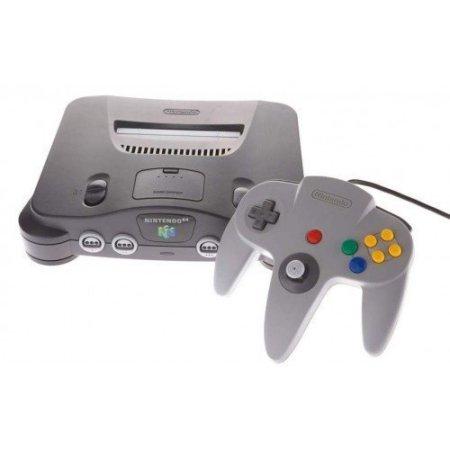
    After the resounding success of the NES and SNES Classic systems, it comes as no surprise that Nintendo would push forward with more mini classic systems. Nintendo has filed a trademark that suggests they may have plans to create an N64 Classic system. This is exciting news, especially given the recent news that the Switch will not have a Virtual Console. 

    Everything Old… 

    The NES and SNES Classic systems sold out on their first productions, proving to be wildly successful. Nintendo surely seeks to emulate that success with their next mini console, but there are still some questions.  

    Will supply finally meet demand? Thankfully the original two classic mini systems are getting reissues in late June, so maybe Nintendo has learned their lesson? The other pressing question is, which games would an N64 Classic even have? 

    …Is New Again 

    Rare, the company responsible for Banjo-Kazooie and Goldeneye 007, is now owned by Microsoft. This could lead to some odd inclusions for games for a potential N64 Classic. Nintendo famously was the main developer releasing quality titles for the system: most of the great games were either first party or Rare.  

    If Nintendo is able to secure the rights to re-release Rare’s games, the system could have an amazing library. Thankfully, Microsoft has shown willingness in the past to work with Nintendo over older Rare games.  

    When Might We See the N64 Classic? 

    It seems unlikely that the system would be out anytime in 2018. Nintendo is already set to have a big Fall season. Super Smash Bros and Pokemon for are both confirmed for this year. However, the yearly games conference, E3, is in a few weeks. We’re likely to hear news of a new Classic system there first, even if it is just an announcement and a teaser. We’ll likely even see a release window, if the system materializes. We’ll have to wait and see what the big N has in store! 

  • 10 Things You Never Knew About Your iPhone

    10 Things You Never Knew About Your iPhone

    Do you fancy yourself as being tech savvy? How much do you really know about your phone? If you know all ten of these iPhone tips and tricks, you may really be a tech wizard! Check out these 10 crazy things you never knew your iPhone could do! 

    10. Snap Pictures with Your Volume Button 

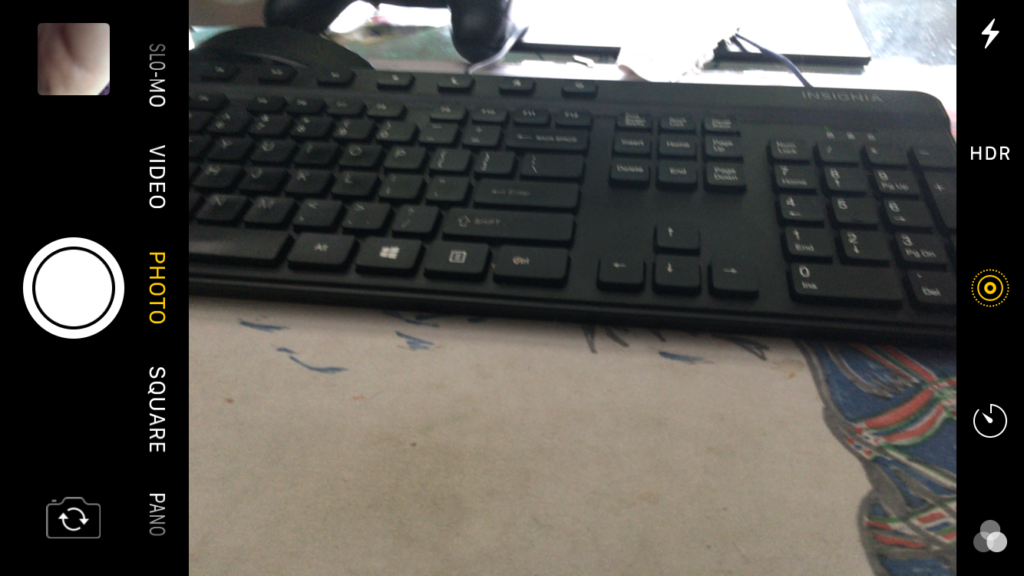
    This one is cute, letting you snap a picture with your phone like it’s an old-school camera with a top button. You don’t have to do anything to enable this, it’s just already on out of the box! Have fun snapping pictures! 

  • Top Tech Conference: Which Ones Should You Be Watching For?

    Top Tech Conference: Which Ones Should You Be Watching For?

    Whether you’re a tech enthusiast or savvy investor, you’re likely to keep your eyes peeled for all news regarding tech. The best place to look when companies have new products coming down the pipe? The first place to look is the multitudinous tech conferences that are held every year. Which tech conference is worth looking out for? Rounded up for you here are the hottest tech conferences coming in the next few months!

    Machine Intelligence Summit 

    Artificial intelligence and machine learning are sure to be the technology of the future. It seems that more companies are focused on pushing for true artificial learning now than ever before. What’s the next place we’re likely to hear of huge breaks in AI learning? 

    Being held in Hong Kong from June 6th to the 7th, the Machine Intelligence summit is sure to be home to a ton of news regarding the future of AI. With confirmed speakers from the likes of Alibaba and NASA, this is sure to be an event worth watching.   

    AI Summit London 

    The AI Summit, now in its third year, is the next large event showcasing artificial intelligence. Unlike the Machine Intelligence Summit, this one is more focused on the business applications of AI. Things like practical increases in productivity and real-world application for AI in business are the focus of the AI Summit. This one is certainly worth watching out for: it’ll happen on June 12th-14th in London. 

    Blockchain Summit London 

    The technology behind cryptocurrencies like Bitcoin, blockchain technology is sure to be a driving factor of the internet economy for years to come. The Blockchain Summit is the largest dedicated event when it comes to the titular technology, so any big movements in the world of cryptocurrency will hit here first. If you’re a crypto miner or investor, or just find the whole thing fascinating like me, this is a conference to look out for! Check it out when it comes to London on June 26th-27th. 

    The Hottest Tech Conference in the Near FutureFutureTech Expo 

    Coming to Dallas on September 14th-16th, the FutureTech Expo is sure to be a memorable conference. This expo promises to highlight the biggest trends and hottest companies in fields like blockchain, machine learning and quantum computing, For those interested in seeing what the future of technology will hold, look no further than this tech conference! You’re sure to learn something exciting regarding a field that fascinates you! 

  • Which Laptop is the Best for Photographers?

    Which Laptop is the Best for Photographers?

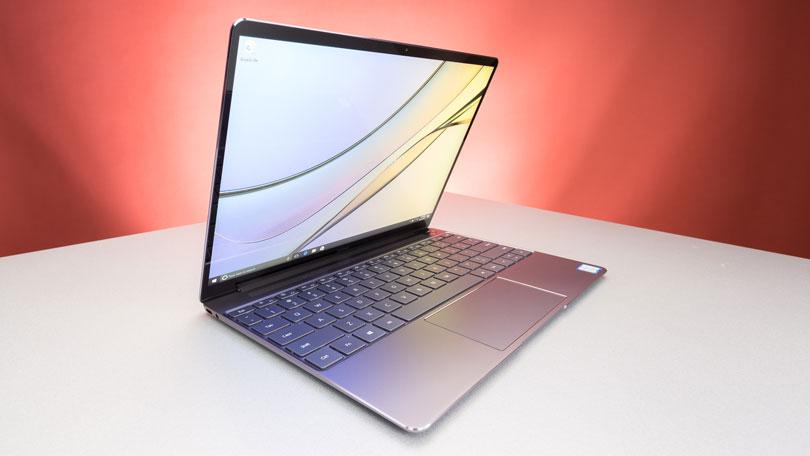
    If you’re a photographer, or an aspiring photographer, you’re certainly going to be using photo editing software. You’re also going to want that software to be accessible on the go, so you can edit while you’re shooting. With that in mind, the photographer’s best friend is their laptop. Which laptop is the best for editing on the go? Read on to find out our favorites! 

    Dell XPS 15 

    Dell’s XPS 15 is a great non-Apple choice for photographers. If you want a laptop that excels for photo editing and runs on Windows, this one is a great choice. It sports InfinityEdge technology, meaning it has a huge screen size for how small of a machine it is. Its display is color-accurate and has a 4K resolution, meaning your photos will look accurate while you’re editing.  

    The XPS 15 is a bit expensive, although that’s par the course for laptops with displays strong enough for photo editing. It retails for around $1,000, but you can often find it on sale for around $750. Consider this one if you heavily prefer Windows over Mac OS. 

    Apple Macbook Pro 13 inch with Retina 

    Unsurprisingly, Apple’s flagship laptop remains a fantastic choice for photographers. If you needed any reminders: Retina display is amazing, the battery life is great, and Mac OS was made with content creators in mind. Unsurprisingly, the Retina display remains the best laptop display on the market. With the best colors, contrast and saturation available on a laptop, you won’t be disappointed in this choice. 

    On the negative side, the Macbook is pretty expensive no matter where you go. It can be found anywhere from $900-$1,000, depending on sales and the like. It also doesn’t have a great deal of storage, which is a bit disappointing for photographers. That said, this is still a great pick. 

    Our Favorite Laptop for Photography: Apple Macbook Pro with Touchbar

    The step up from the older Macbooks, this new one sports the handy new touchbar technology. The touchbar is an OLED display above the keyboard that allows for quick access to tons of shortcuts. The toucbar has a number of applications across the OS, like suggested word selection and scrolling. The great use for photographers is the shortcuts in Photoshop, making Adobe’s robust suite even easier to use. Additionally, all the positives about the previous Macbook still apply, with the exception of the battery life. 

    Unfortunately, battery life isn’t nearly as impressive on this one; it seems the touchbar really saps the power from the laptop. Jokes aside, it is markedly lower than its predecessors. Additionally, this one is tremendously expensive: you can usually find it around $1,500.  

  • Time to Jam! Which Music App is the Best for You?

    Time to Jam! Which Music App is the Best for You?

    Everyone loves to put their headphones in and jam sometimes. Sometimes you want to play music for your house guests, and other times you want to listen to your tunes through your car stereo. Which music app do we love the most? Check out our roundup to find out! 

    Google Play Music 

    Offering a free version and a $10 per month subscription, Google Play Music is an awesome choice for listening on the go. Allowing you access to all of their cloud-based music library, the subscription is really the way to go. The subscription also comes with personalized radio stations and recommendations based on your music tastes. 

    Google even throws in a YouTube Red subscription, to boot! If you haven’t watched Cobra Kai yet, you should! 

    Apple Music 

    While Apple doesn’t offer a free version like Google Play Music, all the primary functionality of Google’s app is behind its paywall, so this doesn’t really change much. That said, Apple’s subscription also sports access to streaming internet radio stations (including the phenomenal Beats1 Radio) and access to millions of songs. You can even download songs straight to your device to save on your data plan! 

    Google and Apple provide two very similar apps. The main differences are Apple’s slightly wider selection and access to Beats1 and exclusive content, and Google’s YouTube Red subscription. It’s really a toss-up between these two, but neither is a bad choice. 

    Shazam 

    Shazam, well-known for its ability to detect songs and name them for you, is also a great music streaming app! Once it has recognized a song, you can buy it through Shazam to add to your collection. While it doesn’t make a great streaming app by itself, Shazam makes a great companion to someone who constantly hears tracks out and about they want to add to their collection.  

    Shazam works in seconds to identify music, and does pretty well even in noisy, crowded areas. For those who often go to venues or hear music on their walks to work, Shazam is a great pick! 

    Our Favorite Music App: Spotify 

    Offering both a free version and a $10 monthly subscription, Spotify is a well-known music app. Featuring the ability to create and share custom playlists, Spotify incorporates an awesome social element. Sharing playlists with your friends is akin to making mixtapes, and helps you feel more connected to your music. 

    Spotify also boasts millions of songs, rivalling Apple Music in terms of selection. The subscription is really the right way to go here, especially if you hate ads. For audiophiles looking to just get lost in the music, Spotify is the right music app for you. 

  • HTC U12 Plus, What We Know so far

    HTC U12 Plus, What We Know so far

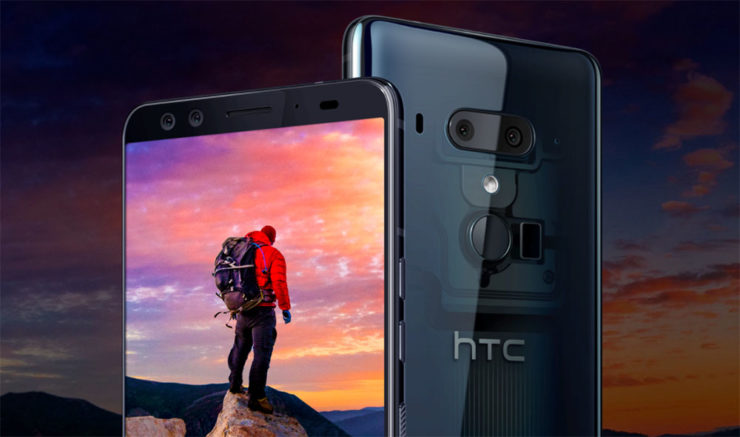
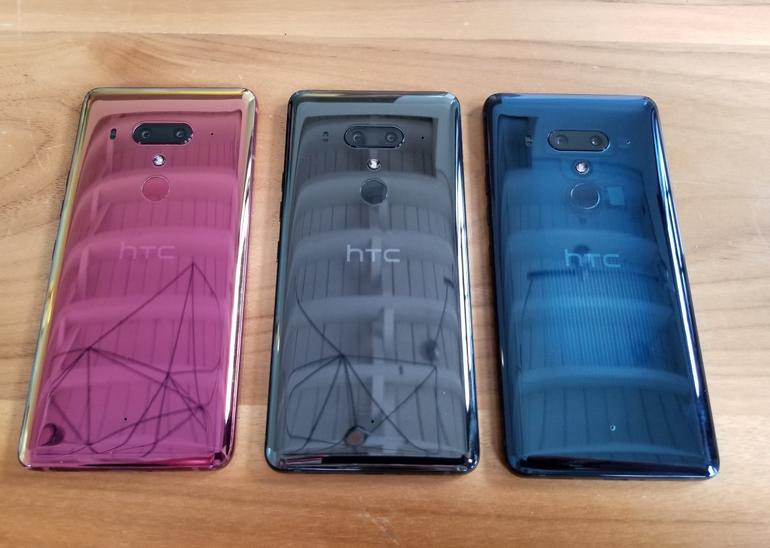
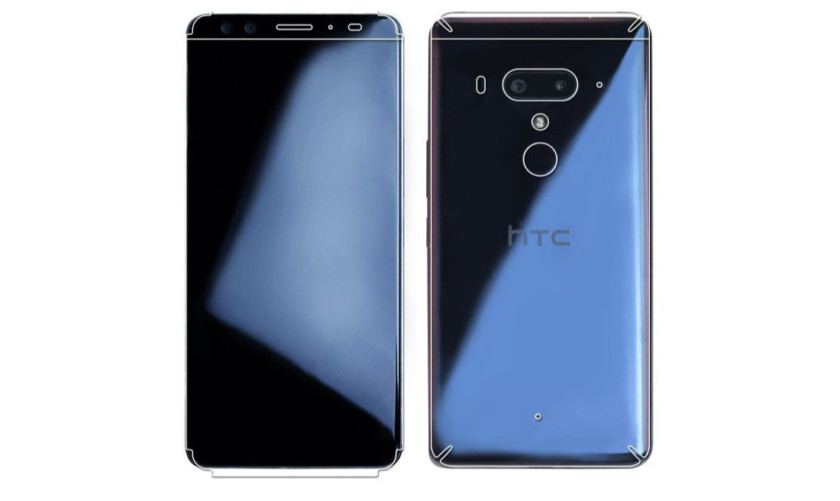
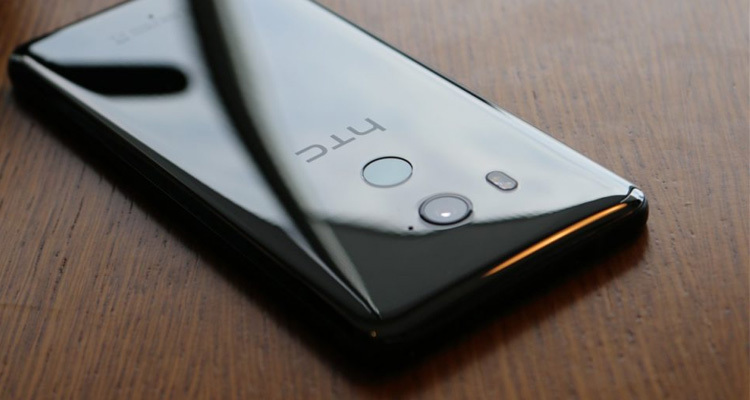
    HTC’s latest flagship has arrived! On top of new cameras and a full screen without a notch notch, HTC has created a phone is literally more sensitive than ever. This is the HTC U12 Plus. The HTC U12 Plus gives a great first impression, at least when it comes to design. Almost every modern flagship is made of glass panels held together by a metal frame, but HTC’s design feels sturdy with an almost brick-like heft to it. HTC may have changed designs over the years, but the build quality continues to be excellent. The new phone still manages to retain some of HTC’s signature style, so you won’t mistake it for anything other than an HTC.


    HTC U12 Plus comes with a 6.0-inch Quad HD+ display with no notch and thin bezels. That Super LCD 6 display is protected by a custom layer of Gorilla Glass that’s actually closer to Gorilla Glass 3 than 5. Gorilla Glass 3 is harder than 5, so it will likely be more difficult to scratch. Ill be the judge of that, grabs keys. As for software, it’s running Android 8.0 Oreo. Even though Android 8.1 has been out for five months, HTC still couldn’t manage to load up the latest version of Android on its new smartphone.

    The U12 Plus seems to be a big upgrade over its predecessors, at least on paper. It sports a 16MP wide-angle lens and a 20MP telephoto lens around back, while the front has two 8MP cameras. The U11’s camera was one of the best of 2017, so we’re really excited to see the U12 Plus

    HTC continues its minimalist Liquid Surface design language, giving us a beautiful glass design with IP68 water resistance.I would have liked to see a few more changes, the HTC U12 Plus is still a gorgeous device. We also have to applaud HTC for resisting the notch, something many other 2018 flagships are now rocking. Instead of physical keys, they are now pressure-sensitive. While these buttons may not provide a physical click, they do provide haptic feedback to let you know they’ve been triggered.

    The Colors for HTC U12

    The HTC U12 Plus will be available in ceramic black, translucent blue, and flame red.

    The ceramic black (known as titanium black in some markets) is probably the least exciting of the three options, but that’s not to say it looks bad. It’s a shiny, reflective, and polished glass option that is actually more gray than black.

    The translucent blue model is partially see-through, allowing you to see some of the internals. It isn’t quite on the level of a clear case, but it is still pleasantly unique.

    Finally there’s the flame red variant. This model has an eye-catching sheen that seems more pink than red. Unfortunately, the flame red won’t be available immediately at launch.

    Quick Spec Look

    • Display 6.0-inch Super LCD 6 2,880 x 1,140 resolution 537ppi
    • 18:9 aspect ratio
    • DCI-P3, sRGB
    • SoC Qualcomm Snapdragon 845 Mobile Platform
    • 2.8GHz, 64-bit octa-core
    • GPU Adreno 630
    • RAM 6GB
    • Storage 64/128GB
    • MicroSD expansion up to 2TB with Flex Storage
    • Cameras Rear cameras
    • Primary: 12MP wide-angle HTC UltraPixel 4 sensor, ƒ/1.75 aperture, 1.4μm pixels
    • Telephoto: 16MP sensor, ƒ/2.6 aperture, 1.0μm pixels
    • Phase detection and laser autofocus, OIS, HDR Boost 2, dual-LED flash
    • Front cameras
    • Dual 8MP sensors, ƒ/2.0 aperture, 1.12μm pixels, wide-angle with 84-degree field of view
    • Audio HTC USonic with Active Noise Cancellation
    • HTC BoomSound Hi-Fi edition
    • Hi-Res audio recording
    • Hi-Res audio certified
    • Qualcomm aptX HD, LDAC up to 32-bit high-resolution wireless audio via Bluetooth
    • Battery 3,500mAh
    • Non-removable
    • Qualcomm Quick Charge 3.0
    • IP rating IP68
    • Sensors Edge
    • Ambient light
    • Proximity
    • Motion G-sensor
    • Compass
    • Gyro
    • Magnetic
    • Fingerprint
    • Sensor hub for activity tracking
    • GPS, AGPS, GLONASS, Galileo, BeiDou
    • Network 2G/2.5G GSM/GPRS/EDGE
    • – 850/900/1800/1900MHz
    • 3G UMTS
    • – AWS/850/900/1900/2100MHz
    • – HSDPA 42, HSUPA 5.76
    • 4G LTE
    • – FDD: Bands 1, 3, 4, 5, 7, 8, 12, 13, 17, 20, 28, 32, 66
    • – TDD: Bands 38, 39, 40, 41
    • – Support Cat 18 Gigabit LTE: downloads up to 1.2Gbps, uploads up to 150Mbps, up to 5CA and 4×4 MIMO (where supported
    • – VoLTE and Wi-Fi calling (where supported)
    • Connectivity USB 3.1, Type-C
    • Bluetooth 5.0
    • Wi-Fi 802.11 a/b/g/n/ac (2.4 and 5GHz) with MU-MIMO
    • NFC
    • DisplayPort over USB Type-C
    • HTC Connect
    • AirPlay, Chromecast, DNLA, and Miracast
    • Software Android 8.0 Oreo
    • Dimensions and weight 156.6 x 73.9 x 8.7-9.7mm

    The Final Thought

    We got some movement from HTC. This is good. Any signs of life from the once dominant smartphone aficionados is good. Ive always said that HTC is for the high end smartphone user, not the everyday Eddie. The produce a high-end classy flagship smartphone that always goes under appreciated. Im sorry I just miss my HTC one..

  • Apple Privacy Website with All of Your Data

    Apple Privacy Website with All of Your Data

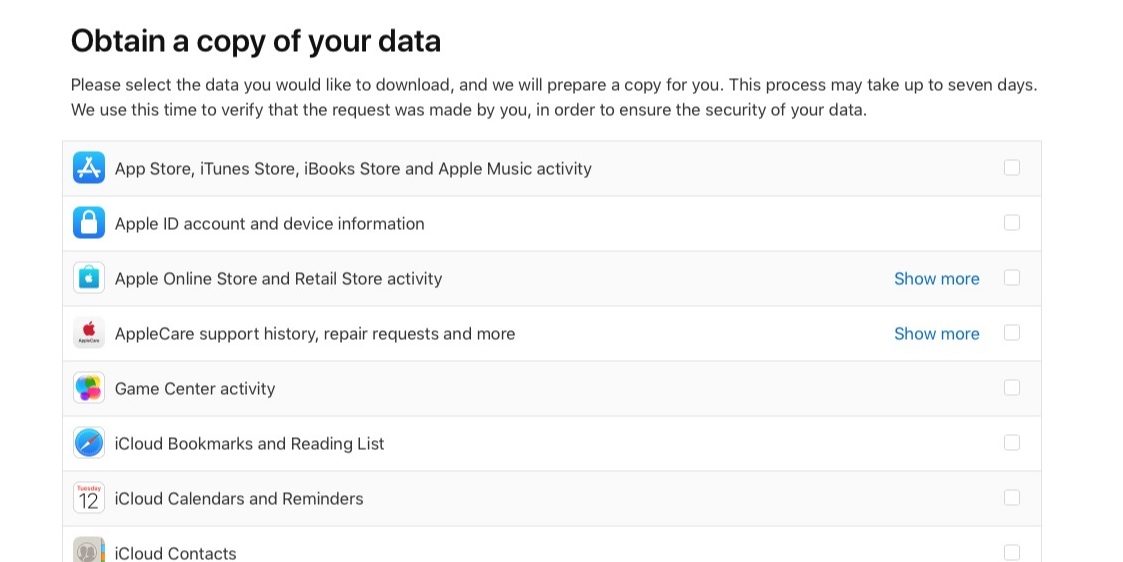
    Apple doesn’t know me, they only think they do. That’s what Id like to think anyhow, but now I can know what they think they know.  Now Apple is the latest tech giant to make changes to comply with GDPR, the EU’s privacy data rules, after it introduced a new website that shows customers exactly what personal data it holds on them. Apple has today launched its new Apple Privacy Website , allowing Apple users to download everything that Apple personally associates with your account, from Apple ID info, App Store activity, AppleCare history to data stored in iCloud like photos and documents. This is currently only available for European Union accounts, to comply with GDPR, and will roll out worldwide in the coming months.

    How To Access The Apple Privacy Website

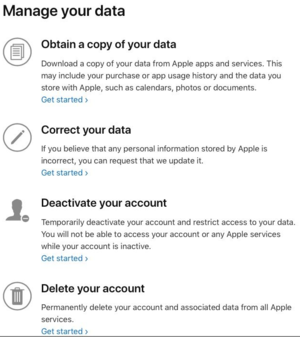
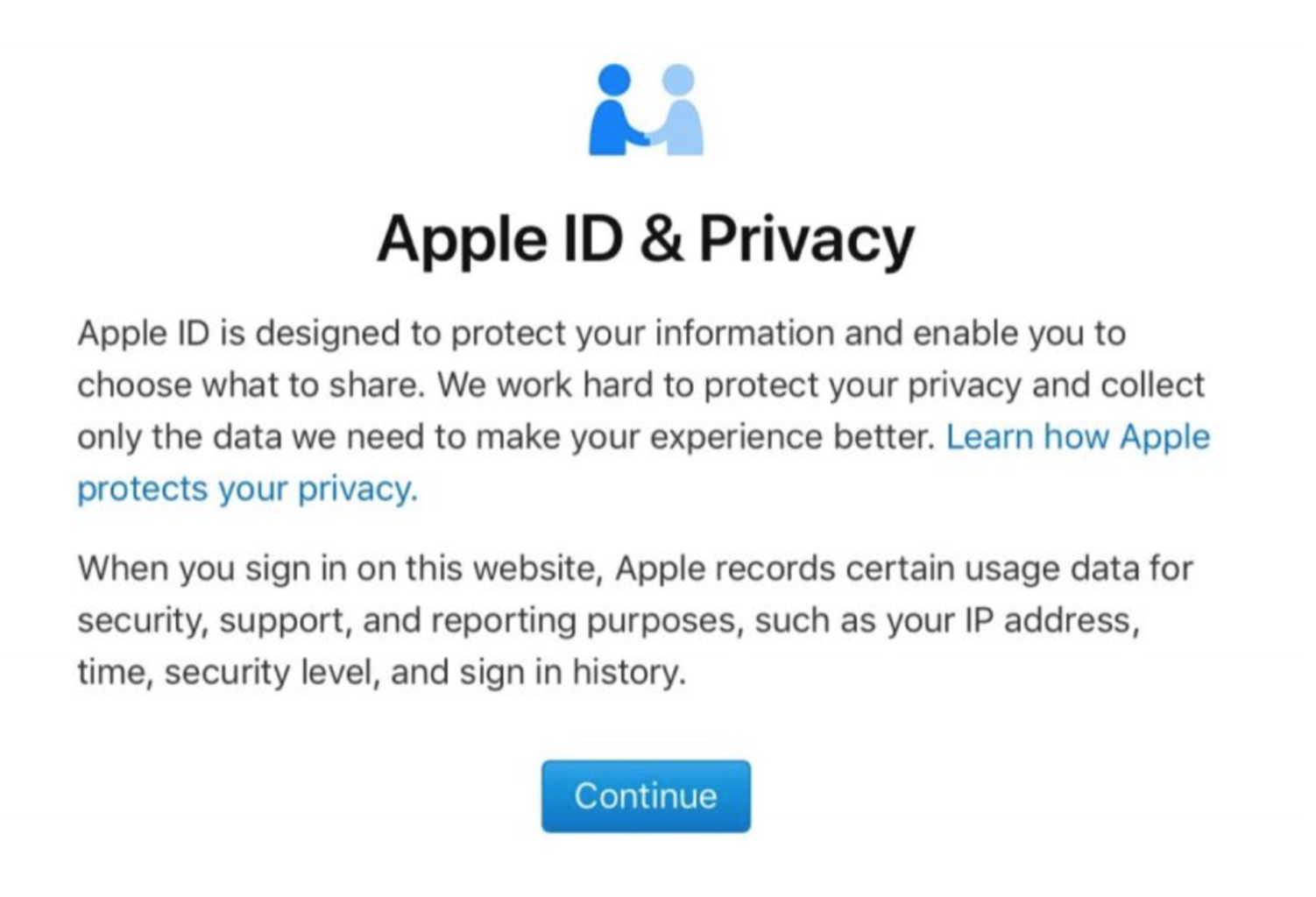
    This link to get to  Apples Privacy and Data link is here: https://privacy.apple.com/. Just login in with your apple ID. There are simple shortcuts to updating your info, temporarily deactivating your account and options to permanently delete it. Here’s how to do it …You can request account details and sign-in records and data such as contacts, calendars, notes, bookmarks, reminders, photos and documents.

    1. Go to Apple’s new Data and Privacy website;
    2.  Log in with your Apple ID. (for now, the privacy info and downloads work only for users in the European Union, Iceland, Liechtenstein, Norway, and Switzerland);
    3.  Click on the “Get started” link below the header “Obtain a copy of your data,” and check “Select all,” or tick the individual options boxes;
    4.  Select a maximum file size, and Apple will split things into the chunks you choose;
    5.  If you want a copy of your iCloud-stored media, e-mails, or Drive content, the process will obviously take longer, but Apple says the gathering can take up to two weeks anyway;
    6.  When everything is ready, you will get a mail from Apple that your personal data is ready to download, and if you don’t do it, Apple will erase everything in two weeks.

    Things To Consider

    Dependent on the data records selected, Apple may take as long as two weeks to assemble the information. While the company did say the data will be deleted after two weeks. The data site also gives users the option to correct data, deactivate their account and delete all information held by Apple in compliance with GDPR. Only data that is personally identifiable can be found here. I think this can all be downloaded with a few simple clicks on the privacy portal. Note data like iCloud Photos will take a long time to generate. There are potentially tens of gigabytes of files on there.

    The Final Thought

    Just imagine if your bank, credit card company, ISP, or big-box retailer gave you the right to look at your data! It’d be a different world. George Michael, I mean Maharris promised us this a few years ago with his FaceBlock app. I wonder what happened to that.  What we really need is transparency and openness and there’s nothing to fear in providing this to users. It need not be forced through regulation, but standard basic practice from the outset. This is the simple easy solution to our data privacy issues. The Apple Privacy Website is a big step to where we should be. Just let us know what you think you know.

  • Best 5 Laptops Under $500 in 2018

    Best 5 Laptops Under $500 in 2018

    Laptops are very essential these days- for school, work, or just personal use. The price of a premium new laptop can cost up to $1,000, which is pricey for anyone. Numerous companies have made laptops more affordable while keeping the quality and capabilities of more expensive laptops.

    You don’t have to feel like you’re settling when shopping for a laptop under $500. There are value-priced notebooks that include full-HD displays, solid performance and long battery life, plus all the ports you need. We picked all the best all-purpose laptops in $500 price range which we think are best laptops to suit the wide range of requirements of people. Here is a list of the best five laptops under $500!

    1. Dell Inspiron i3567 Laptop

    The latest version of this Dell laptop has a powerful system in place with 8GB of memory and a 128GB hard drive and a Intel Core i3-7100U 2.4GHz processor. It has a professional feel in it’s all black look with a 15.6-inch laptop with a screen resolution of 1366 x 768. The operating system runs smoothly with Windows 10 and is backed with a 12 month warranty, with 12 months of tech support.

    • A new, powerful hardware system
    • Has many ports and slots to use your external devices
    • 8 GB Ram
    • 7th Gen Intel Core i5 processor
    • It is not backlit enabled
    • Battery life up to 5 hours

    2. Acer Aspire A515-51-50RR Laptop

    The Acer Aspire 5 is one of the best budget full-size laptops you can find in stores today. It checks most of the right boxes: well built, slim and fairly light, gets a decent keyboard, an IPS screen and modern hardware, performs well, runs cool and quiet and lasts for a long while on a charge. This slim and sleek laptop is a great all round performing laptop, especially for the price. The visuals are spot on with vivid, bright colors.

    • LCD display and is backlit
    • 2.50 GHz Intel Core i5-7200U processor
    • Storage: 1TB hard disk
    • Intel HD 620 graphics
    • Battery life up to 7 hours
    • All-plastic chassis

    3. HP 15-ay191ms Laptop

    The HP 15-ay191ms, a signature edition laptops that comes with a seventh-generation Intel Core i3 processor, 8GB DDR4 system memory, 1TB of storage and a touchscreen, but still remains insanely affordable. It’s one of those laptops you’d buy without a second thought if you find inexpensive chromebook attractive, but really, really need Windows. If you love touchscreen, this one’s for you! This laptop contains the Kaby Lake processor which makes this laptop consume little power. Apps are not an issue here, they all run very smoothly.

    • Touchscreen
    • Intel Core i3-7100U processor
    • 8GB RAM
    • 1TB hard drive
    • Lag-free performance
    • Battery life up to 6 hours

    4. Dell Inspiron i3567-5185BLK Laptop

    Yet another Inspiron made this list! This version comes in different color options and a textured finish.  Packed with a large 15.6 Inches display and a decent 7th Gen Intel Core i5-7200U up to 3.1GHz CPU processor. This Dell laptop model would work well for portability with its 4.85 Pounds lightweight design and sleek black look. Great for school work or the family computer. A huge bonus with this laptop is it doesn’t heat up much!

    • 2.4 GHz Intel Core i3-7100U processor
    • 8GB RAM
    • TB hard drive
    • LED display with a built-in webcam and mic
    • Battery life is up to 6 hours

    5. ASUS Chromebook Flip

    This is one of the best convertible laptops on the current market. The Asus Chromebook Flip C302 is worthy of its premium stature with a gorgeous screen, tactile keyboard and a classy design that’s equally as comfortable to use in tablet mode or as a traditional laptop. The screen is a full HD touchscreen and can be converted from a laptop to a tablet by turning the screen. A top pick for a college student!

    • Intel Core m3 processor
    • 4GB RAM
    • 64GB of SSD storage
    • Battery life of up to 10 hours

  • Tech Throwback: The T-Mobile Sidekick

    Tech Throwback: The T-Mobile Sidekick

    I like to take a look at where I’ve been to evaluate where Im going. Technology is cyclical after all… wait no its not. That said I still like all the feels that come rushing back like a flood of nostalgia every time I get my hand on the tech I grew up with. Im going to go back periodically and take a looking at the stuff that used to blow our hair back and get our minds rolling. Some of these device blew up and changed the world, some where ahead of their time and some just fell flat and became colossal failures. Today I’ve got my hands on the T-Mobile Sidekick


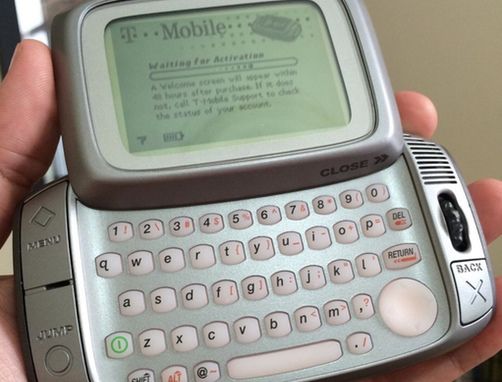
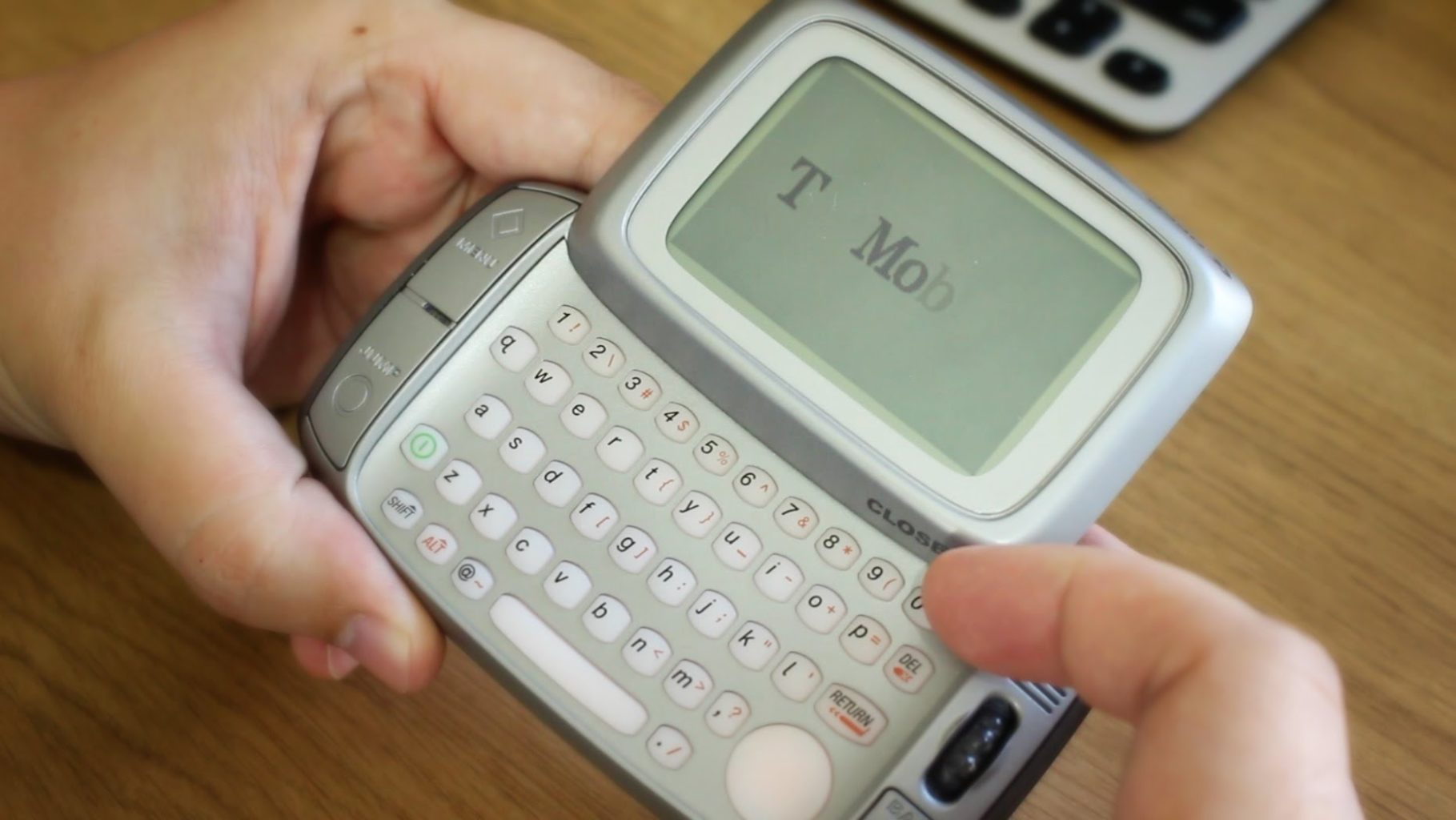
    The Danger Hiptop, also re-branded as the T-Mobile Sidekick, Mobiflip and Sharp Jump is a GPRS/EDGE/UMTS smartphone produced by Danger Incorporated  from 2002 to 2010. Released on October 1, 2002, the original Hiptop was unique compared to all other hardware versions. All the units, from the beginning, have featured “Menu”, “Back”, “Jump” and other keys accessible even when the unit was closed. The Hiptop also featured a speaker which is used for device sounds but not telephone. Along the top edge of the phone bezel is an infrared transceiver. The headset jack serves a dual purpose, as it is also used for the accessory camera. A later revision of the Hiptop upgraded its screen from a monochrome LCD to a color LCD viewable with or without the backlight on


    Powering Back Up the T-mobile Sidekick

    Like I like to do I purchased one of the original T-mobile Sidekick. First thing I notice is how thick it is. It is girthy to say the least, its like holding 3 iPhones. The flip screen is still snappy. This was a one of a kind phone, no one else even mocked it. The spinning rotating screen is still unique with its 180 degree flip to reveal the key board. The keyboard is nice and very well spaced out. For text messaging this phone was way ahead of its time and is still probably the best and most efficient SMS device.

    This phone is the original basic smartphone. It has still an advanced for the time but basic phone OS. The best way to describe it is to say its very PDAish but with a killer keyboard. The picture quality, let talk about it, its rubbish. black and white and grainy. Im actually terrified that some hipster will find one of these and turn it in to the next hipster camera trend. Posting terrible pictures is just the kind of thing that is up their ally.

    The Final Thought

    I never had the Sidekick, it was a T-mobile exclusive and I was a Cingular guy. This was the most experience I had with the sidekick. I can say it is interesting, fun, quirky, qwerty and perfect for its time. Its success was limited to the T-mobile network which was not great. Many other instances of the T-mobile Sidekick was released in subsequent years, some of them didn’t even kick out.  The last thing Ill say about this device is just like its most famous users, Hanna Montana and Paris Hilton, it belongs in 2003. Lets leave it right there.

  • Mobileye Self-Driving Car Runs Red Light During Demonstration

    Mobileye Self-Driving Car Runs Red Light During Demonstration

    Is a complex mathematical treatise a sufficient substitute for real-world safety testing? Israeli company Mobileye, owned by Intel, is seeking to show that its unique approach to self-driving cars is more practical and effective than methods employed by companies like Waymo. Their CTO, Amon Shashua, wrote in a blog post in October: “We target a vehicle that gets from point A to point B faster, smoother, and less-expensively than a human-driven vehicle; can operate in any geography; and achieves a verifiable, transparent 1,000-times safety improvement over a human-driven vehicle without the need for billions of miles of validation testing on public roads.” Is this likely, or are these bold claims by the unorthodox company? 

    Mobileye’s Self-Driving Cars 

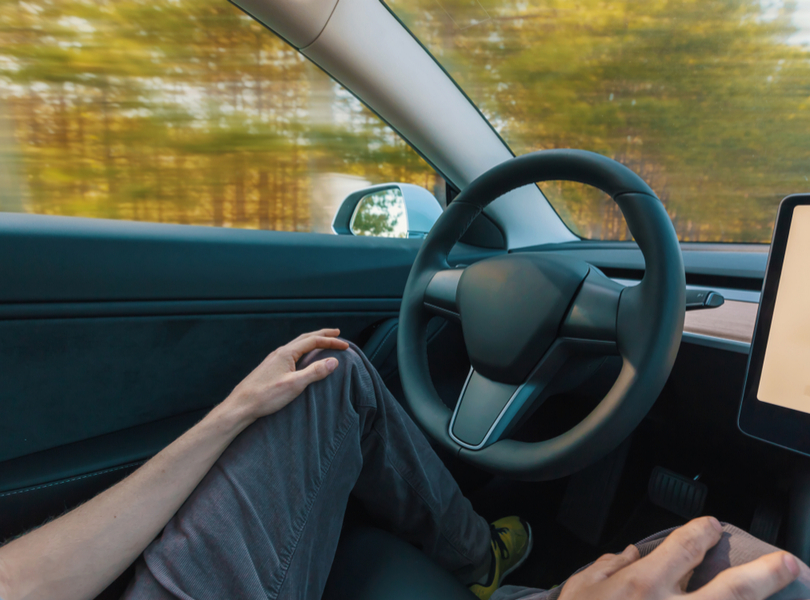
    While most self-driving cars rely heavily on lidar and radar systems in order to read their surroundings, Mobileye favors an all-camera set up. According to Mobileye, their self-driving cars use cameras to make a 3D model of the real world and then use software to decide what to do with that information. This is in contrast to other, more conventional vehicles in this same industry that don’t rely on cameras alone.  

    Sensor Fusion as An Alternative? 

    “Sensor fusion,” a process by which a self-driving car could be made to use both cameras and lidar, is an end goal for Mobileye. Whether their proposed method of designing these cars will work or not is uncertain. Recent demonstrations have shown Mobileye-powered cars even speeding through red lights, which is more than a little troubling.  

    It would seem that Mobileye has banked heavily on sensor fusion being a foolproof way to ensure their vehicles are safe. This rides on the assumption that cameras will only fail in situations that lidar will succeed in, and vice versa. However, this assumption itself seems erroneous: what about situations where neither sensor works? Not to mention the hassle of coding to get the two sensor types to cooperate. And, as every programmer knows, the more lines of code something has, the more likely it is to have bugs. 

    Responsibility-Sensitive Safety 

    Where Waymo and similar companies prefer hours of real-world road testing for safety, Mobileye has shown a desire to prove their cars are safe via math and statistical models. Mobileye has even gone so far as to create a Responsibility-Sensitive Safety, or RSS, model that attempt to mathematically quantify all the ways a vehicle could be at fault in an accident. By putting this RSS model in all their vehicles, Mobilieye claims it would then be impossible for them to be at fault in an accident. 

    The logical gaps in this are pretty clear: the model can’t possibly cover every scenario that could occur. Or, even if it does, it can’t be implemented by every self-driving car all the time. The real world simply doesn’t allow for clean, clinical, one-hundred-percent-accurate models. So why would Mobileye push for this shortcut instead of just safety testing their technology? 

    Business Model Influencing Safety Model 

    Waymo, as an example, is making their self-driving cars in order to operate a driverless taxi service. They aren’t beholden to any specific deadlines and they aren’t selling their technology to anyone else. Mobileye, on the other hand, is: they sell parts to many major car manufacturers. To this end, it is important to them to have marketable, safety-tested self-driving technology quickly. Spending excess time on real-world testing must seem a waste to a company on a deadline.  

    This doesn’t even account for climate and surroundings. Mobileye’s parts have to work in nearly any climate, whether that be snowy, sunny or rainy. Waymo, by contrast, has the luxury of rolling out their taxi service wherever they please. This allows Waymo to choose ideal conditions, where Mobileye has no such luxury. While this doesn’t excuse lax safety standards, it at least explains them. 

    Here’s hoping that their self-driving technology is up to snuff by the time it goes live. Mobileye wants to make money, certainly, but if it comes at the cost of more motorists or pedestrians being killed by software or hardware malfunctions, then it’s not worth it.