Month: August 2019

  • Best Laptop for College Students: What to Look For

    Best Laptop for College Students: What to Look For

    When you’re shipping off for college, you want to make sure you’re bringing the best gear with you. Of course, you want only the best backpack, binders, pencils and such, but that’s not where you need to really worry about quality. The most important consideration you need to make for your college gear is in your laptop.

    When you’re studying, you’ll need to use your laptop to find the information. During class, when you’re taking notes, you’ll need to be able to quickly navigate your note-taking app and get everything in order while the professor is lecturing. When you’re writing essays, you need to be comfortable with the laptop’s keyboard. And, of course, you’ll want to make sure you’re aptly entertained when it comes time to unwind.

    Weight

    First off, when you’re shopping for a laptop for college, make sure it’s light and easy to throw in a bag and carry around with you. You’re already going to be sporting a ton of books and carrying all of your scrap paper and pencils to and from class. The last thing you need is to also have to worry about lugging a heavy laptop with all of this stuff.

    Remember, though, that a lot of your time using the laptop will involve typing and writing essays. This means you’ll want to have a good-sized trackpad and keyboard for the most ergonomic experience. If you do have to sacrifice on keyboard size to keep the laptop to a reasonable size and weight, of course, you can opt for a USB keyboard and mouse to keep in your room for heavy-lifting tasks.

    Screen

    You probably don’t need a massive, 17-inch OLED screen for the laptop you’re going to be using mostly for schoolwork. Also, per our last tip, you probably don’t want a laptop that big taking up so much space in your backpack. A 13- or 15-inch screen will likely be more than enough for scholastic purposes, so don’t go overboard when you’re looking at screens.

    If you’re looking for something to serve as a great entertainment device for when you’re back in your dorm, consider getting a Roku and a small HDTV. Alternatively, if you’re wanting to play video games, you could probably find a good deal on a Nintendo Switch, which would dramatically lighten your load compared to buying a full-fledged gaming laptop.

    Memory

    When you’re considering what kind of storage your laptop needs, make sure you’re getting a solid state drive. SSDs are more expensive than conventional hard drives, but they are well-worth the extra money. That’s because SSDs are stationary, unlike hard drives that spin in your computer, and so they travel much more safely. The less moving parts a portable computer has, the better!

    SSDs also load information significantly faster than hard drives. Keep in mind, however, that it’s hard to notice this bump for the types of tasks you’ll likely be using a school computer for. If you often use Photoshop or render graphics, such as for video games or design, however, you’ll see a marked improvement in speed for SSDs.

    Power

    Finally, we get to the big question. What kind of power should your school laptop have? Budget-conscious students will say “nearly none,” while gamers and tech fiends will say “all of it,” but neither is accurate.

    For the purposes of research, writing papers and browsing the web, all while not tearing too hard into the laptop’s battery life, the best option is more measured. A Coffee Lake processor, for instance, will offer a great balance of power and performance. However, if you’re looking for a more budget, school-focused machine, something like a Chromebook might be the best option.

  • Cord-Cutting: Which Internet TV Service is the Best in 2019?

    Cord-Cutting: Which Internet TV Service is the Best in 2019?

    It’s not hard to see why people don’t want to have cable services through traditional providers anymore. Cable bills are astronomical, and they charge consumers a ton for programming that goes mostly unwatched. If you’re looking to save money on your cable bill and watch TV without breaking the bank, your best bet is to use a Roku or Smart TV and connect to an Internet TV service.

    There are so many options on the market, though, and the pricing of all the different services seems to change every few months. Today we’re taking a look at the top Internet TV services to help you decide which one is the best for you. Here are our top picks for the best Internet TV in 2019.

    Sling TV

    The first service to hit with the current business model of being an internet-based TV service, Sling debuted in 2016. Owned by Dish Network, Sling costs only $25, though it offers a number of channel packages and add-ons that can increase that price pretty quickly. Notably, there are two channel packages for the base $25: you choose either Orange or Blue, which essentially is a decision between Fox or Disney and ESPN.

    Notably, Sling recently lost regional Fox Sports in a high-profile contract dispute, which inconveniently also fell right in the middle of baseball season. This frustrating turn of events is due, in part, to Sling’s avowed dedication to keep their price steady at $25 per month. If you’re looking for a good budget TV service, it’s hard to go wrong with Sling. However, the lack of local channels and regional sports can be a turn-off for some viewers.

    PlayStation Vue

    PlayStation Vue might sound like a new video game console from Sony, but it’s actually an Internet TV service like Sling. It’s a more “premium”-style service, as even its base package, called “Access” costs $50 per month. However, Vue offers local channels that aren’t offered on budget services like Sling or Philo, making it a strong choice as a strict cable-replacement.

    The interface for Vue is clean, snappy and similar to many major cable providers. DVR is built in and stores shows for up to 30 days, and normal on-demand content is available through the service. The $55 per month “Core” offers up even more robust sports coverage, and the high-end “Ultra” package, which is $85 per month, adds Showtime and HBO to the channel lineup. Notably, Sony doesn’t carry any Viacom channels, like MTV, Comedy Central and Spike.

    Pluto TV

    If you’re looking to slide in for the low, low price of free with your Internet TV, we’ve got good news. Pluto TV is totally free, though you get what you pay for. The service is more akin to a curated selection of already-available content from the internet, comprising mostly reruns of shows from a few years ago and original content from websites like IGN.

    One of Pluto’s strengths is that it offers incredibly focused channels that are collections of very specific interests, like Gaming or Anime. If you’re just looking for something to throw on to watch idly without giving the content much thought, Pluto is a great option. After all, the content is free and it’s entertaining. If you’re looking to catch current sports games, local channels or new content in general, though, it might be worth springing for a paid TV service.

    HD Antenna

    If you’re looking to catch local channels but don’t have a service that carries them, you can also opt to use an HD antenna. Once you buy one, it picks up HD signals over the airwaves and allows you to watch local channels, including the news and the Big Three. HD antennas can be paired with Sling or Pluto to create a low-cost TV-watching solution without giving up too much content.


  • Protect Your Identity Online With These Tools

    Protect Your Identity Online With These Tools

    Whether it’s another big data breach or someone trying to steal your passwords, there’s always something to watch out for online. However, there are a number of tools you can use to protect your identity and browse without worrying. Today we’re taking a closer look into some of these tools to help you understand what you need to surf the web worry-free.

    Protect Your Identity Online

    VPN

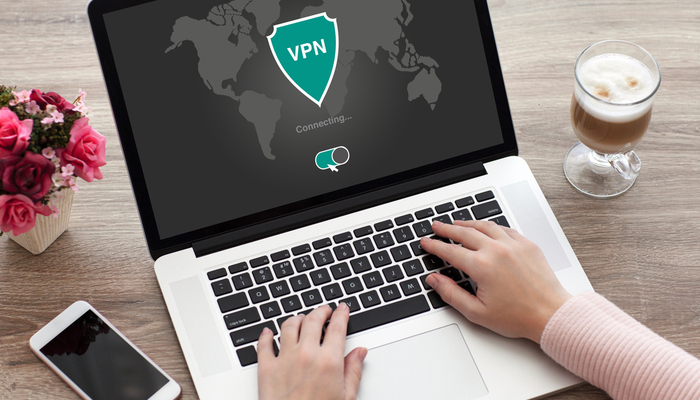
    A VPN, or a virtual private network, is a fancy-sounding name for a relatively simple service. Originally created to allow people to access their work intranet while working from home, a VPN allows you to “tunnel” your internet traffic to an external server. Essentially, a VPN hides who you are when you’re browsing online by making it look like traffic from your computer is coming from somewhere else. By tunneling your traffic to another server, your traffic can appear to be coming from a distant country, and your identity is hidden from websites you visit.

    This offers you some unique benefits. For instance, it allows you to access websites that might be blacked out in your area. You can sidestep local blackouts on sites like Netflix, on regional sports teams you want to watch and even on banned content in your area. While doing this is technically against the user agreement of the sites in question, the ethics of doing so are left for you to decide for yourself. In either case, a VPN is a great way to hide your identity online and protect your activity from prying eyes.

    Password Manager

    Everyone knows the first rule of making passwords for your online accounts is that you need to make each site have a different password. If you’ve got tons of logins for various websites, such as online banking, paying bills and social media, it can be hard to keep track of all your passwords, though. That’s where cloud password managers come in. These convenient and time-saving services are also incredibly good at securing your online information.

    A password manager service allows you to hide all of your passwords on a remote server that you access with one master password. This allows you to keep track of all of your passwords easily, while also hiding them from potential keystroke-monitoring programs or simply people watching your fingers while you input them. While it might sound risky to keep all of your platforms saved on one server, it’s actually much safer to keep them encrypted in this way than to store them in a text file on your computer, or on a physical piece of media that can be stolen.

    Careful Browsing

    Scammers and phishers are everywhere online. The illusion of anonymity emboldens con men and grifters to try to steal your information, your credit and your money. As such, you need to be careful when you’re browsing online. Even a strong VPN and encrypted passwords can’t keep your identity safe if you fall for a phishing scam. Make sure you’re vigilant about the sites you visit, and never input your personal information into a site you don’t trust.

    If you get an email or see an offer online that’s too good to be true, it is. Never give someone your password, you Social Security number or your credit card information online. The only exceptions to this are verified government websites, sites you pay your bills through and known online sellers like Amazon or eBay. A fishy site with a strange domain name and broken English in all of the item descriptions is probably not the site you should be shopping on. Remember: if it looks suspect online, don’t input any personal information.


  • Galaxy Watch Active 2: True Apple Watch Competition?

    Galaxy Watch Active 2: True Apple Watch Competition?

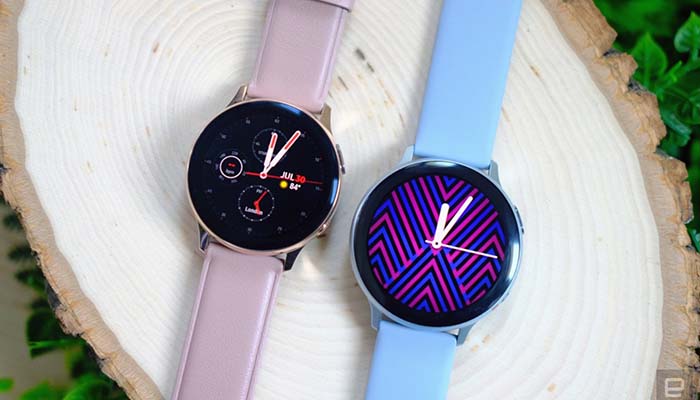
    Samsung’s forays into wearable tech have been met with scattered success. However, until now, they’ve been playing second-fiddle to the Apple Watch on some features, like ECG and fitness tracking. Samsung looks to correct that with the Galaxy Watch Active 2, their second smartwatch this year. Let’s take a look at the newest wearable from the Korean manufacturer.

    Galaxy Watch Active 2

    Design

    When you’re wearing a piece of technology as a part of your wardrobe, it’s important that it has a strong design and looks fashionable. Thankfully, the Galaxy Watch Active 2 is a smart and stylish little watch, sporting a few appearance options and an attractive, round face. The watch comes in a few colors, ranging from silver, black, gold and “lily gold,” as well as with options for either aluminum frame or stainless-steel frame.

    Also, the choice of frame dictates which type of band you get. The aluminum frame sports rubber straps for the band, while the stainless-steel frame has a leather band. The face can be purchased in either 40mm or 44mm, depending on your preference and wrist size. The 40mm watch face retails for $280, while the 44mm goes for $300.

    Health Features

    One of the biggest draws for the Apple Watch Series 4 last year was its medically-certified ECG that can detect arrythmia of the heart. Samsung promises that the Active 2 sports ECG technology as well, though it has yet to be officially certified like Apple’s. This does mean that the ECG won’t be online right away, but it could likely be activated later after the feature is reviewed by medical professionals.

    Another health upgrade comes in the form of the heart rate-sensing LEDs. While the previous Active sported only 4 LEDs for detecting your heart rate, the Active 2 will be sporting a full 8. This means that it will likely detect heart rate more accurately, and will be able to pick up finer gradations of rate change. This is great for those who want to track their activity and keep up with their fitness.

    Software

    Instead of Wear OS, Google’s open operating system for wearable tech, the Active 2 runs on Tizen, which is Samsung’s proprietary watch operating system. A number of new software features will be on display with the Active 2. For instance, Google Translate will be baked into the watch, which is a welcome addition. Similarly, apps like Spotify won’t require you to sign in again if you’re already signed in on a paired smartphone.

    A fun and unique software addition called “My Style” offers a unique new way to find great watch faces. This feature allows you to take a picture of your clothing and have the watch create a custom face to match. This is great for style-conscious users who want to make sure their tie and watch match! We love the round face and stylish appearance of the Active 2, and “My Style” gives it yet another wonderful fashion application.

    Other New Features

    Another new feature that we love is the return of the spinning outer bezel for accessing apps and controlling the watch. This was present on the older line of Galaxy watches but disappeared on the Active. The one present on the Active 2 isn’t actually a physical spinning bezel, but is instead a haptic feedback response that feels great.

    An LTE model will be made available, though we don’t yet know what the pricing info on that model will be. The LTE model will allow you to make phone calls, send messages, stream music and even watch YouTube videos all from your wrist without needing your phone nearby. All in all, we’re excited to see the Active 2 hit the market, as it will likely prove an excellent competitor for Apple’s Watch line.


  • Should Samsung Fans Get the Galaxy Fold or the Note 10?

    Should Samsung Fans Get the Galaxy Fold or the Note 10?

    Samsung fans have a busy end-of-year ahead of them. If you love your Samsung phones and you’re looking to keep up with the hottest new technology, there are two phones vying for your attention. The first is the Note 10, the newest iteration of the popular phablet line of Android smartphones. The second is the revolutionary folding Samsung Galaxy Fold. Which should you buy?

    Galaxy Fold vs Note 10

    Price Point

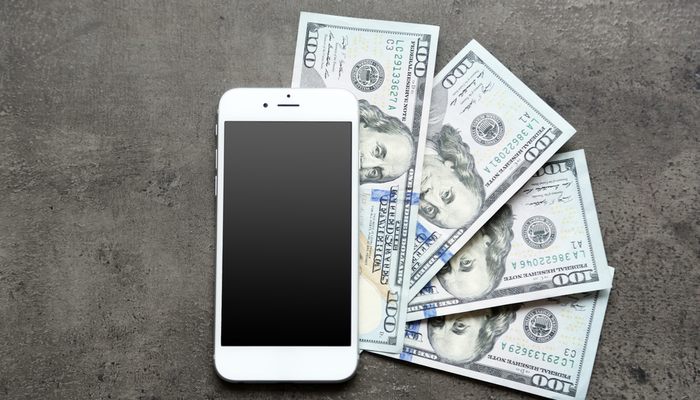
    It’s important to start with the price point, as these phones are dramatically different in base price. The Note line of smartphones typically retails for around $1,000, while the Samsung Galaxy Fold will retail starting just under $2,000. This means that fans looking for a more traditional phablet may stick with the Note 10, while those looking for the most cutting-edge offering from Samsung will look to the Galaxy Fold.

    Galaxy Fold Issues

    If you remember hearing about the Fold a while back, there’s a reason for that. It was meant to launch in April, and even went up for pre-order then. The Galaxy Fold was delayed to address some issues with the screen and hinge that cropped up with review devices. A few issues like screen failures, bulges from debris working under the screen and an odd issue with a film that could be removed from the screen, have been directly addressed by Samsung.

    Now, the device is set to launch by the end of September, putting its launch date right alongside the Note 10’s likely launch. It’ll also be going head-to-head with Apple’s newest offerings, meaning that competition in the already-crowded premium smartphone market will be intense.

    Note’s Odd Position

    When the first Galaxy Note was released in 2011, its 5.3-inch screen was massive compared to the competition. However, most smartphone manufacturers now make “plus” or “max” versions of their phones that sport screens as large as 7.2 inches for the Huawei Mate 20 X. Ironically, even the Galaxy S10 has a Plus model with a screen roughly the same size as the recent Note handsets.

    When Samsung unveils more details about the Note 10 on Wednesday, we’ll find out where the screen size falls on this spectrum. However, for those truly invested in having a huge screen for all their entertainment and browsing, the Note isn’t exactly the king anymore. That title goes to the absolutely massive screen on the Galaxy Fold.

    Folding Innovation

    The entire purpose of the Note when it was first unveiled was to bridge the gap between tablets and smartphones by offering a compromise. A tablet small enough to fit into your pocket, or a phone big enough to compete with tablets; whichever way you want to look at it, this was the market purpose of the Note. However, new technology makes a much more interesting compromise possible.

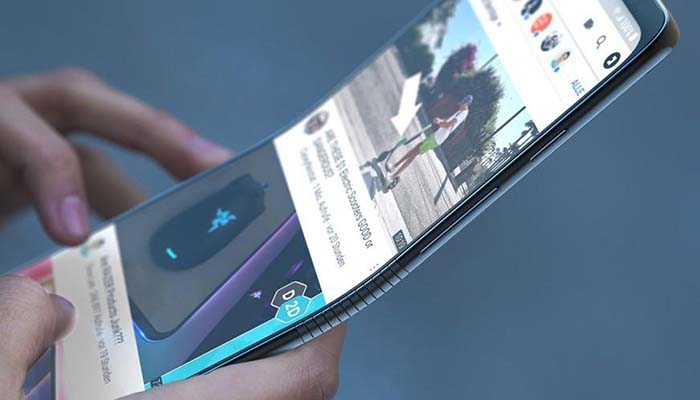
    The Fold’s screen is made of a unique plastic that folds up and bends when you close the device. This allows it to have a massive, tablet-like screen when you’re using it, but then folds down to a manageable smartphone size when you’re not using it. This means it’s literally a tablet that will fit in your pocket. However, will this convenience be worth $2,000 for Samsung fans?

    Bottom Line

    If you want to stick with the tried-and-true Note style, complete with S Pen functionality and the same form factor you know and love, the Note 10 will be a good pick for you. It’ll likely retail for around $1,000, which isn’t cheap, but it’s a far cry from the Fold’s $2,000 asking price. Meanwhile, if you want to be on the cutting edge of Samsung’s newest tech, the Galaxy Fold offers an exciting new form factor and could be a glimpse into the future of smartphones.


  • Google Home vs Amazon Echo: Which Smart Home Hub is the Best?

    Google Home vs Amazon Echo: Which Smart Home Hub is the Best?

    If you’re considering jumping into the world of smart home devices, then your first big decision is which hub you want to go with. While Apple offers a hub through their HomePod, the Siri-powered device is much more expensive and limited in features than Amazon and Google’s offerings, respectively. Between the two smart home juggernauts, which is the best for outfitting your home?

    Google Home vs Amazon Echo

    Smart Hub Overview

    A smart hub is a device that coordinates all of your smart home devices. Typically, these hubs are also “smart speakers.” This means that they’re capable of music playback, and both Google and Amazon’s smart speakers contain virtual assistants that help you use your smart home features. For example, if you want to listen to a song, you can use voice commands to ask the virtual assistant to play it for you.

    The other major use of a smart home hub is calling on the virtual assistant to perform smart home tasks. This could include turning on smart lights, preheating smart ovens or tuning smart thermostats. All of these functions are controlled by voice commands, making them very satisfying for tech fans and very helpful for busy professionals. If you need to know what the traffic report is, you can ask your virtual assistant. If you want to lock your front door with a smart lock, tell your virtual assistant.

    Google Home

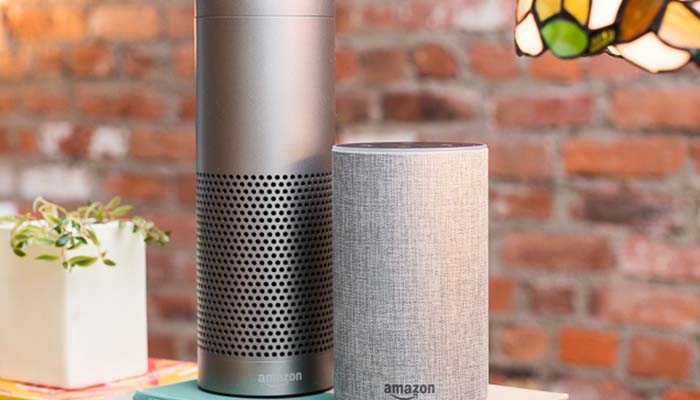
    Google Home is a bit newer to the market than Amazon’s Echo devices, but it quickly made up for lost time. Distinct from Amazon’s device in a few ways, the Google Home Mini is a great intro smart speaker for people looking to get into the smart home world. Google Assistant, the virtual assistant that powers the device, has a warm and conversational voice, and sounds only slightly robotic. It’s capable of controlling a wide variety of smart devices from many different manufacturers.

    Notably, Google’s Pixel phones can be used as Google Home devices when paired with smart home technology you have. As such, if you have a Google Pixel, you essentially already have a Google Home device. The Google Assistant that is on Pixel phones is the same software that is housed in Google Home speakers. If you’re already in Google’s ecosystem with devices like Google Wi-Fi, Google Pixel or the like, then Google Home is a great choice for you.

    Amazon Echo

    The originator of the current smart speaker market, Amazon’s Echo devices hold the largest market share. They’re the most “generic” of the smart speakers you’ll find in stores and offer a wide variety of compatible smart home devices. Alexa, the virtual assistant that powers the Echo, is a very flexible and easy-to-use software. It responds quickly and accurately to a number of commands and can usually decipher even thick accents.

    The Echo Dot is priced similarly to the Google Home Mini, and the two are of comparable usefulness in everyday scenarios. In fact, the two devices are so similar that it’s hard to recommend one over the other. The main differences between the two is the performance of the virtual assistant. Google’s is a bit more robotic and colder, while Alexa is a bit livelier.

    Bottom Line

    Both Google Home and Amazon Echo are fine platforms for smart home hubs. If you like the idea of using a Google-based ecosystem for your home, of course, the Google Home is ideal for you. However, if you would rather have a more general and widely-applicable virtual assistant, the Amazon Echo is a bit more flexible. Both are excellent devices in the same price range, however, so it really comes down to personal preference.


  • Getting the Most for Your Old Smartphone: Smart Selling Tips

    Getting the Most for Your Old Smartphone: Smart Selling Tips

    When you purchase a cell phone, it begins to depreciate in value rather rapidly. This is somewhat like what happens to brand-new cars. The resale value of phones and new cars both drops dramatically as soon as you begin using either of them. In the case of phones, we’ve got some tips for ways you can keep this depreciation to a minimum. This way, when you go to sell your phone, you get the most you possibly can for it.

    Smartphone Selling Tips

    Phone Case

    Get a phone case as soon as you purchase a new phone. Make sure that as soon as you open the box you’ve got the phone in the case. Carrying the phone around without a case for any length of time is a surefire way to have the phone get cracked or scuffed when you inevitably drop it. Yes, we understand that many modern smartphones are gorgeous and feel great in the hand. This doesn’t mean you shouldn’t get a case.

    Your phone’s case is its first line of defense against being out in the world. Dropping it, banging it into things and scratching it can all be ways to reduce your phone’s value. One you’ve got a case on it, don’t stop there: unless the case is a full-enclosure that covers the screen, you need a screen protector. This acts as a second screen, protecting the actual screen from scratches and cracks. Ideally, you should grab a glass screen protector, as they’re more durable and can absorb more shock than plastic covers.

    Original Packaging

    When you get a new phone, don’t discard the original packaging. Set it carefully to one side, and keep as much of the original material that came with it as you can. When you go to resell the phone after you’re ready to upgrade, you’re going to want to have this stuff on hand. The same goes for the original charger and headphones that come with the phone.

    This is because you get the most money from your old phone by selling it yourself on Craigslist or eBay. Instead of selling it to your phone carrier, selling it to a private individual allows you to set the price to whatever you think is fair. Then, by including the original packaging, headphones and charger, you can charge a good bit more than other sellers who are just selling the handset. You could even include the case and screen protector as part of the price, too.

    Clean it Up

    No one wants to buy a grungy old handset. This is another huge plus to having a case: typically, your phone’s case will keep the handset from getting too dirty. However, if you intend to sell the phone and its case, both need to look pristine. There are a number of ways to safely clean electronics, so make sure you clean your phone carefully. Don’t use dish soap or harsh cleaners: specialized electronic cleaning solution and a microfiber cloth are what you’re looking for.

    Repairing the Screen

    Do a bit of research if the screen of your phone is cracked. If you find that people selling the phone with a cracked screen are fetching a much lower price than a pristine phone, you need to look into repairing the screen. Find out whether it’s more expensive to get the screen repaired than the difference in price the phone would fetch.
    For instance, if people are selling the same phone as you for $500 used, but phones of the same model with a crack are selling for only $400, then an $80 screen repair nets you an extra $20. We’d call that a good value.


  • Wi-Fi 6: Should You Upgrade Now, or Wait?

    Wi-Fi 6: Should You Upgrade Now, or Wait?

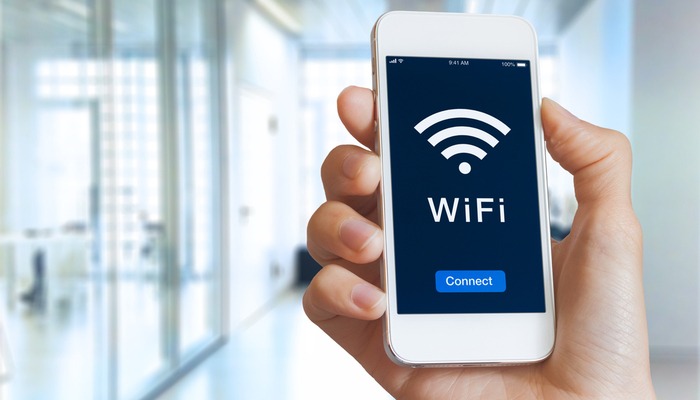
    The newest certification of Wi-Fi speeds, Wi-Fi 6, is now a reality. Next-generation routers like the Netgear Nighthawk AX12 are capable of speeds up to thirty percent faster than the top-of-the-line Wi-Fi 5 routers that are the current standard. What does this mean for the average consumer? Is it time to upgrade, or will your existing router be good for a while longer? Let’s take a closer look.

    Wi-Fi 6

    How Fast is it?

    The first question that needs to be asked of the new wireless standard is “just how fast is it?” Unsurprisingly, the answer is that it’s absurdly fast. In preliminary testing, Wi-Fi 6 routers have shown themselves capable of speeds pushing 1.2 gigabits per second. This means that the newest wave of routers would have the transfer speeds required to allow for incredibly smooth streaming video and games, as well as download speeds that sound unreal.

    At present, the fastest Wi-Fi 5 rated routers aren’t capable of pushing 1 gigabit of speed. This means that anyone with a direct fiber internet connection capable of putting out a gig of speed aren’t able to get all of the speed they’re paying for! As such, if you’re already paying for fiber speeds, it might be time to consider upgrading to the cutting edge of routers.

    What This Means

    This new Wi-Fi certification means more than just blisteringly fast speeds. Thanks to the increased power offered by the new standard, public Wi-Fi will likely get better in the coming months and years. Wi-Fi 6 routers can cover a much broader area than their Wi-Fi 5 cousins, and they can also connect to more devices at once without compromising speeds.

    Notably, Wi-Fi 6 routers are backward-compatible with Wi-Fi 5 devices. This means, essentially, every device you own that can use a Wi-Fi connection, from your phone to your tablet to your laptop. However, most devices that are rated for Wi-Fi 5 won’t be able to take full advantage of the speeds offered by Wi-Fi 6. That said, the routers themselves will be able to service more devices at once, meaning they’ll be useful even for older devices.

    High-Speed Internet

    One of the most important things to keep in mind when you consider router transfer speeds is that they’re only one link in a chain. Think of it like being on an assembly line making widgets. If you can make thirty widgets in a minute, that’s great! However, if the person to your left, who hands you completed wodgets to make into widgets, can only make ten wodgets in a minute, then you’re bottlenecked. As such, you can only make as many as the slowest person in the chain.

    The same thing occurs with Wi-Fi routers. Even if you had a brand-new Wi-Fi 6 router capable of transferring data at over a gigabit per second, that wouldn’t do you any good if your ISP is only sending you speeds at 100mbps. As such, most houses that are getting the average internet speed actually aren’t going to be interested in the newest Wi-Fi 6 routers right away. That is, of course, unless they want to future proof.

    Future Proofing

    In the years to come, it’s expected that average internet speeds will continue to rise steadily. As direct fiber connections become more common, speeds exceeding one gig will become the norm. This means that in the next few years, it’s likely that most Wi-Fi 5 routers will become outdated and unable to keep up with average transfer speeds.

    In short, that means that most homes won’t need a Wi-Fi 6 router right away. However, if you already get fiber internet speeds, you might see a bump in your Wi-Fi speeds with these new routers. Similarly, if you want to future-proof your home for the coming increases in internet speeds, you could opt for a Wi-Fi 6 router now. In either case, you’ll be picking up one of these new routers sooner or later as Internet speeds increase across the board.


  • Samsung Still Makes Tablets? Galaxy Tab S6 Review

    Samsung Still Makes Tablets? Galaxy Tab S6 Review

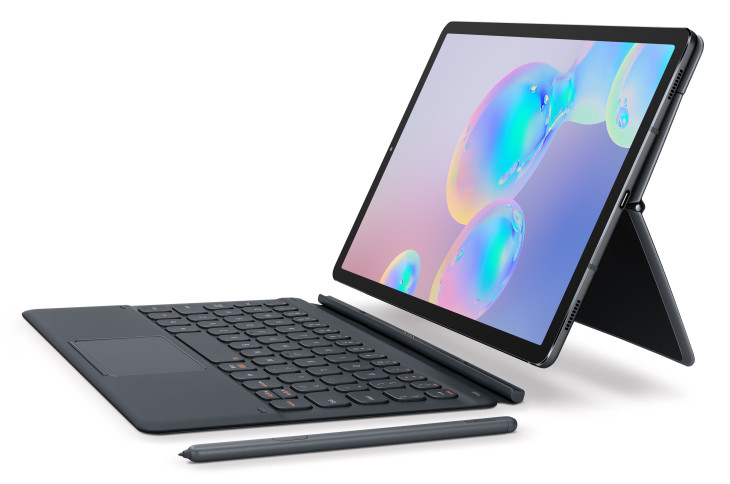
    Believe it or not, Samsung still makes tablets. The newest Galaxy tablet, the Tab S6, offers a number of exciting new features to differentiate itself from the pack. While general interest in tablets may be down, Samsung seems to want to change that.

    While tablets were all the rage in 2013, the interest in them has cooled notably in the past few years. More and more phones are getting huge screens, while laptops are getting smaller, lighter and more affordable. Tablets are just being squeezed from too many directions. However, the Galaxy Tab S6 is here to prove that there’s still innovation to be found in the world of tablets.

    Under the Hood

    As you’d expect from any premium tablet, this thing is a beast in terms of processing power and overall strength. A Qualcomm Snapdragon 855 powers the device, allowing it some serious chops when it comes to rendering graphics, multitasking and playing games. In general, if you’re looking for the strongest Android tablet on the market, the Tab S6 has you covered.

    The screen is a huge, gorgeous AMOLED, coming in at 10.5 inches and sporting bright, vibrant colors. Much like the Galaxy S10, the screen is so crisp and clear that it gives you plenty of real estate to appreciate just how good the excellent camera on the device is. Quad speakers on the Tab S6 offer a ton of sound quality, creating a sonic landscape that is encompassing and deep without even needing headphones.

    New Features

    The S Pen that works with the tablet is great, as usual. It’s tremendously useful for productivity tasks, taking notes and thumbing through presentation slides. It’s also useful as a long-range camera shutter, allowing you to take pictures from your tablet even if you’re across the room from it. The strong magnets in the back of the Tab S6 allow you to slap the S Pen on there to get a charge. About ten minutes of charge should get you through a day of use, according to Samsung.

    The Book Cover Keyboard accessory makes the Tab S6 feel almost like an Android-powered laptop. It’s stellar for productivity, allowing you to use your tablet like a powerful, small computer for tasks like composing emails or writing essays. Combined with the excelled DeX desktop interface that comes with this version of Android, and you’ve got a very powerful, versatile device.

    DeX has mouse support, and, as such, the new Book Cover Keyboard has a trackpad. This allows you to use the Tab S6 essentially just like a laptop. Unlike most two-in-ones, which are laptops pretending to be tablets, the Tab S6 is actually a tablet doing a good laptop impersonation. While it won’t be replacing your MacBook for editing videos, it’s a great device for people who need to tackle everyday tasks.

    Other Goodies

    Thanks to the super-powerful processor running under the hood, the Tab S6 seems positioned to be a strong mobile gaming platform. Thanks to a partnership with Discord, Android promises you’ll be able to use the Game Launcher overlay to chat with your friends even while you’re gaming. The high resolution display and powerful processor have the Tab S6 well-suited to even the most demanding of Android games on the App Store. Simply put, this thing could crush some Fortnite.

    The on-screen fingerprint scanner and USB-C compatibility are just icing on the cake. The tablet comes in a variety of colors, including gray and blue, and will retail starting at $650. It comes with the S Pen, but the Book Cover Keyboard is an extra $180. Later this year, Samsung promises to launch a version of the Tab S6 with LTE built-in.


  • Is $1000 too Much for a Smartphone? Price Trends

    Is $1000 too Much for a Smartphone? Price Trends

    In the last few years, we’ve seen premium smartphone prices get a little out of control. When Apple unveiled the iPhone X and the public found out it would cost a cool $1,000, people were a little shocked. Likewise, when the Samsung Galaxy S9 was announced to be at that same price point, people were concerned about the trajectory of smartphone prices.

    The latest move in this direction has been the absurd asking price for the upcoming Samsung Galaxy Fold. The super-premium smartphone will retail for nearly $2,000, making it twice as expensive as the line that many feel is too high for smartphones. In addition to this, smartphone sales are lagging across the board. What does this mean for the industry?

    Sales Trends

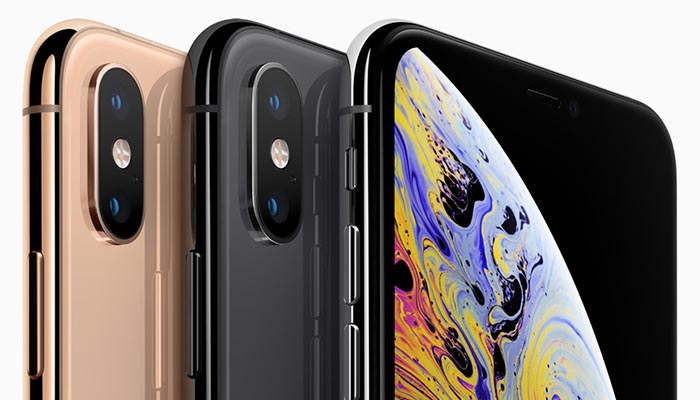
    Apple has been posting consistently slumping sales for the iPhone line. This isn’t due to the quality of the phones: ostensibly, the iPhone XS is the best iPhone ever. The XR, it’s less-expensive cousin, has sold far better, though, despite having notably weaker hardware under the hood. This is because it costs a solid $250 less. It seems consumers don’t mind shelling out $750 on the high end, but $1,000 is simply unreasonable for the average consumer.

    Samsung has experienced similar sales trends. Their tremendously expensive Galaxy S9 and Galaxy S10 handsets have sold poorly when compared to their predecessors, though Samsung’s A-series of more budget-friendly phones has sold incredibly well. If this has taught phone manufacturers anything, it’s that less-expensive phones are the preferred type in the modern landscape. But why is that?

    Stronger Phones, Longer Lifespans

    There was a point in time when people would trade their phones out for the newest model once every two years or so. This cycle was so consistent that manufacturers literally had strong years and weak years to incentivize it. Today, though, the average consumer is waiting three years or more before they trade their phone up for a new one. Phones aren’t just more expensive, they’re better across the board than in the past.

    In general, smartphones are better now than ever before. Crisp screens, unbelievable cameras, fast processors. Even phones in the $500 to $750 range are unbelievably powerful. For the average consumer, a strong phone with a good camera that gets tons of software updates is just as good as the hottest new thing. Besides, why shell out $1,000 for a new phone when your current phone works fantastically well?

    Software, not Hardware

    Hardware revisions in recent years have slowed in intensity greatly. At one point in time, each new generation of phones brought huge increases in power and speed. Now, each new model year is iterative instead of revolutionary. There’s not a lot distinguishing the iPhone X from the XS, or the Galaxy S9 from the S10.

    Instead, software updates are the meat of the current smartphone cycle. Android is polishing their next OS update, Android Q, while Apple is hard at work on iOS 13. These two are likely to be bigger news than whatever new handsets the two companies drop this September. After all, iPhones all the way from the SE can use the new iOS, making them feel like they have a new lease on life.

    What Will Change

    It wouldn’t surprise us if the big phone manufacturers slowed down significantly on hardware production. Rather than trying to dress up minor revisions as brand-new handsets, it’s more likely we’ll see them issue a main flagship phone, its budget sibling and an XL version, and hold on to those for around three years. Then, when a major shift does come along, they can push out their newest handset, organically picking up new users along the way with software updates.

    Or maybe they’ll keep throwing $2,000 folding phones at us. Who knows?