Month: February 2021

  • Top Ten Home Security Cameras

    Top Ten Home Security Cameras

    If you’re interested in home security, odds are that you would like to install a home security camera. However, there are tons of options out there for which one you should pick. Dealing with security companies and pushy salesmen is awful, to boot. So, what are you supposed to do? Luckily, we’ve compiled a list of the top ten home security cameras. If you’re hoping to secure your home, here’s a great place to start!

    Top Ten Home Security Cameras

    10. Netgear Arlo Go
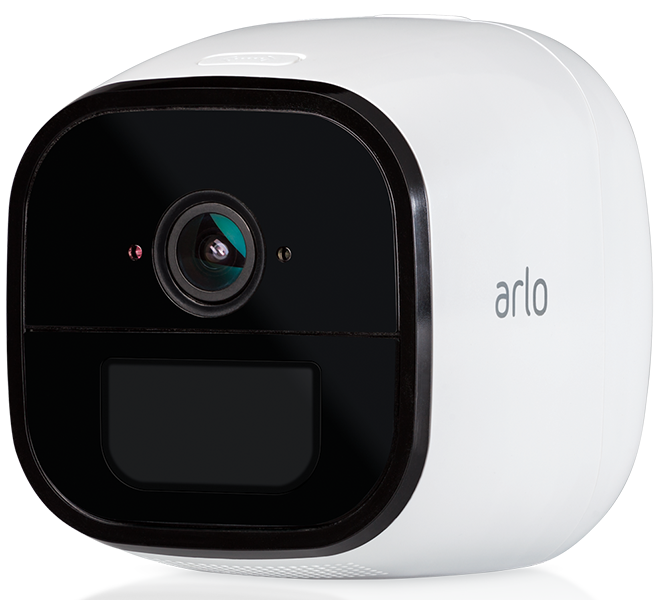
    Photo Credit: Arlo

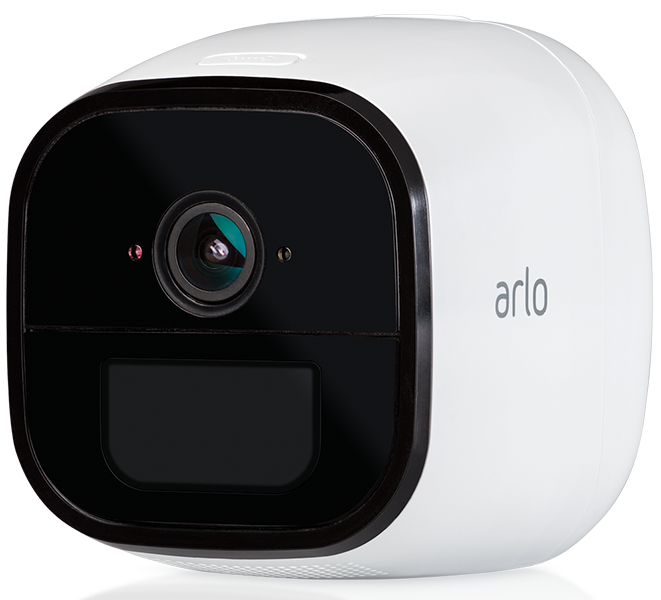
    This wireless camera works with Alexa and shoots in 720p. It offers both cloud storage and on-site storage, which is a cool plus. It can send you live feed straight to your phone if you pay for the cell service. However, it is pretty expensive: this camera will cost you around $430. That’s a pretty hefty price tag for a device that only shoots in 720p.

    9. Reolink Argus 2
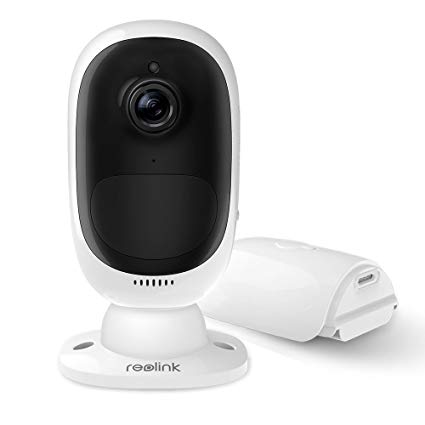
    Photo Credit: Amazon

    This camera is a straightforward if dependable entry. It’s wireless and powered by its own internal battery. It doesn’t have a terribly loud siren, which is somewhat disappointing. It also can’t integrate with smart home devices, which is unfortunate. However, it’s weather-resistant and works great as an outdoor camera. This one will run you $130, which is a great price.

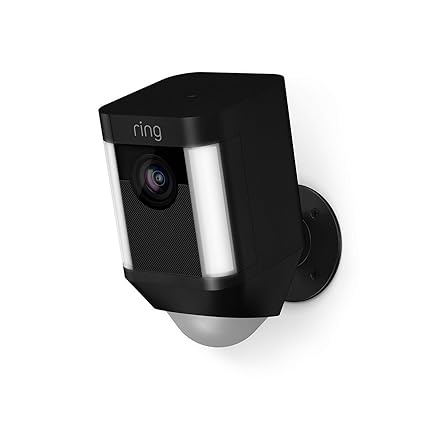
    8. Ring Spotlight Cam Battery
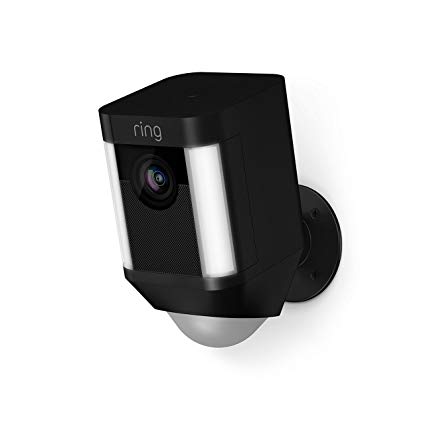
    Photo Credit: Amazon

    Triggered recording and a bright spotlight are two big upsides to this camera. It shoots sharp footage and has a very loud siren, which is great. However, you have to have a subscription to Ring’s service in order to view the recorded video. If you already have Ring devices at your house this one is a no-brainer. It’s also wireless and works with Alexa, making it a true smart-home device. It’s also pretty affordable, running $200.

    7. Nest Cam IQ Outdoor
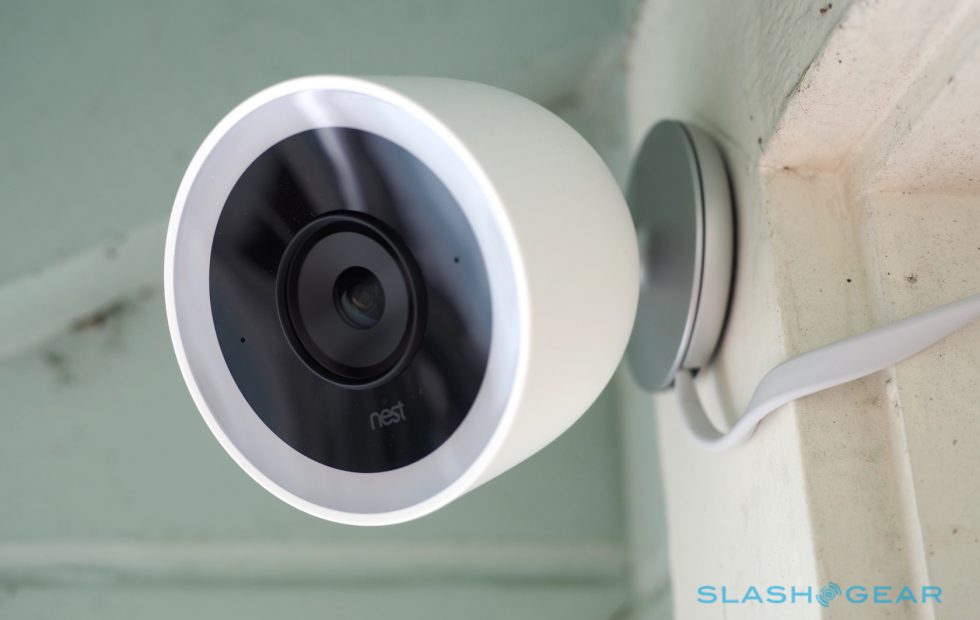
    Photo Credit: Slashgear

    Nest’s first entry on this list is excellent, shooting 4K footage 24/7. It’s totally weatherproofed, which makes it ideal for outdoor use. It even has close-up tracking and HDR, making it great for those who need to really see what’s happening around their house. It will set you back, though: it runs $350.

    6. Tend Secure Lynx Indoor
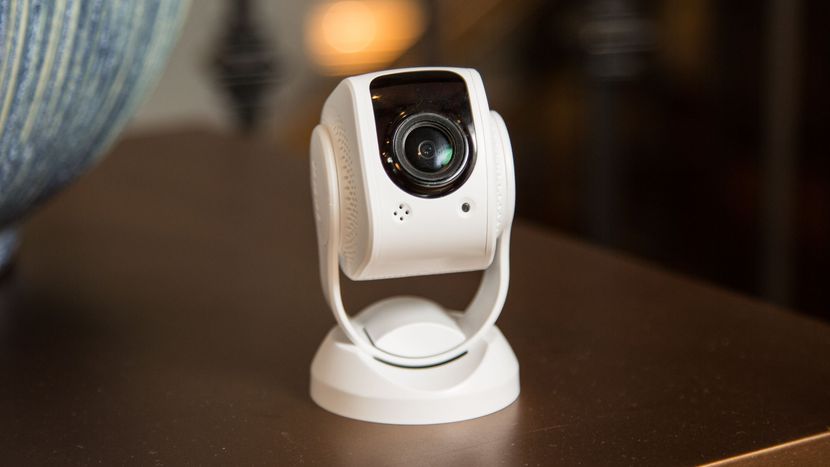
    Photo Credit: Cnet

    This camera makes the list for just how darn affordable it is. It only runs around $60, yet it still shoots in 1080p. That’s a great value, but it’s somewhat offset by the lack of smart home integration. That said, it offers free cloud storage and even has facial recognition! It only works indoors, though, so keep that in mind.

    5. Nest Cam IQ
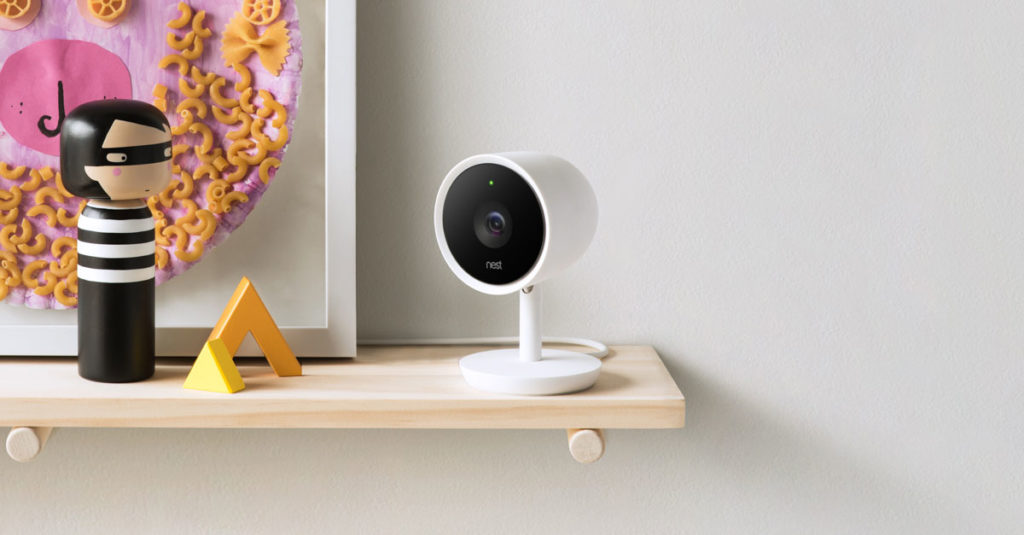
    Photo Credit: Nest

    Another entry from Nest, the indoor version of IQ is also a solid option. It costs a bit less, coming in at $300, but it offers many similarly excellent features. The Nest Cam IQ has two-way audio, letting you talk to people you can see from the camera. It has a ton of great smart home integration and shoots in 1080p. If you’re looking for a solid, if pricey, indoor camera, this is a fine option.

    4. Wyze Cam V2

    Photo Credit: TechHive

    If you though the Tend Secure Lynx Indoor was affordable, check out the Wyze Cam. This camera will run you a bank-shattering $20. Yeah, twenty, as in the same price as seeing a movie and getting some popcorn with it. For twenty bucks you get a camera that shoots in 1080p and offers local and cloud storage. It’s not the most high-tech thing in the world, but it will secure your home. If you’re looking for a simple, straightforward and affordable camera, go with this one. It’s a great deal!

    3. Netgear Arlo Pro 2
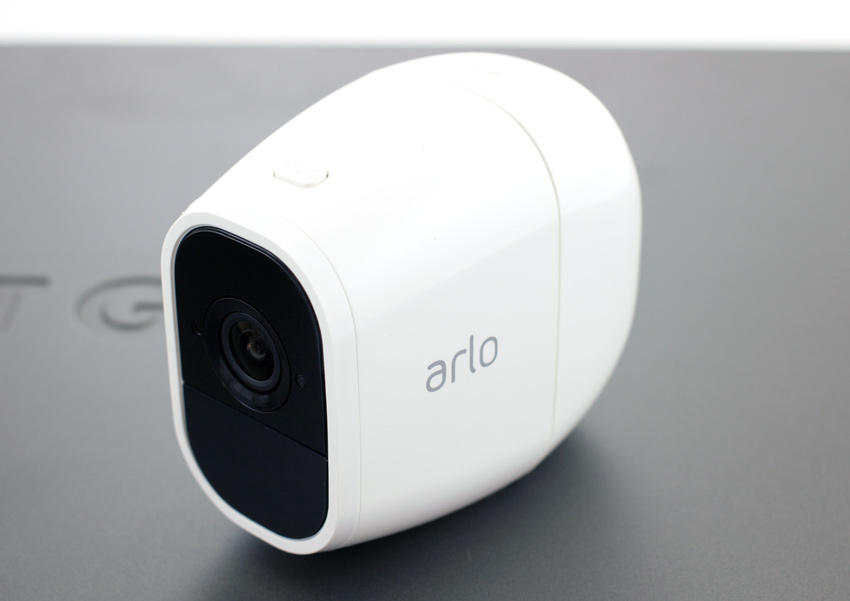
    Photo Credit: Storage Reviews

    This expensive but hefty camera is likely the best overall on this list, but it’s far too expensive to recommend to everyone. It will set you back $430, which is a lot, but you get a ton of features. The system shoots 1080p video, is completely waterproof and is wireless. This camera works great both outdoors and indoors and offers cloud storage for free. It even pre-buffers your videos when you go to watch playback! If only it was more affordable.

    2. iSmartAlarm iCamera Keep Pro
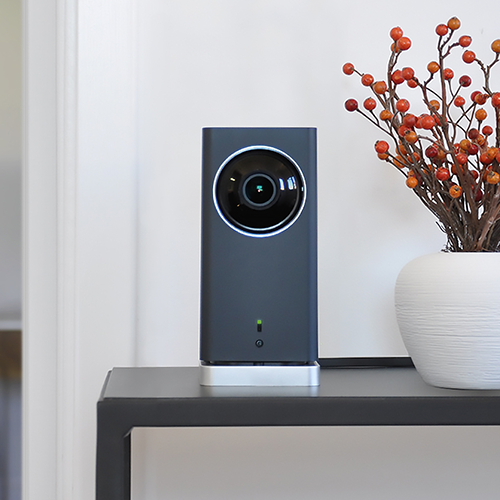
    Photo Credit: iSmartAlarm

    While this camera retails for $200, it offers a number of premium features. Mechanical tilt and pan let you feel like a master of security. You also get free cloud and local storage for all the footage you capture! As you would expect, it shoots 1080p and it even offers time-lapse shooting. The only downside to this camera is that it only works indoors!

    1. D-Link Full HD Wi-Fi Camera DCS-8300LH
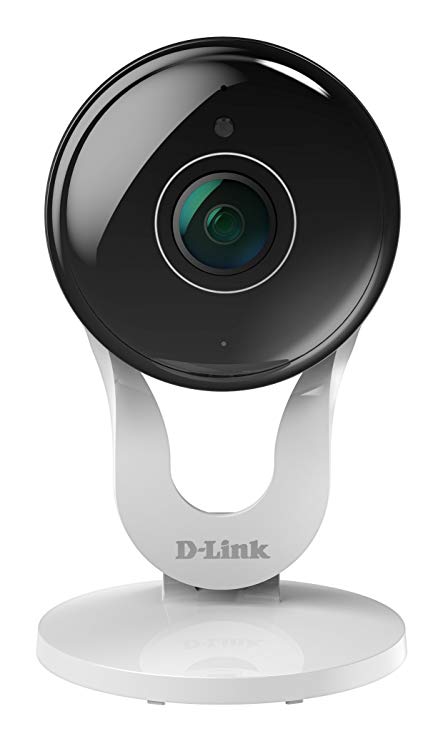
    Photo Credit: Amazon

    A fully-integrated home security camera that offers 1080p shooting and Alexa support? Yes, please! Free cloud and local storage along with great voice commands make this one of the best home cameras. It even costs less than most of the competition: it’ll only set you back $90. While the other cameras on this list are great, the D-Link Full HD Wi-Fi Camera is the best overall interior home security camera. The only real downside here is some minor distortion from the style of body, but that’s not enough to make this anything less than the best bang for your buck.



  • The Tools You Need to Protect Yourself from Cyber Criminals

    The Tools You Need to Protect Yourself from Cyber Criminals

    Cyber crime is a major problem in our internet-based world. More than 90% of all transactions now occur digitally, and all of your data is stored on some database somewhere. Your most sensitive information is on the internet and it may even be unsecured as you’re reading this. There are over 4,000 cyber crimes committed every single day, and any of them could be attempts to get to your data. New crimes require new methods of protecting yourself. Here are some of the tools you need to protect yourself from cyber criminals.

    Tools to Protect Yourself from Cyber Criminals

    Why Now?

    You might be asking why this is suddenly such a huge concern. The internet has been a major part of our lives for more than 20 years now. Haven’t these cyber criminals all been stopped by now? Well, unfortunately, cyber crime isn’t going away any time soon. In fact, it’s on the rise now more than ever. In 2017 alone there were 27% more online crimes committed than in 2016. As the world becomes more connected, your data is more vulnerable than ever.

    Going online without the tools you need to protect yourself from online criminals is like walking through a dark alley alone at night while wearing a nice watch. Do you deserve to be mugged for that? No, absolutely not. Should you expect to be? Sadly, that’s the world we live in. If you go online and start making purchases or paying bills without any protection, it’s a matter of when your data gets stolen, not if. Unfortunately this is just the way cyber criminals operate. There’s a way to keep yourself safe, though, and that’s through information security technology.

    Information Security

    Information security technology is offered by sites like Lifelock, Norton, McAfee and the like. These security suites, as they are called, are typically paid services that allow you to browse without worrying about your data. They offer you peace of mind by giving you a number of services that keep your data private and make it much harder to steal.

    The ways they do this vary from suite to suite and can change based on the level of security you’re after. One of the main ways these security suites can keep you safe is through encryption. Data encryption is a process by which data is translated into incomprehensible gibberish that can only be deciphered by possessing the encryption key. This is a lot like old-school spy codes that replace letters with other letter and can be decoded with the right key.

    Encryption might not be foolproof, but it makes your data that much harder to steal. Generally, cyber criminals can’t be bothered to go to the work of decrypting a complex cypher, so they’ll sooner avoid your data altogether.

    Other Security Measures

    That’s not the only security you need to keep in mind online, though. Most security suites also include firewalls or virus protection. These are computer scripts or programs that intercept fishy lines of code that might be viruses. Many viruses exist solely to cause problems on your computer by replicating themselves and slowing your system down. More malicious viruses, however, may include commands that involve copying your keystrokes and sending your passwords to criminals.

    Another way to avoid keystroke-logging viruses would be through using a password manager. Password managers are another great aspect of cyber security you can use to keep your information safe online! They are typically paid services, some of which are included with security suites, that keep track of your passwords across different sites. Generally these services encrypt your password and help keep your information safe from outside parties by making your passwords complex strings of letters and numbers.

    Virtual Private Networks

    Another favorite tool to stymie online criminals is through use of a Virtual Private Network, or VPN, like Nord. VPNs allow you to use private servers to connect to the internet, which helps you to steer clear of seedier elements online. VPNs often can boost your internet speeds, as well, allowing you to connect more quickly and avoid data throttling and slowdown.

    Another widely-used but often maligned use of VPNs is “geo-spoofing,” a process through which a user tricks a site into thinking they are physically somewhere else. This is often used to sidestep regional blackouts on media. While many sites don’t appreciate this use of VPNs, it’s one of the most common reasons people use them. Most VPNs require a monthly fee to access, though there are some free ones out there, too.


  • The Best Deals on Rugs: Floor it!

    The Best Deals on Rugs: Floor it!

    If you’ve got hardwood floors, this winter might be reminding you just how cold they can be. If that’s the case, you’re probably looking for area rugs. Here are some of the best deals on rugs you can find. Remember, no house is complete without these gorgeous additions.

    Best Deals on Rugs

    Home Depot

    Home Depot carries more than just home improvement supplies. Believe it or not, they also have some of the best deals on rugs. If you’re in the market for an elegant floor rug, look no further than Home Depot. They have everything from modern-style designs to classic, oriental-style rugs.

    No matter what you’re in the market for, large or small, you can find an affordable area rug to accommodate your needs at Home Depot.

    RugsUSA

    RugsUSA, as their name suggests, carries some of the best deals on rugs you’ll find online. Shopping online has a number of benefits when compared to shopping in store. For one thing, when you shop online you can avoid spending money on gas and wasting time standing in line.

    Not to mention, when you shop online you don’t need to worry about carting a huge area rug home. You can compare the styles you like side-by-side and sort by any criteria you like. RugsUSA has a fantastic user interface that makes it easy to navigate and find what you like.

    Best of all, their prices are quite competitive. The best part of shopping online is being able to compare prices on the fly without a salesperson nearby pressuring you. It’s a win-win!

    Target

    Target doesn’t have the deepest in-store inventory of rugs, but they do carry a number of area rugs online. If you check in-store, you’ll see that the inventory they do carry is high-quality and not terribly expensive. The best deals can be found online, though!

    Much like with RugsUSA, Target has an excellent online store you can shop from. You can compare prices and find the best rug for your home, all while hanging out at your house. What’s better than shopping in your PJs? Not much, by our count.


  • Ready to Face Addiction? Search Drug Rehab Centers

    Ready to Face Addiction? Search Drug Rehab Centers

    When you discover that a close friend or family member has a serious drug problem, it is often a surprise. Help is always there for those who are ready to face their addiction.

    Here are the leading signs and symptoms to look for with addiction.

    1. Profound Personality Changes– Everyone can have a ‘down-day’, or even a ‘down-week’. But when you witness a larger departure from the personality you’re used to seeing, listen to that warning.
    2. Isolation- When you observe a family member retreating, not engaging and struggling to communicate- this can be a sign there is something deeper going on.
    3. Job/Career Issues- Missing deadlines, absenteeism from work, and a drop off in performance can be the initial signs that a problem is growing. When a friend or family member cannot hold onto a job or is terminated repeatedly, it may be time to ask questions about what is going on at work and outside of work.
    4. Developing Unhealthy Friendships  – When people start using new substances, they may spend time with others who have similar habits. They people may encourage the unhealthy habits, and doing so makes it more likely for the user to feel like it is normal when it may be the opposite.
    5. Financial Trouble- Individuals who use drugs spend large and unexplained amounts of money. You may see bank accounts drained, assets sold, and going into debt to fuel their habit.
    6. Poor Judgement- Addiction can lead individuals to do things they normally wouldn’t to obtain the drug of choice. Behaviors like stealing, lying, engaging in unsafe sexual activity and committing crimes that can land people in jail are all part of this vicious cycle.

    If you’re ready to give someone the help they may need, here are a few tips on things to avoid at an intervention.

    • Labels like “alcoholic,” “addict,” “junkie,” etc.: These can be taken as accusatory. Instead, opt for neutral terms and avoid defining the person by their addiction.
    • Too many people: Pick a core group of close friends and family, and stick to a small number of people.
    • Being upset during the intervention: Find ways to manage personal feelings so the event doesn’t become overrun by strong emotions.
    • An intoxicated subject: If the subject of the intervention is intoxicated when the event is supposed to occur, it is not likely to be effective. Be prepared to wait for the person to sober up.


  • Best Online Investment Apps! Start Earning Now

    Best Online Investment Apps! Start Earning Now

    Investing in the Stock Market can be daunting. There are a ton of moving parts and the big players all seem like Wall Street types. The good news is, the age of the smartphone has made investing super simple and easy. Where once you might have had to contact a broker to be your proxy on the exchange, you can now just use an app. There are a ton of options out there, though. How do you know which investment app is the best? Well, we’ve got our ten favorites for you to check out! 

    Bloomberg 

    Photo Credit: Bloomberg 

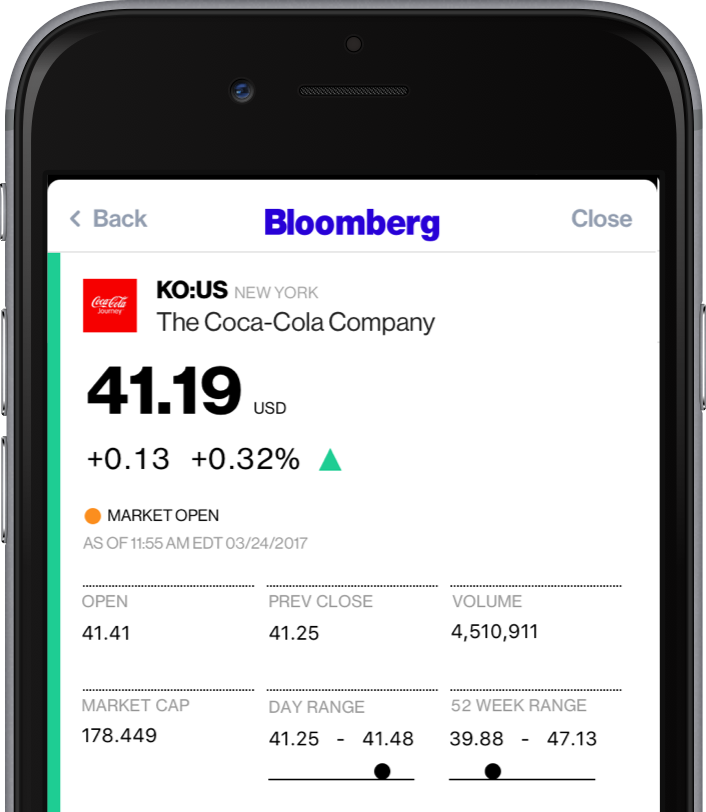
    A well-known name in money management, Bloomberg’s app is great for investing. Combining breaking money news and investing tips, Bloomberg has it all. The app even offers personalized news, so you can watch the companies you invest in.  

    If you’re as interested in the “why” of the stock market as you are in making money off of it, try Bloomberg. 

    Benzinga

    Photo Credit: iTunes 

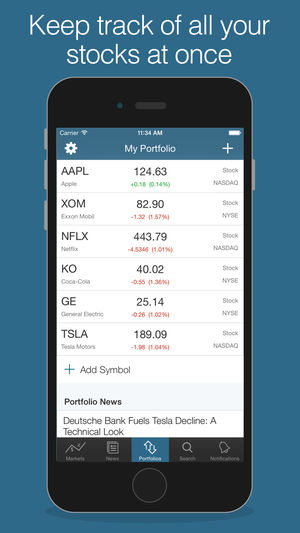
    Benzinga is great for investors who want insatnt information. By opening the app, you get immediate stock quotes, no need for waiting or skimming over news you don’t want. Acting as something of a punchy investment app, Benzinga is good for those who want to forge their own way. It has social media options, too, letting you share trending stock info to sites like Twitter.  

    Benzinga can also give you push notifications when news relevant to your investments breaks. It also offers some premium features for those who want a more in-depth experience. If you get the subscription you access features like live analysts to answer questions and audio news. 

    CNBC

    Photo Credit: DownloadMyMobileApp.com 

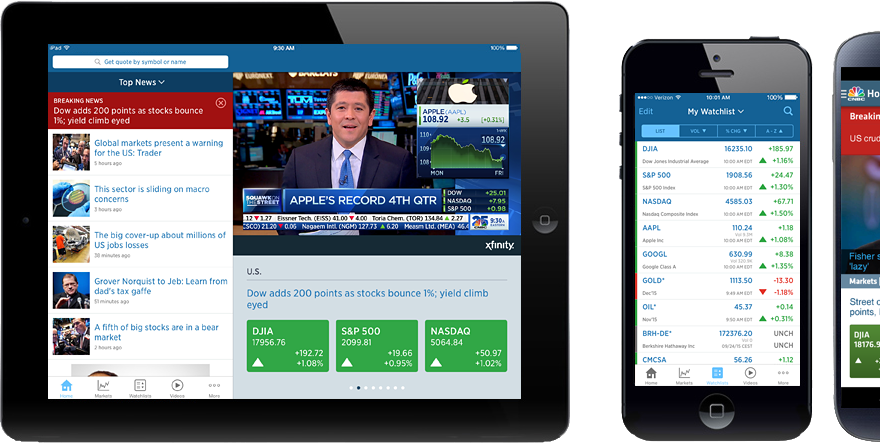
    CNBC is a great news app for those who want to see a little bit from every source. Their app is clean and user-friendly, presenting data in an immediate, digestible format. Many investors swear by the process of synthesizing news from as many sources as you can stand to read. CNBC’s app is a fantastic way to achieve such wide-ranging research without having to dig across the internet. A great resource for novices and veterans alike! 

    Fidelity Investments

    Photo Credit: iTunes 

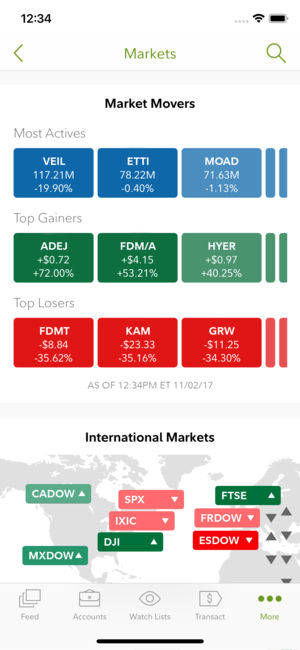
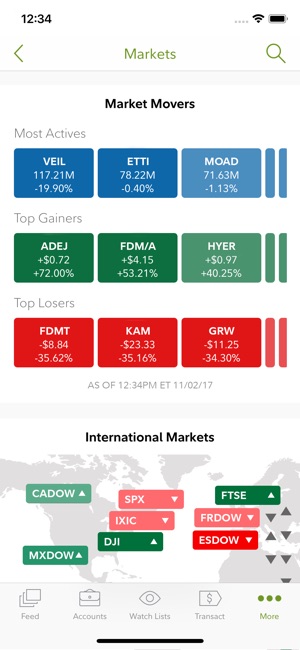
    Fidelity Investments’ app is great for more experienced investors looking to move to something more in-depth. The app offers in-depth charts and daily video coverage of market trends. It also offers notifications for when prices go above or below certain thresholds. It has a comprehensive news section and offers multiple money-management tools. This is a great choice for those who have become more adept in their online investing! 

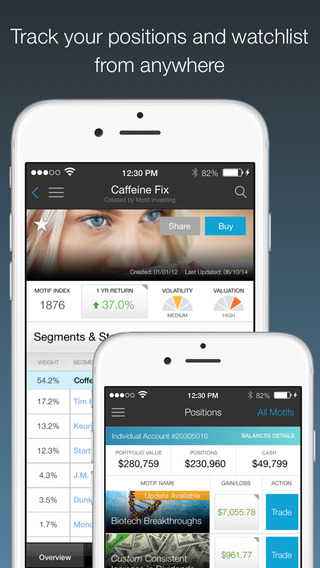
    Motif Explorer

    Photo Credit: The Divided Ninja 

    Motif is a cool way to introduce the stock market to people who are curious about the exchange. The app’s creators track various world events to see which could cause the market to shift. Portfolios, or motifs, based on those observations are generated. For instance, they might have a profile on clean energy, and if you invest in that motif your money would be invested in various clean energy companies. The app works to find which motifs are trending upwards and help you invest accordingly.  

    While Motif Explorer isn’t the best for large, serious investing, it is interesting for newcomers. Consider this one if you’re interested in dipping your toe in investing. 

    TD Ameritrade 

    Photo Credit: TD Ameritrade 

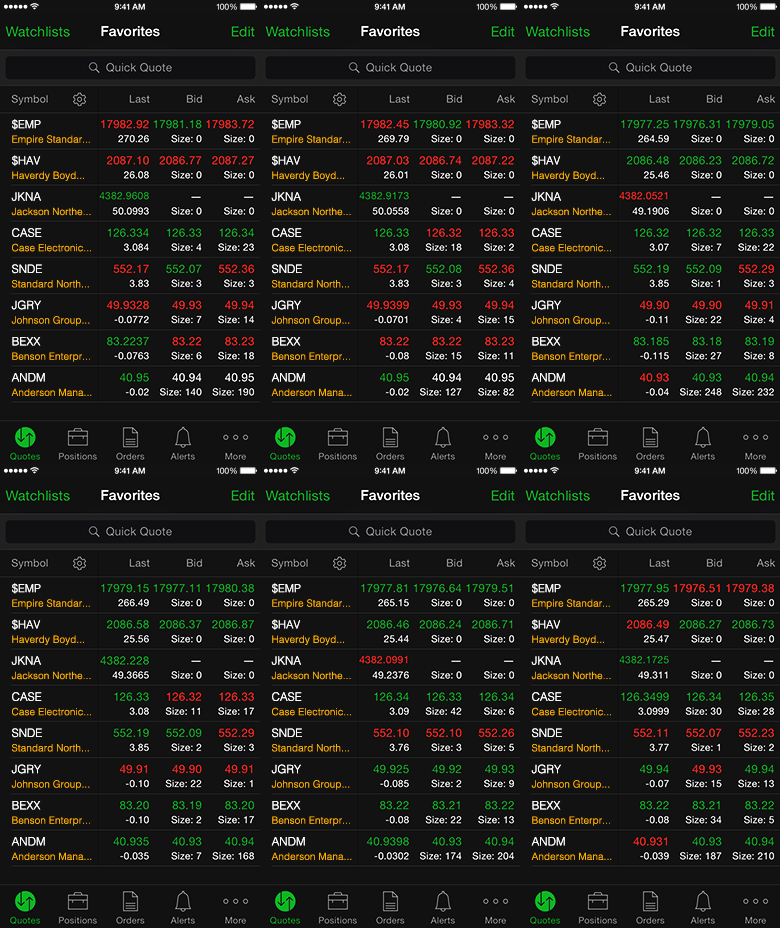
    This app gets a nod for being a great, bare-bones app with no frills. If you’re looking to not have your hand held and just start investing, check this one out. It offers real-time view of the stock exchange, mobile trading, fund exchange and other basic features.  

    Most notably, this app has a feature called Snapstock. This feature lets you use your phone camera to take a picture of a barcode. Then, the app pulls up the company that makes the product that barcode is attached to. That way, if you see an item in a store and think “this is going to be huge,” you can find them and invest on the fly from your phone. 

    Yahoo! Finance

    Photo Credit: Geeky Gadgets 

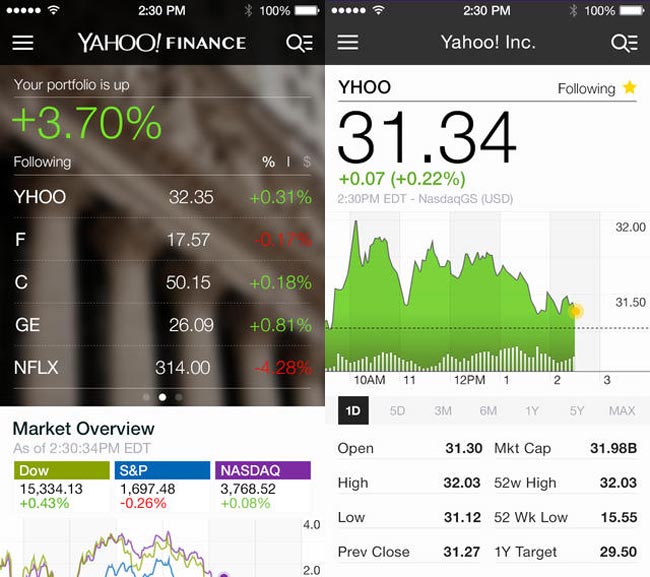
    Surely, you’ve heard of these guys? Jokes aside, Yahoo! Finance has a great app for beginner investors. The app has a gorgeous, clean design reminiscent of Apple’s native iPhone stocks app. The design is personalized to your investments and offers a great dashboard to see what stocks are trending. It also features news and trending stocks at a glance. All in all, this app is great for those just starting out who want to get their stock info at a glance.  

    Stock Market Simulator

    Photo Credit: APK-DI.com 

    This mock investment app is a stress-free simulator to show newbie investors the ropes. You start with $10,000 in virtual money with no value and can mock invest in an echo of the real stock market. The echo updates fifteen minutes behind the real exchange. While this isn’t meant to be a tool to predict actual investment trends, it is useful to show newcomers what the exchange looks like. It allows them to experiment without risking their actual money. 

    SigFig


    Photo Credit: Apptentive 

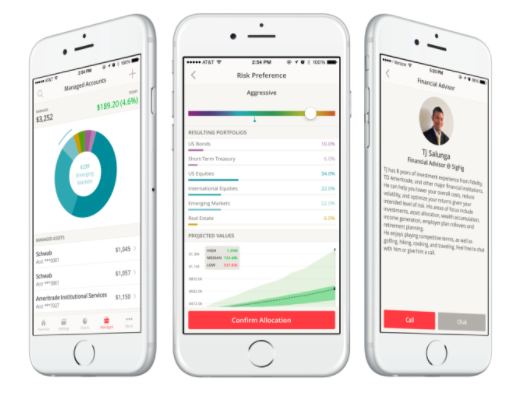
    This investment app is quite good for newcomers. SigFig offers advanced optimization tools for portfolios, helping you manage your money. You take a profile quiz to tell the app the ways you like to take risks with your money. You get a personalized investment plan, put money in the account, and off it goes. It’s like a digital broker! 

    The app also offers investment advice for first-time investors. The only downside is that it only shows you three years back of your investment, where most apps opt for five- or even ten-year retrospectives. That said, this is still an awesome choice for newcomers. 

    Our Favorite Beginner Investment App: Acorns

    Photo Credit: Cult of Mac 

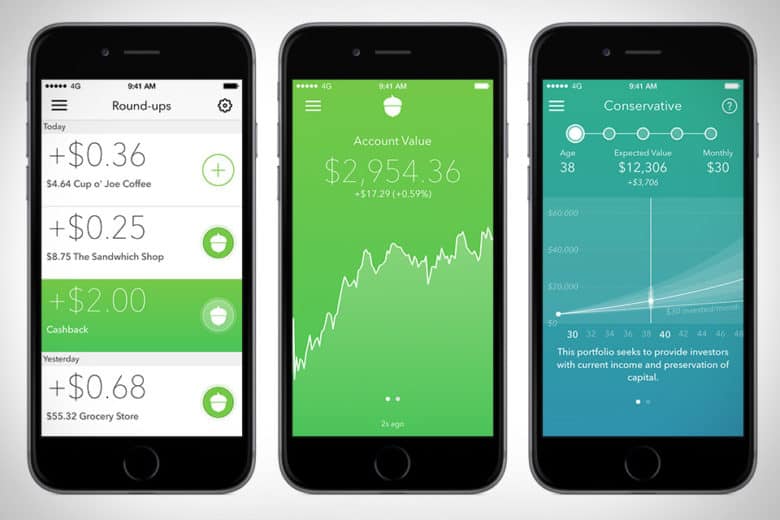
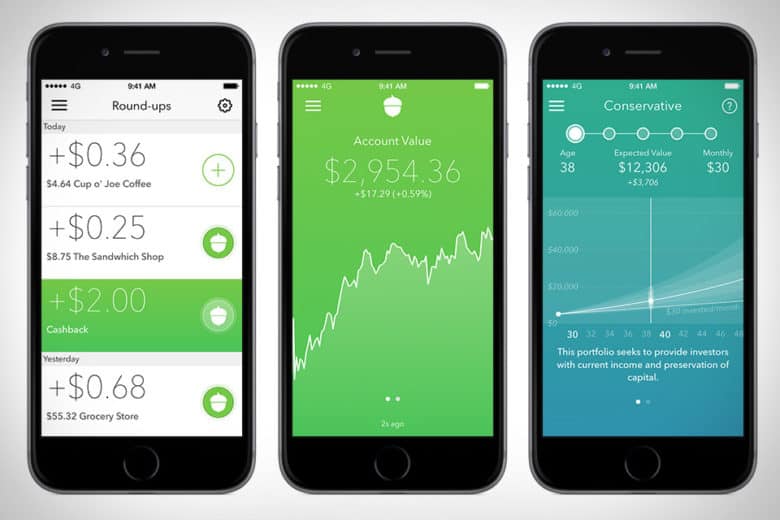
    The Acorns app is pretty awesome. This investment app works by investing your loose change into a diversified portfolio. The idea is that you set it up with your credit or debit card, and then the app rounds up your regular purchases and invests the small amounts of money in accounts recommend by Harry Markowitz. Markowitz, for his part, has won a Nobel Prize for his work as an economist, so you know your money is in good hands. 

    Acorns is meant to be a “set it and forget it” service, in their COO Jeff Cruttenden’s own words. The service does have a small monthly fee, but as long as you keep small amounts of money in it, you probably won’t notice it. This service is great for those who’d like to invest but don’t know where to start. 


  • Biggest Mistakes People Make When Buying Laptops

    Biggest Mistakes People Make When Buying Laptops

    If you’re shopping for a laptop for your kids going back to school, or just looking for something to help you with productivity, there’s a lot to choose from. It’s becoming increasingly difficult for laptops on the lower end to distance themselves from competition in the form of tablets and even smartphones. As such, tons of weird gimmicks have started showing up on laptops across the entire market, and they can be hard to sift through.

    When you’re shopping for a new laptop, there are a few basic mistakes you’ll want to take care to avoid. Whether they’re experienced tech junkies or relative newcomers, here are the basic mistakes that people make when they’re shopping for a new laptop.

    Paying too Much

    Some of the higher-end laptops you’ll find are downright amazing. However, that doesn’t mean that every expensive laptop is a good deal. If a laptop feels like it’s straining your budget for you to fit it into your purchases, it’s likely rocking some features that are completely unnecessary. Don’t get suckered in to paying a huge upcharge for a 4K display, 4TB of memory and 12GB of RAM when the laptop is going to be used for taking notes and watching YouTube videos.

    Along this same line of reasoning, make sure you know what display resolution you’re comfortable with. If you want to use a laptop for lots of Netflix streaming, video games and photo editing, you might want to opt for the full 4K resolution. However, if you’re buying for a student so they can write research papers and check their email, then you might go for a 720p screen that costs less than half the price.

    Undershooting Your Needs

    On the flip side, if you buy a laptop entirely based on “oh, this is the cheapest one I could find!” then you’re likely going to get what you pay for. If your laptop barely has any storage or RAM, then you’ll find it quickly running out of usefulness for you. Likewise, if you need a lot of applications running at once but opt for a dual-core processor over a quad-core processor, just because the dual-core was cheaper, you’ve only short-changed yourself.

    When you’re buying a laptop, have a good idea of your needs. When you know what you need, then it’s easier to set your price point. If you undershoot what you need, then you’ll have issues on you hands that you won’t be able to fix until you just buy the laptop you should have bought in the first place. Likewise, if you overshoot and buy something hilariously overpowered for what you need, then you’ve wasted a ton of money on bells and whistles that aren’t helping you.

    Not Trying it Out

    Would you ever buy a car without test driving it, or a home without touring it? If you would, then, congratulations on your huge piles of disposable cash. However, people with normal budgets try things before buying them, and your laptop should be no exception. The prevalence of online buying has made this a bit less common in recent years, but this is a disturbing trend. It’s important that you try out any complex piece of technology before you buy it.

    The feel of the keyboard, the speed of the processors and the appearance of the resolution are all important things to see in person. Even minor touches, like the shape and weight of the laptop, are hard to gauge just by looking at stats and dimensions on a cold web page. Little things like the sensitivity of the touch pad or the lack of certain features might not jump off the page at you, but would be immediately apparent if you tried the device in-person.


  • The Gift of Music:  How to Do It the Right Way

    The Gift of Music: How to Do It the Right Way

    Everyone has those people in life that are very hard to shop for. I mean what are you to get the person that has everything? Music. Music is always the best gift,  and for the people that have everything, it’s often the only gift. Music is universal and received by everyone. No one can have all of it or appreciate all of it,  which makes it such a great gift.

    The best part about giving music as a gift is there are so many different ways to do it. You can give equipment, earbuds, speakers, listening peripherals, or just new music that you think they would enjoy. The options are virtually endless. Let’s take a look at some of the best music gift ideas you can give your friends, family,  and loved ones.

    Streaming Subscriptions

    When gifting music the first place to start is the easiest place to start. That is a subscription to new music. Starting at $9.99 a month there is a plethora of streaming music subscription services. The subscriptions will allow you to stream, download, and listen to unlimited music, new, retro or classic. Whatever you wanna hear, whenever you wanna hear it.

    The first one I would mention is Apple Music. Apple Music has the largest subscription-based of users as well as the largest database of music. They’ve been compiling music in their iTunes software since the beginning of digital music. Almost all the music you could ever want to listen to is there is a very easy to use, intuitive,  user-friendly platform that syncs perfectly amongst all your iOS devices.

    The next option is Amazon’s Prime Music. Prime Music functions mostly like the Apple subscription services. Prime music will sync across all your Amazon prime devices,  you can even download the prime music app to your iOS or Android devices.

    This provides flexibility in your multiple and various OS mobile devices. There are also services like Iheartradio, Pandora, and Spotify. All the services will run you $9.99 a month and make an excellent gift for anyone who doesn’t have unlimited streaming music service.

    Harmonica?

    Maybe you want something tangible to give? Another great option to give somebody is the gift of a musical instrument. Regardless of talent level, Giving the gift of a musical instrument is always welcome. This will give you some options as well, the classic iconic instrument, a keyboard or guitar,  or you can get interesting like a banjo or harmonica. It’s fun, always remembered, and just may improve someone’s life.  If that’s not exactly what you been looking for, Here are some specific music listening devices that will make great gifts.

    Amazon Echo

    The Amazon Echo is one of Amazon’s premier speaker systems. It is an elegant and easy to use this quality speaker. It doubles as a speaker for most of your devices and comes with Amazon’s Alexa voice-enabled assistant fully built in. Full cloud sync-ability to prime music,  you can add in that subscription for a total music package. Synchronization across your devices lets the Amazon echo provide the ultimate in home music listening enjoyment. The Echo gives the gift of high-quality speaker along with the content to play through it.

    The Sonos Vinyl Set

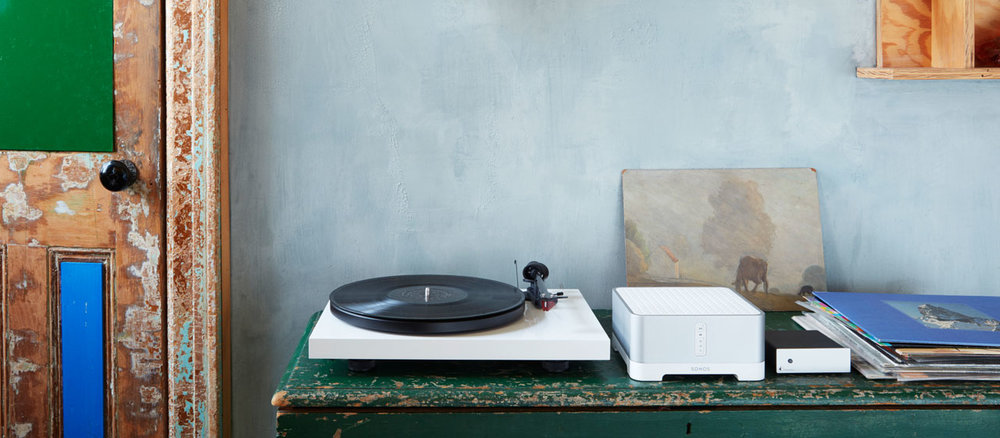
    Are you looking for a gift for someone who likes that hands-on music experience? Do they like the sound they can feel and touch? At the same time want to have that digital proficiency and quality without suffering the nostalgic sound of crackles and pops. Look no further than Sonos’s new vinyl set. Picture this, the Play:5, the best-sounding, most powerful speaker, matched with the Pro-Ject vinyl record player, allowing you to stream your vinyl to every room. Masterful.

    Did I mention, the Pro-Ject includes built-in phono preamp. Outstanding. They will be able to just plug in any audio device, from a record player to a friend’s phone, and listen to their favorite music on the fantastic Play:5. Like all Sonos speakers, it is expandable.  The Sonos vinyl easily let you go from streaming your favorite music and high-quality sounds to spinning from your own record collection.

    Give the gift of streaming vinyl across the connected Sonos speakers to every room in a pure, balanced sound,  unmatched by anybody else in the industry. Give the gift of their own musical completion, The Sonos Vinyl set.

    Beats Studio3

    You could just try keeping it simple and just go with the old trusty Beats headsets. When you want to give the gift of quality music look no further than beats headphones. The best of the beats headphones are the Beats. Featuring intuitive balanced, pure noise canceling functionality in the most robust and authentic sounding headphones on the market.

    These headsets function flawlessly regardless of the situation or noisy environment that you’re in,  always providing the perfect pure balance sound and they look pretty great.


  • Botox Treatments: How do they Work?

    Botox Treatments: How do they Work?

    Botox treatments are the most popular non-surgical cosmetic procedure in the world! How much do you know about this popular procedure, though? Maybe you’ve heard about the muscle-paralyzing effects of the procedure, or maybe you’ve just heard that the procedure helps to eliminate wrinkles. Today we’re looking at the treatment, the chemical in question, and whether Botox might be a good idea for you.

    Botox Treatments

    What is Botox?

    The Botox treatment involves using a carefully controlled dose of a neurotoxin to paralyze some of the muscles in your face. That might sound pretty scary, but as long as a professional is applying the procedure it’s perfectly safe. The toxin itself, botulinum toxin, is created in laboratory settings by manipulating a bacterium called Clostridium botulinum.

    The toxin itself is unbelievably dangerous, and is one of the most poisonous substances to humans that science has ever studied. It is estimated that a single gram of botulinum toxin could kill over a million humans, and only a few kilograms could wipe out the entire human race. That’s a pretty scary thought!

    The Toxin

    The toxin itself usually has to be lab-made to be deadly to humans. The bacteria that create it normally don’t do so in their natural environments, unless they transform into vegetative cells. In nature Clostridium botulinum is often found near lakes, in forests and in soil. It often lives in the intestinal tract of small mammals, and can often be found in the gills of fish.

    In high concentrations, the toxin these bacteria create results in a medical condition called botulism. Botulism typically results in serious respiratory distress in affected people, and, if left untreated, results in death. While this all may sound rather scary, the botulinum toxin still has proven to be a successful therapeutic protein.

    What it Does

    Botulinum toxin, when used in small quantities and applied correctly, can paralyze muscles in a very localized fashion. It does this by blocking proteins before they can reach the nerve cells in the muscles. You’ve likely seen the jokes about people getting Botox and being unable to move their facial muscles: this protein-blocking action is the reason why.

    In order for muscles to work correctly, a neurotransmitter called acetylcholine has to be released. It binds to receptors in the muscles and this, in turn, causes the muscles to contract. It’s pretty simple in theory, but in your body is occurs millions of times in a short span of time and across your entire bodily structure. Botulinum toxin is capable of simply cutting this neurotransmitter off at the source, resulting in paralysis. This is what gives it the title “neurotoxin.”

    In Cosmetic Procedures

    All of the scary, nerve-blocking functions would be terrifying in a large dose, of course. In a controlled dose, however, this toxin can have some interesting cosmetic effects. Namely, Botox procedures are normally aimed at reducing the appearance of facial wrinkles or fine lines. It does so through its normal function of blocking proteins and paralyzing muscles, but in a highly localized area.

    By paralyzing these muscles, the intended effect is to cause the face to appear smoother and more youthful. Typically it takes a day or so for the toxin to take effect, though, when it does, it can result in facial stiffness for a few days while the body deals with the toxin. Following the procedure, many find their facial appearance to be much smoother, their wrinkles being reduced.

    There are a few side effects that can occur with the procedure, however. The most common ones include nausea, headaches or migraines, double vision and a general feeling of fatigue. Rarer side effects could include redness or local edema at the injection site, trouble swallowing, neck stiffness or weakness, dry mouth and other side effects.


  • Which Streaming Device is Right for You?

    Which Streaming Device is Right for You?

    TV has changed in the last ten years. At one point in time, it was either cable or nothing. Now, with the popularity of Netflix, Hulu and internet TV at an all-time high, cable is the exception rather than the rule. If you’ve been looking to cut the cord and watch internet TV, you’re probably wondering what the best streaming device for your living room is. How can you narrow them all down, though? That’s what we’re here for.

    There are a number of options out there for streaming. Whether you’re an Apple fan who wants to use Apple TV for your content, or you want something smart-home integrated like Alexa, there’s a ton of options. Maybe you’re looking for something more general-use, like Roku? Let’s take a look at some of the most popular streaming options and what each brings to the table. Hopefully this will help you narrow down your options and make a good decision.

    Fire TV

    Fire TV is Amazon’s proprietary TV streaming platform. There are budget options, like the Fire TV Stick, which just plugs into the back of your TV, and more full-fledged platforms like the Fire TV Cube. No matter which one you’re looking into, there are a number of similarities between the platform’s various hardware devices. Namely, the user interface and the Alexa integration. If you like using your voice to pull up your favorite shows, Fire TV is for you.

    For those who really enjoy voice commands, the Fire TV Cube comes with a remote that offers voice-control option. You can navigate menus, search for actors and movies and issue commands all with your voice. It feels very natural to command your entertainment in much the same way you command your smart home features. For people who like high-tech solutions that just work without lots of fiddling and tech knowledge, Fire TV is a perfect fit.

    Roku

    Roku is a very well-known name when it comes to streaming devices. From the budget-friendly Roku Express to full-blown smart TVs with Roku integration, there are versions of the streaming platform across the spectrum of budgets. The best thing about Roku is how straightforward and simple it is. The remote is small and sports only a few buttons. A clean, simple user interface shows you the information you need to see to find your entertainment.

    If you’re new to the world of internet TV, or just want a simple way to turn your old TV into a smart TV, the Roku is the best option for you. While it might not sport the same wide variety of options and features as Fire TV or Apple TV, Roku offers a great platform for users who want a simple and clean platform. The low entry price of the Roku Express is also a huge selling point for the platform.

    Apple TV

    For those users who are fans of the Apple ecosystem, Apple TV is a no-brainer. Offering a great, seamless experience across your Mac, iPhone and Apple Watch, the Apple TV is a great extension of the clean design and deceptive simplicity that makes Apple so popular. Logging in to apps is simple, as you can copy passwords and logins directly from an iPhone or iPad.

    While the Apple TV ecosystem doesn’t offer as many apps as a system like Roku, it’s still a robust hub for your media. If you have lots of pictures or videos on your phone you’d like to see on your TV, AirPlay 2 gives you that option. You can even issue voice commands through Siri to find TV and movies you’d like to watch. The only downside? The higher-than-average price when compared to the competition.


  • Thinking About a Cruise to Alaska?

    Thinking About a Cruise to Alaska?

    When you think of a luxury cruise liner hitting an exotic destination, you normally think of some tropical island somewhere. However, there’s more than one type of luxury cruise. Take, for instance, Alaskan cruises!

    Snow-capped mountains, frontier towns and rugged beauty await vacationers in the northernmost part of the United States.

    Cruising to Alaska

    Why Alaska?

    Alaska is full of natural beauty, intriguing wildlife and full-tilt adventure. The island-filled southeast region of the state is a common destination of cruises from the West Coast. Fans of rugged beauty, exceptional cuisine and luxurious vacations can find a lot to love in Alaska.

    Best Cruise Lines

    A number of cruise liners have Alaska as a destination. From family-friendly Carnival Legend to romance-centric Ruby Princess, there’s something for any type of cruiser. Today we’re going to look at a few of the most notable ships plying the Pacific waters around the Alaskan islands!

    Nieuw Amsterdam

    The traditional, quiet, reserved and upscale appeal of Nieuw Amsterdam is great for more mature cruisers. If you’re looking for a more traditional cruise, maybe with less children running around, then consider this cruise liner.

    You won’t find rock-climbing walls or goofy children’s attractions on this boat, so if you’ve got kids coming with you, this might not be the best pick. However, if you’re looking for a relaxing getaway with you and your sweetheart, this refined cruise is for you.
    Scrumptious dining, upscale service and an air of dignified luxury are hallmarks of this cruise line. Of particular note is the main dining room, which is complimentary with any cruise. The food and service found therein are of excellent quality, perfect for any discerning cruiser.

    Carnival Legend

    For families looking for a good value, Carnival offers an affordable and enjoyable cruising experience. If you don’t mind the presence of kids and families, Carnival Legend offers a great Alaskan cruise on a very reasonable budget. Those who prefer a more family-friendly atmosphere will appreciate this type of cruise liner.

    Ruby Princess

    The Ruby Princess is a great cruise for people who want the best of both worlds. Ample luxury and fun activities go hand-in-hand on this Princess cruise liner. Attractions like the “Movies Under the Stars” (complete with popcorn and warm blankets) make this ideal for younger couples.

    Likewise, the adults-only sun deck is a wonderful and relaxing place to relax away from the kiddos. There’s even a Voice spin-off, “Voice of the Ocean,” to be found on this cruise liner. Combine that with great dining and wonderful interior design, and you’ve got one winner of a ship!