Author: GoodFind

  • Which Mobility Scooter is Right for You?

    Which Mobility Scooter is Right for You?

    So your mobility isn’t what it used to be… no problem! Today, some insurance companies will actually help with coverage on a mobility scooter, or even pay for the whole thing. Check it out for yourself! Either way, it may be worth checking them out and seeing if it fits your lifestyle. With that in mind, let’s look at the top ten mobility scooters.

    Drive Medical Phoenix Heavy Duty

    A heavy, sturdy scooter for a great price, this one is a good pick. This one has a headlight, which is good for darker areas. It also has a basket in the front for carrying things, making it great for grocery store trips! The seat is customizable, broad and comfortable. For $1,200, this is a great heavy-duty pick.

    Pride Mobility Go-Go Sport

    This scooter is notable for its four-wheel drive and durability. It’s not terribly fast, topping at 4 MPH. That said, it’s rugged and durable, and works great when outdoors! If you like being outside and enjoying the sunlight, this is a great pick! For a combination of durability and mobility, check out the Go-Go Sport!

    E-Wheels EW-72

    A stylish and slick scooter, the E-Wheels EW-72 has a look inspired by classic cars! For those looking to really zoom, this scooter has a top speed of 15 MPH! As a heavy-duty scooter, it works quite well, as it has a top weight rating of 500 pounds! If you’re looking for a great, stylish, heavy-duty scooter, this is a great choice for you!

    Transformer Electric Folding Mobility Scooter

    Another great choice for carrying in a trunk and carrying around with you, this transforming scooter is pretty neat. It folds up into a nice, compact shape so it can go anywhere with you! The battery is airline compliant, so it can fly with you, which is great for those who fly often. If you’re on the move and need a scooter that can keep up, this is the one for you!

    E-Wheels Jellybean Electric Scooter

    The second E-Wheels scooter on our list, this one is also quite heavy-duty! This one is three-wheeled, though, so it’s got a bit of a different construction from some others on this list. The best thing about this scooter, though, is the high speed! It tops out at 18 MPH, which makes it a serious scooter! It has a great battery, too, offering up to 45 miles on a single charge. This one also has an anti-theft alarm, which is great! It sports a huge back-mounted basket, perfect for trips to the market.

    Spitfire 420 Ex

    Another great scooter, this one has interchangeable panels in different colors. The panels come in red, blue and silver, and are easy to change out! It also boasts quick-connect batteries, a comfortable seat and padded armrests. The wheels are anti-tip, which makes this a very safe pick. The front-mounted basket even has an interior lining, which is great for shopping. If you’re looking for a good mobility scooter for medical reasons, such as old age, this is a good pick.

    SmartScoot Lithium Foldable Travel Scooter

    This folding scooter is great to throw in the trunk or backseat and carry with you to a destination. The best thing about this scooter: the battery! It has great battery life for how portable it is for travel. It lasts for up to 12 miles! It also breaks down into three parts, and only weighs 27 pounds.

    Drive Medical Scout 3 Wheel

    At the very low price of right around $600, this three-wheeled scooter is a popular choice. A little less expensive than its four-wheeled counterpart, this one is a good value. The drawbacks to this scooter include its three-wheeled construction, slightly low battery life and make. There are more comfortable, high-end scooters, but if you’re looking for a good bargain, this is it. This scooter is the most affordable on our list!

    Best Value: Drive Medical Scout Compact 4 Wheel

    For those on a budget, the Drive Medical Scout Compact is a very popular choice. At $700, it’s a fantastic value, and it shows in its popularity. It’s a good scooter, with all the trimmings you’d expect from a medical mobility scooter. Older customers on a fixed income love the low price, and the price doesn’t compromise the quality. This one also has interchangeable panels in red and blue, so you can change your style! A great value for the money for those looking to save.

    Best Overall Mobility Scooter: Shopride Sunrunner

    If you’re looking for an especially comfortable scooter, look no further than the Sunrunner! It has a 300-pound capacity and a huge 25-mile battery. You can opt for a headlight, which is quite useful. It has a front basket, perfect for shopping. The star of the show is the big, comfortable seat, though. You can’t beat the level of comfort on display here! It’s hard to find something this premium and high-quality for this price! It retails for $1,500 but can often be found on sale for less.


  • Top Ten Ways AI Will Change Your Life Forever

    Top Ten Ways AI Will Change Your Life Forever

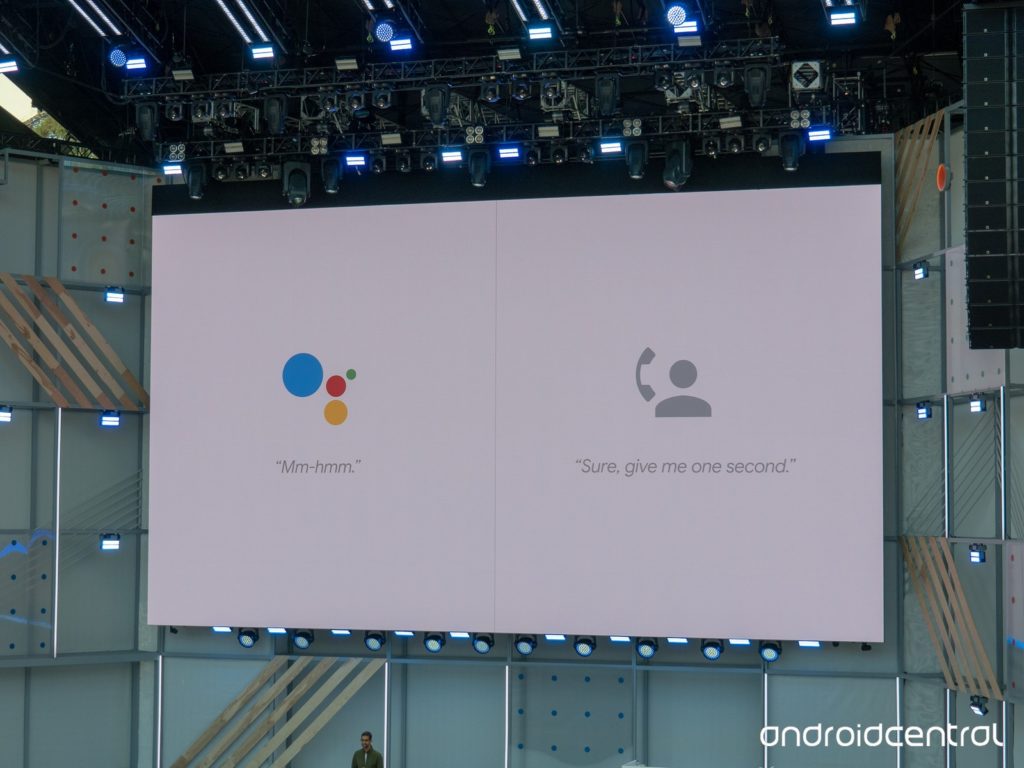
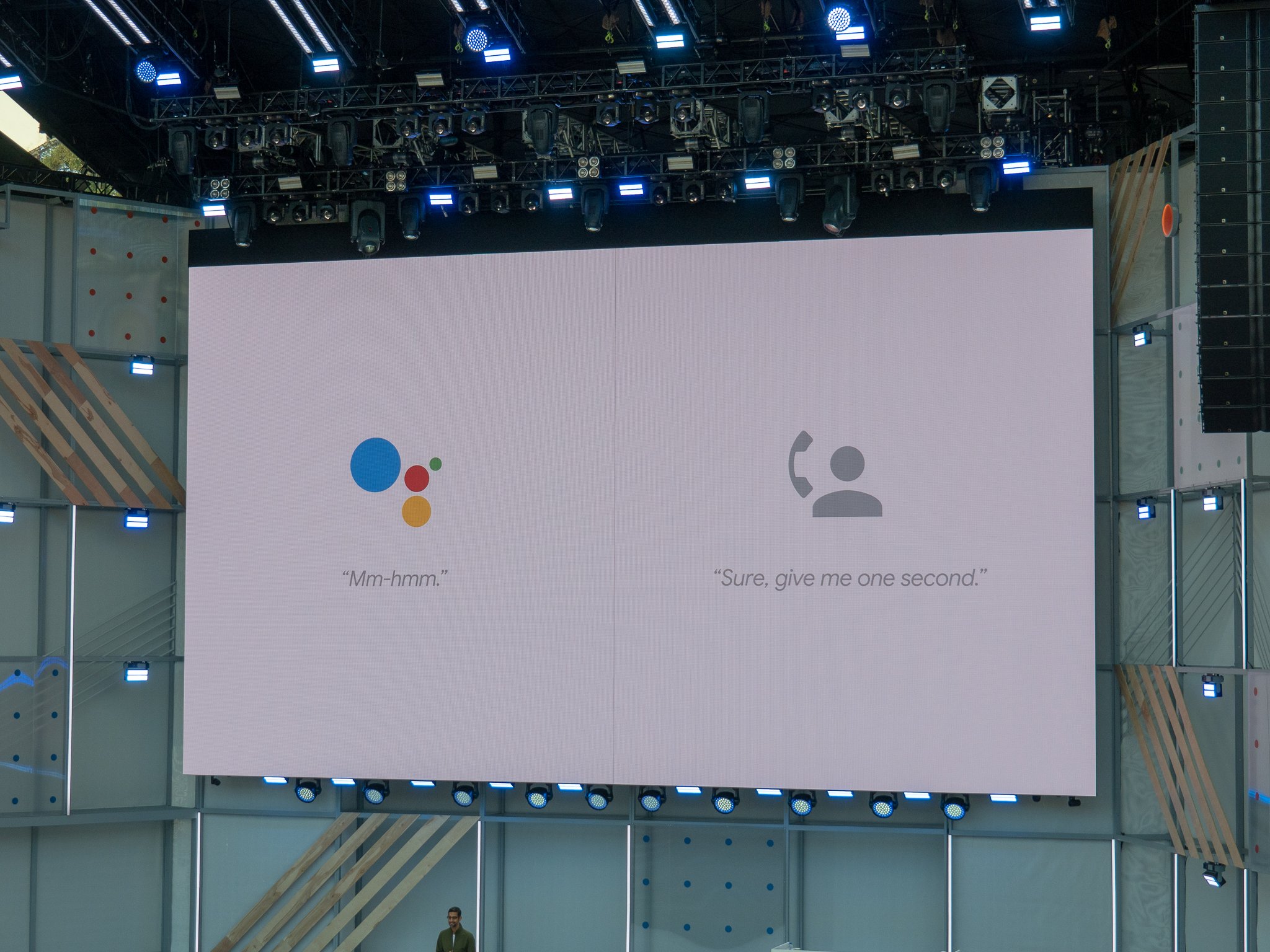
    After watching Google Duplex demonstrations at this year’s I/O conference, one thing is clear: Artificial intelligence will change our lives. All manner of practical applications are being explored by leading AI companies like Microsoft and Google. To help you wrap your head around what the future holds, we’ve rounded up 10 ways AI will be changing your life forever!

    Speech Recognition

    01-ai

    Photo Credit: Robohub

    The technology that powers all AI assistants, speech recognition tech is very exciting going forward. The ability to organize your life and appointments with your voice alone is engaging and exciting to a degree that is hard to overstate. Alexa, Google Assistant and the like all make excellent use of this technology to power their unique promise of being user-friendly, dynamic and useful to users of all skill levels. This technology can also help disabled people type by using their voices, increasing the accessibility of personal computers and other platforms.

    Making Appointments

    02-googleduplex

    Photo Credit: Android Central

    Assistant calling was unveiled at 2018’s I/O conference by Google, in the form of their Google Duplex technology. This revolutionary AI functionality allows the Google Assistant platform to make phone calls for users, setting up appointments, reservations and the like. This is exciting for users with phone anxiety or trouble speaking, or just for users who are busy and don’t have time to call in themselves. While this raises a few ethical questions regarding machine voices being indistinguishable from human voices, the practical applications of the technology are undeniable.

    Machine Learning

    03-machine-learning

    Photo Credit: Future of Life Institute

    Machine learning is largely considered the marker of “true” artificial intelligence. By synthesizing concepts encountered and reacting based on past information, AI with machine learning capabilities would be able to react in ways humans can’t predict. These applications could be applied to market trends in order to assist stock brokers or as assistants to surgeons during procedures. The potential uses of this type of learning are staggering: imagine intelligences reasoning and problem solving with the speed and accuracy of a machine during such tense activities as piloting a spaceship or during peace talks between warring nations.

    Advertising

    04-facebook

    Photo Credit: The Sun

    People are still understandably anxious regarding companies like Facebook using algorithms to target them with content. However, this will hardly stop the future of learning algorithms and, eventually, true AI using their data collection to target users with advertisements and articles. As with many AI-related fields, this is a hotly debated subject, raising ethical questions as to the responsibility of advertisers and media platforms. It seems unlikely that such reservations will stop companies from leveraging the considerable power of machine learning in order to boost their profits.

    Personal Assistants

    05-echo

    Photo Credit: B & H

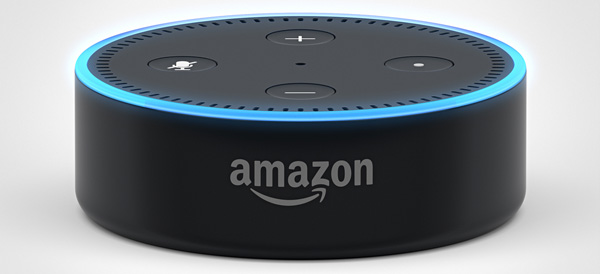
    The most obvious and immediate effect artificial intelligence has on the lives of everyday consumers is through the virtual assistants we all now carry in our pockets. Using a virtual assistant has become second nature to most smart phone owners. The act of asking Siri or Cortana or Google to make a phone call for us is natural and easy. Incorporating similar technology into smart speakers and smart displays was a logical next step: Google and Amazon want to bring their brand of AI into your life and make themselves indispensable. Individual reliance on AI assistants will likely become as commonplace as reliance on cell phones and the internet is now.

    Data Gathering

    06-ai

    Photo Credit: News Medical

    A pressing application for businesses, sifting through and organizing data is likely to be the primary role of corporate AI. For companies with extensive logs and ledgers, the ability to instruct an AI to quickly sort data and parse it for relevant information is likely to change the face of business. Reading market trends and sales data at speeds impossible for humans, AI could give companies an edge over competition and help them make smart business decisions. Similar to artificial intelligence applications in advertising, AI use as information comb is likely to be a primary function of AI for business.

    Biometrics

    07-biometrics

    Photo Credit: Security Exhibition and Conference

    For consumers, thumbprint scanners that unlock their phones are a well-known application of biometric technology. Biometrics also, however, have many applications in relation to AI. Using AI to learn about people from their biometrics would allow for numerous advances. For example, early warning of diseases like cancer and diabetes would become more common. Additionally, such AI could help in developing treatments and cures for diseases monitored through biometrics. Market applications of biometric AI tech would likely include AI interfaces in retail stores that allowed for checkout using thumbprint or facial recognition. Technology in this vein is already in use via services like Apple Pay.

    AI-Optimized Hardware

    08-ai

    Photo Credit: Out of the Box Science

    As computer processors and graphics cards have begun pushing the limits of what their hardware is capable of, manufacturers have begun speculating on the potential of AI-assisted hardware. Using advanced learning AI to make micro-adjustments on the fly could help high end graphics cards or processors speed up beyond their current limitations. Coupled with experimental quantum computing techniques, such technology would likely reshape the face of computing as an industry and redefine what computers are capable of.  Such a leap ahead could potentially dwarf previous technological advancements.

    Automation of Processes

    09-automation

    Photo Credit: Forbes

    Much like the robotics boom that helped automate factory labor, AI technology will likely see automation of numerous work tasks previously able to be done only by humans. Utilizing Google Duplex-like technology, phone customer service could be fully automated. Rather than staffing buildings full of workers to answer phone calls, companies could outsource all phone calls to an AI programmed to answer questions. This is only one example: programming, research and development, analytics and market research could all be tackled by learning AI. Such advancements could be monumental, allowing for full automation of nearly all virtual jobs.

    Robotics

    10-ai

    Photo Credit: CardsChat

    Beyond just automating jobs that occur in a virtual space, complex AI software housed in advanced robotics could automate physical labor on a scale previously impossible. Agriculture, construction and maintenance work could potentially all be automated by AI-powered robots. While this likely sounds like high-concept sci-fi, such a future is becoming more possible, and more likely, with each passing day. As companies continue to push the boundaries of what AI is capable of, a future where all work tasks are automated becomes more and more likely. This could lead to a utopia where all people are free to pursue their own desires, or a dystopia where people are ruled robots. Just kidding! Or maybe not. We’ll cross that bridge when we get to it! For now, I’ll suspiciously eye my Amazon Echo and hope it doesn’t try to kill all humans anytime soon.

  • The Best Cities to Find Tech Jobs

    The Best Cities to Find Tech Jobs

    Demand for software engineers, programmers and other tech jobs has only gone up in the past decades. If you’re a tech professional looking for a city to call home and find work, we’ve compiled a round-up of our favorite cities for tech jobs. If you’re thinking about moving, we’re here to help you with your considerations. Read on to find out which cities we think are the best for tech jobs!

    Seattle

    Between Amazon, Microsoft and Boeing there are plenty of opportunities for tech professionals to find work in Seattle. Salaries for the tech field average nearly $100k per year, making this a desirable home for many who aren’t scared off by near-constant rainfall or expensive housing. While progressive tax bill proposals have stopped planning for new Amazon locations, these plans are likely to resume. Amazon isn’t the only game in town, and they’re hardly likely to stop focusing on their home city over a few tax code changes.

    Philadelphia

    Home of tons of new start-ups, the city of brotherly love is a great place for a tech professional. Salaries in Philly average around $97k, making it a reasonable consideration on the basis of money alone. As for those start-ups, they range from initiatives to increase diversity in the tech field to programs intended to feed newborns. This city is also the home of Philly Tech Week, a week-long celebration of the city’s bright future in technology. The deep history and rich culture of the city are certainly considerations to keep in mind when weighing options!

    Los Angeles

    You would’ve been surprised if this one hadn’t made the list, huh? Home of clogged freeways and gorgeous beaches, LA remains a giant in the tech field. If you can stand the traffic, there is plenty of money to be made in LA: tech professionals average $99k per year. Between the weather and the opportunities here, LA is a fantastic home for a professional, and those second-guessing the city due to the corwds, fret not. Tesla’s Elon Musk has promised a solution to the traffic problem in the form of “boring tunnels.” Here’s to boring solutions to boring problems!

    San Diego

    Sporting some crazy tech professional salaries averaging $101k per year, San Diego is a great choice for those in the tech field. Home of tech giant Qualcomm, San Diego is clearly a city focused on tech: they recently started a 3-year test program for drones with the Department of Transportation. This test program will allow for more pilot programs for food deliveries and the like via drones. Much like Los Angeles, San Diego boasts stellar weather and beautiful beaches, making it an ideal pick for professionals looking to enjoy their days off in the sun.

  • The Best iOS Photo Apps for Shooting and Editing

    The Best iOS Photo Apps for Shooting and Editing

    Everyone loves to snap pictures! Every smart phone is equipped with great camera functionality, but they lack a decent photo app to go with it. Whether you’re looking to send pictures to family or post them to show your friends, you’re probably wondering which photo apps are the best! Here’s a round-up of our favorite photo apps!

    Snapseed

    Snapseed is a user-friendly photo editing app for iPhone. Allowing for different filter types and tools for adjusting exposure and sharpness, Snapseed allows for professional-style photo editing from your iPhone. You’re also able to edit only selected parts of a photo, letting you fine-tune images to your taste! It even has a healing tool like Photoshop. Best of all, this app is free! Snaseep is our favorite iOS photo editor.

    Cortex Camera

    This app is fantastic for shooting in low-light or nighttime situations. Using a really neat process, Cortex Cam is able to cut down of visual grain that is so common in low light pictures. Typcally, when taking pictures in low light, your phone camera will increase the ISO to attempt to squeeze more light into the lens. This has the side-effect of creating grainy images. Cortex Cam combats this by taking a large number of images in a short span of time and collating them into one image, eliminating that visual noise. This is easily the best app for low-light shooting!

    Superimpose

    Another Photoshop-like app, Superimpose allows two pictures to be blended together. If you want an app to blend together two photos from your phone, this is the app for you! This app has gradient masks that allow for one photo to mask the dark aspects of another with its own light aspects, allowing for interesting artistic projects. Superimpose can also be used for double exposure-style pictures, like using a foreground from one photo and a background from another. Superimpose is $1.99 on the app store, but you get a ton of awesome functionality for that price. If you’re looking to make compositions from your phone, Superimpose is a great app for you!

    Our Favorite Photo App: Camera+

    This app is exactly what is says it is: an enhanced version of the iPhone’s existing camera app. This app gives shutterbugs precise control over their phone’s camera functionality. Between altering shutter speed and white balance, this app is a must-have for smartphone camera enthusiasts. Camera+ has a manual focus function that is especially helpful for photographing extremely close objects, which is great!  It also has a handy 30-second delay feature for those who want to take pictures with themselves in the frame.If you have the technical know-how, or want to develop it, this app is a great choice for you!

  • Need a New Monitor? Check Out Our Favorite Curved Displays!

    Need a New Monitor? Check Out Our Favorite Curved Displays!

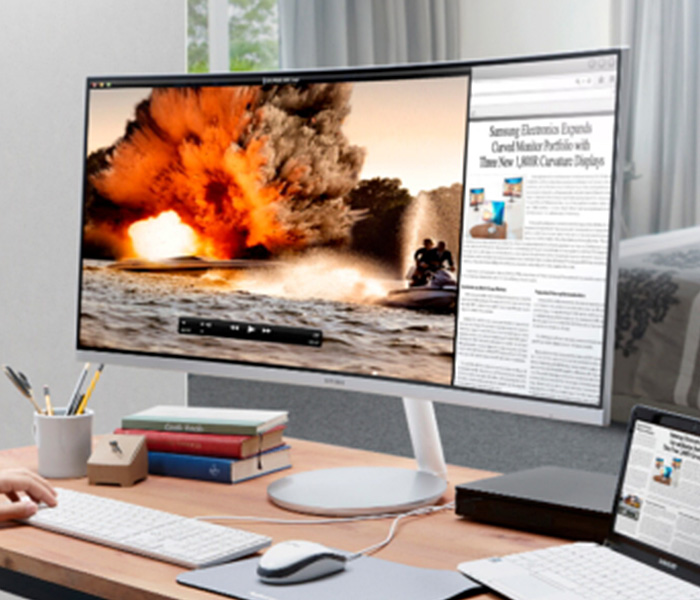
    Experts say that curved displays are the most natural viewing experience for humans, since our eyes are round. This, they claim, makes curved displays more natural and pleasing to the eyes, reducing eye strain and leading to a better experience. Curved displays are measure in terms like 1800R, which refers to the radius of the imaginary circle the curvature would create. Thus, larger numbers mean less curvature. With that said, let’s check out our favorite curved monitors!

    HP Z38c

    Sporting a 3,840 x 1,600 resolution and an impressive 37.5″ display, this curved HP is a great pick for professionals. At 2300R, this isn’t the most curve-y screen on the market, but its ultra-wide aspect ratio and deep color display make it a comfortable viewing experience. This display sports ports for HDMI, DisplayPort and USB-C. On the flip side, it has no built-in speakers and no audio out, so you’re going to be using a separate device for sound.

    This monitor boasts an impressive IPS panel display, allowing for superb curved monitor viewing. With stunning colors and impressive brightness, this monitor would look great on a desk and work even in brightly-lit office buildings. For professionals who want an excellent curved 4K image, this is a great pick. It is a little expensive, though, coming in at $1200.

    Samsung C27F398

    Our favorite curved monitor for those on a budget, this Samsung gives you a great, comfortable viewing experience without costing you too much money. For $280, you get a screen with 1800R, which is a real sweet spot when it comes to curved displays. This display is 27″, notably smaller than the previous entry, but it still puts out a phenomenal image for the cost.

    It is notably less bright than the HP, as well, making it more suited for home use instead of office use. This monitor also comes with eco-friendly picture modes as well as eye-friendly, blue light-reducing modes. An overall impressive value for the price, this Samsung makes a great choice for first curved monitor for the curious.

    Our Favorite Curved Display: Samsung CF791

    This is our favorite overall monitor and offers a fantastic image quality. This monitor has a 1500R curvature, making it the most curved display on this list. Samsung’s monitor utilizes “quantum dot” technology, which supposedly uses a series of microscopic dots to produce colors and images. This supposedly leads to a sharper, crisper, “purer” image. Either way, the results are stunning: this monitor looks downright amazing.

    This monitor sports two HDMI ports, a DisplayPort, and two USB-A ports, as well as a headphone jack. For gamers, this monitor sports AMD FreeSync, synchronizing the monitor refresh rate with the frames per second of an AMD graphics card. This is a feature designed to reduce visual tearing and other noise caused by out-of-synch refresh rates.

    The monitor also has the Samsung proprietary Game Mode, which turns off a number of superfluous display functions in order to minimize display lag. The CF791 is an overall fantastic monitor, and our pick for favorite. The only downside on this display? It’s a little expensive, retailing for $950.

  • Controversy Erupts over Securus Location Tracking Used by Law Enforcement

    Controversy Erupts over Securus Location Tracking Used by Law Enforcement

    The New York Times reported that a company called Securus is offering a service to law enforcement allowing them to track real-time locations of cell phones. The report claims that Securus is offering this service without going through the due process of law, allowing law enforcement to sidestep the proper legal process and track suspected criminals. This is done using a location API, the type of which is typically used to advertise to cell phone users based on location.

    Securus

    Securus, when confronted on the legality and procedures of this service, had this to say: “The responsibility of ensuring the legal adequacy…lies with our law enforcement customers and their counsel.” This shirking of legal responsibility is not only incredibly flippant and ill-advised, but also incorrect. A senator from Oregon named Ron Wyden has stated that these claims are going to be investigated, and further pushed for the FCC and AT&T to give detailed answers to the questions of how this will be dealt with.

    Regarding the process for accessing the Securus service, Wyden wrote: “To access this private data, correctional officers simply visit Securus’ Web portal, enter any US wireless phone number, and then upload a document purporting to be an official document giving permission to obtain real-time location data.” This is certainly an unprecedented use of such technology, and one that many would find to be both invasive and frightening.

    Sidestepping Legal Process?

    Up to this point, law enforcement agencies have had to rely on records from phone companies to view location data, and that data is only acquired by having a warrant granted by a judge. By providing this same service to law enforcement in just a few clicks, Securus is directly sidestepping the entire legal process associated with location tracking. This story is only just beginning, as there are likely cases going before the courts to address the questions of the legality of this practice.

  • Is The Phone Notch Here to Stay?

    Is The Phone Notch Here to Stay?

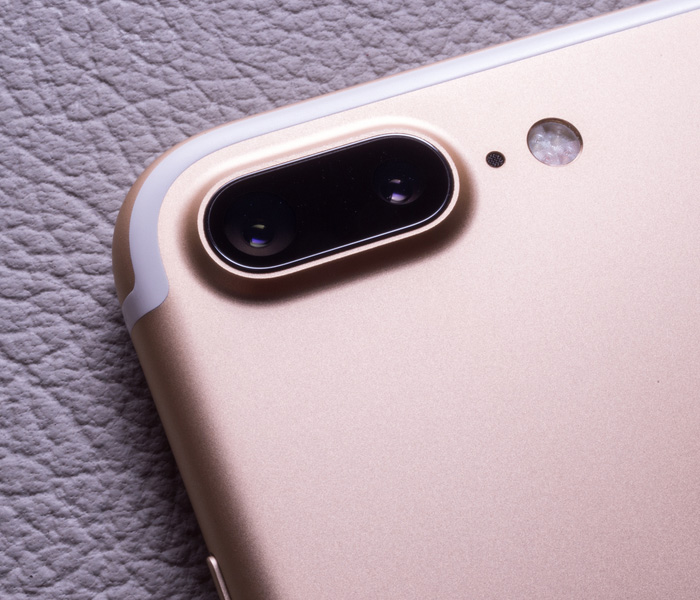
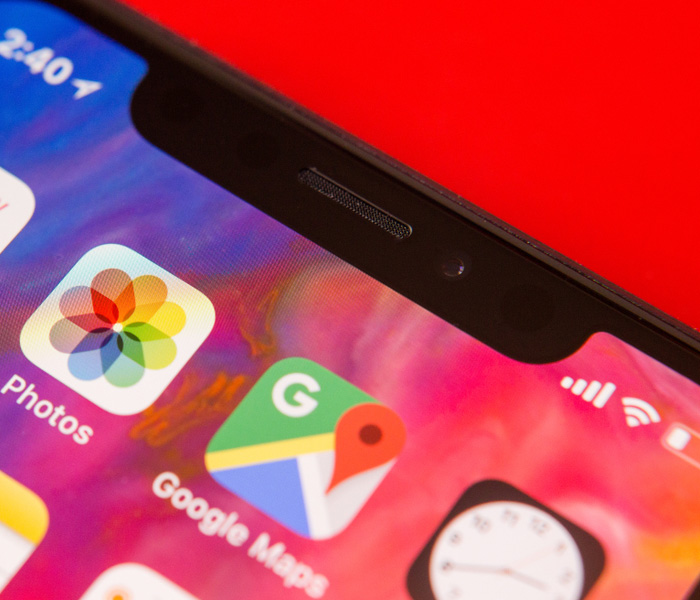
    It seems Apple once again has set a trend for the smartphone industry. The beta for Android P operating systems is now being rolled out and developers are revealing more details of the new Android operating system. According to developers, the new OS supports three different phone notch designs: the standard, iPhone X style notch that many find so odd, a top-right corner notch that looks even more strange, and a double-style, top and bottom notch. This somewhat solidifies suspicions that notch-style designs may be the norm for smartphones going forward.

    Why Notches?

    Many find the phone notch to be an odd choice, aesthetically. Why break up the edge-to-edge screen display with a random notch? Well, the answer is one of functionality: if the whole front face of the handset is a display, where do you put the hardware? Things like selfie cameras and speakers for actual phone calls have to go somewhere. This question has a few answers, but it seems, for now, the answer that manufacturers have chosen is the small cut-out notch.

    Surprisingly Appealing

    The success of the iPhone X is no mistake, to be sure: it’s our favorite smart phone right now too! People love the edge-to-edge display, and most users have said they got used to the phone notch pretty early on in their time with the new handset. The initially off-putting design actually has its own aesthetic appeal in addition to being something of a technological necessity for the time being. I, for one, don’t mind it too much. For many, though, these notches are incredibly bothersome and break up an otherwise uninterrupted screen. In any event, it looks like the notch is here to stay.

  • Don’t Overpay For K-Cups – Find The Best Online Deals

    Don’t Overpay For K-Cups – Find The Best Online Deals

    Need coffee? K-cups are the most convenient and fastest way to get your daily dose of caffeine in the morning. Great for people always on the go, K-Cups are a godsend to working people and stay-at-home parents everywhere.

    Available in grocery stores and other retail stores nationwide, K-Cups have come to dominate the coffee industry. With tons of K-Cup options and accessories available, you can find any flavor and type of coffee you can imagine, making for a whole lot of options, and with K-Cup refill filters, you can use any brand of coffee you prefer and save money. If you are interested in learning more about K-Cups where to get them at the best prices, read more below.

    When they first came out, there were only a few choices of K-Cups available, now there are literally hundreds to choose from. You can find Keurig brand K-Cups at most stores including popular flavors such as Keurig’s Donut Shop coffee. If you aren’t sure which cups you might like, you can purchase a variety sample pack, just like the ones you might find included with your Keurig machine. If you already have a coffee brand you prefer, you can find both home-brew brands like Folgers and Café Bustelo, and coffee shop brands like Starbucks, Peet’s Coffee and Dunkin Donuts in a variety of their flavors. With these conveniently ready-to-brew pods, you can make coffee almost instantly – just turn on your Keurig coffee machine, load the pod, press the button and you’ll have a piping hot cup of coffee in less than a minute.

    How You Are Overpaying Now

    When it comes to replenishing your supply, there are a few different ways to go about it. The most expensive way is to buy your K-Cups in the store. Often, you’ll find K-cups in packs of 10 for around $6 or $7, but this is not the most economical option. This brings you to $0.70 per cup of coffee…

    How to Save Now

    When it comes to saving money, the key is to buy the larger boxes because, the more you buy, the more you can save in the long run. While the packs of 10 are great for trying out certain flavors, you can buy larger boxes of 60 to 75 K-Cups for $35 to $40 in wholesale stores like Costco, in some grocery stores like Ralphs, or even online from websites like Amazon. Doing this could bring you to $0.50 per cup of coffee or less, saving you almost a quarter each cup that you drink. If you are anything like our staff at GoodFind, that savings adds up very quickly.

    With Amazon, you can subscribe and save on K-Cups, having your preferred brand and flavor ordered and shipped to you automatically each month. Another option for subscription services is to use Keurig’s Auto-Delivery service that allows you to buy all Keurig branded cups as often as you like with a savings of 25% off. There’s also premium coffee subscription services like Coffee cargo, where you can try premium coffees that you can’t get anywhere else.

    Other Options

    Another great way to fill up is with refillable options. With K-Cup refillable pods and filters, you can use literally any coffee you prefer, because you can add your own ground coffee into the pod. This is a great way to get that same fresh ground taste right out of your Keurig machine. Refillable K-Cups called GoodCups can be purchased through Amazon and are loaded into the same spot where you would put your disposable K-Cups. Coffee Bean N Leaf Brews makes another great refillable coffee pod that is completely reusable and dishwasher safe. Of course, Keurig also makes their own refillable pod: the Keurig My K-Cup that allows you to use your own gourmet coffee by adding it to the filter provided. Replace the filter with the pod loader attached to your machine and you are ready to go. Using any refillable pod is not only a great way to have your favorite coffee not available in disposable cups, but it’s also great for the environment too!

    Keurig Green Mountain said it plans by 2020 to change the plastic composition in the billions of K-cup single-serving coffee containers it sells annually, making them more lucrative to recyclers while removing one of the nagging complaints that mountains of the little pods are piling up in landfills.

    “Our goal is 100 percent Keurig K-cup pods diverted from landfills by curbside recycling,” said Monique Oxender, the coffee brewer’s chief sustainability officer. “The consumer is going to brew it, peel and empty it, and pop the pod into the recycling bin in the same behavior they would do with a yogurt cup. We want them to make it a habit.”


  • The Best Wireless Home Security Systems

    The Best Wireless Home Security Systems

    Sadly we live in a world where  wireless home security systems are not just a necessity but vital. There are a lot of options for wireless home security systems, even do it our self options. Do-it-yourself setups are ideal for homeowners on a budget because they can save you a bundle on installation charges and subscription fees. Then there are the professional systems. The nice thing about professionally installed systems is you don’t have to lift a finger; after you’ve placed your order a technician will come to your home, set everything up for you, and show you how the system works. When it comes to my home and my family I want a professional wireless home security system. Lets take a look at the 3 best options available today.


    1.ADT Pulse

    ADT formed in the 1800s as American District Telegraph, the world’s first telegraph-based alert system. They are not number one for being the oldest, they are also by far the best. With features like  Wireless or Hardwired options, Professional instillation, Doorbell monitors, Intrusion Protection, Medical Response and state of the art  Home Automation. Just having the sign in your lawn reduces your risk of intrusion by 63%.

    The cost is manageable, and miniscule for piece of mind. ADT home security costs can range from $9/week * to $14/week * based on your monitoring package. However, an ADT home security cost depends on which monitoring package best fits your needs. The ADT monthly fee for the standard Essentials package starts at $36.99/month

    2.SimpliSafe

    This solutions is making a big splash. Using small and efficient IoT enabled devices and 24/7 live human monitoring they offer a complete protection package. Utilizing, Entry and motion sensors, Glassbreak detection, Video security.  Heads up burglars, start running. Being totally wireless, Its easy to install your self and customer service is just a quick call away. It’s like having your own personal security guard with a direct line to the police. Video equipment with instant live link anytime an alarm is triggered lets you see whats happening when you are not at home. You can Arm and disarm SimpliSafe with just a single touch on those incidental false alarms.

    3. Vivint

    Vivint the solution for All-wireless security. All your home controls on one app. Vivint Smart Home helps you live more and manage less. THey have a wonderful small sensor that can be placed at any entry point. This sends you a wireless alerts anytime a door or window opens. With a total control app you can manage your security entry points, Smart Locks, Doorbell Camera, Outdoor Camera, and Element Thermostat.


    The Wireless Home Security Systems Final Thought

    All of these will secure your home, protect your family and significantly reduce the chance of a home invasion. They are all very low cost and almost completely  hassleless. With all the threats we have looming, wireless home security systems are a non-negotiable for any homeowner.


  • Top 5 Laptop Brands

    Top 5 Laptop Brands

    So its time to purchase a new laptop. There are so many options to consider, size,weight, screen size, power and batteryand dont forget which brand to buy. All Laptops Brands will give you the plethora of build and model options to customize so starting with the brand of laptop is probably the best place to start. Whether you’re purchasing a $1,500 gaming laptop or a $200 Chromebook, the brand matters. That’s why we rate the top 5 laptop brands each year, based on their support, design, innovation, value/selection and, most of all, product quality.
    [adTextOnly]

    1. Lenovo  (8.6/10)
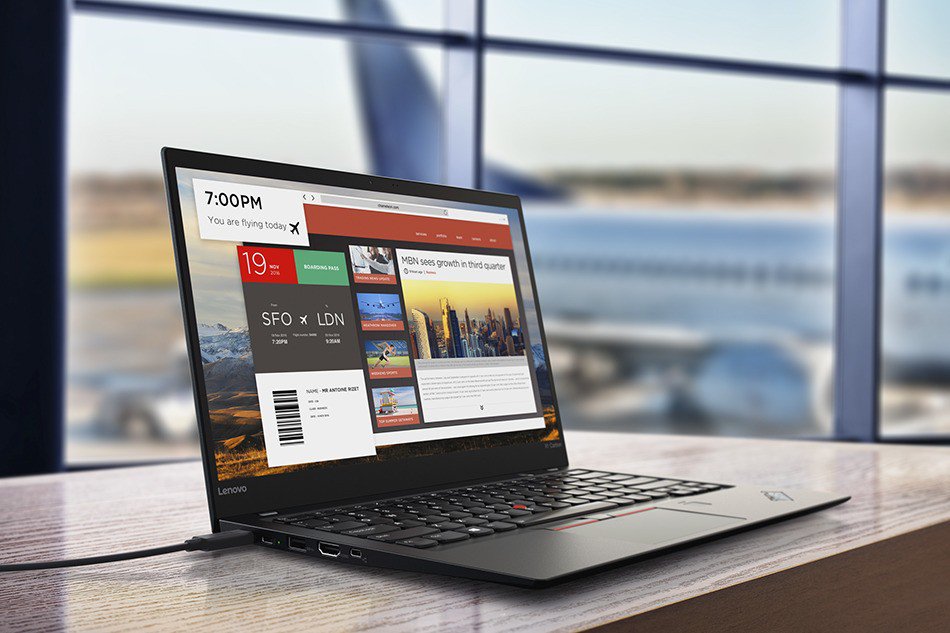
    For 2018, Lenovo retained its place for a second year as the best laptop vendor, but it just barely edged out second-place Dell and third-place HP. Apple, which used to dominate this contest, fell all the way to fourth place, down from second last year.

    Lenovo takes first place again this year, on the strength of the company’s fantastic product lineup. From the beautiful ThinkPad X1 Carbon, which was the only product to get a perfect, 5-star review in the past year, to the versatile Yoga 920, Lenovo’s laptops earned the most Editors’ Choice awards of any brand. And a full 53 percent of the company’s laptops scored 4 or higher. However, Lenovo’s tech support scores declined from last year, and stiff competition from HP and Dell made this a nail-bitingly close race.

    [adTextOnly]