Author: Christine

  • Create New Skills with Alexa Blueprints

    Create New Skills with Alexa Blueprints

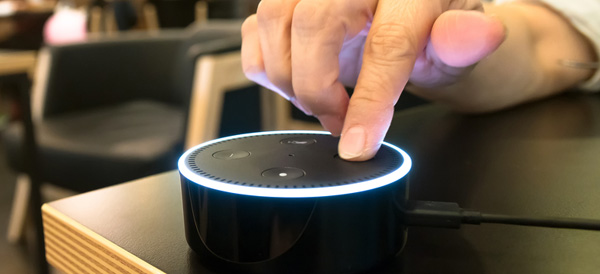
    Amazon’s Alexa-enabled devices, including the original Echo, the Dot, and their range of Fire Sticks and Smart TVs, offer plenty of great features. But there’s been one thing missing from the perky virtual assistant: the ability to quickly and easily create your own skills.

    That changed this week with the reveal of Alexa Blueprints, a collection of customizable templates that allow you to program unique study aids, games, and reminders.

    No Code Required

    Previously, the only way to add skills to your Alexa-enabled devices was to choose a pre-programed script or write your own using a sophisticated coding language. Since most people don’t have the savvy to code their own, they were stuck with whatever was offered on Amazon.

    As exciting as it may be to order a pizza with a single voice command, many owners wanted more from Alexa. The templates released by Amazon go a long way to meet that need, bridging the gap between the pre-made skills and totally original coding. Ambitious programmers can still write their own skills, but the average Alexa owner can now have more flexibility and control over their devices.

    Create Your Own Skill in Minutes

    Writing a new skill using Alexa Blueprints is easy and intuitive. Currently, there are 20 templates available in a variety of categories, with more to come. Using the simple graphic interface, you choose a skill you’d like to create and then follow the instructions on the screen. The first time you create a skill, an animated tutorial walks you through the steps, ensuring that anyone can be successful.

    Many of the templates are geared toward entertainment, with programmable bedtime stories for the kids, trivia games based on friends and family, or personalized inspirational quotes. It’s not all fun and games, however; the “At Home” category of blueprints offers customized instructions for babysitters, houseguests, or pet sitters, while the “Learning & Knowledge” category helps students to create flashcards and quizzes as study aids.

    Custom Call & Response

    For Alexa owners who want even more customization, there’s one more blueprint to check out. The “Custom Q&A” skill template allows you to write your own question and then script Alexa’s response. While it’s not as open-ended as coding your own skills from scratch, the blueprints offered can help you get more from your Alexa-enabled devices.


  • Verizon Smart Family Knows Where Your Kids Are

    Verizon Smart Family Knows Where Your Kids Are

    Verizon announced an upgrade to its FamilyBase program, now called Verizon Smart Family, that includes tracking, blocking, and monitoring options. Parents and guardians can sign up for either the basic or premium service for a monthly fee, but is the cost worth it?

    Parenting in a Digital World

    Kids today have access to a vast universe information and entertainment with a single tap of a smartphone. For many parents, that’s worrisome. Excessive screen time, viewing inappropriate content, or risky texting behavior are concerns for parents in the digital age.

    “Being a parent in today’s digital world can be daunting, but it doesn’t have to be,” said Verizon Senior Product Manager Susie Fernandes.

    It’s becoming increasingly rare for a teen or tween—or even younger children—not to have their own smartphone. Most service providers offer some form of parental controls, but Verizon has taken it to the next level with their Smart Family service.

    New App Features

    Verizon Smart Family gives parents and guardians an unprecedented amount of control over their children’s phones. It improves on the FamilyBase service with a redesigned interface and more intuitive controls.

    Smart Family also offers a finer degree of customization than the previous service. Parents can choose to limit or block phone and internet functions during specific days or even hours, ensuring for uninterrupted study time or more effective grounding. Specific sites and apps can also be blocked or limited, and parents have the option to monitor social media activity, call logs, and text messages.

    Basic or Premium?

    The basic version of Verizon Smart Family costs $5 a month. The premium version includes real-time location tracking using GPS data, which costs $10 a month. Parents may find that it’s worth the extra 5 bucks to know where their children are at any given time, and to receive alerts if the kids move out of a pre-set area such as home or school. Smart Family can also send notifications when, for example, your kids arrive home after school.

    Ultimately, families will need to decide the appropriate level of monitoring and control that works for both the parents and their kids, but Verizon Smart Family has given them a lot more options to consider.

  • Could This Be the Beginning of the End for MoviePass?

    Could This Be the Beginning of the End for MoviePass?

    Sometimes, a deal sounds too good to be true. That’s how many consumers reacted when MoviePass announced that for just ten bucks a month, you could see one movie a day in the theater. The company reimburses the theater for a full-price ticket every time one of their cardholders sees a movie, and many people wondered how such a business could be profitable.

    Well, it turns out that it might not be.

    Massive Losses and Mistrust

    Despite promises that MoviePass would start turning a profit by 2019, the company has been consistently losing money. In fact, they recently reported a loss of over $150 million—a number that has analysts and investors questioning how much longer the startup can continue.

    The company, which seeks to disrupt the movie theater industry much the same way that Netflix changed the way we consume television, has suggested that they will earn revenue from partnerships with major theater chains and movie distributors.

    However, there has been concern that despite their assurances, MoviePass is also selling information about its subscribers. In March of 2018, CEO Mitch Lowe made an offhand remark about tracking users on their way to and from the theater using GPS data. He later clarified that the app doesn’t actively track your phone, but that it can suggest restaurants located near the theater where you checked in for your movie.

    A Turbulent History and Uncertain Future

    When it originally hit the market in 2011, MoviePass charged nearly $50 for a monthly subscription. They tinkered with the pricing model several times, but it seemed that when they dropped the fee to $9.99, they’d finally found the winning number. The company reported an influx of over 2 million subscribers after debuting the cheaper monthly price in 2017.

    Now, however, it seems as though MoviePass may be considering another dramatic change. While current cardholders are still able to see a movie a day, the only subscription currently offered to new subscribers caps the number tickets at 4 per month. New subscribers also receive a 3-month trial subscription to iHeartRadio’s streaming radio service, but that hardly makes up for the limits imposed by the new model. There’s no word yet whether MoviePass will eventually cap all subscribers.

  • Nest Celebrates Earth Day with Free Thermostats

    Nest Celebrates Earth Day with Free Thermostats

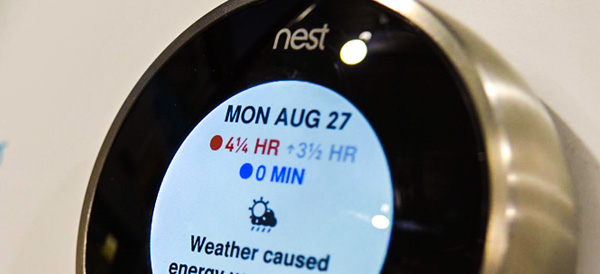
    We’re all trying to be a little more environmentally conscious, right? But for low-income families, it’s not easy being green. That’s why Nest has promised to install a million smart thermostats in low-income homes over the next five years.

    Power to the People

    The initiative is part of Nest’s Power Project, which is focused on reducing energy waste and raising awareness about how homes can become more efficient.

    According to the Power Project, 1 in 5 families spend 20% of their income on energy—far more than the national average. The company hopes to reduce the financial burden of energy waste with this program. It officially launches on Earth Day 2018, the last Sunday in April.

    We’re All in This Together

    Through partnerships with local energy and utility companies, housing organizations such as Fannie Mae, and non-profits, Nest will be able to provide money-saving smart thermostats to households with low to moderate incomes. The Nest E Thermostats will be free or very low cost for these families.

    According to Nest’s head of energy partnerships, Jeff Hamel, the company created the program because “[e]very family deserves to have heat in the cold and light in the dark.”

    Helping Hands

    Nest is committed to giving back and addressing inequality. Through the end of April, Nest will be donating 10 percent of its thermostat proceeds to charity. Nest has also pledged to install a smart thermostat in every house built by Habitat for Humanity during 2018.

    If you’d like to help out with the initiative—or see if you qualify for a free or reduced-cost thermostat—visit Nest’s website. They also provide links to local organizations that can help with energy costs for struggling families.

  • Best Wireless Headphones on a Budget

    Best Wireless Headphones on a Budget

    Whether you’re at the gym, work, traveling, or just relaxing at home, wireless headphones make life easier. These Bluetooth-enabled devices pair with your phone or computer, allowing you to listen to your favorite tunes—or watch a late-night horror movie without disturbing the rest of your household—free from the tangled tether of traditional wired headphones.

    While top brands such as Bose and Beats offer incredible sound quality in their wireless headphones, they also come with a hefty price tag. For the budget conscious consumer, here are 5 of our favorite wireless headphones under $50.

    Skullcandy Uproar

    These headphones combine the classic over-the-ears styling with Bluetooth connectivity and a built-in microphone so you can answer calls. They also come packaged with a remote to control volume and playback. The online reviews are overwhelmingly positive, with 93% of Best Buy customers stating that they would recommend the headphones to a friend.

    JBL T450BT

    Larger than the Skullcandy Uproar, these headphones have a more old-school look. However, they’re foldable for portability. They boast an 11-hour battery life and feature controls on the earcup for volume, playback, and phone calls. For listeners who are all about that bass, JBL delivers! They promise big, booming sound from these lightweight headphones.

    Samsung Level U

    These in-ear headphones are comfortable, lightweight, and last 11 hours on a single charge. The intuitive design has easy-access control buttons and a neck strap that manages not to look too ridiculous when you’re working out at the gym. One word of caution, however; the Level U is not sweatproof, so dedicated exercisers and serious athletes may want to choose a different option.

    Sound Blaster JAM

    These on-ear headphones are easy to use, thanks to the one-click feature that lets you switch between a phone call and your music with a single tap. You can also pump up your jams with the built-in bass-boosting option. The 12-hour battery life and ultralightweight design make these headphones ideal for travel or a long day at the office.

    Anker SoundBuds Slim

    The least expensive headphones on the list are also the best value. With a comfortable in-ear design, carrying pouch, and nifty magnetic earbuds that allow you to wear them like a necklace while not in use, these headphones are fantastic for tossing in your gym bag or purse. They are sweat resistant, but be aware that you’ll only get about 7 hours of use from a single charge.

  • 16-Bit Nostalgia with the Sega Genesis Mini

    16-Bit Nostalgia with the Sega Genesis Mini

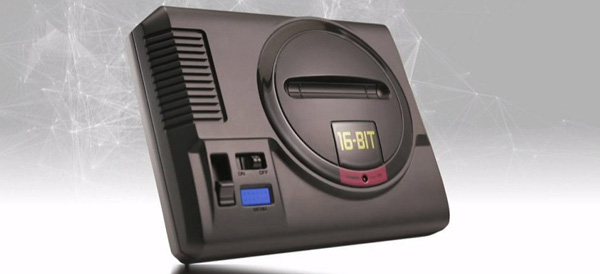
    If you grew up in the 90s, chances were good you had either a Sega or a Nintendo gaming console. Even though technology has moved on, many old-school gamers have fond memories of 16-bit, side-scrolling adventures of their youths. Hot on the heels of Nintendo’s own miniaturized retro consoles, the Sega Genesis (known as the Mega Drive to non-US markets) will be hitting shelves sometime in 2018.

    Call It a Comeback

    In essence, the mini versions of the classic consoles are emulators packaged inside novelty-sized replicas of the originals. After the success of the Nintendo minis, it’s no surprise that Sega is jumping on the bandwagon. But with videogames moving into 3D and VR, not to mention the vast array of mobile gaming apps, these consoles aren’t good for much more than pixilated nostalgia.

    Announced at Sega Fes 2018, the palm-sized device will be able to run familiar titles from the company’s catalog of games through your TV. No word yet on exactly which games will be available, but Sonic the Hedgehog will almost certainly make an appearance.

    Better Than the Flashback?

    This isn’t the first time Sega has tried to cash in on nostalgia. The company partnered with AtGames in 2017 to release the Sega Genesis Flashback, and it turned out to be a disappointment with underwhelming reviews across the board. Despite the lukewarm response to their first attempt, Sega hopes that the new Genesis Mini will prove competitive against their longtime rival Nintendo.

    The Genesis Mini’s release date isn’t yet confirmed, but the company is aiming to coincide with the 30thanniversary of the original console’s debut in October. Expect the price to be comparable to the $80 Super NES re-release.

  • Intel’s Hades Canyon NUC Packs a Powerful Punch

    Intel’s Hades Canyon NUC Packs a Powerful Punch

    Intel promised to deliver the “next unit of computing” with their NUC small form-factor desktop personal computers. Eight generations out, the Hades Canyon NUC is a big step forward in mini-desktop computing.

    Meet the Next Generation

    Although it’s small, the Hades Canyon NUC is mighty. With the iconic skull logo displayed on the top of the box, the machine is a sleek, matte black powerhouse. Similar in price to other mini-desktops, the $999 price tag may be a turnoff to more casual consumers. Tech-heads and tinkerers, however, will love the flexibility, portability, and power of this little machine.

    Under the Hood

    Like other small form-factor, the Hades Canyon NUC is a bare-bones machine, so consumers will need to provide their own RAM, storage, and OS. Because of the easy-access design of the box, it’s relatively simple to access the internal ports. With the Core i7 processor and AMD’s RX Vega M GPU, it has more than enough graphics power to run the latest games or a VR headset with no evident lag. The closed-loop liquid cooling system keeps things running smoothly and reduces fan noise—an improvement over previous generations.

    Ports and Portability

    Considering its size, the Hades Canyon NUC offers a huge number of ports, including an SD card slot, six USB 3.0 ports, two HDMI ports, and two headphone jacks. The machine is VR-friendly, with the Oculus Rift’s headset and sensors easily connecting with plenty of room to spare.

    Although Intel claims this is the smallest VR-capable machine on the market, the box is double the size of the previous generation. The size of the power supply is also an issue; nearly the same size and weight as the box itself, the bulky power supply limits the portability of the device.

    Ideal for use as a gaming computer or home entertainment system, Intel’s latest machine proves that good things come in small packages.

  • Amazon Is Coming to a Best Buy Near You

    Amazon Is Coming to a Best Buy Near You

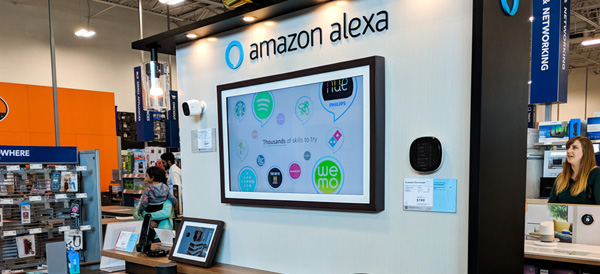
    As the old saying goes, “If you can’t beat ‘em, join ‘em.” Although they have long been battling each other in the arena of consumer electronics, Best Buy has decided to join forces with Amazon. Beginning in summer of 2018, Best Buy will be the only place you can get Amazon’s new Alexa-enabled smart TVs.

    It’s All About Alexa

    Available in their brick-and-mortar stores, on the bestbuy.com website, and through the new Best Buy seller’s portal on Amazon, the 10+ new smart TV models feature the Fire TV operating system. Fire TV allows users to operate their device with the same voice commands as the Amazon Echo and other Alexa-enabled products such as the Fire Stick.

    The Fire TVs will be manufactured by Toshiba and Best Buy’s own Insignia brand. Although prices have not yet been released, the TVs promise to be an upgrade over the previous Amazon offerings sold at Walmart, Target, and other big box stores.

    This news comes as a blow to smart TV competitor Roku, whose televisions will no longer be manufactured by Insignia as part of the new partnership. Roku stocks tumbled nearly 10 percent when the deal was announced. Best Buy plans to continue offering Roku devices in store, but it’s clear that they are betting big on Amazon.

    Mutually Beneficial

    By bringing more customers into their retail locations, Best Buy hopes to see increased sales across the board. Amazon, meanwhile, can introduce potential buyers to its HD and 4K TV models in a brick-and-mortar showroom. This may be a risky move for Best Buy, which has struggled to establish its own online retail presence to compete with the Amazon juggernaut, but for now, the former rivals are committed to their new partnership.

  • GoPro Wants Your Old Digital Camera

    GoPro Wants Your Old Digital Camera

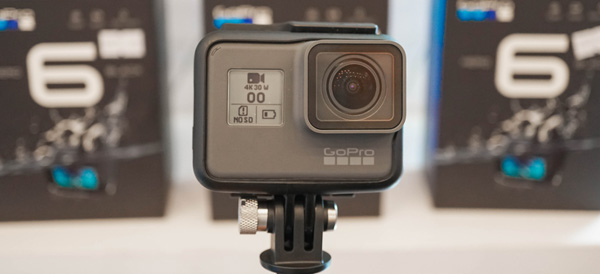
    If you’ve been thinking about buying a GoPro, now may be the time. The company—in an attempt to bolster less-than-robust sales over the 2017 holiday season—has extended last year’s trade-in program indefinitely and expanded it to include any digital camera. In exchange for your old camera, GoPro is offering deep discounts on their latest models.

    Seriously, Any Camera

    The TradeUp program promises to accept any digital camera, regardless of whether it works—or even whether it’s still in one piece. Theoretically, you could send them a totally wrecked piece of gear and still receive the discount. The company will be recycling the trade-ins, so don’t worry about your camera taking up space in a landfill.

    How It Works

    First, you need to decide whether you want the Hero6 Black or the Fusion camera. The Hero6 Black usually runs $400, but with a trade-in, the price drops to $350. The 360-degree Fusion retails for $700; the trade-in brings the price tag down to $600.

    Once you’ve chosen your camera, you’ll add it to your cart and check out on the company’s website. During the purchasing process, you’ll receive a free shipping label for your old camera. Once GoPro receives the trade-in, they’ll finish processing your order at the discounted price.

    Should You Do It?

    As with many questions in life, the answer is that it depends. If you have an outdated point-and-shoot or an earlier-generation GoPro that you’re no longer using, then the discount could be very tempting. However, you’ll want to make sure that the resale value of your camera is less than the maximum discount of $100 on the Fusion. In other words, don’t send in your top-of-the-line Canon or Nikon.

    If you’re a fan of instant gratification or need a camera in a hurry, then you may be frustrated while you wait for the company to receive your trade-in. Ultimately, if you were already thinking about buying a new GoPro, the TradeUp program is a good bargain, but be prepared to jump through a few hoops to get it.

  • Comparing Music Streaming Services in 2018

    Comparing Music Streaming Services in 2018

    It’s not news anymore that music streaming is available on practically every device, and many people already subscribe. But tech is always moving forward and there are new streamers and new features coming out constantly.

    Are you looking to sign up for a new service or check out the competition for a potential switch? If so, here is our summary of the most popular services for 2018.

    Streaming Services & Cost

    You’ll see the following streaming services mentioned in this article:

    Amazon Prime Music – Free with Prime

    Amazon Music Unlimited –  $9.99

    Apple Music – $9.99

    Deezer – Free or $9.99

    Google Music – $9.99

    Spotify – Free or $9.99

    Tidal – $9.99

    Music Library

    Pretty much all of these services offer over 25 million songs, which should cover just about anything you want to listen to. But there are some niches and exceptions to consider.

    Firstly, Amazon Prime Music only has a library of 2 million songs. That’s paltry compared to their Music Unlimited service, which offers a library similarly sized to Spotify, Apple Music and Google.

    Secondly, if you are a big fan of Jay-Z and his circle of friends (Beyonce, Rihanna, Madonna, Alicia Keyes, Usher and more), then you may want to consider Tidal for its exclusive content.

    If you are a big Taylor Swift fan, then Apple Music is the only streaming service offering her bestselling 1989 album.

    Device Compatibility

    This isn’t really an issue in 2018. Android, iOS and any modern web browser will be able to access and stream any of these services.

    It may be worth noting that Amazon’s Echo and Echo Dot speakers will allow you to play and control Amazon Music Unlimited. And if you are okay with only using that service from a single Echo speaker, you can subscribe for a reduced rate of $3.99 per month. That’s a steal if you’re willing to sacrifice the multi-room feature.

    Music Discovery

    What’s the point of having access to 30 million songs if the app doesn’t help you find new music that fits your tastes?

    Overall, we think Spotify is the most helpful to find new music. However, Deezer has a very cool “Hear This” feature that works better than Spotify’s “Discover.” Apple Music takes a while to learn what you like, but their “For You” section can grow to be quite decent.

    Amazon Prime relies on your purchase history and reviews on Amazon, so you’d have to be pretty deep in that world to get any good recommendations. Amazon Unlimited does a slightly better job with recommendations.

    Tidal takes a different route and showcases a curated list of unknown and upcoming artists from around the world.

    Radio

    All of these services offer a streaming radio service. The free versions of any of these services offer only a limited number of skips when listening to the radio.

    Overall, Spotify and Deezer are very similar, offering channels based on artists you like as well as genre stations. Apple Music offers custom radio as well as an actual radio station: Beats 1.

    Amazon offers streaming radio with a thumbs up/thumbs down feature to help train it. Tidal and Google Play also offer stations based on artists you like.

    Overall, the radio features of these services are quite similar. Apple Music’s Beat 1 is pretty much the only standout feature.

    Offline Listening

    Sometimes you can’t stream because of data caps or location. Pretty much all of these services have you covered: you can download a number of songs and listen offline. Obviously, the free versions of Deezer and Spotify are the exception here.

    Spotify is a bit more restricting than the rest, allowing 3,333 tracks for 30 days of offline listening. Tidal doesn’t offer offline mode for Mac and PC. But otherwise, the services pretty much let you download to your heart’s content (or your device’s storage capacity).

    Other Features

    There are a few other features worth mentioning that each service offers over one another, with some overlap.

    Facebook integration in Spotify and Deezer allow you to see what your friends are listening to. Tidal has a simpler integration that allows you to share with your friends directly on Facebook.

    Apple offers Connect, which is a space for artists to share exclusive videos, photos and more.

    If you are an audiophile, note that Tidal offers high-fidelity lossless tracks. Note for the layman: you’ll need a good sound system to tell the difference. If you are a Sonos user, Deezer offers a lossless version called Deezer Elite. Apple offers a max of 256k AAC.