Author: Cameron

  • YouTube in Hot Water Following Controversy over Ads for Essay Writing Service

    YouTube in Hot Water Following Controversy over Ads for Essay Writing Service

    YouTube has taken down hundreds of videos from various content creators in response to a number of ads from “educational aid” service EduBirdie. EduBirdie offers essays on numerous topics, all unique and written with respect to various academic guidelines, such as MLA or Chicago style.

    The Ukranian company markets themselves as a scholastic aid, claiming that the essays they sell are for “research into the subject, generating initial input for further reasoning and citations…paraphrasing in accordance with major educational standards as well as tailored to your college / university guidelines for plagiarism.” While this sounds innocuous, it is clear that the essays this company sells are intended to be passed off as student work when they are, in fact, not.

    Integrity

    While EduBirdie claims that the essays they sell are simply to help students get a better grasp of the topic and have more to go on when writing their own essay, these claims do little to alter the perception of their service. Given that the essays sold are unique and not archived, it is hard to believe they are not intended for use as ghostwritten papers. If the site had archives with credited contributors and actual study aids, it might actually seem more plausible that their essays were not intended for duplication. However, no such archive exists, and even the most scrupulous students could even feel the incentive to simply try to pass the nigh-untraceable work off as their own.

    Legality

    While selling essays is not technically illegal in the US or the UK, it is still against YouTube’s guidelines for their content creators. While YouTube is generally very hands-off when it comes to ads and sponsors, they took direct action in this case and took down hundreds of videos that ran EduBirdie ads. By way of response, EduBirdie stated that they allow their endorsements to be integrated into content however the creator feels is most natural and relevant to the target audience.

    Impact

    According to the BBC report that broke this news, the videos that were removed had garnered a combined 700 million views. Students use YouTube commonly for both entertainment and research, and with the increasingly-competitive job market in the US, it can seem logical that stressed-out, overworked students would turn to these “academic aid” services in order to pass a particularly difficult class.

  • Top Ten Coolest Raspberry Pi DIY Projects

    Top Ten Coolest Raspberry Pi DIY Projects

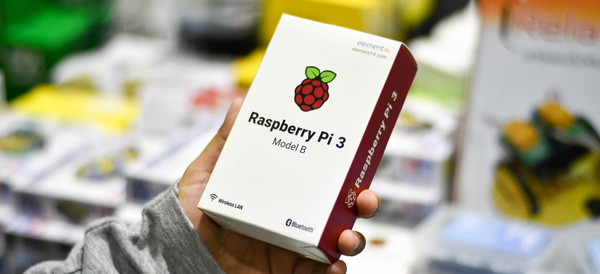
    Anyone who has ever built their own computer and watched it whir to life for the first time can tell you the sheer joy of creating a complicated piece of technology with their own two hands. Operating in that same space is the Raspberry Pi family of DIY-friendly microcomputers. The new Raspberry Pi 3 B+ and the Raspberry Pi Zero W (which sports built-in wi-fi!) are flexible, all-purpose boards capable of tons of awesome applications! Everything from miniature Macintosh computers to retro console emulators can be built from these slick little circuit boards, and here we round up our top ten favorite Raspberry pie DIYs!

    A Disposable GIF Camera

    Photo Credit: TrustedReviews.com

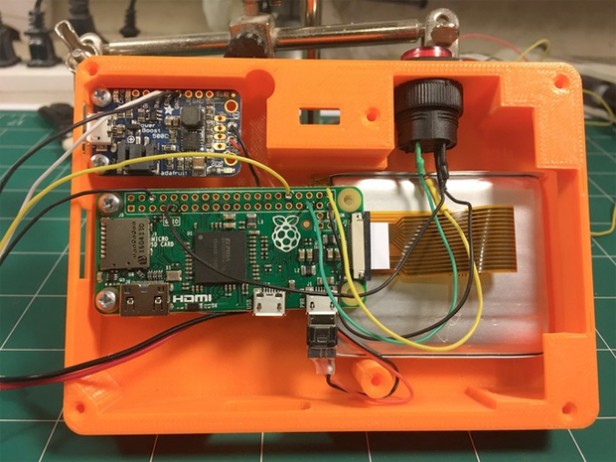
    A neat little piece of throwback-style tech, the Pix-E, pet project of Nick Brewer, takes advantage of the Pi Camera Module and GifCam, PiCamera and GraphicsMagic to create easily-sharable GIFs. With 3-D printable cases and paper print-outs that emulate a 90’s aesthetic, the Pix-E is a stylish and functional piece of DIY tech. It does require a bit of engineering skill: some bread-boarding and a bit of soldering are required to get this sucker moving. The Pix-E would make a neat little addition to a vacation or hike, making GIFs on the fly as you move from place to place!

    DIY NES Classic Mini

    Photo Credit: RetroPie

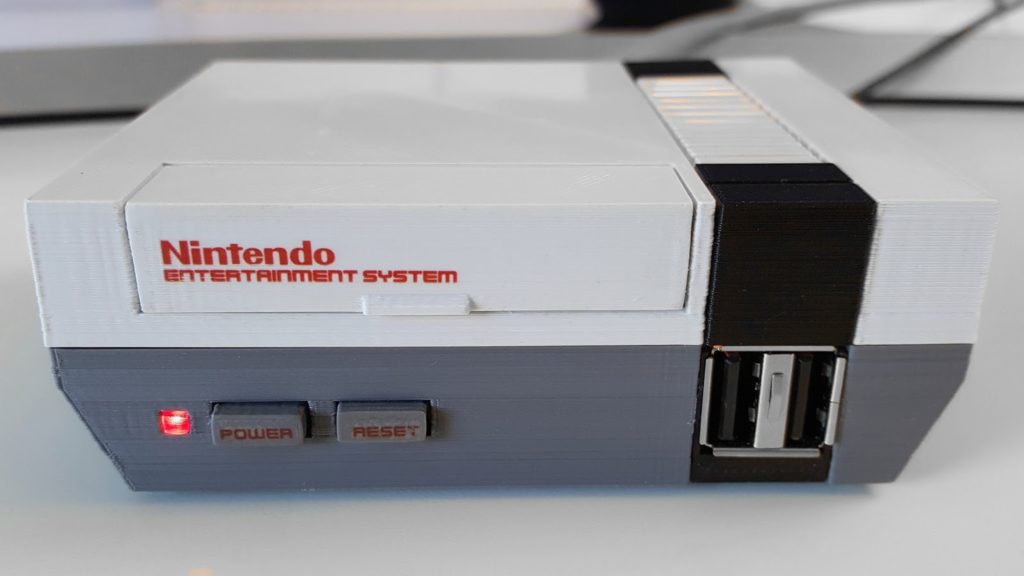
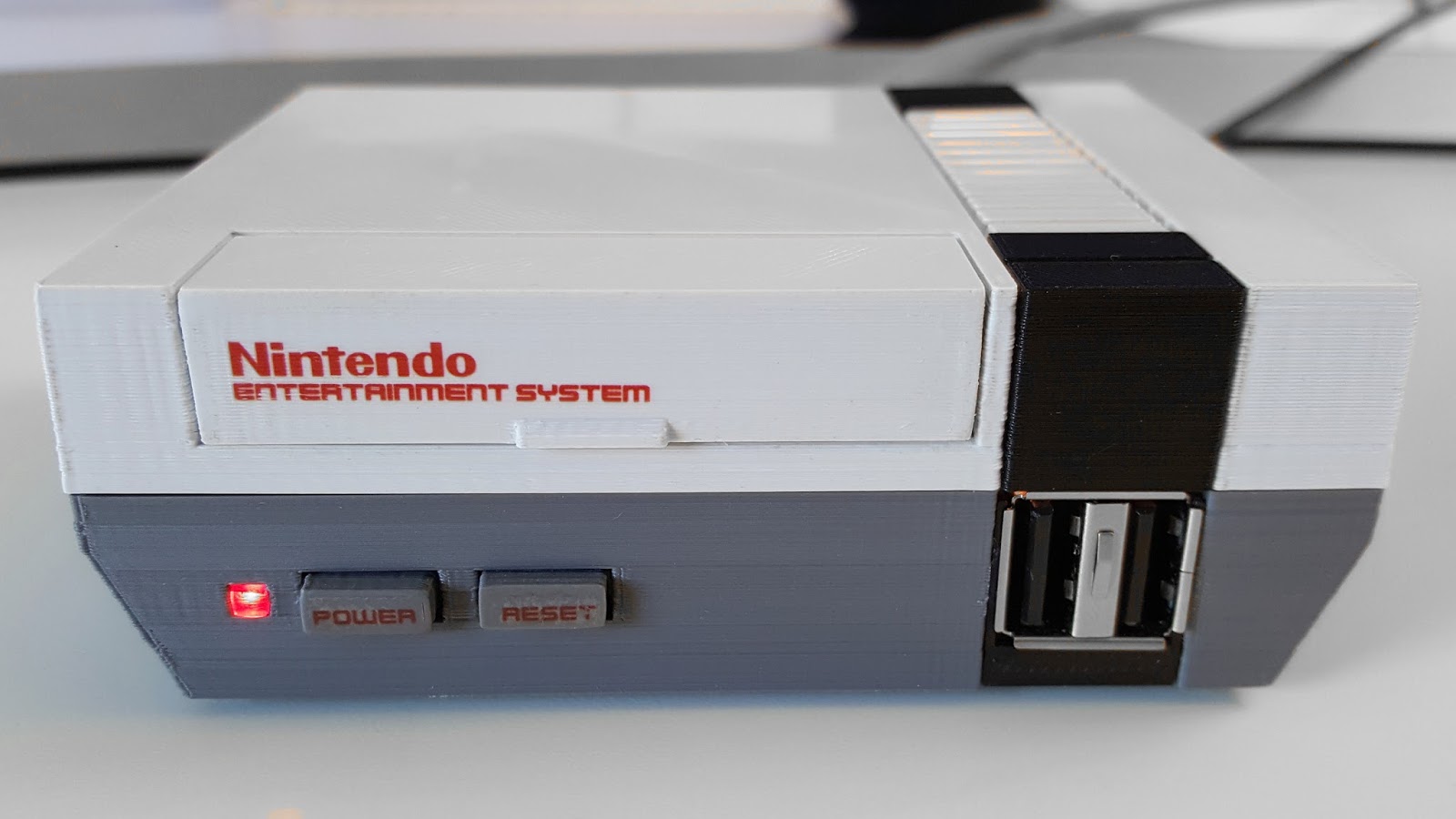
    The NES Classic was a much bigger hit than Nintendo anticipated (turns out people love retro games! Go figure!) and sold out everywhere in a matter of weeks. eBay scalpers sell the mini console for many times more than MSRP, and even if you are lucky enough to lay hands on one, it is only outfitted with 30 games. In order to add more, you would need to do some serious hacking to your expensive collector’s item.

    Thankfully, a bit of tech know-how allows you to build your own using Raspberry Pi boards! Using the Pi Zero board and RetroPie software, you can create near-perfect emulation for a fraction of the price of an NES Classic on eBay. You can even get an NES-like case to house the console (or 3-D print one!), completing the look and feel of a retro console!

    Stylish Word Clock

    Photo Credit: HardTech.tv

    Where clocks were once commonplace pieces of simple technology found in everyone’s house, smart devices and interconnected smart watches have all but rendered the traditional clock obsolete. This word clock, by comparison, is a very cool piece of tech to have on a shelf: eye-catching and easily understood, this simple project can lend a hip and stylish vibe to any room! A simple program, some LEDs and a bit of soldering, and boom! A fashionable way to make sure you’re not running late!

    A Functional Desktop Computer

    Photo Credit: Michael Davis

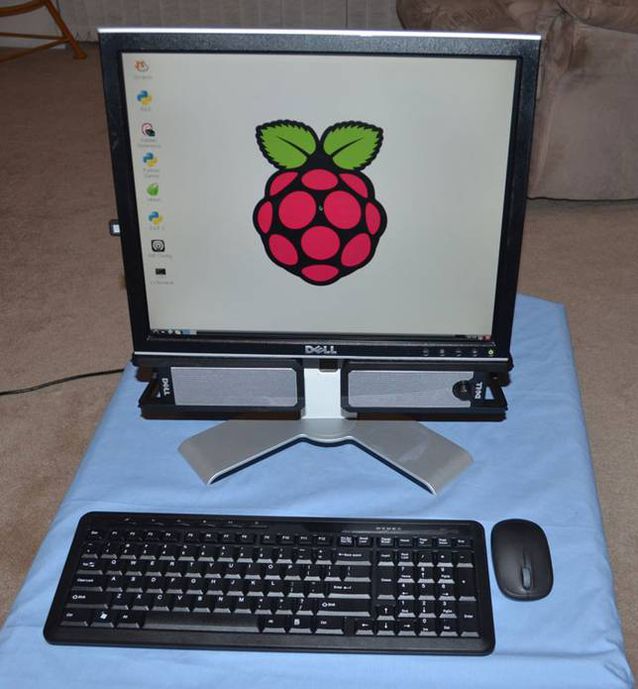
    As adorable as it is functional, the Raspberry Pi can even be used as the brains of a desktop computer. While it certainly won’t be running any modern games or pulling duty as your full-time home computer, it’s a cute project and would work great as a computer for a young child or a student who simply needed access to email, word processors and a simple web browser for research. The desktop even has a very stylish upside: it’s CPU is a tiny circuit board, so it’s easy to mount behind the monitor to save space in an office or bedroom!

    A One-Touch Audiobook Player

    Photo Credit: Michael Clemens

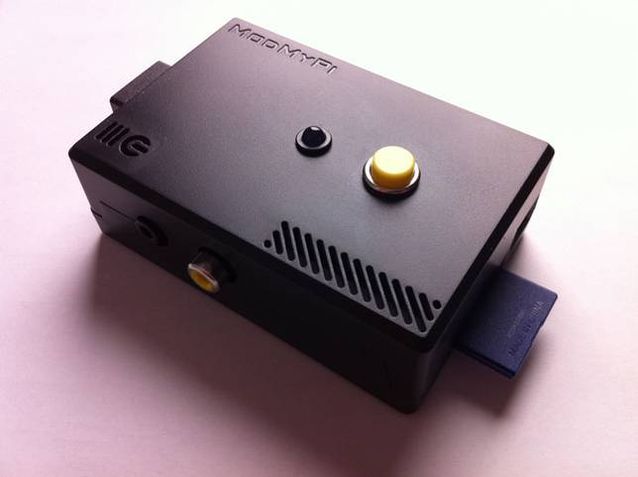
    The schematics for this minimalist design were drawn up as a prototype to help older users with disabilities easily access audiobooks. The playback device reads the data from a USB port, and then plays the media with a push of the top button. In addition to being very useful for those with disabilities, the player is very minimal and light, and those who wish to keep their smartphone memory from being filled by audiobooks may wish to use this device instead, carrying USB thumb drives loaded with books instead!

    A Kodi Media Center

    Photo Credit: TrustedReviews.tv

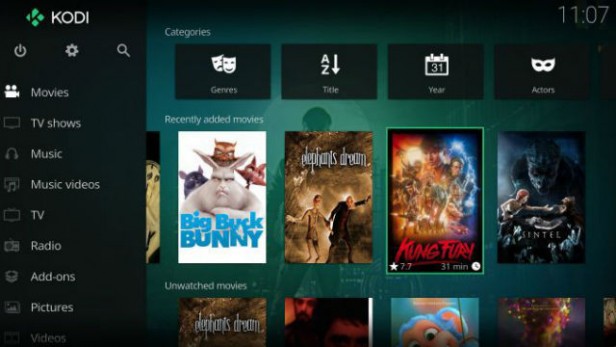
    While Roku devices, Amazon’s FireStick and SmartTV devices are popular for using official streaming services like Netflix and Hulu, those wishing to customize and personalize their media experience are often drawn to the Kodi platform. Raspberry Pi-based media centers make natural pairs for Kodi, as the two of them are both user-friendly DIY-style products. Using a Wi-Fi USB converter, or a Raspberry Pi Zero W, connecting to wi-fi with a Pi based streaming box is simple and easy. Saving money and getting to watch TV is a win-win in our book!

    MintyPi2.0 Retro Console

    Photo Credit: YouTube.com

    The tiny, endearing and portable MintyPi retro console fits inside an empty Altoids can. Using Zero W boards allows for built in wi-fi to update and games. With a form-factor reminiscent of the GameBoy Advance SP model, the MintyPi is a delightful little device and controls beautifully. While creating one of these devices requires a good deal of 3-D printing, soldering and technical know-how, the finished product is an enviable, minty little piece of tech! Full guides for how to build these are available online!

    Mini Lego Macintosh

    Photo Credit: Mactrast

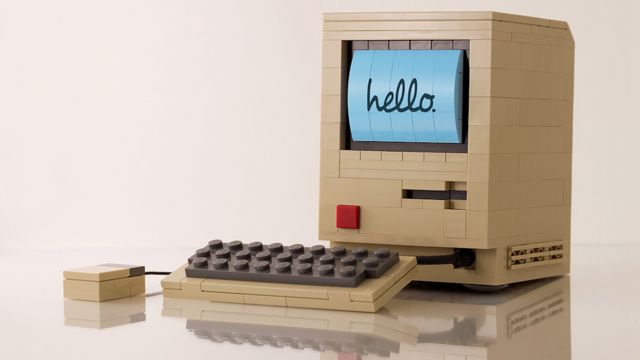
    Using a very small e-paper display, sporting a lego housing and powered by a Raspberry Pi board, Jannis Hermanns created this tiny, adorable Mac. The device technically functions but is so tiny and simple that it’s mostly a labor of love and adorable conversation piece. While Hermanns has posted guides for how to create these online, creating your own Mini Mac would require quite a bit of soldering and careful work with tiny parts. However, Mac and Lego enthusiasts would likely find such a project very rewarding!

    Arcade Table

    Photo Credit: grahamgelding

    Echoing the table-top arcade design of pizza parlors and bowling alleys, this cool blend of furniture and technology is powered by a Raspberry Pi board. Capable of playing classics like Space Invaders, Galaga, Asteroids and Pac-Man, as well as browsing the internet and displaying cool images, this table would make a welcome addition in any game room or den. While a good bit larger and more involved than many other projects on this list, this gaming table would make a striking impression on friends who came to game!

    Electric Skateboard

    Photo Credit: YouTube.com

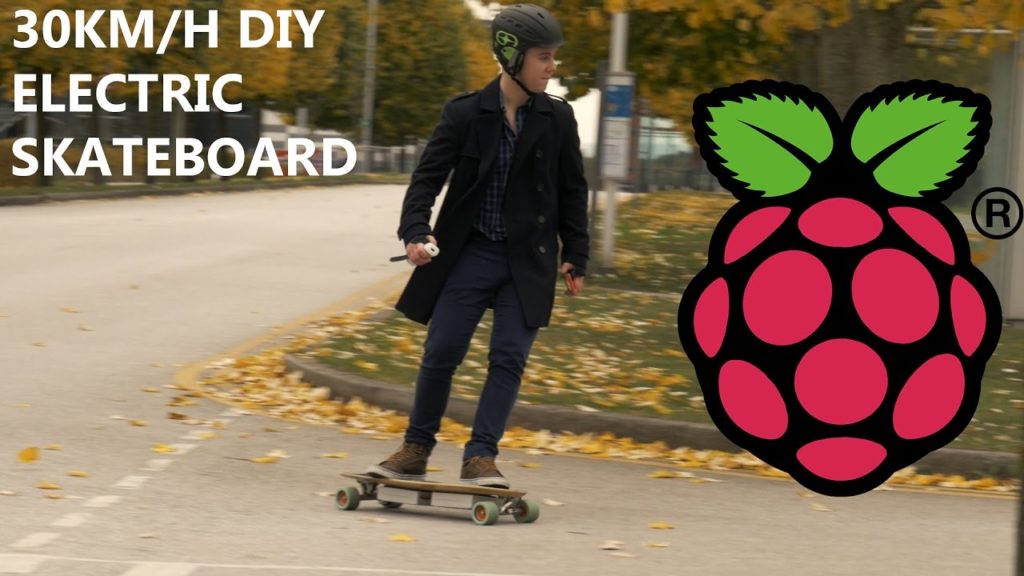
    Our favorite DIY project yet has got to be this stellar electric skateboard project made by YouTuber “the Raspberry Pi Guy,” who is known for his DIY work on his channel. Powered by a Raspberry Pi board and controlled from a Wii Remote (yes, that Wii. I know, right?) this electric skateboard is an awesome intersection of extreme sports, video game peripherals and circuit boards. Really, a nerdy kid’s dream tech. The assembly and code for this project are all quite simple compared to how awesome the finished project is, and as such makes a great DIY for a user looking for a first “big” project!

    Anxious to get started? Be sure to check out our top recommended Raspberry Pi Starter Kits!

  • God of War is the Fastest Selling PS4 Game of All Time

    God of War is the Fastest Selling PS4 Game of All Time

    He’s Back, Baby

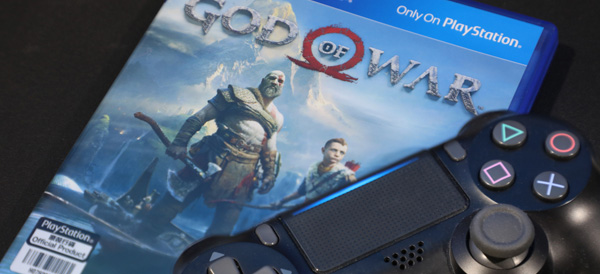
    It took Kratos five whole years to star in another video game, but it only took him three days to sell 3.1 million copies of his new game. Released on April 20th, God of War is the first game in the series set after the story of 2010’s God of War III. The game’s blistering sales pace outstrips other PlayStation mainstay Uncharted: the fourth Uncharted sold 2.7 million units in its first week, holding the previous record for fastest-selling PlayStation 4 game.

    Return to Form

    These sales numbers are in stark contrast to a decade or more of game publishers moving further and further from the massive, triple-A style single-player games in favor of multiplayer experiences and ill-conceived always-online features. Sales of this magnitude represent a bit of a paradigm shift for large game studios, showing an increase in focus on huge production values and immersive worlds being built for single-player adventures.

    New Land, Same God Slayer

    The newest God of War sees the series move on to a new setting, pitting Kratos against all manner of Norse mythological beasts, instead of the Greek gods and monsters he once fought. If you haven’t had a chance to check it out yet, you should. The game is a return to form for single-player adventure, following on the heels of other PS4 heavy-hitters like Horizon: Zero Dawn and Nier: Automata. Featuring intense, edge-of-your seat combat, over-the-top action set pieces and a genuinely engrossing and affecting story, God of War has more than earned its spot at the top of the PS4 roost.

  • The Best Raspberry Pi Starter Kits

    The Best Raspberry Pi Starter Kits

    The tiny, easily customizable computer Raspberry Pi is a very popular choice for aspiring tinkerers and DIY enthusiasts. The flexible, affordable Raspberry Pi technology is somewhat daunting for new users, so to help you make an informed decision, we’ve rounded up our favorite Raspberry Pi starter kits! Whether you’re looking to make a retro game console or a DIY desktop computer, we’ve found the kit for you!

    Vilros Raspberry Pi 3 RetroPie Arcade Gaming Kit

    For gaming enthusiasts who may have missed the chance to own an NES or SNES Classic during their limited release windows, Vilros has this excellent starter kit for $84. Unlike the official Nintendo mini consoles, the RetroPie is not limited to certain specific games or even systems. The RetroPie software included with the kit can emulate a wide variety of retro systems, including the Game Boy, Dreamcast, Neo Geo and others.

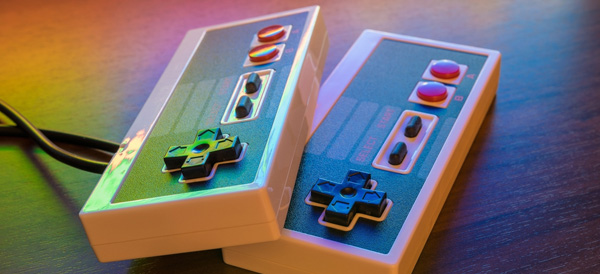
    This kit comes with a power supply cable, heat sinks, an HDMI cable, a 32gb microSD card, and, importantly, two SNES-style USB controllers. The highlight of this kit is the adorable and sturdy NES-style case that can house your tiny computer, completing the retro aesthetic of any emulation project.

    Raspberry Pi 3 Desktop Starter Kit

    The Desktop Starter kit is a great, affordable option for those who have an HDMI cable already on hand and simply want to get started tinkering. For $60, this officially licensed starter is a great value, and comes with a case for the computer, a power supply, a 16gb microSD card, and comes pre-loaded with NOOBS and Raspbian software.

    This starter kit is great for those who simply wish to start on projects right away, or who have projects that don’t require HDMI cables and want to save money over more involved starter kits, like the aforementioned Vilros Retro Kit. It is worth noting, however, that this kit also doesn’t have any heat sinks, which means you’ll need to provide those yourself if you don’t want to risk damaging your computer. However, for those who are already savvy builders with tech know-how, this kit is a great way to introduce yourself to the Raspberry Pi platform.

    Sunfounder Picar-S Raspberry Pi 3 Robot Car Kit

    The most expensive starter kit on this list, but also the most involved, the Robot Car Kit is $160 and tons of fun. This kit comes with everything you need to build your own remote-controlled car, and comes equipped with sensors to detect light sources, follow preprogrammed paths and even navigate around obstacles!

    The car can even be controlled via an app from a phone or a computer, making it an excellent project for a young robotics enthusiast or an aspiring builder! As a first foray into more “active” Raspberry Pi builds, this car kit is a fun way to learn about the Raspberry Pi platform, and mechanics in general.

    CanaKit Raspberry Pi 3 Complete Starter Kit

    Canakit’s starter is a fantastic all-around choice for enthusiasts to begin their projects. For $70 you get a Raspberry Pi 3, a glossy black case, a 2.5-amp power supply cable, heat sinks, an HDMI cable, and an all-important 32gb microSD memory card. This kit comes pre-loaded with NOOBS software to get you started, and CanaKit also offers a $50 version of the kit with a clear case for those who wish to show off the circuit board that makes their computer tick.

    This kit is by far the best selling Raspberry Pi starter, and for good reason: everything you need to start your own projects is right here. Made with newcomers to computer-building in mind, this kit has all the basics you need to get started with your own inventions. Highly recommended to those with little to no experience building computers or working with hardware!

    Want More Raspberry Pi?

    If you liked this article, make sure to check out our Top 10 Raspberry Pi DIY Projects! Maybe you’ll find inspiration for your next project!

  • The Best Retro USB Controllers

    The Best Retro USB Controllers

    Retro is back in a big way, and nothing shows that more than the popularity of retro re-releases like the SNES and NES Classic consoles, the presence of game anthologies on Steam, and RetroPie custom gaming rigs. If you’re a retro enthusiast, chances are you’re looking for the best USB controller to relive some of those classic games. Well, look no further, because we’ve found four awesome USB controllers that you’re going to love!

    Retrolink N64-Style Controller

    While the N64 controller itself is somewhat awkward and more than a little difficult to use with most games, if you plan on playing N64 games via emulation, the Retrolink is great. The controller has a great make, with satisfying, clicky buttons and good feedback, but is hindered by the very thing it is: it’s shaped and laid out just like an N64 controller, for better or worse. This controller has little appeal across a wide library of retro games, but if you’re looking to play Ocarina of Time, or Mario 64, and want an authentic experience, then the Retrolink is for you! The Retrolink can be picked up on Amazon for around $15, making it a very affordable option for those seeking to emulate via RetroPie rigs.

    Hyperkin Genesis Controller

    For those who grew up loving the little blue hedgehog over the mustachioed plumber, the boomerang-shaped Genesis controller design holds a special place in their hearts. This controller features the iconic glossy black look and boomerang shape of the controller that inspired it and sports the full six face buttons. If you’re absolutely diehard about Sega and want to play nothing but Genesis titles on your RetroPie or through Steam, then this controller will feel right at home in your hands. However, for more general retro gaming, I still have to recommend the Buffalo Classic Gamepad, as the classic SNES design is tried-and-true, and just feels more natural on so many retro games. However, if your nostalgia is for the forgotten glory days of Sega, you won’t be disappointed by the Hyperkin.

    8BitDo SNES30 Pro Wireless Controller

    8BitDo’s SNES30 Pro is an odd-looking gamepad at first, as it appears, at first, much like the North American SNES controller, but it also sports two analog sticks, much like Sony’s Dualshock controller. The SNES30 Pro is wireless, using Bluetooth to connect, which certainly adds to the controller’s cost: it’s around $50 from Amazon. It’s also a bit on the small side for being a dual-analog controller, measuring nearly the same as the Buffalo Classic. This can be a problem during extended play periods when using the analog sticks, as those with larger hands will likely find their hands cramping during play. However, if you plan on playing some 3D retro games, or you don’t mind the small size, this controller is an excellent choice!

    Buffalo Classic USB Gamepad

    Our pick for best retro gamepad! Sporting a look straight out of the early 90’s, this game pad is a pretty faithful clone of the SNES classic dog-bone style controller design. The make on this controller is exceptional, the buttons have great resilience and action, and the D-Pad clicks and reacts just like the fantastic SNES original. You can snag this beauty on Amazon for $20, and I couldn’t recommend it more for retro 2D gaming. However, the lack of analog sticks means this controller is nearly unusable for 3D games and is best used on SNES and Genesis-era titles. However, that’s less bug than feature, and for games from this era, you won’t find a better controller.

    Looking for an Easy Way to Make Your Own Emulator?

    Check out our article on the best Raspberry Pi starter kits! Within, you’ll find our picks for the best kits to use when starting your own Raspberry Pi project, so you can get started making your own retro gaming rig!

  • Twitter Urges All Users to Change Password

    Twitter Urges All Users to Change Password

    Thursday, Twitter began urging all 336 million of its users to change their passwords, following news that passwords had been erroneously stored in plaintext on an unencrypted log. Users logging in after Thursday are met with a pop-up urging them to change their passwords and explaining the situation. Jack Dorsey, Twitter CEO, expressed the need to be “open about this internal deficit.”

    How Long Have They Known?

    What is unknown, in spite of Twitter’s semi-transparency on the issue, is when this data mishandling was discovered, or for how long the data has been stored in this way. Typically, passwords are stored in logs using a technique called “hashing,” which is an encoding that replaces characters with other, random characters, thus rendering them as gibberish to someone without access to the encryption key. The log that Twitter disclosed the passwords were being stored on, however, were being stored in plain text.

    Not a Breach

    Twitter has been quick to point out that this was not a data breach, like the Target credit card debacle, nor did they have to inform anyone of this lapse in security. Twitters CTO, Parag Agrawal, tweeted: “We are sharing this information to help people make an informed decision about their account security. We didn’t have to, but believe it’s the right thing to do.”

    Best Way to Handle This?

    This news is unique, in that it was disclosed by Twitter, and as Agrawal so humbly observed, they didn’t have to inform the world of their mishandling of users’ passwords.  However, had the news broken without an official word from Twitter, the news would have gone from “unusual blip” to “full blown security scandal,” so the choice to inform the public was surely a wise one.

  • The Best VPNs

    The Best VPNs

    VPNs, or Virtual Private Networks, have become immensely popular lately. Whether you want to use one to increase your internet speed, browse more safely, or just watch Netflix episodes that are region-locked in your area, VPNs are awesome to have to increase your browsing experience! With that in mind, here are our four favorite VPNs! Keep in mind that we’ve picked only paid service VPNs, as they offer more security and a higher quality browsing experience.

    StrongVPN

    StrongVPN lives up to its name. With a large number of dedicated IP addresses, servers and server locations, users have a great deal of privacy and security with Strong. All of Strong’s network infrastructure is owned by the company, and as such there are no bandwidth or traffic restrictions, a definite plus to a VPN provider. Strong has a reasonable monthly fee of $10, or you can opt for the $70 yearly price, which is easily a great deal for your money among the most popular VPNs.

    IPVanish VPN

    For users who want a the most anonymity possible from a VPN in their browsing, IPVanish is a good choice. Their main selling point is that they keep absolutely zero logs, promising a great deal of privacy to the user. The service’s other features tailored to privacy include a connection kill switch, allowing the user to go dark at the push of a button, and IPVanish is dedicated to supporting the Kodi media platform.

    Kodi is known for hosting media such as movies and TV, and is popular among VPN users due to its accessibility and lack of a monthly fee, unlike comparable services like Netflix and Hulu. IPVanish is also the not expensive in terms of VPNs, costing either $7.50 a month or $58.49 for a year and offering support for BitCoin.

    PureVPN

    Another great VPN option, PureVPN accepts BitCoin like IPVanish and offers a 30-day refund policy. While PureVPN keeps logs, unlike IPVanish, they are still a quality choice. For $11 per month, or $70 for three years, PureVPN makes up what they lack in privacy in a blazing fast connection. PureVPN is also unique in that it has support for ChromeBook and, much like IPVanish, they support Kodi. For a user looking for a relatively inexpensive, very fast VPN, who doesn’t mind a relative lack of privacy, PureVPN is a good pick!

    Nord VPN

    Our favorite VPN, and really the best all-around pick! On the other end of the spectrum from IPVanish, Nord offers a solid user experience with a smaller number of incognito options but for a very competitive price and with a fantastic user-end experience. Nord offers various levels of subscription to their service, but their best plan is $106 for their three-year option. Otherwise, the monthly price is around $12 for their premium options, although they have more budget-concious options too.

    Nord’s other upsides are their six simultaneous connection slots, allowing more than any other popular VPN, and their dedicated IP address option is helpful for those looking to geo-spoof in order to sidestep region locking.

  • It’s Star Wars Day! Here is the Top 10 Coolest Tech From Our Favorite Space Opera.

    It’s Star Wars Day! Here is the Top 10 Coolest Tech From Our Favorite Space Opera.

    May the 4th be with you! A long time ago, in a galaxy far, far away, there’s some positively awesome pieces of technology. The Star Wars films paint a picture of an ancient, lived-in galactic community, with rusty, beat-up machines churning away at their tasks. With that in mind, let’s check out the top ten coolest pieces of technology in Star Wars!

    10. Blasters

    Photo Credit: StarWars.com

    Where the series’ main protagonists prefer to use the more elegant lightsaber, most scoundrels, smugglers and pirates in the galaxy far, far away prefer to use the tried-and-true blaster. Capable of blasting open doors, blasting doors closed, slagging combat droids, and everything in between, the blaster is the workhorse of the average Star Wars hero’s arsenal. Apparently never needing to reload or cool down and sporting some really cool special effects from Industrial Light and Magic, these slick pieces of combat tech are sure to stick with the viewer!

    9. Holographic Displays

    Photo Credit: Richard Hoefer

    With a galaxy as large and far-flung as the one Star Wars takes place in, it helps to communicate remotely. An iconic aspect of the series, the holographic display first seen in Obi Wan’s hut on Tatooine, immediately sets the heroic tone of the series: a distant princess sends a distress signal to a forgotten knight in the middle of nowhere. He and his young apprentice rush to save the day.

    While we have similar technology in our own world, with video communication services being commonplace, we’re still hashing out the details of proper holographic displays and three-dimensional projections. It seems even in the sci-fi Star Wars universe they haven’t yet figured out how to project holograms in any color but blue…

    8. X-Wing Fighters

    Photo Credit: Wookiepedia- Fandom

    While Luke Skywalker would come to be known for his lightsaber skills, in his first adventure it was his ace piloting of the series’ signature X-Wing Starfighter that saved the day and destroyed the Death Star. Complete with a full suite of communication tech, a port for navigational droids like R2-D2, and full support for combat targeting (that Luke promptly disables: Space Magic, baby!) the X-Wing fighter is a very advanced and iconic piece of tech for the series.

    Seeing X-Wing fighters engaged in tense dogfights with their Imperial counterparts, the TIE Fighters, evokes the WWII-era film reels that Lucas was inspired by as a child, lending a swashbuckling, adventurous feeling to the otherwise mythical and heavy monomyth the film is presenting at its heart.

    7. Bacta Tanks

    Photo Credit: StarWars.com

    In Empire Strikes Back, Luke is badly injured in the opening and to facilitate his speedy recovery, he’s put in a diaper and submerged in healing goo. Okay, that doesn’t sound too cool, but the Bacta tank is a slick piece of medical tech! I don’t know about you, but I’d certainly prefer to float in a gel tank to heal severe wounds in a few hours instead of having to wait for months in a hospital bed. Access to this sort of tech in the real world would be revolutionary for medical science, and the number of deaths to things like traffic accidents and other traumatic injuries would likely go way down! It seems the Rebels on Hoth just take the tank for granted, as it’s a completely normal occurrence for them, suggesting that tech like this has all but replaced traditional doctors.

    6. Hyperspace Drives

    Photo Credit: Tor.com

    As we discussed, galaxies are very big. If one wishes to tell a tale on a galactic scale, faster-than-light travel is a requirement. True to genre, Star Wars sees its ships outfitted with Hyperspace Drives, like Han Solo’s Millennium Falcon, that allow them to accelerate past the speed of light and cross vast distances of space in the blink of an eye. In later films, interactions between ships in hyperspace, such as tracking ships that travel through hyperspace, and accelerating a ship into hyperspace to perform a destructive ramming maneuver, have become a hallmark of the series’ space combat. While the best and brightest scientists in our world study quantum physics in pursuit of a real-world answer to hyperspace, in the Star Wars galaxy even scoundrels like Solo have access to this reality-altering tech.

    5. Jet Packs

    Photo Credit: Sideshow Collectibles

    While not seen often, the jet pack technology utilized by bounty hunters like Boba Fett and his father Jango, are objects of envy for nearly every kid who watches Star Wars. The freedom to jet about while blasting bad guys is an exciting prospect, and really, what sci-fi series is complete without a few jet packs? While most folks would likely end up hurting themselves while trying to impress their friends, you could rest assured that if tech as cool as this was made available, I’d be all over it! Cat in a tree? Got it. Frisbee on the roof? No problem! Traffic jam? Hop on, guys, I’ll boost us out of here!

    4. Droids

    Photo Credit: Screenrant

    Another series mainstay, droids with various applications and skills populate the Star Wars universe. From the prim and proper C3PO to the spunky, dauntless R2D2, droids have been a core part of the series from the very beginning. In our world, we’re actually not too far from similar technology: leaps and bounds in robotics and artificial intelligence brings the concept of a fully autonomous robotic companion or worker closer to reality. Star Wars, in contrast to films like Terminator and I, Robot, presents a world where the robotic companions are happy to live with their human creators and don’t resent their lives as something between ally and tool.

    3. Advanced Prosthetics
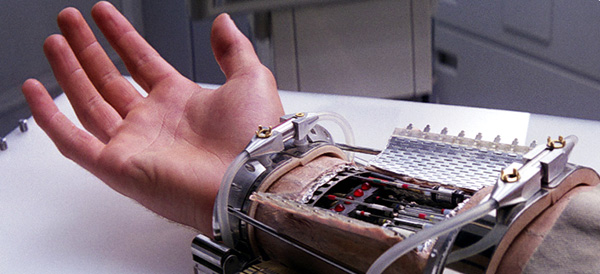
    Photo Credit: CNN.com

    During his lightsaber showdown with his father in the Cloud City, Luke has his arm removed unceremoniously and painfully. Thankfully, just like with the Bacta tanks, the Rebels have ample medical technology on hand to restore Luke to fighting shape: not long after he lost his original hand, Luke is outfitted with an advanced robotic prosthetic. Luke’s new hand looks and acts just like the original, and likely has superior strength and durability, to boot! While this technology was firmly in the realm of science fiction in the 80’s, it has since become a much more plausible piece of tech. Modern robotics and prosthetic technology has created very similar devices for amputees, and every year the fine motor control and accessibility of these prototypes goes up.

    2. Landspeeders & Speeder Bikes

    Photo Credit: Geek Tyrant

    The coolest way to crash into a tree this side of Tatooine! Landspeeders and speeder bikes are endlessly awesome, jetting around effortlessly and efficiently. Using what we can only assume is advanced antigravity tech, the speeders of the series hover a few feet off the ground and avoid the typical vehicular pratfalls of rough terrain and wear and tear to tires or treads. In our world, tech like this, while potentially possible, is still so difficult to replicate as to make it an unlikely prospect for us to see any time soon. Antigravity technology in the real world is incredibly bulky, costly, and experimental, so don’t expect to see it in a motorcycle-shaped vehicle in the near future.

    1. Lightsabers
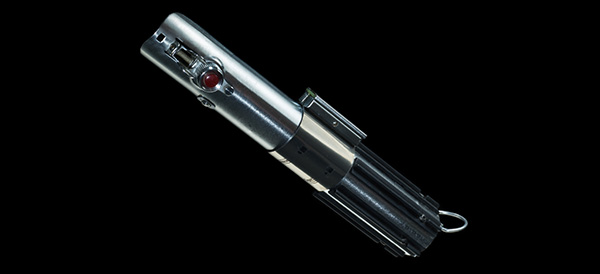
    Photo Credit: Wookiepedia

    No list of the coolest technology in Star Wars would be complete without mentioning the Jedi’s signature weapon. Combining sci-fi beam projection technology with the form factor and fighting style of ancient samurai warriors, the lightsaber sets Star Wars apart from its contemporaries, like Star Trek and 2001: A Space Odyssey; the lightsaber represents the series mythical soul, its fascination with the monomyth and with the classic tale of the young hero against all odds.

    Where other sci-fi series use blasters, phasers and the like as armaments for their protagonists, Star Wars outfits a sword for the main characters to carry. This elegant, and downright awesome, weapon might be unrealistic, even in the context of the universe it exists in, but the Jedi’s mastery over the mystical Force that pervades their universe allows them a supernatural control of themselves and their weapon.

    Coordinating the superheated beam in such a way that the user doesn’t harm themselves or destroy the beam projector surely takes immense skill coupled with a mastery of the Force, and as such the lightsaber is a much more elite and exclusive weapon than the blaster, and marks those that carry it as worthy opponents.


  • Our Favorite Smart Speakers

    Our Favorite Smart Speakers

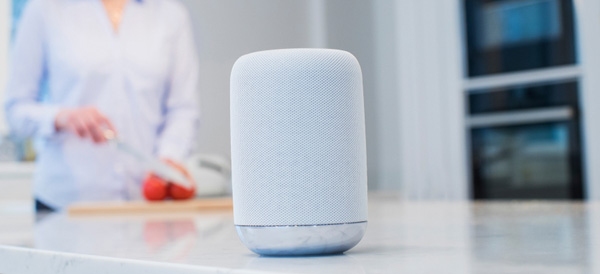
    Smart devices are a fantastic companion to a busy lifestyle, helping you organize your event and play music with your voice. Streamlining all your digital needs with a virtual assistant is easier than ever thanks to the large number of smart speakers on the market. Which one is right for you? Read on to find out which speakers we love!

    Sonos One

    The Sonos One sports great sound quality and comes with Alexa, Amazon’s personal assistant software. Sonos One can pair with other speakers to produce stereo sound and can even be used as a home sound system. The speaker’s high sound quality is complemented by Spotify compatibility. The only thing going against this speaker is the price, coming in at around $400. That said, it’s a great buy if you want a high sound quality and tons of flexibility in a home sound system.

    Google Home

    Google’s answer to the Amazon Echo, the Google Home has its own proprietary virtual assistant. Alexa and Google Home have a lot in common, but Google’s speaker has the edge in terms of aesthetic and general audio quality. However, Alexa is a more robust software suite, sporting much more fleshed-out response cases and more general usefulness. Google Home, retailing at $129, is a spot cheaper than the Amazon Echo, and for those of you who are Google die-hard fans, or just prefer the aesthetic of the Google Home, it’s a fine speaker and well worth the cost.

    JBL Link 20

    The JBL is a great option for those who want a portable answer to the Google Home. At a reasonable price point of $150, and with a stellar battery life of 10 hours, the JBL Link 20 is great for backyard cookouts and pool parties. Speaking of pool parties, the JBL is also water resistant, able to withstand around half an hour of submersion! If you’re active and often in the backyard, the JBL is for you!

    Amazon Echo Dot Gen II

    Our favorite home speaker is the Amazon Echo Dot’s second-generation model. You can grab this speaker from Amazon for $240, and you certainly won’t be disappointed in it for that price. Alexa is a fantastic home assistant, responsive and user-friendly. The Echo Dot is a high-quality speaker, although not quite as impressive as the Sonos One, but what it lacks in raw sound output, it makes up for in solid all-around performance as a smart home device. It’s really the best overall speaker for the price.

  • The Best Phones Money Can Buy

    The Best Phones Money Can Buy

    When it comes to premium smartphones, there’s certainly no shortage of choices out there for the discerning customer. If you’re on the lookout for the very best, look no further: here’s a round-up of the best of the best in the crowded smart phone field! Read on to find out what our favorite phones are.

    iPhone X

    The company that invented the smartphone retains their spot at the top of the heap. The iPhone X is an exemplary piece of modern tech, well worth its (admittedly hefty) price tag. This phone is sexy, for lack of a better term, with its edge-to-edge AMOLED display and sleek front face. This proves to be the phone’s drawback, as well: it’s very fragile, even compared to its younger siblings.

    However, the X is sporting the mighty A11 Bionic processor under the hood, making it the strongest iPhone ever from a technical standpoint. The star of the show on the software side is the new Face ID technology, which is consistently impressive and works in all kinds of environments and through all manner of obscuring features.

    Sunglasses, hats, facial hair: none of them managed to flummox the new face-reading tech. In summary, the phone is a stunner and will absolutely look great in your hand or handbag. As a luxury item from an instantly recognizable brand, the iPhone X is the future of more than just iPhone, it’s the future of smartphones.

    Samsung Galaxy S9

    Samsung, the challenger to Apple’s throne, certainly didn’t phone in their iPhone X competitor. The S9 isn’t quite as impressive as the iPhone X, but it comes very close. From a hardware perspective, the S9 is the absolute cream of the crop for Android phones, and even the most complicated of apps and multitasking are handled with aplomb by Samsung’s little powerhouse.

    The Infinity Edge display is almost as striking as Apple’s AMOLED screen on the iPhone X, but it lacks some of the same appeal at a glance. That all being said, the S9 is a very, very good phone. If you’re a die-hard believer in Android and would never be caught dead with an iPhone, then you will not be disappointed in this phone. However, the S8 is significantly less expensive and the S9 does not represent a massive leap forward in technology when compared to its predecessors in the way the iPhone X does for its own family. In summary: it’s great, but it’s not an iPhone X.

    GOOGLE PIXEL 2

    Meanwhile, the Google Pixel 2 presents itself as a very different device from what Samsung and Apple are pushing. The Pixel is a distinct and striking device, but it has a somewhat plastic-like finish and just isn’t quite as sleek as the iPhone X or S9. The Pixel does, however, have the best camera of the bunch, taking incredibly high-resolution photos. It also sports silky-smooth software and a fantastic user interface, with personal assistant technology that gives Siri a run for her money.

    If you prefer a slightly larger screen, the Pixel 2 XL is also a fantastic choice and comparable to its smaller counterpart. Google’s device is playing in a slightly different space than Samsung and Apple’s, and that’s okay! However, the Pixel lacks a lot of that same “wow” factor and desirability when it comes to its competitors.

    In summary, however, all three of these phones represent the very best of what the market has to offer, and each will make an excellent addition to your lifestyle, whether you’re concerned primarily with turning heads, taking stunning pictures, or just having a top-notch user experience!