Author: Cameron

  • The Best No-Contract Phone Providers

    The Best No-Contract Phone Providers

    You’ve got an awesome smartphone with a great display and slick new features? You probably don’t want to just use it as a tiny tablet, so you’re going to need a phone provider. Contracts aren’t for everyone: some people just want phone service and don’t want to be bound by contractual obligations. Which phone providers do we recommend? Read on!

    Cricket Wireless

    Using AT&T’s network coverage, Cricket Wireless offers a very affordable $35 (after autopay discount) plan that sports 5GB of data. Cricket’s data speeds cap at 8 Mbps, sadly, which makes them more of a budget consideration than a main provider, but they made the list since they offer some of the best data amounts per dollar. Cricket has the added benefit of rolling taxes and fees into this final price, helping alleviate “sticker shock” when the bill comes.

    Boost Mobile

    Boost makes the list thanks to its low price, same as Cricket. For $35 per month, you get 3GB of data on Sprint’s network. Sadly, this also means that you’ll experience some slowdown as Sprint’s network isn’t terribly speedy. On the bright side, like MetroPCS and Cricket, the monthly taxes and fees in this plan are rolled into the final bill price.

    AT&T

    AT&T offers a $40 with 8GB of data with no contract. This is a great pick for those who want to use loads of data and don’t mind the slightly lower coverage of AT&T’s network. The $40 price point is after enrolling in autopay, so consider that when shopping for plans. AT&T’s network works in Canada and Mexico, too, which allows for traveling users to stay tuned in to their internet and friends. This is our favorite plan for data, with great bang for your buck in terms of gigabytes!

    MetroPCS

    MetroPCS uses its parent company, T-Mobile, for its network, which means their prepaid plan sports better coverage than AT&T’s. For $40 you get 5GB of data, which is still a lot, and is definitely worth considering if you want better network coverage. Additionally, this plan allows for streaming from tons of music apps and websites without counting against your data allotment, which is certainly enticing for all you audiophiles out there! MetroPCS, like Boost and Cricket, includes taxes and fees in the final price. MetroPCS is our favorite plan for those who don’t need as much data, or plan on using audio services for the bulk of their data.

  • Best Photo Printers for Your Buck

    Best Photo Printers for Your Buck

    Everyone loves taking pictures with their smartphone, but sometimes you want physical copies of your pictures! Whether you’re concerned with losing your data or want to have a keepsake of good memories, we’ve rounded up our favorite digital photo printers!

    Epson SureColor SC-P800

    Our favorite printer for professional photographers! The Epson SureColor meets all the rigorous requirements of a full-time, gallery-quality printer. The SureColor can print very large photos and has exceptionally high print quality but is very expensive by comparison to other printers on this list. Sporting an LCD display and tons of bells and whistles, the SureColor is sure to meet all the needs of a professional. However, this one wouldn’t be a good pick for a casual photographer or a beginner, as its high number of settings and features can be intimidating.

    HP Sprocket Photo Printer

    The Sprocket fits in a pocket or bag and turns any smartphone into a Polaroid-style camera! The Sprocket has no need for ink, instead using unique dyed prints and applying heat to create the desired image. While the Sprocket won’t be creating any galley-quality prints, it is exceptionally cute and fun! Great for vacations and trips, this one is a good conversation starter and fun diversion. It is battery powered and boasts a sleek design but would not be a good fit for those looking for a more professional printer. For those looking to print on the go for fun with friends, the Sprocket is perfect, though!

    Epson PictureMate PM-400

    This small printer is handy to have around! Weighing only 4 pounds, it travels easily and tucks away great when not in use. Something between the pocket-sized Sprocket and the more professional SureColor, the PictureMate prints off decent quality photos. The PictureMate would make a great choice for those who wish to print out digital pictures of the family to hang in the hall, or for holiday cards and keepsakes. Those wishing for something a bit better on print speed and quality should look to the SureColor or Pixma instead, however.

    Canon Pixma Pro-100S

    The Pixma Pro is an impressive printer. With reasonably fast print speed and fantastic color quality, the Pixma does your photography justice. The prints from the Pixma could be considered gallery-quality, which is high praise. Using an 8-dye system, the Pixma creates positively stunning images in color and in grayscale. The only downsides are the relatively high ink price and somewhat low durability of the prints themselves. These complaints come with the quality, though, and so it’s hard to knock this printer too hard. This one has a much-needed wireless printing feature, allowing for prints straight from smart phones. A fantastic choice for any aspiring photographers!

  • Nintendo Unveils Details of Switch Online Service

    Nintendo Unveils Details of Switch Online Service

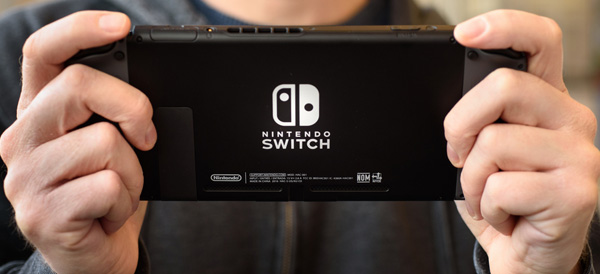
    After multiple delays and rampant speculation, Nintendo has finally announced details of their paid online service for Switch. Originally slated for a Fall 2017 release, the service will finally launch this Fall. Priced at $20 per year, the service will allow users to browse and play a select library of NES games with new online functionality.

    The Games

    Nintendo is bringing classic NES titles the Legend of Zelda, Balloon Fight, Dr. Mario and Super Mario Bros. 3, Donkey Kong, Ice Climber, Mario Bros., Soccer, Super Mario Bros. and Tennis to the service, with more to follow. This is in contrast to Nintendo’s previous Virtual Console branding, which Nintendo says won’t be returning to Switch. This Netflix-like approach resembles game-streaming services and could represent a new, modern direction for Nintendo.

    Interestingly, Nintendo promises online play for many of these NES classics, but has given no further details. One could only hope for simultaneous co-op in Super Mario Bros 3, or epic matches of Tennis! This is clearly Nintendo playing to their deep well of classic games in order to set themselves apart from their competition.

    Cloud Saves

    This service will also (finally) allow users to make cloud back-ups of their game saves, a feature that has been standard for Nintendo’s competition for years. Many players have noted that the lack of cloud saves led to them losing all of their save data when their console was lost or damaged. The inclusion of cloud saves will certainly lead to sighs of relief from Switch fans.

    Online Play

    The online service is also necessary to play games online, of course, so fans of Mario Kart 8, Splatoon 2 and Super Smash Bros. will have to shell out if they want to play those games main modes. Thankfully the service is significantly less expensive than Sony and Microsoft’s offerings, positioning Nintendo as a more family-conscious company yet again.

    Speaking of families, the online service will also allow a $35 subscription that allows one account to share online features to the other accounts on the Switch. The $35 plan would be ideal for families who all play games from the same Switch.

    What Else?

    This is a somewhat bare-bones announcement, and leaves room for speculation. Certainly, Nintendo will have more to say about this service, which launches this fall, by E3 this summer. Many fans are hoping for news of digital versions of Game Boy and Super Nintendo games. many others are eager to see if Nintendo will incorporate voice chat in a form other than their much-maligned Nintendo Online App.

  • New iPhone Mode May Lock Out Law Enforcement

    New iPhone Mode May Lock Out Law Enforcement

    ZDNet has found a “USB Restricted Mode” in the files for iOS 11.4, a feature that could have potentially massive implications. This feature disallows USB devices from accessing the phone if it hasn’t been unlocked in the last seven days. This could potentially work to stop intrusion devices, such as the Gray Key device, from functioning with iPhones in this mode.

    Gray Key

    Gray Key devices attempt to break into iPhones by guessing every permutation of the possible password. However, these devices require a connection through the Lightning port, and as such could be disabled by USB Restricted Mode. This could serve as an excellent security feature for iPhone users, ensuring that only individuals with the correct password access their phone.

    Law Enforcement

    Apple has notoriously clashed with law enforcement agencies in the past over encryption. Agencies have repeatedly requested that Apple provide or create a skeleton key of sorts capable of opening any iPhone. The use of such a key would allow law enforcement to access suspected criminals’ phones in an attempt to obtain incriminating evidence. Apple has had (understandable) reservations about the ethics of such a key.

    Where USB Restricted Mode Fits In

    While it is possible that USB Restricted Mode is something more experimental and less directed specifically at law enforcement, it would make sense if it was specifically a response to this ongoing struggle. In any event, any features that protect user privacy are good features: there is no guarantee that Gray Key devices don’t fall into the wrong hands. Having features that protect users from such malicious access to their devices is clearly a high priority to Apple, and it will likely continue to pursue similar initiatives in the future.

  • Live Life in 4K with These Ultra Resolution Monitors!

    Live Life in 4K with These Ultra Resolution Monitors!

    While 4K technology has been available for some time now, it is becoming more and more affordable. More video games, streaming services and computer programs are taking advantage of the crystal-clear resolution, and we have our picks for best 4K monitors, all in one place for you to review! Check it out!

    BenQ PD3200U 32″ 4K Designer Monitor

    This monitor from BenQ has a very interesting feature: dual upstream USB ports, allowing for two computers to be hooked into one monitor and controlled from the same keyboard and mouse. For those who want a 4K picture experience with excellent color and crispness and the convenience of cooirdinating a dual-computer set-up, this BenQ monitor is a great choice. This one also has the added benefit of not requiring scaling, meaning that most third-party apps won’t give you any trouble, and its tremendous 32″ size makes for a gorgeous viewing experience! The only downside to this one is the price: it goes for a fairly steep $800.

    Dell P2715Q

    As far as older model monitors go, this Dell is a great choice for 4K viewing. Thanks to Dell’s awesome three-year warranty, you don’t need to worry about dead pixels ruining your viewing experience, and this monitor has a fantastic viewing experience at that. Excellent color quality pairs with its DisplayPort input’s 60 Hz 4K picture to make for a fantastic picture quality. This monitor has multiple USB 3 ports and a very adjustable, user-friendly stand for ergonomic viewing angles. For a reasonable $430, this Dell is a great choice. The only downsides are its relative age and large bezels, which somewhat cut into the otherwise stellar picture.

    Dell P2415Q

    For those who want a great-looking 4K image but have less desk space to dedicate to a monitor, this 24″ Dell is a great choice. This monitor is essentially just a smaller P2715Q, with comparable colors and black values, and all the same bells and whistles as its larger sibling. It also sports a USB 3 hub and is under the same excellent 3-year warranty and has a very adjustable stand. This one runs around $350, making it a significantly lower price point than the P2715Q. Much like its sibling, however, this monitor has large, unsightly bezels that cut into the image, but this is a small gripe. The P2415Q is certainly the greatest 24″ 4K monitor on the market, and if you’re looking for a smaller 4K experience, this is right for you!

    LG 27UD68P-B

    Our favorite 4K monitor, this LG impresses at every level. For $400 this is a fantastic value, sporting user-friendly menus and amazing picture. The color accuracy and black values of this display are some of the best on the market, and there is no better monitor for the price. LG has always been known for quality displays, and this is no exception to that reputation. This monitor also supports the new FreeSync technology, an adaptive scaling technique that pairs with compatible AMD graphics cards to minimize graphical tearing. If you’re looking for the very best in 4K monitors for a very reason

  • Top Ten Things to Know About Google I/O 2018

    Top Ten Things to Know About Google I/O 2018

    Tuesday, May 8th marks the start of Google’s I/O press conference. What does Google I/O mean? What kind of things can you expect to see from Google during this event? Read on for our top ten things to know, including news, headlines, tech and more!

    Android P
    01g-androidp

    Photo Credit: Android Central

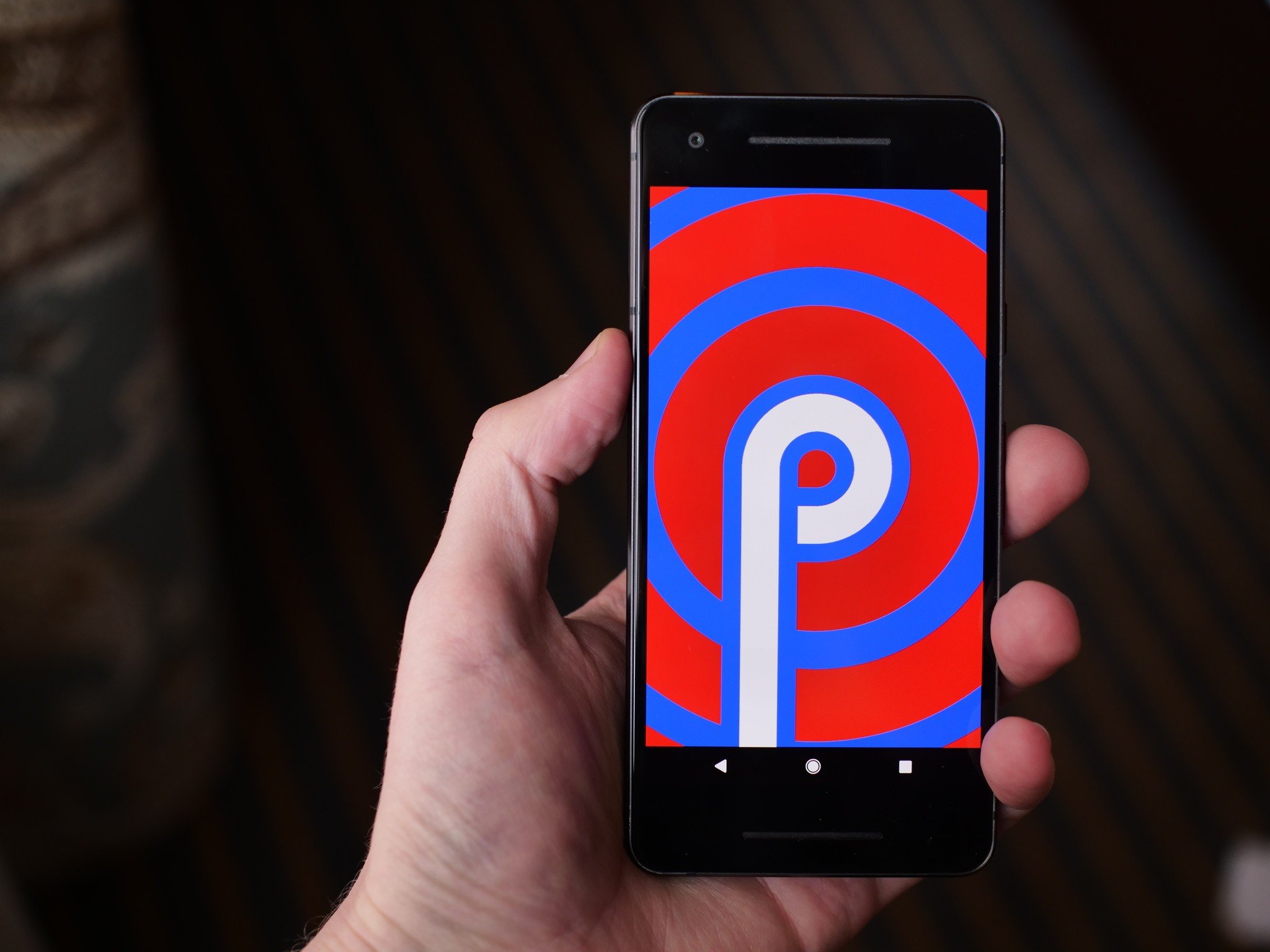
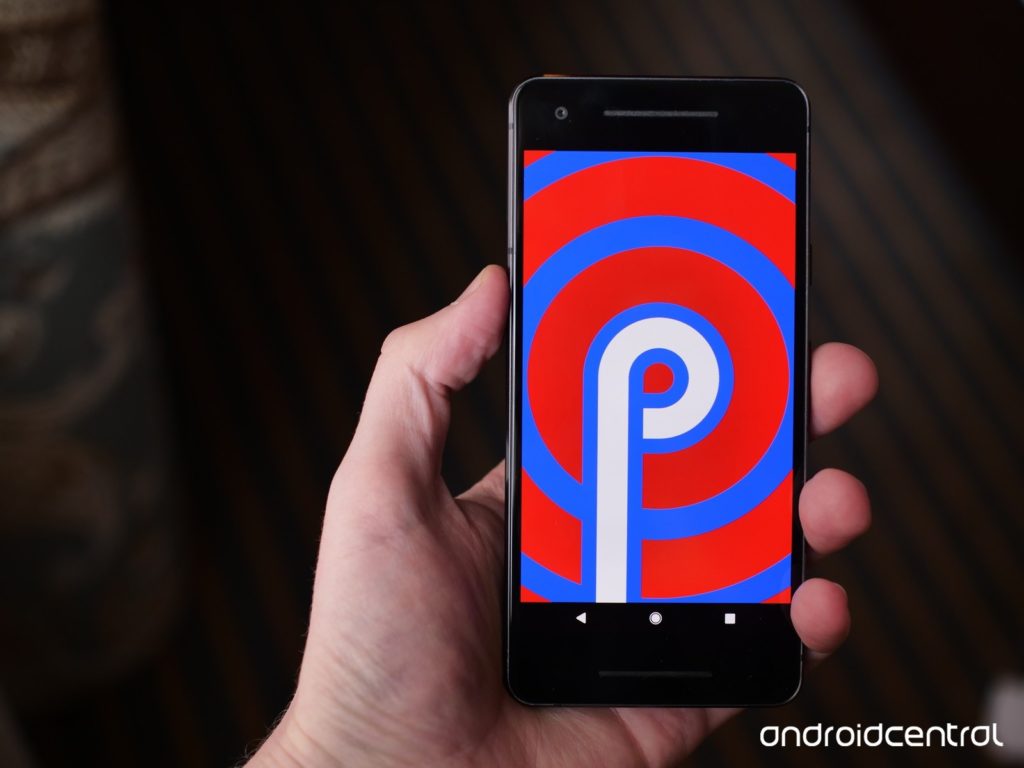
    Androids new operating system replaces all of the navigation buttons with one button, much like pre-X iPhones. Functions previously assigned to buttons will be moved to gesture controls, streamlining the user experience and modernizing the Android operating system. The new system has a focus on security and battery life. Additionally, Android P features a darker overall color palette than previous Android OS’s.

    Google Lens

    Photo Credit: Android Guys

    Google Lens technology allows users to search using their phone camera. I/O 2018 is sure to unveil new functionality and features for the software, including new functionality and integration into upcoming smart phones. The technology is likely to be a focus of Google’s, as it allows the Android platform to further distinguish itself from Apple’s iOS-powered iPhones.

    Google Chrome

    Google is sure to have a lot to say about their Chromebook line of laptops at the event. As a leader in educational fields, the Chromebook has proven very popular with teachers and students. Also expect news regarding tablets running on Chrome OS, following in the example of Acer’s Chromebook Tab 10. Focusing on educational possibilities and Google Smart Home integration seems like the most likely avenue for Google to present their Chromebook hardware.

    Google Home

    With the recent success of smart home devices like smart speakers, Google is sure to continue pressing their smart home line. Eager to dig in to Amazon’s successful Alexa-powered Echo series, Google has been emphasizing their smart home integration with products like Google Home Mini and Google Wi-Fi. Likely to be seen at I/O 2018 are Google-branded smart displays and further connectivity between Android phones, Chromebook computers and Google Home systems.

    Wear OS
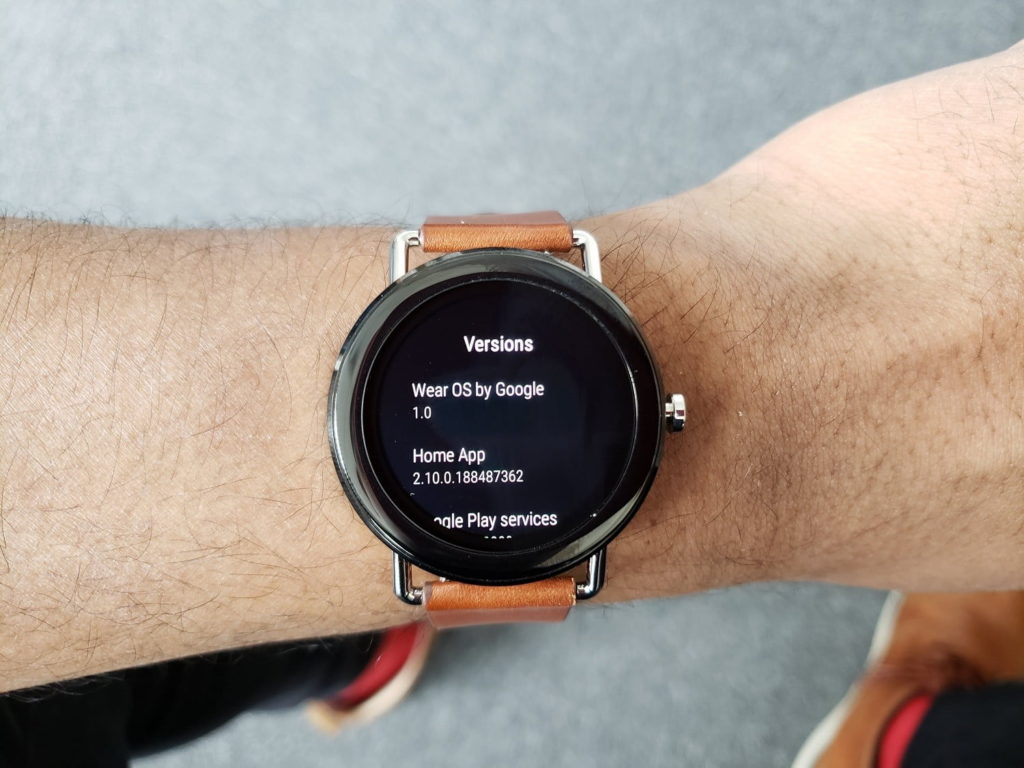
    Photo Credit: Digital Trends

    The recently-renamed Wear OS, once called Android Wear, will likely be a strong focus of Google’s presentation. Capitalizing on the success and popularity of fitness trackers and smart watches, Wear OS seeks to be a strong contender in a field largely dominated by Apple and FitBit. Additionally, voice command features more in line with Google Home-style functions seem to be a new focus for Wear OS devices. A Google-made smart watch is also not out of the question!

    VR Headsets
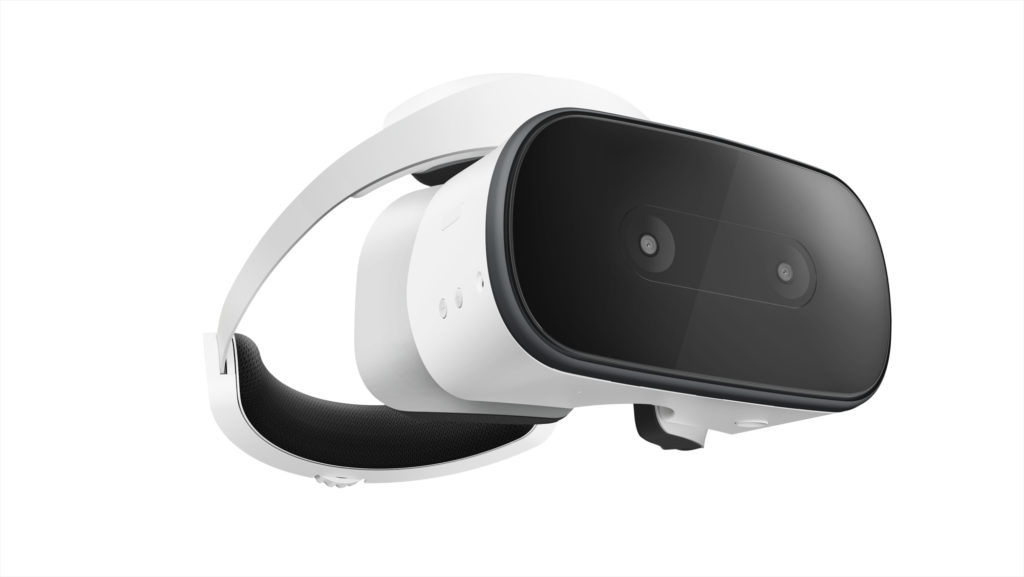
    Photo Credit: Ars Technica

    Another trend Google seeks to weigh in on, standalone VR headsets have proven quite popular, with models like the Oculus Rift wowing gamers and tech enthusiasts alike. Google’s own VR headset, the Lenovo Mirage Solo will certainly have a presence at I/O, and there is a possibility of a Google-developed, proprietary headset being unveiled at the press conference.

    Additionally, YouTube’s 180-degree VR app VR180 is likely to be a strong component of Google’s VR push. The app makes use of new camera technology, like the Lenovo Mirage, to film 180-degree, 3D video for an immersive VR experience.

    Google Duplex

    Google has unveiled this new feature for Google Assistant, an uncannily human-like AI voice pattern that can call businesses for you. The feature uses user data to make appointments and interact with humans who are none the wiser that they are speaking with an AI. This feature is certainly odd, and some have even commented that it has unsettling implications, but it is undeniably convenient. For those with phone anxiety, or busy schedules, this could be a potentially helpful feature. What is unknown is just how advanced and responsive the AI will be when interacting with a wide variety of scenarios and people.

    Google Assistant Updates
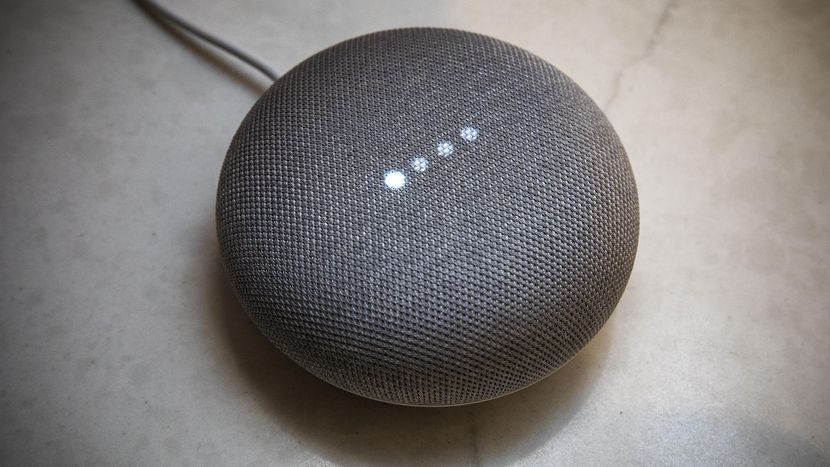
    Photo Credit: CNET

    Google Assistant is getting updated in many meaningful ways. For one, the Duplex technology will likely be implemented to allow it to have much more natural, human-like speech patterns. It will be receiving new functionality with children, attempting to teach them to be more polite. Additionally, the technology will soon be able to execute two actions on a single command and continue conversation while executing actions, making the user interface more natural and giving the AI more flow.

    Google Maps

    Google’s GPS app is set to receive augmented reality functionality. The new Google Maps will allow for superimposed directions in a manner that is similar to the Google Lens technology and allows for live tracking of crowds. The ability to navigate crowded city areas on foot by camera is certainly intriguing, making visiting new cities and exploring on foot more attractive and much safer!

    Google News

    Continuing the focus on AI technology, Google News is set to receive updates to increase personalization. As something of a response to growing anxiety over so-called “fake news,” the new Google News initiative uses technology to help users find and support news sources they trust, and to help users fully understand the news they consume. The technology will use your preferences and location to populate your news feed with stories relevant to you. Such a redesign is likely to be a big hit, helping users to trust their news sources and stay informed about events relevant to their lives.


  • The Best Gaming Mouse for Your Buck

    The Best Gaming Mouse for Your Buck

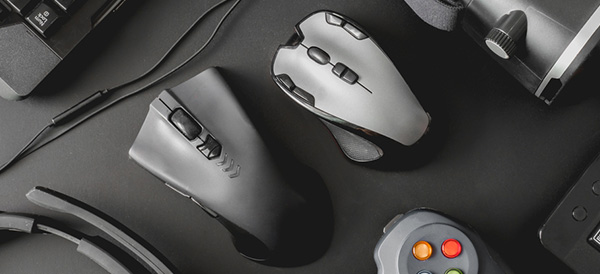
    When it comes to PC gaming, picking the right mouse is important! It’s the way you aim, point, select, and shoot! Finding a mouse with all the right features and at the right price point can be difficult, and with that in mind we’ve compiled a round-up of our four favorite gaming mice. Let’s get right to it!

    Corsair Dark Core RGB SE

    If you’re looking for a wireless gaming mouse with tons of versatility and customizability, look no further! Corsair’s name is synonymous with quality in PC enthusiast circles, and for good reason! Their Dark Core RGB is no exception. With only one millisecond of latency and sporting a fantastic 16,000 max DPI, the Dark Core is the rare wireless mouse made with gaming in mind. The Dark Core is on the high end, price-wise, retailing for $80, but it comes with fully programmable, customizable buttons and bright, elegant RGB LEDs. Even cooler, the Dark Core makes use of wireless Qi charging, so if you pick up the Corsair MM1000 Qi Mousepad you can wirelessly charge your mouse after every gaming session.

    Logitech G903

    For those Logitech faithful, the G903 is a solid wireless mouse. A slight iteration on the older G900 model wireless gaming mouse, the G903 boasts a respectable 12,000 DPI and low latency. The mouse can also be wirelessly charged from Logitech’s own PowerPlay mousepad. The finish and feel of the G903 are both high-quality, as is expected of Logitech. It is worth noting that the G903 is somewhat overshadowed by the Corsair Dark Core, as all of the G903’s key features (wireless mouse with wireless charging, high DPI, low latency, etc.) are all replicated with aplomb by the Dark Core, all for a lower MSRP. The G903 is surprisingly expensive, at around $115 on Amazon, while the Dark Core is only $80.

    SteelSeries Sensei 310

    Affordable and reliable, the Sensei is one of two SteelSeries products on this list. The Sensei sports a TrueMove 3 optical sensor, offering nearly unmatched tracking and responsiveness. With a sleek metallic finish and superior make, and going for around $55 on Amazon, the Sensei is a stellar choice for gaming enthusiasts looking to not spend an arm and leg on a gaming mouse but still desiring a precise and accurate mouse.

    Our Favorite Gaming Mouse: SteelSeries Rival 600

    In our opinion, this is the absolute best gaming mouse in the world right now. Sporting a rock-solid 12,000 DPI and a revolutionary depth-sensor, the Rival has loads of bells and whistles for its price. It features customizable weight and full-spectrum RGB LED support, and also bears satisfyingly-clicky mechanical switches on the side. The Rival can be snagged from Amazon for right around $80. This putsit in the same price range as the also-excellent Dark Core. With its superb build quality, customizable buttons, RGB support and precise optical performance, there is really no better wired gaming mouse for the price. If you’re remotely serious about gaming and have $80 to spend on a peripheral, this is an auto-purchase.

    What Next?

    Now that you’ve got your pick for gaming mouse, it’s time to check out gaming keyboards! Check out our roundup of the best gaming keyboards to pair with your new mouse!

  • NVIDIA Shuts Down Unpopular GeForce Partner Program

    NVIDIA Shuts Down Unpopular GeForce Partner Program

    NVIDIA has canceled its extremely unpopular GeForce Partner Program after a mere two months. The program comprised a series of guidelines and regulations on various computer and laptop manufacturers that was intended to, in NVIDIA’s words, ensure that “gamers who want NVIDIA tech get NVIDIA tech,” by having manufacturers include NVIDIA graphics cards exclusively. This was met with harsh criticism from many sources and has been a PR nightmare for the already-maligned NVIDIA, who is largely seen as monopolizing GPU manufacturing.

    Why is this Happening?

    According to research done by Kyle Bennet of HardOCP, the GPP was much more insidious and bullying than it would appear on its face. The GPP heavily discouraged manufacturers from opting out, going so far as to hold back inventory from manufacturers who refused to participate in the terms of the program. This type of behavior has been called “anti-competition” and further emphasizes the growing tension of the ever-more monopolized world of GPU manufacturing.

    NVIDIA’s Response

    NVIDIA, of course, denied accusations of anti-competition behavior, claiming that reports of the GPP were grossly exaggerated, and that rather than fight a losing PR battle, they would sooner just cancel the program. This response is somewhat typical of the attitude that many describe as “condescending and anti-consumer” that NVIDIA is known to hold. Further, many have expressed concerns that shutting down the program, even as early as they have, changes little. According to Bennet’s report, the program was simply an evolution of practices NVIDIA was already engaging in.

    The Future

    NVIDIA’s GPP is likely still to have an effect on gaming PC’s and laptops that are still to be released, as any projects that were started or nearing completion during its short lifespan will already be compliant, meaning that the cancelation will likely have little short-term effect. Additionally, behavior like this is likely to draw attention from regulatory agencies such as the FTC in the United States, which may see programs like the GPP to be inherently anti-consumer and thus worthy of investigation into NVIDIAs other business practices. Consumers and manufacturers alike will likely feel the effects of the much-maligned GPP and NVIDIAs other initiatives for some time, whether or not NVIDIA official codifies them.

  • Our Favorite Smart Watches

    Our Favorite Smart Watches

    Whether you like the style or the function, smart watches are a must-have piece of tech for those with a busy lifestyle. Functioning as watch, notification alert, fitness tracker and more, smart watches make a natural addition to the lifestyle of a busy professional, a fast-paced mom, and everyone in between! Read on to find out which smart watches we love.

    Samsung Gear S3

    A very stylish and stealth-style smart watch, the Gear S3 runs on Samsung’s Tizen OS, unline most Adroid Wear-powered watches on the market. With a circular front-face and a premium make, the Gear S3 resembles a more traditional luxury timepiece, but also sports a robust suite of fitness tracking software and excellent internal infrastructure.

    As expected of a premium smart watch, the S3 alerts you of calls and texts, and has 4GB of internal storage for things such as Spotify playlists and apps. Tizen is still a new OS, however, and is somewhat lacking in apps and support. These minor gripes aside, the Gear S3 is a very high-quality smart watch and well worth the price.

    Asus ZenWatch 3

    Comfortable and extremely well-made, the ZenWatch 3 is a beautiful and sleek device. With an ultra-bright AMOLED display and a comfortable, minimalist design, the ZenWatch 3 is an elegant piece of technology. While it doesn’t sport robust fitness tracking, and has a somewhat cheap-feeling charging port, the ZenWatch 3 excels at providing a top-notch user experience.

    With a scratch-resistant screen and jewelry-quality steel construction, the ZenWatch 3 is as much a luxury watch as it is a piece of technology. Asus is known for their high build quality and durable technology, and the ZenWatch 3 continues this trend.

    Apple Watch Series 3

    Apple is well-known for their luxury products and high-quality user interface, and the Series 3 Apple Watch doesn’t disappoint. Apple diehards will be pleased with the OS, as it is as stylish and user-friendly as users would expect, and the interface is fast and responsive. The OLED display is bright and gorgeous, and the watch does a great job making itself discreet when not in use.

    Battery life is middling, lasting around 18 hours, but the watch is running a dizzying array of sensors and trackers, so this makes sense. Loaded with fitness tracking features and with no lack of app support, the Apple Watch remains a fantastic pick for smart watch.

    Garmin Fenix 3

    Our favorite overall smart watch, the Garmin Fenix 3 might seem like an odd pick. Garmin, known for their GPS products primarily, has a real winner on their hands with the Fenix 3. Boasting incredible battery life and exemplary durability, the Fenix 3 is great for athletes and outdoors-y people. Made from premium materials and clearly designed to operate in its own space apart from Samsung and Apple, what the Fenix lacks in style it makes up in droves with functionality.

    While the watch doesn’t support on-watch maps for GPS, it does provide superb GPS tracking when paired with a phone and keeps great track of where you’ve been and your fitness. For users who have no desire to carry a recognizable brand name, or aren’t looking for a piece of fashion, but instead a piece of tech, the Fenix 3 is an excellent choice.

  • The Best Gaming Keyboards

    The Best Gaming Keyboards

    For most, a keyboard is simply a keyboard. For a gamer, a gaming keyboard is a cross between a controller and a statement of purpose. A good gaming keyboard is an extension of oneself, the physical bridge to the digital world. Choosing the keyboard that works for you and the genres you play can be difficult. Making a wrong choice is expensive and frustrating. With that in mind, here is our round up of our four favorite gaming keyboards.

    SteelSeries Apex M750

    A somewhat minimal choice, the SteelSeries Apex features highly customizable keys and key colors, and is marketed primarily at professional gamers and aspiring professionals. The keyboard has a very standard layout, with no media keys or specialized buttons, and boasts an impressive array of backlighting options, including notifications for chat and an audio visualizer.

    The SteelSeries doesn’t have a USB pass-through and doesn’t have a terribly thick connecting cable, making it a very stripped-down keyboard. The SteelSeries doesn’t have adjustable feet, but this is a small gripe. For those seeking a simple, customizable keyboard with no frills and great linear, click-free key action, seek no more: the SteelSeries is for you.

    Logitech G610 Orion Brown

    For fans of the Cherry-MX brand of switches who don’t want to spend a fortune on a keyboard, the Logitech Orion Brown, retailing for $120, offers a great gaming keyboard on a budget. The G610 sports customization support through Logitech’s gaming software suite, making it a great choice for those who wish to customize the LEDs or disable certain keys during gameplay.

    Unlike the linear and click-less key switches found in the SteelSeries Apex, the Orion Brown features the titular Cherry-MX Browns, which are soundless but have a slight click at the end of their action. This allows a great tactile feedback for a user who wishes to use the keyboard for both gaming and typical typing.

    Razer Ornata Chroma

    Razer’s Ornata Chroma is our favorite keyboard under $100, sporting a unique switch feel and gorgeous RGB chroma LEDs. The Ornata Chroma sports “Mecha-Membrane” key switches. They are hybrid of the traditional gaming mechanical switches and the more general silicone dome switch style. This “Mecha-Membrane” has the click of MX Blue or Brown switches but a bit of the smoothness (or stickiness, depending on your perspective) of membrane-style keyboards.

    While the hybrid-style switches require a bit of acclimation, they provide an excellent experience for both typing and gaming, making the Ornata Chroma a fantastic choice for those who need to use the same keyboard for both gaming and normal typing tasks like work or writing.

    Corsair K95 RGB Platinum

    Our favorite gaming keyboard and Corsair’s current flagship gaming keyboard. Corsair is known for their exemplary computer components and peripherals, and the K95 Platinum upholds that sterling pedigree. Speaking of Sterling, the K95 uses the new Cherry MX Silver switches. These are a new take on the straight, linear action of the Cherry MX Reds. They sport a shorter travel time and smoother performance.

    These Silver switches are ideal for fast-paced games like Overwatch or similar first person shooting experiences. The Silvers feel like a slightly higher quality version of the Razer Ornata Chroma’s “Mecha-Membrane” style switches. They are much cleaner and with less “stickiness” in their action.

    The K95 is a somewhat larger keyboard, with wide key caps and tall keys. This makes it easy to tell which key your finger you’re on without having to look down to the keyboard. As expected of a premium RGB keyboard, the K95 offers a full suite of RGB customization and backlighting options. Using the Corsair Utility Engine, you can customize everything from RGB to macros. This makes it a fantastic choice for hardcore gamers. If you’re looking for the very best and not afraid to spend some money, look no further.

    What’s Next?

    You’ve checked out some of the best gaming keyboards around! Now it’s time to check out every keyboard’s closest friend: mice! Our roundup of our favorite gaming mice  can be found here!