Author: Cameron

  • Which Chat App is Best?

    Which Chat App is Best?

    Practically everyone and their mom has a smartphone now. It’s easier than ever to stay connected to all our friends and family through a chat app! However, not everyone wants to be in huge group chats, and some people would prefer not to give their personal number out just to join in the conversation.

    With that in mind, we’ve got a round-up of our favorite chat apps! Read on to find out which apps we love to use to stay connected.

    Facebook Messenger

    Facebook is the undisputed king of the heap when it comes to social media. Almost everyone has a Facebook profile, and as such, almost everyone has access to Facebook’s messenger app. This app is clean, functional and usable, which is all par the course for what we’ve come to expect from the biggest social media platform on the internet.

    The app experience is somewhat bare-bones, however, which is disappointing when comparing it to Discord or Slack. However, Messenger makes the list for its ubiquity. If you need to make a group chat with friends or just message someone to start a conversation, Messenger is a fine choice.

    Kik

    Kik is something of a replacement for normal phone functions of texting and calling. With a unique video chat functionality that allows for small, thumbnail-sized video feeds while still texting, Kik certainly sets itself apart. Kik has a cool feature to check your phone’s contacts to add them to your contacts in the app. It also has a great interface: clean, smooth and easy to use. You should definitely give Kik a shot, especially if you’re looking for a more in-depth one-to-one text app than your phone’s text messenger allows for.

    Slack

    Mostly used by businesses, but also popular for gaming groups, Slack is a great chat suite. Sporting a good desktop app and a solid phone experience, Slack gets right to the point. With a no-frills interface that still allows for all the requisite emojis and gifs, Slack gets out of the way of your conversations.

    If you’re a small business owner looking to pull all your employees into a chat together to coordinate your efforts, Slack is perfect. Similarly, if you’re trying to organize a gaming group and you don’t like Discord’s app, Slack is a great choice.

    Our Favorite Chat App: Discord

    This one is actually no contest. Discord is the best chat app in existence, bar none. There is no overstating how many awesome features are packed into Discord’s stellar desktop and mobile applications. Discord sports a user-friendly server set-up that can be subdivided into channels.

    Functionality for tons of different types of games and news feeds can be integrated into servers at the admin’s discretion. Do you like Dungeons in Dragons? Install a bot that rolls dice and looks up stats in your server. Do you love sports? Install a bot that gives your final scores for your favorite teams. I can’t recommend Discord enough, whether you’re a gamer, professional, or anything in between.


  • The Best Tablet Computer Bang for Your Buck

    The Best Tablet Computer Bang for Your Buck

    Ah, the tablet. While everyone loves their smartphone, sometimes you want a bigger display. Whether you like the convenience of watching movies in bed, want a good device to play games on, or need to do actual work, tablets offer tons of handy versatility! However, some brands of tablet can be prohibitively expensive. If you’re looking for something more affordable, we’ve compiled a roundup of our favorite budget tablets!

    Amazon Fire HD 8

    Found on Amazon for $60, this little tablet is a great value for your money! Amazon’s proprietary tablet makes an awesome e-reader, as you might expect from the one-time bookseller. While the Amazon Fire 8 has rather lackluster cameras and somewhat less sharp display than its competition, it’s still a great value. If you want a tablet that works for web browsing, watching movies and reading books and don’t need a ton of fancy features and software, then this is a great pick. If you’re looking for something a bit better overall, but a tad pricier, read on!

    Lenovo Tab 4 8

    Lenovo, a respectable name on its own, has created a neat little tablet with a lot of personality in the Tab 4 8. If you’re already familiar with the Android OS from your smartphone then you’ll have no trouble with the OS in tablet form, which can make this a good choice for those who don’t want to learn a new OS. The Tab 4 8 is very solid, coming in at “middle of the pack” in nearly all ways, including its desirable price tag: you can pick this one up for $130. The Tab 4 8 has good battery life, a decent display, an inoffensive, likable design and great overall software performance. While this is a full $70 more than the Fire HD 8, you get a completely superior overall product, so if you don’t mind spending a bit extra then this is a great choice for you.

    iPad 2017

    The 2017 iPad is seeing a price drop now that the 2018 models are hitting the market. The iPad is far and away the most expensive tablet on this list, selling for around $270 on Amazon right now, but you absolutely get what you pay for. Retina Display and FaceTime cameras, Apple mainstays, are certainly great to have here, and the always-awesome iOS software is just as great on a tablet as on a smartphone. While it is expensive compared to the others on this list, if you’re looking for a tablet under $300 that delivers a premium experience and works like a dream, the iPad remains the best tablet out there. While some are put off by the relatively expensive accessories and high price of the device itself, this remains your best value, dollar-for-dollar, in tablets.

  • The Ten Dumbest Apps Ever

    The Ten Dumbest Apps Ever

    Not every app is a winner. Sometimes developers run out of money, time or patience and simply ship an unfinished product. Other times, devs set out to make a tremendously stupid app. In either event, you came here to see mind-numbingly stupid apps, so here goes: our list of the ten dumbest apps ever.
     
    [adSOC]  

    The Little Application That Does Nothing

    01-nothing

    Photo Credit: Apple Store

    This app gets bonus points for doing what it says it does. It actually does nothing. Seriously, it doesn’t do anything. Actively. It’s received updates, for some reason, and still does nothing. I’m actually sort of mad that this exists, but it’s also hilarious, so, that’s alright.
     
    [adTextOnly]

  • Google Privacy Policy to Become More Readable

    Google Privacy Policy to Become More Readable

    Taking effect on May 25th, Google’s new privacy policy aims to be more transparent and more plainly explain what user data it collects and shares. William Malcolm, a privacy leader at Google, stated in a blog post: “We’ve improved the navigation and organization of the policy to make it easier to find what you’re looking for; explained our practices in more detail and with clearer language; and added more detail about the options you have to manage, export, and delete data from our services.”

    Clarification

    Notably, this rewording of the privacy policy does not represent any changes to the policy: it is simply a clarification in attempt to make the policy more transparent. This move coincides with the May 25thGeneral Data Protection Regulation in Europe, certainly a move to assure users their data isn’t being used against them.

    Google has recently made adjustments to the “my account” tab of their Google Account home page, allowing users to selectively purge searches they don’t want attached to their online presence. These changes come amidst widespread anxiety over data collection and algorithmic abuse by companies like Google and Facebook. Shifts such as these are reassuring, and hopeful signal a shift to a more responsible role for the tech giant.

    Ad Muting

    In a related move, Google has begun incorporating a “Mute this Ad” function in their search engine. Most users probably already use an Ad Block plug-in on their desktops, but it is still a welcome update to mobile devices.

  • Cisco Pulls All Ads From YouTube

    Cisco Pulls All Ads From YouTube

    In a move to preserve brand integrity, Cisco has pulled all of its ads from YouTube. A now-deleted post from Cisco stated that they didn’t want their brand to appear alongside “sensitive content.” CNN recently reported that ads from major companies like Facebook, Cisco and Amazon were appearing alongside videos featuring “white nationalists, Nazis, pedophilia, conspiracy theories, and North Korean propaganda.”

    Not Unprecedented

    This move is not unprecedented, though. Last March, Verizon, AT&T and the British Government all pulled ads from the streaming site when news broke that their ads were appearing alongside videos promoting terrorism. Again, in November, a report broke that ads from Amazon, Mars, eBay and others were appearing alongside videos with pedophilic content. In both instances YouTube vowed to tighten controls over where advertisers’ spots appeared on the site.

    Cisco, a major manufacturer of networking equipment, follows in the example of those companies that do not want their ad spots confused with their monetary endorsement. YouTube’s responsibility and culpability in relation to inflammatory, hateful content hosted on their site is a topic of much debate at this point. Some argue that YouTube shouldn’t allow content containing white nationalist hate speech and borderline Nazi propaganda. Others contend that YouTube exists solely as a platform for video hosting and shouldn’t act a censor, as understanding extremist views is key to countering them.

    In either event, Cisco would sooner pull all of their ads in a show of disgust at the presence of such content than get into an argument about freedom of speech. As a business interested in making money and not stirring up political discussions, this is a reasonable move.

  • Which Streaming App is Best?

    Which Streaming App is Best?

    There are many streaming services and apps vying for your money and your eyes. Which ones do we love? Which streaming app is our favorite for bingeing shows and for having movie night? Read on to find out!

    Sling Orange

    Sling is a cool idea. While more and more people are ditching cable (and you should, too, it’s an awful rip-off) Sling offers a much more affordable alternative to those who still want to watch Live TV. With an “a la cart” offering of channels, Sling addresses many of the issues we have with bloated cable packages.

    The base package of Sling is $20 per month, which makes it the priciest streaming app on this list, but it offers a unique enough service to make it worth the money. Consider this one if you want a cable-style viewing experience without spending cable-style money.

    Amazon Video

    Once only available to Prime members, Amazon Video is now offered as a standalone streaming app. With a great streaming library and the ability to download shows and movies for offline viewing, Amazon video is a worthy contender with Netflix. Amazon Video is $8.99 per month. This means if you plan to stick with the service for more than a year, consider an Amazon Prime subscription. This will allow you to access all the other Prime benefits, too.

    While Amazon has little in the way of original programming, it is currently the only place to watch Doctor Who online. That alone makes it worthy of consideration!

    Hulu

    For lovers of primetime TV who hate having to schedule around air times, Hulu is awesome. Hulu runs primetime shows the day after they air, making it an awesome cable replacement. Hulu has fantastic original programming, like the The Handmaid’s Tale, and also sports a great library of TV show and movies. If you love TV and the occasional movie, Hulu is definitely worth your attention. It’s tied for our favorite streaming app with Netflix.

    Hulu also has two subscription tiers. The first is $7.99 per month but runs commercials during shows. The $11.99 tier runs no ads during shows, but will occasionally run a short spot before popular shows.

    Netflix

    The longtime champ of the streaming app market, Netflix now has a real rival in the form of Hulu. That said, Netflix has the best original programming of any streaming app, bar none. Stranger Things, Orange is the New Black, Travelers and the Netflix Marvel series all prove time and again the Netflix hosts some incredible programming. If you want a little of everything (movies, TV, original programs) you can’t go wrong with Netflix. Netflix has several subscription tiers.

    The first is only $7.99 per month, but that only nets you one standard definition stream. For $10.99 per month you get two HD streams, and for $13.99 you get four 4K streams. These are reasonable when compared to the competition, but the more desirable HD streams are somewhat pricey.

  • Graphics Card Roundup for Gamers and Crypto Miners

    Graphics Card Roundup for Gamers and Crypto Miners

    With the price of the graphics card finally falling, now is a great time to start looking at upgrading. Whether you’re looking to upgrade your rig to handle the most demanding AAA titles or just want better performance for games like League of Legends and Overwatch, we’ve got something for you. Check out our roundup of our favorite graphics cards.

    Nvidia GeForce GTX 1080 Ti

    This is an expensive graphics card, usually found for between $800-$1000, but its price has been falling as of late. The GTX 1080 Ti is a notable upgrade over the 1060, but its price holds it back from being our recommended “best overall” graphics card. For those interested in lots of 4K gaming, though, this graphics card will not disappoint. The card has great cooling; you won’t find it running too hot like some of its premium cousins.

    This card has performance comparable to the Titan X, but without carrying the same absurd price tag. It’s worth noting that this single card isn’t quite as impressive as two standard GTX 1080’s in SLI (linked together to run as one graphics card) but it is more affordable and more easily installed and supported than an SLI set up. If you’re not afraid to spend some money and want a somewhat future-proof card for 4K gaming, this one is for you.

    AMD Radeon RX Vega 56

    The Vega 56 is an impressive card for its overall, consistently overperforming from what we expect. It is somewhat pricey thanks to BitCoin mining, but as we’ve mentioned, as that craze dies down, this card and others in its class will come down from their lofty markups. With that in mind, the Vega 56 is a fantastic choice for those looking to run Full HD gaming, consistently outperforming the Nvidia GTX 1070.

    As an investment, it is future-proofed to a degree, as it is somewhat overkill on most 1080p HD games. As 144-240 Hz monitors become more commonplace, this graphics card will begin to really shine, as it will have no trouble keeping up with such blistering refresh rates. On the downside, this one runs pretty hot, so you’ll need a hefty cooling system to keep your rig from overheating.

    As you might expect, it’s also power-hungry, so be prepared to see your power consumption go up as this card chugs away. If you want a high-end card for HD and don’t mind a bit of a price tag, consider the Vega 56.

    Our favorite overall graphics card: Nvidia GeForce GTX 1060

    If you want a solid graphics card to play HD games and don’t want to spend an arm and a leg, look no further. The GTX 1060 won’t be blowing the other cards on this list out of the water in terms of raw performance, but what it lacks in pure power it more than makes up for in value.

    You can probably snag this part for around $300 on Amazon and you expect to see that price fall as the GPU market settles down. For that price you get a reliable card that can be overclocked to even handle 4K, as long as you have ample cooling and power to maintain it.

    On the flipside, this card doesn’t over SLI, so you won’t be pairing it with another 1060 to double its output. That said, for those who simply want a strong card for a reasonable price, the 1060 hits all the benchmarks you want it to and doesn’t compromise on overclocking.

  • Which Food Delivery App is the Best for You?

    In the past few years several companies have popped up in major cities offering to deliver food to your door from nearly every restaurant in town (for a small fee.) Whether you’re stuck at the office or just don’t feel like fighting crosstown traffic to get a sandwich, there is no shortage of delivery apps vying for your buck!

    But your time and money are valuable, and you can’t waste your lunch break waiting for a slow service. Don’t worry, we’ve got you covered! Which of delivery app is the best choice for you? Check out our round up of our favorite food delivery apps!

    Yelp Eat 24

    Yelp’s a well-known player in the world of restaurant ratings, but you can also rely on them to deliver your food! The service is timely, and the app is clean, which are both big pluses. The app sports the usual delivery fees and minimum order prices that you’d expect, but they change by restaurant. All in all, Yelp’s service is a solid choice if they’re available in your area. That’s the best part, too: the service is in more than 1,500 cities, so odds are good you can use them! 

    GrubHub

    GrubHub has a simple, no-frills interface and a very easy-to-navigate search function. This delivery app unfortunately sports a $10 minimum for all orders, which we don’t love. This, however, is not a deal breaker. GrubHub offers a feature to track your food as it goes, which we really like! On the negative side, GrubHub is somewhat slow and, in our experience, has issues with order accuracy.

    This could all change based on your area and delivery driver, but it’s worth mentioning. That being said, GrubHub makes our list due to its ubiquity. You’ll almost always find a restaurant in your area that they can deliver from in a reasonable time. Slight inconsistencies in delivery time or customer experience could be chalked up to just how big GrubHub is, and how many drivers it has.

    Postmates

    Postmates is a pretty wide service and doesn’t specialize in just food. That said, it has a pretty great food delivery side! Postmates doesn’t do restaurant partnerships, so they’re more an “available by area” type of delivery app. They can even pick up alcohol for you, which is sweet for when you’re looking to get a party started! It’s pretty widely available, as it’s in more than 90 cities. There’s a modest fee attached to each delivery. That said, you can opt for a premium subscription that waives delivery fees for $10 from certain retailers. 

    UberEats

    Uber, best known for their ride sharing service, has wisely taken their existing driver base and repurposed it slightly to allow for food deliveries. UberEats is fast, as a general rule, getting orders to hungry customers with little hassle in our experience. Oddly, there is no option to tip your driver in this delivery app, which, while standard for Uber, is something of a bummer when you want to show your appreciation.

    UberEats, like GrubHub, offers superb tracking of your order and sports a clean, user-friendly interface. Much like their ride sharing app, UberEats is reliable and reasonably priced, and you can’t go wrong with them. They’re only slightly more expensive on average than DoorDash, which is really the only strike against them.

    Caviar

    A fancy name for a sleek app, Caviar’s a great delivery service. If they’re available in your area, they’re well worth using. They have the standard delivery fees and minimum order fees you’d expect, of course. The service, however, is quite excellent, with friendly drivers and fast deliveries. Your food will usually arrive on time and it will typically be in good condition when you get it! The only drawbacks are slightly expensive delivery fees and small number of cities covered. If you are covered, though, this is a fine service! 

    Our Favorite Delivery App: DoorDash

    Our favorite overall delivery app! DoorDash has the benefit of being inexpensive, like Uber, and generally they are very speedy! You can tip your driver in this one, which is a huge plus! This allows you to show your appreciation for your driver’s good service.

    Additionally, DoorDash has a good selection of restaurants to choose from, a clean user interface that is only occasionally difficult to use and the delivery app doesn’t have a minimum order limit. While your experience in your area may be different, regarding restaurant selection or speediness, we still find that DoorDash has the overall best service for the price!

  • The Top New Features Coming with Android P

    The Top New Features Coming with Android P

    Android P, the newest OS for Android devices, was shown in greater detail at the I/O 2018 conference. If you missed it, or just want a recap, here’s a quick rundown of the coolest new features coming with Android P!

    Gesture Navigation

    Since 2011, Android devices have utilized three navigation buttons: home, back and multitask. Android P sports only a home button, relegating other tasks to gesture control, much like the iPhone X. This might be a drawback to users accustomed to the older style, but it will surely open up screen space for more attractive app designs.

    Additionally, as iPhone users have known for years, gesture controls feel much more natural for a device meant to get out of your way. Navigation buttons feel very analog, which is at odds with a smart phone’s purpose of making things easy and quick.

    App Suggestions

    Another iOS-like feature, Android P will now intelligently use your habits and location to suggest apps to you. When you plug in headphones in the morning for your job, you may be prompted to open Spotify. When you get home and crash on the couch, Facebook could be suggested. These and other minor quality-of-life app integrations simply make your phone feel more like a natural extension of you.

    Additionally, app “slices” are going to be integrated into the core functionality of the phone, another idea inspired by Apple. For instance, when using the map to look up various places, you may see a price from Uber or Lyft, encouraging you to open that app.

    Adaptive Battery Life and Brightness

    More ways to save your battery and save you headaches, Android P is said to intelligently learn which apps you use which days and preemptively turns off apps to save battery life. Google says this technology works with Deep Mind technology, using deep learning algorithms to better suit users’ needs.

    Similarly, Android P introduces adaptive brightness, a system powered by similar learning algorithms. Between the time of day, amount of light hitting the sensor, user behavior and other factors, adaptive brightness seeks to help users manually adjust the brightness less and just enjoy their phones more.

    Best New Android Feature: App Timers and Shush

    Interestingly, Android P also comes with functionality to help you use it less. Firstly, the app dashboard will show you which apps you use the most, and which the device feels as though you are spending too much time using. Through this functionality you can set self-imposed time limits on apps, and the OS will shut them down after you have used up your self-allotted time.

    In that same vein, Android P introduces Shush functionality. Shush is similar to a Do Not Disturb mode and can be enabled by setting the phone down with its front face on a surface. In Shush mode, the phone won’t alert you of any notifications, audio or otherwise. These features are very responsible and help users more tightly control their smart phone usage.

  • Google Home Receiving New Functionality

    Google Home Receiving New Functionality

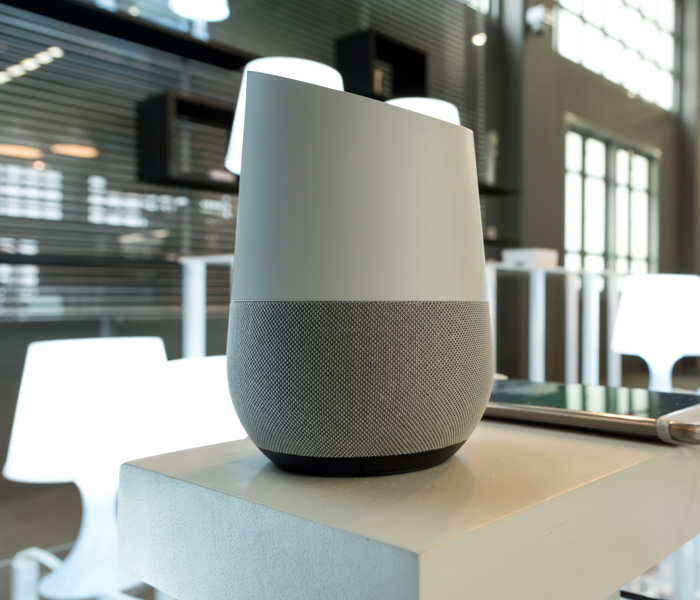
    At this year’s I/O 2018 press conference Google unveiled a slew of new features and functionality for their Google Home platform. If you missed the event live, no worries, we have a recap of all the updates for Google Home right here!

    Google Smart Display

    As a direct competitor to Amazon’s Echo Show, the new Google Smart Displays go on sale this July. Representing a leap forward for the Smart Home line, the Smart Displays will be able to play YouTube videos and display search information directly on the screen. With all the Chromecast and Google Assistant support you’ve already come to expect from the platform, the Smart Display is an even better way to help you stay organized and connected.

    Duplex Functionality

    By far the most astonishing thing seen at I/O 2018 was Google’s new Duplex software. Essentially a highly advanced conversational AI, Duplex uses tons of neat linguistic tricks to sound eerily human. Originally pitched as a service that can make phone calls in lieu of users, in order to set up reservations and the like, Google has also teased that the highly advanced conversational program will make its way into the Google Home suite. Google Assistant functionality that speaks and reacts like a real person sounds simultaneously creepy and awesome. I, for one, welcome our new robot overlords!

    Play Movies Compatibility

    Bafflingly, Google Home has only recently received the functionality to launch movies purchased from Google’s own Play Store. Google Home has long had the ability to launch Netflix and other streaming services with just voice commands, but Google is only just now rolling out support for playing Google Play Movies from your library. While this one seems like a no-brainer, it’s always nice to small quality of life improvements like this not get overlooked in favor of massive new updates like the upcoming Duplex support.