Author: Cameron

  • You Need to be Comfortable to Play Your Best! Which are the Best Gaming Chairs?

    You Need to be Comfortable to Play Your Best! Which are the Best Gaming Chairs?

    If you’re rocking a sweet new gaming rig, chances are you’re going to be sitting in front of it for a while. And if you’re going to be gaming, you should do it in comfort! With what in mind, we’ve got a list of some of our favorite gaming chairs! 

    X Rocker Pro Series Pedestal 2.1 

    X Rocker makes an interesting, banana-shaped design chair that comes with some pretty awesome features. First, it looks like an awesome sci-fi piece of furniture and would match with most gaming setups. Second, it has two speakers and a subwoofer! The sound system is connected to a wireless receiver, so you don’t have to run cords to it, keeping your walkway clear. It’s also huge, cushioned and super comfortable, with big arm rests. If you like the design and speakers, it’s a great choice! The X Rocker retails for around $190. 

    Merax Racing Style Gaming Chair 

    If you’re looking for something a bit more traditional-looking, this $115 chair from Merax is a bit more subdued than most racing-style chairs. It doesn’t have many bells or whistles, but it’s big, comfortable and looks pretty cool. If you want to split the difference between traditional office chair and full-on gaming chair, this is a good compromise. It’s quite comfortable, and rather affordable for such a high-end chair! If you’re in the market for a better computer chair but don’t want to look too much like a gamer, this is a good option. 

    The Best of the Gaming Chairs: Vertagear Racing Series SL4000 

    The $340 Vertagear is a favorite of Twitch stars and pro gamers. It’s easy to see why: it offers great support, it’s comfortable, and it looks great. It has a ton of different color options and looks right at home in any gaming battle station. If you’ve always wondered which high-end gaming chair is the best, our recommendation goes to Vertagear. It’s a little hard to assemble, but once you have it together you won’t be disappointed. Featuring firm cushions and an ergonomic design, the Vertagear is a great choice for a serious gamer. We recommend setting it so that you’re sitting in a nice, upright position with good posture. This helps ensure you don’t experience back or shoulder pain during long gaming sessions! 

  • Microsoft Seeks to Break into Retail Stores, And Kinect May be Involved

    Microsoft Seeks to Break into Retail Stores, And Kinect May be Involved

    Remember Kinect? It seemed like Microsoft trying to infringe on Nintendo’s turf at the time. If you remember the distant epoch of 2010, the Wii was still riding on some serious popularity. Motion-controlled gaming was huge, and Microsoft wanted a slice of that pie. So, to compete, they released a camera and microphone combination called Kinect.  

    The real wonder of the technology wasn’t the camera, though, it was the software powering it. Fast forward to 2018, when AI is a breath away from being a reality, and Microsoft is reviving the once-dead Kinect software in some innovative ways. And one is the elimination of checkout lines and cashiers. 

    Amazon’s Influence 

    The influence of bookseller-turned-juggernaut Amazon on the face of technology is hard to overstate. One example is Amazon’s cashier-free convenience store, Amazon Go. If you missed it, the first Amazon Go opened in Seattle last year and has a truly unique business model.  

    There are no cashiers, and there is no checkout line. Instead, you scan in past a turnstile with your Amazon Go app, which has your credit card info on file. Then you grab the stuff you want and technology in the store tracks what you have. When you leave, the app bills you for whatever stuff you have in your bag. Simple, right? Well, it’s powered by a pretty complicated suite of technology.  

    So complicated, in fact, that many traditional retailers are made quite nervous by it. How could they afford to implement such a complex change in their stores to stay competitive? Amazon is certainly saving costs by not having cashiers, and customers love the convenience. Could this spell doom for traditional retailers? 

    Not if Microsoft Has Anything to Say About It 

    Enter Kinect’s new lease on life. Microsoft is currently working to help implement technology like Amazon’s in traditional retail store like Walmart and Target. While details are currently slim, the move makes sense. Retailers scared of becoming irrelevant can pay for Microsoft’s Kinect AI and stay competitive. Microsoft, in turn, keeps up with Amazon without having to invest in any inventory or construction.  

    At the moment, it’s not set in stone. There are currently no announcements as far as roll-out or implementation of this technology. It’s still in the planning phase. However, if it materializes, it could spell the end of a lot of retail jobs. Hopefully the retailers affected would find other positions for the employees losing jobs. 

  • Competition Heats up Over Processors, Intel’s Dominance Threatened

    Competition Heats up Over Processors, Intel’s Dominance Threatened

    Intel is a processor juggernaut. No other company has been able to hold a candle to Intel for the past decade, and it shows. When you go out and try to buy a laptop, what chips do you see advertised as being inside? Intel. If you ask someone which chips their PC has, the answer is Intel. And that’s terrible for the consumer! A lack of meaningful competition means that things stagnate, and prices rise. Well, there’s good news: Intel’s competitors are closing in. Today we’ve got a quick roundup of the companies that are making processors to compete with the massive CPU manufacturer. 

    AMD 

    The biggest competition that comes to mind when you think of processors is AMD and Intel. However, AMD’s reputation has always been that they play second fiddle to Intel. However, after AMD unveiled their monster 32-Core Threadripper 2, things look a bit different. The absurdly-powerful Threadripper blows all of Intel’s processors out of the water, even when Intel’s dubious experimental prototypes. It seems AMD might be able to carve a niche for themselves as high-end makers of speedy processors. 

    That said, AMD alone can’t hope to change the face of the CPU market. Thankfully for consumers, they’re not the only major player gunning for Intel. You see, Intel has caught no end of flak for overlooking the smartphone market. That blunder may yet come back to haunt them. 

    Qualcomm 

    That brings us to Qualcomm, a company you may not be familiar with. Qualcomm makes processors called System on Chip that run in Android smartphones. The best part? They’re actually quite powerful. While they likely won’t be putting their CPUs in desktops anytime soon, Qualcomm is aiming to break into the laptop market. In a partnership with Windows, Qualcomm has begun shipping processors in Always Connected PCs. The Always Connected line aims to make laptops more comparable to smartphones by giving them LTE connection and higher battery life.  

    Qualcomm is the ideal manufacturer for processors for such a project, as they have a great track record with efficient chips that conserve battery. Balancing power use with performance is a delicate process that Qualcomm is adept at, making them a critical aspect of breaking up Intel’s stranglehold. While AMD beats Intel in the desktop space, Qualcomm can outperform them on laptops. This could get Intel moving again, making their processors better, faster and cheaper. There is, however, a third threat looming over Intel. 

    Apple to Make their own Processors 

    For the better part of a decade, Intel has provided the CPUs for Apple’s laptops and desktops. In 2006 Apple started using them instead of their in-house PowerPC chips that had failed to compete with Intel. That might all change soon, though. Apple has opened their own engineering lab, and rumor has it that they have been snatching up prior Intel employees. For years, the processors in iPhones have been made in-house by Apple. It seems like the smartphone giant might be posed to make the leap to putting their own chips in their computers, too. 

    The iPhone X, for instance, sports an A11 Bionic chip that puts all other cutting-edge smartphone CPUs to shame. If Apple scales that same tech up and ships Macs with it, Intel could be in for some serious competition. Between their alliance with Apple being under threat and two competitors moving in on their once-uncontested claim, things look to be heating up for Intel. And that’s awesome for the consumer. When companies are forced to change, adapt and compete, the quality of their products is sure to go up. And we’re sure to reap the benefits! 

  • New to PC Gaming? Here’s the Top 10 Things You’ll Need

    New to PC Gaming? Here’s the Top 10 Things You’ll Need

    So, you’re looking to start PC gaming? While you probably know how daunting it can be to start out, we’re here to help. From slick looking peripherals to high-end hardware, we’ve got a list of ten must-haves for PC gamers! 

    Set of Tools 

    Photo Credit: Amazon 

    The first thing you’re going to want is a set of tools. Preferably a magnetic screwdriver and an anti-static wristband. Being able to open your rig and troubleshoot is a key aspect of PC ownership. If you spend top dollar for the very best gaming PC, make sure you take care of it! You’ll also probably want a magnetic parts tray so that you don’t lose too many screws. Also, you should get some extra case screws, because you’re going to lose screws. 

    Canned Air 

    Photo Credit: Walmart 

    This is the last boring entry, I swear. Once you open your computer up, you might notice some dust has collected in recesses. It’s best to clean this dust out once a month or so. If you don’t your computer’s performance will suffer as it experiences higher-than-average temperatures. Canned air is also great for cleaning out debris from keyboards! 

    PC Gaming Chair


    Photo Credit: Amazon 

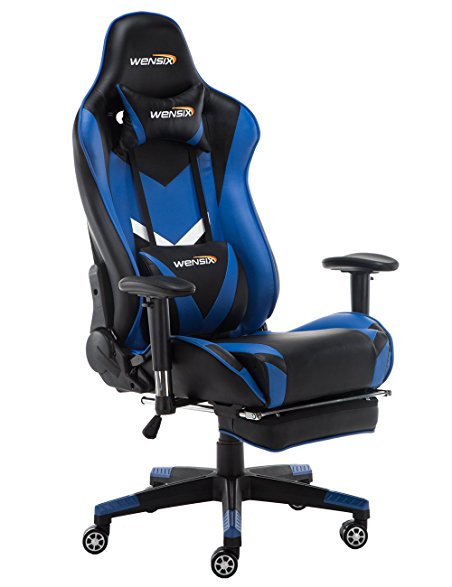
    If you intend to sit in front of your computer for a few hours at a time, make sure it’s in a comfortable chair. There are a few well-known brands of gaming chair to choose from. Vertagear and Furmax both make solid options, and there are often good deals on sites like Amazon. Racing-style chairs are particularly popular at the moment with streamers and pro gamers! 

    RGB Lighting


    Photo Credit: YouTube 

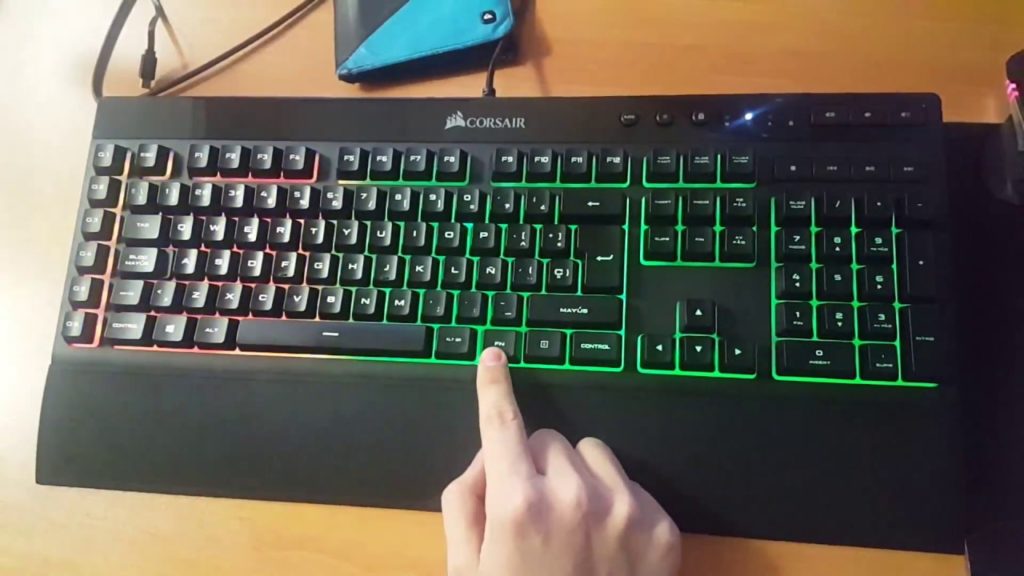
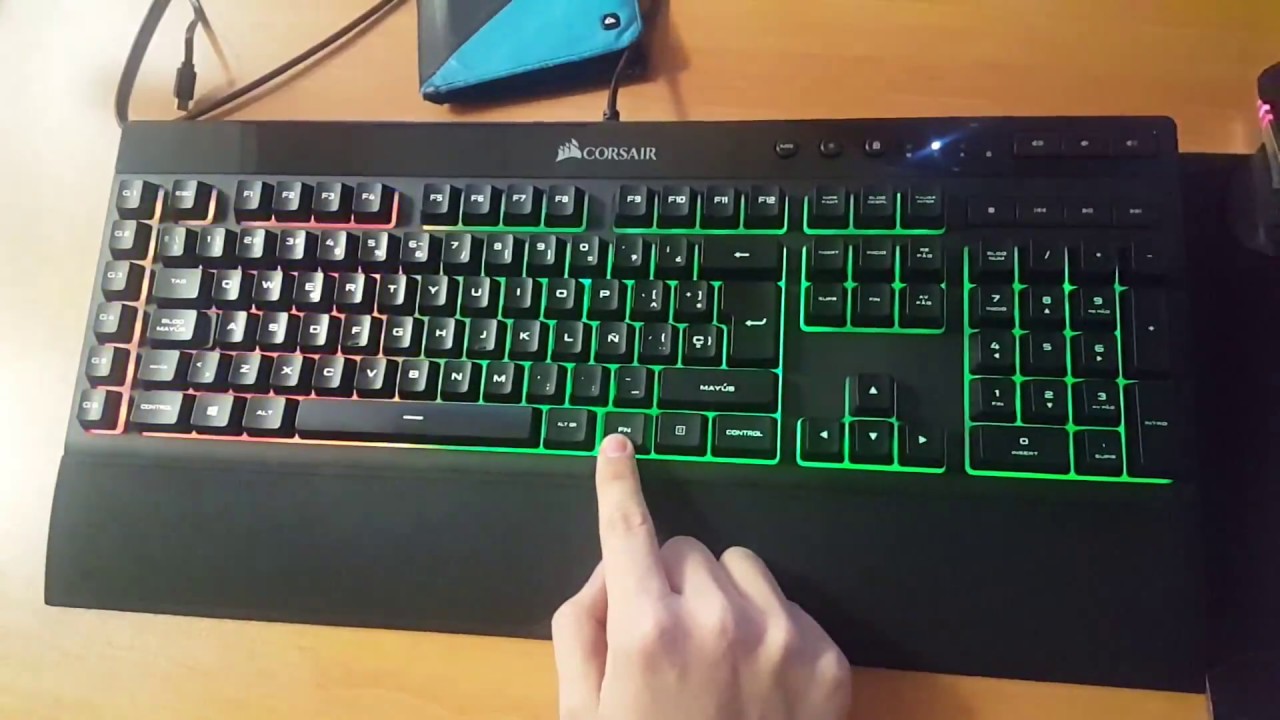
    PC gamers love few things more than high-end graphics. One of the things that comes close, though, is glowing keyboard and mouse setups. High-end peripheral makers like Corsair and Razer make most of their ranges with RGB lighting built in. You can then use software to choose what colors and patterns you want your RGB to take on. Many games even offer compatibility, like Overwatch and Fortnite. If you want your setup to look as serious as it is, consider getting some RGB gear! 

    Gaming Monitor


    Photo Credit: Digital Trends 

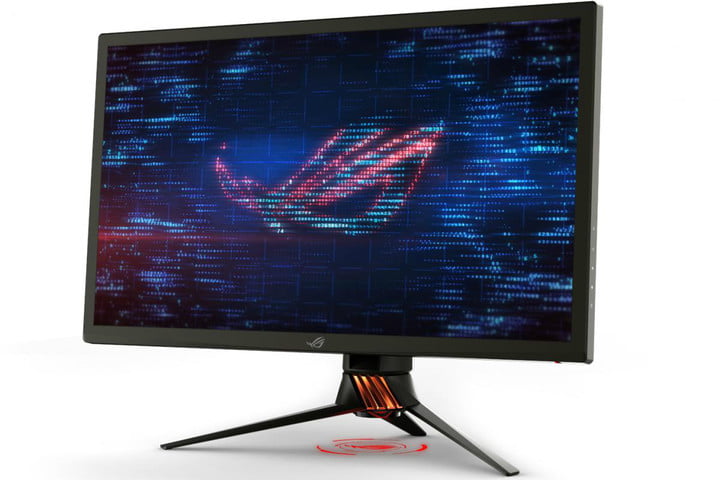
    What’s the point in having an awesome graphics card if your monitor can’t resolve the images it’s being sent? Springing for a 4K monitor is a must if you want 4K graphics. While there are a ton of options out there, finding the best one for your rig is important. Some people like ultra-wide, curved screens. Others may prefer large, flat monitors. Whatever you pick, make sure it’s something you won’t mind sitting very close to for hours on end! 

    Second Monitor

    Photo Credit: Quora 

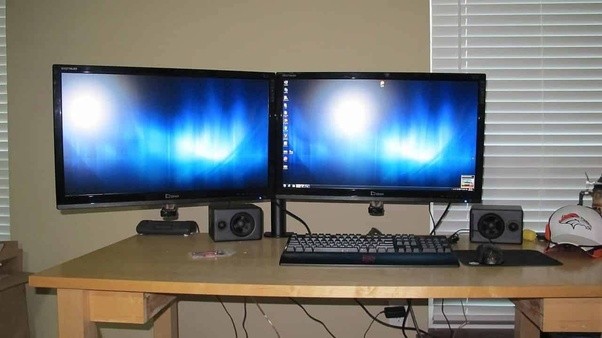
    Many PC gamers swear by a two-monitor setup. Odds a good you already have a normal monitor, but not a dedicated gaming monitor. Well, after you upgrade, don’t sell your old monitor just yet! Instead, consider rocking a two-monitor setup. That way you can multitask! Your awesome new gmaing computer surely has enough RAM that you can do two things at once. Stuck in a hard section of a new game? Watch a step-by-step guide on your other screen. Chatting with friends in between boss fights? Use your second monitor! Some people just like throwing YouTube or Netflix up while they grind their favorite games. 

    Gaming Headset

    Photo Credit: Amazon 

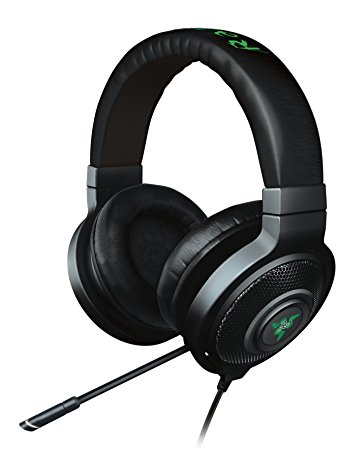
    Gaming headsets are a must if you plan on chatting with your team. While some games don’t require them, nearly all games are made better by the surround sound quality of a gaming headset. Not to mention, your team will appreciate how clear your voice is thanks to your awesome mic! This is an expense worth undertaking if you take competitive team games seriously. 

    DualShock 4 Controller

    Photo Credit: Best Buy 

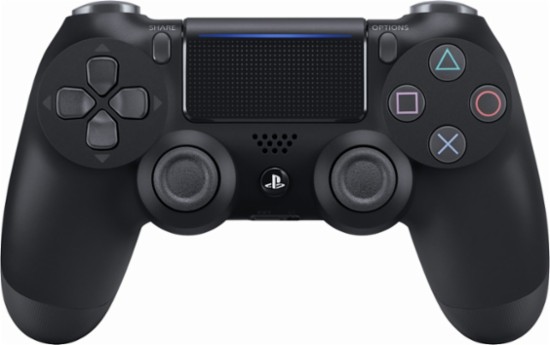
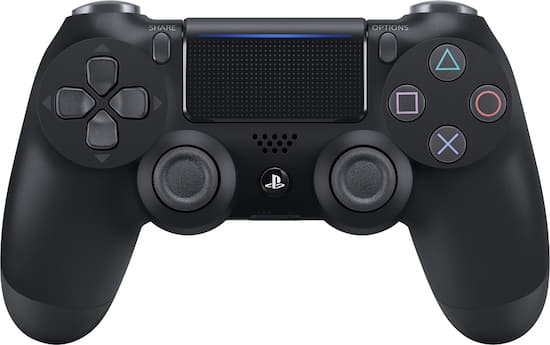
    This one probably seems a little out of place. After all, PC gamers are always talking about how awesome keyboard and mouse is! Well, keyboard and mouse controls are great for certain games. Real-time strategy games, first-person shooters and the like were really made to be controlled by keyboard and mouse. Some games were just made for use with a controller, though, and for those, you’ll want a real game pad. Many consider the DualShock 4 to be one of the greatest game pads ever, with its matte finish and ergonomic design. If you’re more inclined to Microsoft’s offset analog sticks, the Xbox One controller is also a fine choice! Both will work with minimal issue and a bit of setup on pretty much every game. 

    Gaming Mouse


    Photo Credit: Newegg 

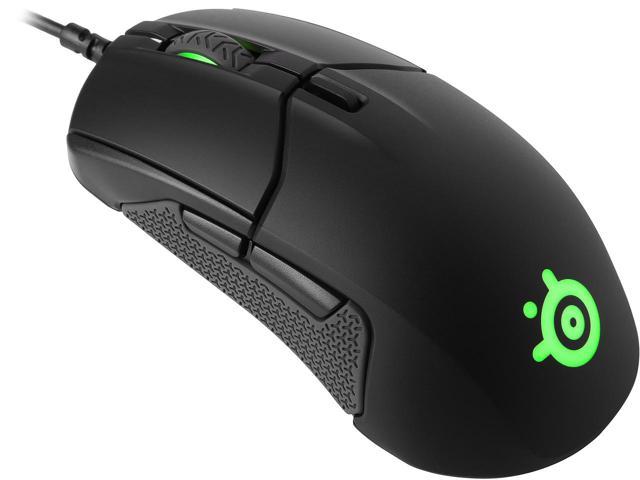
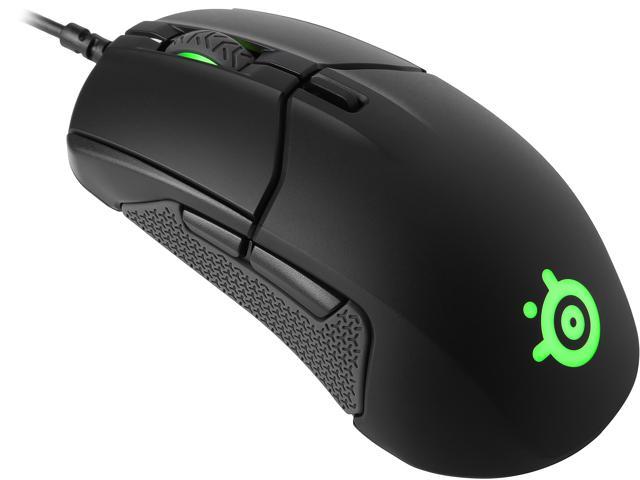
    For those times when you need a mouse and keyboard control setup, though, you’re going to want the best. High DPI, performance gaming mice aren’t cheap, but you’ll know the difference right away. Sporting high-precision and buttons right on the mouse, these are the best way to play. You’ll find yourself skipping less pixels, aiming more precisely and binding common tasks to your mouse buttons. If you’re gaming seriously, you’ll want a serious mouse. 

    The Most Important PC Gaming Peripheral: Mechanical Keyboard

    Photo Credit: Newegg 

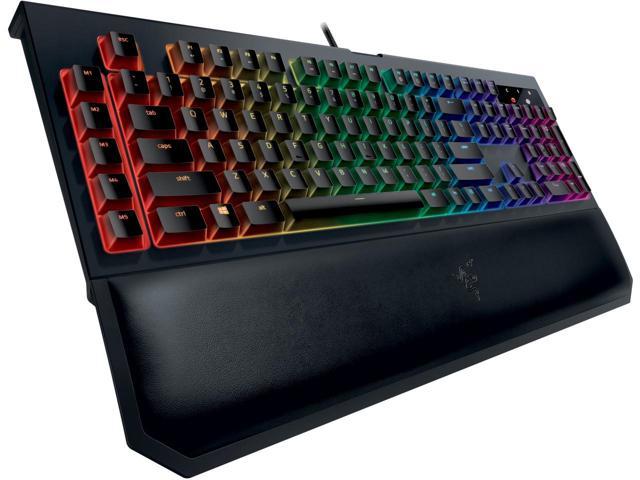
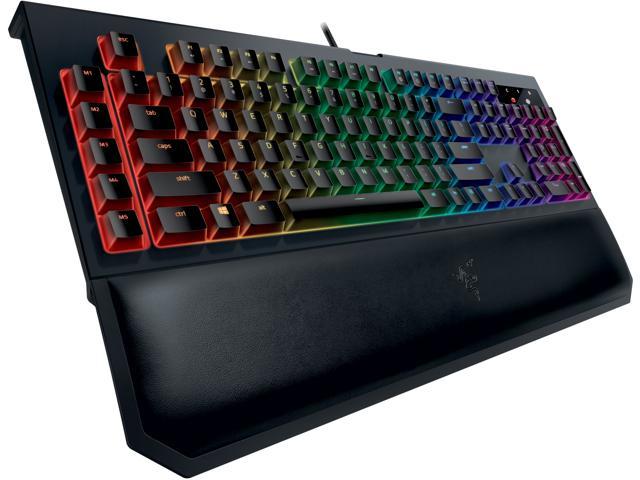
    If you intend to play video games from your PC, get a mechanical keyboard, full stop. It might sound absurd, but those loud, clunky keys are a revolution when you first use them. You won’t accidentally hit a key. You’ll know when you press down that your input was read. While they take a bit of getting used to, mechanical keyboards are the best for gaming. They’re not ideal for heavy typing, so keeping a traditional mesh keyboard around for typing tasks isn’t the worst idea. But aside from writing papers or turning in work, mechanical keyboards are the way to go. 

  • Data Caps Blatant Money Grab? Comcast’s Latest Announcement Makes It Seem that Way

    Data Caps Blatant Money Grab? Comcast’s Latest Announcement Makes It Seem that Way

    Comcast implemented a data throttling program in 2008 that was aimed primarily at slowing BitTorrent users. However, the system hasn’t been used much in the past few years, and now, a decade later, it has been disabled altogether. In an announcement on June 11th, Comcast had this to say: 

    “As reflected in a June 11, 2018 update to our Xfinity Internet Broadband Disclosures, the congestion management system that was initially deployed in 2008 has been deactivated. As our network technologies and usage of the network continue to evolve, we reserve the right to implement a new congestion-management system if necessary in the performance of reasonable network management and in order to maintain a good broadband Internet access service experience for our customers and will provide updates here as well as other locations if a new system is implemented.” 

    What This Means for Data Caps 

    While common sense has held for years that companies charging for data overages are just squeezing consumers, this announcement is proof. Straight from the horse’s mouth, as it were, we now have Comcast saying they are perfectly capable of meeting demand. They claim that their data caps are in place in order to promote “fairness,” but that makes little sense. Data isn’t a finite resource, so someone using more isn’t leaving less to the people around them.  

    What’s even worse than Comcast’s insistence on data caps is their implementation of them. Users are limited to 1TB of data per month and must pay an extra $10 for every 50GB over that. Otherwise, users can opt to pay an extra $50 per month to have no data cap. However, consumers have no way to verify that the metrics Comcast uses to determine how much data they have used are accurate. In fact, reports of users being charged overages for data they didn’t use aren’t unheard of.  

    Worst of all, Comcast maintains that the overages help to pay for system upgrades, not day-to-day traffic. But they already have heavy-traffic users pay more. Higher speeds, which are required for downloading large amounts of content or competitive gaming, are much more expensive than lower bit-rates. This means that those who pay for faster internet will chew through their allotted data faster, meaning they’re getting hit by these higher costs twice when they go over the cap. 

    Comcast Could Prove a Dangerous Example Post-Net Neutrality 

    Comcast now has little incentive to act ethically, as the regulations that reigned them in are gone. Instead, data throttling and de-prioritization will likely become key aspects of their business model. Why shouldn’t the company charge more for the service they could provide for less? What’s stopping them from unfairly throttling content they don’t approve of? Articles like this one could be flagged and be unable to render on the screen of someone using Comcast for internet.  

    This dystopian prediction might sound like hyperbole, but it would be well within Comcast’s power to do so. It would also fit with their previous practices. Then, other ISPs would be likely to follow in their example. Since ISPs are largely monopolies in their areas, consumers would have no recourse. While only time will tell, one thing is clear. Comcast, and other telecom companies, implemented data caps for one reason: to shake down consumers for more money. They’re clearly completely capable of meeting current data demands without the need for such harsh caps. But the caps are good for their bottom lines, so they’re not going anywhere. 

  • Untitled post 5000

    Wireless earbuds often leave a lot to be desired. For one thing, a lot of them aren’t actually wireless. When you’re trying to listen discreetly, or listen while exercising, you don’t want a wire hanging down from your ears. For the absolute best in truly wireless, though, you do have to shell out a bit. Thankfully, we’ve got a round-up of some of our favorite truly wireless earbuds! 

    Bose Soundsport Free 

    Bose doesn’t tend to disappoint, and these truly wireless earbuds are evidence of that. While they cost a full $200, they’re still a great buy. They have a great fit and good sound quality. Bose’s Soundsport also comes with a charging case that holds two extra charges! They look a little goofy, sticking out of the ears a good way, but they sound good enough that it’s forgivable. Truly, if you’re an audiophile and don’t mind the tight fit, these are your best bet. Their biggest drawback? They cost more than the excellent Jabara Elite Active 65t. If sound quality is your main and only concern, though, go with the Bose Soundsport Free. 

    Apple AirPods 

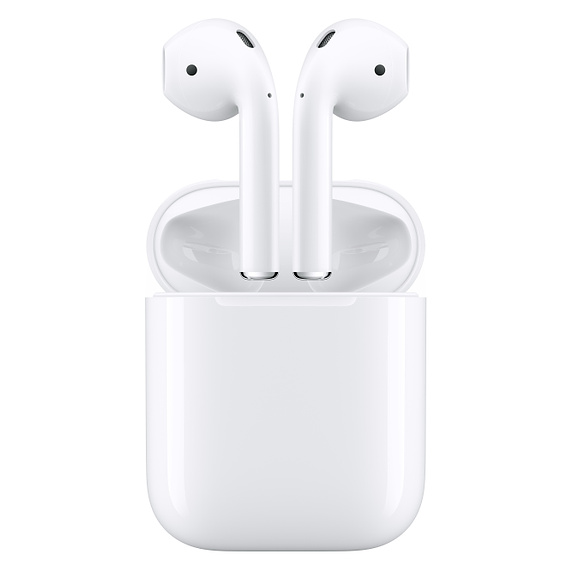
    For a good while, Apple’s entry in the truly wireless market was the best. Recent releases have given them serious competition, but they’re still a solid choice. For one thing, they’re the best value among earbuds on this list, retailing for $160. They don’t have the tightest fit, but some prefer the more open-feeling fit. The AirPods also come with a charging case, and they’re delightfully lightweight. They have reasonable call quality, and they fit easily in a pocket while in their case. The downside? Well, they look sort of lame. Their weird, long stalks make them look kind of dorky, which seems to be a running issue with wirless earbuds. 

    Our Favorite Wireless Earbuds: Jabra Elite Active 65t 

    Apple’s Air Pods are a step in the right direction, but they’re not as great as the Jabra Elite Active 65t. Sporting awesome sound quality and sweat-proofing, you really can’t go wrong with these. They’re durable and long-lasting, with true sweat-proofing that will keep them going even after intense exercise. They’re also good for making phone calls as they have two microphones in each pod. The best part? They actually look pretty slick! Unlike most of their competition, the Jabara Elite earbuds don’t look quite so goofy! They’ll cost you, though. They retail for $190. 

  • Avengers and X-Men Crossover in Danger? AT&T Time Warner Takeover

    Avengers and X-Men Crossover in Danger? AT&T Time Warner Takeover

    We really want to see Wolverine going toe-to-toe with the Hulk. Or Reed Richards and Tony Stark talking shop. Or Thor and Storm making sparks together. Really, we just want all the Marvel characters to come together on the big screen. And we’re so close! Disney has but in a bid to buy 20th Century Fox. But this darn AT&T ruling could really mess it up. 

    Comcast and Fox 

    Marvel Comics owns the rights to all of their characters, of course. They can create comic books, television shows and pretty much anything they want with their characters. But they sold the film rights to a ton of them to other companies in the late 90’s. Sony owns the film rights to Spider-Man, for instance, and Fox has the rights to the X-Men and Fantastic Four. However, the House of Mouse owns Marvel now. And they want their stuff back. 

    Disney put in a bid to purchase Fox last year for an absurd $54.2 billion in Disney stock. Comcast, seeing dollar signs, decided that they, too, wanted to buy Fox. But they put their plans on hold. See, A&T, for their part, was in court defending their attempt to acquire Time Warner.  

    AT&T Won that Case 

    And then AT&T won their case, and the regulatory board is likely to allow their acquisition. This gives Comcast a pretty clear-cut course to acquiring Fox. Fox, for their part, seemed hesitant to go for the Comcast offer, even though it was higher than Disney’s because it was uncertain if the deal would pass a regulatory board.  

    Now that there’s proof that such a merger can pass the board, Fox might just take the deal. This would spell disaster for our dreams of an Avengers and X-Men crossover. Which would be a serious shame. We just want to see Captain America and Professor Xavier exchanging tips for leading groups of super-powered people! And maybe have Scarlett Witch meet the X-Men film version of Quicksilver so she can have her mind blown! Okay, that one’s not happening anyway, but we can dream! In the meantime we’ll just have to read Marvel comics if we want to see the two super-teams cross paths! 

    Feature Image Credit: MovieWeb 

  • Ongoing Security Measures from Apple May Not Be Enough

    Ongoing Security Measures from Apple May Not Be Enough

    Apple’s newest moves to protect their users from data tracking were on showcase at their WWDC conference. Privacy experts largely praised their attempts to block “device fingerprinting” and keep users from being tracked by sites. Sadly, many say, their efforts likely aren’t enough. The biggest issues are logistics. Consumer data is a huge target and covering it adequately would be like making sure no trees were ever cut down. Not to mention, companies like Facebook and Google make billions of dollars by tracking users for targeted advertising. While criminals tracking users are a problem, they’re largely piggybacking on techniques made by legitimate companies. As such, Apple is largely fighting a losing battle. 

    The Age of Paranoia 

    People are quite aware of the ways their data is being collected and used against them now. Namely, Facebook’s notorious Cambridge Analytica breach is a prime example. In our age, people are paranoid of any misuse of their data. Yet, they’re not taking advantage of the tools that could protect them. Companies that create counter-tracking software report that there are depressingly few people using their countermeasures.  

    Similarly, Apple’s counter-tracking measures, while valiant, aren’t enough to truly hinder the vast number of different tracking devices on the web. Google’s Android operating system is more popular by number of users and offers no such protections. This allows the trackers to propagate and refine themselves even though most users are aware of them. 

    The Age of Apathy 

    The worst part? The average users don’t even care that their data is being tracked. Nearly every website has Google or Facebook trackers embedded. And there are hundreds of companies you’ve likely never heard of that are also tracking you. As such, it’s easy to get overwhelmed and feel apathetic in the face of the countless ways your data is being collected. And it’s that very apathy that empowers these companies to keep harvesting your data and targeting you with ads.  

    Companies like Apple Aren’t the Norm 

    Even worse, Apple is nearly alone in Silicon Valley in opposing these practices. Their biggest direct competitor is Google, and Google is the most egregious offender in data collection. As much as Apple tries to defend their own consumers, they’re fighting an uphill battle. Thankfully, smaller companies like Ghostery are on the case, too, but they’re vastly outnumbered.  

    Ghostery, for their part, has turned to artificial intelligence to help shore up countermeasures for tracking software. Perhaps Apple will take a similar track and use the strongest tools of the data harvesters against them? In the meantime, be careful with your sensitive data, and consider getting a plug-in like Ghostery for your browser! 

  • Vivo Nex: A Phone from the Future

    Vivo Nex: A Phone from the Future

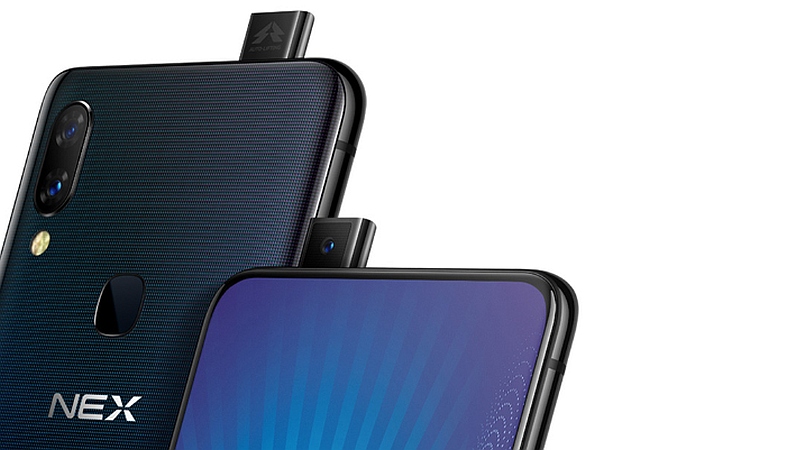
    Vivo has announced their Nex phone, a futuristic and incredible concept. The phone features a massive display, coming in at an astonishing 6.59 inches. The phone also has no notch and an in-screen fingerprint scanner. How cool is that? Let’s get into some of the details. 

    Who’s Nex? 

    The Nex phone has a lot of interesting and innovative technologies in play. The first is the in-screen fingerprint scanner. Vivo has had varying degrees of success with such scanners in the X20 and X21 phones. The scanner in the X20 was superb, but the one in the X21 left something to be desired. The second innovation is the lack of a screen notch. 

    The screen notch seen on phones like the iPhone X is used to house the camera and speaker for phone calls. The Vivo Nex accomplishes this in two unique ways. The first is by using the screen itself as a speaker. This is a very interesting innovation that hasn’t been seen in any mass-production smartphones before. Early reports say that this speaker actually sounds pretty good, despite its unusual position under a phone screen. 

    Odd-Looking Selfie Camera 

    The second innovation allowing for a notch-free screen? That weird looking little nub coming out of the top corner of the phone. It’s the selfie camera! Yeah, it pops up when you activate the selfie feature. It’s about the quaintest thing going on with this complex, high-tech phone. I don’t know if this is a better option than just having a notch, but it’s certainly amusing. 

    Flagship Processor 

    The phone is also packing some serious power. It uses a Snapdragon 845 processor, which is top of the line, and sports 8 GB of RAM. It also sports 256 GB of internal storage and a huge battery, clocking in at 4,000mAh. All-in-all, this is an impressive-looking piece of hardware. 

    When Can We Try the Vivo Nex Hands-On? 

    Sadly, we don’t have a release date or a price for the Chinese smartphone yet. However, when it does launch, expect to import it, as Vivo’s phones are sold almost exclusively in China. 

    Feature Image Credit: NDTV Gadgets 

  • Looking to Start Investing? Our Ten Picks for Best Investment App

    Looking to Start Investing? Our Ten Picks for Best Investment App

    Investing in the Stock Market can be daunting. There are a ton of moving parts and the big players all seem like Wall Street types. The good news is, the age of the smartphone has made investing super simple and easy. Where once you might have had to contact a broker to be your proxy on the exchange, you can now just use an app. There are a ton of options out there, though. How do you know which investment app is the best? Well, we’ve got our ten favorites for you to check out! 

    Bloomberg 
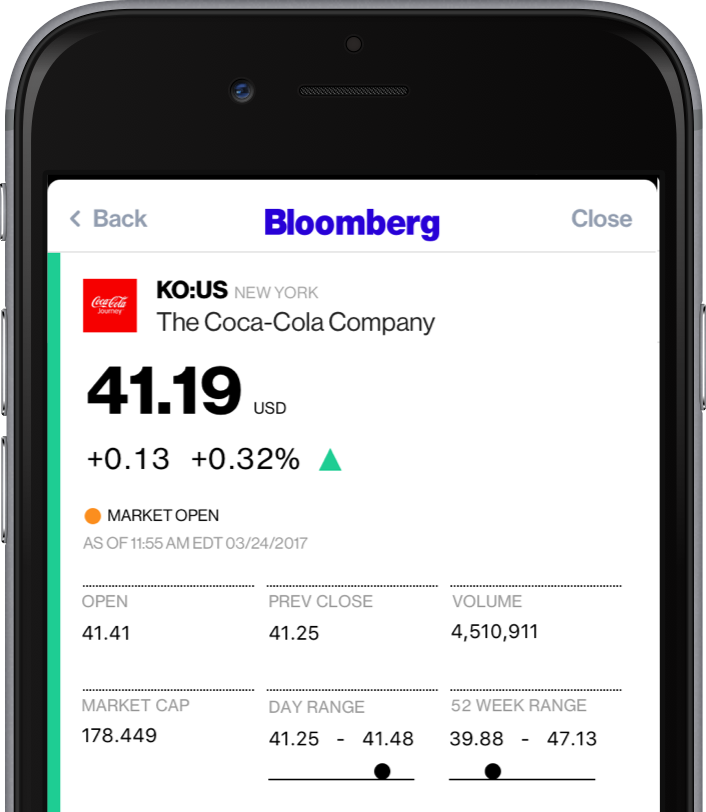
    Photo Credit: Bloomberg 

    A well-known name in money management, Bloomberg’s app is great for investing. Combining breaking money news and investing tips, Bloomberg has it all. The app even offers personalized news, so you can watch the companies you invest in.  

    If you’re as interested in the “why” of the stock market as you are in making money off of it, try Bloomberg. 

    Benzinga
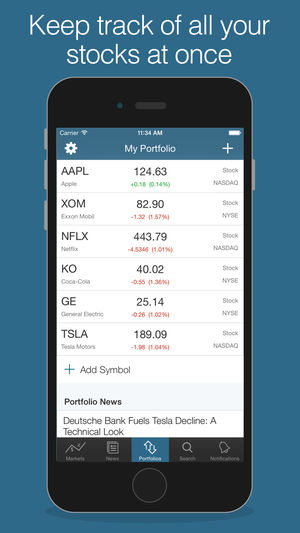
    Photo Credit: iTunes 

    Benzinga is great for investors who want insatnt information. By opening the app, you get immediate stock quotes, no need for waiting or skimming over news you don’t want. Acting as something of a punchy investment app, Benzinga is good for those who want to forge their own way. It has social media options, too, letting you share trending stock info to sites like Twitter.  

    Benzinga can also give you push notifications when news relevant to your investments breaks. It also offers some premium features for those who want a more in-depth experience. If you get the subscription you access features like live analysts to answer questions and audio news. 

    CNBC
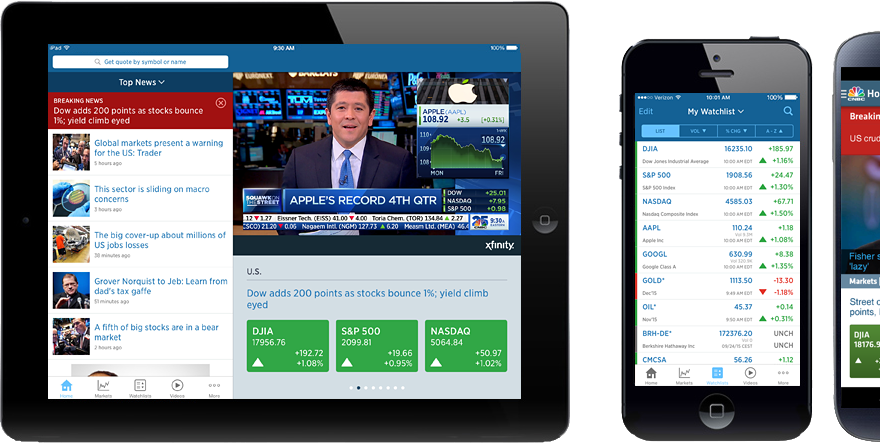
    Photo Credit: DownloadMyMobileApp.com 

    CNBC is a great news app for those who want to see a little bit from every source. Their app is clean and user-friendly, presenting data in an immediate, digestible format. Many investors swear by the process of synthesizing news from as many sources as you can stand to read. CNBC’s app is a fantastic way to achieve such wide-ranging research without having to dig across the internet. A great resource for novices and veterans alike! 

    Fidelity Investments
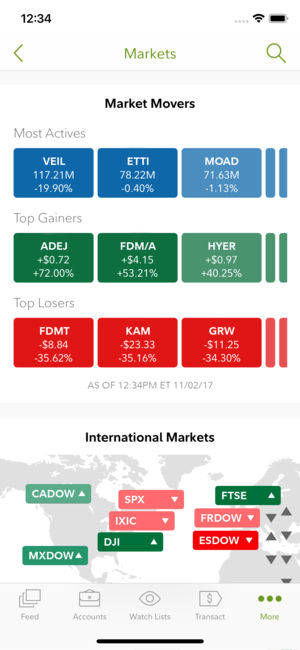
    Photo Credit: iTunes 

    Fidelity Investments’ app is great for more experienced investors looking to move to something more in-depth. The app offers in-depth charts and daily video coverage of market trends. It also offers notifications for when prices go above or below certain thresholds. It has a comprehensive news section and offers multiple money-management tools. This is a great choice for those who have become more adept in their online investing! 

    Motif Explorer
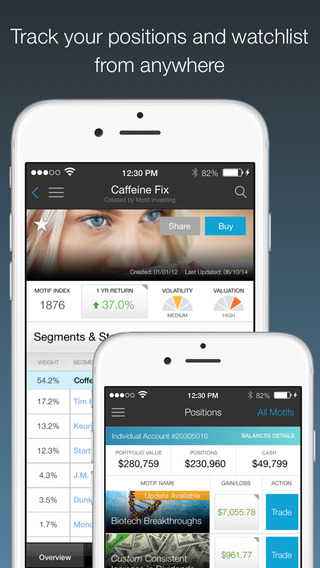
    Photo Credit: The Divided Ninja 

    Motif is a cool way to introduce the stock market to people who are curious about the exchange. The app’s creators track various world events to see which could cause the market to shift. Portfolios, or motifs, based on those observations are generated. For instance, they might have a profile on clean energy, and if you invest in that motif your money would be invested in various clean energy companies. The app works to find which motifs are trending upwards and help you invest accordingly.  

    While Motif Explorer isn’t the best for large, serious investing, it is interesting for newcomers. Consider this one if you’re interested in dipping your toe in investing. 

    TD Ameritrade 
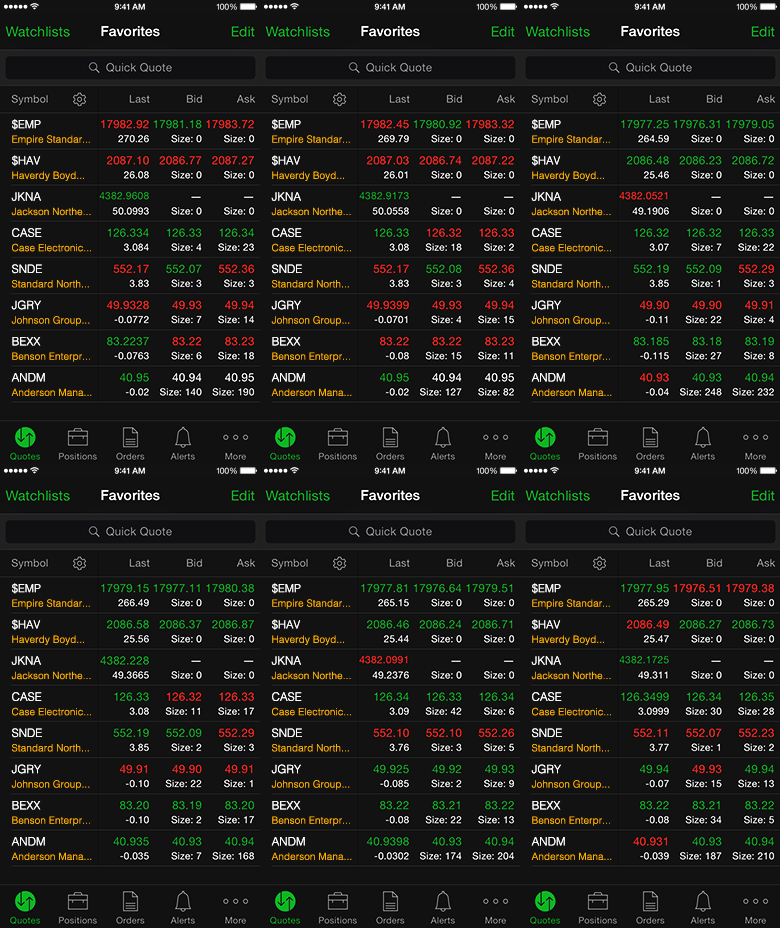
    Photo Credit: TD Ameritrade 

    This app gets a nod for being a great, bare-bones app with no frills. If you’re looking to not have your hand held and just start investing, check this one out. It offers real-time view of the stock exchange, mobile trading, fund exchange and other basic features.  

    Most notably, this app has a feature called Snapstock. This feature lets you use your phone camera to take a picture of a barcode. Then, the app pulls up the company that makes the product that barcode is attached to. That way, if you see an item in a store and think “this is going to be huge,” you can find them and invest on the fly from your phone. 

    Yahoo! Finance
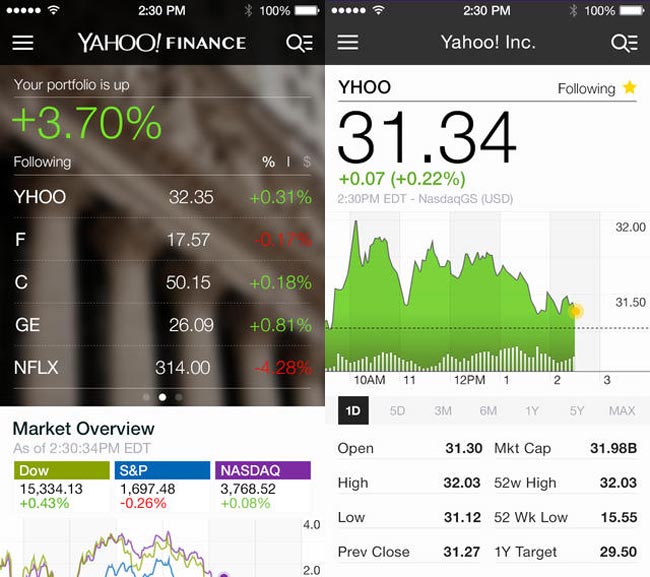
    Photo Credit: Geeky Gadgets 

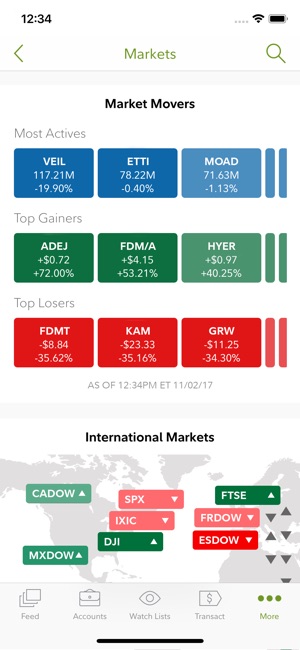
    Surely, you’ve heard of these guys? Jokes aside, Yahoo! Finance has a great app for beginner investors. The app has a gorgeous, clean design reminiscent of Apple’s native iPhone stocks app. The design is personalized to your investments and offers a great dashboard to see what stocks are trending. It also features news and trending stocks at a glance. All in all, this app is great for those just starting out who want to get their stock info at a glance.  

    Stock Market Simulator
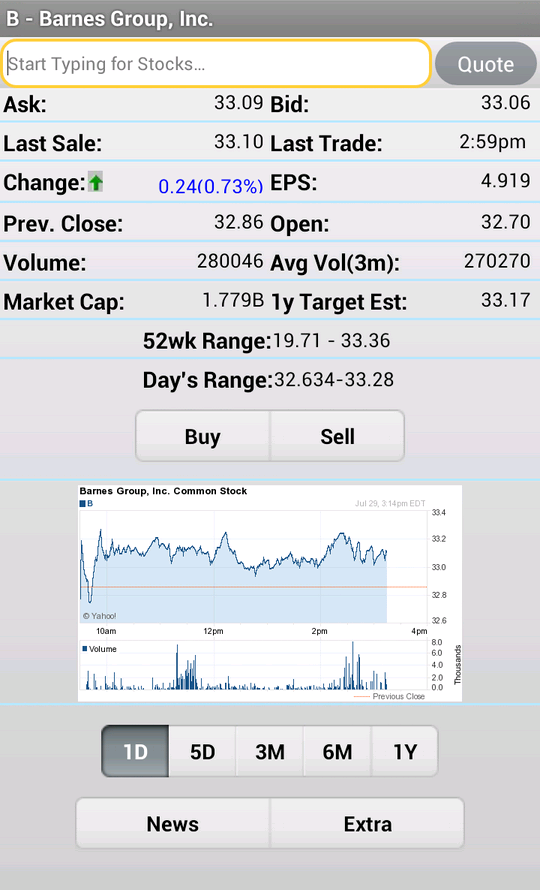
    Photo Credit: APK-DI.com 

    This mock investment app is a stress-free simulator to show newbie investors the ropes. You start with $10,000 in virtual money with no value and can mock invest in an echo of the real stock market. The echo updates fifteen minutes behind the real exchange. While this isn’t meant to be a tool to predict actual investment trends, it is useful to show newcomers what the exchange looks like. It allows them to experiment without risking their actual money. 

    SigFig

     

    Photo Credit: Apptentive 

    This investment app is quite good for newcomers. SigFig offers advanced optimization tools for portfolios, helping you manage your money. You take a profile quiz to tell the app the ways you like to take risks with your money. You get a personalized investment plan, put money in the account, and off it goes. It’s like a digital broker! 

    The app also offers investment advice for first-time investors. The only downside is that it only shows you three years back of your investment, where most apps opt for five- or even ten-year retrospectives. That said, this is still an awesome choice for newcomers. 

    Our Favorite Beginner Investment App: Acorns
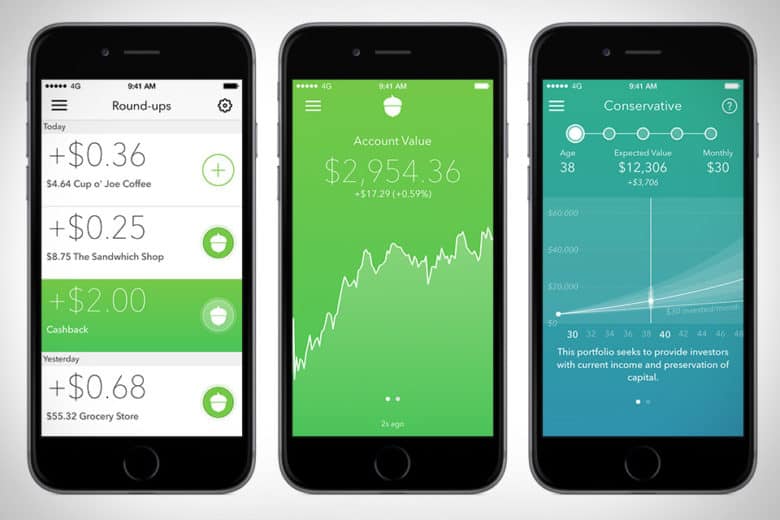
    Photo Credit: Cult of Mac 

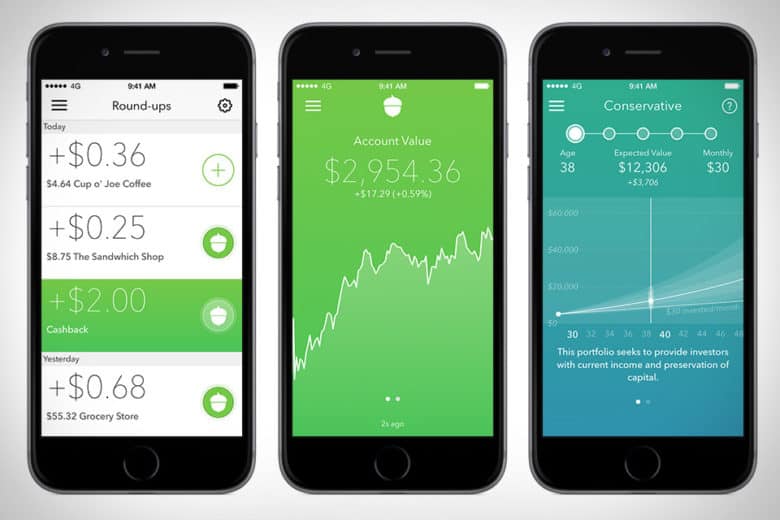
    The Acorns app is pretty awesome. This investment app works by investing your loose change into a diversified portfolio. The idea is that you set it up with your credit or debit card, and then the app rounds up your regular purchases and invests the small amounts of money in accounts recommend by Harry Markowitz. Markowitz, for his part, has won a Nobel Prize for his work as an economist, so you know your money is in good hands. 

    Acorns is meant to be a “set it and forget it” service, in their COO Jeff Cruttenden’s own words. The service does have a small monthly fee, but as long as you keep small amounts of money in it, you probably won’t notice it. This service is great for those who’d like to invest but don’t know where to start.