Blog

  • Computex 2018: What is Asus Up To?

    Computex 2018: What is Asus Up To?

    Asus, known for typically playing second fiddle to Apple, wowed crowds at Computex 2018 on Monday. Asus showed off some absolutely crazy pieces of new tech! These will certainly get you excited for the future of technology. Since we’re so hyped, we rounded up Asus’ three big reveals from the conference.

    ZenBook Pro 

    A very sleek, technologically advanced new laptop, the ZenBook Pro is the more traditional option for those wary of Project Precog. What’s Project Precog? We’ll talk about it in a minute. The ZenBook Pro, though, is this year’s Asus innovation, featuring a trackpad that doubles as a display. You read that right, the new laptop has a tiny 5.5-inch display as a trackpad. Asus is calling this innovation the ScreenPad. The display seems geared at productivity, including functions with Microsoft Office suite of apps. Apple’s TouchBar plays in a similar space, but the ScreenPad is much beefier. This looks pretty awesome, but time will tell just how useful it is. 

    VivoWatch BP 

    This smart watch is promised to carry the world’s first medical-grade blood pressure sensor in a smart watch. Tech like this is a huge step in the right direction. The future of wearables is likely a fusion of medical and consumer technology. While the VivoWatch isn’t the flashiest wearable we’ve ever seen, it still shows that Asus is putting some serious thought into their offerings this year. Not to mention, they’re pioneering a field that will likely define the way we think of wearables, and that alone is worth praise. 

    Asus Highlight from Computex 2018: Project Precog 

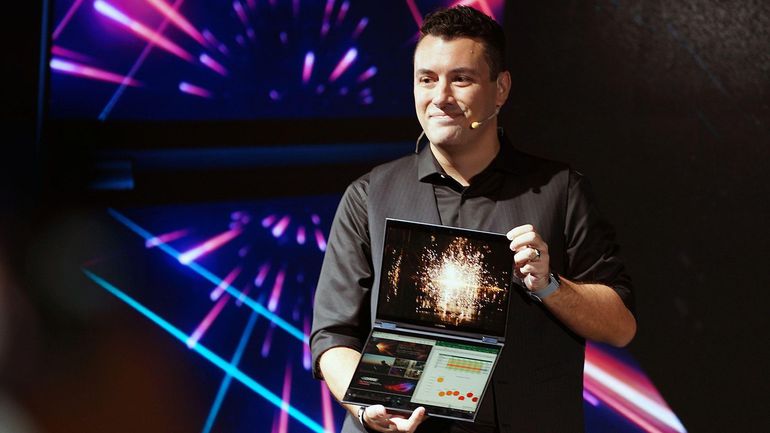
    This dual-screen, AI-enabled laptop was a show-stealer. Featuring two massive touch screens and no physical keyboard, Project Precog promises to be the laptop of tomorrow. The laptop is set to ship with AI functionality to make your life easier. Suggested uses of the AI at the show were things like battery life conservation, helping you make Excel spreadsheets and recognizing users by face. If none of that sounded cool enough, it’ll also read where your hands are in relation to the display and generate a virtual keyboard under your hands when you want to type. How cool is that? Project Precog is set to launch in 2019. 
  • Which Gaming Mousepad is Our Favorite? Check Out Our Round-Up!

    Which Gaming Mousepad is Our Favorite? Check Out Our Round-Up!

    The hottest new trend in PC gaming is huge, desk-covering mousepads. Gone are the days of gaming with small, office-approved mousepads! The era of the gaming mousepad is here. Which one is the best for upping your game? Which ones are our favorites? Read on to find out! 

    Razer Sphex v2 

    If you’re a minimalist, you’ll love Razer’s entry in the gaming mousepad race. This incredibly thin mousepad looks great on a desk and helps your space look less busy. It even comes in a small size for those who have less space. It’s durable in spite of its thin profile and works great as a no-frills gaming mousepad. Razer sells this awesome product for $15. 

    SteelSeries QcK 

    Much like the Razer Sphex, the QcK is a no-frills, straightforward mousepad. It sports a very high thread count, your mouse slides beautifully along its surface. If you would like to hook your mousepad into your RGB lighting suite you could also opt for the Prism model! This one lets your whole setup flash in matching RGB illumination, which is super cool! It’s available from SteelSeries in a wide array of sizes and shapes for any desk. A great pick for a serious-minded gamer! 

    Corsair MM1000 Qi 

    This mousepad is a bit different from the ones discussed earlier. The MM1000 sports wireless Qi charging for your gaming mouse, allowing it to stay topped-off without interrupting your gaming! You can even charge your phone while you play if your phone is Qi enabled. This huge, smooth mousepad won’t break the bank, either, coming in at around $80. If you have a Qi enabled mouse and/or phone, give the MM1000 a shot! 

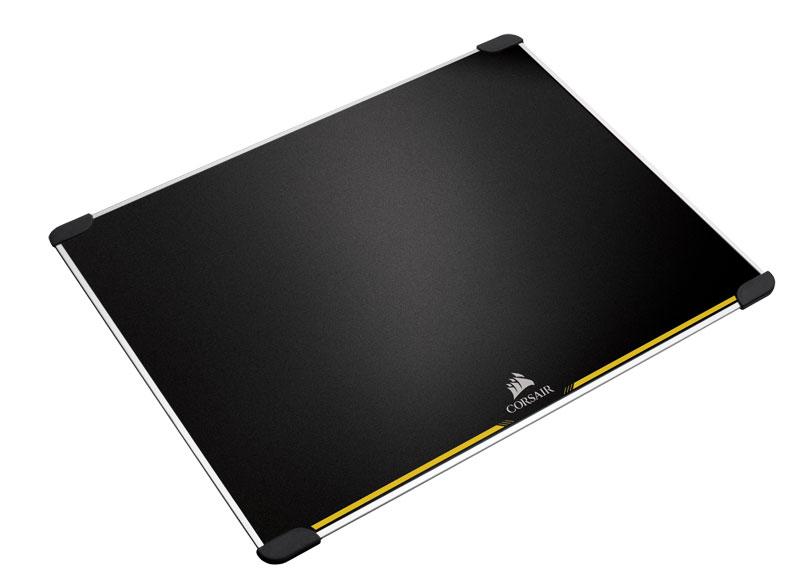
    Our Favorite Gaming Mousepad: Corsair MM600 

    The huge MM600 is a low-tech yet awesome mousepad for gamers. It’s double sided and features rubber feet in each corner to keep it in contact with your desk. It’s made from aluminum and its surface is treated to be low-friction. This mousepad truly feels premium, and it’s very affordable for how high quality it is. You can pick one up for yourself for around $40 from Amazon. 

  • Round-Up: Cool Tech Not for Sale Yet

    Round-Up: Cool Tech Not for Sale Yet

    Every day, new technology goes up on crowdfunding sites to get funding to go live. Tons of awesome inventions are funded this way, and we love perusing the coolest ones. There’s so many to check out, though! To help you find the coolest ones, here’s a quick round-up of some of our favorite new pieces of cool tech being crowdfunded now.  

    Forward X Ovis 

    This neat new piece of tech is perfect for those who spend a lot of time in airports. Since it’s complete with obstacle avoidance and facial recognition, this handy little guy will follow you all over the terminal. It also comes with a bracelet for tracking that tells you if it falls out of range and helps you find it if it gets lost. So, if you’re the kind of person who loves their Rumba, this self-driving luggage is perfect! It’s on Indiegogo now for $400, so if it interests you, go check it out there! 

    Zen Float Tank 

    Sensory deprivation tanks, great for meditation and inner reflection, are notoriously expensive. However, the Zen Float tank seeks to remedy this by offering inflatable deprivation tents for home use. Up on Kickstarter now, the Zen Float Tank is an interesting solution to the prohibitive price of float tanks. By being both inflatable and sized for a home, it is able to discreetly hang out in the back of a room. It’s low maintenance, too, requiring little upkeep. These things all make the Zen Float Tank very cool tech for those looking to experience sensory deprivation and meditation. 

    Earth- Interactive AR Globe 

    This high-detail globe model of Earth is impressive on its surface. It’s colorful and informative, giving excellent topographic views of Earth’s surface. However, real magic kicks in when you use the paired augmented reality app, though. The app allows you to turn the globe and learn about the different countries, climates and creatures in our big, beautiful world. If you love learning, or have a little one who does, this is perfect. Many kids would love to learn geography with a hands-on tool like this! Heck, I’m an adult, and I still want to play with this thing! It’s up on Kickstarter now. 

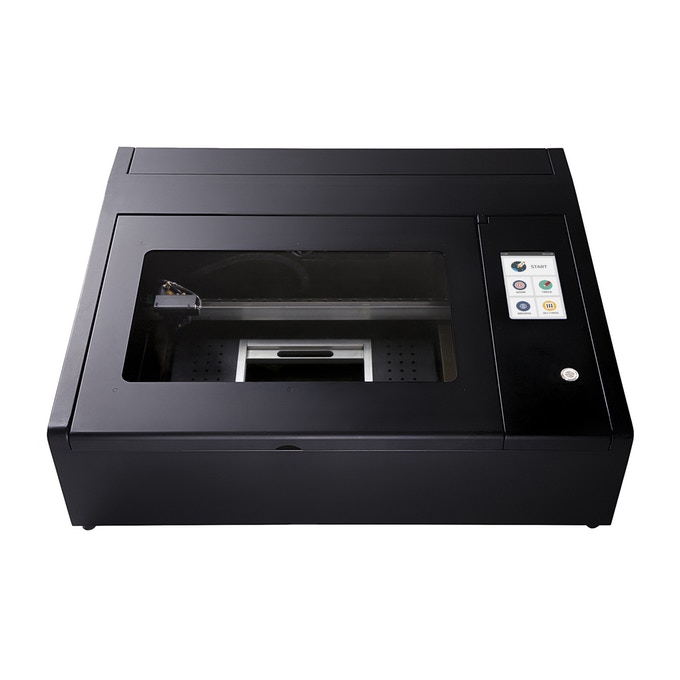
    Our Favorite Upcoming Cool Tech: Beambox Laser Cutter 

    Top of the list of things that make you go “oh, cool,” is the Beambox laser cutter. If you;ve ever wanted a cutter to do engravings on all kinds of materials, check this one out. It’s awesome. Usually you would need a lot of knowledge on how to set a laser cutter, how to calibrate it and use it effectively. Beambox, however, was designed to be easy to use! It has presets for different materials and it hooks right up to your computer. You can put in any design you want, and the Beambox will engrave it! It’s so cool! 

  • Xbox Systems to Support Voice Assistants Like Alexa

    Xbox Systems to Support Voice Assistants Like Alexa

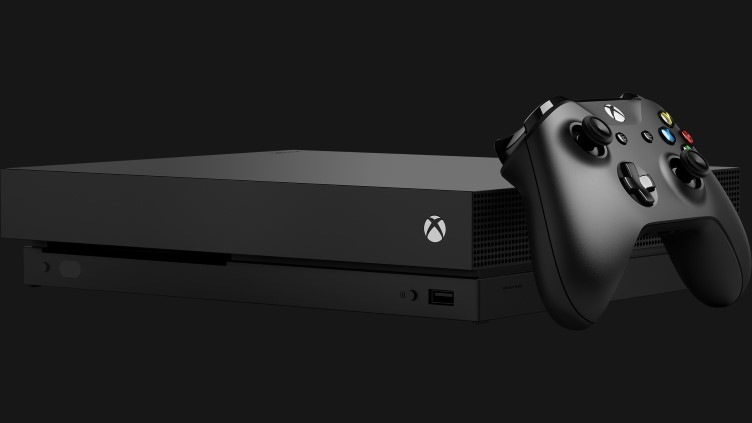
    A new report from Windows Central has shown a screenshot of options for voice assistants in Xbox One. While the system already has support through the (now shuttered) Kinect service via Cortana, the Windows Central report goes beyond Microsoft’s proprietary AI. The report indicates Google Assistant and Alexa would both be supported in addition to Microsoft’s own assistant. 

    Smart Speaker Integration 

    Smart speakers are sort of taking over the world right now, so it makes sense that Microsoft would focus on this technology. The Xbox One has always been marketed as a home entertainment system first, with TV and music being huge for the system. Having the system connect to your Smart Home network is a no-brainer for Microsoft.  

    Xbox Voice Gaming Potential 

    Additional inputs aren’t a bad thing, and Xbox is known for unconventional inputs. The aforementioned Kinect service serves as evidence of this. Voice and gesture commands were once a hallmark of the Xbox family of games but fell out of favor as the company refocused on core games. However, the surge in popularity of voice assistants could signal another push by Microsoft to reenter the Kinect space. “Alexa, start Halo on my Xbox,” is one thing. But “Alexa, help me find nearby save points,” could bring a new layer of depth to certain games.  

    Heck, Microsoft could even be cute and play favorites with Cortana funcitonality in Halo. As fans know, Cortana is actually an AI character in the famed sci-fi series. Talking to her directly in game via a smart speaker could bring another layer of immersion to the experience. “Cortana, where are the enemies?” “Cortana, show me the way out of here,” you can imagine the possibilities.  

    Considerations for Xbox Owners 

    There is nothing more frustrating than buying a cool new piece of tech only to find out it isn’t compatible with your set-up. If you’re an Xbox owner thinking about getting a smart speaker, it may be wise to hold off until Microsoft announces more. We aren’t sure as of yet which services and speakers will be compatible. For the moment, hold tight and see what unfolds. 

  • What Did Apple Show at WWDC 2018?

    What Did Apple Show at WWDC 2018?

    Apple’s big yearly developer conference, the WWDC, was on June 4th, and Apple showcased a ton of new software changes. We’ve rounded up some of the biggest notes from the event here, and we’ll be diving deeper into iOS 12 in a future article. For the most part, Apple focused on security and user protections. This is comforting, as we live in an increasingly-paranoid era where data breaches are all too common. 

    USB Restricted Mode 

    Grayshift, an iPhone hacking tool, uses a USB bypass to brute-force passwords into a locked iPhone. The new iOS has a variation of a previously-discussed mode that will disable these kinds of USB tools. The mode works by locking out USB devices accessing a phone that has been locked for more than an hour. That is, unless the password is put in. This move would keep both criminals and law enforcement from hacking into someone’s iPhone. This move would reignite the ongoing argument between Apple and law enforcement agencies about Apple’s responsibility for helping law enforcement access user data. 

    End-to-End Encryption 

    FaceTime, Apple’s popular video chatting service, now allows end-to-end encryption for up to 32 users. This is great for ensuring that your video calls remain safe from prying eyes, and also shows Apple’s dedication to user privacy. Just how they managed to pull off such encryption with such a large number of simultaneous users is unknown, though certainly impressive.  

    WWDC: Apple Committing to Security 

    Further advancements in iOS security were unveiled. Functions to keep websites and malware from spying on users were shown. Those functions would keep malicious programs from accessing the camera or microphone. Additionally, Apple is integrating software that allows your device to generate a strong password and then store it in iCloud. The password will then be automatically pulled when you need it, keeping your experience hassle-free and well-encrypted. This mimics apps that are already available, but, again, this shows Apple’s commitment to keeping all of their users’ data safe. 

    Upgrades to Siri 

    WWDC was also a chance for Apple to show off the new changes coming to Siri. The virtual assistant will be receiving a new functionality referred to as “Siri Shortcuts,” allowing users to create their own prompts for specific apps. This well help Siri to feel more useful, and hopefully encourage people to actually, uh, use her. Apple also promised that Siri would become more responsive and generally useful. This is critical if Apple wants to compete in the smart home sphere against Google and Amazon. Apple’s HomePod has been struggling, between it’s silly price tag ($350) and under-utilized virtual assistant. 

    While WWDC didn’t show off a ton of new gadgets, the improvements shown are all positive. The company is moving ahead in smart ways, showing a mature, responsible take on security. 

  • Atari VCS, First New Atari in Decades, Raises $2 Million in one Day

    Atari VCS, First New Atari in Decades, Raises $2 Million in one Day

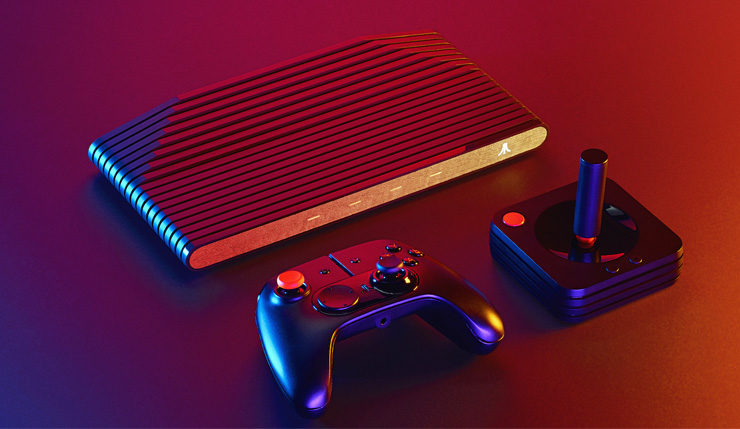
    Atari’s love letter to retro gaming, the Atari VCS, was up on Indiegogo for a day before it nearly crashed the site. The retro-inspired console pulled in over $2 million in pledged funding. The Atari VCS is a system unlike most we’ve seen in the past, in that it’s a hybrid of the micro-consoles Nintendo has been releasing, and a more traditional console like the PS4. It is slated to come pre-loaded with over 100 Atari games, making it sort of like the SNES Classic. It is also going to offer more modern gaming experiences, more comparable to a full console. 

    Crowdfunding? 

    The console was sure to release with or without the crowdfunding campaign, but the Indiegogo success indicates something else. Developers can rest easy knowing that there is ample excitement for Atari’s first console since the 90’s. Additionally, this helps Atari gauge interest and produce enough units to meet demand. This allows them to avoid a Nintendo-like situation where their console proves more popular than anticipated and supply runs out too quickly. 

    Worlds Collide 

    The VCS is going to have a price tag of $299. That puts it in the same league as the Switch, the PS4 and the Xbox One. This is a very bold move for a video game maker who hasn’t been in the mix for 25 years. The last time Atari made a console was the Jaguar, released in November of 1993. The VCS, however, is looking to be a modern device with streaming and online play in mind. Atari is marketing the console’s open Linux OS, making it highly customizable and open to user software. As mentioned earlier, the console will also come with a wide library of older Atari games.  

    The main draw, however, will certainly be the newer games living in harmony with their older cousins. Atari promises favorites from PC and indie games will be on the console. The VCS sports a modern looking controller, in addition to a classic-looking input. 

    When Can I Get My Own Atari VCS? 

    If the promise of a modern console with classic sensibilities sounds your speed, then you’ll be pleased to know the Atari VCS hits store in June of 2019. You’ve still got time to head over to their Indiegogo page and pledge and check out Atari’s videos and descriptions of the console. What do you think, could this be the return of Atari? Or is this idea too weird, and doomed to fail? 

  • Top Ten Best AmazonBasics Deals to Save you Money!

    Top Ten Best AmazonBasics Deals to Save you Money!

    If you’re on the lookout for good deals on computer accessories, AmazonBasics is a great place to look. Amazon’s line of discount accessories is high-quality, reliable and affordable. While they might not be the same quality as Razer or SteelSeries, they are worlds less expensive. With that in mind, let’s check out our ten favorite deals from AmazonBasics! 

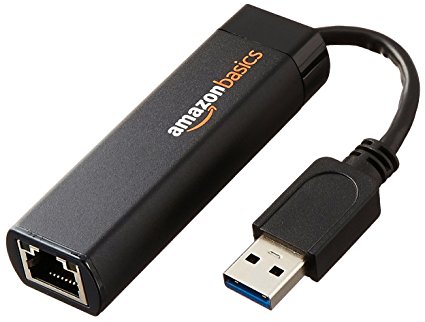
    USB To Ethernet Dongle 

    Photo Credit: Amazon 

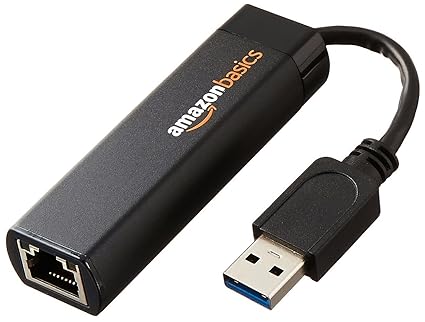
    For only $13 you can pick up this handy USB to Ethernet dongle. If you have a laptop that doesn’t sport an ethernet cable and want to hardwire your connection, this is a must! Nintendo Switch owners can also use these to hardwire their docked hybrid console. In both cases, opting for a hardwired connection over a wireless one can be ideal, especially with lower-end wireless routers that sport unstable connections.  

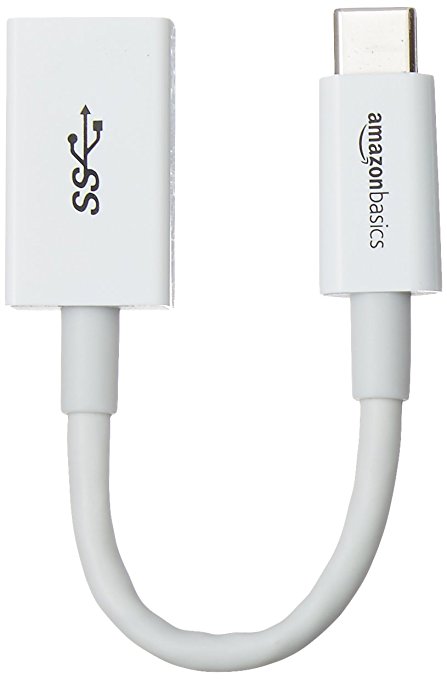
    USB-C to USB 3.1 Adapter 

    Photo Credit: Amazon 

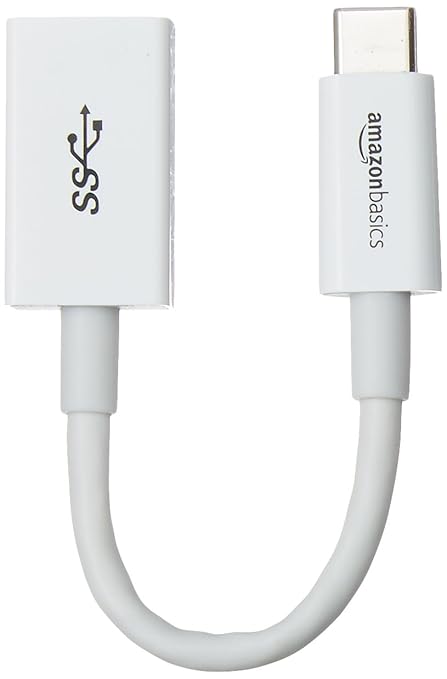
    A favorite of MacBook owners, this $6 dongle is a lifesaver. If your laptop has only USB-C ports and you have a USB mouse you’d like to use, this is the answer. An adapter like this is great to throw in a drawer and keep handy for an emergency. 

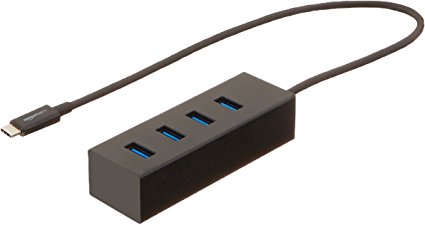
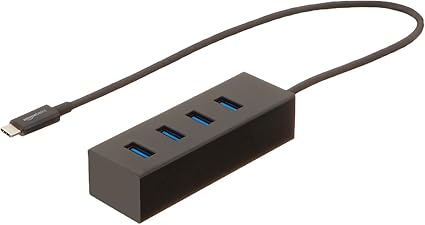
    USB-C 4-Port Adapter for 3.1 

    Image Credit: Amazon 

    While the above dongle is awesome for a pinch, some laptop users would prefer a more permanent set-up. For those who need to hook up a printer, mouse, keyboard and a USB thumb drive, this 4-port adapter should suffice. For $16 you can have a more solid laptop set up. Thanks, AmazonBasics! 

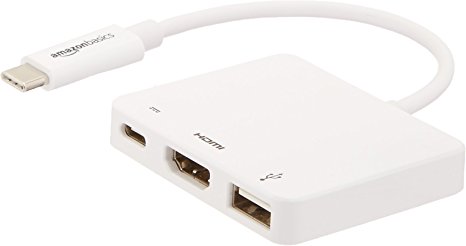
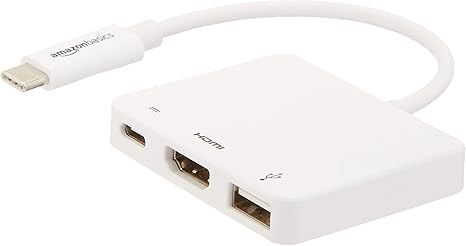
    USB-C Multiport Adapter 

    Photo Credit: Amazon 

    Rounding out our USB-C section is this incredibly handy multiport adapter. If you intend to output video from your laptop, this is a must. While $40 may sound expensive for AmazonBasics, it’s a hair cheaper than the competition: these usually run around $60. This dongle has an HDMI port, a USB 3.1 port, and a USB-C pass-through. The pass-through is ideal for a MacBook, so you can charge it while you use the multiport. 

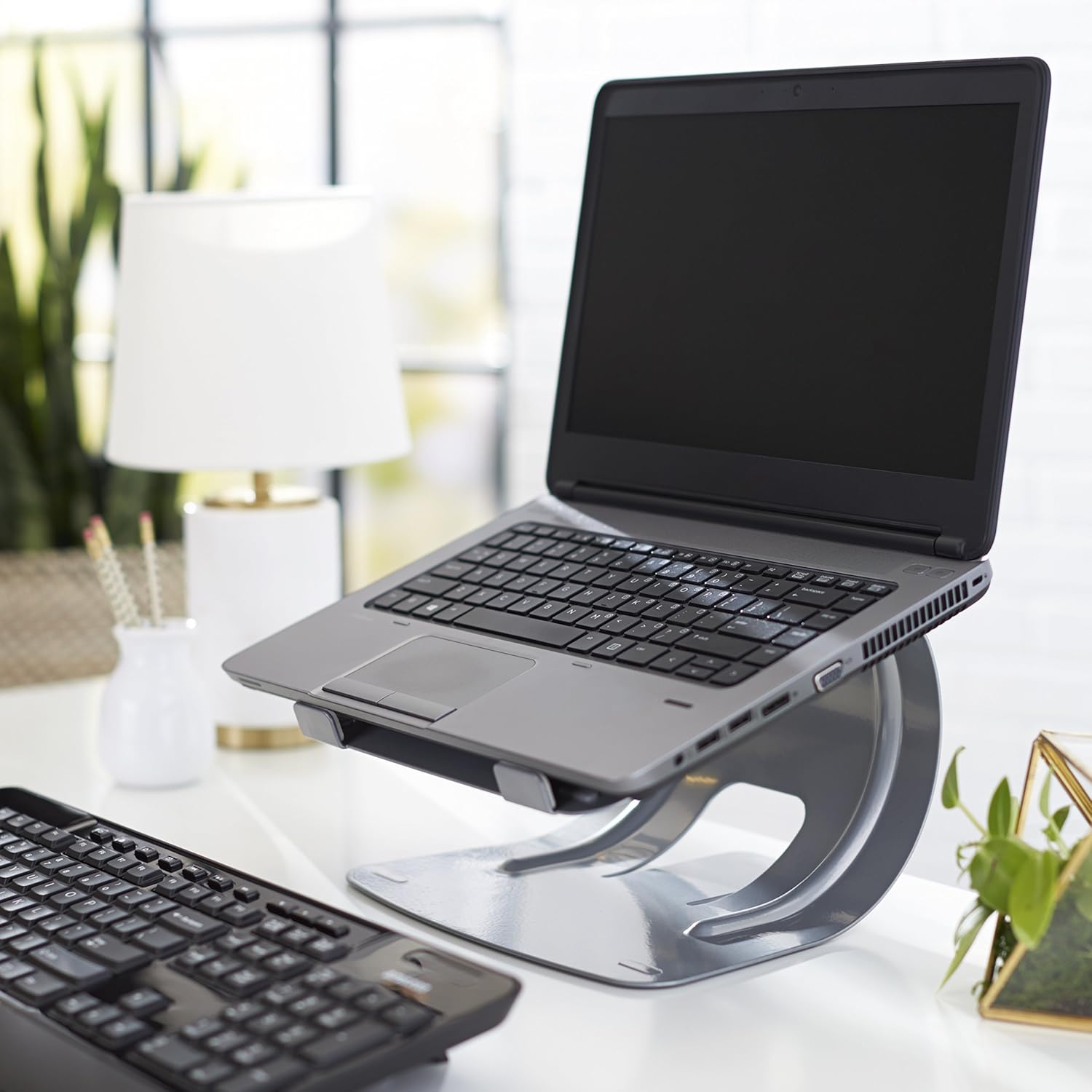
    Laptop Stand 

    Photo Credit: Amazon 

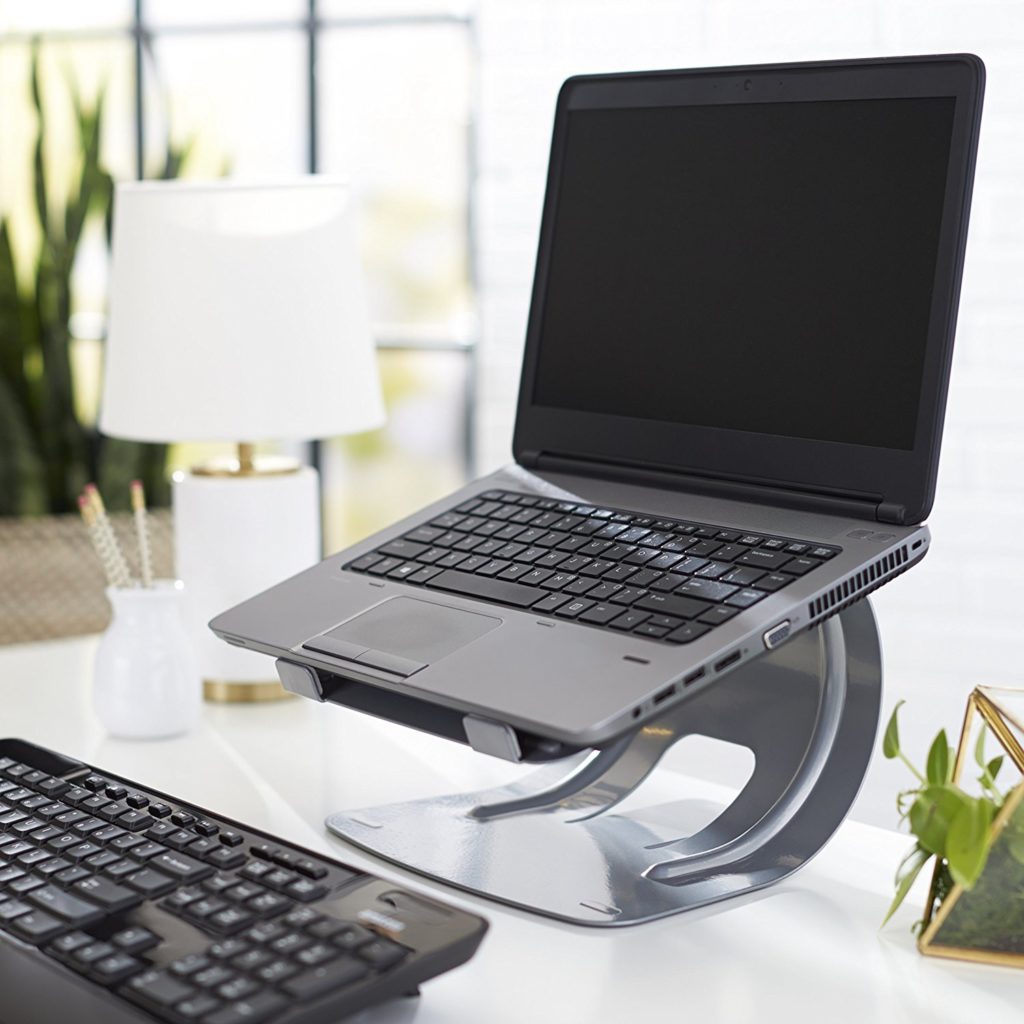
    This stylish stand is a steal for $20. Comparable stands usually run closer to $30, and most of those aren’t quite as durable or solid. If you’re looking for a good way to elevate your laptop for easier typing, this is a good pick. Great for people who work at a desk with a laptop. 

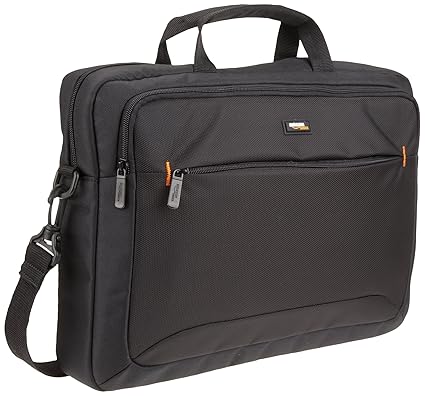
    Laptop Bag 

    Photo Credit: Amazon 

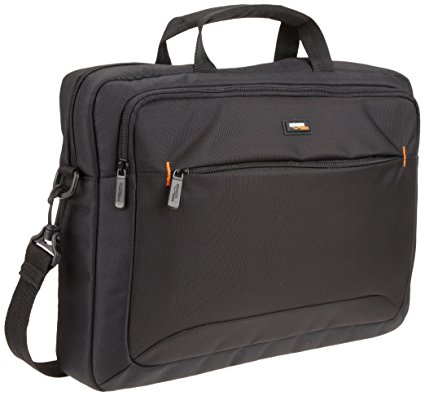
    While it’s not the most stylish laptop bag ever, it’s $15. It has tons of zipper compartments for all your cables and accessories, and it’s very tough. It’ll keep your laptop or tablet safe during a commute to work or on a plane trip. And it’s got a big AmazonBasics logo on it, so everyone can see that you’re a deal-seeker! Kidding, we know you’re just a big Amazon fan. 

    Laptop Sleeve 

    Photo Credit: Amazon 

    If your laptop or tablet commonly goes in a bag on trips, this $12 sleeve is a must-have. It’s a great buy for the price, keeping your expensive tech safe from scratches. It also looks very stylish, unlike the laptop bag. So, if fashion and great deals on accessories are your two passions, this AmazonBasics sleeve if for you! 

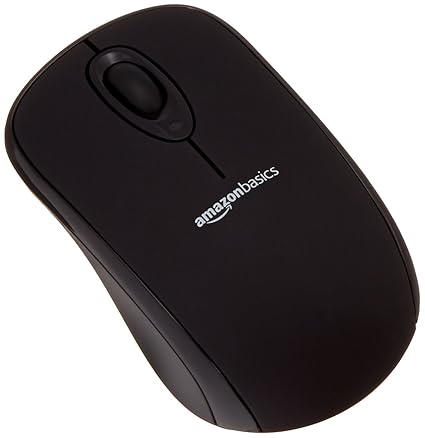
    Wireless Mouse 

    Photo Credit: Amazon 

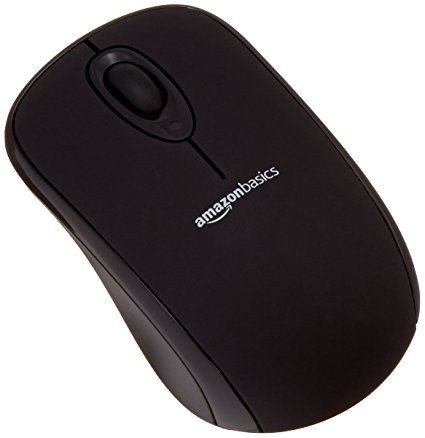
    You really can’t beat $10 for a wireless mouse. The mouse isn’t going to compete with a dedicated gaming mouse or anything, but if you just need a mouse to pair with your laptop this is perfect. The finish is smooth and pleasing, and the mouse is of excellent make. It even has a little crevice for storing the USB receiver when you travel! Great for when you stash your laptop in your laptop bag. 

    Gaming Mousepad 

    Photo Credit: Amazon 

    These massive mousepads are very fashionable at the moment! For $12, Amazon’s humongous pad is a great deal. Designers and gamers swear by the huge mousepad, claiming that it offers more range for navigating your curser on-screen. Who’s to argue with the pros?  

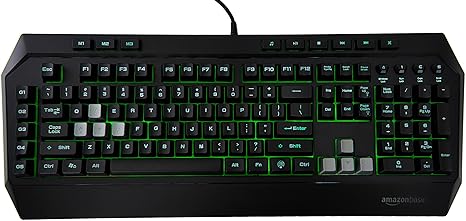
    Our Favorite AmazonBasics Deal: Mechanical Feel Gaming Keyboard 

    Photo Credit: Amazon 

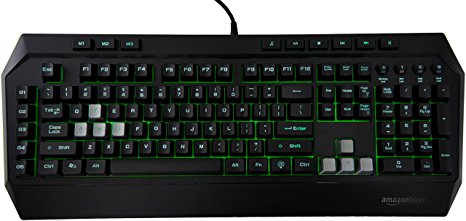
    The absolute best deal of the bunch, for $36 you get a decent facsimile of a gaming keyboard. If you’re interested in dipping your toe in computer gaming, you should check this keyboard out. Where Razer and Logitech offer gaming keyboards that cost fifty or sometimes even one hundred dollars, this AmazonBasics keyboard is a great buy. While the keys aren’t actually mechanical, they do a decent impersonation of the click-clack feedback of true mechanical keyboards.  It even features a back light to emulate the popular Razer Chroma-style RGB functionality!

  • More From The WWDC 2018

    More From The WWDC 2018

    I told you id try to keep you updated as much as possible in the ground shattering developments at Apples World Wide Developer Conference. Well here is some more info about the happs at Apple’s WWDC 2018.


    Shortcuts To Developers

    Apple announced at the WWDC 2018 it is now allowing developers much deeper integration with iOS 12 and MacOS Mojave. Third-party apps can now build “shortcuts” that allow Siri to execute popular quick actions. They used a real time demo of this with the Tile app. With the short cut they were able to activate tile just by using Hey Siri, find my keys. The programmable short cut is a big shot of B!2 in the arm for Siri. No longer will I wrestle with her over mundane task, I can program her to read my voice for specific commands.

    To sum up Shortcuts easily its a new app coming with iOS 12 that lets you create custom phrases to trigger a specific action using Siri. If she uses this data correctly that should help here understand my voice and commands a little more clearly. Making Siri compete with the Alexa and Google Voice seems to be a big area of focus for apple this WWDC. The WWDC demo also included smart home Shortcuts like “Turn on fan” or “Set thermostat to 70 degrees” — both HomeKit automatons from the Home app.


    Mojave and HomeKIt

    Mojave is the next MacOS version. With the update, Apple will add support for the Home app on Macs. Previously, the Home app was Apple’s iOS-only smart-home app where you add, monitor and control you HomeKit-enabled smart-home devices. This is neat and needed, I want my computer to be the brain of my home, If I left it to the phone my home would be left with out a central control system when Im out… 2018 folks, fascinating times, I always thought I would eventually type those words but its still shocking we are here and so causally.

    WWDC 2018 and the Apple TV

    Next at The WWDC, We will also see Apple TV getting some more responsibilities when they add home security and automation companies, Control4, Crestron and Savant. The Apple TV  works with some smart home apps, such as Canary and Nest, for remote monitoring of security camera live feeds. That has always been about it until now. WE will also get the ability to sync HomePods and AppleTV to play music together, Soundbar win!

    Check back tomorrow for more on teh WWDC 2018. Same Time, Same Channel.

  • Snapdragon 850, Its Not What You Are Expecting

    Snapdragon 850, Its Not What You Are Expecting

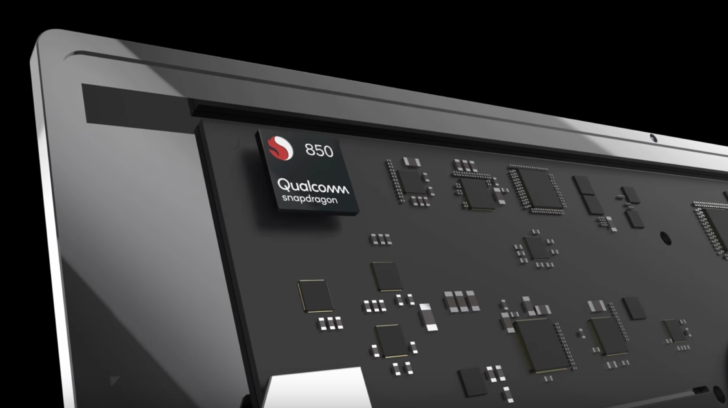
    Hey Guess what, Qualcomm announced a new top tier Snapdragon chipset this week, the Snapdragon 850. Well I never saw that coming, but a new Snapdragon chip is hitting the market. Is this going to be the new hot chip setting the android world on fire? Will it be in the Samsung Note 9? Hold up everyone, the answer to your questions is no. A big fat no. We are still a year away before we take the next power up on the mobile side. I mean apple hasn’t even laid out the tech jump yet. Ahem …7nm processor..

    Whats with the Snapdragon 850 Then

    As Qualcomm explains it, the Snapdragon 850 was “designed to support many sought-after smartphone features in the PC,” which means connectivity at all times through LTE or WiFi. This chipset should help in the battery department too, by being extra efficient. Which means it’s not a mobile chip, it’s a Snapdragon chip that was designed for Windows and to make your laptop work a lot like a smartphone in terms of being mobile, power reducing and faster.

    Looking at these two side by side spec wise and compare them to the Snapdragon 845, it actually looks like it is very similar, only formatted to work with PCs that run Windows. You’ve got the same Kryo 385 CPU cores, 84-bit architecture, same RAM support, 10nm (2nd gen) process, same Adreno 630 GPU, same video codec and capture support, etc. Qualcomm did up the CPU speed to 2.96GHz,so we got that going for us.

    The Final Thought

    Don’t be too upset, Qualcomm’s first-generation Snapdragon PC processor struggled with performance issues while providing incredible all-day battery life. Qualcomm has addressed these problems with the new Snapdragon 850, adding 30 percent more performance while extending its already incredible battery life another 20 percent to what it now calls “multi-day” longevity. This will be a good thing, think better 2 in 1s.

  • Top 10 Luxury Cars That Won’t Break Your Bank

    Top 10 Luxury Cars That Won’t Break Your Bank

    Everyone loves getting to drive a nice new car. There’s something about being behind the wheel of a luxury car that’s just so… luxurious. Not everyone can swing the huge payments to own a nice new car though. What’s a good compromise for someone who wants a nice ride but doesn’t want to take a long time to pay it off? For such discerning individuals, we have our top ten luxury cars that won’t break the bank! Our list is in ascending order of price and assumes base configurations with automatic transmission. 

    Our First (and Least Expensive) of Our Luxury Cars: 2018 Acura ILX 

    Photo Credit: YouTube 

    The ILX is a great choice for those who want a luxury ride but still want to have a practical vehicle. This vehicle has some pretty sweet amenities for its low price tag. While base models cost about $29,000, they also have keyless entry and ignition and heated front seats. they also sport dual-zone climate control, for when the driver and passenger feel comfortable in two different temperatures, and automatic LED headlights to help cut through hazardous weather conditions. For those who want a bit more, they can also opt for some safety features like adaptive cruise control and front collision mitigation. The ILX can also be equipped with navigation, leather upholstery and satellite radio.