Blog

  • Foldable Phone Support Coming to Android Q

    Foldable Phone Support Coming to Android Q

    Google’s newest update for the Android OS will include support for foldable phones like the Galaxy Fold, according to new reports. Despite the Fold’s early stumbling blocks, Google is pushing ahead with full OS support for the new type of smartphone. It seems Google has faith that the foldable phone style will be more than a short-lived fad.

    Android Q and Foldable Phones

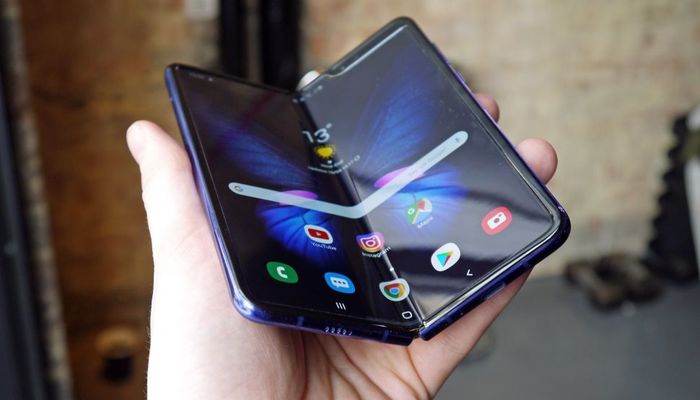
    Samsung Galaxy Fold

    The only current example of a folding smartphone is the Samsung Galaxy Fold, which has hit a number of stumbling blocks out of the gate. Early review models experienced some serious issues, including flickering or dying screens, bulges beneath the screen and creases in the center of the inner screen. In light of these issues, Samsung delayed the Fold’s launch, making many question the entire folding phone experiment.

    Potential for Folding Phones

    Clearly, Google believes there’s some potential for folding phones. Android Q will ship with support for the new, dual-screen, folding style of phone that Samsung is previewing. Reviewers have noted that, while expensive, the Galaxy Fold is a great phone.

    Notably, a folding phone bridges the gap between phones and tablets. You can fold them up small enough to go in your pocket, and they’re easy to use for making phone calls in their folded configuration. However, when you want to watch videos or play games, unfold the phone and enjoy the massive inner screen.

    Issues to Overcome

    Of course, folding phones offer issues for developers as well as consumers. App developers need to account for the potentially massive screen sizes when developing their products. Likewise, apps need to support the ability to be displayed on a smaller outer screen and then be transferred to the larger inner screen. This makes for a complex problem for designers.

    At time of writing, the Galaxy Fold has been delayed with no release date from Samsung yet known. The company is currently looking into the issues reviewers had with their handsets to ensure the phone launches without issues. This is wise for Samsung, as they have been burned on hasty releases of untested new phones before, like when the Galaxy Note 7 had issues with the battery literally exploding.
  • The Best Budget Android? Google Pixel 3a Review

    The Best Budget Android? Google Pixel 3a Review

    The only drawback to Google’s stellar Pixel 3 smartphone is the high price tag. That means that the budget-friendly Pixel 3a was high on our radar. Does the handset stack up to the pedigree of its namesake, or has Google cut too much from this budget handset? Let’s get into it.

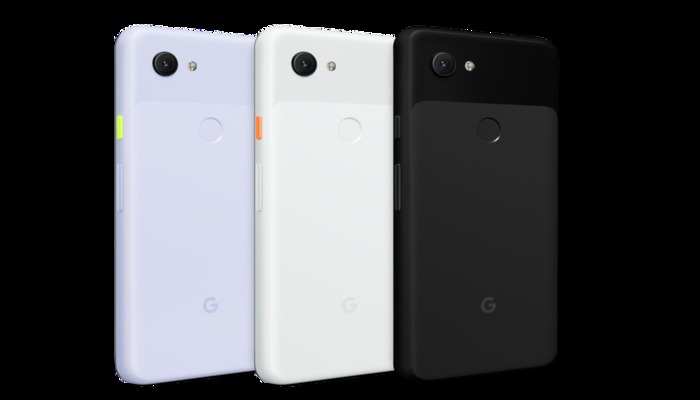
    Google Pixel 3a

    Overview

    The Pixel 3a is a $400 smartphone with a $1,000 camera. The camera that the Pixel series is so well-known for is here and it looks great. Google wisely cut only the most expensive features and left a pared-down, lean and powerful smartphone with the features all users can enjoy.

    Features

    Essentially, the Pixel 3a and 3a XL function as throwbacks to about three years ago. There’s no in-display fingerprint scanner, no Face ID unlocking, no wireless charging. Instead, this is a bare-bones smartphone that sticks with traditional bezels, a normal fingerprint scanner and even a 3.5mm headphone jack.

    If these features all sound like welcome returns to you, then you’re probably the right person for the 3a. While the features that the 3a lacks are certainly cool on top-of-the-line phones, they’re largely unnecessary. And what new features it brings, it brings well.

    What You Get

    Picture quality on the 3a is incredible, easily matching the earlier phones in this line for capturing beautiful images. The screen is also wonderful, sporting an HD+ OLED panel that’s big and vibrant. While you might not have the most elaborate housing for the screen, it’s still a wonderful smartphone screen.

    You do, however, have some trade-offs. The Snapdragon 670 under the hood is a notably wimpier chip than the Snapdragon 845 found in the normal Pixel 3. However, most users won’t even notice the decrease in power. Also, the phone has a plastic casing, which feels cheap and slippery compared to the glass-and-steel construction of modern flagship phones.

    Bottom Line

    If you’re in the market for a new phone and don’t want to spend $1,000, but still want the best you can get, the Pixel 3a is a very good deal. It’s hard to knock the budget smartphone, as it brings a ton of value for its low price. This is truly the best budget Android device on the market.

  • What to Expect at Google’s 2019 I/O Conference

    What to Expect at Google’s 2019 I/O Conference

    Google’s annual developer summit, the I/O conference, is here Every Spring, Google summons a host of developers to Mountain View, where the company shows off the newest upcoming stuff coming in the next year. What can we expect to see the company show off this year?

    Google’s 2019 I/O Developer Conference

    Stadia News

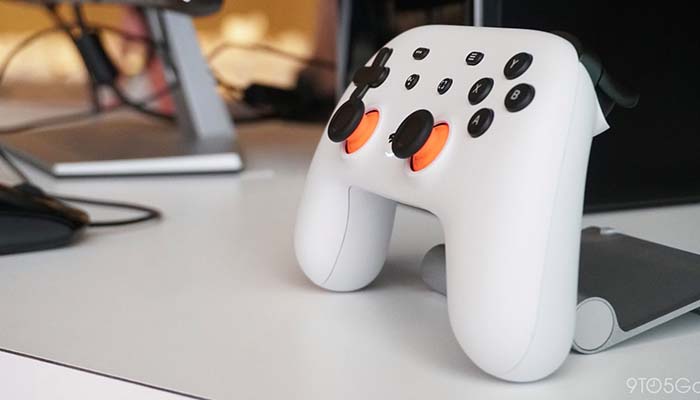
    Google’s banking big on their Stadia game-streaming service. The game-changing game-delivery service still has a number of question marks circling around it. Will it be subscription based, or will you buy games as normal? How will Google make sure the games on their platform stay stable over weaker internet connections? Will the service allow for cross-platform play with PC and console gamers?

    We expect all these questions and more will be at least touched on, if not answered, during the conference. The biggest question still surrounding the service, of course, is when it will release. Given that we’ve heard it will be available before the end of the year, we’re guessing a Q4 2019 release.

    Google Pixel 3a

    The more budget-friendly Google Pixel, the Pixel 3a, is more than likely the best phone in is $400 price range. The camera is stellar and the build quality is solid for a phone of its price. Expect to see lots of hype and support for the Pixel 3a during Google’s developers conference.

    Android Q

    There are a few big questions looming over Android Q, none the least of which being what dessert food that starts with Q can Google use for the OS. The newest Android OS has been in beta-test mode since mid-March, so we can expect more thorough details on the system and what new features it brings during the conference.

    Namely, features like “bubbles,” an upcoming feature that will allow you to interact with other apps without leaving the app you’re currently in. Other new features are rumored to include share-sheets to allow for easier information sharing, as well as settings panels accessible from within apps. In general, expect lots of small quality of life tweaks.

    Most importantly, Google has promised Android Q will have an updated focus on privacy. The OS will limit what kind of things apps can do in the background, what information apps can transfer about the phone they’re on and more.

  • Best Credit Cards for 2019

    Best Credit Cards for 2019

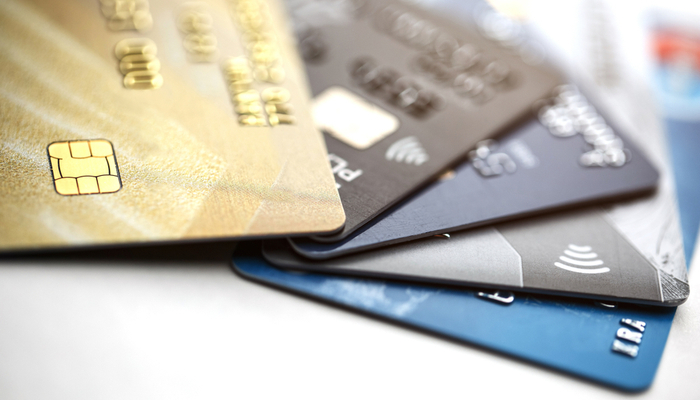
    Whether you’re looking for a great rewards card or just something to cover some basic bills with, credit cards can be a great resource. As long as you’re making sure to pay off your monthly balance and never borrow more money than you have, you’re building your credit while potentially reaping rewards.

    It’s hard to tell which credit card is the right one for you, though. Today, we’re breaking down some of the best credit cards available in 2019. These are the top picks for getting rewards, covering bills or just growing your credit!

    Best Credit Cards for 2019

    Best Simple Card: Wells Fargo Platinum Visa Card

    This card is great for one reason. You get 18 months of zero percent APR. That’s a huge deal if you just need a simple, straightforward card for playing bills. This card also sports no annual fee, meaning it’s a very easy card to maintain. As long as you’re using it and paying off the bill, it’s worth the convenience of having a credit card.

    Best for Rewards Points: Chase Sapphire Preferred Card

    The Chase Sapphire Preferred card has a great value for travelers. After signing up, if you spend $4,000 on eligible purchases in the first 3 months, you get a whopping 60,000 bonus points. On top of that, you get double the points on travel and dining. If you travel often and love cards with rewards points, consider this Chase card.

    Best Cash Back: Chase Unlimited Freedom

    The Chase Unlimited Freedom card is a very flexible cashback card. You get cash back on literally every purchase: you get 3% cashback on every purchase in the first year, up to $20,000 spent. After that you get 1.5% back on every purchase.

    That goes with this card’s lack of an annual fee and relatively low APR to make it a great cashback card. If you’re often out spending on various things, this is a great card for you.

    Best for Travelers: Capital One Venture Rewards Credit Card

    The Capital One Venture Rewards credit card is perfect for travelers. You get ten times the miles on eligible hotels, of which there are thousands. The $95 annual fee is waived for your first year, and you get 50,000 miles when you spend $3,000 in the first three months of owning the card.

  • Is Your Screen’s Blue Light Keeping You Up at Night?

    Is Your Screen’s Blue Light Keeping You Up at Night?

    Television screens, phone screens and computer screens all emit blue light that can make it very difficult to sleep. Your brain often perceives blue light as being similar to the light of the Sun. As such, this light has the effect of making your circadian rhythms misread the time of day and can lead to restlessness.

    What should you do to keep this blue light from keeping you awake late at night? There are a few ways you can keep your screen in check. Let’s get into a few.

    Screen Blue Light Keeping You Up Late

    Put the Phone Down

    The most surefire way to keep blue screen light from interfering with your sleep schedule is to simply practice more discipline. When it’s getting close to time for bed, just put your phone down. A good way to incentivize this is to plug your phone in to charge across the room, not beside your bed. That way, it’s too far for you to mess with.

    Keep Distractions out of Your Room

    Reserve your bedroom for sleeping. Consider not having a TV in your bedroom, or a laptop or tablet. Keeping these things in the same space you sleep in could make you more likely to interact with them instead of going to sleep.

    Consider, instead, having a game room or a rec room in your house where you store these electronics. That way, when you go to bed, your room is free of distractions that could keep you up.

    Activate Night Mode

    Most devices have some kind of night mode that allows you to alter the amount of blue light their screens emit. Many newer smartphones do this automatically. You can download add-ons for Windows that perform this function for your computer, as well.

    Using dark mode on apps and UIs can be helpful, too. Dark modes tend to use dark blue or black background colors to keep the overall brightness of their interface down. This makes them easier on the eyes late at night!

  • Trying to Lose Weight? Avoid These Foods

    Trying to Lose Weight? Avoid These Foods

    It’s natural to want to avoid junk food when you’re trying to lose weight. After all, the most successful weight loss is the kind you pursue because you love your body, not because you hate it. As such, today we’re going over some of the foods you need to cut out to get healthy and lose the pounds.

    Remember, you only get one body in this life. Treat it with respect, and don’t fill it full of junk food.

    Avoid These Foods if You’re Trying to Lose Weight

    Fried Foods

    Fried foods are straight-up bad for your health. They’re delicious, yes, but they’re so full of trans fats, salt and cholesterol that they’re terrible for you. Beyond simply being a factor in weight gain, fried foods can contribute significantly to heart disease and diabetes.  If you’re remotely health conscious, stay far away from fried foods.

    Sugary Drinks

    Sugary drinks like sodas, energy drinks, sport drinks and some fruit juices can be incredibly impactful when it comes to weight gain. The average can of soda contains 90 calories per serving, while energy drinks can contain up to 210 calories per serving. And you’d best believe there’s more than a single serving in those cans.

    That’s not to mention that your brain doesn’t register these drinks as actual calories. You just add these calories on top of your normal daily intake. Instead of relying on sugary drinks to quench your thirst, opt for water! It’s good for you, you need tons of it and it’s got zero calories.

    Potato Chips

    These fall under fried foods, sure, but potato chips in particular bear repeating. Some studies suggest that potato chips could cause more weight gain per serving than any other food. That means a few bags of chips during the week could be worse for you than having fried chicken for lunch a comparable number of times.

    White Bread

    Unsurprisingly, white bread is a terrible addition to any diet. It’s heavily processed and very high in sugar, offering little to no nutritional value. Instead of eating white bread, consider opting for a healthier choice like Ezekiel bread.

  • Newest Spider-Man Trailer Holds Major Endgame Spoilers

    Newest Spider-Man Trailer Holds Major Endgame Spoilers

    Warning: big old spoilers from Avengers: Endgame wait ahead. If you don’t want to have the film’s biggest twists spoiled for you, avoid this article and the Spidey trailer!

    The newest trailer for Spider-Man: Far From Home has hit, and it’s a doozy. Peter Parker and Happy Hogan are dealing with the fallout of Endgame, including the fate of Tony Stark. Iron Man sacrificed himself to make the world safe, but now it’s up to Peter to take up the mantle and save the day.

    Far From Home

    Much-Needed Vacation

    Well, Peter’s going to be taking up the mantle just as soon as he gets back from vacation. In the meantime, he’s going on a school trip to Europe to spend time with his crush MJ! The trailer shows Peter blowing off calls from Nick Fury, choosing instead to enjoy some much-needed time off.

    Considering he just spent five years as a pile of dust, we can’t blame him.

    Duty Calls

    Of course, Fury finds Peter easily enough, even when he’s abroad in Europe. Spidey is quickly swept up in a SHIELD operation to protect the world from new elemental threats. Also on the team is new character Mysterio, who the trailer tells us is actually from an alternate reality.

    This seems… odd. Mysterio is one of Spidey’s most enduring villains in the comics, and it’s unlikely he’s here to help. Traditionally, Mysterio has no powers but a penchant for movie special effects and a desire to be perceived as a hero. Could Far From Home be setting up this comics-accurate plot point?

    End of an Era

    Marvel Studios head Kevin Feige has confirmed that Far From Home will be the final MCU film in Phase 3. It will serve as an epilogue to Endgame and as a prologue for the next ten years of Marvel films. In the capable hands of Spider-Man, Captain Marvel and Doctor Strange, we’re sure these films will continue to bring pulse-pounding superhero action for years to come.

    Far From Home will swing into theaters on July 2nd. You know we’ll be the first in line to see it when it!

  • Best Mother’s Day Tech Gifts: Good Finds for Mom!

    Best Mother’s Day Tech Gifts: Good Finds for Mom!

    Mother’s Day will be here before you know it. Have you picked out the best gifts for the Mom in your life yet? If not, don’t panic. You still have time to get her something special. Today we’re going over some of the best tech gifts you can get for Mom this Mother’s Day!

    Best Mother’s Day Gifts

    Wireless Charging Pad

    Does Mom use a phone that supports wireless charging? Maybe she does but hasn’t even used the wireless functionality yet. If that’s the case, you should consider picking her up a wireless charging pad for Mother’s Day! Qi chargers can be found for relatively inexpensive prices, and they’re quite useful for anyone who likes the convenience of charging without cables.

    Make sure the person you’re getting one for has a phone that can be wirelessly charged! Simply ask Mom what her phone is and look up its features before you go with this gift. Most phones released in the last two years have wireless charging, but it’s best to err on the side of caution.

    Fitness Tracker

    A fitness tracker or a smartwatch makes an excellent gift for Mom. We love the Apple Watch Series 4, though its steep price tag might be a bit much for some gift-givers. If you’re looking to get mom a fitness tracker without breaking the bank, consider a Fitbit Versa Lite, or even a Fitbit Inspire HR.

    All of these smart watches track fitness activity, and any of them would be a great gift for a Mom who is looking to get more serious about an active lifestyle. These also make great, stylish gifts with practical use and “wow” factor!

    Audible Subscription

    If Mom loves to read books but doesn’t often have the time to sit still and read, she might love a subscription to Audible. Amazon’s own audiobook service, Audible offers access to tons of audiobooks and a subscription, while not required, would be a great gift.

    A subscription offers a free audiobook once per month, as well as access to two “Audible originals”. Give Mom the gift of great stories with Audible.

  • Alex Jones, Milo Yiannoupolis, Others, Banned from Facebook, Instagram

    Alex Jones, Milo Yiannoupolis, Others, Banned from Facebook, Instagram

    Controversial right-wing personalities like Alex Jones were banned from Facebook and Instagram on Friday. The figures also included Milo Yiannoupolis and Laura Loomer, avowed far-right commentators who are well-known for their combative and confrontational personalities. The bans also extend to Facebook-owned photo-sharing app, Instagram.

    Far-Right Bans Laid Down by Facebook, Instagram

    Facebook’s Reasoning

    The reasoning behind the banning, as stated by Facebook, was that the people in question violated their terms of service and community guidelines. As Facebook puts it, Alex Jones and the other figures represent dangerous ideologies and as such banned them. For comparison, the platform also banned Nation of Islam leader Louis Farrakhan, as well as numerous other figures from all sides of the political spectrum.

    “We’ve always banned individuals or organizations that promote or engage in violence and hate, regardless of ideology,” went a Facebook statement following the bans. “The process for evaluating potential violators is extensive and it is what led us to our decision to remove these accounts today.”

    Facebook noted that part of the reasoning behind the banning of Jones included his show hosting Gavin McInnes, founder of the Proud Boys and known “white nationalist”. This move highlights Facebook’s increasing attempts to take responsibility for the voices of hate on their platform.

    Outcry

    There was some outcry regarding the banning on Facebook and Twitter among various far-right groups. Many complained that the move violated the First Amendment rights of the banned individuals, including notable Twitter personalities. However, this is a misunderstanding of the First Amendment, which protects speech from censorship by the government.

    As neither Facebook nor Instagram are governmental agencies, their moves have no interaction with the Bill of Rights. Oddly, their moves to ban people from their platforms on the basis of violating terms of service line up neatly with normal Conservative values that include lack of government oversight into private industry.

  • PowerBeats Pro Review: An Alternative to AirPods?

    PowerBeats Pro Review: An Alternative to AirPods?

    AirPods are the de facto true-wireless earbuds on the market, thanks to Apple’s dedication to high quality and brand recognition. However, Beats has a new entry in the wireless market coming on May 10th, the PowerBeats Pro. Are they a true competitor to Apple’s throne?

    Well, Beats is owned by Apple, so it might not be as much of a competition. However, the question remains: are these wireless earbuds worth it? While the two companies have shared innovation from the AirPods on the PowerBeats Pro, these are decidedly different products.

    PowerBeats Pro

    Details and Specs

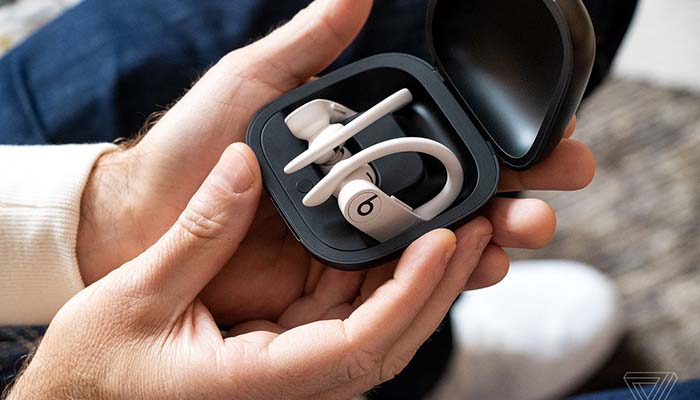
    Out of the gate, the only finish available will be the plain black. However, as time goes on, Beats will roll out navy, moss and ivory color options. The earbuds offer up to nine hours of listening time, making them a solid option on that front. Likewise, the H1 chip seen in Apple’s AirPods is on display here.

    The sound is high quality, spacious and roomy in ways that earbuds often aren’t. The earbuds hook around the ear, locking in place tightly, making them better options for jogging or swimming than AirPods. As you might expect, the PowerBeats Pro are water and sweat resistant.

    Much like the AirPods, these come with a charging case that is slick and helps you keep up with the earbuds when not in use. Speaking of, the rounder, larger design makes these much harder to lose or misplace than AirPods.

    Bottom Line

    If you’re an active type who enjoys jogging, climbing or swimming while listening to music, then these earbuds are likely a great pick for you. If you feel like it’d be too easy for you to lose AirPods, then the PowerBeats Pro, with their larger design and variety of color options, might be the right option for you.

    You can pre-order the newest Beats headphones online at Apple’s site now. They’ll be made available on May 10th, and they’ll be retailing for $250.