Category: Android

  • Which is the Best Map App to Get You Where You’re Going?

    Which is the Best Map App to Get You Where You’re Going?

    Your phone may have come included with a map app, but that doesn’t mean it’s the best one out there. If you’re looking for some better ways to navigate, we’ve got some good news for you! We’ve got a quick round-up of some of our favorite map apps. 

    Co-Pilot GPS 

    Normally I wouldn’t recommend paid map apps when there are perfectly good free alternatives. This one is a unique exception, though. Co-Pilot can be used offline! Once you’ve downloaded the maps for your area (over Wi-Fi to save data, of course) you can navigate in offline mode. This is awesome for navigating overseas or if you need to use a navigation app for work.  

    Preserving the precious data plan is the name of the game here! Other awesome features include warning you when you’re speeding, showing you where speed cams are, and 12 months of ActiveTraffic. The ActiveTraffic subscription helps route you based on live traffic updates! 

    Google Maps 

    Google, always rock-solid on the software and hardware sides of things, has a winner with their map app. Great for everyday navigation, Google Maps just works. While Android users have this pre-loaded, iOS users can download it after the fact. This app even has a handy “explore nearby” feature to find new places near you! 

    Google Maps also allows for downloading maps to use in offline mode. However, this app has the maps disappear after 30 days, so you need to make sure you keep updated. It’s a neat feature but consider Co-Pilot if you’re going to be driving without data often. 

    inRoute Route Planner 

    If you plan on going for long road trips, this is a great choice. Boasting a suite of features excellent for long round trips, this one is for you if you’re in for a long haul. This app lets you drop pins along your journey and find motels and gas stations near them. It also offers turn-by-turn directions if you opt for the paid version ($15), and you can even export routes you plan in this app to other map apps with the premium version. 

    Our Favorite Map App: Waze 

    Waze is a crowd sourced-style app designed for dodging traffic and other speed bumps. Users can report the presence of accidents, traffic jams, cops waiting to pull people over, and tons more. Its motto seems to be “we’re all in this together,” and it can be nice driving with a whole cadre of people watching your back.  

    If you hate traffic jams, or just wanna freaking move, Waze is a great app for you. I know I hate coming to a standstill, so this one is my go-to app for ducking slowdowns. 
  • Motorola Razr V4 the Future of Fordable Smartphones

    Motorola Razr V4 the Future of Fordable Smartphones

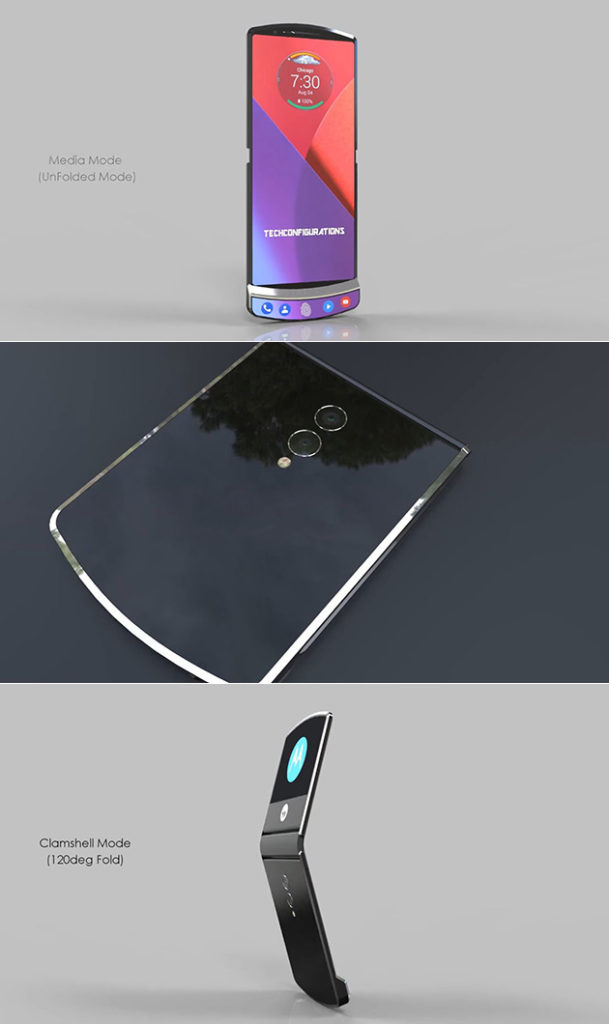
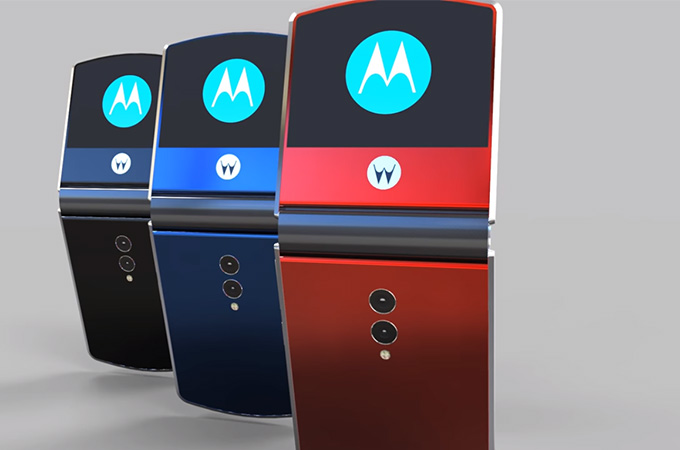
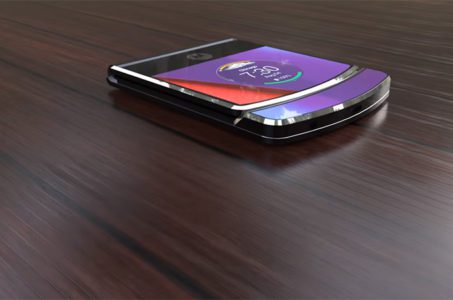
    No this isn’t a tech throwback on the Motorola V3 Razr, comeback Wednesday for that. This is a new Motorola V4 Razr. We have a concept model from Motorola and that they are currently working on a folding phone, and all signs point to the fact that it could carry the iconic Motorola Razr branding. Back in February 2017, Yang Yuanqing, the CEO of Lenovo (which owns the Motorola brand) noted.

    “With the new technology, particularly foldable screens, I think you will see more and more innovation on our smartphone design. So hopefully what you just described [the Motorola Razr brand] will be developed or released very soon”.

    So that alone is very promising, but we are now at the point were some details are emerging.

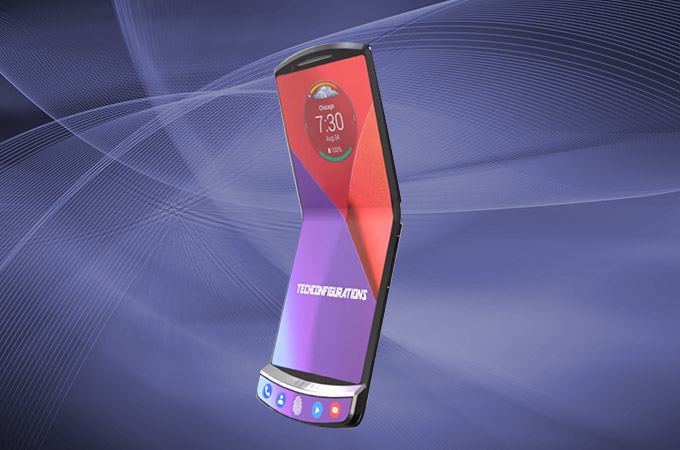
    Motorola Razr V4 Concept

    The Motorola Razr V4 remained very slim when folded reaching 7.5mm and unfolded reaching only 3.7mm. Meanwhile, the device is good enough to give under-display fingerprint scanner available. Notably, Motorola handset features Android Oreo 8.1 out-of-the-box based on Intelligent UI and IP68 certified water/dust resistant.

    From our anonymous source we have a first hand account. “When opened up, the Moto Razr V4 has a 7 inch AMOLED HDR 10 screen, a Snapdragon 855 CPU and a hinge, that feels like it prequels a Surface Phone or Samsung Galaxy X. Crazy enough, this ultra slim device is just 3.7 mm in thickness, when it’s opened up. Folded it reaches 7.5 mm. It feels like Tech Configurations really thought it out this time around,”

    The Spec Rumors

    The Motorola handset will sport a Qualcomm Snapdragon 855 CPU, on the contray to the original infomation we got back in 2017. The handset performance works well on 6GB of RAM and two storage variants including 128GB/256GB ROM (unexpandable). Also, Motorola RAZR V4 camera packs dual 16MP+12MP primary snapper with 4K videos recording ability. Besides, there is a 12MP selfie shooter with a wide-angle lens and an aperture of f/1.8. Further, Motorola phone gets 4100mAh battery.

    At the moment, there is no further information regarding Motorola RAZR V4 price and availability. However, we can expect to meet this legend with the new outlook this June with the price range approximately of $500.

    The Final Thought

    Ive always been  a big fan of the Motorola V3 Razr and the jump in made in the cellular industry. I was also among the very first non Motorola employees to have one. I won a sales contest for Motorola 6 months prior to the release. The initial specs looks on point and these pictures are lighting me up. Is it the next big thing in wireless again? we will see and Ill see you back here for the smartphone spotlight as soon as it releases.


  • Fitness Tracking App Round-Up: Which Ones Fit your Lifestyle?

    Fitness Tracking App Round-Up: Which Ones Fit your Lifestyle?

    Staying motivated to exercise is important. One of the best ways to do that is to use a fitness tracking app! Helping you stick to your routine and achieve your goals, these apps make great companions for busy people looking to stay fit. Which ones fit your lifestyle the best? We’ll help you narrow it down with this round-up! We only picked apps available on both iOS and Android, so don’t sweat which kind of phone you have! 

    JEFIT 

    JEFIT is great for anyone who wants to be spending time in the gym. Designed to be great for users of all skill levels, JEFIT lets you record you reps and weights and keep track of your progress. The app allows you to choose from tons of user submitted workouts to help keep things fresh. On the downside, the app doesn’t have routine planning, but this is a small gripe for a free app. Not to mention, the app’s other functionality is good enough to make it a great pickfor fitness tracking app.  

    Keelo 

    This fitness tracking app is great for those who want to do quick, one-off style workouts on the fly. Utilizing the HIIT strategy for workouts, Keelo is great for really busy users. If you can set aside between 10 and 20 minutes three or four times a week, this is the app for you. These fast-paced workouts are meant to get your blood pumping and show results in a few weeks! Did I mention the app is free? Because that’s worth mentioning! 

    Sworkit 

    If you really want to get in shape and really don’t want to (or can’t) go to the gym, Sworkit is your fitness tracking app. You tell the app what your fitness goals are and tell it how much time you can dedicate to a routine. The app then builds you a personalized regiment for a six-week program. It’s surprisingly in-depth for being a free app. You can also spring for the premium subscription ($60 per year, or $30 per 4 months) that gives you access to more features. Real fitness trainers and exclusive workours are available to premium users, too.  

    Our Favorite Fitness Tracking App: Aaptive 

    Aaptive is a cool app: you pay either monthly ($15) or yearly ($100) for access to thousands of audio fitness classes. New classes are added by the trainers each week, so you’ll never run out of engaging exercises. There are classes for lifting, cycling, running and more. If you’re really serious about fitness and don’t mind spending money on a subscription, you’ll find Aaptive a great app for working out.  

  • Which Tablet is Worth your Money?

    Which Tablet is Worth your Money?

    Smart phones are nice, but sometimes you want a bigger screen for your smart device. Whether you’re drawing, looking at photos, watching movies or playing games, tablets are awesome addition to your smart device arsenal. When you just want that bigger screen for a handheld touch device, nothing else will do!

    Nothing says quality, solid build and premium design more than our 5 best premium tablets. From major manufacturers such as Apple, Samsung, Amazon, Microsoft and Google these tablets carry the state of art in technology and design. With that in mind, let’s check out some of our favorite premium tablets!

    Microsoft Surface Pro

    This tablet is so premium that it’s also a laptop. The Surface Pro made our list of best touchscreen laptops, too, which might sound weird until you see one in person: it really is both. With a stellar screen and great form factor, you can’t get a much cooler 2-in-1 tablet. Retailing for $659, it’s not too pricey.

    There are only a few real downsides for the Surface Pro. The very incremental advances it possesses when compared to its predecessors are slightly disappointing.  Additionally, the design is a little too minimalist: there is no USB-C port! Then again, it’s still a great tablet, so it’s a small nitpick.

    Google Pixel C

    Your favorite Android tablet, the Google Pixel C performs like a giant version of its phone siblings. The Pixel C also has an optional magnetic keyboard that is quite solid, letting the tablet act as a laptop. This is easily the most powerful Android tablet that exists, for what it’s worth. The tablet performs great while multitasking and rarely suffers stutters or slowdown.

    If you need a tablet for work or just like pushing your technology to its limit, this is a great pick for you. On the other hand, this one is a bit expensive, retailing for $950. Additionally, many users see Android as a drawback instead of a feature. Many apps are released on iOS first and often perform better there to boot.

    The Samsung Galaxy Book

    This tablet rightfully belongs on the quickly growing list of impressive Microsoft Surface Pro contenders. The Samsung Galaxy Book is a top-shelf Windows tablet with a price to match. Its robust processing power, high-end display and essential add-on accessories make it one of the best tablet-hybrids.

    It’s a Windows 10 tablet with a stunning 12-inch Super AMOLED display, Intel’s latest processors and detachable keyboard cover with stylus. It starts at $1,130 for the Wi-Fi-only version and $1,300 for the LTE model, sold via Verizon, which was the configuration we reviewed. Samsung offers a 10-inch variant that runs for $630, but this review is of the 12-inch model.

    iPad Pro

    No list of premium tablets would be complete without Apple’s contender in the mix. And this time around, unsurprisingly, Apple is our favorite. The iPad pro is a rock-solid tablet, with a gorgeous Retina display and fantastic performance. Many users have a preference for iOS, and for good reason. Slowdown is almost nonexistent, and app support is fantastic.

    If there are any drawbacks, they’re the same ones that apply to all Apple products: expensive peripherals and proprietary charging. If you want the Apple Pencil or proprietary keyboard to go with it, this one will run you some serious cash. For just the iPad itself, you’ll be spending around $600.


  • Looking to Organize? Find Out Our Favorite To-Do App!

    Looking to Organize? Find Out Our Favorite To-Do App!

    Everyone knows how hard it can be to stay organized during your busy day. Between all the things you have to remember and fighting traffic, simple errands can get left behind pretty easily. How do we recommend you organize your schedule? One way is with a handy to-do app! We love the ones we’ve rounded up here, you just might too! The apps we’ve picked are all available on both Android and iOS! 

    Todoist 

    Available in both premium and free forms, Todoist is a great app for everyday use. This app has a clean interface and great readability. For those who don’t mind paying around $30 a year, the premium version of the app has great functionality. Projects for increasing productivity, labels and the ability to share projects with other users are all pluses for this app.  

    This app also sports some really cool productivity charts and sharable progress trackers. It doesn’t have quite the same collaborative suite as, say, Asana (I’ll get to that) but it’s certainly cool funcitonality. 

    Remember the Milk 

    A great to-do app for household use, Remember the Milk offers a lot of functionality even in the free app. This app works offline and offers some great collaborative functionality, helping married couples or roommates organize chores and errands. The premium version, that boasts more general functionality, runs around $40 a year. This is a bit pricier than the competition. 

    This app doesn’t feature location-based reminders, which is a bit of a bummer. It also doesn’t have UI quite as clean or user-friendly as Todoist or Asana. These small gripes don’t hold it back from being a great to-do app, though! 

    Our Favorite To-Do App: Asana 

    If you’re trying to collaborate with a large group to increase productivity, Asana is for you. Featuring a great user interface and some downright awesome collaboration tools, this to-do app earns our spot for favorite. Exceptional for workplace productivity, consider this one if you want to help your office get organized.  

    While Asana doesn’t sport a desktop app, it makes up for it in its incredible shared functionality. The premium version, which goes for around $12 per month, allows you to access a large suite of functions. Advanced dashboards, search functionality and teams numbering much higher than the base 15-person cap. That all said, Asana is comparatively expensive, and if you want something a bit more affordable we recommend Todoist.  

    Those small nitpicks aside, Asana is a great app, and we recommend you try out the free version with your team and see if its right for you! 

  • Are You Hungry? Check Out Our Favorite Recipe Apps!

    Are You Hungry? Check Out Our Favorite Recipe Apps!

    I am terrible at cooking. Just absolutely terrible. I can’t make a scrambled egg without step-by-step instructions. Thankfully for me (and people like me) there are tons of great recipe apps. If you’re hungry and looking for a great app to help you make dinner, check out this round-up! These apps are available on both Android and iOS, so don’t sweat which platform you’re on! 

    BigOven 

    This simple and easy to use app has over 350,000 recipes. Now that’s a lot of meals! This app has some really neat functionality, too. Features like making a weekly planner for meals and making a grocery list make the app feel like an organizer and recipe app in one.  

    BigOven also has social functionality, allowing you to upload pictures of your recipes. You can even see what your friends who use the app are making! This functionality makes BigOven stand out from other recipe apps in interesting and helpful ways. 

    Cookpad 

    Featuring many social media-like feature, Cookpad is an interesting little app. Unlike most recipe apps, this one allows you to exchange recipes with your network of friends and family. The app builds a unique user profile as you upload and comment on recipes, helping you find recipes that are right for you. 

    Cookpad also lets others comment on your recipes. These comments could be for dishes that would pair well with the recipe, or for ingredient substitutions. Many vegetarian users or users with allergies love this aspect of Cookpad! If you’re looking for a great place to find and share recipes, Cookpad is for you! 

    The Coolest of all Recipe Apps: Yummly 

    Yummly’s best feature? It has a search function that helps you find recipes for your lifestyle. Whether you have a food allergy or prefer vegetarian meals, Yummly lets you search its huge database to find the right recipe for you. Even better, the app learns your preferences and suggests recipes for you that match your tastes! 

    Yummly also features Instacart support, unlike many other recipe apps. You can build a shopping list from a recipe and add that list to your Instacart. Then you can order everything on your list and have it delivered right to your door! This makes cooking dinner fast and convenient. This app is our favorite for good reason! 

  • Smartphone Spotlight: OnePlus 6

    Smartphone Spotlight: OnePlus 6

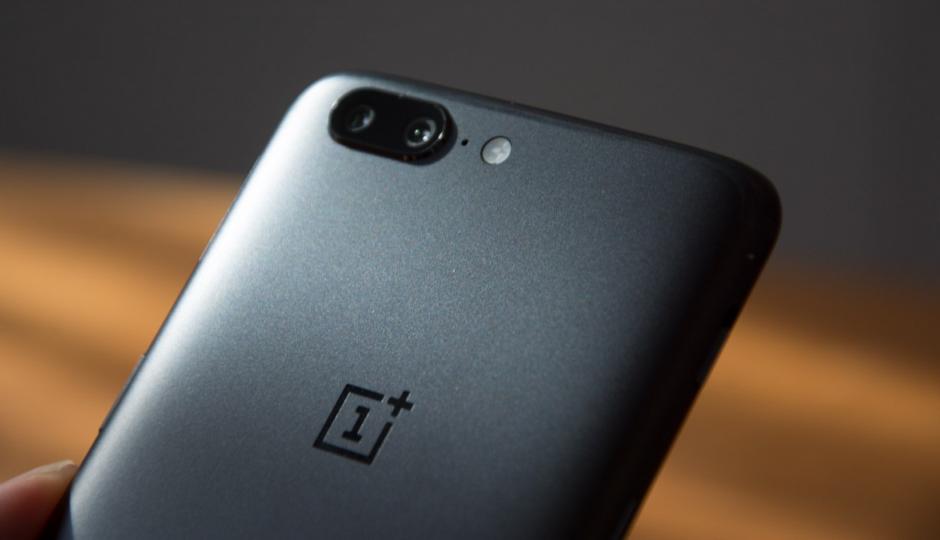
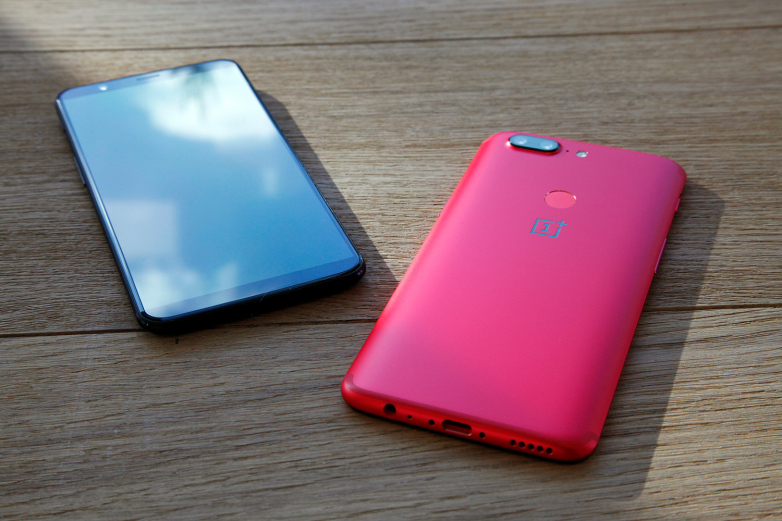
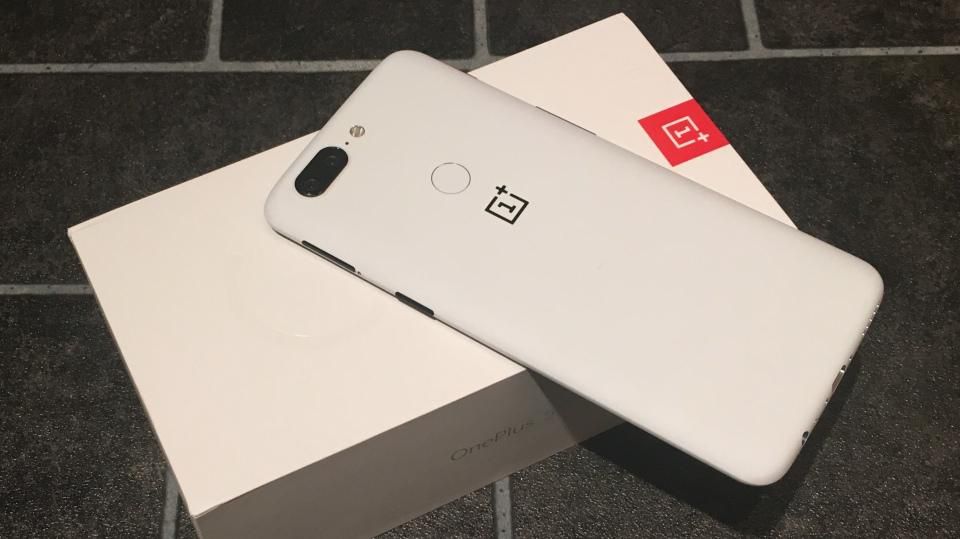
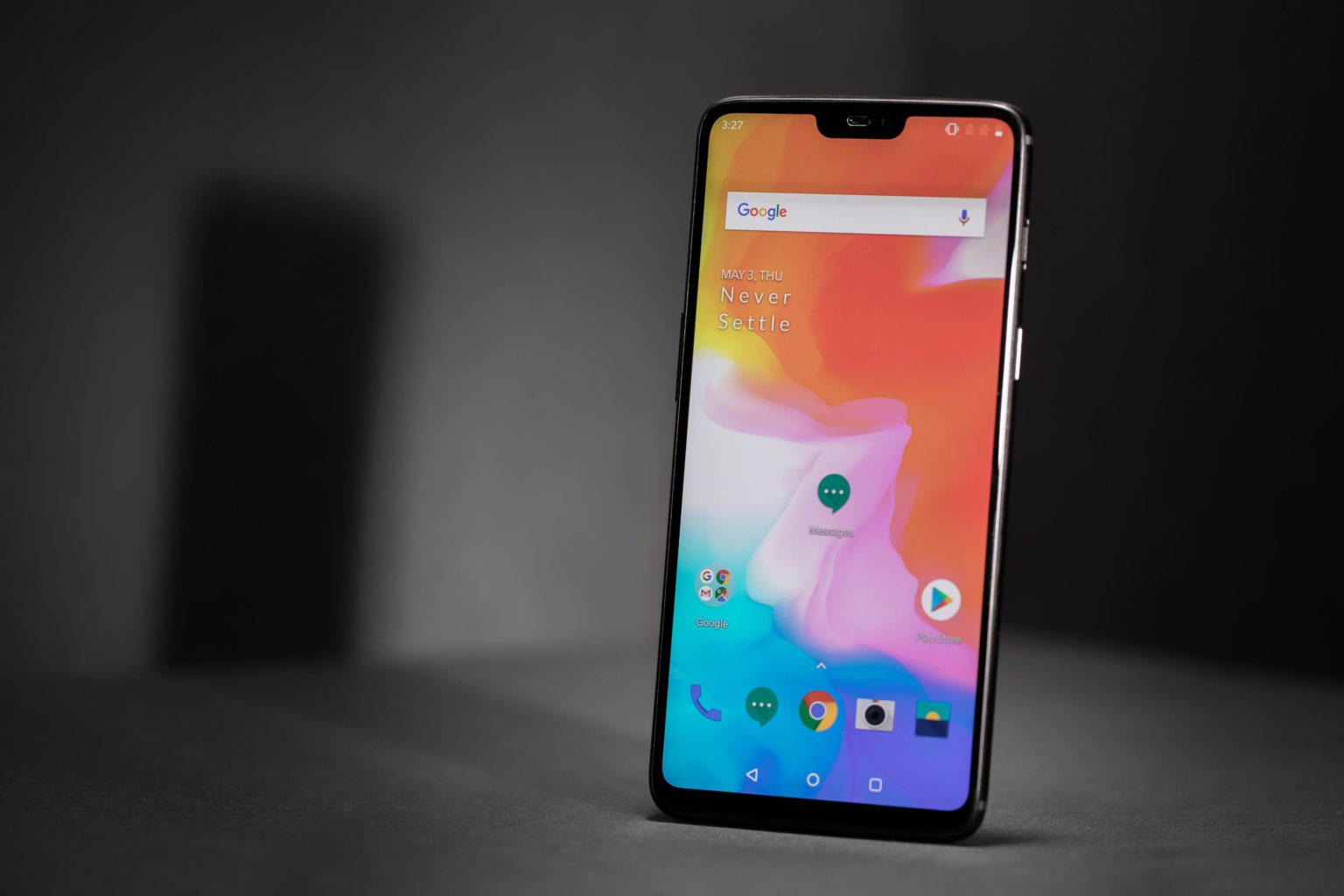
    OnePlus’s deal has always been offering flagship-level internals coupled with minimalist software, all for significantly less than similarly-specked devices. The  6 has all the right stuff you’d expect Is the the 6 the smartphone you deserve?

    The Great

    • Beautiful Screen
    • Blistering performance
    • Great battery life
    • Flagship-caliber cameras
    • Very fast charging:
    • Amazing value
    • Beautiful all glass design

    The Not

    • No wireless charging or microSD slot
    • Lacks optical zoom
    • No IP-rated water resistance

    The Conclusion

    If you’re willing to put up with a few small compromises then you could argue the OnePlus 6 could be even further up this list. One thing is for sure though: in terms of value for money it won’t disappoint.


    It seems every six months or so OnePlus treats us to a new flagship level phone at a completely reasonable price. Most companies are struggling to put out something different enough every year. All that and all, lets get to this latest installment of OnePlus, the 6.

    The OnePlus Design

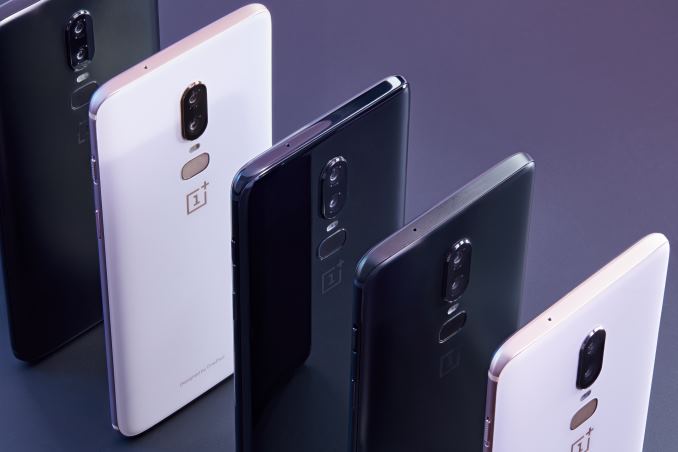
    OnePlus has really showed up with the all-glass body  on the OnePlus 6. It looks and feels oh so nice: It’s soft and smooth, with a cool touch. It’s very reflective too, mostly on the mirror black model. I just like pressing it to my face. While I  don’t feel like the glass body made the phone overly slippery, and it’s easy to hold with one hand. Using it is a harder task due to the size of the screen. It’s a little harder to get to the opposite corner with your thumb.

    Three Colors

    Mirror Black is one of three versions for the OnePlus 6. The glass is super-shiny and though it certainly does attract fingerprints, it’s not the smudge magnet you might have imagined. Midnight Black is color two: a matte finish  This is a more conventional-looking finish that will be especially familiar to owners of earlier OnePlus phones. Last is the Silk White: a classy option, for your tuxedo nights on the town look. It has a sprinkling of pearl powder as part of the six layers and emphasized by the rose gold edge, camera relief and OnePlus logo


    The Performance

    The  6 is powered by the Snapdragon 845 processor with a whopping 8GB of RAM. The phone has been lightning fast in our brief time using it. It all feels very refined. OnePlus uses the tagline, “The speed you need,” for the 6, It seems cheese and completely unsustainable for an android base phone, but here we are. The power is good, lets just not get cocky.

    For the Camera OnePlus has gone a more regular route, perhaps, by using two rear cameras, both color RGB sensors. One is a 16MP sensor with an f/1.7 aperture and big pixels 1.22 microns). It has optical image stabilization, something OnePlus fans had requested.

    Quick Spec Look

    • OS Android  8.1 Oreo with OxygenOS
    • Screen Size (Resolution) 6.28-inch AMOLED (2280 x 1080)
    • CPU Qualcomm Snapdragon 845
    • RAM 6GB/8GB
    • Storage 64GB/128GB/256GB
    • microSD Slot No
    • Rear Camera Dual: 16 MP (f/1.7) with OIS; 20 MP (f/1.7)
    • Front Camera 16 MP (f/2.0)
    • Battery Size 3,300 mAh
    • Water Resistance None
    • Size 6.13 x 2.97 x 0.30 inches


    The Final Thought

    The 6 has all the Power, Size and Looks available to make a splash and a price point to be desired. There is nothing here truly lacking out side of the water resistance and the wireless charging, only thing I could do with out is the boasting.


  • Which Chat App is Best?

    Which Chat App is Best?

    Practically everyone and their mom has a smartphone now. It’s easier than ever to stay connected to all our friends and family through a chat app! However, not everyone wants to be in huge group chats, and some people would prefer not to give their personal number out just to join in the conversation.

    With that in mind, we’ve got a round-up of our favorite chat apps! Read on to find out which apps we love to use to stay connected.

    Facebook Messenger

    Facebook is the undisputed king of the heap when it comes to social media. Almost everyone has a Facebook profile, and as such, almost everyone has access to Facebook’s messenger app. This app is clean, functional and usable, which is all par the course for what we’ve come to expect from the biggest social media platform on the internet.

    The app experience is somewhat bare-bones, however, which is disappointing when comparing it to Discord or Slack. However, Messenger makes the list for its ubiquity. If you need to make a group chat with friends or just message someone to start a conversation, Messenger is a fine choice.

    Kik

    Kik is something of a replacement for normal phone functions of texting and calling. With a unique video chat functionality that allows for small, thumbnail-sized video feeds while still texting, Kik certainly sets itself apart. Kik has a cool feature to check your phone’s contacts to add them to your contacts in the app. It also has a great interface: clean, smooth and easy to use. You should definitely give Kik a shot, especially if you’re looking for a more in-depth one-to-one text app than your phone’s text messenger allows for.

    Slack

    Mostly used by businesses, but also popular for gaming groups, Slack is a great chat suite. Sporting a good desktop app and a solid phone experience, Slack gets right to the point. With a no-frills interface that still allows for all the requisite emojis and gifs, Slack gets out of the way of your conversations.

    If you’re a small business owner looking to pull all your employees into a chat together to coordinate your efforts, Slack is perfect. Similarly, if you’re trying to organize a gaming group and you don’t like Discord’s app, Slack is a great choice.

    Our Favorite Chat App: Discord

    This one is actually no contest. Discord is the best chat app in existence, bar none. There is no overstating how many awesome features are packed into Discord’s stellar desktop and mobile applications. Discord sports a user-friendly server set-up that can be subdivided into channels.

    Functionality for tons of different types of games and news feeds can be integrated into servers at the admin’s discretion. Do you like Dungeons in Dragons? Install a bot that rolls dice and looks up stats in your server. Do you love sports? Install a bot that gives your final scores for your favorite teams. I can’t recommend Discord enough, whether you’re a gamer, professional, or anything in between.

  • The Ten Dumbest Apps Ever

    The Ten Dumbest Apps Ever

    Not every app is a winner. Sometimes developers run out of money, time or patience and simply ship an unfinished product. Other times, devs set out to make a tremendously stupid app. In either event, you came here to see mind-numbingly stupid apps, so here goes: our list of the ten dumbest apps ever.
     
    [adSOC]  

    The Little Application That Does Nothing

    01-nothing

    Photo Credit: Apple Store

    This app gets bonus points for doing what it says it does. It actually does nothing. Seriously, it doesn’t do anything. Actively. It’s received updates, for some reason, and still does nothing. I’m actually sort of mad that this exists, but it’s also hilarious, so, that’s alright.
     
    [adTextOnly]

  • The Top New Features Coming with Android P

    The Top New Features Coming with Android P

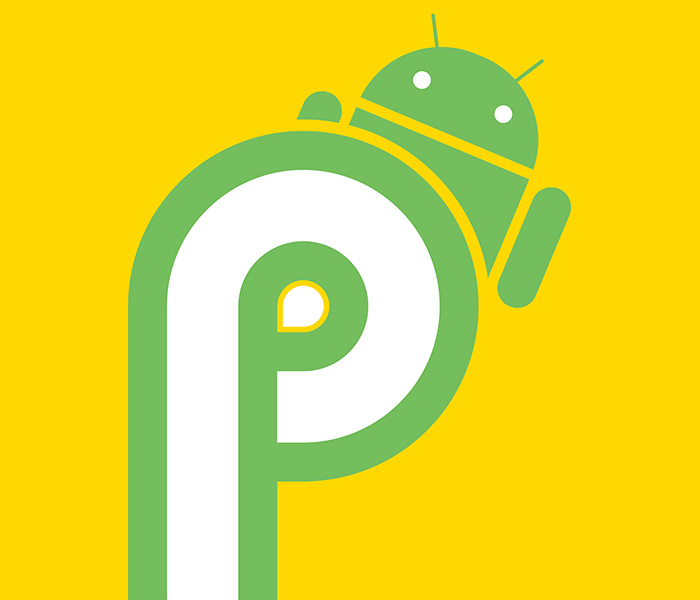
    Android P, the newest OS for Android devices, was shown in greater detail at the I/O 2018 conference. If you missed it, or just want a recap, here’s a quick rundown of the coolest new features coming with Android P!

    Gesture Navigation

    Since 2011, Android devices have utilized three navigation buttons: home, back and multitask. Android P sports only a home button, relegating other tasks to gesture control, much like the iPhone X. This might be a drawback to users accustomed to the older style, but it will surely open up screen space for more attractive app designs.

    Additionally, as iPhone users have known for years, gesture controls feel much more natural for a device meant to get out of your way. Navigation buttons feel very analog, which is at odds with a smart phone’s purpose of making things easy and quick.

    App Suggestions

    Another iOS-like feature, Android P will now intelligently use your habits and location to suggest apps to you. When you plug in headphones in the morning for your job, you may be prompted to open Spotify. When you get home and crash on the couch, Facebook could be suggested. These and other minor quality-of-life app integrations simply make your phone feel more like a natural extension of you.

    Additionally, app “slices” are going to be integrated into the core functionality of the phone, another idea inspired by Apple. For instance, when using the map to look up various places, you may see a price from Uber or Lyft, encouraging you to open that app.

    Adaptive Battery Life and Brightness

    More ways to save your battery and save you headaches, Android P is said to intelligently learn which apps you use which days and preemptively turns off apps to save battery life. Google says this technology works with Deep Mind technology, using deep learning algorithms to better suit users’ needs.

    Similarly, Android P introduces adaptive brightness, a system powered by similar learning algorithms. Between the time of day, amount of light hitting the sensor, user behavior and other factors, adaptive brightness seeks to help users manually adjust the brightness less and just enjoy their phones more.

    Best New Android Feature: App Timers and Shush

    Interestingly, Android P also comes with functionality to help you use it less. Firstly, the app dashboard will show you which apps you use the most, and which the device feels as though you are spending too much time using. Through this functionality you can set self-imposed time limits on apps, and the OS will shut them down after you have used up your self-allotted time.

    In that same vein, Android P introduces Shush functionality. Shush is similar to a Do Not Disturb mode and can be enabled by setting the phone down with its front face on a surface. In Shush mode, the phone won’t alert you of any notifications, audio or otherwise. These features are very responsible and help users more tightly control their smart phone usage.