Category: Apple

  • Samsung vs. Apple Ruling: What this Means for the Future of Smartphone Design

    Samsung vs. Apple Ruling: What this Means for the Future of Smartphone Design

    The long-running and high-profile court case between Samsung and Apple has finally wound down. The verdict? Samsung is to pay $539 million to Apple for infringed patents. That’s a lot of money, but not quite the billion dollars Apple claimed it was owed. The final number is, however, markedly higher than Samsung’s conservative estimate of $28 million in damages owed to Apple. What will this decision mean in the long run with regards to smartphone design?

    Apple: Design First 

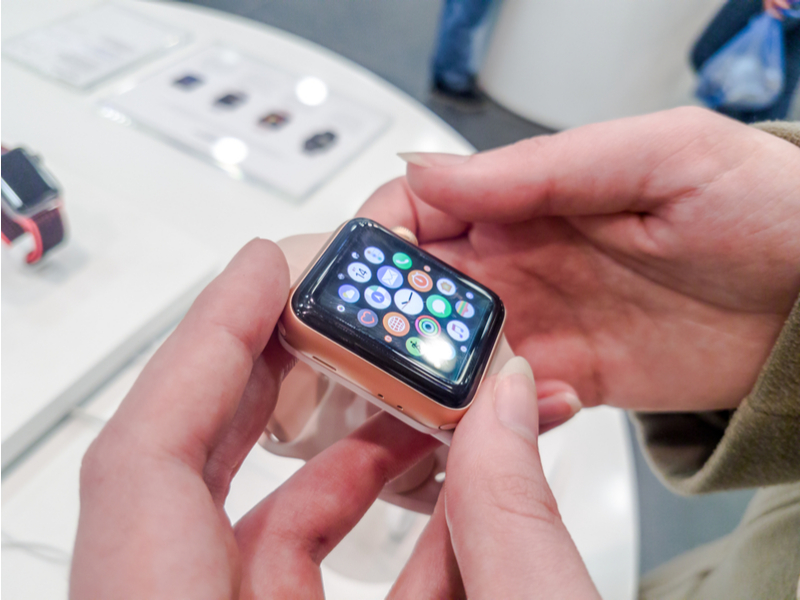
    Apple fought tooth and nail in this suit. The company has always maintained that they are a design-first firm. To that end, they were adamant in their assertion that Samsung’s infringement of their design patents constituted significant damages. The nitty-gritty of the case got pretty obscure, but here’s the broad strokes. Apple had patents for a rectangular-face, round-cornered smart phone (with and without bezels.) They also had a patent of a colorful grid of apps. 

    Samsung’s phones sold between 2010 and 2011, Apple argued, infringed on these patents. The courts found in Apple’s favor, but things didn’t end there. The issue came down to the difference between the individual phone components versus the phone as a whole. Apple claimed that Samsung owed damaged based on the sales of each entire phone they sold. Samsung, however, claimed that they only owed damages on the components Apple had patents for. 

    Samsung’s Point of View 

    Samsung argued that Apple only had patents on certain aspects of the phone designs they had sold in the timeframe of 2010-2011. They felt as though the damages they would need to pay should reflect this, as well as deducting the cost of business for marketing and designing said phones. While their points were well-made in some respects the jury found them unconvincing.  

    The jury found that the display screen couldn’t be considered a separate entity from the phone. How could it? The bulk of the smart phone is its screen, and the screen hardly works without the phone components. If one were to disassemble a smart phone, they would have nothing of real practical use. Samsung’s argument would work better in a case with bigger, more distinct components. The screen, however, was found to be an integral part of the phone. 

    What This Means for Smartphone Design 

    The huge fine slapped on Samsung will certainly give manufacturers pause with regards to smartphone design. Apple’s patents are somewhat broad, though in some ways they can be seen as fair. Apple did kick off the modern smartphone, after all, so isn’t it only fair they hold these patents? The other side of that coin, of course, is a concern for monopolization. If Apple can defend a patent this broad in court, smaller competitors may well be swallowed whole by them.  

    Samsung will feel the sting of this ruling, but they won’t be going away anytime soon. The Korean tech giant is worth billions, and they can afford to go toe-to-toe with Apple in court. Smaller underdogs wouldn’t stand a chance, though. This case has left an odd taste in the mouths of onlookers. Many are happy to see creative design defended by a federal court. Many of those same people are also wary of a giant like Apple tightening its chokehold on the smartphone market.  
  • Must Have Apps for Apple Watch

    Must Have Apps for Apple Watch

    If you’re a wearables enthusiast, odds are good you have an Apple Watch. Apple’s entry into the wearable market has been around for some time, but many users still don’t have some of the most useful apps! To remedy that, we’ve rounded up our favorite Apple Watchs apps. Check it out! 

    News 360 

    While it may seem counterintuitive at first to read articles on the small watch face, it’s actually quite handy. You can check the news on your workplace commute or just by over your morning coffee. Having it right at your fingers on your watch it quite convenient. Also, going through your watch can help you resist the urge to goof off, in case you’re reading on your lunch break. 

    Merriam-Webster Dictionary 

    For all the big-word and grammar enthusiasts out there, this app is for you. If you like punctuating debates with definitions, or just like reading, this is a great app to have on hand. Checking your watch for a word you don’t recognize is very useful: Give it a shot and you’ll see what we mean! Similar to the News 360 app, the font is pretty small, but it’s still convenient to have on hand. 

    Gymaholic 

    This is the kind of app everyone should have on their Apple Watch if they’re interested in fitness. Gymaholic has a different exercise for you each day, helping you keep interested in your fitness. The app will even show you how to do exercises you’re unfamiliar with. It then uses the watch’s biometric scanners to count reps and monitor your heartrate. You can even look back at your history to see your progress. This app is a must-have for fitness-minded Apple Watch users! 

    Our Favorite Apple Watch App: Pandora Music 

    If you already listen to Pandora on your phone, this one is a no-brainer! You can create new stations from the app with voice commands, scroll through your stations and thumb things up and down. While you have to have your phone on hand as an intermediary, this app is great for athletes or for office use. For instance, if you’re out for a jog, it’s much easier to control your music from your watch than having to go digging for your phone.  

    Additionally, the Pandora app for the watch is great for when you’re at work. If you don’t want your boss thinking you’re just messing on your phone, you can control your music from your wrist. This looks more professional and keeps you off your boss’s radar! Win-win! 

  • Steam Link iOS App Blocked from Release

    Steam Link iOS App Blocked from Release

    Steam Link, Valve’s game streaming app, has been blocked from release by Apple, Valve claimed in a statement to Ars Technica. The app, which can stream PC games to a separate device on the same Wi-Fi network, was blocked due to “conflicting with app guidelines,” according to Apple. 

    Why Was it Blocked? 

    The answer to that question is somewhat unclear. Perhaps Steam Link’s ability to stream games purchased through Valve’s Steam store didn’t comply with Apple’s guidelines. Apple requires a thirty percent share of every in-app purchase. This may have conflicted with the way Valve presents the Steam Link service. 

    Valve claimed in their statement that “the Steam Link app simply functions as a LAN-based remote desktop similar to numerous remote desktop applications already available on the App Store.” The decision was appealed, but the appeal was dismissed by Apple.  

    So No Steam Link on iOS? 

    Valve expressed their hopes for Apple to reconsider their decision in the future. As such, it’s not impossible that there may be a Steam Link on iOS someday. However, for the time being, the app remains blocked from release. Perhaps the two companies can work out a deal in order to greenlight the app. 

    While the app definitely competes directly with one of the App Store’s biggest revenue streams: games. Allowing users to stream games from their PC from a free app may have been a step too far for Apple. It seems the phone giant would rather be the big fish in a small pond in this fight. Allowing Valve to offer a free app for game streaming could have been seen as too big a threat to their games sales. 

    What if I Want to Stream to My Phone? 

    While the app was blocked from iOS, it is available on Android devices. While this is no help for iPhone users, it might convince those on the fence to switch to Android. Other alternatives include Steam’s Big Picture Mode, which allows users to play their Steam Library on a TV screen. In any event, it doesn’t seem Valve will be too badly hurt by Apple’s snub. Steam made $730 million dollars in 2014 alone, according to PC Gamer. 

  • Ten Features We Want to See Most in iOS 12!

    Ten Features We Want to See Most in iOS 12!

    On June 4th, at the Worldwide Developers Conference, Apple is set to unveil their new iOS 12. Before then, though, we can only guess what kinds of new functionality are on their way. In the meantime, though, we certainly know the features we want to see! Read on to find out which new features we’re hoping make it to iOS 12. 

    Dark Mode 

    Photo Credit: iHelpBR 

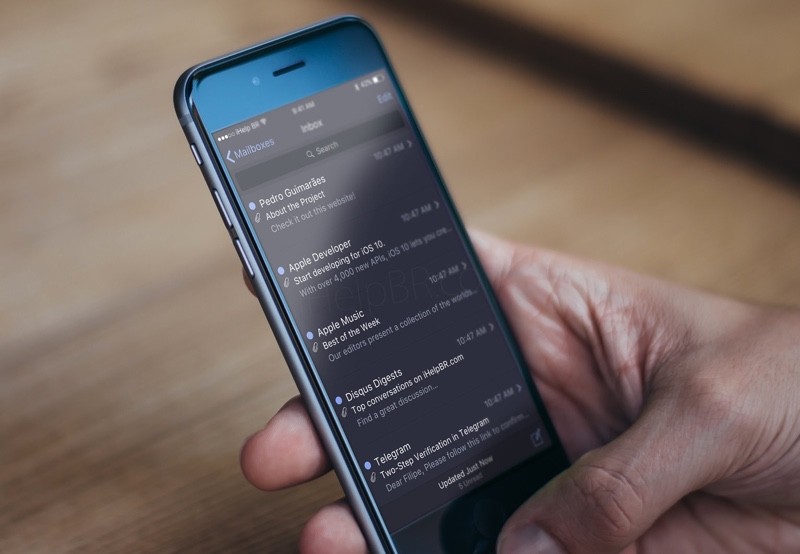
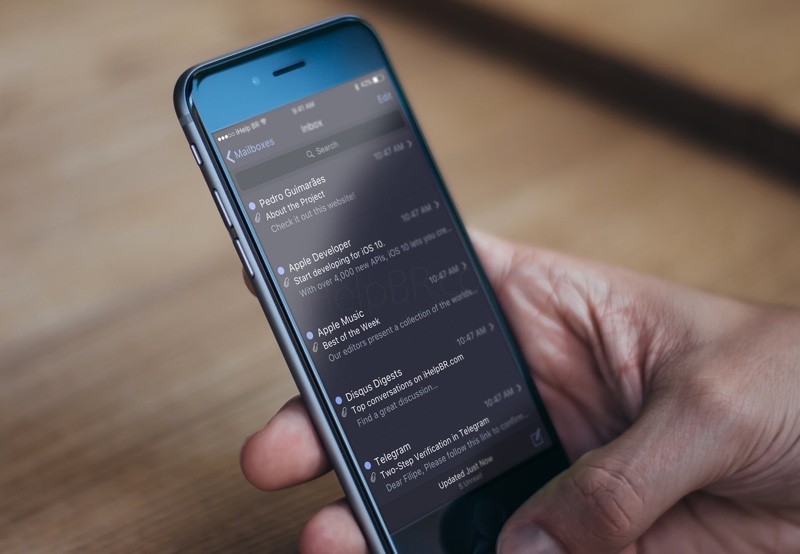
    iPhone users have been asking for a system-wide dark mode for quite some time. While Android has been sporting this feature for quite some time, it has yet to be implemented on iOS. Many users prefer the aesthetic of darker menus with white text, but only certain apps support dark modes on iOS. With luck, it will be a feature unveiled at WWDC! 

    Group Facetime 

    Photo Credit: Apple Support 

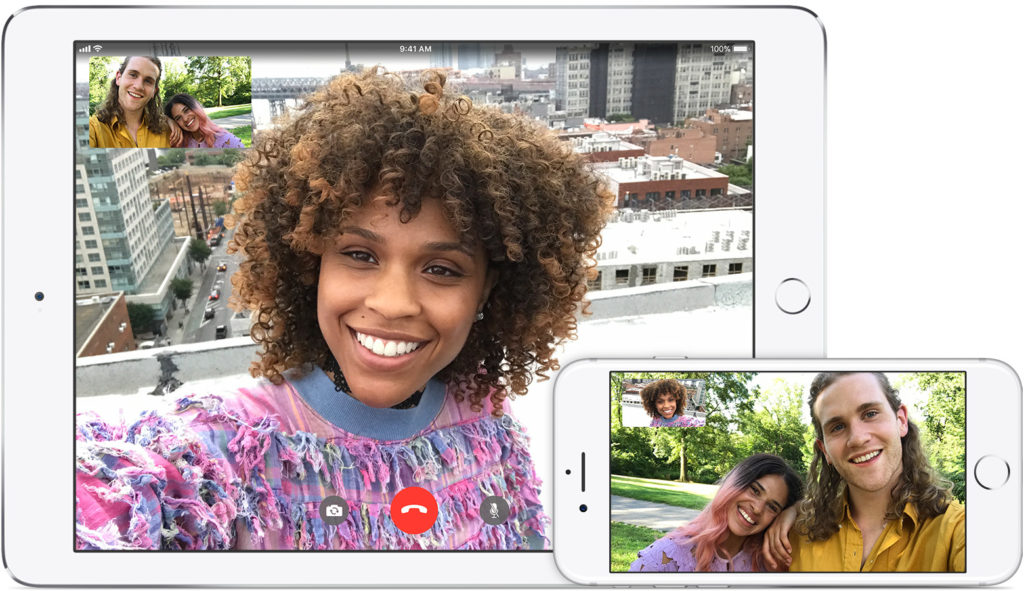
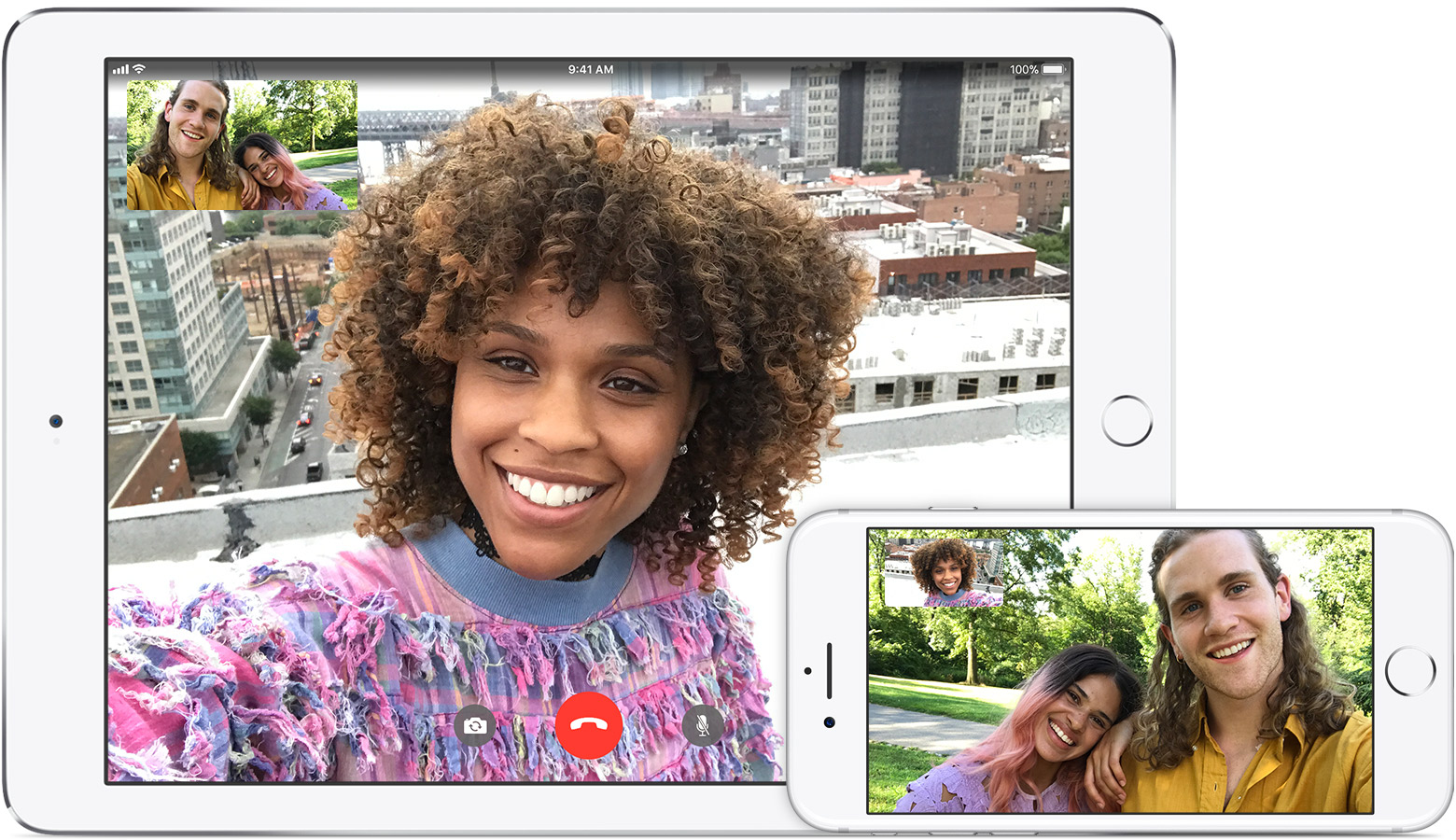
    Another much-requested feature, many are hoping for the ability to Facetime more than one person at a time. Many similar video chat apps have this functionality, such as third-party apps like Skype and WhatsApp. It would only make sense for apple to follow suit with iOS 12. 

    Split Screen Functionality 

    Photo Credit: Mi Community 

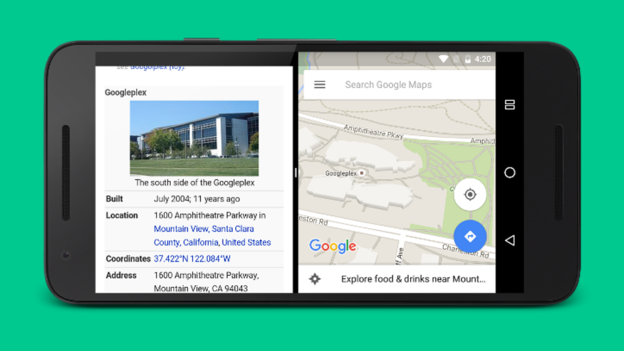
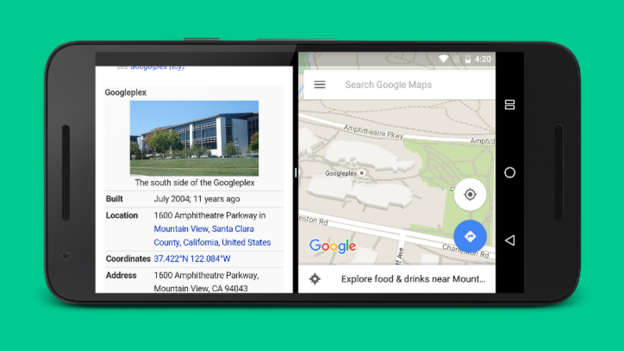
    An option to run two apps side-by-side simultaneously would be awesome! Android has had this for a while, and it’s great for multitasking. Looking at a restaurant menu while navigating to it! Looking up recipes while running a cooking timer! The combinations are endless. Apple’s phones are certainly powerful enough to handle this functionality, it’s just a matter of coding the infrastructure. It would be nice to see Apple catch up with the competition in this aspect. 

    That Volume Icon 

    Photo Credit: Lotus Bud 

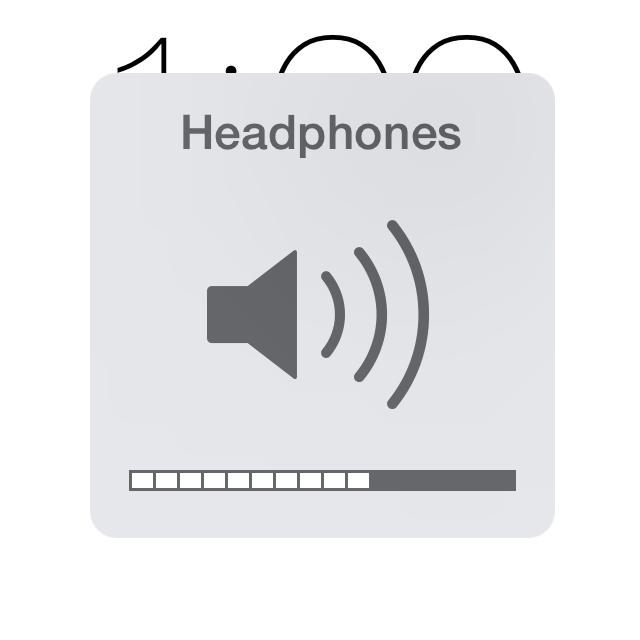
    The only notably ugly thing about the iOS interface is that big, hideous, intrusive volume button. It would be really nice if Apple redesigned the volume indicator to be less noticeable and sleeker. This one is simple, but it might not be high on their list of changes to focus on. Here’s hoping the designers hate this ugly icon as much as I do! 

    Tighter Camera Controls 

    Photo Credit: Gear Patrol 

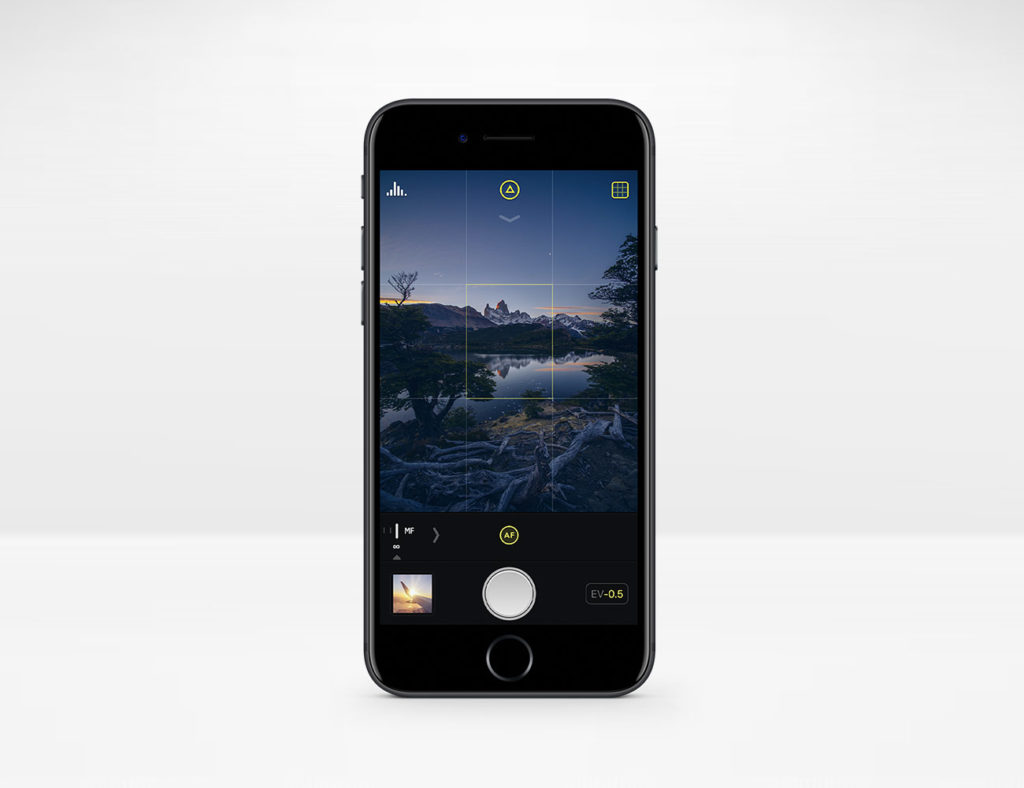
    The iPhone camera has precious few manual controls over things like shutter speed and exposure. These functions are in plain sight and easy to use on Android. It would be excellent to see better camera functionality on iOS 12 without resorting to third party apps like Camera+. 

    App Wish List Return 

    Photo Credit: iDownload Blog 

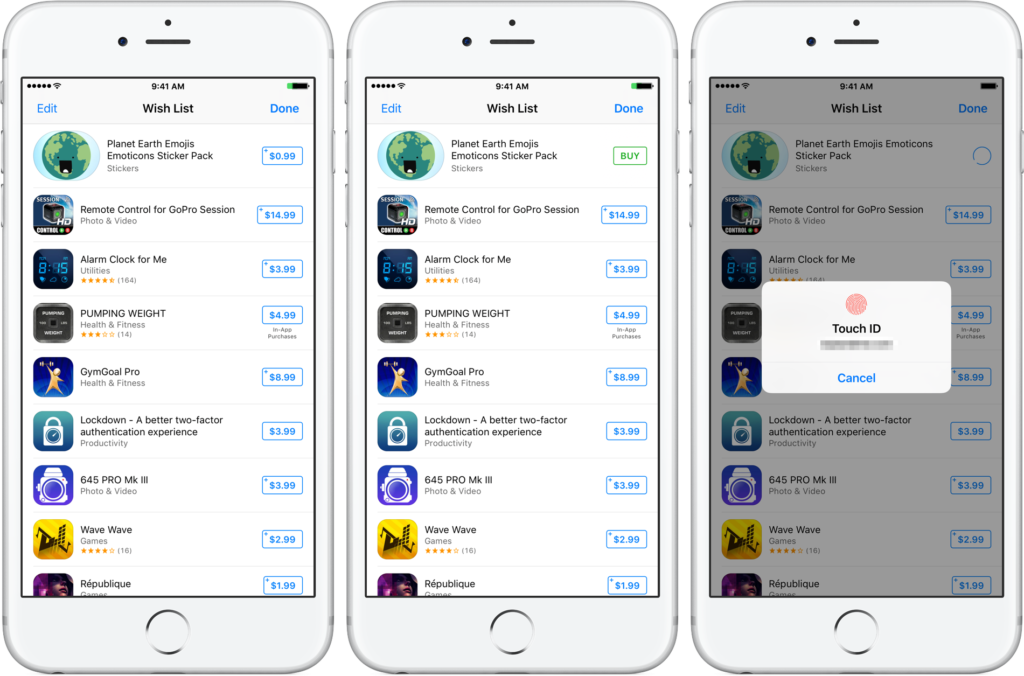
    With the release of iOS 11, the App Store was completely reworked. With this rework came the removal of app wish lists. The wish lists were sorely missed by users who like having their short list of apps they wanted. Hopefully Apple hears the requests of wish list fans and brings it back with iOS 12! 

    Always-on Screen for iPhone X 

    Photo Credit: Switch 

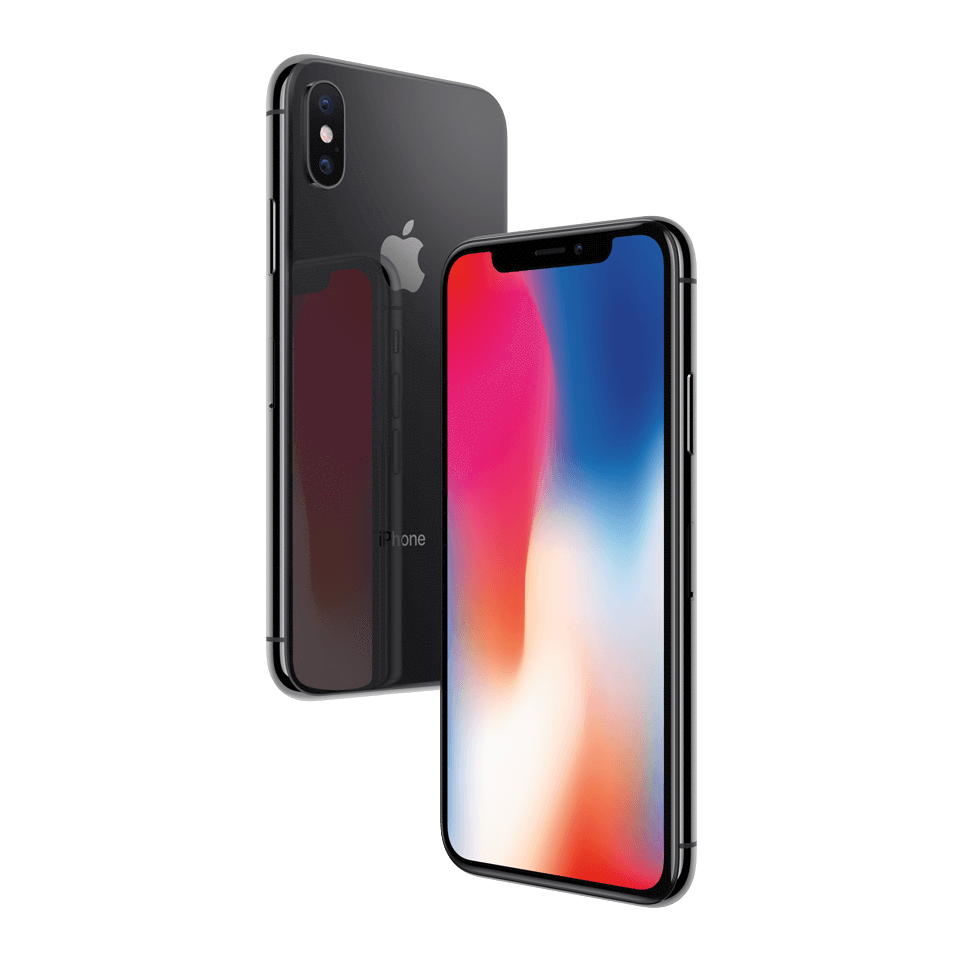
    The iPhone X features a battery-saving OLED, much like common Android phones that sport always-on displays. This would be cool functionality to add to the newest iPhone, for display of the time or notifications. It does somewhat go against Apple’s aesthetic, but then again, so did the iPhone X! 

    Siri Improvements 

    Photo Credit: Macworld 

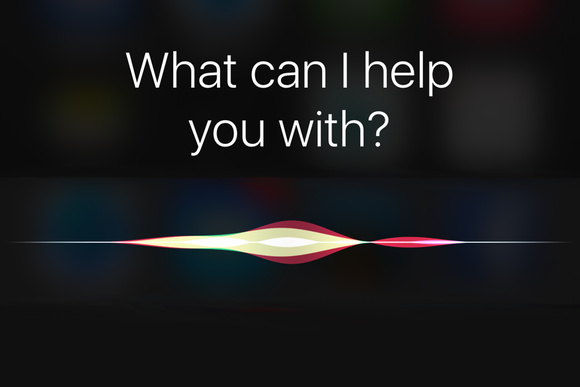
    Siri was one of the first mass-market personal assistant AIs, but her age is starting to show. It would be great to see some updates to her that make her more responsive and smarter, like Alexa. Heck, even Google Assistant (!) is smarter than Siri these days. Also, how hard would it be to enable some Spotify functionality with Siri? Ball’s in your court, Apple! 

    Messages Improvements 

    Photo Credit: iSource 

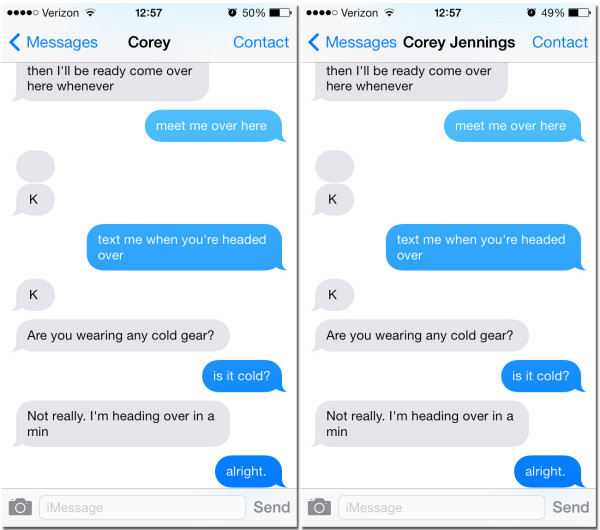
    Improved functionality for things like archiving and searching messages would be awesome. Apple’s current messaging infrastructure is great for just shooting messages but trying to find messages more than a few days old is difficult. An option for searching and sorting messages would be greatly appreciated! 

    Our Biggest Hope for iOS 12: Smart Orientation 

    Photo Credit: Apple Support Communities 

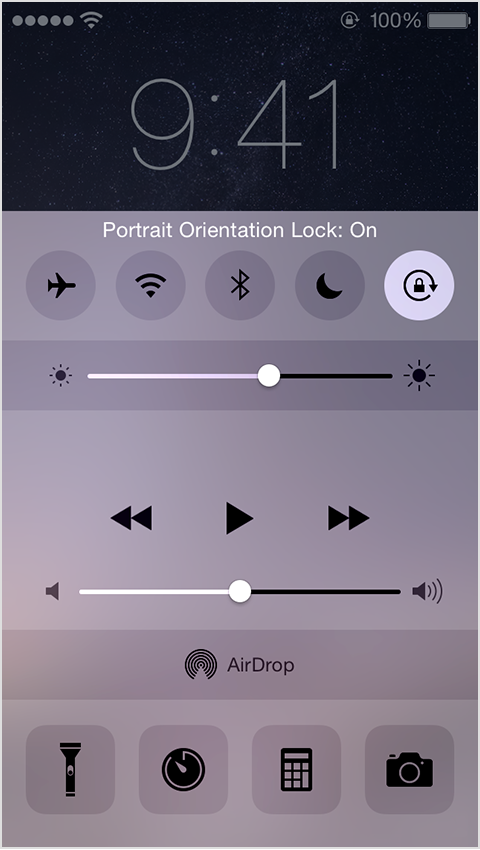
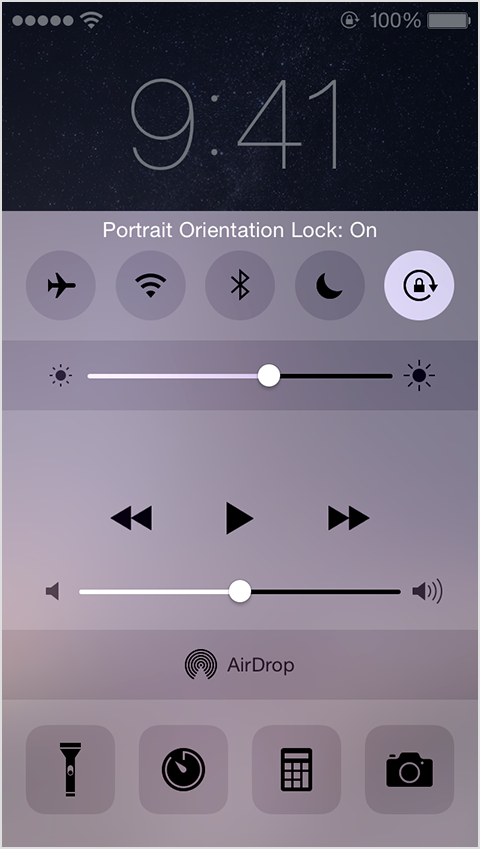
    Please. Apple, please. Stop making me open my control panel to lock and unlock portrait orientation every time I want to watch a video. YouTube sort of lets you bypass this by pressing the enlarge button. I just want to see functionality like this across all apps. Put an option in for “portrait lock except videos” or something. Just do this one thing and I’ll be happy, seriously. 

  • 10 Things You Never Knew About Your iPhone

    10 Things You Never Knew About Your iPhone

    Do you fancy yourself as being tech savvy? How much do you really know about your phone? If you know all ten of these iPhone tips and tricks, you may really be a tech wizard! Check out these 10 crazy things you never knew your iPhone could do! 

    10. Snap Pictures with Your Volume Button 

    This one is cute, letting you snap a picture with your phone like it’s an old-school camera with a top button. You don’t have to do anything to enable this, it’s just already on out of the box! Have fun snapping pictures! 

  • Which Laptop is the Best for Photographers?

    Which Laptop is the Best for Photographers?

    If you’re a photographer, or an aspiring photographer, you’re certainly going to be using photo editing software. You’re also going to want that software to be accessible on the go, so you can edit while you’re shooting. With that in mind, the photographer’s best friend is their laptop. Which laptop is the best for editing on the go? Read on to find out our favorites! 

    Dell XPS 15 

    Dell’s XPS 15 is a great non-Apple choice for photographers. If you want a laptop that excels for photo editing and runs on Windows, this one is a great choice. It sports InfinityEdge technology, meaning it has a huge screen size for how small of a machine it is. Its display is color-accurate and has a 4K resolution, meaning your photos will look accurate while you’re editing.  

    The XPS 15 is a bit expensive, although that’s par the course for laptops with displays strong enough for photo editing. It retails for around $1,000, but you can often find it on sale for around $750. Consider this one if you heavily prefer Windows over Mac OS. 

    Apple Macbook Pro 13 inch with Retina 

    Unsurprisingly, Apple’s flagship laptop remains a fantastic choice for photographers. If you needed any reminders: Retina display is amazing, the battery life is great, and Mac OS was made with content creators in mind. Unsurprisingly, the Retina display remains the best laptop display on the market. With the best colors, contrast and saturation available on a laptop, you won’t be disappointed in this choice. 

    On the negative side, the Macbook is pretty expensive no matter where you go. It can be found anywhere from $900-$1,000, depending on sales and the like. It also doesn’t have a great deal of storage, which is a bit disappointing for photographers. That said, this is still a great pick. 

    Our Favorite Laptop for Photography: Apple Macbook Pro with Touchbar

    The step up from the older Macbooks, this new one sports the handy new touchbar technology. The touchbar is an OLED display above the keyboard that allows for quick access to tons of shortcuts. The toucbar has a number of applications across the OS, like suggested word selection and scrolling. The great use for photographers is the shortcuts in Photoshop, making Adobe’s robust suite even easier to use. Additionally, all the positives about the previous Macbook still apply, with the exception of the battery life. 

    Unfortunately, battery life isn’t nearly as impressive on this one; it seems the touchbar really saps the power from the laptop. Jokes aside, it is markedly lower than its predecessors. Additionally, this one is tremendously expensive: you can usually find it around $1,500.  

  • Time to Jam! Which Music App is the Best for You?

    Time to Jam! Which Music App is the Best for You?

    Everyone loves to put their headphones in and jam sometimes. Sometimes you want to play music for your house guests, and other times you want to listen to your tunes through your car stereo. Which music app do we love the most? Check out our roundup to find out! 

    Google Play Music 

    Offering a free version and a $10 per month subscription, Google Play Music is an awesome choice for listening on the go. Allowing you access to all of their cloud-based music library, the subscription is really the way to go. The subscription also comes with personalized radio stations and recommendations based on your music tastes. 

    Google even throws in a YouTube Red subscription, to boot! If you haven’t watched Cobra Kai yet, you should! 

    Apple Music 

    While Apple doesn’t offer a free version like Google Play Music, all the primary functionality of Google’s app is behind its paywall, so this doesn’t really change much. That said, Apple’s subscription also sports access to streaming internet radio stations (including the phenomenal Beats1 Radio) and access to millions of songs. You can even download songs straight to your device to save on your data plan! 

    Google and Apple provide two very similar apps. The main differences are Apple’s slightly wider selection and access to Beats1 and exclusive content, and Google’s YouTube Red subscription. It’s really a toss-up between these two, but neither is a bad choice. 

    Shazam 

    Shazam, well-known for its ability to detect songs and name them for you, is also a great music streaming app! Once it has recognized a song, you can buy it through Shazam to add to your collection. While it doesn’t make a great streaming app by itself, Shazam makes a great companion to someone who constantly hears tracks out and about they want to add to their collection.  

    Shazam works in seconds to identify music, and does pretty well even in noisy, crowded areas. For those who often go to venues or hear music on their walks to work, Shazam is a great pick! 

    Our Favorite Music App: Spotify 

    Offering both a free version and a $10 monthly subscription, Spotify is a well-known music app. Featuring the ability to create and share custom playlists, Spotify incorporates an awesome social element. Sharing playlists with your friends is akin to making mixtapes, and helps you feel more connected to your music. 

    Spotify also boasts millions of songs, rivalling Apple Music in terms of selection. The subscription is really the right way to go here, especially if you hate ads. For audiophiles looking to just get lost in the music, Spotify is the right music app for you. 

  • Apple Privacy Website with All of Your Data

    Apple Privacy Website with All of Your Data

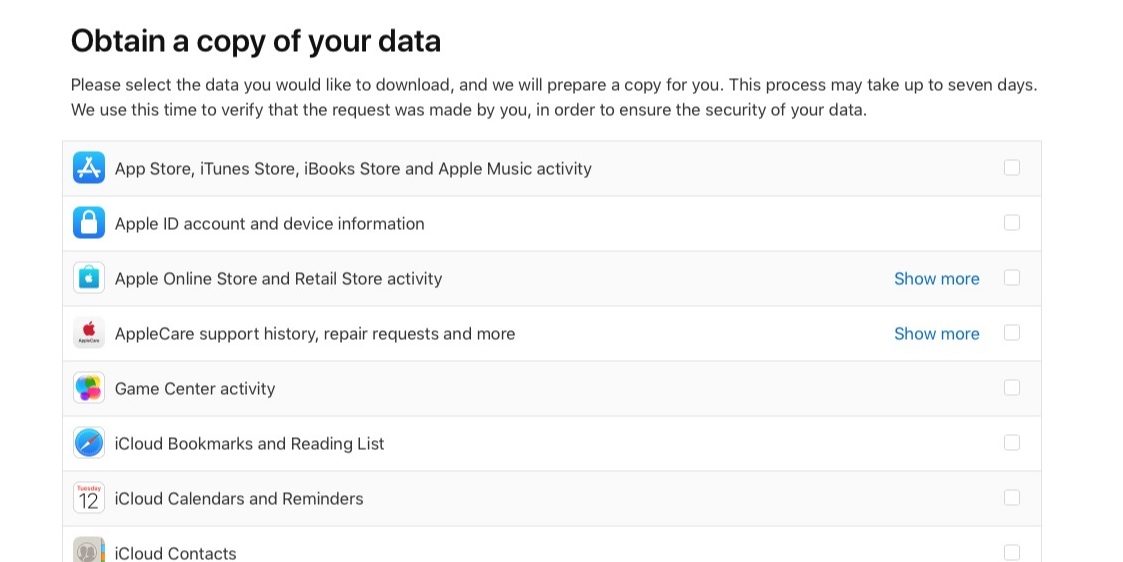
    Apple doesn’t know me, they only think they do. That’s what Id like to think anyhow, but now I can know what they think they know.  Now Apple is the latest tech giant to make changes to comply with GDPR, the EU’s privacy data rules, after it introduced a new website that shows customers exactly what personal data it holds on them. Apple has today launched its new Apple Privacy Website , allowing Apple users to download everything that Apple personally associates with your account, from Apple ID info, App Store activity, AppleCare history to data stored in iCloud like photos and documents. This is currently only available for European Union accounts, to comply with GDPR, and will roll out worldwide in the coming months.

    How To Access The Apple Privacy Website

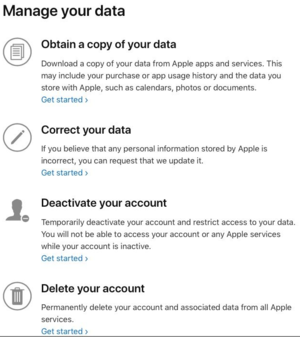
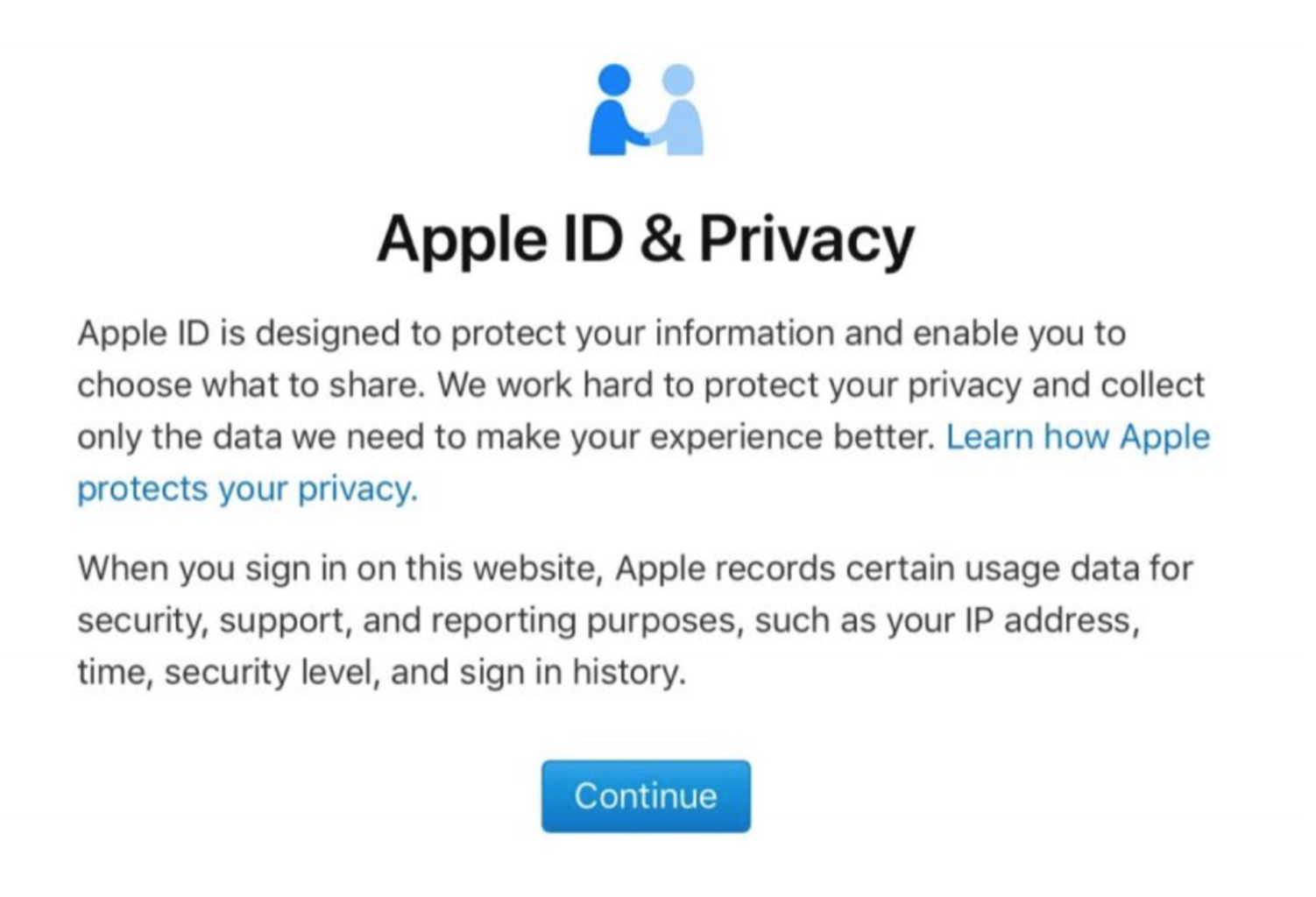
    This link to get to  Apples Privacy and Data link is here: https://privacy.apple.com/. Just login in with your apple ID. There are simple shortcuts to updating your info, temporarily deactivating your account and options to permanently delete it. Here’s how to do it …You can request account details and sign-in records and data such as contacts, calendars, notes, bookmarks, reminders, photos and documents.

    1. Go to Apple’s new Data and Privacy website;
    2.  Log in with your Apple ID. (for now, the privacy info and downloads work only for users in the European Union, Iceland, Liechtenstein, Norway, and Switzerland);
    3.  Click on the “Get started” link below the header “Obtain a copy of your data,” and check “Select all,” or tick the individual options boxes;
    4.  Select a maximum file size, and Apple will split things into the chunks you choose;
    5.  If you want a copy of your iCloud-stored media, e-mails, or Drive content, the process will obviously take longer, but Apple says the gathering can take up to two weeks anyway;
    6.  When everything is ready, you will get a mail from Apple that your personal data is ready to download, and if you don’t do it, Apple will erase everything in two weeks.

    Things To Consider

    Dependent on the data records selected, Apple may take as long as two weeks to assemble the information. While the company did say the data will be deleted after two weeks. The data site also gives users the option to correct data, deactivate their account and delete all information held by Apple in compliance with GDPR. Only data that is personally identifiable can be found here. I think this can all be downloaded with a few simple clicks on the privacy portal. Note data like iCloud Photos will take a long time to generate. There are potentially tens of gigabytes of files on there.

    The Final Thought

    Just imagine if your bank, credit card company, ISP, or big-box retailer gave you the right to look at your data! It’d be a different world. George Michael, I mean Maharris promised us this a few years ago with his FaceBlock app. I wonder what happened to that.  What we really need is transparency and openness and there’s nothing to fear in providing this to users. It need not be forced through regulation, but standard basic practice from the outset. This is the simple easy solution to our data privacy issues. The Apple Privacy Website is a big step to where we should be. Just let us know what you think you know.

  • Looking for a Weird Game? Here’s the Ten Weirdest Games for iOS

    Looking for a Weird Game? Here’s the Ten Weirdest Games for iOS

    Sometimes you don’t want to play by the rules and do normal stuff. Sometimes you want to let loose and be a little weird. If you’re looking for something delightfully odd and wickedly weird, we’ve got something for you! Check out our list of the top ten weird games to ever release on iOS. Let’s get weird! 

    10. Bear vs Art 

    Photo Credit: bearvsart.com 

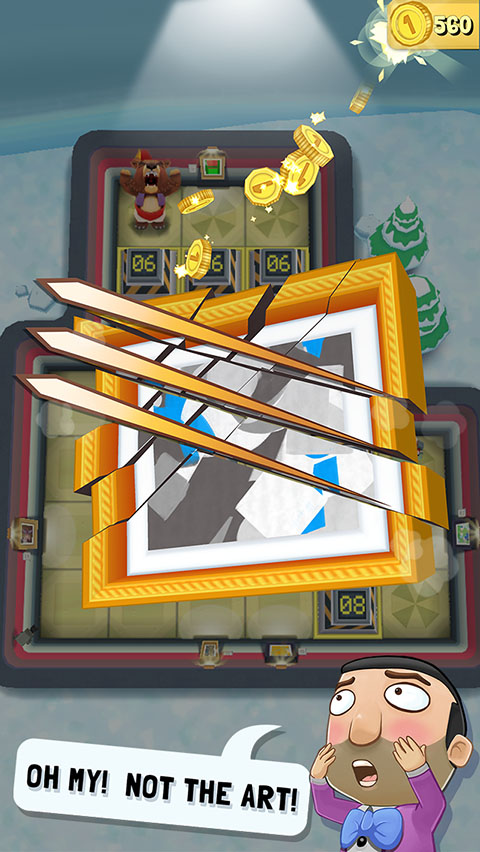
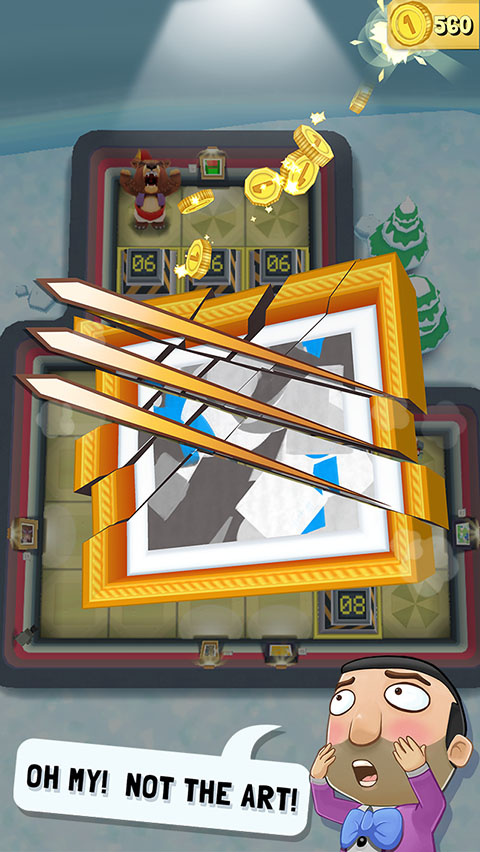
    In this odd commentary on gentrification, a bear fights off pretentious millionaires who hang bad art up in tacky galleries. This one is somewhat simple at first glance, featuring grid-based puzzle gameplay. You’ll avoid security guards and motion-sensing lasers, stop art thieves and roll over art critics. It’s pretty silly, and certainly worthy of the title “weird game.” Great for haters of snobby art critics! 

    9. I Am Bread 

    Photo Credit: Wikipedia 

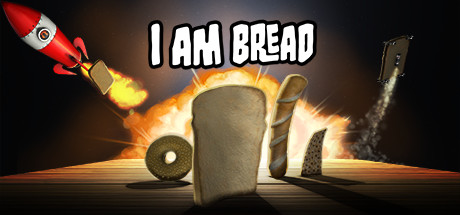
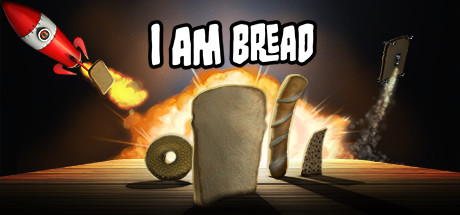
    In this game, you become bread. And as this bread, you will attempt to become toast. As this piece of bread, you have to navigate the unforgiving space of the kitchen in an attempt to make it to the toaster. The catch is, if you fall in the floor, you fail. This one is rather addictive and fun, considering how ridiculous its premise is. If you’ve always wanted to know what it’s like to be bread, this game is for you! 

    8. Giant Boulder of Death 

    Photo Credit: Touch, Tap, Play 

    Have you ever wanted to be a giant boulder and rampage down a mountain? If so, this game will certainly help you live that fantasy. GBOD is an arcade-style autorunning game where you try to wreak as much havoc as possible before you are inevitably stopped. Hunting high scores and challenging your friends via the leaderboards is a fun way to kill some time with this supremely weird game! 

    7. CATS: Crash Arena Turbo Stars 

    Photo Credit: Zepto Lab 

    Ingredients for a weird game: adorable backronym, weird robot-building mechanics, cute cats piloting said robots. Throw them all together and you have a fun robot-building game starring some adorable felines! FCATS features tons of customization options for robots and fun player versus player modes. CATS is a great game for robot enthusiasts, cat people, or both! 

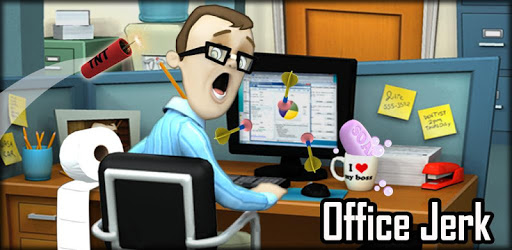
    6. Office Jerk 

    Photo Credit: Google Play 

    Everyone who has worked in an office has wanted to pelt that one annoying guy who works there. This oddly cathartic weird game has you lobbing random stuff at some jerk who works in your office. Or maybe you’re the jerk, since you’re the one tossing all this junk at the dude across from you. In any event, this one is fun, and you’ll probably get some kicks out of breaking his monitor or giving him a big old lump. 

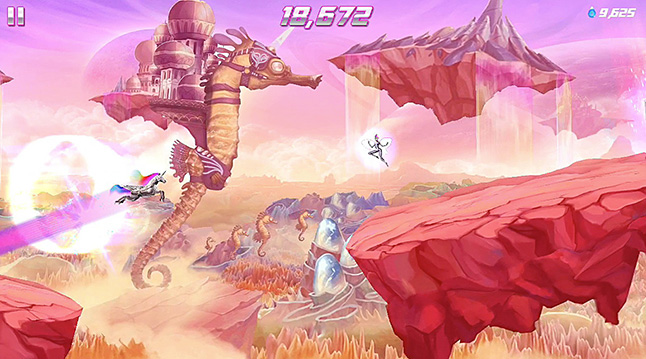
    5. Robot Unicorn Attack 2 

    Photo Credit: The Gameological Society 

    It doesn’t get much weirder than being a robot unicorn. Well, it does: being a robot unicorn while running endlessly and listening to power metal. This one has been around for a while, but it’s still quite fun. And it is still a seriously weird game. Its gameplay consists of running endlessly, avoiding obstacles and being awesome. It’s a very addictive game, with emphasis on setting high scores and beating your best. You can also customize your unicorn and give it upgrades to help set higher scores! 

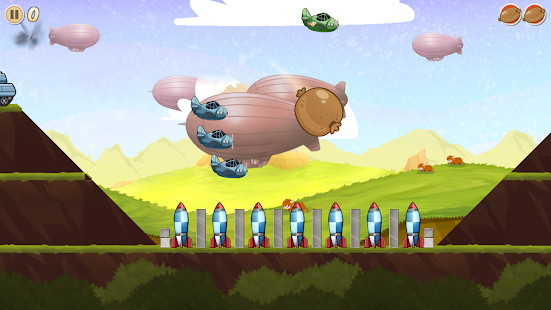
    4. Sausage Bomber 

    Photo Credit: Google Play Store 

    In this weird game you are tasked with repelling invading forces the only way you know how: by dropping your meat on them. What? I’m serious! You’re equipped with all manner of meat and have to bomb your opponents with it! This game features a ton of missions and a great difficulty curve. This one is made fun by just how much each level challenges you to up your game to progress. It’s also deliciously weird. 

    3. Booger Boing 

    Photo Credit: iTunes 

    First of all, gross. Alright? This game is nasty. You’re trying to navigate boogers around in a nose. Just, yuck, man. This must’ve been made by folks who loved that Garbage Pail Kids thing. Jokes aside, this one is in the same gameplay camp as something like Angry Birds. Featuring gross-but-cute graphics and a happy, upbeat soundtrack, Booger Boing is actually a fun little game. If you can get past just how freaking gross it is. 

    2. Amateur Surgeon 

    Photo Credit: Touch, Tap, Play 

    There are actually four games in this weird game series, and they’re all actually great. Something of a riff on surgeon simulators like Trauma Center, Amateur Surgeon puts you in the role of the titular ill-equipped “doctor.” With levels ranging from seriously gross to hilariously ridiculous, you’ll find a lot to love in this long-running and weird series. As long as you don’t mind performing a ton of dubious procedures on cartoon characters and being seriously grossed-out by some of them. 

    1. Our Favorite Weird Game: Goat Simulator 

    Photo Credit: Humble Bundle 

    Certainly, you’ve heard of this supremely weird game? If not, here’s a quick description. It’s a goat simulator. You live a day in the life of a totally normal goat. Who goes on a destructive rampage through the city. And isn’t beholden to the laws of physics. And has a seriously sticky tongue. Okay, maybe it’s not a totally normal goat. In any case, this game is riotous, weird fun and remains awesome after all this time. If you want a seriously weird and hilarious game to spend a few hours on, look no further than Goat Simulator. 

  • Top 5 Battle Royale Games on iOS

    Top 5 Battle Royale Games on iOS

    They are taking over the app store as the next big thing in mobile gaming. They are fun, chaotic, and extremely intense. As with any big gaming trend in the app store once something hits big with popularity the market gets flooded with knock offs and wanna-bes’. So here is a look at the Top 5 battle royale games. I think you know 1 and 2 already. All of them are the same premise 100 players are scattered throughout the massive battlefield. Explore the map, collect weapons, take aim, and pull the trigger.


    1 PUBG

    This is the tops, the alpha, the best PVP royale there is. Though it was not first, fortnite was, PUBG was up and going first and once it was there was no stopping it. The game is based on previous mods that were created by Brendan “PlayerUnknown” Greene for other games using the film Battle Royale for inspiration, and expanded into a standalone game under Greene’s creative direction.  Its fun, come find me, callsign:  beaunasty

    2. Fortnite

    Fortnite has recently taking over the top spot in the app store over PUBG in the PVP royale battles. However it is still no. 2 in free games below “love balls”. There is a lot of aspects to this game that should make it number 1 on this list. It’s got way better animation and looks like a lot more fun. It partakes in the unreality of fantasy a bit more for more entertainment. The guns… Did I mention how cool the guns are. Think Ratchet and Klank like guns. You can build structures to defend yourself. Its a lot more immersive and lacks the quick please and excitement of PUBGs simple killem PVP.

    3.Knives out

    This is the big one in japan. So big in Japan that they raked in 24 million from mobile users last month. This game has the potential to top those Battle Royale game one day. I love most of the features included such as Top kills, Farthest Travel etc. It makes me wanna compete with my friends. Bugs, it has them like Sometimes, shooting during scoping doesnt calibrate well with the aiming. It drops a bit bottom-right. It is also very laggy and has glitches like when I walk it teleports me back to where I was. Sometimes I’ll tap the Trigger and it’ll shoot a half a clip without my finger touching the screen.

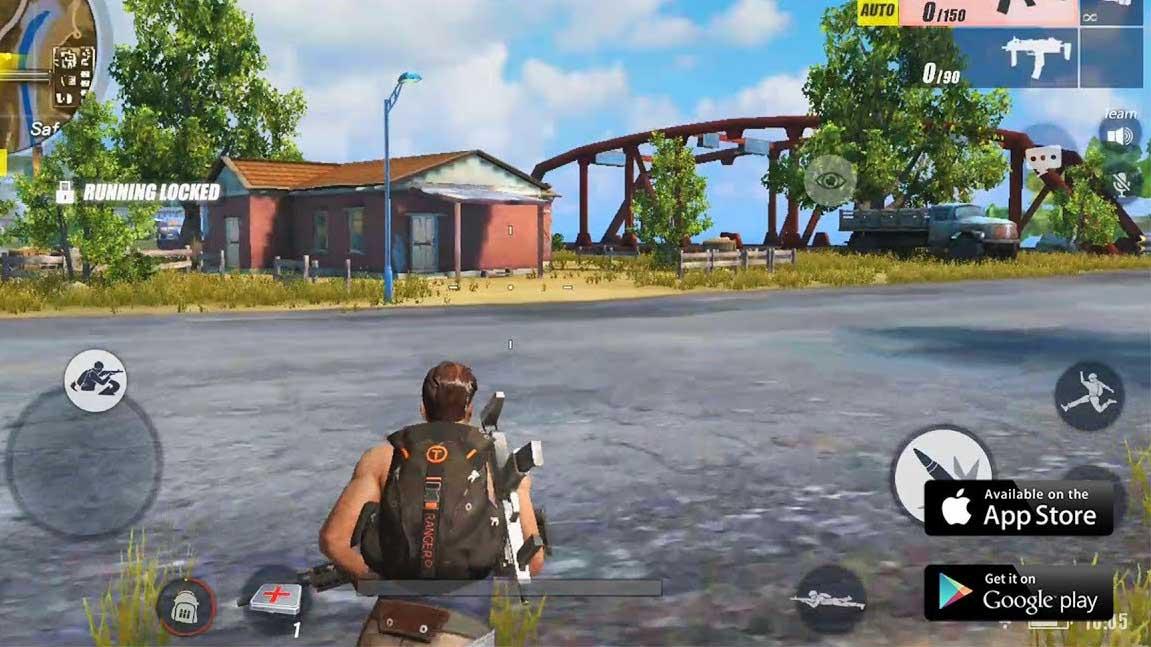
    4. Rules of Survival

    This one lets you have up to three hundred players fight in a battle royale, a type of large-scale last man standing deathmatch where players fight to remain the last alive. Players can choose to enter the match Solo, Duo, a Squad of four people, or a Fireteam of up to five people. In either case, the last person or team left alive wins the match. There are two playable maps in the game: Ghillie (120 players), and the 64 square kilometer Fearless Fiord (300 players)

    5.Critical Ops

    Just like the rest of list you can pair up with friends or take on complete strangers all over the world. With A 100 player Vs player format and all the trends that have it landing on this list. This one has some very smooth gameplay. All animations are very smooth. Great variety on the skins. Weapons are unique and pretty fantastic. On the positives it’s a fast-paced mobile FPS reminiscent of CS:GO. What has it moving down the list is that there a pretty noticeable latency issues (lag) and very sparse content.