Category: Apple

  • iPhone vs Android: Which is Right for You?

    iPhone vs Android: Which is Right for You?

    One of the fiercest rivalries in the tech world today is the ongoing feud between Google and Apple over control for the soul of the smartphone. Despite ostensibly designing the first true smartphone with 2007’s iPhone, Apple doesn’t enjoy the majority market share that Google’s Android does today. What’s the deal with the Android versus iOS feud? Which of the two big operating systems is better for you, and why?

    Today, we’re going to look at the two OS’s, what makes them different, and whether you should be “taking a side” in this battle. We’ll be looking at features, phones and corporate cultures in order to give you a full picture of the battle of the smartphones.

    Design Ethos

    Google and Apple have very different design strategies when it comes to their operating systems. Much like Apple’s own Mac line of computers, iPhones operate in a sort of “walled garden.” There’s less software available on Apple products overall, but the company curates the selection very diligently. Ostensibly, you won’t find shovelware on the App Store, nor will you be at any risk of ever happening upon a virus.

    However, with Apple, you’re stuck playing inside the wall: you’ll likely not find the same breadth of customization and modularity you see on Android. Google’s more hands-off approach to their OS has made it very wide-ranging in appeal: manufacturers from Samsung to Huawei all create phones that run on some variation of the Android OS. The more open, customizable user interface of Android is more popular with some users who like to fine-tune their own experience.

    “It Just Works”

    Apple is often described as “high technology for people with low tech tastes,” and this is often true in practice. Apple’s products tend to be bleeding edge, top-of-the-line, and terribly expensive. Their user interface tends to be easy-to-navigate and aesthetically pleasing, and people who even have little tech knowledge are usually able to easily find what they’re looking for. In short, it just works.

    Android is a different story. Less tech-savvy users might find it difficult to navigate Android’s more open-ended operating system: there is little structure or direction unless the phone manufacturer has installed their own proprietary launcher. Launcher, in turn, can be downloaded for any Android device to help tailor your phone more explicitly to your tastes and preferred experience.

    Security Features

    This might come as a surprise to Android users, or be a strange statement if you’re an iOS user, but the iOS platform only has one app store. It’s just called the App Store, and it’s locked down tight. Apple strictly controls what can be put up for sale or download on the App Store, meticulously combing for any potential security threats to their users. Viruses on Apple devices are literally unheard of for this reason.

    Likewise, Apple users might be shocked to hear that Android devices actually have several third-party app stores available. As such, viruses are a reality on Android devices. They’re far from common, and you’d be hard-pressed to get one unless you were being careless, but they’re still a cause for some concern. The more pressing reality of Android’s open-ended style is that more apps are allowed in, but there’s less quality control.

    Cognitive Load and User Functionality

    On a more academic note, researchers have found that Apple’s clean, no-frills design ethos lessens cognitive load when using their devices when compared to Android. Android home screens can be done up with tons of widgets and information, making them significantly more likely to overwhelm some users.

    However, this isn’t to say Android is inferior: far from it! However, Android and iOS are simply designed for different types of buyers. In the end, Android remains more popular primarily because it’s available on a wider variety of devices. Further, those devices run the gamut from high-end flagship phones to budget handsets, while Apple’s iOS is only available on the premium-priced iPhone line.


  • Getting the Most out of Your iPad: Multitasking Functionality

    Getting the Most out of Your iPad: Multitasking Functionality

    The newest generation of the iPad implements two new functions that allow you to really multitask. If you’ve been wondering how you can get the most out of your iPad, it’s time to learn more about Split View and Slide Over. These new functions are some of the strongest additions to the iPad since it was launched nearly a decade ago. Let’s dig into them!

    iPad Multitasking

    Why Multitask?

    While your iPad might not be replacing your laptop for productivity tasks, the new multitasking features get it close. If you need to consult an image in one app and work on an email, you’re composing in another, the iPad can handle that. Maybe you’re stuck on a hard level in your favorite game and need a guide.

    Maybe you just want to watch a YouTube video while you work on something else in another app! No matter what your reasoning, there are a number of great applications for this multitasking tech.

    Slide Over

    Slide Over allows you to have one app running while another hovers above it in a pop-out panel. This is great for if you need to reference materials from one app while you’re doing complex tasks in another. For example, consulting a table for numbers while you compose an involved email. Another example would be drawing from a reference image without needing to switch between two apps over and over.

    Split View

    Split View, meanwhile, allows you to pin two apps open at the same time, allowing you to see more from the secondary app. This mode also allows you to do more work in the secondary app, such as composing a note in the Notes app while you’re researching things on Safari.

    Whichever multitasking method you prefer, the iPad works great as a smaller replacement for a laptop. All we need now is for Apple to fully implement mouse compatibility, and the iPad Pro can function as a proper miniature Mac!

  • Apple Loses Supreme Court Case over App Store Policies

    Apple Loses Supreme Court Case over App Store Policies

    In a surprising 5-4 decision, the Supreme Court has sided with four iPhone owners who sued Apple over alleged monopolistic App Store policies. According to the plaintiffs, Apple’s policies resulted in inflated prices for apps on the App Store, since iPhone users have no alternative for downloading new apps.

    Apple Loses Historic Supreme Court Case

    The Reason for the Suit

    The suit revolved around inflated prices on the App Store due to Apple’s policy demanding 30 percent of all revenue from third-party apps. Apple responded by stating that they don’t set the prices on the app store, and so any legal issues related to overpaying on apps should be directed as suits to the third-party sellers. Essentially, Apple washed their hands of the blame for consumers overpaying.

    Monopolistic Tendencies

    The opinion, written by Justice Brett Kavanaugh, holds that Apple’s policies enabled them to hide behind third-party sellers to avoid allegations of monopoly. “Apple’s theory would provide a roadmap for monopolistic retailers to structure transactions with manufacturers or suppliers so as to evade antirust claims by consumers.”

    This opens the doors for consumers and third-party developers alike to sue Apple over their App Store policies. At present it’s unclear which, if any, parties will seek damages against Apple in relation to this Supreme Court decision.

    What This Means

    It’s unclear what this will mean for Apple going forward. The company has not commented on this ruling at the time of this writing, though it seems likely they will have a statement soon. The company could be facing some serious damages in court, as antitrust suits can see the plaintiffs recovering up to three times the amount of the damages.

    Whether this will mean that Apple will have to amend its App Store policies, or allow for other platforms of app sellers on their phones, is unclear.

  • Which is the Better Smartphone OS, Android or iOS?

    Which is the Better Smartphone OS, Android or iOS?

    When it comes to smartphone platforms, there are two big names to choose from. On the one hand, you have iOS, the original smartphone operating system and a very stable option from Apple. On the other hand, you have the much more open Android system from Google that is used on most other major smartphones. Which is the right call for you?

    Android vs iOS

    Open vs Closed Systems

    Apple is known for their user-friendly, “it just works” attitude towards design. In order to achieve this, however, Apple’s platforms, like iOS and Mac OS, are much more closed-off. While iOS is a very user-friendly and pleasing platform, it doesn’t offer the same range of customization and granularity that Android does.

    Android, on the other hand, has a bit more of a learning curve. It’s more akin to using a Windows computer than a Mac. There are a ton of options available to users, but they also require you learn a lot about your phone and how it works. That said, this openness also comes with a price: platform instability and malware.

    Aesthetics and Functionality

    Generally speaking, both iOS and Android allow users to do roughly the same things. Sending text messages, making phone calls, navigating the internet and using apps are all the same across the two systems. Both allow for music playback, both have support for all major apps and neither has a glaring hole in its functionality.

    If you like the idea of controlling the aesthetics of your phone’s operational appearance, however, Android is for you. Landing pages, backgrounds and basic phone operations are much more malleable on Android, though this does mean you can accidentally make your phone very difficult to navigate effectively.

    The Phones

    One of the biggest drawbacks to iOS is the closed nature of the system in more ways than one. Namely, iOS is only available on iPhones, and not everyone loves Apple’s design ethos. Some people just can’t afford the newest Apple phones, while others don’t like the minimalist design.

    Android, on the other hand, is available on phones from a wide number of manufacturers at wildly varying price points and design styles.

    Bottom Line

    If you’re the kind of person who likes an “all-in-the-box” design style, you’ll love Apple’s iOS. If you prefer to customize your phone and make everything your own, however, you’ll likely prefer to use Android.

  • Spotify Posts 100 Million User Numbers, Doubling Apple Music

    Spotify Posts 100 Million User Numbers, Doubling Apple Music

    There are two big names in the world of music streaming services. On the one hand, there’s Apple Music, which is baked into the infrastructure of Apple’s iPhone line. On the other hand, there’s Spotify, an algorithm-driven service that compiles personalized playlists for listeners.

    Spotify has now announced that their paid memberships have now exceeded 100 million users, doubling the 50 million Apple announced in January.

    Spotify Now Doubling Apple Music Subscribers

    Juggernauts of Streaming

    While there are tons of streaming services available, the biggest names in the mix are Spotify and Apple Music. Apple offers access to a wide range of songs from the iTunes store, allowing for downloads of songs and albums. The other big draw of Apple Music is that you get access to Beats One Radio, which is a live internet radio service featuring real DJs and radio shows.

    Spotify is much more math-driven: there are no DJs, no real people selecting the songs on the playlists. However, the system is able to cater much more directly to the tastes of the user, thanks to the automated song selection software.

    In Perspective

    While Spotify is posting huge numbers in terms of global subscribers, Apple seems nonplussed by the situation. Apple Music is growing at the fastest rate of any streaming service in the US. This is good news for Apple, as the US is the largest single market for music consumption in the world.

    Spotify, unlike Apple, also offers a free version that allows users to listen without paying but with ads. This, coupled with Apple’s more limited scope than Spotify, has made the Sweden-based service a popular global streaming option.

    Of the two services, neither has a particular edge in an even field. Apple Music isn’t available on quite as many platforms as Spotify, but it can be downloaded on Android devices. For music-savvy users, either service is excellent for daily use.

  • Can the iPad Replace Your Laptop? An Upcoming Feature Might Change Your Mind

    Can the iPad Replace Your Laptop? An Upcoming Feature Might Change Your Mind

    Tablets are neat, but they’re really just a half-step between smartphones and laptops, right? Certainly, an iPad could never truly replace a laptop. When you need to be productive, you need to put the iPad away and bust out the laptop. Or, do you?

    iOS 13 promises to bring some long-awaited functionality to the iPad that might make you reconsider its usefulness. The much-anticipated feature in question? Mouse compatibility, for the first time since the iPad launched in 2011.

    iPad Mouse Functionality Coming in iOS 13

    Specifications

    Specifics and hard details are scarce at the time of this writing. This information comes courtesy of Federico Viticci, from the Connected podcast. This was corroborated on Twitter by Steve Troughton-Smith, an Irish Apple developer. Neither was forthcoming with hard-and-fast information, as the functionality isn’t yet officially confirmed.

    What Kind of Mouse?

    Rumor has it that every USB mouse will be included in this update, which is likely to be touted as an accessibility feature. This is great news for power-users who would prefer to just own one productivity device. Importantly, this could also be a huge help for mobility-limited people who want to use a mouse on their iPad for accessibility reasons.

    While USB supported was explicitly named in the rumor, we wouldn’t be surprised if Bluetooth mouse options were supported, too. It’s not a stretch to picture this feature being a low-key addition to iOS 13, though it would be a big deal for the right types of users.

    Apple and Laptops

    Apple’s relationship with laptops has been a bit rocky lately. Their own iMac line of products, alongside the MacBook product line, has been struggling as of late. Smartphones and tablets have been the focus of many “tech-forward” users who were once Apple’s laptop faithful.

    It would make sense, then, if Apple were to simply position the iPad as a competitor to, and replacement for, traditional laptops. This could simply be another step in that direction.

  • Apple Watch Series 5: What to Expect and Early Rumors

    Apple Watch Series 5: What to Expect and Early Rumors

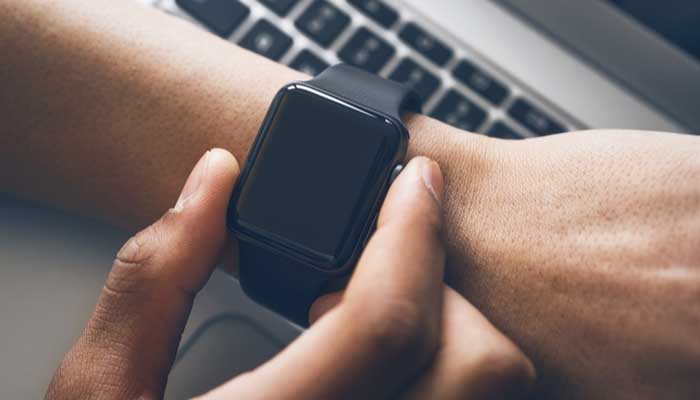
    It feels like Apple’s Series 4 watch only just launched, but we’re already hearing scuttlebutt related to this year’s Series 5 watch. While Series 4 was a huge leap forward, featuring larger screens, rounded bezels and advanced EKG features, Series 5 is shaping up to be another massive step.

    Apple Watch Series 5

    Sleep Tracking

    One of the major places that the Apple Watch Series 4 is lacking in is advanced sleep tracking tech seen on some competitors’ watches. At present, for sleep tracking, Apple Watch users have to rely on third-party apps. However, the Apple Watch line, up to this point, hasn’t sported good enough battery life to even be worn overnight while sleeping.

    The Series 5 is aiming to fix both of these errors, adding advanced sleep tracking tech as well as better overall battery life. How it will approach the issue of battery life remains to be seen, but it could use a low-power night mode when it detects the wearer is sleeping. Another option is to simply pack in a bigger battery.

    Charging

    Apple’s AirPower proprietary charging pad is now well and truly dead. However, the Apple Watch Series 5 was meant to charge from it and won’t accept normal Qi charging. What this means for the new watch remains to be seen, though it could mean that upcoming iPhones will be able to charge the watch from their own batteries.

    We’ve seen tech like this on Samsung’s phones, so it wouldn’t be odd to see Apple keeping their charging solutions all in the family.

    iPhone-Locked

    Up to this point, every Apple Watch has required an iPhone to set them up. This makes them locked firmly into Apple’s ecosystem, unlike other smartwatches. Most other smartwatches can be used with Android or iPhone, making them more versatile than Apple’s proprietary watch.

    Perhaps the Series 5 will mark the first time that Apple lets their watch out into the wide world of Android phones. It would be a good move for a company that has been seeing slowing sales of their iPhone line.

  • Which Smartwatch Should You Buy? Samsung vs Apple

    Which Smartwatch Should You Buy? Samsung vs Apple

    The Apple Watch Series 4 finally has a true competitor in the form of the Samsung Galaxy Watch Active. The two tech giants are each pitting their best wearable tech against the other. If you’re wondering which of these two excellent smart watches is right for you, read on.

    Apple Watch vs Samsung Galaxy Watch Active

    Price Point

    The first, and most notable, aspect of the two watches when paired head-to-head is the price point. Where the Galaxy Watch only costs $200, the Apple Watch Series 4 is double that price. That’s a pretty stark difference out of the gate. Does Apple do anything different enough to merit that huge uptick in price?

    Appearance

    The next most obvious difference between the two watches is the shape and appearance. The Apple Watch has the distinct square shape and rounded bezels that make it look like a baby iPhone X strapped to your wrist.

    The Galaxy watch, meanwhile, sports a round face that looks more reminiscent of a traditional watch face. Both are stylish, with large screens and bright colors.

    Fitness Features

    The main show with both of these smart watches is the fitness features. Both watches track your fitness activity an let you set daily goals. The Apple Watch can automatically detect swims, while the Galaxy can auto-detect cycling. Both are water-resistant, so they can both function as swim trackers.

    Both offer breathing exercises, GPS solutions and fun visuals to track your various fitness activities. The Apple Watch is a bit faster to note heartrate changes and keeps up quickly with what you’re doing.

    Bottom Line

    Both watches feature ample smartwatch features, such as getting texts and notifications on your wrist and even answering calls through your watch. While the Apple Watch is the significantly pricier option, it’s sufficiently different to be its own thing.

    Which one is right for you? Well, if you like Apple’s iOS and general feel, you’ll love the super-premium Apple Watch. If you like Samsung’s simple, straightforward and third-party forward design style, you’ll love the Galaxy Active.

  • iPad Mini, iPad Air First Impressions: Are They Worth the Price?

    iPad Mini, iPad Air First Impressions: Are They Worth the Price?

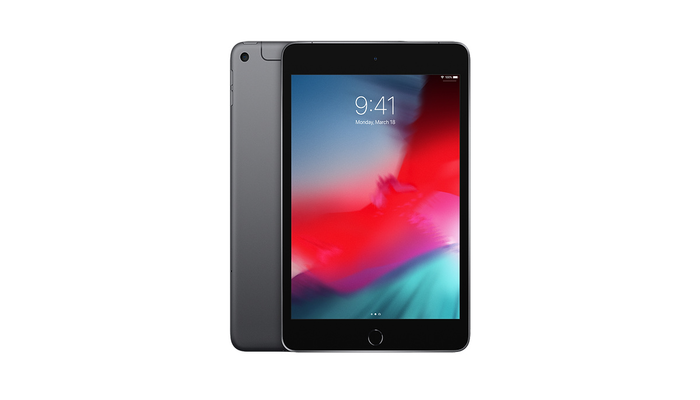
    Apple’s newest tablets, the iPad Mini and iPad Air for 2019, have been on the market for about a moth now. What are some of the early impressions of these devices, and how do they stack up against the competition? Let’s take a look at Apple’s newest tablets.

    iPad Mini and iPad Air

    iPad Mini and iPad Air

    The iPad Mini and iPad air both fill a great niche for the Apple lineup. While the iPad Pro nearly replaces a laptop and brings tons of features, the Mini and Air are both a great compromise point. If you like your laptop and want a tablet for home use and entertainment, the iPad Mini or Air both fill a great space as upscaled iPhones.

    Specs

    Unsurprisingly, the A12 chip found in the iPhone XS is here and as great as ever. No tablet or smartphone has a chip that holds a candle to the A12, as even Qualcomm and Snapdragon struggle to keep up with Apple’s machine-learning chips. Likewise, the Retina display screens look amazing, with vibrant colors and sharp blacks.

    On the port side, there’s a headphone jack on both of these models, which is great. The iPhone line hasn’t sported a 3.5mm jack since the iPhone 7, so it’s nice to see it here. The charging ports on these iPads use the proprietary Lightning charger, which is a slight disappointment. We were hoping for USB-C compatibility, like the iPad Pro, but that’s not a deal-breaker.

    Design

    The iPad Air is light enough to merit its name, and it sports a great form factor and size. On the same note, the iPad Mini feels great in the hand, and the lack of bezels, much like the iPhone X line, makes the screen feel enormous.

    Oddly, these iPads sport home buttons with Touch ID, instead of the buttonless design of the X line. There’s no option for the depth-sensing Face ID unlock system seen on the iPhone X.

    Bottom Line

    If you’ve been looking for a step between a full-blown laptop and your smartphone, the iPad Mini and iPad Air both fill that niche. For the price of $399 for the Mini or $499 for the Air, you can rock the newest Apple tablet in style.

  • Are AirPods Worth it in 2019?

    Are AirPods Worth it in 2019?

    Apple has gotten itself a reputation for making stylish technology that just works. The iPod ushered in the digital era of music, the iPhone invented the smartphone market, the iPad did the same for tablets, and the Apple Watch kickstarted the smartwatch craze.

    The Apple AirPods, likewise, started a new fascination with wireless earbuds. Are the new 2019 versions of the AirPods worth the price of entry, or just smoke and mirrors from Apple?

    Apple AirPods 2019

    What’s New?

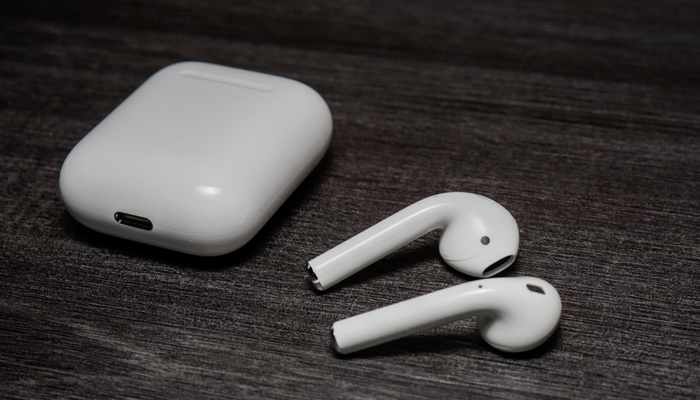
    So, as you may or may not know, there are new 2019 versions of the AirPods on the market. You might be asking, what’s the difference? Visually, they look undisguisable from 2016’s original models. As it turns out, there’s not a whole host of differences. However, there are a few meaningful quality of life upgrades.

    Firstly, you can now throw the charging case on a wireless charging pad. This allows you to easily charge up your AirPods on the same pad you charge your phone, making everything easy. The wireless charging case is an upcharge to $200, from $159 for the normal case, however.

    Secondly, there’s a new H1 chip with these earbuds that replaces the old W1 chip. Apple states that this new chip was made with headphones in mind, making these even more convenient and quick to respond than the first generation.

    What’s Good?

    These are great wireless earbuds in a lot of ways. When you take on out, your music pauses automatically. You can use double-tap gestures to skip songs without pulling out your phone. The sound quality is great, the earbuds feel comfortable and they’re super reliable.

    The battery life is high for wireless earbuds. You’ll be able to easily set these up with iPhone or Android, and they couldn’t be easier to use. In short, they just work, using some of that classic Apple magic.

    What’s Bad?

    These earbuds don’t work well in noisy environments, as they do a poor job of stopping incoming noise. They also don’t fit terribly well into some people’s ears. They can only connect to one device at a time, which can be frustrating for multitaskers.

    Finally, they’re expensive at $159 for the lower price-point and $200 for the wireless charging case. There’s also a bit of a pause when using Siri, but that’s got as much to do with Apple’s underdeveloped Siri technology as it does the AirPods.

    Bottom Line

    Apple faithful will still love these wireless earbuds. Those who are concerned about losing these tiny, expensive headphones should still steer clear. You know if these goofy-but-stylish, high-tech earbuds are for you just by glancing at them. They’re excellent, but they’re not for everyone.