Category: Gadgets

  • Best All New Wireless Headphones for 2021

    Best All New Wireless Headphones for 2021

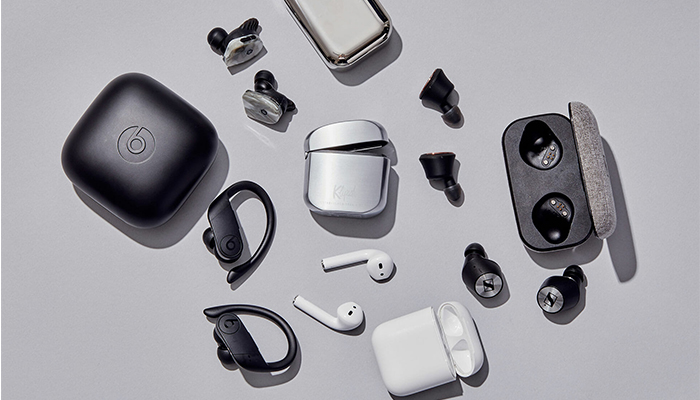
    Whether you’re looking for a good pair of headphones for working out or just something to wear while drowning out sounds during your commute, not having to fuss with wires is a huge plus. No one wants to worry about the tangle of wires in their pocket or bag, or their cord snagging on something and damaging their headphones. Thankfully, there are some stellar Bluetooth headphones on the market. Here are some of our top picks.

    Jabra Elite 75t

    If you like having wireless earbuds for sports activity, we can highly recommend the Jabra Elite 75t. These new earbuds fit snugly in most ears, and they have a great sound quality for their small size. The drivers are solid, offering punchy bass, good mid-levels, and decent overall sound: while these won’t be beating any dedicated audiophile headphones, they’re good for their price point and size.

    A notable draw to the Jabra Elite 75t is their microphones. They work incredibly well as a headset for taking phone calls, doing a great job of filtering out background noise. If you like wearing earbuds while jogging, cycling or other types of activity, this is a great draw. Taking a call while getting in your workout is a great two-in-one feature for busy professionals.

    Sony WF-1000XM3

    Sony has finally taken its wildly successful WF series headphones and put them into a smaller package. The WF-1000XM3 takes the quality of their full-size headphones and puts them into a smaller earbud form factor.

    Sennheiser Momentum True Wireless

    If you’re looking for the intersection of portability and sound quality, you’re looking for the Sennheiser Momentum True Wireless earbuds. These wireless earbuds offer incredible sound quality and accurate reproduction of recordings. They’re incredibly light: you might even forget they’re in your ears. When you need a good set of earbuds for taking with you on trips or to work and back, these are a great go-to.

    While they’re not the best for sports or activity, the Sennheiser earbuds are great for daily activities like walking or commuting. For the person who wants portable wireless earbuds that can be tucked into a pocket but still wants the best sound quality, these physics-defying little earbuds are the best option.

    AirPods Pro

    If you’re already in the Apple ecosystem, these are a no-brainer. Their intuitive gesture controls allow you to change the song, adjust the volume and answer calls quickly and without having to pull your phone out.

    The 2020 update brings even more useful tricks to the AirPods Pro. With Apple’s propriety H1 chip they feature snappier Siri integration. You can send messages, start playlists and ask for internet searches all while jogging, cleaning or whatever you’re doing while wearing the AirPods. If you love high-tech integration and cool fashion statements, the AirPods are a great pick for you.

    Beats Solo Pro

    Apple has finally stepped up the quality of their Beats headphones. The Beats Solo Pro is a set of over-ear, active noise canceling, headphones. They used the same noise-canceling technology featured on their more premium, over-ear, Studio3 Wireless. The H1 wireless chip makes sure they are easy to connect to your phone and feature full Siri support. They’re a bit more expensive than the average headphones, but their great technology integration and stellar sound quality on phone calls makes them great for people on the move.

    PowerBeats Pro

    If you love the idea of the AirPods but want a more fitness-oriented set of wireless earbuds, the Beats Powerbeats Pro are for you. The same technology that went into the second generation AirPods is on display in the PowerBeats Pro, just in a more fitness-oriented shape. The over-ear design on display here helps the earphones stay on your ears while your exercise, making them great for any active person.

  • Looking for the Biggest Display? Check out a 4K Projector!

    Looking for the Biggest Display? Check out a 4K Projector!

    While TV panels keep getting bigger and bigger, the hassles of installing and storing them do, too. Not to mention, they consume a ton of power and they’re super fragile! If you’re interested in having a massive, gorgeous 4K display but don’t want to worry about a TV, what are you supposed to do? Well, you could check out an awesome 4K projector!

    We’ve got three here, chosen for their various strengths, to help give you an idea of what to look for. 

    Epson 5040UB 

    While this projector is technically a 1080p projector, it uses some interesting optical shift technology. That optical shift makes it give the appearance of a 4K image without actually being 4K. This one is on the list for its price point, however, as it offers a great image quality for its cost. If you’re just looking to dip your toe into projecting, this $2,300 projector is a good place to start. It sports a great range of colors and looks vibrant. It’s only big drawback is that it only has an HDMI 2.0 input, meaning it’s not very future-proof for upcoming 4K releases.


    Sony VPL-VW285ES 

    If you want to see every single pixel of your 4K image, this Sony projector is for you. If you have true 4K you want to watch on a massive scale and have it look great, this projector is perfect. It is a little expensive, though, coming in at $5,000, but it’s well worth it. If you’ve ever wanted to have movie-theater quality images in your house, this is how you do it. Now all you need is a big tub of popcorn and a comically large soda to drink! The only downside to this one, aside from steep price, is the colors. The color range isn’t as good as the other projectors on this list, and our pick for favorite blows it out of the water in terms of black levels.  

    Our Favorite 4K Projector: JVC DLA-X590R 

    Much like the Epson we mentioned earlier, the JVC is technically a 1080p projector. However, it uses optical shift technology to scale the images it sends up to 4K. Its biggest strengths are its strong colors and intense contrast. This 4k projector will wow you with its deep black values and vibrant colors. While it isn’t quite as crisp or sharp as the Sony, it’s much more affordable and offers better color values. Those features alone make it our favorite, as it does an incredible job for the price. You can usually snag this projector on Amazon for around $3,000. You won’t be dissapointed: this little guy punches way above his weight class! 


  • Top Ten Home Security Cameras

    Top Ten Home Security Cameras

    If you’re interested in home security, odds are that you would like to install a home security camera. However, there are tons of options out there for which one you should pick. Dealing with security companies and pushy salesmen is awful, to boot. So, what are you supposed to do? Luckily, we’ve compiled a list of the top ten home security cameras. If you’re hoping to secure your home, here’s a great place to start!

    Top Ten Home Security Cameras

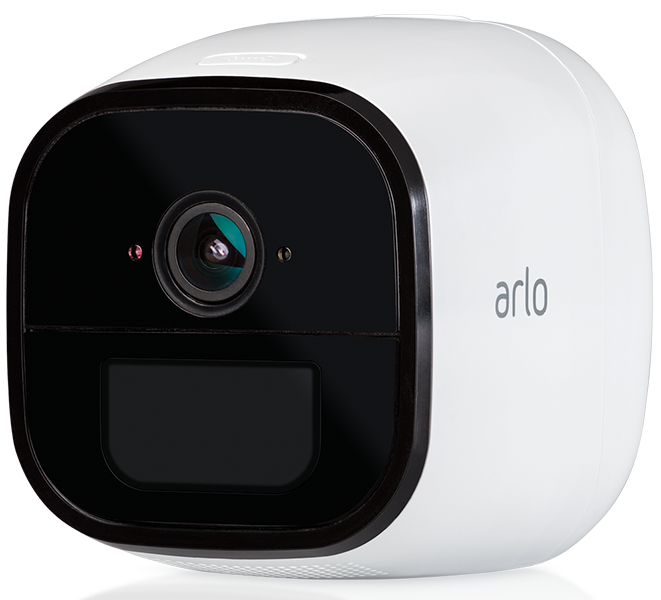
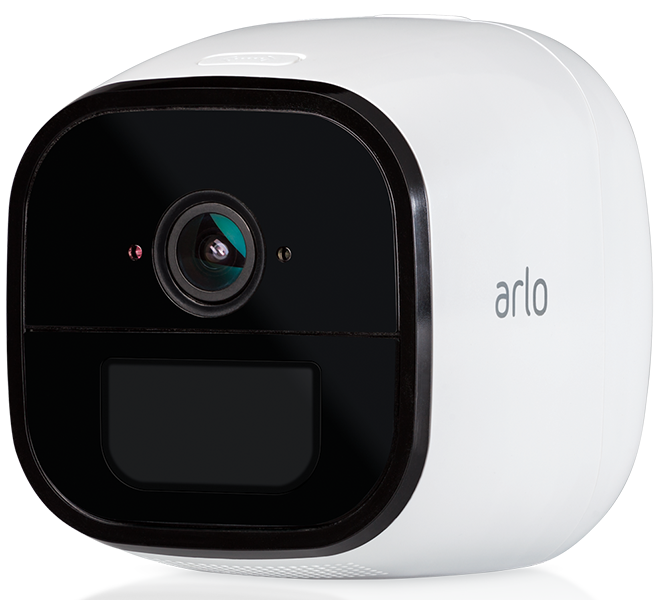
    10. Netgear Arlo Go

    Photo Credit: Arlo

    This wireless camera works with Alexa and shoots in 720p. It offers both cloud storage and on-site storage, which is a cool plus. It can send you live feed straight to your phone if you pay for the cell service. However, it is pretty expensive: this camera will cost you around $430. That’s a pretty hefty price tag for a device that only shoots in 720p.

    9. Reolink Argus 2

    Photo Credit: Amazon

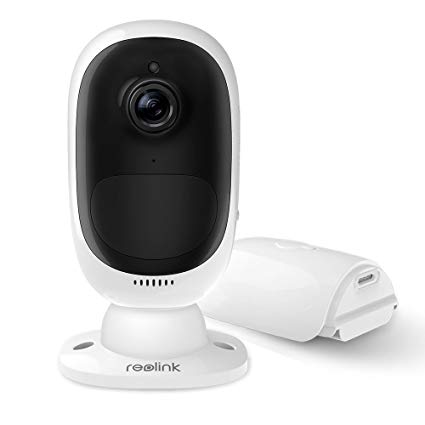
    This camera is a straightforward if dependable entry. It’s wireless and powered by its own internal battery. It doesn’t have a terribly loud siren, which is somewhat disappointing. It also can’t integrate with smart home devices, which is unfortunate. However, it’s weather-resistant and works great as an outdoor camera. This one will run you $130, which is a great price.

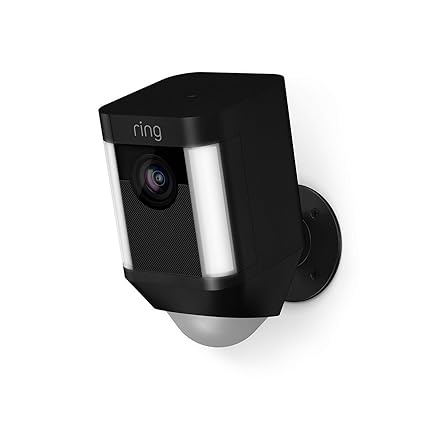
    8. Ring Spotlight Cam Battery

    Photo Credit: Amazon

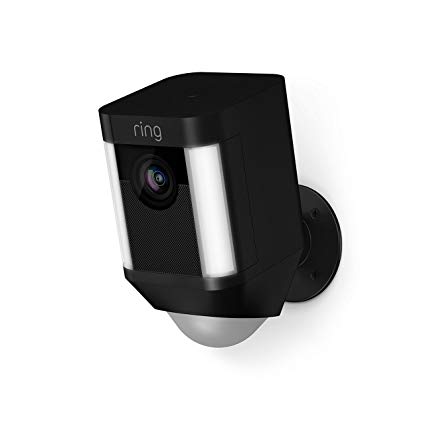
    Triggered recording and a bright spotlight are two big upsides to this camera. It shoots sharp footage and has a very loud siren, which is great. However, you have to have a subscription to Ring’s service in order to view the recorded video. If you already have Ring devices at your house this one is a no-brainer. It’s also wireless and works with Alexa, making it a true smart-home device. It’s also pretty affordable, running $200.

    7. Nest Cam IQ Outdoor

    Photo Credit: Slashgear

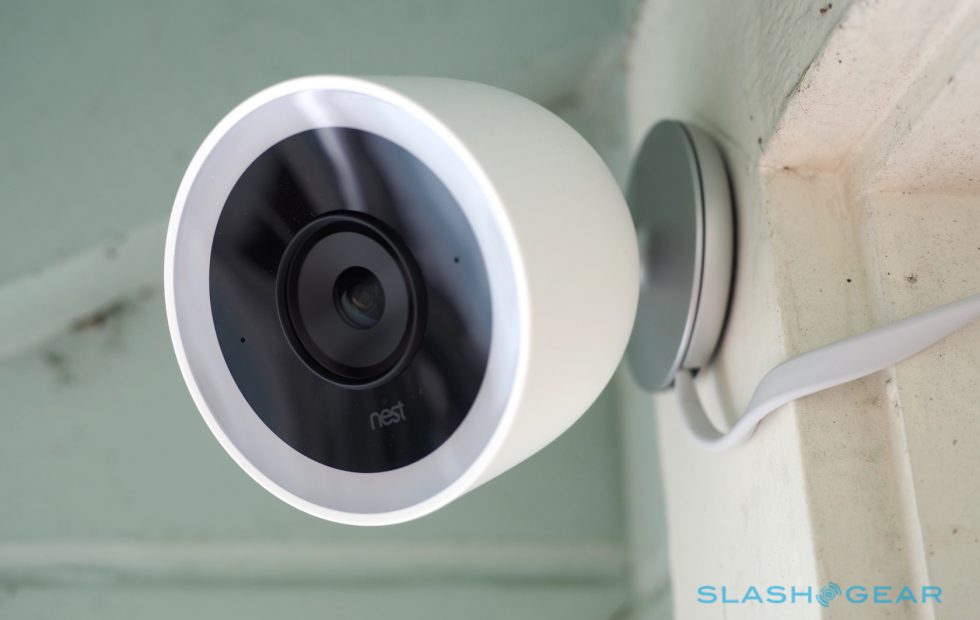
    Nest’s first entry on this list is excellent, shooting 4K footage 24/7. It’s totally weatherproofed, which makes it ideal for outdoor use. It even has close-up tracking and HDR, making it great for those who need to really see what’s happening around their house. It will set you back, though: it runs $350.

    6. Tend Secure Lynx Indoor

    Photo Credit: Cnet

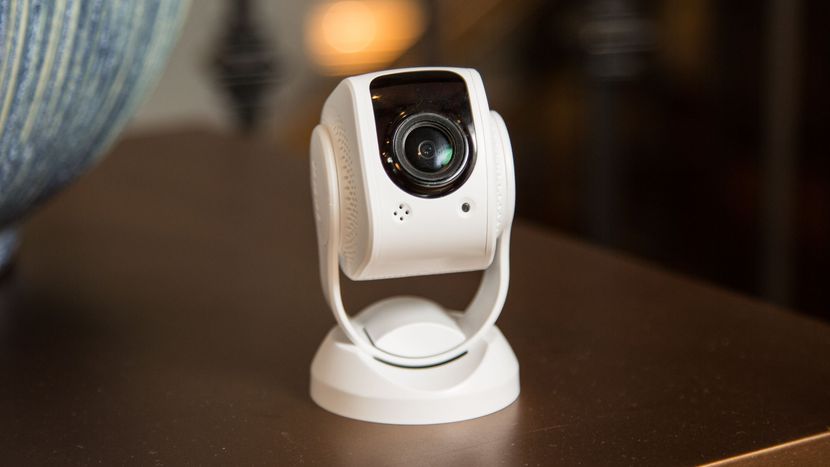
    This camera makes the list for just how darn affordable it is. It only runs around $60, yet it still shoots in 1080p. That’s a great value, but it’s somewhat offset by the lack of smart home integration. That said, it offers free cloud storage and even has facial recognition! It only works indoors, though, so keep that in mind.

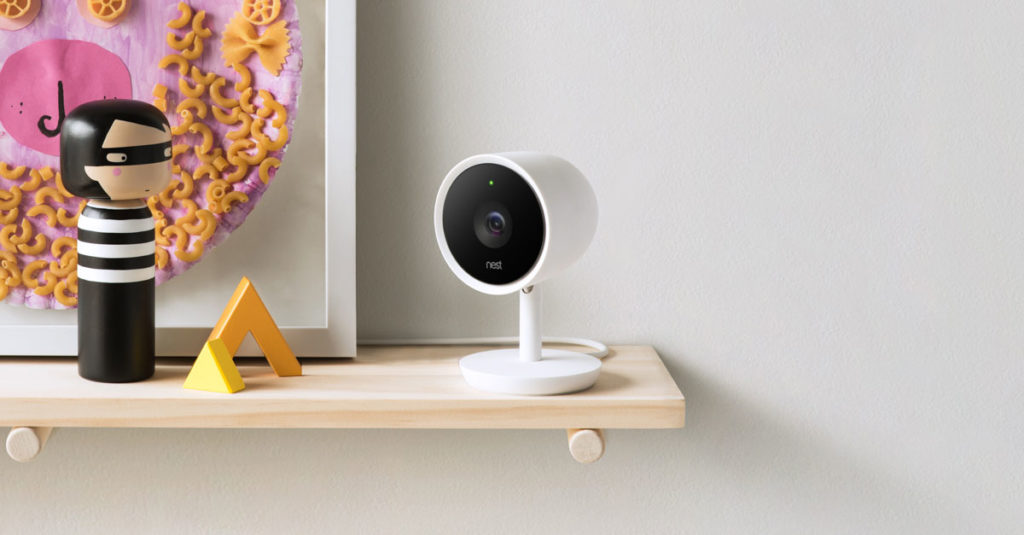
    5. Nest Cam IQ

    Photo Credit: Nest

    Another entry from Nest, the indoor version of IQ is also a solid option. It costs a bit less, coming in at $300, but it offers many similarly excellent features. The Nest Cam IQ has two-way audio, letting you talk to people you can see from the camera. It has a ton of great smart home integration and shoots in 1080p. If you’re looking for a solid, if pricey, indoor camera, this is a fine option.

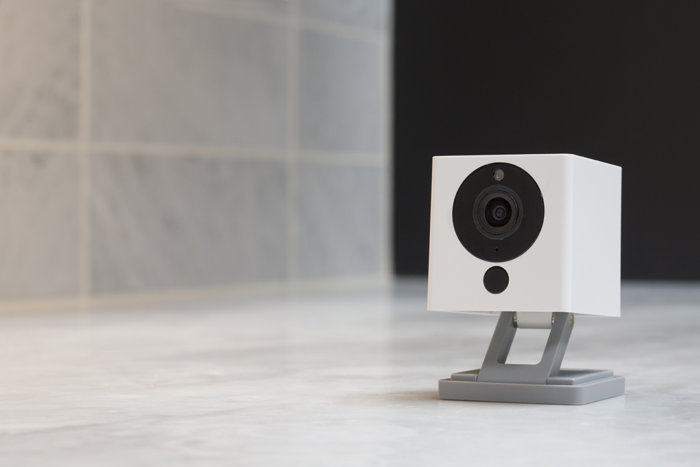
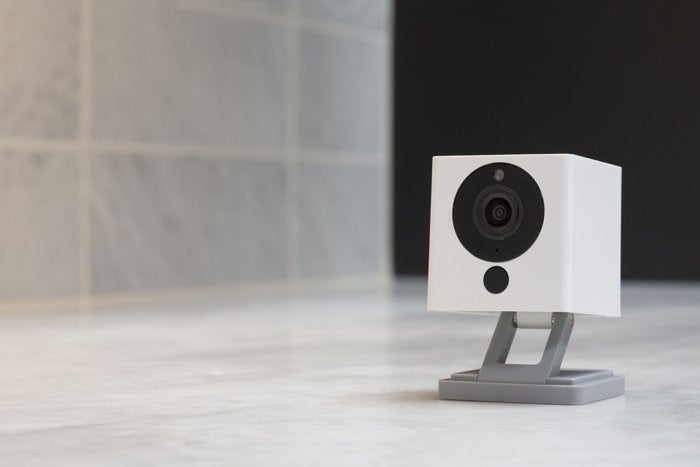
    4. Wyze Cam V2

    Photo Credit: TechHive

    If you though the Tend Secure Lynx Indoor was affordable, check out the Wyze Cam. This camera will run you a bank-shattering $20. Yeah, twenty, as in the same price as seeing a movie and getting some popcorn with it. For twenty bucks you get a camera that shoots in 1080p and offers local and cloud storage. It’s not the most high-tech thing in the world, but it will secure your home. If you’re looking for a simple, straightforward and affordable camera, go with this one. It’s a great deal!

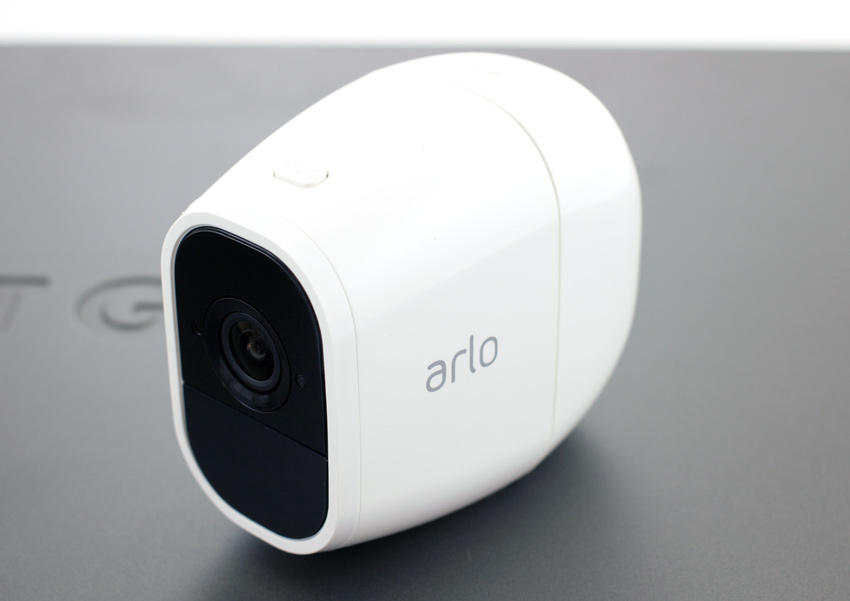
    3. Netgear Arlo Pro 2

    Photo Credit: Storage Reviews

    This expensive but hefty camera is likely the best overall on this list, but it’s far too expensive to recommend to everyone. It will set you back $430, which is a lot, but you get a ton of features. The system shoots 1080p video, is completely waterproof and is wireless. This camera works great both outdoors and indoors and offers cloud storage for free. It even pre-buffers your videos when you go to watch playback! If only it was more affordable.

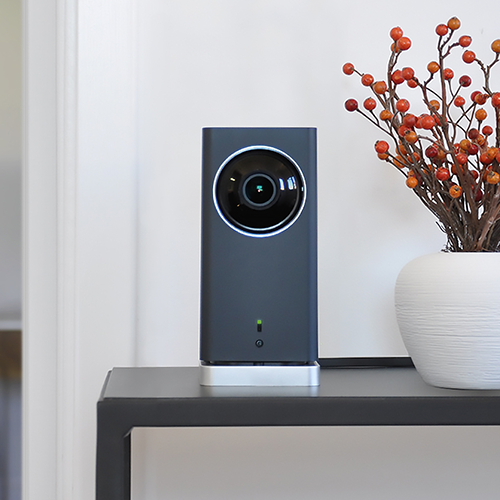
    2. iSmartAlarm iCamera Keep Pro

    Photo Credit: iSmartAlarm

    While this camera retails for $200, it offers a number of premium features. Mechanical tilt and pan let you feel like a master of security. You also get free cloud and local storage for all the footage you capture! As you would expect, it shoots 1080p and it even offers time-lapse shooting. The only downside to this camera is that it only works indoors!

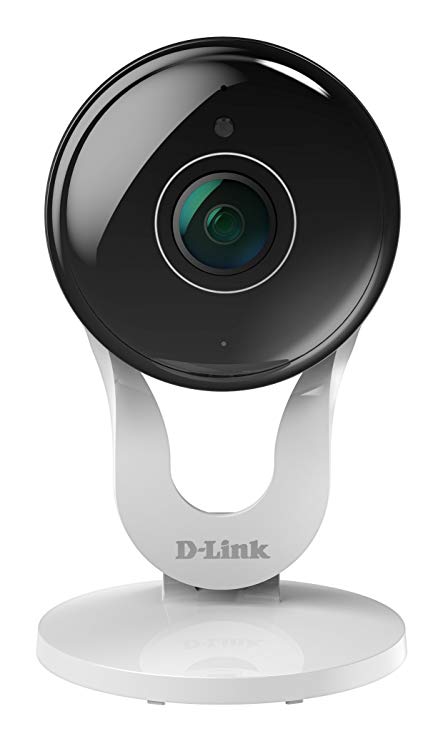
    1. D-Link Full HD Wi-Fi Camera DCS-8300LH

    Photo Credit: Amazon

    A fully-integrated home security camera that offers 1080p shooting and Alexa support? Yes, please! Free cloud and local storage along with great voice commands make this one of the best home cameras. It even costs less than most of the competition: it’ll only set you back $90. While the other cameras on this list are great, the D-Link Full HD Wi-Fi Camera is the best overall interior home security camera. The only real downside here is some minor distortion from the style of body, but that’s not enough to make this anything less than the best bang for your buck.


  • The Tools You Need to Protect Yourself from Cyber Criminals

    The Tools You Need to Protect Yourself from Cyber Criminals

    Cyber crime is a major problem in our internet-based world. More than 90% of all transactions now occur digitally, and all of your data is stored on some database somewhere. Your most sensitive information is on the internet and it may even be unsecured as you’re reading this. There are over 4,000 cyber crimes committed every single day, and any of them could be attempts to get to your data. New crimes require new methods of protecting yourself. Here are some of the tools you need to protect yourself from cyber criminals.

    Tools to Protect Yourself from Cyber Criminals

    Why Now?

    You might be asking why this is suddenly such a huge concern. The internet has been a major part of our lives for more than 20 years now. Haven’t these cyber criminals all been stopped by now? Well, unfortunately, cyber crime isn’t going away any time soon. In fact, it’s on the rise now more than ever. In 2017 alone there were 27% more online crimes committed than in 2016. As the world becomes more connected, your data is more vulnerable than ever.

    Going online without the tools you need to protect yourself from online criminals is like walking through a dark alley alone at night while wearing a nice watch. Do you deserve to be mugged for that? No, absolutely not. Should you expect to be? Sadly, that’s the world we live in. If you go online and start making purchases or paying bills without any protection, it’s a matter of when your data gets stolen, not if. Unfortunately this is just the way cyber criminals operate. There’s a way to keep yourself safe, though, and that’s through information security technology.

    Information Security

    Information security technology is offered by sites like Lifelock, Norton, McAfee and the like. These security suites, as they are called, are typically paid services that allow you to browse without worrying about your data. They offer you peace of mind by giving you a number of services that keep your data private and make it much harder to steal.

    The ways they do this vary from suite to suite and can change based on the level of security you’re after. One of the main ways these security suites can keep you safe is through encryption. Data encryption is a process by which data is translated into incomprehensible gibberish that can only be deciphered by possessing the encryption key. This is a lot like old-school spy codes that replace letters with other letter and can be decoded with the right key.

    Encryption might not be foolproof, but it makes your data that much harder to steal. Generally, cyber criminals can’t be bothered to go to the work of decrypting a complex cypher, so they’ll sooner avoid your data altogether.

    Other Security Measures

    That’s not the only security you need to keep in mind online, though. Most security suites also include firewalls or virus protection. These are computer scripts or programs that intercept fishy lines of code that might be viruses. Many viruses exist solely to cause problems on your computer by replicating themselves and slowing your system down. More malicious viruses, however, may include commands that involve copying your keystrokes and sending your passwords to criminals.

    Another way to avoid keystroke-logging viruses would be through using a password manager. Password managers are another great aspect of cyber security you can use to keep your information safe online! They are typically paid services, some of which are included with security suites, that keep track of your passwords across different sites. Generally these services encrypt your password and help keep your information safe from outside parties by making your passwords complex strings of letters and numbers.

    Virtual Private Networks

    Another favorite tool to stymie online criminals is through use of a Virtual Private Network, or VPN, like Nord. VPNs allow you to use private servers to connect to the internet, which helps you to steer clear of seedier elements online. VPNs often can boost your internet speeds, as well, allowing you to connect more quickly and avoid data throttling and slowdown.

    Another widely-used but often maligned use of VPNs is “geo-spoofing,” a process through which a user tricks a site into thinking they are physically somewhere else. This is often used to sidestep regional blackouts on media. While many sites don’t appreciate this use of VPNs, it’s one of the most common reasons people use them. Most VPNs require a monthly fee to access, though there are some free ones out there, too.


  • Biggest Mistakes People Make When Buying Laptops

    Biggest Mistakes People Make When Buying Laptops

    If you’re shopping for a laptop for your kids going back to school, or just looking for something to help you with productivity, there’s a lot to choose from. It’s becoming increasingly difficult for laptops on the lower end to distance themselves from competition in the form of tablets and even smartphones. As such, tons of weird gimmicks have started showing up on laptops across the entire market, and they can be hard to sift through.

    When you’re shopping for a new laptop, there are a few basic mistakes you’ll want to take care to avoid. Whether they’re experienced tech junkies or relative newcomers, here are the basic mistakes that people make when they’re shopping for a new laptop.

    Paying too Much

    Some of the higher-end laptops you’ll find are downright amazing. However, that doesn’t mean that every expensive laptop is a good deal. If a laptop feels like it’s straining your budget for you to fit it into your purchases, it’s likely rocking some features that are completely unnecessary. Don’t get suckered in to paying a huge upcharge for a 4K display, 4TB of memory and 12GB of RAM when the laptop is going to be used for taking notes and watching YouTube videos.

    Along this same line of reasoning, make sure you know what display resolution you’re comfortable with. If you want to use a laptop for lots of Netflix streaming, video games and photo editing, you might want to opt for the full 4K resolution. However, if you’re buying for a student so they can write research papers and check their email, then you might go for a 720p screen that costs less than half the price.

    Undershooting Your Needs

    On the flip side, if you buy a laptop entirely based on “oh, this is the cheapest one I could find!” then you’re likely going to get what you pay for. If your laptop barely has any storage or RAM, then you’ll find it quickly running out of usefulness for you. Likewise, if you need a lot of applications running at once but opt for a dual-core processor over a quad-core processor, just because the dual-core was cheaper, you’ve only short-changed yourself.

    When you’re buying a laptop, have a good idea of your needs. When you know what you need, then it’s easier to set your price point. If you undershoot what you need, then you’ll have issues on you hands that you won’t be able to fix until you just buy the laptop you should have bought in the first place. Likewise, if you overshoot and buy something hilariously overpowered for what you need, then you’ve wasted a ton of money on bells and whistles that aren’t helping you.

    Not Trying it Out

    Would you ever buy a car without test driving it, or a home without touring it? If you would, then, congratulations on your huge piles of disposable cash. However, people with normal budgets try things before buying them, and your laptop should be no exception. The prevalence of online buying has made this a bit less common in recent years, but this is a disturbing trend. It’s important that you try out any complex piece of technology before you buy it.

    The feel of the keyboard, the speed of the processors and the appearance of the resolution are all important things to see in person. Even minor touches, like the shape and weight of the laptop, are hard to gauge just by looking at stats and dimensions on a cold web page. Little things like the sensitivity of the touch pad or the lack of certain features might not jump off the page at you, but would be immediately apparent if you tried the device in-person.


  • The Gift of Music:  How to Do It the Right Way

    The Gift of Music: How to Do It the Right Way

    Everyone has those people in life that are very hard to shop for. I mean what are you to get the person that has everything? Music. Music is always the best gift,  and for the people that have everything, it’s often the only gift. Music is universal and received by everyone. No one can have all of it or appreciate all of it,  which makes it such a great gift.

    The best part about giving music as a gift is there are so many different ways to do it. You can give equipment, earbuds, speakers, listening peripherals, or just new music that you think they would enjoy. The options are virtually endless. Let’s take a look at some of the best music gift ideas you can give your friends, family,  and loved ones.

    Streaming Subscriptions

    When gifting music the first place to start is the easiest place to start. That is a subscription to new music. Starting at $9.99 a month there is a plethora of streaming music subscription services. The subscriptions will allow you to stream, download, and listen to unlimited music, new, retro or classic. Whatever you wanna hear, whenever you wanna hear it.

    The first one I would mention is Apple Music. Apple Music has the largest subscription-based of users as well as the largest database of music. They’ve been compiling music in their iTunes software since the beginning of digital music. Almost all the music you could ever want to listen to is there is a very easy to use, intuitive,  user-friendly platform that syncs perfectly amongst all your iOS devices.

    The next option is Amazon’s Prime Music. Prime Music functions mostly like the Apple subscription services. Prime music will sync across all your Amazon prime devices,  you can even download the prime music app to your iOS or Android devices.

    This provides flexibility in your multiple and various OS mobile devices. There are also services like Iheartradio, Pandora, and Spotify. All the services will run you $9.99 a month and make an excellent gift for anyone who doesn’t have unlimited streaming music service.

    Harmonica?

    Maybe you want something tangible to give? Another great option to give somebody is the gift of a musical instrument. Regardless of talent level, Giving the gift of a musical instrument is always welcome. This will give you some options as well, the classic iconic instrument, a keyboard or guitar,  or you can get interesting like a banjo or harmonica. It’s fun, always remembered, and just may improve someone’s life.  If that’s not exactly what you been looking for, Here are some specific music listening devices that will make great gifts.

    Amazon Echo

    The Amazon Echo is one of Amazon’s premier speaker systems. It is an elegant and easy to use this quality speaker. It doubles as a speaker for most of your devices and comes with Amazon’s Alexa voice-enabled assistant fully built in. Full cloud sync-ability to prime music,  you can add in that subscription for a total music package. Synchronization across your devices lets the Amazon echo provide the ultimate in home music listening enjoyment. The Echo gives the gift of high-quality speaker along with the content to play through it.

    The Sonos Vinyl Set

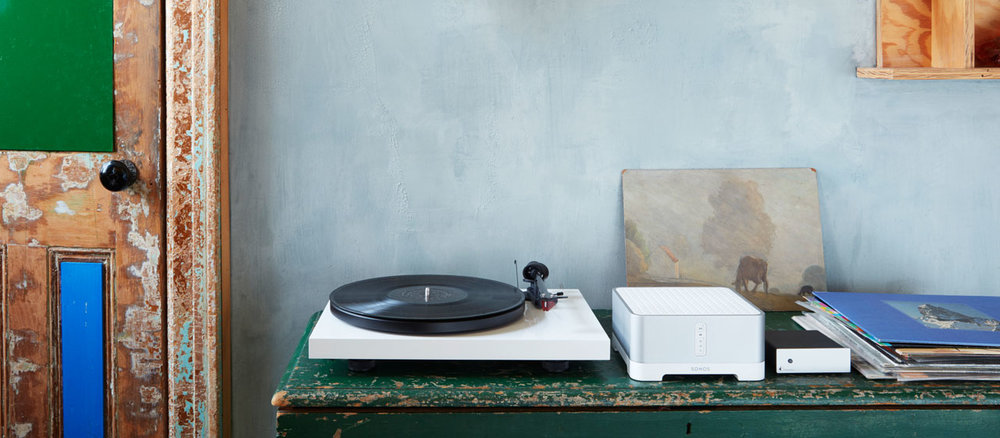
    Are you looking for a gift for someone who likes that hands-on music experience? Do they like the sound they can feel and touch? At the same time want to have that digital proficiency and quality without suffering the nostalgic sound of crackles and pops. Look no further than Sonos’s new vinyl set. Picture this, the Play:5, the best-sounding, most powerful speaker, matched with the Pro-Ject vinyl record player, allowing you to stream your vinyl to every room. Masterful.

    Did I mention, the Pro-Ject includes built-in phono preamp. Outstanding. They will be able to just plug in any audio device, from a record player to a friend’s phone, and listen to their favorite music on the fantastic Play:5. Like all Sonos speakers, it is expandable.  The Sonos vinyl easily let you go from streaming your favorite music and high-quality sounds to spinning from your own record collection.

    Give the gift of streaming vinyl across the connected Sonos speakers to every room in a pure, balanced sound,  unmatched by anybody else in the industry. Give the gift of their own musical completion, The Sonos Vinyl set.

    Beats Studio3

    You could just try keeping it simple and just go with the old trusty Beats headsets. When you want to give the gift of quality music look no further than beats headphones. The best of the beats headphones are the Beats. Featuring intuitive balanced, pure noise canceling functionality in the most robust and authentic sounding headphones on the market.

    These headsets function flawlessly regardless of the situation or noisy environment that you’re in,  always providing the perfect pure balance sound and they look pretty great.


  • Which Cordless Vacuum is the Best?

    Which Cordless Vacuum is the Best?

    Everyone hates vacuuming. I know I do! One thing that makes it a bit more bearable, though, is having a cordless vacuum. Not having to pick around chairs and tables to get to those out-of-the–way spots is a great feature, to be sure! The question is, which cordless vacuum is the best bang for your buck? You don’t want to buy a lemon and have to return it, so we’ve got a list of our favorites. If you’re looking to clean up with no cord, check out our roundup: it doesn’t suck, I promise!

    Shark Navigator Freestyle SV1106

    For an impressively low $130, you can pick up this excellent stick vacuum from Shark. It’s quite light and very easy to use and store! It’s also very powerful, great for big messes, and possesses two distinct brush speeds. This lets is work optimally on both carpet and hard floor! While it’s not quite as powerful as most upright vacuums, the low price and great versatility easily make up for it. If you have pets that shed a lot, this is a great choice, is it’s powerful enough to suck up pet hair. That all said, you can’t beat that price!

    Hoover Linx BH50010

    Hoover’s a respected name, and for good reason. This entry to our list retails for $200, which is a fine price, all said. While this vacuum has a shorter handle and no bag, it’s a very modern and useful appliance. It’s got edge-to-edge brush bristles and works great on carpet and floor. This one’s powerful and sports great performance even on rough messes. Not to mention, that shorter handle can recline all the way back to help you get those very out of the way spots. A great buy for the money, and well worth your consideration!

    Electrolux Ergorapido EL2055B 2 in 1

    For $279, this upright vacuum is a great deal. It’s super lightweight and very easy to maneuver around corners. It’s got great detachable tools for getting under sofas and close to walls, too! THat said, it’s not all sunshine and rainbows. For one thing, it only takes name-brand Electrolux filters. That’s an odd feature for a household appliance in 2018, to be sure. What’s weirder, it only works with name-brand accessories. What gives, Electrolux? More importantly, though, the vacuum isn’t as good on carpeted surfaces as we’d hoped. That said, this is still a fine pick if you’re looking for a great, light vacuum.

    Our Favorite Cordless Vacuum: Shark IONFlex 2x DuoClean IF251

    Easily the most expensive on the list, this entry from Shark retails for $450. However, it’s worth every penny of that steep price: it’s a supremely high-end piece of household technology. It sports two battery packs that last a very long time, and while you’re using one you can charge the other. The vacuum has a handheld mode that helps you hunt down those out of the way messes. And, of course, it’s just a great vacuum and picks up dirt like no one’s business. In a crowded field, this high-end cordless vacuum is the best of them.


  • Largest Bike Sharing Service in the US!

    Largest Bike Sharing Service in the US!

    Lyft has recently acquired the largest bike sharing service (yeah, that’s a thing, apparently) in the US for $250 million. If that’s got you scratching your head, don’t worry, we are too. Jokes aside, the bike company, called Motivate, operates a number of bike rental services in urban centers that use bikes instead of cars. The offered bike rentals around the city are a combination of novel and useful. For one thing, they’re just neat: you go to a docking station and grab a bike! Additionally, the usefulness of not having to lug a bike downtown is a big draw to customers.

    Ride Sharing’s Interest in Bike Sharing

    Similarly, Uber recently purchased New York-based Jump Bikes. Lyft and Uber’s sudden interest in the bike sharing market may seem odd at a glance, but it makes sense. The primary income for both companies comes from densely-packed urban centers. Those same urban centers are a prime location for using a bike to get around. And, what better way to dig into Uber and Lyft than offering cheap bike rentals?

    In order to head off this potential thorn in their side, the companies did the thing they do best, and threw money at the problem. In this case, it worked out pretty well: they both possess significantly more bikes now than they did, and the competition is gone.

    That said, Lyft seems to have come out on top, as Motivate currently operates in dozens of cities in the US. This marks the first time the ride sharing company considered second-fiddle to Uber has come out on top in a bid for supremacy. This can only spell good things for customers: increased competition leads to better, cheaper services. If you find yourself in a large metropolis looking for a good way to get around, keep your eyes peeled for a Lyft sign over a bike station. You might just be able to drop some quarters and grab a two-wheeled ride!


  • Which Galaxy Phone Is Right For You?

    Which Galaxy Phone Is Right For You?

    Samsung has been pretty busy making smartphones in their Galaxy family of phones. No fewer than nine Galaxy devices are new for this year, so it might be difficult deciding which is right for you. Thankfully, we’ve got the lowdown for you: here’s our guide to the Galaxy family of phones.

    Samsung Galaxy Guide

    Samsung Galaxy S10

    For starters, the Galaxy S10 is the flagship phone of the Galaxy line. It offers the most standard-style experience, with a medium screen size, solid build quality, great battery life and a sharp display. Lots of unique features, like the in-display fingerprint scanner and the ability to wirelessly charge, aren’t quite as new and flashy as they once were.

    However, just because its family of phones offers some of its cool features elsewhere doesn’t mean you should write off the S10: at $900, it represents a great price for the mainline Galaxy phone lineup. For those looking for a great, standard-style handset with the best build quality and don’t mind a high price tag, the S10 is one of the best Android phones out there.

    Galaxy S10 Variants

    The S10E is the budget version of the Galaxy S10, occupying a similar space to the iPhone XR and Pixel 3A. Unlike its bigger brother, the S10E retails for only $750, and it sports a smaller overall display and handset size. If you’re looking for a phone with a lot of features and a smaller profile that fits easily in a pocket, the S10E is a good option. However, if you love massive displays and cutting-edge tech, consider looking into the full-fledged S10 line.

    On the other end of the spectrum from the budget S10E is the S10 Plus, a $1,000 smartphone with a 6.4-AMOLED screen that looks downright amazing. Fans of huge screens and long battery life should consider the S10 Plus a must-buy, as it offers both in abundance. If you can swing the huge price, this is easily the best S-line Galaxy phone that Samsung has yet made, though its massive size might be a bit of a drawback for those who prefer smaller handsets. A 5G-enabled version of the S10 Plus is also available for $1,300.

    Samsung Galaxy Note 10 Line

    The Note line of phones popularized the massive “phablet” size handsets that are commonly sold as “Plus” or “XL” models of other flagship lines. Ironically, despite the note being the “plus size” Galaxy phone, the Galaxy S10 Plus offers a bigger screen than the Note 10. The main difference, however, is that the Note sports the excellent S Pen, a productivity aid that doubles as a Bluetooth trigger for the camera. Coming in at $950, the Note 10 actually slots comfortably between the S10 Plus and the standard S10.

    Samsung Galaxy Note 10 Plus sports an extremely massive 6.8-inch display that easily bests every other Galaxy device (barring, of course, the Galaxy Fold). It retails for $1,100, making it the most expensive non-folding Galaxy device as well as the largest. Unlike the standard Note 10, the Plus offers expandable memory with an SD card. There is also a 5G-enabled Note 10 Plus, retailing for $1,300.

    Samsung Galaxy A50

    The discount-priced Galaxy A50 is one of our favorite budget Android phones. The A50 sports an in-display fingerprint scanner, a big 6.4-inch screen and three great cameras. For the old-school users, this phone also sports a conventional 3.5mm headphone jack! For only $350, this is a great entry-level, budget smartphone. If you’re looking for something with lots of new bells and whistles, though, the A50 might not be the best choice for you.

    Samsung Galaxy Fold

    The yin to the Samsung Galaxy A50’s yang, the Galaxy Fold will retail for $1,980 and offers a tremendous 7.3-inch, tablet-like inner display. The front face of the folded device is only 4.6 inches, though its far from the main attraction on this stylish and futuristic phone. If you’re looking for the fanciest and craziest smartphone in the world, the Fold is what you’re after. That is, of course, if you can swing the two thousand bones to buy the thing.


  • Do’s and Don’ts When Using Shopping Apps

    Do’s and Don’ts When Using Shopping Apps

    Retailers such as Target and Amazon are embracing shopping apps to help consumers save money and time with features like digital wallets and augmented reality. When used strategically, apps can streamline in-store trips and online purchases, but shoppers could also find that convenience comes with a risk: impulsive decisions and overspending.

    “Now shopping can be anytime, anywhere, multiple times a day, which is great for customers who value convenience,” said Casey Taylor, a partner in the Atlanta office of Bain and Company, a management consulting firm. “But for customers on a budget, what I would share as the primary caution is that it makes it very easy — almost too easy.”

    Here’s how to get the most out of retail apps, while avoiding the downsides.

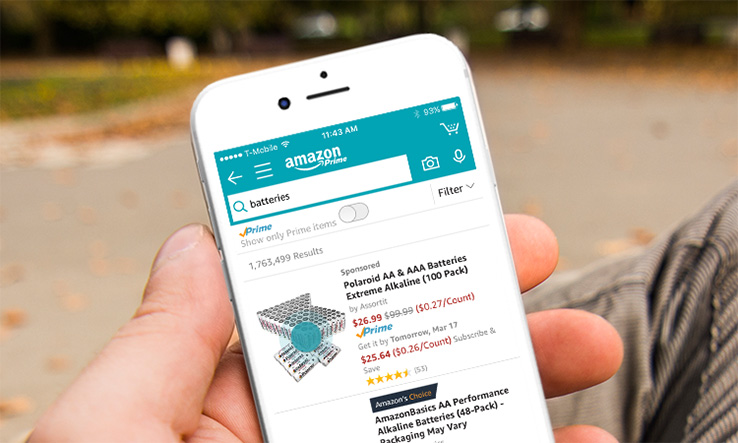
    Shopping App Amazon

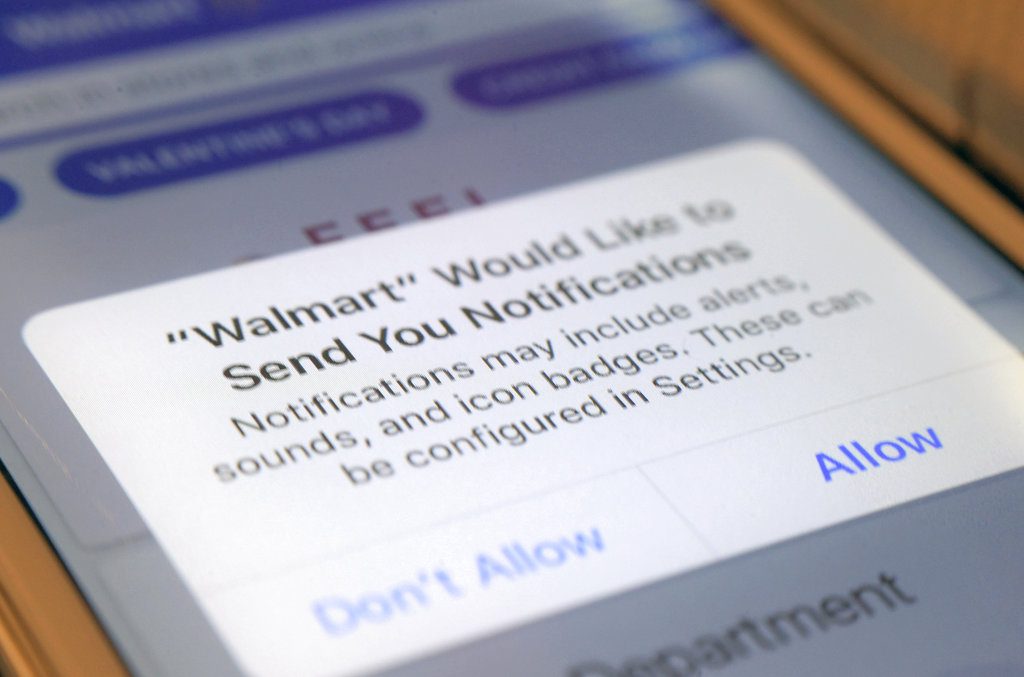
    DON’T ENABLE NOTIFICATIONS

    Push notifications — alerts that pop up on your phone — and emails tend to “catch people at vulnerable moments,” enticing them to spend money on things they otherwise wouldn’t, said Marshal Cohen, chief industry analyst at the NPD Group, a market research company.

    Data show that 9.6 times more users make a purchase when an app sends a promotional push notification compared with those who didn’t receive one, according to Leanplum, a mobile marketing platform. Notifications also increase the amount an average shopper spends 16 percent.

    A quick fix: Turn off notifications in the app or your device’s settings and opt out of retailers’ emails if they’re too tempting to resist overspending.

    Shopping App Notification

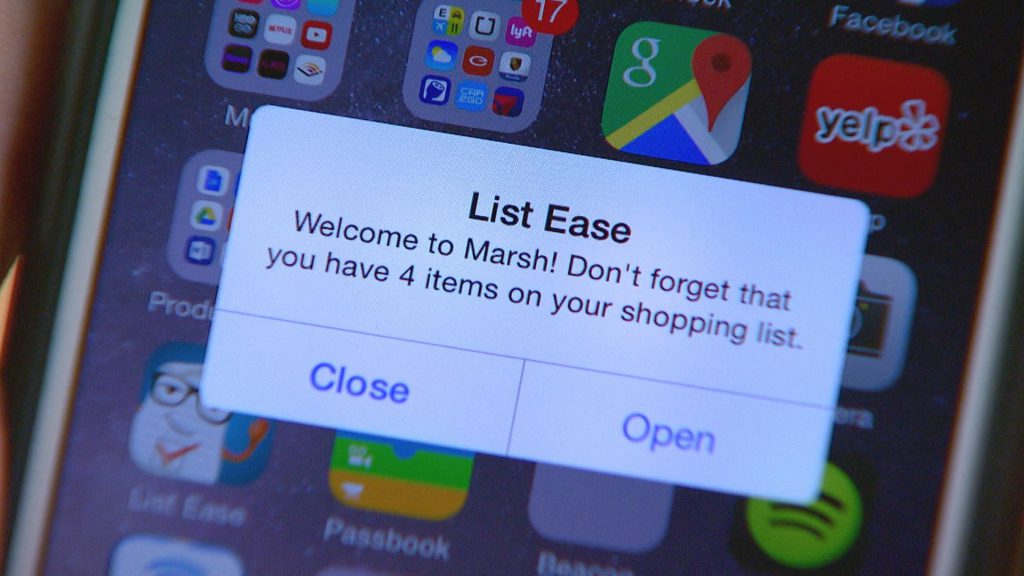
    DO MAKE A SHOPPING LIST

    Take inventory and make a list of what you need. Shopping lists can deter impulse purchases by keeping specific merchandise top-of-mind. Most retailer apps make it easy to view and edit lists on your device.

    For example, the app for Kohl’s enables shoppers to set a budget , and then automatically deducts the price of each item on the list. Other merchants, like The Home Depot, include maps or aisle numbers to help customers track down products on their lists at local stores.

    shopping apps list

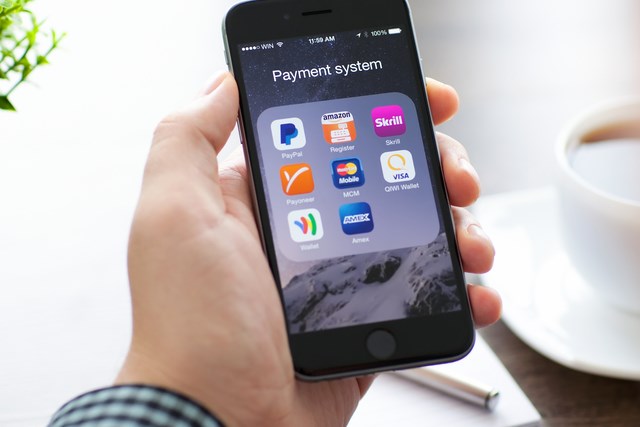
    DON’T KEEP PAYMENT INFORMATION ON FILE

    Although storing shipping and billing information speeds up the checkout process, it can also smooth the way for frivolous purchases. Researchers have found that compared with cash, behind-the-scenes payment methods make shoppers feel detached from their money — and more likely to spend.

    “Now with technologies where you can just use your fingerprint, or you just take a photo of your credit card, it makes payment incredibly simple,” Taylor said.

    Instead, enter payment information each time, rather than saving credit card numbers or linking to a PayPal account. The extra step makes the exchange of money feel more real.

    At the very least, “take a breath before tapping ‘checkout’ to make sure that your purchase is as much about you really needing that item versus the fact that the shopping experience has become more entertaining and has become very easy,” Taylor said.

    shopping apps payment

    DO USE YOUR CAMERA

    Use the camera feature within apps to read product details and customer reviews.

    “It allows you to have a greater usage of knowledge of what those products you’re purchasing can do,” Cohen said.

    Some apps surface product information when an item’s bar code is scanned with the camera. Beauty retailer Sephora’s app incorporates augmented reality, which allows shoppers to virtually try on makeup products and colors as they look into their device’s camera.

    As well, cameras can summon savings: Snap a picture of your receipt in Walmart’s app, and its Savings Catcher tool will match a competitor’s lower advertised price — even after your purchase. Walmart refunds the difference on an electronic gift card. Target’s app checks for manufacturer coupons and in-store deals on scanned items.

    DON’T FOCUS ON ONE RETAILER

    shopping app retailers

    Through exclusive offers and built-in loyalty programs, “individual retailers’ shopping apps intend to lock-in shoppers,” Jie Zhang, professor of marketing at the University of Maryland’s Robert H. Smith School of Business, said in an email. For example, the wallet feature on the J.C. Penney app lets shoppers see and redeem rewards, coupons and gift cards in one place.
    But using only one retailer’s app could mean missing out on opportunities to save money.

    “Yeah, there might be a 20 percent-off sale, but it could be really easy to go get 35 percent off somewhere else for the same exact product,” Cohen said.

    Use a price comparison tool, like ShopSavvy or Google Shopping, to locate the best price across multiple merchants.
    By LAUREN SCHWAHN, NerdWallet