Category: Gadgets

  • Bose SleepBuds: Worth the Price?

    Bose SleepBuds: Worth the Price?

    Bose’s newest product are the Bose SleepBuds, designed to help you sleep soundly through the night. Retailing for $249 and releasing today, are they worth the price? Early reports of the new wireless ear buds are in, and we’ve got the review round-up for you right here. 

    No True Sound Cancellation 

    An odd note on these new earbuds, to start, is the lack of Bose’s normal noise canceling technology. Instead, the SleepBuds rely on ten pre-loaded relaxation tracks in the included app to cancel common sleep distrubances. The tracks in question include nature sounds and white noise. They were apparently tailored specifically to block nighttime disturbances from waking the user. According to bose, their typical sound-proofing isn’t as effective at blocking out snoring and noisy neighbors as it is as silencing daytime noise.  

    No Streaming Music Options 

    Even more odd than the lack of true noise cancellation is the lack of a streaming music option. The SleepBuds are only compatible with the ten relaxation tracks included with the app. While this would be understandable if they were stand-alone sleep aids, they connect to smartphones via an app. Why can’t you just send music through them? It’s an odd design decision, to be sure. 

    Bose SleepBud Design and Specs 

    The SleepBuds are lightweight and non-invasive in the ear. It’s easy to lie down with them in, which is good, and necessary for sleep aids. They sport an excellent 16-hour battery life to boot. They actually do an excellent job of blocking common nighttime sounds, and their sound quality is what you would expect from Bose. However, the glaring lack of true music streaming continues to be a head-scratcher. These would be perfect for those who sleep with earbuds in for normal music, yet that option isn’t available. 

    In light of that and the steep MSRP, it’s hard to recommend these. If you really, really want some sleep aids that are comfortable to sleep in and don’t mind the price, these might be for you. However, for most general use, the price precludes them from being a solid option. 

    Feature Image Credit: Bless This Stuff 

  • Best Hiking GPS Roundup

    Best Hiking GPS Roundup

    It’s that time of year again, when the weather is hot and it’s time to head outside! If you’re looking to go on a hike in the wilderness, you’ll want to bring a good hiking GPS with you to make sure you don’t get lost! There’s nothing worse than getting turned around and having no cellphone signal to help navigate your way back. In order to alleviate this problem, carrying a good satellite GPS receiver is a must! Which ones are our favorites? Read on to find out! 

    Spot X Satellite Messenger 

    A great pick for hikers, the Spot X allows users to send messages to people back home via satellite connection. While the subscription for the device is $20 per month, it’s worth it for the SOS feature. The device can send an SOS and real-time location tracking in case you get into a serious problem out in the wild. The device itself is $249, and it’s definitely a good pick at that price. It’s water-proof and drop-resistant and features a ten-day battery life. On the downside, it doesn’t have any maps pre-installed, but that’s a small gripe. All said, this is a great companion for any hiker. 

    Garmin Oregon 700 

    Utilizing both GPS and GLONASS to ensure accurate location tracking, the Oregon 700 is a fantastic GPS. The touch-screen display is small but responsive and designed for viewing in direct sunlight. The screen is Gorilla Glass, which makes it nigh-indestructible and easy to read. It even offers driving directions and directions on water! Hikers will love the compass and altimeter, allowing them to retain their bearing and track altitude. If you want a modern, serious GPS with a great interface, this one is for you. The Garmin Oregon 700 costs around $400 and can often be found on sale for $350 or so. 

    Our Favorite Hiking GPS: Garmin GPSMAP 64S 

    The $300 GPSMAP 64S is a steal for the price, and our favorite hiking GPS. Like the Oregon 700, the 64S uses both American GPS and Russian GLONASS to maintain orientation. It comes pre-loaded with a world map and it has 4GB of internal storage for waypoints and routes. The design is durable and has huge buttons that are easy to press even while wearing gloves. Smartphone connectivity is available to send updates like inclement weather, too! The device even has preloaded geocaches for treasure-hunters to go after! For its price, the GPSMAP 64S is the best GPS you can buy for hiking. Garmin’s products are really quite something, and you won’t be disappointed with this one.  

  • Coolest Electric Skateboard Roundup

    Coolest Electric Skateboard Roundup

    Yeah, you read that right. There are some really awesome electric skateboards out there! And, given that it’s the height of summer, what cooler way to ride around? While you’ve likely never considered shopping for an electric skateboard (that’s just fun to type!) we’ve got a few that are worth your time. If you’re looking to cruise around and enjoy the warm weather, try these awesome skateboards! 

    Acton Blink QU4TRO 

    The $1,700 Acton Blink QU4TRO has a ton of power and can really move. If you’re looking to strap on a helmet and really go for a ride, try this one out. It has a hub motor for each wheel and can go over 20 MPH. One of the most powerful electric skateboards on the market, it can travel over twenty miles on a single charge! The downside to all that power, of course, is that the board is heavy. It weighs somewhere around 25 pounds, so it’s not quite as zippy or light as other boards. The suspension compensates for that when in use, but it’s definitely a lot to lug around. If you’re looking for a powerful electric skateboard, though, this is the one for you! 

    ZBoard 2 Blue 

    This board is unique in that it doesn’t use a remote controller to power the motor. Instead, you lean on the foot pedals to accelerate or slow down, which is super-intuitive. It’s also very wide and somewhat heavy, coming in at 17 pounds. It moves pretty fast, around 20 MPH, and sports a pretty good battery. If you’re looking for a good board for commuting to class or work, try the ZBoard 2 Blue. It’ll set you back about $1,300, but it’s well worth it for the fun and convenience!  

    The Coolest Electric Skateboard, Inboard M1 

    The slick 14-pound Inboard M1 is a skateboard first and electric second. This one is perfect for those who want to enjoy the skatepark but use the motor to cruise home after. Featuring two hub motors and a good bit of power, the Inboard is great for skaters of any skill level, in any environment. The board is quite high-tech, featuring Bluetooth connectivity for controlling the motor and “regenerative breaking.” That unique feature helps put juice back in the battery when breaking, helping extend your rides!  

    The Inboard also has a swappable battery, allowing you to carry an extra to swap on the fly. This lets you ride for longer without worrying about charging up! This one is the best electric skateboard overall, easily worth its $1,400 price tag. 

  • Alexa to Come to a Hotel Near You

    Alexa to Come to a Hotel Near You

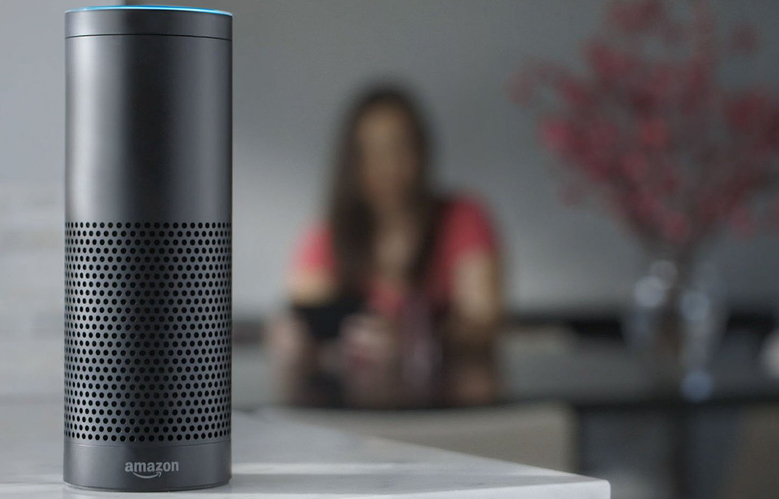
    Amazon has announced that they will be partnering with several hotels to bring an “Alexa for Hospitality” platform to them. This move marks a big push by Amazon to have their Alexa-based Echo services become more mainstream and recognizable. While many will likely find this convenient, some other may be put-off by the presence of an always-on mic in their rooms. 

    Convenience in Hospitality 

    Using Alexa to control smart-home features is already a luxurious feeling. Staying at a hotel with smart features enabled is a pretty natural step. Hotel-specific features like ordering room service are welcome additions, too! Hotels are looking forward to “deepening engagement” with their guests through the service. Hotels have promised unique skills for the virtual assistant through their service, as well. The service promises features like specialized music services and connecting to users’ existing Amazon accounts, too. By connecting their accounts, they could access their music and e-books through the hotel Echo devices. The account would be disconnected after check-out, of course.  

    Strengthened Alexa Privacy Features 

    Many people were less than shocked to hear that an Echo device sent a private conversation as a message accidentally. After all, when you have an always-on mic, the opportunity for such mix-ups are possible even without malicious intent. As such, some users will likely be unsure of having a microphone in their room listening to their every word. Amazon has promised that Hospitality-enabled Echo devices will delete all recorded audio and won’t allow for hotel staff to listen in.  

    However, they have also promised that Alexa for Hospitality will provide advanced analytics for hotels to show guest engagement. As such, it seems likely that data collected by Alexa will be viewable by hotel staff somehow. Amazon went on to clarify, however, that guests staying in hotels with the service can ask to stay in a room without an Echo.  

    How do you feel about Alexa? Do you think the personal assistant is a handy way to control smart-home features? Or are you hesitant to have an always-listening microphone in the room with you? Either way, it’s hard to deny how convenient the service is, and it’s a natural fit for hospitality. 

  • Oppo R15 Pro: Worth the Buy?

    Oppo R15 Pro: Worth the Buy?

    You might have never heard of Chinese smartphone brand Oppo. Odds are good you’ve heard of their sibling company, OnePlus, though. Oppo, ironically, is the bigger brand in China, but OnePlus tends to steal headlines with their bold designs. The newest Oppo phone, the Oppo R15 Pro, is out now. Is it a worthy competitor in the crowded Android market, or is the brand’s obscurity in the US warranted? Let’s find out. 

    Design 

    The R15 Pro is a very clean, modern-looking phone, with a big 6.28-inch display. It sports an iPhone X-style notch, and, in fact, is very much an homage to the iPhone. The Color OS spin on Android OS is pretty much a one-to-one recreation of iOS 11, which isn’t exactly a bad thing. It does make the phone feel unoriginal, but it doesn’t detract from the end user experience. 

    The Oppo R15 Pro has asolid make, too. The phone sports a headphone jack, unlike some newer phones, and has a metal back. That somewhat old-fashioned design decision is underscored by the phone’s charging port, which is micro-USB. The charging port works fine, but it is odd to see such an old port when USB-C is officially the preferred charging method of other android phones. 

    Cameras 

    The cameras on this phone are quite solid. It has two back-facing cameras for portrait mode, and pictures taken in it look fine, if a little washed out. The back cameras are both 20-megapixel, while the front one is 16. Pictures taken normally look pretty good, considering this phone has a mid-range price! It even sports automatic HDR that looks really great.  

    Oppo R15 Pro Performance 

    While design and camera quality are important, the actual phone performance is the big deal. The R15 doesn’t disappoint, but it’s certainly no powerhouse. Sporting a 2.3GHz octa-core Kirin 970 processor, the phone does okay in most tasks. Gaming and other processor-intensive tasks are a little less snappy than on higher-end phones, but it’s usually fine.  

    The battery life is rather excellent, only a fraction worse than the OnePlus 6, which is still impressive. You’ll likely finish the day with a good chunk of battery left, which is great.  

    Bottom Line 

    The final word on the R15 Pro? It’s an excellent phone for its mid-level price. Coming in around $515, this phone has no glaring drawbacks and works reasonably well in most tasks. If you like the look of iOS but want to stick with an affordable Android, consider getting an R15 Pro. You’ll also get a ton of odd looks from people who have no idea what phone you have, which is cool!  

    Feature Image Credit: Android Authority 

  • Total Control: Our Favorite Universal Remote

    Total Control: Our Favorite Universal Remote

    If your entertainment center has caused you to collect far too many remote controllers, it’s time for a universal remote. Logitech makes the best in the biz, but Sony has a pretty good entry worth considering too. If you’re looking to streamline your entertainment, look no further: we’ve got our favorites right here for you to check out.  

    Sony RMVLZ620 

    Sony’s universal remote has a catchy, memorable name and a slick design. One of those things is true. Jokes aside, if you want a straight-forward, bare-essentials universal remote, Sony’s is a great choice. At $25 it won’t set you back too much to streamline your living room. You can pair up to eight devices using pre-programmed codes. The one-touch macro buttons are a plus, and the backlit buttons are great for when you’re watching in the dark. If you want a simple, easy-to-use remote, this one is for you. 

    Logitech Harmony 650 

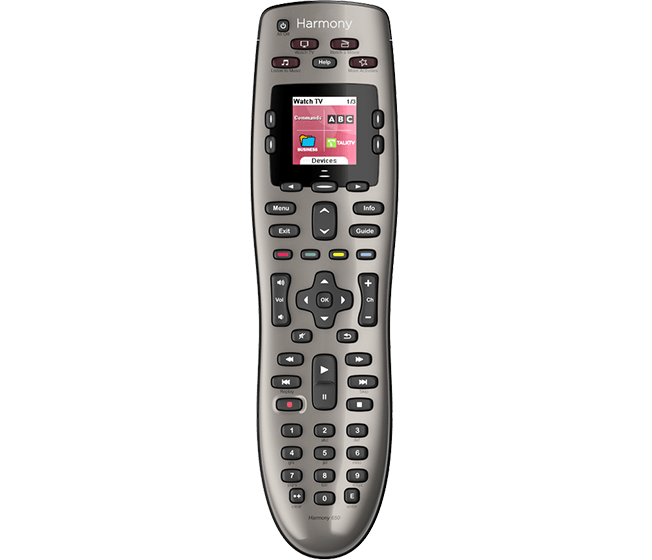
    The Harmony 650 is the best remote for your buck if you don’t need a crazy suite of features. For those who want full smart-home integration and app uses, check out the Harmony Elite or Companion. For general use, though, the 650 will get everything you need done. The best part about this solid remote is the price tag. It only runs $35, and it’s fairly easy to set up. You just have to set it up through your computer, but once it’s online it can control your whole system with a button press. This remote is fantastically powerful for its price. 

    Our Favorite Universal Remote: Logitech Harmony Companion 

    The Harmony Companion is a fantastic choice if you intend to sync it with your smart home technology. It can control everything from your TV to your Philips Hue lights. The best part of this one is the Alexa integration. While Logitech sells a more-robust Logitech Harmony Elite, that one costs $250. The Companion, however, only costs $135 and offers similar features. If you have Alexa and smart home technology already, the Companion is a great choice at a great price. It even features a smartphone app that can also be used as a remote for the devices that are paired. You can’t go wrong with this winner from Logitech. 

  • Which Smart Thermostat is Our Favorite?

    Which Smart Thermostat is Our Favorite?

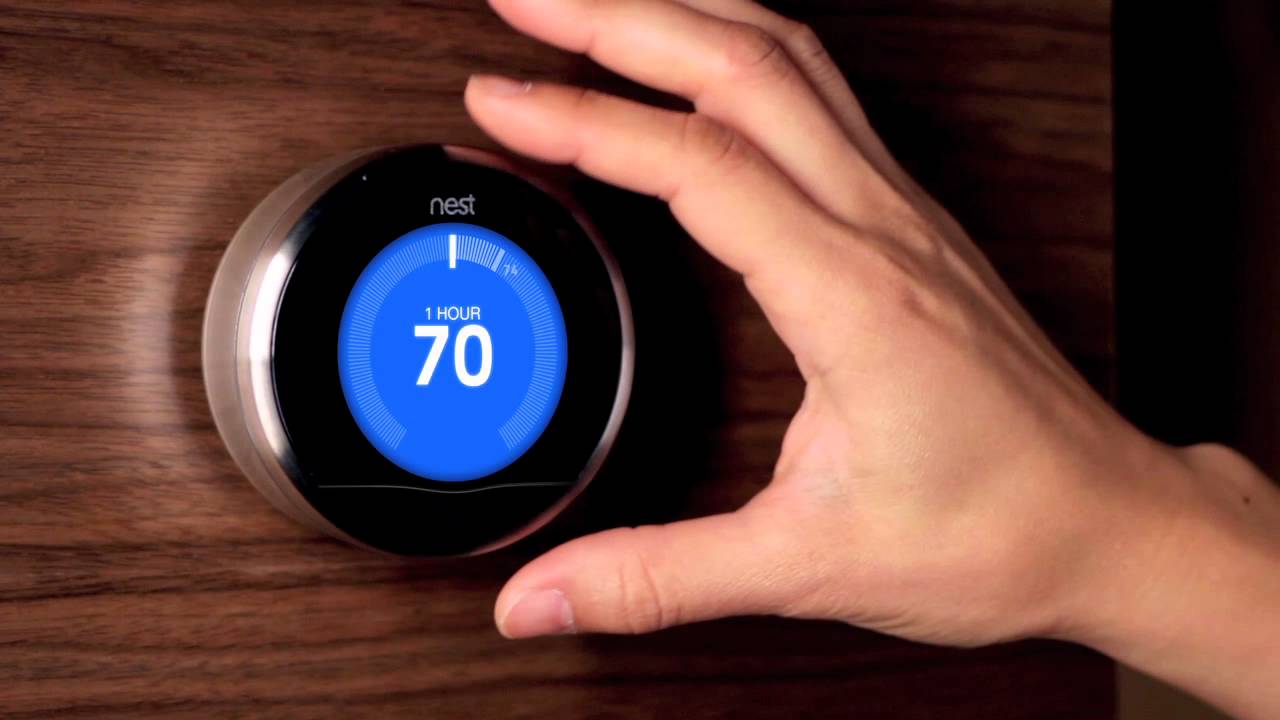
    Everyone wants to be comfortable in their own house. That’s a given! However, it can be a pain to have to constantly mess with the thermostat. If you’re like me, you’d probably rather just set it and forget it and let automation take over. Well, good news! If you grab a smart thermostat, you can do just that! Which one is our top pick? Read on! 

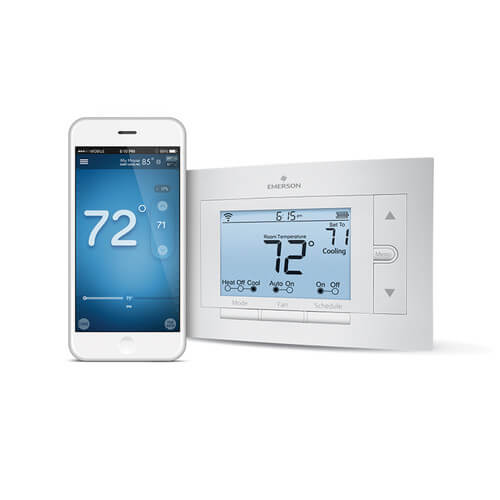
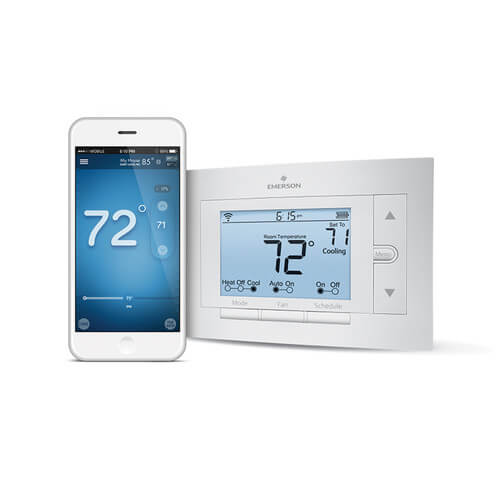
    Sensi Wi-Fi Smart Programmable Thermostat 

    Photo Credit: Supply House 

    The coolest thing about the Sensi Thermostat is that it doesn’t require a C-Wire to hook up! What this means is that you can set this smart thermostat up in houses you normally couldn’t. This thermostat gets a nod for its great price, coming in at $118, and good app support. You can control it from anywhere with the app, and you can even set programs to cycle throughout the day, or week. It can even run on a pair of AA batteries! For those who aren’t as tech-savvy but still want a programmable thermostat, this one is for you! 

  • New to PC Gaming? Here’s the Top 10 Things You’ll Need

    New to PC Gaming? Here’s the Top 10 Things You’ll Need

    So, you’re looking to start PC gaming? While you probably know how daunting it can be to start out, we’re here to help. From slick looking peripherals to high-end hardware, we’ve got a list of ten must-haves for PC gamers! 

    Set of Tools 

    Photo Credit: Amazon 

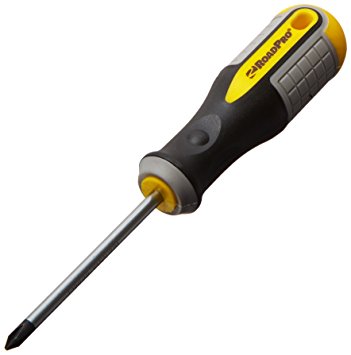
    The first thing you’re going to want is a set of tools. Preferably a magnetic screwdriver and an anti-static wristband. Being able to open your rig and troubleshoot is a key aspect of PC ownership. If you spend top dollar for the very best gaming PC, make sure you take care of it! You’ll also probably want a magnetic parts tray so that you don’t lose too many screws. Also, you should get some extra case screws, because you’re going to lose screws. 

    Canned Air 

    Photo Credit: Walmart 

    This is the last boring entry, I swear. Once you open your computer up, you might notice some dust has collected in recesses. It’s best to clean this dust out once a month or so. If you don’t your computer’s performance will suffer as it experiences higher-than-average temperatures. Canned air is also great for cleaning out debris from keyboards! 

    PC Gaming Chair
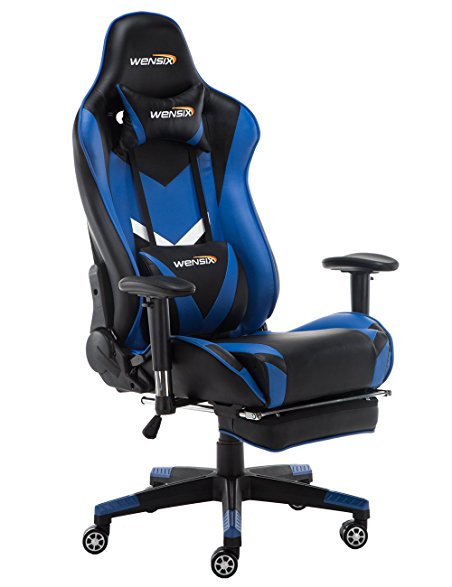
     

    Photo Credit: Amazon 

    If you intend to sit in front of your computer for a few hours at a time, make sure it’s in a comfortable chair. There are a few well-known brands of gaming chair to choose from. Vertagear and Furmax both make solid options, and there are often good deals on sites like Amazon. Racing-style chairs are particularly popular at the moment with streamers and pro gamers! 

    RGB Lighting
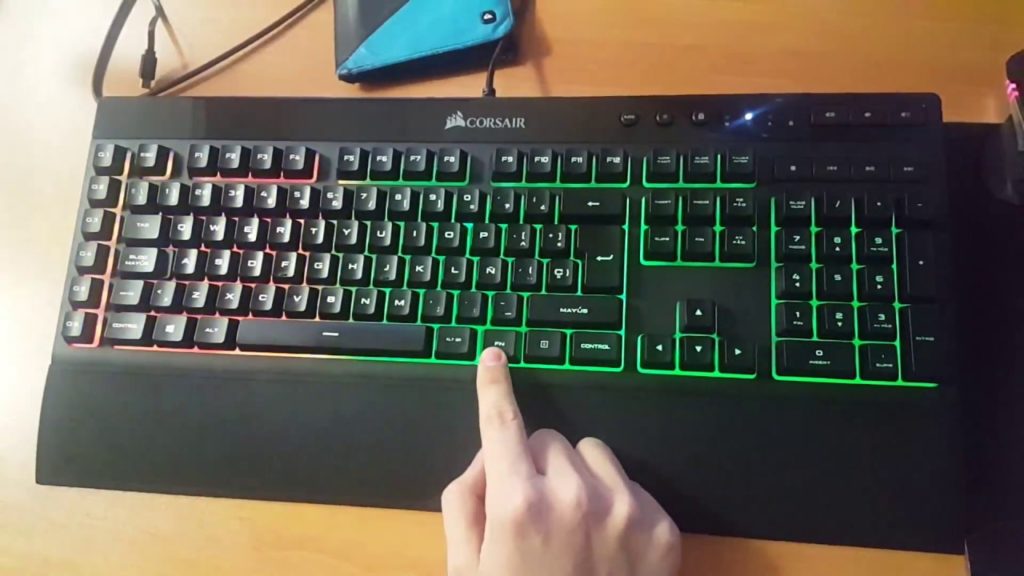
     

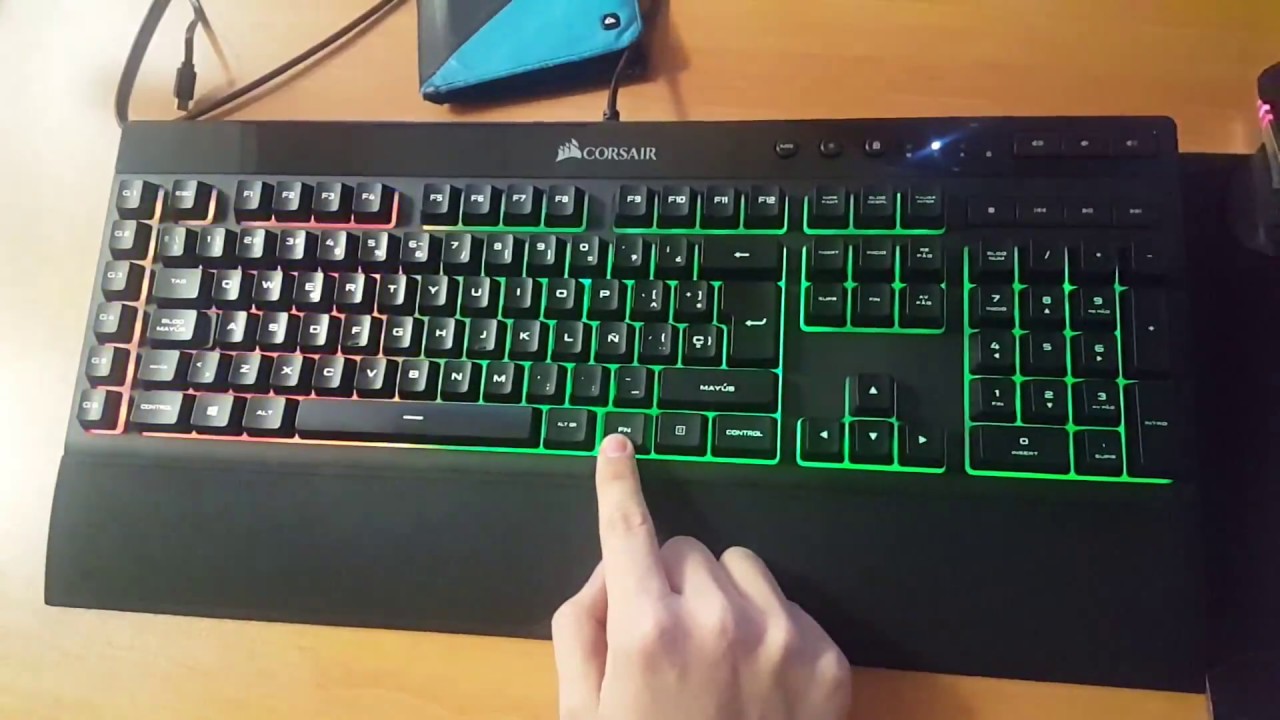
    Photo Credit: YouTube 

    PC gamers love few things more than high-end graphics. One of the things that comes close, though, is glowing keyboard and mouse setups. High-end peripheral makers like Corsair and Razer make most of their ranges with RGB lighting built in. You can then use software to choose what colors and patterns you want your RGB to take on. Many games even offer compatibility, like Overwatch and Fortnite. If you want your setup to look as serious as it is, consider getting some RGB gear! 

    Gaming Monitor
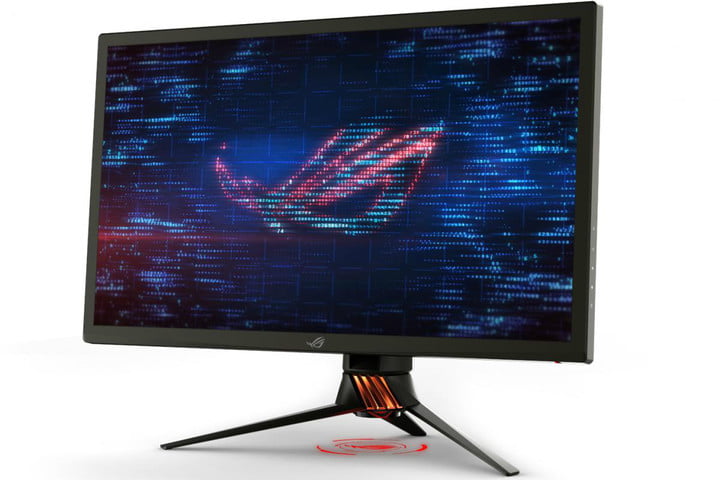
     

    Photo Credit: Digital Trends 

    What’s the point in having an awesome graphics card if your monitor can’t resolve the images it’s being sent? Springing for a 4K monitor is a must if you want 4K graphics. While there are a ton of options out there, finding the best one for your rig is important. Some people like ultra-wide, curved screens. Others may prefer large, flat monitors. Whatever you pick, make sure it’s something you won’t mind sitting very close to for hours on end! 

    Second Monitor
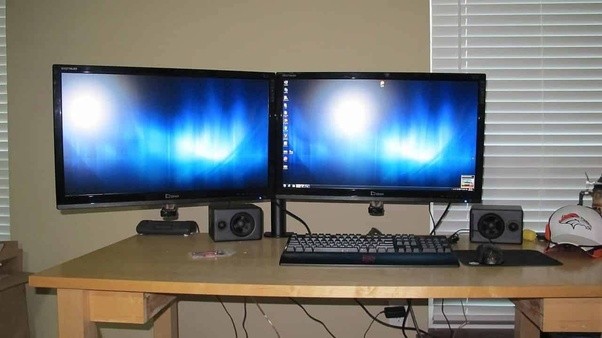
    Photo Credit: Quora 

    Many PC gamers swear by a two-monitor setup. Odds a good you already have a normal monitor, but not a dedicated gaming monitor. Well, after you upgrade, don’t sell your old monitor just yet! Instead, consider rocking a two-monitor setup. That way you can multitask! Your awesome new gmaing computer surely has enough RAM that you can do two things at once. Stuck in a hard section of a new game? Watch a step-by-step guide on your other screen. Chatting with friends in between boss fights? Use your second monitor! Some people just like throwing YouTube or Netflix up while they grind their favorite games. 

    Gaming Headset
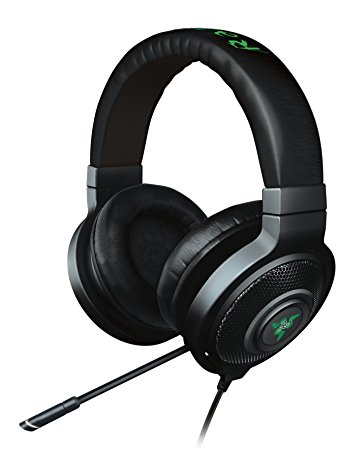
    Photo Credit: Amazon 

    Gaming headsets are a must if you plan on chatting with your team. While some games don’t require them, nearly all games are made better by the surround sound quality of a gaming headset. Not to mention, your team will appreciate how clear your voice is thanks to your awesome mic! This is an expense worth undertaking if you take competitive team games seriously. 

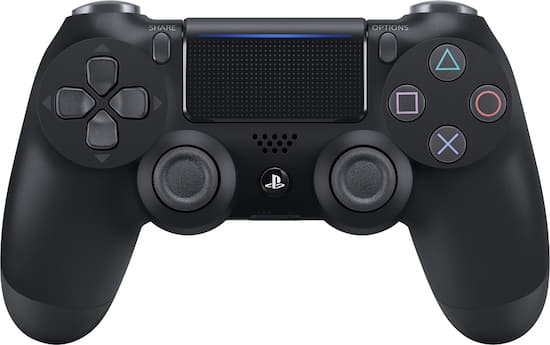
    DualShock 4 Controller
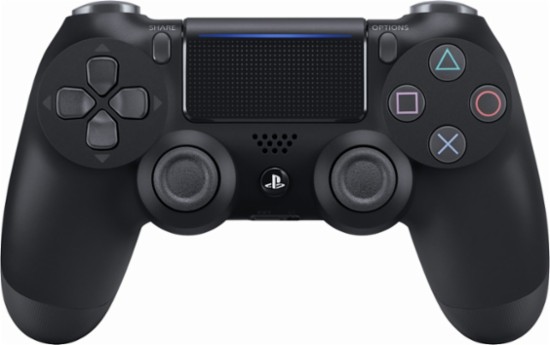
    Photo Credit: Best Buy 

    This one probably seems a little out of place. After all, PC gamers are always talking about how awesome keyboard and mouse is! Well, keyboard and mouse controls are great for certain games. Real-time strategy games, first-person shooters and the like were really made to be controlled by keyboard and mouse. Some games were just made for use with a controller, though, and for those, you’ll want a real game pad. Many consider the DualShock 4 to be one of the greatest game pads ever, with its matte finish and ergonomic design. If you’re more inclined to Microsoft’s offset analog sticks, the Xbox One controller is also a fine choice! Both will work with minimal issue and a bit of setup on pretty much every game. 

    Gaming Mouse
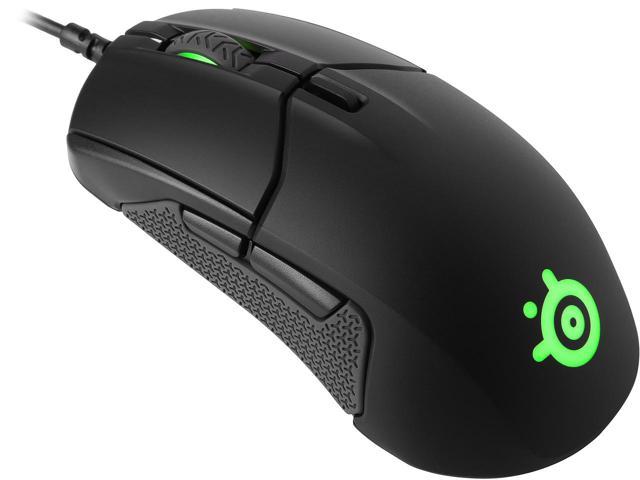
     

    Photo Credit: Newegg 

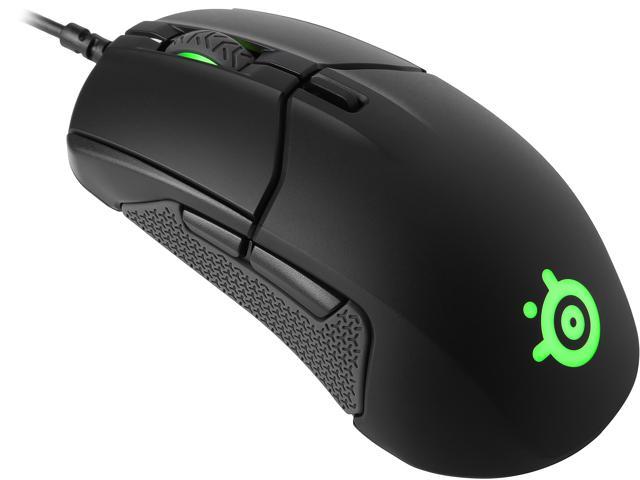
    For those times when you need a mouse and keyboard control setup, though, you’re going to want the best. High DPI, performance gaming mice aren’t cheap, but you’ll know the difference right away. Sporting high-precision and buttons right on the mouse, these are the best way to play. You’ll find yourself skipping less pixels, aiming more precisely and binding common tasks to your mouse buttons. If you’re gaming seriously, you’ll want a serious mouse. 

    The Most Important PC Gaming Peripheral: Mechanical Keyboard
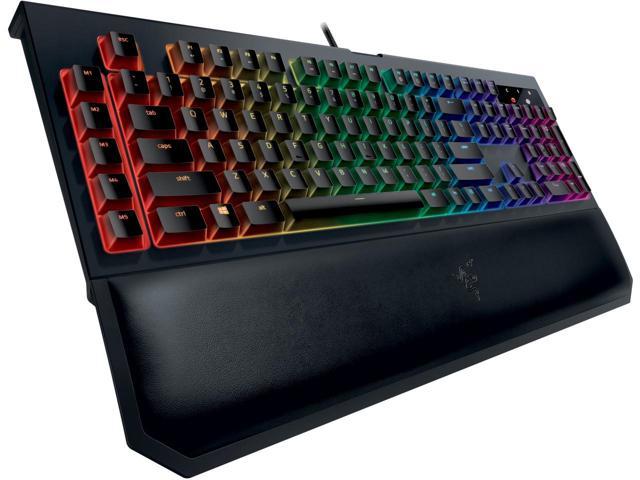
    Photo Credit: Newegg 

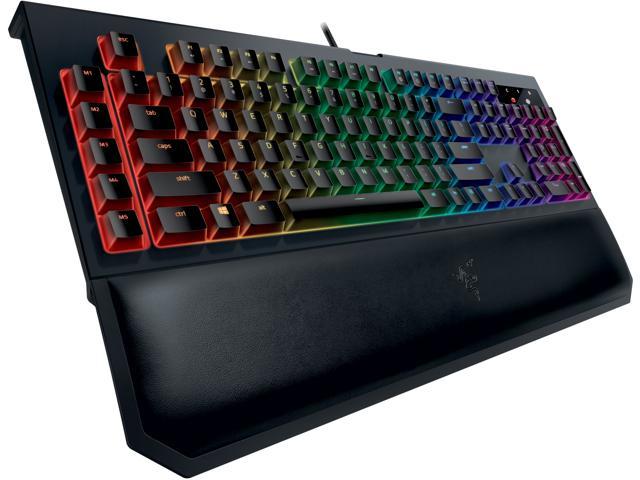
    If you intend to play video games from your PC, get a mechanical keyboard, full stop. It might sound absurd, but those loud, clunky keys are a revolution when you first use them. You won’t accidentally hit a key. You’ll know when you press down that your input was read. While they take a bit of getting used to, mechanical keyboards are the best for gaming. They’re not ideal for heavy typing, so keeping a traditional mesh keyboard around for typing tasks isn’t the worst idea. But aside from writing papers or turning in work, mechanical keyboards are the way to go. 
  • Untitled post 5000

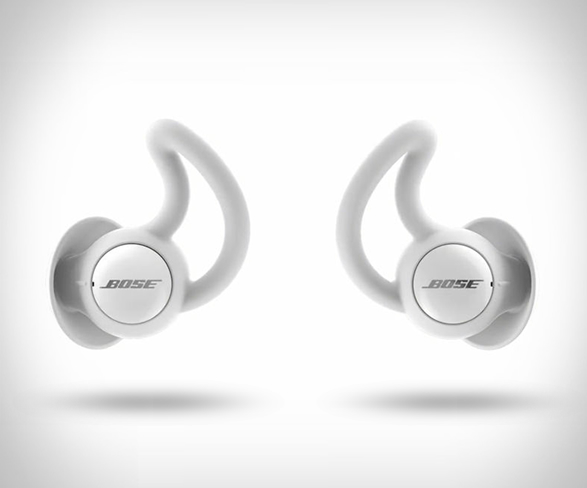
    Wireless earbuds often leave a lot to be desired. For one thing, a lot of them aren’t actually wireless. When you’re trying to listen discreetly, or listen while exercising, you don’t want a wire hanging down from your ears. For the absolute best in truly wireless, though, you do have to shell out a bit. Thankfully, we’ve got a round-up of some of our favorite truly wireless earbuds! 

    Bose Soundsport Free 

    Bose doesn’t tend to disappoint, and these truly wireless earbuds are evidence of that. While they cost a full $200, they’re still a great buy. They have a great fit and good sound quality. Bose’s Soundsport also comes with a charging case that holds two extra charges! They look a little goofy, sticking out of the ears a good way, but they sound good enough that it’s forgivable. Truly, if you’re an audiophile and don’t mind the tight fit, these are your best bet. Their biggest drawback? They cost more than the excellent Jabara Elite Active 65t. If sound quality is your main and only concern, though, go with the Bose Soundsport Free. 

    Apple AirPods 

    For a good while, Apple’s entry in the truly wireless market was the best. Recent releases have given them serious competition, but they’re still a solid choice. For one thing, they’re the best value among earbuds on this list, retailing for $160. They don’t have the tightest fit, but some prefer the more open-feeling fit. The AirPods also come with a charging case, and they’re delightfully lightweight. They have reasonable call quality, and they fit easily in a pocket while in their case. The downside? Well, they look sort of lame. Their weird, long stalks make them look kind of dorky, which seems to be a running issue with wirless earbuds. 

    Our Favorite Wireless Earbuds: Jabra Elite Active 65t 

    Apple’s Air Pods are a step in the right direction, but they’re not as great as the Jabra Elite Active 65t. Sporting awesome sound quality and sweat-proofing, you really can’t go wrong with these. They’re durable and long-lasting, with true sweat-proofing that will keep them going even after intense exercise. They’re also good for making phone calls as they have two microphones in each pod. The best part? They actually look pretty slick! Unlike most of their competition, the Jabara Elite earbuds don’t look quite so goofy! They’ll cost you, though. They retail for $190. 

  • Hassle-Free Charging: Which Is Our Favorite Qi Wireless Phone Charger?

    Hassle-Free Charging: Which Is Our Favorite Qi Wireless Phone Charger?

    I have forgotten to plug in my phone before bed more times than I can count. The frustration of missing your alarm because you forgot to charge your phone is quite profound. You have no one to be mad at but yourself. Well, yourself and whoever decided we were going to charge our phones with wires like low-tech losers. To remedy this, Qi has become the industry standard for wireless charging. Compatible phones like the iPhone X and Galaxy S9 can be charged as easily as just dropping them on the charging pad. Which wireless phone charger is our favorite? Check out our list! 

    Best Budget Option: Choetech Aluminum Wireless Charger 

    Choetech’s charger is only $13, which is a great price! It has an aluminum body and internal heat management, too, which helps keep it safe from overheating. It doesn’t support fast charging, but it’s also only $13. It has a sleek design and sports a glowing LED ring to indicate when it’s in use. It even has a light sensor to dim the indicator at night. An option to disable the indicator when sleeping would have been welcome, but it’s not a deal breaker. This is a great budget charger overall. 

    Native Union Drop Wireless Charger 

    The Native Union wireless charger is a very elegant and feature-filled device. It has ridged, rubberized grips on the top, and a rubber foot to keep it from sliding on your desk or table. The charger uses a USB-C connection and has a thick, durable, braided cord and an LED indicator for charging status. At $60, it’s a fair bit more expensive than Choetech’s charger. However, that increased price gets you fast charging through a safe and temperature-controlled pad. Native Union promises about three hours to charge from zero to full with their pad. That’s not too bad! 

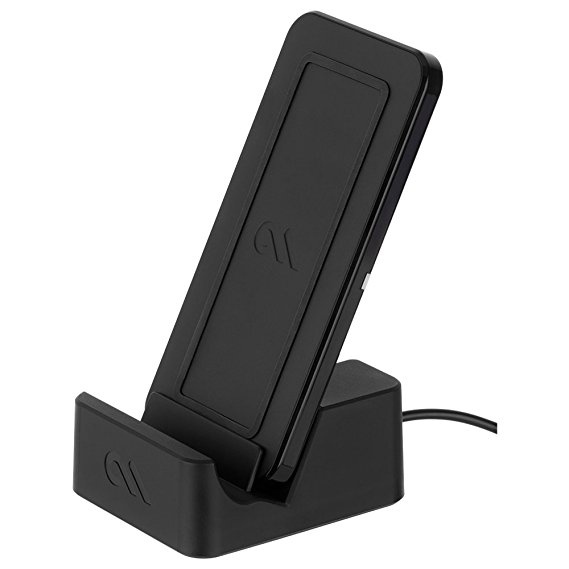
    Our Favorite Wireless Phone Charger: Case Mate Power Pad 

    Case Mate’s pad is also $60, but it sports a unique feature: a stand. The Case Mate with the stand allows you to wirelessly charge your phone while it’s in landscape mode, letting you watch movies or TV while charging! How cool is that? Like the Native Union, it has rubberized feet and an LED status indicator. While it doesn’t sport the same durable cable or USB-C plug-in, the Case Mate does sport fast cahrging. If you’re on the lookout for a great wireless charger with a stand, the Case Mate Power Pad is for you!