Category: Gadgets

  • The Robotics Kit Roundup for Students

    The Robotics Kit Roundup for Students

    If you know any students who are enthusiastic about robotics and looking to build their own robots, you might be wondering which kits are the best. Never fear, because we’ve rounded up our favorite robotics kits for students. Read on to find out our favorite robotics kit for aspiring tinkerers!

    Meccano-Erector MeccaSpider Robot Kit

    This $100 kit is for children 10 or older. Taking between one and three hours to build, this spider-themed kit has some fairly neat features. Firstly, it sports on-board buttons that allow the builder to set it in different preset modes, such as “guard” and “game” modes. It has a reservoir for water so that it can shoot “venom” (which is awesome) and it sports an infrared sensor to detect opponents

    The robot can be controlled from a linked smartphone app, allowing for some fun, hands-on play with the device after it’s complete. This kit is part of the “STEM” initiative, a push by the Department of Education to prepare students for careers in science and robotics. The MeccaSpider is an intermediate level robot.

    UBTECH Jimu Robot DIY Buzzbot & Muttbot Robotics Kit

    For a reasonable $135 this kit can be built into either Buzzbot (a goofy-looking humanoid bot) or Muttbot (a goofy-looking dog bot). This one is somewhat simple, using a combination of six servos and a small computer to power the robot, whether it be the kid or dog robot.

    Using linked smart phone apps, kids can string together a series of saved poses, allowing them to animate scenes. These programmed procedures are a neat way to teach kids about programming while they also learn about robotics.

    Makeblock DIY Ultimate Robot Kit

    If you’re looking for a more expensive robotics kit that can build into many different types of robot, this kit is for you. For $350, the Makeblock DIY Ultimate Robot Kit can be built into a robo-bartender, a servo arm, a self-balancing bot and many more. Powered by Scratch 2.0, a kid-friendly programming language, this kit does a great job teaching kids tons of lessons in both robotics and programming.

    This robotics kit is also compatible with Raspberry Pi mini computers, which allows young mechanists to have a great amount of customization and control over their creations. If your little builder is ready for a step towards the “real thing, ” this kit is a great choice!

    Elegoo UNO Project Smart Robot Car Kit

    The least expensive robotics kit on this list, the Elegoo Smart Robot Car is only $74. This device is simple, with a small number of parts and a fast build time. This makes it a great choice for an aspiring builder’s first kit! It sports a few different modules, such as infrared and Bluetooth, making it a very customizable build.

    It also sports connectivity with third party modules, allowing for a unique build. Note, the expansion modules have to be compatible with a 3-pin XH2.54 interface to be used with this kit.

  • 5 SmartDevices to Improve Your Golf Game

    5 SmartDevices to Improve Your Golf Game

    The The Players Championship starts today, so what better time to take a look at all the smart toys out there to improve your golf game. SMartdevice are everywhere and in everything, golf just seems a natural fit. We are always looking to drop our score and an edge up and we need the data to do this. Well these 5 devices will have you the envy of your club house and playing like a pro.


    1. Cobra’s “first connected golf club.”

    The $349 King F7 Driver pairs the club with a smartphone app that allows you to track your game via GPS. Beyond that, the club features three different centers of gravity, allowing you three different potential approaches and flight paths. Say that again, yes it is Equipped with 3 Center of Gravity settings for maximum distance.It features an Arccos sensor seamlessly integrated into the grip to automatically record each drive, providing real-time stats for distance and accuracy. Not to mention it is one of the baddest drives out there even with out the connect.


    2. GolfBoard

    This electric-powered vehicle, which evokes a skateboard or snowboard, replaces a golf cart and promises to literally speed up your round of golf. Recently it’s gone from something vaguely futuristic to something you can find at more than 300 courses worldwide. You can even buy your own. Prices start at $6,500 for the standard model that motors up to 10 mph. Yes it looks like fun, and yes it will provide endless hours of youtube fail videos.


    3. FX-Sport VC Golf headphones

    FX-Sport specializes in wireless sport headphones. Its new VC Golf model is called “the first psychological coaching device for golf.” On it, you can access hours of soothing, sage words from golf gurus — they get in your head so you don’t lose yours. It’s listed at $199. The Headphones are preloaded with many hours’ worth of psychological coaching, mental preparation, practice drills and workouts, from world class golf psychologists, coaches and trainers. All practice drills have a strong emphasis on the psychological. Advice on how to focus, what to focus on and what to do when things are not progressing as you would like. I wish I could change the voice to Ty Webb. Be the ball Danny!


    4. TLink GPS Golf Watch

    Wearable golf tech that displays instant yardage ⏤ the distance to the back, middle, and front of the green ⏤ on 40,000+ courses worldwide. Simply open up the GPS app on your smartphone, connect TLink with your phone. Never worry about what club to use, you have the data right there.


    5. SetupEye

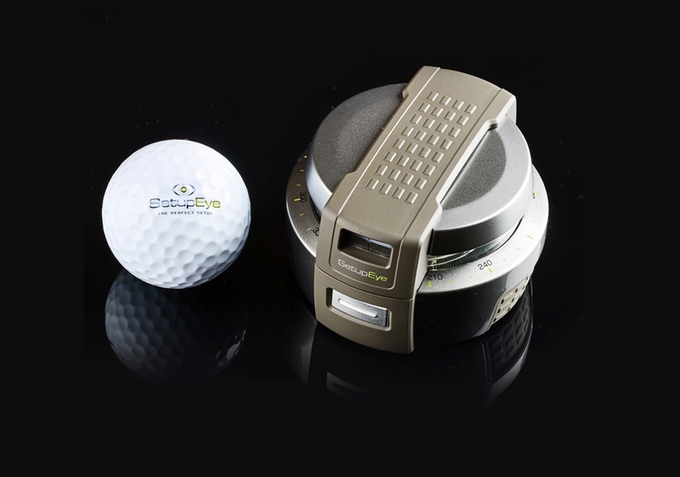
    Im pretty sure this was frowned upon in Caddyshack 2 but If your alignment is off, then you aren’t going to come anywhere close to firing on target. SetupEye uses lasers and “target lock technology” to help golfers take dead aim with absolute confidence. Simply lock onto the flag or your chosen target through the viewfinder, press the button, and place the device on the ground between you and your golf ball. From there, just follow the shooting green lightsaber as it points the way.


    The Final Thought

    You got the ultimate club to track your swing from your drives, the watch to tell you exactly how far to the pin and a golf coach in your ear. You are navigating the course quickly and stylishly on your gold board and you have the target locked on the hole to nail this last putt, see you at the tavern for a beer you golf pro.

  • Find Out Which Fitness Tracker is For You

    Find Out Which Fitness Tracker is For You

    The fitness tracker has been around for some time, but they are always getting better. Whether you’re looking to upgrade from an older model or seeking to get started tracking your fitness, we’ve got a list for you! Read on to see which fitness trackers we love!

    Samsung GearFit 2 Pro

    The sleek, fashionable fitness tracker has a lot to love. From offline Spotify playlist support to GPS support, this is certainly a modern piece of tech. Additionally, your stats are easy to track from the watch itself, as it sports a bright, luminous AMOLED display and clearly displays all of your stats. It also has a very advanced heart rate tracker and fully tracks swimming and is waterproof.

    It has a less-than-optimal user set-up experience, though this is a small gripe. The main drawback to Samsung’s fitness tracker is its high price: it retails for $150, which is quite steep. However, with its large screen and advanced heart rate tracker, this is to be expected: if you’re looking for a great fitness tracker with a fantastic display and awesome features, this is for you. If you’re looking for something more afforable, keep reading!

    TomTom Spark 3

    The Spark 3 is a good spot less expensive than the GearFit, retailing for around $100. This fitness tracker features a monochrome display and clearly displays stats. It also supports on-wrist GPS, which is awesome for running in new areas and discovering new routes. You can also load music directly into the tracker, allowing you to keep your phone at home or in your bag while you run or exercise.

    On the negative side, this fitness tracker doesn’t have terribly impressive sound quality and the menus are difficult to navigate. Set-up was roughly as cumbersome as the GearFit, but as this tracker is significantly less expensive, that is somewhat more forgivable.

    Moov Now

    If you don’t mind a lack of a screen and you want an affordable fitness tracker, the Moov Now is a great find for you. Working as the polar opposite of the GearFit 2, the Moov now is minimalist and doesn’t include a heart tracker. Instead, it opts for a more stripped-down tracker experience. It focusses nearly exclusively on fitness, offering tracking for jogging, boxing and swimming and sleep monitoring.

    That all being said, the Moov is a simple device with few features unrelated to tracking. You won’t find support for GPS or music with this fitness tracker. However, you already have a smart phone and likely a computer and even laptop; how many more ways do you need to listen to music or navigate via GPS? Retailing around $50 and usually available for less, the Moov is an excellent choice for those who are seeking to simply start tracking their fitness.

  • Top Ten Things to Know About Google I/O 2018

    Top Ten Things to Know About Google I/O 2018

    Tuesday, May 8th marks the start of Google’s I/O press conference. What does Google I/O mean? What kind of things can you expect to see from Google during this event? Read on for our top ten things to know, including news, headlines, tech and more!

    Android P

    01g-androidp

    Photo Credit: Android Central

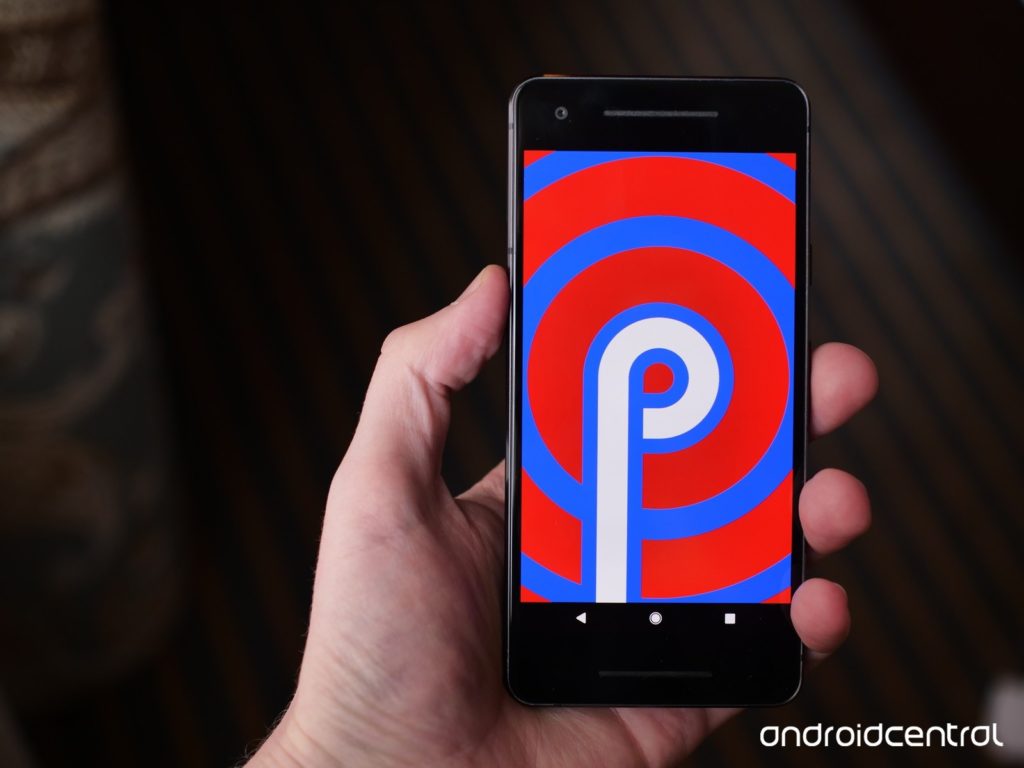
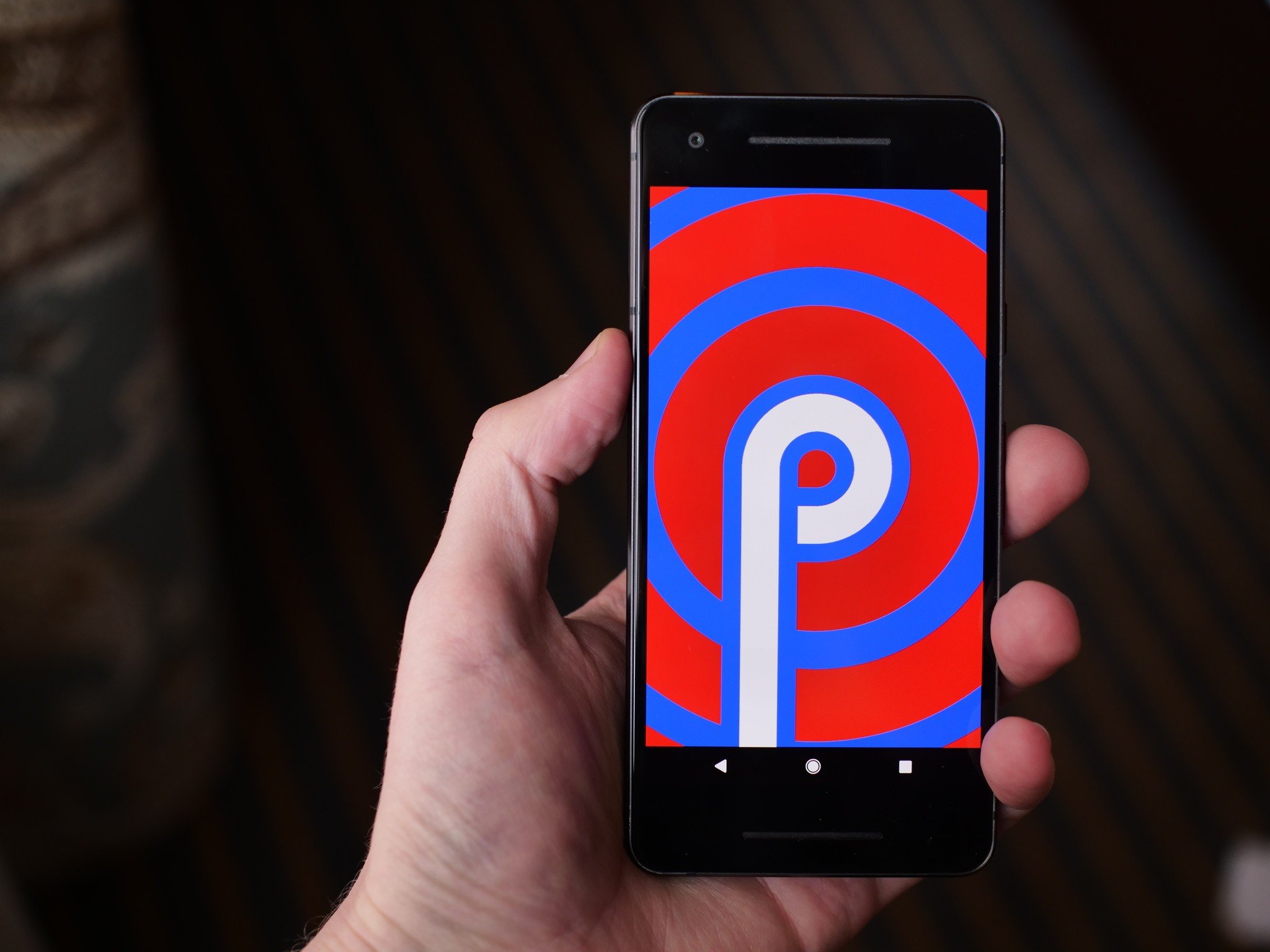
    Androids new operating system replaces all of the navigation buttons with one button, much like pre-X iPhones. Functions previously assigned to buttons will be moved to gesture controls, streamlining the user experience and modernizing the Android operating system. The new system has a focus on security and battery life. Additionally, Android P features a darker overall color palette than previous Android OS’s.

    Google Lens

    Photo Credit: Android Guys

    Google Lens technology allows users to search using their phone camera. I/O 2018 is sure to unveil new functionality and features for the software, including new functionality and integration into upcoming smart phones. The technology is likely to be a focus of Google’s, as it allows the Android platform to further distinguish itself from Apple’s iOS-powered iPhones.

    Google Chrome

    Google is sure to have a lot to say about their Chromebook line of laptops at the event. As a leader in educational fields, the Chromebook has proven very popular with teachers and students. Also expect news regarding tablets running on Chrome OS, following in the example of Acer’s Chromebook Tab 10. Focusing on educational possibilities and Google Smart Home integration seems like the most likely avenue for Google to present their Chromebook hardware.

    Google Home

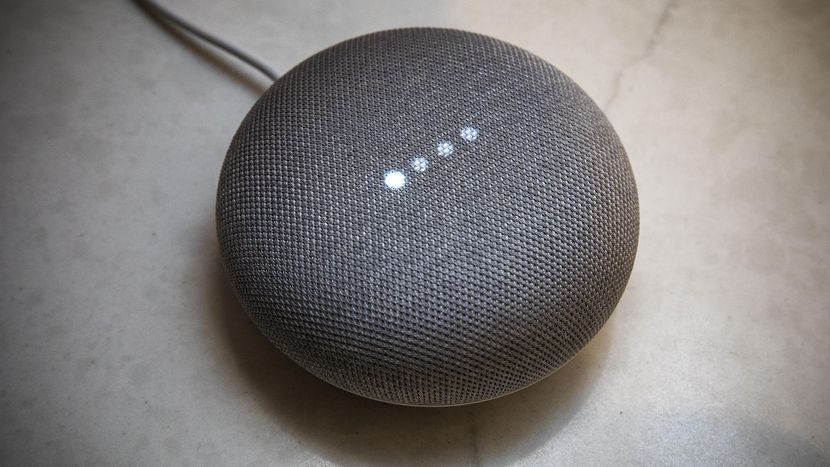
    With the recent success of smart home devices like smart speakers, Google is sure to continue pressing their smart home line. Eager to dig in to Amazon’s successful Alexa-powered Echo series, Google has been emphasizing their smart home integration with products like Google Home Mini and Google Wi-Fi. Likely to be seen at I/O 2018 are Google-branded smart displays and further connectivity between Android phones, Chromebook computers and Google Home systems.

    Wear OS

    Photo Credit: Digital Trends

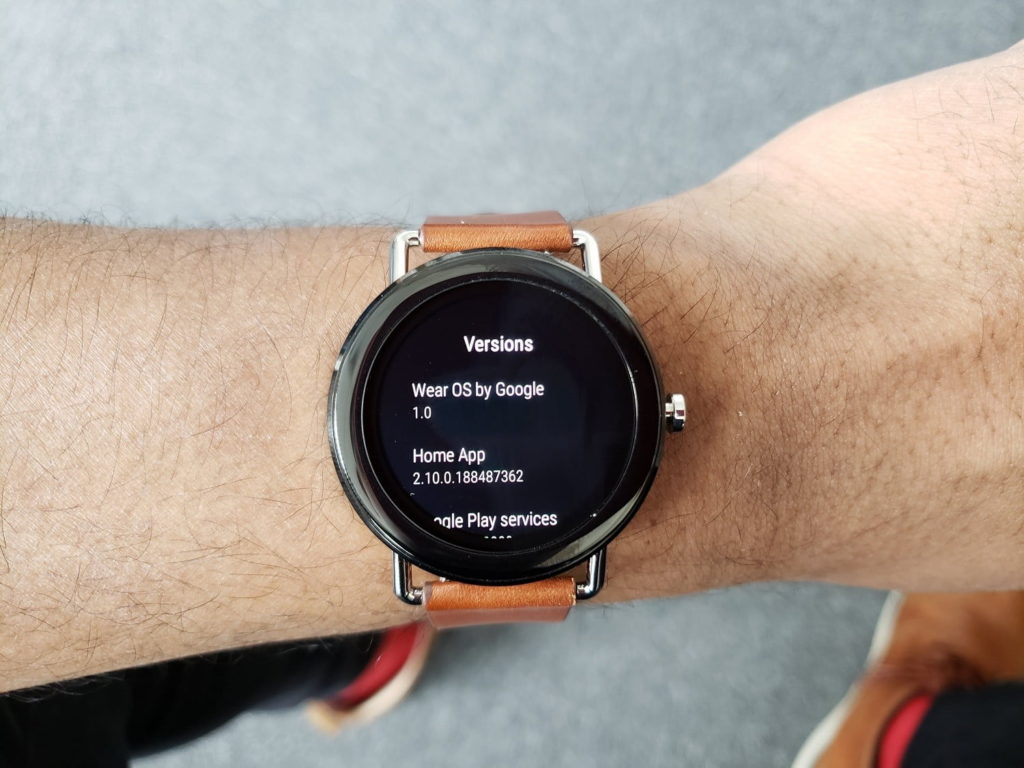
    The recently-renamed Wear OS, once called Android Wear, will likely be a strong focus of Google’s presentation. Capitalizing on the success and popularity of fitness trackers and smart watches, Wear OS seeks to be a strong contender in a field largely dominated by Apple and FitBit. Additionally, voice command features more in line with Google Home-style functions seem to be a new focus for Wear OS devices. A Google-made smart watch is also not out of the question!

    VR Headsets

    Photo Credit: Ars Technica

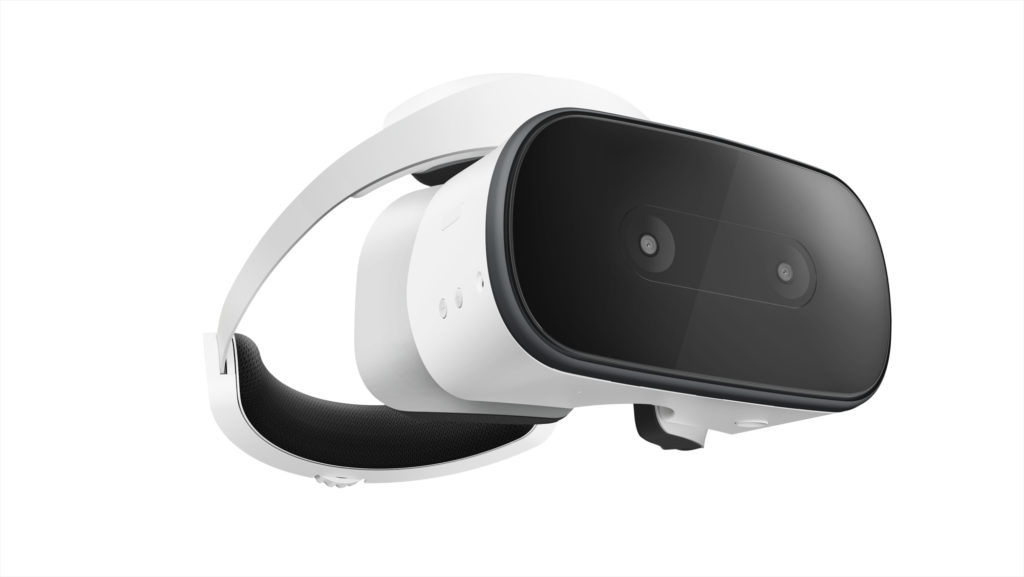
    Another trend Google seeks to weigh in on, standalone VR headsets have proven quite popular, with models like the Oculus Rift wowing gamers and tech enthusiasts alike. Google’s own VR headset, the Lenovo Mirage Solo will certainly have a presence at I/O, and there is a possibility of a Google-developed, proprietary headset being unveiled at the press conference.

    Additionally, YouTube’s 180-degree VR app VR180 is likely to be a strong component of Google’s VR push. The app makes use of new camera technology, like the Lenovo Mirage, to film 180-degree, 3D video for an immersive VR experience.

    Google Duplex

    Google has unveiled this new feature for Google Assistant, an uncannily human-like AI voice pattern that can call businesses for you. The feature uses user data to make appointments and interact with humans who are none the wiser that they are speaking with an AI. This feature is certainly odd, and some have even commented that it has unsettling implications, but it is undeniably convenient. For those with phone anxiety, or busy schedules, this could be a potentially helpful feature. What is unknown is just how advanced and responsive the AI will be when interacting with a wide variety of scenarios and people.

    Google Assistant Updates

    Photo Credit: CNET

    Google Assistant is getting updated in many meaningful ways. For one, the Duplex technology will likely be implemented to allow it to have much more natural, human-like speech patterns. It will be receiving new functionality with children, attempting to teach them to be more polite. Additionally, the technology will soon be able to execute two actions on a single command and continue conversation while executing actions, making the user interface more natural and giving the AI more flow.

    Google Maps

    Google’s GPS app is set to receive augmented reality functionality. The new Google Maps will allow for superimposed directions in a manner that is similar to the Google Lens technology and allows for live tracking of crowds. The ability to navigate crowded city areas on foot by camera is certainly intriguing, making visiting new cities and exploring on foot more attractive and much safer!

    Google News

    Continuing the focus on AI technology, Google News is set to receive updates to increase personalization. As something of a response to growing anxiety over so-called “fake news,” the new Google News initiative uses technology to help users find and support news sources they trust, and to help users fully understand the news they consume. The technology will use your preferences and location to populate your news feed with stories relevant to you. Such a redesign is likely to be a big hit, helping users to trust their news sources and stay informed about events relevant to their lives.

  • Top Ten Coolest Raspberry Pi DIY Projects

    Top Ten Coolest Raspberry Pi DIY Projects

    Anyone who has ever built their own computer and watched it whir to life for the first time can tell you the sheer joy of creating a complicated piece of technology with their own two hands. Operating in that same space is the Raspberry Pi family of DIY-friendly microcomputers. The new Raspberry Pi 3 B+ and the Raspberry Pi Zero W (which sports built-in wi-fi!) are flexible, all-purpose boards capable of tons of awesome applications! Everything from miniature Macintosh computers to retro console emulators can be built from these slick little circuit boards, and here we round up our top ten favorite Raspberry pie DIYs!

    A Disposable GIF Camera
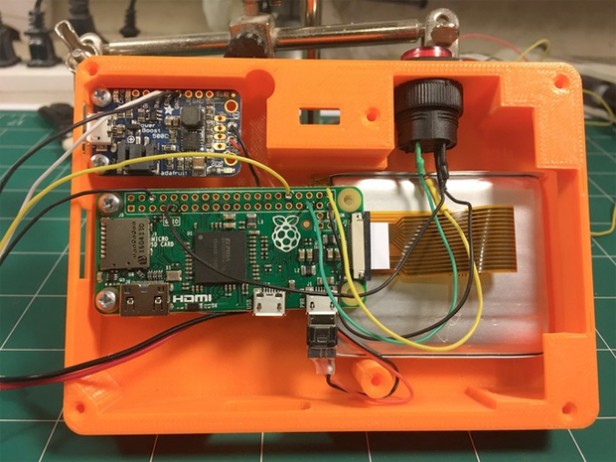
    Photo Credit: TrustedReviews.com

    A neat little piece of throwback-style tech, the Pix-E, pet project of Nick Brewer, takes advantage of the Pi Camera Module and GifCam, PiCamera and GraphicsMagic to create easily-sharable GIFs. With 3-D printable cases and paper print-outs that emulate a 90’s aesthetic, the Pix-E is a stylish and functional piece of DIY tech. It does require a bit of engineering skill: some bread-boarding and a bit of soldering are required to get this sucker moving. The Pix-E would make a neat little addition to a vacation or hike, making GIFs on the fly as you move from place to place!

    DIY NES Classic Mini
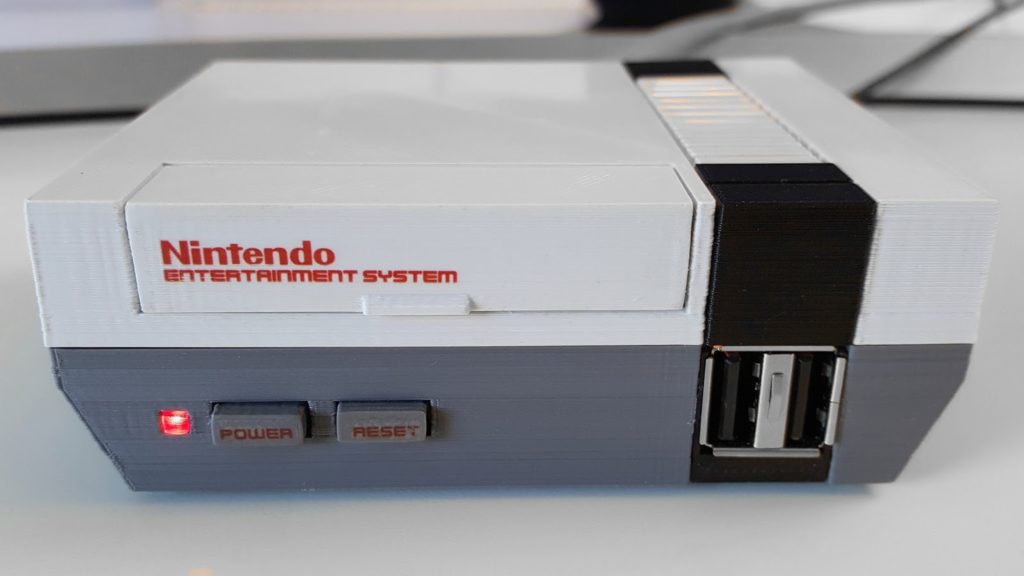
    Photo Credit: RetroPie

    The NES Classic was a much bigger hit than Nintendo anticipated (turns out people love retro games! Go figure!) and sold out everywhere in a matter of weeks. eBay scalpers sell the mini console for many times more than MSRP, and even if you are lucky enough to lay hands on one, it is only outfitted with 30 games. In order to add more, you would need to do some serious hacking to your expensive collector’s item.

    Thankfully, a bit of tech know-how allows you to build your own using Raspberry Pi boards! Using the Pi Zero board and RetroPie software, you can create near-perfect emulation for a fraction of the price of an NES Classic on eBay. You can even get an NES-like case to house the console (or 3-D print one!), completing the look and feel of a retro console!

    Stylish Word Clock

    Photo Credit: HardTech.tv

    Where clocks were once commonplace pieces of simple technology found in everyone’s house, smart devices and interconnected smart watches have all but rendered the traditional clock obsolete. This word clock, by comparison, is a very cool piece of tech to have on a shelf: eye-catching and easily understood, this simple project can lend a hip and stylish vibe to any room! A simple program, some LEDs and a bit of soldering, and boom! A fashionable way to make sure you’re not running late!

    A Functional Desktop Computer
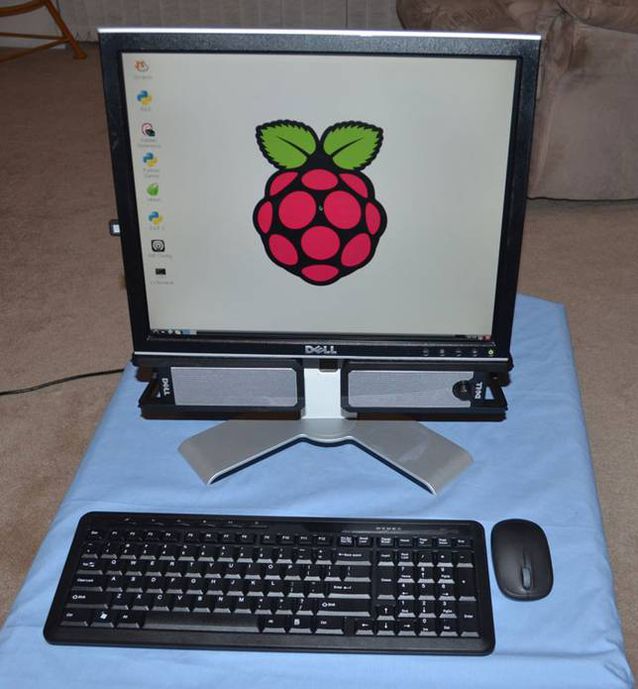
    Photo Credit: Michael Davis

    As adorable as it is functional, the Raspberry Pi can even be used as the brains of a desktop computer. While it certainly won’t be running any modern games or pulling duty as your full-time home computer, it’s a cute project and would work great as a computer for a young child or a student who simply needed access to email, word processors and a simple web browser for research. The desktop even has a very stylish upside: it’s CPU is a tiny circuit board, so it’s easy to mount behind the monitor to save space in an office or bedroom!

    A One-Touch Audiobook Player
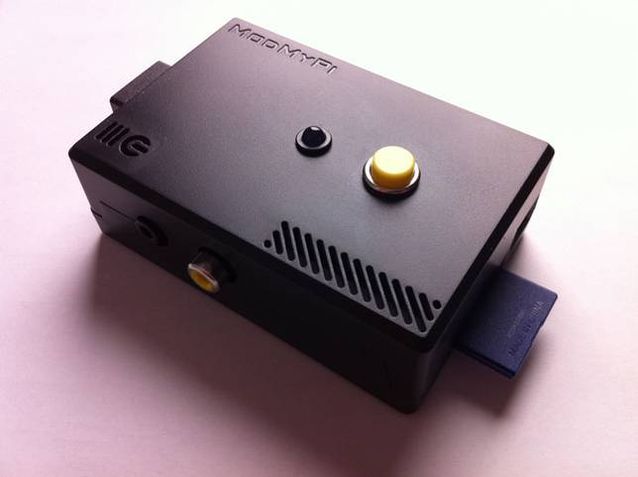
    Photo Credit: Michael Clemens

    The schematics for this minimalist design were drawn up as a prototype to help older users with disabilities easily access audiobooks. The playback device reads the data from a USB port, and then plays the media with a push of the top button. In addition to being very useful for those with disabilities, the player is very minimal and light, and those who wish to keep their smartphone memory from being filled by audiobooks may wish to use this device instead, carrying USB thumb drives loaded with books instead!

    A Kodi Media Center
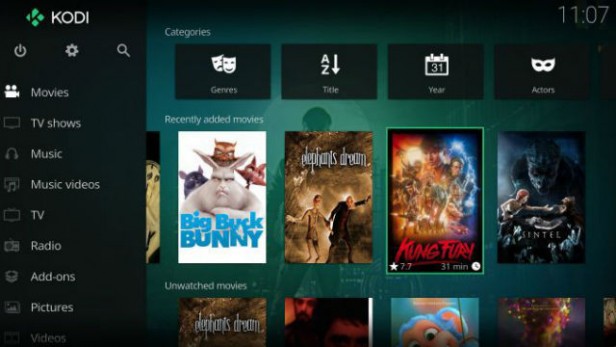
    Photo Credit: TrustedReviews.tv

    While Roku devices, Amazon’s FireStick and SmartTV devices are popular for using official streaming services like Netflix and Hulu, those wishing to customize and personalize their media experience are often drawn to the Kodi platform. Raspberry Pi-based media centers make natural pairs for Kodi, as the two of them are both user-friendly DIY-style products. Using a Wi-Fi USB converter, or a Raspberry Pi Zero W, connecting to wi-fi with a Pi based streaming box is simple and easy. Saving money and getting to watch TV is a win-win in our book!

    MintyPi2.0 Retro Console
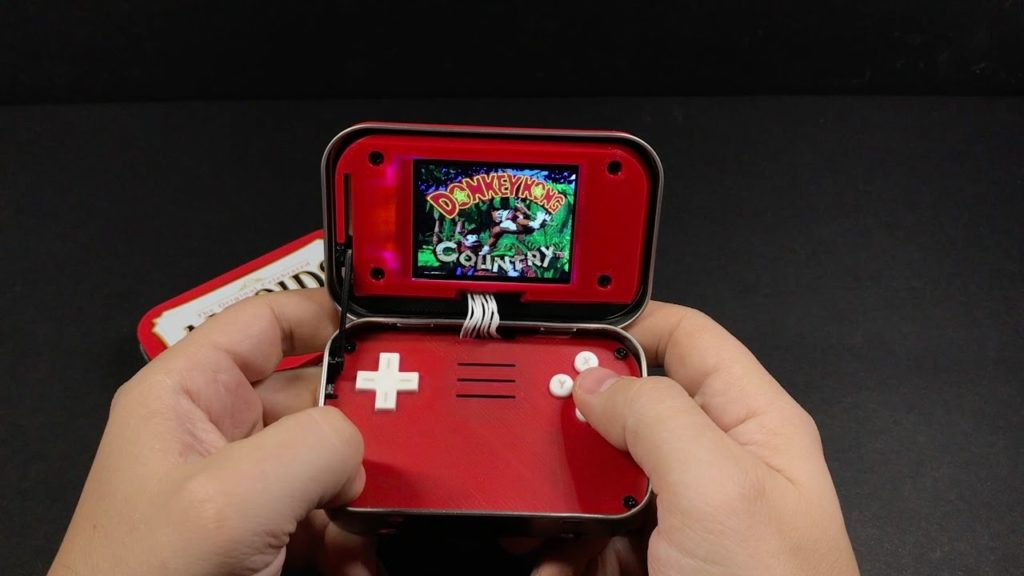
    Photo Credit: YouTube.com

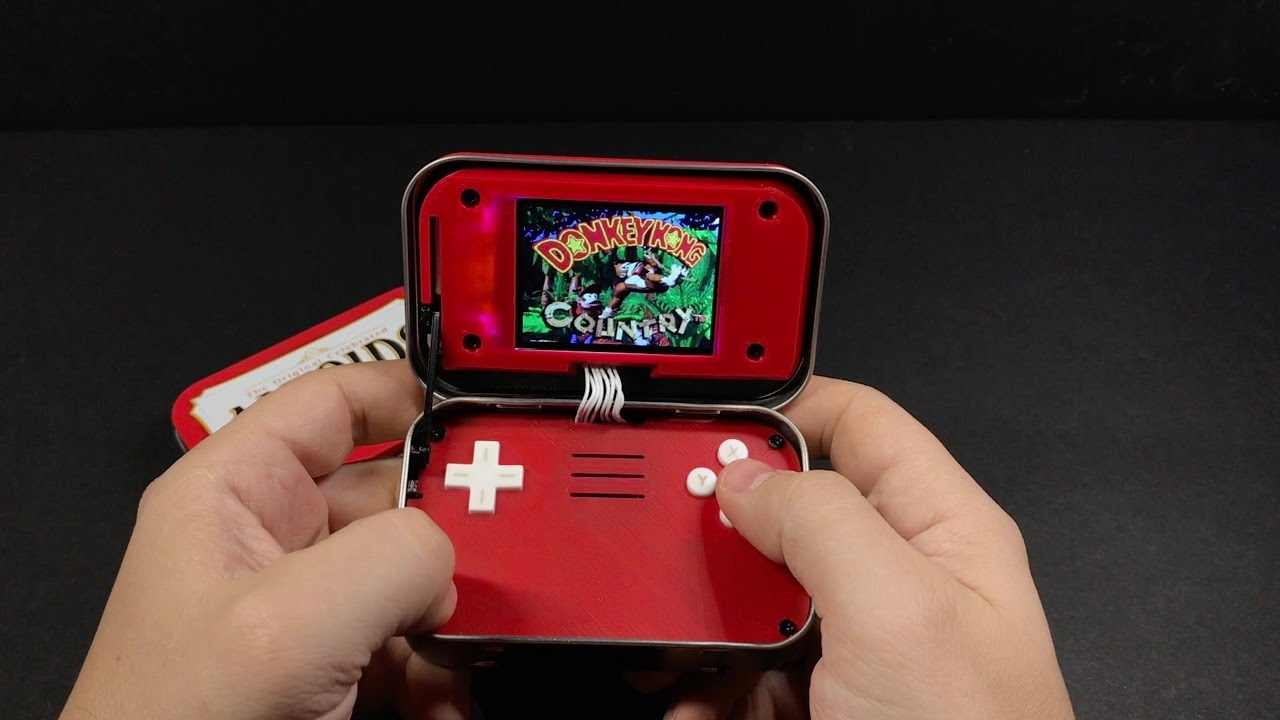
    The tiny, endearing and portable MintyPi retro console fits inside an empty Altoids can. Using Zero W boards allows for built in wi-fi to update and games. With a form-factor reminiscent of the GameBoy Advance SP model, the MintyPi is a delightful little device and controls beautifully. While creating one of these devices requires a good deal of 3-D printing, soldering and technical know-how, the finished product is an enviable, minty little piece of tech! Full guides for how to build these are available online!

    Mini Lego Macintosh
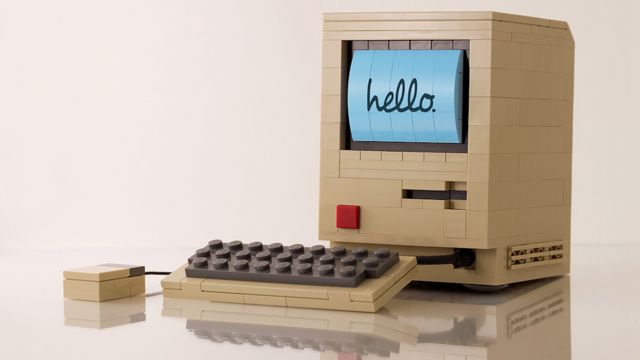
    Photo Credit: Mactrast

    Using a very small e-paper display, sporting a lego housing and powered by a Raspberry Pi board, Jannis Hermanns created this tiny, adorable Mac. The device technically functions but is so tiny and simple that it’s mostly a labor of love and adorable conversation piece. While Hermanns has posted guides for how to create these online, creating your own Mini Mac would require quite a bit of soldering and careful work with tiny parts. However, Mac and Lego enthusiasts would likely find such a project very rewarding!

    Arcade Table
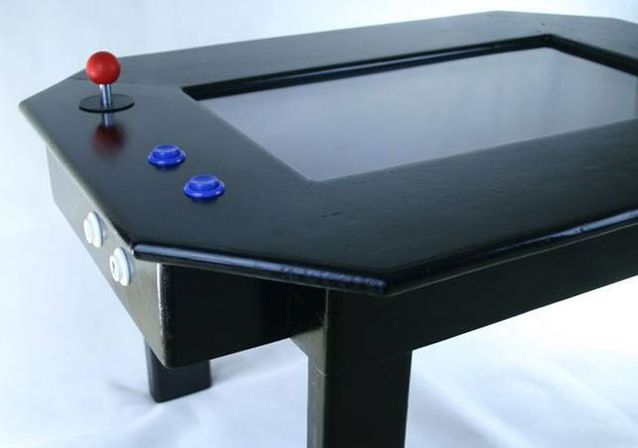
    Photo Credit: grahamgelding

    Echoing the table-top arcade design of pizza parlors and bowling alleys, this cool blend of furniture and technology is powered by a Raspberry Pi board. Capable of playing classics like Space Invaders, Galaga, Asteroids and Pac-Man, as well as browsing the internet and displaying cool images, this table would make a welcome addition in any game room or den. While a good bit larger and more involved than many other projects on this list, this gaming table would make a striking impression on friends who came to game!

    Electric Skateboard
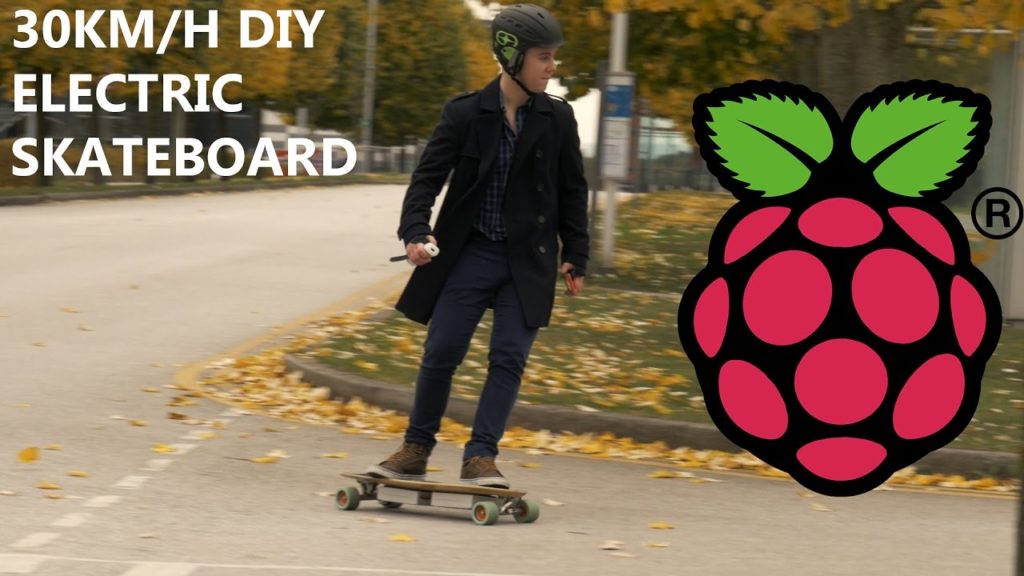
    Photo Credit: YouTube.com

    Our favorite DIY project yet has got to be this stellar electric skateboard project made by YouTuber “the Raspberry Pi Guy,” who is known for his DIY work on his channel. Powered by a Raspberry Pi board and controlled from a Wii Remote (yes, that Wii. I know, right?) this electric skateboard is an awesome intersection of extreme sports, video game peripherals and circuit boards. Really, a nerdy kid’s dream tech. The assembly and code for this project are all quite simple compared to how awesome the finished project is, and as such makes a great DIY for a user looking for a first “big” project!

    Anxious to get started? Be sure to check out our top recommended Raspberry Pi Starter Kits!

  • The Best Raspberry Pi Starter Kits

    The Best Raspberry Pi Starter Kits

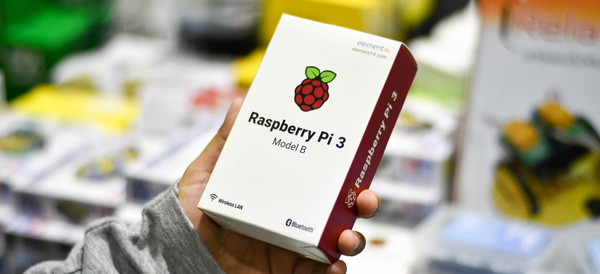
    The tiny, easily customizable computer Raspberry Pi is a very popular choice for aspiring tinkerers and DIY enthusiasts. The flexible, affordable Raspberry Pi technology is somewhat daunting for new users, so to help you make an informed decision, we’ve rounded up our favorite Raspberry Pi starter kits! Whether you’re looking to make a retro game console or a DIY desktop computer, we’ve found the kit for you!

    Vilros Raspberry Pi 3 RetroPie Arcade Gaming Kit

    For gaming enthusiasts who may have missed the chance to own an NES or SNES Classic during their limited release windows, Vilros has this excellent starter kit for $84. Unlike the official Nintendo mini consoles, the RetroPie is not limited to certain specific games or even systems. The RetroPie software included with the kit can emulate a wide variety of retro systems, including the Game Boy, Dreamcast, Neo Geo and others.

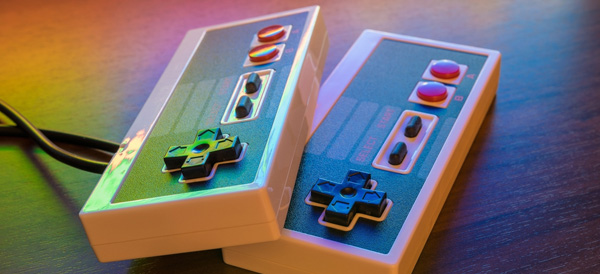
    This kit comes with a power supply cable, heat sinks, an HDMI cable, a 32gb microSD card, and, importantly, two SNES-style USB controllers. The highlight of this kit is the adorable and sturdy NES-style case that can house your tiny computer, completing the retro aesthetic of any emulation project.

    Raspberry Pi 3 Desktop Starter Kit

    The Desktop Starter kit is a great, affordable option for those who have an HDMI cable already on hand and simply want to get started tinkering. For $60, this officially licensed starter is a great value, and comes with a case for the computer, a power supply, a 16gb microSD card, and comes pre-loaded with NOOBS and Raspbian software.

    This starter kit is great for those who simply wish to start on projects right away, or who have projects that don’t require HDMI cables and want to save money over more involved starter kits, like the aforementioned Vilros Retro Kit. It is worth noting, however, that this kit also doesn’t have any heat sinks, which means you’ll need to provide those yourself if you don’t want to risk damaging your computer. However, for those who are already savvy builders with tech know-how, this kit is a great way to introduce yourself to the Raspberry Pi platform.

    Sunfounder Picar-S Raspberry Pi 3 Robot Car Kit

    The most expensive starter kit on this list, but also the most involved, the Robot Car Kit is $160 and tons of fun. This kit comes with everything you need to build your own remote-controlled car, and comes equipped with sensors to detect light sources, follow preprogrammed paths and even navigate around obstacles!

    The car can even be controlled via an app from a phone or a computer, making it an excellent project for a young robotics enthusiast or an aspiring builder! As a first foray into more “active” Raspberry Pi builds, this car kit is a fun way to learn about the Raspberry Pi platform, and mechanics in general.

    CanaKit Raspberry Pi 3 Complete Starter Kit

    Canakit’s starter is a fantastic all-around choice for enthusiasts to begin their projects. For $70 you get a Raspberry Pi 3, a glossy black case, a 2.5-amp power supply cable, heat sinks, an HDMI cable, and an all-important 32gb microSD memory card. This kit comes pre-loaded with NOOBS software to get you started, and CanaKit also offers a $50 version of the kit with a clear case for those who wish to show off the circuit board that makes their computer tick.

    This kit is by far the best selling Raspberry Pi starter, and for good reason: everything you need to start your own projects is right here. Made with newcomers to computer-building in mind, this kit has all the basics you need to get started with your own inventions. Highly recommended to those with little to no experience building computers or working with hardware!

    Want More Raspberry Pi?

    If you liked this article, make sure to check out our Top 10 Raspberry Pi DIY Projects! Maybe you’ll find inspiration for your next project!

  • The Best Retro USB Controllers

    The Best Retro USB Controllers

    Retro is back in a big way, and nothing shows that more than the popularity of retro re-releases like the SNES and NES Classic consoles, the presence of game anthologies on Steam, and RetroPie custom gaming rigs. If you’re a retro enthusiast, chances are you’re looking for the best USB controller to relive some of those classic games. Well, look no further, because we’ve found four awesome USB controllers that you’re going to love!

    Retrolink N64-Style Controller

    While the N64 controller itself is somewhat awkward and more than a little difficult to use with most games, if you plan on playing N64 games via emulation, the Retrolink is great. The controller has a great make, with satisfying, clicky buttons and good feedback, but is hindered by the very thing it is: it’s shaped and laid out just like an N64 controller, for better or worse. This controller has little appeal across a wide library of retro games, but if you’re looking to play Ocarina of Time, or Mario 64, and want an authentic experience, then the Retrolink is for you! The Retrolink can be picked up on Amazon for around $15, making it a very affordable option for those seeking to emulate via RetroPie rigs.

    Hyperkin Genesis Controller

    For those who grew up loving the little blue hedgehog over the mustachioed plumber, the boomerang-shaped Genesis controller design holds a special place in their hearts. This controller features the iconic glossy black look and boomerang shape of the controller that inspired it and sports the full six face buttons. If you’re absolutely diehard about Sega and want to play nothing but Genesis titles on your RetroPie or through Steam, then this controller will feel right at home in your hands. However, for more general retro gaming, I still have to recommend the Buffalo Classic Gamepad, as the classic SNES design is tried-and-true, and just feels more natural on so many retro games. However, if your nostalgia is for the forgotten glory days of Sega, you won’t be disappointed by the Hyperkin.

    8BitDo SNES30 Pro Wireless Controller

    8BitDo’s SNES30 Pro is an odd-looking gamepad at first, as it appears, at first, much like the North American SNES controller, but it also sports two analog sticks, much like Sony’s Dualshock controller. The SNES30 Pro is wireless, using Bluetooth to connect, which certainly adds to the controller’s cost: it’s around $50 from Amazon. It’s also a bit on the small side for being a dual-analog controller, measuring nearly the same as the Buffalo Classic. This can be a problem during extended play periods when using the analog sticks, as those with larger hands will likely find their hands cramping during play. However, if you plan on playing some 3D retro games, or you don’t mind the small size, this controller is an excellent choice!

    Buffalo Classic USB Gamepad

    Our pick for best retro gamepad! Sporting a look straight out of the early 90’s, this game pad is a pretty faithful clone of the SNES classic dog-bone style controller design. The make on this controller is exceptional, the buttons have great resilience and action, and the D-Pad clicks and reacts just like the fantastic SNES original. You can snag this beauty on Amazon for $20, and I couldn’t recommend it more for retro 2D gaming. However, the lack of analog sticks means this controller is nearly unusable for 3D games and is best used on SNES and Genesis-era titles. However, that’s less bug than feature, and for games from this era, you won’t find a better controller.

    Looking for an Easy Way to Make Your Own Emulator?

    Check out our article on the best Raspberry Pi starter kits! Within, you’ll find our picks for the best kits to use when starting your own Raspberry Pi project, so you can get started making your own retro gaming rig!

  • Our Favorite Smart Speakers

    Our Favorite Smart Speakers

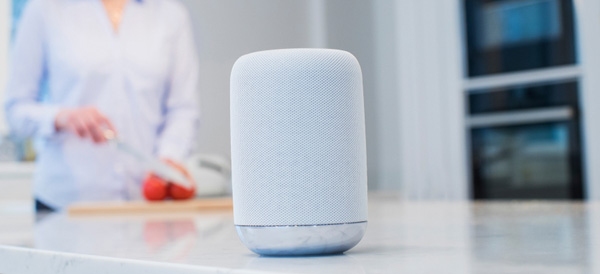
    Smart devices are a fantastic companion to a busy lifestyle, helping you organize your event and play music with your voice. Streamlining all your digital needs with a virtual assistant is easier than ever thanks to the large number of smart speakers on the market. Which one is right for you? Read on to find out which speakers we love!

    Sonos One

    The Sonos One sports great sound quality and comes with Alexa, Amazon’s personal assistant software. Sonos One can pair with other speakers to produce stereo sound and can even be used as a home sound system. The speaker’s high sound quality is complemented by Spotify compatibility. The only thing going against this speaker is the price, coming in at around $400. That said, it’s a great buy if you want a high sound quality and tons of flexibility in a home sound system.

    Google Home

    Google’s answer to the Amazon Echo, the Google Home has its own proprietary virtual assistant. Alexa and Google Home have a lot in common, but Google’s speaker has the edge in terms of aesthetic and general audio quality. However, Alexa is a more robust software suite, sporting much more fleshed-out response cases and more general usefulness. Google Home, retailing at $129, is a spot cheaper than the Amazon Echo, and for those of you who are Google die-hard fans, or just prefer the aesthetic of the Google Home, it’s a fine speaker and well worth the cost.

    JBL Link 20

    The JBL is a great option for those who want a portable answer to the Google Home. At a reasonable price point of $150, and with a stellar battery life of 10 hours, the JBL Link 20 is great for backyard cookouts and pool parties. Speaking of pool parties, the JBL is also water resistant, able to withstand around half an hour of submersion! If you’re active and often in the backyard, the JBL is for you!

    Amazon Echo Dot Gen II

    Our favorite home speaker is the Amazon Echo Dot’s second-generation model. You can grab this speaker from Amazon for $240, and you certainly won’t be disappointed in it for that price. Alexa is a fantastic home assistant, responsive and user-friendly. The Echo Dot is a high-quality speaker, although not quite as impressive as the Sonos One, but what it lacks in raw sound output, it makes up for in solid all-around performance as a smart home device. It’s really the best overall speaker for the price.

  • How Camera Lens Accessories Surpass Smartphone Camera Limitations

    How Camera Lens Accessories Surpass Smartphone Camera Limitations

    One of the greatest things about smartphones is the simple fact that you always have a camera on you. Gone are the days of lugging around a point-and-shoot camera… and thank goodness! To make matters even better, Apple, Samsung and other smartphone makers are constantly one-upping each other and packing better and better cameras into their tiny devices.

    But smartphone photography is still underwhelming when compared to the kinds of photos that a full-featured digital camera can take. However, there is some middle ground that is now being explored by manufacturers of smartphone camera lenses. Does snapping on an external lens turn your smartphone into a professional camera? No, but it does offer some advantages for those looking to capture certain types of images.

    Limitations of Smartphone Cameras

    First, let’s quickly explore exactly why your smartphone camera is limited compared to other types of cameras. A camera lens needs light in order to take a picture and your phone has a tiny lens. That means less light. And because the lens is embedded into the phone’s case, there is no optical zoom capabilities. The digital zoom that smartphones can perform reduces the quality of your photo drastically.

    Where you get your real bang with smartphone photography is through the software. The post-image processing that occurs on a top-of-the-line device allows you to take photos that look better than they would without software. This is most evident if you use portrait mode or take panoramic photos, but it applies to every shot.

    Surpassing Limitations

    Smartphone camera lenses really shine when a photographer is looking to get around the basic limitations of their lenses that we described above.

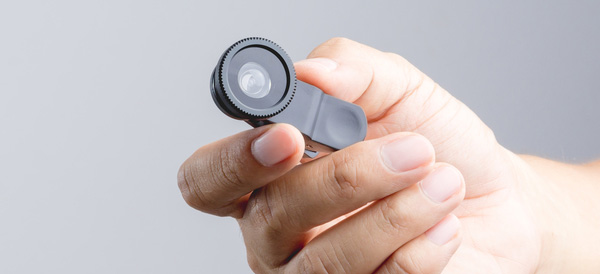
    A telephoto lens will allow photographers to achieve optical magnification to zoom in and get photos that are more crisp than digital zooms.

    Wide angle lenses and fisheye lenses allow the photographer to capture more in their frame. The fisheye apps out there don’t even come close to achieving what even a snap-on fisheye lens can achieve.

    Macro lenses will allow a photographer to get those up-close photos without having to fight the smartphone on focusing while holding the camera close.

    Who Needs a Smartphone Camera Lens?

    It really boils down to specific photo needs. If you need to take macro, zoomed, wide angle or fisheye photos with your smartphone, then a lens is absolutely worth it.

    The casual smartphone photographer who just wants to take snaps when the opportunity arises will most likely never need a lens accessory. Their needs are just too basic. The hassle of lugging around and caring for external lenses are probably not worth it.

    But whether or not it sounds like you need a camera lens accessory, happy shooting!

  • The Best Nintendo Switch Accessories

    The Nintendo Switch has put Nintendo back in the limelight. After the success of the original Wii and the failure of the Wii-U, it seems that the mojo is finally back. Gamers everywhere are enjoying console-quality gaming on the go.

    Not only has the Switch sparked the imagination of its consumers, it has also created an accessory niche that third-party companies are taking advantage of. Here are the best accessories you can get for your Nintendo Switch.

    5. Screen Stand

    amazon

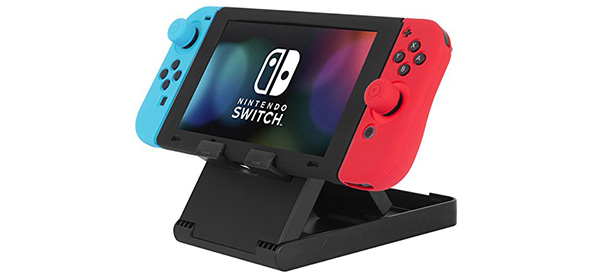
    With its detachable Joy-con controllers and overall portability, the Switch is practically begging for a stand. While this is a typically inexpensive accessory, there are a few features you’ll want to be sure to get: Adjustable angles is almost a requirement, as is the ability to fold the stand flat for easy packing. Finally, make sure the charging port is available for use while the Switch is sitting on its stand.

    4. Joycon Grips

    amazon

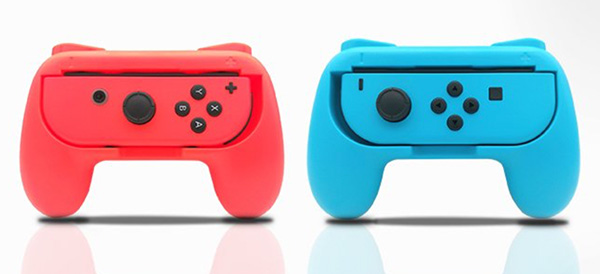
    The detachable Joy-con controllers are easily one of the best features of the Switch. The portability and ability to turn one controller into a pair is brilliant. However, for those with larger hands, the Joy-cons can be a little problematic. And for travel, the Pro controllers can be too bulky. This is where Joy-con grips come into play! Like the stand, there are several companies making these products. If possible, get your hands on one before you buy – comfort is key.

    3. External Battery

    03-external-battery

    amazon

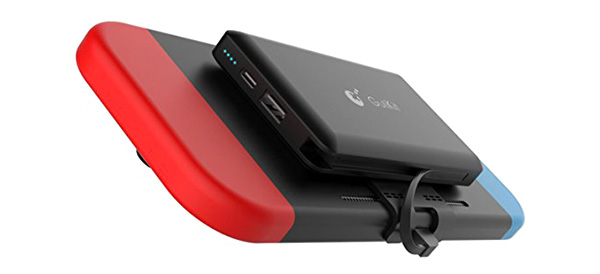
    One of the most common complaints about the Switch is how fast the battery drains. For those with short commutes or easily accessible charging stations, it’s no big deal. For others, the relatively low battery life in the Switch is a deal breaker. Luckily, there are some external battery solutions available. While they are more expensive than some of the other accessories on this list, having a mounted backup battery on your Switch could be a necessity for long commutes or remote play sessions.

    4. Dock Mount

    02-dock-mount

    amazon

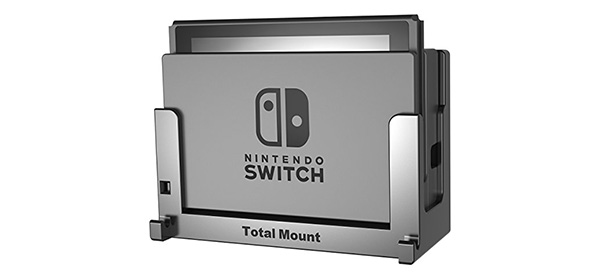
    Sticking the Switch dock in your television cabinet may not be the best way to get easy access to your device. And if it’s already cramped with other consoles, the unusual vertical orientation may not fit at all. So, mounting the dock may end up being your best bet. A third party solution like this one allows you to mount the Switch against your wall (or side of your cabinet) and even keep it running cool with a fan.

    5. Nintendo Labo

    01-labo

    nintendo

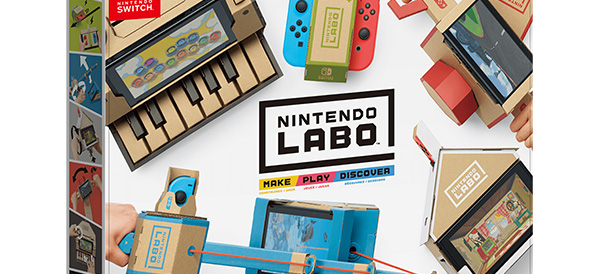
    Topping our list is Nintendo’s very own accessory called the Nintendo Labo. The Labo allows you to craft different cardboard “Toy-Con” creations like robots, guitars, stands, motorcycle handles and more. You can purchase a variety kit with a lot of different projects or single purpose kits. And of course, you can mix and match to create your own unique creations.

    We give the Nintendo Labo high marks for out of the (cardboard) box thinking!