Category: Gadgets

  • Airmega 400S  Clean Smart Air

    Airmega 400S Clean Smart Air

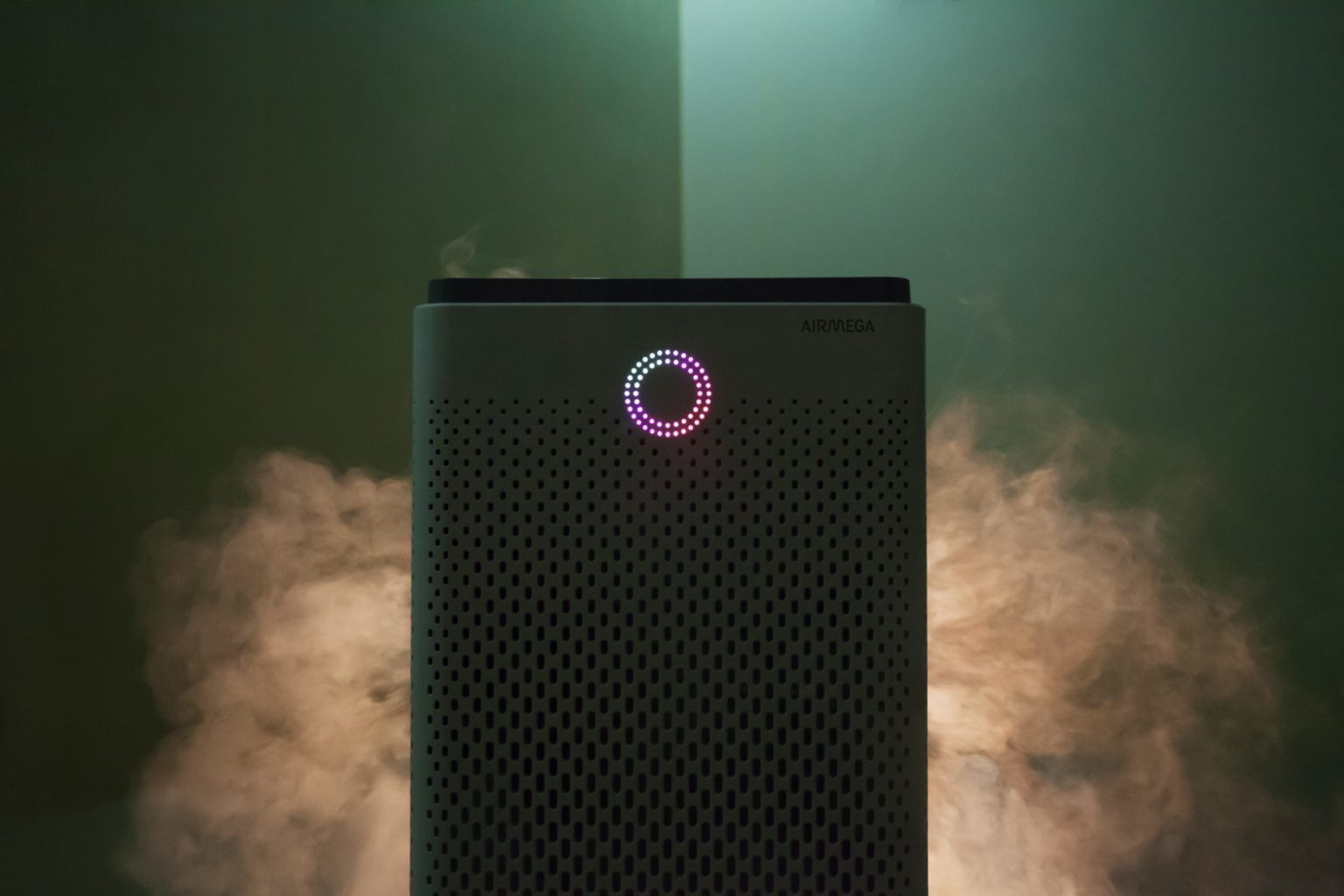
    The Airmega 400S  is a luxury air filter, a sci-fi lounge monolith with touch-sensitive controls and a ring of colored light that turns with the air quality. High-end in fit, finish and capacity, it’s also very online, with Internet-of-Things features and a stat-tracking app. Its $600 only, yay.

    The Great

    • Excellent room coverage – perfect choice for larger spaces
    • Great coverage also for asthma and allergy sufferers, who need extra air changes per hour
    • HEPA filter technology for maximum particle removal
    • Carbon filter removes 99% of harmful VOCs from the indoor air
    • Real-Time Pollution Sensor – LED colored ring makes it very easy to identify air quality offenders at a quick glance

    The Not

    • Issues reported with WiFi connectivity – sometimes difficult to pair up
    • No castors, so there may be mobility issues for some people
    • Limited choice of colors and no customization options


    The Conclusion

    The Airmega 400S can keep the air clean in up to a whopping 1,560 square feet of living space, so it’s well worth its considerable price tag. The device has a built-in real-time air-quality sensor, as well as a sophisticated dual-filter setup that allows it to keep both particles and odors at bay. You can control the air purifier via a sleek smartphone app or Amazon Alexa. The Airmega 400S is available in graphite or white.
     

    First Off How Well Will It Work

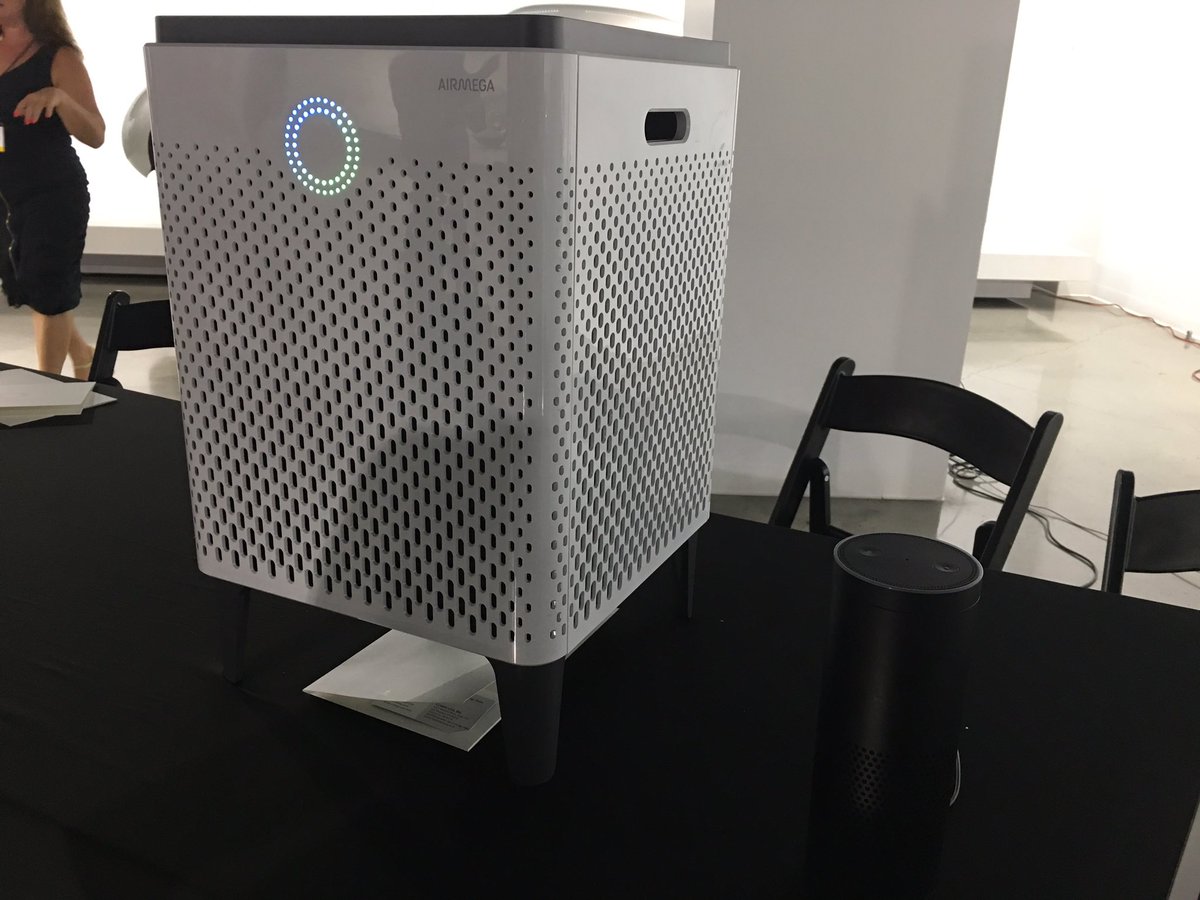
    Setting up this side-table-sized (23 x 15 x 15 inches) air purifier takes a total of 10 minutes and mostly involves peeling off a bunch of protective plastic and removing the wrapping from the unit’s two Max2 filters. Because this model also has wireless capabilities, it has a dedicated app that lets you set up air purifying schedules, check the air quality outside, and control the Airmega while you’re away from home. As with other connected smart home devices, this part of the setup process involves downloading following a handful of on-screen instructions in the app to connect the 400S to your Wi-Fi network.
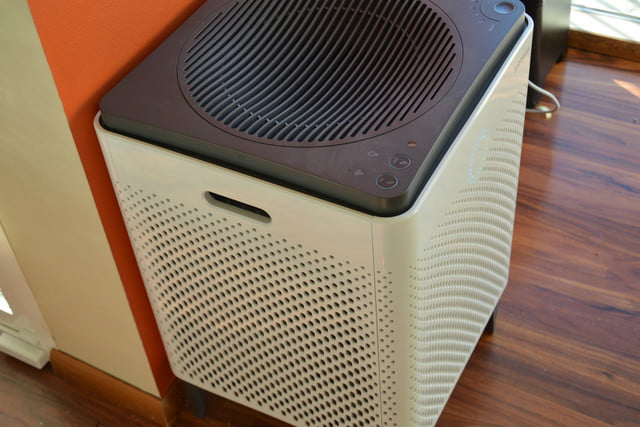
    While we didn’t have a fancy lab or equipment that could accurately measure particulate or VOC levels, I did subject the 400S to as many real world tests as we could dream up. We cooked, we lit candles and matches, we even emptied the contents of dirt and dust-filled Roomba near the air purifier. As the doting owners of a 110-pound, perpetually shedding golden retriever named Benjamin-Mattdamon Affleck, I also subjected the Airmega to the dander wonderland that is our home.

    Results, terrific. It would pass any EPA clean air test if the EPA was still around. It’s dead quiet, too, especially at the lowest settings. There is not the slightest buzz of vibration. Washing and replacing filters is very easy. It messages you when they need a bath.  It’s about the size of a desktop mini-fridge, significantly larger than most consumer air filters, with three HEPA filters and the promise of full-house coverage. 1,560 square feet, they claim, which would make it competitive on a price-per-square-foot basis with less expensive models.

    What Makes This So Smart

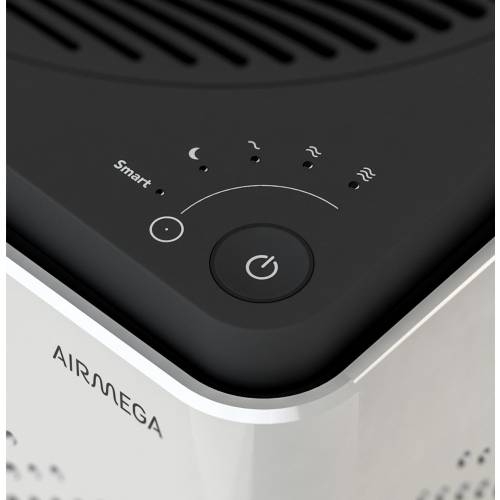
    The Airmega 400s features 3 such ‘smart’ modes – auto, eco and sleep.  Let’s take a look at each.

    Smart Auto Mode

    If you decide to engage the auto mode feature the unit uses a sensor to detect how much pollutants are in your indoor air and then adjusts the fan speed accordingly.There are 4 fan speed settings on the Airmega 400s – sleep, low, medium and high. As a rule of thumb, the more pollutants are detected, the faster the fan will operate.When the sensor recognises that the indoor air quality has improved it will switch back down to a lower fan speed.
     

    Smart Eco Mode

    If the unit is in smart mode and the sensor has detected good air quality for a period of 10 minutes, the machine will automatically shut down the fan.This helps to save on your energy consumption, and in turn saves you money on your electricity bills, as it means you’re not running the air purifier when it’s not necessary.The fans will automatically start back up again should the sensor detect any pollution later.


    Smart Sleep Mode

    In sleep mode the unit will reduce its noise and power consumption if the sensor detects the room has been dark and the air clean for a period of 3 minutes. Like the eco mode, this feature is good both for the environment and your bank balance! It’s also handy if you plan to use the air purifier in your bedroom at night as it helps to minimise disturbance and let’s you get a better nights sleep.


    In recognition of the fact that so many of us like to use our phones for day-to-day tasks, Coway have developed a smartphone app (IOS and Android) which lets owners of the Airmega 400s control many aspects of their air purifier remotely.For example, you can set the fan speed and sleep timer, see the status of the filters, and access the different smart mode controls.

    You can also receive indoor air quality reports and real-time updates on outdoor air quality and pollution levels for your particular hometown straight to your phone . This lets you track the health of the air inside a room over a period of a few days or weeks, and is useful for identifying trends and the times when the air quality is at its best and worst. The Airmega 400s air purifier can also be paired with Amazon Alexa

    The Final Thought

    I’m extremely dubious about the utility and wisdom of an IoT air filter. But if you know you need an air filter, and you need one that’s attractive, quiet and very high-capacity, where a $300 Honeywell (or HEPA filters duct-taped to a box fan) would just be unacceptably loud, trashy or ugly, then I have and air purifier Id like to show you. I will say that in testing this for a review it is one of the few products I reviewed myself into buying. What? I like clean air and smart toys.

     

  • Sony Glass Speaker an OK Sounding Work of Art

    Sony Glass Speaker an OK Sounding Work of Art

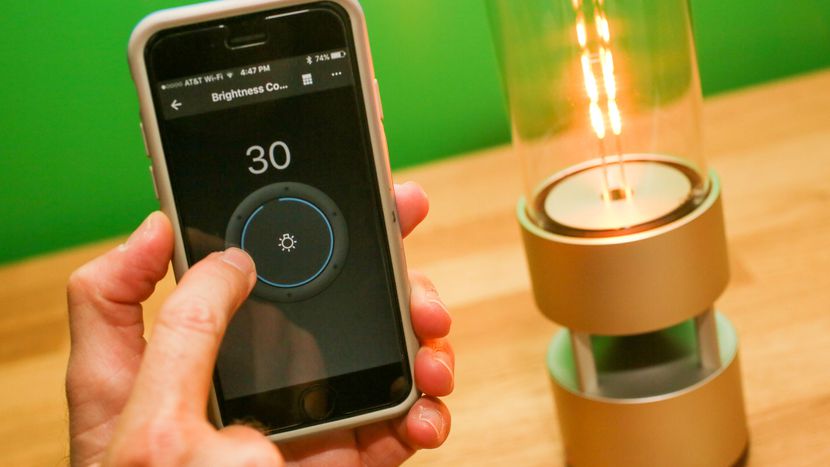
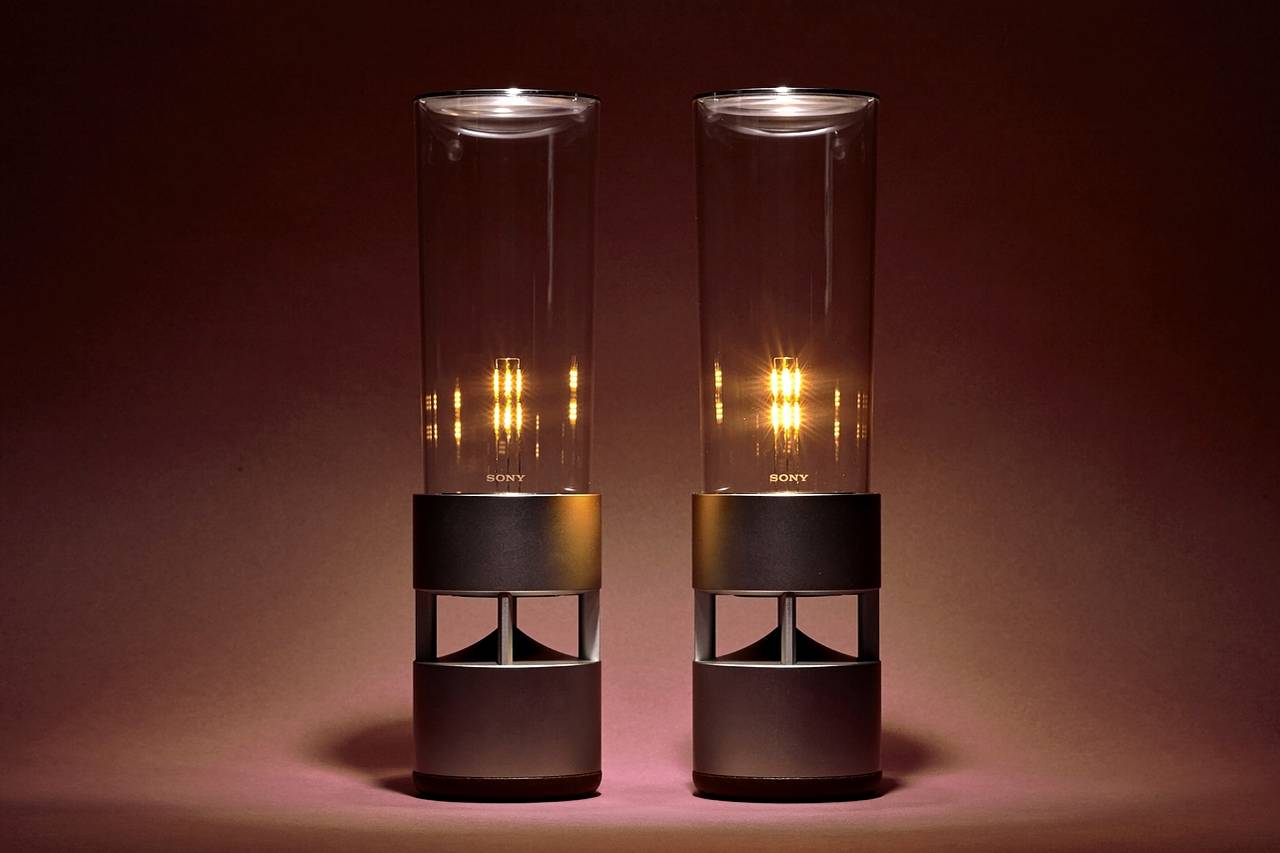
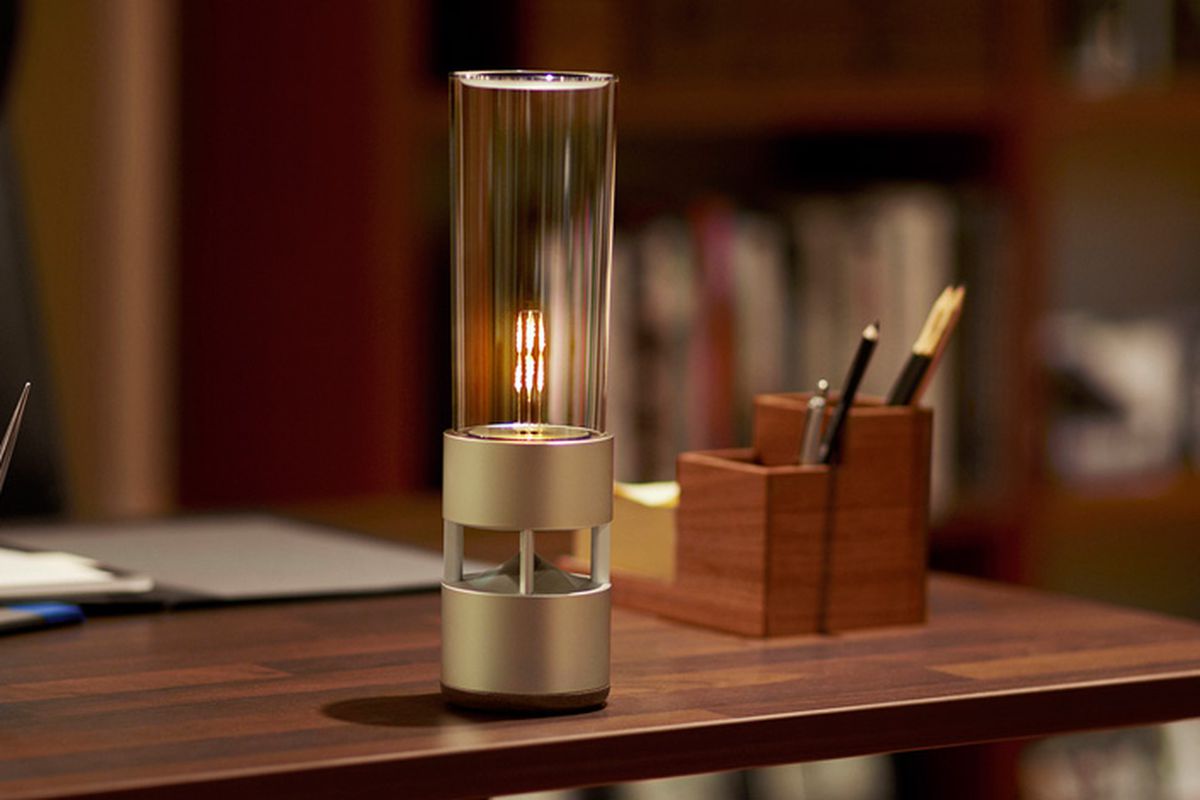
    The Sony LSPX-S1 Glass Sound Speaker brings light and incredible sound to any room with its soft LED filament combined with a cylinder-shaped design for the appearance of a lantern. This wireless audio device features an organic glass-tube tweeter surrounding the LED that also functions as the tweeter and a built-in 2-in woofer for clear, balanced music. Listen wirelessly over Bluetooth, plug in or use the built-in battery. The LSPX-1 is crafted with a solid aluminum body that delivers high-fidelity audio in a stylish design. The base of the Bluetooth speaker features a passive bass radiator built-in for big, powerful sound. Each of these features combine to craft a fully detailed 360-degree soundstage that sounds as beautiful as it looks. You can enjoy up to four hours of audio playback with the built-in rechargeable battery, allowing you to take the mobile speaker on the go.

    The Great

    • Beautiful, Almost an Art Piece
    • Portable
    • Bright,
    • Clear highs and rich bass delivered from seemingly hidden drivers
    • Dimmable LED light delivers warm, Edison bulb-like ambiance.

    The Not

    • Expensive
    • Not a ton of bass
    • Battery life is so-so.

    The Conclusion

    The Sony Glass Sound Speaker has a very cool, transparent design and is equipped with an integrated LED light that’s dimmable from your phone. It delivers clean, crisp sound at moderate volumes and has a built-in battery for portable use (4 hours of batter life).  If you can afford it, Sony’s Glass Sound speaker is beautifully designed, sounds good and complements minimalist, modern decors


    As a half wireless Bluetooth speaker, half lantern with a dimmable LED bulb that mimics a flame, it’s got double mood setting potential. It an also be moved around freely because it’s got an integrated rechargeable battery that gives you around four hours of music playback, depending on the volume level. You can also just leave it plugged in if there’s an outlet nearby.

    It’s one of those products you really want as soon as you see it, but its $800 price tag is an instant buzzkill unless you happen to be a lottery winner or a Rockefeller.


    OK, so this speaker’s a splurge, but it’s worth it! This gorgeous glass speaker by Sony will not only deliver 360-degree sound with exceptional quality, but it also improves the ambiance in your home via an LED filament light. The latter delivers a soft glow that resembles a candle or a lantern.

    You can control the speaker and its light via a smartphone app (available for iOS and Android), as well as pair a duo of LSPX-S1 units for an even more fulfilling sonic experience. Overall, it’s a pricey proposition that’s a true conversation piece.


    The Design

    Ok, so its beautiful. Its like a magnificent piece of art you would want to be displayed and have stuffy conversations about. The unique design—a tall, clear tower enclosing an adjustable LED light—even earned the item inclusion in the Museum of Modern Art’s online store.

    According to the site, the speaker is one of MoMA’s best sellers. The ad copy gushes that Sony has managed to “create a new kind of living experience,” one that looks like a “sleek, softly glowing lantern but is also a powerful speaker with breathtaking sound quality.”


    The Sound

    The bass has mediocre impact and the lower bass is lacking in power. The midrange is thin and somewhat hazy. And, working my way higher in tone, the lower and mid-treble are subdued while the upper treble is overly prominent with a sizzly sound. The overall sound quality is somewhat harsh at higher volumes.

    With some speaker models, I find that adding a second unit really improves the overall sound, but that wasn’t the case when I  tested a pair of the Sony Glass Sound Speakers. Our testers found that the sound remained thin. Though the bass was slightly more robust, everything else was somewhat hazy and congested.


    The Final Thought

    While obviously not hi-fi, the sound quality was easily equal to that of most of the small portable Bluetooth speakers we’ve heard, and the Sony LSPX-S1 has two other advantages, one of which is that it looks lovely, and the other being that it doubles as a table lamp. Seriously, what more could you want for $800.

  • R-9 Smartglasses and I Can See The Future Clearly Now

    R-9 Smartglasses and I Can See The Future Clearly Now

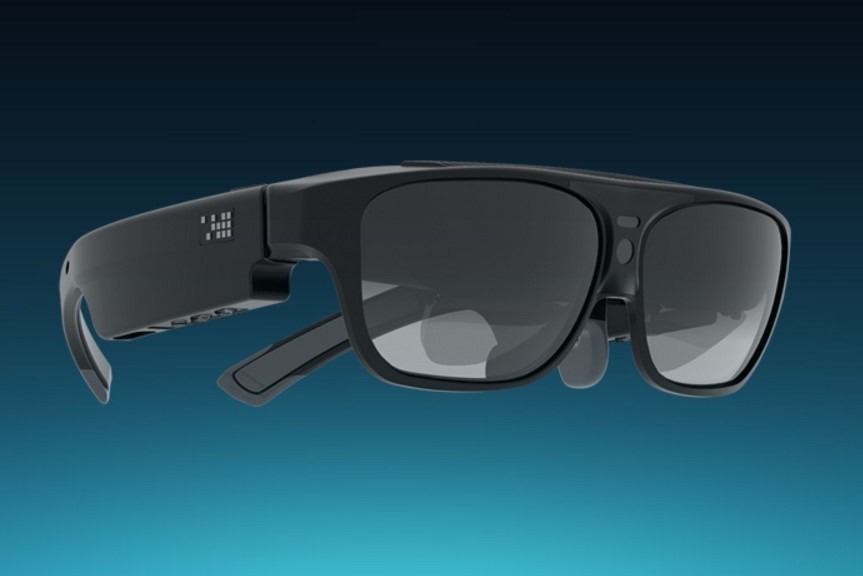
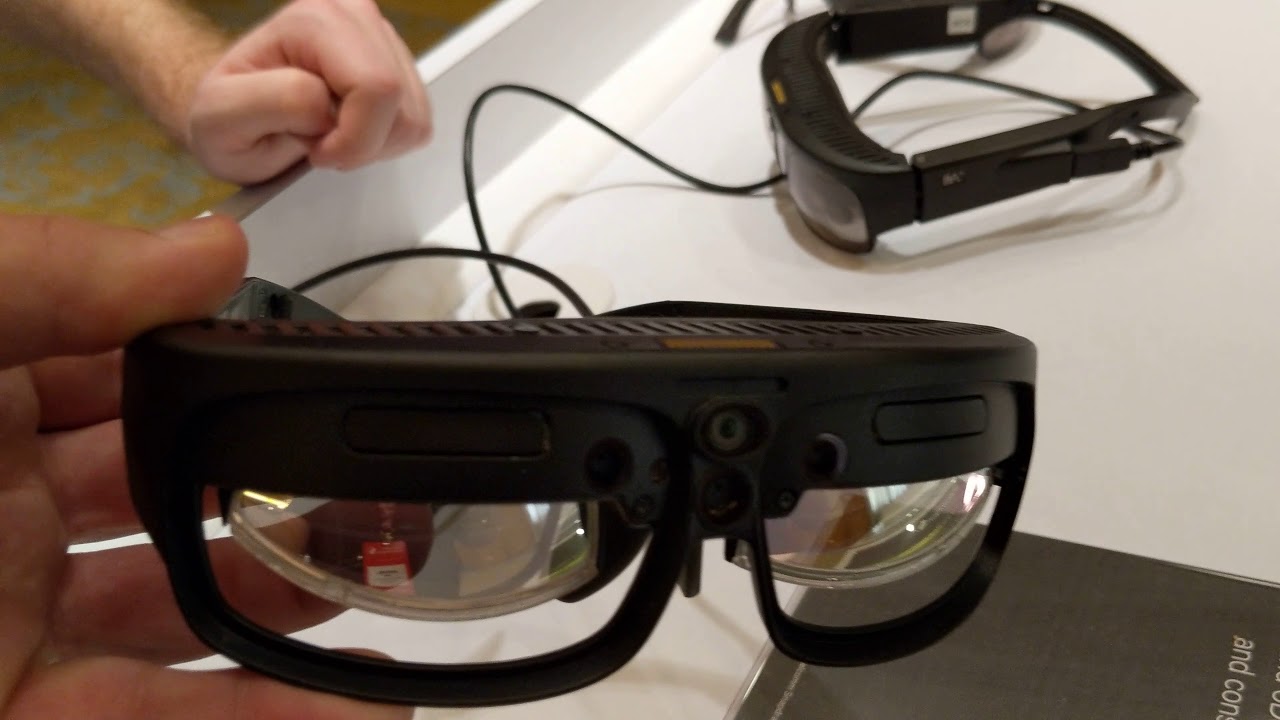
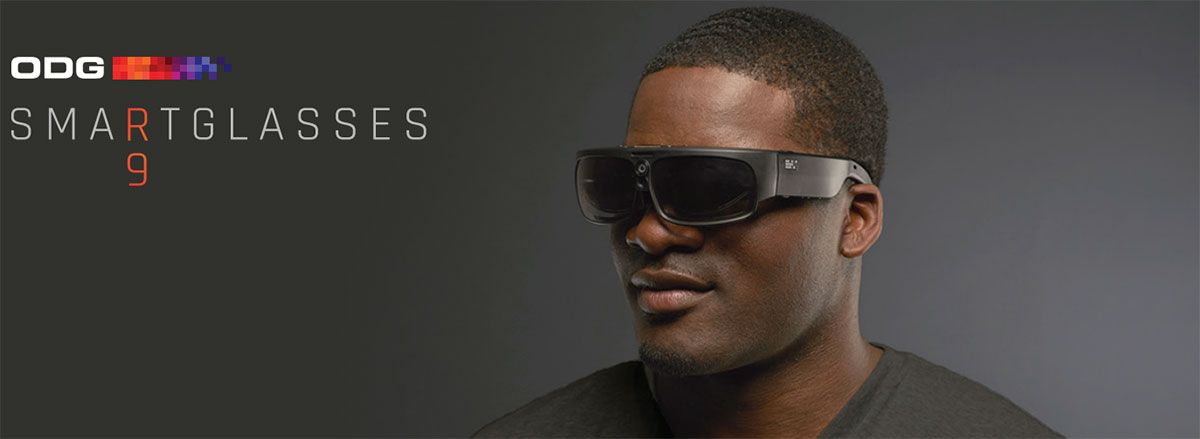
    R-9 smartglasses are ODG’s visual powerhouse and offer an extra-wide-field-of-view for enterprise design and visualization, gaming and entertainment, and extended reality development. Leverages Qualcomm’s Snapdragon 835 chipset, 6DoF and SLAM technologies to create, collaborate and consume content.


    These are the real deal with Dual-stereo depth cameras for advanced mapping and tracking, expansion port for customization, and Qualcomm’s Snapdragon 835 chipset for the ultimate XR experience. THX-certified, Hollywood-standard smartglasses delivering true cinematic quality.Powerful, versatile, and with a 50° field-of-view, R-9 is ideal for light enterprise and prosumer media consumption use. It plays movies with
    cinematic clarity, drops you inside immersive 3D interactive experiences, and reveals new worlds of invention and productivity. R-9 is also a flexible development platform for mobile virtual reality and mixed reality experiences, with module expansion capabilities that make it our most
    customizable device for a wide variety of environments and end user.

    The Looks

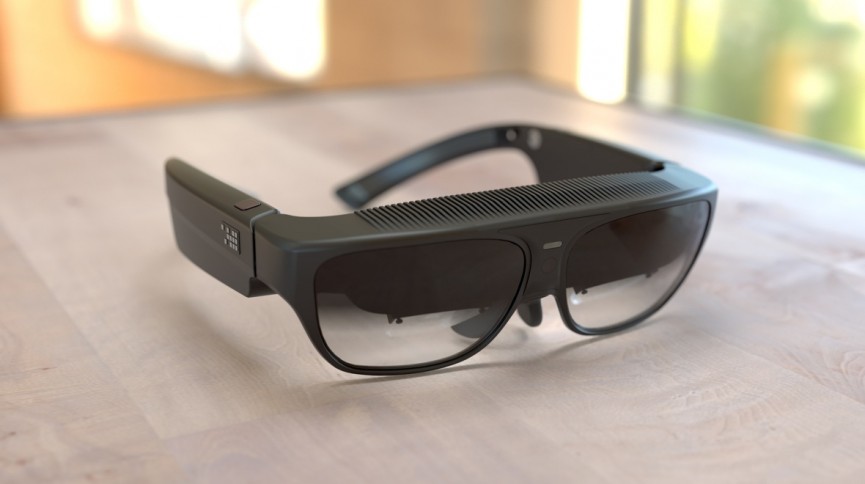
    Ive been looking for this type of solution, AR/VR glasses that can have a multiple use as real sunglasses. These units definitely look and feel much closer to real glasses than anything I have seen in the arena currently. They weigh far less than the HoloLens, and at a distance past 10 feet, could easily pass as a real pair of sunglasses.

    Unlike the HoloLens, the form factor of both the R-8 and R-9 are too small to wear with a pair of glasses. So one important feature that I had missed previously is their ability to have prescription lenses placed in them—with a simple snap. The ODG team had a selection of lenses at GDC for just that purpose waiting on the table for the glasses wearers in the room, thankfully.

    The Feels

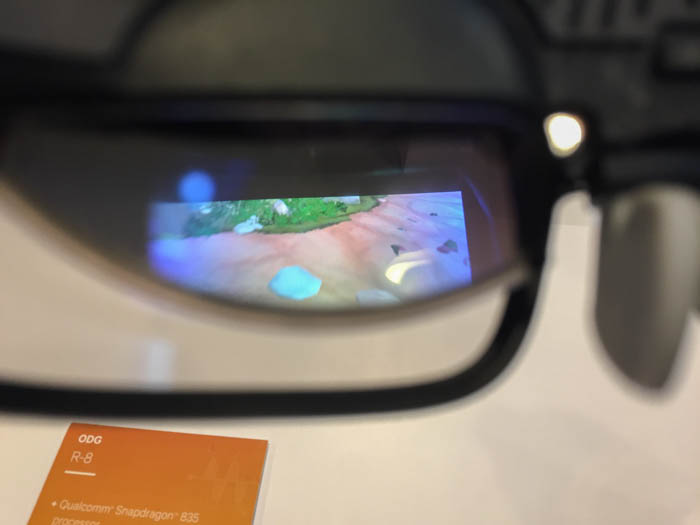
    The demos that I saw were fully immersive applications, more in line with a VR experience, through a non-occluded headset. This is arguably not an ideal test for smartglasses. The projection quality itself was good, though it was a little darker than expected. Also, it seemed a bit more transparent that I would have liked.

    In all fairness, both the transparency and image brightness are factors that could, and most likely are, attributed to being under florescent lighting. My personal frame of reference, and in essence my base of expectations, is my development environment which uses far less harsh lighting.


    What Do I Do With Them

    The R-8, aimed more squarely at consumer early adopters, trims down the specs a bit. Its field of view is a more modest 40 degrees, its display has 720p resolution, and there’s no port for expansion modules. But it’s also lighter — 4.5 ounces compared to the R-9’s 6.5 ounces — and cheaper, at under $1,000. It’s also got two 1080p cameras on the front that can capture stereo video. ODG expects to ship it in the second half of 2017.

    So what exactly are you supposed to do with these glasses? ODG admits that they’re not “designed to be worn all the time,” but are meant to be carried around for watching movies on a digital big screen, playing games, or using apps. It’s working with 21st Century Fox’s Innovation Lab on experiences that include 3D movies and an interactive augmented reality demo based on the Alien franchise. Combined with the Migu partnership, this provides at least the start of a catalogue, although we’re still waiting to see how well the glasses themselves hold up.


    The Final Thought

    While they were announced at the CES 2017 a year later and we still cant buy or own pair. The idea is novel and innovative but I feel like this will just be a high priced stepping stone to the real solution.


  • Tech Throwback: Nokia N-Gage

    Tech Throwback: Nokia N-Gage

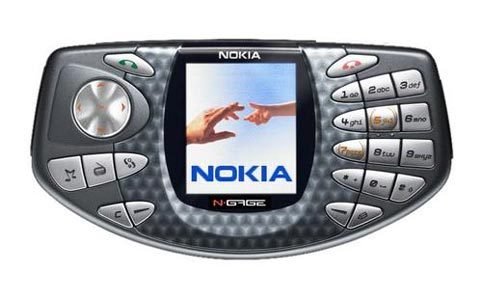
    I like to take a look at where I’ve been to evaluate where Im going. Technology is cyclical after all… wait no its not. That said I still like all the feels that come rushing back like a flood of nostalgia every time I get my hand on the tech I grew up with. Im going to go back periodically and take a looking at the stuff that used to blow our hair back and get our minds rolling. Some of these device blew up and changed the world, some where ahead of their time and some just fell flat and became colossal failures. Today I’ve got my hands on the old Nokia N-Gage


    Around 2000, gamers increasingly carried both mobile phones and handheld game consoles. Nokia spotted an opportunity to combine these devices into one unit. Nokia announced in November 2002 that they would develop the N-Gage, a device that integrated these two devices. Instead of using cables, multiplayer gaming was accomplished with Bluetooth or the Internet (via the N-Gage Arena service). The N-Gage also included MP3 and Real Audio/Video playback and PDA-like features into the system.


    The original phone’s taco-shaped design was considered clumsy: to insert a game, users had to remove the phone’s plastic cover and remove the battery compartment as the game slot was next to it. Another clumsy feature was the speaker and microphone being located on the side edge of the phone. This often resulted in many describing it as talking into a “taco phone” or “Sidetalking”, or simply that they had one very large ear, because the user held the edge of the phone against the cheek in order to talk into it. Usual for a phone, but unusually for a game system, it had a screen taller than it was wide, with a size of 2.1′ and resolution of 176 X 208, giving an aspect ratio of 11:13; most televisions and portable game screens were 4:3.

    We all thought the N-Gage would define the mobile gaming market: a device that can serve as a mobile game platform, a tri-band GSM phone, an MP3 player, an FM tuner, an e-mail client, and a personal information manager. Unfortunately, several design flaws severely limited the device’s usefulness, and t the N-Gage went down in history as a poorly implemented great idea.


    Hands On 15 years Later

    The original lithium battery on this device has failed but i was able to find a fresh replacement at a pretty reasonable price on eBay. It powers up just like you remember all Nokias did, it has that heavy toy feel as well. I got approximately 6 hours of game time and a few hours of music time. When I spent 5 hours playing games and listening to music, however, the battery died shortly after.

    Its Got Games

    The main purpose for this was to open up the mobile gaming market. We were all dieing to play video games where ever we went in the early century but their just wasn’t the options. Game boys and Sega had games but for a young adult wanted more those were for kids. I’ve been able to locate a copy of Civilization II ans Spider-man 2 and have been playing them all day. The N-Gage is the first place I played Civilization and started a long hobby over many tech devices since. Snake, some Xmen game and a few Tom Clancy games where available as well. Im sure as you all remember the games all came on a MMC card. I tried to condense all the games to one larger card but have been unsuccessful. Playing games on the N-Gage is kinda difficult, mostly because the buttons designed for a phone, are not well-suited for gaming.


    The Final Thought

    It was a leap forward, this was the device that got people thinking my phone can do more, it can be more then just a phone. The PDA functions and bluetooth synchronization lead to a big main stream increase in data being held on a phone. Before this I would only keep 40 or so contacts in my Nokia phones because they wouldn’t transfer from phone to phone. You have to re enter them all over again. I enjoyed my few hours with the phone but finished through everything it offered in a few hours and could imagine needing to revisit it again.

  • Three of the Best Budget-Friendly 3D Printers for Beginners

    Three of the Best Budget-Friendly 3D Printers for Beginners

    The market for 3D printers has exploded over the last few years. There are plenty of options now for rookie tinkerers and experts alike. Today, we are going to round up some of the best options for people who want to dip their toes into the world of 3D printing.

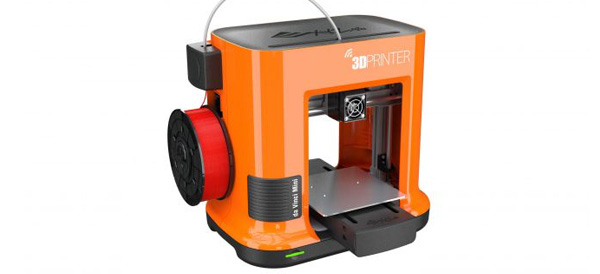
    XYZprinting da Vinci Mini – Around $200

    This is the best budget 3D printer on the list. It’s an extremely affordable way to get into 3D printing. It’s also one of the easiest to use thanks to its interface. Don’t worry that quality was sacrificed, the 3D objects that this printer creates are very good considering the price.

    Its compact size also lends itself to beginners, as it is easy to put on your desk without taking up too much space.

    The da Vinci Mini uses fused filament fabrication and has a minimum layer resolution of 100 microns (maximum 400 microns).

    M3D Micro 3D Printer – Around $350

    Another great option for a starter 3D printer, the M3D Micro 3D Printer is a compact cube that can sit easily on your computer desk. It looks nice, runs impressively quiet and generates very decent small models. This is another great first 3D printer choice.

    The M3D uses fused filament fabrication and has a minimum layer resolution of 50 microns (maximum 350 microns).

    LulzBot Mini – Around $300

    If you enjoy tinkering with hardware, then this may be the 3D printer for you. The hardware is open source, so the community of users are able to create various add-ons for the printer. It’s not as stylish as the M3D or da Vinci Mini, but it is reasonably priced and if tinkering is important to you then looks may not matter as much.

    It does run a bit slower than the other models listed here. The LulzBot Mini uses fused deposition modeling and has a minimum layer resolution of 50 microns (maximum 500 microns).

  • Blackmagic Design Releases 4K Pocket Cinema Camera

    Blackmagic Design Releases 4K Pocket Cinema Camera

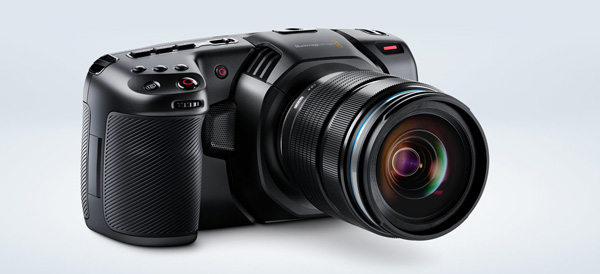
    The folks over at Blackmagic Design have unveiled their newest version of the Pocket Cinema Camera. The new model, first seen at NAB 2018, supports 4K HDR RAW video.

    Perhaps most importantly, the retail cost of $1,295 makes this camera the least expensive way to get started shooting 4K HDR.

    Pocket Cinema Camera 4K

    Following on the heels of the popular Pocket Cinema Camera, the 4K version supports 4K HDR RAW at 4,096 x 2,160 resolution and 60 fps in 12-bit RAW or 10-bit ProRes. The redesigned body is much more modern than the original Pocket Cinema, and since it’s built with carbon-fiber, it is much lighter.

    Before you worry about dropping it, Blackmagic countered the new, lighter weight with a bigger grip. It also has larger dials and buttons for recording, ISO, shutter, aperture, white balance and other standard camera features. This is a departure from the previous version, where the rear display controlled most of the settings.

    Full-Size Sensor

    The old Pocket Cinema featured a Micro Four Thirds mount but had a smaller than full-size sensor. The 4K version has a full-sized Micro Four Thirds sensor with native DCI 4K resolution and 13 stops of dynamic range.

    Storage Options Aplenty

    The Pocket Cinema 4K can record ProRes or RAW to standard SD, UHS-II or CFast 2.0 cards. You can also record 4K directly to a media drive by using the USB-C expansion port. This is a great feature for those who dread transferring files… All you need to do is plug the external drive into your computer and you are ready to edit!

    Brighter Touchscreen

    Another bump up from the previous model is the brighter 5-inch touchscreen. The original Pocket Cinema caught a lot of flak for being so dim. With the screen you can frame shots, check focus or use the menu. There are also histograms, focus and peaking indicators and 3D LUTs that can be viewed on the screen.

    DaVinci Resolve 15

    Also launching with the Pocket Cinema Camera 4K is a new version of DaVinci Resolve. This “massive update” now includes the Fusion compositing VFX package to allow even more work to be done in the same program.

    DaVinci Resolve 15 includes support for Apple Metal and CUDA and can recognize multiple GPUs.

  • Is the New Apple iPad Worth It?

    Is the New Apple iPad Worth It?

    Whether the newly released Apple iPad is a worthy purchase depends on a few factors, but there is no denying that the 2018 iPad is the best tablet you can buy for under $500.

    Education Push

    It’s clear that Apple wants iPads in every classroom. After establishing a foothold years ago, Google swept in with its Chromebook computers and has come to dominate school systems around the country.

    Apple wants their new classroom software to be the magic bullet in retaking the classroom, but time will tell. The new iPad, $329 for retail and $299 with an educational discount, is still pricier than many Chromebook models.

    Apple Pencil

    One great feature the new iPad has going for it is the ability to use the Apple Pencil. It uses the same touch sensor that the first iPad Pro used, which should be a very satisfying user experience. Since the Apple Pencil will set users back another hundred bucks, the adaptation rate for a budget-friendly tablet remains to be seen.

    Hardware

    The design can probably now be called “classic” as the new iPad looks identical to last year’s model and can trace its lineage back to 2013. It’s 7.5mm thick and weighs just over a pound.

    As far as processors go, the new iPad uses Apple’s A10 Fusion chipsets – the same kind that the iPhone 7 and 7 plus used.

    Pros and Cons

    For the price, the new iPad is a great value and you’ll have access to an incredible number of curated apps. The Apple Pencil support is also a fantastic feature if you can swing the extra hundred bucks.

    However, the classic design is pretty long in the tooth and the new iPad is thicker than some of the other iPads. The 8 megapixel camera on the back is decent for snapshots, but not much for creativity. And finally, although the price-to-value ratio is solid, $299 may still be too expensive for many schools looking to put a device in all of their students’ hands.

  • Wireless Earbuds: the Best 3 to Choose From

    Wireless Earbuds: the Best 3 to Choose From

    Wireless earbuds are the new way of listening to music and talking on the phone. All thanks to bluetooth, you simply can connect your earbuds to your phone and you’re set to use them! You can’t beat the cost for what these earbuds can do, so let’s look at the top three best on the market!


    Phiaton BT 100 NC

    If you’re looking for a great pair of earbuds to use for long periods of time, these are the best of the best. The charge is phenomenal which lasts for 7.5-12 hours, and you can even use them while they are charging! These earbuds are great to use at the gym because they are water and sweat resistant. If you decide you do not want to use the bluetooth feature, you can always use the cord that is included and plug it up to your headphone jack. The sound is great, noise cancelling is decent, and phone calls are amazing with these earbuds. Overall, these are the top pick of wireless earbuds!

    Samsung Level U Pro

    For these earbuds, you have to have a Samsung phone. The sound is not as great as some wireless earbuds, high notes may make your ears ring. But if you have a Samsung or Android phone or tablet, you can get the Samsung Level app and you can adjust the treble to help with this. The comfort of the collar is great and there are magnets that can attach the earbuds when not in use. To reactivate the earbuds to work, you simply separate them and your phone call or music will resume. Battery life is great with these earbuds, lasting at nine hours, and you can use these while they are charging as well.

    BeatsX

    If you’re an Apple user, these are a great pick for you! They are on the pricey side, but if you are not a fan of a bulky collar, these just might be for you. These earbuds can coil up pretty small, making them easily more portable. The great thing about these, which is super beneficial to Apple users, is it contains a W1 Bluetooth chip. The battery life is roughly eight hours, but these will not charge while in use. The sounds is great with these earbuds, minus the occasional extra loud bass. Phone calls work well enough, but will probably pick up more background noise than some wireless earbuds.

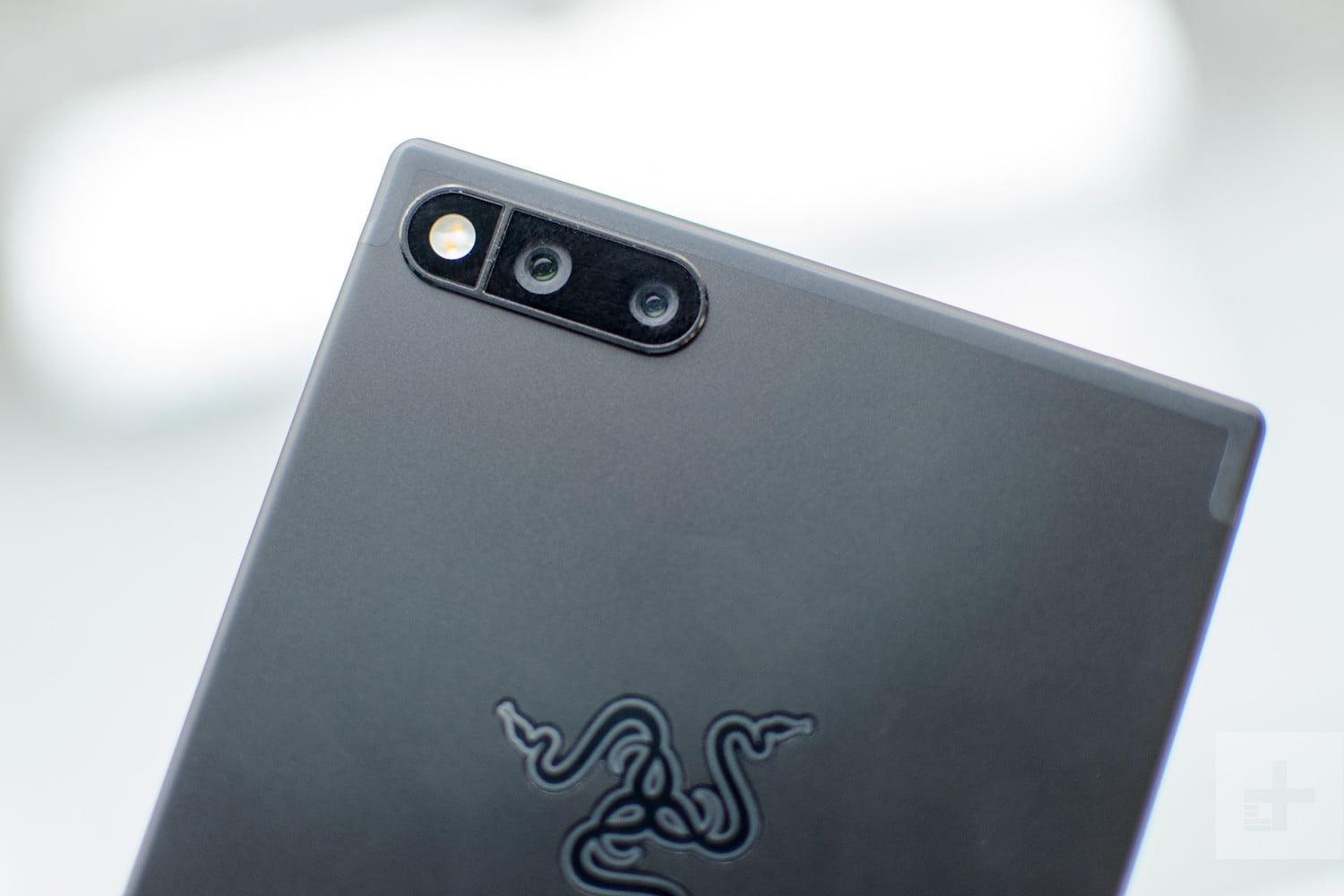
  • Smartphone Spotlight: Razor Phone

    Smartphone Spotlight: Razor Phone

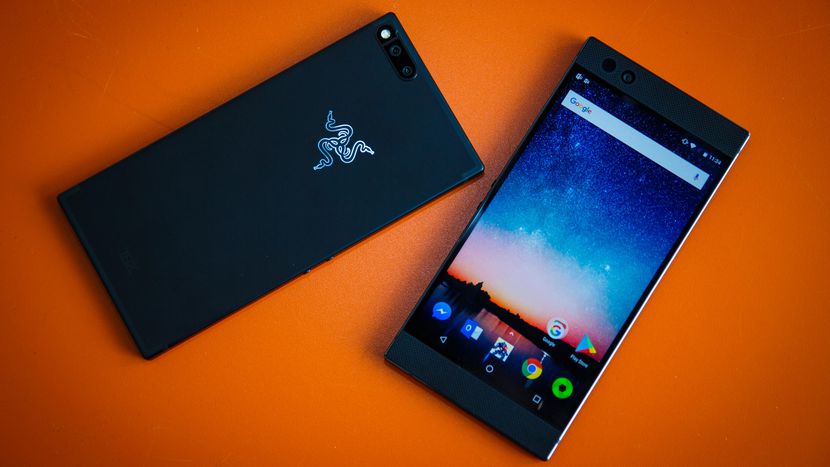
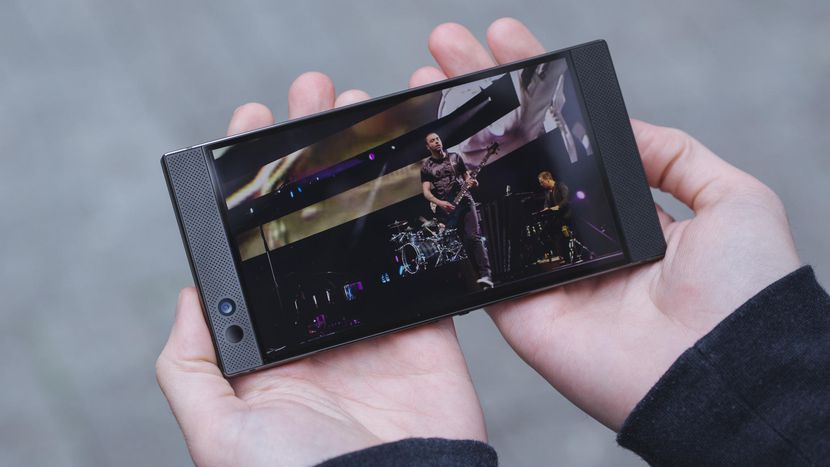
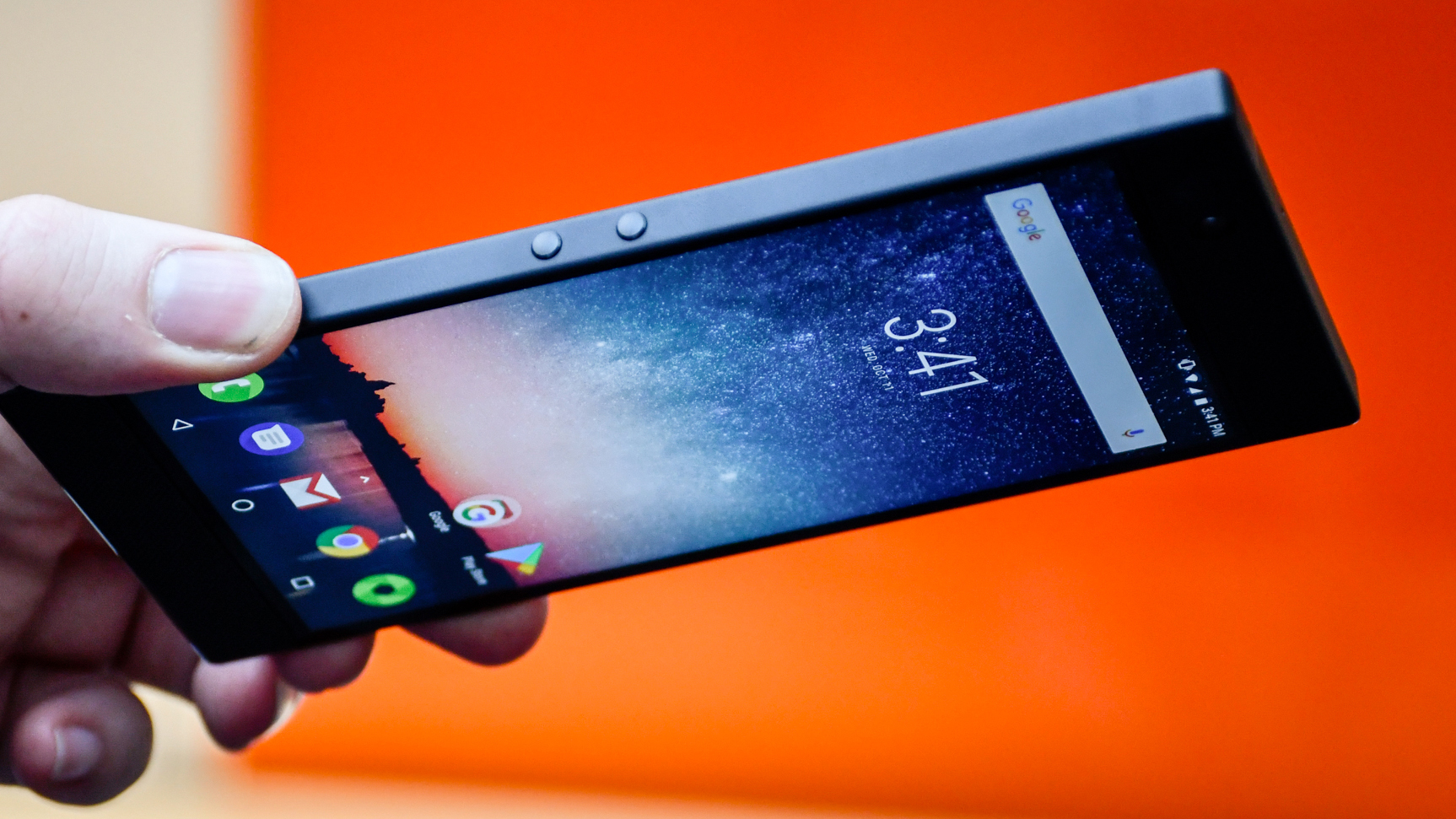
    No no the the Motorola Razr phone you are thinking of, The Razor Phone.  Razor phone set the standard in mobile gaming with the Razer Phone: the world’s first 120Hz screen on a mobile phone. Powered by UltraMotion™ technologyand accurate touch response, you get zero lag or stutter—just fluid, buttery smooth motion for all your games.

    The Great

    • Dolby Atmos Surround Sound
    • Unique, handsome design
    • Display and Ultramotion are gorgeous
    • Top-notch performance
    • 24-bit DAC built into USB Type-C adapter
    • Loudspeaker is LOUD
    • 120 Hz Refresh Rate

    The Not

    • Terrible photography experience
    • Display could be brighter
    • Too big for one-handed use
    • No headphone jack
    • Battery life only average

    The Conclusion

    The question is, does it do anything another high-powered smartphone can’t? I’ve found the camera to be lackluster, but this is a phone that certainly has some standout features.


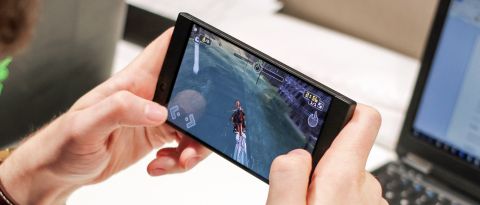
    This Is a big for with minimalist in mind. Lets start with the the LCD 5.7-inch screen size and resolution aren’t what make the Razer Phone’s screen special. Rather, it’s the first phone with a screen that offers a 120Hz refresh rate. This means it’s able to show you more frames on the screen per second. It’s especially helpful when gaming, as it makes playing games smoother and more visually impressive.

    This is a gamers phone, built with gamers in mind. It shows with the 120 hz rate. Now the differences in day-to-day use between 60Hz — the standard in smartphones — and 120Hz is like spotting the differences between 1080p and 1440p. They’re there, but only visible in some situations to the eagle-eyed. You can choose your preference of refresh rate (between 60, 90, or 120Hz) in the Razer Phone’s settings, and scrolling through your Twitter feed in 60Hz and 120Hz reveals only a small change in smoother scrolling.

    It’s the same when scrolling around the Android operating system. You’ve got to want to see differences to spot them, and we couldn’t find many differences between the experience on it and a Samsung s9

    Biggest Weakness is the Camera

    Speaking of being less than stellar, the camera isn’t great. Put lightly, it’s a bit of a mess. We already had our caution hats on after the hands-on over a month ago, when we saw that the dual camera set up was lacking features, or even a slider to show which lens you’re using. Despite all the time that’s passed since then, it’s a shame to see Razer hasn’t added much optimization, speed, or features. Dual 12 MP cameras provide either normal or telephoto zoom levels. The regular focal length lens pumps in light at f/1.8 aperture compared to the other’s f/2.6. And without OIS, the camera is already a bit behind its competition.

    Responsive Android Software

    This is due in part to the screen and the third-party Nova launcher software, but the Razer Phone has a really smooth and responsive user experience. Everything loads quickly thanks to the Qualcomm Snapdragon 835 chip and a limited amount of bloatware.

    Switching between apps or even using two at the same time in side-by-side mode is never a sluggish experience. Even my recent Samsung Galaxy S8+ started getting bogged down quickly after I got it, and that’s not something I’ve had to deal with on the Razer Phone.


    The Final Thought

    After using the Razer Phone for the last  month, I’m comfortable calling it an amazing smart device. It is available now for $700, and it easily competes with other high-end phones in that price range with one glaring exception. Do you want to trade your camera for a better refresh rate? Kinda, I like Netflix.

  • Speak Up For a Cause with Amazon’s Alexa

    Speak Up For a Cause with Amazon’s Alexa

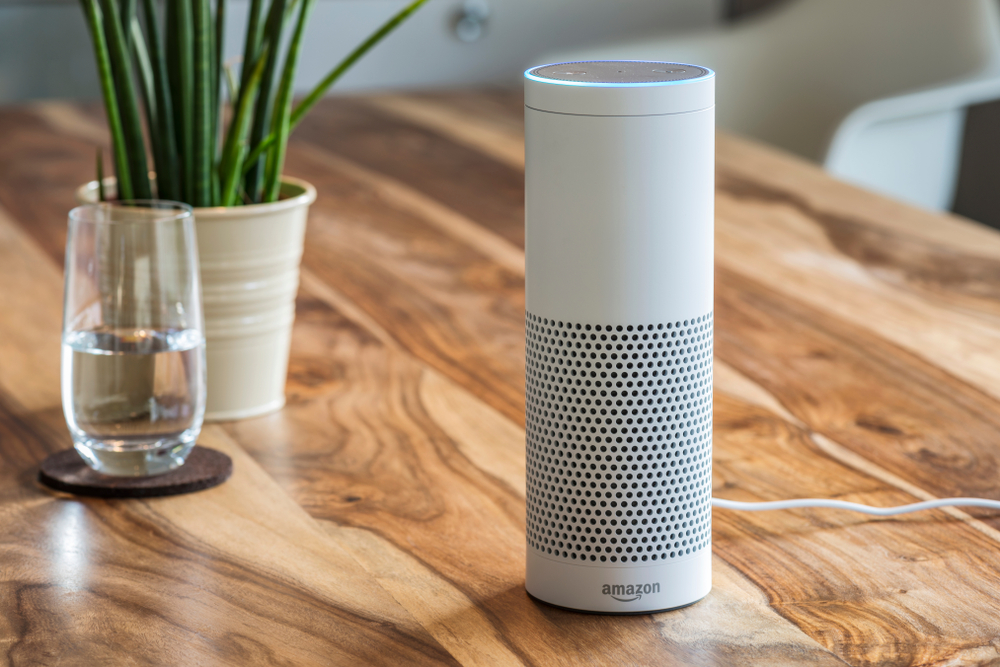
    Your favorite smart assistant, Amazon’s Alexa, has a new skill and it’s going to benefit great causes! Using Amazon Pay, you can now ask Alexa to donate to a number of charities. Alexa Donations is as easy as telling her to play your favorite song.

    There are only 48 charities and non-profit organizations that you can currently donate to using Alexa Donations. You are able to donate to ones like the American Cancer Society, the American Red Cross, and some internet-oriented groups as well. Amazon says this list is going to grow! Donations can be anywhere from $5 up to $5,000.

    You may be wondering, how exactly does donating with Alexa work?

    Donating is as simple as anything Alexa can do, you use your voice! You could say, “Alexa, donate $10 to the American Red Cross” or whichever charity you choose. Another option would be to say “Alexa make a donation” and the virtual assistant would then prompt you to tell her which organization and how much you would like to donate. If you are not sure what organization to donate to, she can help with that, too! Can it get any easier than that?!


    Next question, is Alexa going to keep credit card information safe?

    The charity you donate to may have access to your name and email. But have no fear, absolutely NO credit card information is shared with any of the charities. Amazon claims that the company has already had over a million people make donations using Amazon Pay, so it is very trustworthy!


    All in all, Alexa can do virtually anything! Which organization will you donate to first?