Category: How To

  • Create New Skills with Alexa Blueprints

    Create New Skills with Alexa Blueprints

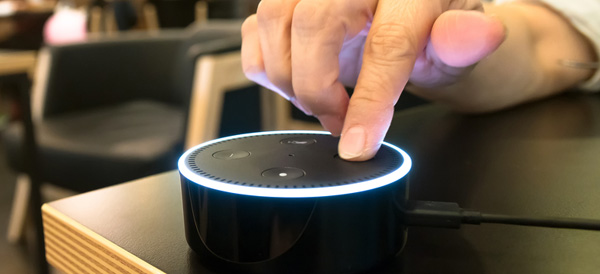
    Amazon’s Alexa-enabled devices, including the original Echo, the Dot, and their range of Fire Sticks and Smart TVs, offer plenty of great features. But there’s been one thing missing from the perky virtual assistant: the ability to quickly and easily create your own skills.

    That changed this week with the reveal of Alexa Blueprints, a collection of customizable templates that allow you to program unique study aids, games, and reminders.

    No Code Required

    Previously, the only way to add skills to your Alexa-enabled devices was to choose a pre-programed script or write your own using a sophisticated coding language. Since most people don’t have the savvy to code their own, they were stuck with whatever was offered on Amazon.

    As exciting as it may be to order a pizza with a single voice command, many owners wanted more from Alexa. The templates released by Amazon go a long way to meet that need, bridging the gap between the pre-made skills and totally original coding. Ambitious programmers can still write their own skills, but the average Alexa owner can now have more flexibility and control over their devices.

    Create Your Own Skill in Minutes

    Writing a new skill using Alexa Blueprints is easy and intuitive. Currently, there are 20 templates available in a variety of categories, with more to come. Using the simple graphic interface, you choose a skill you’d like to create and then follow the instructions on the screen. The first time you create a skill, an animated tutorial walks you through the steps, ensuring that anyone can be successful.

    Many of the templates are geared toward entertainment, with programmable bedtime stories for the kids, trivia games based on friends and family, or personalized inspirational quotes. It’s not all fun and games, however; the “At Home” category of blueprints offers customized instructions for babysitters, houseguests, or pet sitters, while the “Learning & Knowledge” category helps students to create flashcards and quizzes as study aids.

    Custom Call & Response

    For Alexa owners who want even more customization, there’s one more blueprint to check out. The “Custom Q&A” skill template allows you to write your own question and then script Alexa’s response. While it’s not as open-ended as coding your own skills from scratch, the blueprints offered can help you get more from your Alexa-enabled devices.
  • Verizon Smart Family Knows Where Your Kids Are

    Verizon Smart Family Knows Where Your Kids Are

    Verizon announced an upgrade to its FamilyBase program, now called Verizon Smart Family, that includes tracking, blocking, and monitoring options. Parents and guardians can sign up for either the basic or premium service for a monthly fee, but is the cost worth it?

    Parenting in a Digital World

    Kids today have access to a vast universe information and entertainment with a single tap of a smartphone. For many parents, that’s worrisome. Excessive screen time, viewing inappropriate content, or risky texting behavior are concerns for parents in the digital age.

    “Being a parent in today’s digital world can be daunting, but it doesn’t have to be,” said Verizon Senior Product Manager Susie Fernandes.

    It’s becoming increasingly rare for a teen or tween—or even younger children—not to have their own smartphone. Most service providers offer some form of parental controls, but Verizon has taken it to the next level with their Smart Family service.

    New App Features

    Verizon Smart Family gives parents and guardians an unprecedented amount of control over their children’s phones. It improves on the FamilyBase service with a redesigned interface and more intuitive controls.

    Smart Family also offers a finer degree of customization than the previous service. Parents can choose to limit or block phone and internet functions during specific days or even hours, ensuring for uninterrupted study time or more effective grounding. Specific sites and apps can also be blocked or limited, and parents have the option to monitor social media activity, call logs, and text messages.

    Basic or Premium?

    The basic version of Verizon Smart Family costs $5 a month. The premium version includes real-time location tracking using GPS data, which costs $10 a month. Parents may find that it’s worth the extra 5 bucks to know where their children are at any given time, and to receive alerts if the kids move out of a pre-set area such as home or school. Smart Family can also send notifications when, for example, your kids arrive home after school.

    Ultimately, families will need to decide the appropriate level of monitoring and control that works for both the parents and their kids, but Verizon Smart Family has given them a lot more options to consider.

  • Best Ways to Check Credit Score

    Best Ways to Check Credit Score

    If you’re looking to make a big purchase, like a car or a house, odds are you’re going to need a loan. The way lenders check to see if you’re eligible for that loan, of course, is your credit score. If you often pay bills on time and are financially secure, your score should be high but you should regularly check your score.

    Grab hold of your financial potential with free information about your credit score. Knowing your credit score is important because it helps you decide what your buying power is and what areas to focus on to improve this important score.

    There are many factors that go into determining a credit score, including employment status, credit history, and financial consistency. There are also several different types of credit scores rather than a standard way to measure creditworthiness. Although banks and lenders may have their own method to determine a credit score, there are ways that general consumers can monitor their credit activity and keep on top of the score as it changes over the years.

    If you’re looking to check your credit score you’ll want to do it for free. That’s where these free credit check sites come in!

    Best Free Credit Reports

    Credit.com

    Credit.com allows you to see your Experian and VantageScore results for free. VantageScore is a newer model of credit scoring that is usually more up-to-date than the traditional FICO score. You have to sign up for an account with Credit.com, but it’s a free process. The site is known for its credit report card, a quick glance at which things go into your credit. This way, you can see what factors you may need to address to get your score higher!

    Credit Karma

    Credit Karma has become the most popular of the free credit monitoring sites for many reasons. You’ve likely heard of this one. Credit Karma offers scores from TransUnion and Equifax, and both are shown as VantageScore. Credit Karma is a free site as well, and they don’t share customer information. If you’re looking for a no-frills credit check, you’re looking for Credit Karma. They offer a great mobile app, too.

    Quizzle

    Since 2008, Quizzle has been helping its customers understand their credit history and providing free access to their full credit report and credit score. Quizzle offers free Equifax and VantageScore reports. Once every three months you can see a free report of your score. Quizzle technically has a premium account too, though you’re better off just using the free functions. The free functionality doesn’t require a credit card, too.

    WalletHub

    WalletHub offers personal financial tools to users online. Their main product is offering a free daily credit score and report associated with it. WalletHub requires you to take a pre-screening questionnaire before you get your free score. Once you answer a few basic questions, such as your income and the last four digits of your Social, you get a TransUnion credit score. The report is similar to Credit.com’s credit report card, showing you what factors influence your score the most.


  • Goodbye 32-Bit Apps: How to Check Your Mac Apps for 64-Bit Compatibility

    Goodbye 32-Bit Apps: How to Check Your Mac Apps for 64-Bit Compatibility

    Apple has announced that an upcoming update to MacOS will end support for 32-bit applications. This could leave users and developers in the lurch, trying to determine how to either upgrade or replace needed software.

    Luckily, there are some simple ways to check your most commonly used apps to determine if they will still work after the transition.

    The Pop-Up Alert

    If you’ve upgraded to 10.13.4, then you may have already seen a one-time pop up upon starting a 32-bit app. The pop-up box reports that your app “is not optimized for your Mac.” And goes on to say that it will need to be updated by the developer to improve compatibility.

    There’s no mention that the app will stop working in the future, but that is exactly what will happen.

    System Report

    The system report feature will also list all of your apps and give you an easy way to check everything for compatibility going forward.

    From the Apple menu, click About This Mac and then scroll to the System Report button. Under Software, choose Applications. When you choose an individual application, all you need to do is check the ’64-bit (Intel)’ field to see if it’s marked ‘yes.’

    If so, you’re good to go and your app will continue to work after the transition. If it’s marked ‘no,’ then it’s time to check with the developer to see if there is an updated version. Otherwise you will need to find an alternative application and make a permanent switch.

    Or, of course, you could simply avoid updating MacOS, but with all of the security fixes and features that are added, that’s not a path that we recommend.

  • IOT Credit Card is the Solution

    IOT Credit Card is the Solution


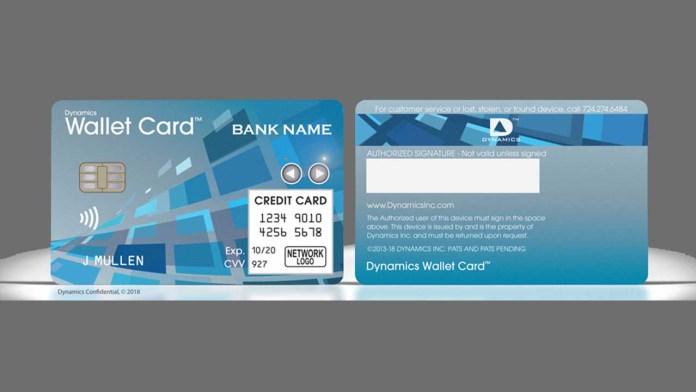
    The Dynamics company introduced new functionalities for its Wallet Card, an Internet of Things (IoT) connected credit card at the WMC 2018. Two-way communication between banks and cardholders is a highlight, as faster connections could mean safer cards and quicker account changes. Now consumers will be able to communicate with their bank via a connected credit card. I know you are thinking, what does this mean and why would I want this. First off it means safer cards and quicker account changes.


    Dynamics CEO Jeffrey Mullen said in the release “We had promised that we would unveil new features with incredible strategic and financial value for both banks and consumers,”. “Today, we start to deliver on that promise by unveiling that the connected Wallet Card has the ability to wirelessly send consumer requests to a bank through the card’s telecommunications connection. For the first time, a bank can ask a customer a question on the card’s display and get an immediate response. With these new consumer insights, the bank can provide better and more informed services.”

    The size and shape of a standard credit card, the Wallet Card contains a cell phone chip and antenna for data transfers, along with a magnetic stripe, programmable EMV chip, and a programmable contactless chip, the release said. All of the communication with the bank appears on a 65,000 pixel display on the front of the card.
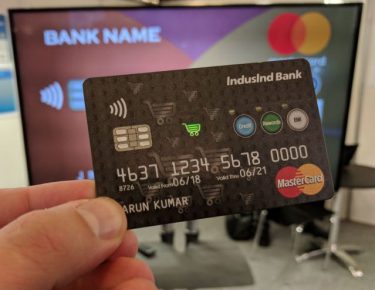
    Whats this one do?

    There are 3 big features that creates new opportunities for communication and value this will bring to the end card user. one it will let the bank verify purchases. Lets say if an FI suspects a fraudulent purchase using an existing card, the bank can ask a consumer to verify on their card that they made a particular purchase and the consumer can quickly respond. It will allow the banks to offer on-the-spot credit limit increase . Instead of the  declining a transaction, the FI can ask a consumer if they would like to increase the credit limit on their card.


    It will also give the financial institutions the benefit of adding cards. If the FI believes a consumer might benefit from a new card offering, the bank can ask if the cardholder would like to download the new card immediately. Or if you need to Upgrade cards ,  the bank can ask a consumer if they would like to upgrade their card to one that has additional features or value.


    The Final Thought.

    Seems cool. Sign me up. Makes clearing all those subscription services easy to cancel if I can just tap my card and get a new card number.


  • Cutting the Cord? 5 Best Streaming Services in 2018

    Cutting the Cord? 5 Best Streaming Services in 2018

    The days of having to tune in live, buy discs or subscribe to expensive cable/satellite packages in order to watch your favorite shows and movies are gone.  Streaming services started as an add-on to DVD and digital download offerings with a trickle of second-run movies and TV shows. But speedier internet connections, an abundance of dedicated streaming video devices, and an explosion of mobile video has allowed services like Netflix and Amazon to bulk up their streaming libraries, invest millions in original content, and give traditional pay TV providers a run for their money. These services have grown up from their days as cable TV adjuncts; they’re now full-fledged cable replacements for cord cutters. If you are looking to cut the cord, here are the 5 best streaming services in 2018.

    1. Netflix

    $11 per month

    cutting the cord netflix

    The great-granddaddy of streaming services remains the best. As you probably know, Netflix provides unlimited streaming of TV shows, movies, comedy specials and original programming (including Orange Is the New Black, Stranger Things, Master of None and the fourth season of Arrested Development) for one monthly subscription fee. No other service has yet given Netflix an honest-to-goodness run for its money in terms of selection, quality and performance consistency. You can even create up to five different profiles on a single account to make sure that your favorite content doesn’t mess up recommendations for your friends and loved ones.

    2. Hulu

    $8 per month

    cutting the cord hulu

    If you want to keep current with the latest network TV shows but don’t feel like investing in a cable subscription or an HD antenna, Hulu is the best solution. This service provides access to most major network shows (aside from CBS’ programs) and a handful of cable shows the day after they air. It also lets subscribers access a show’s current season — or often all of the program’s seasons. In addition, the service hosts a number of original shows (including joint ventures with the BBC, like The Wrong Mans and season 4 of The Thick of It), a selection of offbeat movies and a surprising amount of classic anime series. Even with a paid subscription, you have to sit through commercials, but far fewer than if you watched the same shows on cable.

    3. Amazon Video

    $99 a year or $8.99 per month

    cutting the cord amazon video

    For those who do most of their shopping online, Amazon Prime is a no-brainer. For $99 per year, you get free two-day shipping on your purchases, a free Kindle book each month, and unlimited access to both Amazon Music and Amazon Prime Instant Video. Like Netflix, Amazon Video is a veritable buffet of movies, television and original programming, like Alpha House, Transparent and Mozart in the Jungle. Thanks to a deal with Viacom — which controls Comedy Central, MTV and Nickelodeon — Amazon Prime arguably has a better selection of comedy and children’s programming than its competitors. The service also offers unlimited access to an extensive collection from HBO’s back catalog of classics such as The Sopranos and The Wire. The separate Amazon Video provides easy access to current movies, but it’s an à la carte service.

    4. PlayStation Vue

    $35 per month

    cutting the cord playstation vue

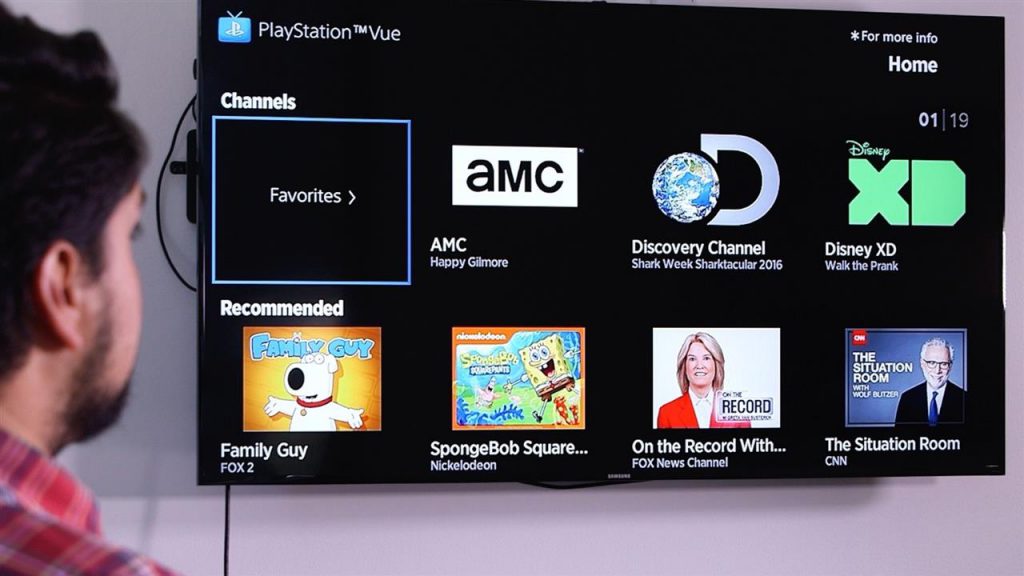
    PlayStation Vue is about as close as you can get to a cable subscription without actually getting a cable company involved. The service, which is available on a wide variety of systems, is Sony’s first foray into delivering live TV to its customers. Choose from four different packages: Access ($50 per month), which gives you basic channels, Core ($55 per month), which adds sports, Elite ($65 per month), which adds niche programming and Ultra ($75 per month), which adds certain premium channels. Although the service is expensive, it provides up to 90 live channels – including local sports and news – and lets you record your favorite shows.

    5. Sling TV

    $20 per month                                                                                                                                                           

    cutting the cord sling tv

    If you like the idea of a cable subscription but feel it’s just too expensive and offers more content than you want, Sling TV might provide a happy medium for you. On paper, Sling sounds a lot like a traditional cable service: Pay a monthly subscription fee in exchange for about thirty real-time channels. But there’s no contract and no set-top box rental fee. Sling is especially handy for sports fans, as it offers a variety of ESPN channels. For cord-cutting sports fans, this alone is worth the price. Other popular networks, like NBC, BBC America, CNN, Cartoon Network, TBS and the Food Network, sweeten the deal. If you sign up for Sling Blue, which is the service’s multi-stream option, and bundle it with the more bare-bones Orange, the combo will cost you $40 per month.

    Conclusion

    Let’s face it, cable tv is dead. It had a solid run and lived a long and fruitful existence but now – sorry to say – the time has come to cut the cord.  If you are ready to cut the cord, this rundown has the most popular services. Which one is best for you?


  • Cutting the Cord? 5 Best Streaming Services in 2018

    Cutting the Cord? 5 Best Streaming Services in 2018

    The days of having to tune in live, buy discs or subscribe to expensive cable/satellite packages in order to watch your favorite shows and movies are gone.  Streaming services started as an add-on to DVD and digital download offerings with a trickle of second-run movies and TV shows. But speedier internet connections, an abundance of dedicated streaming video devices, and an explosion of mobile video has allowed services like Netflix and Amazon to bulk up their streaming libraries, invest millions in original content, and give traditional pay TV providers a run for their money. These services have grown up from their days as cable TV adjuncts; they’re now full-fledged cable replacements for cord cutters. If you are looking to cut the cord, here are the 5 best streaming services in 2018.

    1. Netflix

    $11 per month

    cutting the cord netflix

    The great-granddaddy of streaming services remains the best. As you probably know, Netflix provides unlimited streaming of TV shows, movies, comedy specials and original programming (including Orange Is the New Black, Stranger Things, Master of None and the fourth season of Arrested Development) for one monthly subscription fee. No other service has yet given Netflix an honest-to-goodness run for its money in terms of selection, quality and performance consistency. You can even create up to five different profiles on a single account to make sure that your favorite content doesn’t mess up recommendations for your friends and loved ones.

    2. Hulu

    $8 per month

    cutting the cord hulu

    If you want to keep current with the latest network TV shows but don’t feel like investing in a cable subscription or an HD antenna, Hulu is the best solution. This service provides access to most major network shows (aside from CBS’ programs) and a handful of cable shows the day after they air. It also lets subscribers access a show’s current season — or often all of the program’s seasons. In addition, the service hosts a number of original shows (including joint ventures with the BBC, like The Wrong Mans and season 4 of The Thick of It), a selection of offbeat movies and a surprising amount of classic anime series. Even with a paid subscription, you have to sit through commercials, but far fewer than if you watched the same shows on cable.

    3. Amazon Video

    $99 a year or $8.99 per month

    cutting the cord amazon video

    For those who do most of their shopping online, Amazon Prime is a no-brainer. For $99 per year, you get free two-day shipping on your purchases, a free Kindle book each month, and unlimited access to both Amazon Music and Amazon Prime Instant Video. Like Netflix, Amazon Video is a veritable buffet of movies, television and original programming, like Alpha House, Transparent and Mozart in the Jungle. Thanks to a deal with Viacom — which controls Comedy Central, MTV and Nickelodeon — Amazon Prime arguably has a better selection of comedy and children’s programming than its competitors. The service also offers unlimited access to an extensive collection from HBO’s back catalog of classics such as The Sopranos and The Wire. The separate Amazon Video provides easy access to current movies, but it’s an à la carte service.

    4. PlayStation Vue

    $35 per month

    cutting the cord playstation vue

    PlayStation Vue is about as close as you can get to a cable subscription without actually getting a cable company involved. The service, which is available on a wide variety of systems, is Sony’s first foray into delivering live TV to its customers. Choose from four different packages: Access ($50 per month), which gives you basic channels, Core ($55 per month), which adds sports, Elite ($65 per month), which adds niche programming and Ultra ($75 per month), which adds certain premium channels. Although the service is expensive, it provides up to 90 live channels – including local sports and news – and lets you record your favorite shows.

    5. Sling TV

    $20 per month                                                                                                                                                           

    cutting the cord sling tv

    If you like the idea of a cable subscription but feel it’s just too expensive and offers more content than you want, Sling TV might provide a happy medium for you. On paper, Sling sounds a lot like a traditional cable service: Pay a monthly subscription fee in exchange for about thirty real-time channels. But there’s no contract and no set-top box rental fee. Sling is especially handy for sports fans, as it offers a variety of ESPN channels. For cord-cutting sports fans, this alone is worth the price. Other popular networks, like NBC, BBC America, CNN, Cartoon Network, TBS and the Food Network, sweeten the deal. If you sign up for Sling Blue, which is the service’s multi-stream option, and bundle it with the more bare-bones Orange, the combo will cost you $40 per month.

    Conclusion

    Let’s face it, cable tv is dead. It had a solid run and lived a long and fruitful existence but now – sorry to say – the time has come to cut the cord.  If you are ready to cut the cord, this rundown has the most popular services. Which one is best for you?


  • Its a  Deal with MoviePass

    Its a Deal with MoviePass

    MoviePass is an American subscription-based movie ticketing service. Founded in 2011 and headquartered in New York City, the service allows subscribers to purchase a single movie ticket per day for a flat subscription fee per month


    The Great

    • Terrific value
    • great interface and useabilty
    • Very Convenient
    • Unlimited Movies

    The Not

    • No New Releases
    • 2d standard movies only
    • You have to pay the full year up front

    The Conclusion

    I wish they had this when I was growing up, It would have been my wildest dream to have an unlimited movie ticket to the theater around the corner. Today, its def the worth the $8 a month.  I no longer need to pirate new movies and the headaches that come with that are long gone.

    The Movie Pass Experience

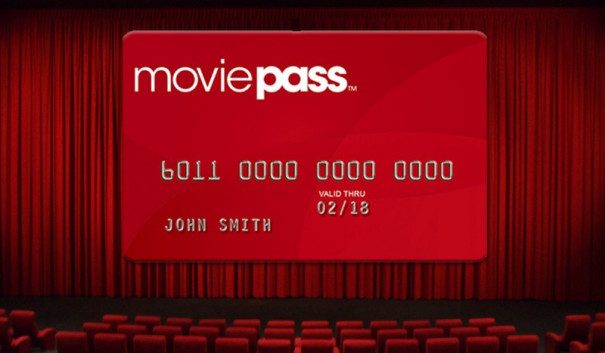
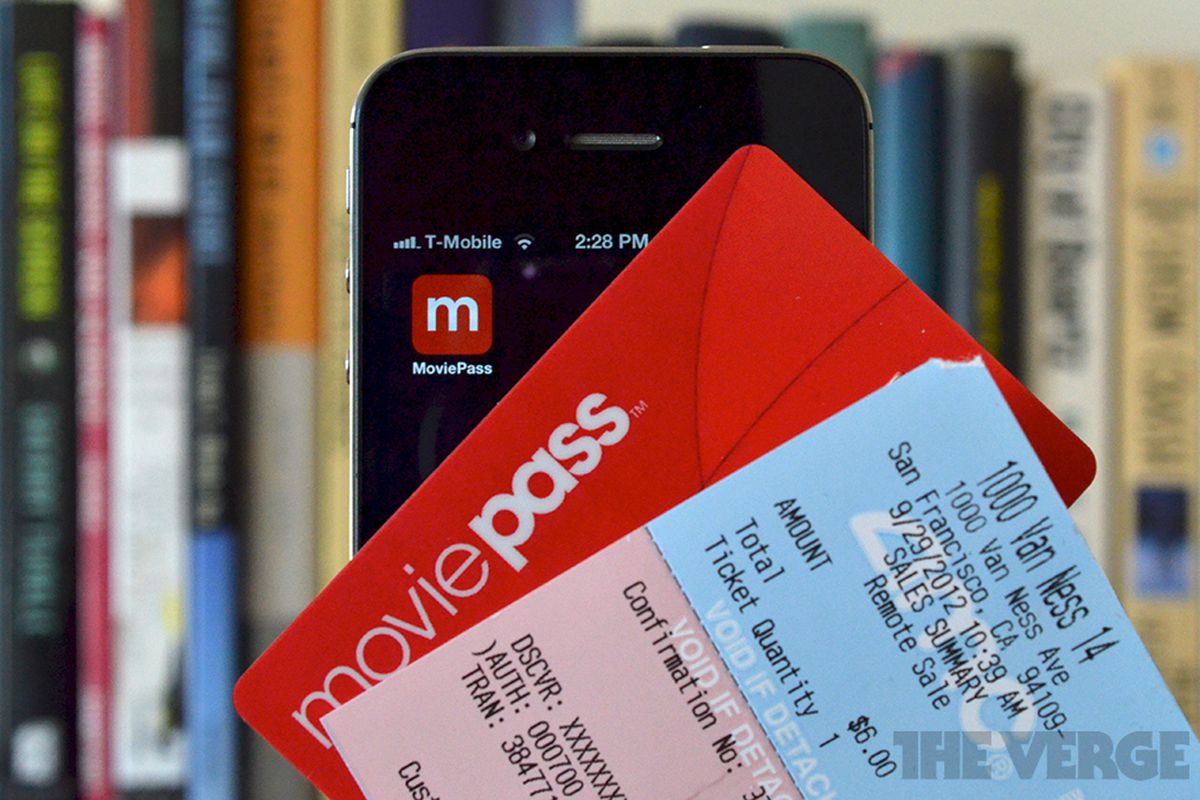
    Once you sign up, right now they are offering $7.95 a month rates, they will send you a credit card. You simply use your phones app to find the movie you want and reserve your ticket. Then head to the movies, when you get close to the theater you will get an alert your card is active. You then use the card to purchase your reserved ticket. Easy peasy.

    I don’t get to the movies as much as I used to and I’ve never been one to go to a theater alone. This made me a little apprehensive of the deal, but I decided to sign up after seeing how beneficial Moviepass can be.  After using it for the last month I have enjoyed the experience so much I thought I would give you my own thoughts. Moviepass is kind of like the Netflix of movie theater going.  You pay a flat fee and then you can see as many 2D movies as you want during the month.  The catch is you can only see 1 movie every 24 hours.  You could still easily see 25-30 movies a month if you so choose.


    Loop Holes

    So I thought I would look for weaknesses in the Movie Pass logistics. First up was using the card to purchase concessions, it worked with no issues but then declined when I bought my ticket. So I decided to reserve my ticket for the day before and pick it up, then book another ticket for the day Im going to the movies but use the previous days ticket. Thus making my card valid for concession purchases. So far its a lot of leg work but it works.

    I also thought it would be good to get a second pass so I could take who ever else with me to the theater, but apparently this is frowned upon and they will disable your account. I don’t know how they would every figure it out though. Again so far so good.

    Some have also reported that you can only see a movie one time with Moviepass.  This is not the case you can go to the same movie multiple times, at least that is my personal experience.

    The Final Thought

    It hasn’t quite been 30 days for me yet but I have gone to 4 movies.  The first 3 cost $5.99 per ticket and the 4th one was $9.99.  So I have gotten $27.96 in value out of my $7.99 monthly fee. I find Im going to the movies more because I can and seeing movies I would otherwise skip entirely. All in all its been a good experience its a must have for any movie buff, and a great investment for the casual movie goer. Im hoping this becomes adoptive and saves the movie theater platform. Being a catalyst for Studios to produce more movies for us to go to the theaters for.

  • Easy Smarthome Devices to Increase Your Homes Value

    Easy Smarthome Devices to Increase Your Homes Value

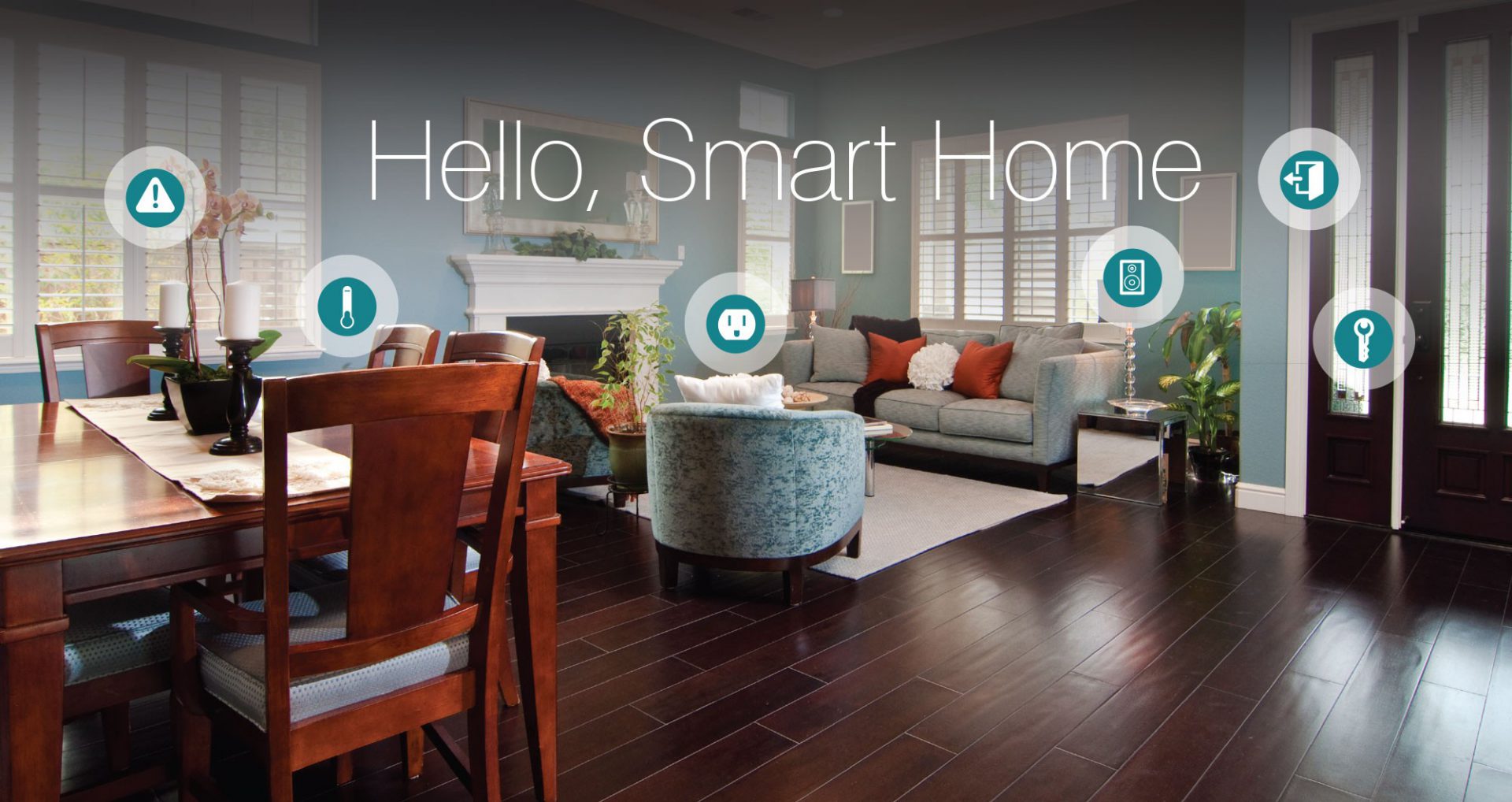
    From smart thermostats to automated lighting and everything in between, there’s no question that innovative, Internet-enabled technology can make a home more fun, convenient and safe. What you may not know, however, is that it also represents a potentially valuable investment. Im going to take a$7000 investment to smart home upgrade to increase my homes value by $25000. Lets look at how I spent it and what value it brings.

    Appliances

    I started with replacing the refrigerator and stove, with smart appliances.

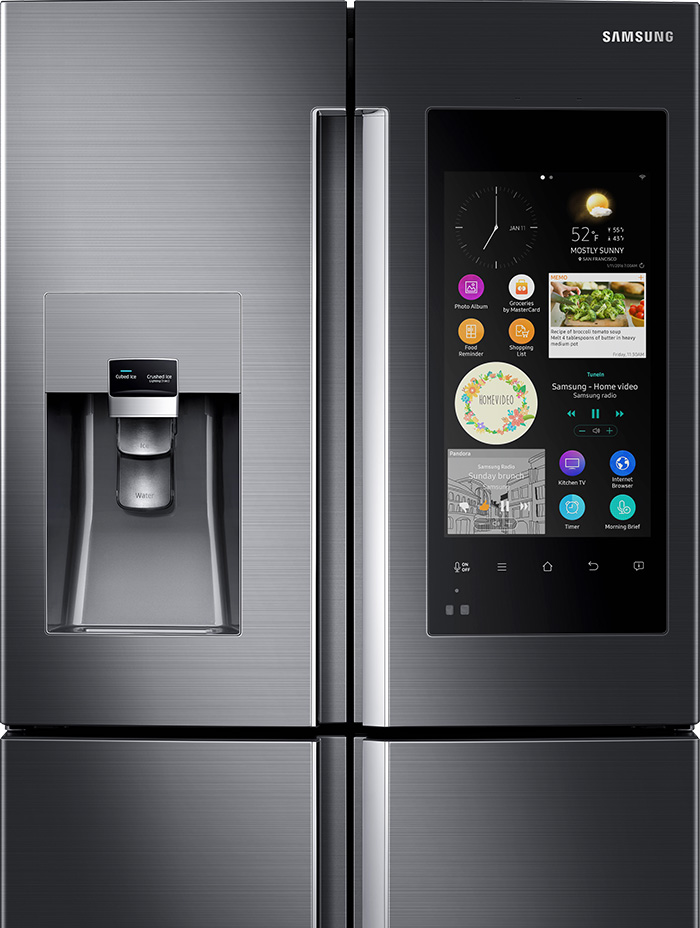
    for a combined $4300 I installed the Samsung Family Hub 2.0 wifi enabled fridge and  the Self-Cleaning Slide-In Gas Convection Range both in stainless steel of course. considering I was going to have to spend $2000 anyway on these appliance the extra money to purchase the smart appliance is well worth it for the wow factor alone.  

    Samsung Family Hub 2.0 Refrigerator

    The Samsung Smart Fridge is really cool, looks great, creates shopping lists and lets me see inside from anywhere with 3 built-in cameras. It  also set expiration notifications to make sure everything is fresh. Plus it has Bixby built in for a digital voice assistant right in the kitchen, I’ve always wanted to talk to my refrigerator.


    Samsung Self-Cleaning Slide-In Gas Convection Range

    The stove looks like something you would see in a professionals kitchen, its no joke.  There are cooking options with the intuitive guiding light controls. This lets you program your favorite recipes, plus easily control temperature and  time settings. Wi-Fi connection gives you real-time alerts and control the cooktop and oven remotely. You just have to  download the app for iOS or Android devices.
     

    I was able to get both devices with a bundle package at best buy, factoring the money I was going to spend anyways im only out ($2130)

    Lighting

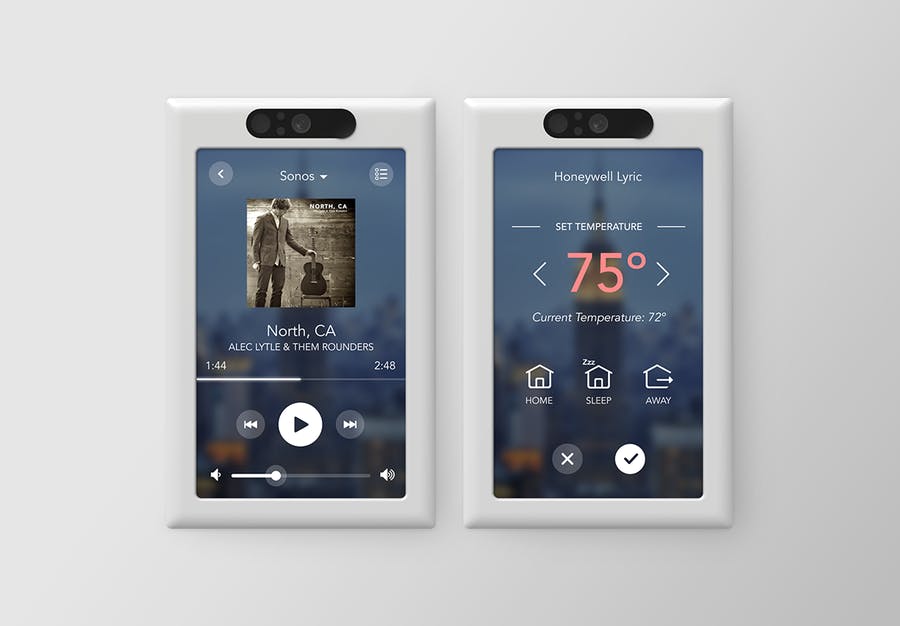
    Next step set the mood, for 3 main light switched I installed the Brilliant Smart Panel. With the digital touch screen or simple verbal commands, this switch can control your homes lights, air conditioning, intercom system, video surveillance, music and has a built in camera and even the ability to make video calls.
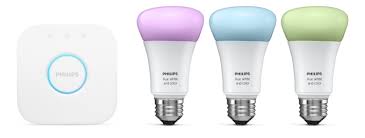
    I replaced all light bulbs with Phillips Hue Smart Lighting, this will allow the lights to be controlled from the 3 smart-panels, with the color bulbs setting different lighting and the colored light strips in the kitchen.

    This has added a great wow factor, adding in the Sonos speakers already through out the house. I can set music and lighting with just a shout. ($1000)

    Little Things

    The Smart Panel for Brilliant can control a lot of smart devices, so I upgrade my thermostat to the Nest, a Smart lock from August, Skydrop 8-Zone Smart Sprinkler Controller, Smart Security Video system from Nest with a video doorbell and an Amazon Eco Show for Alexa integration with all the new devices. ($1500)

    Bathrooms

    This home has 2 bathrooms so I’ve updated both toilets to the Smart 1 Piece by OVE. Little expensive, but a heated seat, warm bidet water, and air drying features are a big sell for small price. This looks great and comes with a remote control. You can adjust the power and temperature right from your remote.
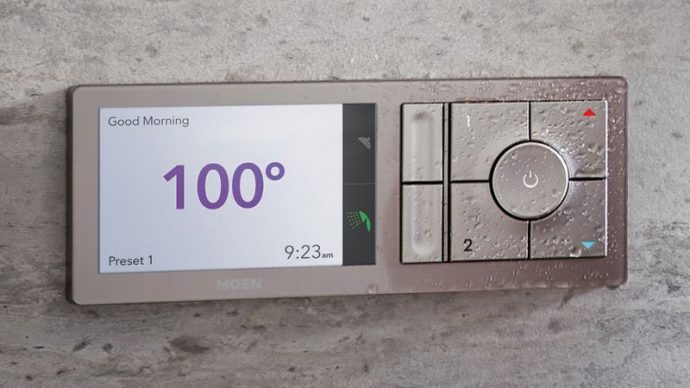


    I also updated the 2 shower-heads and added the Moen U Shower Smart Home Connected Bathroom Controller. The Moen U integrates smart temperature control, timers and also an app. You can even pre-time your morning shower, walk yourself to the bathroom and it turns on automatically as soon as it senses your presence!

    I have effectively updated my home and prepped it for sale. With these little upgrade I have moved my home from the bottom end of its appraisal to the top by making it a cutting edge smart-home and increasing my value and netting me an extra $18, 000 after the sale.

  • Smartphone Spotlight: Droid Z2 force

    Smartphone Spotlight: Droid Z2 force

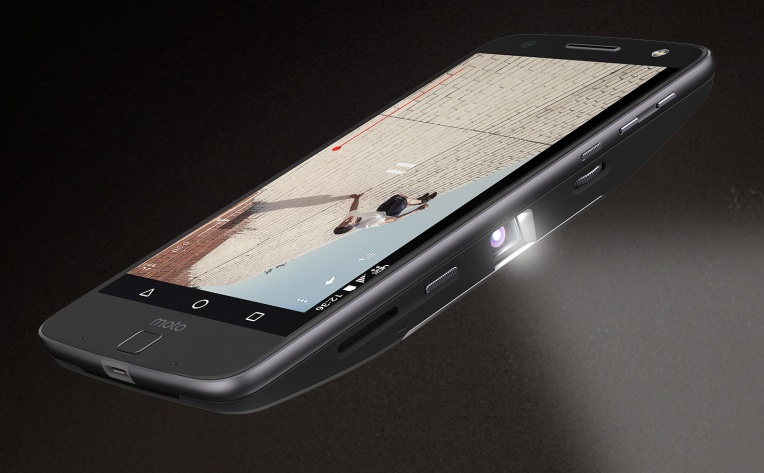
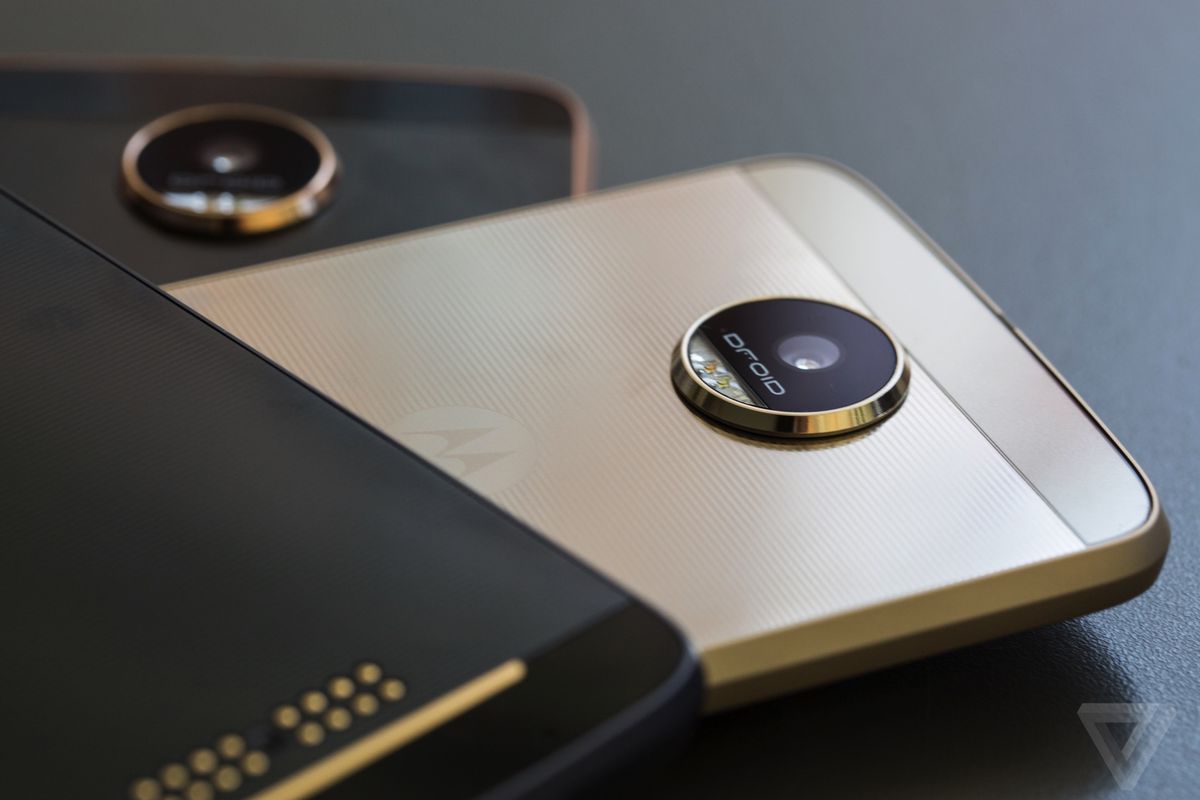
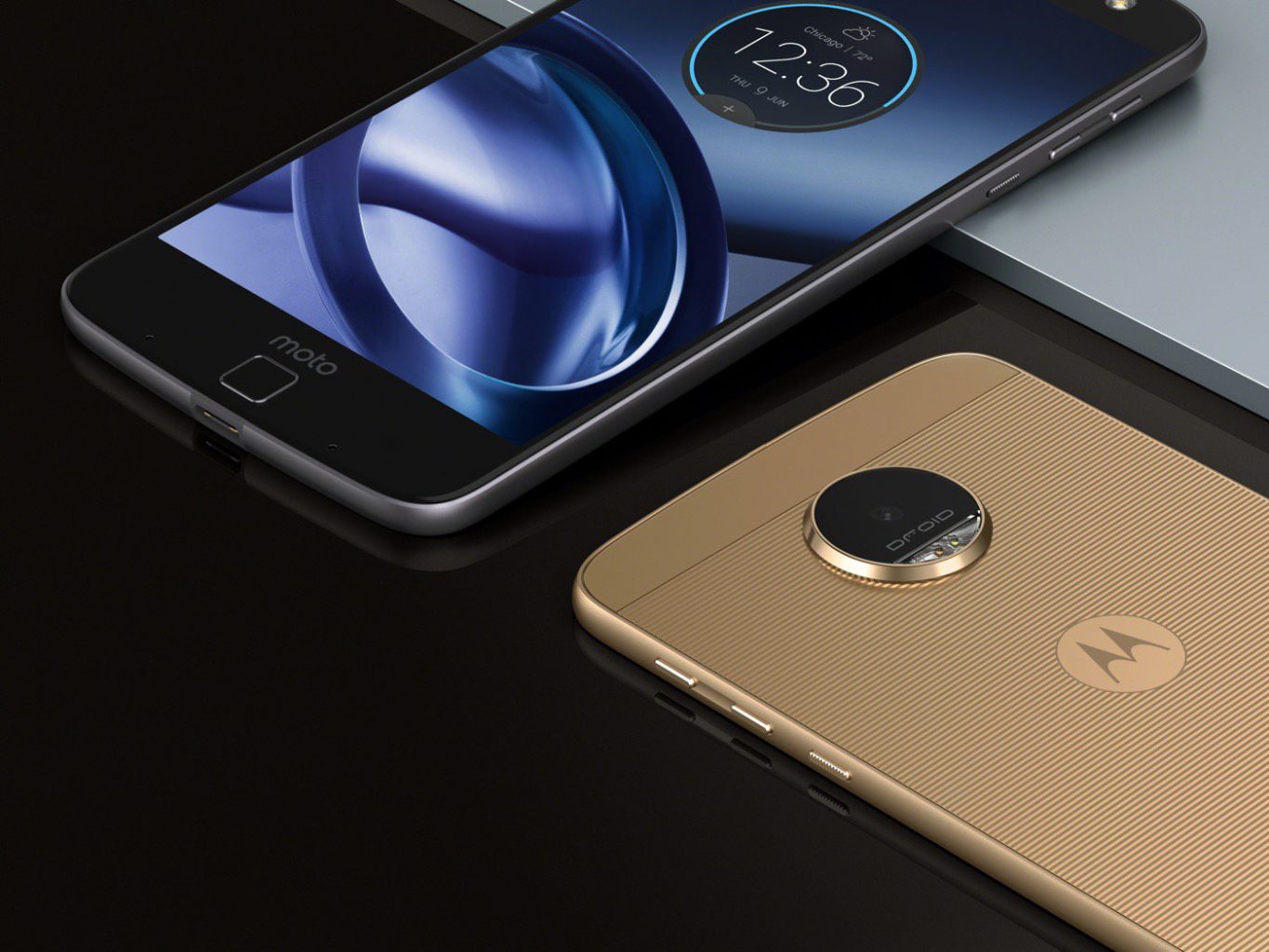
    The moto z2 force edition is Motorola’s most advanced phone ever. The screen is guaranteed not to crack or shatter* and boasts a sleek, yet durable aluminum unibody. Moto Z2 Droid places a world of previously unimagined possibilities right in your smartphone.


    The Great

    • Droid
    • TurboPower battery
    • The advanced 12MP dual camera
    • Qualcomm® Snapdragon™ 835 processor.
    • The Mods

    The Not

    • Fingerprint magnet
    • Can’t charge while listening to music
    • No headphone jack


    The Conclusion

    Its cutting-edge Android phone, works in the new Google Daydream VR headset. The Mods are awesome. Its got the power. This is the Droid you are looking for.


    Overview

    The Moto Droid Z2 has the power, while its not the latest 845 Snapdragon processor the 835 still has the juice you need. All the tech specs are right in line the premium Androids. Good specs, world-class design and nice camera is the criteria when purchasing an android, until now. Motorola is disrupting the status quo with its modular Moto Z and Moto Z2 Force

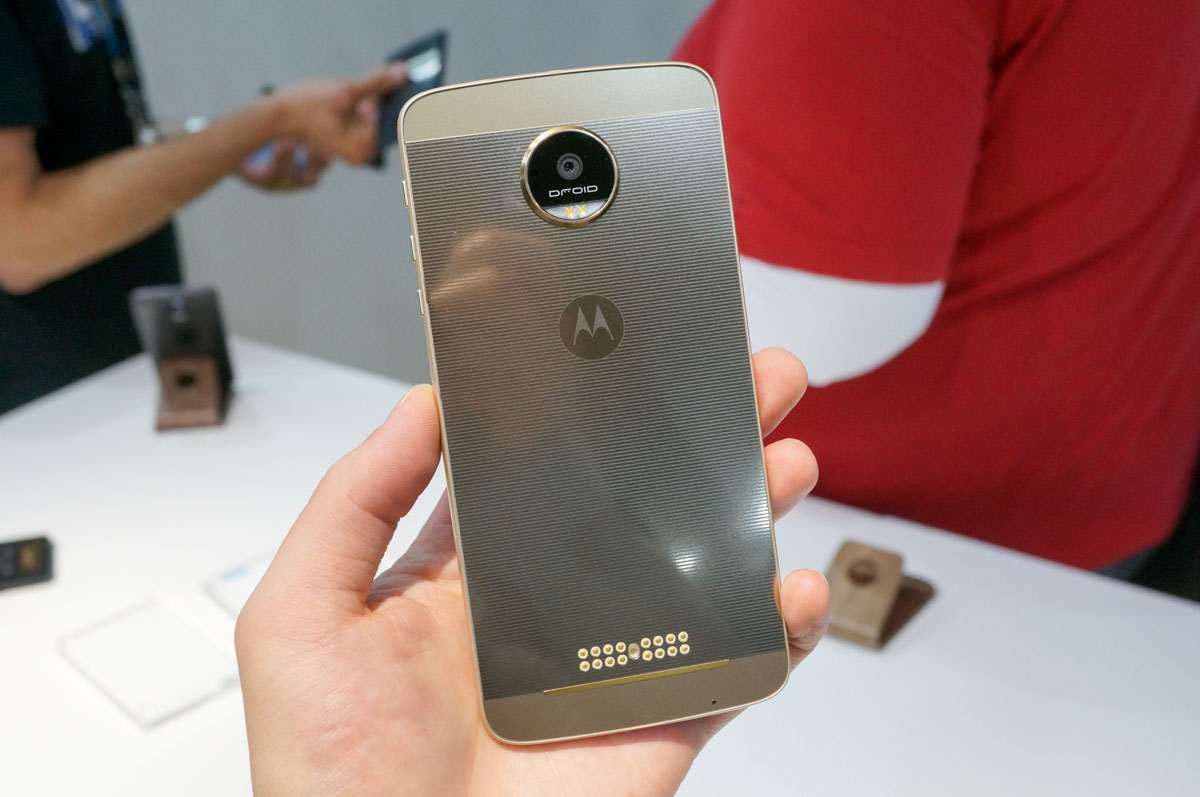
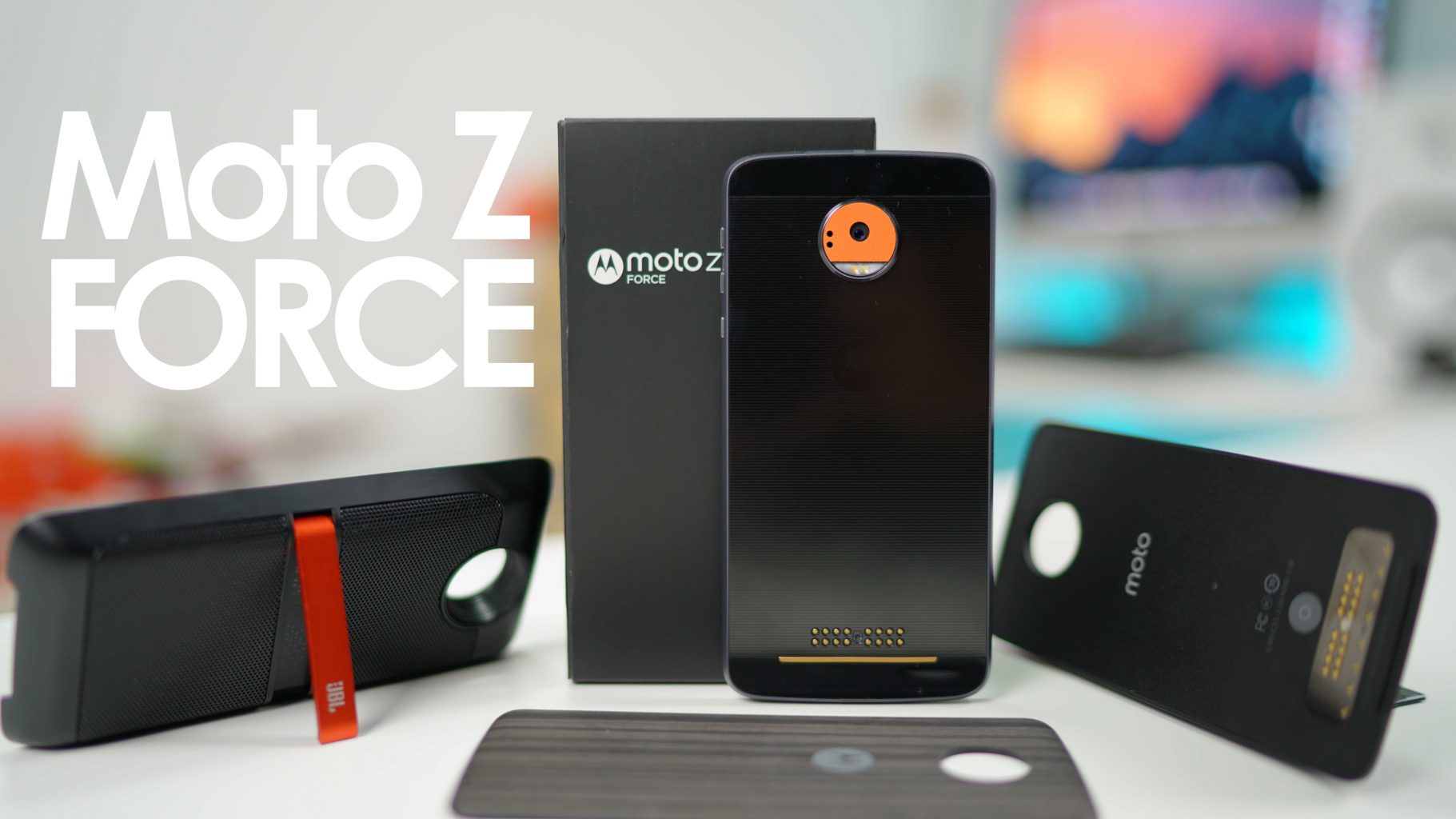
    The advantages the Droids have over all other androids is there is no corners cut in terms of build quality, design and performance. Add in the swappable Moto Mod accessories that connect through magnets, and its premium hardware, the Motorola Moto Z  Droid  is a powerful handset but its only available to US customers,  On Verizon… or is it.
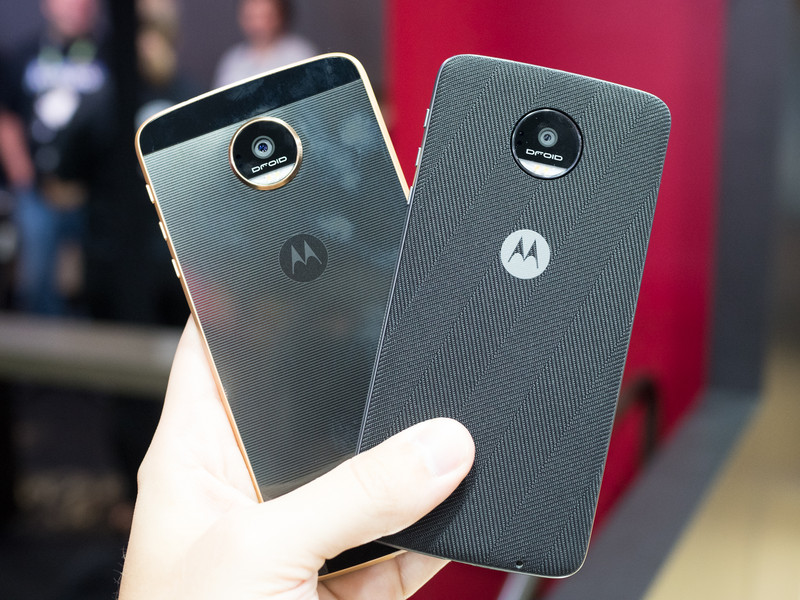
    If you think its terrible that the fanciest and coolest of all the androids can only be for Verizon customers, hold up. If you remember all Verizon phones are factory unlocked. The Moto Z can be easily used on any carrier, just pop in your sim.

    The Design

    At 5.2mm thick, the Moto Z2 is the thinnest flagship phone I’ve ever used, and it’s just stunning. In fact, when it comes to design, the Moto Z2 couldn’t be any more different from the flagship Moto Xs that came before it — the friendly curves and sloping back are gone, leaving us with something more angular and elegant.

    21MP Camera

    the Moto Z Force’s camera does a stellar job of capturing fine detail, which really isn’t surprising, it’s a 21-megapixel sensor. there’s also a new Beauty Mode that irons out the wrinkles and blemishes that might mar one’s selfies. Sounds massively important, too bad it doesn’t really work. Motorola also added a Professional Mode that allows for more granular control over your photos. Once enabled, you’ll get full control over ISO, white balance, shutter speed and exposure — change any of those settings and you’ll get a live update on your display. careful, too much and it will crash the camera app. lame.

    The Mods

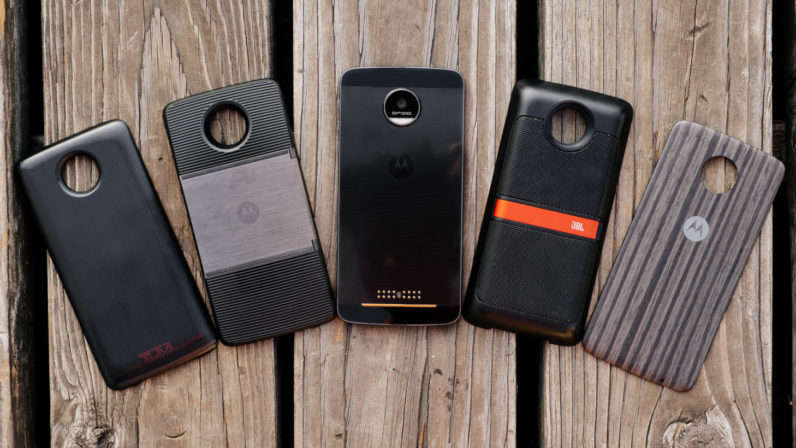
    This is the coolest feature of the Droid Z Force. The mods make the Droid z standout among the field. In a nutshell, they are extremely convenient, and make the Moto Z a blast to  use,  like a Bluetooth speaker or a separate HD projector. They are quite expensive, especially the projector and i wish they were stackable. Yes that sounds ridiculous, but add a projector, JBL speaker and a extended 12000 ml amp battery, you have a portable theater system.

    The Final Thought

    Its got all the power, features and functions you need. It looks beautiful and you can easily change the back glass to a load of beautiful options to make it stand out. Then you add the mods. Its a great android option, pick one up from the Verizon store and use your sim to work on any carrier.