Category: News

  • Google’s Duplex AI Now Open to Beta Testing

    Google’s Duplex AI Now Open to Beta Testing

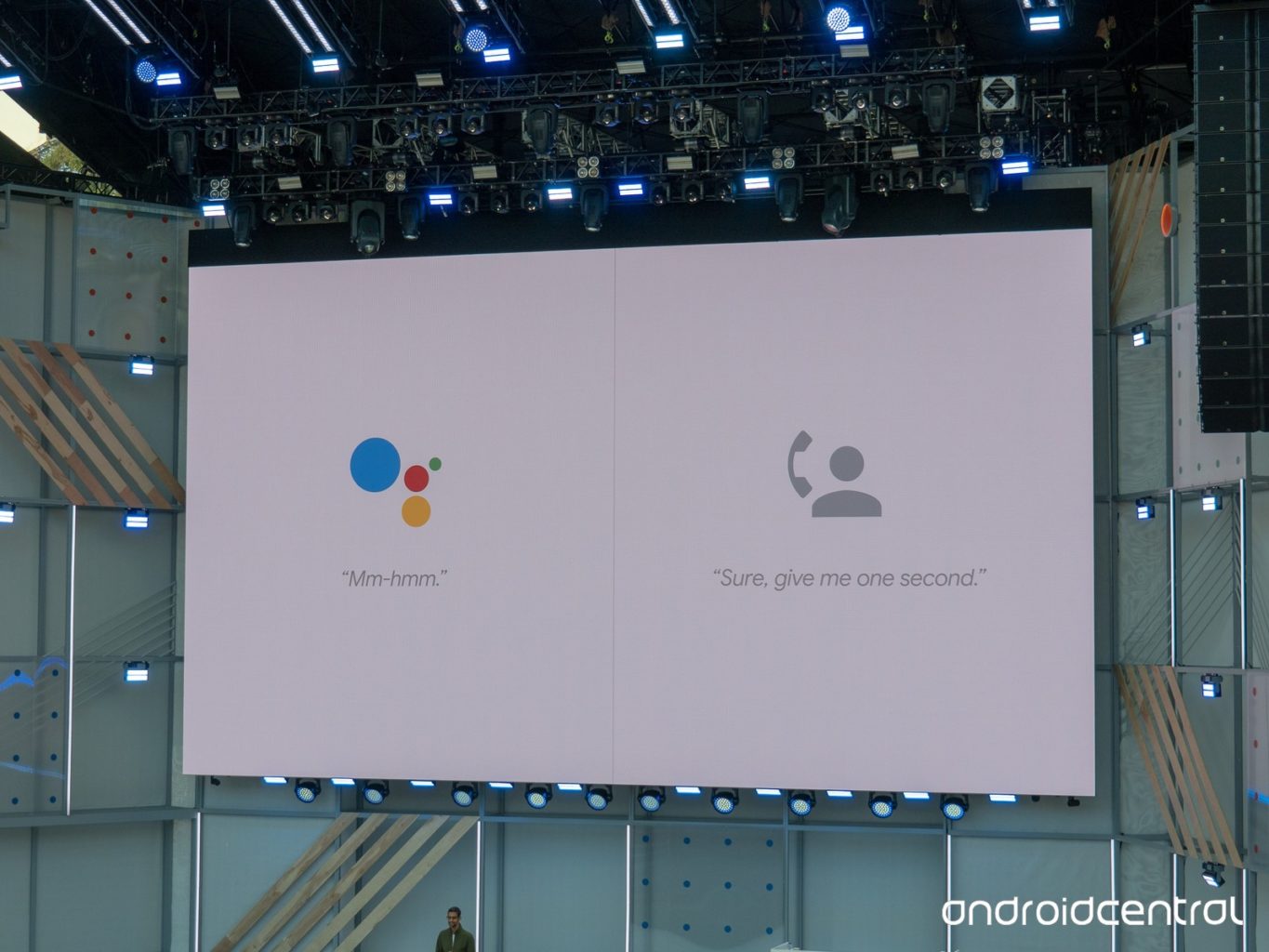
    The eerily human-sounding Duplex AI is now in its beta testing phase. The technology sparked a ton of interest when it was introduced at Google’s I/O 2018 conference. On the one hand, this kind of human-sounding virtual assistant was surely the next step for the technology.  

    However, concerns were raised over the ethics of the software. It sounds nearly indistinguishable from a human to the untrained ear and was made to make phone calls. Googe says the software will identify itself as non-human when it goes live, but that doesn’t mean there’s no room for misuse. ting phase. The technology sparked a ton of interest when it was introduced at Google’s I/O 2018 conference. 

    The Beta Testing 

    Google has begun the beta testing phase by having Duplex call businesses that have opted in to the program. Such businesses will receive calls from Duplex to verify things like business hours, and holiday hours. The primary function of the AI, booking appointments, won’t go live until later this summer. For the time being, Google is simply fine-tuning the technology to sound more lifelike and hone its conversational skills.  

    A Question of Responsibility 

    What kind of responsibility does Google bear in regard to Duplex’s ability to fool people? Technology like this could be used to make a nonliving entity fool humans into thinking it’s alive. Google has attempted to address these fears, stating that the AI will tell whoever it talks to exactly what it is. Something like “Hi, I’m the Google Assistant, calling to make a reservation for a client,” will be stated, perhaps not in those exact words. Even if it’s supposed identify itself as AI, it’s the existence of the technology itself that worries some analysts. 

    Google, for its part, has released its manifesto on AI, detailing what they will and won’t develop. It seems they are interested in ensuring the launch of Duplex is ethical. This is good, as it will set the tone for future mass-market AI releases. By setting the right tone out of the gate, Google may be seeking to curb fears that AI will be mishandled. We’ve got our fingers crossed that they know what they’re doing. 

  • Gadget News: Portable Edge Desk

    Gadget News: Portable Edge Desk

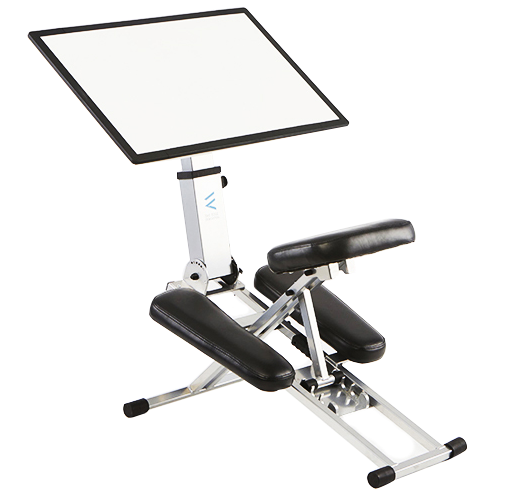
    After experiencing a great amount of success on Kickstarter, the Edge Desk is now available. The $400 portable desk is a great choice for those looking for a portable home office that scan stow away in a closet or under a bed. 

    Unusual Seating Arrangement 

    The seat of the slim personal desk is a little odd. You kneel in it like a massage chair. While it might look awkward, it’s actually quite comfortable and encourages good posture. Slouching while working is a big problem for many, especially in home offices. The Edge Desk looks to combat that with its unique seat design. The seat is also one of the reasons the desk can fold up to be as small as it is, as it is key to the folding process. 

    Convenient Adjustable Surface 

    The desk’s surface is adjustable in nearly every way. Height, orientation and angle are all adjustable to user specifications, ensuring you’re always comfortable while working. The best part is, even bigger users can make use of the desk: it’s rated for up to 250 lbs., and users up to 6’2″.  

    Attachments 

    Add-on attachments are also available for the desk. A phone holder and water bottle holder are notable examples. While they’re not necessary, they help you to customize the desk to make sure it’s comfortable and useful.  

    Edge Desk Bottom Line 

    The Edge Desk won’t be replacing normal home desks anytime soon. However, for those that travel often or have limited space, it’s a great device. If you live in a small apartment and want a comfortable all-in-one that stows easily, this is for you. The price is a bit steep, but it’s a high-quality, useful product for what it does. If this is for you, you knew as soon as you saw the picture. If it isn’t, you’re likely saying “who would pay $400 for a desk you have to kneel in?” To which we say, touché.  

  • Rumor Roundup: What Can we Expect to See at Comic-Con?

    Rumor Roundup: What Can we Expect to See at Comic-Con?

    San Diego Comic Con starts on July 19th, which means we’re less than a month away from the biggest comic book show in the world. Comics aren’t the only focus of the mega-convention, though: movies, TV and video games are always heavily featured. What kinds of things can we expect to see, or not, at the show? Let’s talk comics! 

    DC Shows and Movies 

    The Warner Bros DC TV shows like Arrow, Black Lightning, Flash and more will be there. They’ve all confirmed their presence at panels, and we can expect to see trailers and teasers for all of them. That’s great news for fans of DC’s TV offerings! Also, given that there will be an Avengers-sized hole in the panels this year, it’s a great time for DC’s movies to make a splash. And who better to splash than Aquaman? A full trailer will certainly be on display at the show this year.  

    Other DC movies we’re likely to see something from are Wonder Woman 1984, the Joker movie, Shazam and maybe even that new Batman project. Since every DC movie except Wonder Woman has been entirely forgettable, the strength of their next projects is entirely up in the air. While we have high hopes, we’re keeping our expectations realistic.  

    Fox’s Properties 

    The next two X-Men films, Dark Phoenix and New Mutants, will almost certainly be on display. However, the pending merger with Disney (or maybe Comcast, who knows right now,) could throw a wrench in those films’ production. If the MCU and the X-Men Universe are able to merge successfully, we’re likely to see the repercussions of that as soon as 2019.  

    Other properties we’ll be seeing are the various X-Men TV shows. Legion, Runaways and the Gifted would likely all be on display.  

    Sony’s Spidey-Films 

    Venom and Spider-Verse are set to release later this year. More trailers for both of them are expected, and possibly panels featuring their casts. Fans are cautiously optimistic about Venom, and downright ecstatic about Spider-Verse. Keep your eyes peeled on this one. 

    Notably Missing From Comic-Con: The MCU Films 

    Spoiler warning for Infinity War! After the Snappening, the MCU is about half as populated as it was. The secrecy around Avengers 4 is still swirling and extends to the SDCC festivities. For the first time since the MCU launched, Marvel won’t have a film panel. The only film coming out between SDCC and Avengers 4, though, is Captain Marvel. While we still have few details regarding that project, we were hoping to see something about it at Comic-Con. 

    That said, Marvel has promised details about its upcoming Netflix series Iron Fist are going to be the center of their Comic-Con showing. That’s pretty exciting if you’re an Iron Fist fan like me! After seeing the character’s more comic-like personality in Luke Cage Season 2, I couldn’t be more excited to see the martial artist return to the small screen.  

  • MacOS Mojave Beta: Feature Roundup

    MacOS Mojave Beta: Feature Roundup

    The biggest overhaul to Mac’s OS, the Mojave, is finally in public beta. If you haven’t had a chance to check it out yet, we’ve got a roundup of some of the most notable new features right here for you. Fair warning: this is a pretty early MacOS Mojave beta, and you shouldn’t install it on your primary device. If you’ve got an old laptop hanging around and want to try it out, go for it. But if you use a computer for work, don’t install the beta on it, just read our roundup! It’ll be out for you to try soon enough. 

    Dark Mode 

    Finally, Apple shows they’re listening to their users! Mac users have been clamoring for a dark mode for years, so it’s almost hard to believe it’s finally here. It looks pretty good, considering this is just the beta. By the time it goes live we expect it to be up to the normal Apple standards of aesthetic. It’s a small change to some, but it means a lot! 

    Finder Improvements 

    Finder has received some updates in look and general usefulness. The new gallery-style view replaces the old cover flow, and it looks great. Additionally, Finder now displays metadata about your files as you go through them. Additionally, new quick actions have been added to allow for faster photo editing. Cropping, rotating and converting are bound to the new allow for faster photo editing. Cropping, rotating and converting are bound to the new actions, as are trimming video files and merging multiple images into a PDF. It’s a lot of generally useful updates that are sure to please any professional Mac user. 

    Stack it Up 

    Too many icons cluttering the desktop? Stack them up! Mojave can group your apps and shortcuts together into collapsible groups called Stacks. If you’re constantly shortcutting videos and pictures, Stacks are a great way to keep everything organized.  

    Dynamic Wallpaper 

    This last one is just fun. The Mojave beta comes with a dynamic wallpaper that displays a dune in the Mojave Desert. The time of day in the wallpaper changes in live time with the location of the sun in relation to where you are. That’s just cool, and a nice touch by Apple.  

    We’ll have more info on MacOS Mojave as it comes out, and these are just some highlights of the beta. There’s tons more, but we’ll get into that as it gets closer to release! 

  • Facebook Keyword Snooze, Finally We Can Hide Topics in Facebook

    Facebook Keyword Snooze, Finally We Can Hide Topics in Facebook

    How many times have we had to avoid Facebook when our favorite teams are playing for fear of getting updates on the big games you have DVR’ed for later. Not to mention avoiding Game of Thrones spoilers as I tried to catch up on the latest season. Facebook has always been ripe with spoilers. Not any more.  No Longer will I have to sift through tons of Trump hate post and political garbage. Now Facebook is giving us the tool to block certain topics from our news feeds. Its true we can now you can mute those topics thanks to a new Facebook feature called “ Keyword Snooze .”

    How To Setup The Keyword Snooze

    Keyword Snooze is exactly what it sounds like, the feature gives you the option to temporarily snooze posts that contain a keyword of your choosing. When you set up the snooze, you won’t see any posts from individuals or groups that contain that word for 30 days. They’ll still show up for you on those individual’s pages, so you’ll need to browse carefully if you’re trying to avoid spoilers, but it will at least keep your News Feed safe.

    Its very simple to activate and implement. To activate Keyword Snooze just tap on the three buttons at the top right-hand side of a post similar to the kind you’re trying to avoid. A pop-up window will appear with options like Save Post, Hide post, and Unfollow. At the bottom, you’ll see “Snooze keywords in this post.” and off we go.

    While  you still have to find a post about the topic to click the keyword snooze option, which seems like a waste of the function. Facebook is reporting that they are in the works to enable a way of proactively activating the keyword snooze.

    The Final Thought

    This is part of Facebook revival attempts. They are trying to fix all the issues we have with Facebook in an effort to bring the kids back. Im excited and grateful that this is coming and will be immensely usefully for me. No more spoiled Yankees games or big Aaron Judge homers being bragged about when I haven’t had the chance to enjoy the game first.  The good folks on the west coast may now be able to be surprised buy who gets voted off Survivor this season, and #spoileralert that just may make the world a slightly brighter place.

  • Samsung Galaxy S10 Rumor Roundup

    Samsung Galaxy S10 Rumor Roundup

    Samsung’s popular range of Galaxy phones are known for being some of the very best smartphones to run Android. As such, it’s understandable that rumors regarding the upcoming releases in the family are eagerly churned out. Which rumors about the Galaxy S10 are the loudest, and which are the most likely? Today we’re rounding up some of the rumors surrounding the upcoming Galaxy phone! 

    3D Facial Scan 

    Sources have reported that the newest Galaxy phone will forego the iris scanner in favor of a full 3D face scan. If that sounds familiar, it’s because that’s exactly what Apple’s Face ID is. Samsung seems to be gunning for its American rival with their newest phone. The rumors around this Samsung face scan indicate that if the technology isn’t ready by the time the Galaxy 10 is set to ship, it will continue to use the iris scanner instead.  

    In-Display Fingerprint Scanner 

    A feature that was supposed to be in the Galaxy S9, the in-display fingerprint scanner is rumored to be appearing in the S10. Chinese smartphone makers Vivo and Oppo have been pushing the limits on in-display scanners, and Samsung isn’t a company to be outdone. Interestingly, Apple chose to forego this avenue of technology altogether in favor of Face ID technology. Samsung, on the other hand, is pursuing both. While that may seem redundant, perhaps they’re looking to cover all potential bases.  

    No Phone Notch 

    Rumor has it that Samsung won’t follow the industry trend of the top phone notch. Instead, they’ll opt for very thin bezels on the top and bottom of the front display. The thin top bezel will house the camera, speaker and other technology that is usually housed in a phone notch. The presence of the bottom bezel is disappointing, but in leaked renders the phone still looks quite slick. However, if all these rumors are to be believed, Samsung might just have an iPhone X-killer on their hands. If they can deliver a phone with 3D facial scanning, an in-display scanner and a powerful processor, they’ll be poised to dethrone the iPhone. 

  • Ten Takeaways from iOS 12 Beta

    Ten Takeaways from iOS 12 Beta

    The public beta for iOS 12 is here! That means it’s time to dig in and talk shop. First things first, remember this is a beta, so don’t go installing it on your main phone. Grab an old iPad or something if you wanna try it out. That said, we’ve got a list of the top ten takeaways from the iOS 12 beta for those without a device to try it out with. From what’s awesome to what’s not, to what’s flat-out missing, we’ve got you covered. Alright, let’s get into it! 

    The Good Stuff: 

    Memoji 
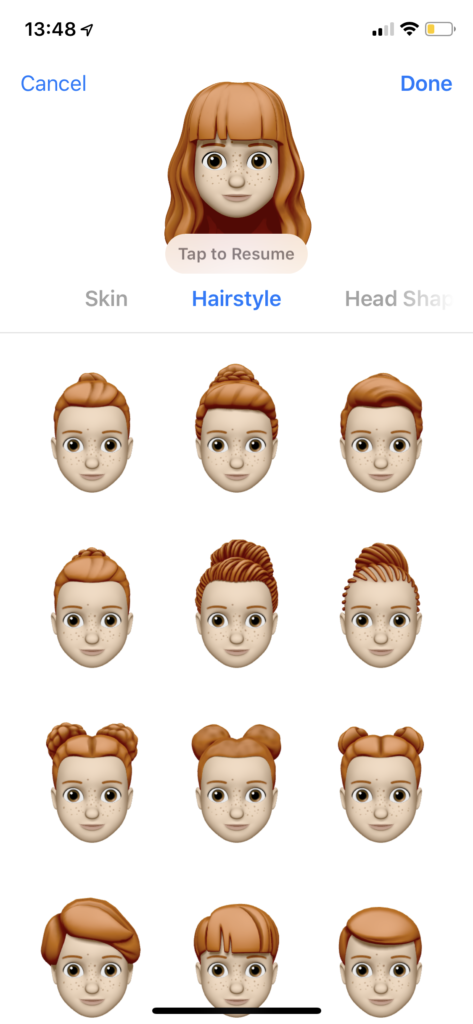
    Photo Credit: Mashable 

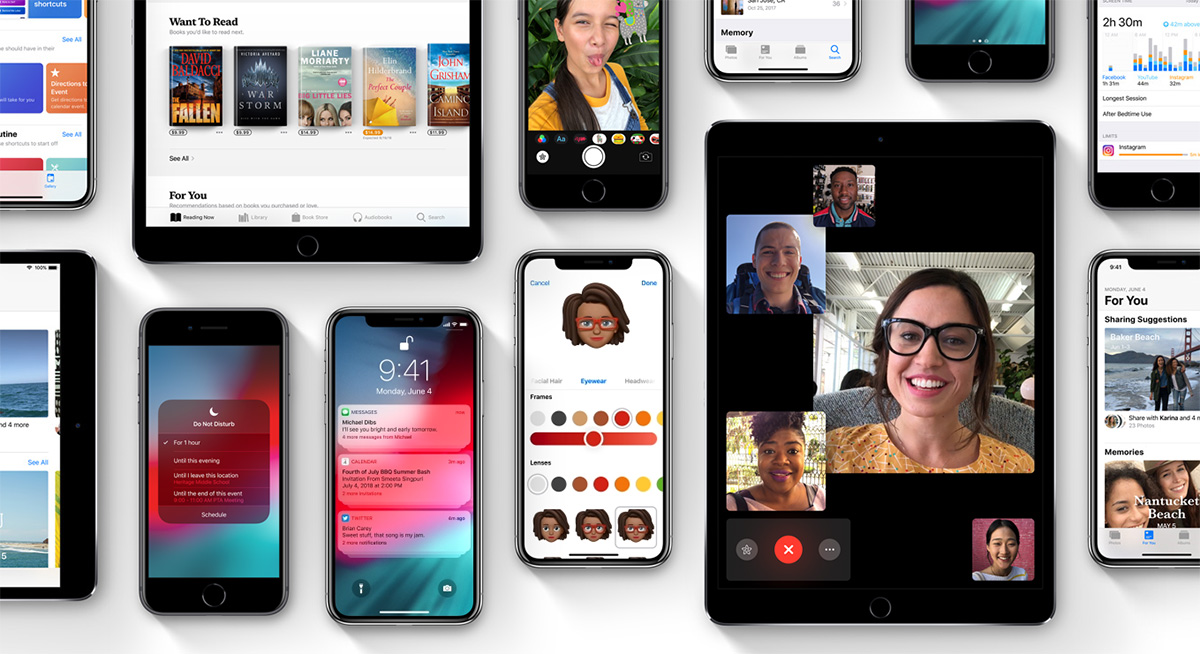
    Let’s kick it off with some of the coolest features in the beta. The Memoji is available on iPhone X, and it’s great. It’s sort of like the Mii feature from Nintendo, where you can create a personal cartoon avatar. Then you can use that avatar in different apps to represent you, and you can type in to people in messages. It’s adorable, it’s meaningless and you know you want it. 

    Animoji
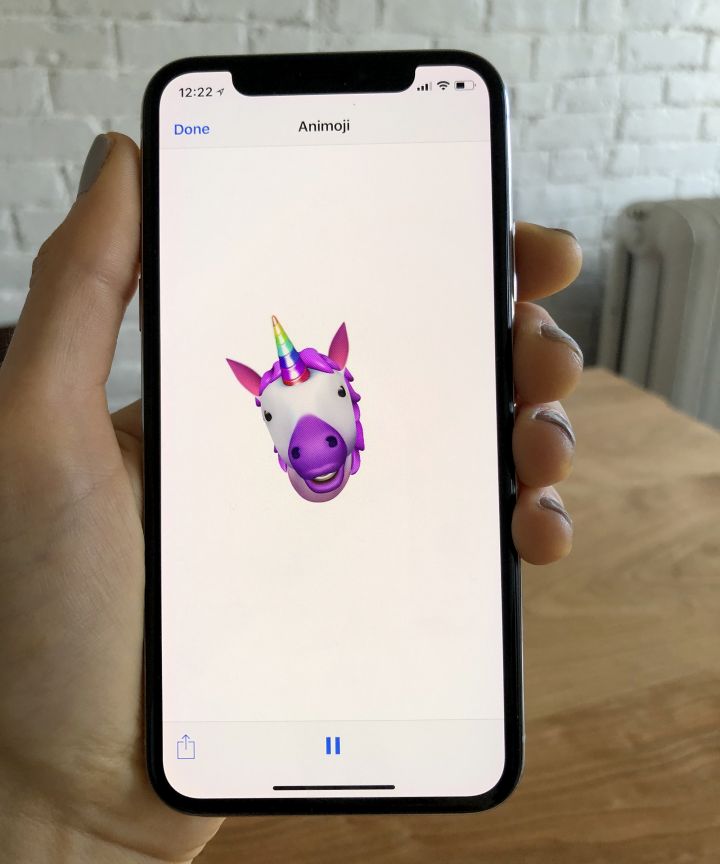
    Photo Credit: Refinery29 

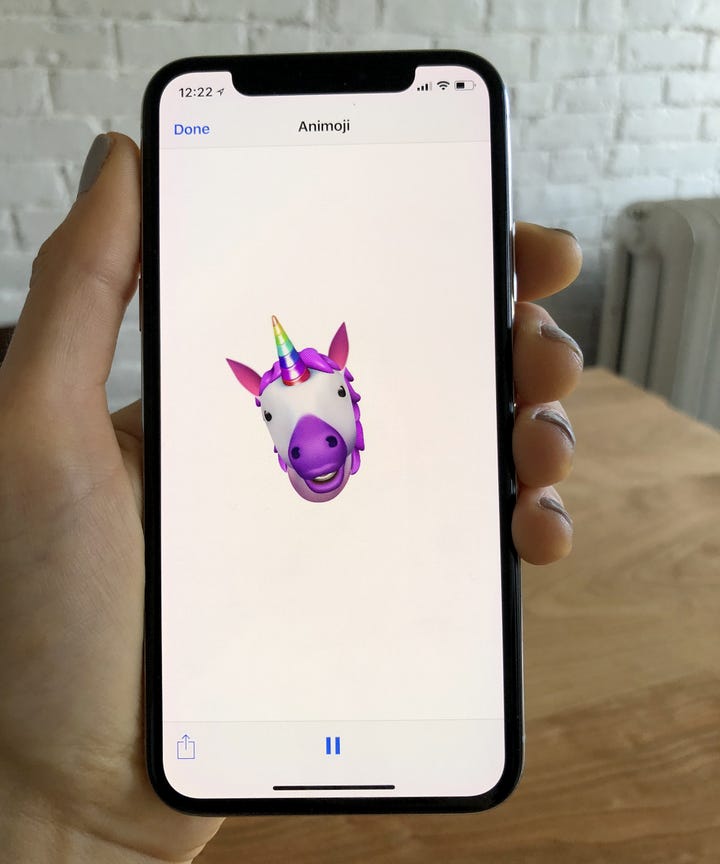
    On the topic of meaningless adorable emoji things, new Animoji are also available on iPhone X with this update. If you already didn’t love this feature, this isn’t going to blow you away. That said, if you liked it, there’s some new ones to play with soon! There’s a new koala, a tiger cub, a dinosaur and even a ghost! Kids, especially, will love this. 

    Screen Time
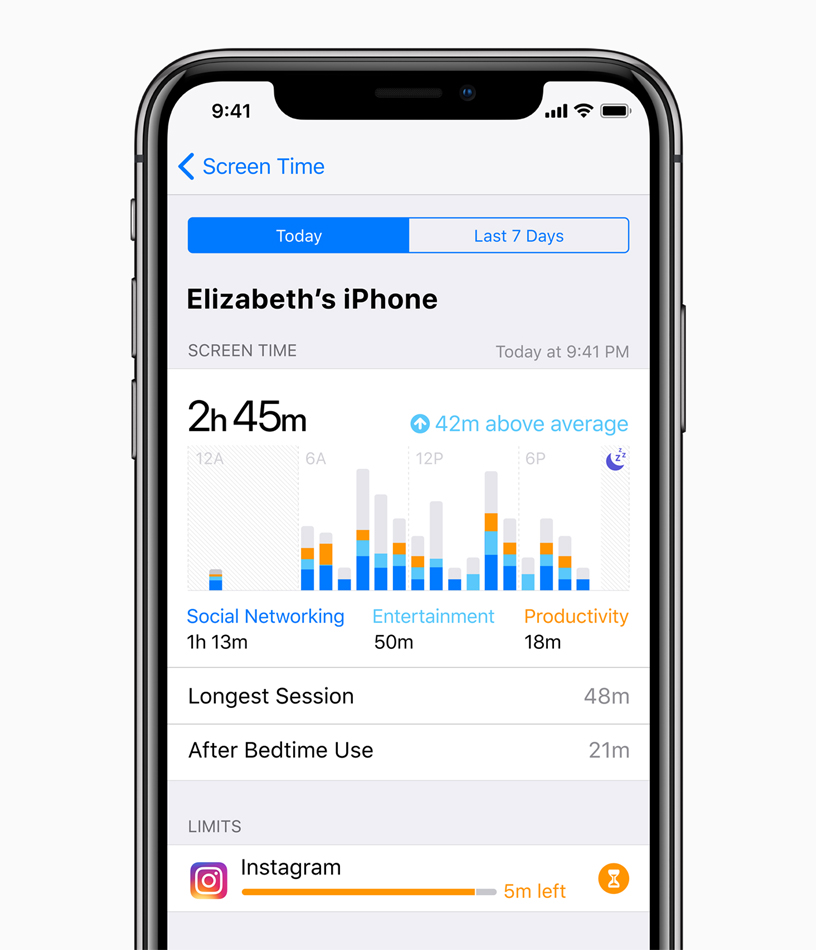
    Photo Credit: Apple 

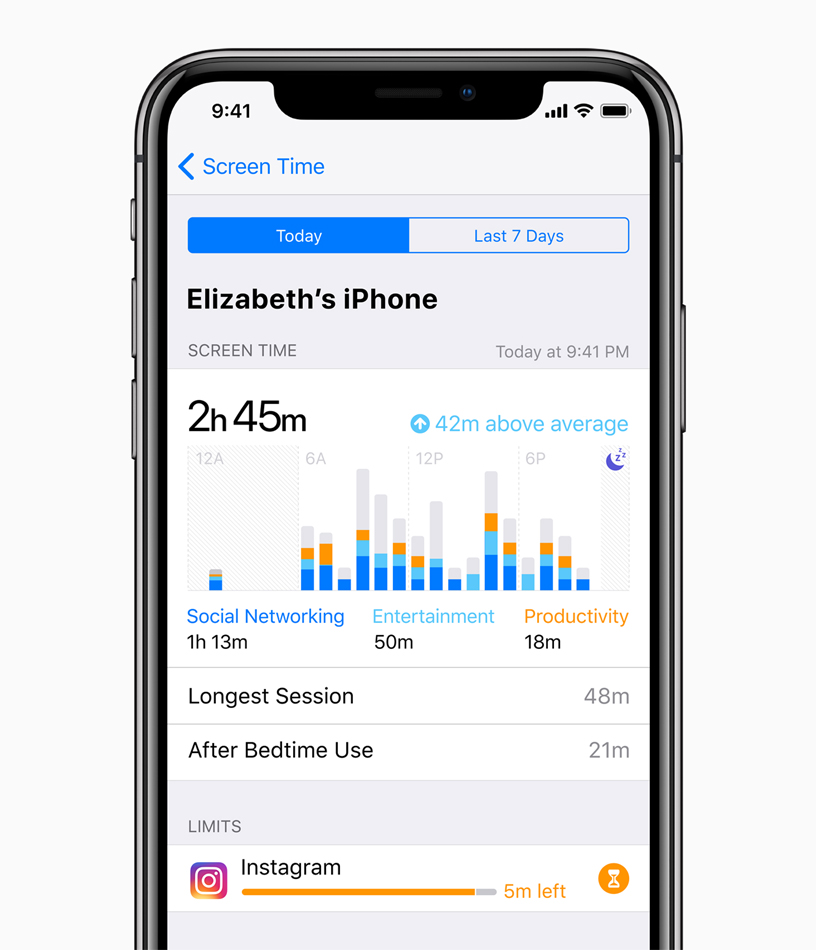
    This new feature aims to help you use your phone less. Screen time allows you to see how much time you’re spending on various apps, and you can even set time limits. If you want to create Downtime, as iOS 12 calls it, the phone discourages you from using apps at certain times. There’s also a new feature that allows parents to lock certain apps or time gate them for their kids. If your little one is staying up all night playing Fortnite, this is a great addition. 

    The Changes: 

    Notification Changes
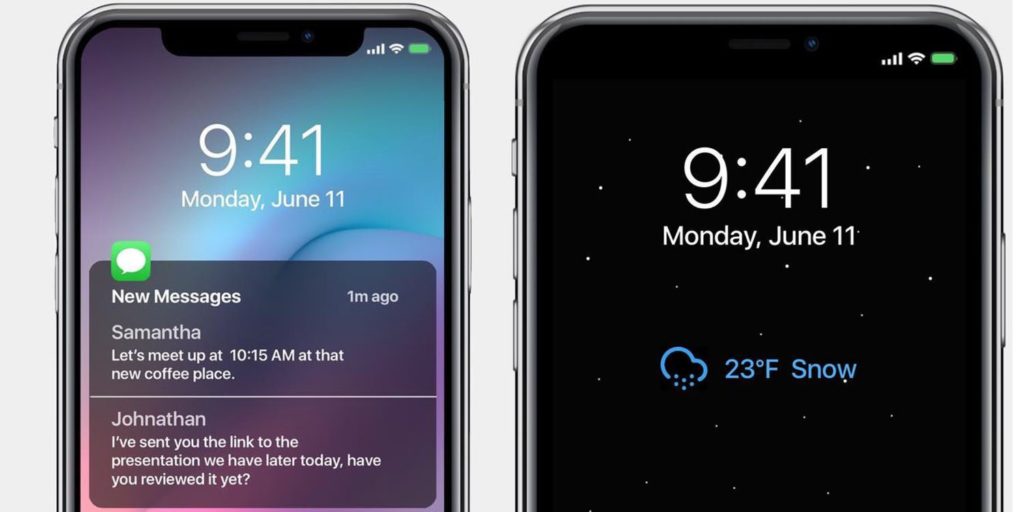
    Photo Credit: 9to5 Mac 

    This one is a pretty great overall quality of life change. Now, like notifications will be grouped together, making it easier to parse what notifications you’re getting. This is great for cutting down on clutter. You can also mass-silence notifications of different type with a tap. More advanced Do Not Disturb options are also available for those who want to get picky with their notifications. 

    Voice Memos App
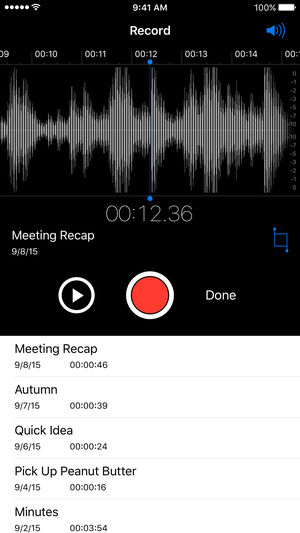
    Photo Credit: iTunes 

    Some changes to the voice memos app are welcome. They include fast forwarding and rewind controls, which are great. They also added iCloud storage for your voice memos. If you use this fucntionality a lot, you’ll be really happy to see these changes. Nothing major, just great to see. 

    Photos Search and Suggestions

    Another general quality of life change, this beta has introduced new functionality to the Photos App. The first is a new photo suggestion mode that suggests which pictures you may like to share with others via social media. The other is a new suite of search terms to help find your pictures. If you use Instagram a lot and take tons of pictures, these are awesome new features! 

    Group FaceTime
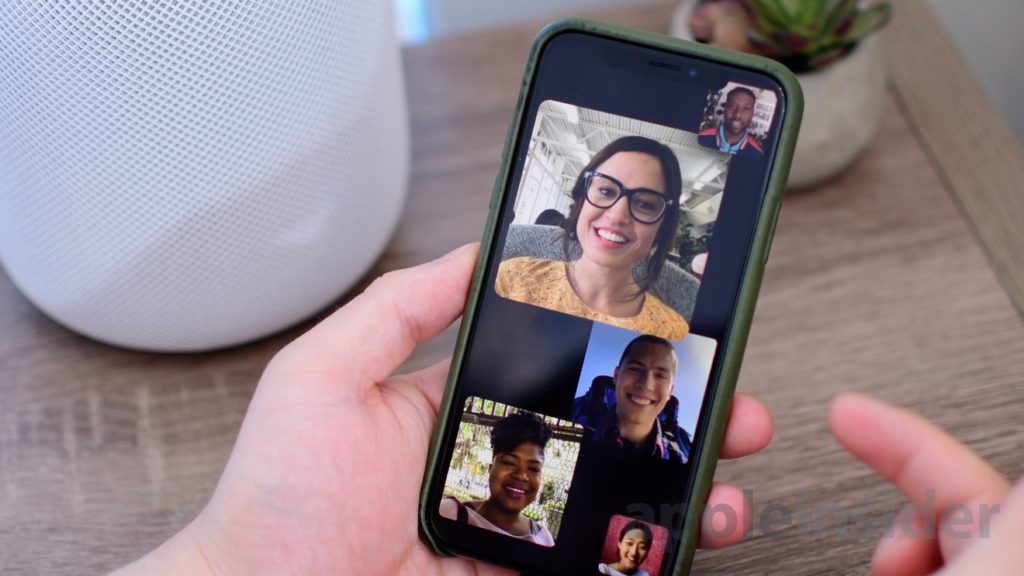
    Photo Credit: AppleInsider 

    FaceTime now supports up to 32 users at once. Awesome! It also now switches focus based on who’s talking which makes this great for meetings or more informal conversations. Speaking of informal, you can also add your Animoji or Memoji to these massive group conversations. Sounds chaotic, wacky and fantastic! 

    What’s Missing?

    ARKit 2
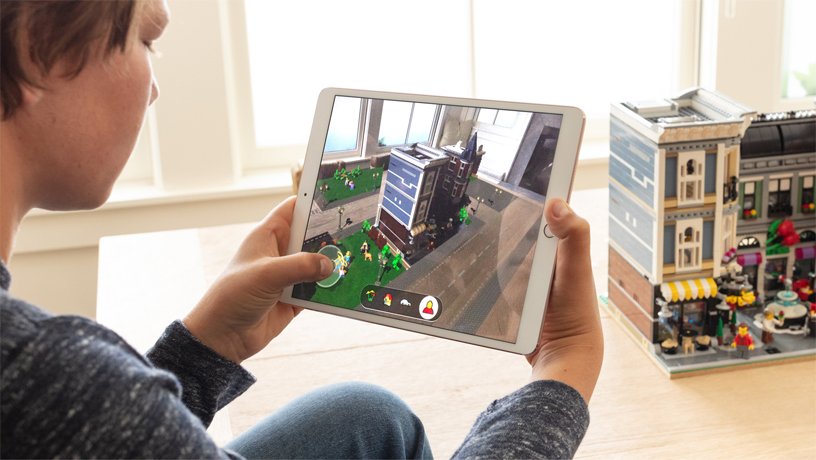
    Photo Credit: Apple 

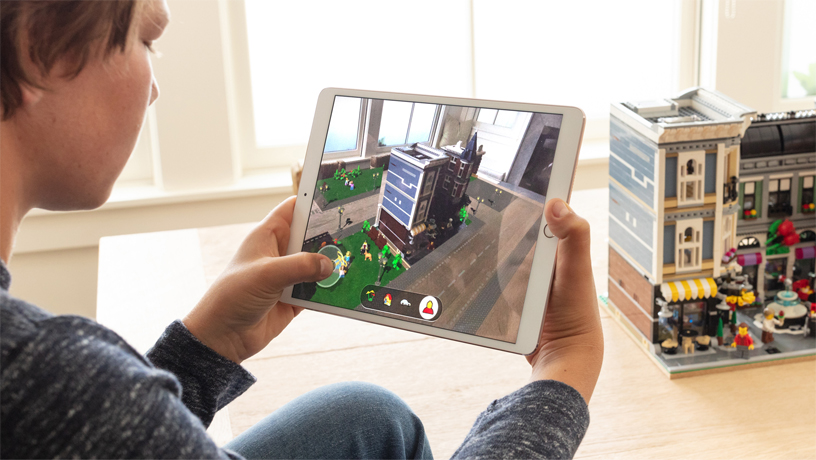
    Apple’s big push for augmented reality isn’t present in the beta. While the Measure app uses the new augmented reality functions, other apps that do this already exist. We’ll have to wait until the third party apps that support the new ARKit ship when the OS launches. 

    Siri Shortcuts
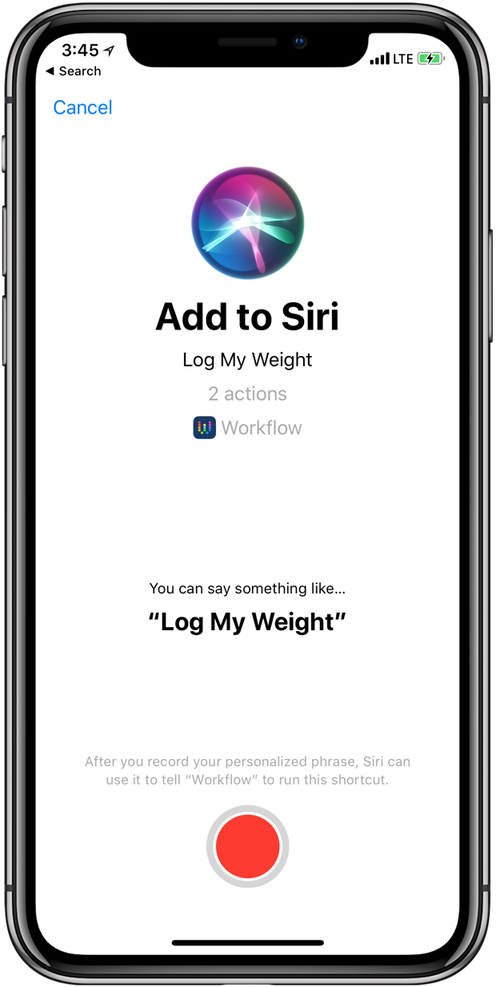
    Photo Credit: 9to5 Mac 

    This feature currently works haphazardly with a few different first-party apps. Third-party support for the new Siri functionality hasn’t launched yet, though. Creating your own shortcuts for Siri is likely to be one of the biggest draws to the new OS when it launches. Apple has been trying to keep up with Alexa and Google Assistant, but Siri has been lagging behind. Seeing these features aren’t ready for full beta-testing yet doesn’t exactly inspire confidence.  

    What We Wanted in the iOS 12 Beta: Better Siri Overall 

    Siri was the first virtual voice assistant, but she’s changed little since she launched seven years ago. When Siri launched, phones didn’t have biometric scanners and smart homes sounded like a sci-fi future. Apple hasn’t rolled out the kinds of changes to Siri we’d have liked to see in this beta. Hopefully they have more changes, and more uses, coming later in the beta. For now though, we’re disappointed to see this cutting edge company lagging behind in this field. 

    Feature Image Credit: Apple
  • Mouse and Keyboard Controls Coming to Xbox One Soon

    Mouse and Keyboard Controls Coming to Xbox One Soon

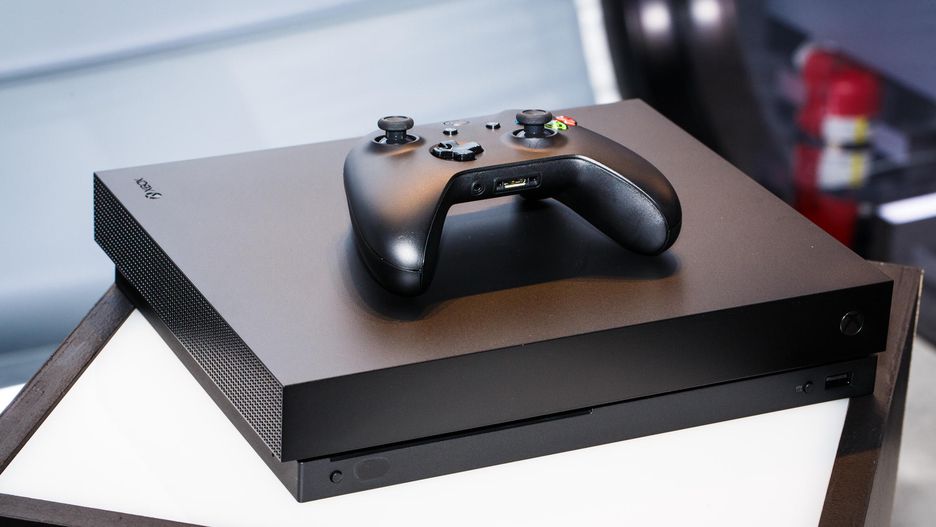
    Microsoft’s initiative to make their home console as accessible as possible continues with support for mouse and keyboard controls. A recently leaked internal video aimed at developers outlined the company’s plans to extend full support for the control scheme soon. According to the video, any non-Bluetooth Windows mouse and any USB keyboard will be compatible with the system soon. As such, lapdesk keyboards like Razer’s Turret could be the next living room controller.  

    Competitive Concerns with Mouse and Keyboard Controls

    Users with the traditional PC control scheme have a distinct advantage in competitive games over those using gamepads. Microsoft’s video urged developers to consider having different matchmaking lobbies for users with keyboard and mouse control schemes.  

    Additionally, Microsoft has suggested this push could also help crack down on hackers. A notable hack currently allows for a mouse signal to be spoofed through a controller. Thus, allowing for greater aim and reaction time than is possible with a gamepad. The updated API that will allow for direct mouse control will also be able to dsitinguish such hacks. 

    Xbox Accessibility 

    The recently-announced Xbox Adaptive Controller showed that Microsoft is looking to find new ways to enhance the Xbox control experience. The XAC, for its part, is looking to make Xbox easier to use for those with physical impairments. The mouse and keyboard initiative, however, seems to be more aimed at hardcore gamers. These steps are all fantastic, though: why force gamers to use a gamepad if they’d rather use something else? By embracing the different ways users want to interact with their system, Xbox wins the goodwill of current users and the patronage of new users. 

    This move seems to be coinciding with Microsoft’s push to be perceived as a “good guy” in the home console market. Recent marketing from Nintendo has promoted cross-play between Switch and Xbox One. Rocket League, Minecraft and Fortnite all support cross-platform play. Sony, meanwhile, has been stubbornly blocking cross-play for those titles on their own system. Microsoft has taken this opportunity to push marketing making themselves, and Nintendo, seem like rational, cool-headed companies. Or, the “good guys,” as it were.  

    One Step Closer to a Living Room Gaming PC 

    The Xbox is essentially a Windows computer that has been optimized for gaming. The difference between the Xbox One and a gaming PC is becoming harder to tell with each update. While some may ask why Microsoft even feels the need to release dedicated consoles anymore, the Xbox brand has been quite successful.  

  • 2019 Ford F-150

    2019 Ford F-150

    Ford’s name carries some serious weight in the world of pickups. If you’re a fan of towing capacity, cab size and general ruggedness, odds are you like Ford’s F-150 range of trucks. 

    We’ve got some awesome news for you, then: the 2019 Ford F-150 Limited is getting the engine from the Raptor for 2019. That’s right, the most powerful engine in a light-duty pickup is coming to the F-150 limited.

    What Raptor Brings to the 2019 Ford F-150

    Ford’s F-150 Raptor engine is a beast, packing 510 pound-feet of torque and a ten-speed automatic transmission. The F-150 Raptor itself is a fantastic vehicle, so hearing that its stellar engine is coming to the 2019 Limited version of the F-150 is great news. The Limited, which is slated for release in 2019, is shaping up to be a tremendously luxurious vehicle. Sporting a spacious, quiet interior cabin and a smooth, easy ride, the Limited will likely be one of the most sought-after trucks on the market next year.

    Pricing and Release

    We don’t have any solid info yet on the pricing or specification for the 2019 Limited. However, the Limited line does have a few standard accoutrements that you can expect to see. For one, the luxurious interior trimmings, like massage seats, power running boards and a leather-trim dashboard will make an appearance. Also, exterior upgrades will include 22-inch wheels and dual exhaust pipes. As for high-tech luxury, the Limited will sport a 360-degree camera as well as adaptive cruise control.

    The 2018 Limited was priced at $63,000, making it a luxury vehicle in name and price tag. However, the 2018 model doesn’t sport the more powerful Raptor engine, so you can expect the 2019 edition to cost a spot more than $63,000. We won’t know for sure until Ford releases the official pricing information.

    As far as the release goes, you can expect this luxurious, powerful truck on the dealership lot this Fall. Get ready to get rough and tumble with the 2019 Ford F-150 Limited!


  • Rumor Roundup: Google Pixel 3

    Rumor Roundup: Google Pixel 3

    Google’s Pixel line of phones hasn’t dethroned iPhone the way it may have hoped, but it’s done a fair job impressing reviewers. The Pixel 2, for instance, is considered one of the best smartphones in the world right now. Behind, of course, the Galaxy 9 and iPhone X. That one likely stings for Google, a company that wants to be everything to everyone. How are they intending to reverse this trend for their next phone? Let’s check out some of the rumors surrounding their upcoming smartphone. 

    Another Phone with a Notch 

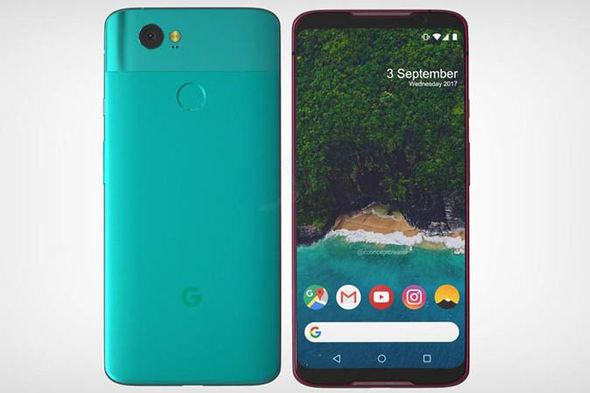
    A leak of the Pixel 3 design suggests that the phone will sport an iPhone X-style top notch. While many find the notch distracting and unnecessary, phone makers seem to take it as a marker of Apple-like design. Google, for their part, seem to be embracing the comparisons between themselves and Apple and leaning into this design decision. The same leaked render shows that the phone will have a back-mounted fingerprint scanner, instead of an in-display scanner. It also suggests that the phone won’t have the dual-camera setup on the back that many have adopted for Bokeh-style portraits. This makes the Pixel 3 something of an echo and downgrade from similar phones, design-wise. 

    Other Apple-Like Features 

    Another rumor holds that the Pixel 3 may have a Face ID-style 3D face-unlock. This is evidenced by the apparent dual front-facing cameras in the top notch in leaked photos. In fact, Face ID is the main reason Apple went with the notch design: the iPhone X had to put its face cameras somewhere. Thus, the notch was born.  

    Another Apple-like update, rumors hold that the Pixel 3 will sport negligible bezels, iPhone X style. This is great news for those who were hoping for a more visually striking phone from Google. As great as the Pixel 2 is, it’s design is a bit bland. In order to remedy this, it seems, the phone maker is aiming for a much bolder design.  

    Three Models of Google Pixel 3 

    Another leak holds that there will be three different Google Pixel 3 models released simultaneously. What this would entail isn’t yet known, but there are some conclusions we can draw at a glance. The first is that one of the models will likely be a budget option, perhaps with an LED screen and less memory. It stands to reason that a mid-tier version, maybe with an OLED screen and more memory would be on offer. Finally, a high-end, or maybe XL version, could be the third model.  

    We’ll certainly know more as we get closer to release. The Pixel 3 will likely be released sometime in late 2018, after September or October. 

    Feature Image Credit: Express.co.uk