Category: Uncategorized

  • Laptop Lookout: MacBook Pro 15

    Laptop Lookout: MacBook Pro 15

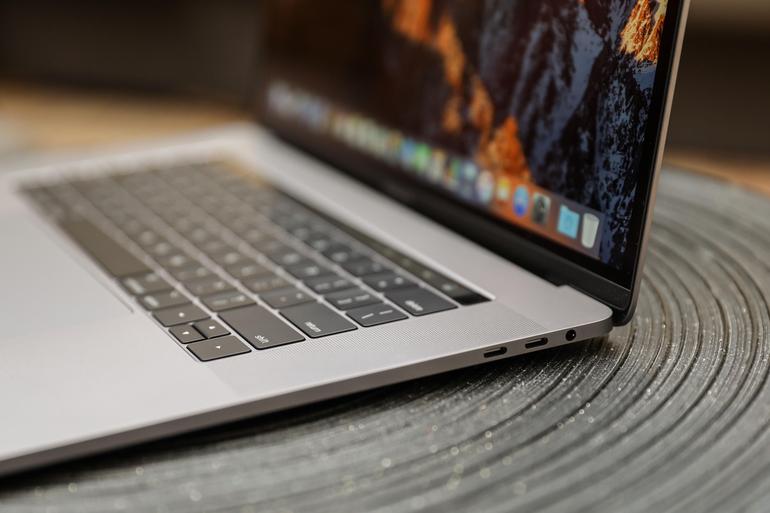
    It’s razor thin, feather light, and even faster and more powerful than before. It has the brightest, most colorful Mac notebook display ever. And it features the Touch Bar — a Multi-Touch enabled strip of glass built into the keyboard for instant access to the tools you want, right when you want them. MacBook Pro is built on groundbreaking ideas.


    The Great

    • Stronger processor
    • Faster RAM
    • Same excellent design

    The Not

    • Subpar battery life
    • Keyboard learning curve
    • Awfully pricey for the parts

    The Conclusion

    It is the standard for which all great laptops are measured and found wanting.


    The Pro status of Apple’s 15-inch MacBook depends on what sort of ‘pro’ you are. Traditionally creative pros would have turned to the Mac for their needs, be it design work, editing photos, working with video and animation, or other jobs that require decent graphic capabilities.
     

    The Design

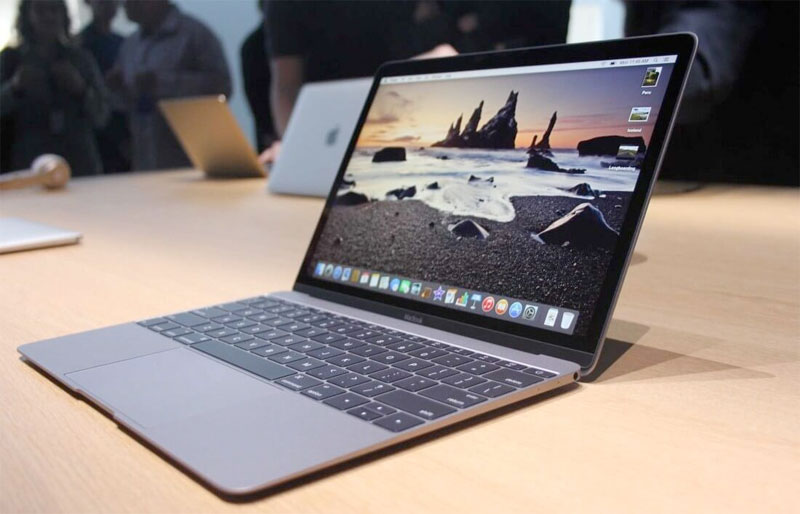
    Weighing 4 pounds and measuring 0.61 inches thick, the 2017 15-inch MacBook Pro is lighter and thinner than my personal 2012 model (which is 4.46 pounds and 0.71 inches), but I noticed the thinness a lot more than I noticed the weight, as my bag would feel just as heavy no matter which machine I was lugging.
    Touch Bar Really Useful for Only One Thing

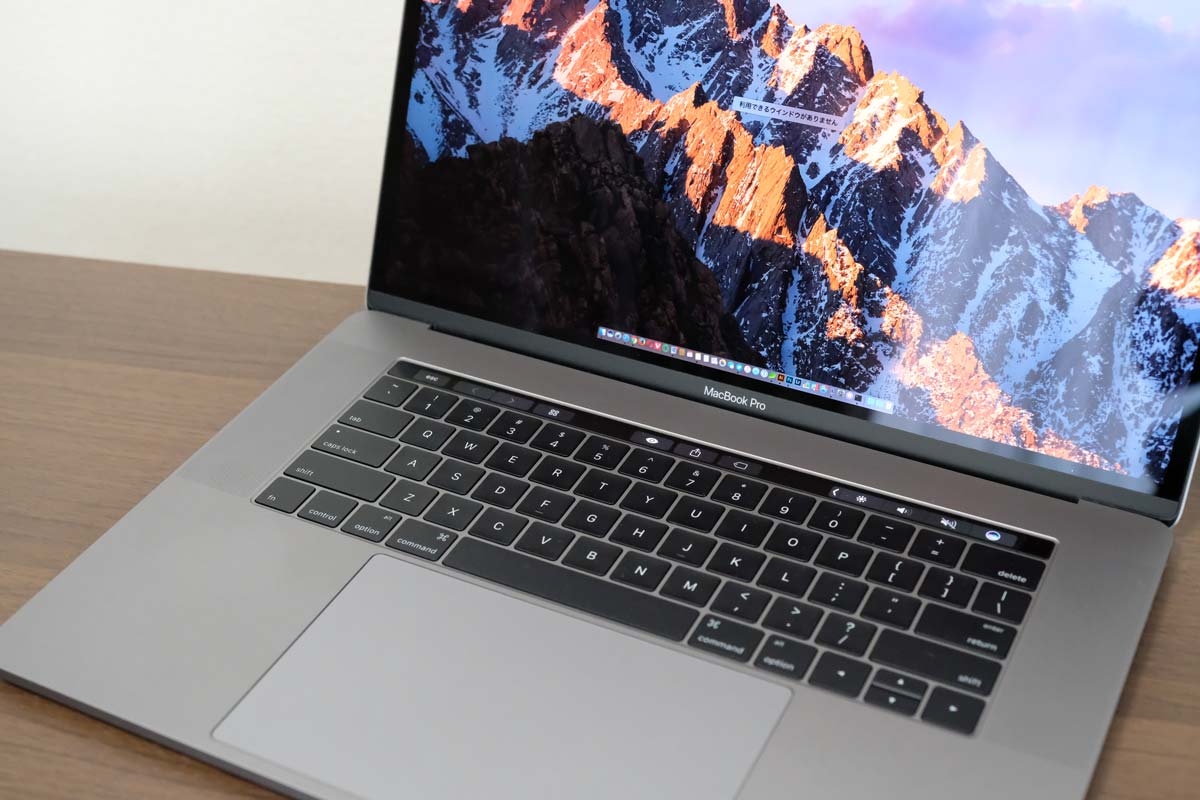
    The biggest innovation in the 2016 MacBook Pro (as well as this 2017 model) is Apple’s sliver of an OLED touch screen, which the company calls the Touch Bar My reaction? I’m sorry, but I want (most of) my effin Fn keys back.


    In my whole month with this MacBook Pro, I found that the Touch Bar was mostly an accident waiting to happen. The majority of my interactions with it happened unintentionally; while typing, I would activate the digital Esc key while trying to hit the ` or 1 keys.

    On the upside, the far right end of the Touch Bar contains a Touch ID sensor, which is my favorite part of the MacBook Pro’s outer body. The convenience it offers, allowing me to unlock my login IDs and passwords from the 1Password utility, is electric, especially when the alternative is typing out my complex, 23-character pass code.

    Though, having Siri as a button for easy, constant access is a major plus, given the wide control it has over macOS in comparison to other digital assistants.
     

    The Graphics Upgrade

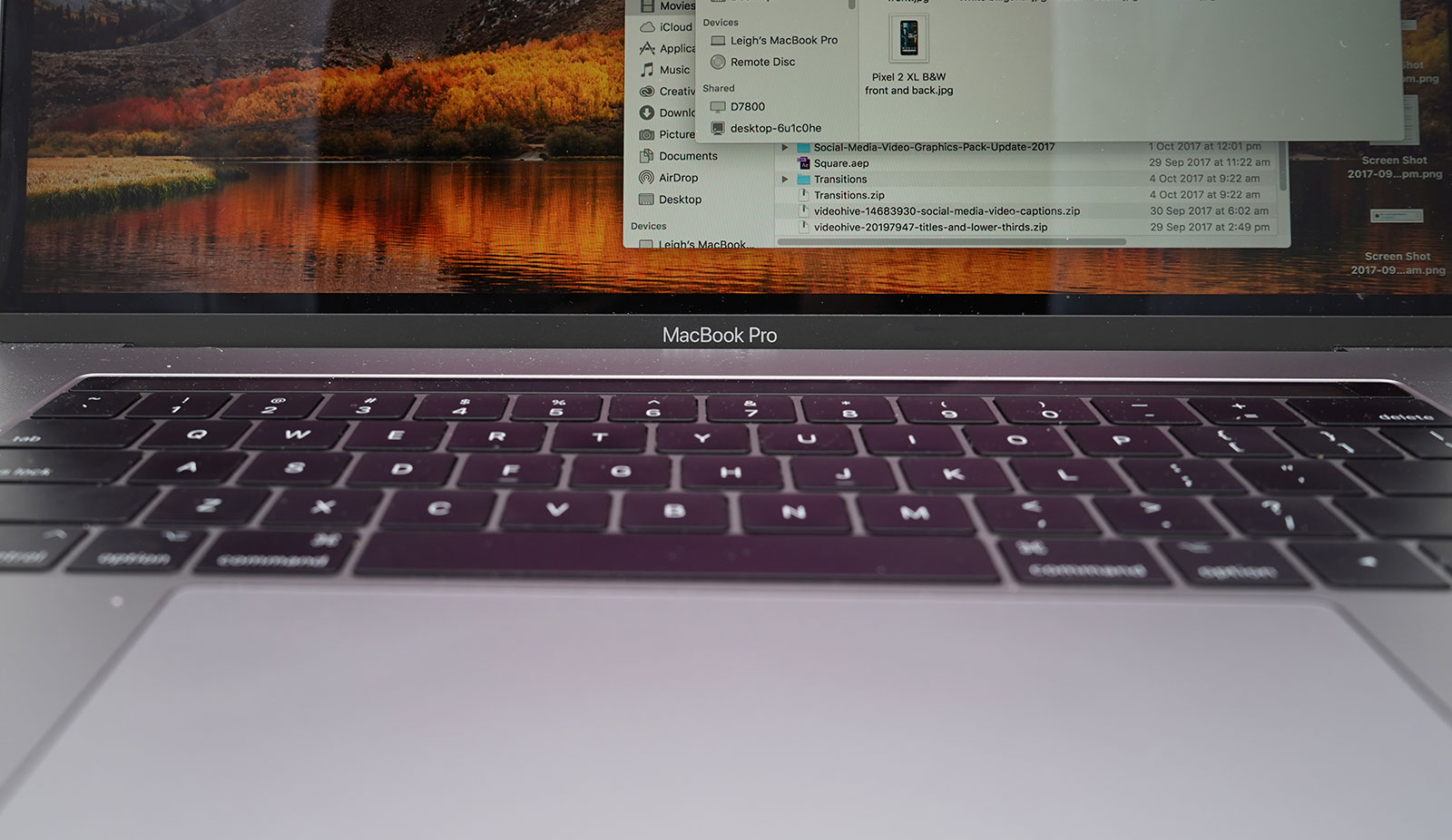
    The 2017 Pro also gets an updated set of graphics hardware options. The integrated graphics chip goes from the Intel HD 530 to the HD 630 (part of that jump to the Kaby Lake platform), and the discrete graphics go from AMD Radeon Pro 450 and 455 parts to — you guessed it — Radeon Pro 555 and 560 options. Every 15-inch MacBook Pro laptop includes an AMD GPU, while the 13-inch models make do with Intel’s built-in graphics.

    If that’s the good news, then the bad news may be that if one or more of the features of the new MacBook Pro design kept you away, (the super-flat keyboard, the Touch Bar, USB-C ports, etc.) then this set of 2017 revisions isn’t going to do anything much to change your mind.
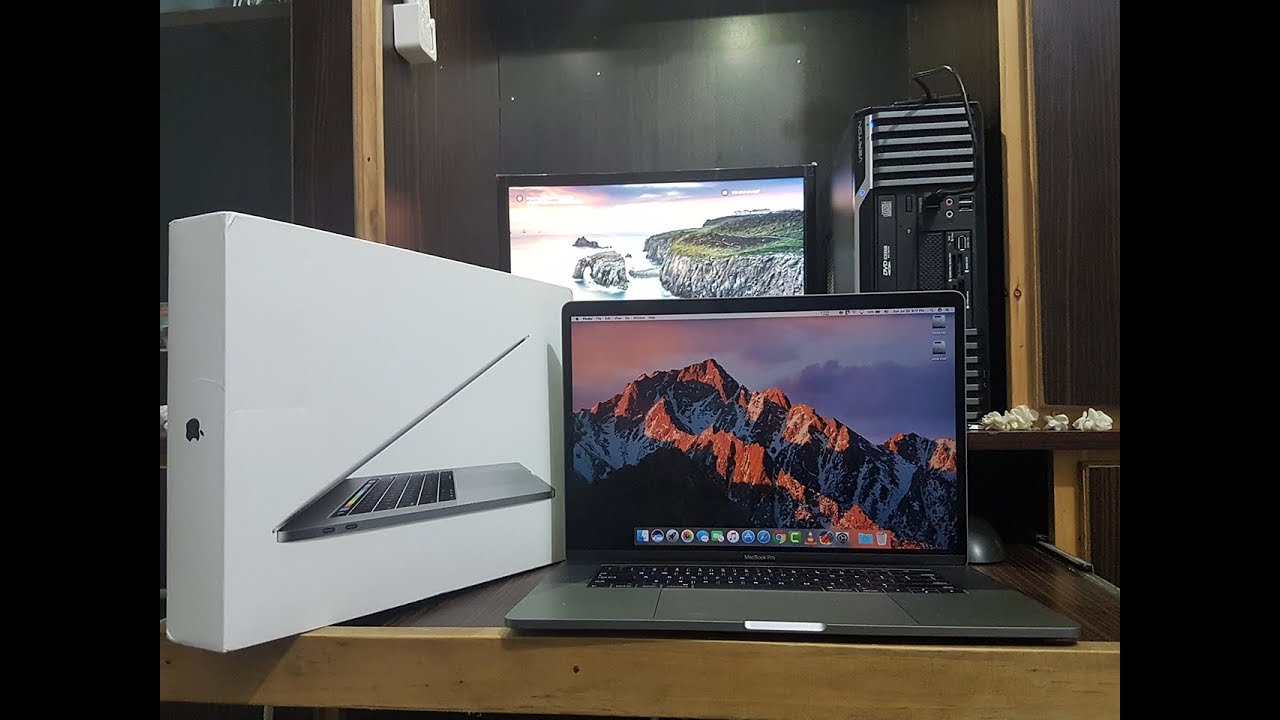


    Quick Spec Look

    • 15.4-inch LED-backlit display with IPS technology, 2880-by-1800 native resolution at 220 pixels per inch
      2.6GHz quad-core sixth-gen Intel Core i7 processor
      AMD Radeon Pro 450 graphics based on the 14-nanometer Polaris architecture
      16GB RAM
      256GB SSD
      4 x Thunderbolt port
      Touch Bar with Touch ID
      Price: $2,399 (up from $1,999 for the previous entry model)
      A fully kitted-out 15-inch MacBook Pro (featuring 2.9GHz quad-core i7, 2TB SSD, and Radeon Pro 460 with 4GB of memory) costs $4,299
     

    The Final Thought

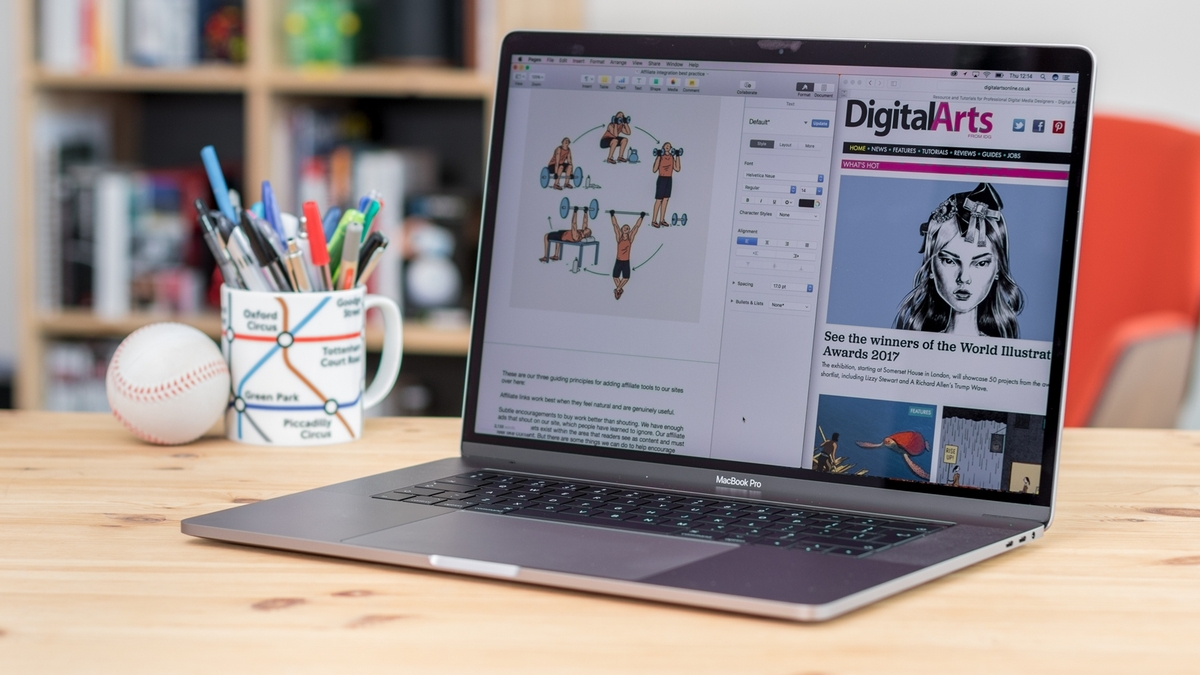
    The updated 15-inch MacBook Pro gets faster processing and graphics options. It’s still the biggest and most powerful laptop Apple makes. The giant touchpad is easy to use and battery life is excellent. If you are in need of a new laptop look not further you will not find a better example of excellence.
  • Top 10 Cars With the Best Mileage in 2018

    Top 10 Cars With the Best Mileage in 2018

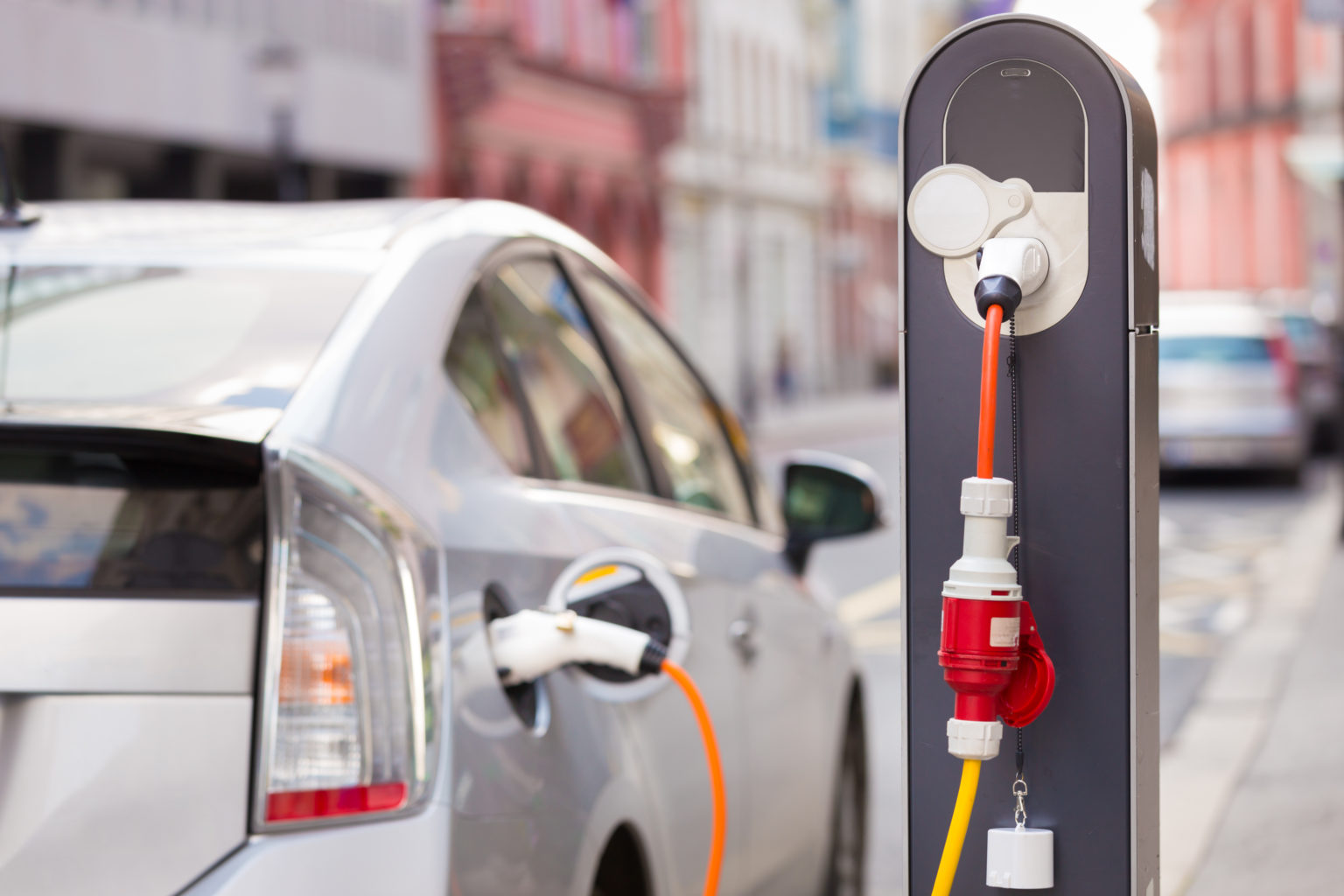
    Whether you want to save some money or save the environment, a gas saving car is something that interests many people. There are even cars on today’s market that are hybrids that you can plug in and run on electricity. Below is a list compiled of ten cars with the best mileage today.


    10) 2018 Kia Niro FE – 52 mpg city/49 mpg highway/50 mpg combo

    This Kia is subcompact SUV with a great deal of cargo space. It has many extra technology features and is one of the most efficient on the market. The Kia Niro FE is a hybrid vehicle, meaning you can use gasoline and plug it in to charge.


    9) 2018 Toyota Camry Hybrid LE 51 mpg city/53 mpg highway/52 mpg combo

    This hybrid Camry is one of the most powerful hybrids available on today’s market. Combined, the gasoline and electric puts out a 208 horsepower. A great addition to this car, it has a safety feature to warn of potential collisions and pedestrians, called Toyota Safety Sense.


    8) 2018 Toyota Prius Eco 58 mpg city/53 mpg highway/56 mpg combo

    This pick is completely gasoline run, and it has one of the best fuel economies. The safety score reigns high, as it also has the Toyota Safety Sense and other safety features. The score for this vehicle overall is great with almost a 9/10.


    7) 2018 Hyundai Ioniq Blue 57 mpg city/59 mpg highway/58 mpg combo

    Another top choice that is a great hybrid, it gets almost sixty miles per gallon just based off gasoline. That is insane! The price is an amazing one for a hybrid vehicle, if you are wanting something that is not going to break the bank, here is your best bet.


    6) 2018 Kia Optima PHEV 103 mpg-e/40 mpg combo

    Without using any gasoline, the Optima can travel up to 29 miles using electricity. This car is high-quality and has an amazing sound system. You can even hook up your phone to the car to the 10-speaker Harmon Kardon sound system.


    5) 2018 Kia Niro PHEV 105 mpg-e/46 mpg combo

    The crossover body style of this vehicle allows for more cargo space! This hybrid allows up to 26 miles of electric range. You are able to use Kia’s UVO eco infotainment system to do things like set up to charge your vehicle and even to heat the steering wheel!


    4) 2018 Chevrolet Volt 106 mpg-e/42 mpg combo

    One of the first vehicles to come out with a hybrid system, it has a perfect safety score of 10/10. You can’t beat the 53 miles this car runs solely on electricity. It is packed full of great features, the Chevy’s Teen Driver system being a unique one.


    3) 2018 Honda Clarity PHEV 110 mpg-e/42 mpg combo

    Honda is a very popular pick for a car, this hybrid can travel 47 miles just on electricity. The gasoline engine is strong with an amazing 212 horsepower. This car has many safety features like the LaneWatch camera and an adaptive cruise control.


    2) 2018 Hyundai Ioniq PHEV 119 mpg-e/52 mpg combo

    This version of the Ioniq has a more high class look to it yet has great cargo space. It is also a lot more economical than you may think; it can travel up to 29 miles alone on just electricity.


    1) 2018 Toyota Prius Prime 133 mpg-e/54 mpg combo

    Last, but not least, this car is the best pick of all hybrid vehicles. It has two electric motors and can run on that electric for up to 25 miles. Between charging this car and filling up on gas, the Prius Prime will last 640 miles! Other ways to help get the most of your miles in this car are to use the Entune Prime App to adjust the climate control.

  • Tech Throwback: The Newton

    Tech Throwback: The Newton

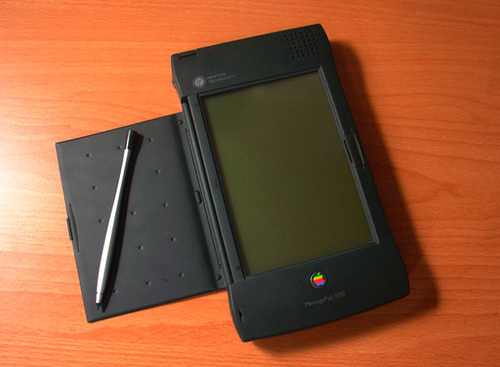
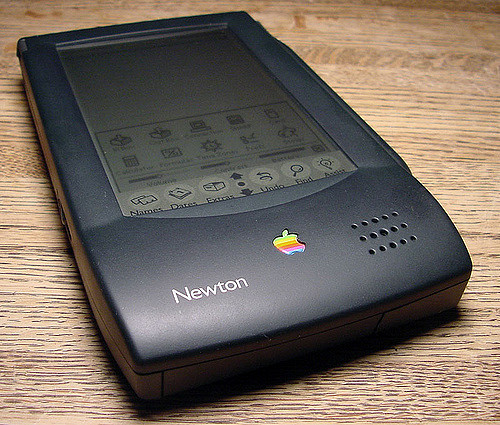
    I like to take a look at where I’ve been to evaluate where Im going. Technology is cyclical after all… wait no its not. That said I still like all the feels that come rushing back like a flood of nostalgia every time I get my hand on the tech I grew up with. Im going to go back periodically and take a looking at the stuff that used to blow our hair back and get our minds rolling. Some of these device blew up and changed the world, some where ahead of their time and some just fell flat and became colossal failures. Today I’m powering up the old Apple Newton..


    Give Me The Back Story

    The Newton is a series of personal digital assistants, PDAs as i like to call them, But that term wasent used and adopted till years after the Newton. It was developed and marketed by Apple Computer, Inc. An early device in the PDA category – the Newton originated the term “personal digital assistant” – it was the first to feature handwriting recognition. Apple started developing the platform in 1987 and shipped the first devices in 1993. Production officially ended on February 27, 1998. Newton devices run on a proprietary operating system, Newton OS; examples include Apple’s MessagePad series and the eMate 300, and other companies also released devices running on Newton OS. Most Newton devices were based on the ARM 610 RISC processor and all featured handwriting-based input.

    The Newton was considered innovative at its debut, but it suffered from its high price and problems with the handwriting recognition element, its most anticipated feature. The handwriting software was barely ready by 1993 and its tendency to misread characters was widely derided in the media. I my hands on one the first time when I was 12, almost 35 years later im ready to dive back in.


    Powering this up, shocked it still works. picked this working newton off eBay, with the flash card and assured it would turn on for $150. Yes its abit much for the actual functionality but that is not why I bought it. The Nice this is it runs off of AAA batteries, got to change them pretty frequently and you lose all your data each time they die but I’m able to pick them up at any store so the device will never die completely.
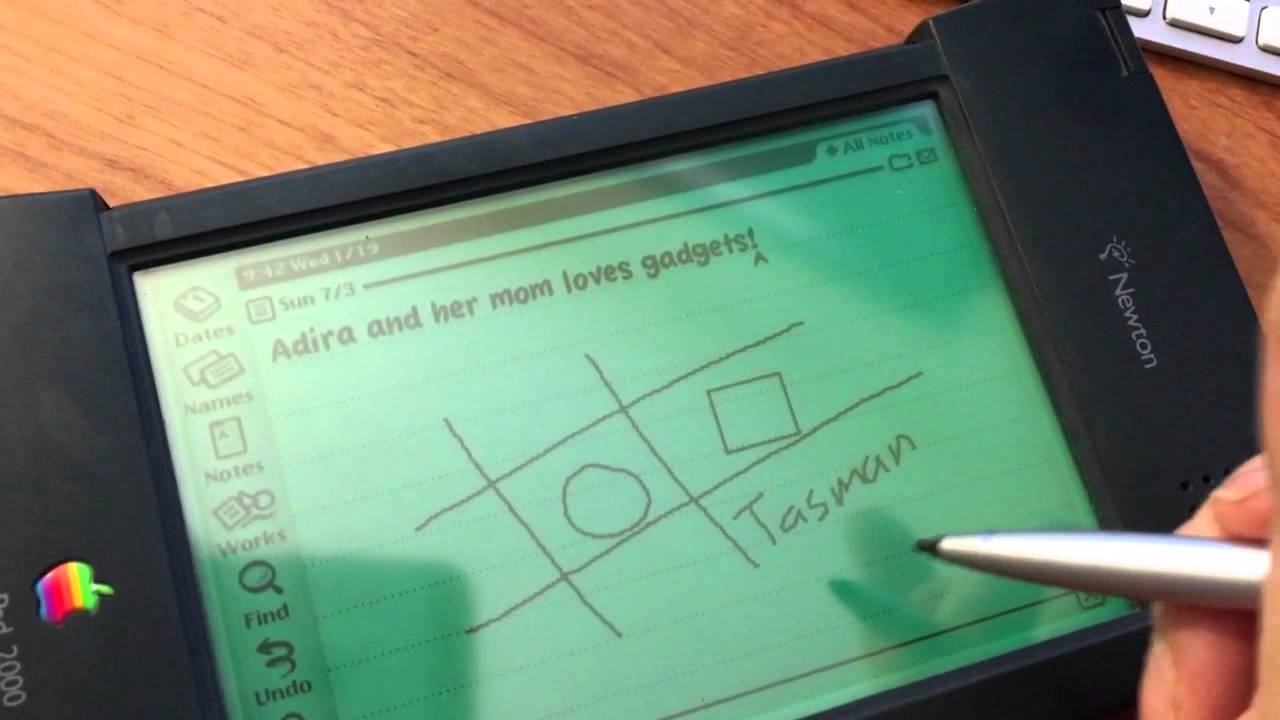
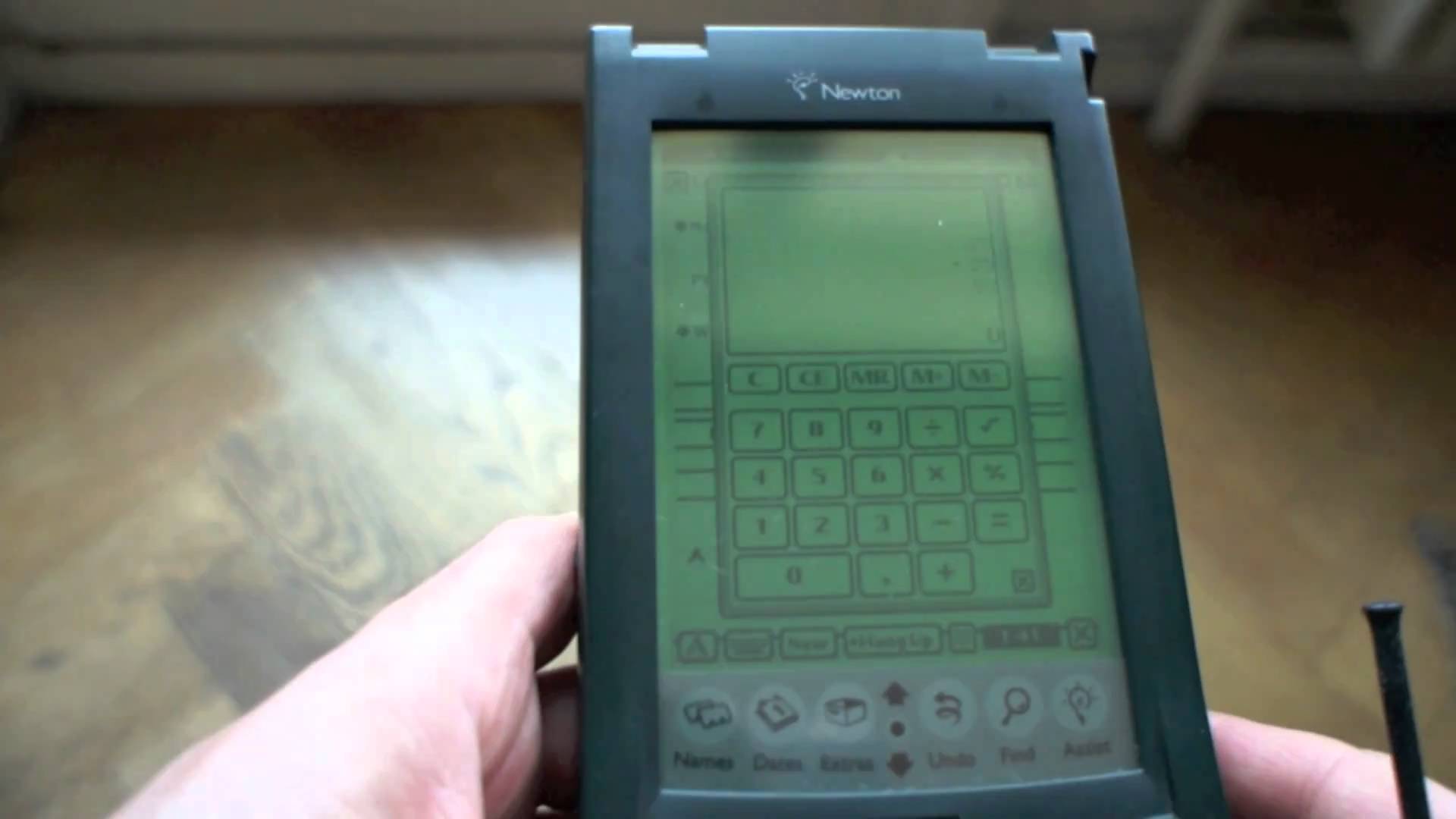

    Its pretty bulky I cant fathom how at the time they thought this was compact enough to carry around. its is a little over an inch thick and 7 inchs tall. Meanwhile I complain my phablet is to big.

    What’s This One Do

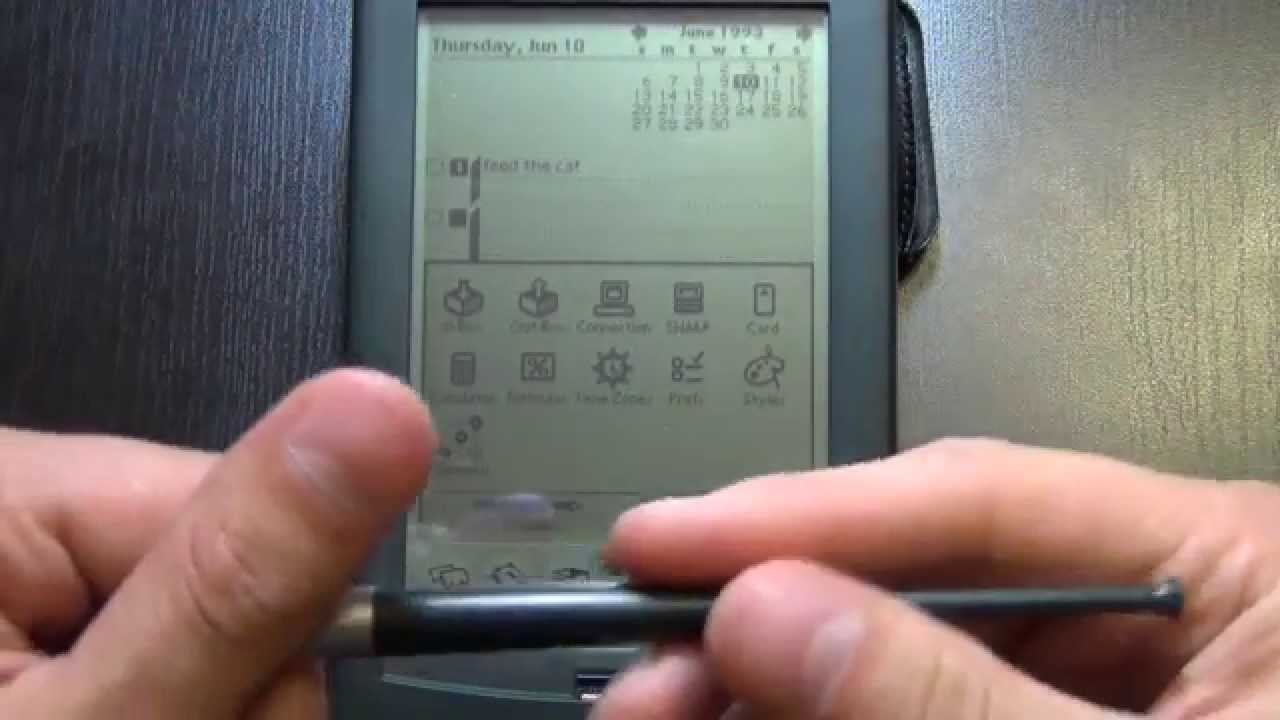
    It literally does nothing and I can barley see the green screen, its only functions are a contacts applications and a notepad,  a calendar,  calculator, currency converter and a timezone map. All the things I use on a daily bases, would be completely useless with out, and take for granted on a daily bases.  I do remember being able to get software application for it on a 3.5 floppy disk though.

    You can get up to a 4mb flash memory card for storage to prevent the battery erasing issue, a 4 mb card would store about 200 note, 250 contacts, 500 calendar events.  I do have to note that the flash memory seriously slowed down the processing power. So about 3 weeks worth of info for me.

    As much as I’ m laughing at this technological failure, it truly was ground breaking and revolutionary. We would see viable tech like it for almost 10 years and even still they hadn’t made much advancement on it. It really was ahead of its time and paved the way for the iPhone that would be released 20 years later. It was the first affordable device to compute handwriting, the first pocket touch screen, we still weren’t seeing full sized touch screen and wouldn’t for many years.  I think the commercial failure of this device dragged technology back a decade and had it been a corporate success who know where we would be today.


    The Final Thought

    Its magically revolutionary and fantastically simple. Its is the true prototype of our world today, it set the table for us and we ignored it. If Apple could have just crammed in a beeper, we could have had a primitive text messaging device. Im keeping it and will put a back up of info on it just in case of a tech apocalypse.


  • Best 5 Laptops Under $500 in 2018

    Best 5 Laptops Under $500 in 2018

    Laptops are very essential these days- for school, work, or just personal use. The price of a premium new laptop can cost up to $1,000, which is pricey for anyone. Numerous companies have made laptops more affordable while keeping the quality and capabilities of more expensive laptops.

    You don’t have to feel like you’re settling when shopping for a laptop under $500. There are value-priced notebooks that include full-HD displays, solid performance and long battery life, plus all the ports you need. We picked all the best all-purpose laptops in $500 price range which we think are best laptops to suit the wide range of requirements of people. Here is a list of the best five laptops under $500!

    1. Dell Inspiron i3567 Laptop

    The latest version of this Dell laptop has a powerful system in place with 8GB of memory and a 128GB hard drive and a Intel Core i3-7100U 2.4GHz processor. It has a professional feel in it’s all black look with a 15.6-inch laptop with a screen resolution of 1366 x 768. The operating system runs smoothly with Windows 10 and is backed with a 12 month warranty, with 12 months of tech support.

    • A new, powerful hardware system
    • Has many ports and slots to use your external devices
    • 8 GB Ram
    • 7th Gen Intel Core i5 processor
    • It is not backlit enabled
    • Battery life up to 5 hours

    2. Acer Aspire A515-51-50RR Laptop

    The Acer Aspire 5 is one of the best budget full-size laptops you can find in stores today. It checks most of the right boxes: well built, slim and fairly light, gets a decent keyboard, an IPS screen and modern hardware, performs well, runs cool and quiet and lasts for a long while on a charge. This slim and sleek laptop is a great all round performing laptop, especially for the price. The visuals are spot on with vivid, bright colors.

    • LCD display and is backlit
    • 2.50 GHz Intel Core i5-7200U processor
    • Storage: 1TB hard disk
    • Intel HD 620 graphics
    • Battery life up to 7 hours
    • All-plastic chassis

    3. HP 15-ay191ms Laptop

    The HP 15-ay191ms, a signature edition laptops that comes with a seventh-generation Intel Core i3 processor, 8GB DDR4 system memory, 1TB of storage and a touchscreen, but still remains insanely affordable. It’s one of those laptops you’d buy without a second thought if you find inexpensive chromebook attractive, but really, really need Windows. If you love touchscreen, this one’s for you! This laptop contains the Kaby Lake processor which makes this laptop consume little power. Apps are not an issue here, they all run very smoothly.

    • Touchscreen
    • Intel Core i3-7100U processor
    • 8GB RAM
    • 1TB hard drive
    • Lag-free performance
    • Battery life up to 6 hours

    4. Dell Inspiron i3567-5185BLK Laptop

    Yet another Inspiron made this list! This version comes in different color options and a textured finish.  Packed with a large 15.6 Inches display and a decent 7th Gen Intel Core i5-7200U up to 3.1GHz CPU processor. This Dell laptop model would work well for portability with its 4.85 Pounds lightweight design and sleek black look. Great for school work or the family computer. A huge bonus with this laptop is it doesn’t heat up much!

    • 2.4 GHz Intel Core i3-7100U processor
    • 8GB RAM
    • TB hard drive
    • LED display with a built-in webcam and mic
    • Battery life is up to 6 hours

    5. ASUS Chromebook Flip

    This is one of the best convertible laptops on the current market. The Asus Chromebook Flip C302 is worthy of its premium stature with a gorgeous screen, tactile keyboard and a classy design that’s equally as comfortable to use in tablet mode or as a traditional laptop. The screen is a full HD touchscreen and can be converted from a laptop to a tablet by turning the screen. A top pick for a college student!

    • Intel Core m3 processor
    • 4GB RAM
    • 64GB of SSD storage
    • Battery life of up to 10 hours

  • Best 5 Laptops Under $500 in 2018

    Best 5 Laptops Under $500 in 2018

    Laptops are very essential these days- for school, work, or just personal use. The price of a premium new laptop can cost up to $1,000, which is pricey for anyone. Numerous companies have made laptops more affordable while keeping the quality and capabilities of more expensive laptops.

    You don’t have to feel like you’re settling when shopping for a laptop under $500. There are value-priced notebooks that include full-HD displays, solid performance and long battery life, plus all the ports you need. We picked all the best all-purpose laptops in $500 price range which we think are best laptops to suit the wide range of requirements of people. Here is a list of the best five laptops under $500!

    1. Dell Inspiron i3567 Laptop

    The latest version of this Dell laptop has a powerful system in place with 8GB of memory and a 128GB hard drive and a Intel Core i3-7100U 2.4GHz processor. It has a professional feel in it’s all black look with a 15.6-inch laptop with a screen resolution of 1366 x 768. The operating system runs smoothly with Windows 10 and is backed with a 12 month warranty, with 12 months of tech support.

    • A new, powerful hardware system
    • Has many ports and slots to use your external devices
    • 8 GB Ram
    • 7th Gen Intel Core i5 processor
    • It is not backlit enabled
    • Battery life up to 5 hours

    2. Acer Aspire A515-51-50RR Laptop

    The Acer Aspire 5 is one of the best budget full-size laptops you can find in stores today. It checks most of the right boxes: well built, slim and fairly light, gets a decent keyboard, an IPS screen and modern hardware, performs well, runs cool and quiet and lasts for a long while on a charge. This slim and sleek laptop is a great all round performing laptop, especially for the price. The visuals are spot on with vivid, bright colors.

    • LCD display and is backlit
    • 2.50 GHz Intel Core i5-7200U processor
    • Storage: 1TB hard disk
    • Intel HD 620 graphics
    • Battery life up to 7 hours
    • All-plastic chassis

    3. HP 15-ay191ms Laptop

    The HP 15-ay191ms, a signature edition laptops that comes with a seventh-generation Intel Core i3 processor, 8GB DDR4 system memory, 1TB of storage and a touchscreen, but still remains insanely affordable. It’s one of those laptops you’d buy without a second thought if you find inexpensive chromebook attractive, but really, really need Windows. If you love touchscreen, this one’s for you! This laptop contains the Kaby Lake processor which makes this laptop consume little power. Apps are not an issue here, they all run very smoothly.

    • Touchscreen
    • Intel Core i3-7100U processor
    • 8GB RAM
    • 1TB hard drive
    • Lag-free performance
    • Battery life up to 6 hours

    4. Dell Inspiron i3567-5185BLK Laptop

    Yet another Inspiron made this list! This version comes in different color options and a textured finish.  Packed with a large 15.6 Inches display and a decent 7th Gen Intel Core i5-7200U up to 3.1GHz CPU processor. This Dell laptop model would work well for portability with its 4.85 Pounds lightweight design and sleek black look. Great for school work or the family computer. A huge bonus with this laptop is it doesn’t heat up much!

    • 2.4 GHz Intel Core i3-7100U processor
    • 8GB RAM
    • TB hard drive
    • LED display with a built-in webcam and mic
    • Battery life is up to 6 hours

    5. ASUS Chromebook Flip

    This is one of the best convertible laptops on the current market. The Asus Chromebook Flip C302 is worthy of its premium stature with a gorgeous screen, tactile keyboard and a classy design that’s equally as comfortable to use in tablet mode or as a traditional laptop. The screen is a full HD touchscreen and can be converted from a laptop to a tablet by turning the screen. A top pick for a college student!

    • Intel Core m3 processor
    • 4GB RAM
    • 64GB of SSD storage
    • Battery life of up to 10 hours

  • Top 4 of the Best Iphone Deals Avilable

    Top 4 of the Best Iphone Deals Avilable

    SO you have finally decided to make the upgrade and get yourself the newest of the new. Now you have to make the tough decision and decide on the model, size and color. Now to find the best deal possible on your new purchase, everyone wants your iPhone business so lets take a look at the 4 best places to get yours.


    1. T-mobile, Apple iPhone X

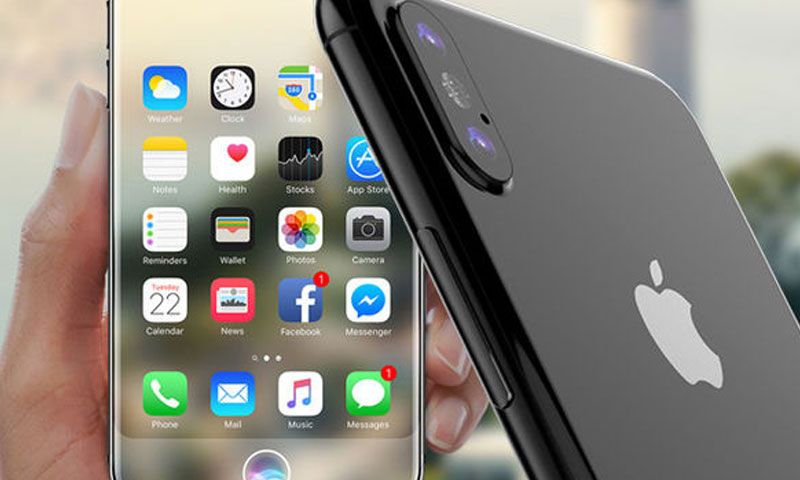
    Switching to T mobile may be the best move right now. Instead of shelling out $1000 for the new iPhone X you can bring your number to Tmobile, pay just $304 for the most powerful and breathtaking smartphone ever conceived. The plan will const you $100 a month, but includes unlimited everything and free Netflix. Plus under the right conditions, there is even a buy one get one free option.

    2. Verizon,  iPhone X

    This option I like, If you have an iPhone 6 or above you can get half off the Iphone X. So for 0$ and only 101.79 a month you will get the IPhone X 64 gb and unlimited service from Verizon. I do recommend paying the extra 10$ for the upgrade unlimited service though. With this particular deal it is best to wait out the 2 years as the half off promotion is paid out monthly for 24 months

    3. Best Buy, All iPhones

    Through best buy you can buy 2 iPhone 8 and 8 plus at a buy one get one free when you buy both on AT&T Next. Offer eligible for new or upgraded lines of activation. The nice thing about this offer is if you are an existing AT&T customer, you don’t have to switch to a new service. Little insider tip, buy both and take advantage of the bogo and $200 off. Purchase an AT&T iPad from Best buy as well and move it on to the second iPhone line to decrease the cost monthly to $10 and give you connection on the iPad.


    4. Sprint, Lease option on the iPhone X

    There is a pretty decent option here, Sprint service is greatly improved. Especially if you are in some of their big markets like Orlando, Chicago or Kansas City. For $80 up front you can lease the X. The monthly lease is only $20 a month, added to their $60 unlimited plan and you have your self a pretty great deal.


  • 5 Great Mobile Gaming Apps

    5 Great Mobile Gaming Apps

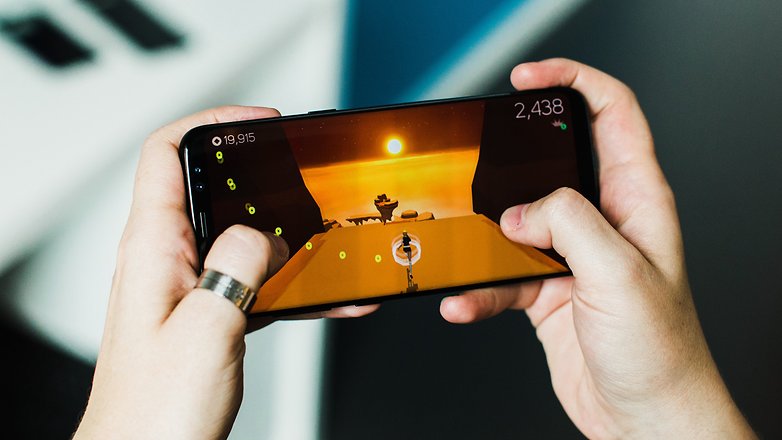
    We all love the mobile games and we all need them to pass a little time here and there. Some are duds, some are expensive, some are just too addicting. Here are some great games that keep you entertained and casually having you coming back for more!

    5. Marvel’s Contest of Champions

    With a long list of all your favorite Marvel Universe characters, this “Arcade-Fighter” game has a lot to offer. It’s visually pleasing animations, smooth fighting mechanics, and fully customizable Marvel superheros will have you playing at length and loving it. Because of its constant additions and challenges, you’ll have this game on your mobile device for quite some time.

    Image result for marvels contest of champions

    4. Plague Inc.

    Do you need your “Destroy the World” fix? Then look no further. Plague Inc. has a plethora of viruses, bacteria, and world ending organisms at your fingertips and it’s up to you how to use your tools to cause a global catastrophe. The object is to keep your deadly pathogens one step ahead of the world governments and CDC in order to end all life on Earth. With the amount of options and routs of evil to achieve your objective, this mobile game will give you hours of twisted fun.

    Related image

    3. Rusty Lake Roots

    This extremely dark and alluring indie-puzzle game is one that you can’t seem to step away from. With intricate puzzles and a twisted plot, Rusty Lake Roots keeps you on the edge of your phone. The animations are simplistic but perfectly capture the creepy factor and suspense that mirrors the dark plot. Follow a man Thomas as he explores his family tree in the abandoned farmhouse that his ancestors left to him.

    Image result for rusty lake roots

    2. Injustice: God’s Among Us

    Quite simply, this is the best arcade-style fighter possibly ever. Mobile, Console, PC or otherwise. The visceral animations, coupled with your favorite DC superheros beating the tar out of each other makes this a very enthralling game. Add on a very simple but sophisticated character upgrading system and, voila! You have an amazing fighter game. I consistently played Injustice for the better part of 2 and half years and never tired of it. I still miss it, but I traded Injustice in for Injustice 2 which is a very good game, but not as good as the original.

    Image result for injustice gods among us

    1. Star Wars: Galaxy of Heroes

    Even if you aren’t a huge fan of the Star Wars universe, this is still a very entertaining and great game. But if you are a fan of SW…oh man is this game for you. Find your favorite Star Wars heroes and villains in this turn based fighter game and pair them up to form an elite fighting squad. Each Star Wars character has their own special set of skills that if teamed up with other characters correctly, can form a deadly fighting squad. Training and upgrading the characters of your choosing is very rewarding and the game challenges are difficult but not to the point of frustration. If you enjoy Star Wars, it’s a borderline perfect game.

    Related image

    Summary

    All these games are great in their own right and have done amazing work. They have each mastered the concept they were looking to achieve and the end results are so satisfying and entertaining. All are available is the IOS App Store and Android Market. Hope you give them a try!

  • Don’t Overpay For K-Cups – Find The Best Online Deals

    Don’t Overpay For K-Cups – Find The Best Online Deals

    Need coffee? K-cups are the most convenient and fastest way to get your daily dose of pumpkin spice in the morning. Great for people always on the go, K-Cups are a godsend to working people and stay-at-home parents everywhere.

    Available in grocery stores and other retail stores nationwide, K-Cups have come to dominate the coffee industry. With tons of K-Cup options and accessories available, you can find any flavor and type of coffee you can imagine, making for a whole lot of options, and with K-Cup refill filters, you can use any brand of coffee you prefer and save money. If you are interested in learning more about K-Cups where to get them at the best prices, read more below.

    When they first came out, there were only a few choices of K-Cups available, now there are literally hundreds to choose from. You can find Keurig brand K-Cups at most stores including popular flavors such as Keurig’s Donut Shop coffee. If you aren’t sure which cups you might like, you can purchase a variety sample pack, just like the ones you might find included with your Keurig machine. If you already have a coffee brand you prefer, you can find both home-brew brands like Folgers and Café Bustelo, and coffee shop brands like Starbucks, Peet’s Coffee and Dunkin Donuts in a variety of their flavors. With these conveniently ready-to-brew pods, you can make coffee almost instantly – just turn on your Keurig coffee machine, load the pod, press the button and you’ll have a piping hot cup of coffee in less than a minute.

    How You Are Overpaying Now

    When it comes to replenishing your supply, there are a few different ways to go about it. The most expensive way is to buy your K-Cups in the store. Often, you’ll find K-cups in packs of 10 for around $6 or $7, but this is not the most economical option. This brings you to $0.70 per cup of coffee…

    How to Save Now

    When it comes to saving money, the key is to buy the larger boxes because, the more you buy, the more you can save in the long run. While the packs of 10 are great for trying out certain flavors, you can buy larger boxes of 60 to 75 K-Cups for $35 to $40 in wholesale stores like Costco, in some grocery stores like Ralphs, or even online from websites like Amazon. Doing this could bring you to $0.50 per cup of coffee or less, saving you almost a quarter each cup that you drink. If you are anything like our staff at GoodFind, that savings adds up very quickly.

    With Amazon, you can subscribe and save on K-Cups, having your preferred brand and flavor ordered and shipped to you automatically each month. Another option for subscription services is to use Keurig’s Auto-Delivery service that allows you to buy all Keurig branded cups as often as you like with a savings of 25% off. There’s also premium coffee subscription services like Coffee cargo, where you can try premium coffees that you can’t get anywhere else.

    Other Options

    Another great way to fill up is with refillable options. With K-Cup refillable pods and filters, you can use literally any coffee you prefer, because you can add your own ground coffee into the pod. This is a great way to get that same fresh ground taste right out of your Keurig machine. Refillable K-Cups called GoodCups can be purchased through Amazon and are loaded into the same spot where you would put your disposable K-Cups. Coffee Bean N Leaf Brews makes another great refillable coffee pod that is completely reusable and dishwasher safe. Of course, Keurig also makes their own refillable pod: the Keurig My K-Cup that allows you to use your own gourmet coffee by adding it to the filter provided. Replace the filter with the pod loader attached to your machine and you are ready to go. Using any refillable pod is not only a great way to have your favorite coffee not available in disposable cups, but it’s also great for the environment too!

    Keurig Green Mountain said it plans by 2020 to change the plastic composition in the billions of K-cup single-serving coffee containers it sells annually, making them more lucrative to recyclers while removing one of the nagging complaints that mountains of the little pods are piling up in landfills.

    “Our goal is 100 percent Keurig K-cup pods diverted from landfills by curbside recycling,” said Monique Oxender, the coffee brewer’s chief sustainability officer. “The consumer is going to brew it, peel and empty it, and pop the pod into the recycling bin in the same behavior they would do with a yogurt cup. We want them to make it a habit.”