Category: Uncategorized

  • Qualcomm Gunning for Intel: Snapdragon 1000

    Qualcomm Gunning for Intel: Snapdragon 1000

    It’s been a rough month for Intel. AMD unveiled the unprecedented power of their 32-core Threadripper processor, and Intel struggled to show anything comparable. In fact, they misrepresented prototype CPUs in a pitiful attempt to match AMD’s behemoth. Then, their CEO stepped down last week amidst a scandal involving a relationship with an employee. Now, to add to the dogpile. Qualcomm prepares to release the Snapdragon 1000.  

    Snapdragon: Not Just for Phone Anymore 

    Windows has partnered with Qualcomm to release a series of “Always-Connected PCs”, laptops that function as huge smartphones. The Always-Connected line is set to be LTE-equipped, have long battery lives and run with Snapdragon 835 processors. 835’s have already been seen in smartphones, and the first wave of Always-Connected PCs are expected later this year. However, it’s the successor to the 835 that has people talking. 

    Snapdragon 1000: Made for PC 

    The Snapdragon 1000 has some impressive specs being leaked. For one, it’s set to have 16 GB of RAM, which is impressive for a laptop chip. For another, it’ll be equipped with two 128 GB UFS Flash drives, and will support LTE on the chip. It seems Qualcomm is looking to beef up their processors considerably for Microsoft’s initiative. If the collaboration between the companies proves successful, this will be another blow to Intel.  

    Intel famously missed the boat on smartphone processors. Whether through arrogance or short-sightedness is unclear, but the company certainly missed an opportunity. In their absence, Qualcomm made a name for themselves, packing their Snapdragon chips into Android phones. Now, the very company they allowed to prosper in the smartphone market is poised to muscle in to their territory. This news is all good for consumers, who stand to reap the benefits as competition heats up. Intel’s been dominant in the world of processors for far too long. A chance to see them up their game and drop their prices is certainly exciting.  

  • Which Cloud Storage Service is Right for You?

    Which Cloud Storage Service is Right for You?

    There a ton of great options when it comes to cloud storage! Many of them are free, but some offer some interesting paid features. If you have a lot of storage needs, whether it be for business or personal use, consider these great options for cloud storage!


    Google Drive: Google Drive is part of Google’s office suite, and it’s surprisingly competitive with Microsoft’s offerings. For having a Google account, you get 15GB of storage for free. For documents and pictures, 15GB is a good bit of storage! Google also offers a few packages for higher amounts of storage. For 100GB, 1TB and 10TB, you pay $2, $10 or $100 per month, respectively. Given the free Google Office suite that comes welded to this service, many offices are opting to use it.  

    Google Drive has Android, iPhone and Windows apps, too! This makes it easy to sync files across multiple devices. Google Drive is ideal if you have a Chromebook, but it’s a great choice for eveeryday use too. You can’t go wrong with this one! 

    Amazon Drive: Amazon Drive is a great service if you already have Amazon Prime. Annual pricing is pretty reasonable for the cloud storage, but Prime members get unlimited photo storage as part of their membership! Those who just want to store stuff get 5GB for free and can upgrade to 100GB for $12 per year. If you really need more than that, they also offer 1TB of storage for $60 per year. If you need to store every film ever released, a 30TB option is available for $1,800 per year.  

    Amazon Drive uses a “delta sync,” like DropBox. This means, when you upload a file and then upload a changed version of the same file, it only saves the changes. This means it just makes alterations to the file rather than redownloading the whole thing. This saves time and bandwidth! You can also elect to throttle upload speed if you need to balance what’s using bandwidth. Bottom line, if you’re already using Amazon Prime, this is a great choice. Otherwise, there are better options. 

    NextCloud: If you don’t like the idea of Google or Microsoft or someone having access to your files, try NextCloud. You set up your own cloud storage through NextCloud, using your own server. While this might sound daunting to some, for tech-savvy users this is a great option. If you really want to exert total control over your cloud storage and backups, this is the way to go. The code is all open-source, so savvy users can run it all themseves. The service also offers private web messaging and conferences through NextCloud Talk and NextCloud Groupware. If you want to run a business and control everything from your own servers, this is the way to do it! 

    OneDrive: Microsoft’s answer to cloud storage is a great platform. Windows users have access to it as just another computer directory! It’s quite easy to access and offers 5GB of storage free to anyone. Just like Google Drive works closely with Google Office Suite, OneDrive works with Microsoft Office. If you commonly use Microsoft Word, PowerPoint and the like, OneDrive is a great option for you.  

    If you have an Office 365 subscription, you get an extra terabyte of storage for OneDrive too! For businesses, there’s also OneDrive for Business that grants access to both storage and Microsoft Office. It’s just under $9 per person per month, which is actually a pretty good rate!  If you already use a lot of Microsoft’s Office Suite, OneDrive is for you! 

    Most Generally Useful Cloud Storage: DropBox

    DropBox is a very well-known cloud storage platform for good reason. It can be accessed from pretty much any platform and is quite easy to use. You get 2GB of free storage, as well as a few extra GB for syncing your phone to your DropBox. By recommending friends you can get extra storage, too. You can spend $10 per month for an extra TB of storage, or you can get it for $100 per year.  

    The bottom line is that DropBox is easy and system-agnostic. It’s not married to any particular operating system or company. If you need a solid, dependable cloud storage platform that works on every device, DropBox is for you. 


  • Best 5 Laptops Under $500 in 2018

    Best 5 Laptops Under $500 in 2018

    Laptops are very essential these days- for school, work, or just personal use. The price of a premium new laptop can cost up to $1,000, which is pricey for anyone. Numerous companies have made laptops more affordable while keeping the quality and capabilities of more expensive laptops.

    You don’t have to feel like you’re settling when shopping for a laptop under $500. There are value-priced notebooks that include full-HD displays, solid performance and long battery life, plus all the ports you need. We picked all the best all-purpose laptops in $500 price range which we think are best laptops to suit the wide range of requirements of people. Here is a list of the best five laptops under $500!

    1. Dell Inspiron i3567 Laptop

    The latest version of this Dell laptop has a powerful system in place with 8GB of memory and a 128GB hard drive and a Intel Core i3-7100U 2.4GHz processor. It has a professional feel in it’s all black look with a 15.6-inch laptop with a screen resolution of 1366 x 768. The operating system runs smoothly with Windows 10 and is backed with a 12 month warranty, with 12 months of tech support.

    • A new, powerful hardware system
    • Has many ports and slots to use your external devices
    • 8 GB Ram
    • 7th Gen Intel Core i5 processor
    • It is not backlit enabled
    • Battery life up to 5 hours

    2. Acer Aspire A515-51-50RR Laptop

    The Acer Aspire 5 is one of the best budget full-size laptops you can find in stores today. It checks most of the right boxes: well built, slim and fairly light, gets a decent keyboard, an IPS screen and modern hardware, performs well, runs cool and quiet and lasts for a long while on a charge. This slim and sleek laptop is a great all round performing laptop, especially for the price. The visuals are spot on with vivid, bright colors.

    • LCD display and is backlit
    • 2.50 GHz Intel Core i5-7200U processor
    • Storage: 1TB hard disk
    • Intel HD 620 graphics
    • Battery life up to 7 hours
    • All-plastic chassis

    3. HP 15-ay191ms Laptop

    The HP 15-ay191ms, a signature edition laptops that comes with a seventh-generation Intel Core i3 processor, 8GB DDR4 system memory, 1TB of storage and a touchscreen, but still remains insanely affordable. It’s one of those laptops you’d buy without a second thought if you find inexpensive chromebook attractive, but really, really need Windows. If you love touchscreen, this one’s for you! This laptop contains the Kaby Lake processor which makes this laptop consume little power. Apps are not an issue here, they all run very smoothly.

    • Touchscreen
    • Intel Core i3-7100U processor
    • 8GB RAM
    • 1TB hard drive
    • Lag-free performance
    • Battery life up to 6 hours

    4. Dell Inspiron i3567-5185BLK Laptop

    Yet another Inspiron made this list! This version comes in different color options and a textured finish.  Packed with a large 15.6 Inches display and a decent 7th Gen Intel Core i5-7200U up to 3.1GHz CPU processor. This Dell laptop model would work well for portability with its 4.85 Pounds lightweight design and sleek black look. Great for school work or the family computer. A huge bonus with this laptop is it doesn’t heat up much!

    • 2.4 GHz Intel Core i3-7100U processor
    • 8GB RAM
    • TB hard drive
    • LED display with a built-in webcam and mic
    • Battery life is up to 6 hours

    5. ASUS Chromebook Flip

    This is one of the best convertible laptops on the current market. The Asus Chromebook Flip C302 is worthy of its premium stature with a gorgeous screen, tactile keyboard and a classy design that’s equally as comfortable to use in tablet mode or as a traditional laptop. The screen is a full HD touchscreen and can be converted from a laptop to a tablet by turning the screen. A top pick for a college student!

    • Intel Core m3 processor
    • 4GB RAM
    • 64GB of SSD storage
    • Battery life of up to 10 hours

  • Is Your Home Smart Yet? Best Smart Home Gadgets for Alexa

    Is Your Home Smart Yet? Best Smart Home Gadgets for Alexa

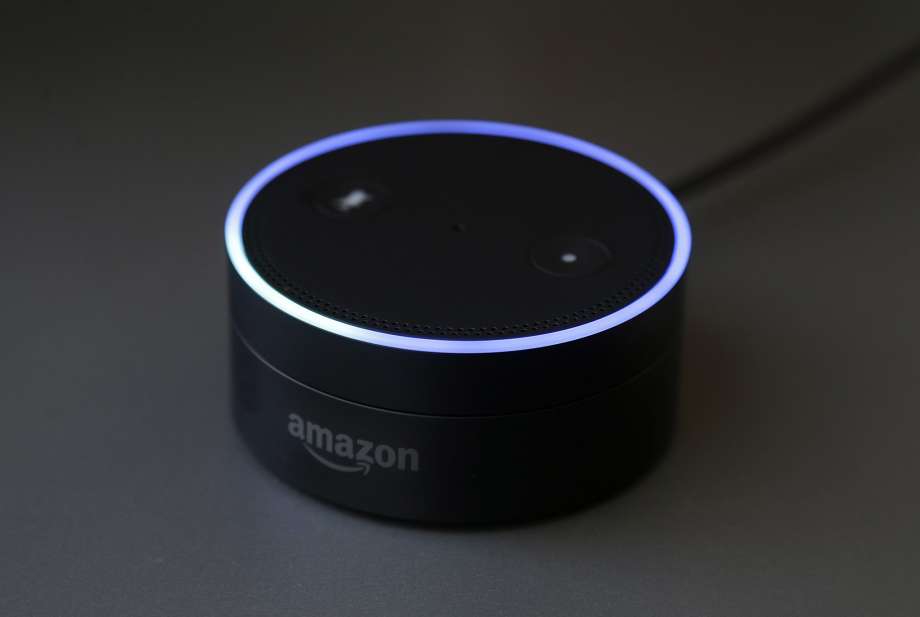
    Unless you’ve been living under a rock, you’ve heard of Alexa. Amazon’s virtual assistant is indispensably useful for anyone looking to organize their lives and homes. She can read your messages, tell you the news, shop for you online and so much more. If you’ve recently hopped on the bandwagon and gotten an Amazon Echo, you’re probably on the look-out for great gadgets to pair with it. Which ones are the best? Which cool functions did you not even know you could tie into Alexa? Let’s get into it! 

    Robot Vacuum 
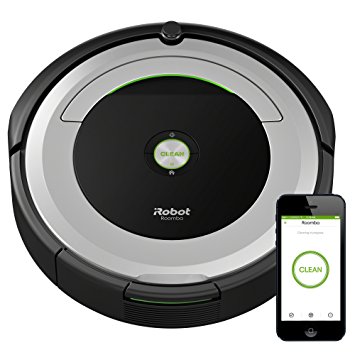
    Photo Credit: Amazon 

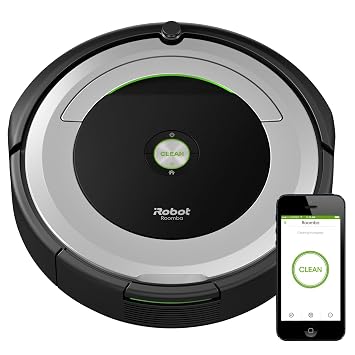
    Robot vacuums, like the picture iRobot Roomba 690, are awesome with Alexa. No one wants to do chores, but with a voice-activated robot assistant, vacuuming is easy. Just call out to Alexa and tell her to vacuum the house for you, and, boom! That’s one less chore on your to-do list. Not to mention, you’ll feel like Tony Stark, commanding your robot fleet with your voice. Well, not quite a fleet, but you know, it’s the thought that counts! In any event, you can find the iRobot Roomba on Amazon for $300, and the rest of the Roomba line is awesome too. Check it out! 

    Streaming Devices 
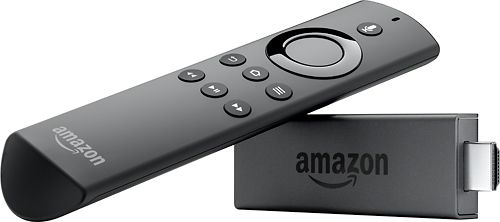
    Photo Credit: Best Buy 

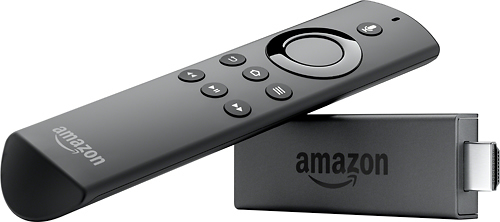
    If you like controlling your TV with your voice, you’ll want an Alexa-enabled streaming device. We recommend the Amazon Fire TV Stick. However, the Amazon Fire TV Cube, a successor to the technology, was recently announced, so that one might steal the spotlight when it launches later this month. In either event, being able to tell Alexa which shows you want to watch is pretty sweet. It also helps you cut down on the number of remotes you have to juggle or trying to find the remote to play the next episode. The Fire TV Stick is $40, and the TV Cube will go for $120 when it launches.  

    Smart Bulbs 
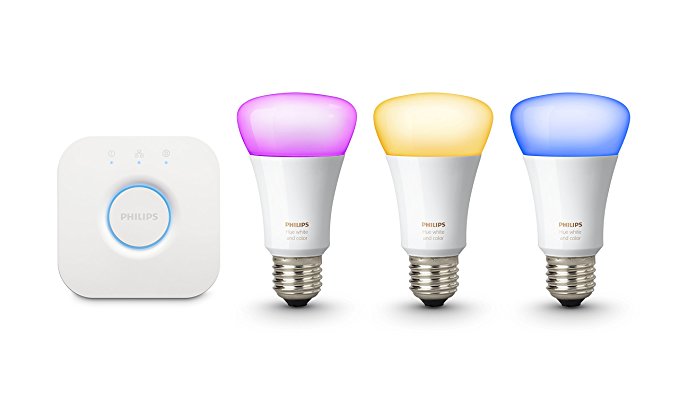
    Photo Credit: Amazon 

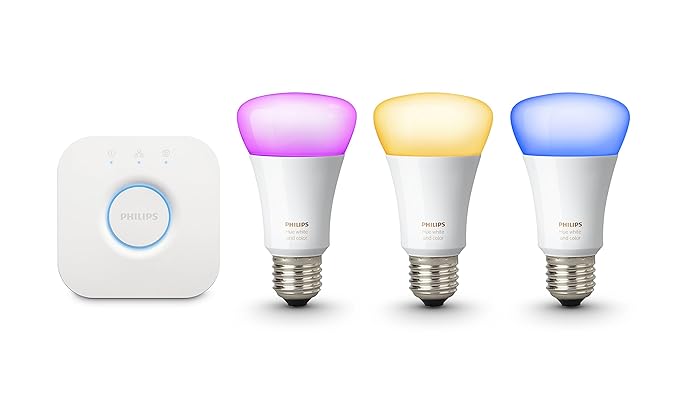
    The first of Alexa’s compatible devices, Philips Hue is still the best in this field. Commanding your room to illuminate with your voice is not only convenient, it’s very safe! Entering a dark room and unable to find the light switch? Call out for Alexa to turn the lights on! You can also change the color of the lights to change the mood of the room. Having company over for the evening? Consider casting a soft, pink glow over the room!  

    Smart Thermostat 
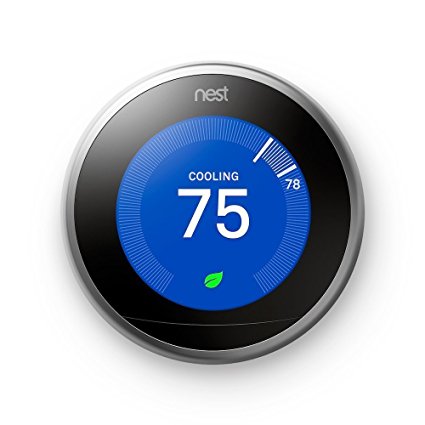
    Photo Credit: Amazon 

    A must-have for Alexa users, smart thermostats are great at helping you save energy and stay comfortable. Programming automation is a breeze with products like the picture Nest Learning Thermostat. Setting your thermostat with your voice is much easier than having to fiddle with tons of menus. Setting your thermostat to “away” mode as you leave the house is easy to forget, so getting to automate it can really help your power bill. A Nest Thermostat runs about $220. 

    Security Cameras 
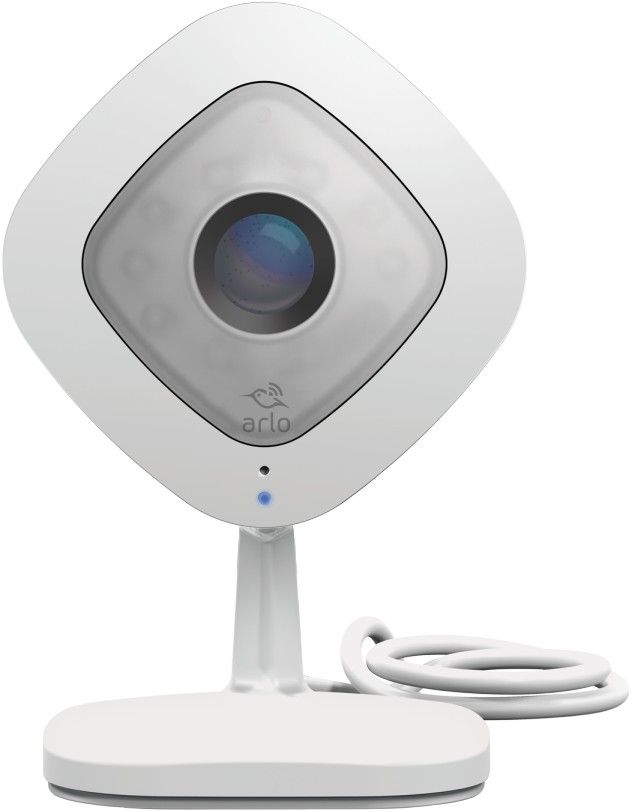
    Photo Credit: Arlo 

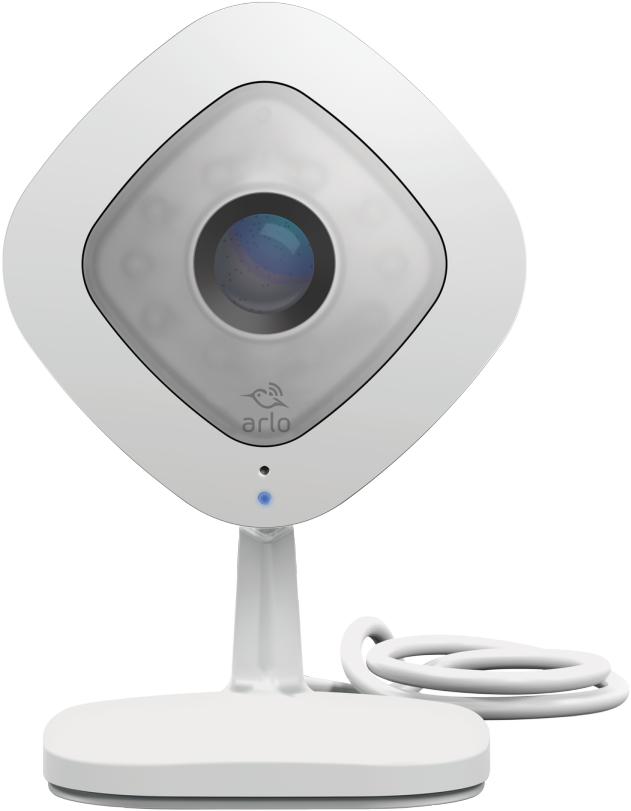
    Alexa is awesome for streamlining your home security cameras. The pictured Netgear Arlo Q works with Alexa and can be displayed on Echo Show and Amazon Fire TV. You can use your voice to arm and disarms cameras in different parts of the house. You can also remotely view the camera’s feed, which is great for when you’re on vacation or keeping an eye on pets at work.Security and convenience in one package, how awesome! This one would set you back only $150. 

    Smart Plugs 
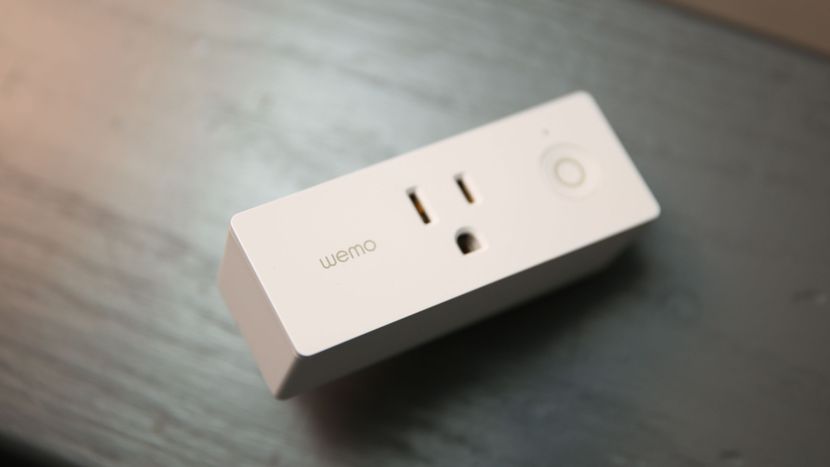
    Photo Credit: CNET 

    Smart plugs, like Belkin’s Wemo ($30 from Amazon), can turn any electronic device into a smart device. Effectively a glorified on-off switch that connects to Alexa, Wemo is great for lamps or appliances you don’t want powered on all the time. Fans and hairdryers come to mind immediately. You can control them with your voice, of course, or set them on schedules. If you get home from work late every night and want to make sure the lamp in your living room is on when you get home, you can schedule that! 

    Doorbell Cameras 
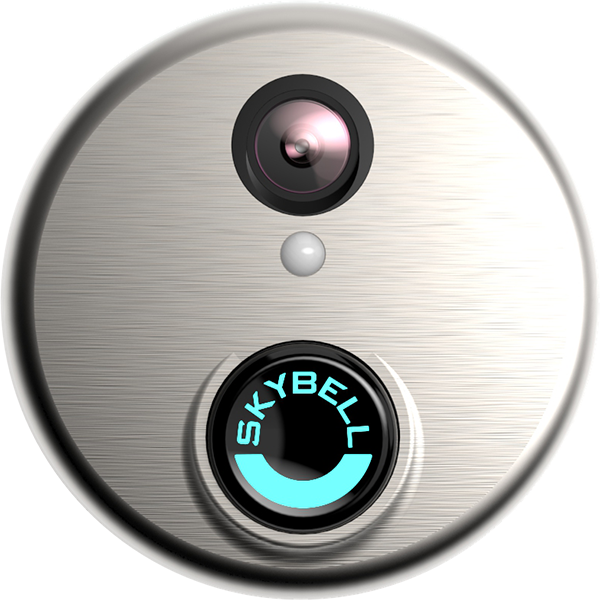
    Photo Credit: SkyBell 

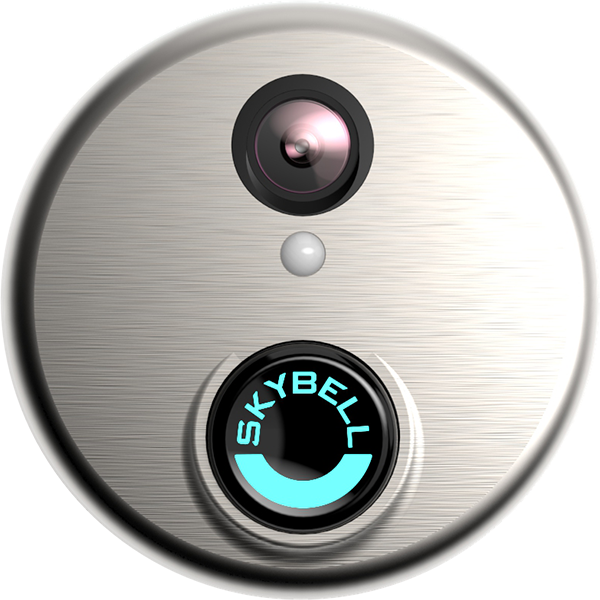
    If you’re a fan of security, doorbell cameras are great smart home gadgets. The SkyBell HD doorbell camera, pictured above, is a great pick. With Alexa functionality, you can use your voice to ask the virtual assistant to take stills or video of the doorbell cam. You can even have Alexa display the video on your Echo Show or Echo Spot. Or, if you’re entertaining company and don’t want to be bothered, you can disable the chime through Alexa. The SkyBell HD retails for $200, but you can find it for $160 through Amazon. 

    Smart Locks 
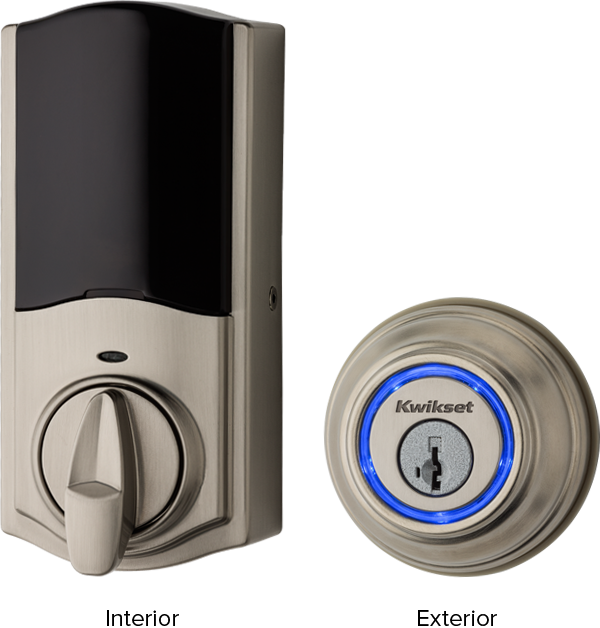
    Photo Credit: Kwikset 

    A natural companion to a doorbell camera, smart locks like the Kwikset Kevo ($183 from Amazon) are a must-have for smart homes. When paired with the Kevo Plus Hub, which retails for an additional $100, enables a ton of smart features. For one, it allows you to use your smartphone to lock and unlock the door remotely, which is awesome for guests. Say you’re late getting home from work but your guests are already at your house. No sweat, just use the app and let them in! Similarly, if you’re expecting company but are upstairs when they arrive, Alexa could help. You could just tell Alexa to show you who’s at the door with your doorbell camera. Then, seeing it’s your friends, you tell her to unlock the door. Just like that, you’re a high-tech host.  

    Smart Light Switches 
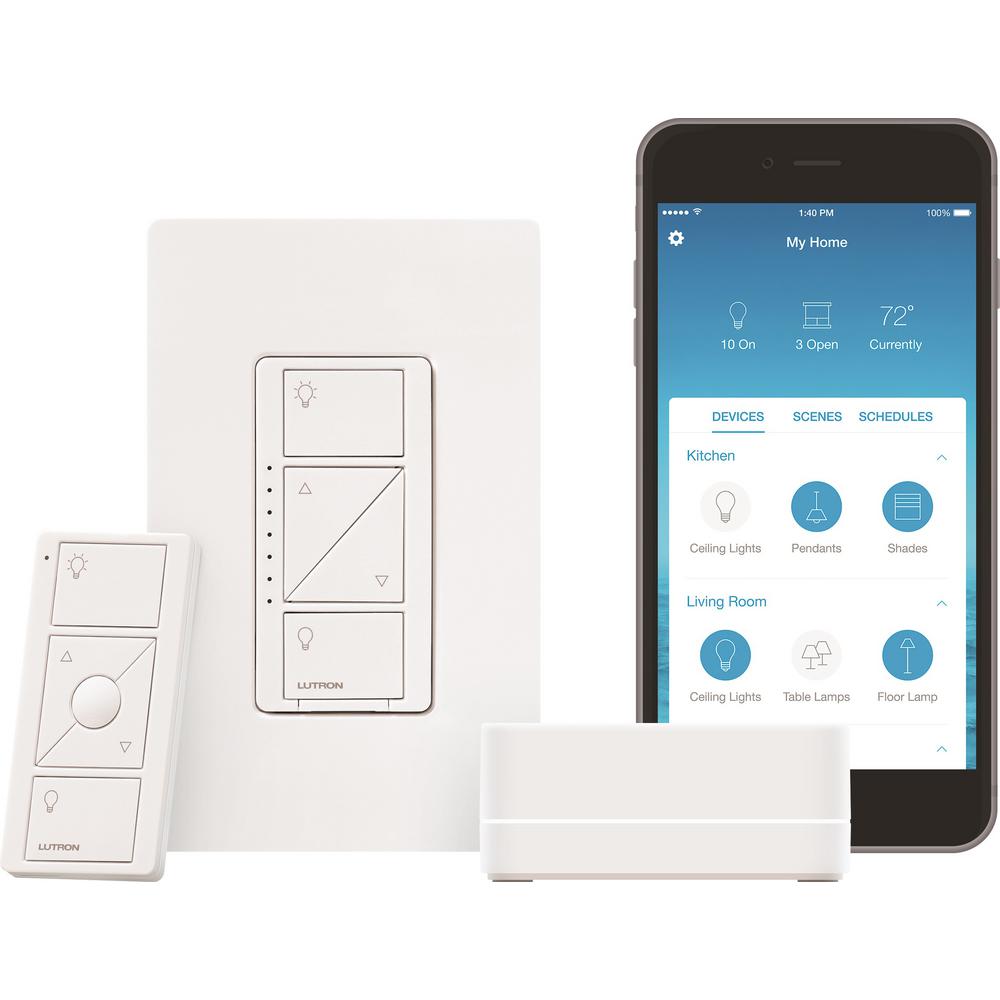
    Photo Credit: Home Depot 

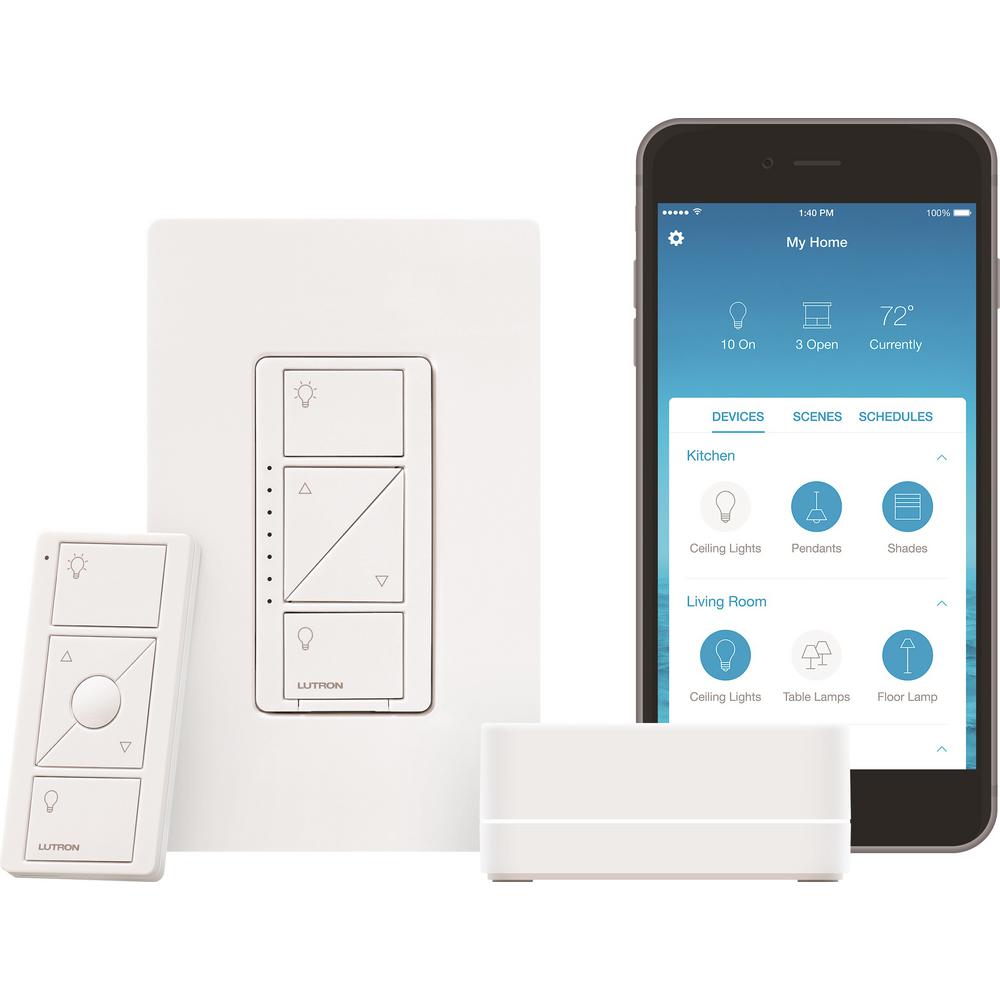
    Smart switches like the pictured Lutron Caseda ($55) are awesome for controlling entire lighting systems. For instance, you could pair the Caseda to Alexa and use your voice to control all the lights in your living room. Saying, “Alexa, turn off all living room lights,” would bring down the entire system controlled by the Caseda. Trying to do that without a system hub would be a pain. Imagine having to tell Alexa to cut off four or five different smart bulbs! It’s doable, but far from optimal. If you plan to have complex lighting systems controlled by Alexa, a smart light switch is the way to go! 

    Our Favorite Smart Home Gadgets: Smart Home Hubs 
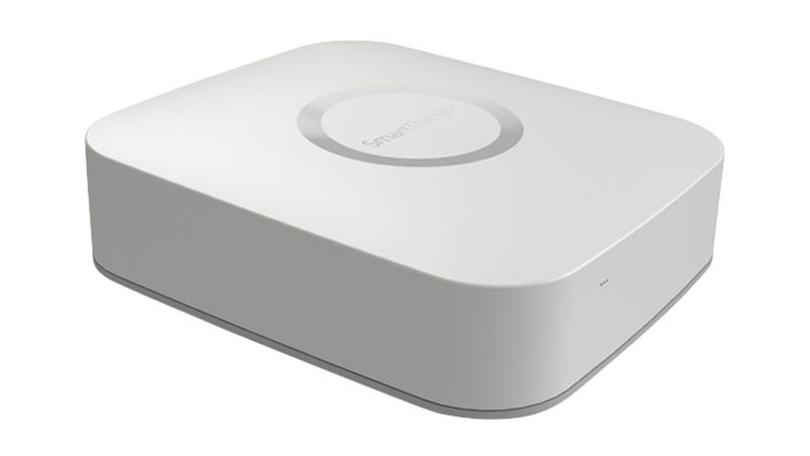
    Photo Credit: PC Mag 

    While Alexa is handy, you can make her even more useful with automations. Automations make your smart home gadgets even smarter. For instance, when you say “Alexa, I’m getting ready for work,” she can unlock the door, set the thermostat to an “away” temperature and read you the news. How do you do that, you ask? Why, with a smart hub! By hooking some of your smart devices into your hub and programming automations, you’re that much closer to full control of your house with your voice. Pictured here is the Samsung SmartThings Hub, which retails for around $85. Treat yourself to a nice smart home system! 
  • iOS 12 Improves Performance on Older iPhones

    iOS 12 Improves Performance on Older iPhones

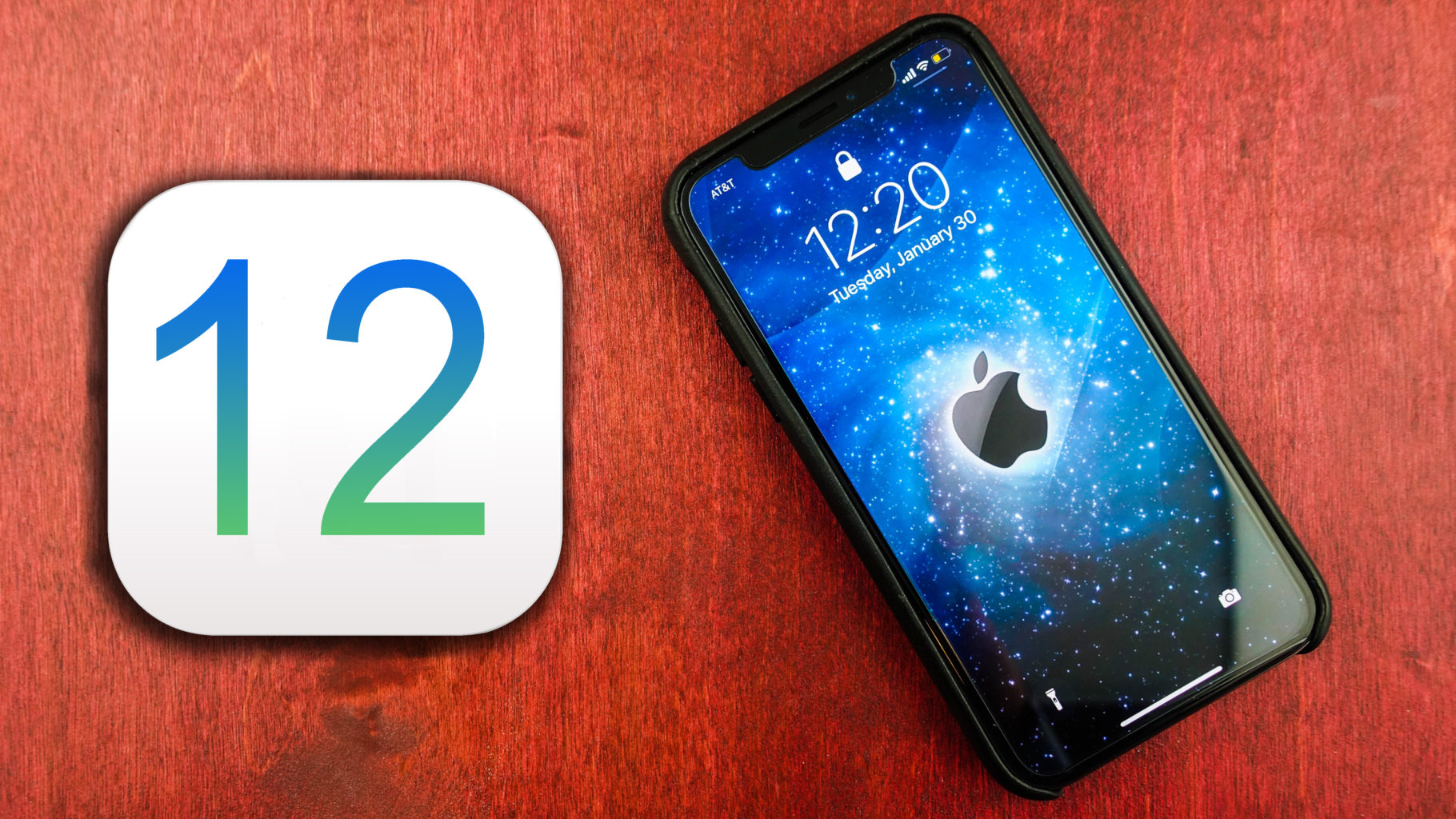
    You have probably read our articles on some of the big news out of the WWDC this week already. Apple gave a preview of iOS 12, the next operating system for iPhones and iPads, at its annual WWDC conference in San Jose this week. Today im going to tell you about a big feature that will enhance everyone iPhone, yeah even the older ones. The iOS 12 improves performance ?

    For any iPhone capable of running iOS 11, when upgrading to the iOS 12 you will notice some vast improvements. This is first iOS upgrade that will make your iPhone….faster…

    Yes you heard that correctly, the new iOS 12 improves performance on previous models on the iPhone.Apple says iOS 12 will launch apps 40% faster and the camera 70% faster on an iPhone 6S — the model that came out in 2015.

    Release Date, We Can Guess That

    That is great news everybody! When can we update!!  Its safe to say the iOS 12 update will be available in September, much like every year. They release it a few days before the new iPhone ships. So for those of you with the 6s experiences apples slowdown to maintain your battery life, you will just have to keep waiting. Or will you…

    For a small $99 per year you can subscribe to be an apple developer and beta test new software. Along with getting the software updates way earlier,  you also get access to their developer tools as well. SO yeah you can jump in now and start beta testing the iOS 12 months before the rest of us, with all the new goodies at your disposal. However as fantastic as this sounds remember that ios 12 is not finished and will likely encounter more bugs and crashes than you can handle. You can download the software through Xcode, which is what programmers use to build iPhone apps. You can also install it by adding a profile to your iPhone or through iTunes.

    The Final iOS 12 Improves Performance Thought

    Its gonna be a good software update year, lot of performance perfections coming. Lets hope apple can deliver on this promise..

  • Best 5 Laptops Under $500 in 2018

    Best 5 Laptops Under $500 in 2018

    Laptops are very essential these days- for school, work, or just personal use. The price of a premium new laptop can cost up to $1,000, which is pricey for anyone. Numerous companies have made laptops more affordable while keeping the quality and capabilities of more expensive laptops.

    You don’t have to feel like you’re settling when shopping for a laptop under $500. There are value-priced notebooks that include full-HD displays, solid performance and long battery life, plus all the ports you need. We picked all the best all-purpose laptops in $500 price range which we think are best laptops to suit the wide range of requirements of people. Here is a list of the best five laptops under $500!

    1. Dell Inspiron i3567 Laptop

    The latest version of this Dell laptop has a powerful system in place with 8GB of memory and a 128GB hard drive and a Intel Core i3-7100U 2.4GHz processor. It has a professional feel in it’s all black look with a 15.6-inch laptop with a screen resolution of 1366 x 768. The operating system runs smoothly with Windows 10 and is backed with a 12 month warranty, with 12 months of tech support.

    • A new, powerful hardware system
    • Has many ports and slots to use your external devices
    • 8 GB Ram
    • 7th Gen Intel Core i5 processor
    • It is not backlit enabled
    • Battery life up to 5 hours

    2. Acer Aspire A515-51-50RR Laptop

    The Acer Aspire 5 is one of the best budget full-size laptops you can find in stores today. It checks most of the right boxes: well built, slim and fairly light, gets a decent keyboard, an IPS screen and modern hardware, performs well, runs cool and quiet and lasts for a long while on a charge. This slim and sleek laptop is a great all round performing laptop, especially for the price. The visuals are spot on with vivid, bright colors.

    • LCD display and is backlit
    • 2.50 GHz Intel Core i5-7200U processor
    • Storage: 1TB hard disk
    • Intel HD 620 graphics
    • Battery life up to 7 hours
    • All-plastic chassis

    3. HP 15-ay191ms Laptop

    The HP 15-ay191ms, a signature edition laptops that comes with a seventh-generation Intel Core i3 processor, 8GB DDR4 system memory, 1TB of storage and a touchscreen, but still remains insanely affordable. It’s one of those laptops you’d buy without a second thought if you find inexpensive chromebook attractive, but really, really need Windows. If you love touchscreen, this one’s for you! This laptop contains the Kaby Lake processor which makes this laptop consume little power. Apps are not an issue here, they all run very smoothly.

    • Touchscreen
    • Intel Core i3-7100U processor
    • 8GB RAM
    • 1TB hard drive
    • Lag-free performance
    • Battery life up to 6 hours

    4. Dell Inspiron i3567-5185BLK Laptop

    Yet another Inspiron made this list! This version comes in different color options and a textured finish.  Packed with a large 15.6 Inches display and a decent 7th Gen Intel Core i5-7200U up to 3.1GHz CPU processor. This Dell laptop model would work well for portability with its 4.85 Pounds lightweight design and sleek black look. Great for school work or the family computer. A huge bonus with this laptop is it doesn’t heat up much!

    • 2.4 GHz Intel Core i3-7100U processor
    • 8GB RAM
    • TB hard drive
    • LED display with a built-in webcam and mic
    • Battery life is up to 6 hours

    5. ASUS Chromebook Flip

    This is one of the best convertible laptops on the current market. The Asus Chromebook Flip C302 is worthy of its premium stature with a gorgeous screen, tactile keyboard and a classy design that’s equally as comfortable to use in tablet mode or as a traditional laptop. The screen is a full HD touchscreen and can be converted from a laptop to a tablet by turning the screen. A top pick for a college student!

    • Intel Core m3 processor
    • 4GB RAM
    • 64GB of SSD storage
    • Battery life of up to 10 hours

  • Don’t Overpay For K-Cups – Find The Best Online Deals

    Don’t Overpay For K-Cups – Find The Best Online Deals

    Need coffee? K-cups are the most convenient and fastest way to get your daily dose of caffeine in the morning. Great for people always on the go, K-Cups are a godsend to working people and stay-at-home parents everywhere.

    Available in grocery stores and other retail stores nationwide, K-Cups have come to dominate the coffee industry. With tons of K-Cup options and accessories available, you can find any flavor and type of coffee you can imagine, making for a whole lot of options, and with K-Cup refill filters, you can use any brand of coffee you prefer and save money. If you are interested in learning more about K-Cups where to get them at the best prices, read more below.

    When they first came out, there were only a few choices of K-Cups available, now there are literally hundreds to choose from. You can find Keurig brand K-Cups at most stores including popular flavors such as Keurig’s Donut Shop coffee. If you aren’t sure which cups you might like, you can purchase a variety sample pack, just like the ones you might find included with your Keurig machine. If you already have a coffee brand you prefer, you can find both home-brew brands like Folgers and Café Bustelo, and coffee shop brands like Starbucks, Peet’s Coffee and Dunkin Donuts in a variety of their flavors. With these conveniently ready-to-brew pods, you can make coffee almost instantly – just turn on your Keurig coffee machine, load the pod, press the button and you’ll have a piping hot cup of coffee in less than a minute.

    How You Are Overpaying Now

    When it comes to replenishing your supply, there are a few different ways to go about it. The most expensive way is to buy your K-Cups in the store. Often, you’ll find K-cups in packs of 10 for around $6 or $7, but this is not the most economical option. This brings you to $0.70 per cup of coffee…

    How to Save Now

    When it comes to saving money, the key is to buy the larger boxes because, the more you buy, the more you can save in the long run. While the packs of 10 are great for trying out certain flavors, you can buy larger boxes of 60 to 75 K-Cups for $35 to $40 in wholesale stores like Costco, in some grocery stores like Ralphs, or even online from websites like Amazon. Doing this could bring you to $0.50 per cup of coffee or less, saving you almost a quarter each cup that you drink. If you are anything like our staff at GoodFind, that savings adds up very quickly.

    With Amazon, you can subscribe and save on K-Cups, having your preferred brand and flavor ordered and shipped to you automatically each month. Another option for subscription services is to use Keurig’s Auto-Delivery service that allows you to buy all Keurig branded cups as often as you like with a savings of 25% off. There’s also premium coffee subscription services like Coffee cargo, where you can try premium coffees that you can’t get anywhere else.

    Other Options

    Another great way to fill up is with refillable options. With K-Cup refillable pods and filters, you can use literally any coffee you prefer, because you can add your own ground coffee into the pod. This is a great way to get that same fresh ground taste right out of your Keurig machine. Refillable K-Cups called GoodCups can be purchased through Amazon and are loaded into the same spot where you would put your disposable K-Cups. Coffee Bean N Leaf Brews makes another great refillable coffee pod that is completely reusable and dishwasher safe. Of course, Keurig also makes their own refillable pod: the Keurig My K-Cup that allows you to use your own gourmet coffee by adding it to the filter provided. Replace the filter with the pod loader attached to your machine and you are ready to go. Using any refillable pod is not only a great way to have your favorite coffee not available in disposable cups, but it’s also great for the environment too!

    Keurig Green Mountain said it plans by 2020 to change the plastic composition in the billions of K-cup single-serving coffee containers it sells annually, making them more lucrative to recyclers while removing one of the nagging complaints that mountains of the little pods are piling up in landfills.

    “Our goal is 100 percent Keurig K-cup pods diverted from landfills by curbside recycling,” said Monique Oxender, the coffee brewer’s chief sustainability officer. “The consumer is going to brew it, peel and empty it, and pop the pod into the recycling bin in the same behavior they would do with a yogurt cup. We want them to make it a habit.”


  • Laptop Lookout: MSI GS65 Stealth

    Laptop Lookout: MSI GS65 Stealth

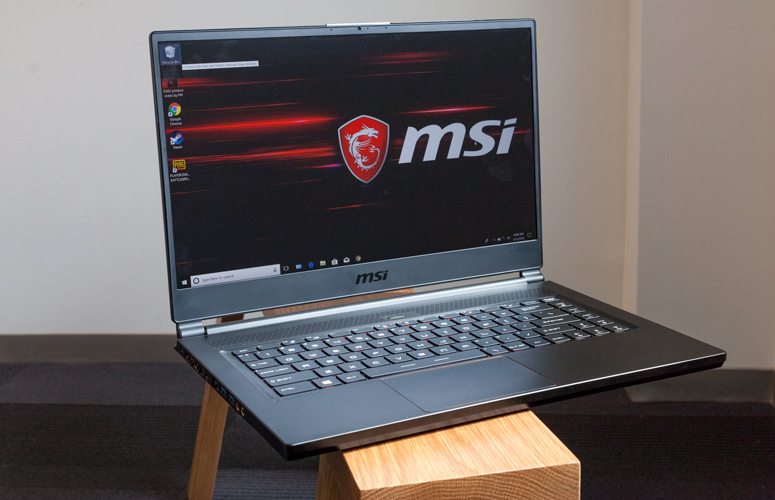
    Laptops are the cornerstone of our computing resources in this day and age. We need power, robust performance and ultimate portability for every aspect of our daily lives. This is a guide and insight to the best tablets on the market and today I’m here to talk about the GS65 Stealth. This is a  Thin   ultra-portable 15.6-inch laptop with a thin bezel gaming display and its brand new gold-and-black premium design. Its a complete laptop solution that can fit in any dynamic.

    The Great

    • Attractive, subtle design
    • Gorgeous, fast display
    • Excellent performance
    • Effective thermal management

    The Not

    • Bottom gets burning hot
    • Lack of biometric login
    • Poor  audio

    The Conclusion

    The MSI GS65 Stealth laptop is making a run at being my favorite gaming laptop. It is a powerhouse of a machine with cutting edge components, which includes an 8th-generation Intel Core i7-8750H CPU and an Nvidia GeForce GTX 1070 GPU.


    Taking the reigns as the best gaming laptop is a tall task that MSi Set out on, The result is a sleek, portable 15-inch laptop within a 14-inch device that’s capable of high-end gaming as well as intense productivity work for a decent price – cheaper than key competitors.

     The Design

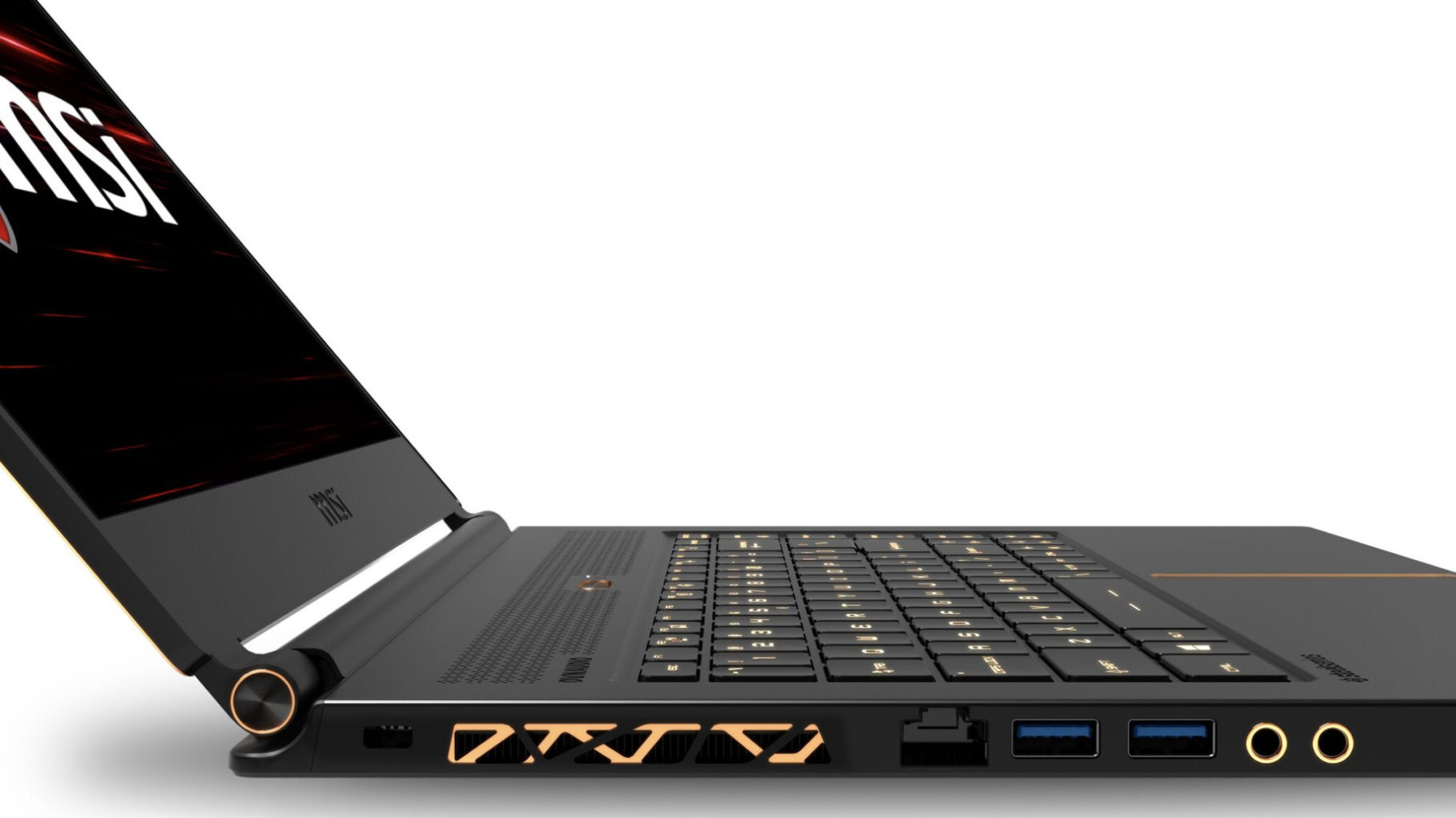
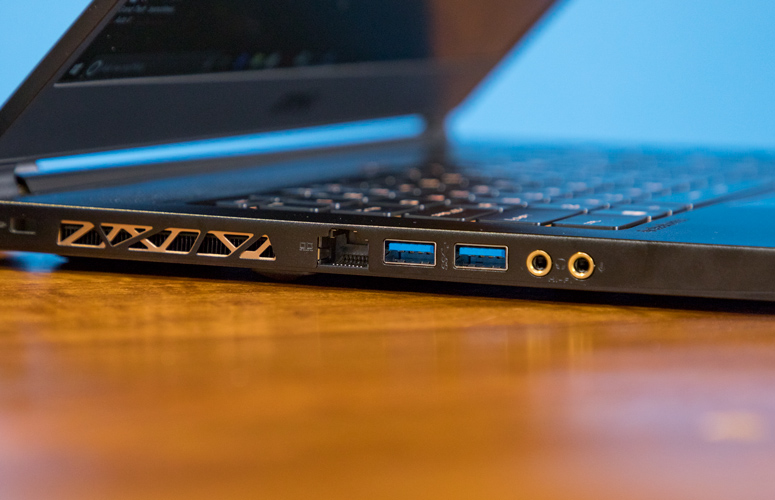
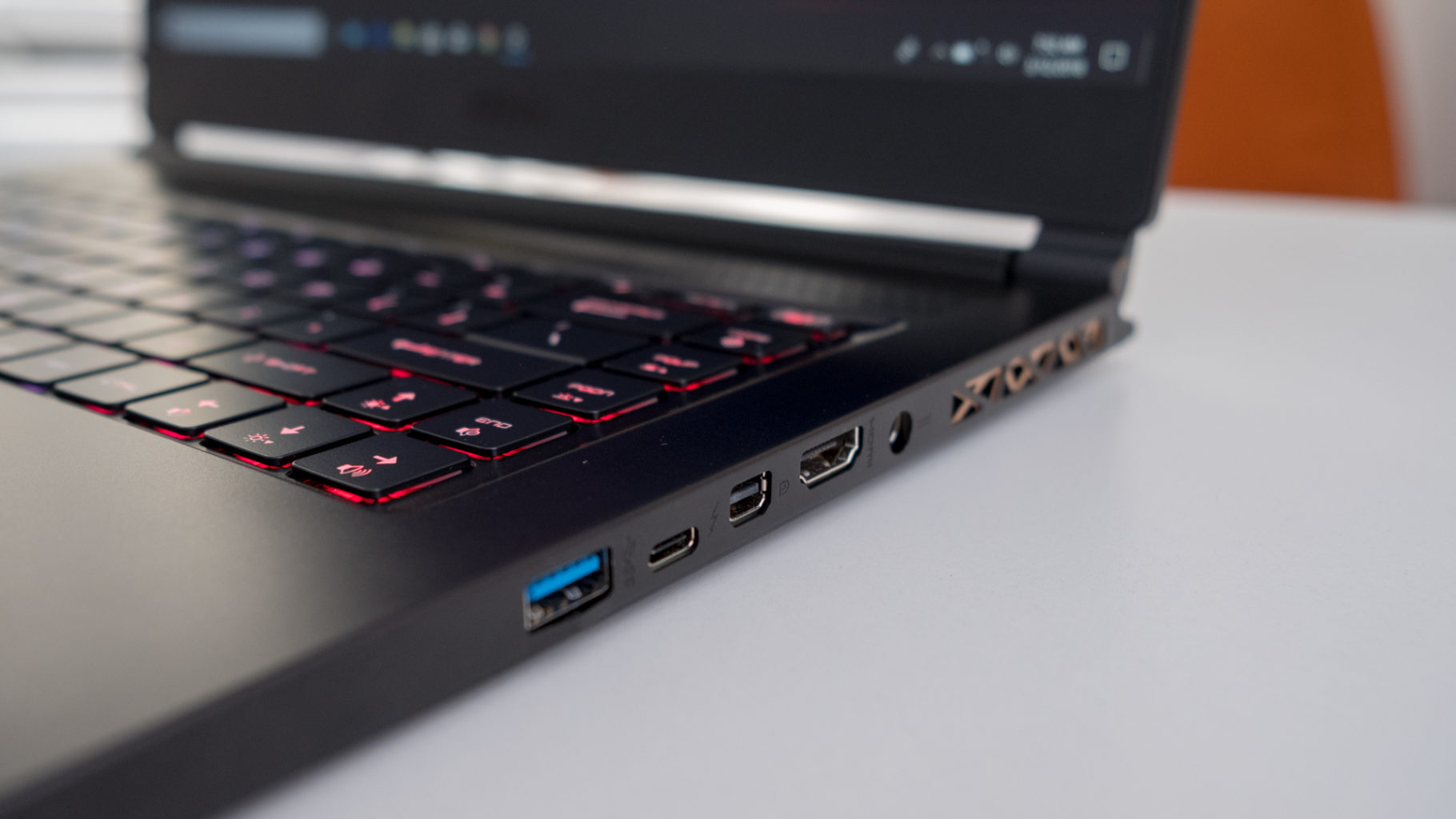
    There are no sharp angles or red LEDs all over this laptop, on the contrast really, you are going to l find a sleek, all-black device with subtle gold accents on its lid, within its dual hinges and surrounding its touchpad. Those gorgeous gold accents are also found highlighting the laptop’s heat vents, but nowhere else on the brushed, black aluminum frame. The result is one of the most visually arousing laptops on the market. its nice

    The Display

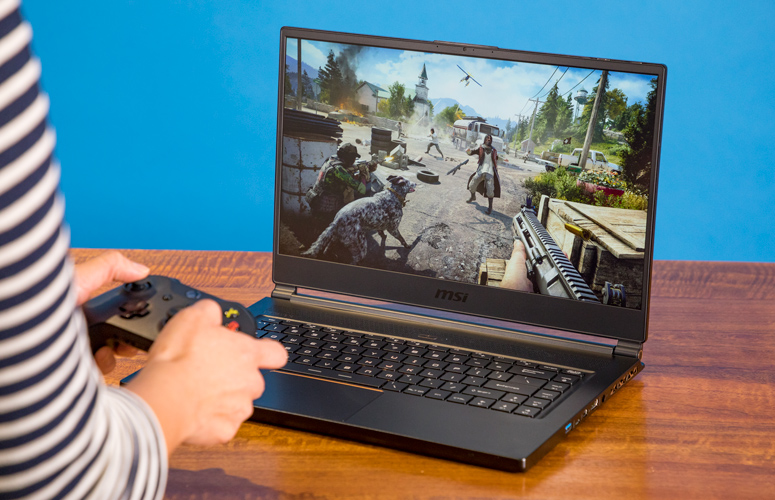
    It is bright and it is beautiful. 144hz panel the refresh rate is just right for seizure inducing gaming and contents of dark corridors in games just fine at even 50% brightness. Plus, MSI’s True Color 2.0 produces color gamuts that meet 100% of Adobe RGB and close to 100% of sRGB standard, and also supports game-specific color modes as well as anti-blue light modes.

    The Performance

    The H-series Intel Core i7 processor, paired with that Nvidia Max-Q GTX 1070, make quick work of everything we throw at the GS65 Stealth. Its a combination matched with the screen and design that have this laptop purring.  If it can handle a full run at Battlefront II it will surely handle your morning email parade whilst listening to Golic and Wingos morning show with power to spare.  AS far as battery goes well you should know that almost none of these gaming laptops bring decent battery life to the table, but it is quite adequate considering the teeth on this guy.


    MSI GS65 Stealth Quick Spec Look

    • CPU: Intel Core i7
    • Graphics: Nvidia GeForce GTX 1070 (8GB GDDR5X VRAM, Max-Q)
    • RAM: 16GB
    • Screen: 15.6-inch FHD (1,920 x 1,080) anti-glare, wide-view 144Hz panel
    • Storage: 512GB M.2 SSD

    The Final Thought

    The MSI GS65 Stealth is officially the most impressive Nvidia Max-Q gaming laptop that I’ve tested.  Only the Razor blade pro can even compare. GS65 Stealth with lots of pre-loaded software, but it artfully avoids ‘bloatware’ status by providing functionality that’s actually useful. Its sleek, pretty and great as a everyday work laptop as well as a monster for gaming. Its reasonably priced and considering everything it is an incredible value.


  • Tech Throwback: Motorola Bravo Pager

    Tech Throwback: Motorola Bravo Pager

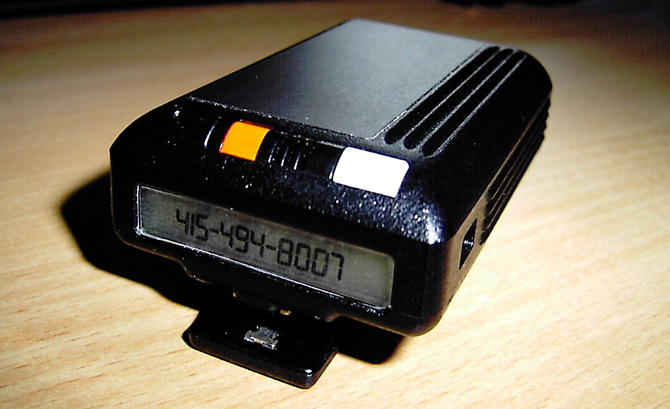
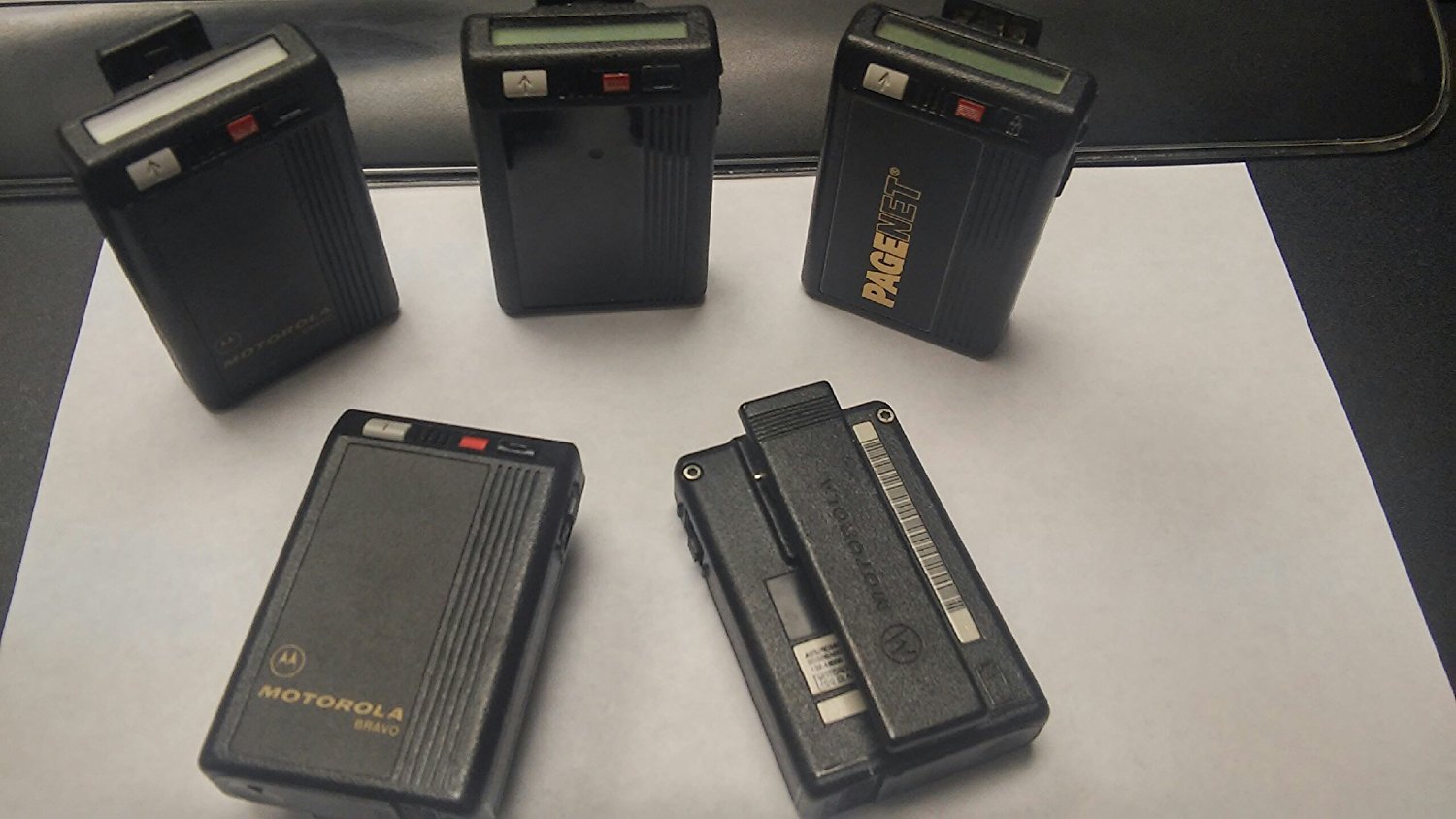
    I like to take a look at where I’ve been to evaluate where Im going. Technology is cyclical after all… wait no its not. That said I still like all the feels that come rushing back like a flood of nostalgia every time I get my hand on the tech I grew up with. Im going to go back periodically and take a looking at the stuff that used to blow our hair back and get our minds rolling. Some of these device blew up and changed the world, some where ahead of their time and some just fell flat and became colossal failures. Today I’ve got my hands on the old Motorola Bravo Pager, beep beep


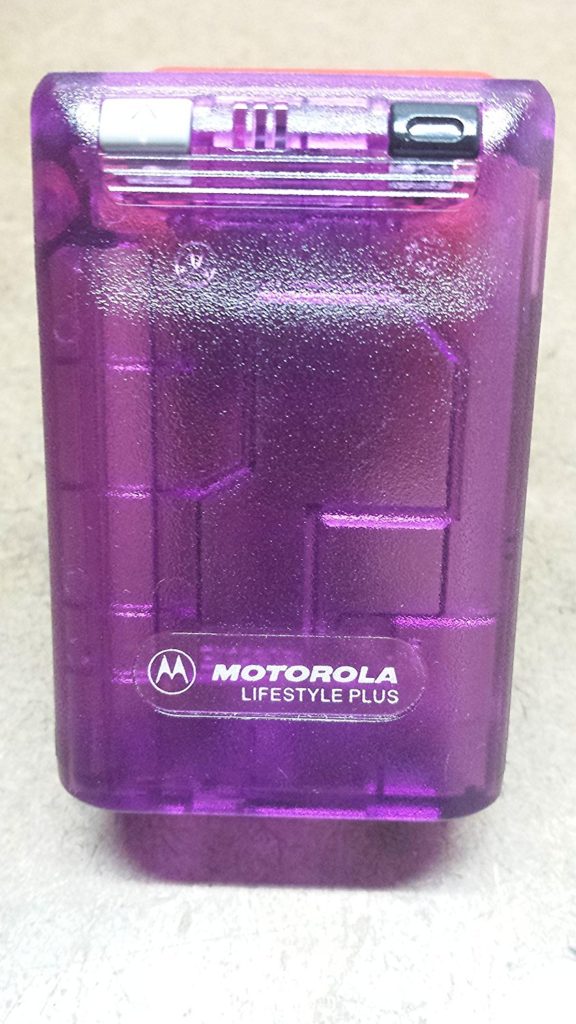
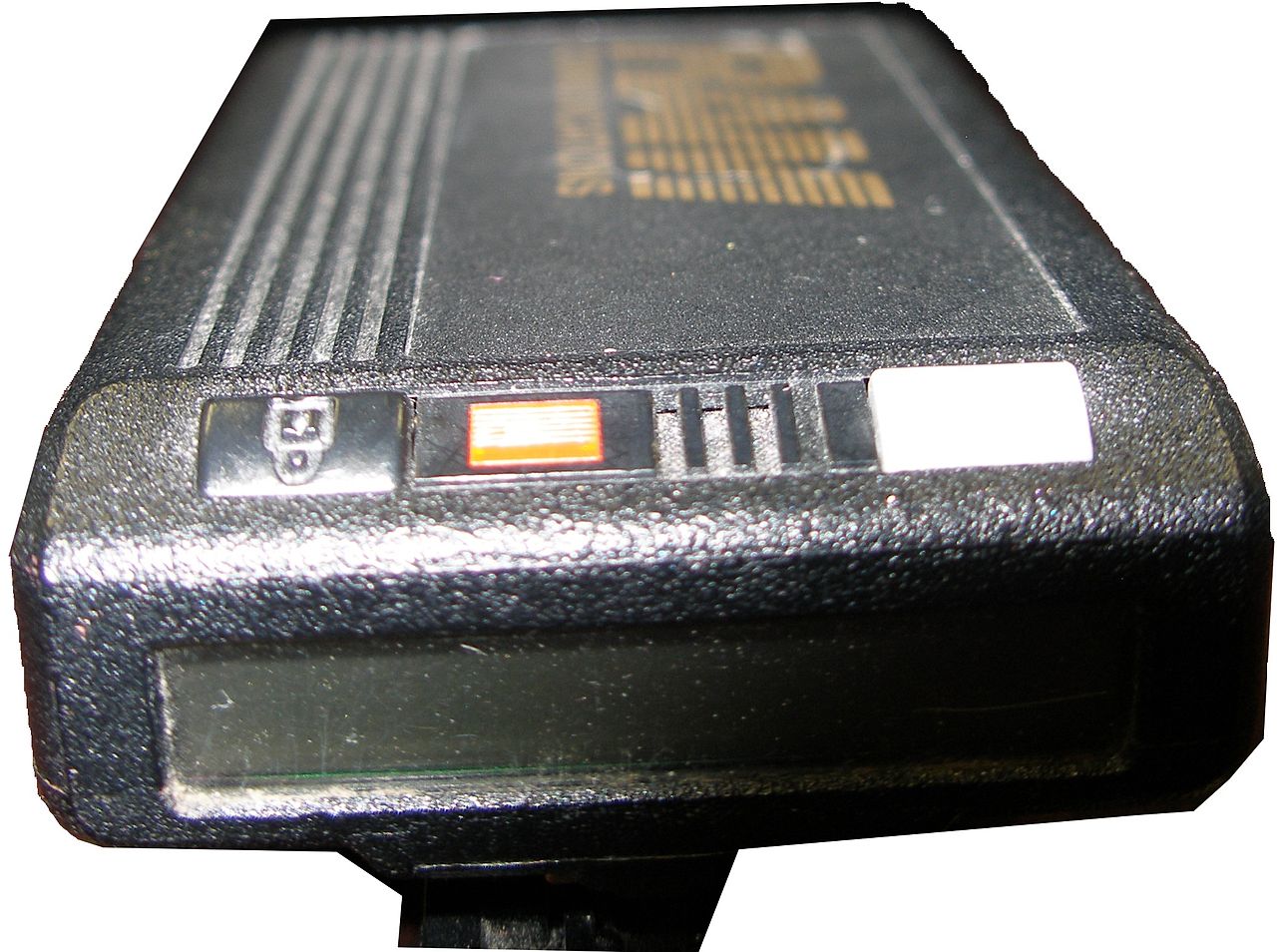
    A pager (also known as a beeper) is a wireless telecommunications device that receives and displays alphanumeric messages and/or receives and announces voice messages. The Motorola Bravo pager was the king of all one way pagers. Yes one way..One-way pagers can only receive messages.

    I had one, Your mom had one and every doctor on the planet had one. Amazon still sells them, but purchased mostly by people looking for the quintesenintal Halloween accessory.   They are iconic and just looking at one brings back memories of short coding your friends a party invite.

    How Did It Work

    In 1999, 45 million Americans had pagers. They were an equal-opportunity technology, owned by drug dealers, whores, doctors and CEOs—and new college students whose parents couldn’t drop the leash.All one had to do was simple dial the phone number associated with said pager, then enter in up to 16 numbers from your touchtone phone to deliver a call back number. simple. genius. reliable.


    At least there was the code.There was also an accepted system of sending numbers so that, when written together, looked vaguely like letters. We’d grown up getting adults to spell “BOOBLESS” on calculators by typing in the elements of a story about Dolly Parton and then holding the calculator upside down. From there, it was an easy jump to many other words. Hello was 07734. That was one of the easiest ones. We said “Hello” a lot.  Then 3838-07734 (hello baby) or 17-31707-1( I love you). However my personal fav and constant go to was the old 187 (your dead).

    The Final Thought

    They functioned without coverage, with out fail. Never did I ever say legitimately ” i didnt get that page”. It was the most reliable and widely accepted form of mobile communication for over 40 years. While Motorola announced the end of its new pager manufacturing in 2001, pagers remain in use today in places where mobile phones typically cannot reach users, and also in places where the operation of the radio transmitters contained in mobile phones is problematic or prohibited. In places like hospitals, rural emergency response ares you can still spot the endangered species know as the Motorola pager.


  • Beau’s Number 1 App Reveiw: Player Unknown: Battlegrounds PUBG

    Beau’s Number 1 App Reveiw: Player Unknown: Battlegrounds PUBG

    Beau’s App series. Each week, I install whatever is the No. 1 bestselling app on the iOS or Android store and review it, to save you the effort in case it’s total waste of life. This week a game called Player Unknown: Battlegrounds, better known as PUBG is in the top spot and Im taking it on. How did it get to No. 1? Because it’s free, because it just came out for phones, and because it’s already crazy popular. Its PC/console versions made PUBG the most-played new video game of 2017.


    Lets Start The Battle

    PUBG is a “battle royale” game, meaning that it’s a military-style, free-for-all, fight to the death. It’s extremely similar to its arch-rival, Fortnite: Battle Royale (which is also free, and is currently neck-and-neck with PUBG on the iOS app store [not available yet for Android]).

    At the very start of the game (after choosing the look, gender, race, and screen name for your avatar), you’re in sort of a limbo where you can run around, practice punching and crouching, waiting for 100 players from the internet to accumulate. Once they do, the action cuts to a plane flying high above an island. You choose when to jump out, at which point you skydive, and eventually pop your parachute.

    Just Past the Tutorial

    You explore this island by running around (the “camera” is always behind you) or hopping onto rusty old cars, tanks, or motorcycles. As you go, you find and pick up weapons, protective gear, medical kits, and energy drinks. But be wise: You can carry only so much weight — and you can hold only two guns at a time.

    If you’re in Squad mode, getting shot by the enemy doesn’t necessarily mean Game Over. You’re just wounded at first, and your teammates can help you back to your feet.

    As time goes by, the playing area slowly contracts, forcing players into a tighter space and heightening the action. The walls, in the form of a creepy blue shimmering bubble, slowly close in on you; if you’re caught inside it, you lose Health.


    What Makes it Great

    PUBG has elements of a survival game, with a stamina and health bar to maintain through collectables, but a typical match lasts no longer than 30 minutes or so. You start each one with no equipment and have to parachute off a randomly moving plane, so that it’s almost impossible to start any two matches in the same place. The location of loot is also randomised, although obvious hot spots do tend to have better equipment.

    The most interesting thing about PUBG is that it’s a true sandbox game. None of the gameplay mechanics are very complex or unusual, and while the map is well designed it’s really its size that is the greatest benefit. Everything which makes the game fun comes from the simple but inflexible rules, and the knowledge that if you die that’s it – there’s no lives and not even a way to watch the rest of the match unfurl. The tension this creates is incredible, and every player has their own favourite PUBG story. Your first kill is usually a good one (mine was a fist fight that had me running away into another room, and coming back with a crowbar) but the decision on when and how to move away from the safety of a good hiding place is always the most difficult.


    The Final Thought

    This is the first app review Ive done and Ive had a blast for the last 13 hours playing this game. Truth be told I only just heard about it last week, quickly dismissed it, one try and Im hooked. All I can think about now is that Ive got the good loot where is the bullet that is gonna kill me..