Tag: 2 in 1 laptops

  • 2018’s Best Touchscreen 2-in-1 Laptops (So Far)

    2018’s Best Touchscreen 2-in-1 Laptops (So Far)

    There has been a huge increase the in number of 2-in-1 laptops that feature touchscreen controls for tablet mode. Love it or hate it, touchscreens are here to stay, and they will likely continue to be evolved into mainstream computing.

    Here are some of our favorite touchscreen laptops available right now.

    HP Spectre x360

    This lightweight, slim bezel 2-in-1 is a great option for the most mobile users among us. The battery life is amazing, and the keyboard is also a pleasure to use. You won’t find a better balance between tablet and laptop than this system.

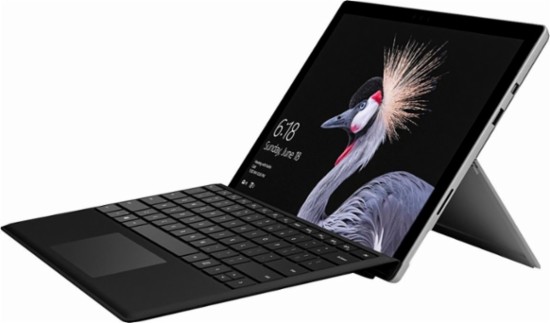
    Microsoft Surface Pro

    The Microsoft Surface Pro has positioned itself to be the touchscreen laptop to beat. It is designed from the ground up to work around a touch interface and the Surface Pen. Going beyond simple touchscreen controls and note taking, the Surface Pro also aims to be a digital artist’s tool. Unfortunately, the newer version of the Surface Pro no longer includes the Surface Pen, so expect an accessory purchase right off the bat.

    Lenovo Yoga 920

    If screen real estate is your priority, then the Lenovo Yoga 920 should be where you begin looking. The general 13.9-inch display is larger than many 2-in-1 systems. With a fully metal build and an interesting take on laptop hinges, the
    Yoga makes a classy statement. It also features the same level of touchscreen sensitivity as the Surface Pro despite the larger screen.

    Samsung Chromebook Pro

    What would happen if you took a Samsung Note 8 and blew it up into a 2-in-1 computer? You’d get the Samsung Chromebook Pro. If Chrome OS is your jam but you find typical Chromebook offerings a little short on power, then the Chromebook Pro is well worth looking into. The Google Play store alone means that you will have more than enough apps for both your productive and procrastinating sides.
  • 2018’s Best Touchscreen 2-in-1 Laptops (So Far)

    2018’s Best Touchscreen 2-in-1 Laptops (So Far)

    There has been a huge increase the in number of 2-in-1 laptops that feature touchscreen controls for tablet mode. Love it or hate it, touchscreens are here to stay, and they will likely continue to be evolved into mainstream computing.

    Here are some of our favorite touchscreen laptops available right now.

    HP Spectre x360

    This lightweight, slim bezel 2-in-1 is a great option for the most mobile users among us. The battery life is amazing, and the keyboard is also a pleasure to use. You won’t find a better balance between tablet and laptop than this system.

    Microsoft Surface Pro

    The Microsoft Surface Pro has positioned itself to be the touchscreen laptop to beat. It is designed from the ground up to work around a touch interface and the Surface Pen. Going beyond simple touchscreen controls and note taking, the Surface Pro also aims to be a digital artist’s tool. Unfortunately, the newer version of the Surface Pro no longer includes the Surface Pen, so expect an accessory purchase right off the bat.

    Lenovo Yoga 920

    If screen real estate is your priority, then the Lenovo Yoga 920 should be where you begin looking. The general 13.9-inch display is larger than many 2-in-1 systems. With a fully metal build and an interesting take on laptop hinges, the
    Yoga makes a classy statement. It also features the same level of touchscreen sensitivity as the Surface Pro despite the larger screen.

    Samsung Chromebook Pro

    What would happen if you took a Samsung Note 8 and blew it up into a 2-in-1 computer? You’d get the Samsung Chromebook Pro. If Chrome OS is your jam but you find typical Chromebook offerings a little short on power, then the Chromebook Pro is well worth looking into. The Google Play store alone means that you will have more than enough apps for both your productive and procrastinating sides.


  • Laptop Roundup: Best Laptops of 2018

    Laptop Roundup: Best Laptops of 2018

    Today, we’ve got a laptop roundup to bring you some of the best laptops of 2018 so far. If you’re in the market for a new laptop, these are the cream of the crop. While your mileage may vary, we’ve included a few different choices in case your tastes differ from ours. Alright, let’s get into it: the best computers for the pro on the go! 

    MacBook Pro 13-inch 

    The MacBook Pro is a fantastic laptop for creative professionals. The model without the Touchbar is a fantastic value, but the Touchbar model is a tad pricey. If you’re interested in creating content and looking for a laptop to keep up, this is the one. Mac has a reputation for being great for creators, and they’ve earned it. A sleek interface, beautiful aesthetic and great design decisions bolster this laptop. The only drawbacks? It’s still relatively expensive at around $1,300, and the keyboard leaves a lot to be desired. That said, Macs are notoriously well-made and Apple’s customer service is top-notch. 

    Chromebook Pro 

    Samsung’s Chromebook Pro may be an odd decision on its face but hear us out. If you’re a student, or looking for a second computer, this inexpensive option is great. It’s got everything you need for studying, composing papers and taking notes. While you won’t be editing films or hardcore gaming, you probably don’t need that if you’re in the market for a Chromebook. It’s worth noting that the Chrome OS is a scaled-back, user friendly but overly-simple operating system. If you’re a power user, steer clear. If you’re just looking for an affordable laptop, though, this is a great pick. 

    Surface Pro 

    Microsoft’s Surface Pro is the very best 2-in-1 on the market, and that’s saying a lot. The crowded 2-in-1 market is an attempt to appeal to those that want something between a tablet and a laptop. The Surface Pro impresses on both fronts and compromises nothing to be the very best tablet and an excellent laptop. The power on this sucker rivals most other laptops in its price range. It just so happens to also have a detachable keyboard and a touch screen! Creative types, students and business professionals all love the Surface Pro. It even comes with a great stylus to get you started. All that, starting around $800. It’s a steal! 

    Our Favorite of this Laptop Roundup: Dell XPS 13 

    Our current favorite laptop overall is the Dell XPS 13. A fantastic all-rounder at a decent price, the XPS 13 is great for everyone. Well, everyone except gamers, but gamers already know what they’re looking for. Everyone else will love this sleek, fast laptop. The i5 version of the XPS 13 runs at $1,000, and the i7 runs $1,400, but that’s a reasonable price for this premium laptop. If you don’t mind footing that bill, you’ll get a powerful, zippy and portable laptop that’s sure to impress and delight. 

  • 2018’s Best Touchscreen 2-in-1 Laptops (So Far)

    2018’s Best Touchscreen 2-in-1 Laptops (So Far)

    There has been a huge increase the in number of 2-in-1 laptops that feature touchscreen controls for tablet mode. Love it or hate it, touchscreens are here to stay, and they will likely continue to be evolved into mainstream computing.

    Here are some of our favorite touchscreen laptops available right now.

    HP Spectre x360

    This lightweight, slim bezel 2-in-1 is a great option for the most mobile users among us. The battery life is amazing, and the keyboard is also a pleasure to use. You won’t find a better balance between tablet and laptop than this system.

    Microsoft Surface Pro

    The Microsoft Surface Pro has positioned itself to be the touchscreen laptop to beat. It is designed from the ground up to work around a touch interface and the Surface Pen. Going beyond simple touchscreen controls and note taking, the Surface Pro also aims to be a digital artist’s tool. Unfortunately, the newer version of the Surface Pro no longer includes the Surface Pen, so expect an accessory purchase right off the bat.

    Lenovo Yoga 920

    If screen real estate is your priority, then the Lenovo Yoga 920 should be where you begin looking. The general 13.9-inch display is larger than many 2-in-1 systems. With a fully metal build and an interesting take on laptop hinges, the
    Yoga makes a classy statement. It also features the same level of touchscreen sensitivity as the Surface Pro despite the larger screen.

    Samsung Chromebook Pro

    What would happen if you took a Samsung Note 8 and blew it up into a 2-in-1 computer? You’d get the Samsung Chromebook Pro. If Chrome OS is your jam but you find typical Chromebook offerings a little short on power, then the Chromebook Pro is well worth looking into. The Google Play store alone means that you will have more than enough apps for both your productive and procrastinating sides.


  • Acer Spin 1 the 2 in 1 with Incredable Value

    Acer Spin 1 the 2 in 1 with Incredable Value

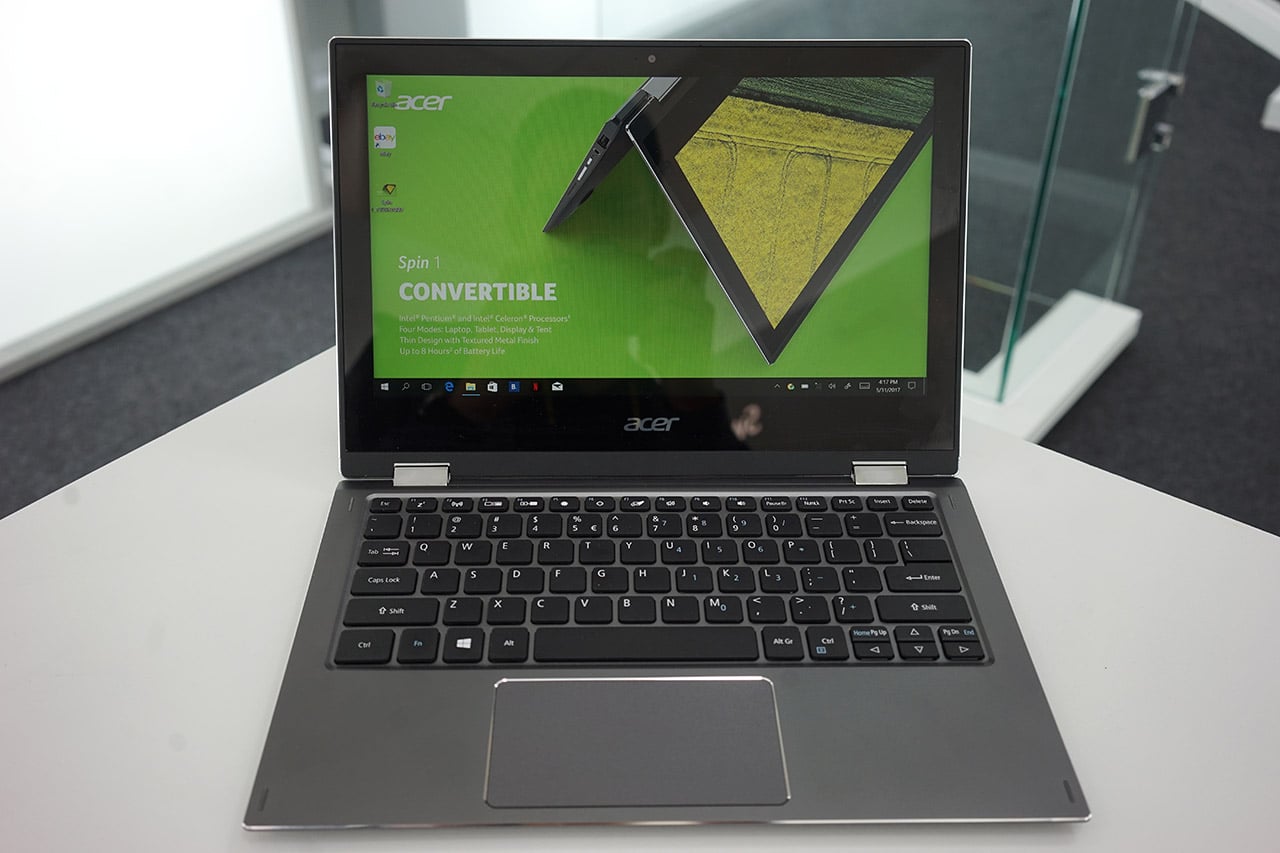
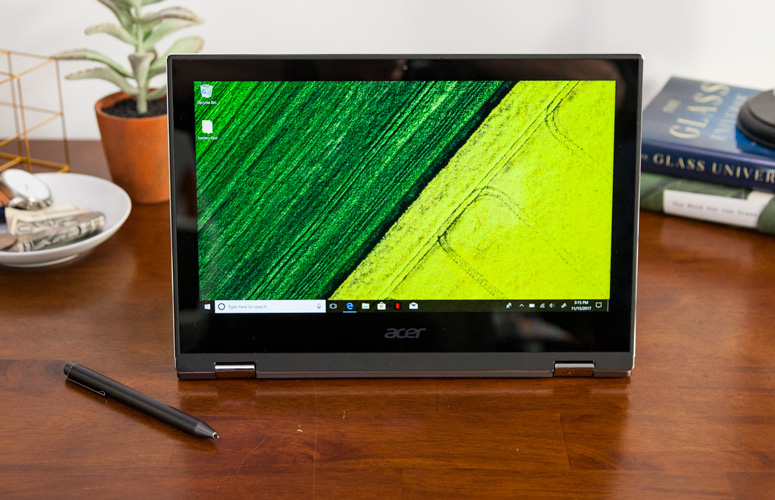
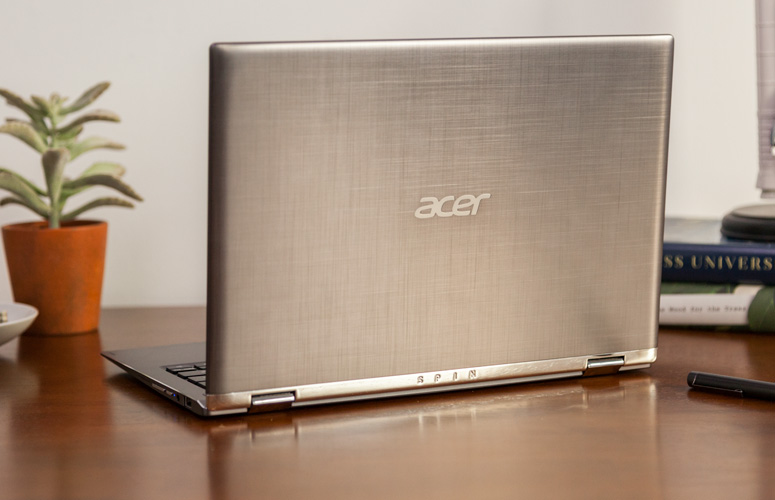
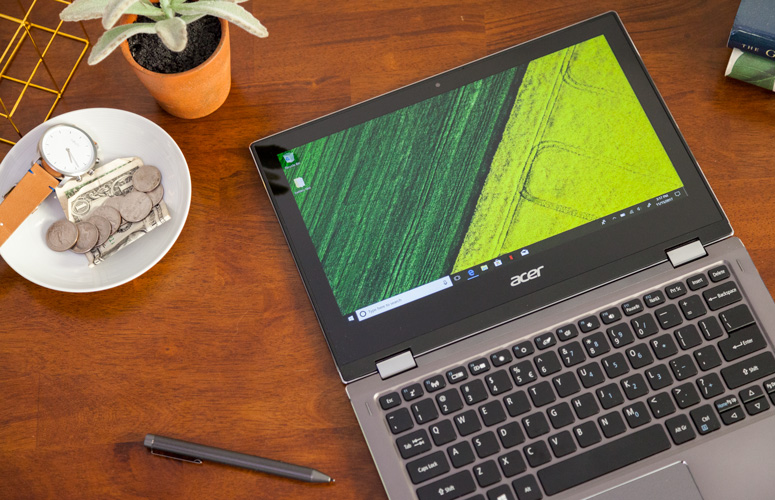
    Quickly turn thoughts into action on Acer’s Spin 1 Convertible laptop. Portable and light, this boundless device is fast and fun with an included stylus and Windows Ink so you can jot down a note or capture ideas as easily and quickly as they occur. It features a vibrant 11.6” Full HD IPS display and battery life that has enough juice to last you though your entire journey while the 360° hinge laptop smoothly converts between four modes —laptop, display, tent or tablet—by simply ‘spinning’ it into position.

    The Great

    • Sharp
    • Colorful display
    • Attractive metal chassis
    • Comfortable keyboard

    The Not

    • Below-average battery life
    • Small storage drive


    The Conclusion

    For under $350, the Spin 1 provides some features you usually see in laptops that cost closer to $1,000. Clad in a snazzy all-aluminum chassis, this 11.6-inch convertible has one of the most colorful and brightest 1080p screens on the market, giving it a better viewing experience than many systems three times its price. It also comes standard with an active stylus that supports 1,024 levels of pressure. With a Celeron processor and 32GB of storage, the Spin 1 probably won’t replace your primary PC, but it makes a great secondary device and is a fantastic choice for kids.


    The Design

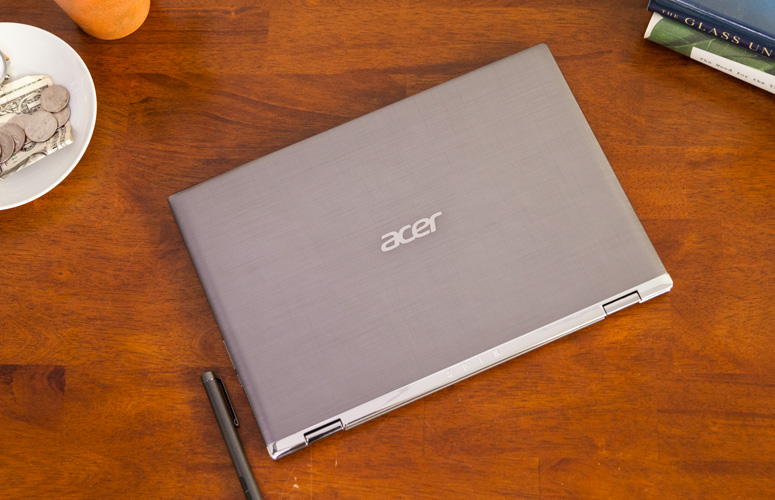
    The Acer Spin 1 doesn’t look anything like a $329 laptop. Its gunmetal-gray aluminum chassis stands out in a price band where cheap, glossy plastic is the norm. I particularly like the subtle, cross-hatch pattern on the dark gray lid and how it contrasts with the shiny, silver hinge area. Thick screen bezels, however, keep the inside of the system from looking quite as stunning as the outside of the package


    The Display

    The 11.6-inch screen on the Spin 1 is so bright and colorful that it has caused me to question my assumptions about the laptop industry. If Acer can put a 1920 x 1080 IPS touch display this vibrant on a $329 laptop, why can’t manufacturers offer this kind of display quality in their $800 and $1,000 laptops?

    Keyboard and Touchpad

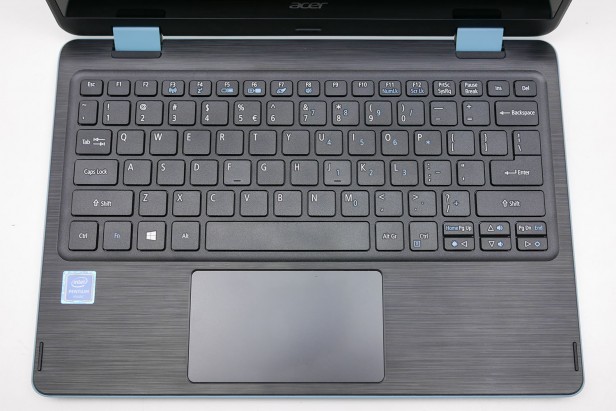
    When it comes time to type on most budget laptops, particularly 11-inchers like the Spin 1, I gird myself for an unpleasant experience. However, Acer’s 2-in-1 blew away my expectations with a snappy, responsive keyboard that didn’t have any of the flex or key stiffness I often see on much more expensive system

    The Performance

    We’ve spent more time than usual really paying attention to what the Acer Spin 1 feels like in use, because a lot of older Atom and Celeron laptops were just too slow to be enjoyable. For the most part this Celeron actually performs fine for the basics.Browsing the web, writing documents and other basic productivity jobs are painless. Using the Acer Spin 1 to write a few of our reviews felt much as it would on a laptop with a Core i5 CPU

    Quick Spec Look

    •  11.6-inch,
    • 1080p IPS screen
    • 4GB of RAM,
    • 32GB eMMC Storage
    • Intel Celeron N3350 CPU
    • 2.65 pounds

    The Final Thought

    If you want a cheap hybrid and have realistic expectations about performance, you should jump at the Acer Spin 1. It’s well-made, is comfortable to type on and has a superb screen for the price.


  • A Little Lighter HP Spectre x360 13

    A Little Lighter HP Spectre x360 13

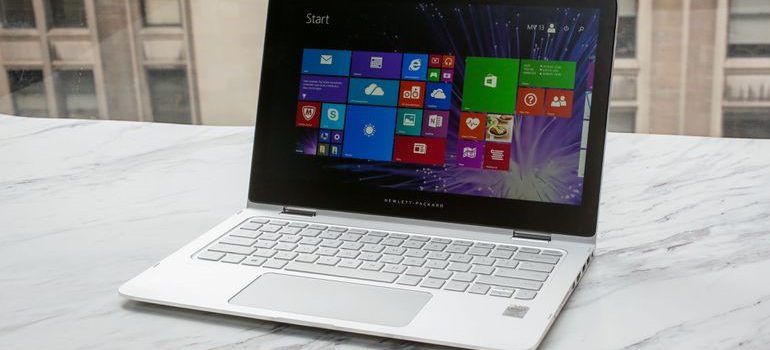
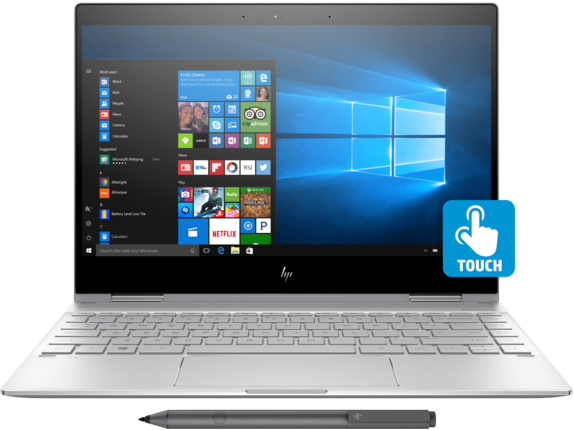
    The HP Spectre x360 13-w023dx is a high-end convertible- hybrid  2 in 1 touch screen laptop with all-day battery life, more than enough speed for day-to-day and multimedia tasks, and a premium chassis. It features a Windows 10 64 OS, 8th gen Inlet processor, with up to 16gb SDRAM and 13.3inch 4k IPS WLED touch screen.  Starting at $999.99 and an all out specs price of $1320.99.

    The Great

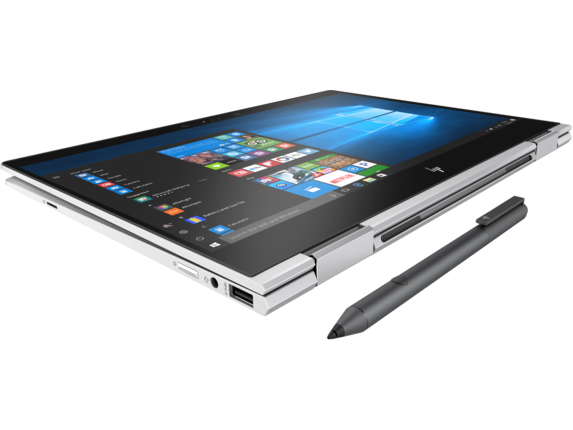
    Really Light And looks fabulous, the HP Spectre x360 13 has a great feel and responsive peripherals, a fantastic display and adequate sound. Add in a  the new HP Active Pen, fingerprint reader and better battery life with an upgraded display and it is… great. Its great.

    The Not

    Nothing revolutionary, the devices itself gets a little warm.

    The Conclusion

    The HP Spectre x360 13 was a great 2-1 laptop and it just got a little better. It’s not a cheap computer, but you get what you pay for and this is worth every penny.


    First impressions


    I’ve been using the HP Spectre x360 13t for a little while now. I fell in love with the 2-1 convertible laptop with a touch screen. When I adopted this little guy it has condensed many devices for me. There is a ton of computing power built in to a ergo dynamic, sleek and useable design. Like a 2-1 should be it’s the best of both a powerful laptop and a user friendly tablet. Then it got a late 2017 upgrade. Lets look at the pumped up new guy.

    HP Spectre x360 13t (13-4003)


    What’s changed?

    With the update HP has packed with solid features, latest 8th gen processor and powerful RAM. Face recognition and finger print sensors. We got a processor upgrade to the Intel® Core™ i8. The Display has been enhanced to a 4K IPS micro-edge WLED-backlit touch screen with a micro edge. All of this is going to need a better battery, got that too.

    Look, Feel, and Function

    Functionally flawless, although I’ve noticed and read others experiencing the temperature of the device getting a little high. This is probably due to the postponed fan activation curvature. Thankfully, the improved cooling for the 8th gen chips is working. I like that the new HP rechargeable pen is included, it adds a nice touch and experience. I’m getting a full heavy use day on the battery, no issues other than the slight heat. Display is brilliant, can brightness can be a little low, and I’ve had to turn it to 100. The fingerprint reader is a very nice feature, though I can get it to work only about half of the time. It is also positioned in a weird place.

    Final Thought

    Overall, the Spectre x360-13t is a very good computer. It’s quick, reliable, light with great peripherals. When looking for the ultimate 2 in 1 its between this and its main rival the surface Pro. I would strongly recommend that prospective buyers give The Spectre serious consideration. Its worth the price tag if you want quality.